Web 2.0 Technology for
Collaboration in the Classroom
and Beyond


                     Jonathan Fass
What is Web 2.0?

Web 2.0 is the term given to describe a second
generation of the World Wide Web that is
focused on the ability for people to collaborate
and share information online.
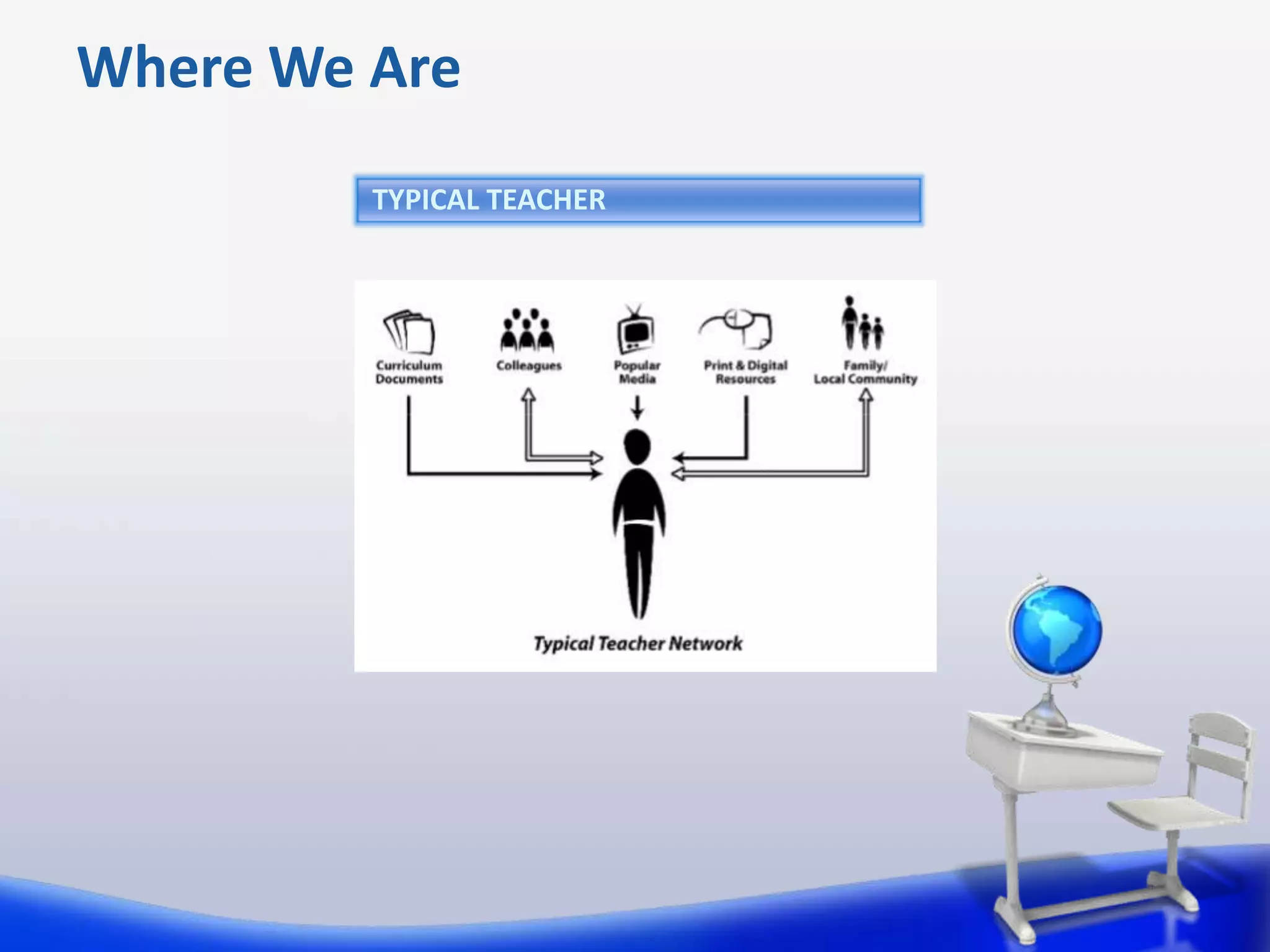
Where We Are
         TYPICAL TEACHER
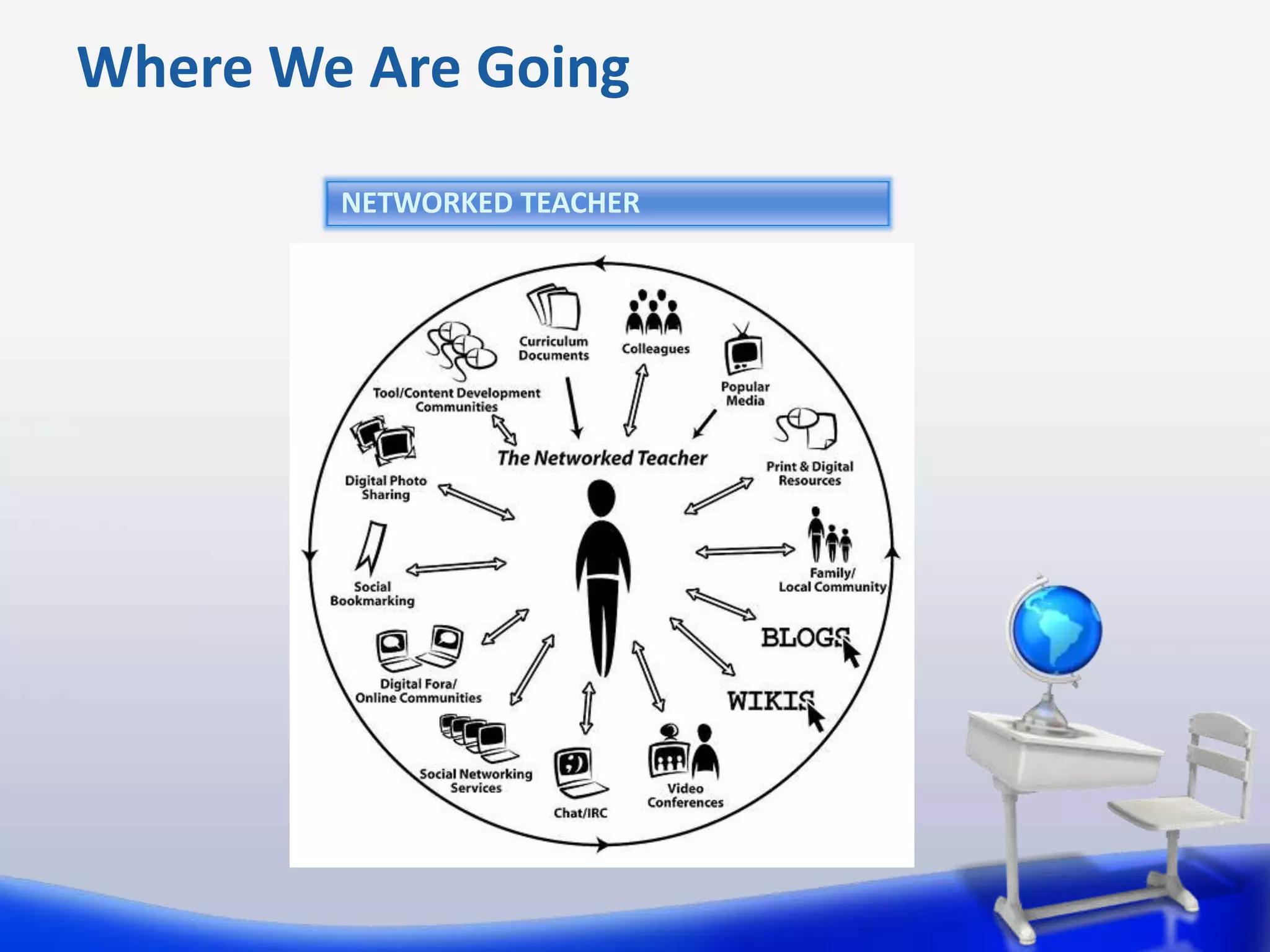
Where We Are Going
        NETWORKED TEACHER
The Impact of Technology
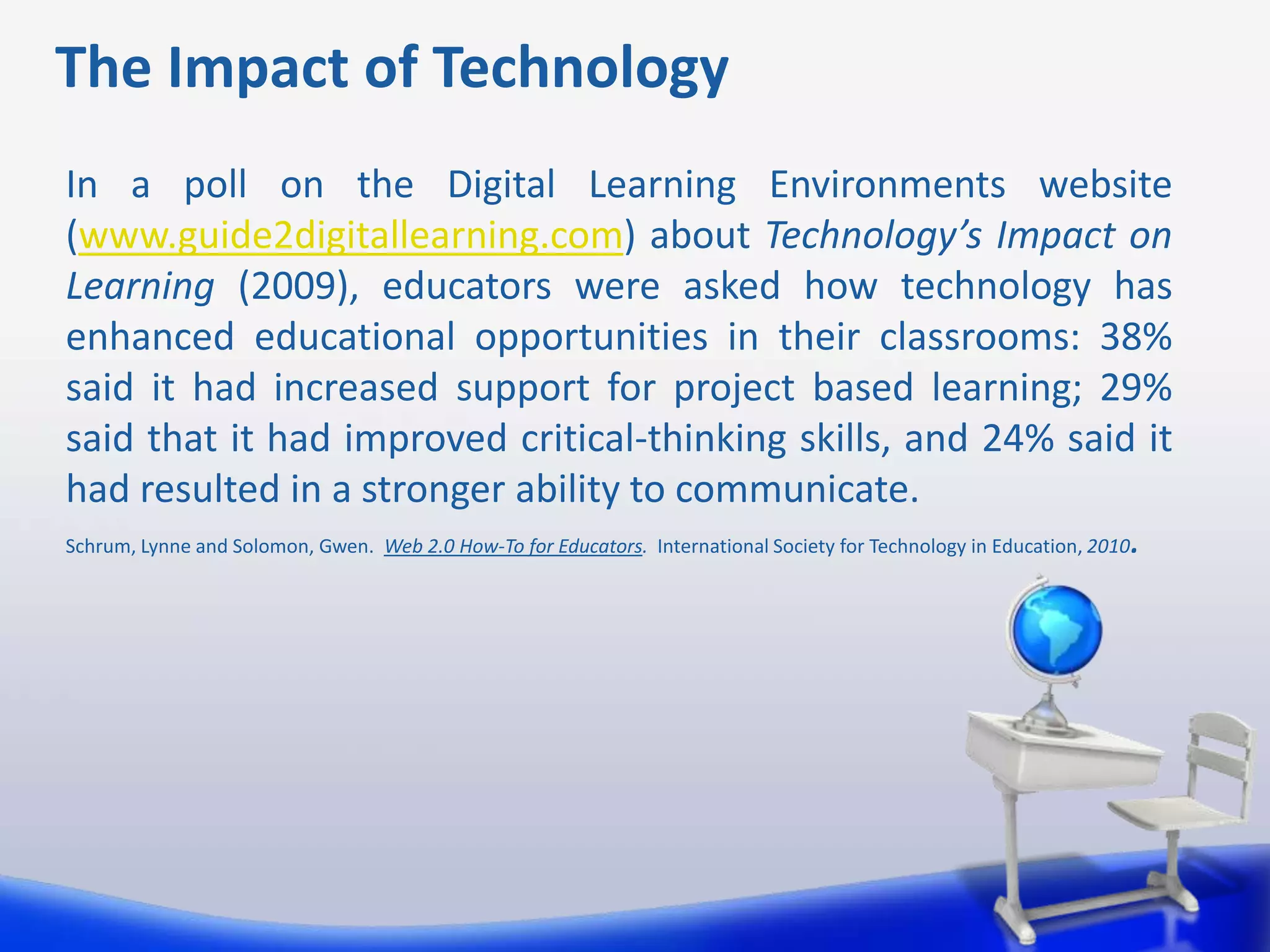
In a poll on the Digital Learning Environments website
(www.guide2digitallearning.com) about Technology’s Impact on
Learning (2009), educators were asked how technology has
enhanced educational opportunities in their classrooms: 38%
said it had increased support for project based learning; 29%
said that it had improved critical-thinking skills, and 24% said it
had resulted in a stronger ability to communicate.
Schrum, Lynne and Solomon, Gwen. Web 2.0 How-To for Educators. International Society for Technology in Education, 2010.
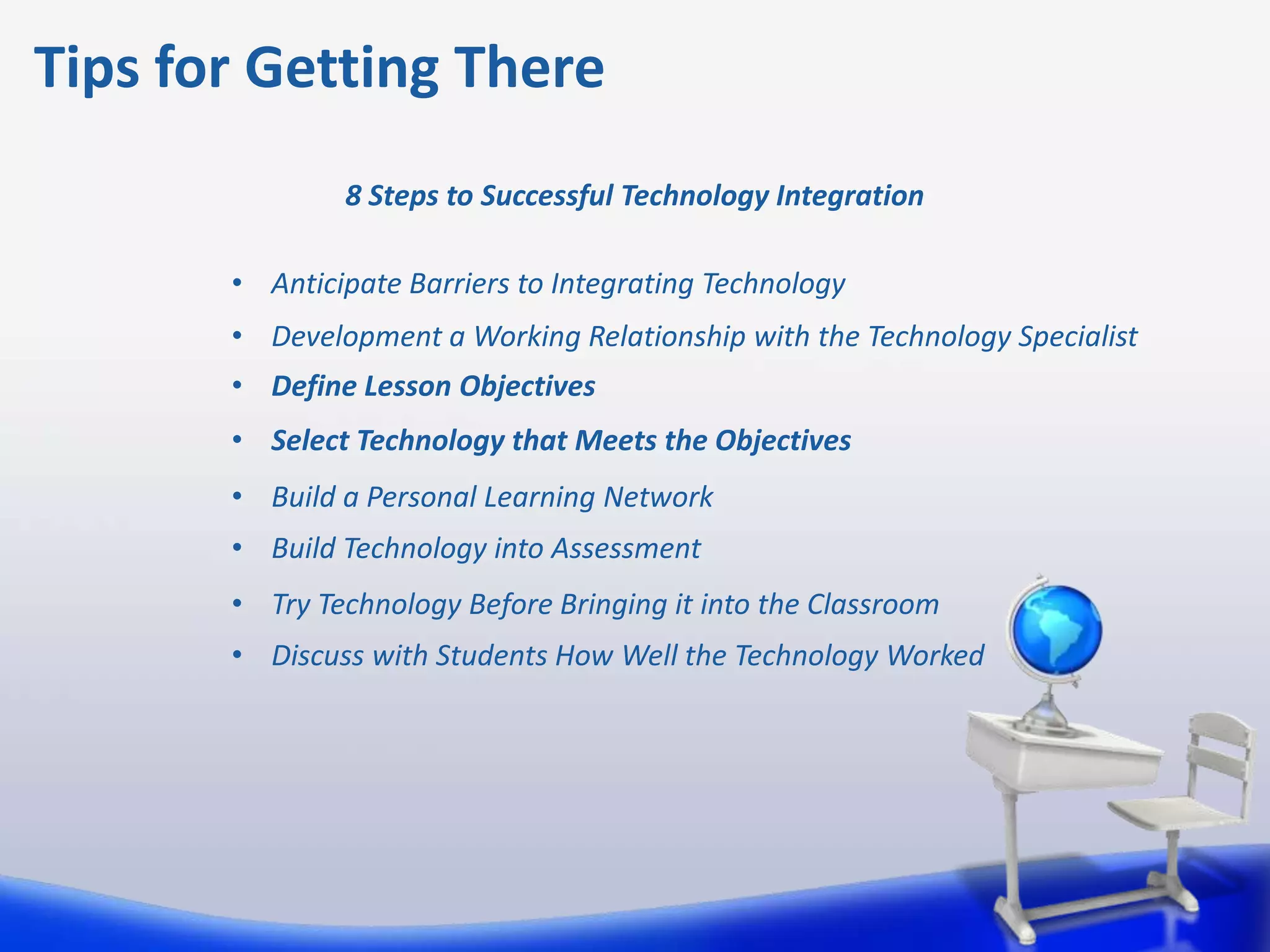
Tips for Getting There
          TEACHERCHANNEL.COM


          USING SOCIAL MEDIA IN A LESSON PLAN
Tips for Getting There
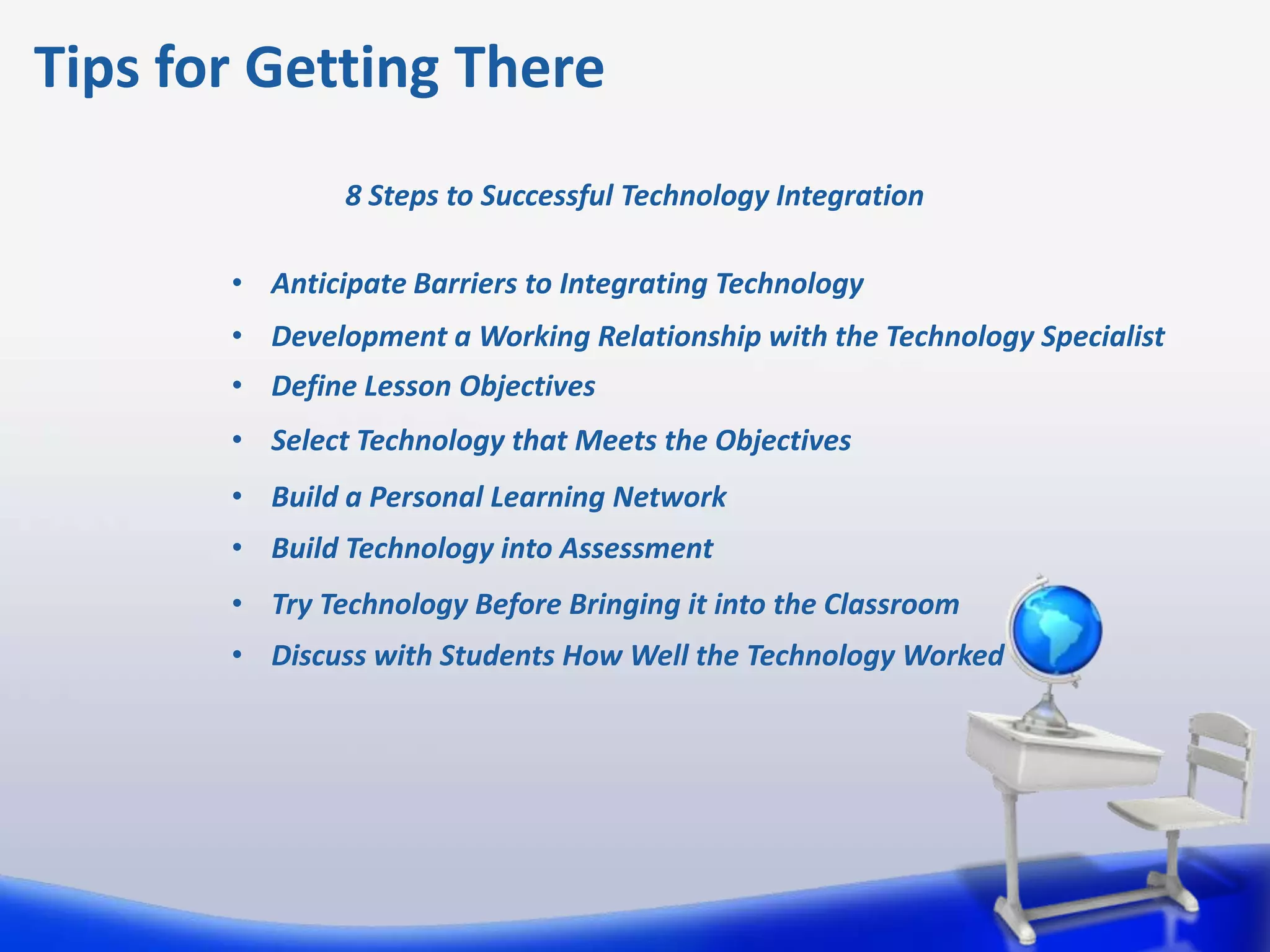
               8 Steps to Successful Technology Integration

       • Anticipate Barriers to Integrating Technology
       • Development a Working Relationship with the Technology Specialist
       • Define Lesson Objectives
       • Select Technology that Meets the Objectives
       • Build a Personal Learning Network
       • Build Technology into Assessment
       • Try Technology Before Bringing it into the Classroom
       • Discuss with Students How Well the Technology Worked
Benefits of Online Collaboration

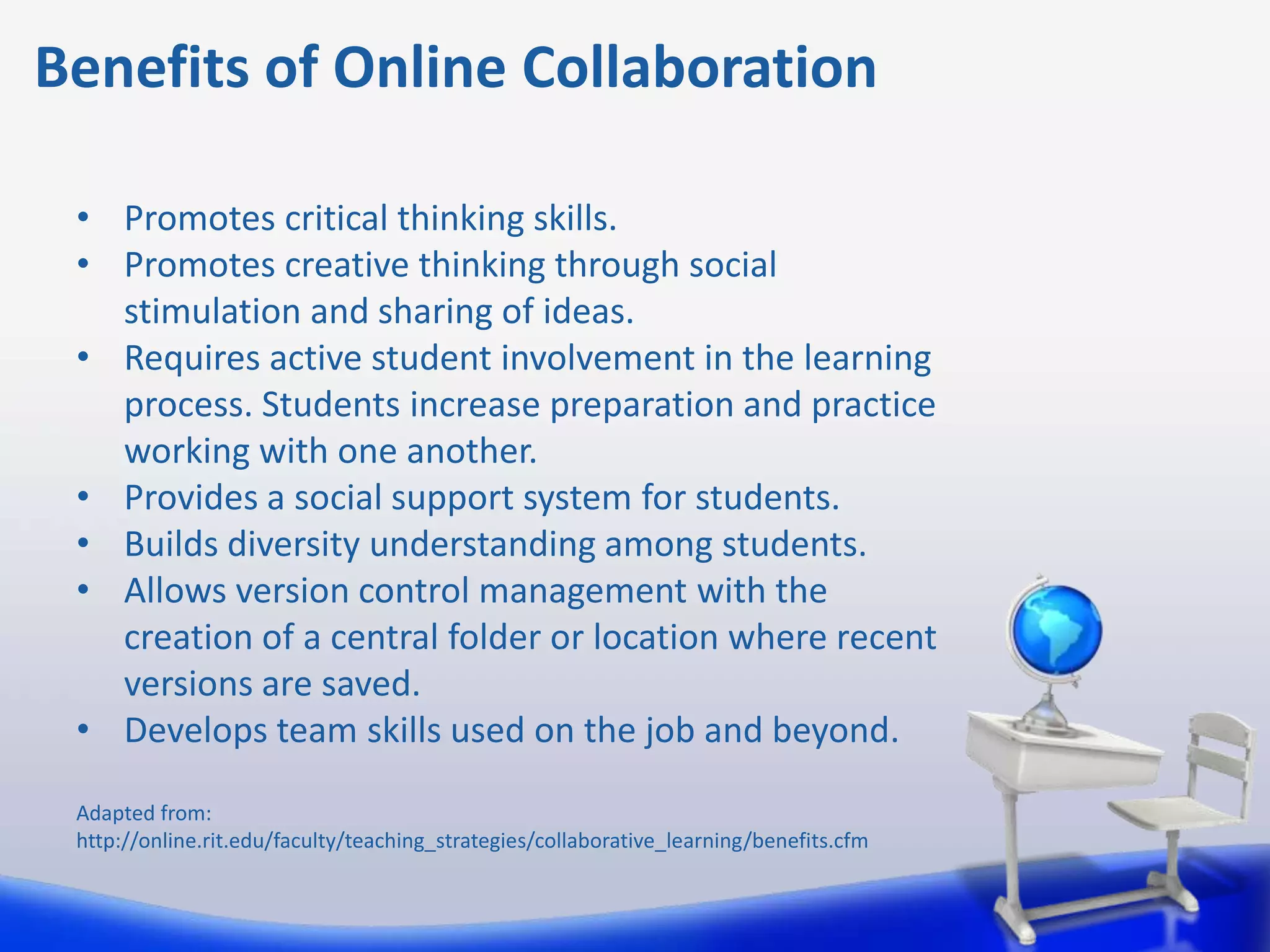
 • Promotes critical thinking skills.
 • Promotes creative thinking through social
   stimulation and sharing of ideas.
 • Requires active student involvement in the learning
   process. Students increase preparation and practice
   working with one another.
 • Provides a social support system for students.
 • Builds diversity understanding among students.
 • Allows version control management with the
   creation of a central folder or location where recent
   versions are saved.
 • Develops team skills used on the job and beyond.

 Adapted from:
 http://online.rit.edu/faculty/teaching_strategies/collaborative_learning/benefits.cfm
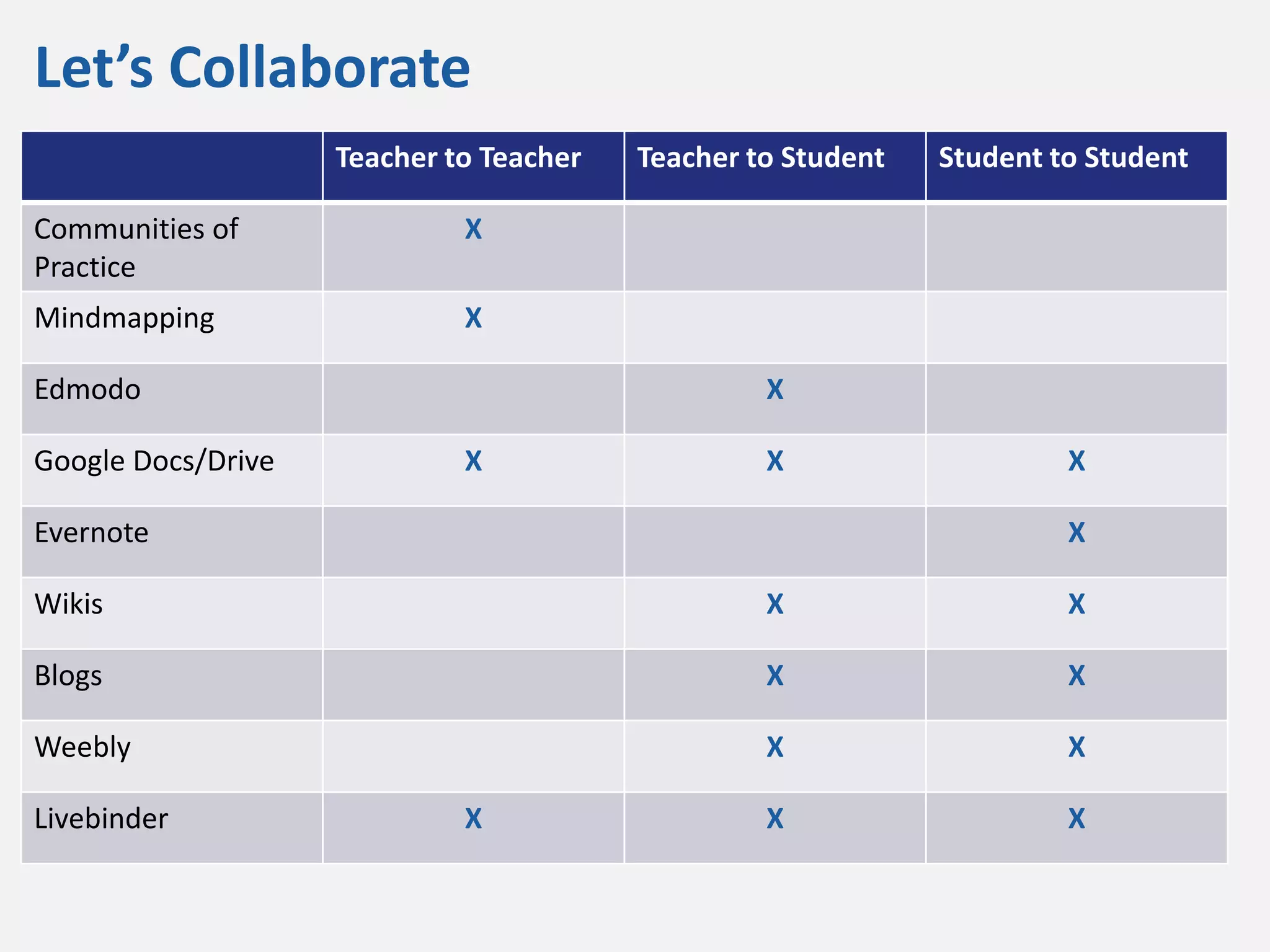
Let’s Collaborate
                    Teacher to Teacher   Teacher to Student   Student to Student

Communities of               X
Practice
Mindmapping                  X

Edmodo                                            X

Google Docs/Drive            X                    X                    X

Evernote                                                               X

Wikis                                             X                    X

Blogs                                             X                    X

Weebly                                            X                    X

Livebinder                   X                    X                    X
Collaboration Platforms
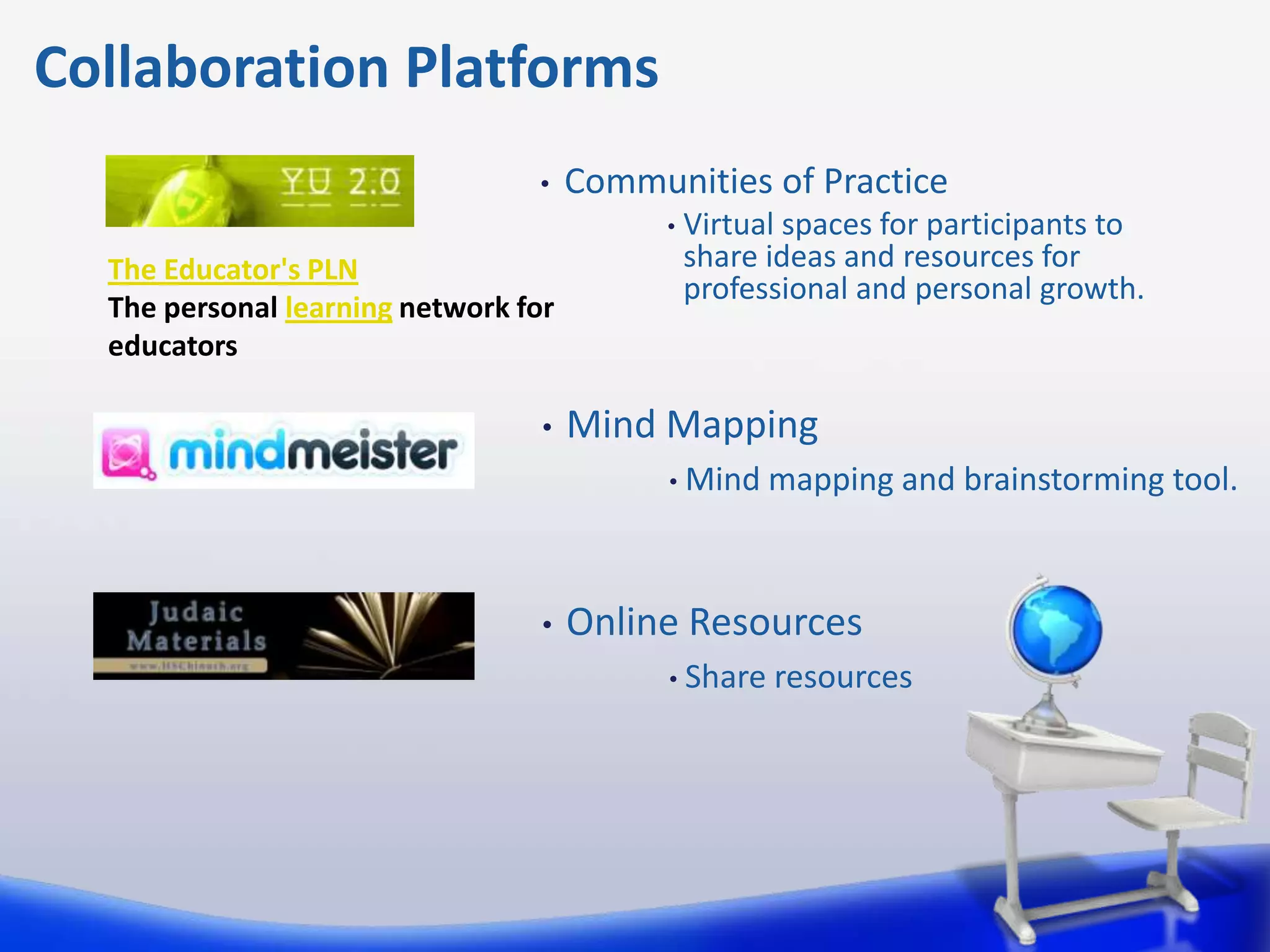
                                 •    Communities of Practice
                                            •   Virtual spaces for participants to
  The Educator's PLN                            share ideas and resources for
                                                professional and personal growth.
  The personal learning network for
  educators

                                  •   Mind Mapping
                                            • Mind    mapping and brainstorming tool.


                                  •   Online Resources
                                            • Share   resources
Collaboration Platforms
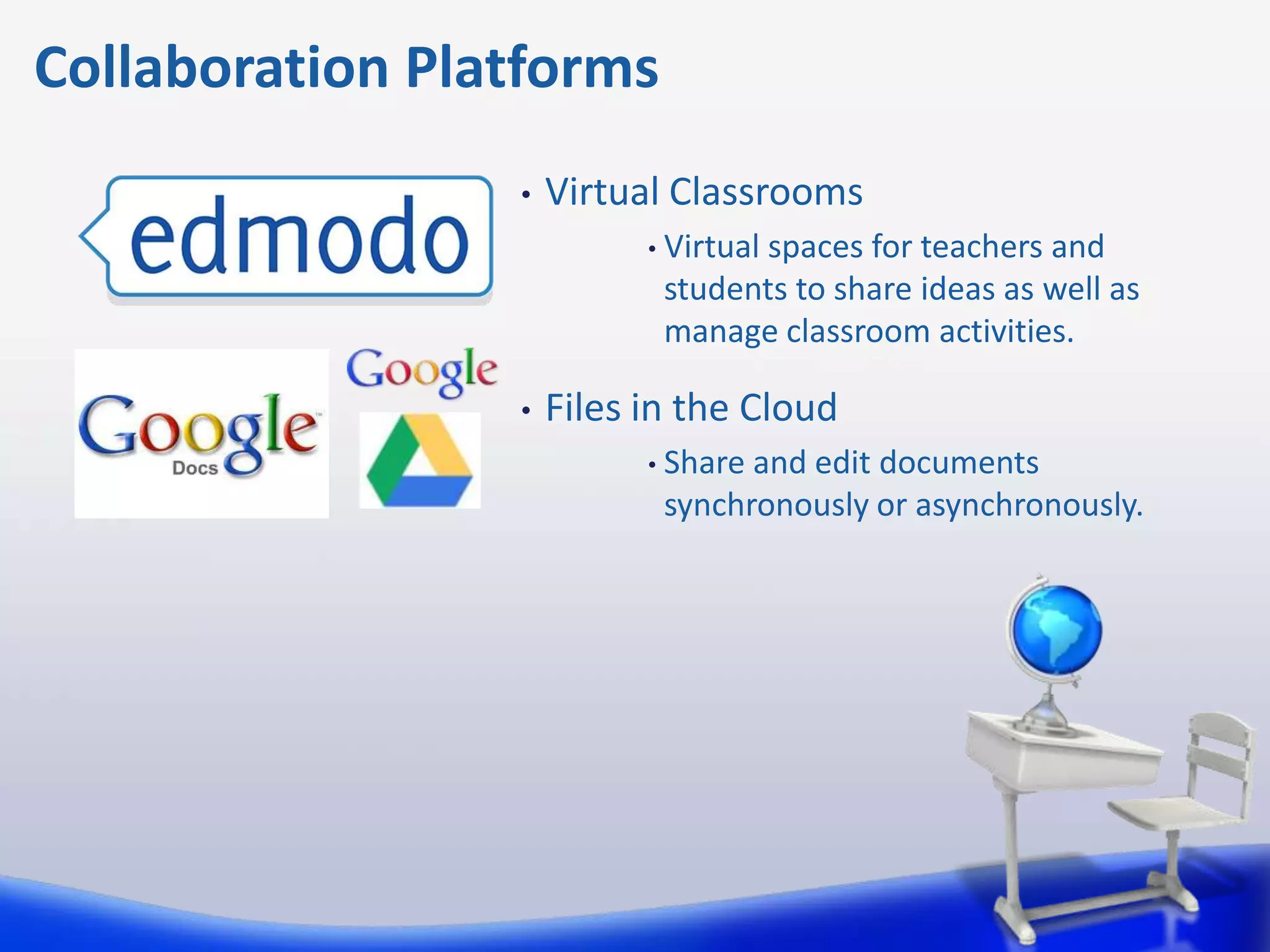
                 •   Virtual Classrooms
                           • Virtual
                                  spaces for teachers and
                            students to share ideas as well as
                            manage classroom activities.

                 •   Files in the Cloud
                           • Shareand edit documents
                            synchronously or asynchronously.
Collaboration Platforms
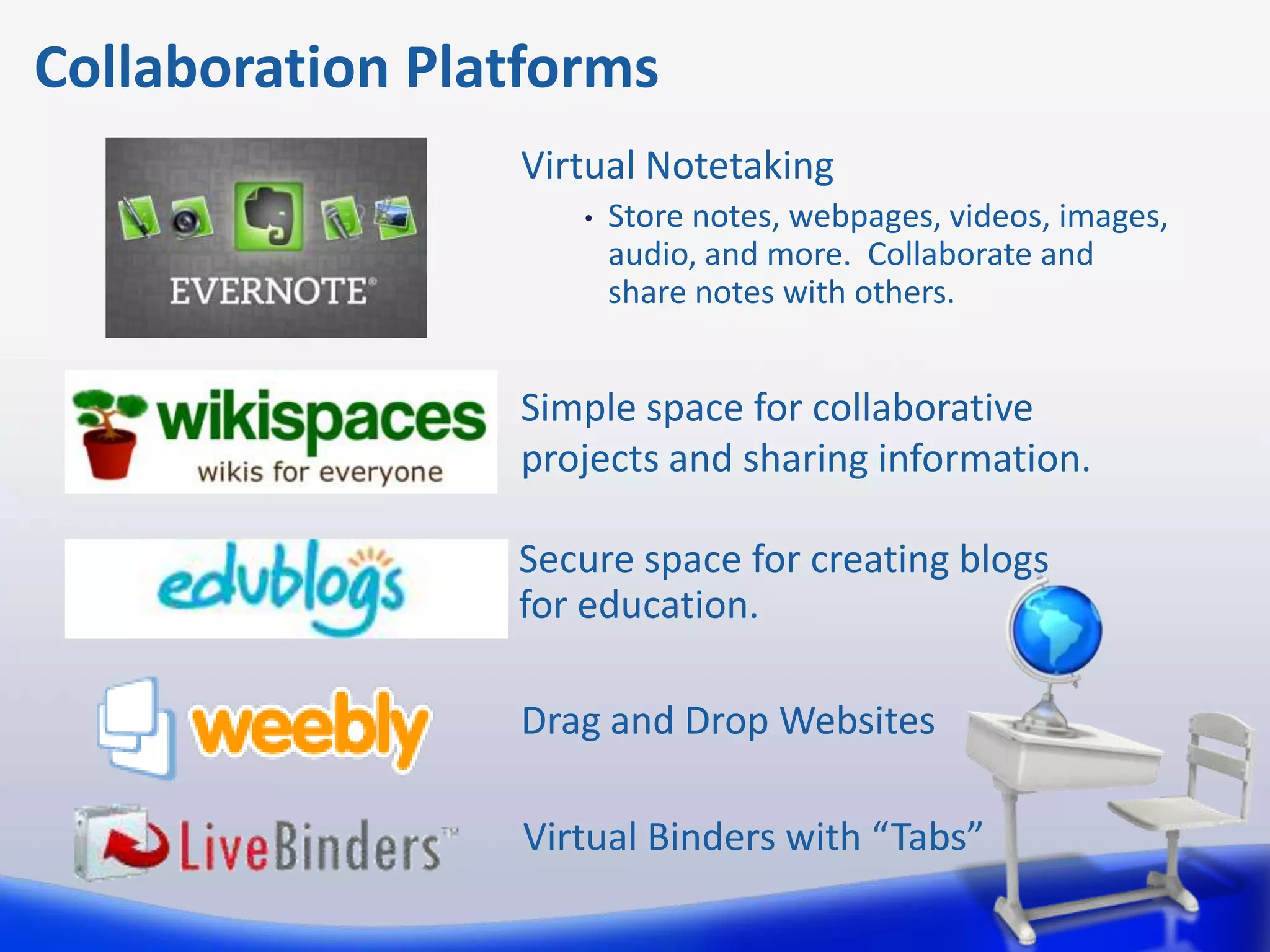
                 Virtual Notetaking
                    •   Store notes, webpages, videos, images,
                        audio, and more. Collaborate and
                        share notes with others.


                 Simple space for collaborative
                 projects and sharing information.

                 Secure space for creating blogs
                 for education.

                 Drag and Drop Websites

                 Virtual Binders with “Tabs”
Tips for Getting There
               8 Steps to Successful Technology Integration

       • Anticipate Barriers to Integrating Technology
       • Development a Working Relationship with the Technology Specialist
       • Define Lesson Objectives
       • Select Technology that Meets the Objectives
       • Build a Personal Learning Network
       • Build Technology into Assessment
       • Try Technology Before Bringing it into the Classroom
       • Discuss with Students How Well the Technology Worked
Nothing to Fear but Fear Itself

   “The truth is that technology will never replace teachers,
   however teachers that know how to use technology
   effectively to help their students connect and collaborate
   together online will replace those who do not.”

   Sheryl Nussbaum-Beach
   21st Century Collaborative
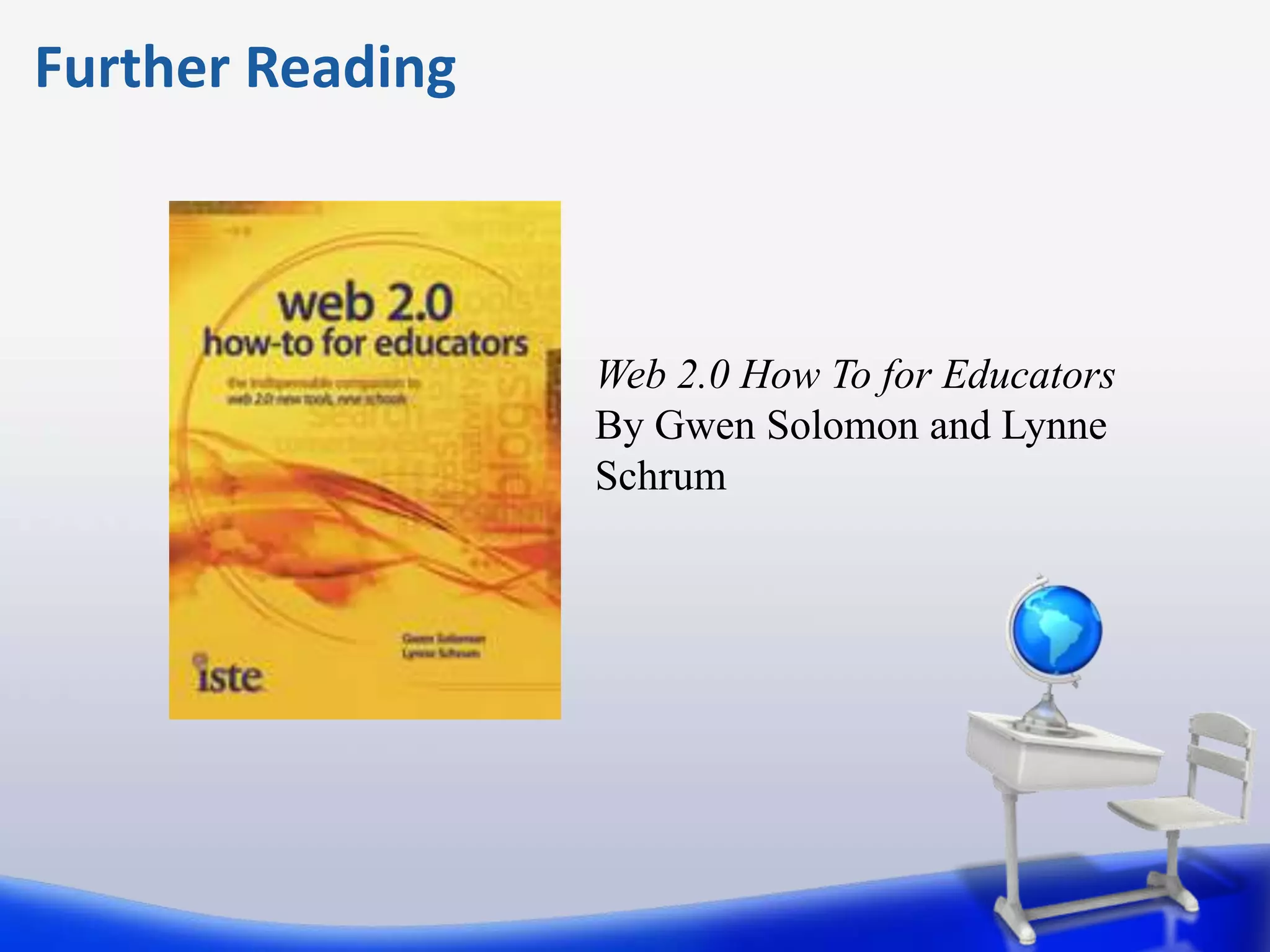
Further Reading


                  Web 2.0 How To for Educators
                  By Gwen Solomon and Lynne
                  Schrum
Web 2.0 Technology for
Collaboration in the Classroom
and Beyond

              Contact me at
              jonathan.fass@gmail.com


                      Jonathan Fass

PELIE Conference Presentation

  • 1.
    Web 2.0 Technologyfor Collaboration in the Classroom and Beyond Jonathan Fass
  • 2.
    What is Web2.0? Web 2.0 is the term given to describe a second generation of the World Wide Web that is focused on the ability for people to collaborate and share information online.
  • 3.
    Where We Are TYPICAL TEACHER
  • 4.
    Where We AreGoing NETWORKED TEACHER
  • 5.
    The Impact ofTechnology In a poll on the Digital Learning Environments website (www.guide2digitallearning.com) about Technology’s Impact on Learning (2009), educators were asked how technology has enhanced educational opportunities in their classrooms: 38% said it had increased support for project based learning; 29% said that it had improved critical-thinking skills, and 24% said it had resulted in a stronger ability to communicate. Schrum, Lynne and Solomon, Gwen. Web 2.0 How-To for Educators. International Society for Technology in Education, 2010.
  • 6.
    Tips for GettingThere TEACHERCHANNEL.COM USING SOCIAL MEDIA IN A LESSON PLAN
  • 7.
    Tips for GettingThere 8 Steps to Successful Technology Integration • Anticipate Barriers to Integrating Technology • Development a Working Relationship with the Technology Specialist • Define Lesson Objectives • Select Technology that Meets the Objectives • Build a Personal Learning Network • Build Technology into Assessment • Try Technology Before Bringing it into the Classroom • Discuss with Students How Well the Technology Worked
  • 8.
    Benefits of OnlineCollaboration • Promotes critical thinking skills. • Promotes creative thinking through social stimulation and sharing of ideas. • Requires active student involvement in the learning process. Students increase preparation and practice working with one another. • Provides a social support system for students. • Builds diversity understanding among students. • Allows version control management with the creation of a central folder or location where recent versions are saved. • Develops team skills used on the job and beyond. Adapted from: http://online.rit.edu/faculty/teaching_strategies/collaborative_learning/benefits.cfm
  • 9.
    Let’s Collaborate Teacher to Teacher Teacher to Student Student to Student Communities of X Practice Mindmapping X Edmodo X Google Docs/Drive X X X Evernote X Wikis X X Blogs X X Weebly X X Livebinder X X X
  • 10.
    Collaboration Platforms • Communities of Practice • Virtual spaces for participants to The Educator's PLN share ideas and resources for professional and personal growth. The personal learning network for educators • Mind Mapping • Mind mapping and brainstorming tool. • Online Resources • Share resources
  • 11.
    Collaboration Platforms • Virtual Classrooms • Virtual spaces for teachers and students to share ideas as well as manage classroom activities. • Files in the Cloud • Shareand edit documents synchronously or asynchronously.
  • 12.
    Collaboration Platforms Virtual Notetaking • Store notes, webpages, videos, images, audio, and more. Collaborate and share notes with others. Simple space for collaborative projects and sharing information. Secure space for creating blogs for education. Drag and Drop Websites Virtual Binders with “Tabs”
  • 13.
    Tips for GettingThere 8 Steps to Successful Technology Integration • Anticipate Barriers to Integrating Technology • Development a Working Relationship with the Technology Specialist • Define Lesson Objectives • Select Technology that Meets the Objectives • Build a Personal Learning Network • Build Technology into Assessment • Try Technology Before Bringing it into the Classroom • Discuss with Students How Well the Technology Worked
  • 14.
    Nothing to Fearbut Fear Itself “The truth is that technology will never replace teachers, however teachers that know how to use technology effectively to help their students connect and collaborate together online will replace those who do not.” Sheryl Nussbaum-Beach 21st Century Collaborative
  • 15.
    Further Reading Web 2.0 How To for Educators By Gwen Solomon and Lynne Schrum
  • 16.
    Web 2.0 Technologyfor Collaboration in the Classroom and Beyond Contact me at jonathan.fass@gmail.com Jonathan Fass

Editor's Notes

  • #3 Some of you may be in-between the two images I want to show
  • #4 Some of you may be in-between the two images I want to show