Chapter 7 Graphics, Hypermedia,  and Multimedia
Topics Focus on Computer Graphics Dynamic Media: Beyond the Printed Page Interactive Multimedia: Eye, Ear, Hand,  & Mind Data Compression – How and Why “ If you look out in the future you can see how best to make right choices.” Doug Engelbart
Focus on Computer Graphics Computer graphics include: Painting Software Digital Image Processing Drawing Software 3-D Modeling Software CAD/CAM Presentation Graphics
Painting Software Paint pixels on the screen with a pointing device such as a mouse, joystick, trackball, touch pad or pen. The pointer movements are translated into lines and patterns on the screen.
Graphics Talk Pixels   are tiny dots of white, black, or color that make up images on the screen. Palette   of tools that mimic real-world painting tools and other tools unique to computers. Bitmapped graphics   (or raster graphics) are pictures that show how the pixels are mapped on the screen. Color depth   is the number of bits devoted to each pixel. Resolution   is the density of the pixels.
Digital Image Processing: Photographic Editing by Computer Software that allows the user to manipulate photographs and other high-resolution images with tools such as Adobe Photoshop.  Far more powerful than traditional photo-retouching techniques. Can distort and combine photos as demonstrated  in the tabloids Create fabricated images that show no evidence  of tampering
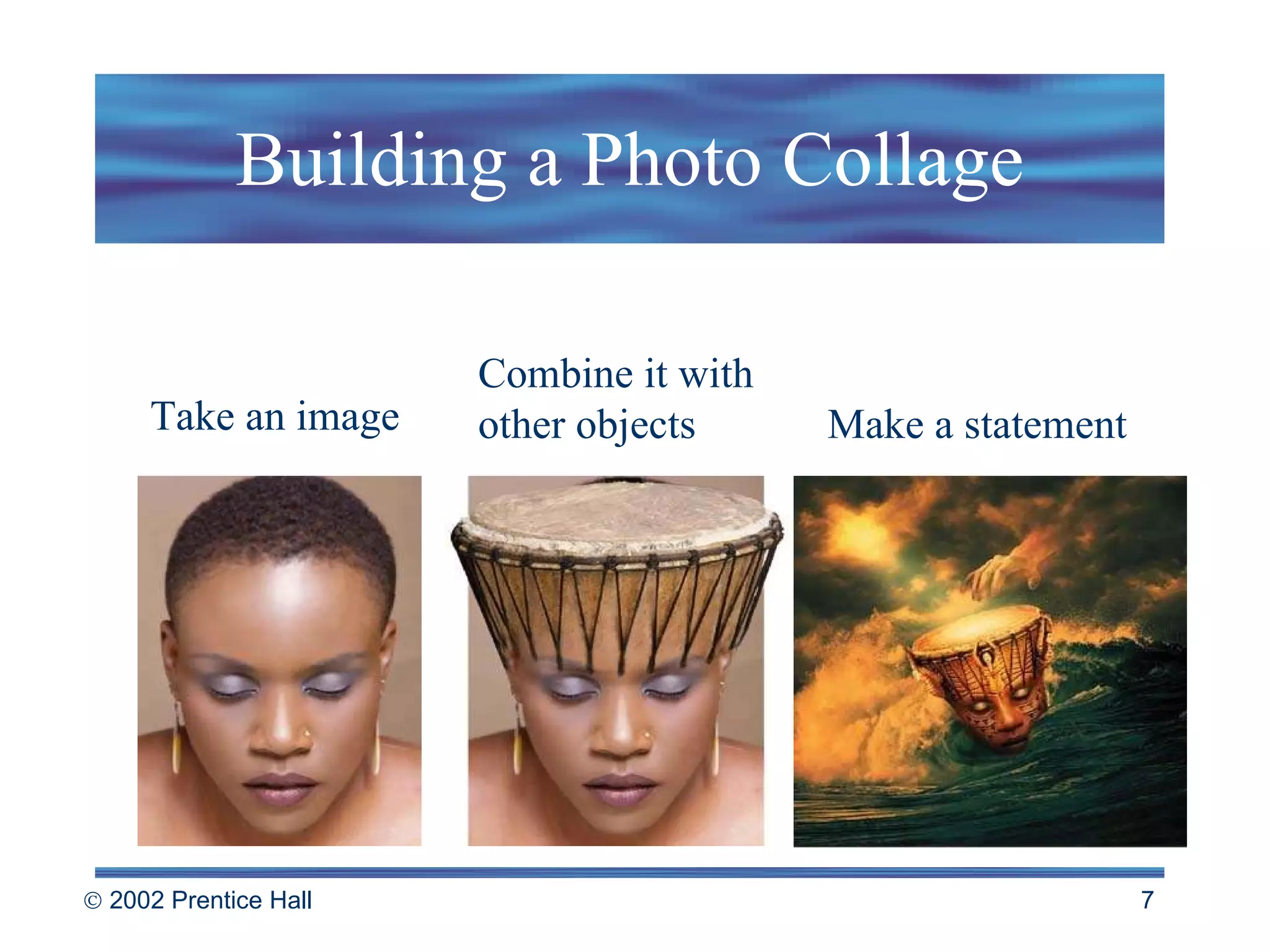
Building a Photo Collage Take an image Combine it with other objects  Make a statement
Drawing: Object-Oriented Graphics Drawing software stores a picture as a collection of lines and shapes (called  object-oriented   or   vector graphics ). Memory demands on storage not as high as bit-mapped images. Many drawing tools - line, shape and text tools are similar to painting tools in bitmapped programs.
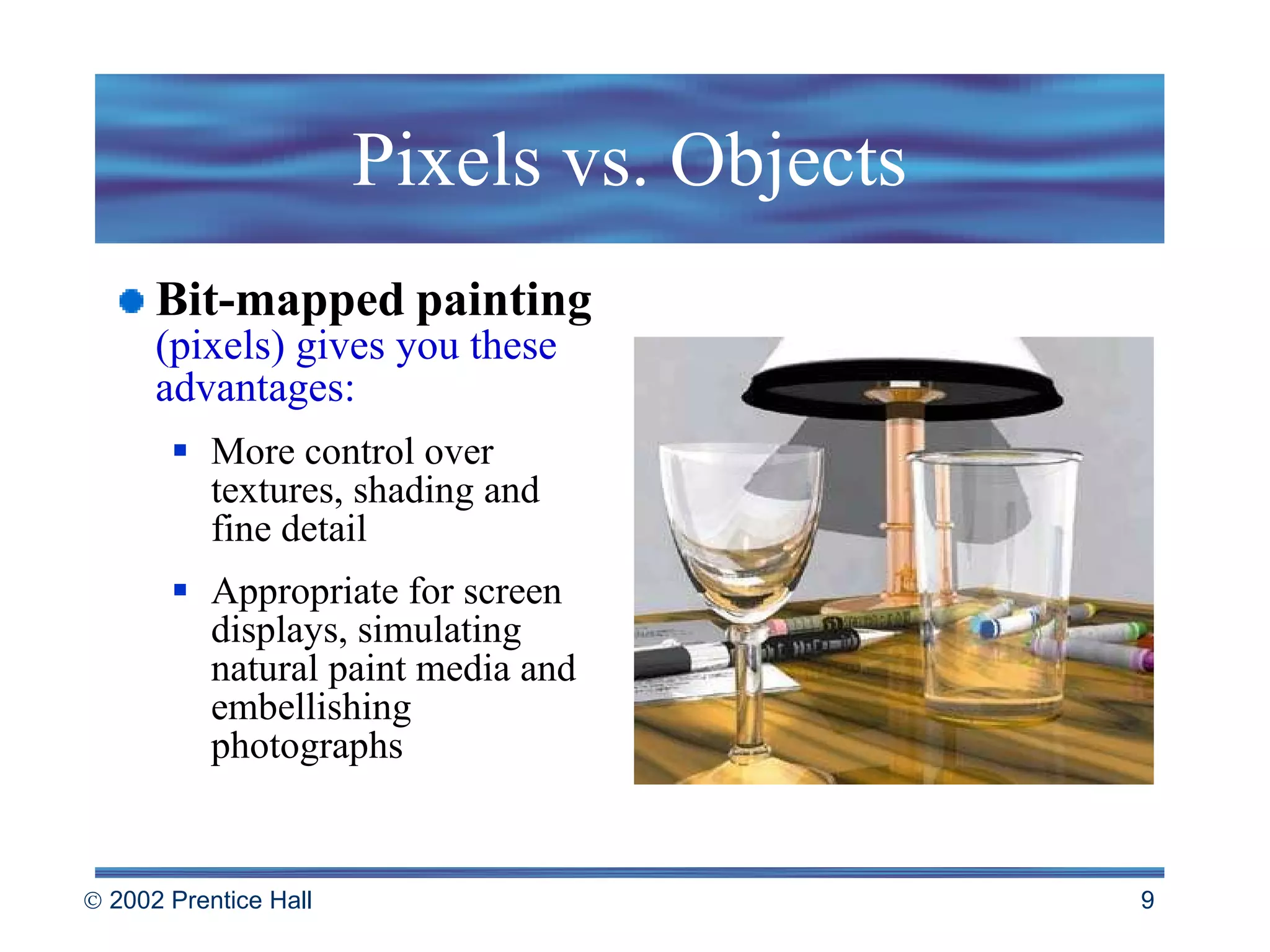
Pixels vs. Objects Bit-mapped   painting   (pixels) gives you these advantages: More control over textures, shading and fine detail Appropriate for screen displays, simulating natural paint media and embellishing photographs
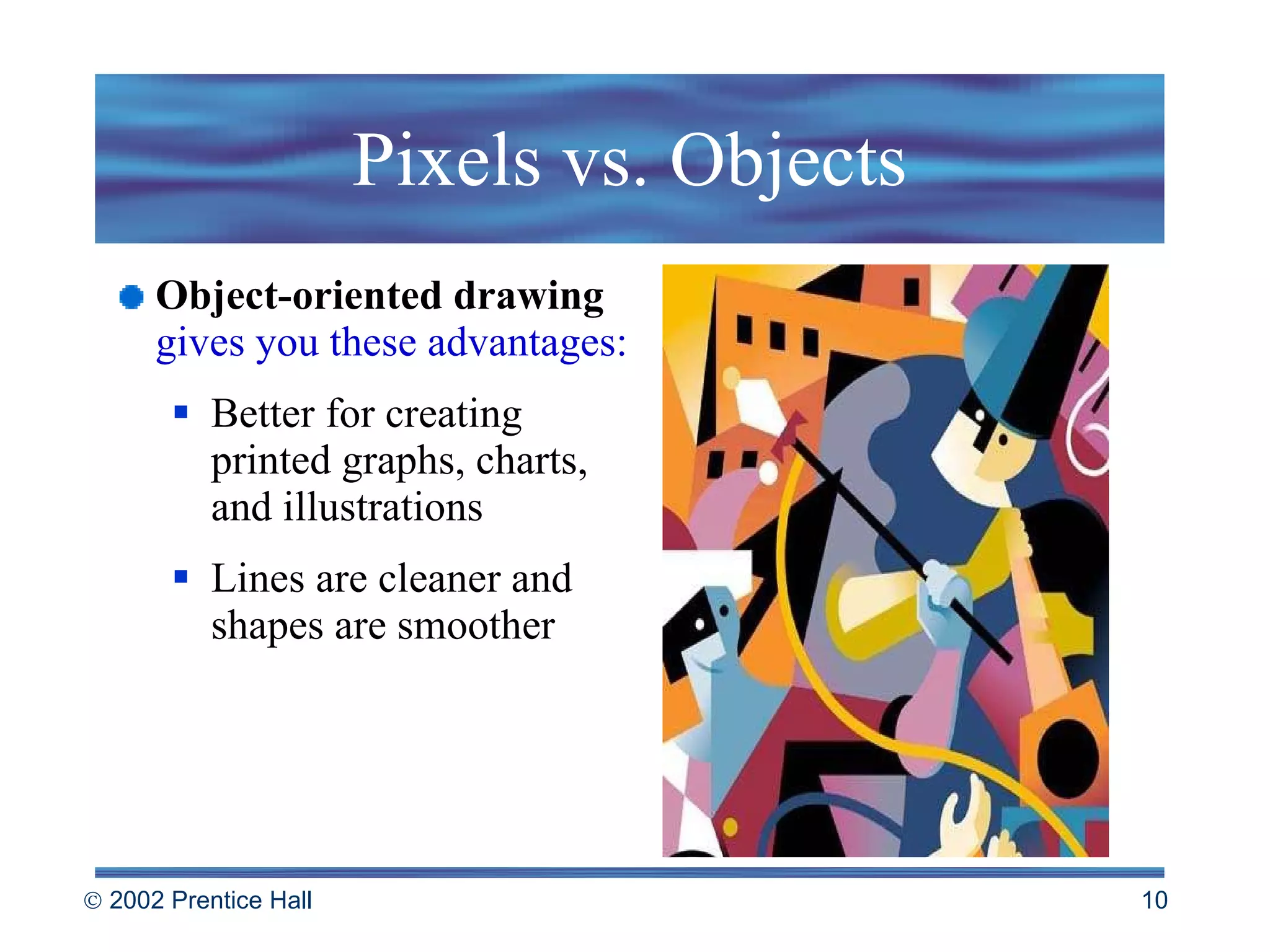
Pixels vs. Objects Object-oriented drawing   gives you these advantages: Better for creating printed graphs, charts, and illustrations  Lines are cleaner and shapes are smoother
Rules of Thumb:  Creating Smart Art Choose the right tool for the job. Don’t be afraid  to experiment and create your own art. Use computer clip art images that are either in  the public domain or available through licensing. Don’t borrow without permission. Protect your own work by using the copyright symbol ©
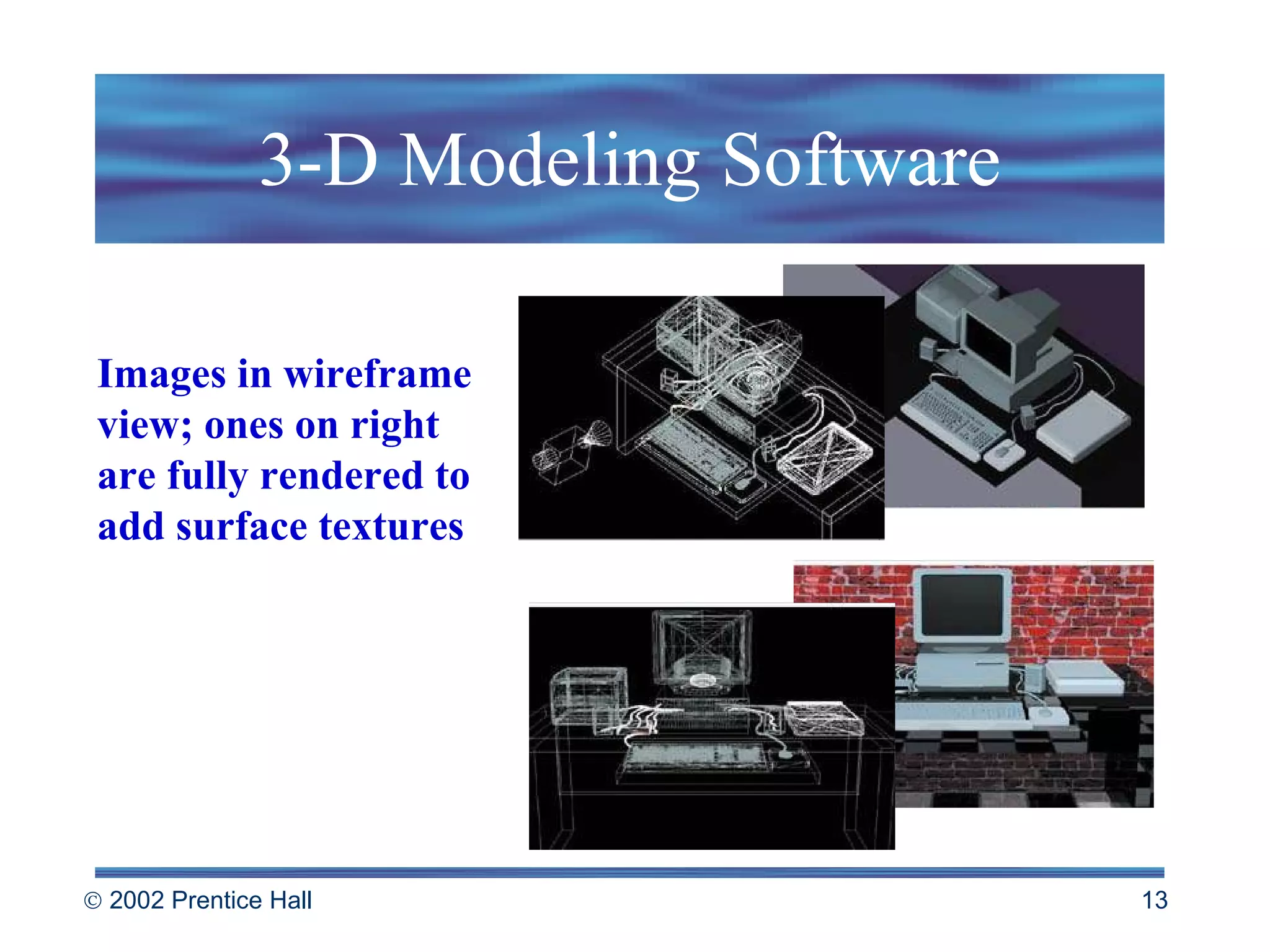
3-D Modeling Software Used to create three-dimensional objects with tools similar to those in drawing software. Goal for some applications: to create an animated presentation on a computer screen or videotape.  Flexible: can create a 3-D model, rotate it, view  it from different angles Can “walk-through” a 3-D environment that exists only in the computer’s memory
3-D Modeling Software Images in wireframe view; ones on right are fully rendered to add surface textures
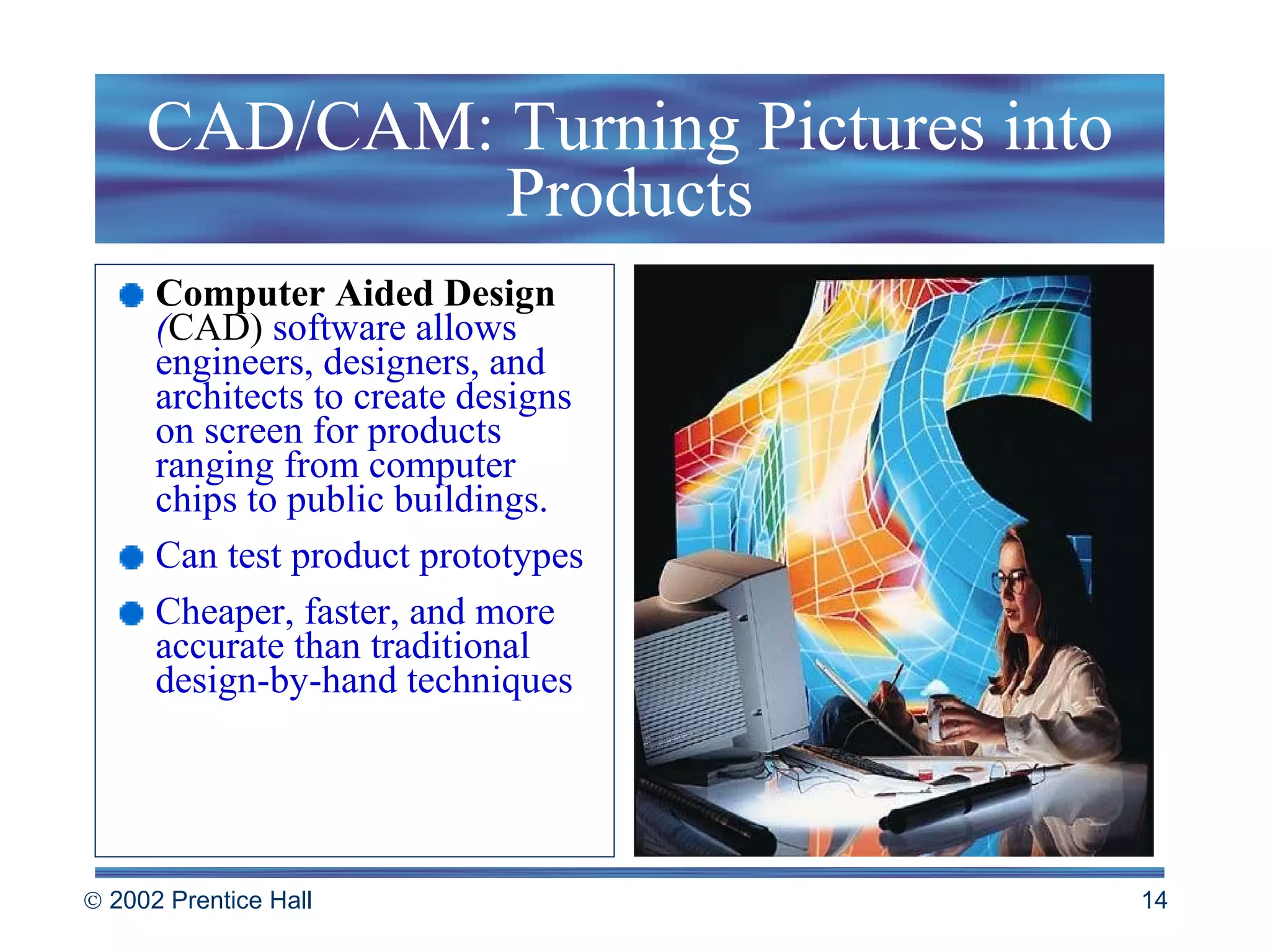
CAD/CAM: Turning Pictures into Products Computer Aided Design  ( CAD)  software allows engineers, designers, and architects to create designs on screen for products ranging from computer chips to public buildings. Can test product prototypes Cheaper, faster, and more accurate than traditional design-by-hand techniques
CAD/CAM: Turning Pictures into Products Computer-Aided Manufacturing  (CAM)   is the process by which data related to the product design are fed into a program that controls the manufacturing of parts. Computer-Integrated Manufacturing  (CIM)   refers to the combination of CAD/CAM and is a major step toward a fully automated factory.
Presentation Graphics: Bringing Lectures to Life Presentation   graphics   software   helps to automate the creation of visual aids for lectures, training sessions, sales demonstrations, and other presentations.  Create slide shows directly on computer monitors or  LCD projectors, including still images, animation and video clips. Slides might include: photographs drawings charts tables
Dynamic Media: Beyond the Printed Page Modern media contains dynamic information--information that changes over time or in response to user input. Animation Desktop Video Audio Hypertext and hypermedia
Animation: Graphics in Time Each frame of  computer-based animation is a computer-drawn picture and the computer displays those frames in rapid succession. Tweening - instead of drawing each frame by hand, animator can create key frames and objects and use software to help fill in the gaps “ Anything you can imagine can be done. If you can draw it, if you can describe it, we can do it. It’s just a matter of cost.” James Cameron, Filmmaker
Rules of Thumb: Making Powerful Presentations Know your audience Outline your ideas Keep it simple Use a consistent design Don’t clutter the screen Keep each slide focused Tell them what you’re going to tell them, then  tell them, then tell them what you told them
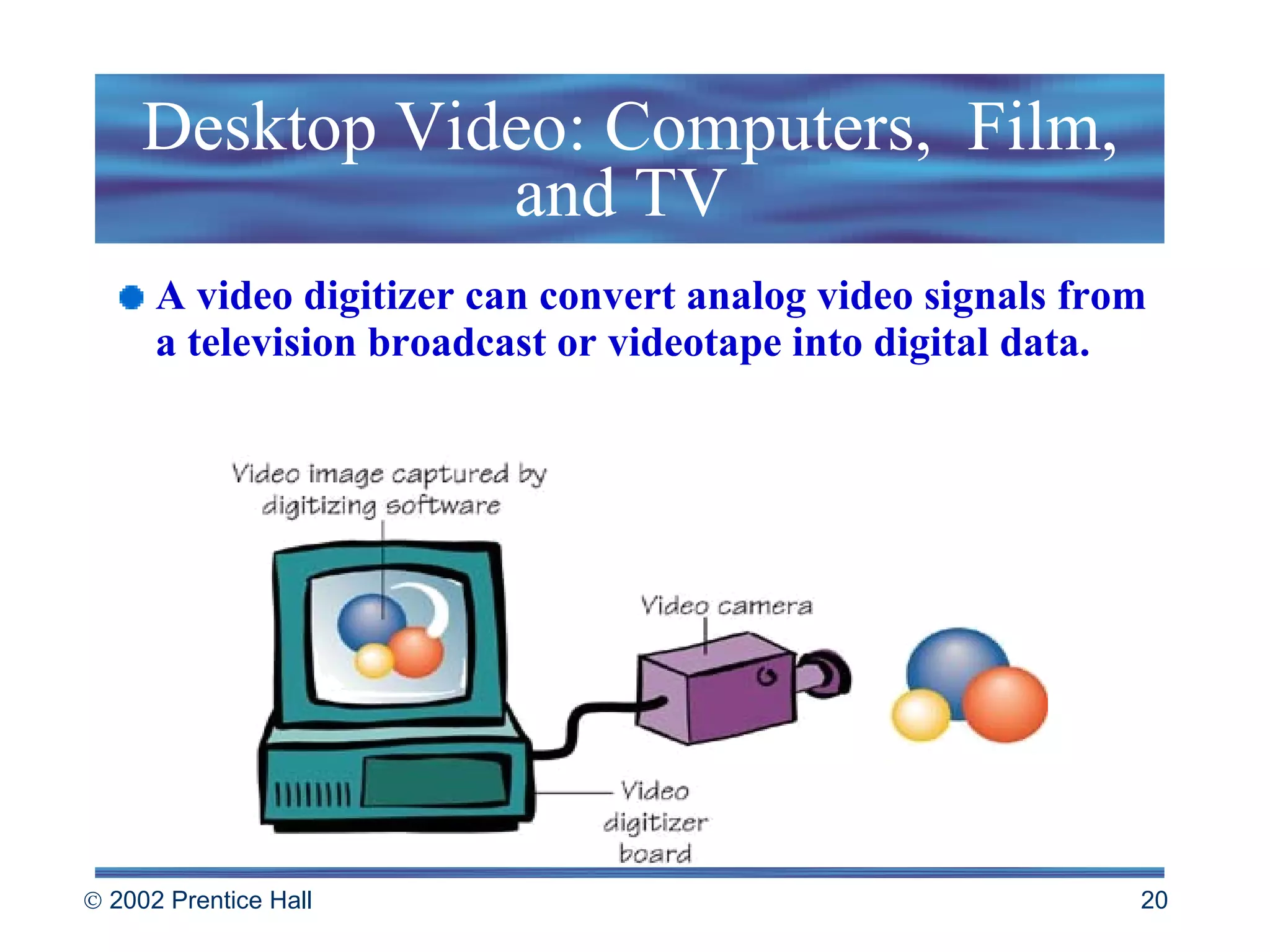
Desktop Video: Computers,  Film, and TV  A video digitizer can convert analog video signals from a television broadcast or videotape into digital data.
Desktop Video: Computers,  Film, and TV  Video editing software   such as Adobe Premiere makes it easy to eliminate extraneous footage, combine clips from multiple takes, splice together scenes, create specific effects and other activities. Morphs  are video clips in which one image metamorphoses into another. Data compression   software and hardware are used to squeeze data out of movies so they can be stored in smaller spaces.
The Synthetic Musician: Computers and Audio Audio digitizer -  captures sound and stores it as a data file Synthesizer  -  electronic instrument that synthesizes sounds using mathematical formulas MIDI   - Musical Instrument Digital Interface is a standard interface that allows electronic instruments and computers to communicate with each other Sequencing software  - turns a computer into a musical composition, recording and editing machine.
Hypertext and Hypermedia Hypertext   refers to information linked in non-sequential ways. Hypermedia  combines text, numbers, graphics, animation, sound effects, music and other  media in hyperlinked documents. Useful for on-line help files Jump between documents all over the Internet
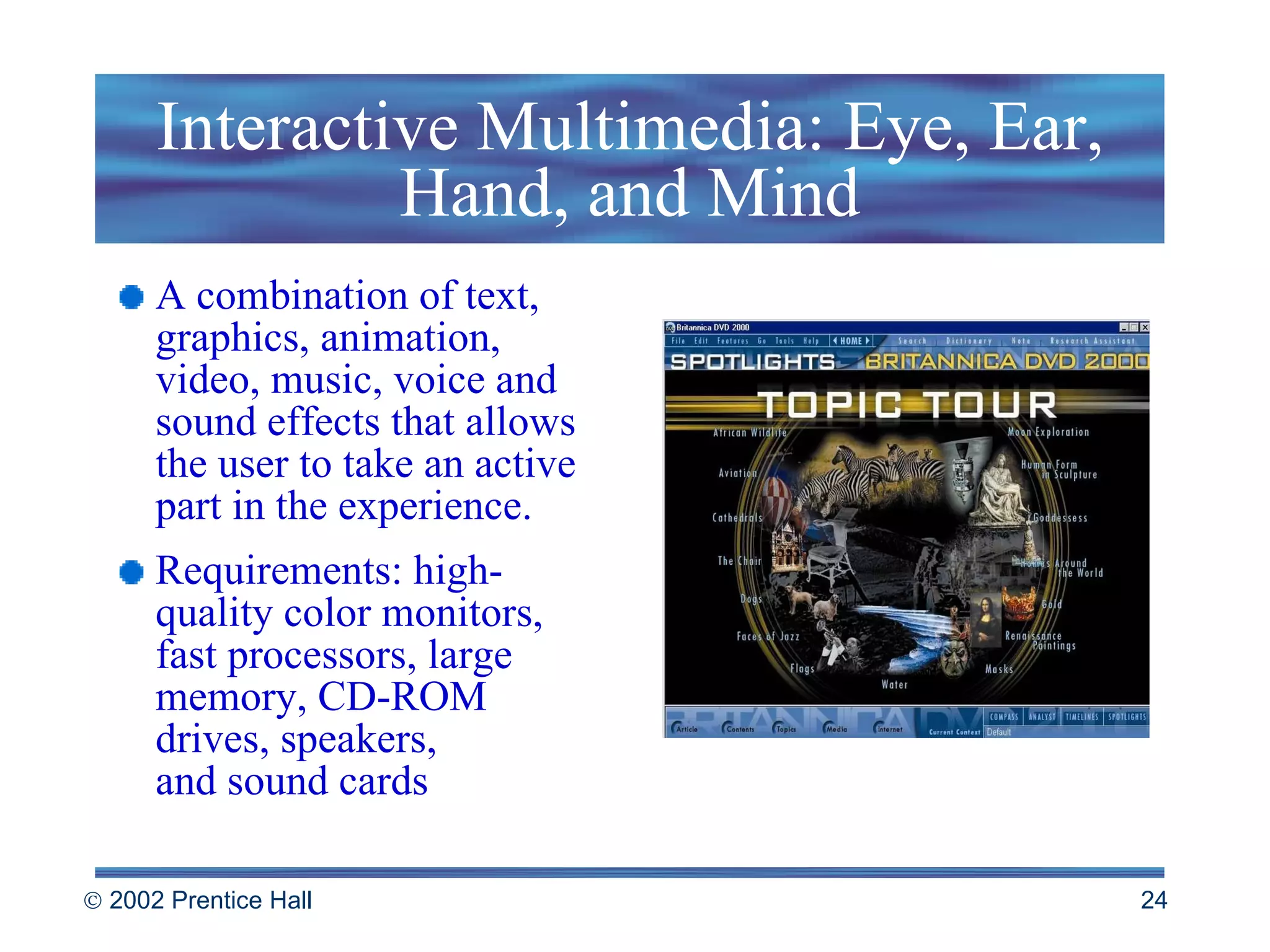
Interactive Multimedia: Eye, Ear, Hand, and Mind A combination of text, graphics, animation, video, music, voice and sound effects that allows the user to take an active part in the experience. Requirements: high-quality color monitors, fast processors, large memory, CD-ROM drives, speakers, and sound cards
Multimedia Authoring: Making Mixed Media Multimedia authoring software glues together media captured and created with other applications. Multimedia authoring tools include prewritten behaviors attached to buttons, images or other on-screen objects
Rules of Thumb: Making Interactive Multimedia Work Be consistent in visual appearance Use graphical metaphors to guide viewers Keep the screen clean and uncluttered Include multimedia elements to enliven the presentation Focus on the message Give the user control Test your presentation with those unfamiliar with the subject
Interactive Media: Visions of the Future  Positive aspects: Users become active participants People gain control over the media and use it to create  a new kind of digital democracy Negative aspects: Users become isolated and addicted to the technology Media used to influence and control unwary citizens
 

Beekman5 std ppt_07

  • 1.
    Chapter 7 Graphics,Hypermedia, and Multimedia
  • 2.
    Topics Focus onComputer Graphics Dynamic Media: Beyond the Printed Page Interactive Multimedia: Eye, Ear, Hand, & Mind Data Compression – How and Why “ If you look out in the future you can see how best to make right choices.” Doug Engelbart
  • 3.
    Focus on ComputerGraphics Computer graphics include: Painting Software Digital Image Processing Drawing Software 3-D Modeling Software CAD/CAM Presentation Graphics
  • 4.
    Painting Software Paintpixels on the screen with a pointing device such as a mouse, joystick, trackball, touch pad or pen. The pointer movements are translated into lines and patterns on the screen.
  • 5.
    Graphics Talk Pixels are tiny dots of white, black, or color that make up images on the screen. Palette of tools that mimic real-world painting tools and other tools unique to computers. Bitmapped graphics (or raster graphics) are pictures that show how the pixels are mapped on the screen. Color depth is the number of bits devoted to each pixel. Resolution is the density of the pixels.
  • 6.
    Digital Image Processing:Photographic Editing by Computer Software that allows the user to manipulate photographs and other high-resolution images with tools such as Adobe Photoshop. Far more powerful than traditional photo-retouching techniques. Can distort and combine photos as demonstrated in the tabloids Create fabricated images that show no evidence of tampering
  • 7.
    Building a PhotoCollage Take an image Combine it with other objects Make a statement
  • 8.
    Drawing: Object-Oriented GraphicsDrawing software stores a picture as a collection of lines and shapes (called object-oriented or vector graphics ). Memory demands on storage not as high as bit-mapped images. Many drawing tools - line, shape and text tools are similar to painting tools in bitmapped programs.
  • 9.
    Pixels vs. ObjectsBit-mapped painting (pixels) gives you these advantages: More control over textures, shading and fine detail Appropriate for screen displays, simulating natural paint media and embellishing photographs
  • 10.
    Pixels vs. ObjectsObject-oriented drawing gives you these advantages: Better for creating printed graphs, charts, and illustrations Lines are cleaner and shapes are smoother
  • 11.
    Rules of Thumb: Creating Smart Art Choose the right tool for the job. Don’t be afraid to experiment and create your own art. Use computer clip art images that are either in the public domain or available through licensing. Don’t borrow without permission. Protect your own work by using the copyright symbol ©
  • 12.
    3-D Modeling SoftwareUsed to create three-dimensional objects with tools similar to those in drawing software. Goal for some applications: to create an animated presentation on a computer screen or videotape. Flexible: can create a 3-D model, rotate it, view it from different angles Can “walk-through” a 3-D environment that exists only in the computer’s memory
  • 13.
    3-D Modeling SoftwareImages in wireframe view; ones on right are fully rendered to add surface textures
  • 14.
    CAD/CAM: Turning Picturesinto Products Computer Aided Design ( CAD) software allows engineers, designers, and architects to create designs on screen for products ranging from computer chips to public buildings. Can test product prototypes Cheaper, faster, and more accurate than traditional design-by-hand techniques
  • 15.
    CAD/CAM: Turning Picturesinto Products Computer-Aided Manufacturing (CAM) is the process by which data related to the product design are fed into a program that controls the manufacturing of parts. Computer-Integrated Manufacturing (CIM) refers to the combination of CAD/CAM and is a major step toward a fully automated factory.
  • 16.
    Presentation Graphics: BringingLectures to Life Presentation graphics software helps to automate the creation of visual aids for lectures, training sessions, sales demonstrations, and other presentations. Create slide shows directly on computer monitors or LCD projectors, including still images, animation and video clips. Slides might include: photographs drawings charts tables
  • 17.
    Dynamic Media: Beyondthe Printed Page Modern media contains dynamic information--information that changes over time or in response to user input. Animation Desktop Video Audio Hypertext and hypermedia
  • 18.
    Animation: Graphics inTime Each frame of computer-based animation is a computer-drawn picture and the computer displays those frames in rapid succession. Tweening - instead of drawing each frame by hand, animator can create key frames and objects and use software to help fill in the gaps “ Anything you can imagine can be done. If you can draw it, if you can describe it, we can do it. It’s just a matter of cost.” James Cameron, Filmmaker
  • 19.
    Rules of Thumb:Making Powerful Presentations Know your audience Outline your ideas Keep it simple Use a consistent design Don’t clutter the screen Keep each slide focused Tell them what you’re going to tell them, then tell them, then tell them what you told them
  • 20.
    Desktop Video: Computers, Film, and TV A video digitizer can convert analog video signals from a television broadcast or videotape into digital data.
  • 21.
    Desktop Video: Computers, Film, and TV Video editing software such as Adobe Premiere makes it easy to eliminate extraneous footage, combine clips from multiple takes, splice together scenes, create specific effects and other activities. Morphs are video clips in which one image metamorphoses into another. Data compression software and hardware are used to squeeze data out of movies so they can be stored in smaller spaces.
  • 22.
    The Synthetic Musician:Computers and Audio Audio digitizer - captures sound and stores it as a data file Synthesizer - electronic instrument that synthesizes sounds using mathematical formulas MIDI - Musical Instrument Digital Interface is a standard interface that allows electronic instruments and computers to communicate with each other Sequencing software - turns a computer into a musical composition, recording and editing machine.
  • 23.
    Hypertext and HypermediaHypertext refers to information linked in non-sequential ways. Hypermedia combines text, numbers, graphics, animation, sound effects, music and other media in hyperlinked documents. Useful for on-line help files Jump between documents all over the Internet
  • 24.
    Interactive Multimedia: Eye,Ear, Hand, and Mind A combination of text, graphics, animation, video, music, voice and sound effects that allows the user to take an active part in the experience. Requirements: high-quality color monitors, fast processors, large memory, CD-ROM drives, speakers, and sound cards
  • 25.
    Multimedia Authoring: MakingMixed Media Multimedia authoring software glues together media captured and created with other applications. Multimedia authoring tools include prewritten behaviors attached to buttons, images or other on-screen objects
  • 26.
    Rules of Thumb:Making Interactive Multimedia Work Be consistent in visual appearance Use graphical metaphors to guide viewers Keep the screen clean and uncluttered Include multimedia elements to enliven the presentation Focus on the message Give the user control Test your presentation with those unfamiliar with the subject
  • 27.
    Interactive Media: Visionsof the Future Positive aspects: Users become active participants People gain control over the media and use it to create a new kind of digital democracy Negative aspects: Users become isolated and addicted to the technology Media used to influence and control unwary citizens
  • 28.