CYBORGS
Aju .G
Elizabeth .c. Varghese
Deepthi Anna Achankunju
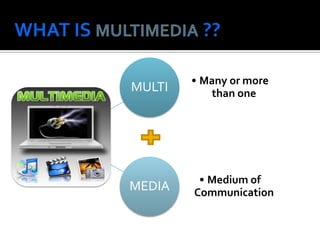
MULTI

• Many or more
than one

MEDIA

• Medium of
Communication




Multimedia is a combination of
text, graphic, sound, animation, and video
that is delivered interactively to the user by
electronic or digitally manipulated means.

Multimedia includes a combination of
 Text
 Audio
 Still images
 Animation video
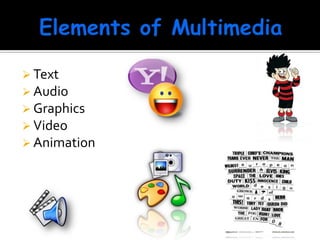
 Text

 Audio
 Graphics
 Video

 Animation
TEXT

A broad term for something that contains
words to express something.
 Text is the most basic element of multimedia.
 A good choice of words could help convey the
intended message to the users (keywords).
 Used in contents, menus, navigational buttons



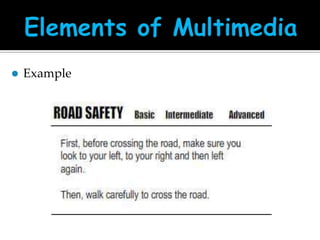
Example
GRAPHIC






Two-dimensional figure or illustration
Could be produced manually (by
drawing, painting, carving, etc.) or by computer graphics
technology.
Used in multimedia to show more clearly what a
particular information is all about (diagrams, picture).
GRAPHIC



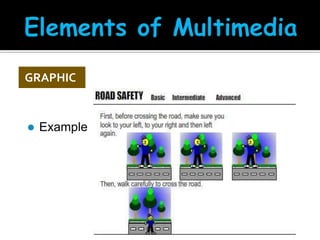
Example
AUDIO

Produced by vibration, as perceived by the sense
of hearing.
 In multimedia, audio could come in the form of
speech, sound effects and also music score.

AUDIO



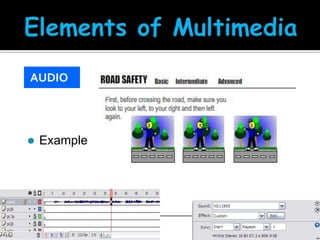
Example
ANIMATION

The illusion of motion created by the
consecutive display of images of static
elements.
 In multimedia, animation is used to further
enhance / enriched the experience of the user to
further understand the information conveyed
to them.

ANIMATION



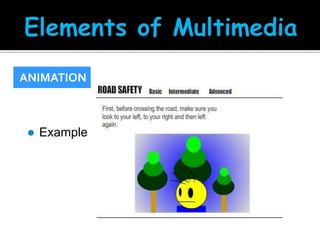
Example
VIDEO






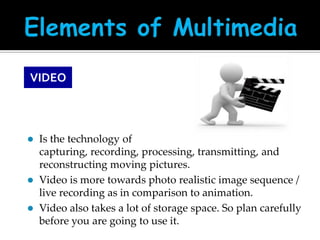
Is the technology of
capturing, recording, processing, transmitting, and
reconstructing moving pictures.
Video is more towards photo realistic image sequence /
live recording as in comparison to animation.
Video also takes a lot of storage space. So plan carefully
before you are going to use it.
•

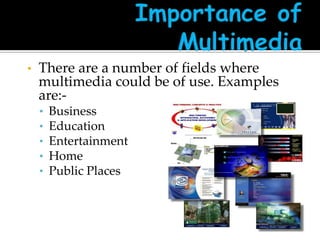
There are a number of fields where
multimedia could be of use. Examples
are:•
•
•
•
•

Business
Education
Entertainment
Home
Public Places
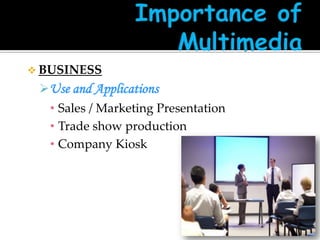
 BUSINESS

Use and Applications
• Sales / Marketing Presentation
• Trade show production
• Company Kiosk
 EDUCATION

 Use and Applications

• E-Learning / Distance Learning
• Information Searching
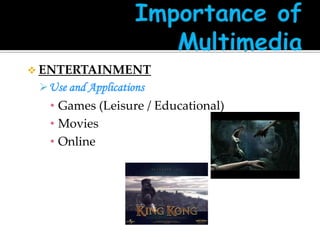
 ENTERTAINMENT

 Use and Applications

• Games (Leisure / Educational)
• Movies
• Online
 HOME

 Use and Applications

• Television
• Satellite TV
• SMS services (chats, voting, reality TV)
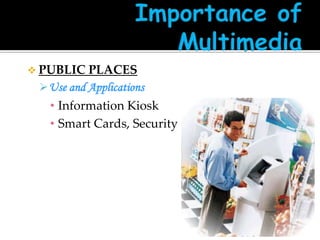
 PUBLIC

PLACES
 Use and Applications
• Information Kiosk
• Smart Cards, Security








Briefing Products
Reference Products
Database Products
Education and Training Products
Kiosk
Entertainment and Games
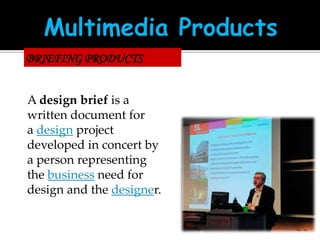
BRIEFING PRODUCTS
A design brief is a
written document for
a design project
developed in concert by
a person representing
the business need for
design and the designer.
2/2
•

Good briefing presentation depends on:
 The understanding of the presented subject.
 Consistent layout

•

Example:
 Corporate Presentation
 Sales Presentation
 Educational Lectures
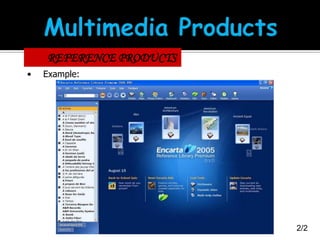
REFERENCE PRODUCTS
• Often used for answering specific questions or for
general browsing of information. (stored on CD/
DVD ROM)
• Characteristic of reference product:

 Used by wide range of user (small – adult)(E.g.:
Britannica)
 Have navigational menu(E.g.: GPS), book
marking.

1/2
REFERENCE PRODUCTS
•

Example:

2/2
EDUCATION AND TRAINING PRODUCTS

• Similar to textbook or training manuals but
have added media such as audio, animation
and video.
• Make up a significant share of the multimedia
market ranging from pre-kindergarten to
postgraduate offerings from technical to
corporate training products.

1/2
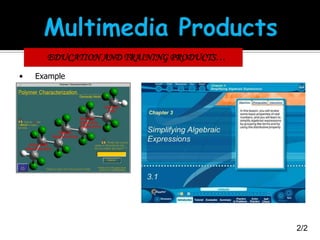
EDUCATION AND TRAINING PRODUCTS…
•

Example

2/2
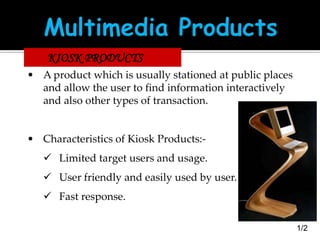
KIOSK PRODUCTS
• A product which is usually stationed at public places
and allow the user to find information interactively
and also other types of transaction.

• Characteristics of Kiosk Products: Limited target users and usage.
 User friendly and easily used by user.

 Fast response.
1/2
KIOSK PRODUCTS….
•

Categories of Kiosk



Point Of Information
 Provide certain information ( map, timetable )



Point Of Sales System
 Allow users to purchase or make orders

•

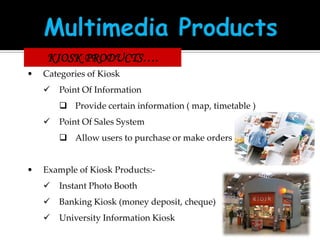
Example of Kiosk Products:

Instant Photo Booth



Banking Kiosk (money deposit, cheque)



University Information Kiosk
2/2
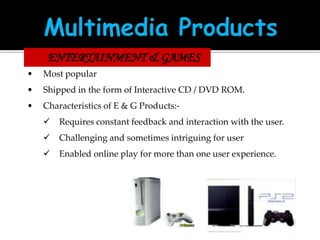
ENTERTAINMENT & GAMES
•

Most popular

•

Shipped in the form of Interactive CD / DVD ROM.

•

Characteristics of E & G Products:

Requires constant feedback and interaction with the user.



Challenging and sometimes intriguing for user



Enabled online play for more than one user experience.
COMPUTER GRAPHICS
•

•
•

•

Introduction to computer graphics
Types of Computer Graphics
Difference B/W Active And Passive
Graphics
Application Of Computer Graphics
•

•

•
•

Refers to creation, Storage and
manipulation of pictures and drawing
using a digital computer.
Effective tool for presenting information.
Computer aided design.
Computer aided manufacturing.
•

Simple or
• Active Computer Graphics

•

Interactive or
• passive computer graphics
•

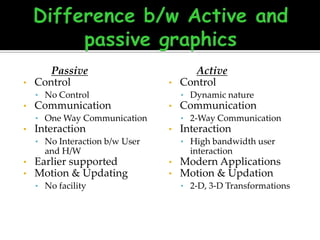
Passive
Control

•

• No Control

•

Communication

• Dynamic nature

•

• One Way Communication

•

Interaction

•

• No facility

Interaction
• High bandwidth user

and H/W

Earlier supported
Motion & Updating

Communication
• 2-Way Communication

• No Interaction b/w User

•
•

Active
Control

interaction
•
•

Modern Applications
Motion & Updation
• 2-D, 3-D Transformations
•

•
•

User Interface
Interactive Plotting in Science Business
and technology.
Office Automation & E-Publishing.
•

•
•

•

Process Control
Cartography
Simulation, Animation for Scientific
Visualization and Entertainment.
Art and Commerce
•

•
•
•

Circuit Drawings
Real-time Animations
Virtual-Reality Environments
Architectural Drawings
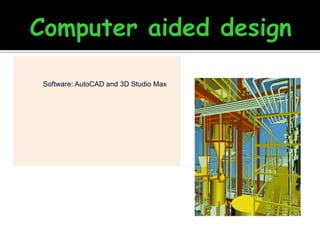
Software: AutoCAD and 3D Studio Max
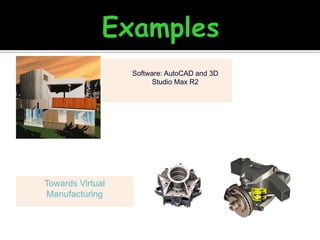
Software: AutoCAD and 3D
Studio Max R2

Towards Virtual
Manufacturing
•

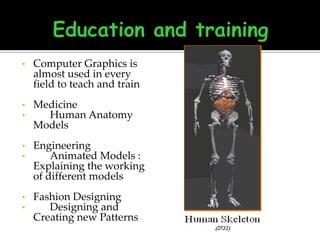
Computer Graphics is
almost used in every
field to teach and train

•
•

Medicine
Human Anatomy
Models

•
•

Engineering
Animated Models :
Explaining the working
of different models

•
•

Fashion Designing
Designing and
Creating new Patterns
•
•
•
•

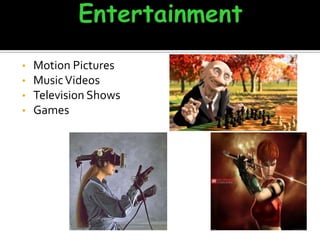
Motion Pictures
Music Videos
Television Shows
Games
THANK
YOU

multimedia and computer graphics

  • 1.
    CYBORGS Aju .G Elizabeth .c.Varghese Deepthi Anna Achankunju
  • 3.
    MULTI • Many ormore than one MEDIA • Medium of Communication
  • 4.
      Multimedia is acombination of text, graphic, sound, animation, and video that is delivered interactively to the user by electronic or digitally manipulated means. Multimedia includes a combination of  Text  Audio  Still images  Animation video
  • 5.
     Text  Audio Graphics  Video  Animation
  • 6.
    TEXT A broad termfor something that contains words to express something.  Text is the most basic element of multimedia.  A good choice of words could help convey the intended message to the users (keywords).  Used in contents, menus, navigational buttons 
  • 7.
  • 8.
    GRAPHIC    Two-dimensional figure orillustration Could be produced manually (by drawing, painting, carving, etc.) or by computer graphics technology. Used in multimedia to show more clearly what a particular information is all about (diagrams, picture).
  • 9.
  • 10.
    AUDIO Produced by vibration,as perceived by the sense of hearing.  In multimedia, audio could come in the form of speech, sound effects and also music score. 
  • 11.
  • 12.
    ANIMATION The illusion ofmotion created by the consecutive display of images of static elements.  In multimedia, animation is used to further enhance / enriched the experience of the user to further understand the information conveyed to them. 
  • 13.
  • 14.
    VIDEO    Is the technologyof capturing, recording, processing, transmitting, and reconstructing moving pictures. Video is more towards photo realistic image sequence / live recording as in comparison to animation. Video also takes a lot of storage space. So plan carefully before you are going to use it.
  • 15.
    • There are anumber of fields where multimedia could be of use. Examples are:• • • • • Business Education Entertainment Home Public Places
  • 16.
     BUSINESS Use andApplications • Sales / Marketing Presentation • Trade show production • Company Kiosk
  • 17.
     EDUCATION  Useand Applications • E-Learning / Distance Learning • Information Searching
  • 18.
     ENTERTAINMENT  Useand Applications • Games (Leisure / Educational) • Movies • Online
  • 19.
     HOME  Useand Applications • Television • Satellite TV • SMS services (chats, voting, reality TV)
  • 20.
     PUBLIC PLACES  Useand Applications • Information Kiosk • Smart Cards, Security
  • 22.
          Briefing Products Reference Products DatabaseProducts Education and Training Products Kiosk Entertainment and Games
  • 23.
    BRIEFING PRODUCTS A designbrief is a written document for a design project developed in concert by a person representing the business need for design and the designer. 2/2
  • 24.
    • Good briefing presentationdepends on:  The understanding of the presented subject.  Consistent layout • Example:  Corporate Presentation  Sales Presentation  Educational Lectures
  • 25.
    REFERENCE PRODUCTS • Oftenused for answering specific questions or for general browsing of information. (stored on CD/ DVD ROM) • Characteristic of reference product:  Used by wide range of user (small – adult)(E.g.: Britannica)  Have navigational menu(E.g.: GPS), book marking. 1/2
  • 26.
  • 27.
    EDUCATION AND TRAININGPRODUCTS • Similar to textbook or training manuals but have added media such as audio, animation and video. • Make up a significant share of the multimedia market ranging from pre-kindergarten to postgraduate offerings from technical to corporate training products. 1/2
  • 28.
    EDUCATION AND TRAININGPRODUCTS… • Example 2/2
  • 29.
    KIOSK PRODUCTS • Aproduct which is usually stationed at public places and allow the user to find information interactively and also other types of transaction. • Characteristics of Kiosk Products: Limited target users and usage.  User friendly and easily used by user.  Fast response. 1/2
  • 30.
    KIOSK PRODUCTS…. • Categories ofKiosk  Point Of Information  Provide certain information ( map, timetable )  Point Of Sales System  Allow users to purchase or make orders • Example of Kiosk Products: Instant Photo Booth  Banking Kiosk (money deposit, cheque)  University Information Kiosk 2/2
  • 31.
    ENTERTAINMENT & GAMES • Mostpopular • Shipped in the form of Interactive CD / DVD ROM. • Characteristics of E & G Products: Requires constant feedback and interaction with the user.  Challenging and sometimes intriguing for user  Enabled online play for more than one user experience.
  • 32.
  • 33.
    • • • • Introduction to computergraphics Types of Computer Graphics Difference B/W Active And Passive Graphics Application Of Computer Graphics
  • 34.
    • • • • Refers to creation,Storage and manipulation of pictures and drawing using a digital computer. Effective tool for presenting information. Computer aided design. Computer aided manufacturing.
  • 35.
    • Simple or • ActiveComputer Graphics • Interactive or • passive computer graphics
  • 36.
    • Passive Control • • No Control • Communication •Dynamic nature • • One Way Communication • Interaction • • No facility Interaction • High bandwidth user and H/W Earlier supported Motion & Updating Communication • 2-Way Communication • No Interaction b/w User • • Active Control interaction • • Modern Applications Motion & Updation • 2-D, 3-D Transformations
  • 37.
    • • • User Interface Interactive Plottingin Science Business and technology. Office Automation & E-Publishing.
  • 38.
    • • • • Process Control Cartography Simulation, Animationfor Scientific Visualization and Entertainment. Art and Commerce
  • 39.
  • 40.
    Software: AutoCAD and3D Studio Max
  • 41.
    Software: AutoCAD and3D Studio Max R2 Towards Virtual Manufacturing
  • 42.
    • Computer Graphics is almostused in every field to teach and train • • Medicine Human Anatomy Models • • Engineering Animated Models : Explaining the working of different models • • Fashion Designing Designing and Creating new Patterns
  • 43.
  • 44.