HTML-List
List
HTML offers three ways for specifying lists of information. All lists must contain one
or more list elements.
Lists may contain −
<ul> Unordered list — Used to create a list of related items, in no
particular order.
<ol> Ordered list — Used to create a list of related items, in a
specific order.
<dl> Description list — Used to create a list of terms and their
descriptions.
HTML lists allow web developers to group a set of
related items in lists.
Unordered List
“An unordered list is a collection of related items that have no special
order or sequence. “
Unordered List
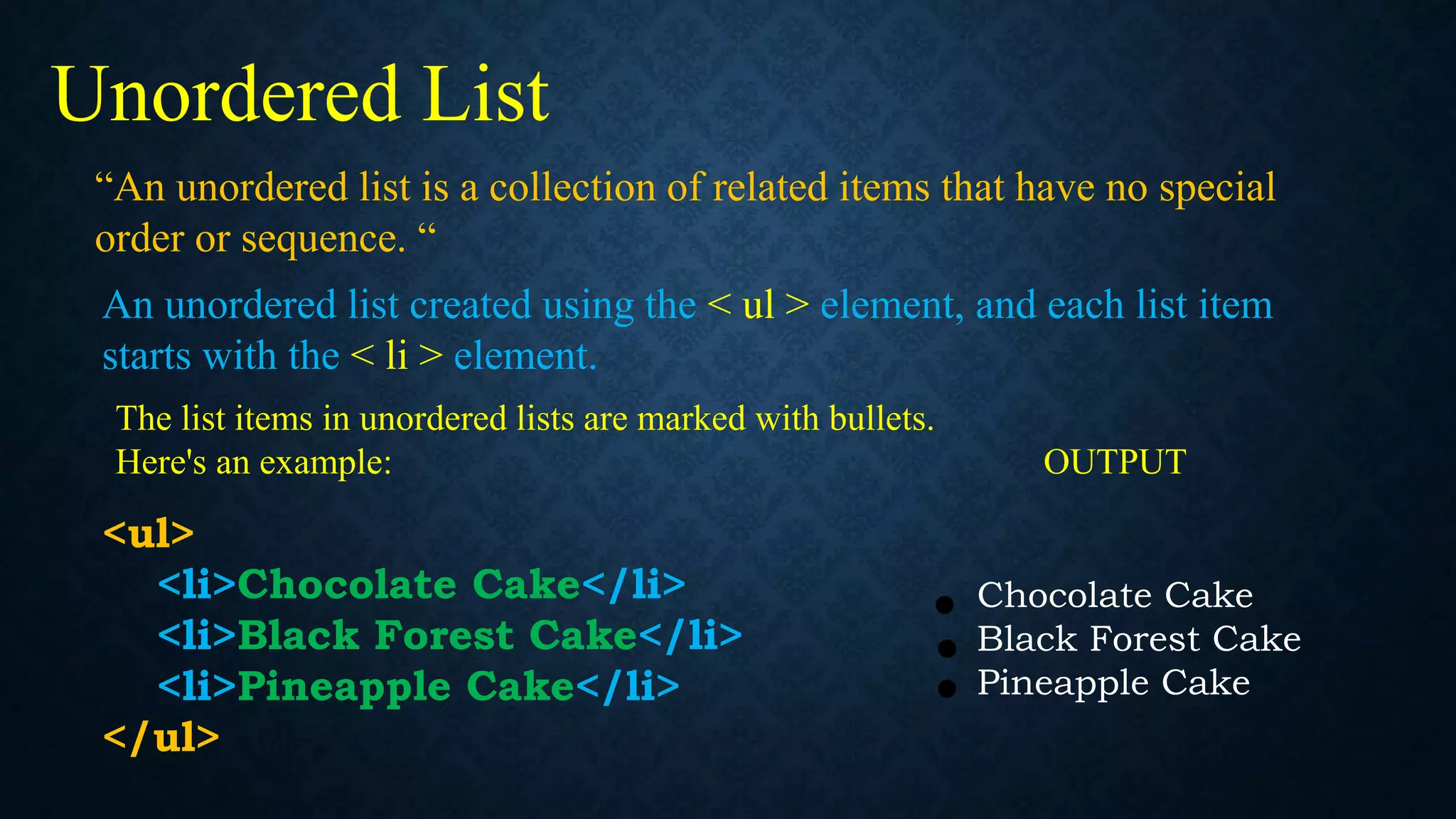
An unordered list created using the < ul > element, and each list item
starts with the < li > element.
The list items in unordered lists are marked with bullets.
Here's an example: OUTPUT
<ul>
<li>Chocolate Cake</li>
<li>Black Forest Cake</li>
<li>Pineapple Cake</li>
</ul>
Chocolate Cake
Black Forest Cake
Pineapple Cake
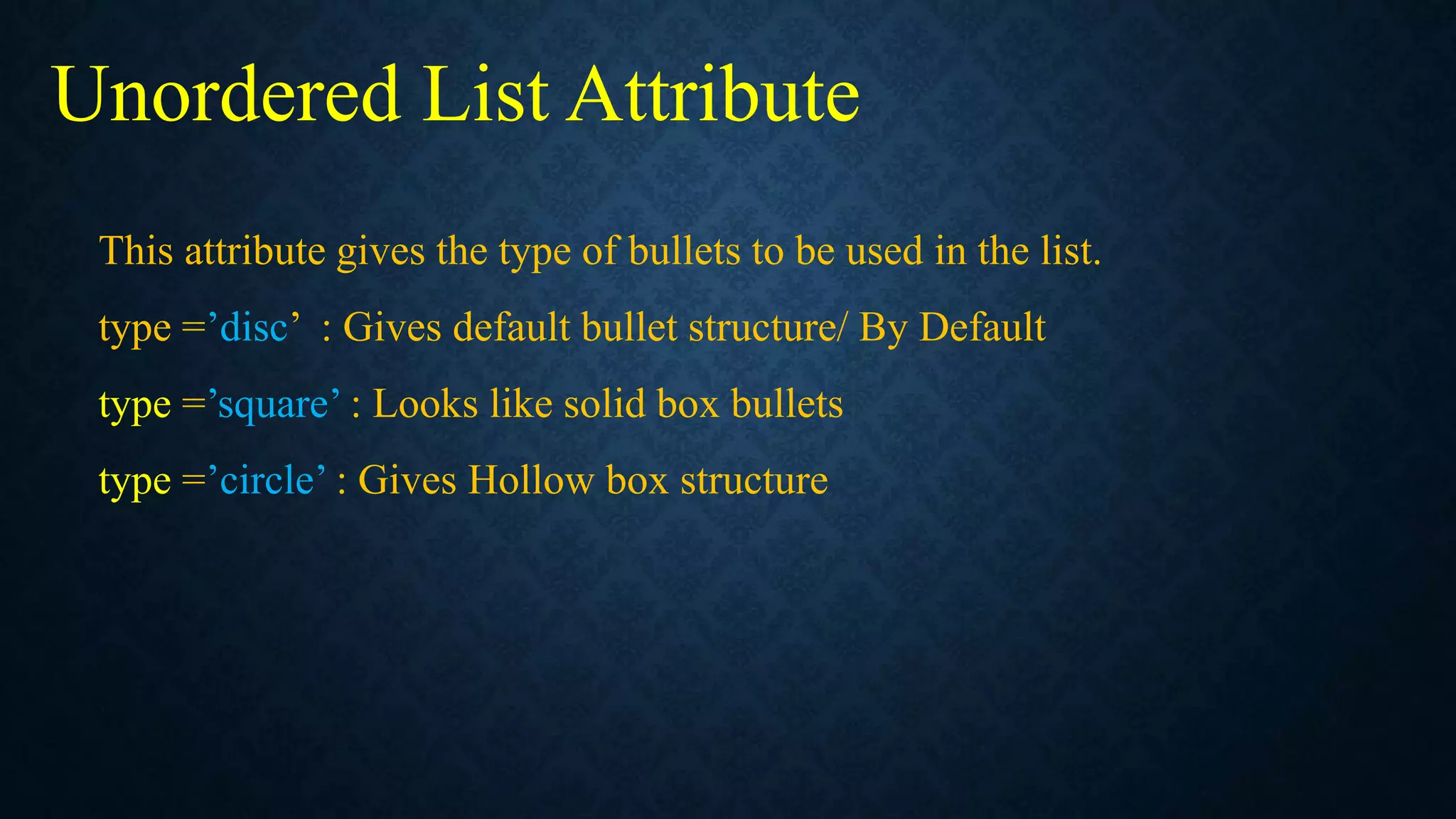
This attribute gives the type of bullets to be used in the list.
type =’disc’ : Gives default bullet structure/ By Default
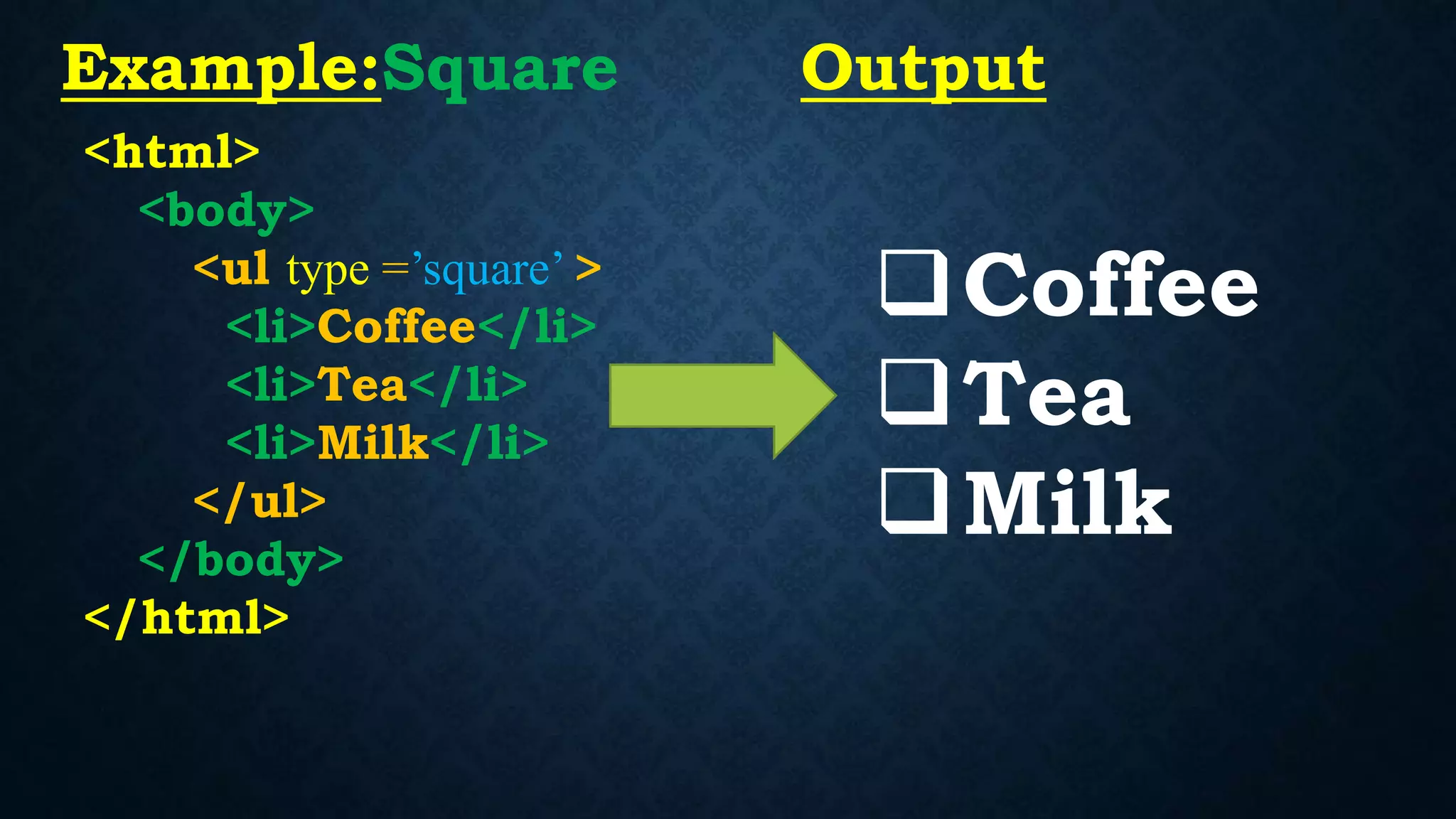
type =’square’ : Looks like solid box bullets
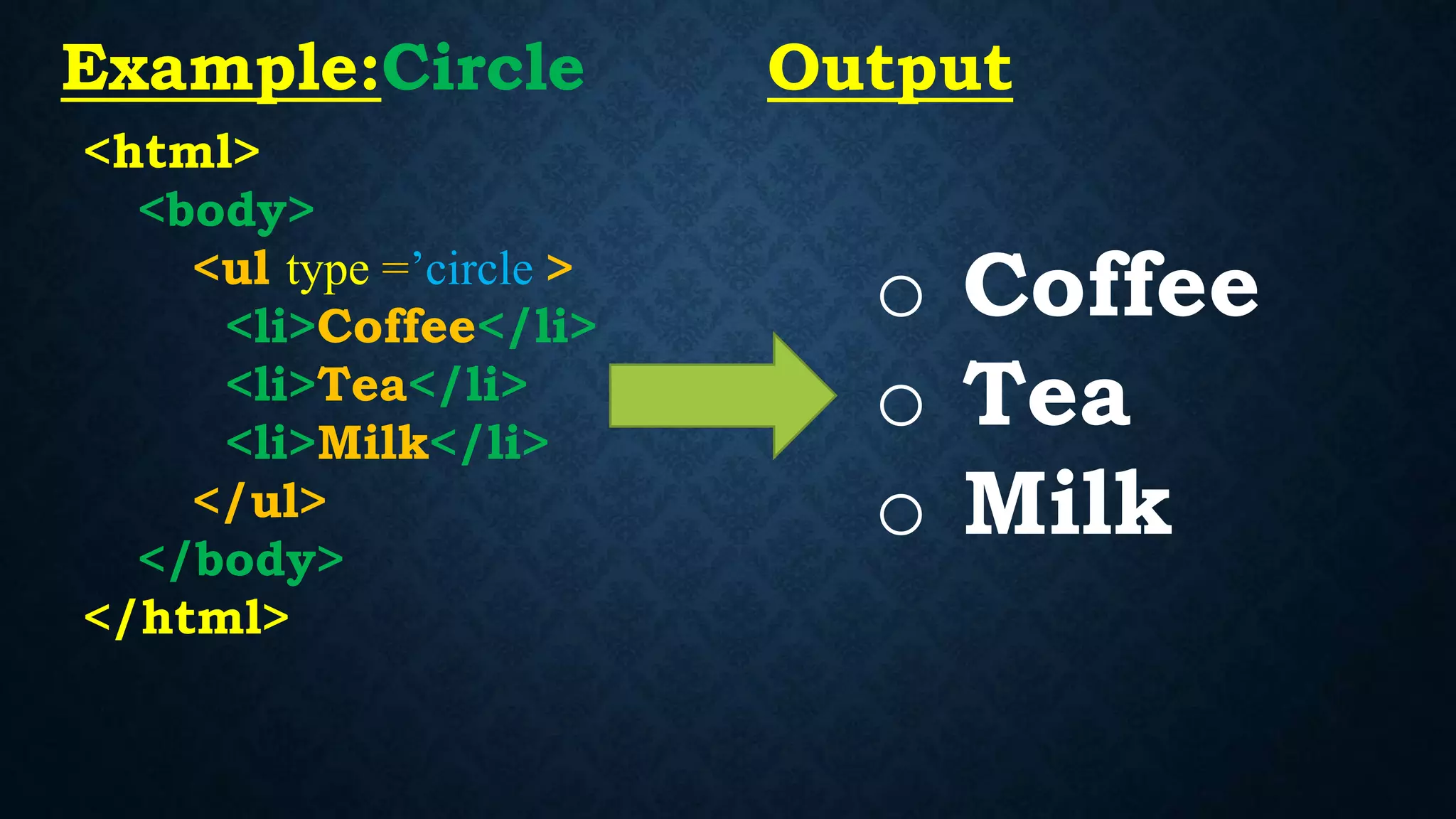
type =’circle’ : Gives Hollow box structure
Unordered List Attribute
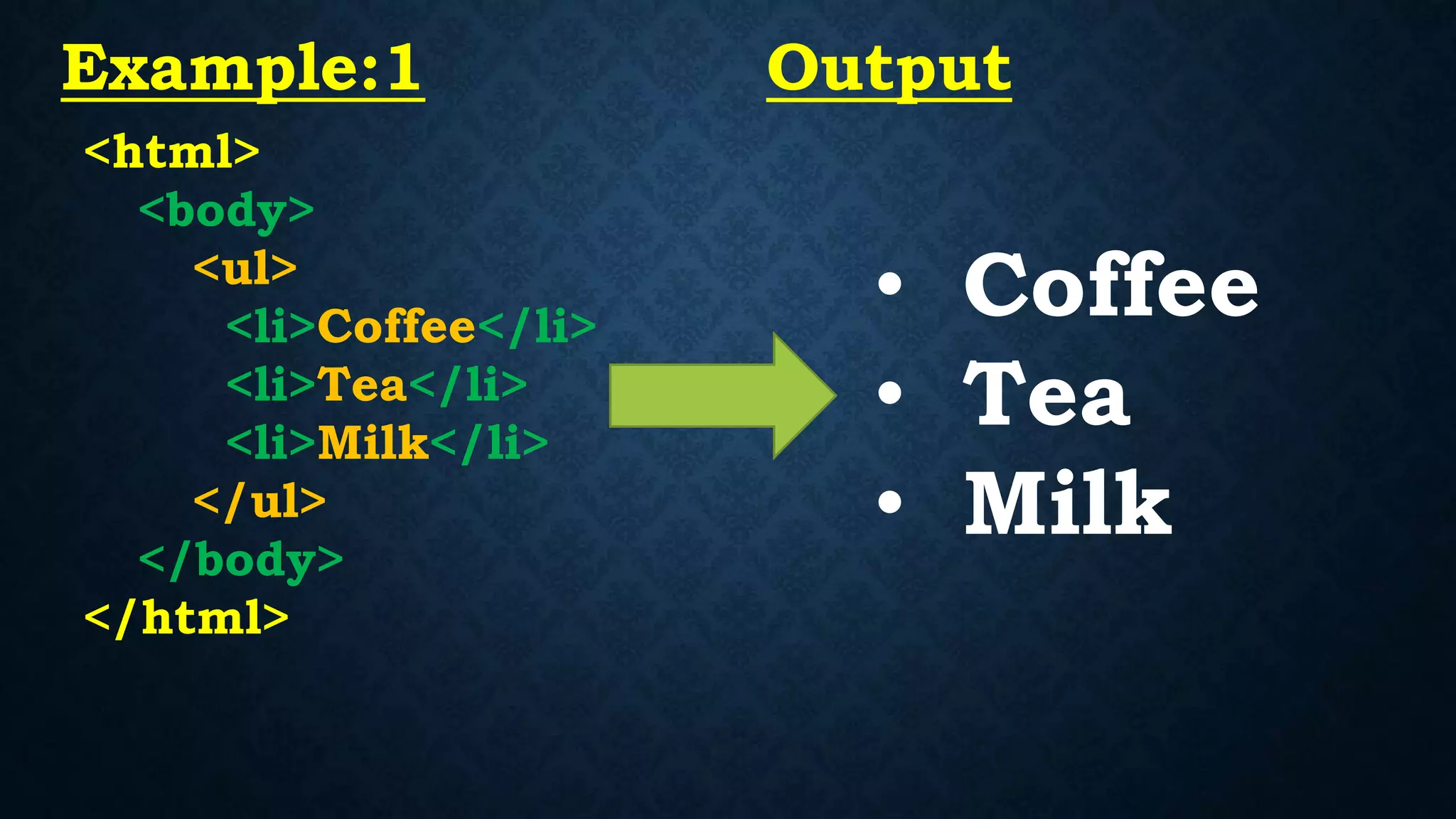
<html>
<body>
<ul>
<li>Coffee</li>
<li>Tea</li>
<li>Milk</li>
</ul>
</body>
</html>
• Coffee
• Tea
• Milk
Example:1 Output
<html>
<body>
<ul type =’square’ >
<li>Coffee</li>
<li>Tea</li>
<li>Milk</li>
</ul>
</body>
</html>
Coffee
Tea
Milk
Example:Square Output
<html>
<body>
<ul type =’circle >
<li>Coffee</li>
<li>Tea</li>
<li>Milk</li>
</ul>
</body>
</html>
o Coffee
o Tea
o Milk
Example:Circle Output
Ordered List
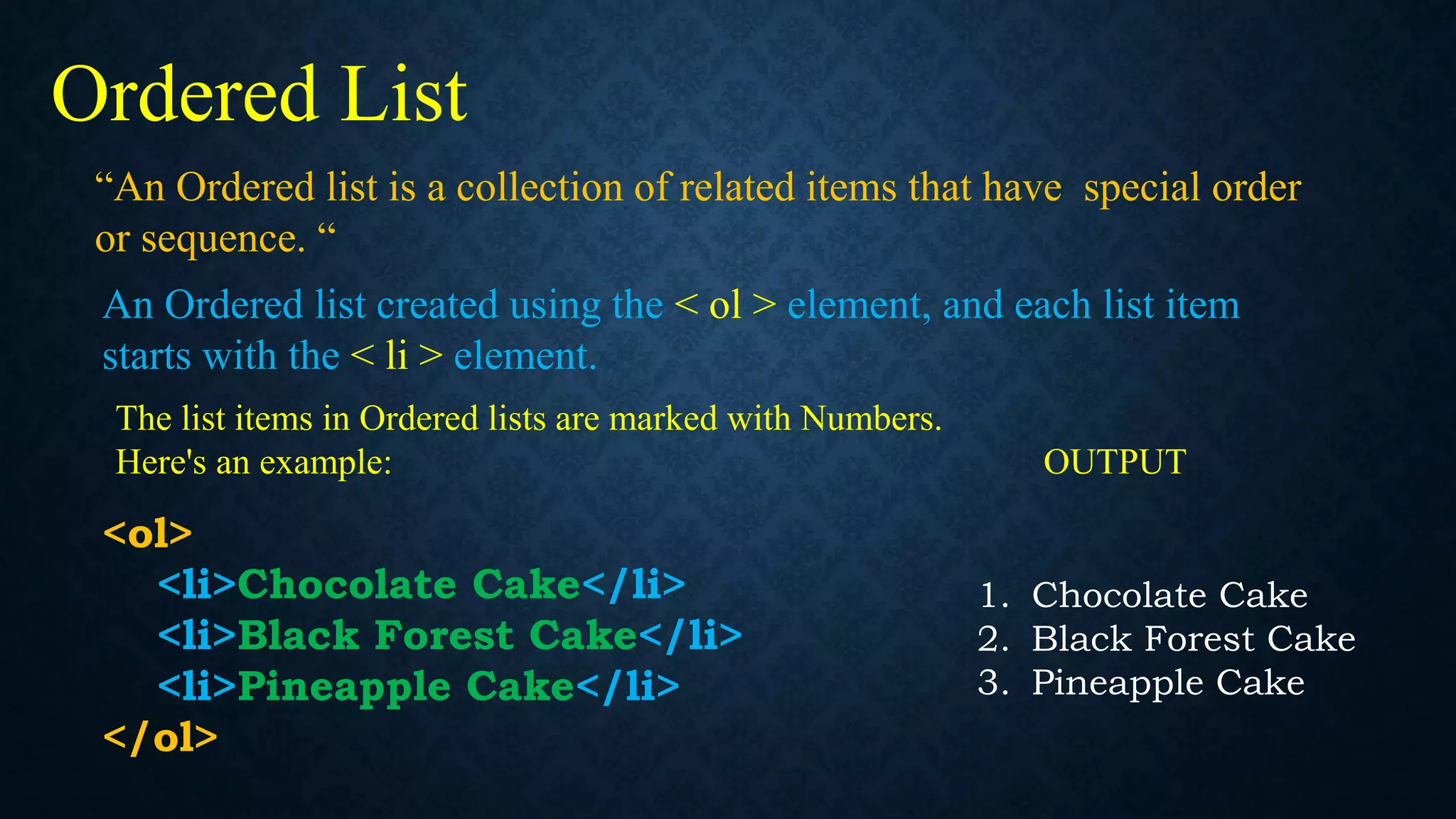
“An Ordered list is a collection of related items that have special order
or sequence. “
Ordered List
An Ordered list created using the < ol > element, and each list item
starts with the < li > element.
The list items in Ordered lists are marked with Numbers.
Here's an example: OUTPUT
<ol>
<li>Chocolate Cake</li>
<li>Black Forest Cake</li>
<li>Pineapple Cake</li>
</ol>
1. Chocolate Cake
2. Black Forest Cake
3. Pineapple Cake
Ordered List Attribute
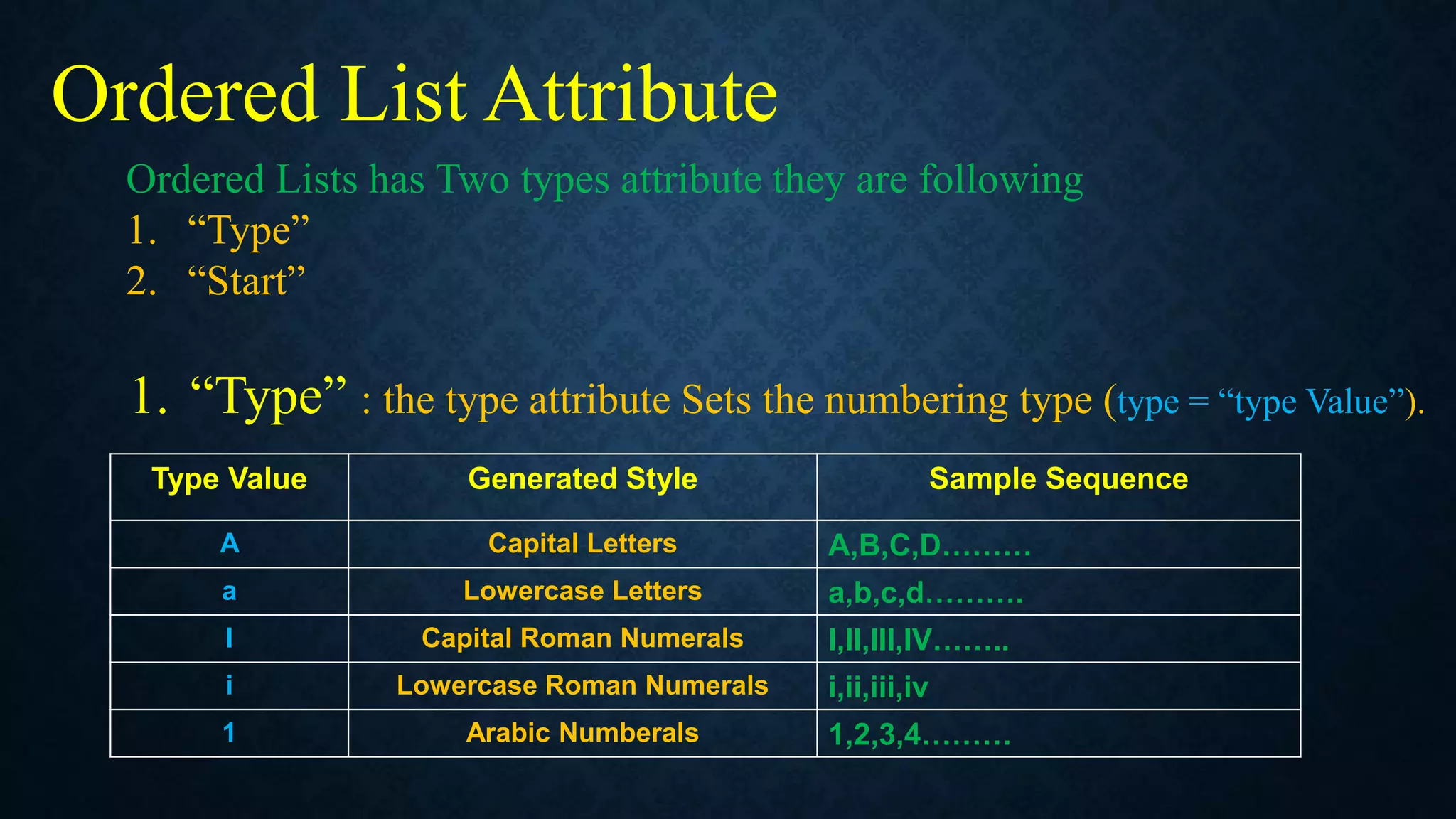
Ordered Lists has Two types attribute they are following
1. “Type”
2. “Start”
1. “Type” : the type attribute Sets the numbering type (type = “type Value”).
Type Value Generated Style Sample Sequence
A Capital Letters A,B,C,D………
a Lowercase Letters a,b,c,d……….
I Capital Roman Numerals I,II,III,IV……..
i Lowercase Roman Numerals i,ii,iii,iv
1 Arabic Numberals 1,2,3,4………
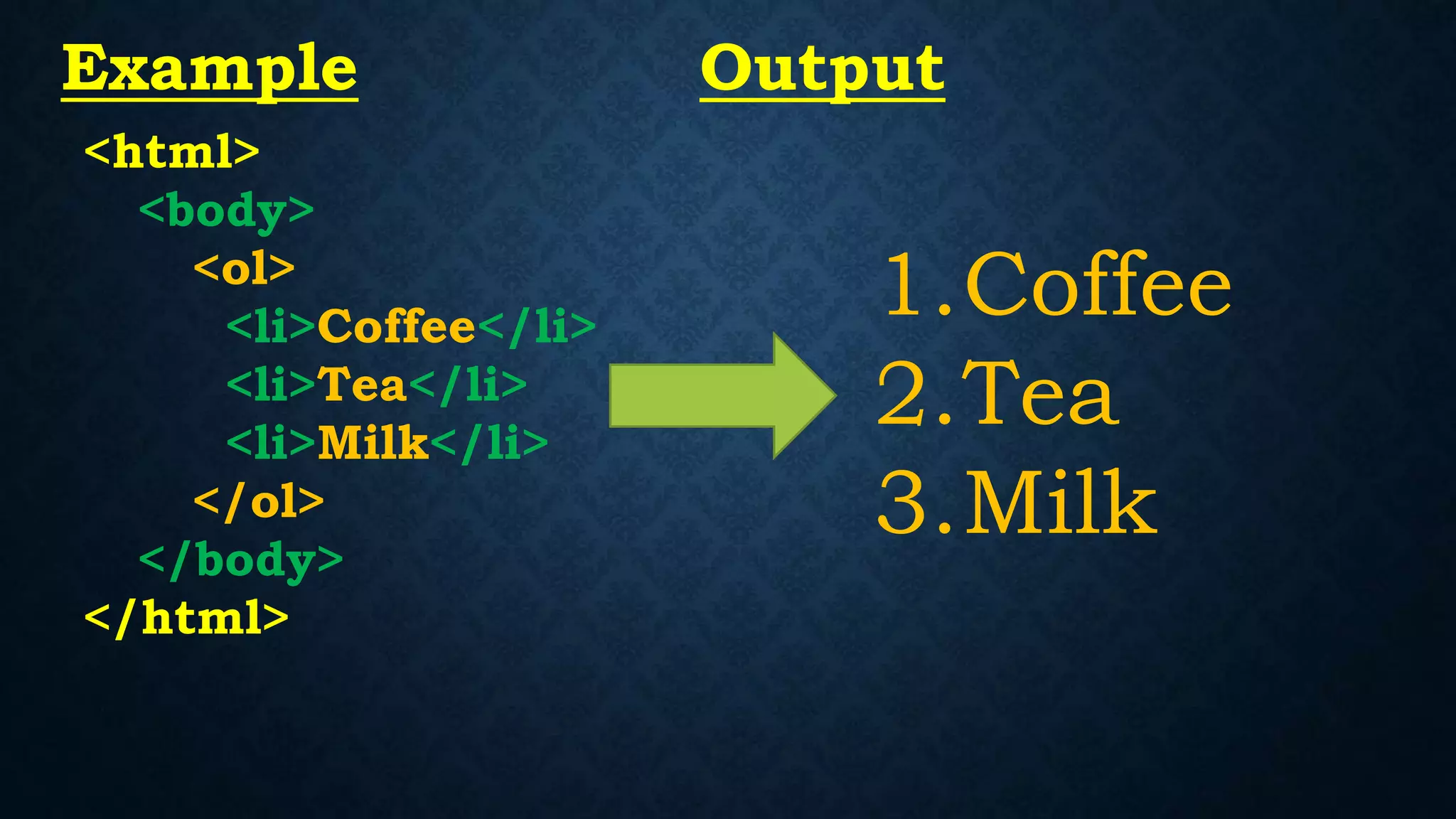
<html>
<body>
<ol>
<li>Coffee</li>
<li>Tea</li>
<li>Milk</li>
</ol>
</body>
</html>
1.Coffee
2.Tea
3.Milk
Example Output
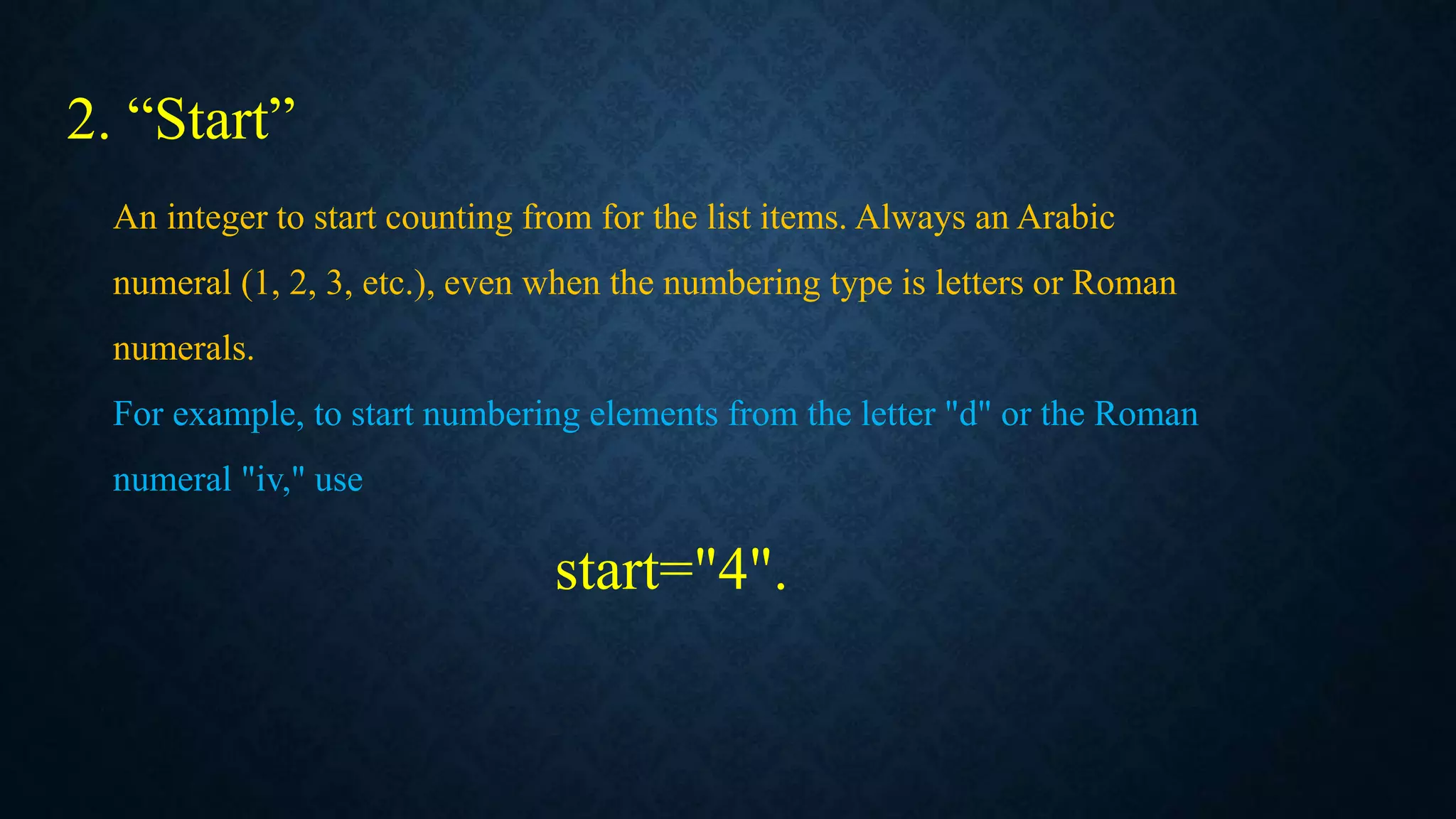
2. “Start”
An integer to start counting from for the list items. Always an Arabic
numeral (1, 2, 3, etc.), even when the numbering type is letters or Roman
numerals.
For example, to start numbering elements from the letter "d" or the Roman
numeral "iv," use
start="4".
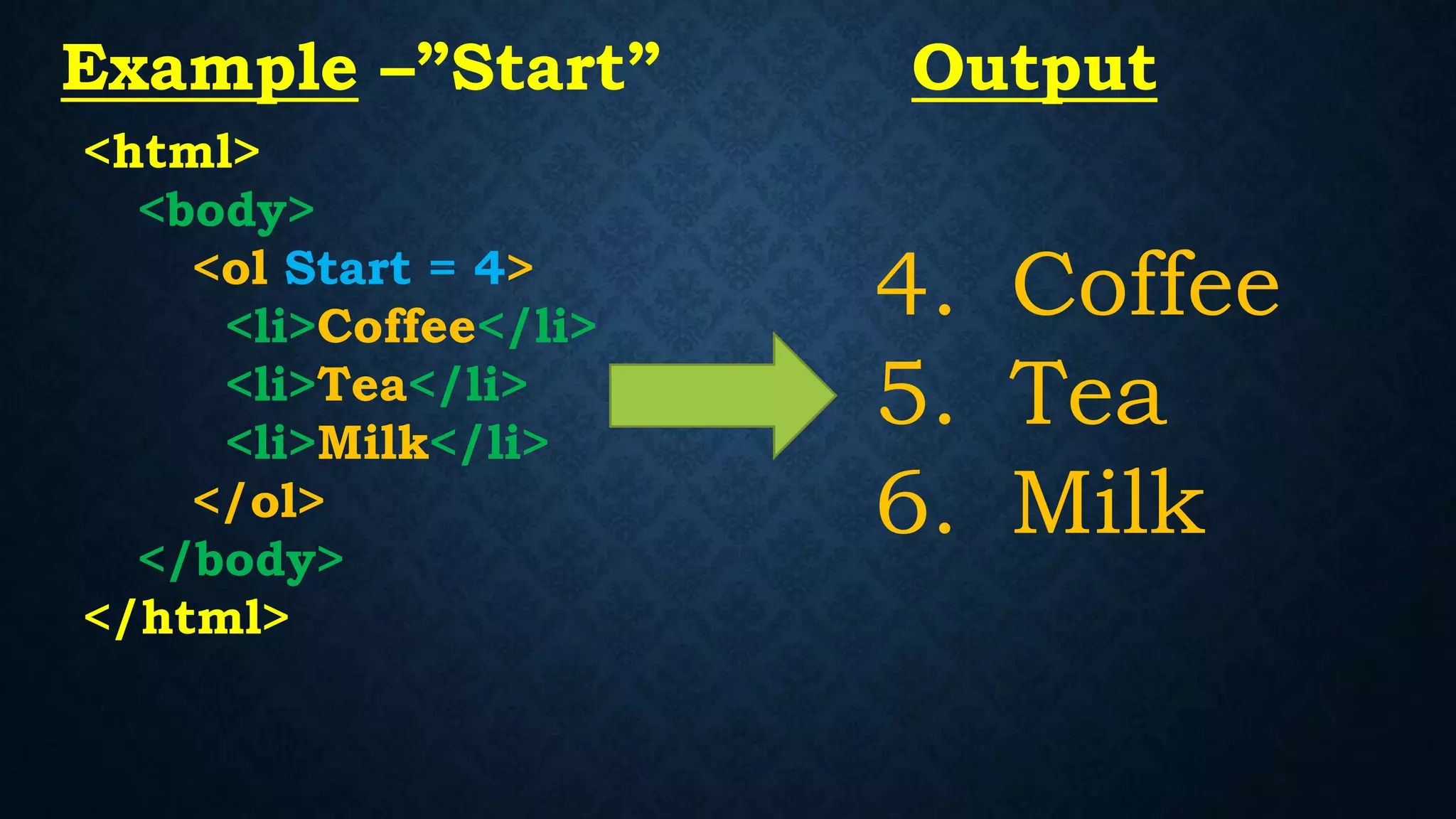
<html>
<body>
<ol Start = 4>
<li>Coffee</li>
<li>Tea</li>
<li>Milk</li>
</ol>
</body>
</html>
4. Coffee
5. Tea
6. Milk
Example –”Start” Output
<html>
<body>
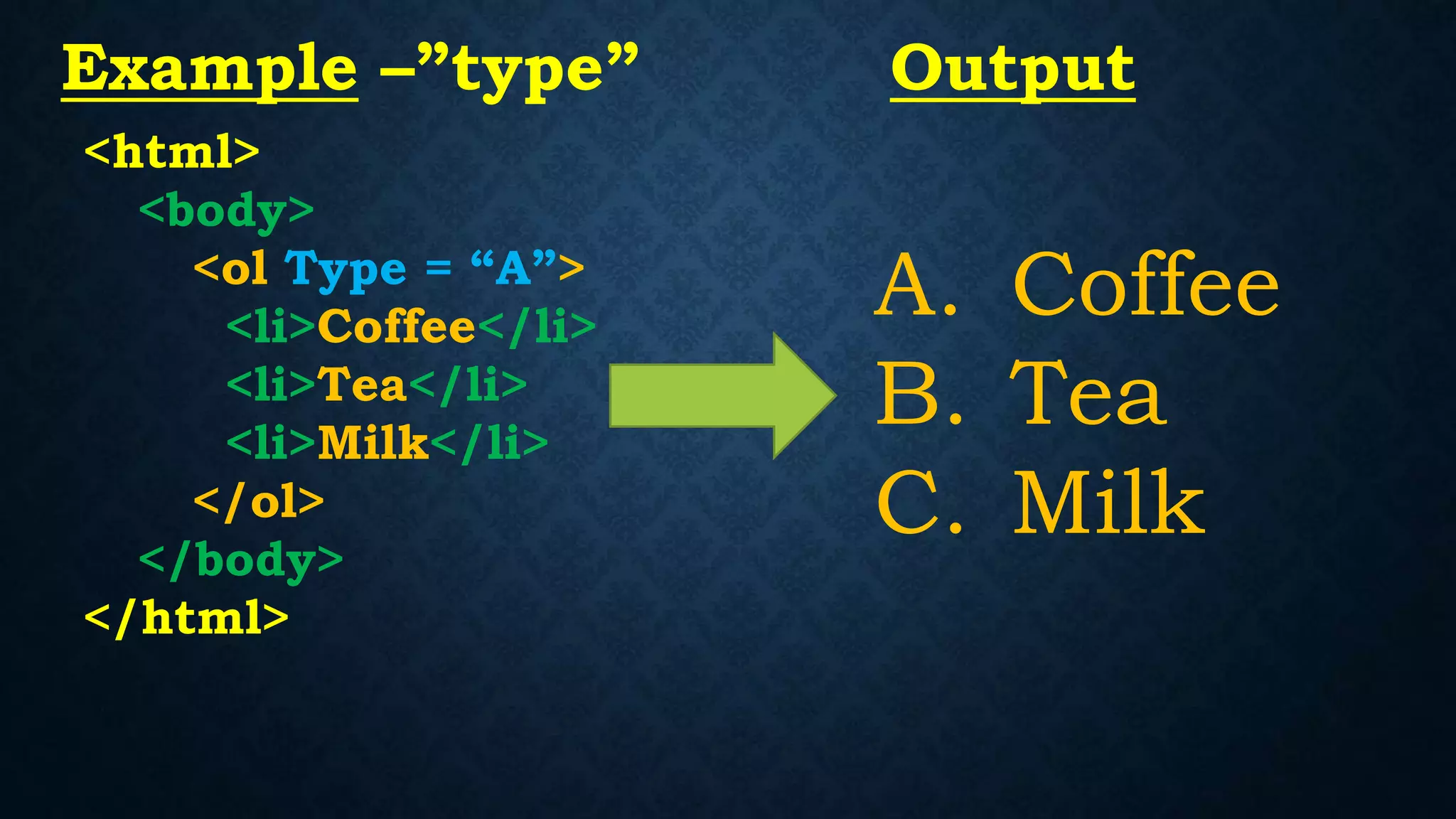
<ol Type = “A”>
<li>Coffee</li>
<li>Tea</li>
<li>Milk</li>
</ol>
</body>
</html>
A. Coffee
B. Tea
C. Milk
Example –”type” Output
<html>
<body>
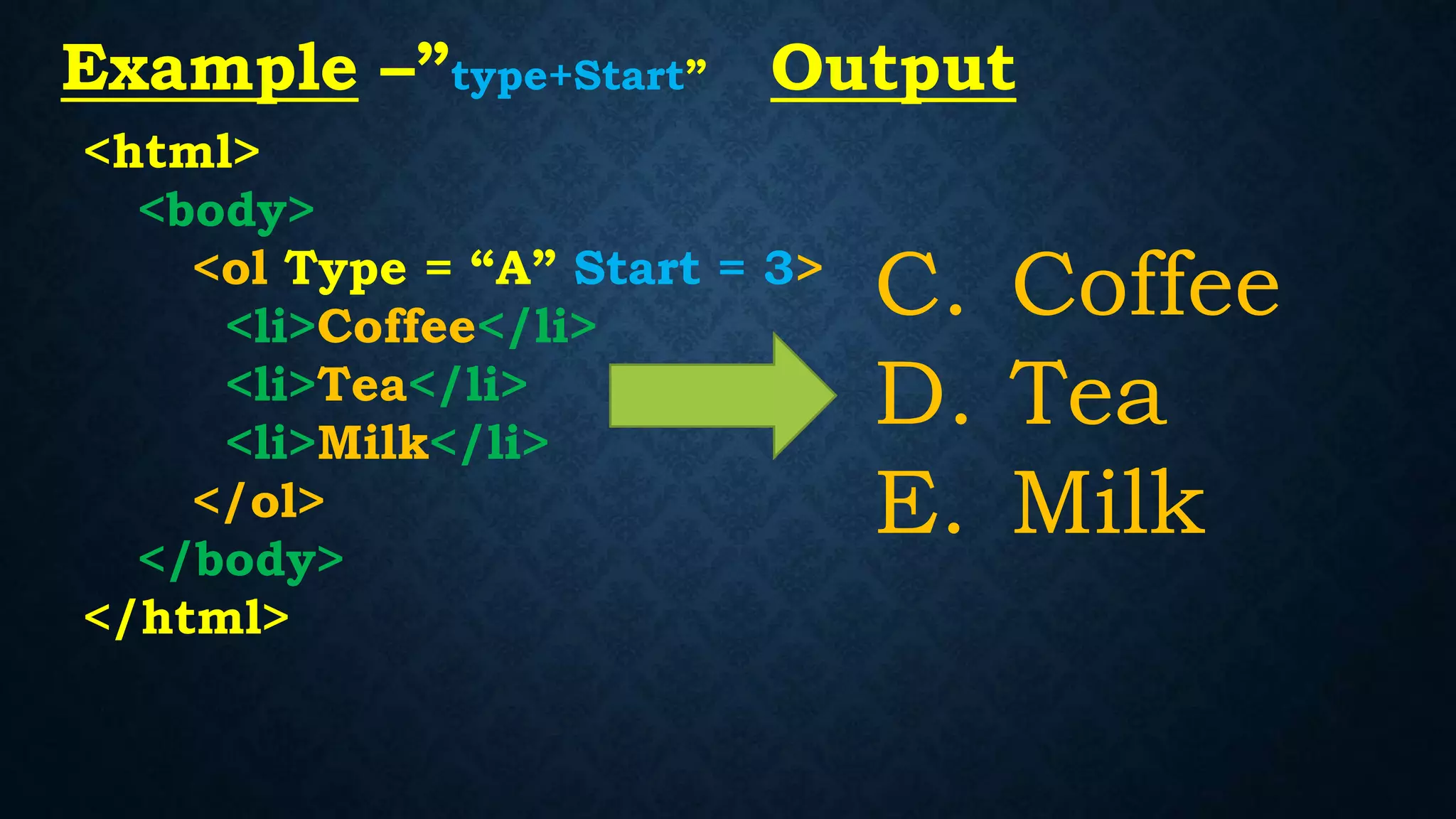
<ol Type = “A” Start = 3>
<li>Coffee</li>
<li>Tea</li>
<li>Milk</li>
</ol>
</body>
</html>
C. Coffee
D. Tea
E. Milk
Example –”type+Start” Output
Description List
Description List
“A description list is a list of items with a description
or definition of each item.”
The description list is created using <dl> element. The <dl> element is used in
conjunction with the <dt> element which specify a term, and
the <dd> element which specify the term's definition.
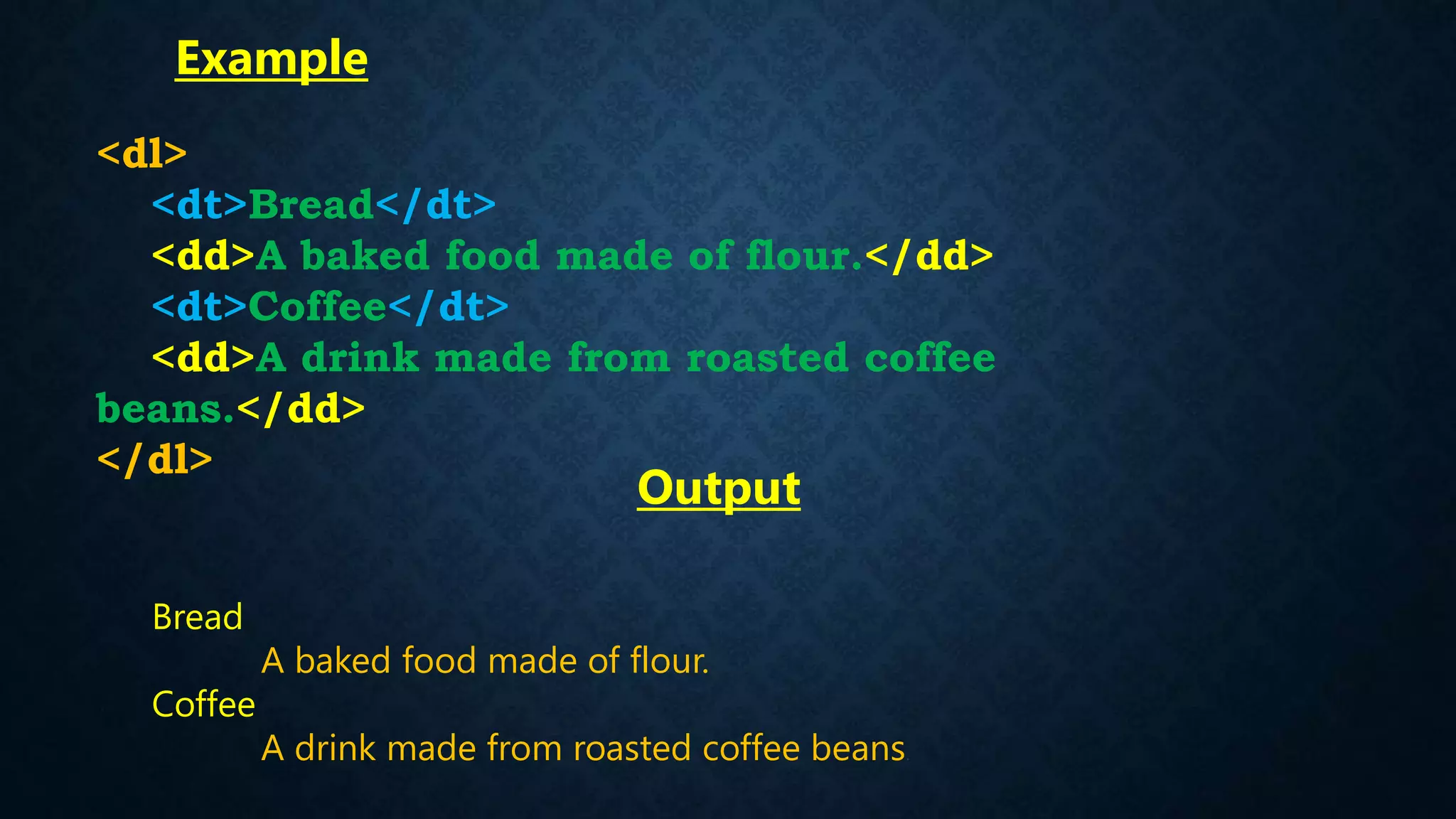
Bread
A baked food made of flour.
Coffee
A drink made from roasted coffee beans.
<dl>
<dt>Bread</dt>
<dd>A baked food made of flour.</dd>
<dt>Coffee</dt>
<dd>A drink made from roasted coffee
beans.</dd>
</dl>
Output
Example
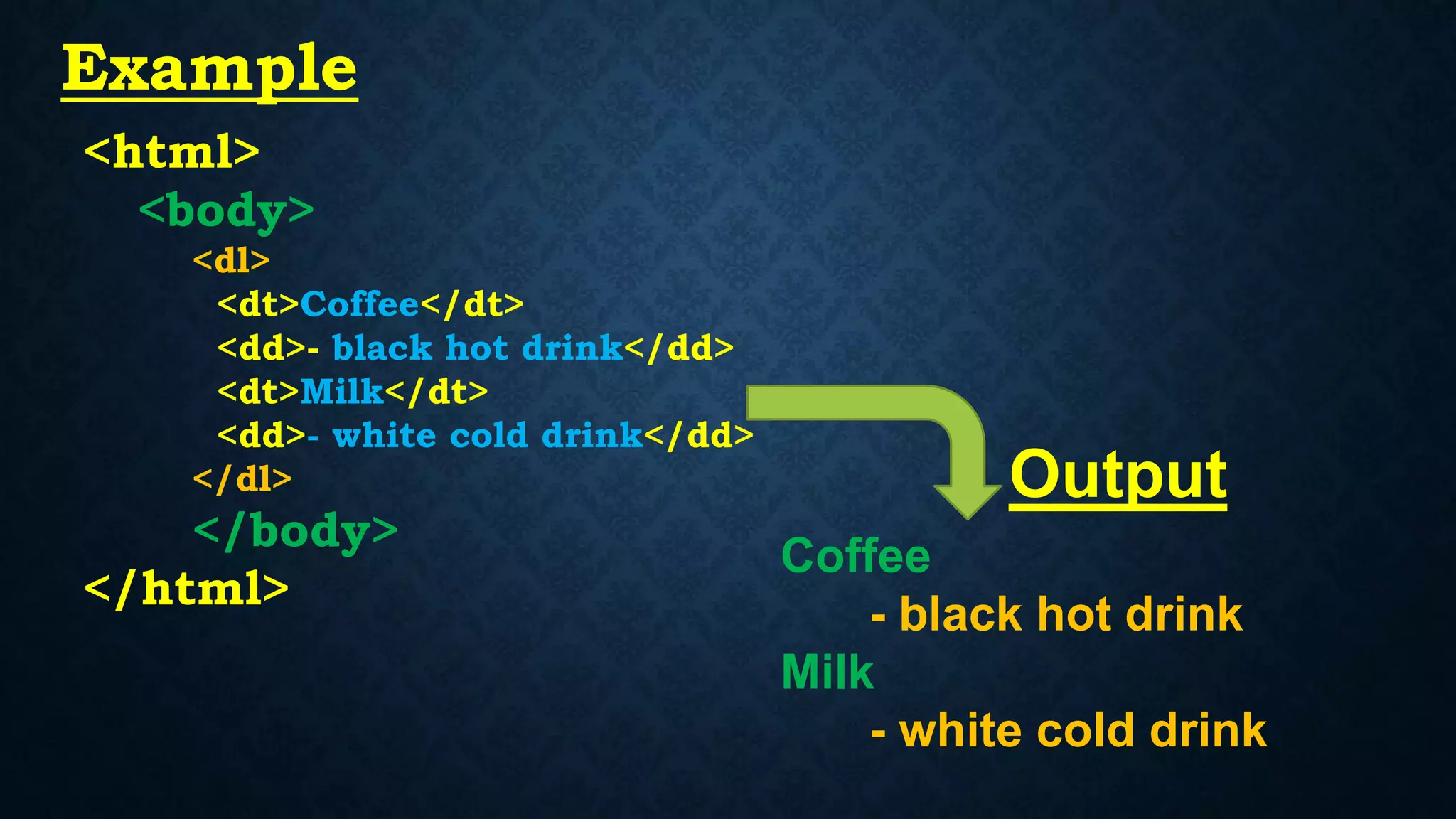
<html>
<body>
<dl>
<dt>Coffee</dt>
<dd>- black hot drink</dd>
<dt>Milk</dt>
<dd>- white cold drink</dd>
</dl>
</body>
</html>
Coffee
- black hot drink
Milk
- white cold drink
Example
Output
THANK
YOU

Html-list

  • 1.
  • 2.
    List HTML offers threeways for specifying lists of information. All lists must contain one or more list elements. Lists may contain − <ul> Unordered list — Used to create a list of related items, in no particular order. <ol> Ordered list — Used to create a list of related items, in a specific order. <dl> Description list — Used to create a list of terms and their descriptions. HTML lists allow web developers to group a set of related items in lists.
  • 3.
  • 4.
    “An unordered listis a collection of related items that have no special order or sequence. “ Unordered List An unordered list created using the < ul > element, and each list item starts with the < li > element. The list items in unordered lists are marked with bullets. Here's an example: OUTPUT <ul> <li>Chocolate Cake</li> <li>Black Forest Cake</li> <li>Pineapple Cake</li> </ul> Chocolate Cake Black Forest Cake Pineapple Cake
  • 5.
    This attribute givesthe type of bullets to be used in the list. type =’disc’ : Gives default bullet structure/ By Default type =’square’ : Looks like solid box bullets type =’circle’ : Gives Hollow box structure Unordered List Attribute
  • 6.
  • 7.
    <html> <body> <ul type =’square’> <li>Coffee</li> <li>Tea</li> <li>Milk</li> </ul> </body> </html> Coffee Tea Milk Example:Square Output
  • 8.
    <html> <body> <ul type =’circle> <li>Coffee</li> <li>Tea</li> <li>Milk</li> </ul> </body> </html> o Coffee o Tea o Milk Example:Circle Output
  • 9.
  • 10.
    “An Ordered listis a collection of related items that have special order or sequence. “ Ordered List An Ordered list created using the < ol > element, and each list item starts with the < li > element. The list items in Ordered lists are marked with Numbers. Here's an example: OUTPUT <ol> <li>Chocolate Cake</li> <li>Black Forest Cake</li> <li>Pineapple Cake</li> </ol> 1. Chocolate Cake 2. Black Forest Cake 3. Pineapple Cake
  • 11.
    Ordered List Attribute OrderedLists has Two types attribute they are following 1. “Type” 2. “Start” 1. “Type” : the type attribute Sets the numbering type (type = “type Value”). Type Value Generated Style Sample Sequence A Capital Letters A,B,C,D……… a Lowercase Letters a,b,c,d………. I Capital Roman Numerals I,II,III,IV…….. i Lowercase Roman Numerals i,ii,iii,iv 1 Arabic Numberals 1,2,3,4………
  • 12.
  • 13.
    2. “Start” An integerto start counting from for the list items. Always an Arabic numeral (1, 2, 3, etc.), even when the numbering type is letters or Roman numerals. For example, to start numbering elements from the letter "d" or the Roman numeral "iv," use start="4".
  • 14.
    <html> <body> <ol Start =4> <li>Coffee</li> <li>Tea</li> <li>Milk</li> </ol> </body> </html> 4. Coffee 5. Tea 6. Milk Example –”Start” Output
  • 15.
    <html> <body> <ol Type =“A”> <li>Coffee</li> <li>Tea</li> <li>Milk</li> </ol> </body> </html> A. Coffee B. Tea C. Milk Example –”type” Output
  • 16.
    <html> <body> <ol Type =“A” Start = 3> <li>Coffee</li> <li>Tea</li> <li>Milk</li> </ol> </body> </html> C. Coffee D. Tea E. Milk Example –”type+Start” Output
  • 17.
  • 18.
    Description List “A descriptionlist is a list of items with a description or definition of each item.” The description list is created using <dl> element. The <dl> element is used in conjunction with the <dt> element which specify a term, and the <dd> element which specify the term's definition.
  • 19.
    Bread A baked foodmade of flour. Coffee A drink made from roasted coffee beans. <dl> <dt>Bread</dt> <dd>A baked food made of flour.</dd> <dt>Coffee</dt> <dd>A drink made from roasted coffee beans.</dd> </dl> Output Example
  • 20.
    <html> <body> <dl> <dt>Coffee</dt> <dd>- black hotdrink</dd> <dt>Milk</dt> <dd>- white cold drink</dd> </dl> </body> </html> Coffee - black hot drink Milk - white cold drink Example Output
  • 21.