
Introduction to
HTML
1
2
 Introduction
 HTML = HyperText Markup Language
 A markup language
 Technology of the World Wide Web Consortium (W3C)
 HTML is a plain-text file that can be created using a 
text editor like Notepad.
 When creating HTML files for the web, make sure you 
save them as .html or .htm.
Tags
 As a text document, your HTML in Notepad will 
contain Tags, such as headers, titles, 
paragraphs, etc.
 HTML tags consist of a left angle bracket (<), a 
name, and a right angle bracket (>)
 For example: <title>
 Tags must also close using slash( / ). 
 A starting and ending tag would be:  <title> 
</title>
Types of Tags
 Container Tag
 Empty Tag
4
Container Tag
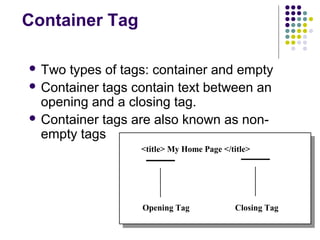
 Two types of tags: container and empty
 Container tags contain text between an
opening and a closing tag.
 Container tags are also known as non-
empty tags
Opening Tag
<title> My Home Page </title>
Closing Tag
Empty Tags
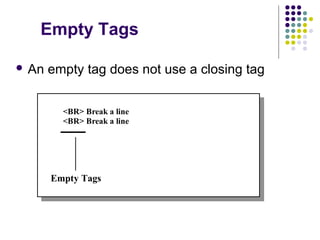
 An empty tag does not use a closing tag
Empty Tags
<BR> Break a line
<BR> Break a line
More Tags
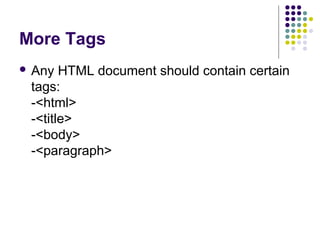
 Any HTML document should contain certain
tags:
-<html>
-<title>
-<body>
-<paragraph>
8
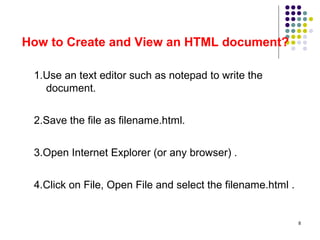
How to Create and View an HTML document?
1.Use an text editor such as notepad to write the
document.
2.Save the file as filename.html.
3.Open Internet Explorer (or any browser) .
4.Click on File, Open File and select the filename.html .
9
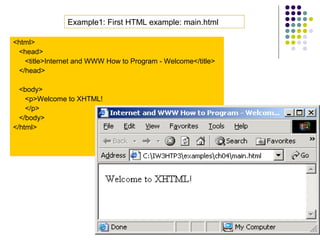
<html>
<head>
<title>Internet and WWW How to Program - Welcome</title>
</head>
<body>
<p>Welcome to XHTML!
</p>
</body>
</html>
Example1: First HTML example: main.html
Theory Questions
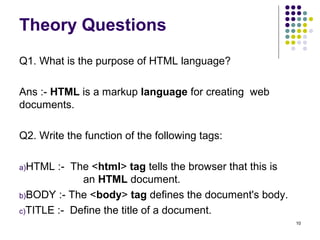
Q1. What is the purpose of HTML language?
Ans :- HTML is a markup language for creating web
documents.
Q2. Write the function of the following tags:
a)HTML :- The <html> tag tells the browser that this is
an HTML document.
b)BODY :- The <body> tag defines the document's body.
c)TITLE :- Define the title of a document.
10
Theory Questions
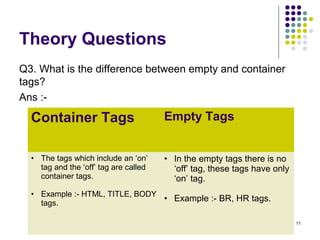
Q3. What is the difference between empty and container
tags?
Ans :-Container Tags
11
Container Tags Empty Tags
• The tags which include an ‘on’
tag and the ‘off’ tag are called
container tags.
• Example :- HTML, TITLE, BODY
tags.
• In the empty tags there is no
‘off’ tag, these tags have only
‘on’ tag.
• Example :- BR, HR tags.
12

Html Slide Part-1