



Disclaimer: This presentation is prepared by trainees of
baabtra as a part of mentoring program. This is not official
document of baabtra –Mentoring Partner
Baabtra-Mentoring Partner is the mentoring division of baabte System Technologies Pvt .
Ltd
Standard HTML Tag’s
Nithil.pp
nithilp@gmail.com
facebook.com/ nithil
padinare peediyekal
twitter.com/username
in.linkedin.com/in/nithil.pp
9995223505
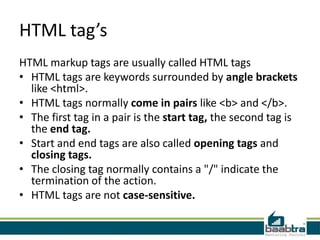
HTML tag’s
HTML markup tags are usually called HTML tags
• HTML tags are keywords surrounded by angle brackets
like <html>.
• HTML tags normally come in pairs like <b> and </b>.
• The first tag in a pair is the start tag, the second tag is
the end tag.
• Start and end tags are also called opening tags and
closing tags.
• The closing tag normally contains a "/" indicate the
termination of the action.
• HTML tags are not case-sensitive.
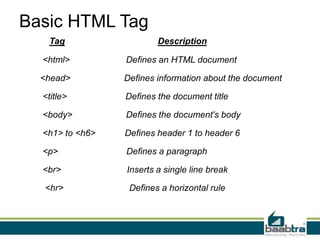
Basic HTML Tag
Tag Description
<html> Defines an HTML document
<head> Defines information about the document
<title> Defines the document title
<body> Defines the document's body
<h1> to <h6> Defines header 1 to header 6
<p> Defines a paragraph
<br> Inserts a single line break
<hr> Defines a horizontal rule
<html>tag
• tells browser that it is an HTML document.
• defined at the top and end of the HTML file.
Format:
<html> <body>.............body of
HTML.............</body></html>
Example:
<html> <body> this is my first page </body></html>
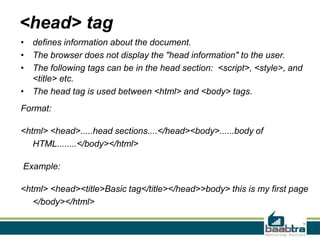
<head> tag
• defines information about the document.
• The browser does not display the "head information" to the user.
• The following tags can be in the head section: <script>, <style>, and
<title> etc.
• The head tag is used between <html> and <body> tags.
Format:
<html> <head>.....head sections....</head><body>......body of
HTML........</body></html>
Example:
<html> <head><title>Basic tag</title></head>>body> this is my first page
</body></html>
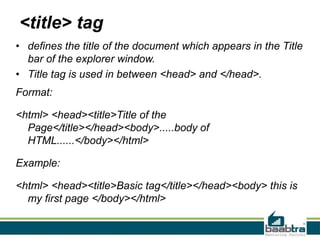
<title> tag
• defines the title of the document which appears in the Title
bar of the explorer window.
• Title tag is used in between <head> and </head>.
Format:
<html> <head><title>Title of the
Page</title></head><body>.....body of
HTML......</body></html>
Example:
<html> <head><title>Basic tag</title></head><body> this is
my first page </body></html>
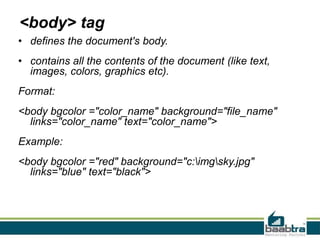
<body> tag
• defines the document's body.
• contains all the contents of the document (like text,
images, colors, graphics etc).
Format:
<body bgcolor ="color_name" background="file_name"
links="color_name" text="color_name">
Example:
<body bgcolor ="red" background="c:imgsky.jpg"
links="blue" text="black">
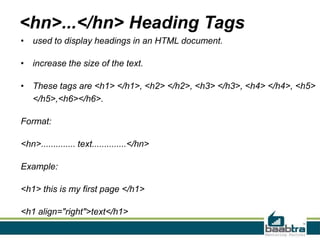
<hn>...</hn> Heading Tags
• used to display headings in an HTML document.
• increase the size of the text.
• These tags are <h1> </h1>, <h2> </h2>, <h3> </h3>, <h4> </h4>, <h5>
</h5>,<h6></h6>.
Format:
<hn>.............. text..............</hn>
Example:
<h1> this is my first page </h1>
<h1 align="right">text</h1>
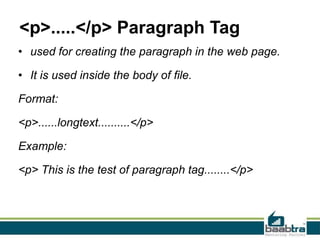
<p>.....</p> Paragraph Tag
• used for creating the paragraph in the web page.
• It is used inside the body of file.
Format:
<p>......longtext..........</p>
Example:
<p> This is the test of paragraph tag........</p>
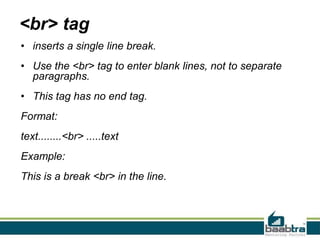
<br> tag
• inserts a single line break.
• Use the <br> tag to enter blank lines, not to separate
paragraphs.
• This tag has no end tag.
Format:
text........<br> .....text
Example:
This is a break <br> in the line.
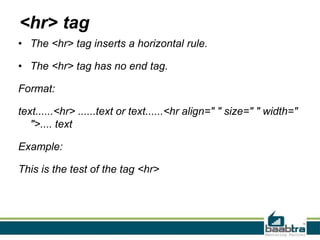
<hr> tag
• The <hr> tag inserts a horizontal rule.
• The <hr> tag has no end tag.
Format:
text......<hr> ......text or text......<hr align=" " size=" " width="
">.... text
Example:
This is the test of the tag <hr>
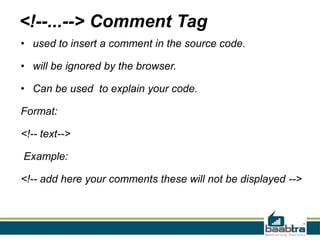
<!--...--> Comment Tag
• used to insert a comment in the source code.
• will be ignored by the browser.
• Can be used to explain your code.
Format:
<!-- text-->
Example:
<!-- add here your comments these will not be displayed -->
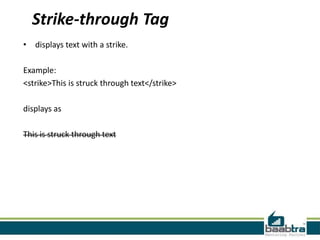
Strike-through Tag
• displays text with a strike.
Example:
<strike>This is struck through text</strike>
displays as
This is struck through text
Example for basic command
<html>
<head>
<title>In body tag</title>
</head>
<body bgcolor="black" text="red">
In body tag, background color is defined as black and textcolor is defined as red.
<hr>
<strike>This is struck through text</strike>
<hr>
<h1> this is the h1 header </h1>
<h2> this is the h2header </h2>
<h3> this is the h3 header </h3>
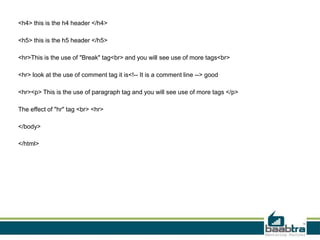
<h4> this is the h4 header </h4>
<h5> this is the h5 header </h5>
<hr>This is the use of "Break" tag<br> and you will see use of more tags<br>
<hr> look at the use of comment tag it is<!-- It is a comment line --> good
<hr><p> This is the use of paragraph tag and you will see use of more tags </p>
The effect of "hr" tag <br> <hr>
</body>
</html>
Character Format Tags
• used for the formatting of the text
i.e underline, bold, italic, font, size, color of the text.
Char Format Tag Description
<b> Displays bold text
<i> Displays italic text
<tt> Renders as teletype or mono spaced text
<u> Displays underlined text
<em> Displays emphasized text
<big> Displays big text
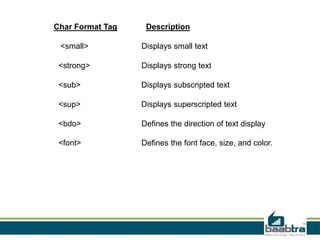
Char Format Tag Description
<small> Displays small text
<strong> Displays strong text
<sub> Displays subscripted text
<sup> Displays superscripted text
<bdo> Defines the direction of text display
<font> Defines the font face, size, and color.
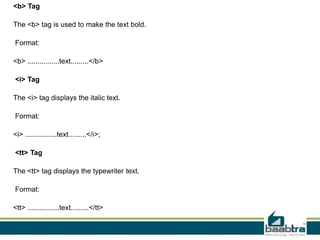
<b> Tag
The <b> tag is used to make the text bold.
Format:
<b> ................text.........</b>
<i> Tag
The <i> tag displays the italic text.
Format:
<i> ................text.........</i>;
<tt> Tag
The <tt> tag displays the typewriter text.
Format:
<tt> ................text.........</tt>
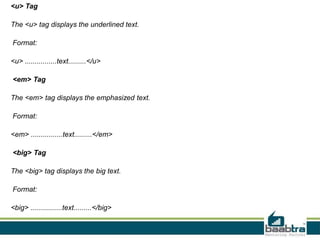
<u> Tag
The <u> tag displays the underlined text.
Format:
<u> ................text.........</u>
<em> Tag
The <em> tag displays the emphasized text.
Format:
<em> ................text.........</em>
<big> Tag
The <big> tag displays the big text.
Format:
<big> ................text.........</big>
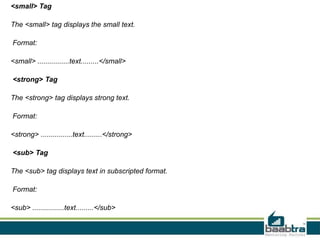
<small> Tag
The <small> tag displays the small text.
Format:
<small> ................text.........</small>
<strong> Tag
The <strong> tag displays strong text.
Format:
<strong> ................text.........</strong>
<sub> Tag
The <sub> tag displays text in subscripted format.
Format:
<sub> ................text.........</sub>
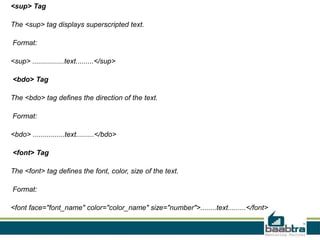
<sup> Tag
The <sup> tag displays superscripted text.
Format:
<sup> ................text.........</sup>
<bdo> Tag
The <bdo> tag defines the direction of the text.
Format:
<bdo> ................text.........</bdo>
<font> Tag
The <font> tag defines the font, color, size of the text.
Format:
<font face="font_name" color="color_name" size="number">........text.........</font>
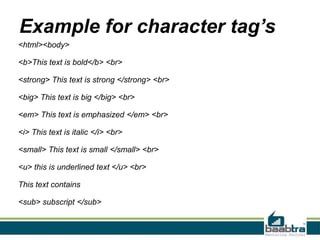
Example for character tag’s
<html><body>
<b>This text is bold</b> <br>
<strong> This text is strong </strong> <br>
<big> This text is big </big> <br>
<em> This text is emphasized </em> <br>
<i> This text is italic </i> <br>
<small> This text is small </small> <br>
<u> this is underlined text </u> <br>
This text contains
<sub> subscript </sub>
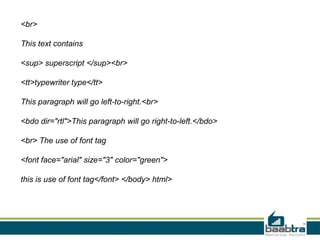
<br>
This text contains
<sup> superscript </sup><br>
<tt>typewriter type</tt>
This paragraph will go left-to-right.<br>
<bdo dir="rtl">This paragraph will go right-to-left.</bdo>
<br> The use of font tag
<font face="arial" size="3" color="green">
this is use of font tag</font> </body> html>
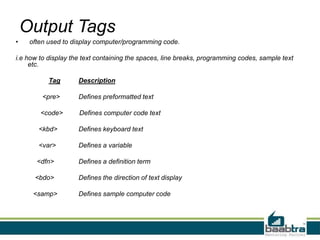
Output Tags
• often used to display computer/programming code.
i.e how to display the text containing the spaces, line breaks, programming codes, sample text
etc.
Tag Description
<pre> Defines preformatted text
<code> Defines computer code text
<kbd> Defines keyboard text
<var> Defines a variable
<dfn> Defines a definition term
<bdo> Defines the direction of text display
<samp> Defines sample computer code
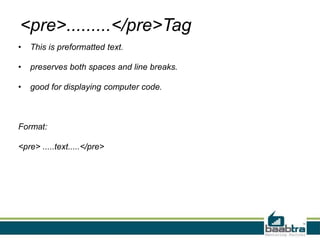
<pre>.........</pre>Tag
• This is preformatted text.
• preserves both spaces and line breaks.
• good for displaying computer code.
Format:
<pre> .....text.....</pre>
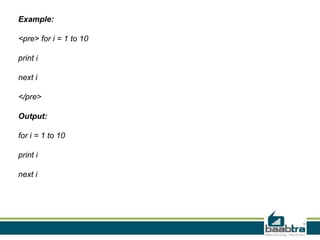
Example:
<pre> for i = 1 to 10
print i
next i
</pre>
Output:
for i = 1 to 10
print i
next i
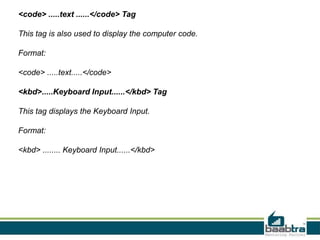
<code> .....text ......</code> Tag
This tag is also used to display the computer code.
Format:
<code> .....text.....</code>
<kbd>.....Keyboard Input......</kbd> Tag
This tag displays the Keyboard Input.
Format:
<kbd> ........ Keyboard Input......</kbd>
<samp>....sample text...</samp> Tag
This tag displays the sample text.
Format:
<samp> .....sample text.....</samp>
<var> computer variable </var> tag
This tag defines the computer variable.
Format:
<var> computer variable </var>
<dfn> definition term </dfn>
this tag is used for definition term.
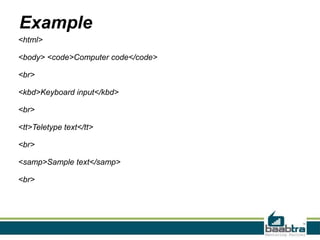
Example
<html>
<body> <code>Computer code</code>
<br>
<kbd>Keyboard input</kbd>
<br>
<tt>Teletype text</tt>
<br>
<samp>Sample text</samp>
<br>
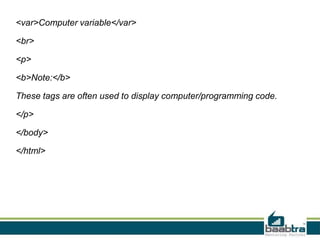
<var>Computer variable</var>
<br>
<p>
<b>Note:</b>
These tags are often used to display computer/programming code.
</p>
</body>
</html>
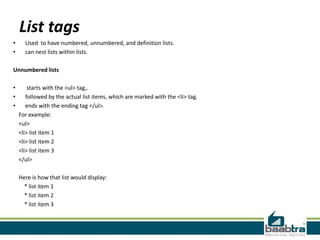
List tags
• Used to have numbered, unnumbered, and definition lists.
• can nest lists within lists.
Unnumbered lists
• starts with the <ul> tag,.
• followed by the actual list items, which are marked with the <li> tag.
• ends with the ending tag </ul>.
For example:
<ul>
<li> list item 1
<li> list item 2
<li> list item 3
</ul>
Here is how that list would display:
* list item 1
* list item 2
* list item 3
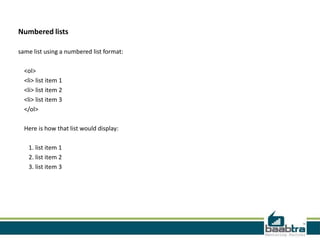
Numbered lists
same list using a numbered list format:
<ol>
<li> list item 1
<li> list item 2
<li> list item 3
</ol>
Here is how that list would display:
1. list item 1
2. list item 2
3. list item 3
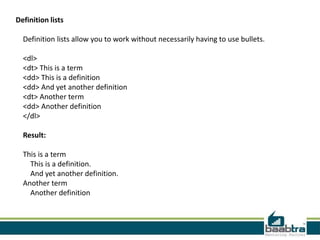
Definition lists
Definition lists allow you to work without necessarily having to use bullets.
<dl>
<dt> This is a term
<dd> This is a definition
<dd> And yet another definition
<dt> Another term
<dd> Another definition
</dl>
Result:
This is a term
This is a definition.
And yet another definition.
Another term
Another definition
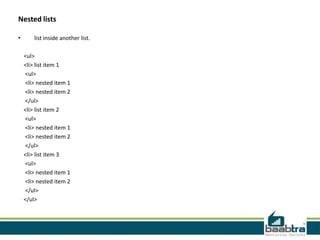
Nested lists
• list inside another list.
<ul>
<li> list item 1
<ul>
<li> nested item 1
<li> nested item 2
</ul>
<li> list item 2
<ul>
<li> nested item 1
<li> nested item 2
</ul>
<li> list item 3
<ul>
<li> nested item 1
<li> nested item 2
</ul>
</ul>
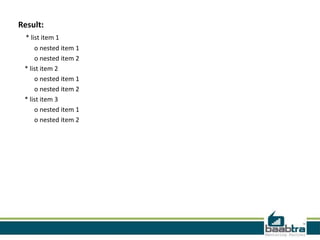
Result:
* list item 1
o nested item 1
o nested item 2
* list item 2
o nested item 1
o nested item 2
* list item 3
o nested item 1
o nested item 2
HTML Tables
• defined with the <table> tag.
• divided into rows with the <tr> tag.
• row is divided into data cells with the <td> tag.
• td stands for "table data"
• A <td> tag can contain text, links, images, lists, forms, other tables, etc.
• border attribute:-To display a table with borders
• <th> tag:-defines header information.
Example:
<table border="1">
<tr>
<th>Header 1</th>
<th>Header 2</th>
</tr>
<tr>
<td>row 1, cell 1</td>
<td>row 1, cell 2</td>
</tr>
<tr>
<td>row 2, cell 1</td>
<td>row 2, cell 2</td>
</tr>
</table>
Header 1 Header 2
row 1, cell 1 row 1, cell 2
row 2, cell 1 row 2, cell 2
<img> tag
• defines an image in an HTML page.
• has two required attributes: src and alt.
Example:
<img src="smiley.gif" alt="Smiley face"
height="42" width="42">
HTML <a> Tag
• defines a hyperlink.
• href attribute, indicates the link’s destination.
By default, links will appear as follows in all browsers:
• An unvisited link is underlined and blue
• A visited link is underlined and purple
• An active link is underlined and red
Example:
<a href="http://www.w3schools.com">Visit
W3Schools.com!</a>
Form tag
• used to pass data to a server
• contain input elements like text fields,
checkboxes, radio-buttons, submit buttons
etc.
• <form> tag is used to create an HTML form.
• <input> element is used to select user
information.
Example:
<form action="demo_form.asp" method="post/get">
<input type="text" name="email" size="40" maxlength="50"><br>
<input type="password"><br>
<input type="checkbox" checked="checked">
<input type="radio" checked="checked">
<input type="submit" value="Send">
<input type="reset">
<input type="hidden">
<select>
<option>Apples</option>
<option selected="selected">Bananas</option>
<option>Cherries</option>
</select>
<br>
<textarea name="comment" rows="6" cols="20"></textarea><br>
<select>
<option>Apples</option>
<option selected="selected">Bananas</option>
<option>Cherries</option>
</select>
</form>
Thank you…
If this presentation helped you, please visit our
page facebook.com/baabtra and like it.
Thanks in advance.
www.baabtra.com | www.massbaab.com |www.baabte.com
Contact Us
Emarald Mall (Big Bazar Building)
Mavoor Road, Kozhikode,
Kerala, India.
Ph: + 91 – 495 40 25 550
NC Complex, Near Bus Stand
Mukkam, Kozhikode,
Kerala, India.
Ph: + 91 – 495 40 25 550
Start up Village
Eranakulam,
Kerala, India.
Email: info@baabtra.com

Standard html tags

  • 2.
    Disclaimer: This presentationis prepared by trainees of baabtra as a part of mentoring program. This is not official document of baabtra –Mentoring Partner Baabtra-Mentoring Partner is the mentoring division of baabte System Technologies Pvt . Ltd
  • 3.
    Standard HTML Tag’s Nithil.pp nithilp@gmail.com facebook.com/nithil padinare peediyekal twitter.com/username in.linkedin.com/in/nithil.pp 9995223505
  • 4.
    HTML tag’s HTML markuptags are usually called HTML tags • HTML tags are keywords surrounded by angle brackets like <html>. • HTML tags normally come in pairs like <b> and </b>. • The first tag in a pair is the start tag, the second tag is the end tag. • Start and end tags are also called opening tags and closing tags. • The closing tag normally contains a "/" indicate the termination of the action. • HTML tags are not case-sensitive.
  • 5.
    Basic HTML Tag TagDescription <html> Defines an HTML document <head> Defines information about the document <title> Defines the document title <body> Defines the document's body <h1> to <h6> Defines header 1 to header 6 <p> Defines a paragraph <br> Inserts a single line break <hr> Defines a horizontal rule
  • 6.
    <html>tag • tells browserthat it is an HTML document. • defined at the top and end of the HTML file. Format: <html> <body>.............body of HTML.............</body></html> Example: <html> <body> this is my first page </body></html>
  • 7.
    <head> tag • definesinformation about the document. • The browser does not display the "head information" to the user. • The following tags can be in the head section: <script>, <style>, and <title> etc. • The head tag is used between <html> and <body> tags. Format: <html> <head>.....head sections....</head><body>......body of HTML........</body></html> Example: <html> <head><title>Basic tag</title></head>>body> this is my first page </body></html>
  • 8.
    <title> tag • definesthe title of the document which appears in the Title bar of the explorer window. • Title tag is used in between <head> and </head>. Format: <html> <head><title>Title of the Page</title></head><body>.....body of HTML......</body></html> Example: <html> <head><title>Basic tag</title></head><body> this is my first page </body></html>
  • 9.
    <body> tag • definesthe document's body. • contains all the contents of the document (like text, images, colors, graphics etc). Format: <body bgcolor ="color_name" background="file_name" links="color_name" text="color_name"> Example: <body bgcolor ="red" background="c:imgsky.jpg" links="blue" text="black">
  • 10.
    <hn>...</hn> Heading Tags •used to display headings in an HTML document. • increase the size of the text. • These tags are <h1> </h1>, <h2> </h2>, <h3> </h3>, <h4> </h4>, <h5> </h5>,<h6></h6>. Format: <hn>.............. text..............</hn> Example: <h1> this is my first page </h1> <h1 align="right">text</h1>
  • 11.
    <p>.....</p> Paragraph Tag •used for creating the paragraph in the web page. • It is used inside the body of file. Format: <p>......longtext..........</p> Example: <p> This is the test of paragraph tag........</p>
  • 12.
    <br> tag • insertsa single line break. • Use the <br> tag to enter blank lines, not to separate paragraphs. • This tag has no end tag. Format: text........<br> .....text Example: This is a break <br> in the line.
  • 13.
    <hr> tag • The<hr> tag inserts a horizontal rule. • The <hr> tag has no end tag. Format: text......<hr> ......text or text......<hr align=" " size=" " width=" ">.... text Example: This is the test of the tag <hr>
  • 14.
    <!--...--> Comment Tag •used to insert a comment in the source code. • will be ignored by the browser. • Can be used to explain your code. Format: <!-- text--> Example: <!-- add here your comments these will not be displayed -->
  • 15.
    Strike-through Tag • displaystext with a strike. Example: <strike>This is struck through text</strike> displays as This is struck through text
  • 16.
    Example for basiccommand <html> <head> <title>In body tag</title> </head> <body bgcolor="black" text="red"> In body tag, background color is defined as black and textcolor is defined as red. <hr> <strike>This is struck through text</strike> <hr> <h1> this is the h1 header </h1> <h2> this is the h2header </h2> <h3> this is the h3 header </h3>
  • 17.
    <h4> this isthe h4 header </h4> <h5> this is the h5 header </h5> <hr>This is the use of "Break" tag<br> and you will see use of more tags<br> <hr> look at the use of comment tag it is<!-- It is a comment line --> good <hr><p> This is the use of paragraph tag and you will see use of more tags </p> The effect of "hr" tag <br> <hr> </body> </html>
  • 18.
    Character Format Tags •used for the formatting of the text i.e underline, bold, italic, font, size, color of the text. Char Format Tag Description <b> Displays bold text <i> Displays italic text <tt> Renders as teletype or mono spaced text <u> Displays underlined text <em> Displays emphasized text <big> Displays big text
  • 19.
    Char Format TagDescription <small> Displays small text <strong> Displays strong text <sub> Displays subscripted text <sup> Displays superscripted text <bdo> Defines the direction of text display <font> Defines the font face, size, and color.
  • 20.
    <b> Tag The <b>tag is used to make the text bold. Format: <b> ................text.........</b> <i> Tag The <i> tag displays the italic text. Format: <i> ................text.........</i>; <tt> Tag The <tt> tag displays the typewriter text. Format: <tt> ................text.........</tt>
  • 21.
    <u> Tag The <u>tag displays the underlined text. Format: <u> ................text.........</u> <em> Tag The <em> tag displays the emphasized text. Format: <em> ................text.........</em> <big> Tag The <big> tag displays the big text. Format: <big> ................text.........</big>
  • 22.
    <small> Tag The <small>tag displays the small text. Format: <small> ................text.........</small> <strong> Tag The <strong> tag displays strong text. Format: <strong> ................text.........</strong> <sub> Tag The <sub> tag displays text in subscripted format. Format: <sub> ................text.........</sub>
  • 23.
    <sup> Tag The <sup>tag displays superscripted text. Format: <sup> ................text.........</sup> <bdo> Tag The <bdo> tag defines the direction of the text. Format: <bdo> ................text.........</bdo> <font> Tag The <font> tag defines the font, color, size of the text. Format: <font face="font_name" color="color_name" size="number">........text.........</font>
  • 24.
    Example for charactertag’s <html><body> <b>This text is bold</b> <br> <strong> This text is strong </strong> <br> <big> This text is big </big> <br> <em> This text is emphasized </em> <br> <i> This text is italic </i> <br> <small> This text is small </small> <br> <u> this is underlined text </u> <br> This text contains <sub> subscript </sub>
  • 25.
    <br> This text contains <sup>superscript </sup><br> <tt>typewriter type</tt> This paragraph will go left-to-right.<br> <bdo dir="rtl">This paragraph will go right-to-left.</bdo> <br> The use of font tag <font face="arial" size="3" color="green"> this is use of font tag</font> </body> html>
  • 26.
    Output Tags • oftenused to display computer/programming code. i.e how to display the text containing the spaces, line breaks, programming codes, sample text etc. Tag Description <pre> Defines preformatted text <code> Defines computer code text <kbd> Defines keyboard text <var> Defines a variable <dfn> Defines a definition term <bdo> Defines the direction of text display <samp> Defines sample computer code
  • 27.
    <pre>.........</pre>Tag • This ispreformatted text. • preserves both spaces and line breaks. • good for displaying computer code. Format: <pre> .....text.....</pre>
  • 28.
    Example: <pre> for i= 1 to 10 print i next i </pre> Output: for i = 1 to 10 print i next i
  • 29.
    <code> .....text ......</code>Tag This tag is also used to display the computer code. Format: <code> .....text.....</code> <kbd>.....Keyboard Input......</kbd> Tag This tag displays the Keyboard Input. Format: <kbd> ........ Keyboard Input......</kbd>
  • 30.
    <samp>....sample text...</samp> Tag Thistag displays the sample text. Format: <samp> .....sample text.....</samp> <var> computer variable </var> tag This tag defines the computer variable. Format: <var> computer variable </var> <dfn> definition term </dfn> this tag is used for definition term.
  • 31.
    Example <html> <body> <code>Computer code</code> <br> <kbd>Keyboardinput</kbd> <br> <tt>Teletype text</tt> <br> <samp>Sample text</samp> <br>
  • 32.
    <var>Computer variable</var> <br> <p> <b>Note:</b> These tagsare often used to display computer/programming code. </p> </body> </html>
  • 33.
    List tags • Usedto have numbered, unnumbered, and definition lists. • can nest lists within lists. Unnumbered lists • starts with the <ul> tag,. • followed by the actual list items, which are marked with the <li> tag. • ends with the ending tag </ul>. For example: <ul> <li> list item 1 <li> list item 2 <li> list item 3 </ul> Here is how that list would display: * list item 1 * list item 2 * list item 3
  • 34.
    Numbered lists same listusing a numbered list format: <ol> <li> list item 1 <li> list item 2 <li> list item 3 </ol> Here is how that list would display: 1. list item 1 2. list item 2 3. list item 3
  • 35.
    Definition lists Definition listsallow you to work without necessarily having to use bullets. <dl> <dt> This is a term <dd> This is a definition <dd> And yet another definition <dt> Another term <dd> Another definition </dl> Result: This is a term This is a definition. And yet another definition. Another term Another definition
  • 36.
    Nested lists • listinside another list. <ul> <li> list item 1 <ul> <li> nested item 1 <li> nested item 2 </ul> <li> list item 2 <ul> <li> nested item 1 <li> nested item 2 </ul> <li> list item 3 <ul> <li> nested item 1 <li> nested item 2 </ul> </ul>
  • 37.
    Result: * list item1 o nested item 1 o nested item 2 * list item 2 o nested item 1 o nested item 2 * list item 3 o nested item 1 o nested item 2
  • 38.
    HTML Tables • definedwith the <table> tag. • divided into rows with the <tr> tag. • row is divided into data cells with the <td> tag. • td stands for "table data" • A <td> tag can contain text, links, images, lists, forms, other tables, etc. • border attribute:-To display a table with borders • <th> tag:-defines header information. Example: <table border="1"> <tr> <th>Header 1</th> <th>Header 2</th> </tr> <tr> <td>row 1, cell 1</td> <td>row 1, cell 2</td> </tr> <tr> <td>row 2, cell 1</td> <td>row 2, cell 2</td> </tr> </table> Header 1 Header 2 row 1, cell 1 row 1, cell 2 row 2, cell 1 row 2, cell 2
  • 39.
    <img> tag • definesan image in an HTML page. • has two required attributes: src and alt. Example: <img src="smiley.gif" alt="Smiley face" height="42" width="42">
  • 40.
    HTML <a> Tag •defines a hyperlink. • href attribute, indicates the link’s destination. By default, links will appear as follows in all browsers: • An unvisited link is underlined and blue • A visited link is underlined and purple • An active link is underlined and red Example: <a href="http://www.w3schools.com">Visit W3Schools.com!</a>
  • 41.
    Form tag • usedto pass data to a server • contain input elements like text fields, checkboxes, radio-buttons, submit buttons etc. • <form> tag is used to create an HTML form. • <input> element is used to select user information.
  • 42.
    Example: <form action="demo_form.asp" method="post/get"> <inputtype="text" name="email" size="40" maxlength="50"><br> <input type="password"><br> <input type="checkbox" checked="checked"> <input type="radio" checked="checked"> <input type="submit" value="Send"> <input type="reset"> <input type="hidden"> <select> <option>Apples</option> <option selected="selected">Bananas</option> <option>Cherries</option> </select> <br> <textarea name="comment" rows="6" cols="20"></textarea><br> <select> <option>Apples</option> <option selected="selected">Bananas</option> <option>Cherries</option> </select> </form>
  • 43.
  • 44.
    If this presentationhelped you, please visit our page facebook.com/baabtra and like it. Thanks in advance. www.baabtra.com | www.massbaab.com |www.baabte.com
  • 45.
    Contact Us Emarald Mall(Big Bazar Building) Mavoor Road, Kozhikode, Kerala, India. Ph: + 91 – 495 40 25 550 NC Complex, Near Bus Stand Mukkam, Kozhikode, Kerala, India. Ph: + 91 – 495 40 25 550 Start up Village Eranakulam, Kerala, India. Email: info@baabtra.com