Backup Now EZ“The Better Way to Backup Now… Easy!!”
Backup Now EZOverviewDesigned for your personal computer, Backup Now EZ is your complete backup solution.  Whether you are a novice PC user or an IT pro looking for that simple, yet powerful solution, Backup Now EZ is the right choice for everyone.  Complete Image Backup for Your PC
  File & Folder Backup
  Secure 256bit AES Encryption
  Backup Destination Capacity Alert (Warns when the hard drive is getting full)
  CPU Priority Setting (Allows you to set the priority of the backup job)
  Supports a wide variety of backup devices allowing you the flexibility to choose      where and how to back up.
  Flexible Scheduling allowing Hourly, Daily, Weekly, Monthly, and On-Demand
  Incremental backups for both Complete System and File & Folder backups“It’s not if your hard drive will fail, but when your hard drive will fail.”                                                                                 - Anonymous -
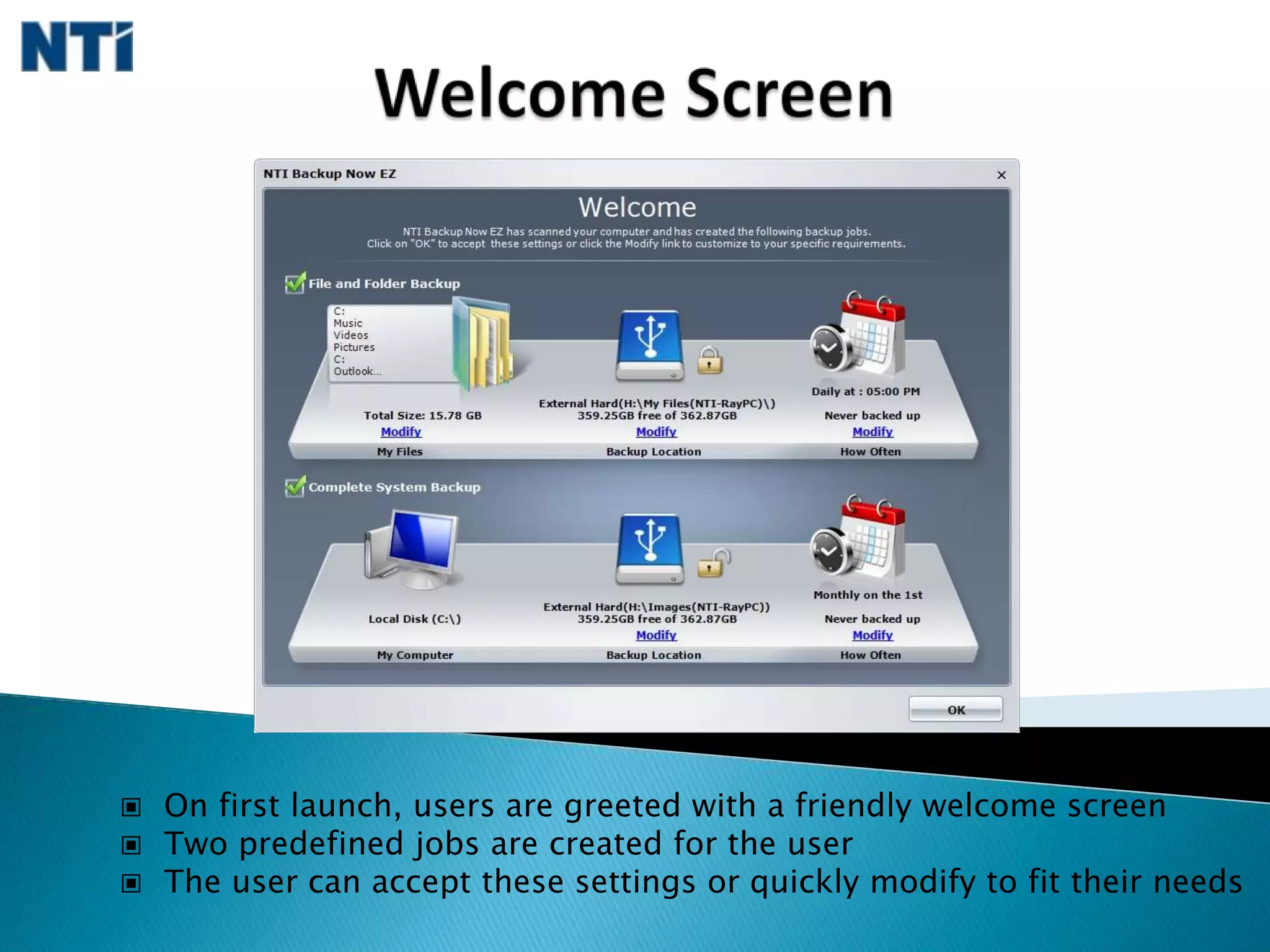
Welcome Screen  On first launch, users are greeted with a friendly welcome screen
  Two predefined jobs are created for the user
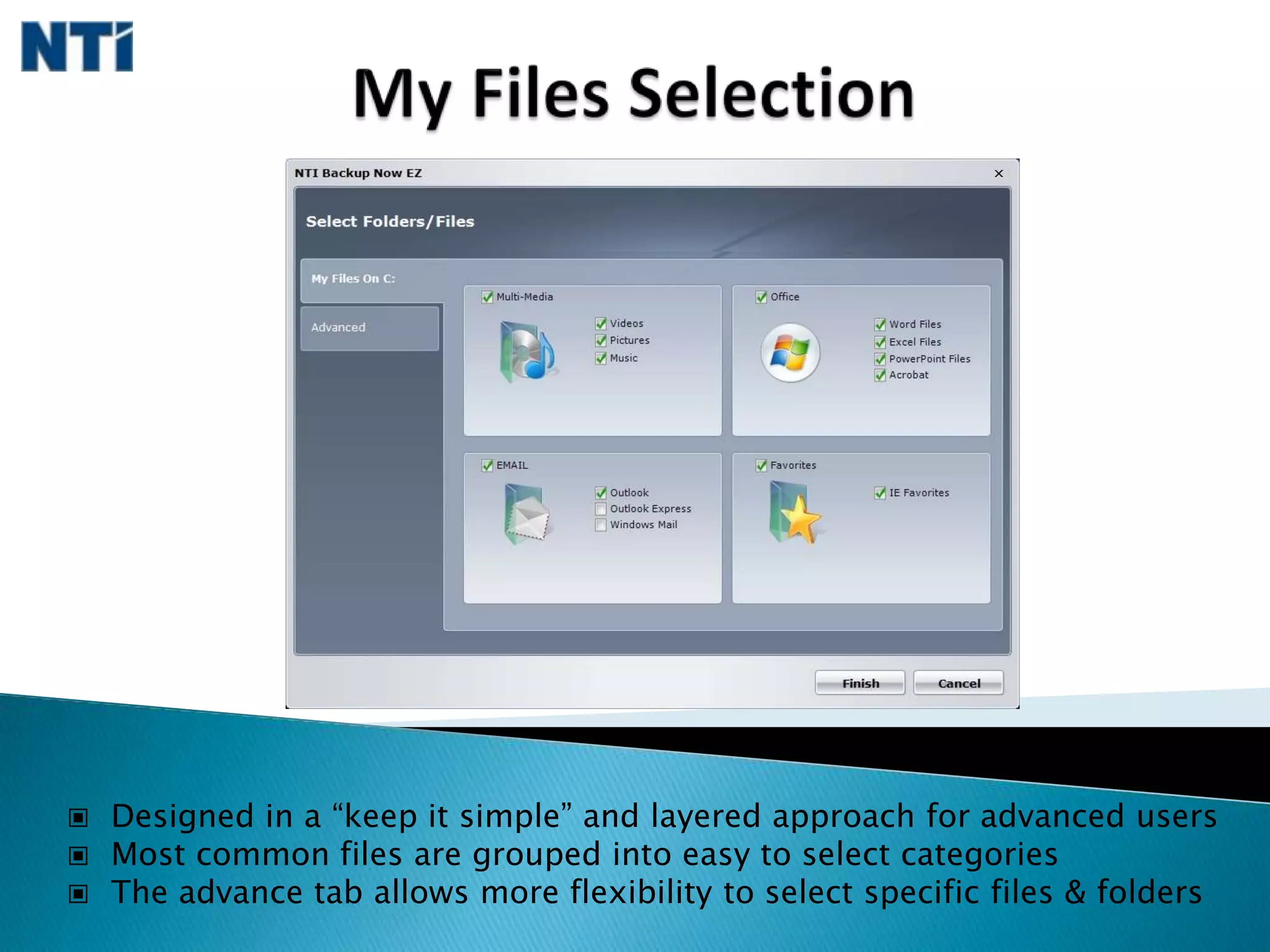
  The user can accept these settings or quickly modify to fit their needsMy Files Selection  Designed in a “keep it simple” and layered approach for advanced users
  Most common files are grouped into easy to select categories
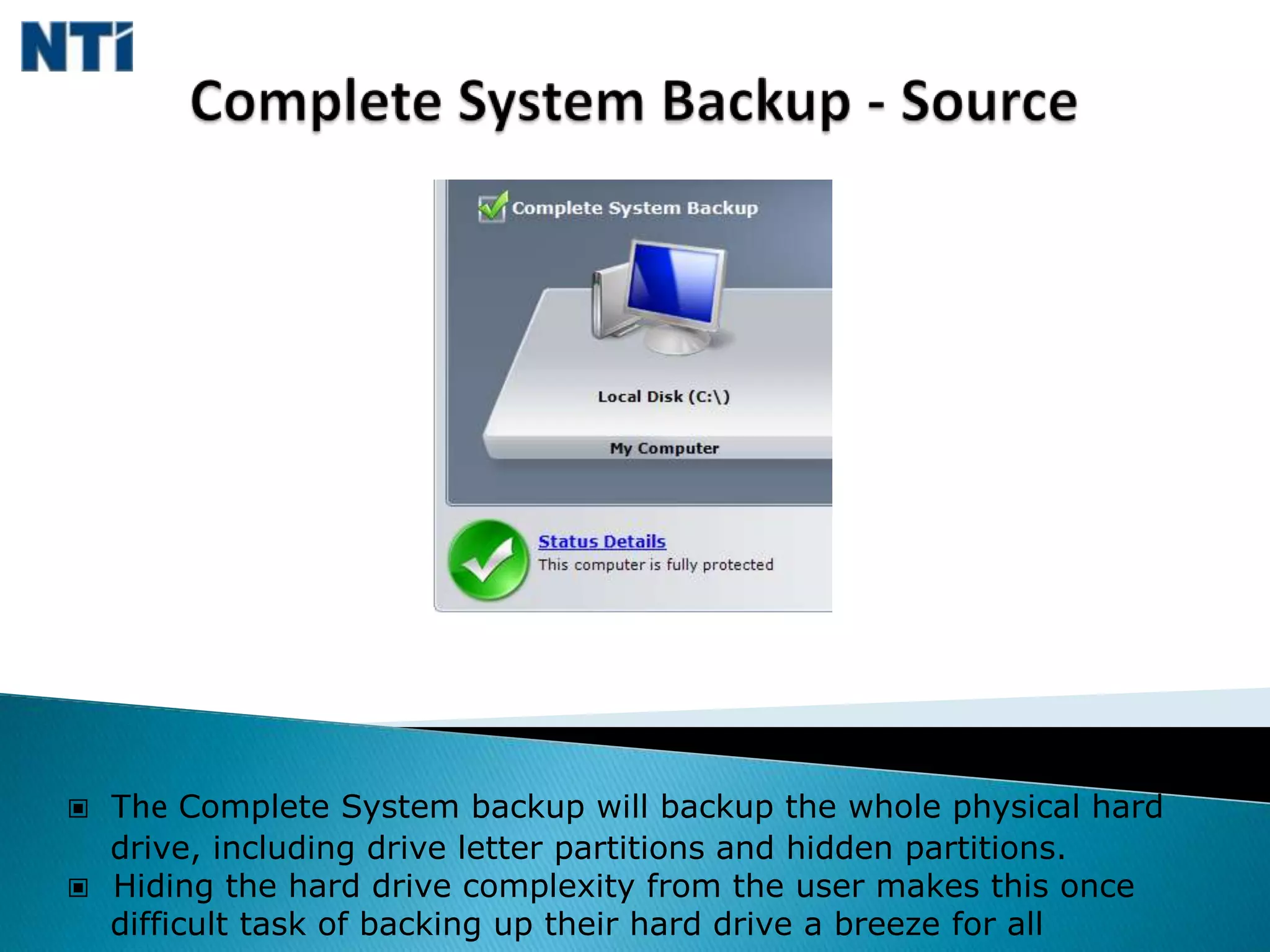
  The advance tab allows more flexibility to select specific files & foldersComplete System Backup - Source  The Complete System backup will backup the whole physical hard     drive, including drive letter partitions and hidden partitions.

Backup Now Ez (110609)

  • 1.
    Backup Now EZ“TheBetter Way to Backup Now… Easy!!”
  • 2.
    Backup Now EZOverviewDesignedfor your personal computer, Backup Now EZ is your complete backup solution. Whether you are a novice PC user or an IT pro looking for that simple, yet powerful solution, Backup Now EZ is the right choice for everyone. Complete Image Backup for Your PC
  • 3.
    File& Folder Backup
  • 4.
    Secure256bit AES Encryption
  • 5.
    BackupDestination Capacity Alert (Warns when the hard drive is getting full)
  • 6.
    CPUPriority Setting (Allows you to set the priority of the backup job)
  • 7.
    Supportsa wide variety of backup devices allowing you the flexibility to choose where and how to back up.
  • 8.
    FlexibleScheduling allowing Hourly, Daily, Weekly, Monthly, and On-Demand
  • 9.
    Incrementalbackups for both Complete System and File & Folder backups“It’s not if your hard drive will fail, but when your hard drive will fail.” - Anonymous -
  • 10.
    Welcome Screen On first launch, users are greeted with a friendly welcome screen
  • 11.
    Twopredefined jobs are created for the user
  • 12.
    Theuser can accept these settings or quickly modify to fit their needsMy Files Selection Designed in a “keep it simple” and layered approach for advanced users
  • 13.
    Mostcommon files are grouped into easy to select categories
  • 14.
    Theadvance tab allows more flexibility to select specific files & foldersComplete System Backup - Source The Complete System backup will backup the whole physical hard drive, including drive letter partitions and hidden partitions.
  • 15.
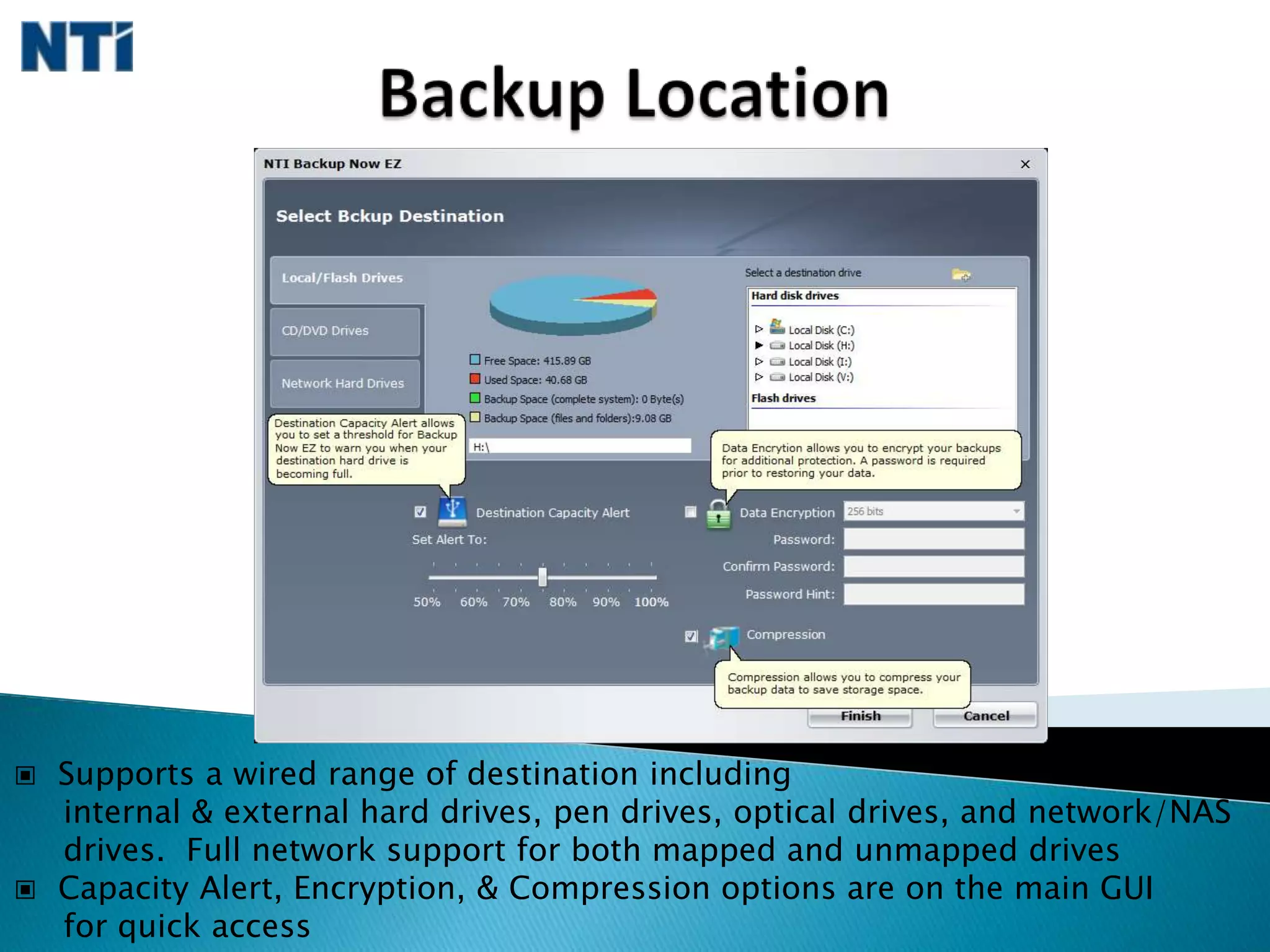
    Hidingthe hard drive complexity from the user makes this once difficult task of backing up their hard drive a breeze for allBackup Location Supports a wired range of destination including internal & external hard drives, pen drives, optical drives, and network/NAS drives. Full network support for both mapped and unmapped drives
  • 16.
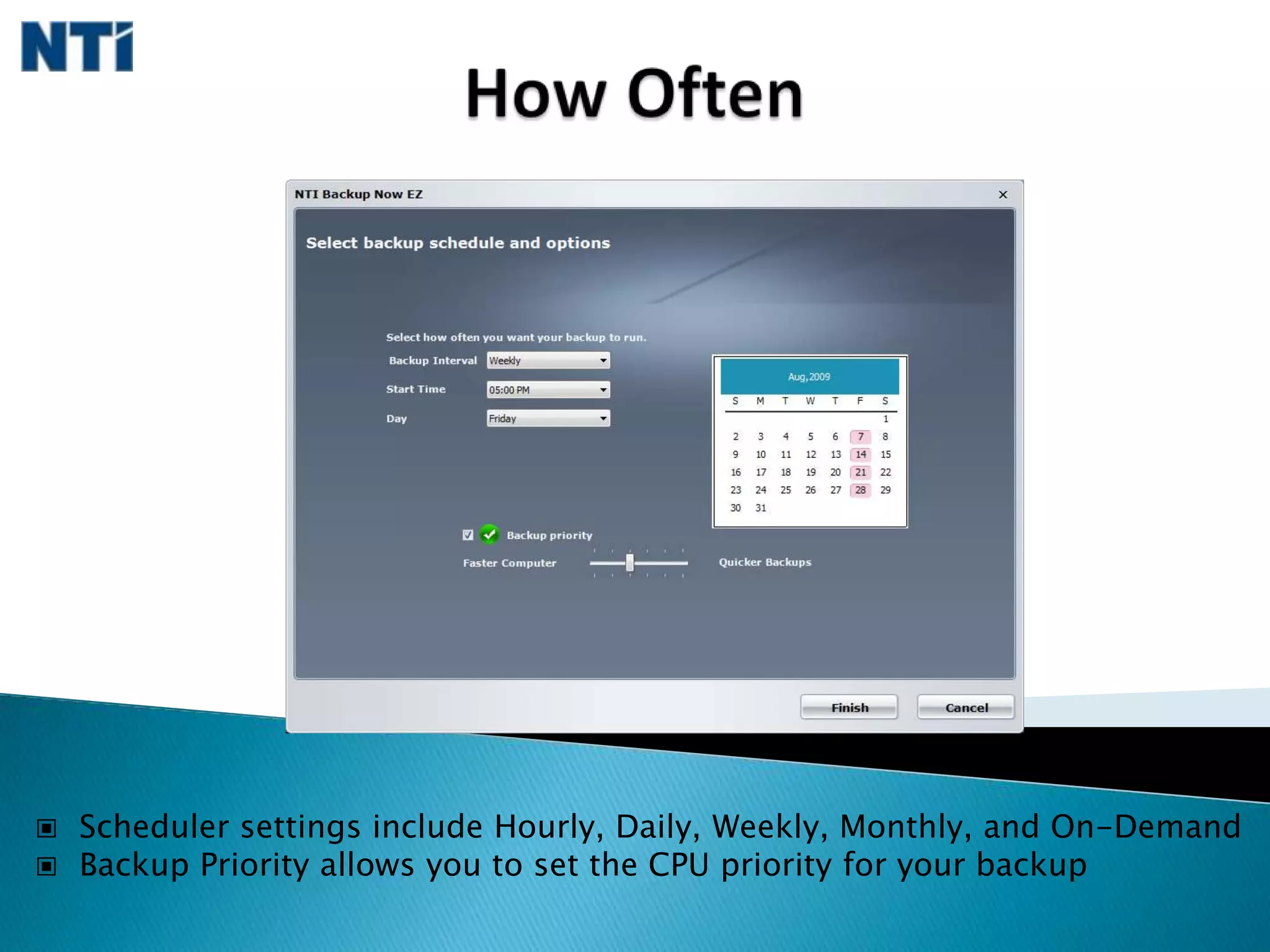
    CapacityAlert, Encryption, & Compression options are on the main GUI for quick accessHow Often Scheduler settings include Hourly, Daily, Weekly, Monthly, and On-Demand
  • 17.
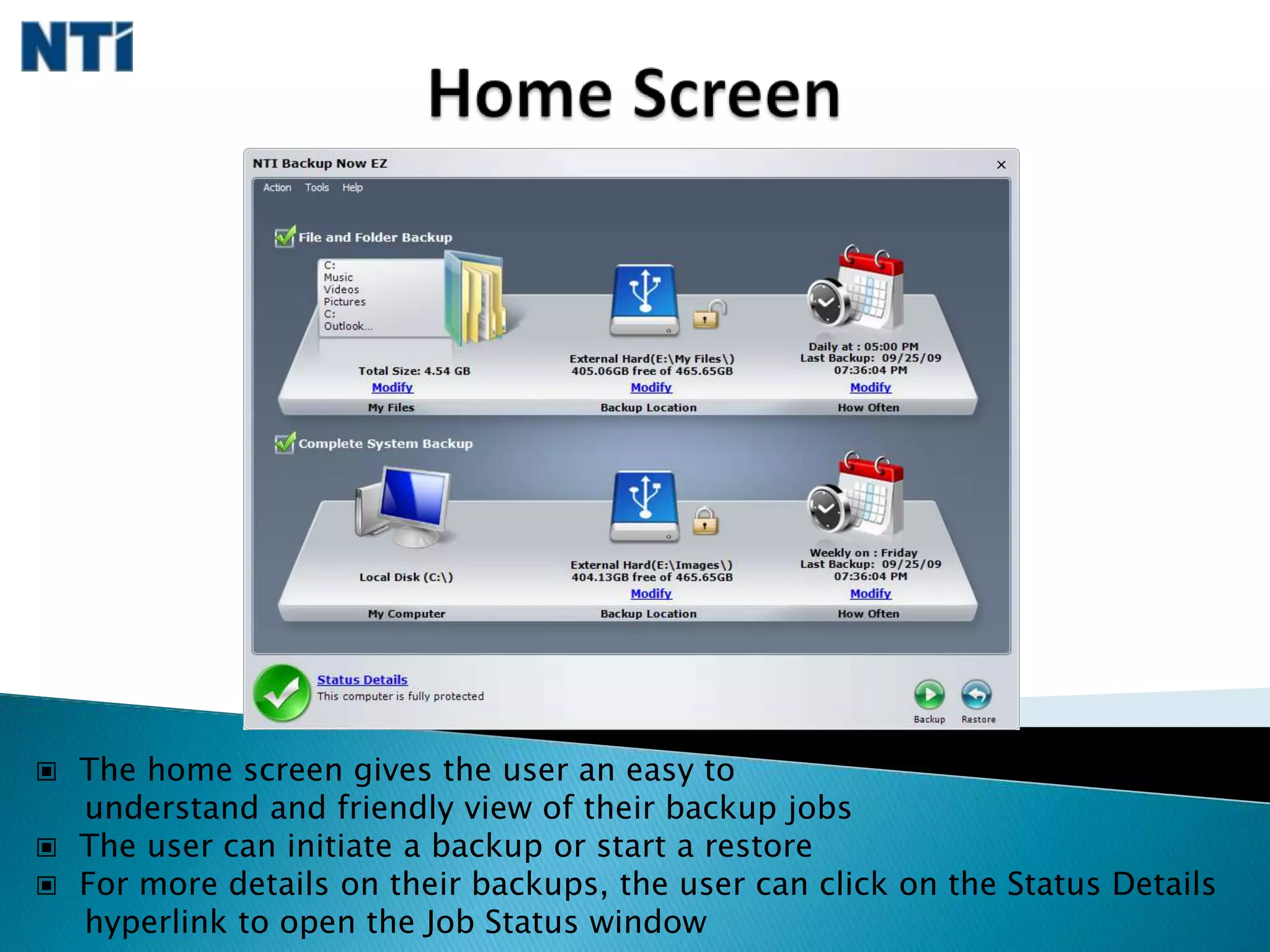
    BackupPriority allows you to set the CPU priority for your backupHome Screen The home screen gives the user an easy to understand and friendly view of their backup jobs
  • 18.
    Theuser can initiate a backup or start a restore
  • 19.
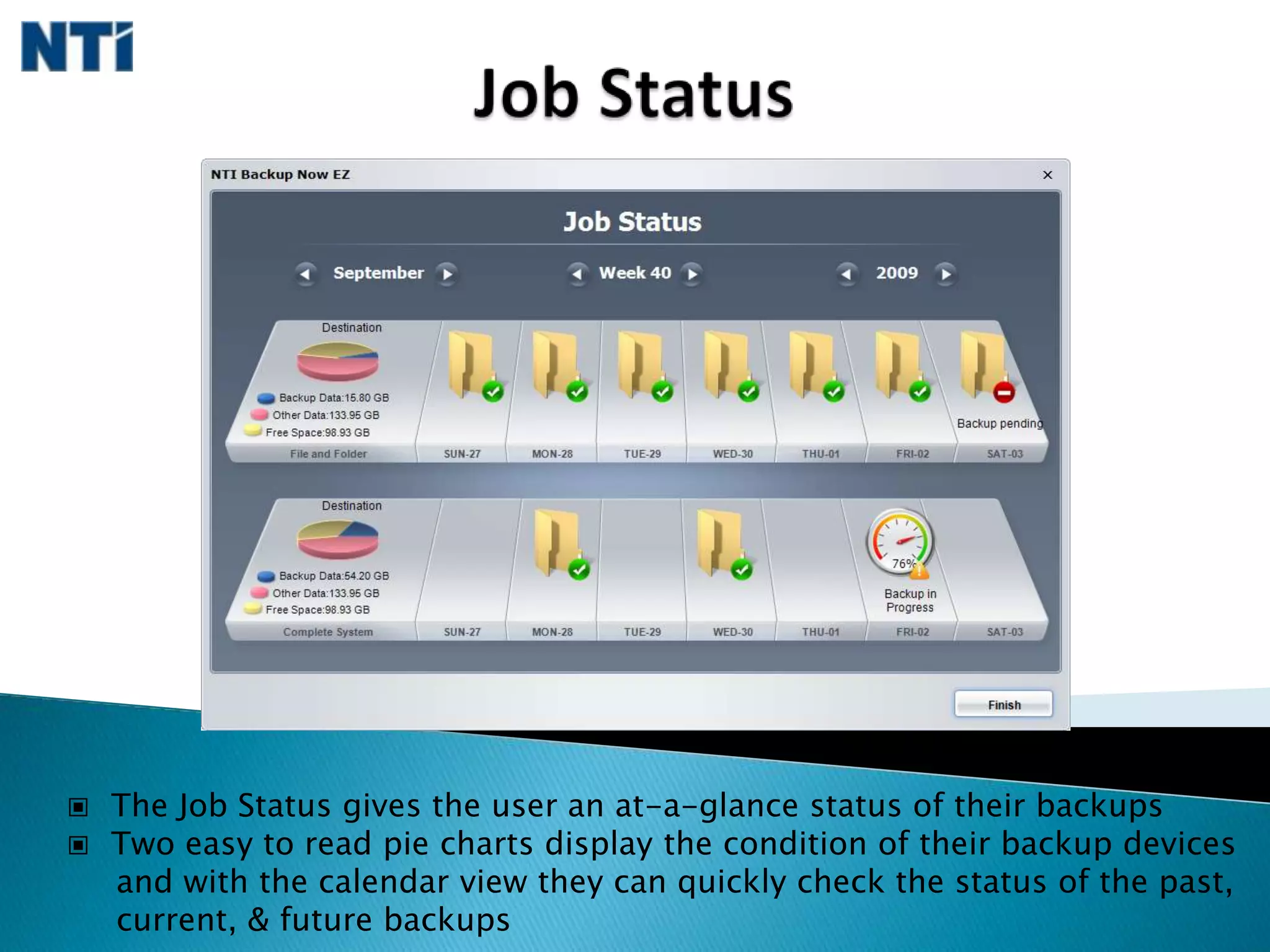
    Formore details on their backups, the user can click on the Status Details hyperlink to open the Job Status windowJob Status The Job Status gives the user an at-a-glance status of their backups
  • 20.
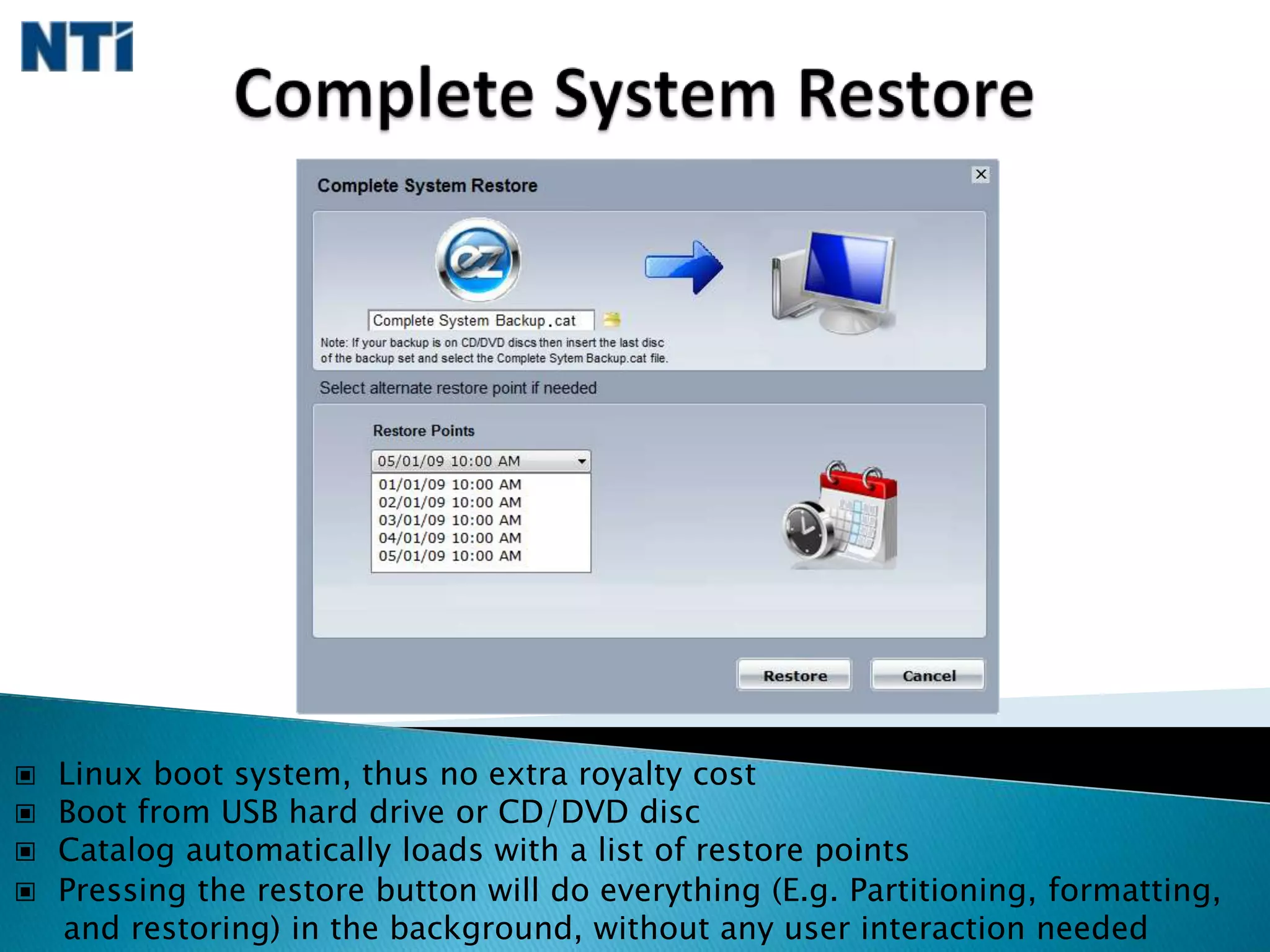
    Twoeasy to read pie charts display the condition of their backup devices and with the calendar view they can quickly check the status of the past, current, & future backupsComplete System Restore Linux boot system, thus no extra royalty cost
  • 21.
    Bootfrom USB hard drive or CD/DVD disc
  • 22.
    Catalogautomatically loads with a list of restore points
  • 23.
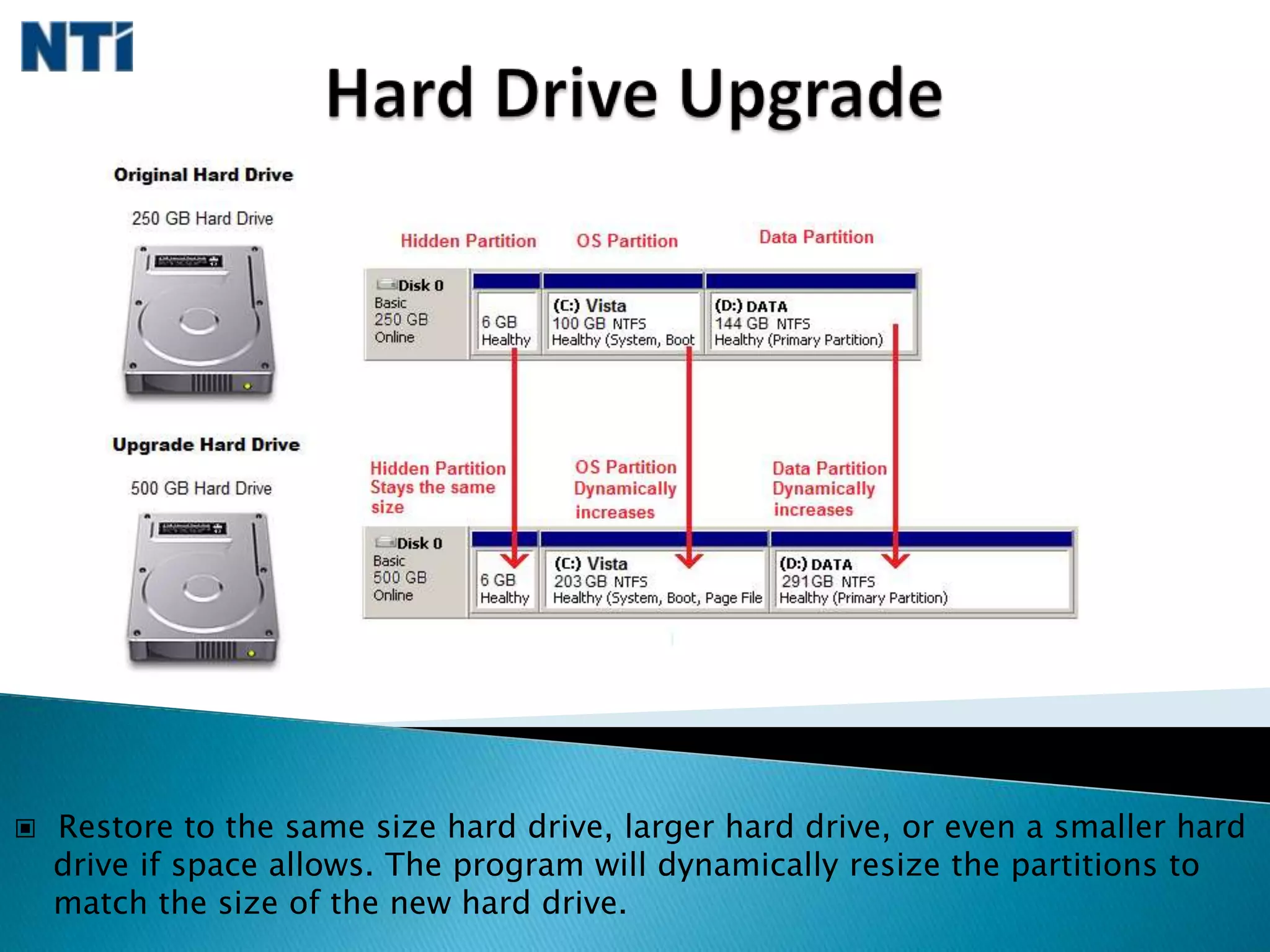
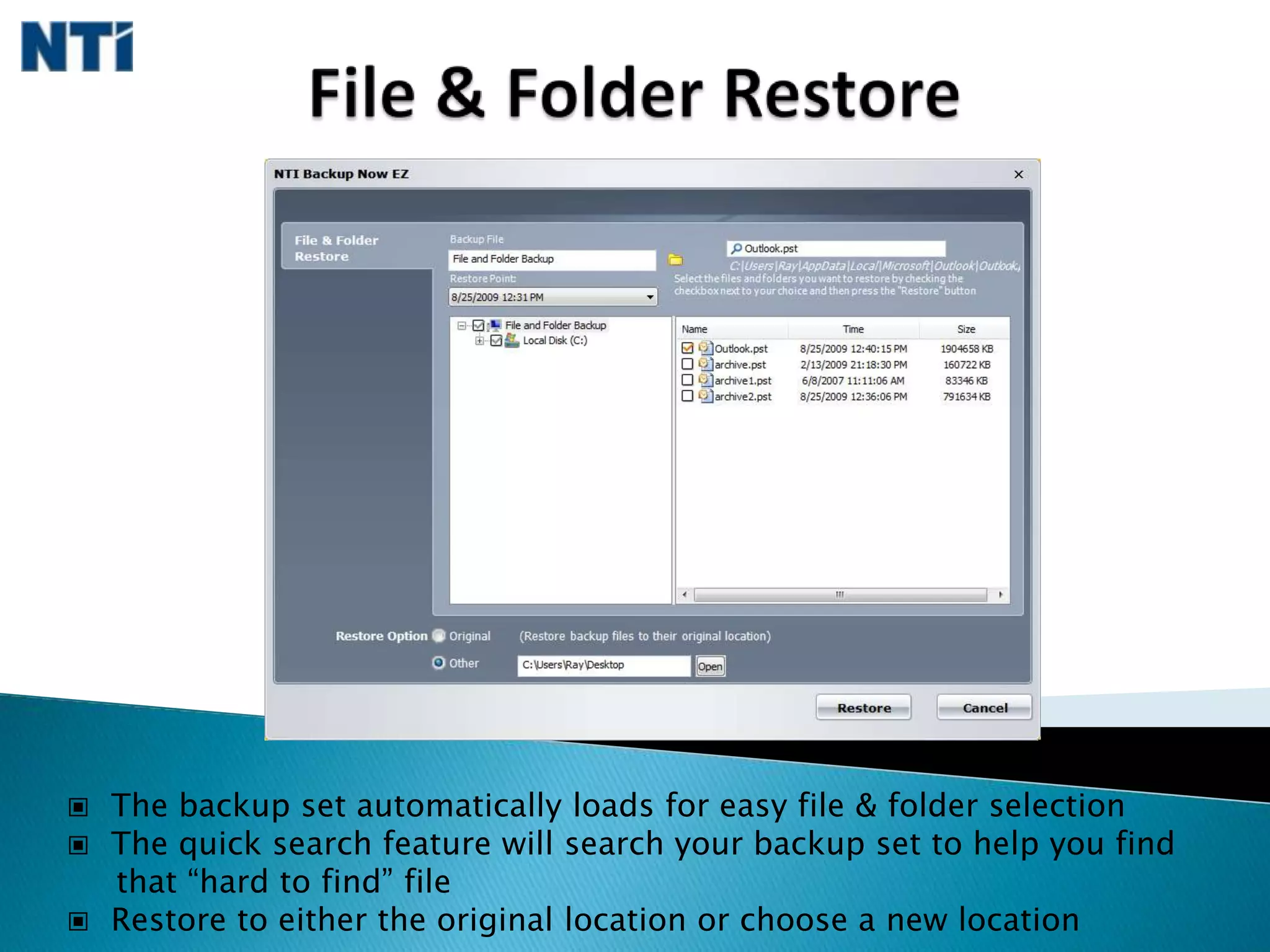
    Pressingthe restore button will do everything (E.g. Partitioning, formatting, and restoring) in the background, without any user interaction neededHard Drive Upgrade Restore to the same size hard drive, larger hard drive, or even a smaller hard drive if space allows. The program will dynamically resize the partitions to match the size of the new hard drive.File & Folder Restore The backup set automatically loads for easy file & folder selection
  • 24.
    Thequick search feature will search your backup set to help you find that “hard to find” file
  • 25.
    Restoreto either the original location or choose a new locationFeature Review Complete System and File & Folder Backup solution
  • 26.
    Bootfrom either USB hard drive or CD/DVD discs to restore your complete system
  • 27.
    Supportsa wide range of backup devices (E.g. Internal & External Hard Drives, Flash drives, Optical drives, & Network/NAS drives).
  • 28.
    Secure256bit AES encryption
  • 29.
    DataCompression, Capacity Alert, Backup Priority options
  • 30.
    Incrementalbackups saving backup space and allowing multiple restore points to restore your computer how and when you want
  • 31.
    Worryfree schedulingThank You