Automated Marking
James Abela
@eslweb
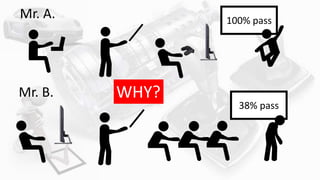
Mr. A.
Mr. B.
100% pass
38% pass
WHY?
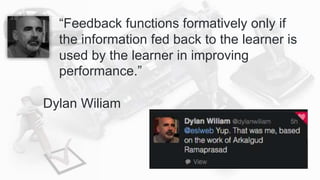
“Feedback functions formatively only if
the information fed back to the learner is
used by the learner in improving
performance.”
Dylan Wiliam
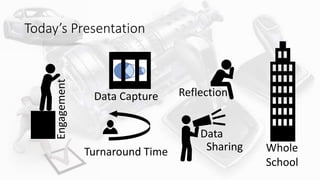
Today’s Presentation
Turnaround Time
ReflectionData Capture
Data
Sharing
Engagement
Whole
School
Engaging students
Engagement
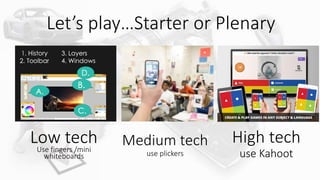
Let’s play…Starter or Plenary
Low techUse fingers /mini
whiteboards
Medium tech
use plickers
High tech
use Kahoot
Wholeclass
feedback
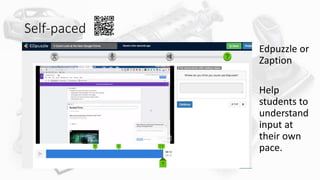
Self-paced
Edpuzzle or
Zaption
Help
students to
understand
input at
their own
pace.
Self-paced
Edpuzzle or
Zaption
Help
students to
understand
input at
their own
pace.
https://goo.gl/9mualw
Capturing Data from
studentsData Capture
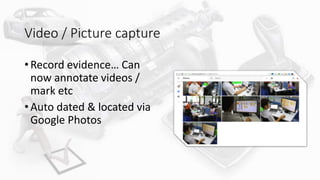
Video / Picture capture
• Record evidence… Can
now annotate videos /
mark etc
• Auto dated & located via
Google Photos
Google Forms is your best
friend!
Google forms will capture most types of data,
mark it for you and even issue badges and
certificates…
Simply copy the form from one lesson to the
next...
Turnaround Time
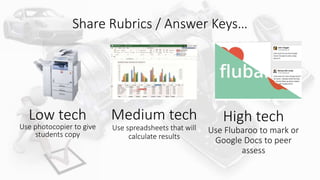
Share Rubrics / Answer Keys…
Low tech
Use photocopier to give
students copy
Medium tech
Use spreadsheets that will
calculate results
High tech
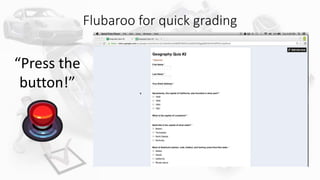
Use Flubaroo to mark or
Google Docs to peer
assess
Flubaroo for quick grading
“Press the
button!”
Reflection
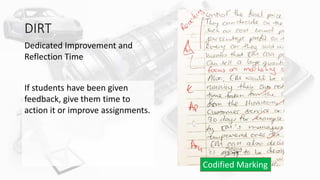
DIRT
Dedicated Improvement and
Reflection Time
If students have been given
feedback, give them time to
action it or improve assignments.
Codified Marking
Plenary Reflection tools
Name
What are my next learning steps?
(Use the Learning Question & Success Criteria)
Class
How have I been successful in my
learning?
PC No. Date
Low tech High tech
Data Sharing
Quiz creation can be distributed
Quizzes can be standardized across classes
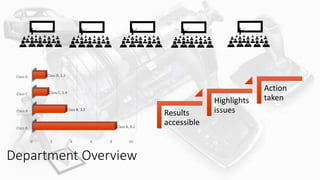
Class A
Class B
Class C
Class D
0 2 4 6 8 10
Class A, 8.2
Class B, 3.2
Class C, 1.4
Class D, 1.2
Department Overview
Results
accessible
Highlights
issues
Action
taken
Whole School
Give all students a voice
Medium Tech
Teacher types in feedback on
Google Sheets
High Tech
Pupil fills in Google Form. Remember
you can use pictures for younger
children
Low Tech
Write sticks up on the board and
send the sheet of paper to the
office.
Marking an entire school’s work at once!
Google Sheets
Awesome
Table
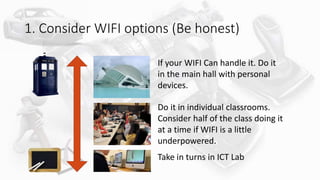
1. Consider WIFI options (Be honest)
If your WIFI Can handle it. Do it
in the main hall with personal
devices.
Do it in individual classrooms.
Consider half of the class doing it
at a time if WIFI is a little
underpowered.
Take in turns in ICT Lab
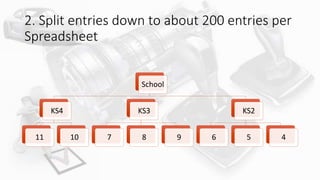
2. Split entries down to about 200 entries per
Spreadsheet
School
KS4
11 10
KS3
7 8 9
KS2
6 5 4
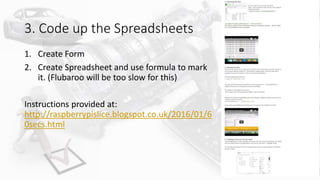
3. Code up the Spreadsheets
1. Create Form
2. Create Spreadsheet and use formula to mark
it. (Flubaroo will be too slow for this)
Instructions provided at:
http://raspberrypislice.blogspot.co.uk/2016/01/6
0secs.html
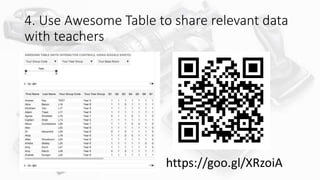
4. Use Awesome Table to share relevant data
with teachers
https://goo.gl/XRzoiA
What are your reflections on today’s presentation?
https://goo.gl/PKi8Rs
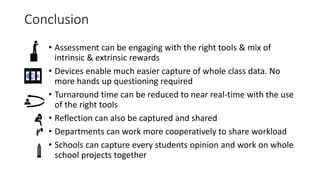
Conclusion
• Assessment can be engaging with the right tools & mix of
intrinsic & extrinsic rewards
• Devices enable much easier capture of whole class data. No
more hands up questioning required
• Turnaround time can be reduced to near real-time with the use
of the right tools
• Reflection can also be captured and shared
• Departments can work more cooperatively to share workload
• Schools can capture every students opinion and work on whole
school projects together

Automated Marking - Formative Assessment at its best

Editor's Notes

  • #3 Automating marking is an enormous time saver for teachers and at the same time has created quantifiably better results. In a school where the average pass rate was 38%, I achieved 100% in my subject.   Imagine getting real-time feedback from 90 people at the same time, being able to mark 200 students in less than 10 minutes and in Garden’s latest large-scale enquiry an entire school’s work was marked at once with near instantaneous feedback. This speed of feedback ensures that students get guidance when they need it.   However the speed of marking is only one side of the equation, using automated techniques also enables teachers to encourage greater reflection by separating the grading and commentary process. Using tools such as rubrics, self and peer assessment, students are given an opportunity to reflect, improve and deepen learning.   In this workshop you will see a range of tools from use of the humble photocopier through to advanced use of Google Forms, Google Sheets, Flubaroo and quizzing tools.   Not only will teachers spend less time marking, but also quicker marking turnaround will please the students and better results will please everybody!
  • #5 Automating marking is an enormous time saver for teachers and at the same time has created quantifiably better results. In a school where the average pass rate was 38%, I achieved 100% in my subject.   Imagine getting real-time feedback from 90 people at the same time, being able to mark 200 students in less than 10 minutes and in Garden’s latest large-scale enquiry an entire school’s work was marked at once with near instantaneous feedback. This speed of feedback ensures that students get guidance when they need it.   However the speed of marking is only one side of the equation, using automated techniques also enables teachers to encourage greater reflection by separating the grading and commentary process. Using tools such as rubrics, self and peer assessment, students are given an opportunity to reflect, improve and deepen learning.   In this workshop you will see a range of tools from use of the humble photocopier through to advanced use of Google Forms, Google Sheets, Flubaroo and quizzing tools.   Not only will teachers spend less time marking, but also quicker marking turnaround will please the students and better results will please everybody!
  • #8 https://play.kahoot.it/#/k/d232b660-928b-4c96-a5af-4a133b923ab1 Low / Medium tech / high tech
  • #9 https://play.kahoot.it/#/k/d232b660-928b-4c96-a5af-4a133b923ab1 Low / Medium tech / high tech
  • #10 https://edpuzzle.com/media/56cc210ae81234132f47e5ac – New Google Forms
  • #11 https://edpuzzle.com/media/56cc210ae81234132f47e5ac – New Google Forms
  • #19 K – Knowledge AP – Application 6 – Refer to a list Anna – Stolen from Biz desk David Didau… Google Form What have I learnt so far today? How can I improve my professional practice? What else can James Abela to do help you?
  • #20 Google Form What have I learnt so far today? How can I improve my professional practice? What else can James Abela to do help you?
  • #30 Put it at: https://sites.google.com/a/gardenschool.edu.my/demodata/demo-data
  • #31 https://goo.gl/PKi8Rs
  • #32 Automating marking is an enormous time saver for teachers and at the same time has created quantifiably better results. In a school where the average pass rate was 38%, I achieved 100% in my subject.   Imagine getting real-time feedback from 90 people at the same time, being able to mark 200 students in less than 10 minutes and in Garden’s latest large-scale enquiry an entire school’s work was marked at once with near instantaneous feedback. This speed of feedback ensures that students get guidance when they need it.   However the speed of marking is only one side of the equation, using automated techniques also enables teachers to encourage greater reflection by separating the grading and commentary process. Using tools such as rubrics, self and peer assessment, students are given an opportunity to reflect, improve and deepen learning.   In this workshop you will see a range of tools from use of the humble photocopier through to advanced use of Google Forms, Google Sheets, Flubaroo and quizzing tools.   Not only will teachers spend less time marking, but also quicker marking turnaround will please the students and better results will please everybody!