Project Play Play more, learn more, fear less! Joy Schwarz, Winnefox Library System Stef Morrill, South Central Library System Beth Carpenter, Outagamie Waupaca Library System   WLA Conference 2K8
What is Project Play? A free, online, self-discovery program that encourages the exploration of Web 2.0 tools and emerging technologies. A collaboration of Outagamie Waupaca Library System, South Central Library System, and Winnefox Library System.
Our plan for today's session How we got started & why  Benefits of collaboration  Our philosophy  How you can replicate this project What a lesson looked like How we selected topics Participation - incentives - registration - tracking Lessons learned What we're doing now
Why Project Play? bring staff up-to-speed with emerging technologies immersion into the technology for participants make play permissible & positive  make change easier to cope with easier to adopt new tools in new formats with less resistance or fear        Play builds the kind of free-and-easy, try-it-out,   do-it-yourself character that our future needs. ~ James L. Hymes, Jr.
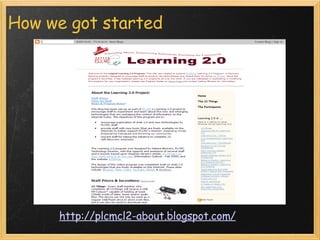
How we got started http://plcmcl2-about.blogspot.com/
Our philosophy Fun  Collaborative Safe, yet challenging Learn to learn, learn to explore: curiosity Develop " Yes, and... " attitude  "Eating the dog food"    "Once recognized, perhaps the quiet yet persistent voice of curiosity doesn't ever go away. Ever.  Perhaps such curiosity will hurt until we come to understand the beauty of a journey that might never arrive at an absolute answer. And perhaps it's such curiosity that will lead us to distinguish our own greatness from the mediocrity that stares us in the face." ~ from  a short film  by Nic Askew with Seth Godin
Benefits of collaboration Idea generation  Keepin' it real  Dividing development  Different voices  Expertise Sharing costs of incentives More fun        Great discoveries and improvements invariably involve the cooperation of many minds.  ~ Alexander Graham Bell
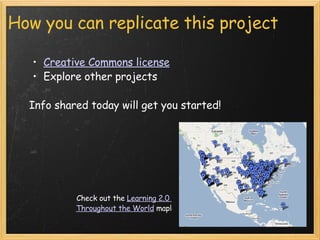
How you can replicate this project Creative Commons license   Explore other projects    Info shared today will get you started! Check out the  Learning 2.0  Throughout the World  map!
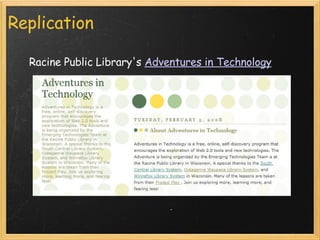
Replication Racine Public Library's  Adventures in Technology
What a lesson looked like Blog post podcast introduction background on the topic videos when possible ( Common Craft  rocks!) library examples assignment options fun extra  Lessons posted weekly time built in for catching up Sample Lesson
How we selected topics Collaborative brainstorming Focused on Web 2.0 tools Free-ness Applicable to library services and/or problems Encourage collaboration Assignments What did we want them to absorb on each topic?
Tools we used Basecamp  to collaborate online WordPress  to post lessons RSS newsreader to track progress  Google Docs  to record progress  Gabcast  to create audio clips/podcasts  FreeConference  to collaborate via conference call Doodle  to schedule meetings & conference calls  Cafe Press  to create incentives using our logo Chocolate to fuel the planners
Participation All library staff, regardless of job description or status (full-time and part-time)  Registration limited to 50 at OWLS & WLS and 75 at SCLS Volunteers & trustees registered (or audited if registration was full) Play is the beginning of knowledge. ~ George Dorsey
Getting the buzz started Logo Design with an eye toward use on ... Web site/blog/emails and print Wearables and book bags Eye-catching & attractive, yet legible Free logo generators Cafe Press Upload logo to create products to sell or use as incentives Project Play store
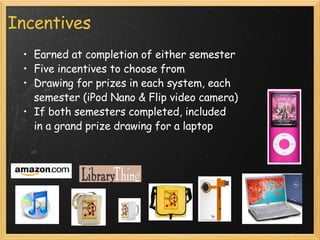
Incentives Earned at completion of either semester Five incentives to choose from Drawing for prizes in each system, each semester (iPod Nano & Flip video camera) If both semesters completed, included  in a grand prize drawing for a laptop
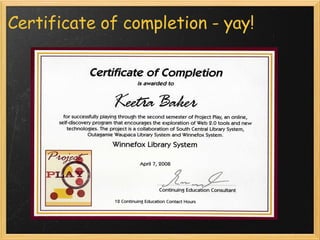
Continuing education contact hours Okayed by DPI ( Terrie Howe ) 12 CE contact hours in category B earned for completing Semester 1   Ditto Semester 2 Contact hours earned for partial completion
Registration How we did it: Online  registration form  for all 3 systems    ASP programming  “ Spaces remaining” countdown  Email notification & confirmation Database with exportable output How you can do it: Google Docs forms Sample  form Sample  output
Tracking player progress Participants recorded progress on their blog  We subscribed to the RSS feed for each blog Each system tracked progress using Google Docs spreadsheets [ sample ]
Certificate of completion   - yay!
Lessons learned Pick the right tool  Plan for  password fatigue Offer options in assignments for varying confidence and experience levels Provide "catch-up" time  Be adaptable -  change midstream Focus on exposure, not on perfection Provide time to play & be there
Was it worth it? Our opinion Cons Difficult to maintain original schedule Tracking took lots of time $ for incentives  Pros Wonderful collaborative experience Excitement, buzz in our systems Demonstrated increase in confidence and willingness to try new things in players                                Play has been man's most useful preoccupation.  ~ Frank Caplan
Was it worth it? Players' opinions
Project Play continues 93% wanted to see it continue (with a less intense schedule) "Play Date" every 4th Friday in OPAL "More About ..." PP topics + new topics Need not be a PP alumnus  No incentives One CEU per one-hour OPAL session Guest presenters Pros / cons of this approach  All work and no play makes Jack a dull boy. ~ proverb
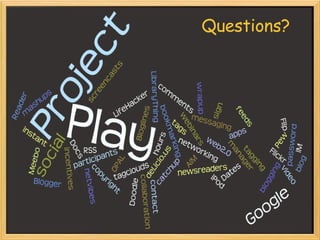
Questions?
Contact Us   Project Play Blog ::  projectplay.owlsweb.info   Stef Morrill :: smorrill@scls.lib.wi.us Joy Schwarz :: schwarz@winnefox.org Beth Carpenter :: bcarpent@mail.owls.lib.wi.us

Project Play: Play More, Learn More, Fear Less!

  • 1.
    Project Play Playmore, learn more, fear less! Joy Schwarz, Winnefox Library System Stef Morrill, South Central Library System Beth Carpenter, Outagamie Waupaca Library System   WLA Conference 2K8
  • 2.
    What is ProjectPlay? A free, online, self-discovery program that encourages the exploration of Web 2.0 tools and emerging technologies. A collaboration of Outagamie Waupaca Library System, South Central Library System, and Winnefox Library System.
  • 3.
    Our plan fortoday's session How we got started & why  Benefits of collaboration Our philosophy How you can replicate this project What a lesson looked like How we selected topics Participation - incentives - registration - tracking Lessons learned What we're doing now
  • 4.
    Why Project Play?bring staff up-to-speed with emerging technologies immersion into the technology for participants make play permissible & positive make change easier to cope with easier to adopt new tools in new formats with less resistance or fear        Play builds the kind of free-and-easy, try-it-out,  do-it-yourself character that our future needs. ~ James L. Hymes, Jr.
  • 5.
    How we gotstarted http://plcmcl2-about.blogspot.com/
  • 6.
    Our philosophy Fun Collaborative Safe, yet challenging Learn to learn, learn to explore: curiosity Develop " Yes, and... " attitude "Eating the dog food"    "Once recognized, perhaps the quiet yet persistent voice of curiosity doesn't ever go away. Ever. Perhaps such curiosity will hurt until we come to understand the beauty of a journey that might never arrive at an absolute answer. And perhaps it's such curiosity that will lead us to distinguish our own greatness from the mediocrity that stares us in the face." ~ from a short film by Nic Askew with Seth Godin
  • 7.
    Benefits of collaborationIdea generation  Keepin' it real Dividing development  Different voices  Expertise Sharing costs of incentives More fun        Great discoveries and improvements invariably involve the cooperation of many minds. ~ Alexander Graham Bell
  • 8.
    How you canreplicate this project Creative Commons license Explore other projects   Info shared today will get you started! Check out the Learning 2.0  Throughout the World map!
  • 9.
    Replication Racine PublicLibrary's Adventures in Technology
  • 10.
    What a lessonlooked like Blog post podcast introduction background on the topic videos when possible ( Common Craft rocks!) library examples assignment options fun extra Lessons posted weekly time built in for catching up Sample Lesson
  • 11.
    How we selectedtopics Collaborative brainstorming Focused on Web 2.0 tools Free-ness Applicable to library services and/or problems Encourage collaboration Assignments What did we want them to absorb on each topic?
  • 12.
    Tools we usedBasecamp to collaborate online WordPress to post lessons RSS newsreader to track progress Google Docs to record progress Gabcast to create audio clips/podcasts FreeConference to collaborate via conference call Doodle to schedule meetings & conference calls Cafe Press to create incentives using our logo Chocolate to fuel the planners
  • 13.
    Participation All librarystaff, regardless of job description or status (full-time and part-time) Registration limited to 50 at OWLS & WLS and 75 at SCLS Volunteers & trustees registered (or audited if registration was full) Play is the beginning of knowledge. ~ George Dorsey
  • 14.
    Getting the buzzstarted Logo Design with an eye toward use on ... Web site/blog/emails and print Wearables and book bags Eye-catching & attractive, yet legible Free logo generators Cafe Press Upload logo to create products to sell or use as incentives Project Play store
  • 15.
    Incentives Earned atcompletion of either semester Five incentives to choose from Drawing for prizes in each system, each semester (iPod Nano & Flip video camera) If both semesters completed, included in a grand prize drawing for a laptop
  • 16.
    Continuing education contacthours Okayed by DPI ( Terrie Howe ) 12 CE contact hours in category B earned for completing Semester 1   Ditto Semester 2 Contact hours earned for partial completion
  • 17.
    Registration How wedid it: Online registration form for all 3 systems    ASP programming “ Spaces remaining” countdown Email notification & confirmation Database with exportable output How you can do it: Google Docs forms Sample form Sample output
  • 18.
    Tracking player progressParticipants recorded progress on their blog We subscribed to the RSS feed for each blog Each system tracked progress using Google Docs spreadsheets [ sample ]
  • 19.
  • 20.
    Lessons learned Pickthe right tool  Plan for password fatigue Offer options in assignments for varying confidence and experience levels Provide "catch-up" time Be adaptable - change midstream Focus on exposure, not on perfection Provide time to play & be there
  • 21.
    Was it worthit? Our opinion Cons Difficult to maintain original schedule Tracking took lots of time $ for incentives Pros Wonderful collaborative experience Excitement, buzz in our systems Demonstrated increase in confidence and willingness to try new things in players                                Play has been man's most useful preoccupation. ~ Frank Caplan
  • 22.
    Was it worthit? Players' opinions
  • 23.
    Project Play continues93% wanted to see it continue (with a less intense schedule) "Play Date" every 4th Friday in OPAL "More About ..." PP topics + new topics Need not be a PP alumnus No incentives One CEU per one-hour OPAL session Guest presenters Pros / cons of this approach All work and no play makes Jack a dull boy. ~ proverb
  • 24.
  • 25.
    Contact Us  Project Play Blog :: projectplay.owlsweb.info   Stef Morrill :: smorrill@scls.lib.wi.us Joy Schwarz :: schwarz@winnefox.org Beth Carpenter :: bcarpent@mail.owls.lib.wi.us