DESIGNING COMPELLING
AR AND VR EXPERIENCES
Mark Billinghurst
mark.billinghurst@unisa.edu.au
Zi Siang See
zisiangsee@sunway.edu.my
vsmm2016.org
October 17th 2016
About Us
• Mark
• PhD University of Washington
• Founder, HIT Lab NZ
• Professor, University South Australia
• Zi Siang
• Faculty member, Sunway
• Creative Director, Reina Imaging
• Academic, University Tunku Abdul Rahman
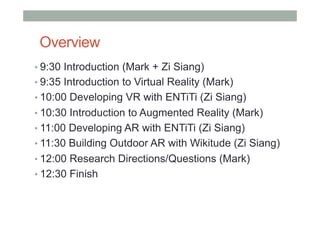
Overview
• 9:30 Introduction (Mark + Zi Siang)
• 9:35 Introduction to Virtual Reality (Mark)
• 10:00 Developing VR with ENTiTi (Zi Siang)
• 10:30 Introduction to Augmented Reality (Mark)
• 11:00 Developing AR with ENTiTi (Zi Siang)
• 11:30 Building Outdoor AR with Wikitude (Zi Siang)
• 12:00 Research Directions/Questions (Mark)
• 12:30 Finish
What You Will Learn
• Definitions of AR/VR
• History of AR/VR
• Example applications
• How to make AR/VR experiences
• Hands-on with authoring tools
• Best interaction methods
• Research directions in AR/VR
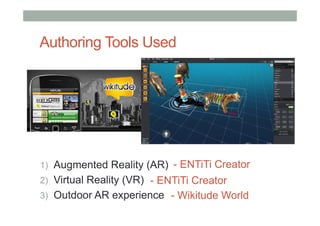
Authoring Tools Used
1)  Augmented Reality (AR)
2)  Virtual Reality (VR)
3)  Outdoor AR experience
- ENTiTi Creator
- ENTiTi Creator
- Wikitude World
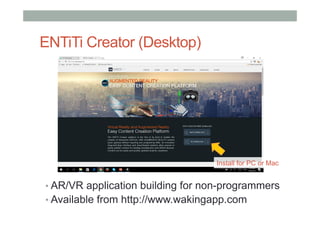
ENTiTi Creator (Desktop)
• AR/VR application building for non-programmers
• Available from http://www.wakingapp.com
Install for PC or Mac
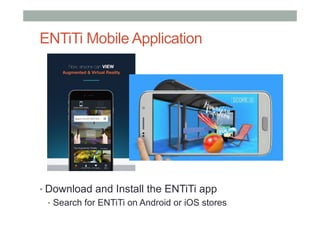
ENTiTi Mobile Application
• Download and Install the ENTiTi app
•  Search for ENTiTi on Android or iOS stores
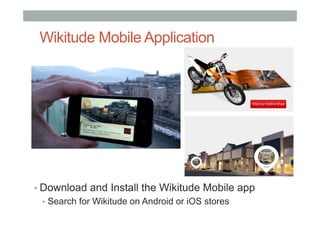
Wikitude Mobile Application
• Download and Install the Wikitude Mobile app
•  Search for Wikitude on Android or iOS stores
Logistics
•  Install software on own machines/phone
•  ENTiTi desktop/mobile applications
•  Wikitude mobile application
•  Share VR viewers
•  Using WIFI (in Sunway University)
•  Download workshop content
•  http://www.su2crcdm.org/vsmm2016/workshop/arvr
Introduction to
Virtual Reality
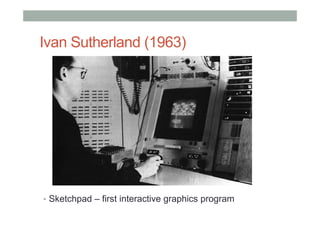
Ivan Sutherland (1963)
•  Sketchpad – first interactive graphics program
The Ultimate Display
“The ultimate display would, of course, be a room
within which the computer can control the
existence of matter. A chair displayed in such a
room would be good enough to sit in. Handcuffs
displayed in such a room would be confining, and
a bullet displayed in such a room would be fatal”.
Ivan Sutherland, 1965
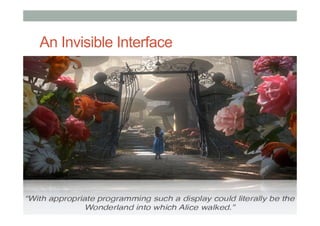
An Invisible Interface
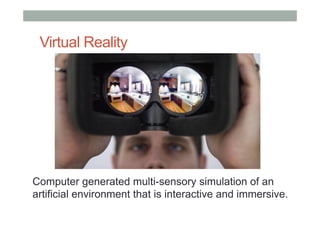
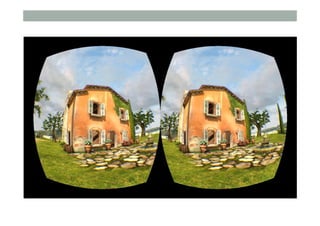
Virtual Reality
Computer generated multi-sensory simulation of an
artificial environment that is interactive and immersive.
What is Virtual Reality?
Virtual reality is..
a computer technology that replicates an
environment, real or imagined, and simulates a
user's physical presence and environment to
allow for user interaction. (Wikipedia)
• Defining Characteristics
• Environment simulation
• Presence
• Interaction
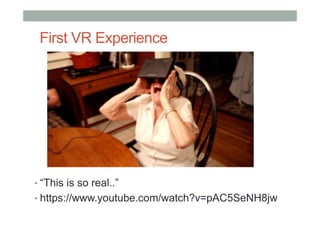
First VR Experience
• “This is so real..”
• https://www.youtube.com/watch?v=pAC5SeNH8jw
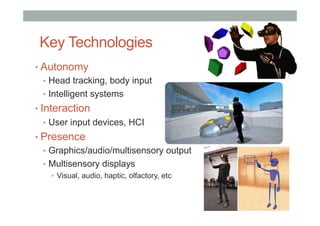
Key Technologies
• Autonomy
•  Head tracking, body input
•  Intelligent systems
• Interaction
•  User input devices, HCI
• Presence
•  Graphics/audio/multisensory output
•  Multisensory displays
•  Visual, audio, haptic, olfactory, etc
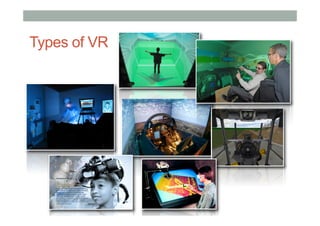
Types of VR
1
9
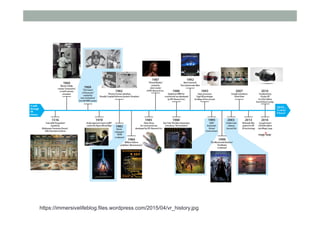
https://immersivelifeblog.files.wordpress.com/2015/04/vr_history.jpg
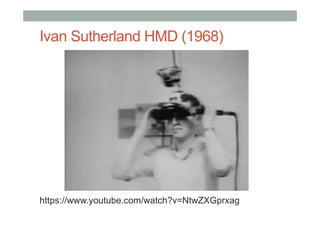
Ivan Sutherland HMD (1968)
https://www.youtube.com/watch?v=NtwZXGprxag
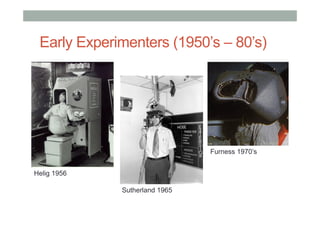
Early Experimenters (1950’s – 80’s)
Helig 1956
Sutherland 1965
Furness 1970’s
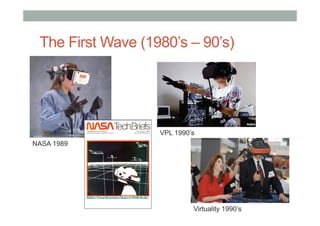
The First Wave (1980’s – 90’s)
NASA 1989
VPL 1990’s
Virtuality 1990’s
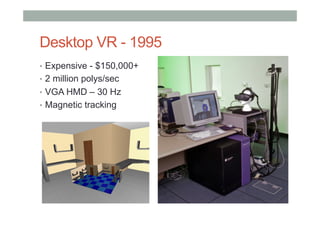
Desktop VR - 1995
•  Expensive - $150,000+
•  2 million polys/sec
•  VGA HMD – 30 Hz
•  Magnetic tracking
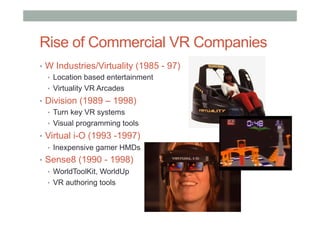
Rise of Commercial VR Companies
•  W Industries/Virtuality (1985 - 97)
•  Location based entertainment
•  Virtuality VR Arcades
•  Division (1989 – 1998)
•  Turn key VR systems
•  Visual programming tools
•  Virtual i-O (1993 -1997)
•  Inexpensive gamer HMDs
•  Sense8 (1990 - 1998)
•  WorldToolKit, WorldUp
•  VR authoring tools
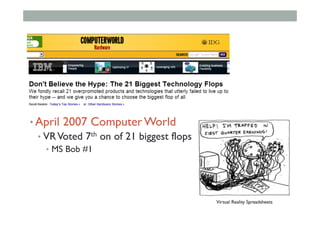
• April 2007 Computer World
• VRVoted 7th on of 21 biggest flops
•  MS Bob #1
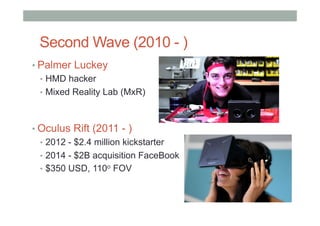
Second Wave (2010 - )
• Palmer Luckey
•  HMD hacker
•  Mixed Reality Lab (MxR)
• Oculus Rift (2011 - )
•  2012 - $2.4 million kickstarter
•  2014 - $2B acquisition FaceBook
•  $350 USD, 110o FOV
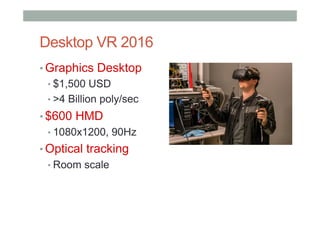
Desktop VR 2016
• Graphics Desktop
• $1,500 USD
• >4 Billion poly/sec
• $600 HMD
• 1080x1200, 90Hz
• Optical tracking
• Room scale
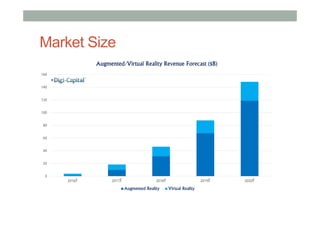
Market Size
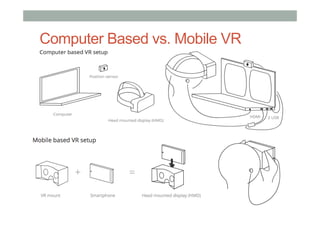
Computer Based vs. Mobile VR
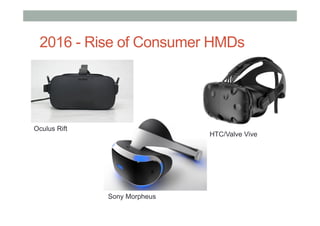
Oculus Rift
Sony Morpheus
HTC/Valve Vive
2016 - Rise of Consumer HMDs
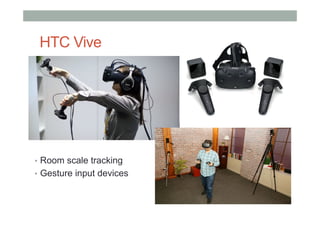
HTC Vive
•  Room scale tracking
•  Gesture input devices
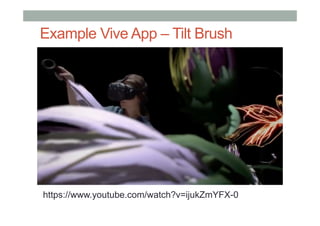
Example Vive App – Tilt Brush
https://www.youtube.com/watch?v=ijukZmYFX-0
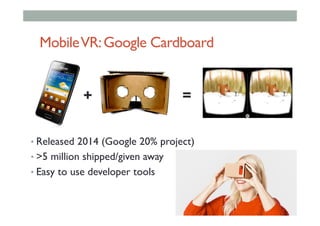
MobileVR:Google Cardboard
• Released 2014 (Google 20% project)
• >5 million shipped/given away
• Easy to use developer tools
+ =
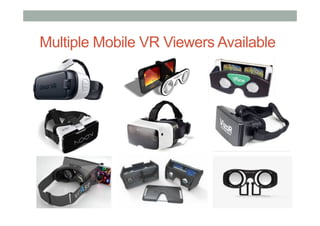
Multiple Mobile VR Viewers Available
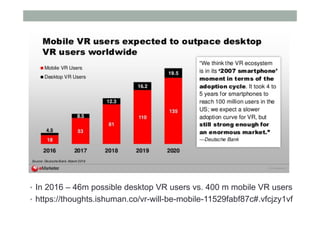
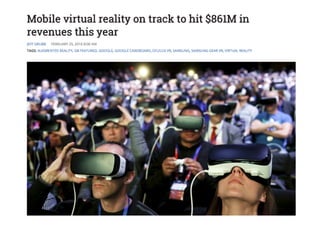
•  In 2016 – 46m possible desktop VR users vs. 400 m mobile VR users
•  https://thoughts.ishuman.co/vr-will-be-mobile-11529fabf87c#.vfcjzy1vf
•  zxcvz
Mobile VR Applications
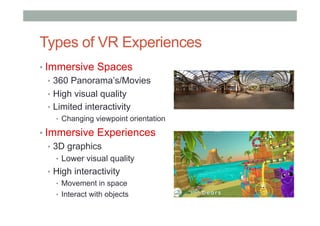
Types of VR Experiences
• Immersive Spaces
•  360 Panorama’s/Movies
•  High visual quality
•  Limited interactivity
•  Changing viewpoint orientation
• Immersive Experiences
•  3D graphics
•  Lower visual quality
•  High interactivity
•  Movement in space
•  Interact with objects
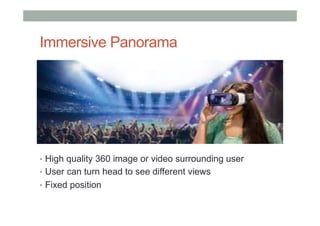
Immersive Panorama
•  High quality 360 image or video surrounding user
•  User can turn head to see different views
•  Fixed position
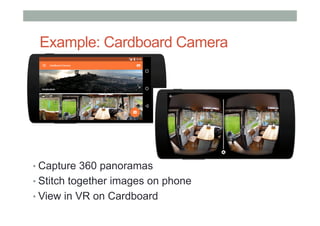
Example: Cardboard Camera
• Capture 360 panoramas
• Stitch together images on phone
• View in VR on Cardboard
Example Applications
• VRSE – Storytelling for VR
•  http://vrse.com/
•  High quality 360 VR content
• New York Times VR Experience
•  NYTVR application
•  Documentary experiences
• Vrideo
•  http://vrideo.com/
•  Streamed immersive movies
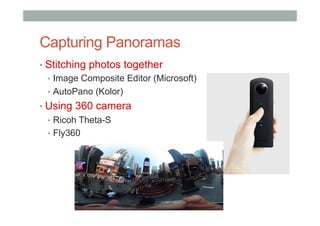
Capturing Panoramas
• Stitching photos together
•  Image Composite Editor (Microsoft)
•  AutoPano (Kolor)
• Using 360 camera
•  Ricoh Theta-S
•  Fly360
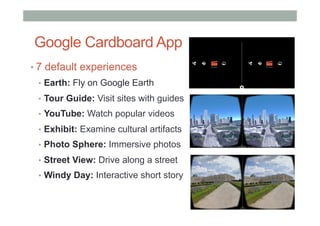
Google Cardboard App
• 7 default experiences
•  Earth: Fly on Google Earth
•  Tour Guide: Visit sites with guides
•  YouTube: Watch popular videos
•  Exhibit: Examine cultural artifacts
•  Photo Sphere: Immersive photos
•  Street View: Drive along a street
•  Windy Day: Interactive short story
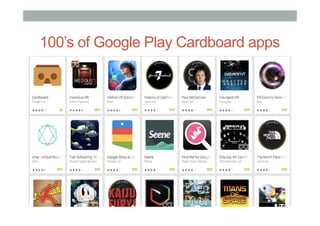
100’s of Google Play Cardboard apps
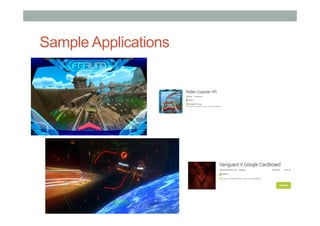
Sample Applications
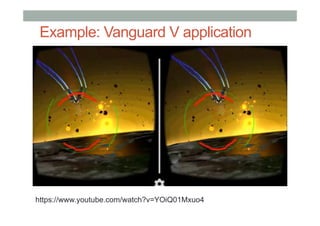
Example: Vanguard V application
https://www.youtube.com/watch?v=YOiQ01Mxuo4
Building VR Experiences
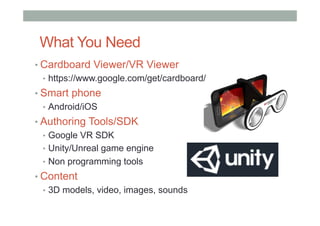
What You Need
• Cardboard Viewer/VR Viewer
•  https://www.google.com/get/cardboard/
• Smart phone
•  Android/iOS
• Authoring Tools/SDK
•  Google VR SDK
•  Unity/Unreal game engine
•  Non programming tools
• Content
•  3D models, video, images, sounds
Software Tools
• Low level SDKs
•  Need programming ability
•  Java, C#, C++, etc
•  Example: Google VR SDK (iOS, Android)
•  https://developers.google.com/vr/
• Game Engines
•  Powerful, need scripting ability
• Unity - https://unity3d.com/
• Unreal - https://www.unrealengine.com/vr
•  Combine with VR plugins (HMDs, input devices)
•  Google VR Unity plugin
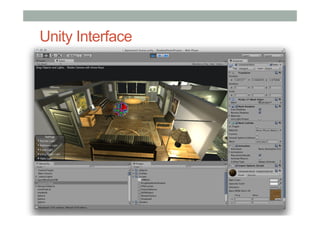
Unity Interface
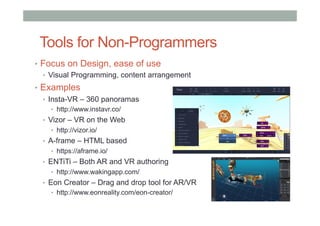
Tools for Non-Programmers
•  Focus on Design, ease of use
•  Visual Programming, content arrangement
•  Examples
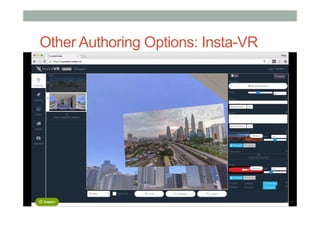
•  Insta-VR – 360 panoramas
•  http://www.instavr.co/
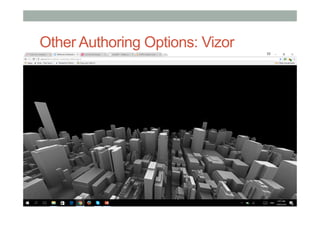
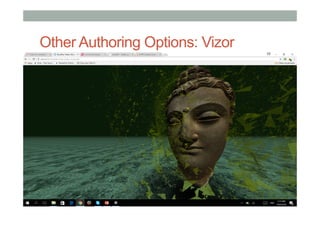
•  Vizor – VR on the Web
•  http://vizor.io/
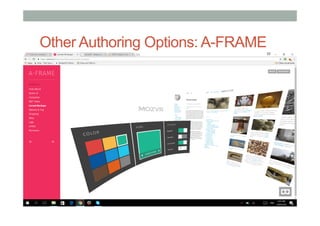
•  A-frame – HTML based
•  https://aframe.io/
•  ENTiTi – Both AR and VR authoring
•  http://www.wakingapp.com/
•  Eon Creator – Drag and drop tool for AR/VR
•  http://www.eonreality.com/eon-creator/
Designing Mobile VR Applications
• Things to consider
•  Ease of use
•  Type of experience
•  Immersive images vs. 3d interaction
•  Length of experience
•  2D versus 3D information presentation
• Constraints
•  Limited graphics power
•  Limited user input/interaction
•  Head pointing, button
•  Limited feedback (audio, video, no haptic)
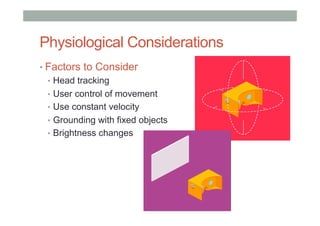
Physiological Considerations
• Factors to Consider
•  Head tracking
•  User control of movement
•  Use constant velocity
•  Grounding with fixed objects
•  Brightness changes
Universal VR Interaction Tasks
• Object Interaction
•  Selection: Picking object(s) from a set
•  Manipulation: Modifying object properties
• Navigation
•  Travel: motor component of viewpoint motion
•  Wayfinding: cognitive component; decision-making
• System control
•  Issuing a command to change system state or mode
Interactive Patterns – Setup/Control
• Setup factors to consider:
• Entering and exiting
• Headset adaptation
• Full Screen mode
• API calls
• Indicating VR apps
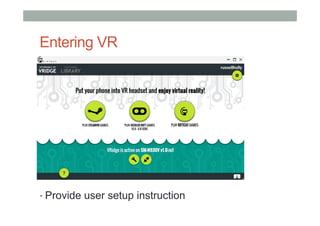
Entering VR
• Provide user setup instruction
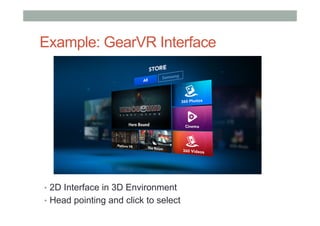
Example: GearVR Interface
•  2D Interface in 3D Environment
•  Head pointing and click to select
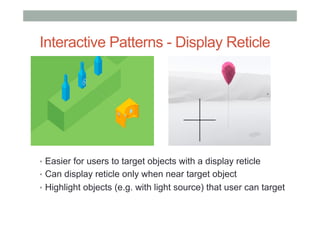
Interactive Patterns - Display Reticle
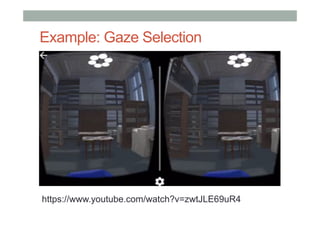
•  Easier for users to target objects with a display reticle
•  Can display reticle only when near target object
•  Highlight objects (e.g. with light source) that user can target
Example: Gaze Selection
https://www.youtube.com/watch?v=zwtJLE69uR4
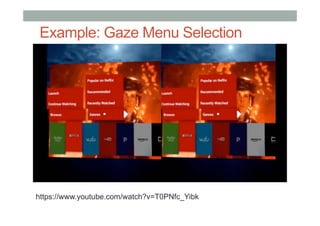
Example: Gaze Menu Selection
https://www.youtube.com/watch?v=T0PNfc_Yibk
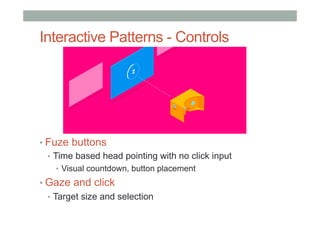
Interactive Patterns - Controls
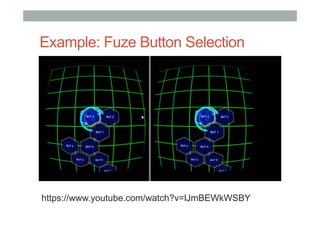
• Fuze buttons
•  Time based head pointing with no click input
•  Visual countdown, button placement
• Gaze and click
•  Target size and selection
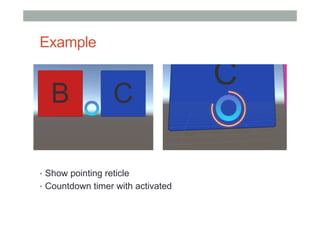
Example
•  Show pointing reticle
•  Countdown timer with activated
Example: Fuze Button Selection
https://www.youtube.com/watch?v=lJmBEWkWSBY
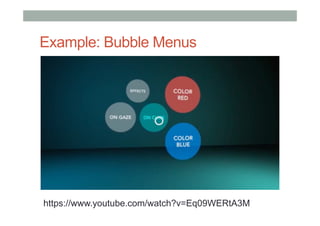
Example: Bubble Menus
https://www.youtube.com/watch?v=Eq09WERtA3M
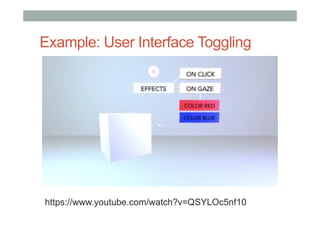
Example: User Interface Toggling
https://www.youtube.com/watch?v=QSYLOc5nf10
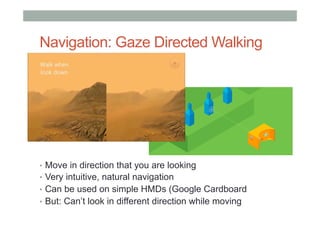
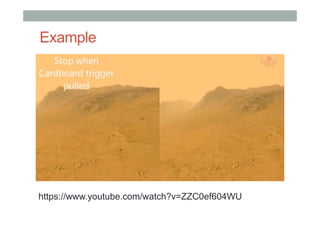
Navigation: Gaze Directed Walking
•  Move in direction that you are looking
•  Very intuitive, natural navigation
•  Can be used on simple HMDs (Google Cardboard
•  But: Can’t look in different direction while moving
Example
https://www.youtube.com/watch?v=ZZC0ef604WU
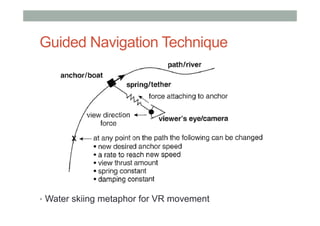
Guided Navigation Technique
•  Water skiing metaphor for VR movement
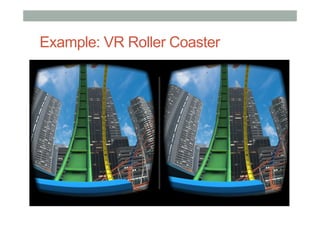
Example: VR Roller Coaster
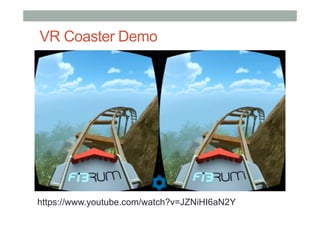
VR Coaster Demo
https://www.youtube.com/watch?v=JZNiHI6aN2Y
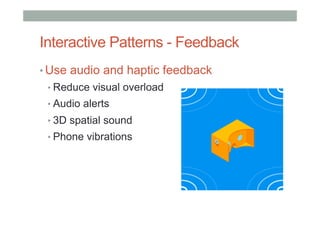
Interactive Patterns - Feedback
• Use audio and haptic feedback
• Reduce visual overload
• Audio alerts
• 3D spatial sound
• Phone vibrations
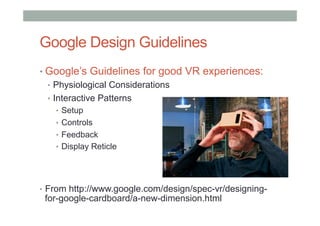
Google Design Guidelines
• Google’s Guidelines for good VR experiences:
•  Physiological Considerations
•  Interactive Patterns
•  Setup
•  Controls
•  Feedback
•  Display Reticle
•  From http://www.google.com/design/spec-vr/designing-
for-google-cardboard/a-new-dimension.html
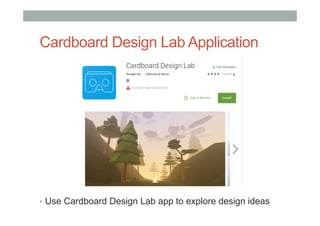
Cardboard Design Lab Application
•  Use Cardboard Design Lab app to explore design ideas
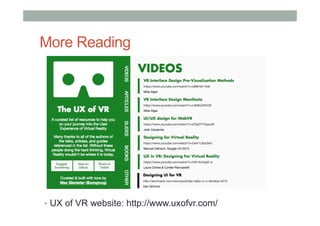
More Reading
•  UX of VR website: http://www.uxofvr.com/
VR Authoring
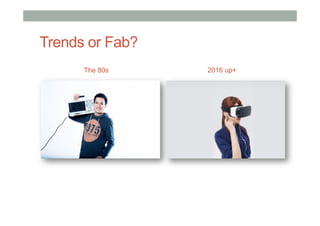
Trends or Fab?
The 80s 2016 up+
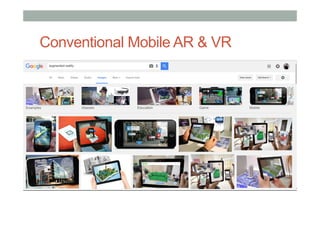
Conventional Mobile AR & VR
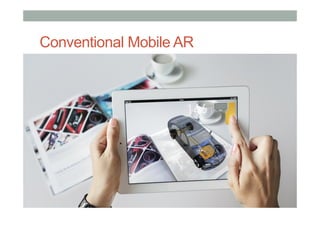
Conventional Mobile AR
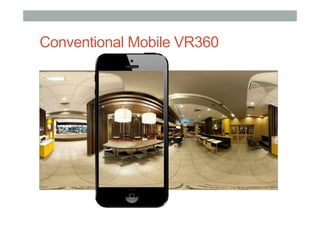
Conventional Mobile VR360
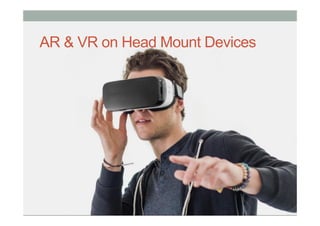
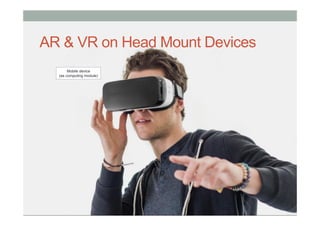
AR & VR on Head Mount Devices
Mobile device
(as computing module)
•  Carl Zeiss just announced VR One, a virtual reality headset for use with a
smartphone. It is a viewer designed to work with phones between 4.7 and 5.2
inches (Zeiss, 2014).
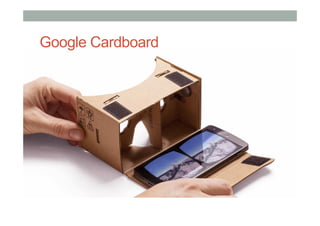
Google Cardboard
•  Carl Zeiss just announced VR One, a virtual reality headset for use with a
smartphone. It is a viewer designed to work with phones between 4.7 and 5.2
inches (Zeiss, 2014).
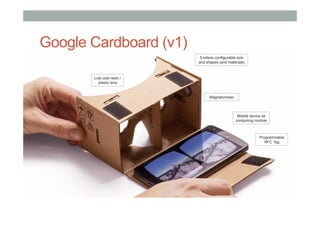
Programmable
NFC Tag
Low cost resin /
plastic lens
Mobile device as
computing module
Endless configurable size
and shapes (and materials)
Magnetometer
Google Cardboard (v1)
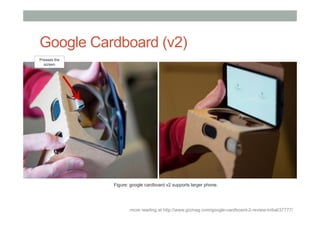
more reading at http://www.gizmag.com/google-cardboard-2-review-initial/37777/
Presses the
screen
Figure: google cardboard v2 supports larger phone.
Google Cardboard (v2)
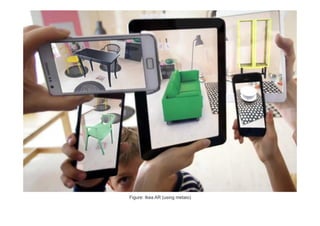
Figure: Ikea AR (using metaio)
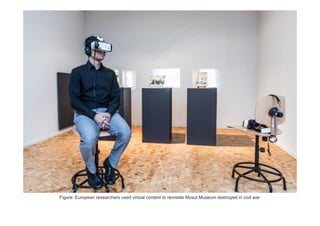
Figure: European researchers used virtual content to recreate Mosul Museum destroyed in civil war.
VR AR
Sourced	and	reinterpreted	from		
h1p://www.augment.com/blog/which-headset-is-right-for-you/
Challenges
•  Consideration
•  Mostly everyone has a mobile device
•  Only few individuals have expensive HMD
•  Everyone can access to low-cost HMD
•  Design and Development
•  Content creation, authoring
•  Usable user interface (minimal?)
•  Display platforms or systems
•  Ease-of-use
•  Useful Experience
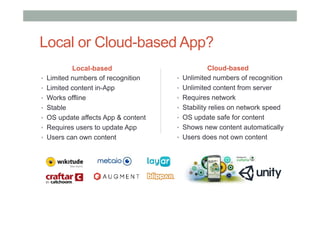
Local or Cloud-based App?
Cloud-based
•  Unlimited numbers of recognition
•  Unlimited content from server
•  Requires network
•  Stability relies on network speed
•  OS update safe for content
•  Shows new content automatically
•  Users does not own content
Local-based
•  Limited numbers of recognition
•  Limited content in-App
•  Works offline
•  Stable
•  OS update affects App & content
•  Requires users to update App
•  Users can own content
Authoring
•  Virtual Reality
•  Virtual Reality (VR) which can be referred to as
immersive multimedia or computer-simulated life,
replicates an environment that simulates physical
presence in places in the real world or imagined worlds
and lets the user interact in that world.
•  Augmented Reality
•  Augmented Reality (AR) mixes a live real-world view
with virtual interactive content on a mobile or wearable
device. One of the key enablers for this is tracking
technology, such as computer vision techniques for
tracking off pre-defined markers or markerless images.
VR using ENTiTi
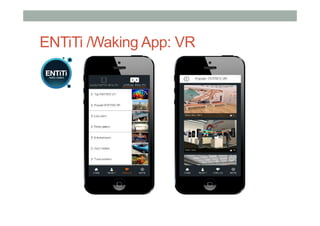
ENTiTi /Waking App: VR
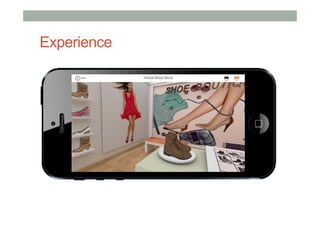
Experience
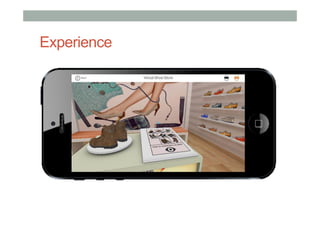
Experience
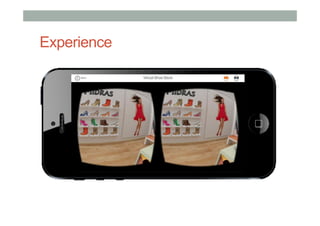
Experience
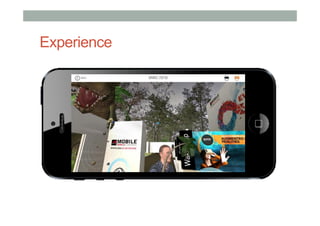
Experience
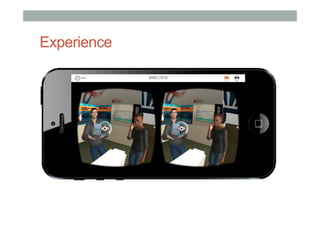
Experience
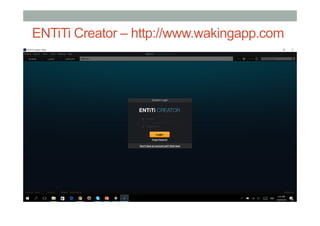
ENTiTi Creator – http://www.wakingapp.com
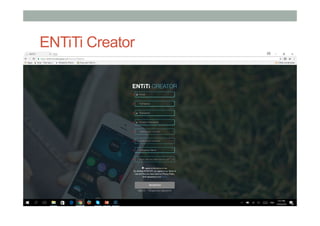
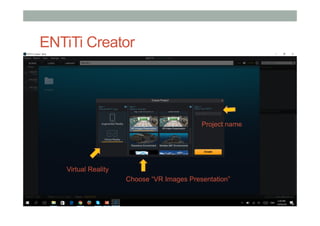
ENTiTi Creator
ENTiTi Creator
Virtual Reality
Project name
Choose “VR Images Presentation”
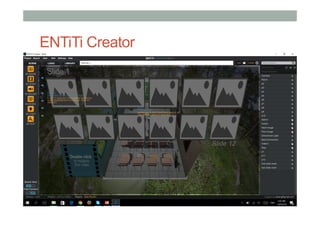
ENTiTi Creator
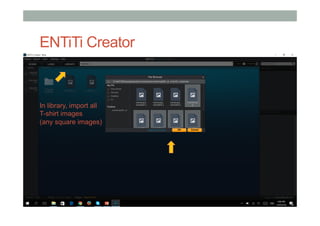
ENTiTi Creator
In library, import all
T-shirt images
(any square images)
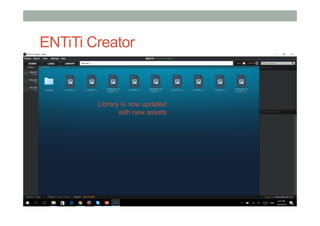
ENTiTi Creator
Library is now updated
with new assets
ENTiTi Creator
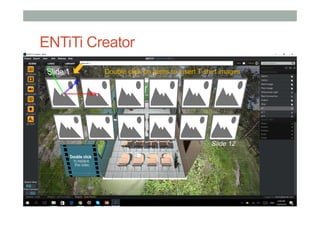
Double click on items to insert T-shirt images
ENTiTi Creator
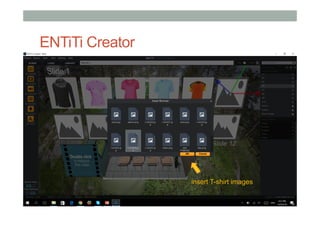
insert T-shirt images
ENTiTi Creator
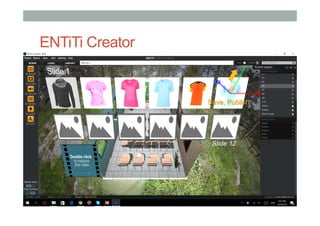
Save, Publish
Mobile App Preview: ENTiTi
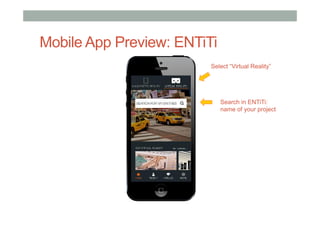
Search in ENTiTi:
name of your project
Select “Virtual Reality”
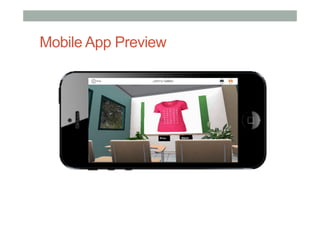
Mobile App Preview
Mobile App Preview
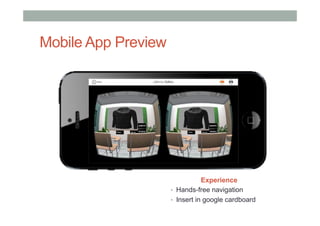
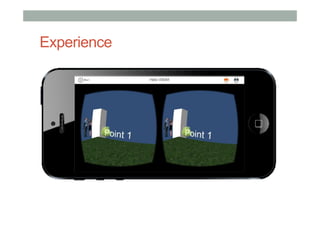
Experience
•  Hands-free navigation
•  Insert in google cardboard
VR using ENTiTi
(moving in VR)
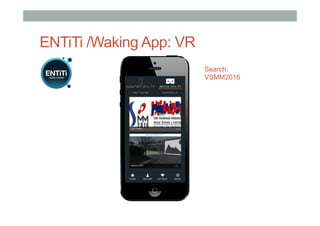
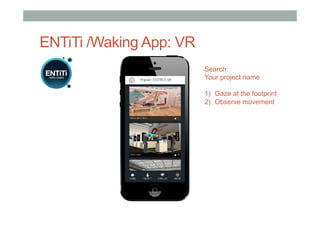
ENTiTi /Waking App: VR
Search:
VSMM2016
Experience
ENTiTi Creator
Username: laboratoryworkshop@gmail.com
Password: XXXXX
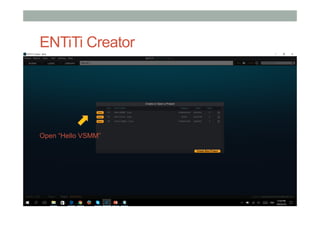
ENTiTi Creator
Open “Hello VSMM”
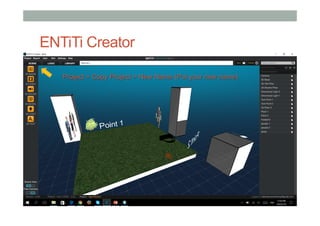
ENTiTi Creator
Project > Copy Project > New Name (Put your new name)
ENTiTi Creator
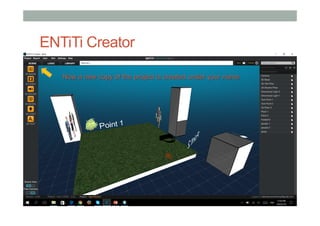
Now a new copy of the project is created under your name
ENTiTi Creator
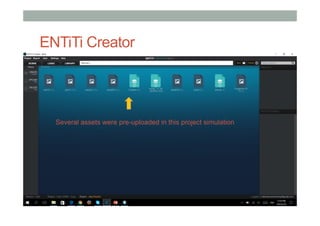
Several assets were pre-uploaded in this project simulation
ENTiTi Creator
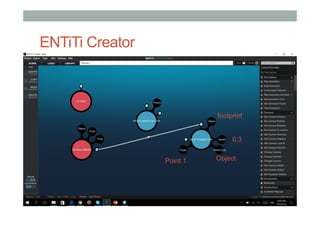
footprint
Object
0.3
Point 1
ENTiTi Creator
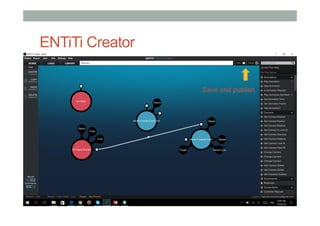
Save and publish
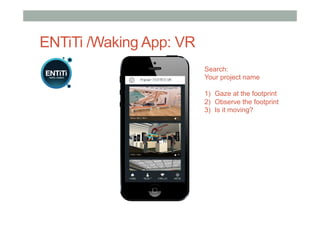
ENTiTi /Waking App: VR
Search:
Your project name
1)  Gaze at the footprint
2)  Observe the footprint
3)  Is it moving?
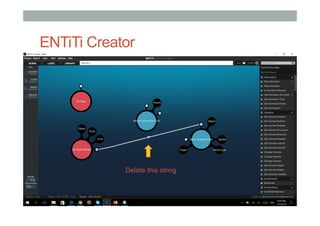
ENTiTi Creator
Delete this string
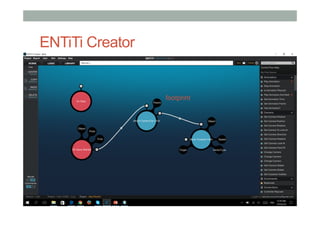
ENTiTi Creator
footprint
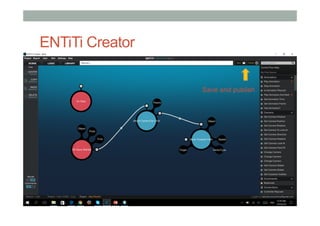
ENTiTi Creator
Save and publish
ENTiTi /Waking App: VR
Search:
Your project name
1)  Gaze at the footprint
2)  Observe movement
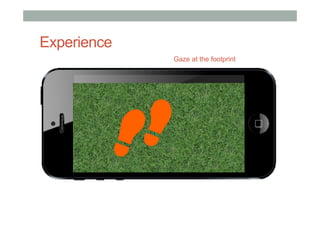
Experience
Gaze at the footprint
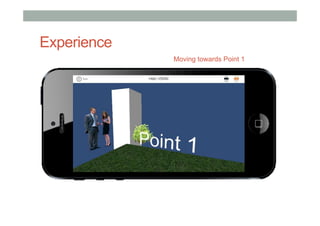
Experience
Moving towards Point 1
Visual Programming
• Benefits
• Minimum coding required
• Prototyping basic VR scenario
• Recommendation
• Storyline of scenario is essential
• Content quality requires lengthy development
• Choose suitable platforms for specific need
Introduction to
Augmented Reality
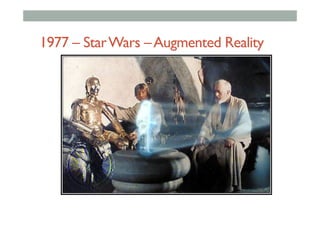
1977 – StarWars –Augmented Reality
Augmented Reality Definition
• Defining Characteristics [Azuma 97]
• Combines Real andVirtual Images
• Both can be seen at the same time
• Interactive in real-time
• The virtual content can be interacted with
• Registered in 3D
• Virtual objects appear fixed in space
Azuma, R. T. (1997). A survey of augmented reality. Presence, 6(4), 355-385.
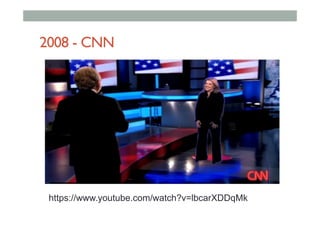
2008 - CNN
https://www.youtube.com/watch?v=lbcarXDDqMk
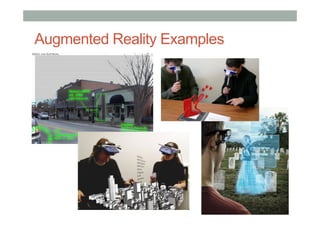
•  Put AR pictures here
Augmented Reality Examples
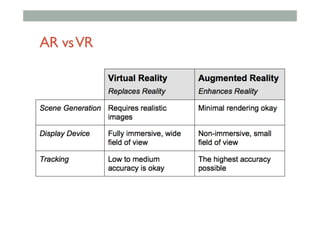
AR vsVR
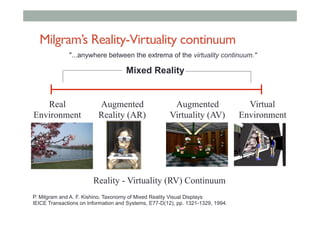
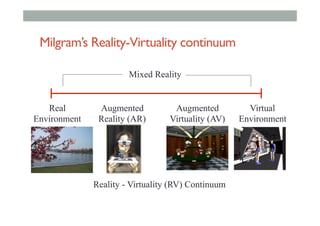
Milgram’s Reality-Virtuality continuum
Mixed Reality
Reality - Virtuality (RV) Continuum
Real
Environment
Augmented
Reality (AR)
Augmented
Virtuality (AV)
Virtual
Environment
"...anywhere between the extrema of the virtuality continuum."
P. Milgram and A. F. Kishino, Taxonomy of Mixed Reality Visual Displays
IEICE Transactions on Information and Systems, E77-D(12), pp. 1321-1329, 1994.
AR History
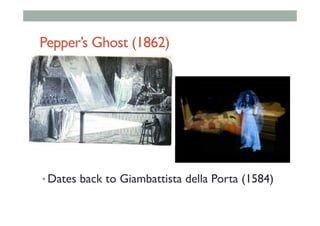
Pepper’s Ghost (1862)
• Dates back to Giambattista della Porta (1584)
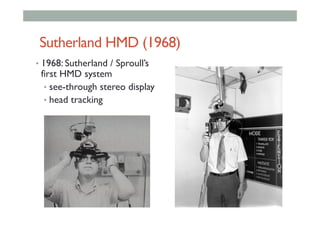
Sutherland HMD (1968)
•  1968: Sutherland / Sproull’s
first HMD system
•  see-through stereo display
•  head tracking
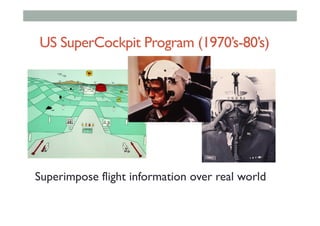
US SuperCockpit Program (1970’s-80’s)
Superimpose flight information over real world
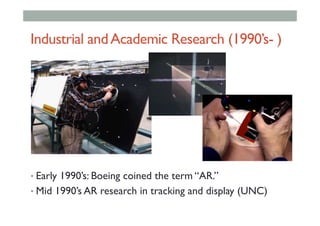
Industrial andAcademic Research (1990’s- )
• Early 1990’s: Boeing coined the term “AR.”
• Mid 1990’s AR research in tracking and display (UNC)
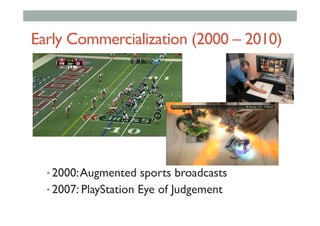
Early Commercialization (2000 – 2010)
• 2000:Augmented sports broadcasts
• 2007: PlayStation Eye of Judgement
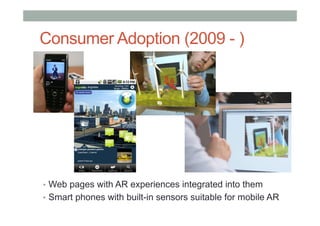
Consumer Adoption (2009 - )
•  Web pages with AR experiences integrated into them
•  Smart phones with built-in sensors suitable for mobile AR
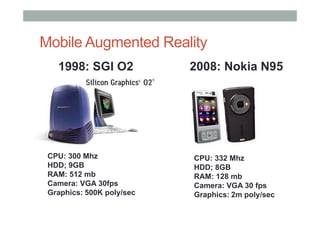
Mobile Augmented Reality
CPU: 300 Mhz
HDD; 9GB
RAM: 512 mb
Camera: VGA 30fps
Graphics: 500K poly/sec
1998: SGI O2 2008: Nokia N95
CPU: 332 Mhz
HDD; 8GB
RAM: 128 mb
Camera: VGA 30 fps
Graphics: 2m poly/sec
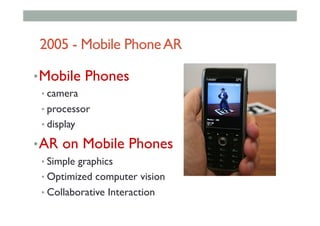
2005 - Mobile PhoneAR
• Mobile Phones
• camera
• processor
• display
• AR on Mobile Phones
• Simple graphics
• Optimized computer vision
• Collaborative Interaction
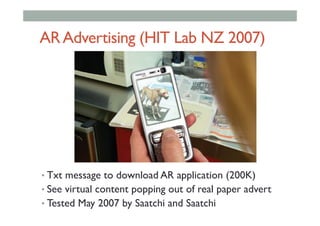
ARAdvertising (HIT Lab NZ 2007)
• Txt message to download AR application (200K)
• See virtual content popping out of real paper advert
• Tested May 2007 by Saatchi and Saatchi
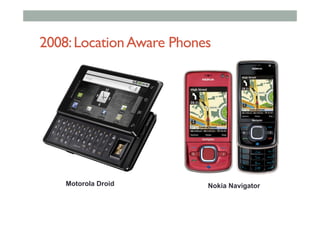
2008:LocationAware Phones
Nokia NavigatorMotorola Droid
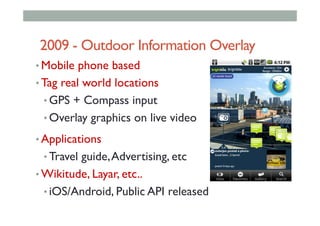
2009 - Outdoor Information Overlay
• Mobile phone based
• Tag real world locations
• GPS + Compass input
• Overlay graphics on live video
• Applications
• Travel guide,Advertising, etc
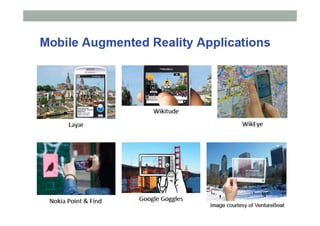
• Wikitude, Layar, etc..
• iOS/Android, Public API released
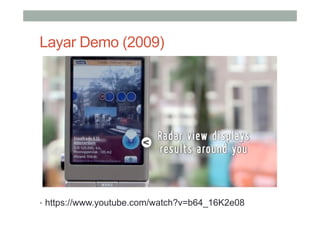
Layar Demo (2009)
•  https://www.youtube.com/watch?v=b64_16K2e08
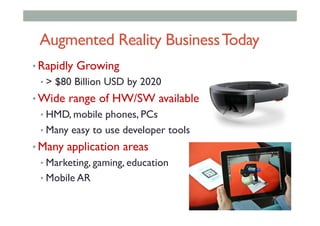
Augmented Reality BusinessToday
• Rapidly Growing
• > $80 Billion USD by 2020
• Wide range of HW/SW available
• HMD, mobile phones, PCs
• Many easy to use developer tools
• Many application areas
• Marketing, gaming, education
• Mobile AR
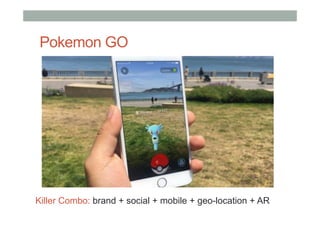
Pokemon GO
Killer Combo: brand + social + mobile + geo-location + AR
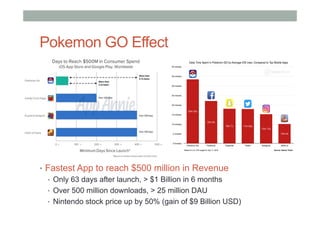
Pokemon GO Effect
•  Fastest App to reach $500 million in Revenue
•  Only 63 days after launch, > $1 Billion in 6 months
•  Over 500 million downloads, > 25 million DAU
•  Nintendo stock price up by 50% (gain of $9 Billion USD)
AR Technology
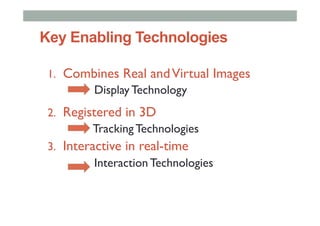
Key Enabling Technologies
1.  Combines Real andVirtual Images
Display Technology
2.  Registered in 3D
Tracking Technologies
3.  Interactive in real-time
Interaction Technologies
AR Display Technologies
• Handheld Displays
• Mobile phone, tablets
• Head mounted displays
• Optical/video see-through
• Fixed Displays
• Desktop, large screen
• Projected Displays
• Projected images on real world
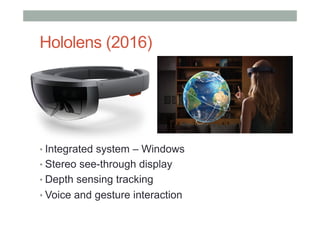
Hololens (2016)
• Integrated system – Windows
• Stereo see-through display
• Depth sensing tracking
• Voice and gesture interaction
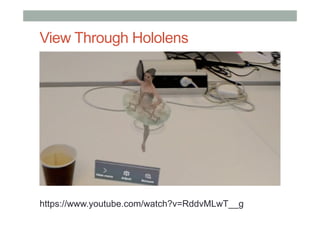
View Through Hololens
https://www.youtube.com/watch?v=RddvMLwT__g
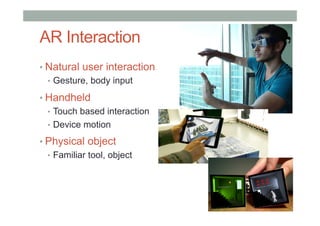
AR Interaction
• Natural user interaction
•  Gesture, body input
• Handheld
•  Touch based interaction
•  Device motion
• Physical object
•  Familiar tool, object
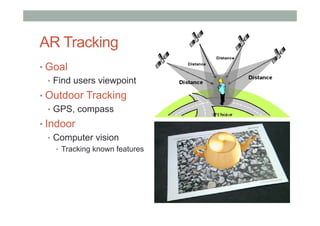
AR Tracking
• Goal
•  Find users viewpoint
• Outdoor Tracking
•  GPS, compass
• Indoor
•  Computer vision
•  Tracking known features
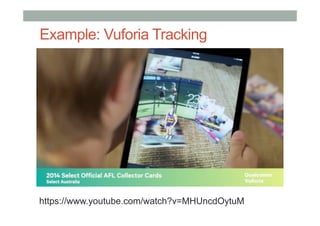
Example: Vuforia Tracking
https://www.youtube.com/watch?v=MHUncdOytuM
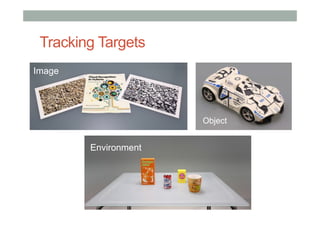
Tracking Targets
Image
Object
Environment
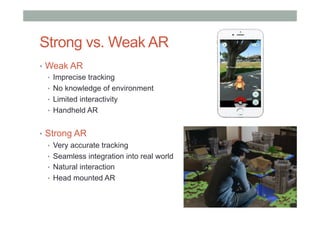
•  Weak AR
•  Imprecise tracking
•  No knowledge of environment
•  Limited interactivity
•  Handheld AR
•  Strong AR
•  Very accurate tracking
•  Seamless integration into real world
•  Natural interaction
•  Head mounted AR
Strong vs. Weak AR
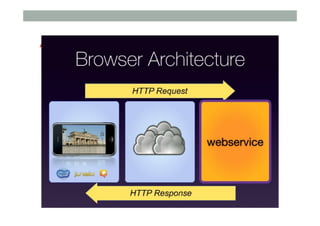
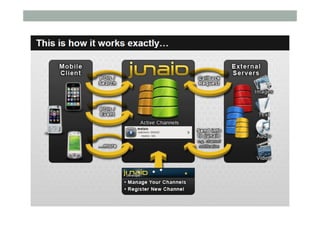
Architecture
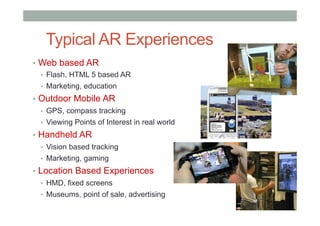
AR Applications
•  Web based AR
•  Flash, HTML 5 based AR
•  Marketing, education
•  Outdoor Mobile AR
•  GPS, compass tracking
•  Viewing Points of Interest in real world
•  Handheld AR
•  Vision based tracking
•  Marketing, gaming
•  Location Based Experiences
•  HMD, fixed screens
•  Museums, point of sale, advertising
Typical AR Experiences
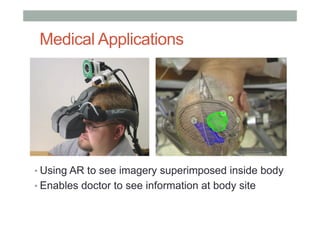
Medical Applications
• Using AR to see imagery superimposed inside body
• Enables doctor to see information at body site
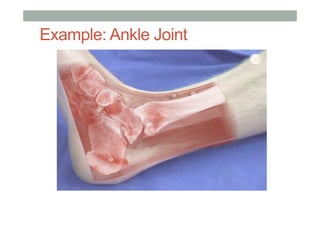
Example: Ankle Joint
Gaming:Rock-em Sock-em
• Shared AR Demo
• Markerless tracking
Rock’em Sock’em Demo
https://www.youtube.com/watch?v=hXtq1qBMLIw
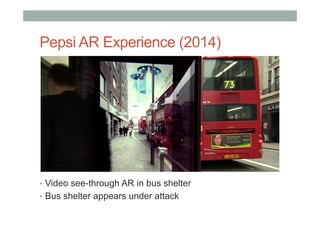
Pepsi AR Experience (2014)
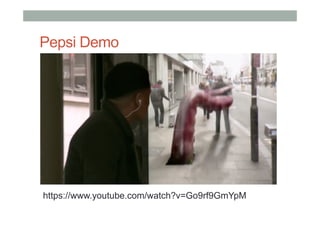
•  Video see-through AR in bus shelter
•  Bus shelter appears under attack
Pepsi Demo
https://www.youtube.com/watch?v=Go9rf9GmYpM
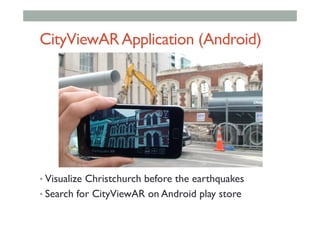
CityViewARApplication (Android)
• Visualize Christchurch before the earthquakes
• Search for CityViewAR on Android play store
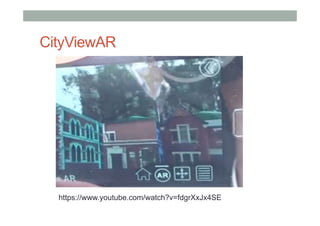
CityViewAR
https://www.youtube.com/watch?v=fdgrXxJx4SE
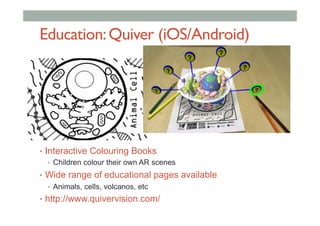
Education:Quiver (iOS/Android)
•  Interactive Colouring Books
•  Children colour their own AR scenes
•  Wide range of educational pages available
•  Animals, cells, volcanos, etc
•  http://www.quivervision.com/
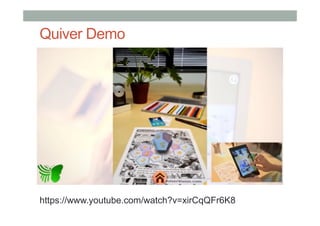
Quiver Demo
https://www.youtube.com/watch?v=xirCqQFr6K8
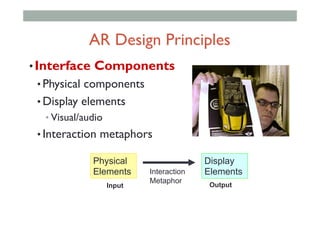
AR Interface Design
• Interface Components
• Physical components
• Display elements
• Visual/audio
• Interaction metaphors
Physical
Elements
Display
ElementsInteraction
Metaphor
Input Output
AR Design Principles
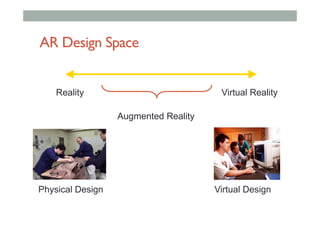
AR Design Space
Reality Virtual Reality
Augmented Reality
Physical Design Virtual Design
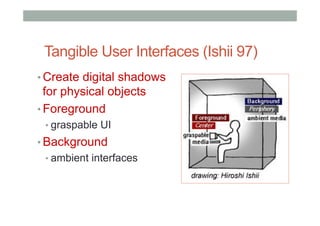
Tangible User Interfaces (Ishii 97)
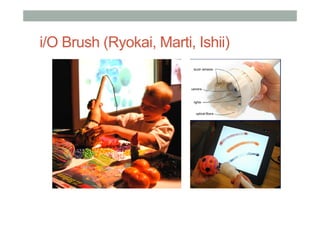
• Create digital shadows
for physical objects
• Foreground
• graspable UI
• Background
• ambient interfaces
i/O Brush (Ryokai, Marti, Ishii)
TangibleAR Interaction Metaphor
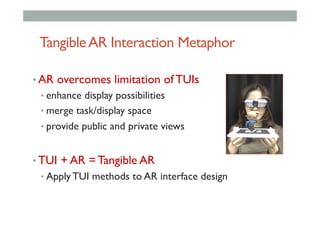
• AR overcomes limitation of TUIs
• enhance display possibilities
• merge task/display space
• provide public and private views
• TUI + AR = Tangible AR
• Apply TUI methods to AR interface design
TangibleAR Design Principles
• Tangible AR Interfaces use TUI principles
• Physical controllers for moving virtual content
• Support for spatial 3D interaction techniques
• Time and space multiplexed interaction
• Support for multi-handed interaction
• Match object affordances to task requirements
• Support parallel activity with multiple objects
• Allow collaboration between multiple users
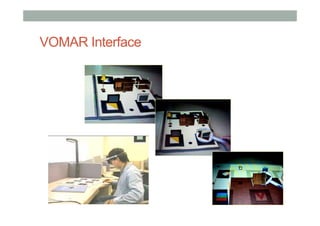
VOMAR Interface
Handheld HCI
• Consider your user
• Follow good HCI principles
• Adapt HCI guidelines for handhelds
• Design to device constraints
• Rapid prototyping
• User evaluation
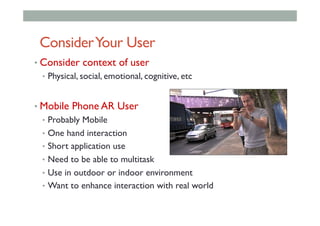
ConsiderYour User
• Consider context of user
•  Physical, social, emotional, cognitive, etc
• Mobile Phone AR User
•  Probably Mobile
•  One hand interaction
•  Short application use
•  Need to be able to multitask
•  Use in outdoor or indoor environment
•  Want to enhance interaction with real world
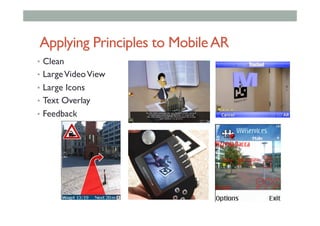
Applying Principles to MobileAR
•  Clean
•  LargeVideoView
•  Large Icons
•  Text Overlay
•  Feedback
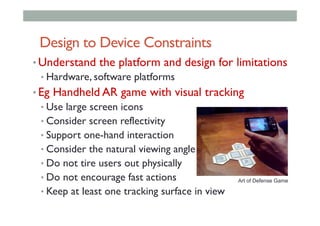
Design to Device Constraints
• Understand the platform and design for limitations
• Hardware, software platforms
• Eg Handheld AR game with visual tracking
• Use large screen icons
• Consider screen reflectivity
• Support one-hand interaction
• Consider the natural viewing angle
• Do not tire users out physically
• Do not encourage fast actions
• Keep at least one tracking surface in view
Art of Defense Game
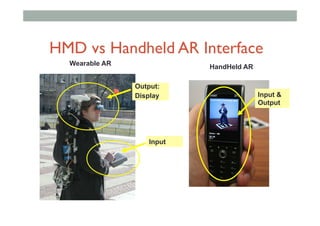
HandHeld AR
Wearable AR
Output:
Display
Input
Input &
Output
HMD vs Handheld AR Interface
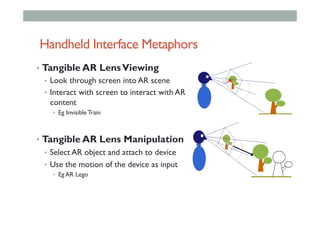
Handheld Interface Metaphors
•  Tangible AR LensViewing
•  Look through screen into AR scene
•  Interact with screen to interact with AR
content
•  Eg Invisible Train
•  Tangible AR Lens Manipulation
•  Select AR object and attach to device
•  Use the motion of the device as input
•  Eg AR Lego
AR using ENTiTi
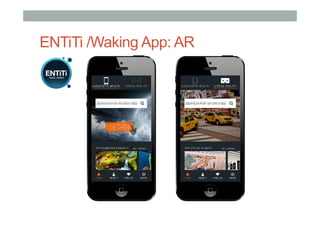
ENTiTi /Waking App: AR
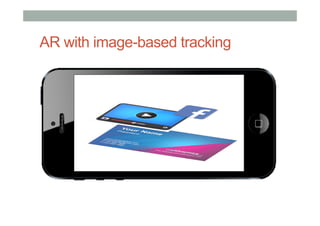
AR with image-based tracking
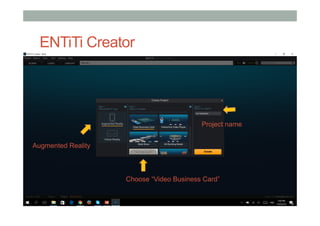
ENTiTi Creator
Augmented Reality
Project name
Choose “Video Business Card”
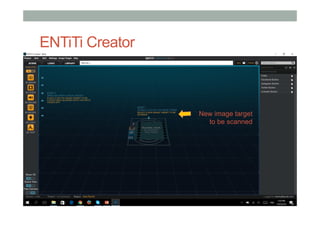
ENTiTi Creator
New image target
to be scanned
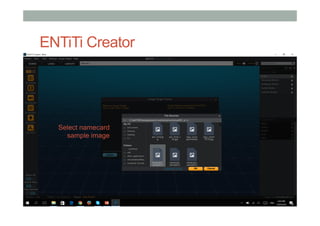
ENTiTi Creator
Select namecard
sample image
ENTiTi Creator
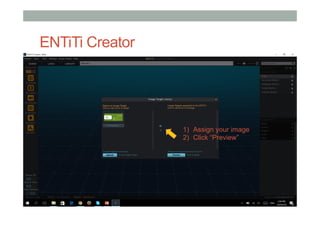
1)  Assign your image
2)  Click “Preview”
ENTiTi Creator
1)  Assign your image
2)  Click “Preview”
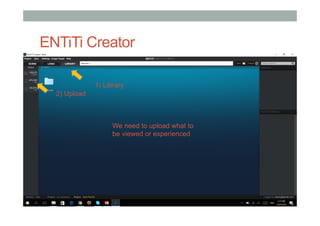
We need to upload what to
be viewed or experienced
2) Upload
1) Library
ENTiTi Creator
1)  Assign your image
2)  Click “Preview”
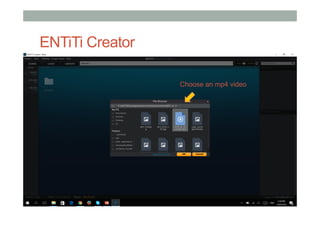
Choose an mp4 video
ENTiTi Creator
1)  Assign your image
2)  Click “Preview”
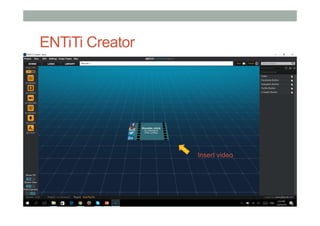
Insert video
ENTiTi Creator
1)  Assign your image
2)  Click “Preview”
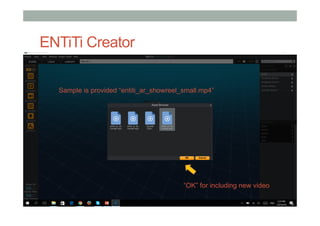
“OK” for including new video
Sample is provided “entiti_ar_showreel_small.mp4”
ENTiTi Creator
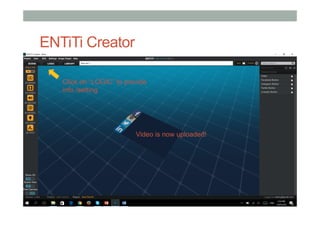
Click on “LOGIC” to provide
info /setting
Video is now uploaded!
ENTiTi Creator
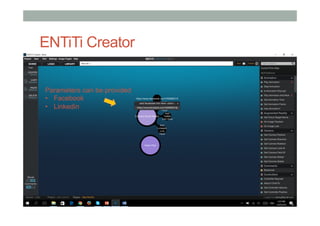
Parameters can be provided
•  Facebook
•  Linkedin
ENTiTi Creator
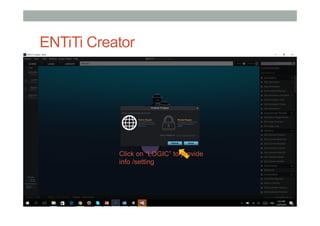
Click on “LOGIC” to provide
info /setting
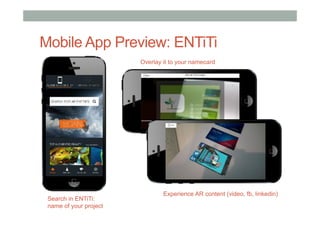
Mobile App Preview: ENTiTi
Overlay it to your namecard
Search in ENTiTi:
name of your project
Experience AR content (video, fb, linkedin)
Location-based AR
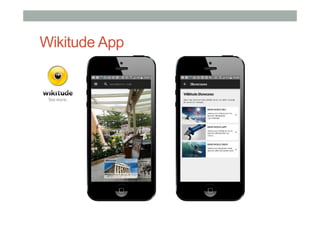
Wikitude App
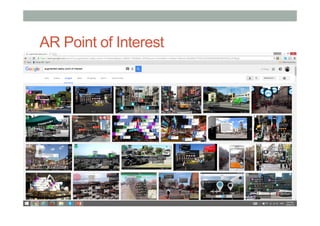
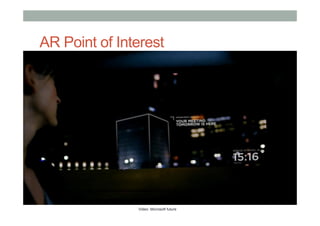
AR Point of Interest
Video: Microsoft future
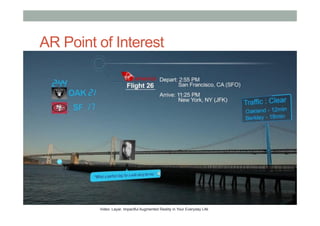
AR Point of Interest
Video: Layar, Impactful Augmented Reality in Your Everyday Life
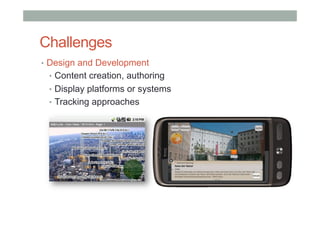
Challenges
•  Design and Development
•  Content creation, authoring
•  Display platforms or systems
•  Tracking approaches
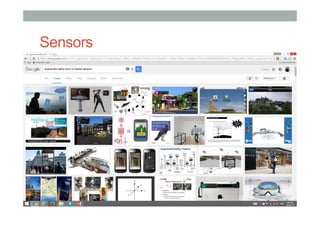
Sensors
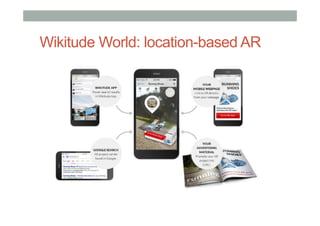
Wikitude World: location-based AR
•  KML
•  Keyhole Markup Language is a standardized format
used in Google Earth. It can provide basic information
for POIs and easily uploaded (or using hyperlink) into
Wikitude.
•  KML files can be created with the Google Earth user
interface (in Google Map)
•  Alternatively, it can be created using XML or simple text
editor to work on raw KML scripts from scratch.
https://developers.google.com/kml/documentation/?hl=en
Wikitude World: location-based AR
•  ARML
•  Augmented Reality Markup Language is an open
exchange format based on KML but extends the format
for useful data around AR data sets.
•  ARML 2.0 is used in the live versions of the 3 leading
Augmented Reality Browsers (Junaio, Layar and
Wikitude), where it is used to make the AR Browsers
interoperable.
•  ARML 1.0 file format is currently used in the Wikitude
World Browser.
http://openarml.org/wikitude4.html
Steps for Using Wikitude
1.  Register for Wikitude account
•  http://www.wikitude.com
2.  Register for web hosting account
•  http://www.000webhost.com
•  Own domain and server hosting
3.  Content authoring
•  https://www.google.com/mymaps/
•  http://studio.wikitude.com
•  Scripting and customization
Publish in Wikitude
• KML
• [put stuff here]
• ARML
• [put stuff here]
Free Web Hosting
• KML
• [put stuff here]
• ARML
• [put stuff here]
Part 1: KML
https://www.google.com/mymaps/
• KML
• [put stuff here]
• ARML
• [put stuff here]
KML (Google Map)
• KML
• [put stuff here]
• ARML
• [put stuff here]
KML (Google Map)
• KML
• [put stuff here]
• ARML
• [put stuff here]
KML (Google Map)
• KML
• [put stuff here]
• ARML
• [put stuff here]
KML (Google Map)
• KML
• [put stuff here]
• ARML
• [put stuff here]
KML (Google Map)
• KML
• [put stuff here]
• ARML
• [put stuff here]
KML: XML Scripting
• KML
• [put stuff here]
• ARML
• [put stuff here]
Steps for Setting up Wikitude
1.  Register for Wikitude account
•  http://www.wikitude.com
2.  Register for web hosting account
•  http://www.000webhost.com
•  Or use own domain and server hosting
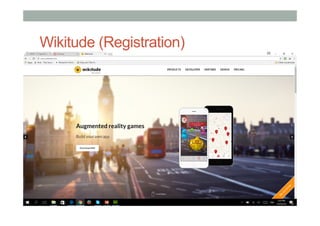
Wikitude (Registration)
KML
•  Benefits
•  Generated from Google Earth
•  Allows basic editing
•  Current limitation
•  Limited scripting option for Wikitude World
•  Lack of options for POI details in Wikitude World
•  Range is confined to ~20km radius
Publish in Wikitude: KML
• KML
• [put stuff here]
• ARML
• [put stuff here]
Publish in Wikitude: KML
• KML
• [put stuff here]
• ARML
• [put stuff here]
Publish in Wikitude: KML
• KML
• [put stuff here]
• ARML
• [put stuff here]
provide URL, host the *.kml file
from your own server
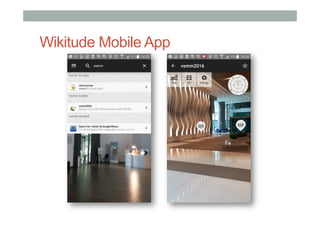
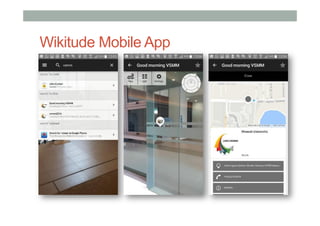
Wikitude Mobile App
Part 2: ARML
Free Web Hosting
• KML
• [put stuff here]
• ARML
• [put stuff here]
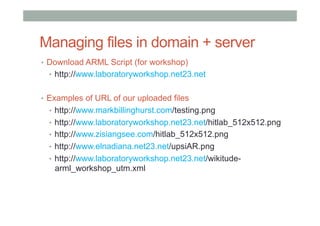
Managing files in domain + server
•  Download ARML Script (for workshop)
•  http://www.laboratoryworkshop.net23.net
•  Examples of URL of our uploaded files
•  http://www.markbillinghurst.com/testing.png
•  http://www.laboratoryworkshop.net23.net/hitlab_512x512.png
•  http://www.zisiangsee.com/hitlab_512x512.png
•  http://www.elnadiana.net23.net/upsiAR.png
•  http://www.laboratoryworkshop.net23.net/wikitude-
arml_workshop_utm.xml
Publish in Wikitude
• KML
• [put stuff here]
• ARML
• [put stuff here]
ARML: XML Scripting
• KML
• [put stuff here]
• ARML
• [put stuff here]
http://openarml.org/wikitude4.html
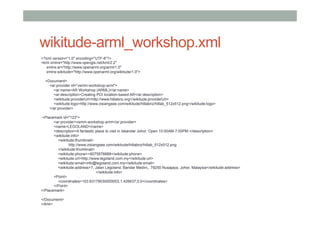
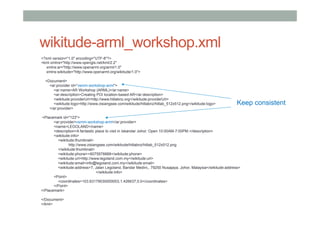
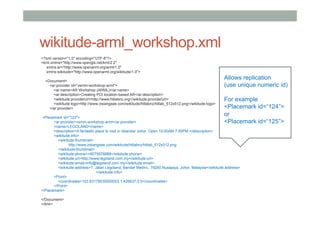
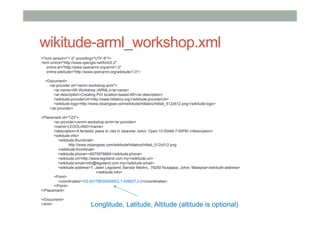
wikitude-arml_workshop.xml
<?xml version="1.0" encoding="UTF-8"?>
<kml xmlns="http://www.opengis.net/kml/2.2"
xmlns:ar="http://www.openarml.org/arml/1.0"
xmlns:wikitude="http://www.openarml.org/wikitude/1.0">
<Document>
<ar:provider id=“vsmm-workshop-arml">
<ar:name>AR Workshop (ARML)</ar:name>
<ar:description>Creating POI location-based AR</ar:description>
<wikitude:providerUrl>http://www.hitlabnz.org</wikitude:providerUrl>
<wikitude:logo>http://www.zisiangsee.com/wikitude/hitlabnz/hitlab_512x512.png</wikitude:logo>
</ar:provider>
<Placemark id="123">
<ar:provider>vsmm-workshop-arml</ar:provider>
<name>LEGOLAND</name>
<description>A fantastic place to visit in Iskandar Johor. Open 10:00AM-7:00PM.</description>
<wikitude:info>
<wikitude:thumbnail>
http://www.zisiangsee.com/wikitude/hitlabnz/hitlab_512x512.png
</wikitude:thumbnail>
<wikitude:phone>+6075978888</wikitude:phone>
<wikitude:url>http://www.legoland.com.my</wikitude:url>
<wikitude:email>info@legoland.com.my</wikitude:email>
<wikitude:address>7, Jalan Legoland, Bandar Medini,, 79250 Nusajaya, Johor, Malaysia</wikitude:address>
</wikitude:info>
<Point>
<coordinates>103.63179030000003,1.426637,0.0</coordinates>
</Point>
</Placemark>
</Document>
</kml>
wikitude-arml_workshop.xml
<?xml version="1.0" encoding="UTF-8"?>
<kml xmlns="http://www.opengis.net/kml/2.2"
xmlns:ar="http://www.openarml.org/arml/1.0"
xmlns:wikitude="http://www.openarml.org/wikitude/1.0">
<Document>
<ar:provider id=“vsmm-workshop-arml">
<ar:name>AR Workshop (ARML)</ar:name>
<ar:description>Creating POI location-based AR</ar:description>
<wikitude:providerUrl>http://www.hitlabnz.org</wikitude:providerUrl>
<wikitude:logo>http://www.zisiangsee.com/wikitude/hitlabnz/hitlab_512x512.png</wikitude:logo>
</ar:provider>
<Placemark id="123">
<ar:provider>vsmm-workshop-arml</ar:provider>
<name>LEGOLAND</name>
<description>A fantastic place to visit in Iskandar Johor. Open 10:00AM-7:00PM.</description>
<wikitude:info>
<wikitude:thumbnail>
http://www.zisiangsee.com/wikitude/hitlabnz/hitlab_512x512.png
</wikitude:thumbnail>
<wikitude:phone>+6075978888</wikitude:phone>
<wikitude:url>http://www.legoland.com.my</wikitude:url>
<wikitude:email>info@legoland.com.my</wikitude:email>
<wikitude:address>7, Jalan Legoland, Bandar Medini,, 79250 Nusajaya, Johor, Malaysia</wikitude:address>
</wikitude:info>
<Point>
<coordinates>103.63179030000003,1.426637,0.0</coordinates>
</Point>
</Placemark>
</Document>
</kml>
Keep consistent
wikitude-arml_workshop.xml
<?xml version="1.0" encoding="UTF-8"?>
<kml xmlns="http://www.opengis.net/kml/2.2"
xmlns:ar="http://www.openarml.org/arml/1.0"
xmlns:wikitude="http://www.openarml.org/wikitude/1.0">
<Document>
<ar:provider id=“vsmm-workshop-arml">
<ar:name>AR Workshop (ARML)</ar:name>
<ar:description>Creating POI location-based AR</ar:description>
<wikitude:providerUrl>http://www.hitlabnz.org</wikitude:providerUrl>
<wikitude:logo>http://www.zisiangsee.com/wikitude/hitlabnz/hitlab_512x512.png</wikitude:logo>
</ar:provider>
<Placemark id="123">
<ar:provider>vsmm-workshop-arml</ar:provider>
<name>LEGOLAND</name>
<description>A fantastic place to visit in Iskandar Johor. Open 10:00AM-7:00PM.</description>
<wikitude:info>
<wikitude:thumbnail>
http://www.zisiangsee.com/wikitude/hitlabnz/hitlab_512x512.png
</wikitude:thumbnail>
<wikitude:phone>+6075978888</wikitude:phone>
<wikitude:url>http://www.legoland.com.my</wikitude:url>
<wikitude:email>info@legoland.com.my</wikitude:email>
<wikitude:address>7, Jalan Legoland, Bandar Medini,, 79250 Nusajaya, Johor, Malaysia</wikitude:address>
</wikitude:info>
<Point>
<coordinates>103.63179030000003,1.426637,0.0</coordinates>
</Point>
</Placemark>
</Document>
</kml>
Allows replication
(use unique numeric id)
For example
<Placemark id=“124”>
or
<Placemark id=“125”>
wikitude-arml_workshop.xml
<?xml version="1.0" encoding="UTF-8"?>
<kml xmlns="http://www.opengis.net/kml/2.2"
xmlns:ar="http://www.openarml.org/arml/1.0"
xmlns:wikitude="http://www.openarml.org/wikitude/1.0">
<Document>
<ar:provider id=“vsmm-workshop-arml">
<ar:name>AR Workshop (ARML)</ar:name>
<ar:description>Creating POI location-based AR</ar:description>
<wikitude:providerUrl>http://www.hitlabnz.org</wikitude:providerUrl>
<wikitude:logo>http://www.zisiangsee.com/wikitude/hitlabnz/hitlab_512x512.png</wikitude:logo>
</ar:provider>
<Placemark id="123">
<ar:provider>vsmm-workshop-arml</ar:provider>
<name>LEGOLAND</name>
<description>A fantastic place to visit in Iskandar Johor. Open 10:00AM-7:00PM.</description>
<wikitude:info>
<wikitude:thumbnail>
http://www.zisiangsee.com/wikitude/hitlabnz/hitlab_512x512.png
</wikitude:thumbnail>
<wikitude:phone>+6075978888</wikitude:phone>
<wikitude:url>http://www.legoland.com.my</wikitude:url>
<wikitude:email>info@legoland.com.my</wikitude:email>
<wikitude:address>7, Jalan Legoland, Bandar Medini,, 79250 Nusajaya, Johor, Malaysia</wikitude:address>
</wikitude:info>
<Point>
<coordinates>103.63179030000003,1.426637,0.0</coordinates>
</Point>
</Placemark>
</Document>
</kml> Longlitude, Latitude, Altitude (altitude is optional)
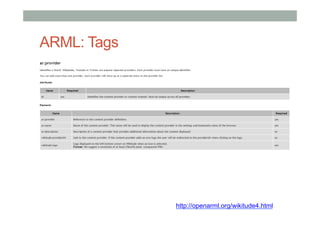
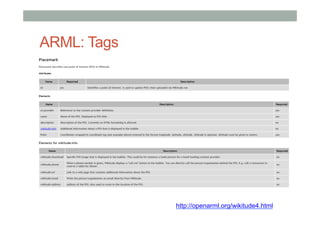
ARML: Tags
http://openarml.org/wikitude4.html
ARML: Tags
http://openarml.org/wikitude4.html
Publish in Wikitude: ARML
• KML
• [put stuff here]
• ARML
• [put stuff here]
Publish in Wikitude: ARML
• KML
• [put stuff here]
• ARML
• [put stuff here]
Publish in Wikitude: ARML
• KML
• [put stuff here]
• ARML
• [put stuff here]
provide URL, host the *.xml file
from your own server
Wikitude Mobile App
ARML
•  Benefits
•  Extended scripting option for Wikitude World
•  Additional POI details in Wikitude World
•  Current limitation
•  Propagation: Wikitude World may take time to be
visible.
•  Range is confined to ~20km radius
•  Future possibilities
•  AR link may be interoperated with other AR browser.
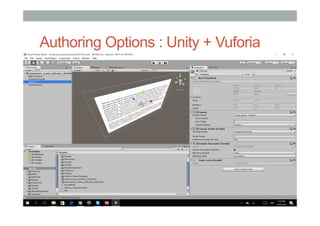
Authoring Options : Unity + Vuforia
Other Authoring Options: A-FRAME
Other Authoring Options: Vizor
Other Authoring Options: Insta-VR
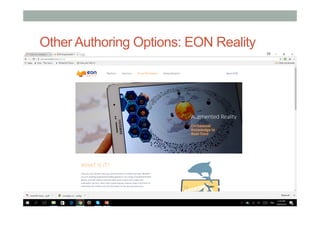
Other Authoring Options: EON Reality
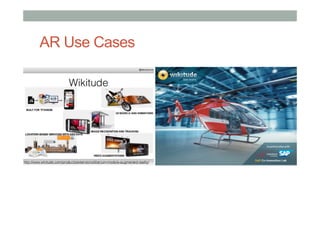
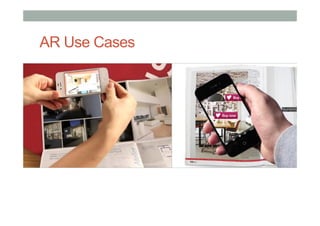
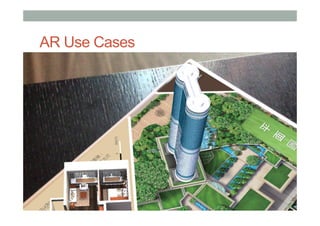
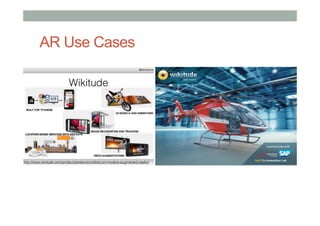
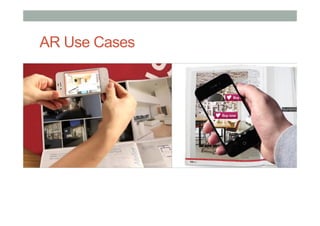
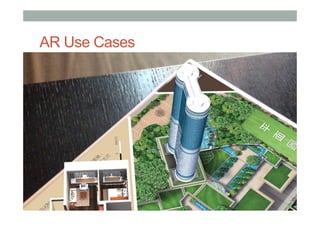
AR Use Cases
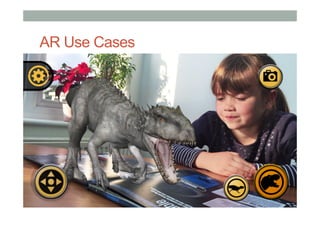
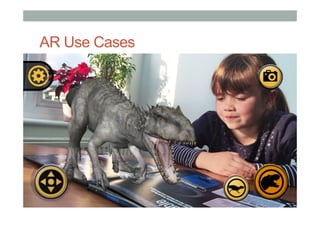
AR Use Cases
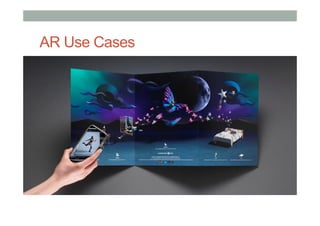
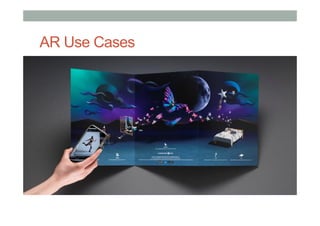
AR Use Cases
AR Use Cases
AR Use Cases
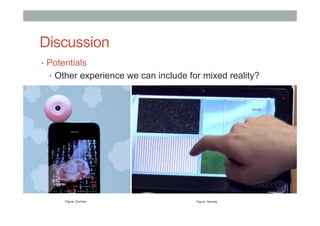
Discussion
•  Potentials
•  Other experience we can include for mixed reality?
Figure: Scentee Figure: Senseg
Discussion
•  Considerations
•  Variety of options for AR/VR authoring.
•  Design industries - easy, useful, empathic content.
•  Mixed-reality experience - taste, scent, haptic, touch,
audio, motion.
Research Directions
Key Enabling Technologies
1.  Combines Real andVirtual Images
Display Technology
2.  Registered in 3D
Tracking Technologies
3.  Interactive in real-time
Interaction Technologies
DISPLAY
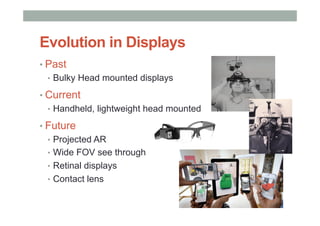
• Past
•  Bulky Head mounted displays
• Current
•  Handheld, lightweight head mounted
• Future
•  Projected AR
•  Wide FOV see through
•  Retinal displays
•  Contact lens
Evolution in Displays
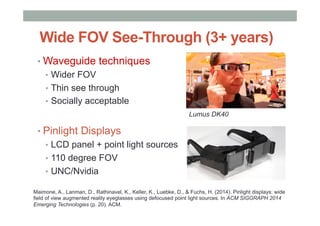
Wide FOV See-Through (3+ years)
• Waveguide techniques
•  Wider FOV
•  Thin see through
•  Socially acceptable
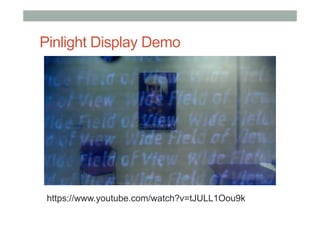
• Pinlight Displays
•  LCD panel + point light sources
•  110 degree FOV
•  UNC/Nvidia
Lumus DK40
Maimone, A., Lanman, D., Rathinavel, K., Keller, K., Luebke, D., & Fuchs, H. (2014). Pinlight displays: wide
field of view augmented reality eyeglasses using defocused point light sources. In ACM SIGGRAPH 2014
Emerging Technologies (p. 20). ACM.
Pinlight Display Demo
https://www.youtube.com/watch?v=tJULL1Oou9k
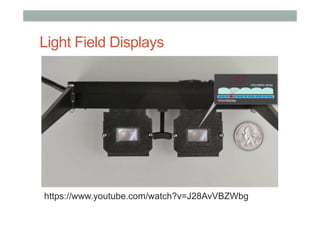
Light Field Displays
https://www.youtube.com/watch?v=J28AvVBZWbg
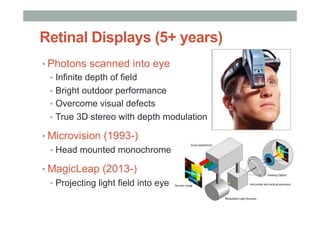
Retinal Displays (5+ years)
• Photons scanned into eye
•  Infinite depth of field
•  Bright outdoor performance
•  Overcome visual defects
•  True 3D stereo with depth modulation
• Microvision (1993-)
•  Head mounted monochrome
• MagicLeap (2013-)
•  Projecting light field into eye
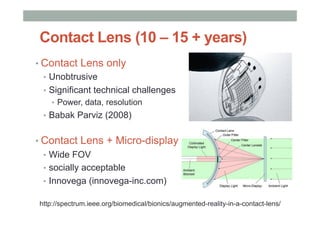
Contact Lens (10 – 15 + years)
• Contact Lens only
•  Unobtrusive
•  Significant technical challenges
•  Power, data, resolution
•  Babak Parviz (2008)
• Contact Lens + Micro-display
•  Wide FOV
•  socially acceptable
•  Innovega (innovega-inc.com)
http://spectrum.ieee.org/biomedical/bionics/augmented-reality-in-a-contact-lens/
TRACKING
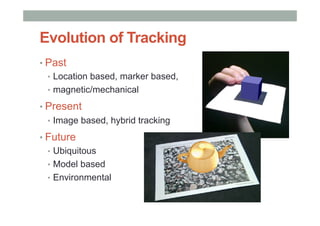
Evolution of Tracking
• Past
•  Location based, marker based,
•  magnetic/mechanical
• Present
•  Image based, hybrid tracking
• Future
•  Ubiquitous
•  Model based
•  Environmental
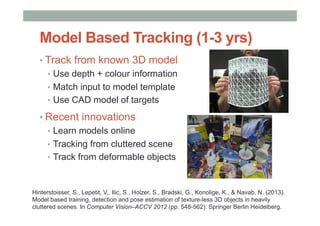
Model Based Tracking (1-3 yrs)
• Track from known 3D model
•  Use depth + colour information
•  Match input to model template
•  Use CAD model of targets
• Recent innovations
•  Learn models online
•  Tracking from cluttered scene
•  Track from deformable objects
Hinterstoisser, S., Lepetit, V., Ilic, S., Holzer, S., Bradski, G., Konolige, K., & Navab, N. (2013).
Model based training, detection and pose estimation of texture-less 3D objects in heavily
cluttered scenes. In Computer Vision–ACCV 2012 (pp. 548-562). Springer Berlin Heidelberg.
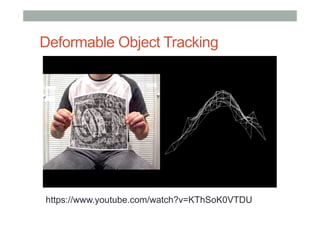
Deformable Object Tracking
https://www.youtube.com/watch?v=KThSoK0VTDU
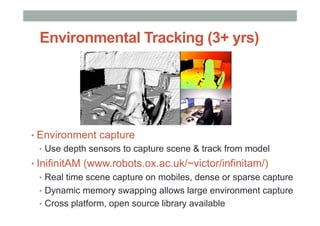
Environmental Tracking (3+ yrs)
• Environment capture
•  Use depth sensors to capture scene & track from model
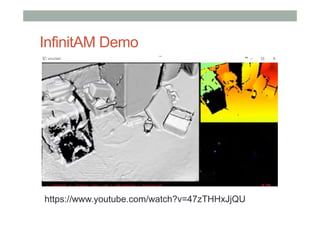
• InifinitAM (www.robots.ox.ac.uk/~victor/infinitam/)
•  Real time scene capture on mobiles, dense or sparse capture
•  Dynamic memory swapping allows large environment capture
•  Cross platform, open source library available
InfinitAM Demo
https://www.youtube.com/watch?v=47zTHHxJjQU
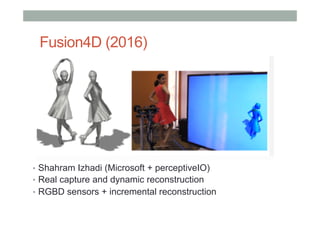
Fusion4D (2016)
•  Shahram Izhadi (Microsoft + perceptiveIO)
•  Real capture and dynamic reconstruction
•  RGBD sensors + incremental reconstruction
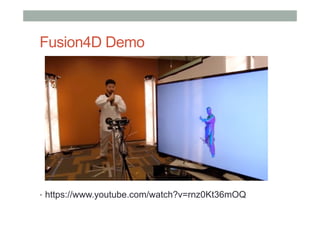
Fusion4D Demo
•  https://www.youtube.com/watch?v=rnz0Kt36mOQ
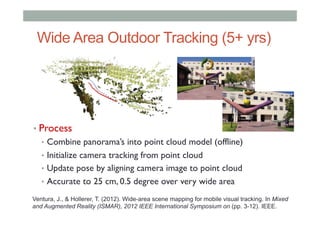
Wide Area Outdoor Tracking (5+ yrs)
• Process
•  Combine panorama’s into point cloud model (offline)
•  Initialize camera tracking from point cloud
•  Update pose by aligning camera image to point cloud
•  Accurate to 25 cm, 0.5 degree over very wide area
Ventura, J., & Hollerer, T. (2012). Wide-area scene mapping for mobile visual tracking. In Mixed
and Augmented Reality (ISMAR), 2012 IEEE International Symposium on (pp. 3-12). IEEE.
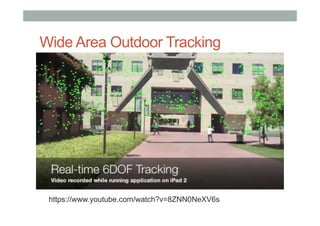
Wide Area Outdoor Tracking
https://www.youtube.com/watch?v=8ZNN0NeXV6s
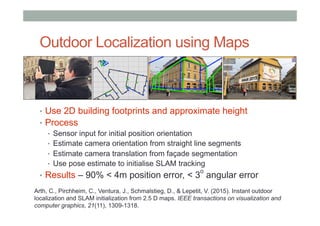
Outdoor Localization using Maps
•  Use 2D building footprints and approximate height
•  Process
•  Sensor input for initial position orientation
•  Estimate camera orientation from straight line segments
•  Estimate camera translation from façade segmentation
•  Use pose estimate to initialise SLAM tracking
•  Results – 90% < 4m position error, < 3
o
angular error
Arth, C., Pirchheim, C., Ventura, J., Schmalstieg, D., & Lepetit, V. (2015). Instant outdoor
localization and SLAM initialization from 2.5 D maps. IEEE transactions on visualization and
computer graphics, 21(11), 1309-1318.
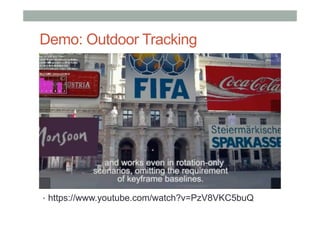
Demo: Outdoor Tracking
•  https://www.youtube.com/watch?v=PzV8VKC5buQ
INTERACTION
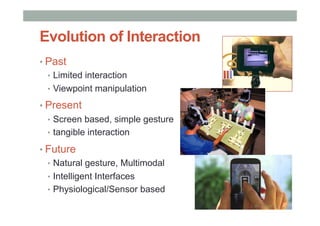
Evolution of Interaction
• Past
•  Limited interaction
•  Viewpoint manipulation
• Present
•  Screen based, simple gesture
•  tangible interaction
• Future
•  Natural gesture, Multimodal
•  Intelligent Interfaces
•  Physiological/Sensor based
Natural Gesture (2-5 years)
• Freehand gesture input
•  Depth sensors for gesture capture
•  Move beyond simple pointing
•  Rich two handed gestures
• Eg Microsoft Research Hand Tracker
•  3D hand tracking, 30 fps, single sensor
• Commercial Systems
•  Meta, MS Hololens, Occulus, Intel, etc
Sharp, T., Keskin, C., Robertson, D., Taylor, J., Shotton, J., Leichter, D. K. C. R. I., ... & Izadi, S.
(2015, April). Accurate, Robust, and Flexible Real-time Hand Tracking. In Proc. CHI (Vol. 8).
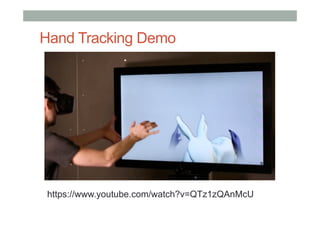
Hand Tracking Demo
https://www.youtube.com/watch?v=QTz1zQAnMcU
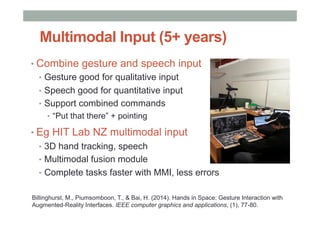
Multimodal Input (5+ years)
• Combine gesture and speech input
•  Gesture good for qualitative input
•  Speech good for quantitative input
•  Support combined commands
•  “Put that there” + pointing
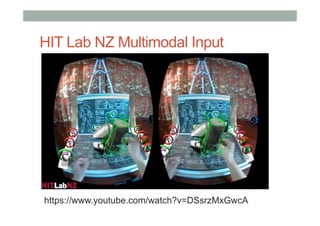
• Eg HIT Lab NZ multimodal input
•  3D hand tracking, speech
•  Multimodal fusion module
•  Complete tasks faster with MMI, less errors
Billinghurst, M., Piumsomboon, T., & Bai, H. (2014). Hands in Space: Gesture Interaction with
Augmented-Reality Interfaces. IEEE computer graphics and applications, (1), 77-80.
HIT Lab NZ Multimodal Input
https://www.youtube.com/watch?v=DSsrzMxGwcA
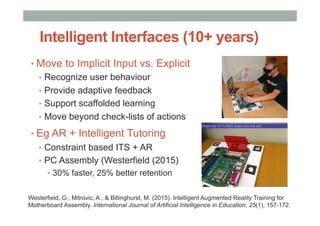
Intelligent Interfaces (10+ years)
• Move to Implicit Input vs. Explicit
•  Recognize user behaviour
•  Provide adaptive feedback
•  Support scaffolded learning
•  Move beyond check-lists of actions
• Eg AR + Intelligent Tutoring
•  Constraint based ITS + AR
•  PC Assembly (Westerfield (2015)
•  30% faster, 25% better retention
Westerfield, G., Mitrovic, A., & Billinghurst, M. (2015). Intelligent Augmented Reality Training for
Motherboard Assembly. International Journal of Artificial Intelligence in Education, 25(1), 157-172.
ENHANCED
EXPERIENCES
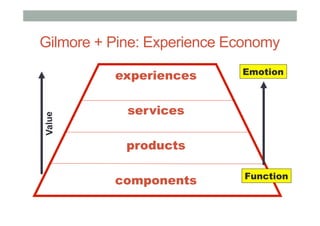
Gilmore + Pine: Experience Economy
experiences
services
products
components
Value
Function
Emotion
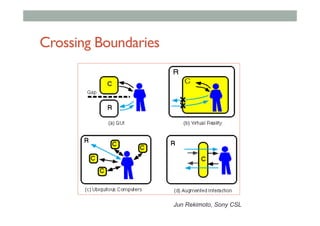
Crossing Boundaries
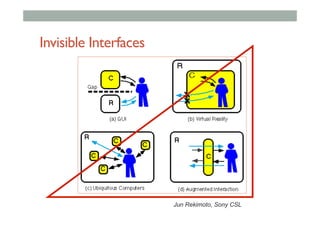
Jun Rekimoto, Sony CSL
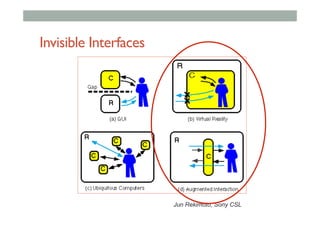
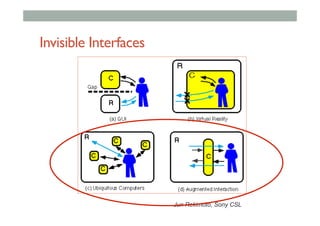
Invisible Interfaces
Jun Rekimoto, Sony CSL
Milgram’s Reality-Virtuality continuum
Mixed Reality
Reality - Virtuality (RV) Continuum
Real
Environment
Augmented
Reality (AR)
Augmented
Virtuality (AV)
Virtual
Environment
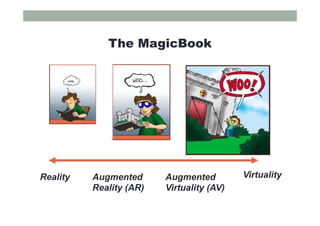
The MagicBook
Reality VirtualityAugmented
Reality (AR)
Augmented
Virtuality (AV)
Invisible Interfaces
Jun Rekimoto, Sony CSL
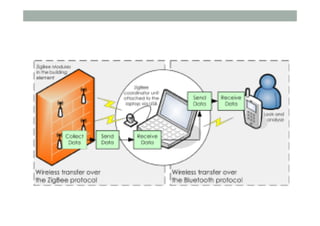
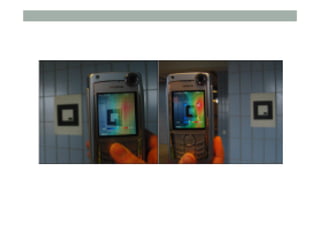
Example:Visualizing Sensor Networks
•  Rauhala et. al. 2007 (Linkoping)
•  Network of Humidity Sensors
•  ZigBee wireless communication
•  Use Mobile AR toVisualize Humidity
Invisible Interfaces
Jun Rekimoto, Sony CSL
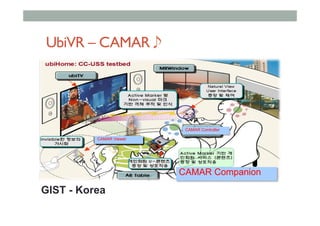
UbiVR – CAMAR 
CAMAR Companion
CAMAR Viewer
CAMAR Controller
GIST - Korea
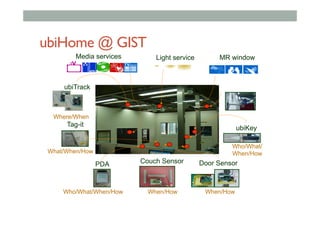
ubiHome @ GIST
©ubiHome
What/When/How
Where/When
Media services
Who/What/
When/How
ubiKey
Couch SensorPDA
Tag-it
Door Sensor
ubiTrack
When/HowWhen/HowWho/What/When/How
Light service MR window
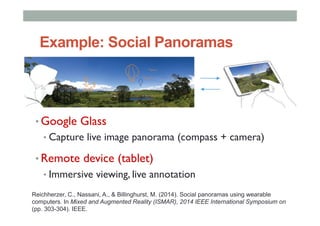
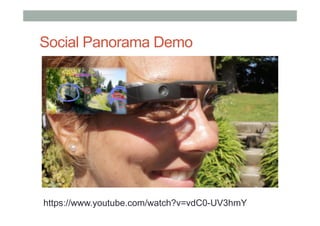
Example: Social Panoramas
• Google Glass
• Capture live image panorama (compass + camera)
• Remote device (tablet)
• Immersive viewing, live annotation
Reichherzer, C., Nassani, A., & Billinghurst, M. (2014). Social panoramas using wearable
computers. In Mixed and Augmented Reality (ISMAR), 2014 IEEE International Symposium on
(pp. 303-304). IEEE.
Social Panorama Demo
https://www.youtube.com/watch?v=vdC0-UV3hmY
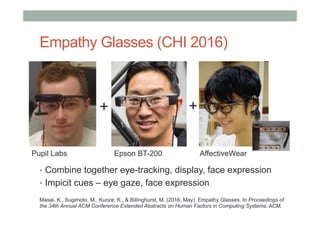
Empathy Glasses (CHI 2016)
•  Combine together eye-tracking, display, face expression
•  Impicit cues – eye gaze, face expression
++
Pupil Labs Epson BT-200 AffectiveWear
Masai, K., Sugimoto, M., Kunze, K., & Billinghurst, M. (2016, May). Empathy Glasses. In Proceedings of
the 34th Annual ACM Conference Extended Abstracts on Human Factors in Computing Systems. ACM.
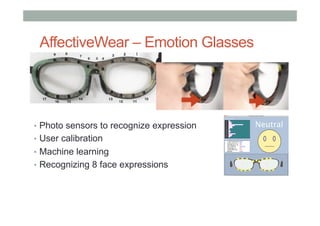
AffectiveWear – Emotion Glasses
•  Photo sensors to recognize expression
•  User calibration
•  Machine learning
•  Recognizing 8 face expressions
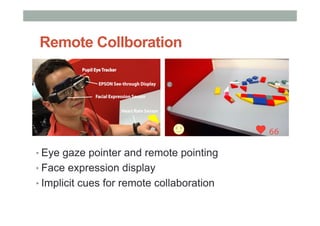
Remote Collboration
• Eye gaze pointer and remote pointing
• Face expression display
• Implicit cues for remote collaboration
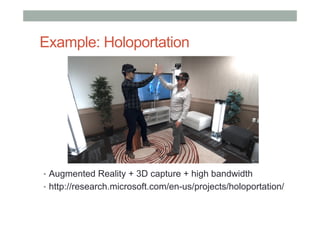
Example: Holoportation
•  Augmented Reality + 3D capture + high bandwidth
•  http://research.microsoft.com/en-us/projects/holoportation/
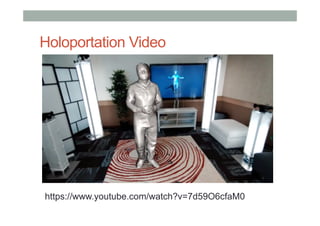
Holoportation Video
https://www.youtube.com/watch?v=7d59O6cfaM0
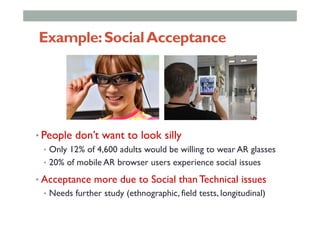
Example:SocialAcceptance
• People don’t want to look silly
•  Only 12% of 4,600 adults would be willing to wear AR glasses
•  20% of mobile AR browser users experience social issues
• Acceptance more due to Social than Technical issues
•  Needs further study (ethnographic, field tests, longitudinal)
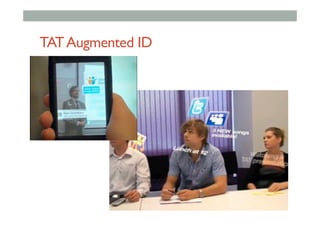
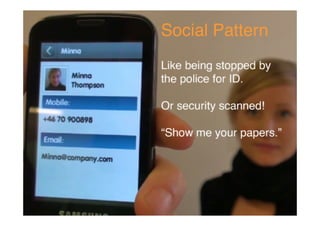
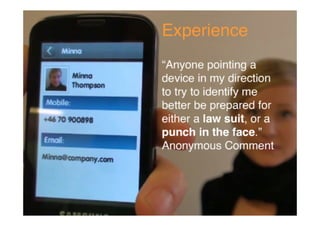
TATAugmented ID
TAT AugmentedID
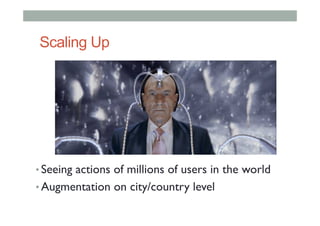
Scaling Up
• Seeing actions of millions of users in the world
• Augmentation on city/country level
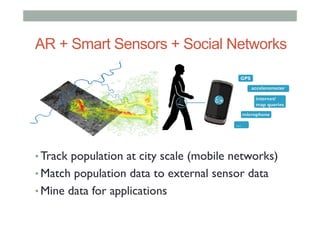
AR + Smart Sensors + Social Networks
• Track population at city scale (mobile networks)
• Match population data to external sensor data
• Mine data for applications
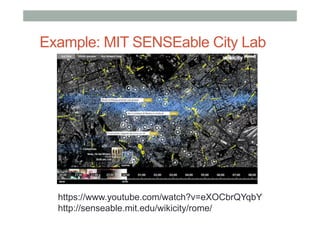
Example: MIT SENSEable City Lab
https://www.youtube.com/watch?v=eXOCbrQYqbY
http://senseable.mit.edu/wikicity/rome/
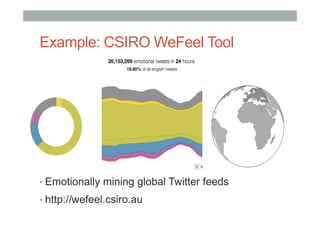
Example: CSIRO WeFeel Tool
• Emotionally mining global Twitter feeds
• http://wefeel.csiro.au
Thank you
www.empathiccomputing.org
@marknb00
mark.billinghurst@unisa.edu.au
Resources
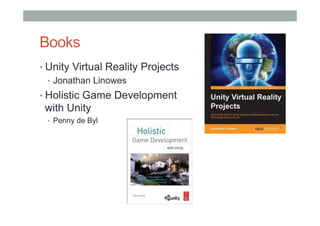
Books
• Unity Virtual Reality Projects
•  Jonathan Linowes
• Holistic Game Development
with Unity
•  Penny de Byl
Useful Resources
•  Google Cardboard main page
•  https://www.google.com/get/cardboard/
•  Developer Website
•  https://www.google.com/get/cardboard/developers/
•  Building a VR app for Cardboard
•  http://www.sitepoint.com/building-a-google-cardboard-vr-app-in-unity/
•  Creating VR game for Cardboard
•  http://danielborowski.com/posts/create-a-virtual-reality-game-for-
google-cardboard/
•  Moving in VR space
•  http://www.instructables.com/id/Prototyping-Interactive-Environments-
in-Virtual-Re/
Resources
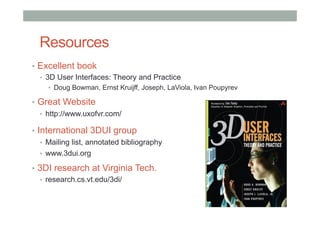
•  Excellent book
•  3D User Interfaces: Theory and Practice
•  Doug Bowman, Ernst Kruijff, Joseph, LaViola, Ivan Poupyrev
•  Great Website
•  http://www.uxofvr.com/
•  International 3DUI group
•  Mailing list, annotated bibliography
•  www.3dui.org
•  3DI research at Virginia Tech.
•  research.cs.vt.edu/3di/
Additional Slides
Optional: Wikitude Studio:
Setting up
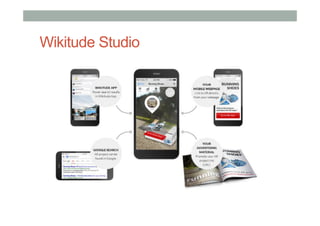
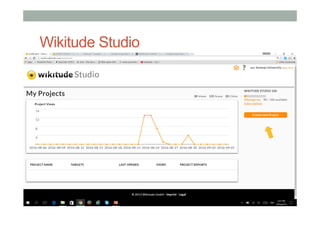
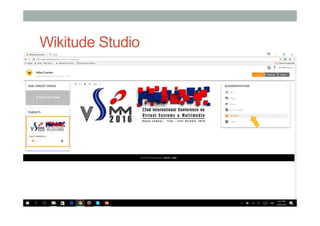
Wikitude Studio
Steps for Setting up Wikitude
1.  Register for Wikitude account
•  http://www.wikitude.com
2.  Register for web hosting account
•  http://www.000webhost.com
•  Or use own domain and server hosting
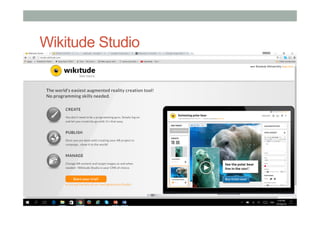
Wikitude Studio
Free Web Hosting
• KML
• [put stuff here]
• ARML
• [put stuff here]
Optional: Wikitude Studio:
AR with 3D
Wikitude Studio
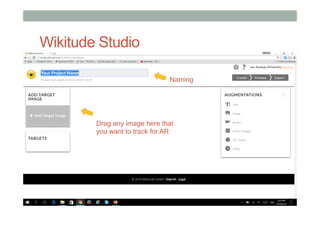
Wikitude Studio
Drag any image here that
you want to track for AR
Naming
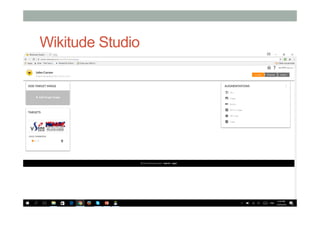
Wikitude Studio
Wikitude Studio
Wikitude Studio
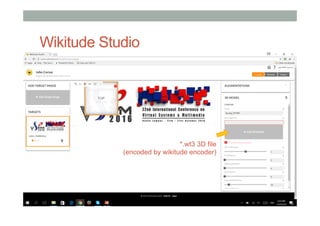
*.wt3 3D file
(encoded by wikitude encoder)
Wikitude Studio
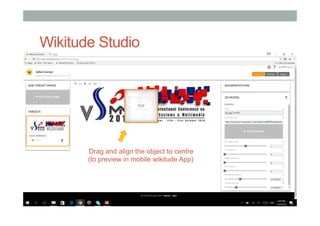
Drag and align the object to centre
(to preview in mobile wikitude App)
Wikitude Studio
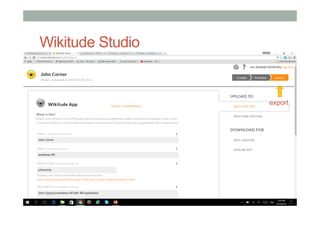
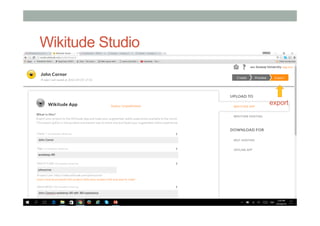
export
Wikitude Studio
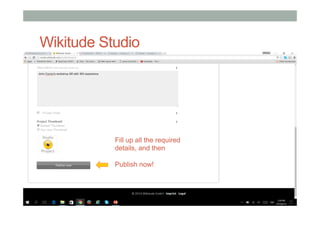
Fill up all the required
details, and then
Publish now!
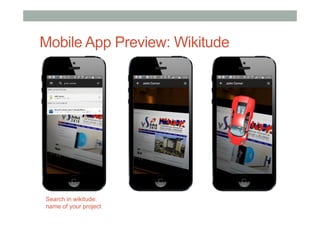
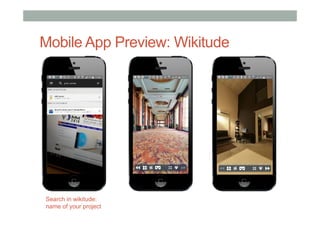
Mobile App Preview: Wikitude
Search in wikitude:
name of your project
AR Use Cases
AR Use Cases
AR Use Cases
AR Use Cases
AR Use Cases
Optional: Wikitude Studio:
AR Button & VR360
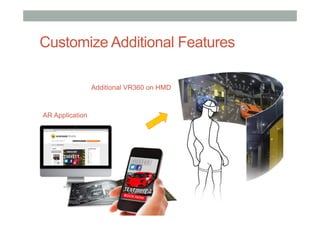
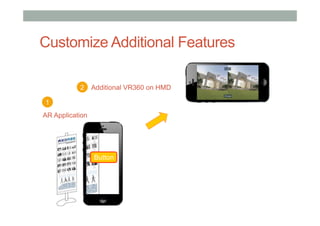
Customize Additional Features
AR Application
Additional VR360 on HMD
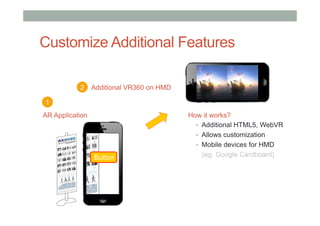
Customize Additional Features
AR Application
Button
1
2 Additional VR360 on HMD
Customize Additional Features
AR Application
Button
How it works?
•  Additional HTML5, WebVR
•  Allows customization
•  Mobile devices for HMD
(eg. Google Cardboard)
1
2 Additional VR360 on HMD
Customize Additional Feature
•  AR Application /AR Browser
•  2D image-based AR tracking
•  HTML5 in-app web browser for additional feature
•  Include a series of VR360 content
•  Requirements
•  AR authoring software /platform
•  Online hosting for additional feature /content
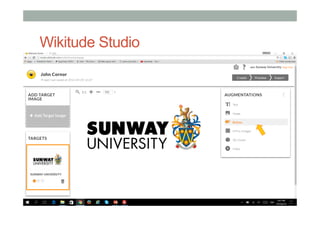
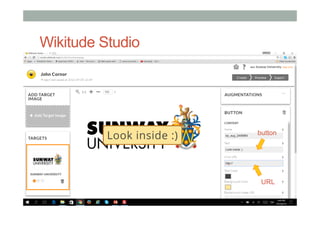
Wikitude Studio
Wikitude Studio
button
URL
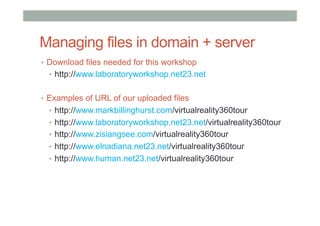
Managing files in domain + server
•  Download files needed for this workshop
•  http://www.laboratoryworkshop.net23.net
•  Examples of URL of our uploaded files
•  http://www.markbillinghurst.com/virtualreality360tour
•  http://www.laboratoryworkshop.net23.net/virtualreality360tour
•  http://www.zisiangsee.com/virtualreality360tour
•  http://www.elnadiana.net23.net/virtualreality360tour
•  http://www.human.net23.net/virtualreality360tour
Free Web Hosting
• KML
• [put stuff here]
• ARML
• [put stuff here]
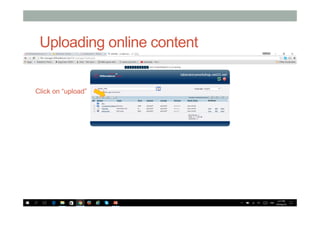
Uploading online content
Click on “upload”
Uploading online content
• KML
• [put stuff here]
• ARML
• [put stuff here]
File Manager
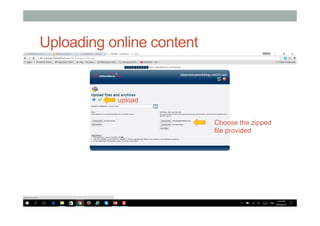
Uploading online content
upload
Choose the zipped
file provided
Uploading online content
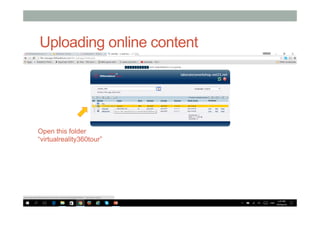
Open this folder
“virtualreality360tour”
Uploading online content
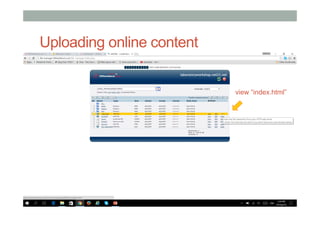
view “index.html”
Uploading online content
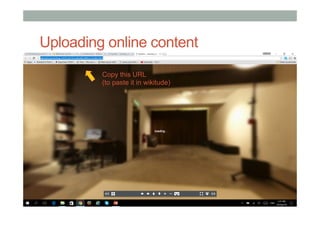
Copy this URL
(to paste it in wikitude)
Wikitude Studio
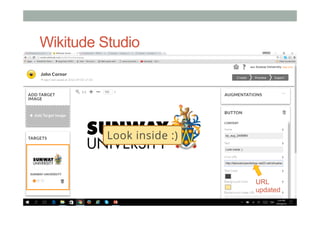
URL
updated
Wikitude Studio
export
Wikitude Studio
Fill up all the required
details, and then
Publish now!
Mobile App Preview: Wikitude
Search in wikitude:
name of your project
Mobile App Preview
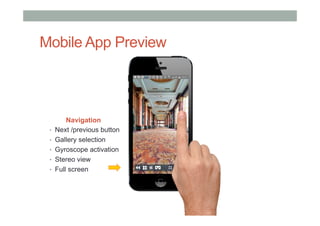
Navigation
•  Next /previous button
•  Gallery selection
•  Gyroscope activation
•  Stereo view
•  Full screen
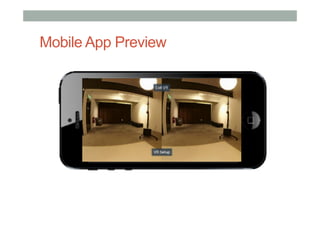
Mobile App Preview
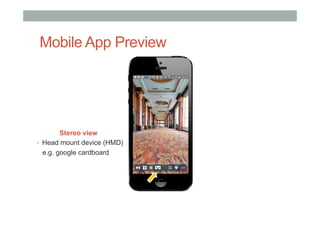
Stereo view
•  Head mount device (HMD)
e.g. google cardboard
Mobile App Preview
Mobile App Preview
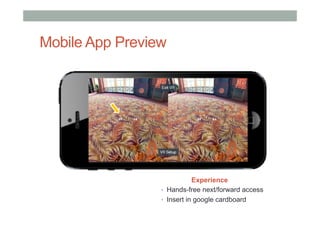
Experience
•  Hands-free next/forward access
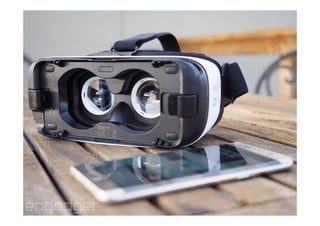
•  Insert in google cardboard
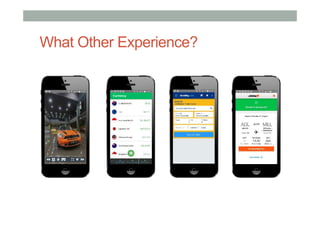
What Other Experience?
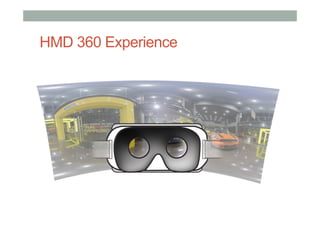
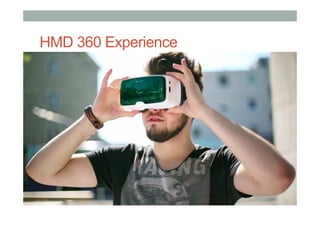
HMD 360 Experience
HMD 360 Experience
•  Design and Development
•  Content creation
•  Display platforms or systems
•  Tracking approaches
What Other Experience?
Currency
Wikitude Studio (cloud-based)
•  Benefits
•  Quick authoring process
•  Instant AR/VR experience generated
•  Generated content can be used in SDK
•  Current limitation
•  Limited control for some multimedia elements
•  Fully rely on network performance
•  SDK may be costly for further implimentation
•  Suitability
•  Exhibition
•  Prototyping
•  Info /edutainment multimedia projects
•  Industrial applications

AR-VR Workshop

  • 1.
    DESIGNING COMPELLING AR ANDVR EXPERIENCES Mark Billinghurst mark.billinghurst@unisa.edu.au Zi Siang See zisiangsee@sunway.edu.my vsmm2016.org October 17th 2016
  • 2.
    About Us • Mark • PhD Universityof Washington • Founder, HIT Lab NZ • Professor, University South Australia • Zi Siang • Faculty member, Sunway • Creative Director, Reina Imaging • Academic, University Tunku Abdul Rahman
  • 3.
    Overview • 9:30 Introduction (Mark+ Zi Siang) • 9:35 Introduction to Virtual Reality (Mark) • 10:00 Developing VR with ENTiTi (Zi Siang) • 10:30 Introduction to Augmented Reality (Mark) • 11:00 Developing AR with ENTiTi (Zi Siang) • 11:30 Building Outdoor AR with Wikitude (Zi Siang) • 12:00 Research Directions/Questions (Mark) • 12:30 Finish
  • 4.
    What You WillLearn • Definitions of AR/VR • History of AR/VR • Example applications • How to make AR/VR experiences • Hands-on with authoring tools • Best interaction methods • Research directions in AR/VR
  • 5.
    Authoring Tools Used 1) Augmented Reality (AR) 2)  Virtual Reality (VR) 3)  Outdoor AR experience - ENTiTi Creator - ENTiTi Creator - Wikitude World
  • 6.
    ENTiTi Creator (Desktop) • AR/VRapplication building for non-programmers • Available from http://www.wakingapp.com Install for PC or Mac
  • 7.
    ENTiTi Mobile Application • Downloadand Install the ENTiTi app •  Search for ENTiTi on Android or iOS stores
  • 8.
    Wikitude Mobile Application • Downloadand Install the Wikitude Mobile app •  Search for Wikitude on Android or iOS stores
  • 9.
    Logistics •  Install softwareon own machines/phone •  ENTiTi desktop/mobile applications •  Wikitude mobile application •  Share VR viewers •  Using WIFI (in Sunway University) •  Download workshop content •  http://www.su2crcdm.org/vsmm2016/workshop/arvr
  • 10.
  • 11.
    Ivan Sutherland (1963) • Sketchpad – first interactive graphics program
  • 12.
    The Ultimate Display “Theultimate display would, of course, be a room within which the computer can control the existence of matter. A chair displayed in such a room would be good enough to sit in. Handcuffs displayed in such a room would be confining, and a bullet displayed in such a room would be fatal”. Ivan Sutherland, 1965
  • 13.
  • 14.
    Virtual Reality Computer generatedmulti-sensory simulation of an artificial environment that is interactive and immersive.
  • 16.
    What is VirtualReality? Virtual reality is.. a computer technology that replicates an environment, real or imagined, and simulates a user's physical presence and environment to allow for user interaction. (Wikipedia) • Defining Characteristics • Environment simulation • Presence • Interaction
  • 17.
    First VR Experience • “Thisis so real..” • https://www.youtube.com/watch?v=pAC5SeNH8jw
  • 18.
    Key Technologies • Autonomy •  Headtracking, body input •  Intelligent systems • Interaction •  User input devices, HCI • Presence •  Graphics/audio/multisensory output •  Multisensory displays •  Visual, audio, haptic, olfactory, etc
  • 19.
  • 20.
  • 21.
    Ivan Sutherland HMD(1968) https://www.youtube.com/watch?v=NtwZXGprxag
  • 22.
    Early Experimenters (1950’s– 80’s) Helig 1956 Sutherland 1965 Furness 1970’s
  • 23.
    The First Wave(1980’s – 90’s) NASA 1989 VPL 1990’s Virtuality 1990’s
  • 24.
    Desktop VR -1995 •  Expensive - $150,000+ •  2 million polys/sec •  VGA HMD – 30 Hz •  Magnetic tracking
  • 25.
    Rise of CommercialVR Companies •  W Industries/Virtuality (1985 - 97) •  Location based entertainment •  Virtuality VR Arcades •  Division (1989 – 1998) •  Turn key VR systems •  Visual programming tools •  Virtual i-O (1993 -1997) •  Inexpensive gamer HMDs •  Sense8 (1990 - 1998) •  WorldToolKit, WorldUp •  VR authoring tools
  • 26.
    • April 2007 ComputerWorld • VRVoted 7th on of 21 biggest flops •  MS Bob #1
  • 27.
    Second Wave (2010- ) • Palmer Luckey •  HMD hacker •  Mixed Reality Lab (MxR) • Oculus Rift (2011 - ) •  2012 - $2.4 million kickstarter •  2014 - $2B acquisition FaceBook •  $350 USD, 110o FOV
  • 28.
    Desktop VR 2016 • GraphicsDesktop • $1,500 USD • >4 Billion poly/sec • $600 HMD • 1080x1200, 90Hz • Optical tracking • Room scale
  • 29.
  • 30.
  • 31.
    Oculus Rift Sony Morpheus HTC/ValveVive 2016 - Rise of Consumer HMDs
  • 32.
    HTC Vive •  Roomscale tracking •  Gesture input devices
  • 33.
    Example Vive App– Tilt Brush https://www.youtube.com/watch?v=ijukZmYFX-0
  • 34.
    MobileVR:Google Cardboard • Released 2014(Google 20% project) • >5 million shipped/given away • Easy to use developer tools + =
  • 35.
    Multiple Mobile VRViewers Available
  • 36.
    •  In 2016– 46m possible desktop VR users vs. 400 m mobile VR users •  https://thoughts.ishuman.co/vr-will-be-mobile-11529fabf87c#.vfcjzy1vf
  • 37.
  • 38.
  • 39.
    Types of VRExperiences • Immersive Spaces •  360 Panorama’s/Movies •  High visual quality •  Limited interactivity •  Changing viewpoint orientation • Immersive Experiences •  3D graphics •  Lower visual quality •  High interactivity •  Movement in space •  Interact with objects
  • 40.
    Immersive Panorama •  Highquality 360 image or video surrounding user •  User can turn head to see different views •  Fixed position
  • 41.
    Example: Cardboard Camera • Capture360 panoramas • Stitch together images on phone • View in VR on Cardboard
  • 42.
    Example Applications • VRSE –Storytelling for VR •  http://vrse.com/ •  High quality 360 VR content • New York Times VR Experience •  NYTVR application •  Documentary experiences • Vrideo •  http://vrideo.com/ •  Streamed immersive movies
  • 43.
    Capturing Panoramas • Stitching photostogether •  Image Composite Editor (Microsoft) •  AutoPano (Kolor) • Using 360 camera •  Ricoh Theta-S •  Fly360
  • 44.
    Google Cardboard App • 7default experiences •  Earth: Fly on Google Earth •  Tour Guide: Visit sites with guides •  YouTube: Watch popular videos •  Exhibit: Examine cultural artifacts •  Photo Sphere: Immersive photos •  Street View: Drive along a street •  Windy Day: Interactive short story
  • 45.
    100’s of GooglePlay Cardboard apps
  • 46.
  • 47.
    Example: Vanguard Vapplication https://www.youtube.com/watch?v=YOiQ01Mxuo4
  • 48.
  • 49.
    What You Need • CardboardViewer/VR Viewer •  https://www.google.com/get/cardboard/ • Smart phone •  Android/iOS • Authoring Tools/SDK •  Google VR SDK •  Unity/Unreal game engine •  Non programming tools • Content •  3D models, video, images, sounds
  • 50.
    Software Tools • Low levelSDKs •  Need programming ability •  Java, C#, C++, etc •  Example: Google VR SDK (iOS, Android) •  https://developers.google.com/vr/ • Game Engines •  Powerful, need scripting ability • Unity - https://unity3d.com/ • Unreal - https://www.unrealengine.com/vr •  Combine with VR plugins (HMDs, input devices) •  Google VR Unity plugin
  • 51.
  • 52.
    Tools for Non-Programmers • Focus on Design, ease of use •  Visual Programming, content arrangement •  Examples •  Insta-VR – 360 panoramas •  http://www.instavr.co/ •  Vizor – VR on the Web •  http://vizor.io/ •  A-frame – HTML based •  https://aframe.io/ •  ENTiTi – Both AR and VR authoring •  http://www.wakingapp.com/ •  Eon Creator – Drag and drop tool for AR/VR •  http://www.eonreality.com/eon-creator/
  • 53.
    Designing Mobile VRApplications • Things to consider •  Ease of use •  Type of experience •  Immersive images vs. 3d interaction •  Length of experience •  2D versus 3D information presentation • Constraints •  Limited graphics power •  Limited user input/interaction •  Head pointing, button •  Limited feedback (audio, video, no haptic)
  • 54.
    Physiological Considerations • Factors toConsider •  Head tracking •  User control of movement •  Use constant velocity •  Grounding with fixed objects •  Brightness changes
  • 55.
    Universal VR InteractionTasks • Object Interaction •  Selection: Picking object(s) from a set •  Manipulation: Modifying object properties • Navigation •  Travel: motor component of viewpoint motion •  Wayfinding: cognitive component; decision-making • System control •  Issuing a command to change system state or mode
  • 56.
    Interactive Patterns –Setup/Control • Setup factors to consider: • Entering and exiting • Headset adaptation • Full Screen mode • API calls • Indicating VR apps
  • 57.
  • 58.
    Example: GearVR Interface • 2D Interface in 3D Environment •  Head pointing and click to select
  • 59.
    Interactive Patterns -Display Reticle •  Easier for users to target objects with a display reticle •  Can display reticle only when near target object •  Highlight objects (e.g. with light source) that user can target
  • 60.
  • 61.
    Example: Gaze MenuSelection https://www.youtube.com/watch?v=T0PNfc_Yibk
  • 62.
    Interactive Patterns -Controls • Fuze buttons •  Time based head pointing with no click input •  Visual countdown, button placement • Gaze and click •  Target size and selection
  • 63.
    Example •  Show pointingreticle •  Countdown timer with activated
  • 64.
    Example: Fuze ButtonSelection https://www.youtube.com/watch?v=lJmBEWkWSBY
  • 65.
  • 66.
    Example: User InterfaceToggling https://www.youtube.com/watch?v=QSYLOc5nf10
  • 67.
    Navigation: Gaze DirectedWalking •  Move in direction that you are looking •  Very intuitive, natural navigation •  Can be used on simple HMDs (Google Cardboard •  But: Can’t look in different direction while moving
  • 68.
  • 69.
    Guided Navigation Technique • Water skiing metaphor for VR movement
  • 70.
  • 71.
  • 72.
    Interactive Patterns -Feedback • Use audio and haptic feedback • Reduce visual overload • Audio alerts • 3D spatial sound • Phone vibrations
  • 73.
    Google Design Guidelines • Google’sGuidelines for good VR experiences: •  Physiological Considerations •  Interactive Patterns •  Setup •  Controls •  Feedback •  Display Reticle •  From http://www.google.com/design/spec-vr/designing- for-google-cardboard/a-new-dimension.html
  • 74.
    Cardboard Design LabApplication •  Use Cardboard Design Lab app to explore design ideas
  • 75.
    More Reading •  UXof VR website: http://www.uxofvr.com/
  • 76.
  • 77.
    Trends or Fab? The80s 2016 up+
  • 78.
  • 79.
  • 80.
  • 81.
    AR & VRon Head Mount Devices
  • 82.
    AR & VRon Head Mount Devices Mobile device (as computing module)
  • 83.
    •  Carl Zeissjust announced VR One, a virtual reality headset for use with a smartphone. It is a viewer designed to work with phones between 4.7 and 5.2 inches (Zeiss, 2014). Google Cardboard
  • 84.
    •  Carl Zeissjust announced VR One, a virtual reality headset for use with a smartphone. It is a viewer designed to work with phones between 4.7 and 5.2 inches (Zeiss, 2014). Programmable NFC Tag Low cost resin / plastic lens Mobile device as computing module Endless configurable size and shapes (and materials) Magnetometer Google Cardboard (v1)
  • 85.
    more reading athttp://www.gizmag.com/google-cardboard-2-review-initial/37777/ Presses the screen Figure: google cardboard v2 supports larger phone. Google Cardboard (v2)
  • 86.
    Figure: Ikea AR(using metaio)
  • 87.
    Figure: European researchersused virtual content to recreate Mosul Museum destroyed in civil war.
  • 88.
  • 89.
    Challenges •  Consideration •  Mostlyeveryone has a mobile device •  Only few individuals have expensive HMD •  Everyone can access to low-cost HMD •  Design and Development •  Content creation, authoring •  Usable user interface (minimal?) •  Display platforms or systems •  Ease-of-use •  Useful Experience
  • 90.
    Local or Cloud-basedApp? Cloud-based •  Unlimited numbers of recognition •  Unlimited content from server •  Requires network •  Stability relies on network speed •  OS update safe for content •  Shows new content automatically •  Users does not own content Local-based •  Limited numbers of recognition •  Limited content in-App •  Works offline •  Stable •  OS update affects App & content •  Requires users to update App •  Users can own content
  • 91.
    Authoring •  Virtual Reality • Virtual Reality (VR) which can be referred to as immersive multimedia or computer-simulated life, replicates an environment that simulates physical presence in places in the real world or imagined worlds and lets the user interact in that world. •  Augmented Reality •  Augmented Reality (AR) mixes a live real-world view with virtual interactive content on a mobile or wearable device. One of the key enablers for this is tracking technology, such as computer vision techniques for tracking off pre-defined markers or markerless images.
  • 92.
  • 93.
  • 94.
  • 95.
  • 96.
  • 97.
  • 98.
  • 99.
    ENTiTi Creator –http://www.wakingapp.com
  • 100.
  • 101.
    ENTiTi Creator Virtual Reality Projectname Choose “VR Images Presentation”
  • 102.
  • 103.
    ENTiTi Creator In library,import all T-shirt images (any square images)
  • 104.
    ENTiTi Creator Library isnow updated with new assets
  • 105.
    ENTiTi Creator Double clickon items to insert T-shirt images
  • 106.
  • 107.
  • 108.
    Mobile App Preview:ENTiTi Search in ENTiTi: name of your project Select “Virtual Reality”
  • 109.
  • 110.
    Mobile App Preview Experience • Hands-free navigation •  Insert in google cardboard
  • 111.
  • 112.
    ENTiTi /Waking App:VR Search: VSMM2016
  • 113.
  • 114.
  • 115.
  • 116.
    ENTiTi Creator Project >Copy Project > New Name (Put your new name)
  • 117.
    ENTiTi Creator Now anew copy of the project is created under your name
  • 118.
    ENTiTi Creator Several assetswere pre-uploaded in this project simulation
  • 119.
  • 120.
  • 121.
    ENTiTi /Waking App:VR Search: Your project name 1)  Gaze at the footprint 2)  Observe the footprint 3)  Is it moving?
  • 122.
  • 123.
  • 124.
  • 125.
    ENTiTi /Waking App:VR Search: Your project name 1)  Gaze at the footprint 2)  Observe movement
  • 126.
  • 127.
  • 128.
    Visual Programming • Benefits • Minimum codingrequired • Prototyping basic VR scenario • Recommendation • Storyline of scenario is essential • Content quality requires lengthy development • Choose suitable platforms for specific need
  • 129.
  • 130.
    1977 – StarWars–Augmented Reality
  • 131.
    Augmented Reality Definition • DefiningCharacteristics [Azuma 97] • Combines Real andVirtual Images • Both can be seen at the same time • Interactive in real-time • The virtual content can be interacted with • Registered in 3D • Virtual objects appear fixed in space Azuma, R. T. (1997). A survey of augmented reality. Presence, 6(4), 355-385.
  • 132.
  • 133.
    •  Put ARpictures here Augmented Reality Examples
  • 134.
  • 135.
    Milgram’s Reality-Virtuality continuum MixedReality Reality - Virtuality (RV) Continuum Real Environment Augmented Reality (AR) Augmented Virtuality (AV) Virtual Environment "...anywhere between the extrema of the virtuality continuum." P. Milgram and A. F. Kishino, Taxonomy of Mixed Reality Visual Displays IEICE Transactions on Information and Systems, E77-D(12), pp. 1321-1329, 1994.
  • 136.
  • 137.
    Pepper’s Ghost (1862) • Datesback to Giambattista della Porta (1584)
  • 138.
    Sutherland HMD (1968) • 1968: Sutherland / Sproull’s first HMD system •  see-through stereo display •  head tracking
  • 139.
    US SuperCockpit Program(1970’s-80’s) Superimpose flight information over real world
  • 140.
    Industrial andAcademic Research(1990’s- ) • Early 1990’s: Boeing coined the term “AR.” • Mid 1990’s AR research in tracking and display (UNC)
  • 141.
    Early Commercialization (2000– 2010) • 2000:Augmented sports broadcasts • 2007: PlayStation Eye of Judgement
  • 142.
    Consumer Adoption (2009- ) •  Web pages with AR experiences integrated into them •  Smart phones with built-in sensors suitable for mobile AR
  • 143.
    Mobile Augmented Reality CPU:300 Mhz HDD; 9GB RAM: 512 mb Camera: VGA 30fps Graphics: 500K poly/sec 1998: SGI O2 2008: Nokia N95 CPU: 332 Mhz HDD; 8GB RAM: 128 mb Camera: VGA 30 fps Graphics: 2m poly/sec
  • 144.
    2005 - MobilePhoneAR • Mobile Phones • camera • processor • display • AR on Mobile Phones • Simple graphics • Optimized computer vision • Collaborative Interaction
  • 145.
    ARAdvertising (HIT LabNZ 2007) • Txt message to download AR application (200K) • See virtual content popping out of real paper advert • Tested May 2007 by Saatchi and Saatchi
  • 146.
  • 147.
    2009 - OutdoorInformation Overlay • Mobile phone based • Tag real world locations • GPS + Compass input • Overlay graphics on live video • Applications • Travel guide,Advertising, etc • Wikitude, Layar, etc.. • iOS/Android, Public API released
  • 148.
    Layar Demo (2009) • https://www.youtube.com/watch?v=b64_16K2e08
  • 149.
    Augmented Reality BusinessToday • RapidlyGrowing • > $80 Billion USD by 2020 • Wide range of HW/SW available • HMD, mobile phones, PCs • Many easy to use developer tools • Many application areas • Marketing, gaming, education • Mobile AR
  • 150.
    Pokemon GO Killer Combo:brand + social + mobile + geo-location + AR
  • 151.
    Pokemon GO Effect • Fastest App to reach $500 million in Revenue •  Only 63 days after launch, > $1 Billion in 6 months •  Over 500 million downloads, > 25 million DAU •  Nintendo stock price up by 50% (gain of $9 Billion USD)
  • 152.
  • 153.
    Key Enabling Technologies 1. Combines Real andVirtual Images Display Technology 2.  Registered in 3D Tracking Technologies 3.  Interactive in real-time Interaction Technologies
  • 154.
    AR Display Technologies • HandheldDisplays • Mobile phone, tablets • Head mounted displays • Optical/video see-through • Fixed Displays • Desktop, large screen • Projected Displays • Projected images on real world
  • 155.
    Hololens (2016) • Integrated system– Windows • Stereo see-through display • Depth sensing tracking • Voice and gesture interaction
  • 156.
  • 157.
    AR Interaction • Natural userinteraction •  Gesture, body input • Handheld •  Touch based interaction •  Device motion • Physical object •  Familiar tool, object
  • 158.
    AR Tracking • Goal •  Findusers viewpoint • Outdoor Tracking •  GPS, compass • Indoor •  Computer vision •  Tracking known features
  • 159.
  • 160.
  • 161.
    •  Weak AR • Imprecise tracking •  No knowledge of environment •  Limited interactivity •  Handheld AR •  Strong AR •  Very accurate tracking •  Seamless integration into real world •  Natural interaction •  Head mounted AR Strong vs. Weak AR
  • 163.
  • 165.
  • 166.
    •  Web basedAR •  Flash, HTML 5 based AR •  Marketing, education •  Outdoor Mobile AR •  GPS, compass tracking •  Viewing Points of Interest in real world •  Handheld AR •  Vision based tracking •  Marketing, gaming •  Location Based Experiences •  HMD, fixed screens •  Museums, point of sale, advertising Typical AR Experiences
  • 167.
    Medical Applications • Using ARto see imagery superimposed inside body • Enables doctor to see information at body site
  • 168.
  • 169.
    Gaming:Rock-em Sock-em • Shared ARDemo • Markerless tracking
  • 170.
  • 171.
    Pepsi AR Experience(2014) •  Video see-through AR in bus shelter •  Bus shelter appears under attack
  • 172.
  • 173.
    CityViewARApplication (Android) • Visualize Christchurchbefore the earthquakes • Search for CityViewAR on Android play store
  • 174.
  • 175.
    Education:Quiver (iOS/Android) •  InteractiveColouring Books •  Children colour their own AR scenes •  Wide range of educational pages available •  Animals, cells, volcanos, etc •  http://www.quivervision.com/
  • 176.
  • 177.
  • 178.
    • Interface Components • Physical components • Displayelements • Visual/audio • Interaction metaphors Physical Elements Display ElementsInteraction Metaphor Input Output AR Design Principles
  • 179.
    AR Design Space RealityVirtual Reality Augmented Reality Physical Design Virtual Design
  • 180.
    Tangible User Interfaces(Ishii 97) • Create digital shadows for physical objects • Foreground • graspable UI • Background • ambient interfaces
  • 181.
    i/O Brush (Ryokai,Marti, Ishii)
  • 182.
    TangibleAR Interaction Metaphor • ARovercomes limitation of TUIs • enhance display possibilities • merge task/display space • provide public and private views • TUI + AR = Tangible AR • Apply TUI methods to AR interface design
  • 183.
    TangibleAR Design Principles • TangibleAR Interfaces use TUI principles • Physical controllers for moving virtual content • Support for spatial 3D interaction techniques • Time and space multiplexed interaction • Support for multi-handed interaction • Match object affordances to task requirements • Support parallel activity with multiple objects • Allow collaboration between multiple users
  • 184.
  • 185.
    Handheld HCI • Consider youruser • Follow good HCI principles • Adapt HCI guidelines for handhelds • Design to device constraints • Rapid prototyping • User evaluation
  • 186.
    ConsiderYour User • Consider contextof user •  Physical, social, emotional, cognitive, etc • Mobile Phone AR User •  Probably Mobile •  One hand interaction •  Short application use •  Need to be able to multitask •  Use in outdoor or indoor environment •  Want to enhance interaction with real world
  • 187.
    Applying Principles toMobileAR •  Clean •  LargeVideoView •  Large Icons •  Text Overlay •  Feedback
  • 188.
    Design to DeviceConstraints • Understand the platform and design for limitations • Hardware, software platforms • Eg Handheld AR game with visual tracking • Use large screen icons • Consider screen reflectivity • Support one-hand interaction • Consider the natural viewing angle • Do not tire users out physically • Do not encourage fast actions • Keep at least one tracking surface in view Art of Defense Game
  • 189.
    HandHeld AR Wearable AR Output: Display Input Input& Output HMD vs Handheld AR Interface
  • 190.
    Handheld Interface Metaphors • Tangible AR LensViewing •  Look through screen into AR scene •  Interact with screen to interact with AR content •  Eg Invisible Train •  Tangible AR Lens Manipulation •  Select AR object and attach to device •  Use the motion of the device as input •  Eg AR Lego
  • 191.
  • 192.
  • 193.
  • 194.
    ENTiTi Creator Augmented Reality Projectname Choose “Video Business Card”
  • 195.
    ENTiTi Creator New imagetarget to be scanned
  • 196.
  • 197.
    ENTiTi Creator 1)  Assignyour image 2)  Click “Preview”
  • 198.
    ENTiTi Creator 1)  Assignyour image 2)  Click “Preview” We need to upload what to be viewed or experienced 2) Upload 1) Library
  • 199.
    ENTiTi Creator 1)  Assignyour image 2)  Click “Preview” Choose an mp4 video
  • 200.
    ENTiTi Creator 1)  Assignyour image 2)  Click “Preview” Insert video
  • 201.
    ENTiTi Creator 1)  Assignyour image 2)  Click “Preview” “OK” for including new video Sample is provided “entiti_ar_showreel_small.mp4”
  • 202.
    ENTiTi Creator Click on“LOGIC” to provide info /setting Video is now uploaded!
  • 203.
    ENTiTi Creator Parameters canbe provided •  Facebook •  Linkedin
  • 204.
    ENTiTi Creator Click on“LOGIC” to provide info /setting
  • 205.
    Mobile App Preview:ENTiTi Overlay it to your namecard Search in ENTiTi: name of your project Experience AR content (video, fb, linkedin)
  • 206.
  • 207.
  • 208.
    AR Point ofInterest
  • 209.
    AR Point ofInterest Video: Microsoft future
  • 210.
    AR Point ofInterest Video: Layar, Impactful Augmented Reality in Your Everyday Life
  • 211.
    Challenges •  Design andDevelopment •  Content creation, authoring •  Display platforms or systems •  Tracking approaches
  • 212.
  • 213.
  • 214.
    Wikitude World: location-basedAR •  KML •  Keyhole Markup Language is a standardized format used in Google Earth. It can provide basic information for POIs and easily uploaded (or using hyperlink) into Wikitude. •  KML files can be created with the Google Earth user interface (in Google Map) •  Alternatively, it can be created using XML or simple text editor to work on raw KML scripts from scratch. https://developers.google.com/kml/documentation/?hl=en
  • 215.
    Wikitude World: location-basedAR •  ARML •  Augmented Reality Markup Language is an open exchange format based on KML but extends the format for useful data around AR data sets. •  ARML 2.0 is used in the live versions of the 3 leading Augmented Reality Browsers (Junaio, Layar and Wikitude), where it is used to make the AR Browsers interoperable. •  ARML 1.0 file format is currently used in the Wikitude World Browser. http://openarml.org/wikitude4.html
  • 216.
    Steps for UsingWikitude 1.  Register for Wikitude account •  http://www.wikitude.com 2.  Register for web hosting account •  http://www.000webhost.com •  Own domain and server hosting 3.  Content authoring •  https://www.google.com/mymaps/ •  http://studio.wikitude.com •  Scripting and customization
  • 217.
    Publish in Wikitude • KML • [putstuff here] • ARML • [put stuff here]
  • 218.
    Free Web Hosting • KML • [putstuff here] • ARML • [put stuff here]
  • 219.
  • 220.
  • 221.
    KML (Google Map) • KML • [putstuff here] • ARML • [put stuff here]
  • 222.
    KML (Google Map) • KML • [putstuff here] • ARML • [put stuff here]
  • 223.
    KML (Google Map) • KML • [putstuff here] • ARML • [put stuff here]
  • 224.
    KML (Google Map) • KML • [putstuff here] • ARML • [put stuff here]
  • 225.
    KML (Google Map) • KML • [putstuff here] • ARML • [put stuff here]
  • 226.
    KML: XML Scripting • KML • [putstuff here] • ARML • [put stuff here]
  • 227.
    Steps for Settingup Wikitude 1.  Register for Wikitude account •  http://www.wikitude.com 2.  Register for web hosting account •  http://www.000webhost.com •  Or use own domain and server hosting
  • 228.
  • 229.
    KML •  Benefits •  Generatedfrom Google Earth •  Allows basic editing •  Current limitation •  Limited scripting option for Wikitude World •  Lack of options for POI details in Wikitude World •  Range is confined to ~20km radius
  • 230.
    Publish in Wikitude:KML • KML • [put stuff here] • ARML • [put stuff here]
  • 231.
    Publish in Wikitude:KML • KML • [put stuff here] • ARML • [put stuff here]
  • 232.
    Publish in Wikitude:KML • KML • [put stuff here] • ARML • [put stuff here] provide URL, host the *.kml file from your own server
  • 233.
  • 234.
  • 235.
    Free Web Hosting • KML • [putstuff here] • ARML • [put stuff here]
  • 236.
    Managing files indomain + server •  Download ARML Script (for workshop) •  http://www.laboratoryworkshop.net23.net •  Examples of URL of our uploaded files •  http://www.markbillinghurst.com/testing.png •  http://www.laboratoryworkshop.net23.net/hitlab_512x512.png •  http://www.zisiangsee.com/hitlab_512x512.png •  http://www.elnadiana.net23.net/upsiAR.png •  http://www.laboratoryworkshop.net23.net/wikitude- arml_workshop_utm.xml
  • 237.
    Publish in Wikitude • KML • [putstuff here] • ARML • [put stuff here]
  • 238.
    ARML: XML Scripting • KML • [putstuff here] • ARML • [put stuff here] http://openarml.org/wikitude4.html
  • 239.
    wikitude-arml_workshop.xml <?xml version="1.0" encoding="UTF-8"?> <kmlxmlns="http://www.opengis.net/kml/2.2" xmlns:ar="http://www.openarml.org/arml/1.0" xmlns:wikitude="http://www.openarml.org/wikitude/1.0"> <Document> <ar:provider id=“vsmm-workshop-arml"> <ar:name>AR Workshop (ARML)</ar:name> <ar:description>Creating POI location-based AR</ar:description> <wikitude:providerUrl>http://www.hitlabnz.org</wikitude:providerUrl> <wikitude:logo>http://www.zisiangsee.com/wikitude/hitlabnz/hitlab_512x512.png</wikitude:logo> </ar:provider> <Placemark id="123"> <ar:provider>vsmm-workshop-arml</ar:provider> <name>LEGOLAND</name> <description>A fantastic place to visit in Iskandar Johor. Open 10:00AM-7:00PM.</description> <wikitude:info> <wikitude:thumbnail> http://www.zisiangsee.com/wikitude/hitlabnz/hitlab_512x512.png </wikitude:thumbnail> <wikitude:phone>+6075978888</wikitude:phone> <wikitude:url>http://www.legoland.com.my</wikitude:url> <wikitude:email>info@legoland.com.my</wikitude:email> <wikitude:address>7, Jalan Legoland, Bandar Medini,, 79250 Nusajaya, Johor, Malaysia</wikitude:address> </wikitude:info> <Point> <coordinates>103.63179030000003,1.426637,0.0</coordinates> </Point> </Placemark> </Document> </kml>
  • 240.
    wikitude-arml_workshop.xml <?xml version="1.0" encoding="UTF-8"?> <kmlxmlns="http://www.opengis.net/kml/2.2" xmlns:ar="http://www.openarml.org/arml/1.0" xmlns:wikitude="http://www.openarml.org/wikitude/1.0"> <Document> <ar:provider id=“vsmm-workshop-arml"> <ar:name>AR Workshop (ARML)</ar:name> <ar:description>Creating POI location-based AR</ar:description> <wikitude:providerUrl>http://www.hitlabnz.org</wikitude:providerUrl> <wikitude:logo>http://www.zisiangsee.com/wikitude/hitlabnz/hitlab_512x512.png</wikitude:logo> </ar:provider> <Placemark id="123"> <ar:provider>vsmm-workshop-arml</ar:provider> <name>LEGOLAND</name> <description>A fantastic place to visit in Iskandar Johor. Open 10:00AM-7:00PM.</description> <wikitude:info> <wikitude:thumbnail> http://www.zisiangsee.com/wikitude/hitlabnz/hitlab_512x512.png </wikitude:thumbnail> <wikitude:phone>+6075978888</wikitude:phone> <wikitude:url>http://www.legoland.com.my</wikitude:url> <wikitude:email>info@legoland.com.my</wikitude:email> <wikitude:address>7, Jalan Legoland, Bandar Medini,, 79250 Nusajaya, Johor, Malaysia</wikitude:address> </wikitude:info> <Point> <coordinates>103.63179030000003,1.426637,0.0</coordinates> </Point> </Placemark> </Document> </kml> Keep consistent
  • 241.
    wikitude-arml_workshop.xml <?xml version="1.0" encoding="UTF-8"?> <kmlxmlns="http://www.opengis.net/kml/2.2" xmlns:ar="http://www.openarml.org/arml/1.0" xmlns:wikitude="http://www.openarml.org/wikitude/1.0"> <Document> <ar:provider id=“vsmm-workshop-arml"> <ar:name>AR Workshop (ARML)</ar:name> <ar:description>Creating POI location-based AR</ar:description> <wikitude:providerUrl>http://www.hitlabnz.org</wikitude:providerUrl> <wikitude:logo>http://www.zisiangsee.com/wikitude/hitlabnz/hitlab_512x512.png</wikitude:logo> </ar:provider> <Placemark id="123"> <ar:provider>vsmm-workshop-arml</ar:provider> <name>LEGOLAND</name> <description>A fantastic place to visit in Iskandar Johor. Open 10:00AM-7:00PM.</description> <wikitude:info> <wikitude:thumbnail> http://www.zisiangsee.com/wikitude/hitlabnz/hitlab_512x512.png </wikitude:thumbnail> <wikitude:phone>+6075978888</wikitude:phone> <wikitude:url>http://www.legoland.com.my</wikitude:url> <wikitude:email>info@legoland.com.my</wikitude:email> <wikitude:address>7, Jalan Legoland, Bandar Medini,, 79250 Nusajaya, Johor, Malaysia</wikitude:address> </wikitude:info> <Point> <coordinates>103.63179030000003,1.426637,0.0</coordinates> </Point> </Placemark> </Document> </kml> Allows replication (use unique numeric id) For example <Placemark id=“124”> or <Placemark id=“125”>
  • 242.
    wikitude-arml_workshop.xml <?xml version="1.0" encoding="UTF-8"?> <kmlxmlns="http://www.opengis.net/kml/2.2" xmlns:ar="http://www.openarml.org/arml/1.0" xmlns:wikitude="http://www.openarml.org/wikitude/1.0"> <Document> <ar:provider id=“vsmm-workshop-arml"> <ar:name>AR Workshop (ARML)</ar:name> <ar:description>Creating POI location-based AR</ar:description> <wikitude:providerUrl>http://www.hitlabnz.org</wikitude:providerUrl> <wikitude:logo>http://www.zisiangsee.com/wikitude/hitlabnz/hitlab_512x512.png</wikitude:logo> </ar:provider> <Placemark id="123"> <ar:provider>vsmm-workshop-arml</ar:provider> <name>LEGOLAND</name> <description>A fantastic place to visit in Iskandar Johor. Open 10:00AM-7:00PM.</description> <wikitude:info> <wikitude:thumbnail> http://www.zisiangsee.com/wikitude/hitlabnz/hitlab_512x512.png </wikitude:thumbnail> <wikitude:phone>+6075978888</wikitude:phone> <wikitude:url>http://www.legoland.com.my</wikitude:url> <wikitude:email>info@legoland.com.my</wikitude:email> <wikitude:address>7, Jalan Legoland, Bandar Medini,, 79250 Nusajaya, Johor, Malaysia</wikitude:address> </wikitude:info> <Point> <coordinates>103.63179030000003,1.426637,0.0</coordinates> </Point> </Placemark> </Document> </kml> Longlitude, Latitude, Altitude (altitude is optional)
  • 243.
  • 244.
  • 245.
    Publish in Wikitude:ARML • KML • [put stuff here] • ARML • [put stuff here]
  • 246.
    Publish in Wikitude:ARML • KML • [put stuff here] • ARML • [put stuff here]
  • 247.
    Publish in Wikitude:ARML • KML • [put stuff here] • ARML • [put stuff here] provide URL, host the *.xml file from your own server
  • 248.
  • 249.
    ARML •  Benefits •  Extendedscripting option for Wikitude World •  Additional POI details in Wikitude World •  Current limitation •  Propagation: Wikitude World may take time to be visible. •  Range is confined to ~20km radius •  Future possibilities •  AR link may be interoperated with other AR browser.
  • 250.
    Authoring Options :Unity + Vuforia
  • 251.
  • 252.
  • 253.
  • 254.
  • 255.
  • 256.
  • 257.
  • 258.
  • 259.
  • 260.
  • 261.
    Discussion •  Potentials •  Otherexperience we can include for mixed reality? Figure: Scentee Figure: Senseg
  • 262.
    Discussion •  Considerations •  Varietyof options for AR/VR authoring. •  Design industries - easy, useful, empathic content. •  Mixed-reality experience - taste, scent, haptic, touch, audio, motion.
  • 263.
  • 264.
    Key Enabling Technologies 1. Combines Real andVirtual Images Display Technology 2.  Registered in 3D Tracking Technologies 3.  Interactive in real-time Interaction Technologies
  • 265.
  • 266.
    • Past •  Bulky Headmounted displays • Current •  Handheld, lightweight head mounted • Future •  Projected AR •  Wide FOV see through •  Retinal displays •  Contact lens Evolution in Displays
  • 267.
    Wide FOV See-Through(3+ years) • Waveguide techniques •  Wider FOV •  Thin see through •  Socially acceptable • Pinlight Displays •  LCD panel + point light sources •  110 degree FOV •  UNC/Nvidia Lumus DK40 Maimone, A., Lanman, D., Rathinavel, K., Keller, K., Luebke, D., & Fuchs, H. (2014). Pinlight displays: wide field of view augmented reality eyeglasses using defocused point light sources. In ACM SIGGRAPH 2014 Emerging Technologies (p. 20). ACM.
  • 268.
  • 269.
  • 270.
    Retinal Displays (5+years) • Photons scanned into eye •  Infinite depth of field •  Bright outdoor performance •  Overcome visual defects •  True 3D stereo with depth modulation • Microvision (1993-) •  Head mounted monochrome • MagicLeap (2013-) •  Projecting light field into eye
  • 271.
    Contact Lens (10– 15 + years) • Contact Lens only •  Unobtrusive •  Significant technical challenges •  Power, data, resolution •  Babak Parviz (2008) • Contact Lens + Micro-display •  Wide FOV •  socially acceptable •  Innovega (innovega-inc.com) http://spectrum.ieee.org/biomedical/bionics/augmented-reality-in-a-contact-lens/
  • 272.
  • 273.
    Evolution of Tracking • Past • Location based, marker based, •  magnetic/mechanical • Present •  Image based, hybrid tracking • Future •  Ubiquitous •  Model based •  Environmental
  • 274.
    Model Based Tracking(1-3 yrs) • Track from known 3D model •  Use depth + colour information •  Match input to model template •  Use CAD model of targets • Recent innovations •  Learn models online •  Tracking from cluttered scene •  Track from deformable objects Hinterstoisser, S., Lepetit, V., Ilic, S., Holzer, S., Bradski, G., Konolige, K., & Navab, N. (2013). Model based training, detection and pose estimation of texture-less 3D objects in heavily cluttered scenes. In Computer Vision–ACCV 2012 (pp. 548-562). Springer Berlin Heidelberg.
  • 275.
  • 276.
    Environmental Tracking (3+yrs) • Environment capture •  Use depth sensors to capture scene & track from model • InifinitAM (www.robots.ox.ac.uk/~victor/infinitam/) •  Real time scene capture on mobiles, dense or sparse capture •  Dynamic memory swapping allows large environment capture •  Cross platform, open source library available
  • 277.
  • 278.
    Fusion4D (2016) •  ShahramIzhadi (Microsoft + perceptiveIO) •  Real capture and dynamic reconstruction •  RGBD sensors + incremental reconstruction
  • 279.
  • 280.
    Wide Area OutdoorTracking (5+ yrs) • Process •  Combine panorama’s into point cloud model (offline) •  Initialize camera tracking from point cloud •  Update pose by aligning camera image to point cloud •  Accurate to 25 cm, 0.5 degree over very wide area Ventura, J., & Hollerer, T. (2012). Wide-area scene mapping for mobile visual tracking. In Mixed and Augmented Reality (ISMAR), 2012 IEEE International Symposium on (pp. 3-12). IEEE.
  • 281.
    Wide Area OutdoorTracking https://www.youtube.com/watch?v=8ZNN0NeXV6s
  • 282.
    Outdoor Localization usingMaps •  Use 2D building footprints and approximate height •  Process •  Sensor input for initial position orientation •  Estimate camera orientation from straight line segments •  Estimate camera translation from façade segmentation •  Use pose estimate to initialise SLAM tracking •  Results – 90% < 4m position error, < 3 o angular error Arth, C., Pirchheim, C., Ventura, J., Schmalstieg, D., & Lepetit, V. (2015). Instant outdoor localization and SLAM initialization from 2.5 D maps. IEEE transactions on visualization and computer graphics, 21(11), 1309-1318.
  • 283.
    Demo: Outdoor Tracking • https://www.youtube.com/watch?v=PzV8VKC5buQ
  • 284.
  • 285.
    Evolution of Interaction • Past • Limited interaction •  Viewpoint manipulation • Present •  Screen based, simple gesture •  tangible interaction • Future •  Natural gesture, Multimodal •  Intelligent Interfaces •  Physiological/Sensor based
  • 286.
    Natural Gesture (2-5years) • Freehand gesture input •  Depth sensors for gesture capture •  Move beyond simple pointing •  Rich two handed gestures • Eg Microsoft Research Hand Tracker •  3D hand tracking, 30 fps, single sensor • Commercial Systems •  Meta, MS Hololens, Occulus, Intel, etc Sharp, T., Keskin, C., Robertson, D., Taylor, J., Shotton, J., Leichter, D. K. C. R. I., ... & Izadi, S. (2015, April). Accurate, Robust, and Flexible Real-time Hand Tracking. In Proc. CHI (Vol. 8).
  • 287.
  • 288.
    Multimodal Input (5+years) • Combine gesture and speech input •  Gesture good for qualitative input •  Speech good for quantitative input •  Support combined commands •  “Put that there” + pointing • Eg HIT Lab NZ multimodal input •  3D hand tracking, speech •  Multimodal fusion module •  Complete tasks faster with MMI, less errors Billinghurst, M., Piumsomboon, T., & Bai, H. (2014). Hands in Space: Gesture Interaction with Augmented-Reality Interfaces. IEEE computer graphics and applications, (1), 77-80.
  • 289.
    HIT Lab NZMultimodal Input https://www.youtube.com/watch?v=DSsrzMxGwcA
  • 290.
    Intelligent Interfaces (10+years) • Move to Implicit Input vs. Explicit •  Recognize user behaviour •  Provide adaptive feedback •  Support scaffolded learning •  Move beyond check-lists of actions • Eg AR + Intelligent Tutoring •  Constraint based ITS + AR •  PC Assembly (Westerfield (2015) •  30% faster, 25% better retention Westerfield, G., Mitrovic, A., & Billinghurst, M. (2015). Intelligent Augmented Reality Training for Motherboard Assembly. International Journal of Artificial Intelligence in Education, 25(1), 157-172.
  • 291.
  • 292.
    Gilmore + Pine:Experience Economy experiences services products components Value Function Emotion
  • 293.
  • 294.
  • 295.
    Milgram’s Reality-Virtuality continuum MixedReality Reality - Virtuality (RV) Continuum Real Environment Augmented Reality (AR) Augmented Virtuality (AV) Virtual Environment
  • 296.
  • 297.
  • 298.
    Example:Visualizing Sensor Networks • Rauhala et. al. 2007 (Linkoping) •  Network of Humidity Sensors •  ZigBee wireless communication •  Use Mobile AR toVisualize Humidity
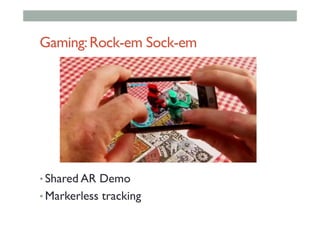
  • 301.
  • 302.
    UbiVR – CAMAR CAMAR Companion CAMAR Viewer CAMAR Controller GIST - Korea
  • 303.
    ubiHome @ GIST ©ubiHome What/When/How Where/When Mediaservices Who/What/ When/How ubiKey Couch SensorPDA Tag-it Door Sensor ubiTrack When/HowWhen/HowWho/What/When/How Light service MR window
  • 304.
    Example: Social Panoramas • GoogleGlass • Capture live image panorama (compass + camera) • Remote device (tablet) • Immersive viewing, live annotation Reichherzer, C., Nassani, A., & Billinghurst, M. (2014). Social panoramas using wearable computers. In Mixed and Augmented Reality (ISMAR), 2014 IEEE International Symposium on (pp. 303-304). IEEE.
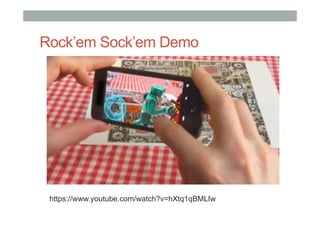
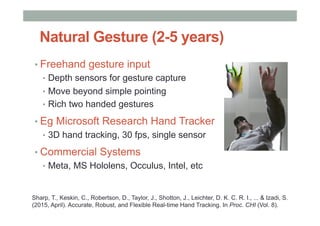
  • 305.
  • 306.
    Empathy Glasses (CHI2016) •  Combine together eye-tracking, display, face expression •  Impicit cues – eye gaze, face expression ++ Pupil Labs Epson BT-200 AffectiveWear Masai, K., Sugimoto, M., Kunze, K., & Billinghurst, M. (2016, May). Empathy Glasses. In Proceedings of the 34th Annual ACM Conference Extended Abstracts on Human Factors in Computing Systems. ACM.
  • 307.
    AffectiveWear – EmotionGlasses •  Photo sensors to recognize expression •  User calibration •  Machine learning •  Recognizing 8 face expressions
  • 308.
    Remote Collboration • Eye gazepointer and remote pointing • Face expression display • Implicit cues for remote collaboration
  • 309.
    Example: Holoportation •  AugmentedReality + 3D capture + high bandwidth •  http://research.microsoft.com/en-us/projects/holoportation/
  • 310.
  • 311.
    Example:SocialAcceptance • People don’t wantto look silly •  Only 12% of 4,600 adults would be willing to wear AR glasses •  20% of mobile AR browser users experience social issues • Acceptance more due to Social than Technical issues •  Needs further study (ethnographic, field tests, longitudinal)
  • 312.
  • 313.
  • 316.
    Scaling Up • Seeing actionsof millions of users in the world • Augmentation on city/country level
  • 317.
    AR + SmartSensors + Social Networks • Track population at city scale (mobile networks) • Match population data to external sensor data • Mine data for applications
  • 318.
    Example: MIT SENSEableCity Lab https://www.youtube.com/watch?v=eXOCbrQYqbY http://senseable.mit.edu/wikicity/rome/
  • 319.
    Example: CSIRO WeFeelTool • Emotionally mining global Twitter feeds • http://wefeel.csiro.au
  • 320.
  • 321.
  • 322.
  • 323.
    Books • Unity Virtual RealityProjects •  Jonathan Linowes • Holistic Game Development with Unity •  Penny de Byl
  • 324.
    Useful Resources •  GoogleCardboard main page •  https://www.google.com/get/cardboard/ •  Developer Website •  https://www.google.com/get/cardboard/developers/ •  Building a VR app for Cardboard •  http://www.sitepoint.com/building-a-google-cardboard-vr-app-in-unity/ •  Creating VR game for Cardboard •  http://danielborowski.com/posts/create-a-virtual-reality-game-for- google-cardboard/ •  Moving in VR space •  http://www.instructables.com/id/Prototyping-Interactive-Environments- in-Virtual-Re/
  • 325.
    Resources •  Excellent book • 3D User Interfaces: Theory and Practice •  Doug Bowman, Ernst Kruijff, Joseph, LaViola, Ivan Poupyrev •  Great Website •  http://www.uxofvr.com/ •  International 3DUI group •  Mailing list, annotated bibliography •  www.3dui.org •  3DI research at Virginia Tech. •  research.cs.vt.edu/3di/
  • 326.
  • 327.
  • 328.
  • 329.
    Steps for Settingup Wikitude 1.  Register for Wikitude account •  http://www.wikitude.com 2.  Register for web hosting account •  http://www.000webhost.com •  Or use own domain and server hosting
  • 330.
  • 331.
    Free Web Hosting • KML • [putstuff here] • ARML • [put stuff here]
  • 332.
  • 333.
  • 334.
    Wikitude Studio Drag anyimage here that you want to track for AR Naming
  • 335.
  • 336.
  • 337.
    Wikitude Studio *.wt3 3Dfile (encoded by wikitude encoder)
  • 338.
    Wikitude Studio Drag andalign the object to centre (to preview in mobile wikitude App)
  • 339.
  • 340.
    Wikitude Studio Fill upall the required details, and then Publish now!
  • 341.
    Mobile App Preview:Wikitude Search in wikitude: name of your project
  • 342.
  • 343.
  • 344.
  • 345.
  • 346.
  • 347.
  • 348.
    Customize Additional Features ARApplication Additional VR360 on HMD
  • 349.
    Customize Additional Features ARApplication Button 1 2 Additional VR360 on HMD
  • 350.
    Customize Additional Features ARApplication Button How it works? •  Additional HTML5, WebVR •  Allows customization •  Mobile devices for HMD (eg. Google Cardboard) 1 2 Additional VR360 on HMD
  • 351.
    Customize Additional Feature • AR Application /AR Browser •  2D image-based AR tracking •  HTML5 in-app web browser for additional feature •  Include a series of VR360 content •  Requirements •  AR authoring software /platform •  Online hosting for additional feature /content
  • 352.
  • 353.
  • 354.
    Managing files indomain + server •  Download files needed for this workshop •  http://www.laboratoryworkshop.net23.net •  Examples of URL of our uploaded files •  http://www.markbillinghurst.com/virtualreality360tour •  http://www.laboratoryworkshop.net23.net/virtualreality360tour •  http://www.zisiangsee.com/virtualreality360tour •  http://www.elnadiana.net23.net/virtualreality360tour •  http://www.human.net23.net/virtualreality360tour
  • 355.
    Free Web Hosting • KML • [putstuff here] • ARML • [put stuff here]
  • 356.
    Uploading online content Clickon “upload”
  • 357.
    Uploading online content • KML • [putstuff here] • ARML • [put stuff here] File Manager
  • 358.
  • 359.
    Uploading online content Openthis folder “virtualreality360tour”
  • 360.
    Uploading online content view“index.html”
  • 361.
    Uploading online content Copythis URL (to paste it in wikitude)
  • 362.
  • 363.
  • 364.
    Wikitude Studio Fill upall the required details, and then Publish now!
  • 365.
    Mobile App Preview:Wikitude Search in wikitude: name of your project
  • 366.
    Mobile App Preview Navigation • Next /previous button •  Gallery selection •  Gyroscope activation •  Stereo view •  Full screen
  • 367.
    Mobile App Preview Stereoview •  Head mount device (HMD) e.g. google cardboard
  • 368.
  • 369.
    Mobile App Preview Experience • Hands-free next/forward access •  Insert in google cardboard
  • 370.
  • 371.
  • 372.
    HMD 360 Experience • Design and Development •  Content creation •  Display platforms or systems •  Tracking approaches
  • 373.
  • 374.
    Wikitude Studio (cloud-based) • Benefits •  Quick authoring process •  Instant AR/VR experience generated •  Generated content can be used in SDK •  Current limitation •  Limited control for some multimedia elements •  Fully rely on network performance •  SDK may be costly for further implimentation •  Suitability •  Exhibition •  Prototyping •  Info /edutainment multimedia projects •  Industrial applications