EASY VIRTUAL REALITY
Mark Billinghurst
mark.billinghurst@unisa.edu.au
March 18th 2017
Introduction to
Virtual Reality
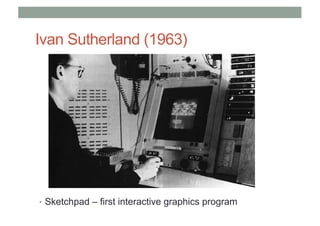
Ivan Sutherland (1963)
• Sketchpad – first interactive graphics program
The Ultimate Display
“The ultimate display would, of course, be a room
within which the computer can control the
existence of matter. A chair displayed in such a
room would be good enough to sit in. Handcuffs
displayed in such a room would be confining, and
a bullet displayed in such a room would be fatal”.
Ivan Sutherland, 1965
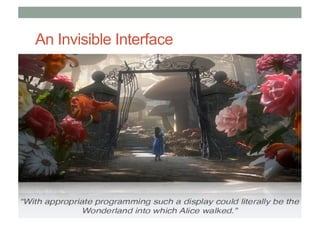
An Invisible Interface
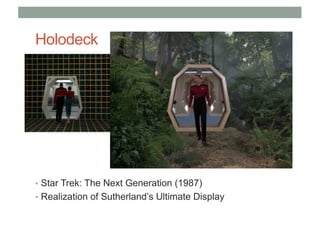
Holodeck
• Star Trek: The Next Generation (1987)
• Realization of Sutherland’s Ultimate Display
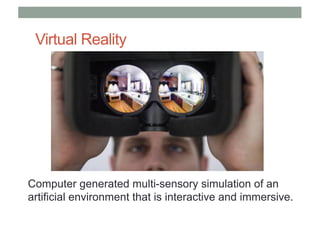
Virtual Reality
Computer generated multi-sensory simulation of an
artificial environment that is interactive and immersive.
What is Virtual Reality?
Virtual reality is..
a computer technology that replicates an
environment, real or imagined, and simulates a
user's physical presence and environment to
allow for user interaction. (Wikipedia)
• Defining Characteristics
• Environment simulation
• Presence
• Interaction
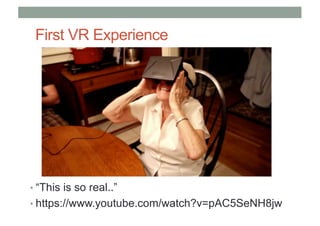
First VR Experience
• “This is so real..”
• https://www.youtube.com/watch?v=pAC5SeNH8jw
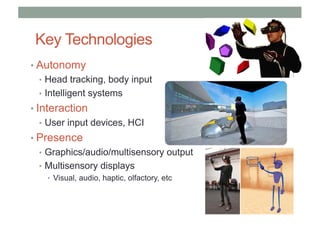
Key Technologies
• Autonomy
• Head tracking, body input
• Intelligent systems
• Interaction
• User input devices, HCI
• Presence
• Graphics/audio/multisensory output
• Multisensory displays
• Visual, audio, haptic, olfactory, etc
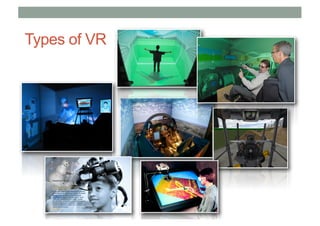
Types of VR
1
2
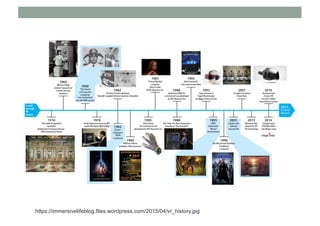
VR History
https://immersivelifeblog.files.wordpress.com/2015/04/vr_history.jpg
When anything new comes along, everyone,
like a child discovering the world thinks that
they’ve invented it, but you scratch a little
and you find a caveman scratching on a wall
is creating virtual reality in a sense.
Morton Helig (Hammit 1993)
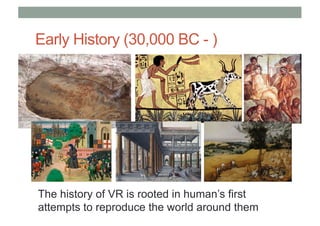
Early History (30,000 BC - )
The history of VR is rooted in human’s first
attempts to reproduce the world around them
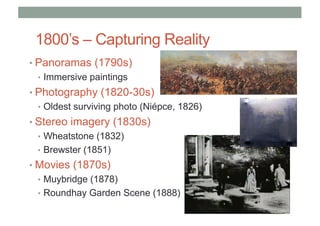
1800’s – Capturing Reality
• Panoramas (1790s)
• Immersive paintings
• Photography (1820-30s)
• Oldest surviving photo (Niépce, 1826)
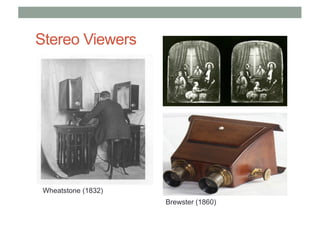
• Stereo imagery (1830s)
• Wheatstone (1832)
• Brewster (1851)
• Movies (1870s)
• Muybridge (1878)
• Roundhay Garden Scene (1888)
Stereo Viewers
Wheatstone (1832)
Brewster (1860)
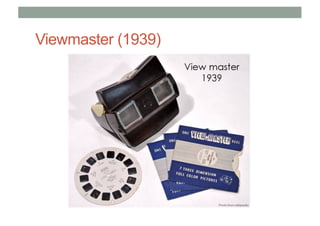
Viewmaster (1939)
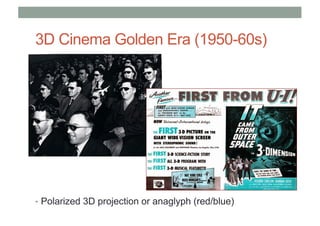
3D Cinema Golden Era (1950-60s)
• Polarized 3D projection or anaglyph (red/blue)
1900s – Interactive Experiences
• Early Simulators (<1960s)
• Flight simulation
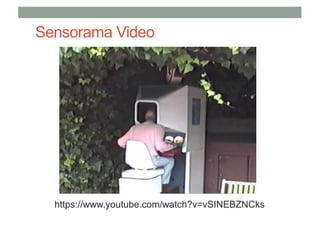
• Sensorama (1955)
• Early HMDs (1960s)
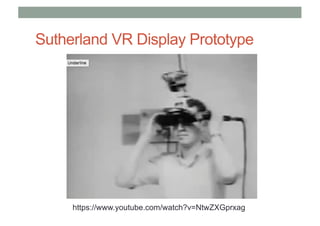
• Philco, Ivan Sutherland
• Military + University Research (1970-80s)
• US Airforce, NASA, MIT, UNC
• First Commercial Wave (1980-90s)
• VPL, Virtual i-O, Division, Virtuality
• VR Arcades, Virtual Boy
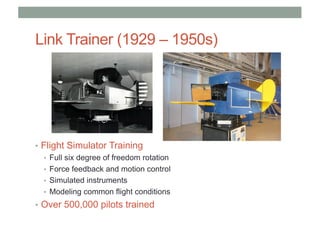
Link Trainer (1929 – 1950s)
• Flight Simulator Training
• Full six degree of freedom rotation
• Force feedback and motion control
• Simulated instruments
• Modeling common flight conditions
• Over 500,000 pilots trained
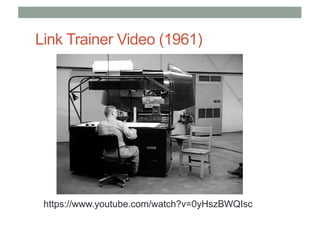
Link Trainer Video (1961)
https://www.youtube.com/watch?v=0yHszBWQIsc
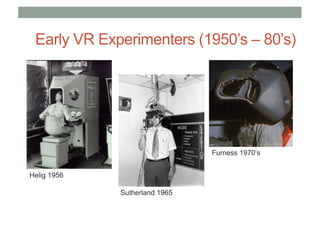
Early VR Experimenters (1950’s – 80’s)
Helig 1956
Sutherland 1965
Furness 1970’s
Sensorama Video
https://www.youtube.com/watch?v=vSINEBZNCks
Sutherland VR Display Prototype
https://www.youtube.com/watch?v=NtwZXGprxag
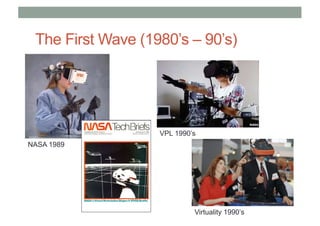
The First Wave (1980’s – 90’s)
NASA 1989
VPL 1990’s
Virtuality 1990’s
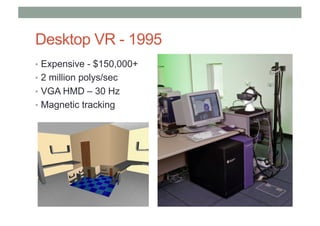
Desktop VR - 1995
• Expensive - $150,000+
• 2 million polys/sec
• VGA HMD – 30 Hz
• Magnetic tracking
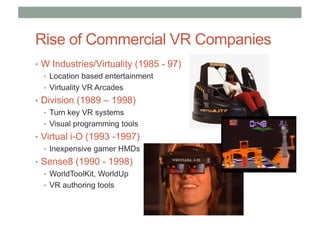
Rise of Commercial VR Companies
• W Industries/Virtuality (1985 - 97)
• Location based entertainment
• Virtuality VR Arcades
• Division (1989 – 1998)
• Turn key VR systems
• Visual programming tools
• Virtual i-O (1993 -1997)
• Inexpensive gamer HMDs
• Sense8 (1990 - 1998)
• WorldToolKit, WorldUp
• VR authoring tools
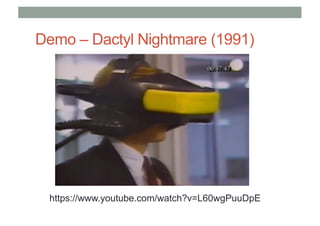
Demo – Dactyl Nightmare (1991)
https://www.youtube.com/watch?v=L60wgPuuDpE
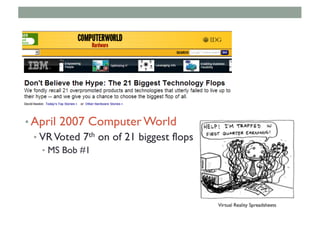
• April 2007 Computer World
• VRVoted 7th on of 21 biggest flops
• MS Bob #1
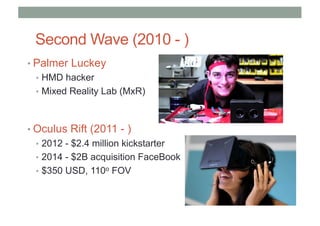
Second Wave (2010 - )
• Palmer Luckey
• HMD hacker
• Mixed Reality Lab (MxR)
• Oculus Rift (2011 - )
• 2012 - $2.4 million kickstarter
• 2014 - $2B acquisition FaceBook
• $350 USD, 110o FOV
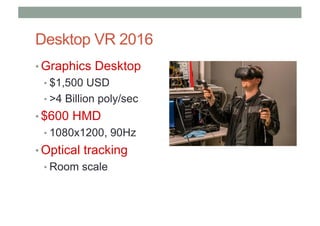
Desktop VR 2016
• Graphics Desktop
• $1,500 USD
• >4 Billion poly/sec
• $600 HMD
• 1080x1200, 90Hz
• Optical tracking
• Room scale
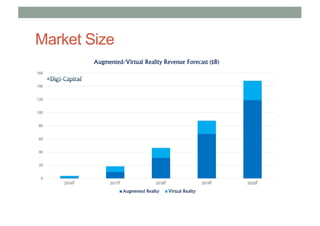
Market Size
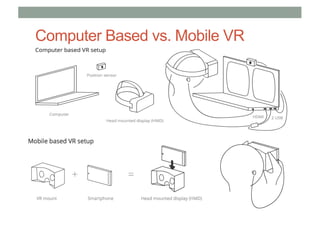
Computer Based vs. Mobile VR
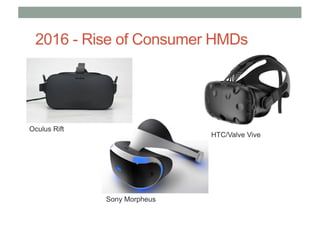
Oculus Rift
Sony Morpheus
HTC/Valve Vive
2016 - Rise of Consumer HMDs
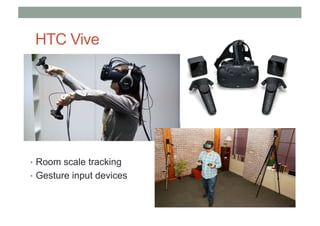
HTC Vive
• Room scale tracking
• Gesture input devices
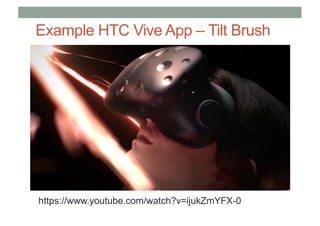
Example HTC Vive App – Tilt Brush
https://www.youtube.com/watch?v=ijukZmYFX-0
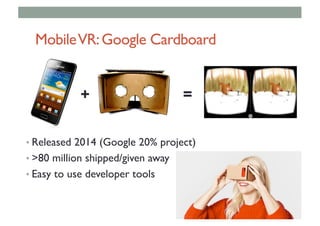
MobileVR:Google Cardboard
• Released 2014 (Google 20% project)
• >80 million shipped/given away
• Easy to use developer tools
+ =
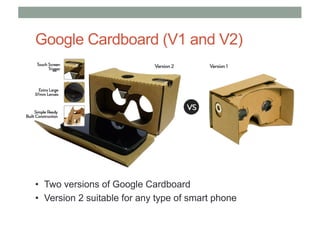
Google Cardboard (V1 and V2)
• Two versions of Google Cardboard
• Version 2 suitable for any type of smart phone
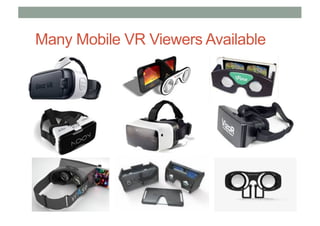
Many Mobile VR Viewers Available
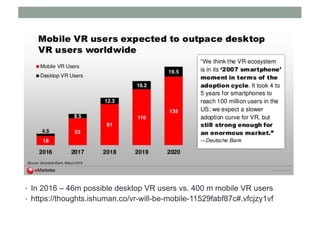
• In 2016 – 46m possible desktop VR users vs. 400 m mobile VR users
• https://thoughts.ishuman.co/vr-will-be-mobile-11529fabf87c#.vfcjzy1vf
• zxcvz
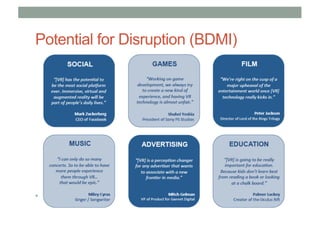
Potential for Disruption (BDMI)
• asD
Why 2016 won’t be like 1996
• It’s not just VR anymore
• Huge amount of investment
• Inexpensive hardware platforms
• Easy to use content creation tools
• New devices for input and output
• Proven use cases – no more Hype!
• Most important: Focus on User Experience
Conclusion
• Virtual Reality has a long history
• > 50 years of HMDs, simulators
• Key elements for VR were in place by early 1990’s
• Displays, tracking, input, graphics
• Strong support from military, government, universities
• First commercial wave failed in late 1990’s
• Too expensive, bad user experience, poor technology, etc
• We are now in second commercial wave
• Better experience, Affordable hardware
• Large commercial investment, Significant installed user base
• Will Virtual Reality be a commercial success this time?
Mobile VR Applications
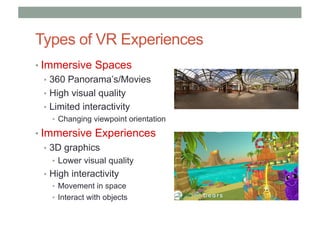
Types of VR Experiences
• Immersive Spaces
• 360 Panorama’s/Movies
• High visual quality
• Limited interactivity
• Changing viewpoint orientation
• Immersive Experiences
• 3D graphics
• Lower visual quality
• High interactivity
• Movement in space
• Interact with objects
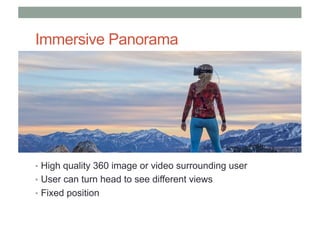
Immersive Panorama
• High quality 360 image or video surrounding user
• User can turn head to see different views
• Fixed position
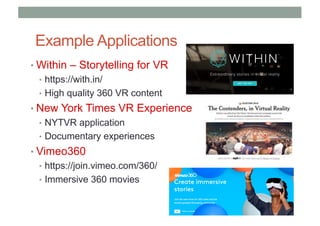
Example Applications
• Within – Storytelling for VR
• https://with.in/
• High quality 360 VR content
• New York Times VR Experience
• NYTVR application
• Documentary experiences
• Vimeo360
• https://join.vimeo.com/360/
• Immersive 360 movies
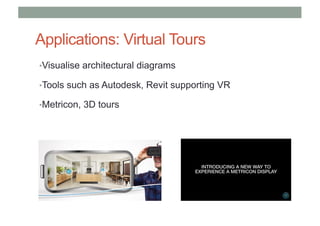
Applications: Virtual Tours
•Visualise architectural diagrams
•Tools such as Autodesk, Revit supporting VR
•Metricon, 3D tours
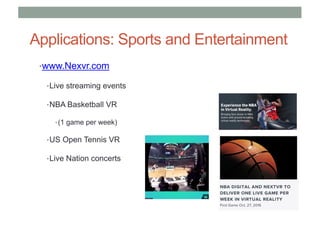
Applications: Sports and Entertainment
•www.Nexvr.com
•Live streaming events
•NBA Basketball VR
•(1 game per week)
•US Open Tennis VR
•Live Nation concerts
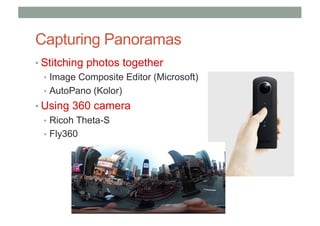
Capturing Panoramas
• Stitching photos together
• Image Composite Editor (Microsoft)
• AutoPano (Kolor)
• Using 360 camera
• Ricoh Theta-S
• Fly360
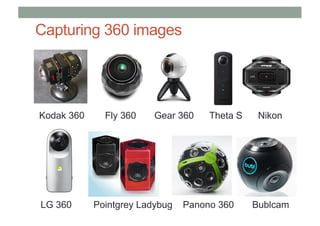
Capturing 360 images
Kodak 360 Fly 360 Gear 360 Theta S Nikon
LG 360 Pointgrey Ladybug Panono 360 Bublcam
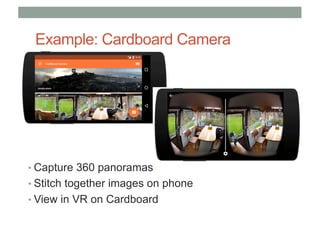
Example: Cardboard Camera
• Capture 360 panoramas
• Stitch together images on phone
• View in VR on Cardboard
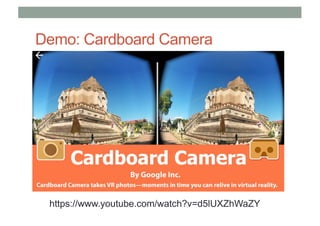
Demo: Cardboard Camera
https://www.youtube.com/watch?v=d5lUXZhWaZY
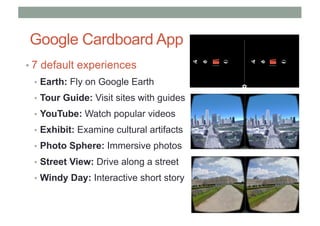
Google Cardboard App
• 7 default experiences
• Earth: Fly on Google Earth
• Tour Guide: Visit sites with guides
• YouTube: Watch popular videos
• Exhibit: Examine cultural artifacts
• Photo Sphere: Immersive photos
• Street View: Drive along a street
• Windy Day: Interactive short story
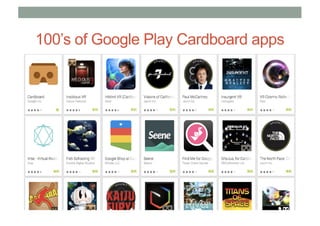
100’s of Google Play Cardboard apps
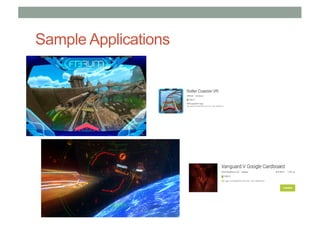
Sample Applications
Building VR
Experiences
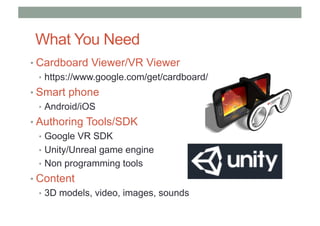
What You Need
• Cardboard Viewer/VR Viewer
• https://www.google.com/get/cardboard/
• Smart phone
• Android/iOS
• Authoring Tools/SDK
• Google VR SDK
• Unity/Unreal game engine
• Non programming tools
• Content
• 3D models, video, images, sounds
Software Tools
• Low level SDKs
• Need programming ability
• Java, C#, C++, etc
• Example: Google VR SDK (iOS, Android)
• https://developers.google.com/vr/
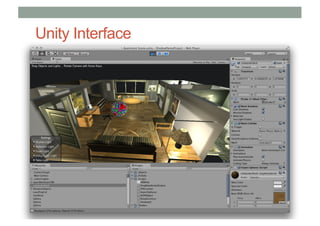
• Game Engines
• Powerful, need scripting ability
• Unity - https://unity3d.com/
• Unreal - https://www.unrealengine.com/vr
• Combine with VR plugins (HMDs, input devices)
• Google VR Unity plugin
Unity Interface
Tools for Non-Programmers
• Focus on Design, ease of use
• Visual Programming, content arrangement
• Examples
• Insta-VR – 360 panoramas
• http://www.instavr.co/
• Vizor – VR on the Web
• http://vizor.io/
• A-frame – HTML based
• https://aframe.io/
• ENTiTi – Both AR and VR authoring
• http://www.wakingapp.com/
• Eon Creator – Drag and drop tool for AR/VR
• http://www.eonreality.com/eon-creator/
Panorama VR:
InstaVR
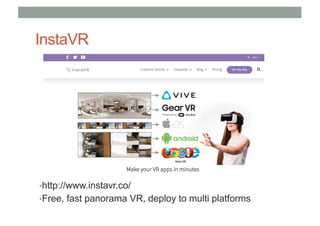
InstaVR
•http://www.instavr.co/
•Free, fast panorama VR, deploy to multi platforms
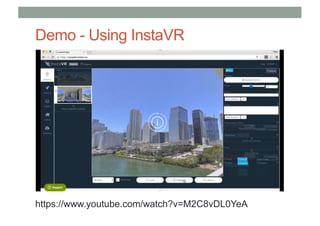
Demo - Using InstaVR
https://www.youtube.com/watch?v=M2C8vDL0YeA
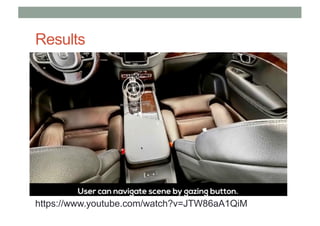
Results
https://www.youtube.com/watch?v=JTW86aA1QiM
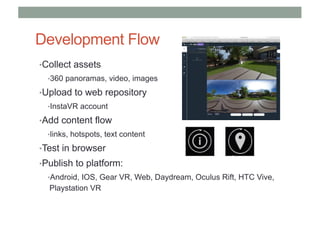
Development Flow
•Collect assets
•360 panoramas, video, images
•Upload to web repository
•InstaVR account
•Add content flow
•links, hotspots, text content
•Test in browser
•Publish to platform:
•Android, IOS, Gear VR, Web, Daydream, Oculus Rift, HTC Vive,
Playstation VR
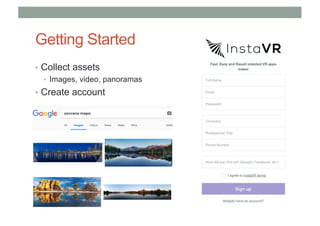
Getting Started
• Collect assets
• Images, video, panoramas
• Create account
Process
• 1. Authoring
• Upload content and create links
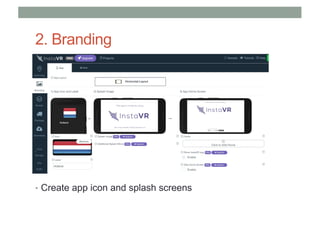
• 2. Branding
• Create icon, splash image, etc
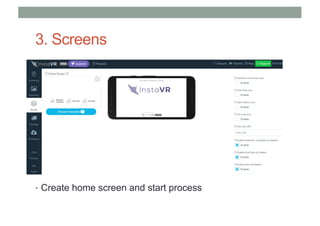
• 3. Create Screens
• Home screen, launch experience
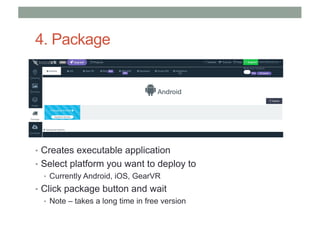
• 4. Package into application
• Create Android .apk file, iOS, etc
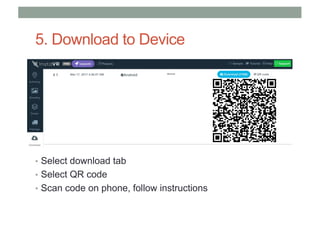
• 5. Download to device
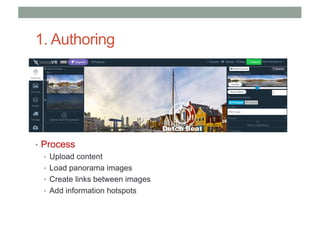
1. Authoring
• Process
• Upload content
• Load panorama images
• Create links between images
• Add information hotspots
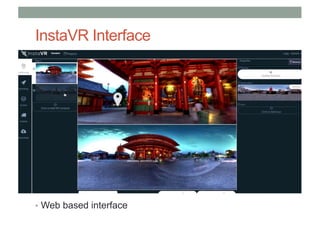
InstaVR Interface
• Web based interface
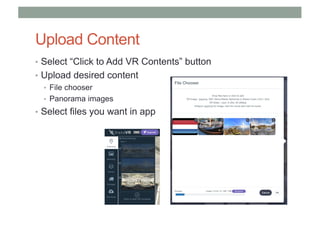
Upload Content
• Select “Click to Add VR Contents” button
• Upload desired content
• File chooser
• Panorama images
• Select files you want in app
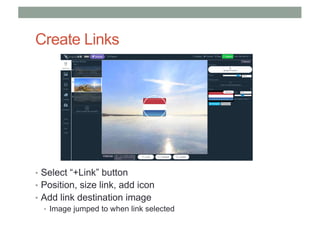
Create Links
• Select “+Link” button
• Position, size link, add icon
• Add link destination image
• Image jumped to when link selected
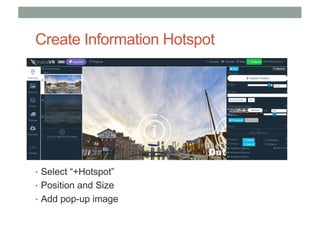
Create Information Hotspot
• Select “+Hotspot”
• Position and Size
• Add pop-up image
2. Branding
• Create app icon and splash screens
3. Screens
• Create home screen and start process
4. Package
• Creates executable application
• Select platform you want to deploy to
• Currently Android, iOS, GearVR
• Click package button and wait
• Note – takes a long time in free version
5. Download to Device
• Select download tab
• Select QR code
• Scan code on phone, follow instructions
3D VR scenes
using ENTiTi
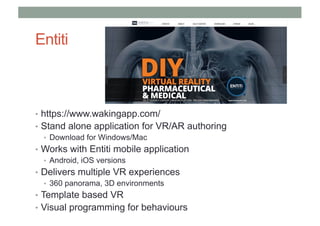
Entiti
• https://www.wakingapp.com/
• Stand alone application for VR/AR authoring
• Download for Windows/Mac
• Works with Entiti mobile application
• Android, iOS versions
• Delivers multiple VR experiences
• 360 panorama, 3D environments
• Template based VR
• Visual programming for behaviours
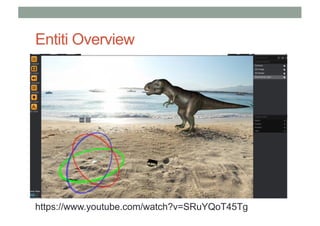
Entiti Overview
https://www.youtube.com/watch?v=SRuYQoT45Tg
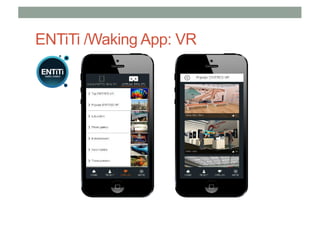
ENTiTi /Waking App: VR
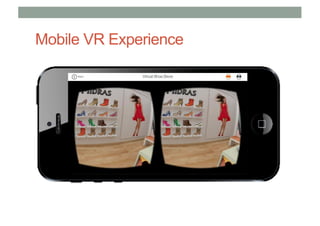
Mobile VR Experience
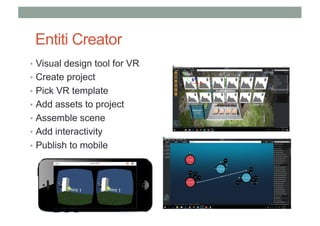
Entiti Creator
• Visual design tool for VR
• Create project
• Pick VR template
• Add assets to project
• Assemble scene
• Add interactivity
• Publish to mobile
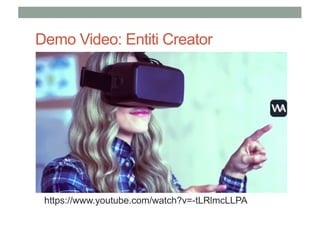
Demo Video: Entiti Creator
https://www.youtube.com/watch?v=-tLRlmcLLPA
Using Entiti Creator
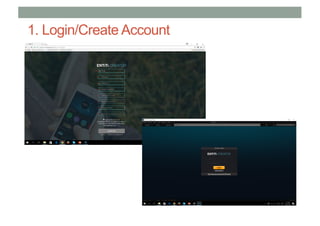
1. Login
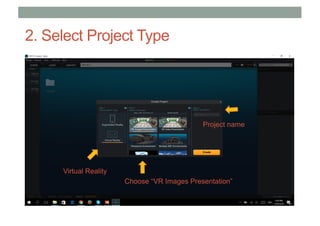
2. Select Project type/template
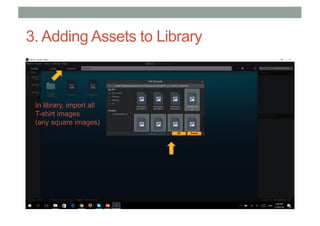
3. Add assets to asset library
4. Drop assets into VR scene
5. Add behaviours (optional)
6. Publish and view on mobile
1. Login/Create Account
2. Select Project Type
Virtual Reality
Project name
Choose “VR Images Presentation”
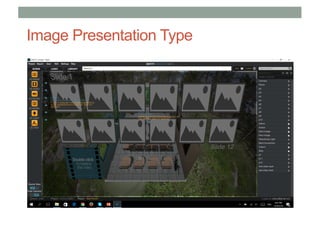
Image Presentation Type
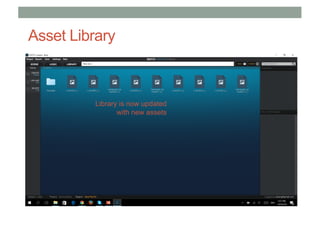
3. Adding Assets to Library
In library, import all
T-shirt images
(any square images)
Asset Library
Library is now updated
with new assets
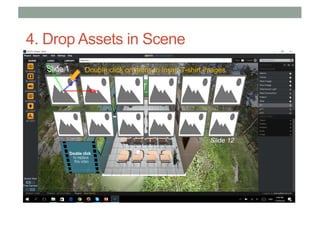
4. Drop Assets in Scene
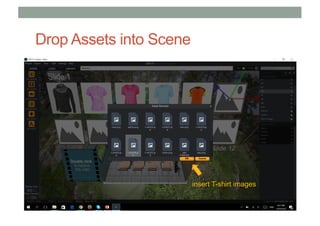
Double click on items to insert T-shirt images
Drop Assets into Scene
insert T-shirt images
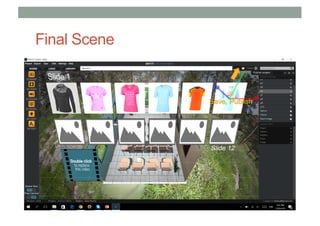
Final Scene
Save, Publish
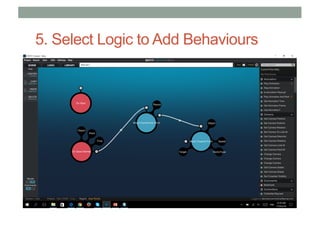
5. Select Logic to Add Behaviours
Demo: Using Entiti Logic
https://www.youtube.com/watch?v=3OeBkdhzMXs
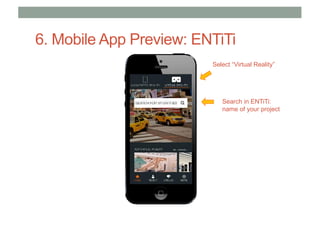
6. Mobile App Preview: ENTiTi
Search in ENTiTi:
name of your project
Select “Virtual Reality”
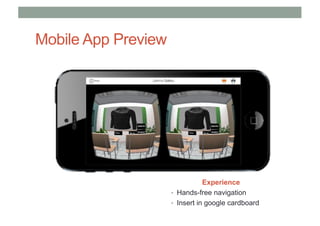
Mobile App Preview
Experience
• Hands-free navigation
• Insert in google cardboard
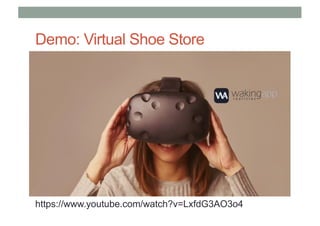
Demo: Virtual Shoe Store
https://www.youtube.com/watch?v=LxfdG3AO3o4
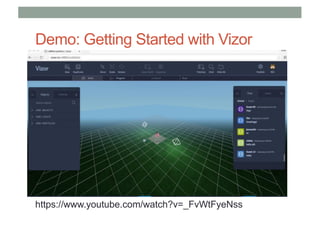
Vizor: Web based VR
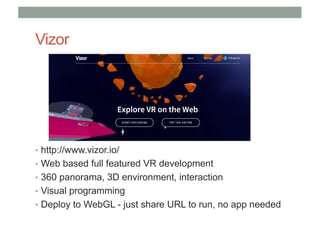
Vizor
• http://www.vizor.io/
• Web based full featured VR development
• 360 panorama, 3D environment, interaction
• Visual programming
• Deploy to WebGL - just share URL to run, no app needed
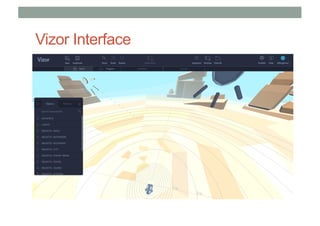
Vizor Interface
Demo: Getting Started with Vizor
https://www.youtube.com/watch?v=_FvWtFyeNss
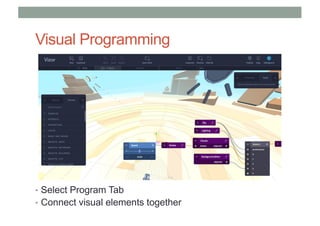
Visual Programming
• Select Program Tab
• Connect visual elements together
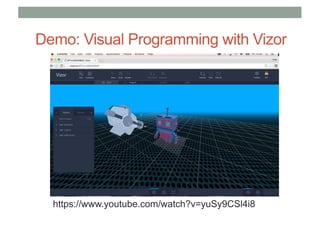
Demo: Visual Programming with Vizor
https://www.youtube.com/watch?v=yuSy9CSl4i8
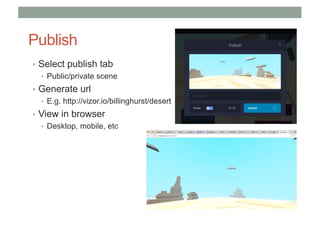
Publish
• Select publish tab
• Public/private scene
• Generate url
• E.g. http://vizor.io/billinghurst/desert
• View in browser
• Desktop, mobile, etc
VR Research
Many Areas for VR Research
• Display
• Wide field of view, new display technologies
• Tracking
• Precise tracking, wide area
• Interaction
• Natural gesture interaction, human factors
• Authoring Tools
• Content capture, authoring in VR
• Applications
• Collaboration, large scale VR
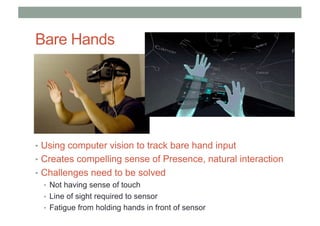
Bare Hands
• Using computer vision to track bare hand input
• Creates compelling sense of Presence, natural interaction
• Challenges need to be solved
• Not having sense of touch
• Line of sight required to sensor
• Fatigue from holding hands in front of sensor
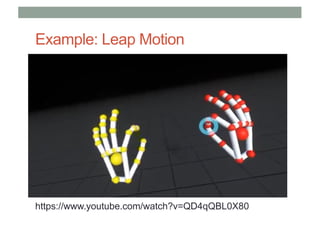
Example: Leap Motion
https://www.youtube.com/watch?v=QD4qQBL0X80
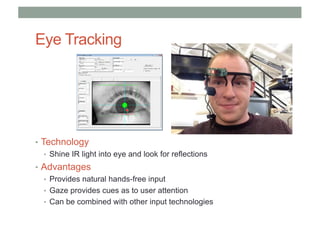
Eye Tracking
• Technology
• Shine IR light into eye and look for reflections
• Advantages
• Provides natural hands-free input
• Gaze provides cues as to user attention
• Can be combined with other input technologies
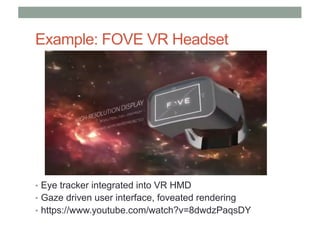
Example: FOVE VR Headset
• Eye tracker integrated into VR HMD
• Gaze driven user interface, foveated rendering
• https://www.youtube.com/watch?v=8dwdzPaqsDY
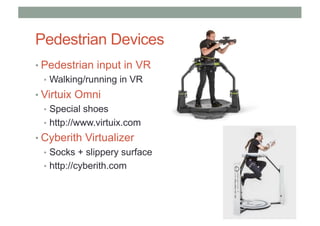
Pedestrian Devices
• Pedestrian input in VR
• Walking/running in VR
• Virtuix Omni
• Special shoes
• http://www.virtuix.com
• Cyberith Virtualizer
• Socks + slippery surface
• http://cyberith.com
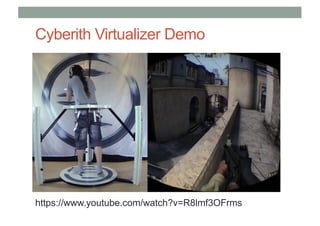
Cyberith Virtualizer Demo
https://www.youtube.com/watch?v=R8lmf3OFrms
Social VR
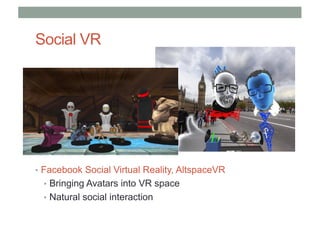
• Facebook Social Virtual Reality, AltspaceVR
• Bringing Avatars into VR space
• Natural social interaction
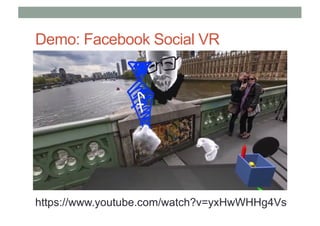
Demo: Facebook Social VR
https://www.youtube.com/watch?v=yxHwWHHg4Vs
Conclusion
Conclusion
• VR has a long history
• Early prototypes from 1960’s onwards
• VR is having second phase of commercial success
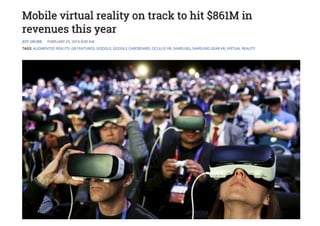
• Projected to grow to over $120B market by 2020
• Mostly mobile VR in near term
• It is easier than ever before to develop VR apps
• Multiple easy to use tools for non-programmers
• Powerful developer tools for programmers
• There are many opportunities for VR research
• Collaboration, interaction, navigation, etc
Thank you
www.empathiccomputing.org
@marknb00
mark.billinghurst@unisa.edu.au

Easy Virtual Reality

  • 1.
    EASY VIRTUAL REALITY MarkBillinghurst mark.billinghurst@unisa.edu.au March 18th 2017
  • 2.
  • 3.
    Ivan Sutherland (1963) •Sketchpad – first interactive graphics program
  • 4.
    The Ultimate Display “Theultimate display would, of course, be a room within which the computer can control the existence of matter. A chair displayed in such a room would be good enough to sit in. Handcuffs displayed in such a room would be confining, and a bullet displayed in such a room would be fatal”. Ivan Sutherland, 1965
  • 5.
  • 6.
    Holodeck • Star Trek:The Next Generation (1987) • Realization of Sutherland’s Ultimate Display
  • 7.
    Virtual Reality Computer generatedmulti-sensory simulation of an artificial environment that is interactive and immersive.
  • 9.
    What is VirtualReality? Virtual reality is.. a computer technology that replicates an environment, real or imagined, and simulates a user's physical presence and environment to allow for user interaction. (Wikipedia) • Defining Characteristics • Environment simulation • Presence • Interaction
  • 10.
    First VR Experience •“This is so real..” • https://www.youtube.com/watch?v=pAC5SeNH8jw
  • 11.
    Key Technologies • Autonomy •Head tracking, body input • Intelligent systems • Interaction • User input devices, HCI • Presence • Graphics/audio/multisensory output • Multisensory displays • Visual, audio, haptic, olfactory, etc
  • 12.
  • 13.
  • 14.
  • 15.
    When anything newcomes along, everyone, like a child discovering the world thinks that they’ve invented it, but you scratch a little and you find a caveman scratching on a wall is creating virtual reality in a sense. Morton Helig (Hammit 1993)
  • 16.
    Early History (30,000BC - ) The history of VR is rooted in human’s first attempts to reproduce the world around them
  • 17.
    1800’s – CapturingReality • Panoramas (1790s) • Immersive paintings • Photography (1820-30s) • Oldest surviving photo (Niépce, 1826) • Stereo imagery (1830s) • Wheatstone (1832) • Brewster (1851) • Movies (1870s) • Muybridge (1878) • Roundhay Garden Scene (1888)
  • 18.
  • 19.
  • 20.
    3D Cinema GoldenEra (1950-60s) • Polarized 3D projection or anaglyph (red/blue)
  • 21.
    1900s – InteractiveExperiences • Early Simulators (<1960s) • Flight simulation • Sensorama (1955) • Early HMDs (1960s) • Philco, Ivan Sutherland • Military + University Research (1970-80s) • US Airforce, NASA, MIT, UNC • First Commercial Wave (1980-90s) • VPL, Virtual i-O, Division, Virtuality • VR Arcades, Virtual Boy
  • 22.
    Link Trainer (1929– 1950s) • Flight Simulator Training • Full six degree of freedom rotation • Force feedback and motion control • Simulated instruments • Modeling common flight conditions • Over 500,000 pilots trained
  • 23.
    Link Trainer Video(1961) https://www.youtube.com/watch?v=0yHszBWQIsc
  • 24.
    Early VR Experimenters(1950’s – 80’s) Helig 1956 Sutherland 1965 Furness 1970’s
  • 25.
  • 26.
    Sutherland VR DisplayPrototype https://www.youtube.com/watch?v=NtwZXGprxag
  • 27.
    The First Wave(1980’s – 90’s) NASA 1989 VPL 1990’s Virtuality 1990’s
  • 28.
    Desktop VR -1995 • Expensive - $150,000+ • 2 million polys/sec • VGA HMD – 30 Hz • Magnetic tracking
  • 29.
    Rise of CommercialVR Companies • W Industries/Virtuality (1985 - 97) • Location based entertainment • Virtuality VR Arcades • Division (1989 – 1998) • Turn key VR systems • Visual programming tools • Virtual i-O (1993 -1997) • Inexpensive gamer HMDs • Sense8 (1990 - 1998) • WorldToolKit, WorldUp • VR authoring tools
  • 30.
    Demo – DactylNightmare (1991) https://www.youtube.com/watch?v=L60wgPuuDpE
  • 31.
    • April 2007Computer World • VRVoted 7th on of 21 biggest flops • MS Bob #1
  • 32.
    Second Wave (2010- ) • Palmer Luckey • HMD hacker • Mixed Reality Lab (MxR) • Oculus Rift (2011 - ) • 2012 - $2.4 million kickstarter • 2014 - $2B acquisition FaceBook • $350 USD, 110o FOV
  • 33.
    Desktop VR 2016 •Graphics Desktop • $1,500 USD • >4 Billion poly/sec • $600 HMD • 1080x1200, 90Hz • Optical tracking • Room scale
  • 34.
  • 35.
  • 36.
    Oculus Rift Sony Morpheus HTC/ValveVive 2016 - Rise of Consumer HMDs
  • 37.
    HTC Vive • Roomscale tracking • Gesture input devices
  • 38.
    Example HTC ViveApp – Tilt Brush https://www.youtube.com/watch?v=ijukZmYFX-0
  • 39.
    MobileVR:Google Cardboard • Released2014 (Google 20% project) • >80 million shipped/given away • Easy to use developer tools + =
  • 40.
    Google Cardboard (V1and V2) • Two versions of Google Cardboard • Version 2 suitable for any type of smart phone
  • 41.
    Many Mobile VRViewers Available
  • 42.
    • In 2016– 46m possible desktop VR users vs. 400 m mobile VR users • https://thoughts.ishuman.co/vr-will-be-mobile-11529fabf87c#.vfcjzy1vf
  • 43.
  • 44.
  • 45.
    Why 2016 won’tbe like 1996 • It’s not just VR anymore • Huge amount of investment • Inexpensive hardware platforms • Easy to use content creation tools • New devices for input and output • Proven use cases – no more Hype! • Most important: Focus on User Experience
  • 46.
    Conclusion • Virtual Realityhas a long history • > 50 years of HMDs, simulators • Key elements for VR were in place by early 1990’s • Displays, tracking, input, graphics • Strong support from military, government, universities • First commercial wave failed in late 1990’s • Too expensive, bad user experience, poor technology, etc • We are now in second commercial wave • Better experience, Affordable hardware • Large commercial investment, Significant installed user base • Will Virtual Reality be a commercial success this time?
  • 47.
  • 48.
    Types of VRExperiences • Immersive Spaces • 360 Panorama’s/Movies • High visual quality • Limited interactivity • Changing viewpoint orientation • Immersive Experiences • 3D graphics • Lower visual quality • High interactivity • Movement in space • Interact with objects
  • 49.
    Immersive Panorama • Highquality 360 image or video surrounding user • User can turn head to see different views • Fixed position
  • 50.
    Example Applications • Within– Storytelling for VR • https://with.in/ • High quality 360 VR content • New York Times VR Experience • NYTVR application • Documentary experiences • Vimeo360 • https://join.vimeo.com/360/ • Immersive 360 movies
  • 51.
    Applications: Virtual Tours •Visualisearchitectural diagrams •Tools such as Autodesk, Revit supporting VR •Metricon, 3D tours
  • 52.
    Applications: Sports andEntertainment •www.Nexvr.com •Live streaming events •NBA Basketball VR •(1 game per week) •US Open Tennis VR •Live Nation concerts
  • 53.
    Capturing Panoramas • Stitchingphotos together • Image Composite Editor (Microsoft) • AutoPano (Kolor) • Using 360 camera • Ricoh Theta-S • Fly360
  • 54.
    Capturing 360 images Kodak360 Fly 360 Gear 360 Theta S Nikon LG 360 Pointgrey Ladybug Panono 360 Bublcam
  • 55.
    Example: Cardboard Camera •Capture 360 panoramas • Stitch together images on phone • View in VR on Cardboard
  • 56.
  • 57.
    Google Cardboard App •7 default experiences • Earth: Fly on Google Earth • Tour Guide: Visit sites with guides • YouTube: Watch popular videos • Exhibit: Examine cultural artifacts • Photo Sphere: Immersive photos • Street View: Drive along a street • Windy Day: Interactive short story
  • 58.
    100’s of GooglePlay Cardboard apps
  • 59.
  • 60.
  • 61.
    What You Need •Cardboard Viewer/VR Viewer • https://www.google.com/get/cardboard/ • Smart phone • Android/iOS • Authoring Tools/SDK • Google VR SDK • Unity/Unreal game engine • Non programming tools • Content • 3D models, video, images, sounds
  • 62.
    Software Tools • Lowlevel SDKs • Need programming ability • Java, C#, C++, etc • Example: Google VR SDK (iOS, Android) • https://developers.google.com/vr/ • Game Engines • Powerful, need scripting ability • Unity - https://unity3d.com/ • Unreal - https://www.unrealengine.com/vr • Combine with VR plugins (HMDs, input devices) • Google VR Unity plugin
  • 63.
  • 64.
    Tools for Non-Programmers •Focus on Design, ease of use • Visual Programming, content arrangement • Examples • Insta-VR – 360 panoramas • http://www.instavr.co/ • Vizor – VR on the Web • http://vizor.io/ • A-frame – HTML based • https://aframe.io/ • ENTiTi – Both AR and VR authoring • http://www.wakingapp.com/ • Eon Creator – Drag and drop tool for AR/VR • http://www.eonreality.com/eon-creator/
  • 65.
  • 66.
  • 67.
    Demo - UsingInstaVR https://www.youtube.com/watch?v=M2C8vDL0YeA
  • 68.
  • 69.
    Development Flow •Collect assets •360panoramas, video, images •Upload to web repository •InstaVR account •Add content flow •links, hotspots, text content •Test in browser •Publish to platform: •Android, IOS, Gear VR, Web, Daydream, Oculus Rift, HTC Vive, Playstation VR
  • 70.
    Getting Started • Collectassets • Images, video, panoramas • Create account
  • 71.
    Process • 1. Authoring •Upload content and create links • 2. Branding • Create icon, splash image, etc • 3. Create Screens • Home screen, launch experience • 4. Package into application • Create Android .apk file, iOS, etc • 5. Download to device
  • 72.
    1. Authoring • Process •Upload content • Load panorama images • Create links between images • Add information hotspots
  • 73.
  • 74.
    Upload Content • Select“Click to Add VR Contents” button • Upload desired content • File chooser • Panorama images • Select files you want in app
  • 75.
    Create Links • Select“+Link” button • Position, size link, add icon • Add link destination image • Image jumped to when link selected
  • 76.
    Create Information Hotspot •Select “+Hotspot” • Position and Size • Add pop-up image
  • 77.
    2. Branding • Createapp icon and splash screens
  • 78.
    3. Screens • Createhome screen and start process
  • 79.
    4. Package • Createsexecutable application • Select platform you want to deploy to • Currently Android, iOS, GearVR • Click package button and wait • Note – takes a long time in free version
  • 80.
    5. Download toDevice • Select download tab • Select QR code • Scan code on phone, follow instructions
  • 81.
  • 82.
    Entiti • https://www.wakingapp.com/ • Standalone application for VR/AR authoring • Download for Windows/Mac • Works with Entiti mobile application • Android, iOS versions • Delivers multiple VR experiences • 360 panorama, 3D environments • Template based VR • Visual programming for behaviours
  • 83.
  • 84.
  • 85.
  • 86.
    Entiti Creator • Visualdesign tool for VR • Create project • Pick VR template • Add assets to project • Assemble scene • Add interactivity • Publish to mobile
  • 87.
    Demo Video: EntitiCreator https://www.youtube.com/watch?v=-tLRlmcLLPA
  • 88.
    Using Entiti Creator 1.Login 2. Select Project type/template 3. Add assets to asset library 4. Drop assets into VR scene 5. Add behaviours (optional) 6. Publish and view on mobile
  • 89.
  • 90.
    2. Select ProjectType Virtual Reality Project name Choose “VR Images Presentation”
  • 91.
  • 92.
    3. Adding Assetsto Library In library, import all T-shirt images (any square images)
  • 93.
    Asset Library Library isnow updated with new assets
  • 94.
    4. Drop Assetsin Scene Double click on items to insert T-shirt images
  • 95.
    Drop Assets intoScene insert T-shirt images
  • 96.
  • 97.
    5. Select Logicto Add Behaviours
  • 98.
    Demo: Using EntitiLogic https://www.youtube.com/watch?v=3OeBkdhzMXs
  • 99.
    6. Mobile AppPreview: ENTiTi Search in ENTiTi: name of your project Select “Virtual Reality”
  • 100.
    Mobile App Preview Experience •Hands-free navigation • Insert in google cardboard
  • 101.
    Demo: Virtual ShoeStore https://www.youtube.com/watch?v=LxfdG3AO3o4
  • 102.
  • 103.
    Vizor • http://www.vizor.io/ • Webbased full featured VR development • 360 panorama, 3D environment, interaction • Visual programming • Deploy to WebGL - just share URL to run, no app needed
  • 104.
  • 105.
    Demo: Getting Startedwith Vizor https://www.youtube.com/watch?v=_FvWtFyeNss
  • 106.
    Visual Programming • SelectProgram Tab • Connect visual elements together
  • 107.
    Demo: Visual Programmingwith Vizor https://www.youtube.com/watch?v=yuSy9CSl4i8
  • 108.
    Publish • Select publishtab • Public/private scene • Generate url • E.g. http://vizor.io/billinghurst/desert • View in browser • Desktop, mobile, etc
  • 109.
  • 110.
    Many Areas forVR Research • Display • Wide field of view, new display technologies • Tracking • Precise tracking, wide area • Interaction • Natural gesture interaction, human factors • Authoring Tools • Content capture, authoring in VR • Applications • Collaboration, large scale VR
  • 111.
    Bare Hands • Usingcomputer vision to track bare hand input • Creates compelling sense of Presence, natural interaction • Challenges need to be solved • Not having sense of touch • Line of sight required to sensor • Fatigue from holding hands in front of sensor
  • 112.
  • 113.
    Eye Tracking • Technology •Shine IR light into eye and look for reflections • Advantages • Provides natural hands-free input • Gaze provides cues as to user attention • Can be combined with other input technologies
  • 114.
    Example: FOVE VRHeadset • Eye tracker integrated into VR HMD • Gaze driven user interface, foveated rendering • https://www.youtube.com/watch?v=8dwdzPaqsDY
  • 115.
    Pedestrian Devices • Pedestrianinput in VR • Walking/running in VR • Virtuix Omni • Special shoes • http://www.virtuix.com • Cyberith Virtualizer • Socks + slippery surface • http://cyberith.com
  • 116.
  • 117.
    Social VR • FacebookSocial Virtual Reality, AltspaceVR • Bringing Avatars into VR space • Natural social interaction
  • 118.
    Demo: Facebook SocialVR https://www.youtube.com/watch?v=yxHwWHHg4Vs
  • 119.
  • 120.
    Conclusion • VR hasa long history • Early prototypes from 1960’s onwards • VR is having second phase of commercial success • Projected to grow to over $120B market by 2020 • Mostly mobile VR in near term • It is easier than ever before to develop VR apps • Multiple easy to use tools for non-programmers • Powerful developer tools for programmers • There are many opportunities for VR research • Collaboration, interaction, navigation, etc
  • 121.
  • 122.