Download as PDF, PPTX








![Results – Per-condi#on ra#ng ques#onnaire
• Q1 I felt connected with my partner.
• Q2 I felt I was present with my partner.
• Q3 My partner was able to sense my presence.
• Q4 My partner (or for Remote Helper: I) could tell
when I (or for Remote Helper: my partner) needed assistance.
• Q5 I enjoyed the experience.
• Q6 I was able to focus on the task acIvity.
• Q7 I am confident that we completed the task correctly.
• Q8 My partner and I worked together well.
• Q9 I was able to express myself clearly.
• Q10 I was able to understand partner’s message.
• Q11 Informa9on from partner was helpful.
Adopted from [Kim et al. 2014]](https://image.slidesharecdn.com/ismar2016kunalpaper3-160920203841/75/Ismar-2016-Presentation-20-2048.jpg)


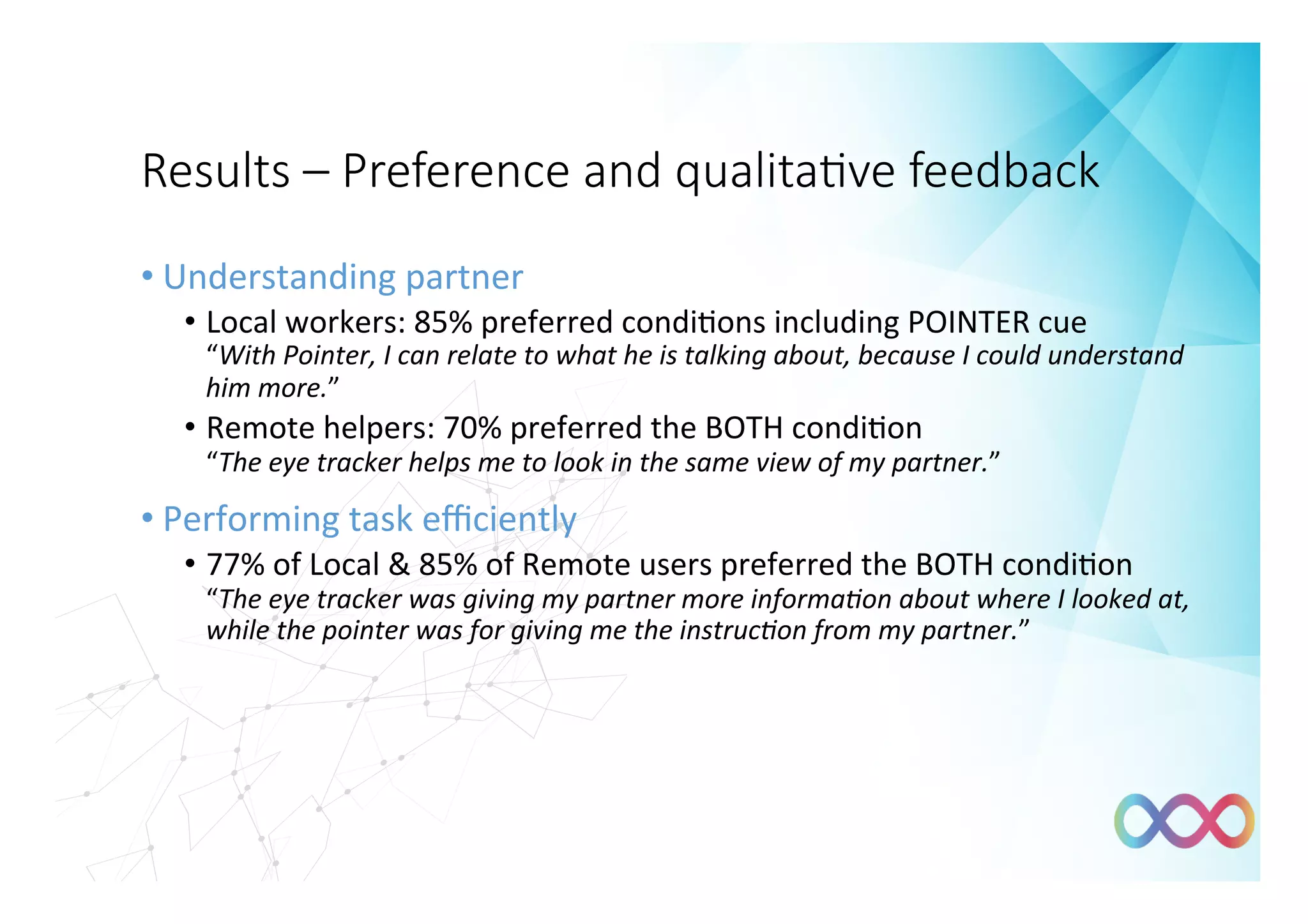
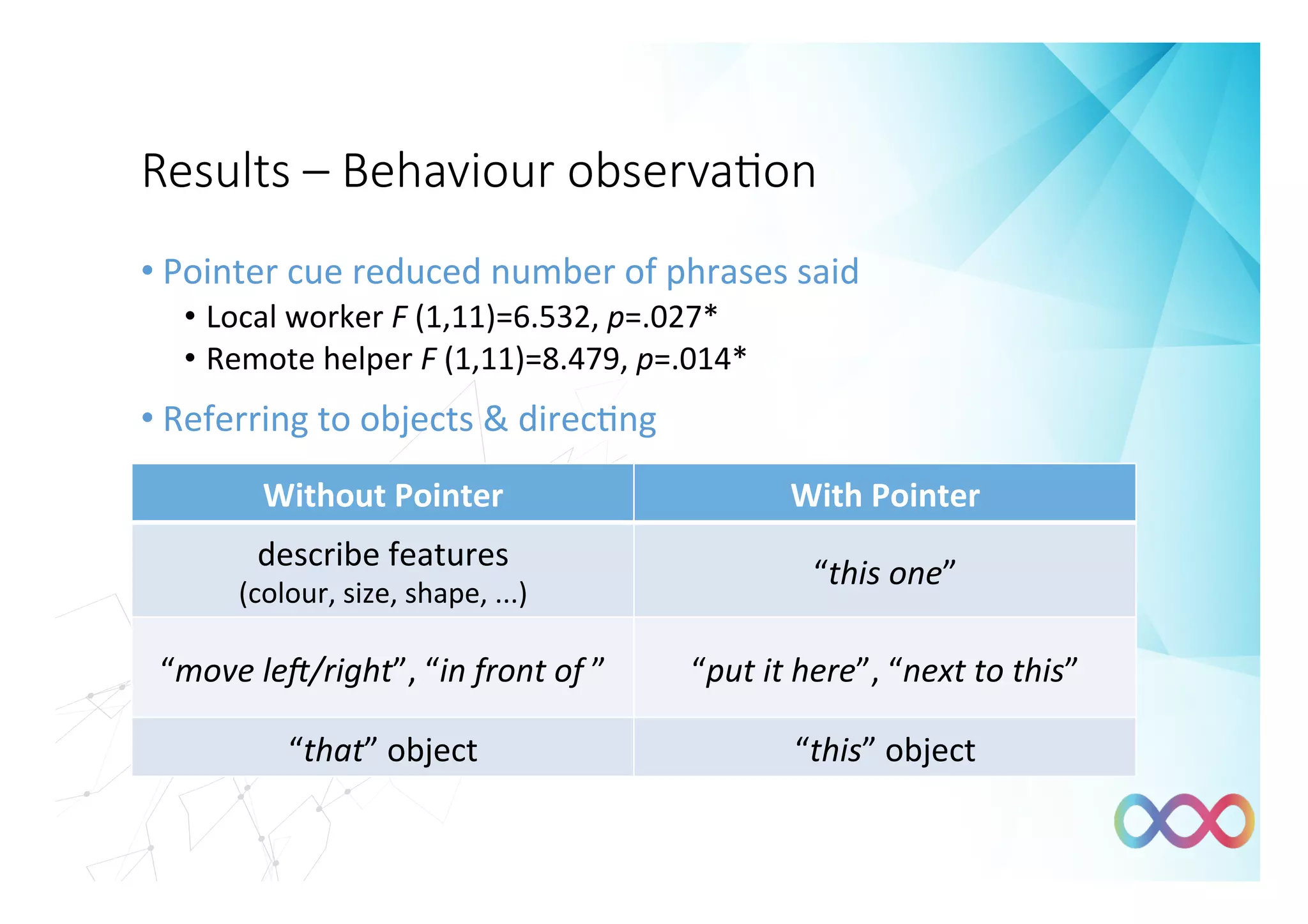




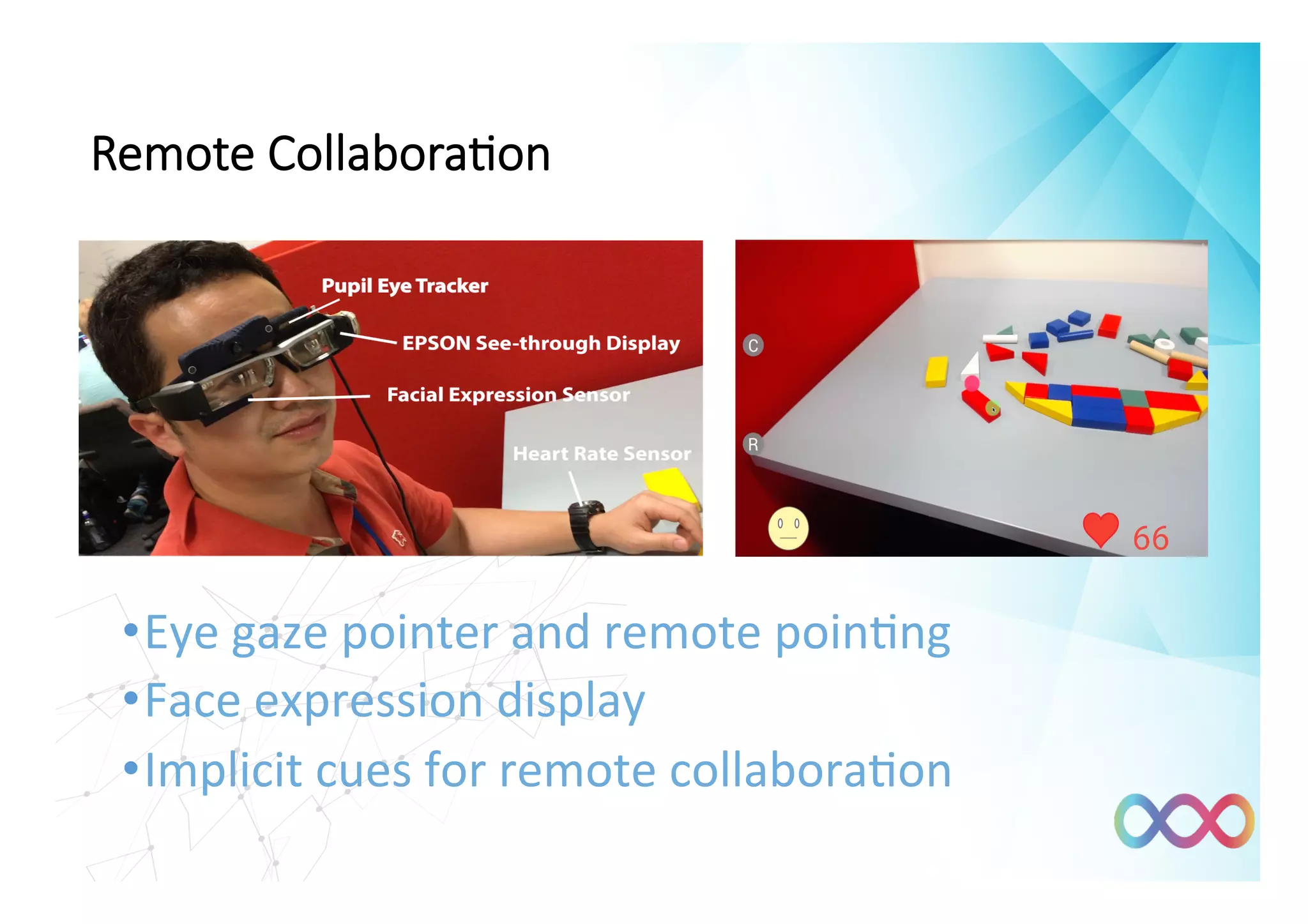


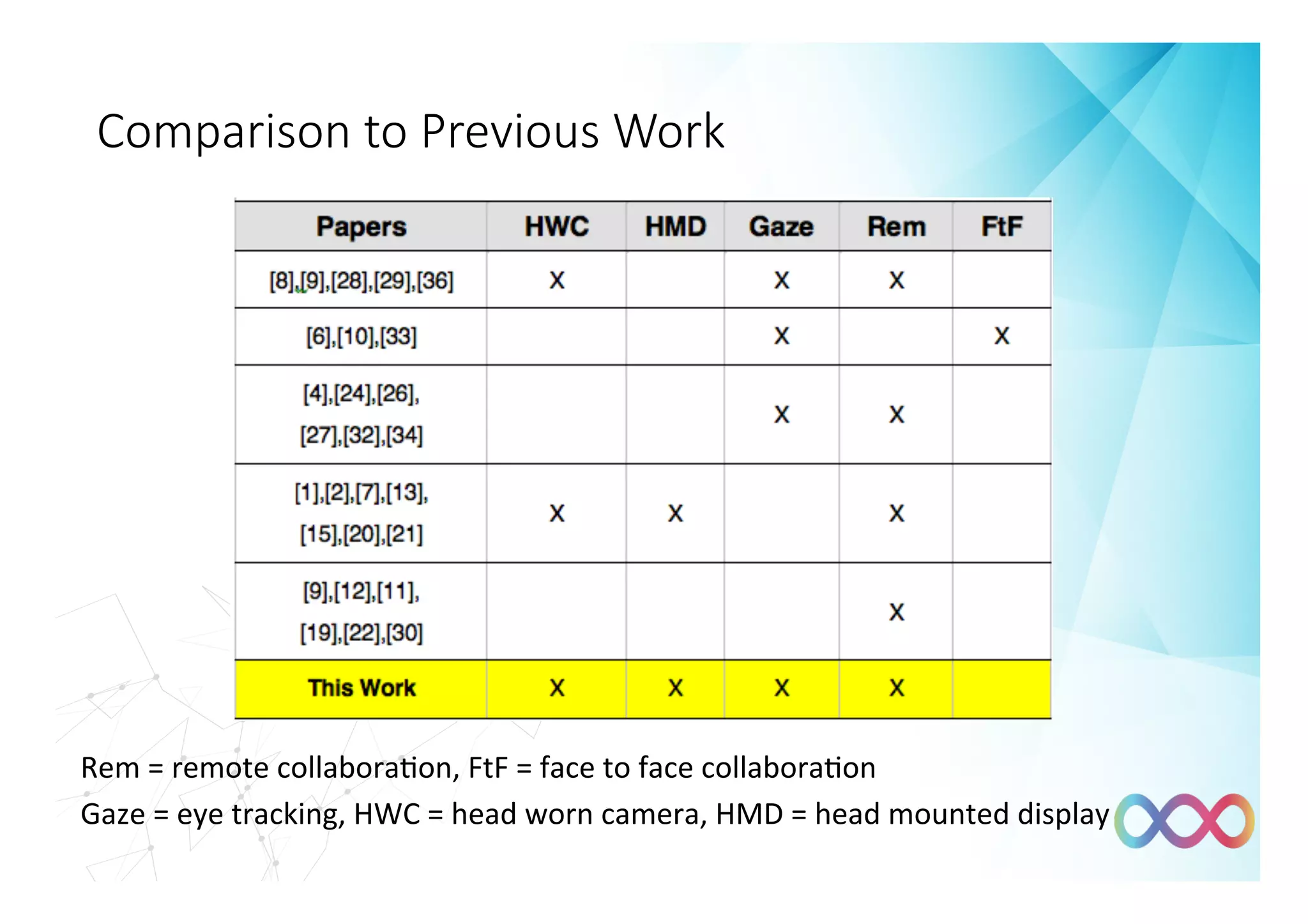
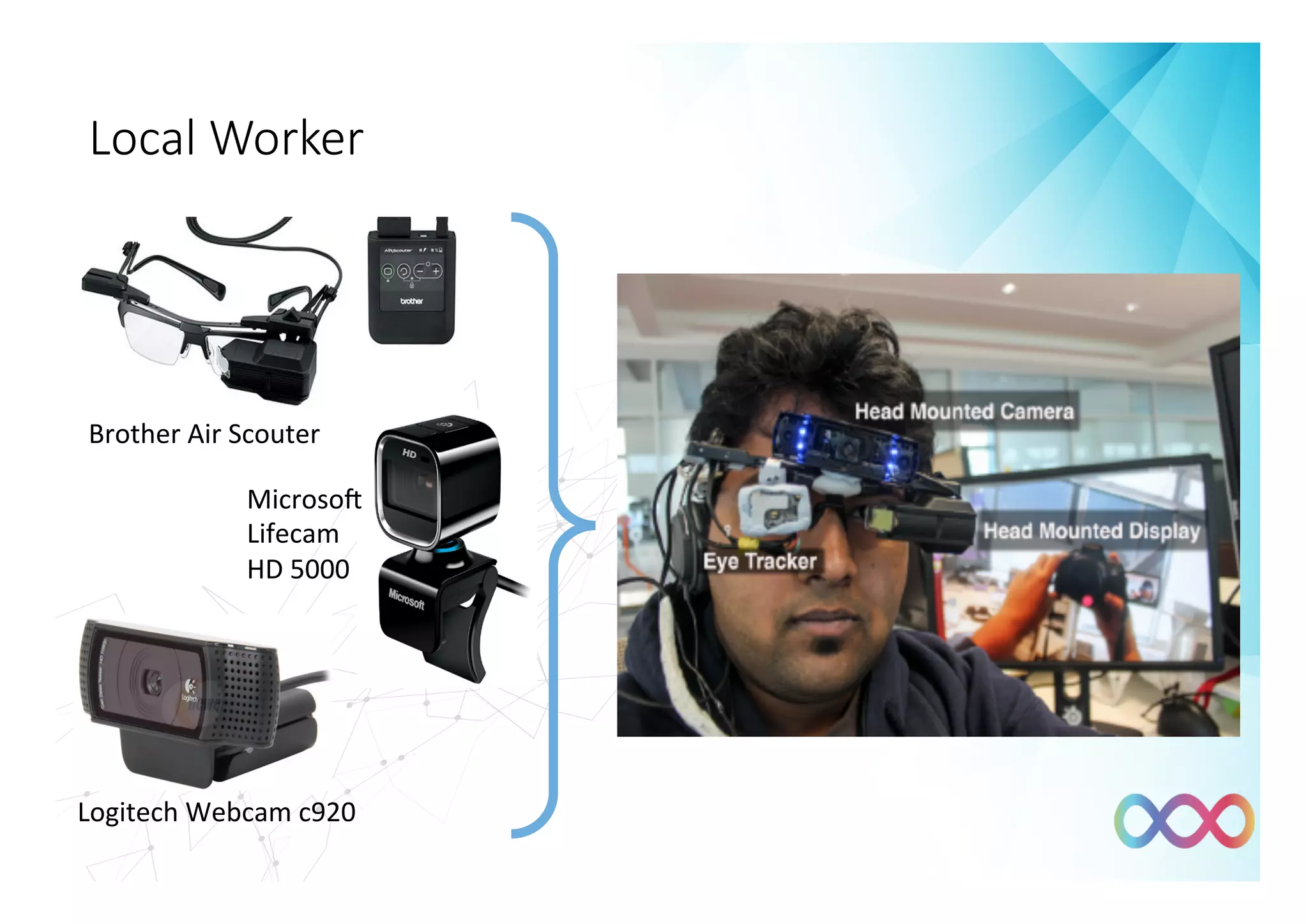
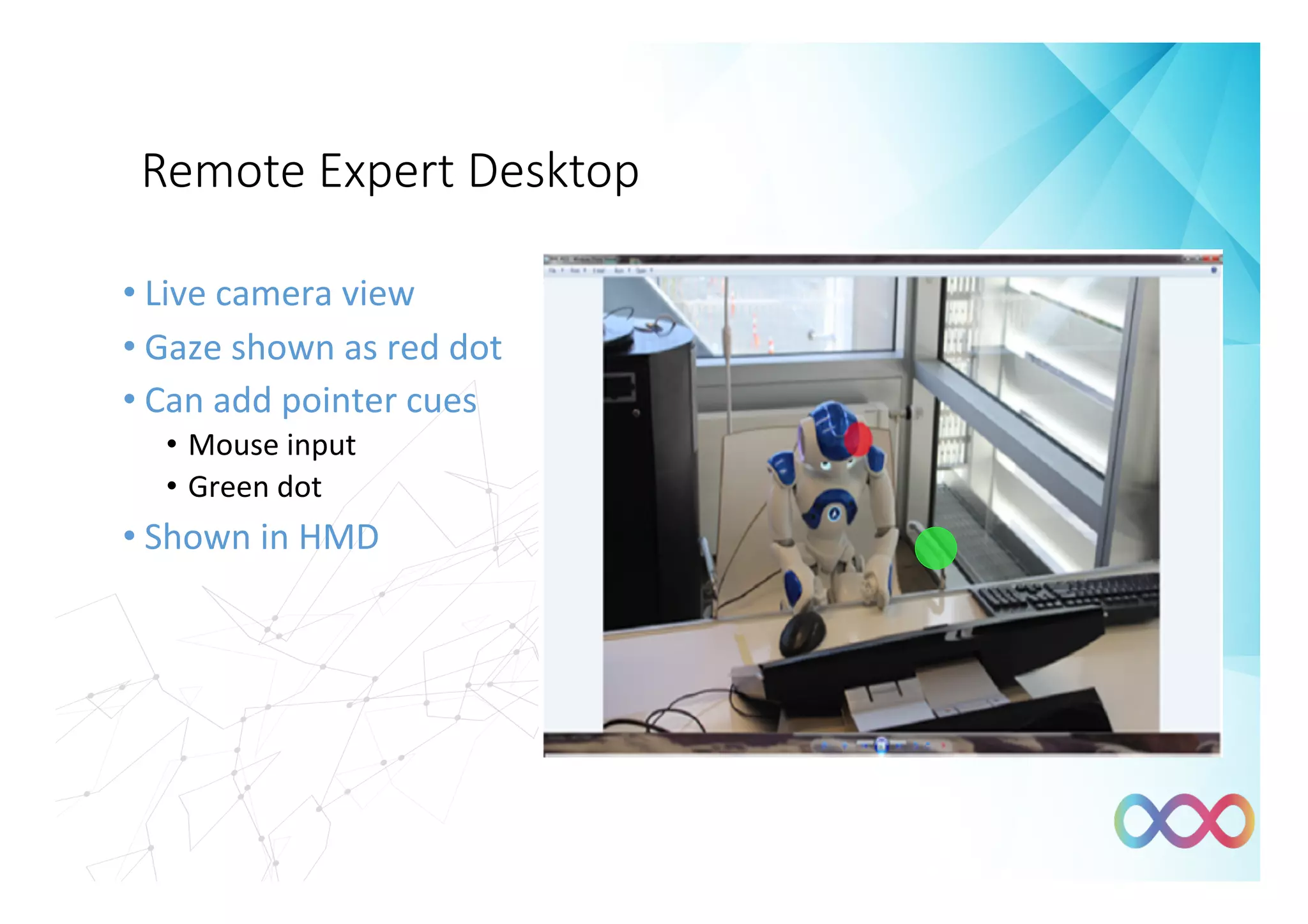
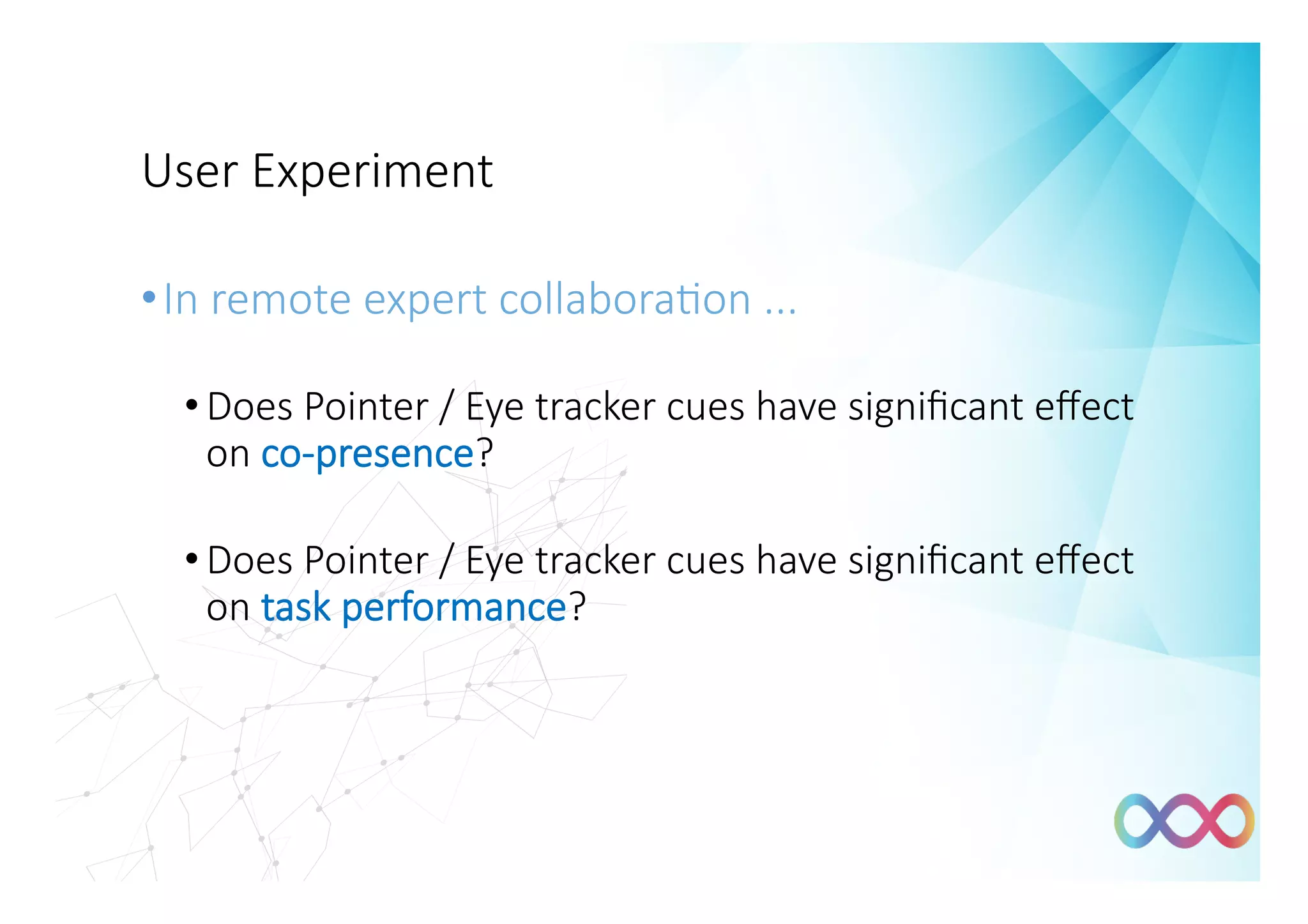
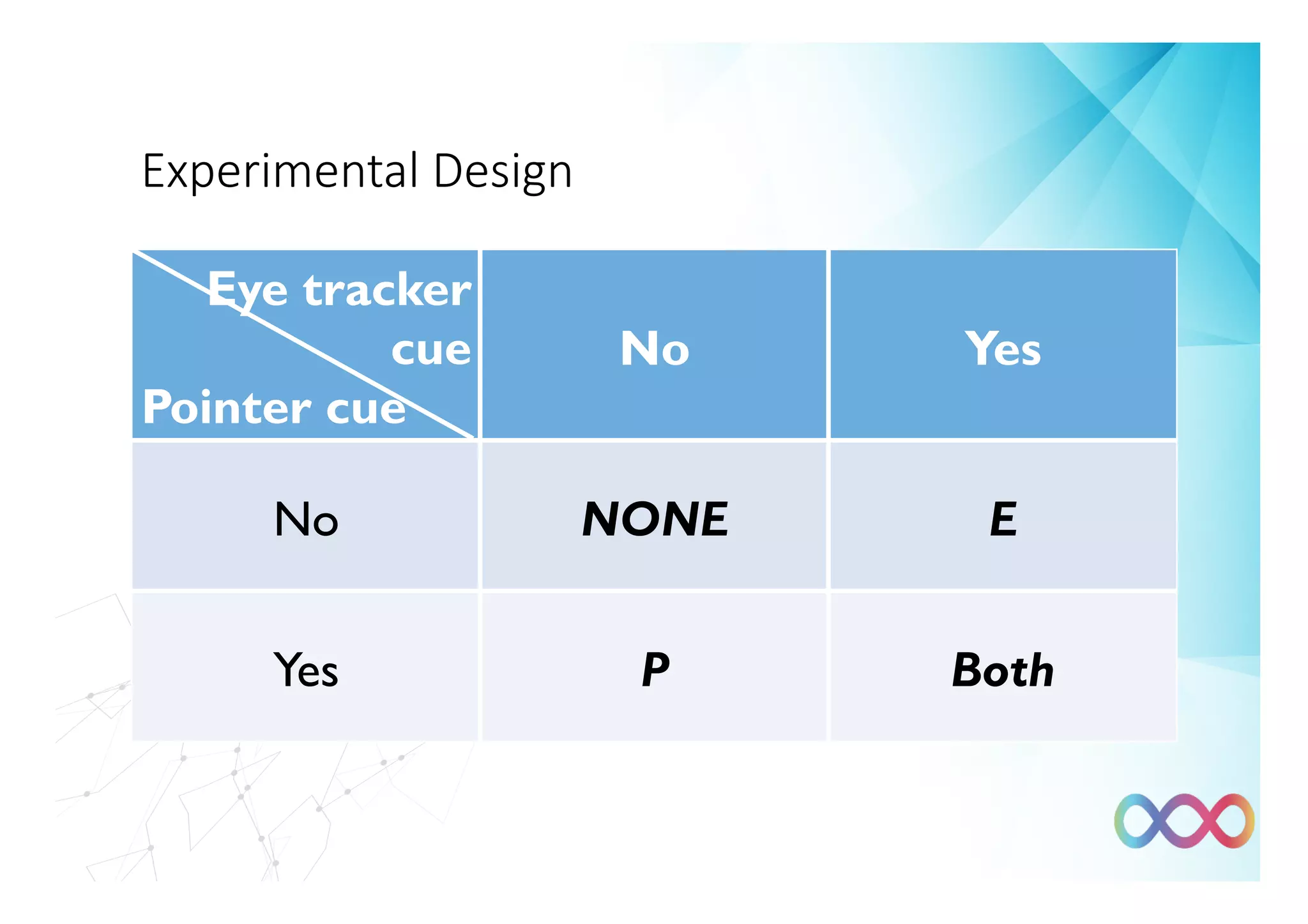
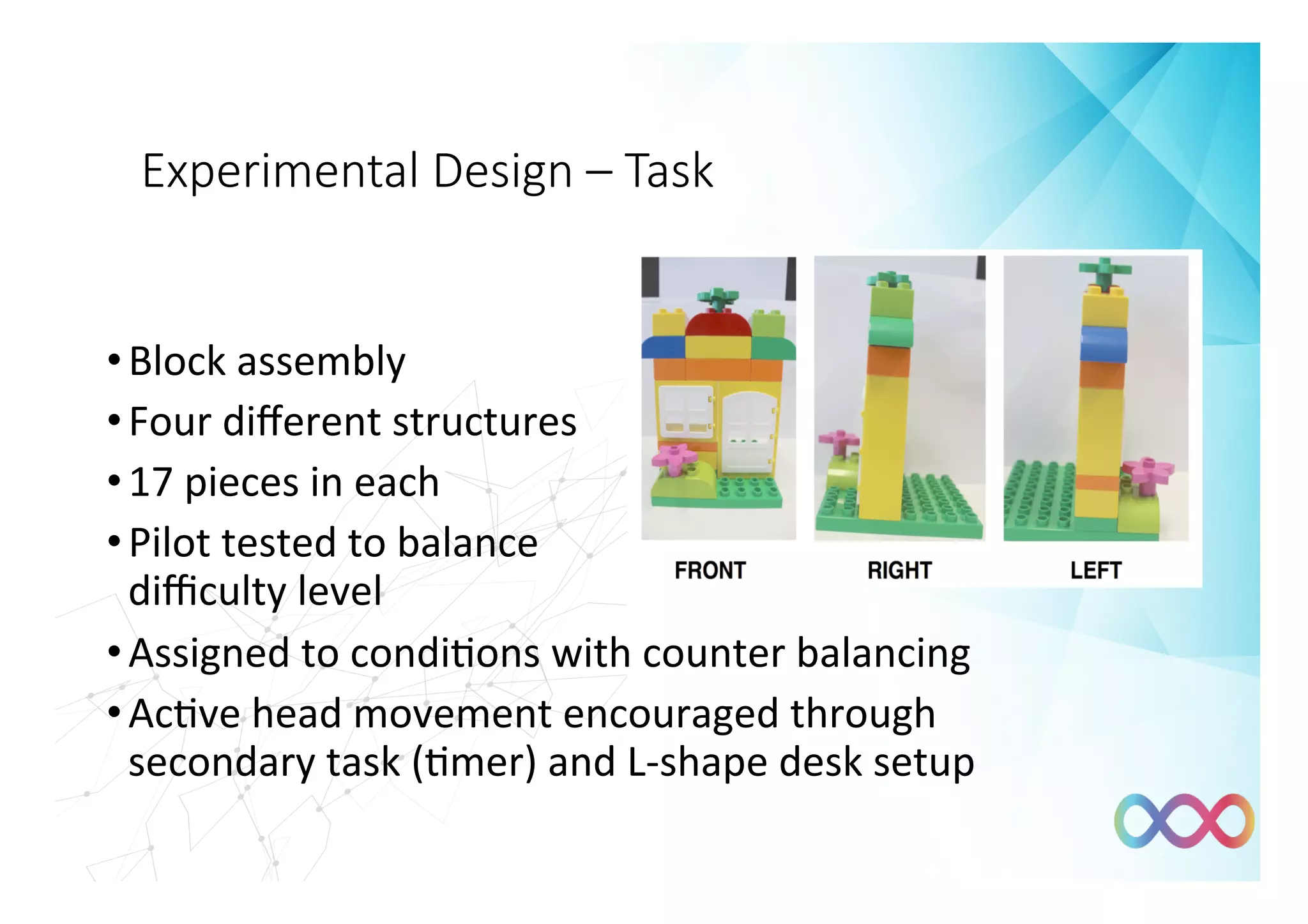
The document discusses the impact of gaze tracking and pointer cues on remote collaboration, emphasizing their role in improving communication, co-presence, and task performance among users during remote assistance tasks. Experiments demonstrated that both gaze and pointer cues significantly enhanced the efficiency and quality of teamwork, leading participants to feel more connected and communicative. The paper concludes that combining gaze tracking with remote pointing can effectively change collaborative dynamics, though limitations such as equipment bulkiness and task realism were noted.


