Architecture Components
Constantine Mars
Team Lead, Senior Developer @ DataArt
Построение современной архитектуры
мобильных приложений
Background
Software Architecture Basics
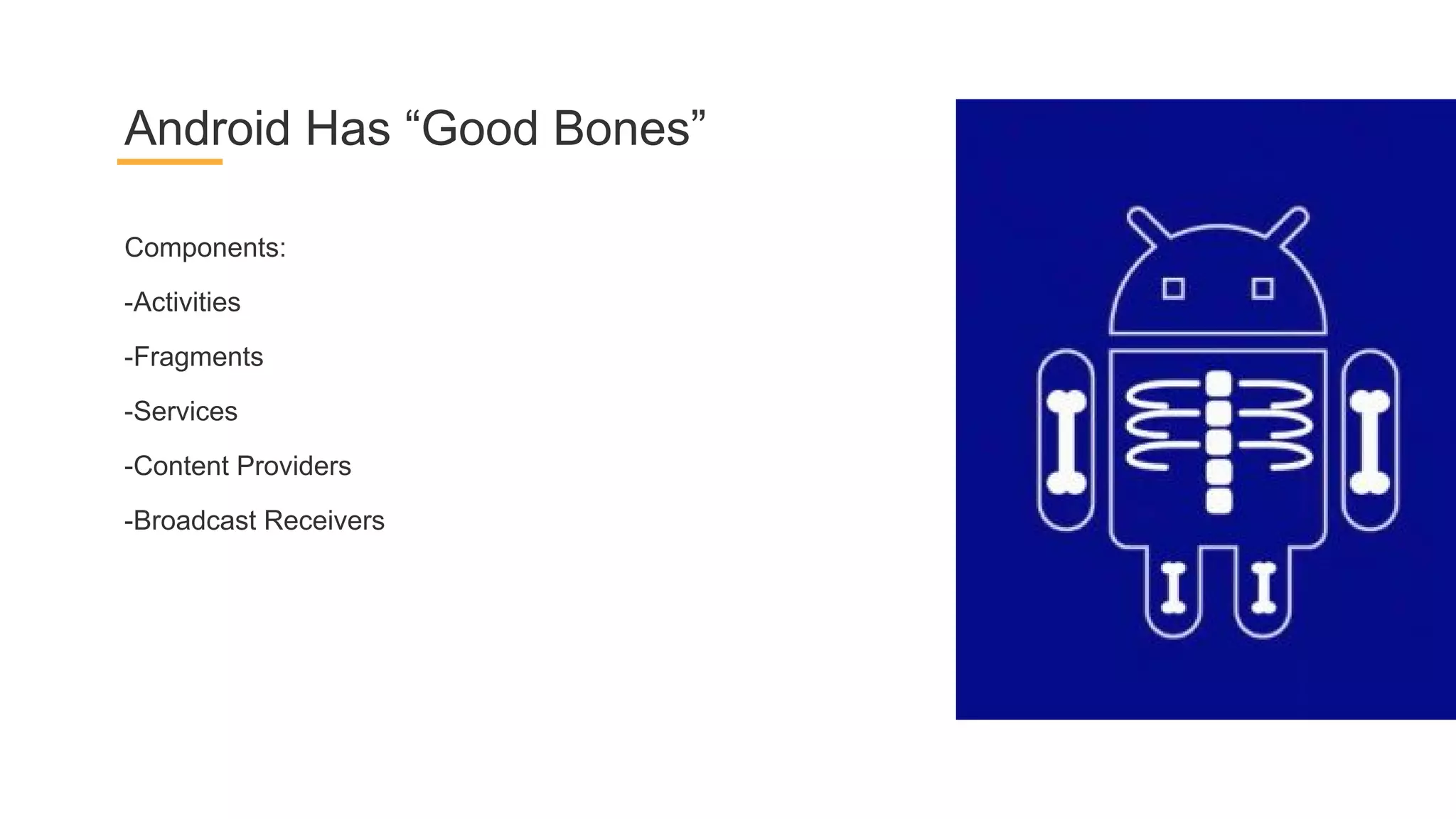
Components:
-Activities
-Fragments
-Services
-Content Providers
-Broadcast Receivers
Android Has “Good Bones”
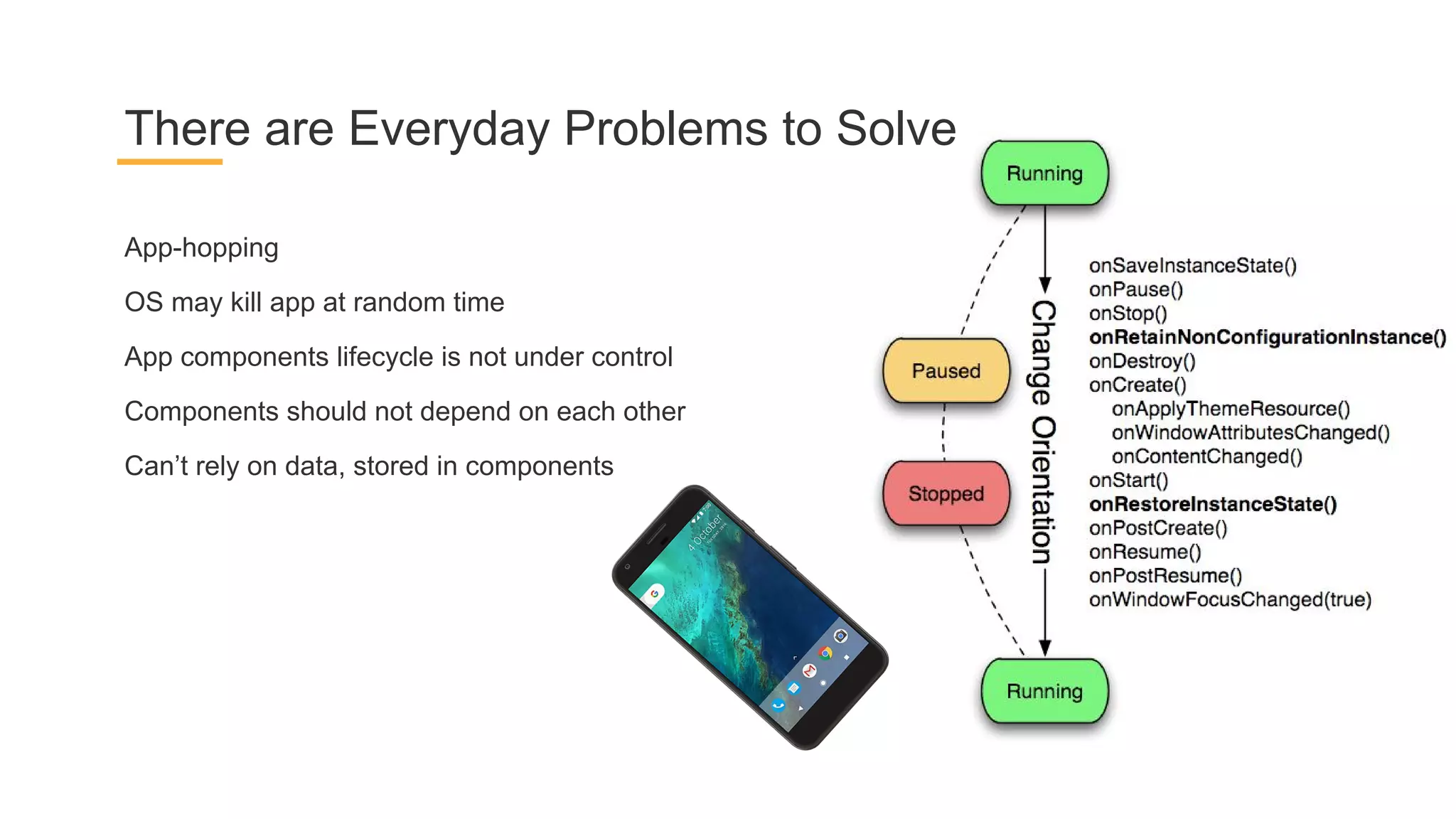
App-hopping
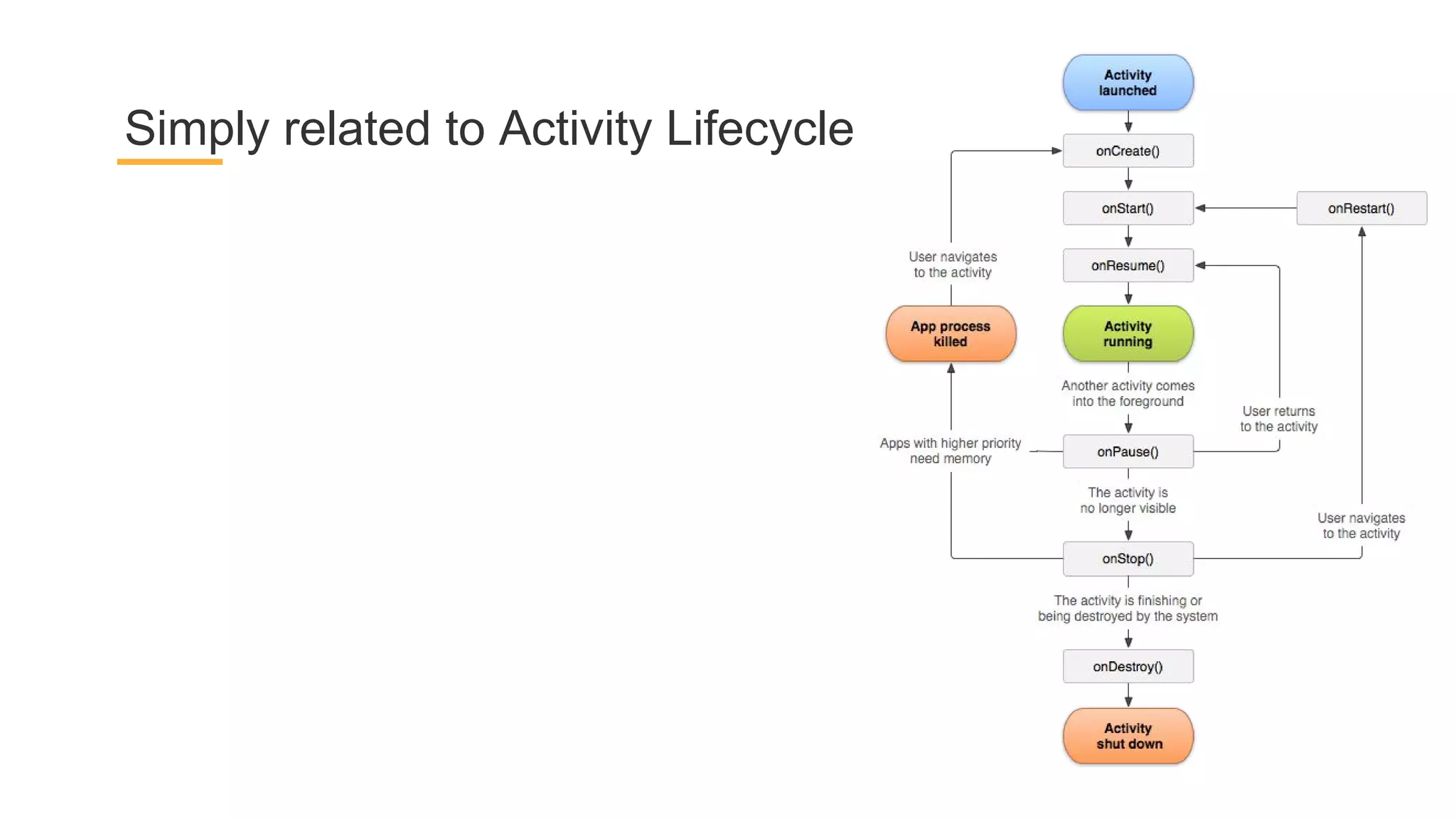
OS may kill app at random time
App components lifecycle is not under control
Components should not depend on each other
Can’t rely on data, stored in components
There are Everyday Problems to Solve
Simply related to Activity Lifecycle
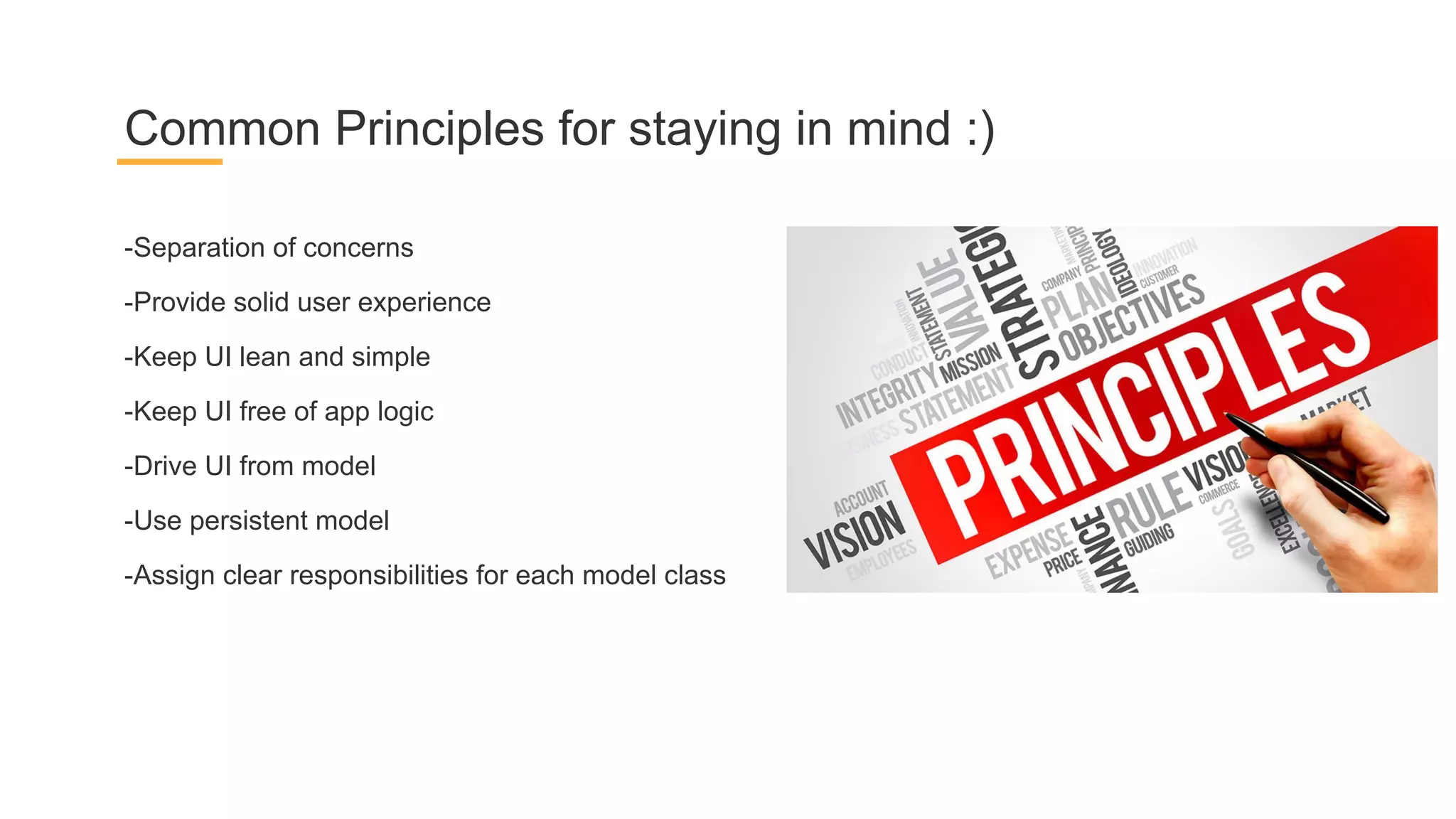
-Separation of concerns
-Provide solid user experience
-Keep UI lean and simple
-Keep UI free of app logic
-Drive UI from model
-Use persistent model
-Assign clear responsibilities for each model class
Common Principles for staying in mind :)
Image from fernandocejas.com
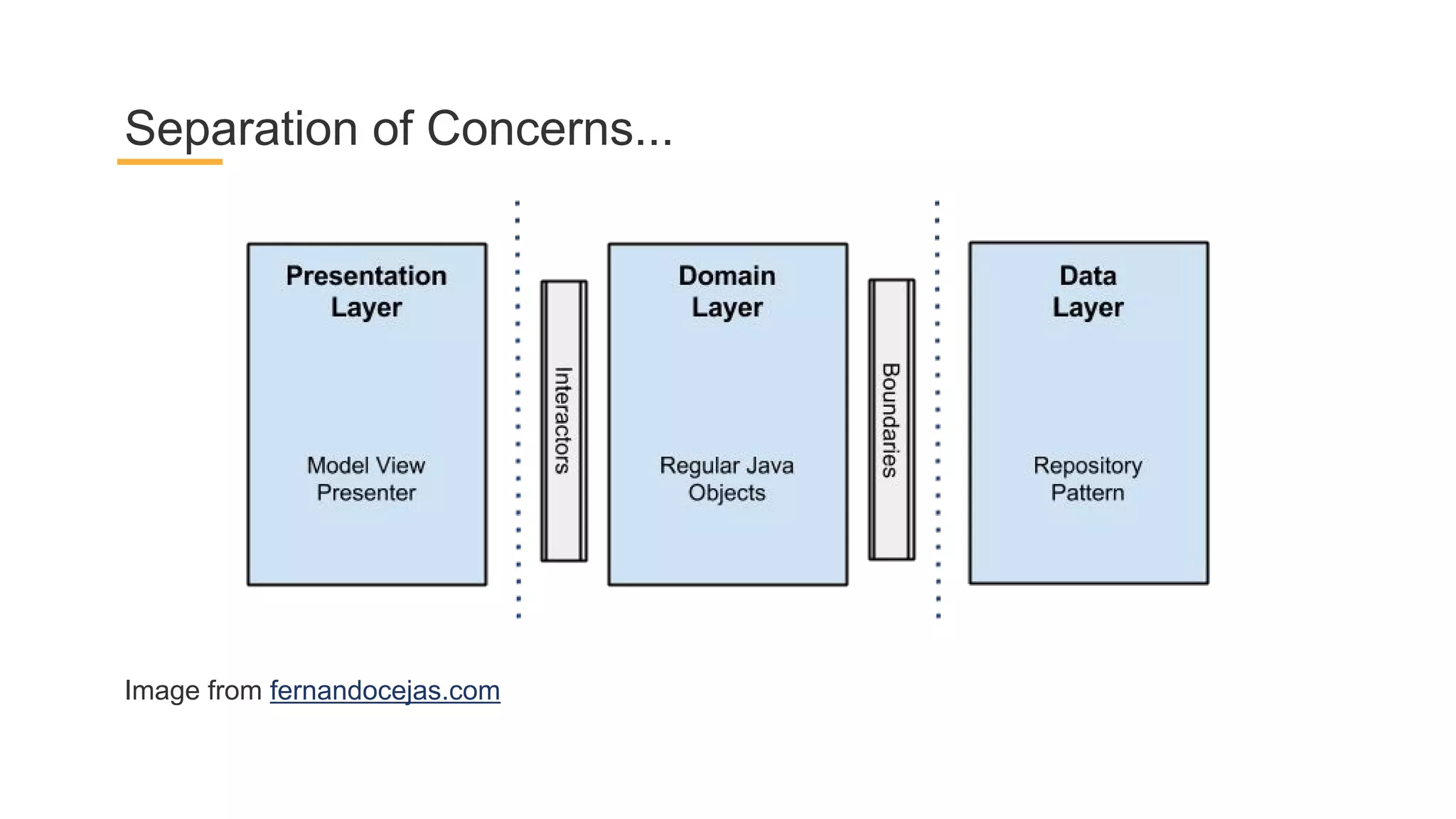
Separation of Concerns...
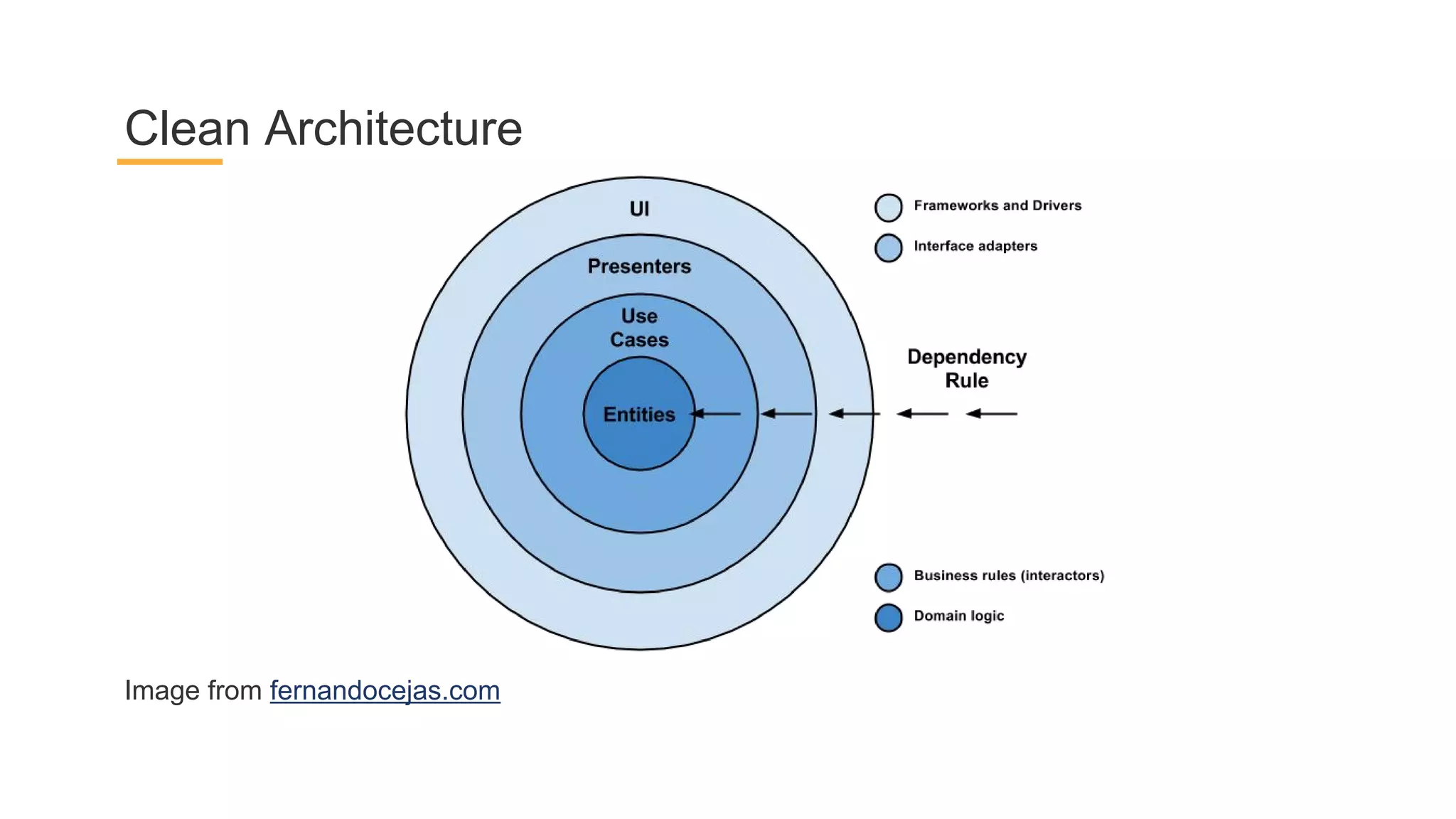
Image from fernandocejas.com
Clean Architecture
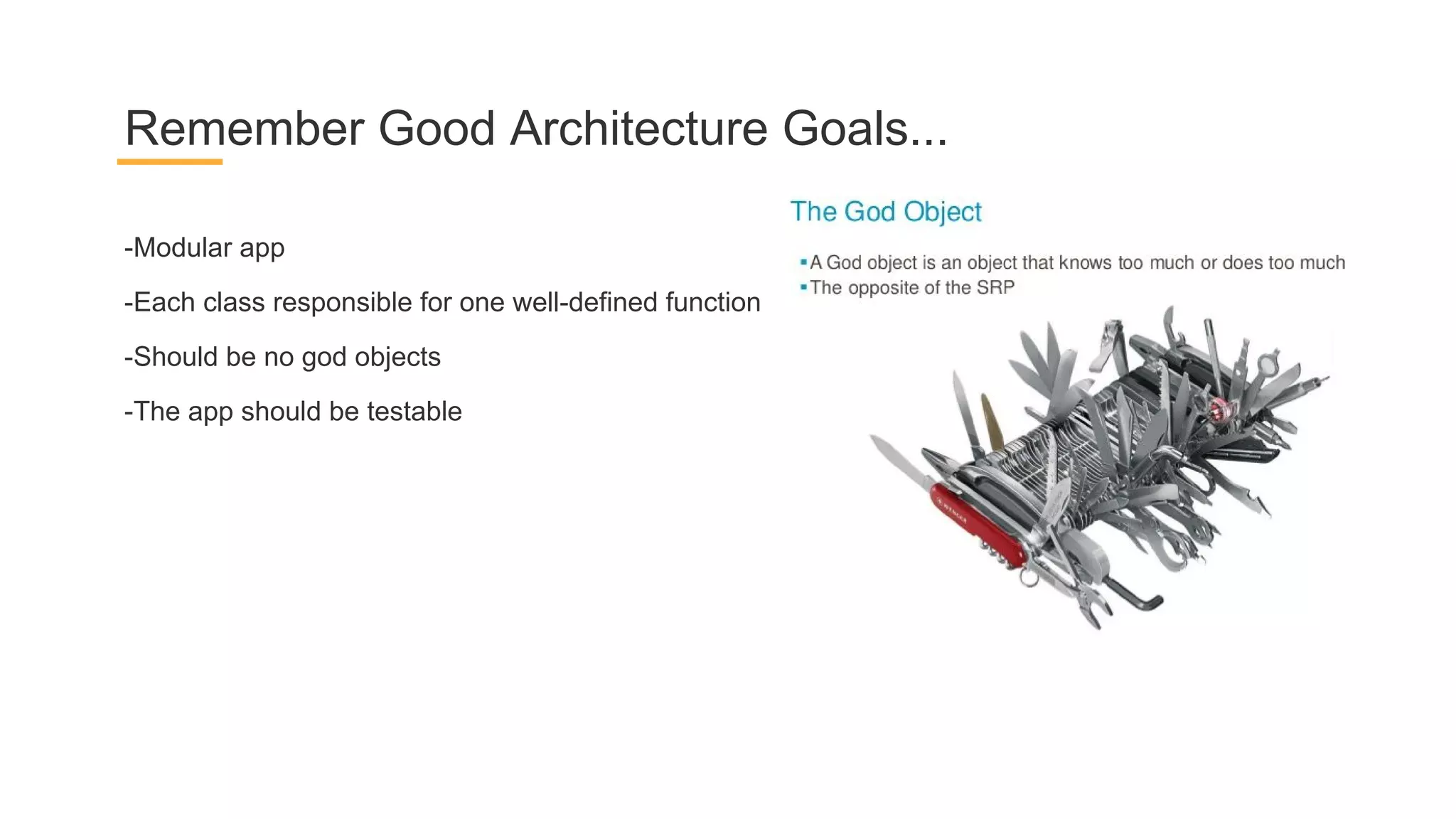
-Modular app
-Each class responsible for one well-defined function
-Should be no god objects
-The app should be testable
Remember Good Architecture Goals...
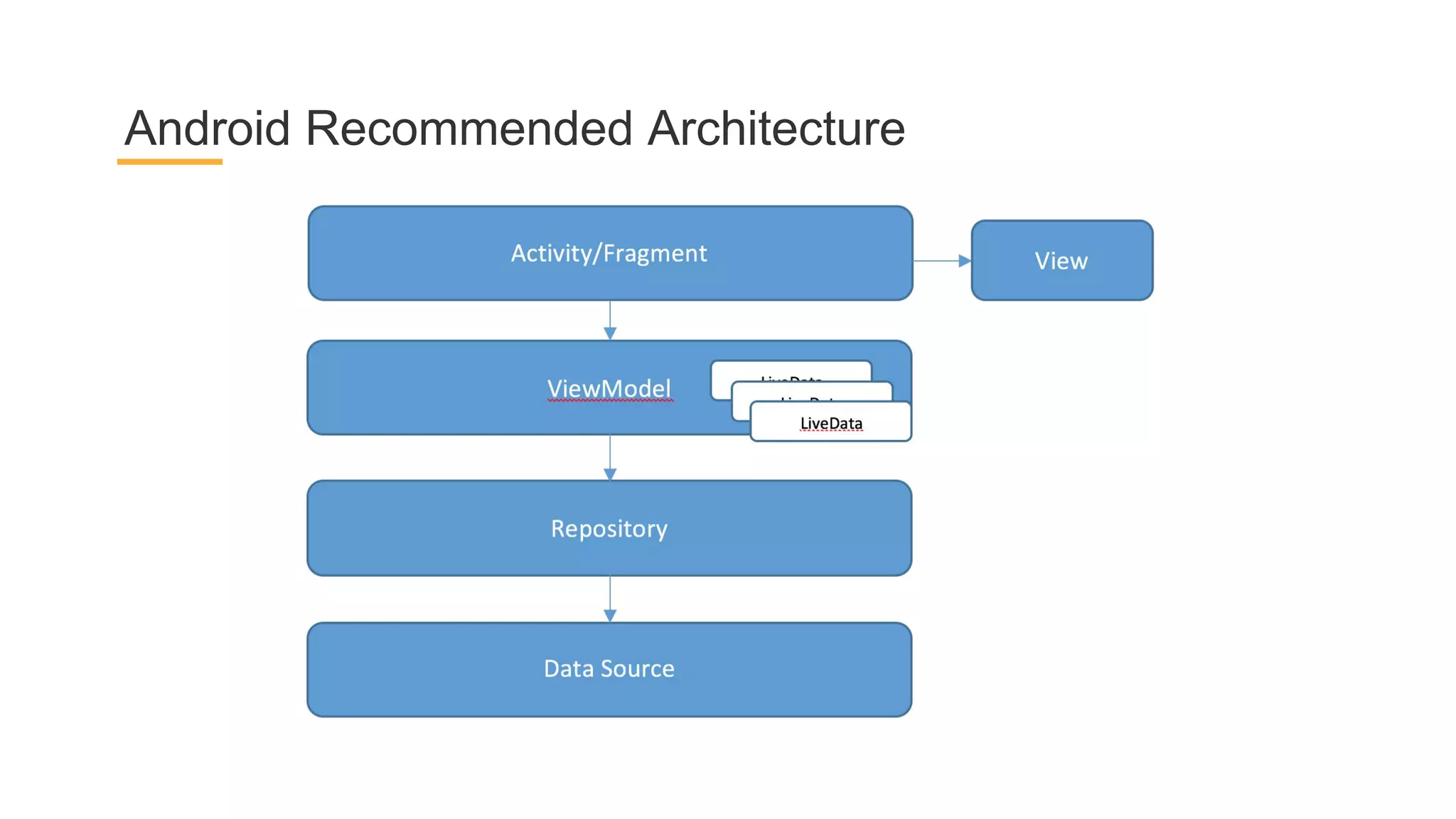
Android Recommended Architecture
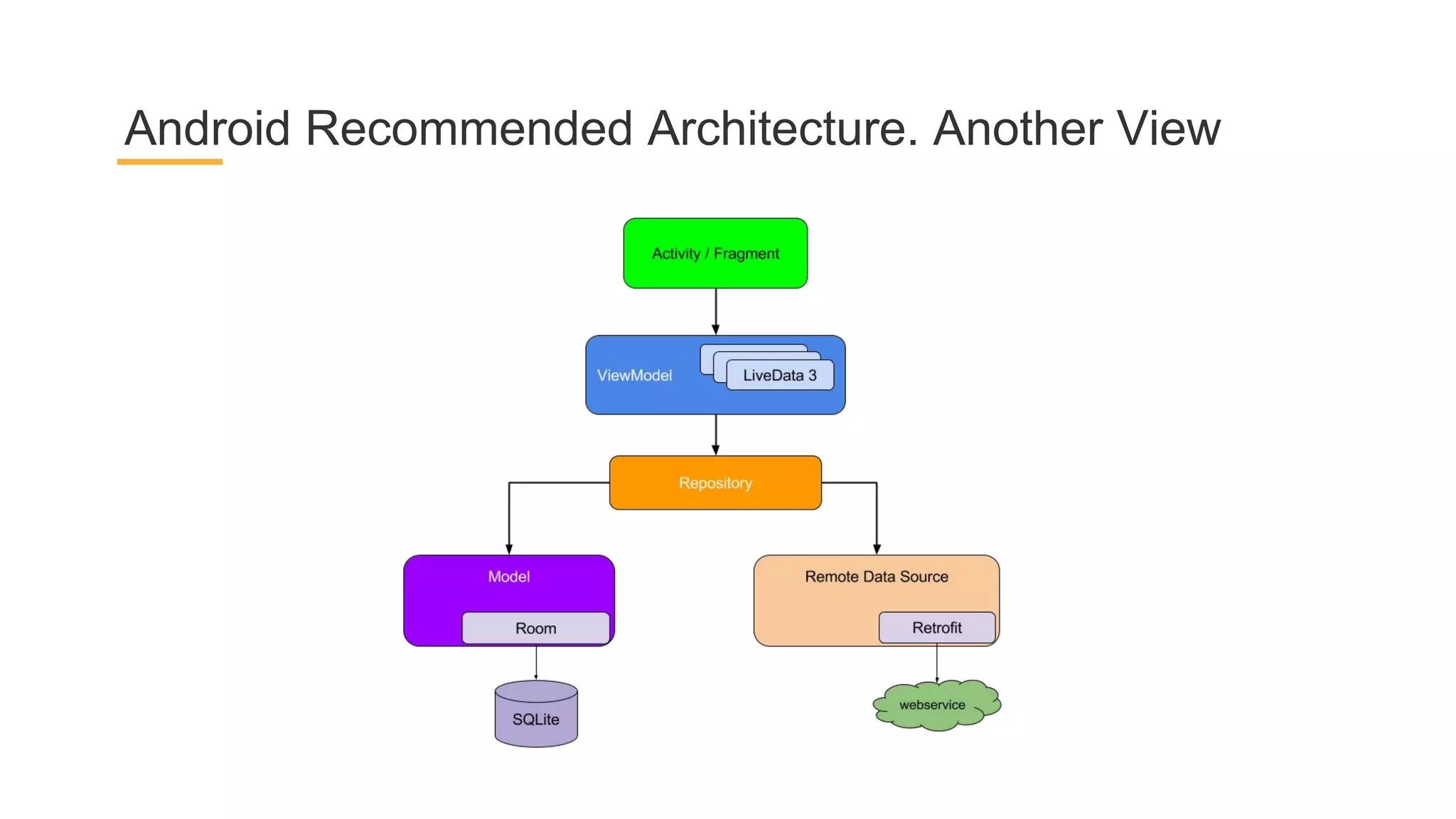
Android Recommended Architecture. Another View
Be together. not the same
“It is impossible to have one way of writing apps that will be the best for
every scenario. That being said, this recommended architecture should be
a good starting point for most use cases. If you already have a good way
of writing Android apps, you don't need to change.”
Be together. not the same
Building blocks
Architecture Components
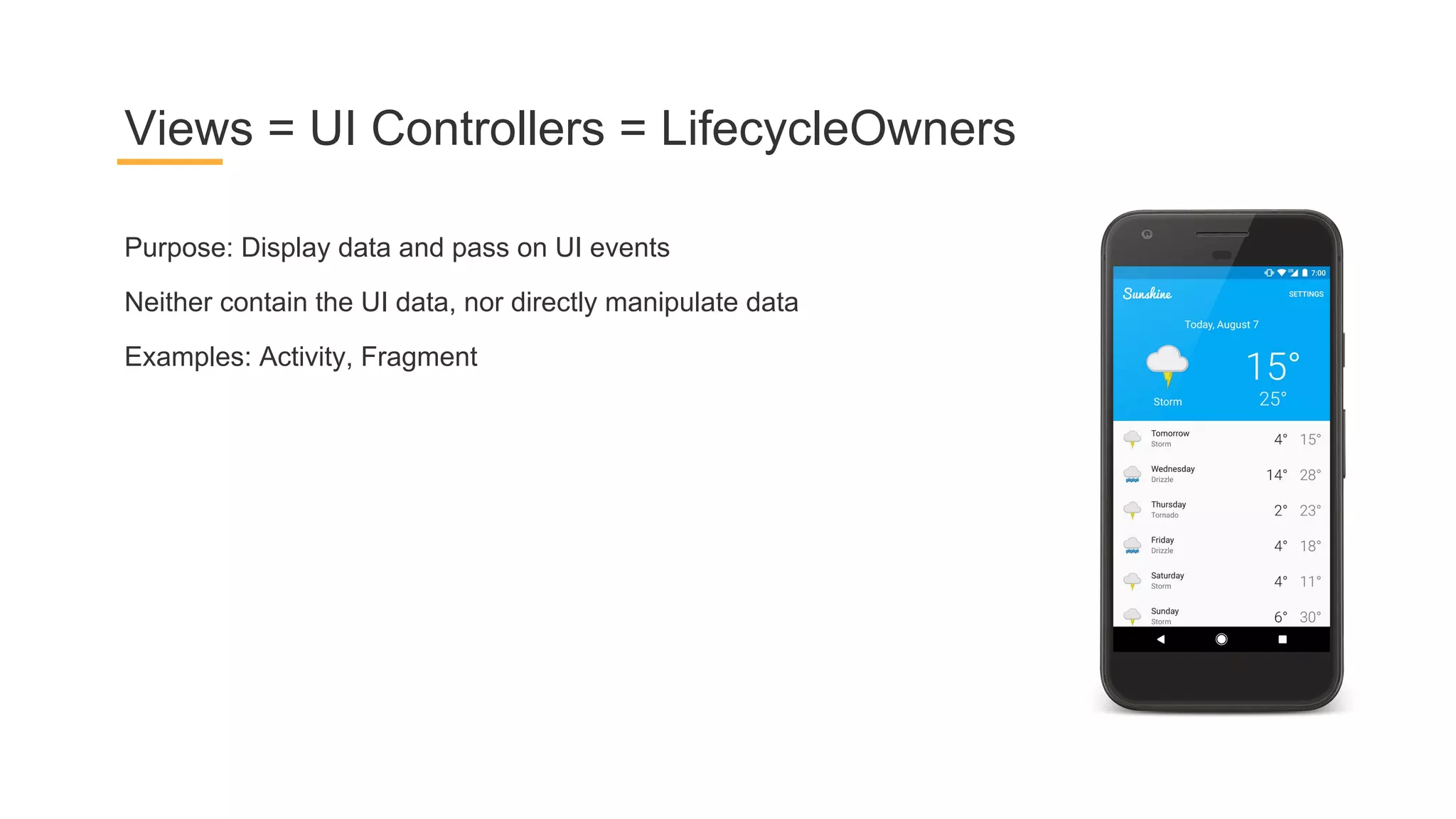
Purpose: Display data and pass on UI events
Neither contain the UI data, nor directly manipulate data
Examples: Activity, Fragment
Views = UI Controllers = LifecycleOwners
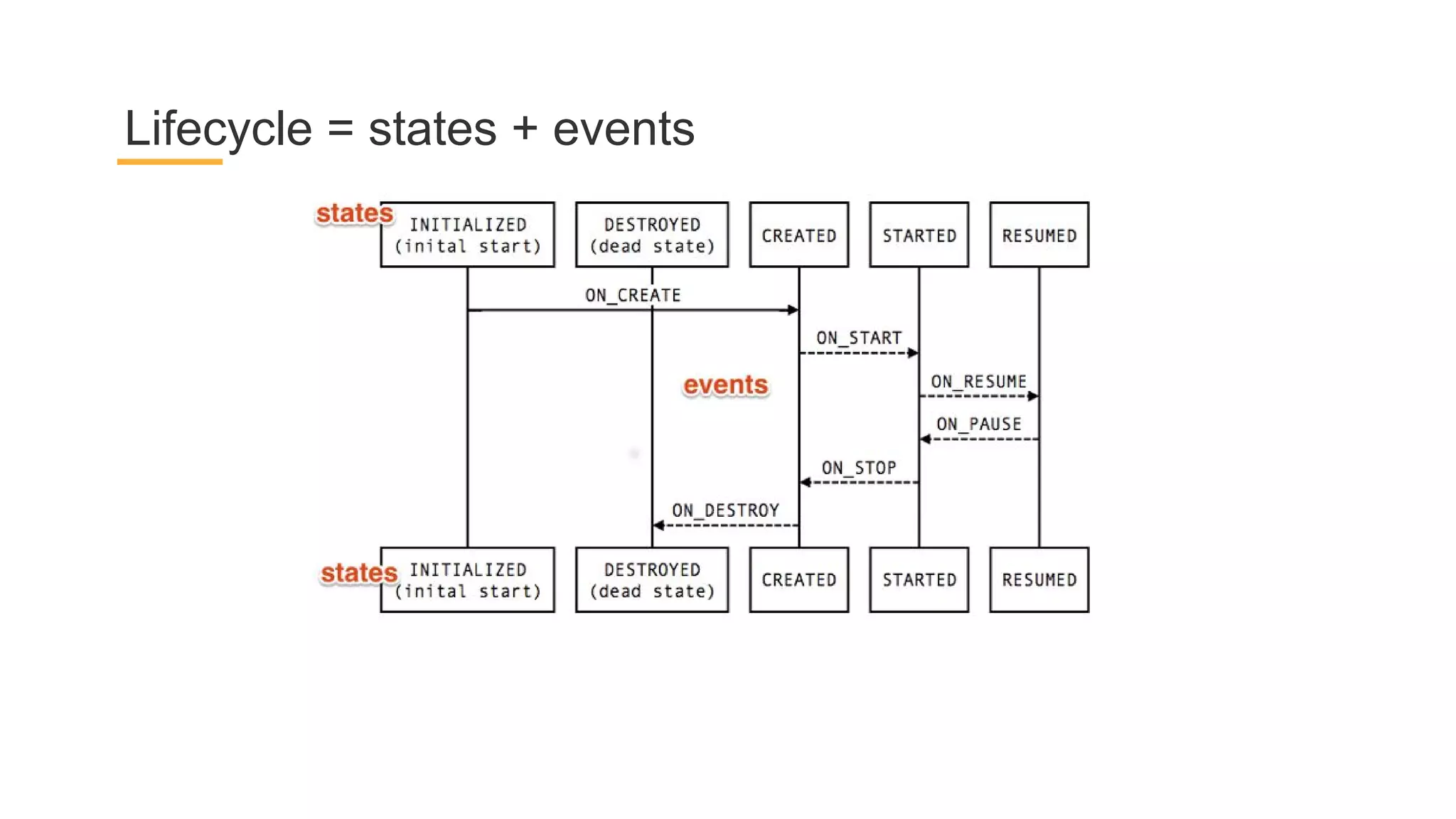
Lifecycle = states + events
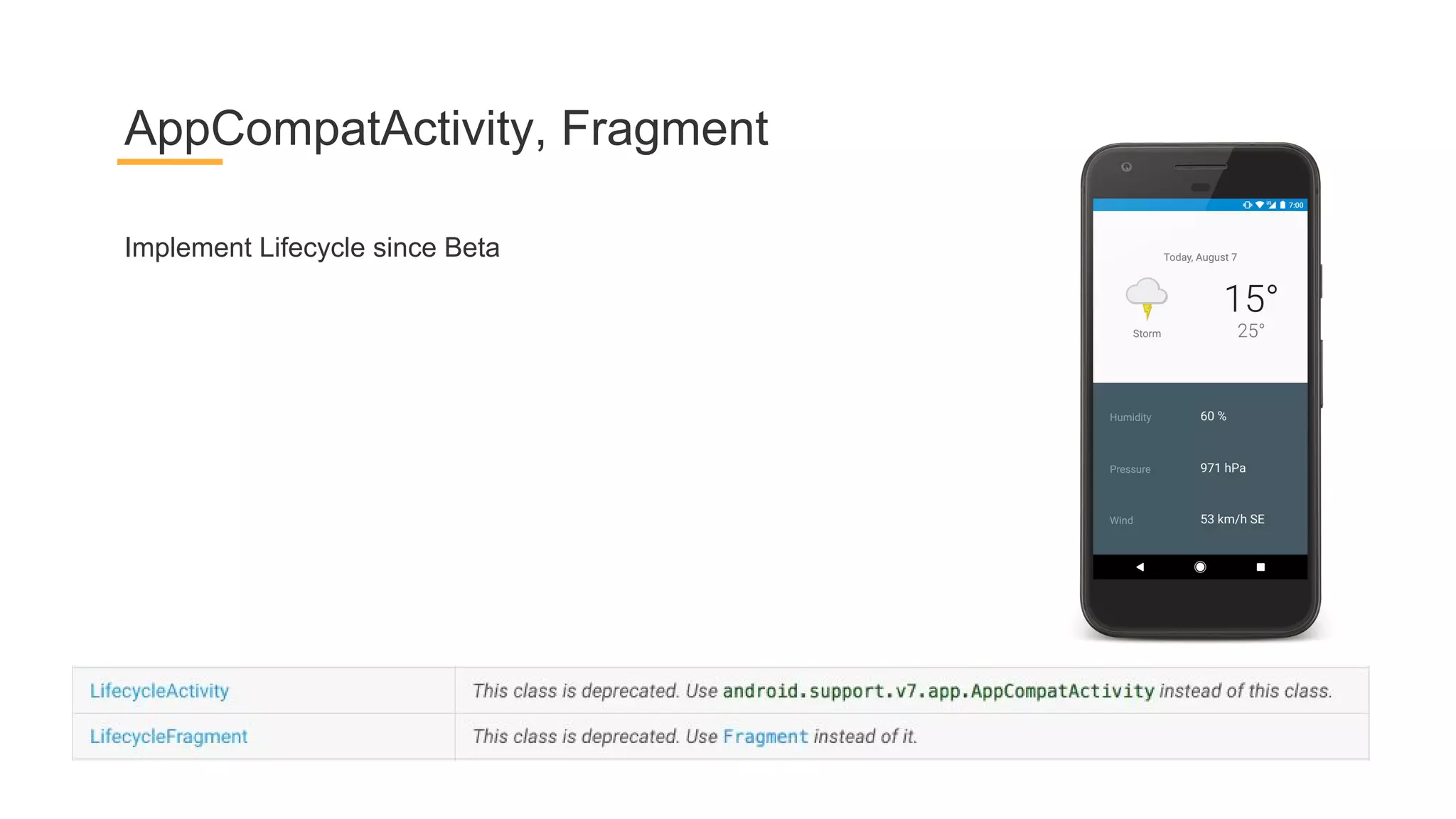
Implement Lifecycle since Beta
AppCompatActivity, Fragment
ViewModel
Data holder for Activity/Fragment
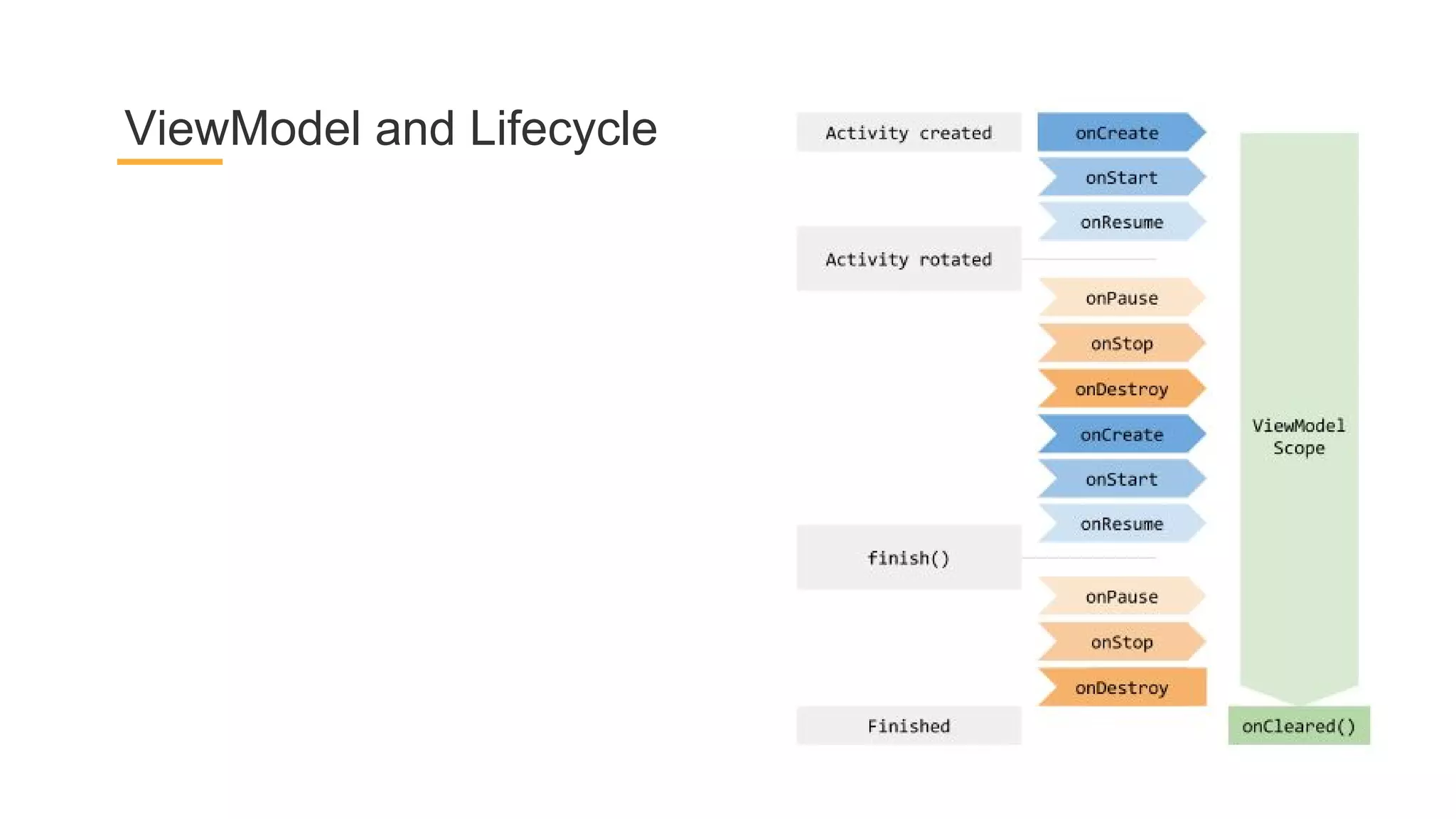
Survives configuration changes
NEVER references View / Activity / Fragment
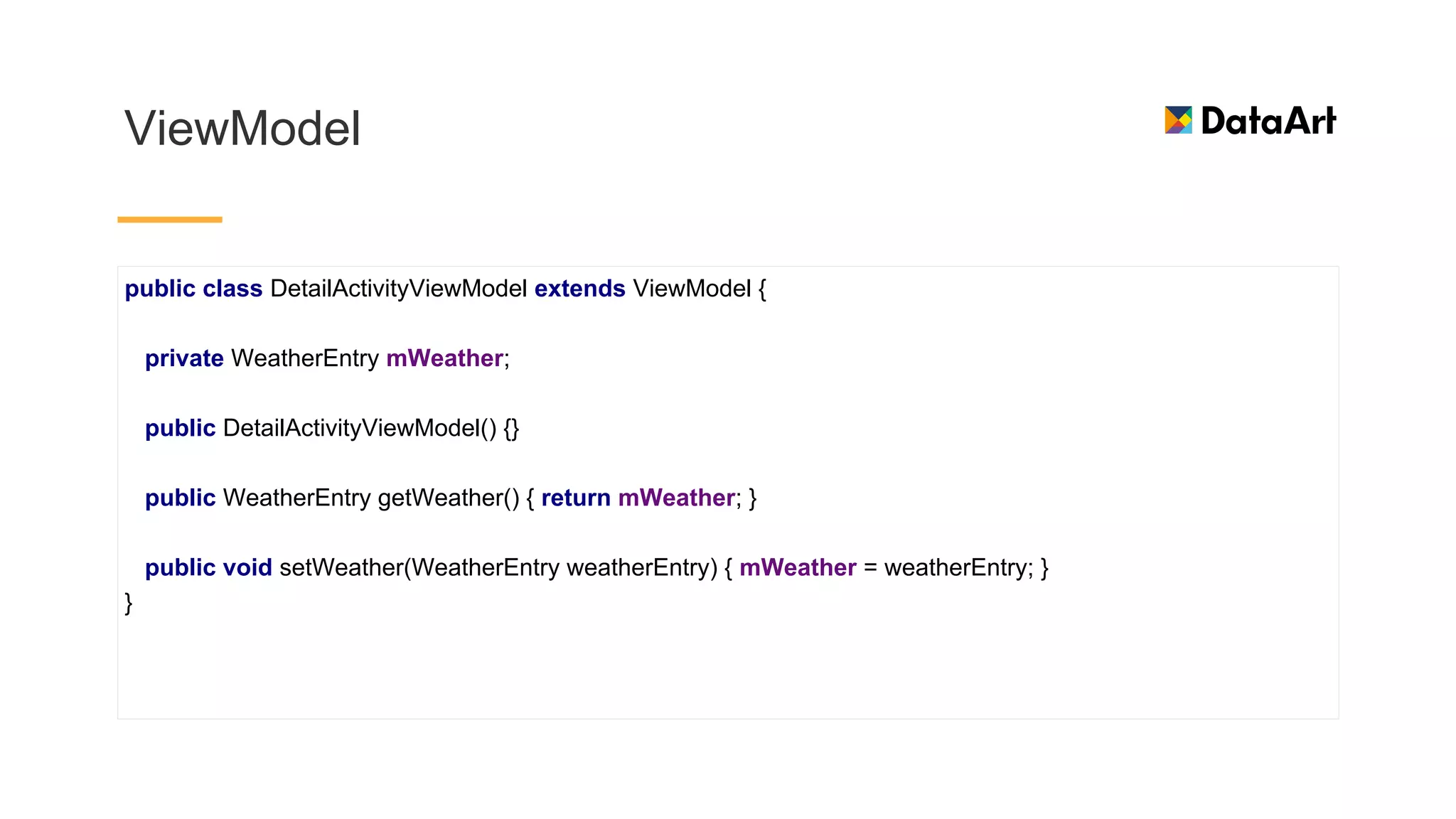
ViewModel
public class DetailActivityViewModel extends ViewModel {
private WeatherEntry mWeather;
public DetailActivityViewModel() {}
public WeatherEntry getWeather() { return mWeather; }
public void setWeather(WeatherEntry weatherEntry) { mWeather = weatherEntry; }
}
ViewModel and Lifecycle
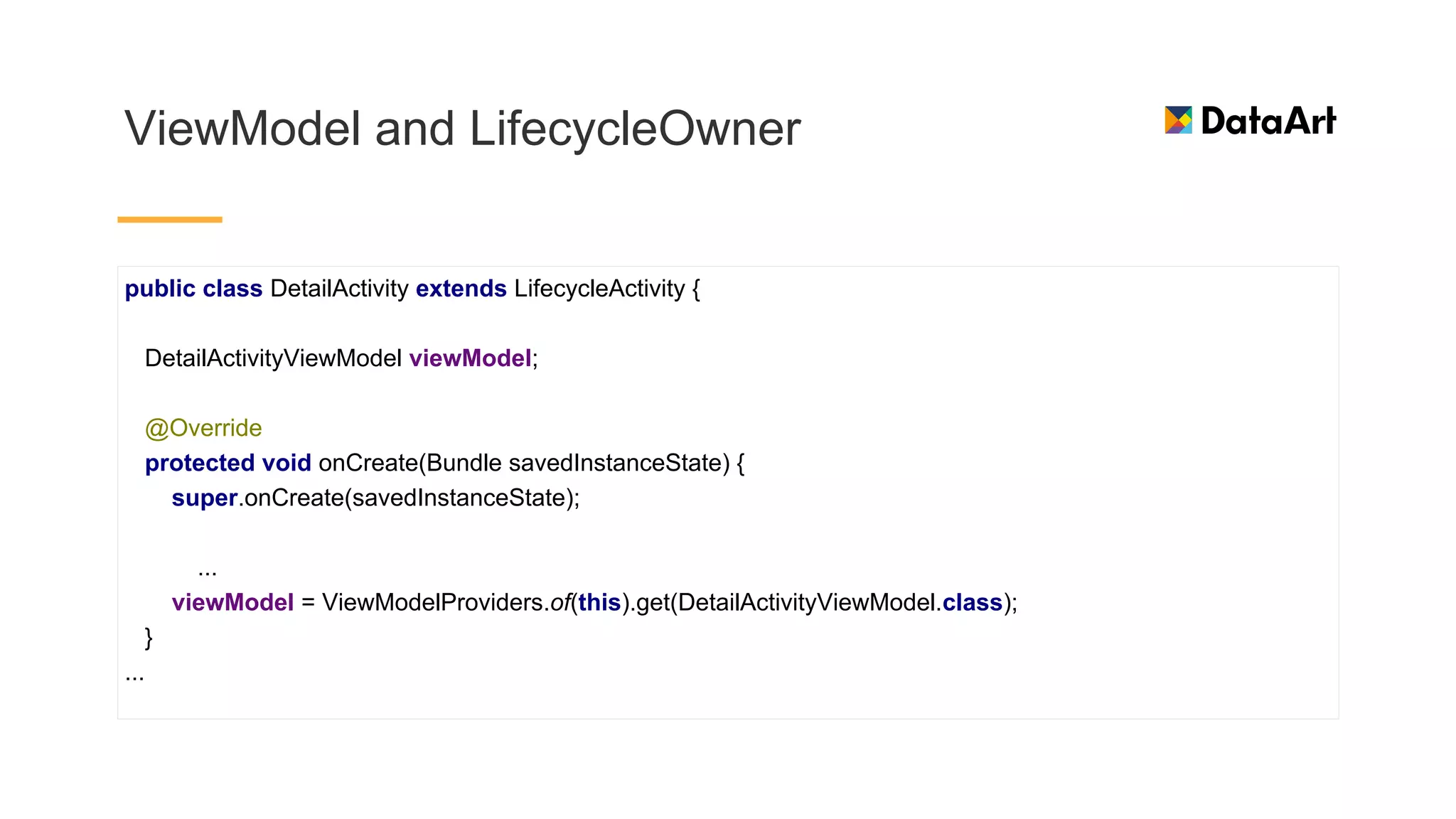
ViewModel and LifecycleOwner
public class DetailActivity extends LifecycleActivity {
DetailActivityViewModel viewModel;
@Override
protected void onCreate(Bundle savedInstanceState) {
super.onCreate(savedInstanceState);
...
viewModel = ViewModelProviders.of(this).get(DetailActivityViewModel.class);
}
...
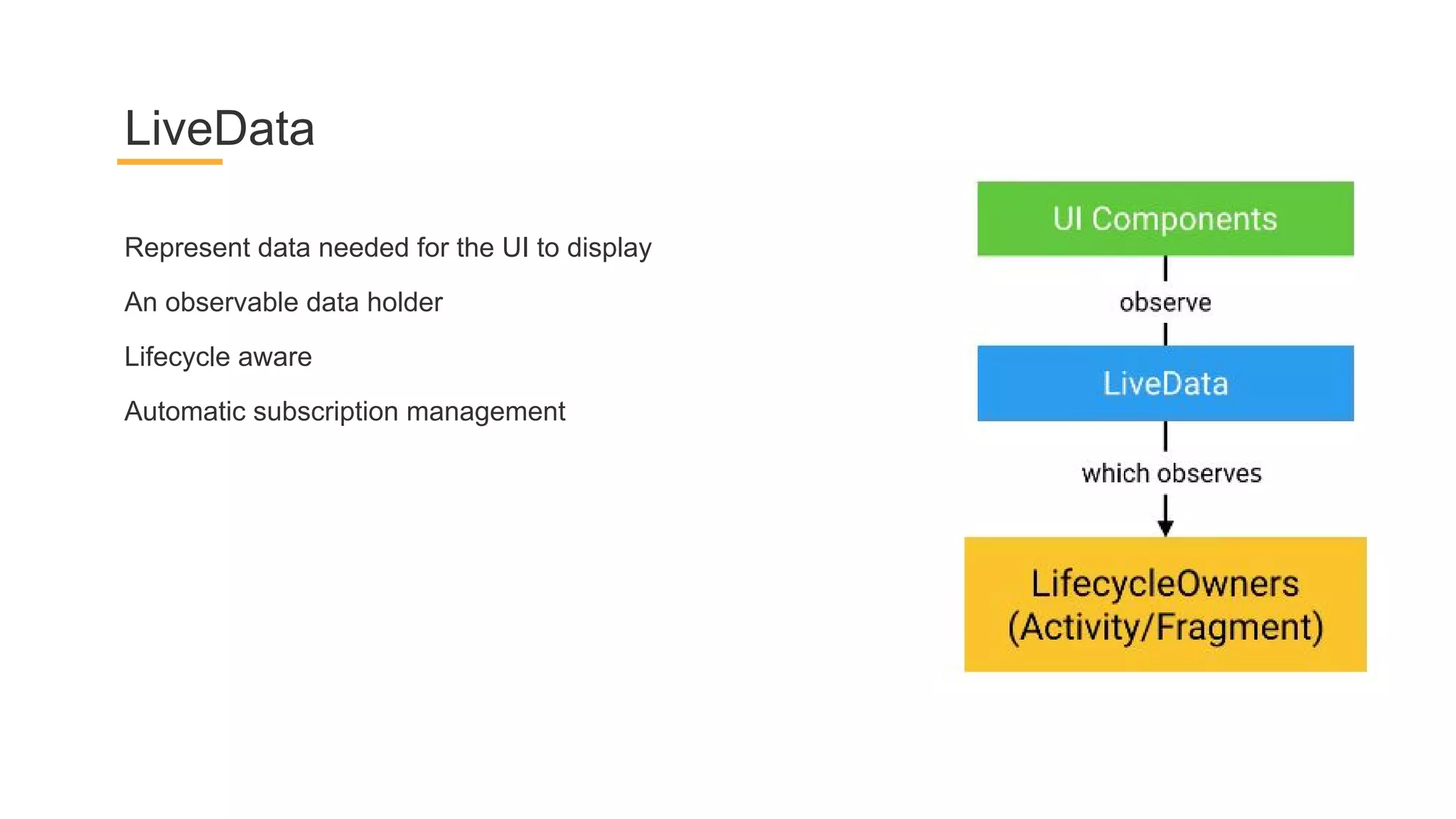
Represent data needed for the UI to display
An observable data holder
Lifecycle aware
Automatic subscription management
LiveData
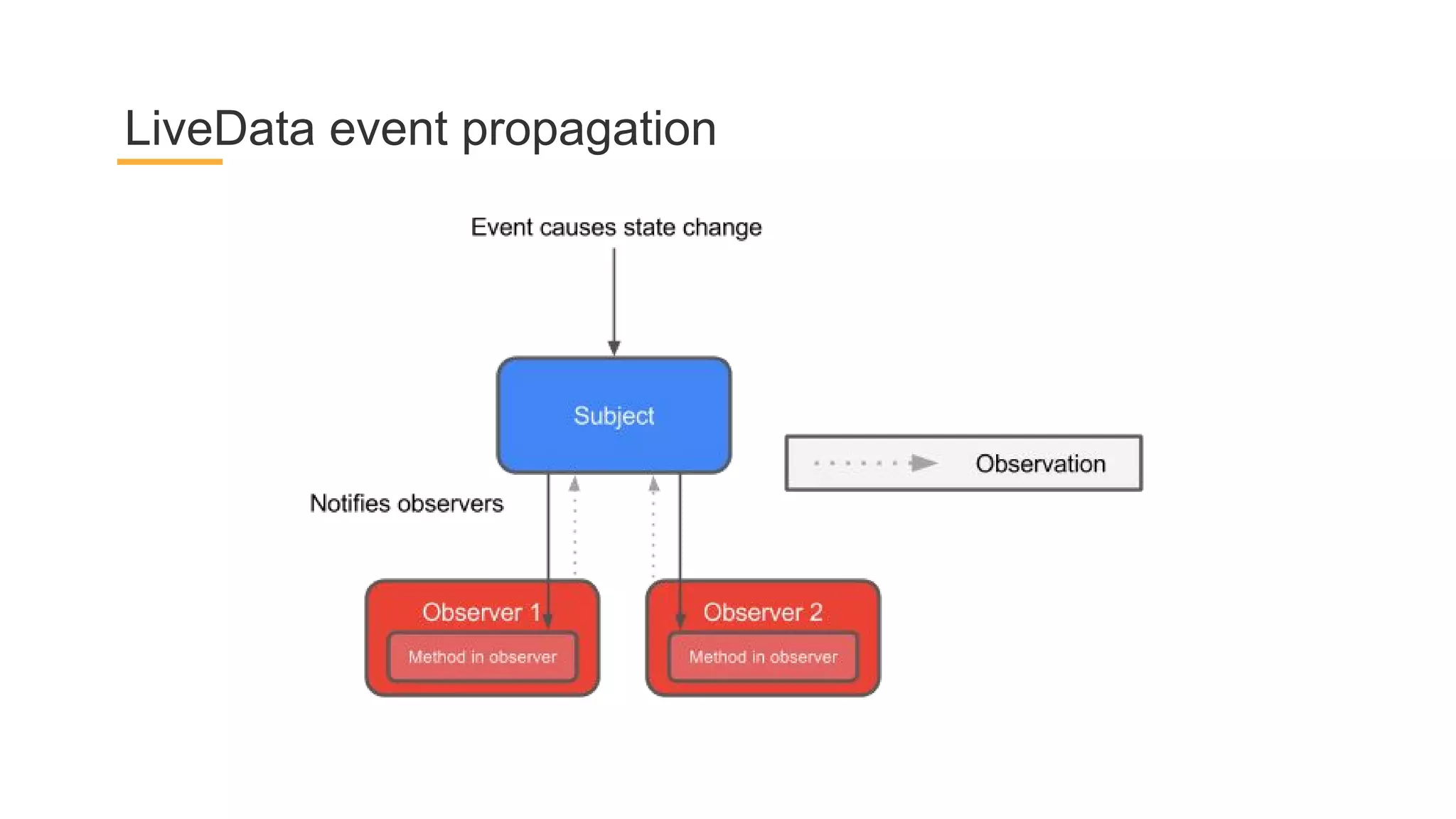
LiveData event propagation
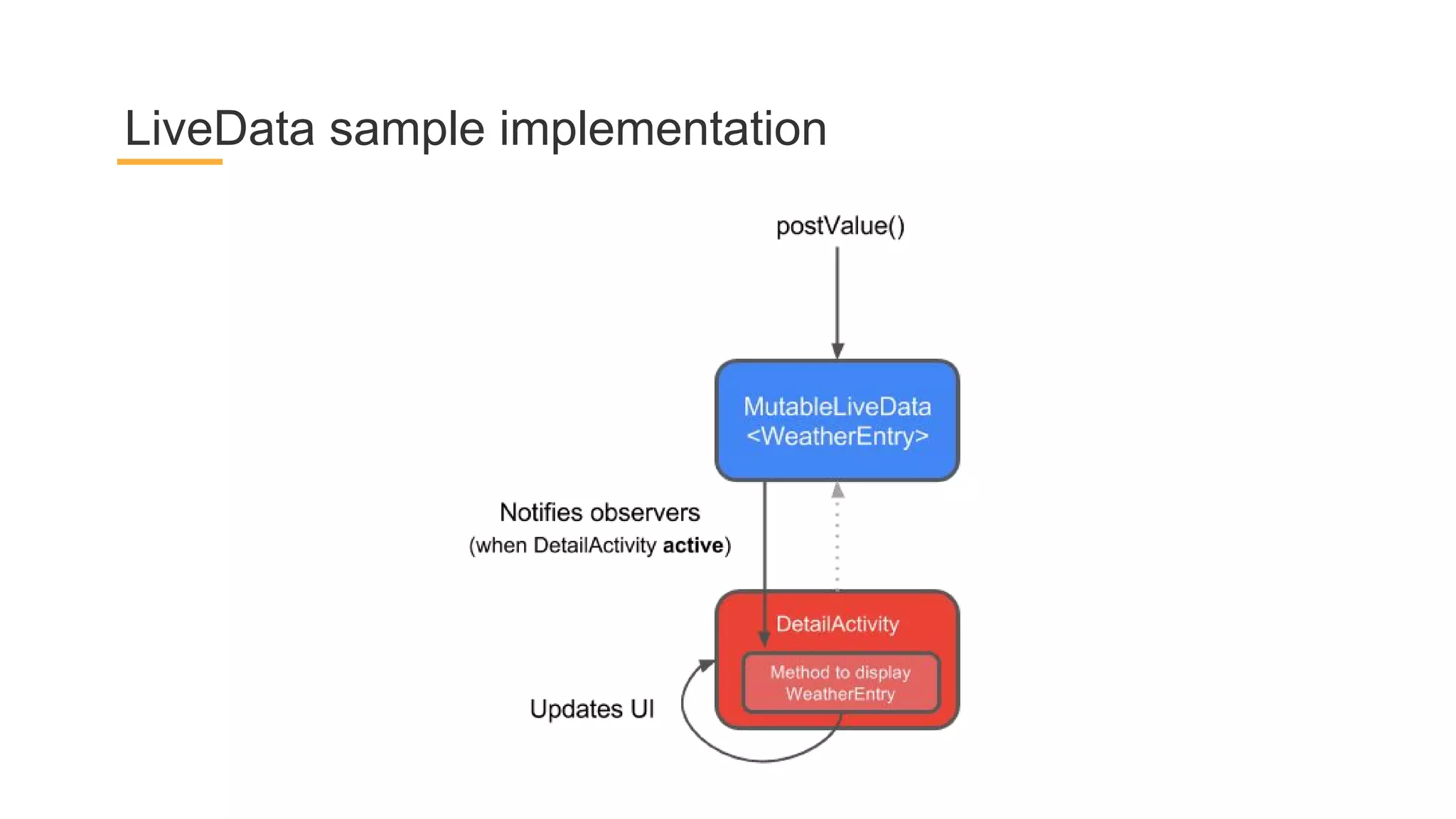
LiveData sample implementation
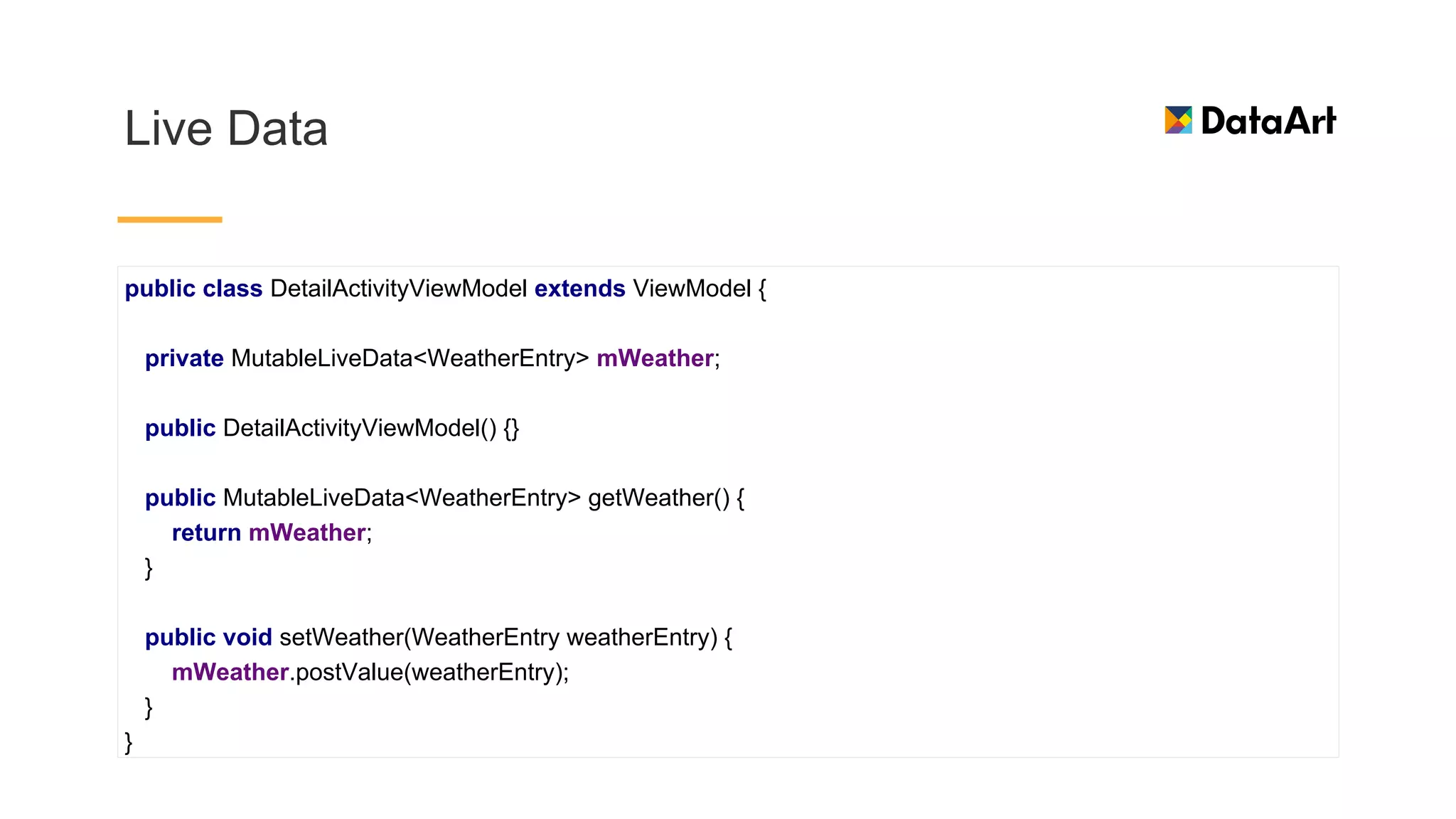
Live Data
public class DetailActivityViewModel extends ViewModel {
private MutableLiveData<WeatherEntry> mWeather;
public DetailActivityViewModel() {}
public MutableLiveData<WeatherEntry> getWeather() {
return mWeather;
}
public void setWeather(WeatherEntry weatherEntry) {
mWeather.postValue(weatherEntry);
}
}
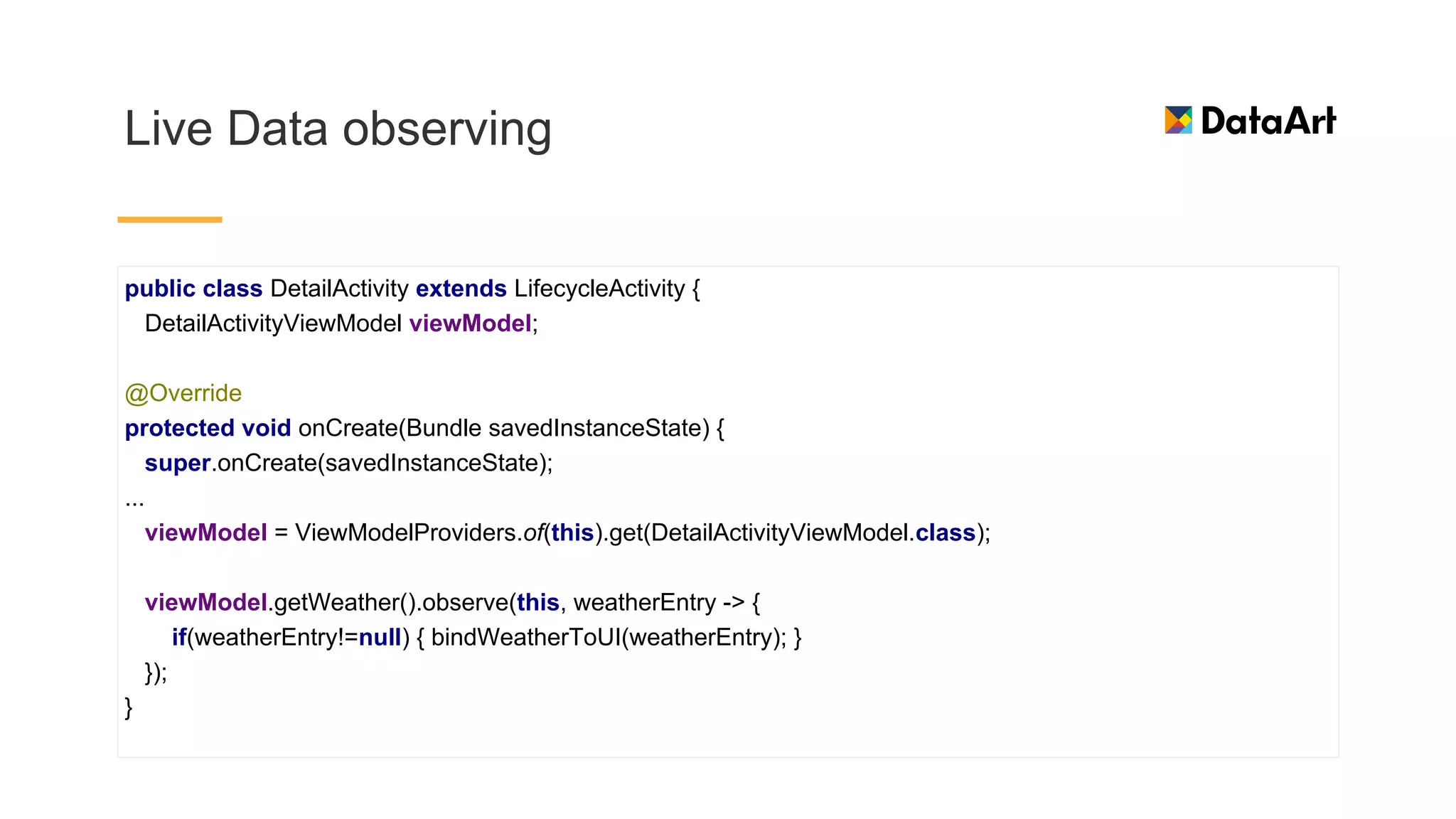
Live Data observing
public class DetailActivity extends LifecycleActivity {
DetailActivityViewModel viewModel;
@Override
protected void onCreate(Bundle savedInstanceState) {
super.onCreate(savedInstanceState);
...
viewModel = ViewModelProviders.of(this).get(DetailActivityViewModel.class);
viewModel.getWeather().observe(this, weatherEntry -> {
if(weatherEntry!=null) { bindWeatherToUI(weatherEntry); }
});
}
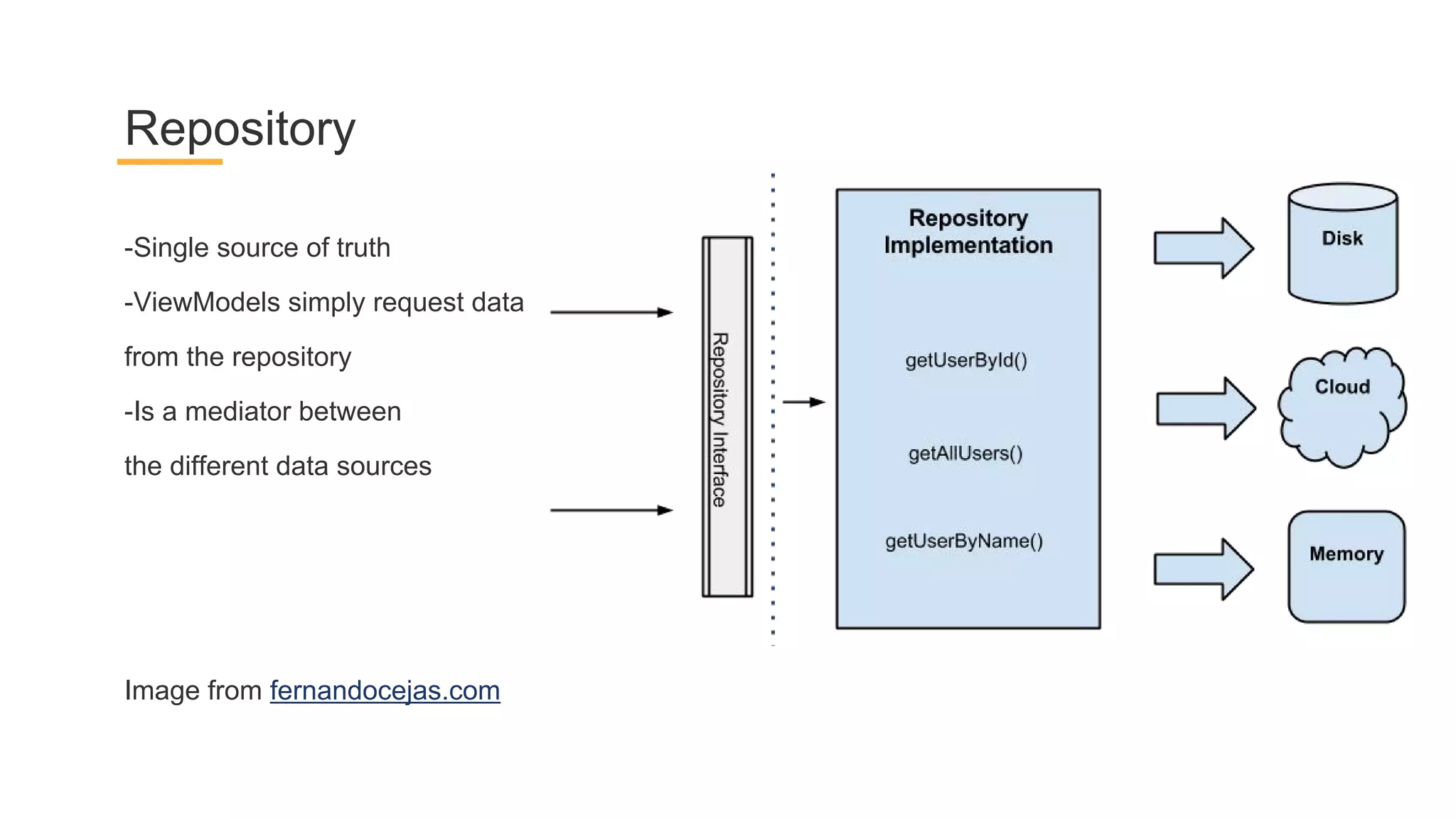
-Single source of truth
-ViewModels simply request data
from the repository
-Is a mediator between
the different data sources
Repository
Image from fernandocejas.com
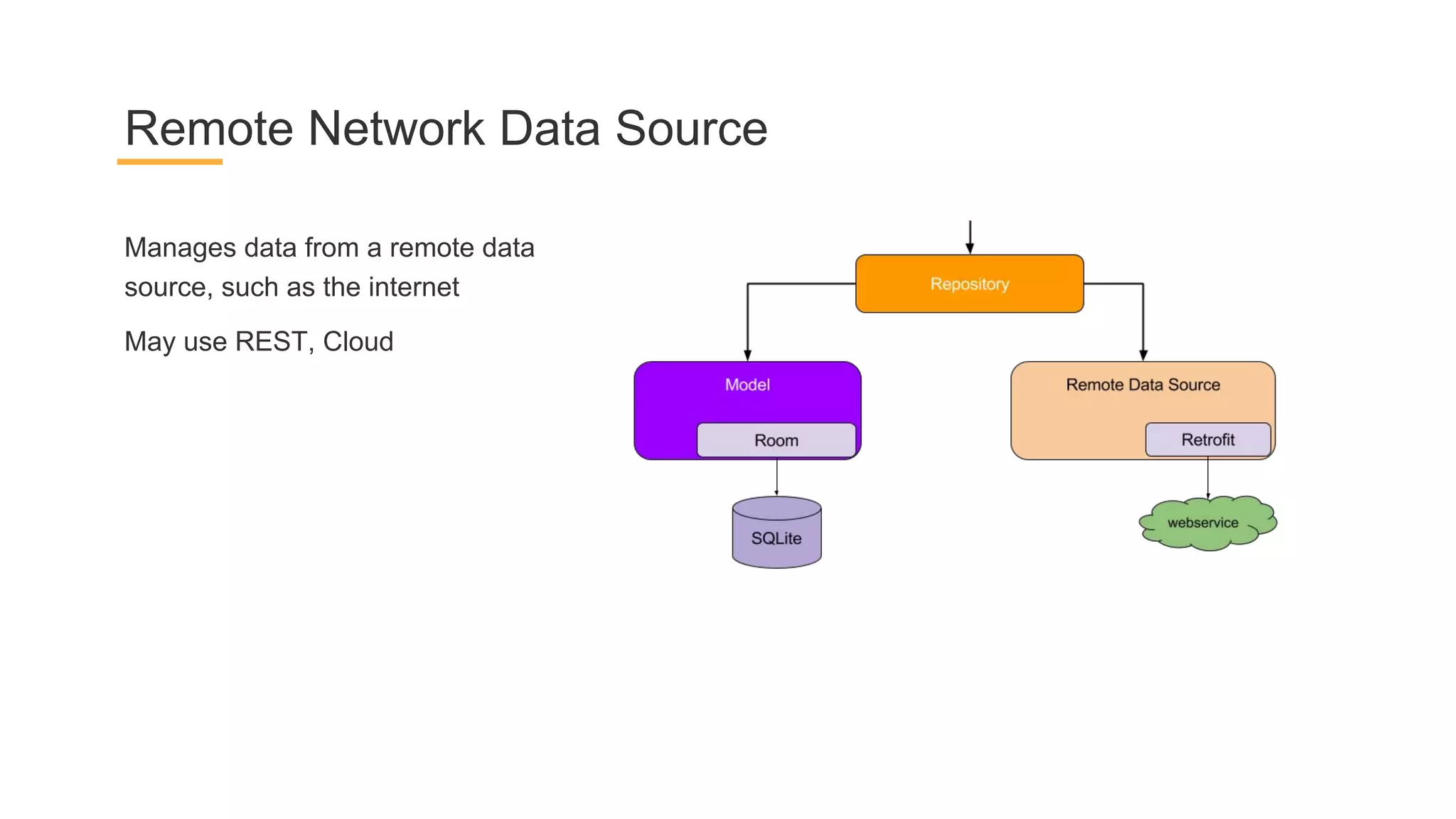
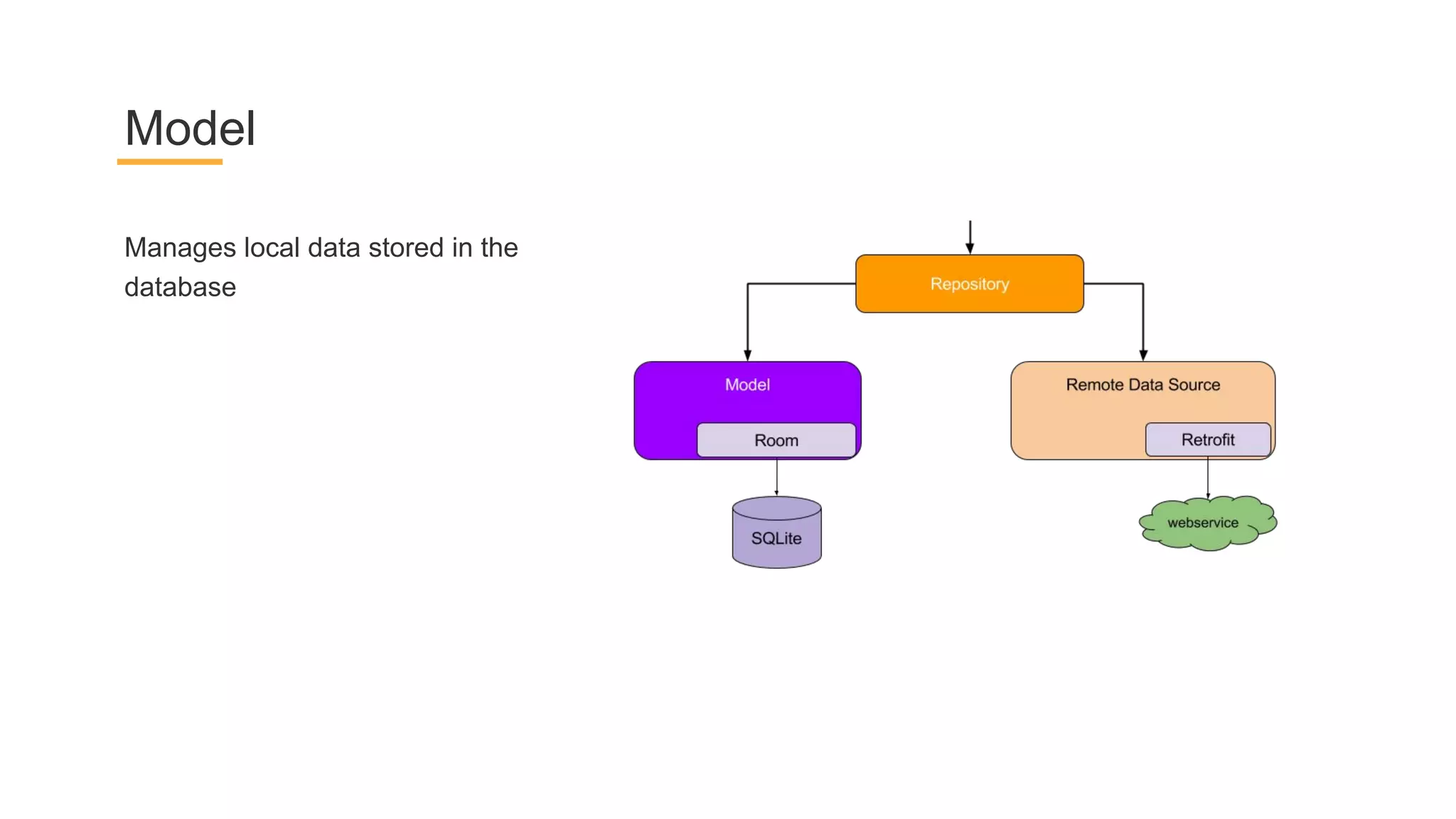
Manages data from a remote data
source, such as the internet
May use REST, Cloud
Remote Network Data Source
Manages local data stored in the
database
Model
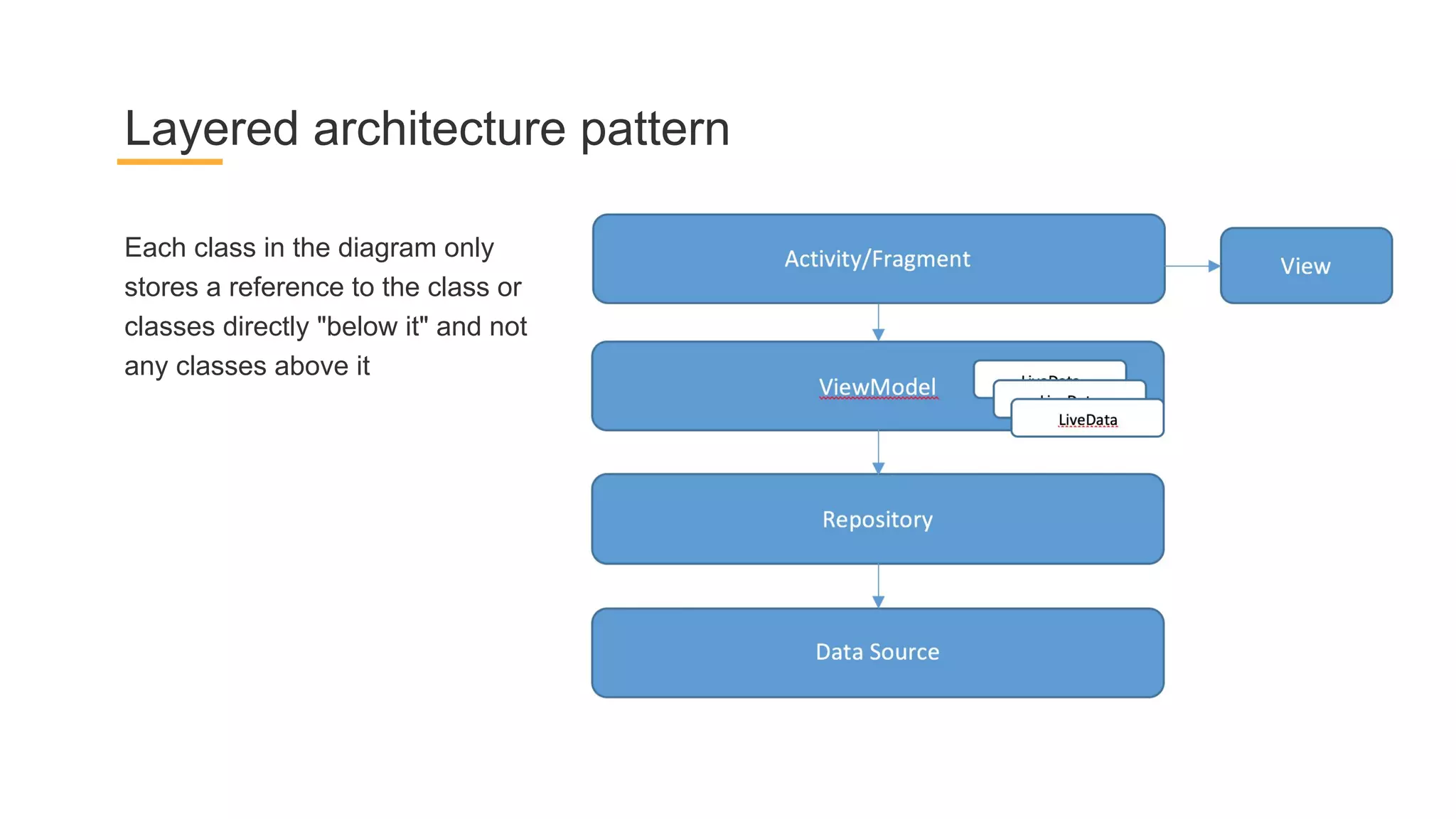
Each class in the diagram only
stores a reference to the class or
classes directly "below it" and not
any classes above it
Layered architecture pattern
ORM by Google
Room
-Less boilerplate compared to the built-in APIs
-Compile-time validation of SQL queries
-Data observation via LiveData, RxJava
Room ORM purposes
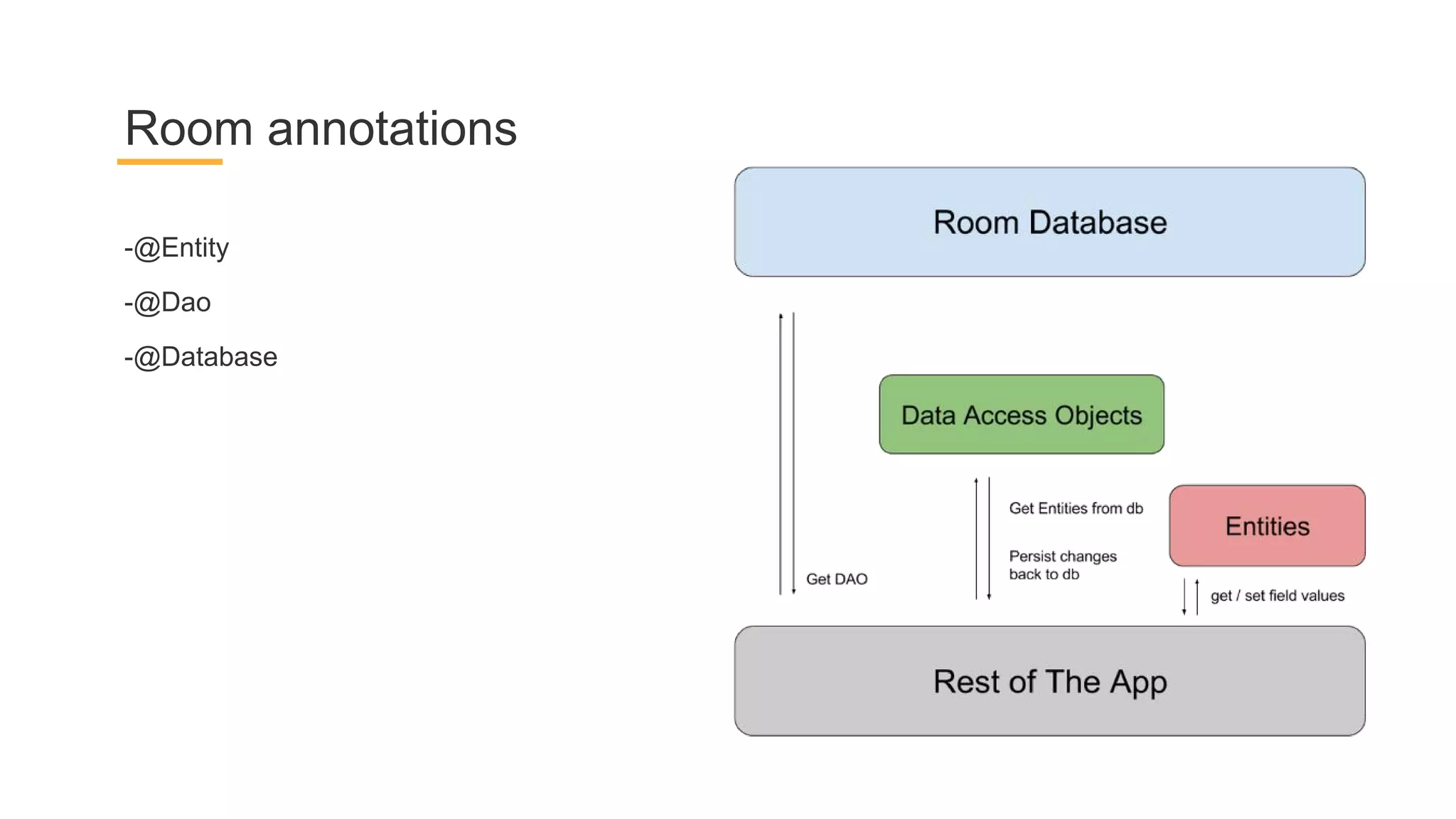
-@Entity
-@Dao
-@Database
Room annotations
Entity
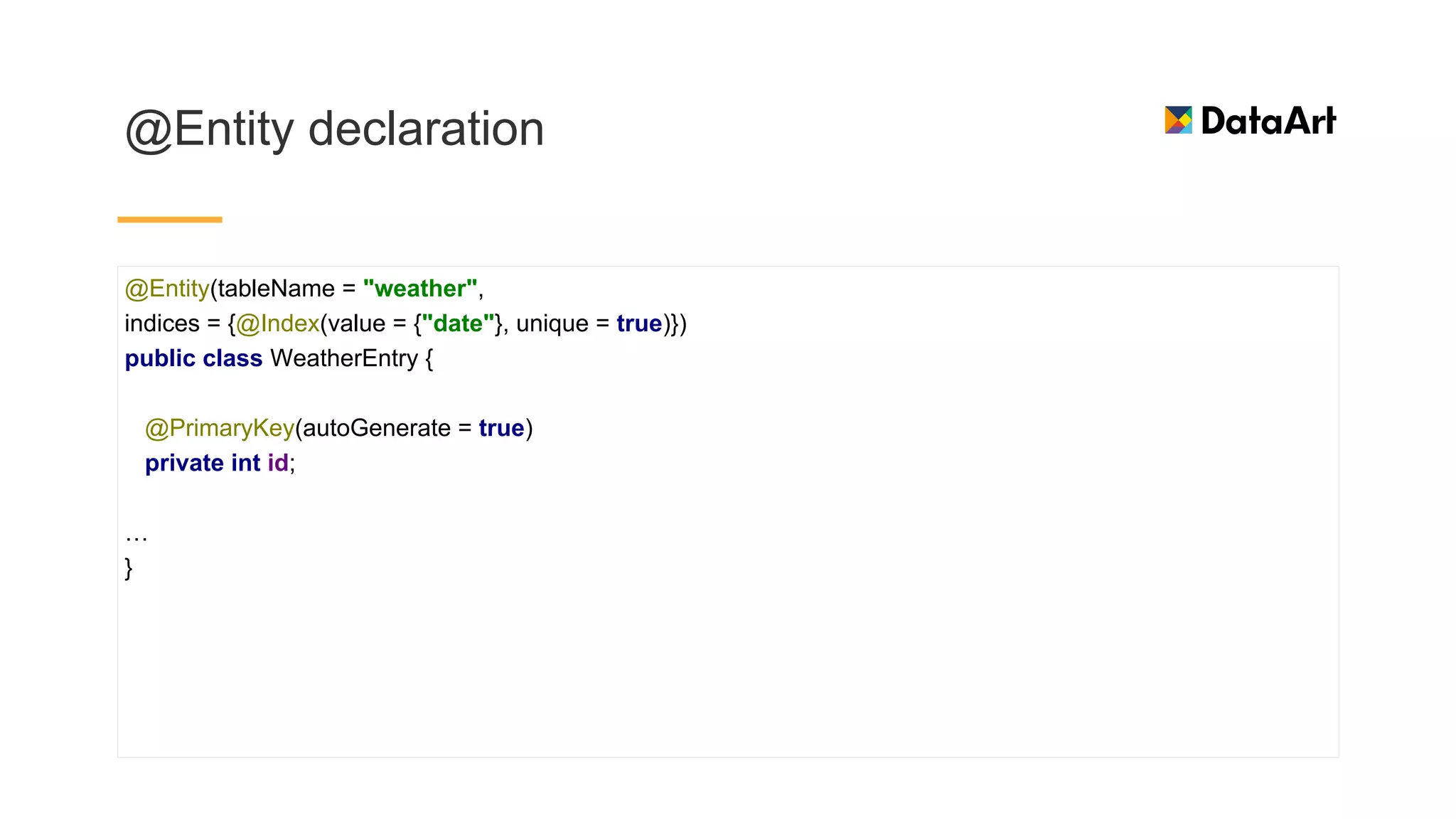
@Entity declaration
@Entity(tableName = "weather",
indices = {@Index(value = {"date"}, unique = true)})
public class WeatherEntry {
@PrimaryKey(autoGenerate = true)
private int id;
…
}
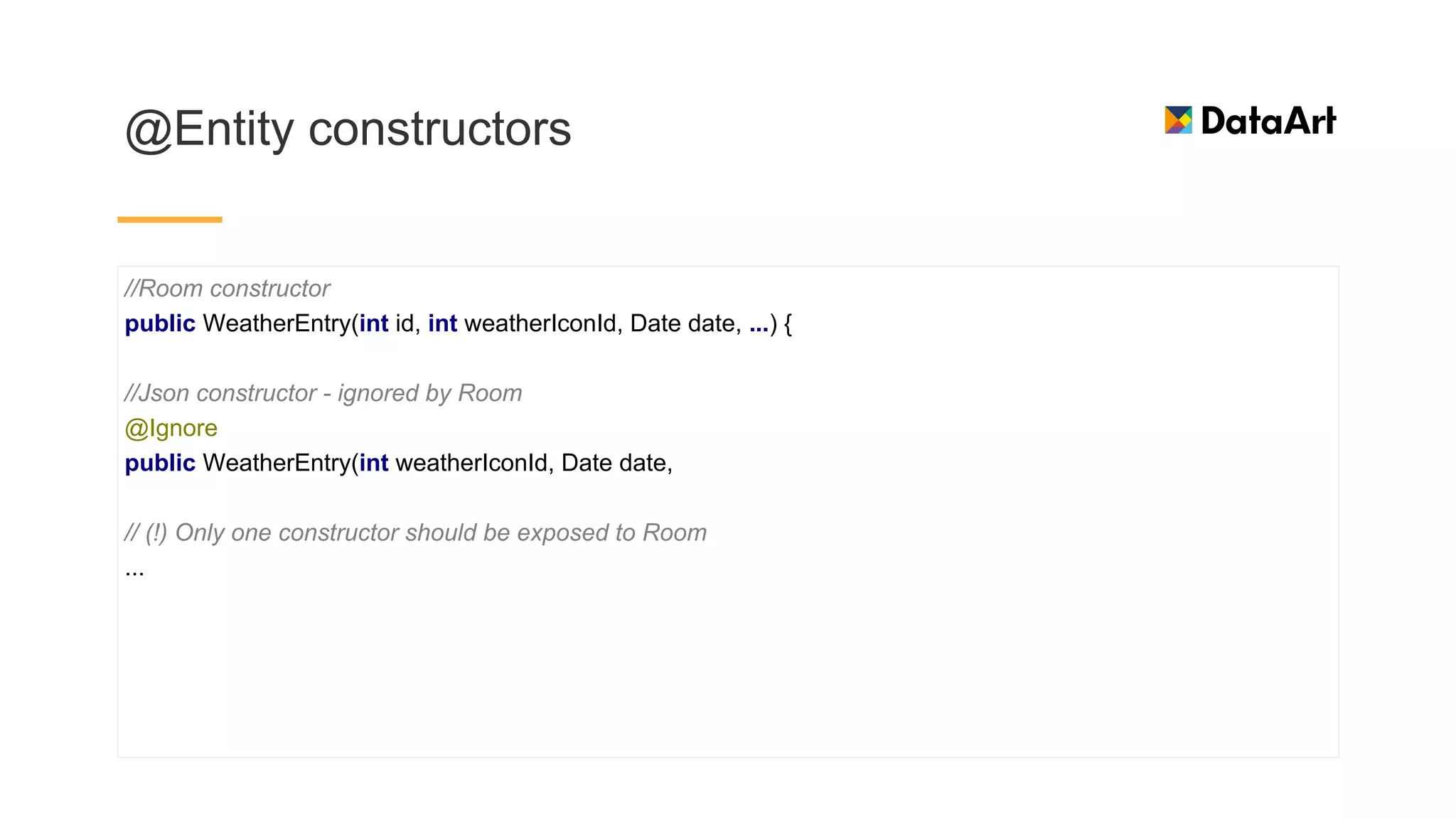
@Entity constructors
//Room constructor
public WeatherEntry(int id, int weatherIconId, Date date, ...) {
//Json constructor - ignored by Room
@Ignore
public WeatherEntry(int weatherIconId, Date date,
// (!) Only one constructor should be exposed to Room
...
Dao
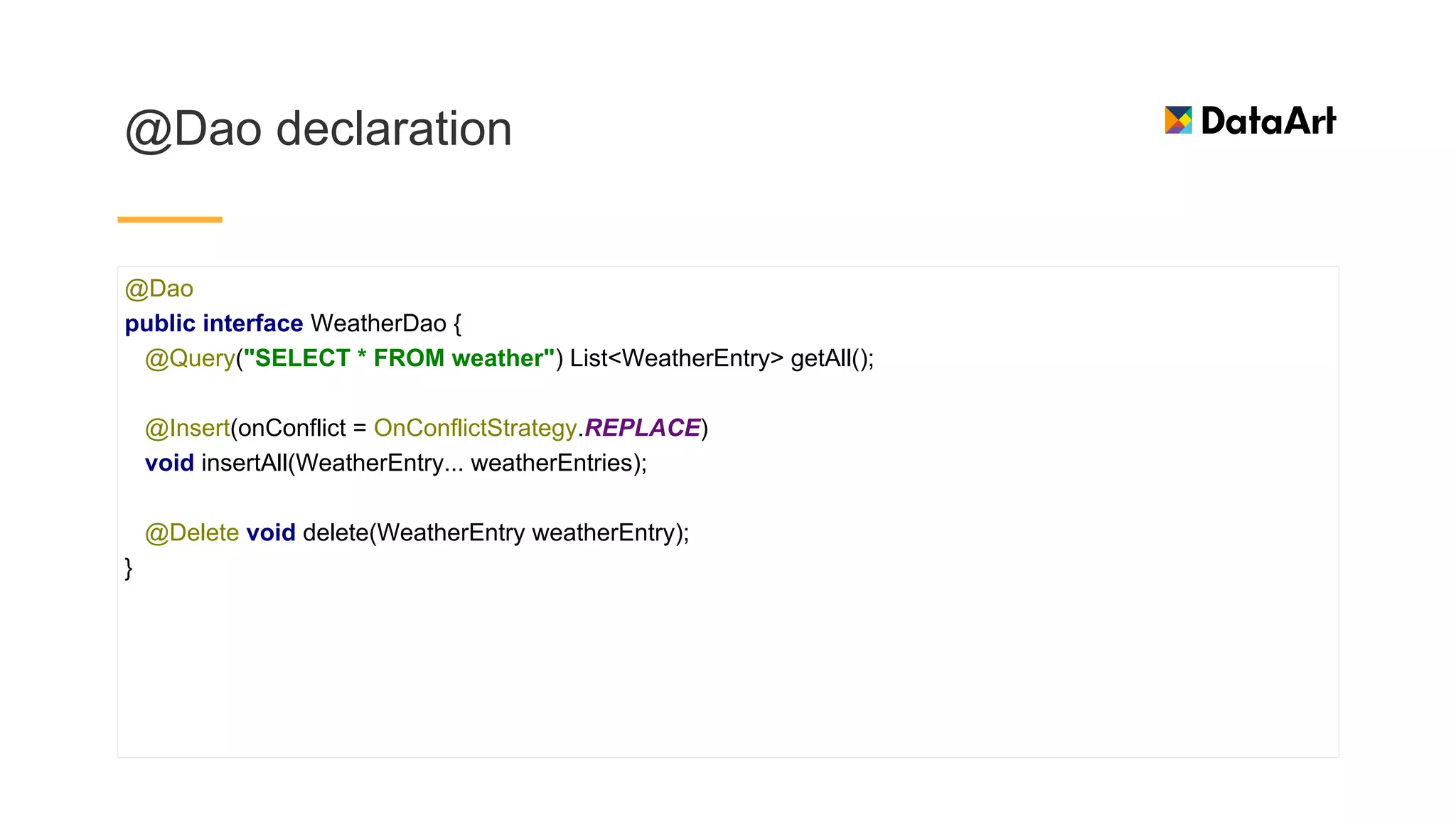
@Dao declaration
@Dao
public interface WeatherDao {
@Query("SELECT * FROM weather") List<WeatherEntry> getAll();
@Insert(onConflict = OnConflictStrategy.REPLACE)
void insertAll(WeatherEntry... weatherEntries);
@Delete void delete(WeatherEntry weatherEntry);
}
Database
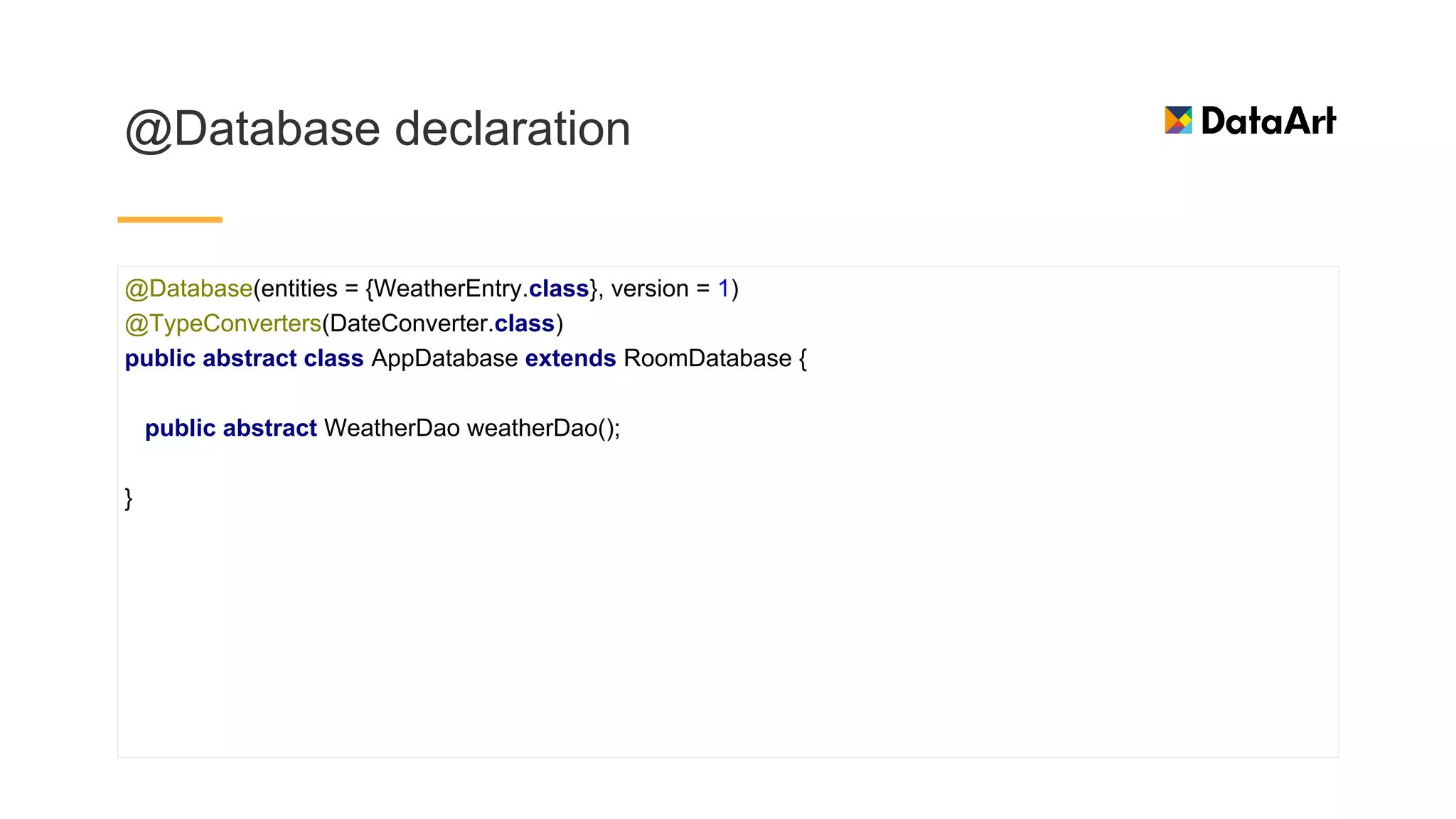
@Database declaration
@Database(entities = {WeatherEntry.class}, version = 1)
@TypeConverters(DateConverter.class)
public abstract class AppDatabase extends RoomDatabase {
public abstract WeatherDao weatherDao();
}
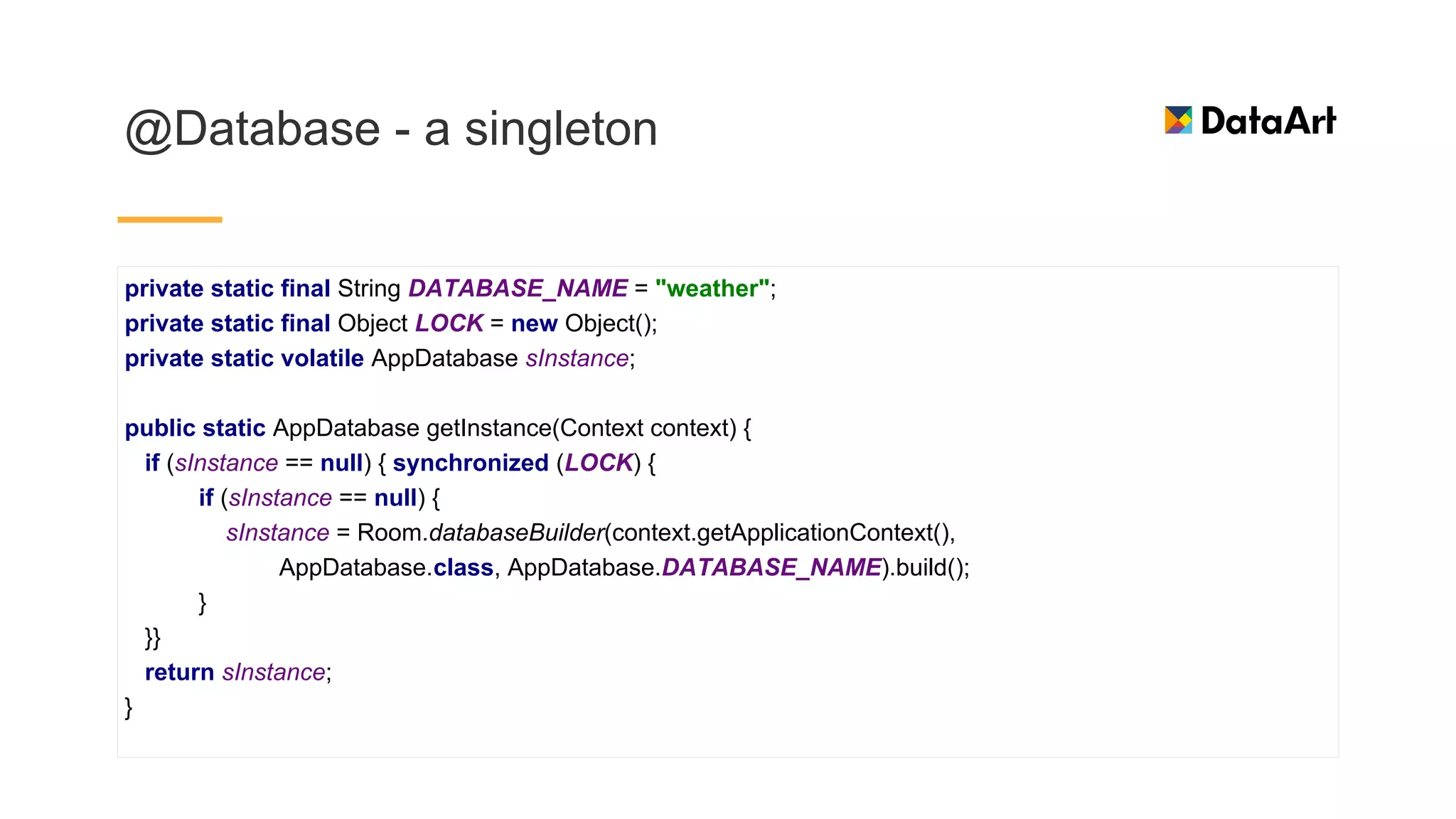
@Database - a singleton
private static final String DATABASE_NAME = "weather";
private static final Object LOCK = new Object();
private static volatile AppDatabase sInstance;
public static AppDatabase getInstance(Context context) {
if (sInstance == null) { synchronized (LOCK) {
if (sInstance == null) {
sInstance = Room.databaseBuilder(context.getApplicationContext(),
AppDatabase.class, AppDatabase.DATABASE_NAME).build();
}
}}
return sInstance;
}
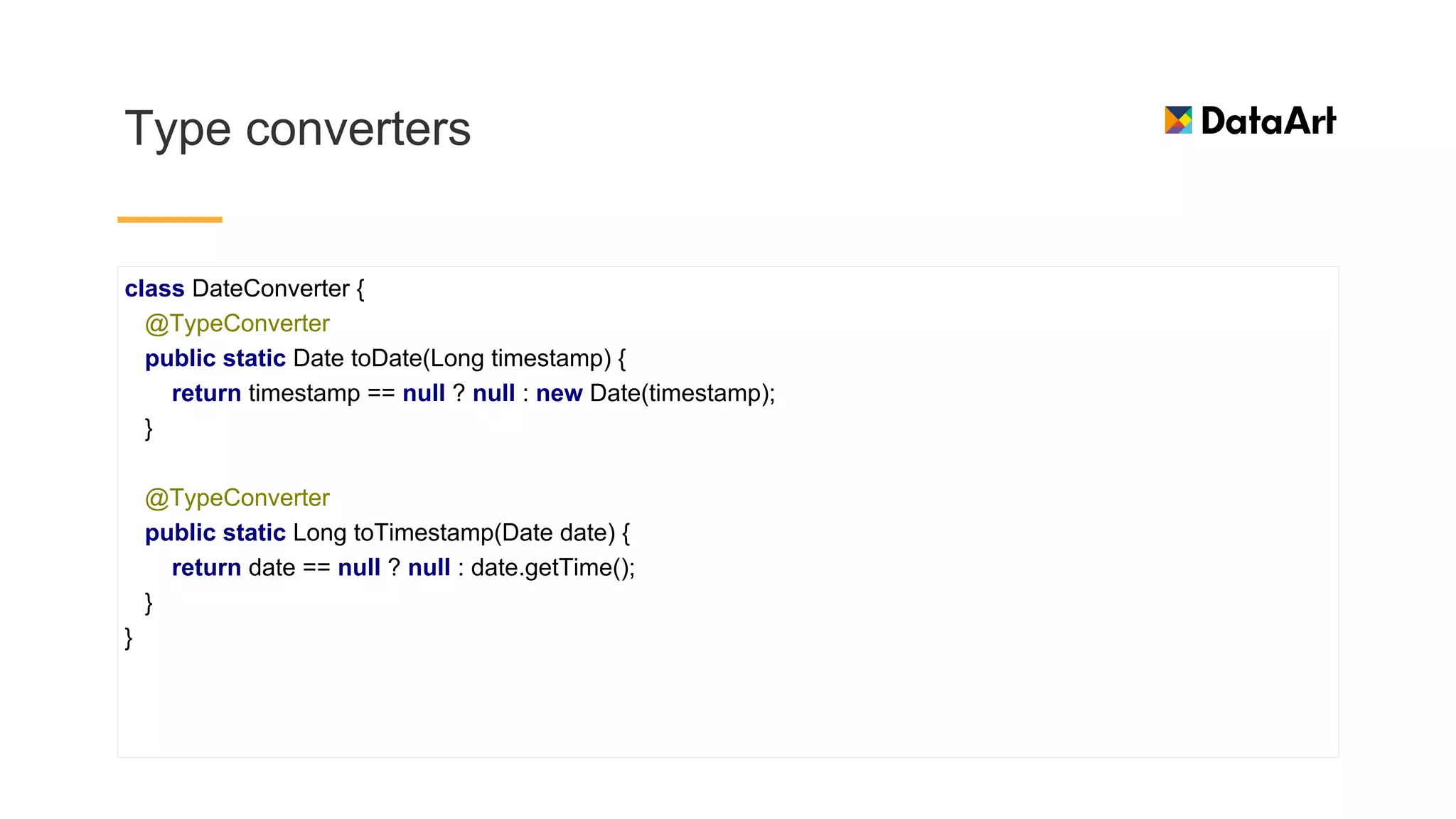
Type converters
class DateConverter {
@TypeConverter
public static Date toDate(Long timestamp) {
return timestamp == null ? null : new Date(timestamp);
}
@TypeConverter
public static Long toTimestamp(Date date) {
return date == null ? null : date.getTime();
}
}
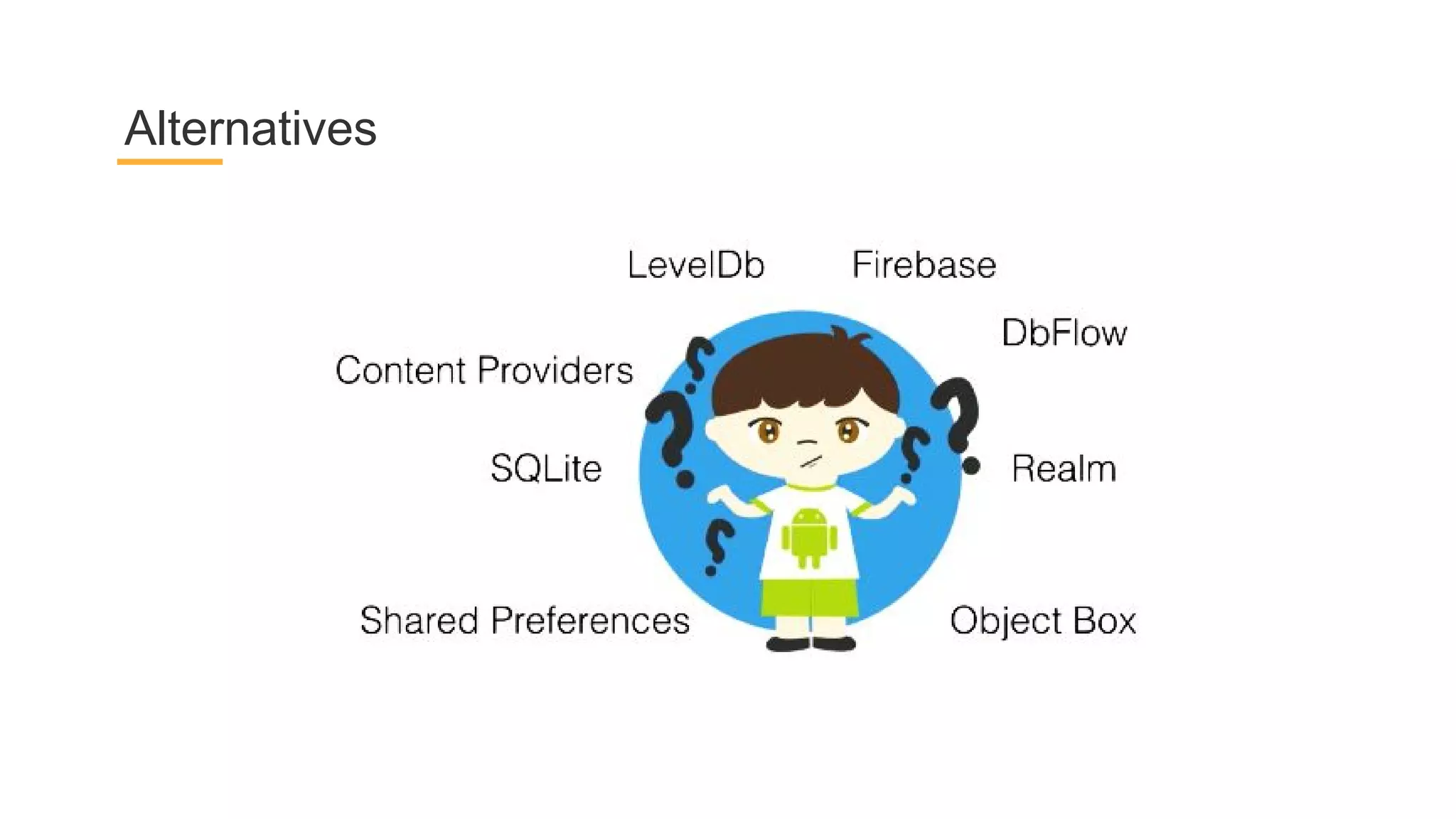
Alternatives
Repository
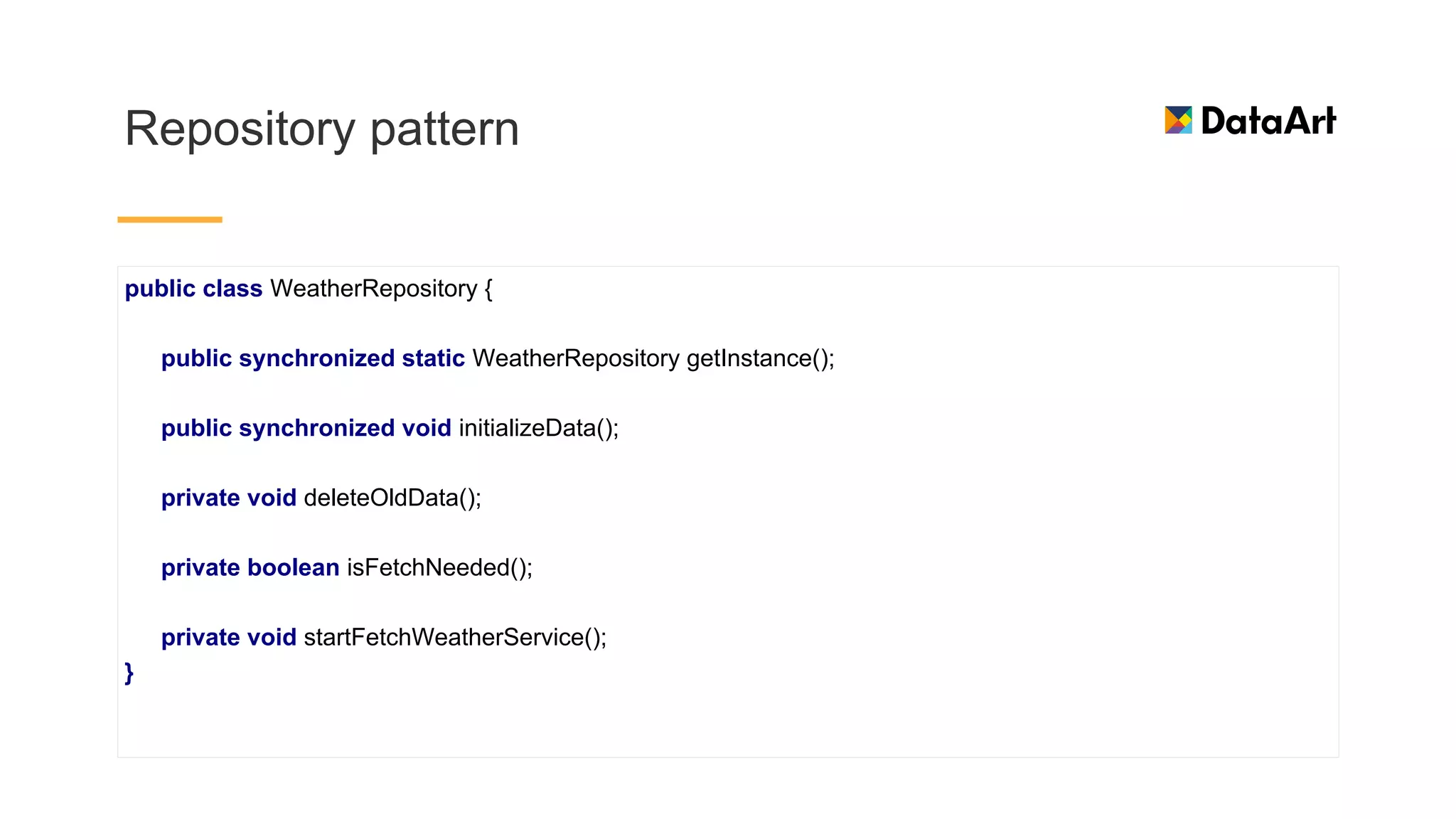
Repository pattern
public class WeatherRepository {
public synchronized static WeatherRepository getInstance();
public synchronized void initializeData();
private void deleteOldData();
private boolean isFetchNeeded();
private void startFetchWeatherService();
}
Repository - fetch data from network
mWeatherNetworkDataSource = weatherNetworkDataSource;
LiveData<WeatherEntry[]> networkData = mWeatherNetworkDataSource.getCurrentWeatherForecasts();
networkData.observeForever(newForecastsFromNetwork -> {
mExecutors.diskIO().execute(() -> {
mWeatherDao.bulkInsert(newForecastsFromNetwork);
Log.d(LOG_TAG, "New values inserted");
});
});
Repository - use LiveData
private WeatherNetworkDataSource(Context context, AppExecutors executors) {
mContext = context;
mExecutors = executors;
mDownloadedWeatherForecasts = new MutableLiveData<WeatherEntry[]>();
}
Check when to fetch
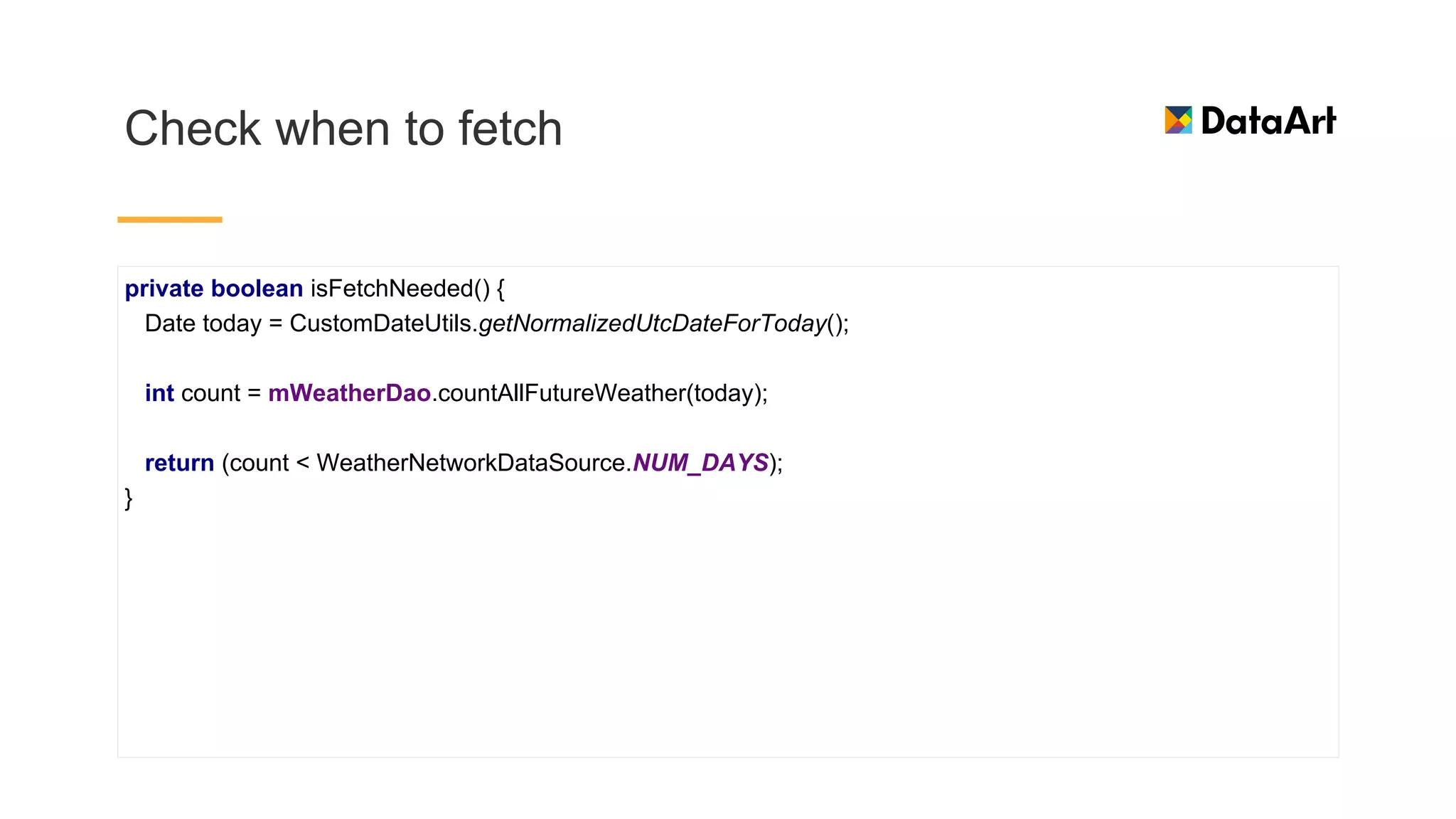
private boolean isFetchNeeded() {
Date today = CustomDateUtils.getNormalizedUtcDateForToday();
int count = mWeatherDao.countAllFutureWeather(today);
return (count < WeatherNetworkDataSource.NUM_DAYS);
}
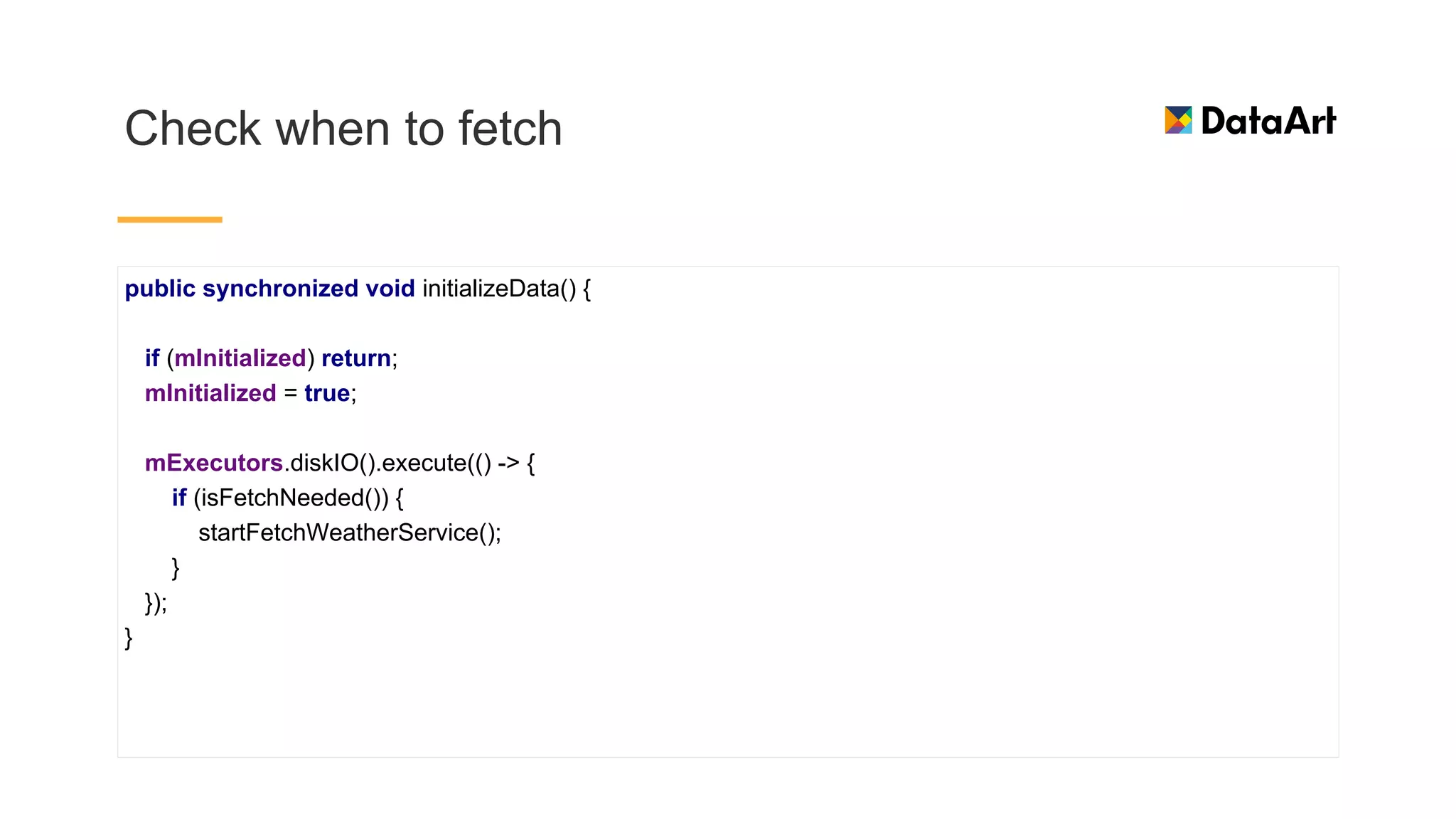
Check when to fetch
public synchronized void initializeData() {
if (mInitialized) return;
mInitialized = true;
mExecutors.diskIO().execute(() -> {
if (isFetchNeeded()) {
startFetchWeatherService();
}
});
}
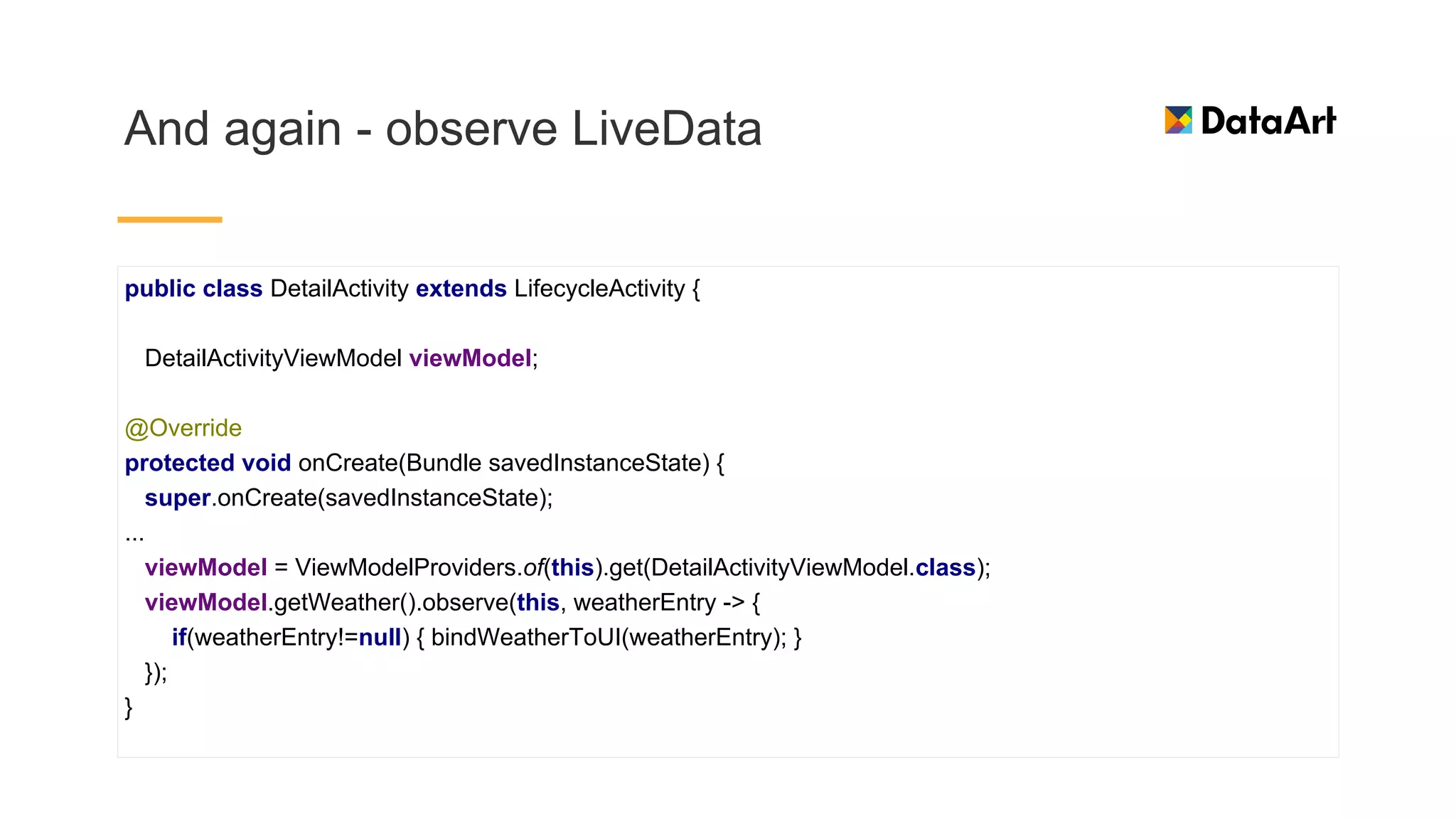
And again - observe LiveData
public class DetailActivity extends LifecycleActivity {
DetailActivityViewModel viewModel;
@Override
protected void onCreate(Bundle savedInstanceState) {
super.onCreate(savedInstanceState);
...
viewModel = ViewModelProviders.of(this).get(DetailActivityViewModel.class);
viewModel.getWeather().observe(this, weatherEntry -> {
if(weatherEntry!=null) { bindWeatherToUI(weatherEntry); }
});
}
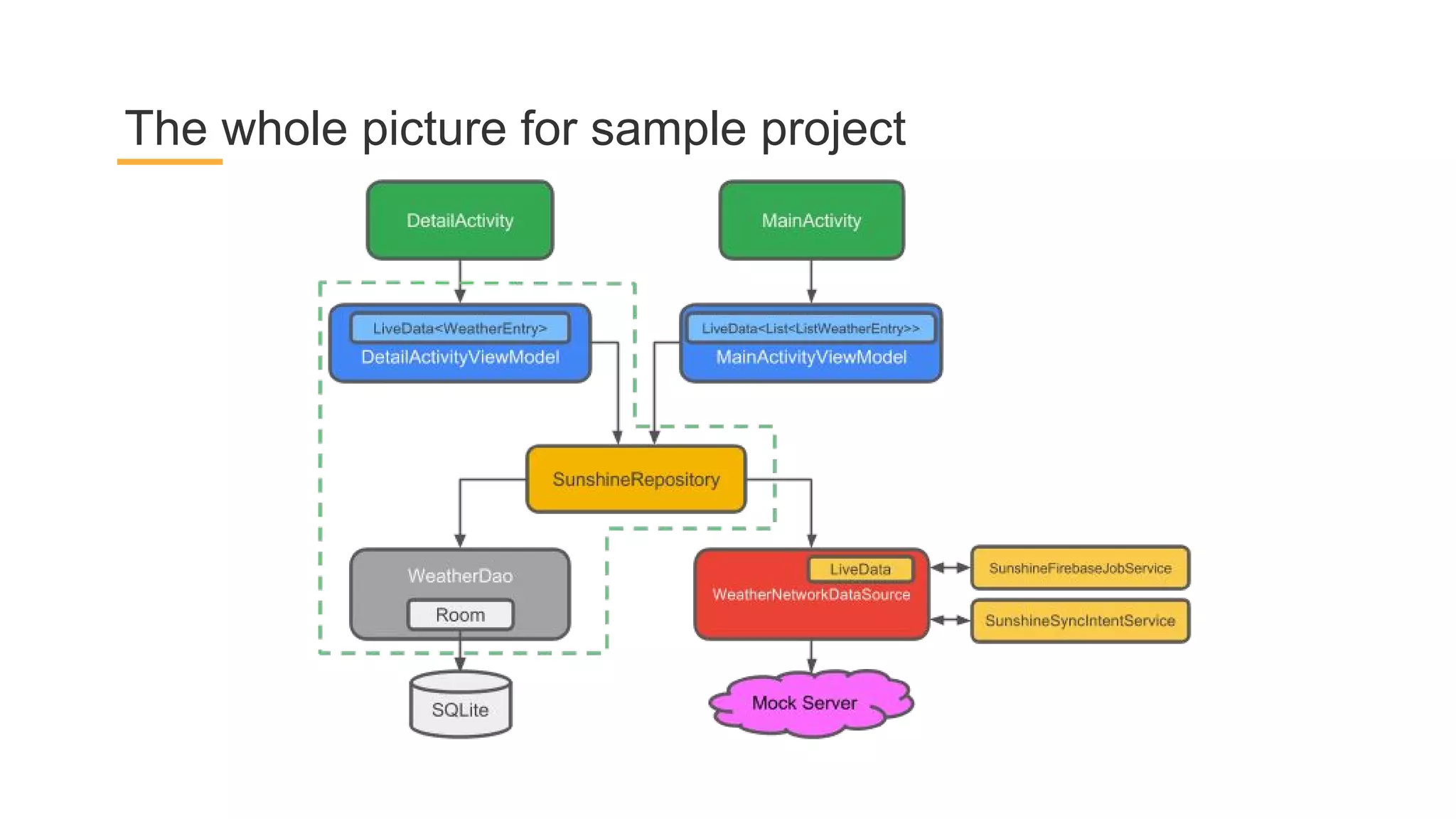
The whole picture for sample project
Paging Library
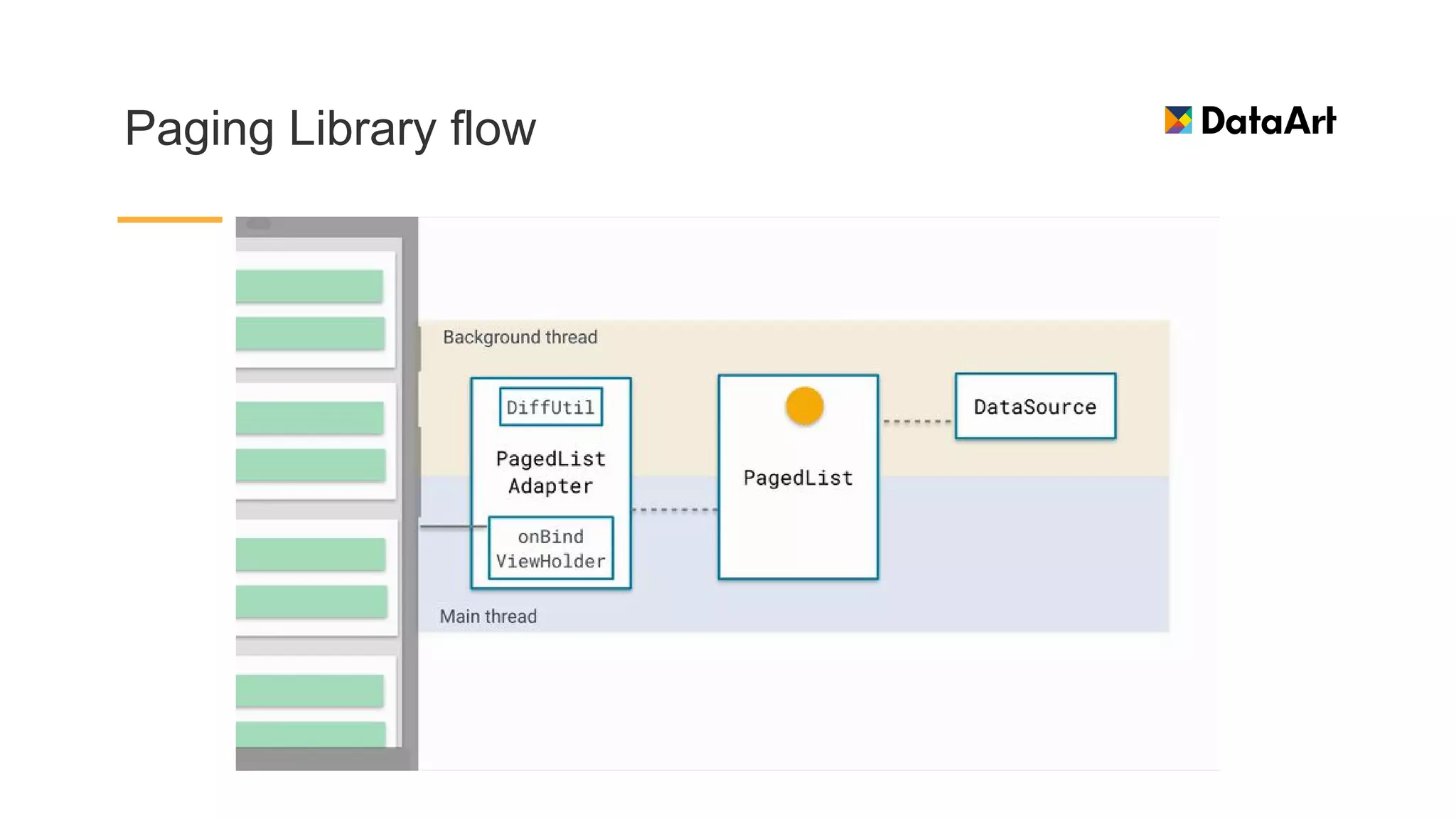
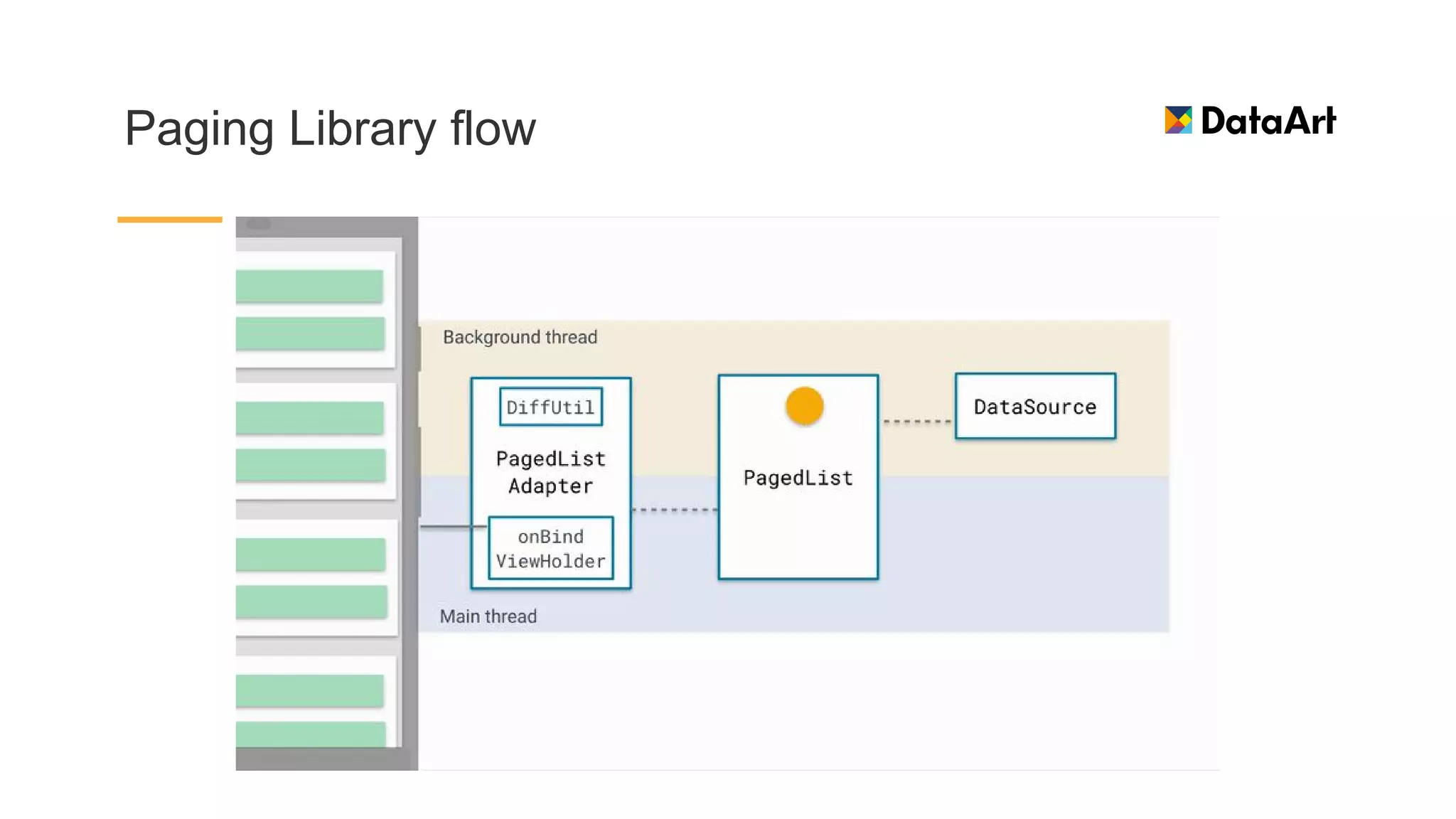
Paging Library flow
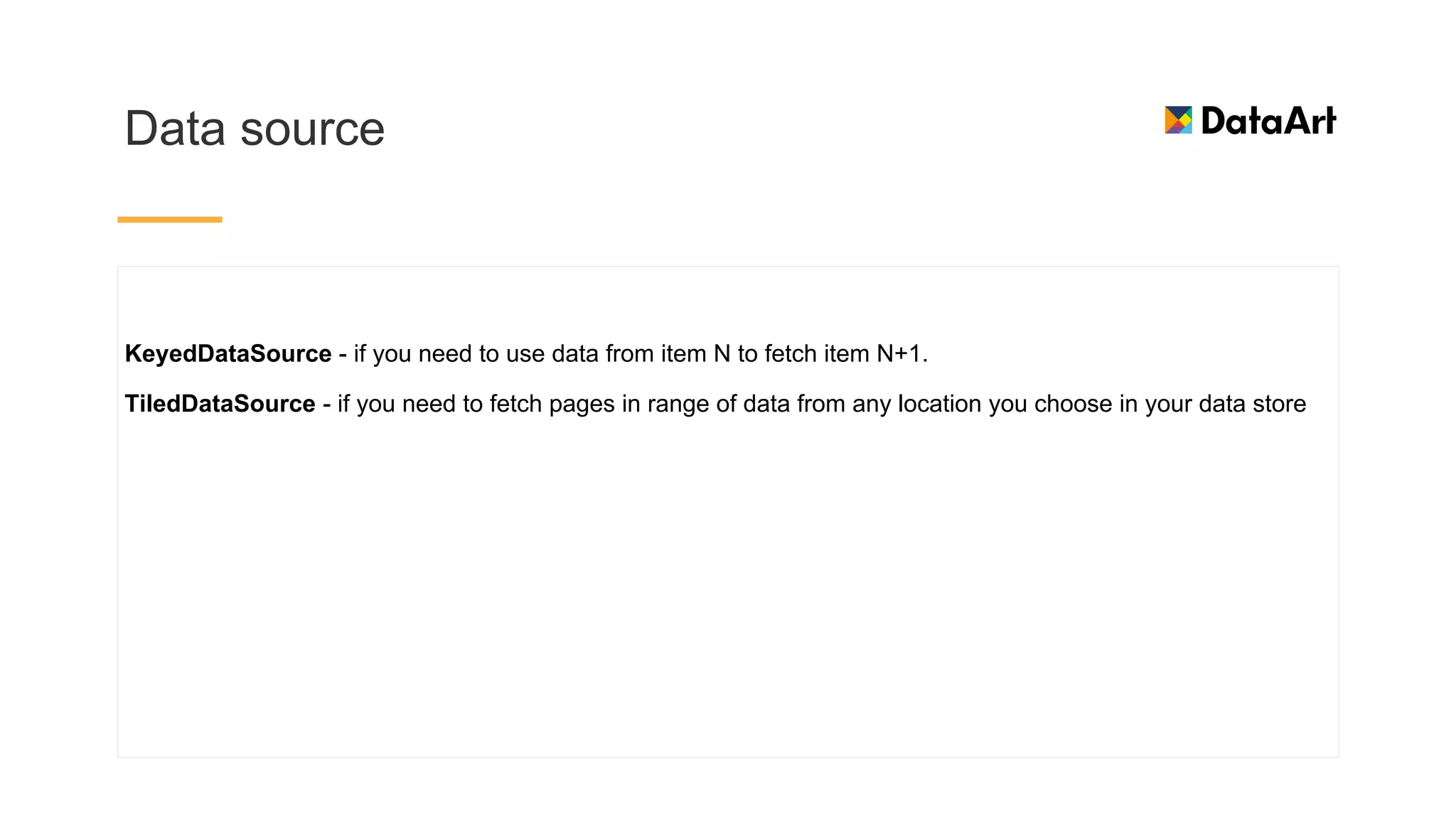
Data source
KeyedDataSource - if you need to use data from item N to fetch item N+1.
TiledDataSource - if you need to fetch pages in range of data from any location you choose in your data store
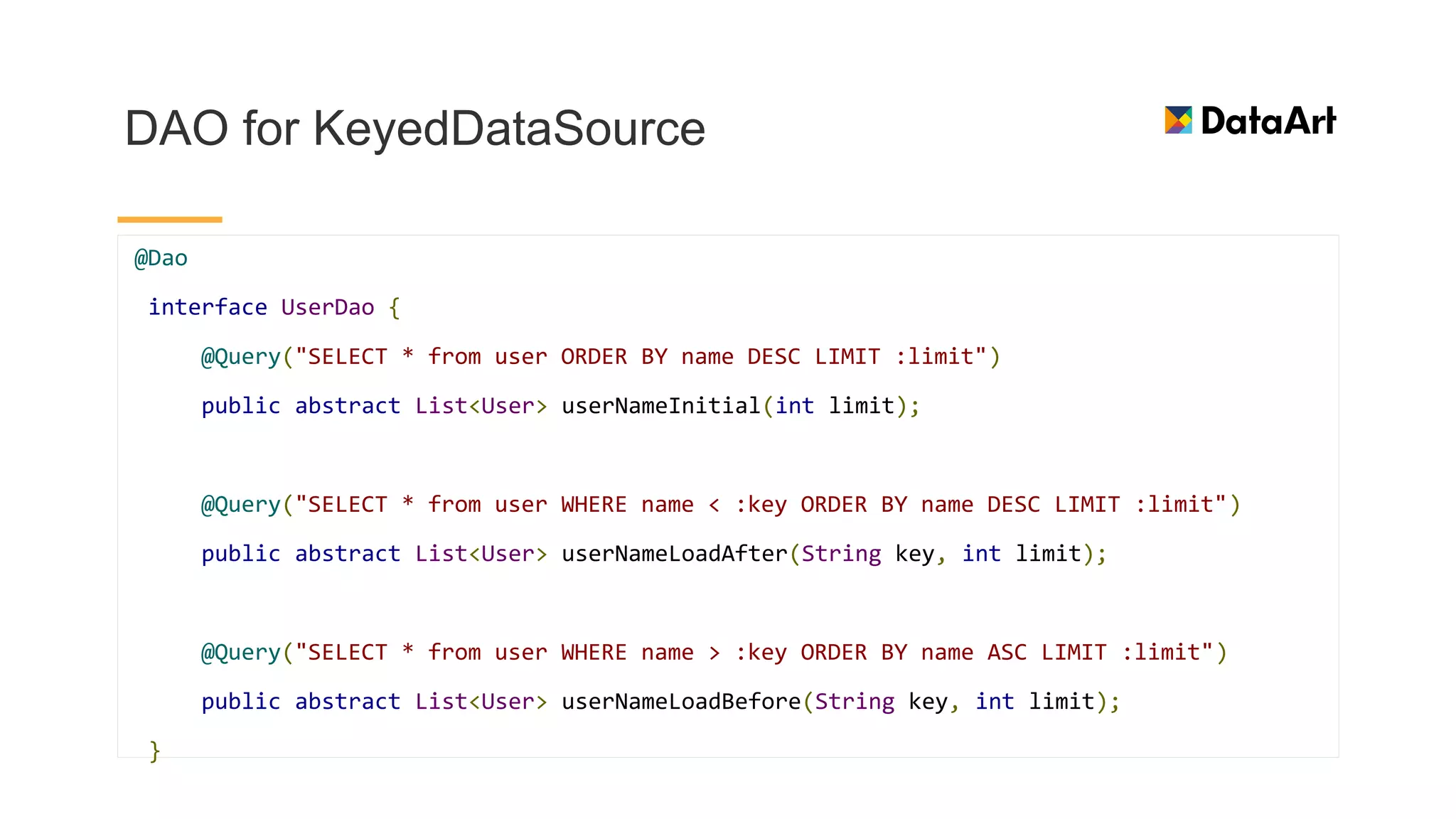
DAO for KeyedDataSource
@Dao
interface UserDao {
@Query("SELECT * from user ORDER BY name DESC LIMIT :limit")
public abstract List<User> userNameInitial(int limit);
@Query("SELECT * from user WHERE name < :key ORDER BY name DESC LIMIT :limit")
public abstract List<User> userNameLoadAfter(String key, int limit);
@Query("SELECT * from user WHERE name > :key ORDER BY name ASC LIMIT :limit")
public abstract List<User> userNameLoadBefore(String key, int limit);
}
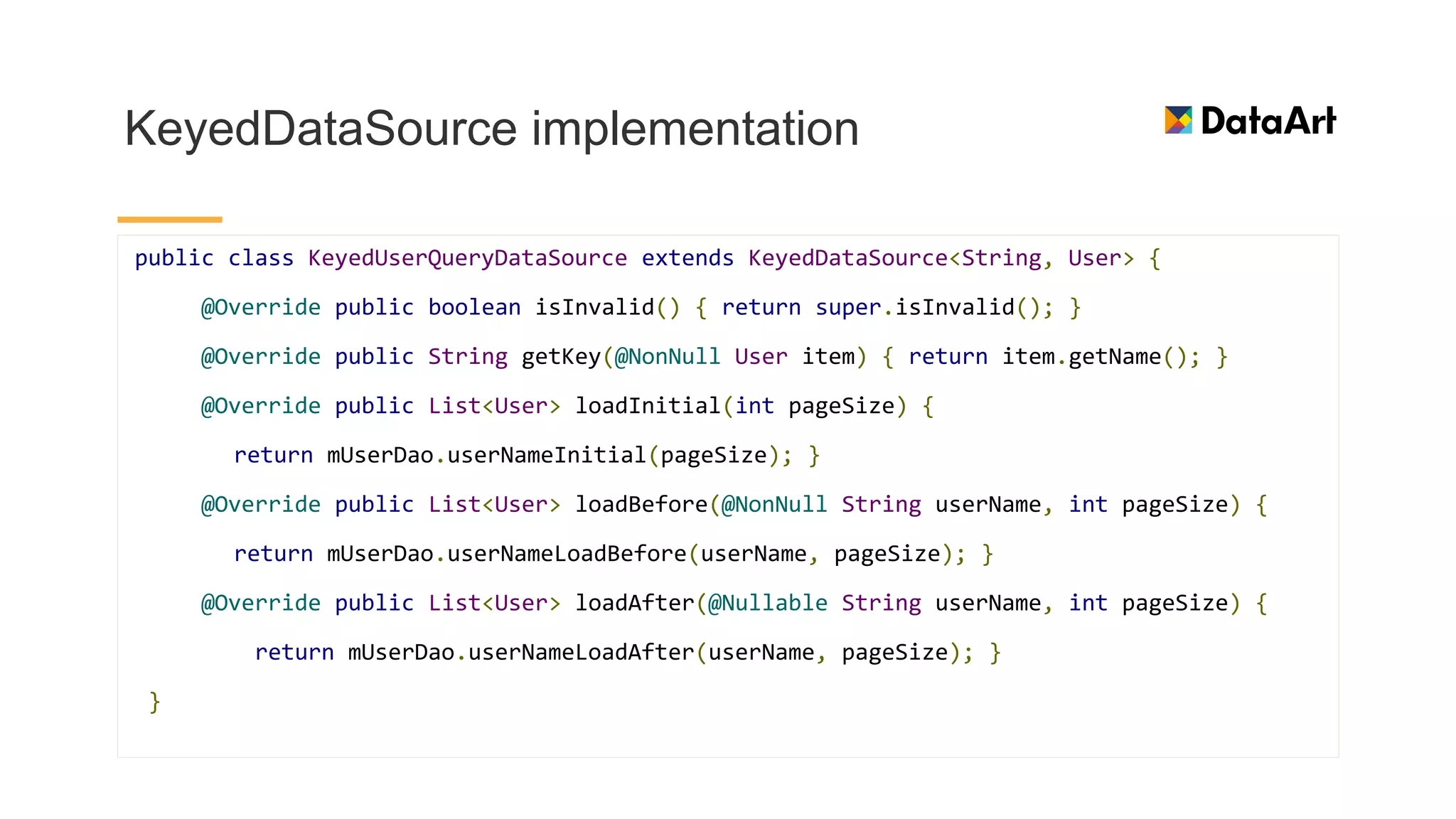
KeyedDataSource implementation
public class KeyedUserQueryDataSource extends KeyedDataSource<String, User> {
@Override public boolean isInvalid() { return super.isInvalid(); }
@Override public String getKey(@NonNull User item) { return item.getName(); }
@Override public List<User> loadInitial(int pageSize) {
return mUserDao.userNameInitial(pageSize); }
@Override public List<User> loadBefore(@NonNull String userName, int pageSize) {
return mUserDao.userNameLoadBefore(userName, pageSize); }
@Override public List<User> loadAfter(@Nullable String userName, int pageSize) {
return mUserDao.userNameLoadAfter(userName, pageSize); }
}
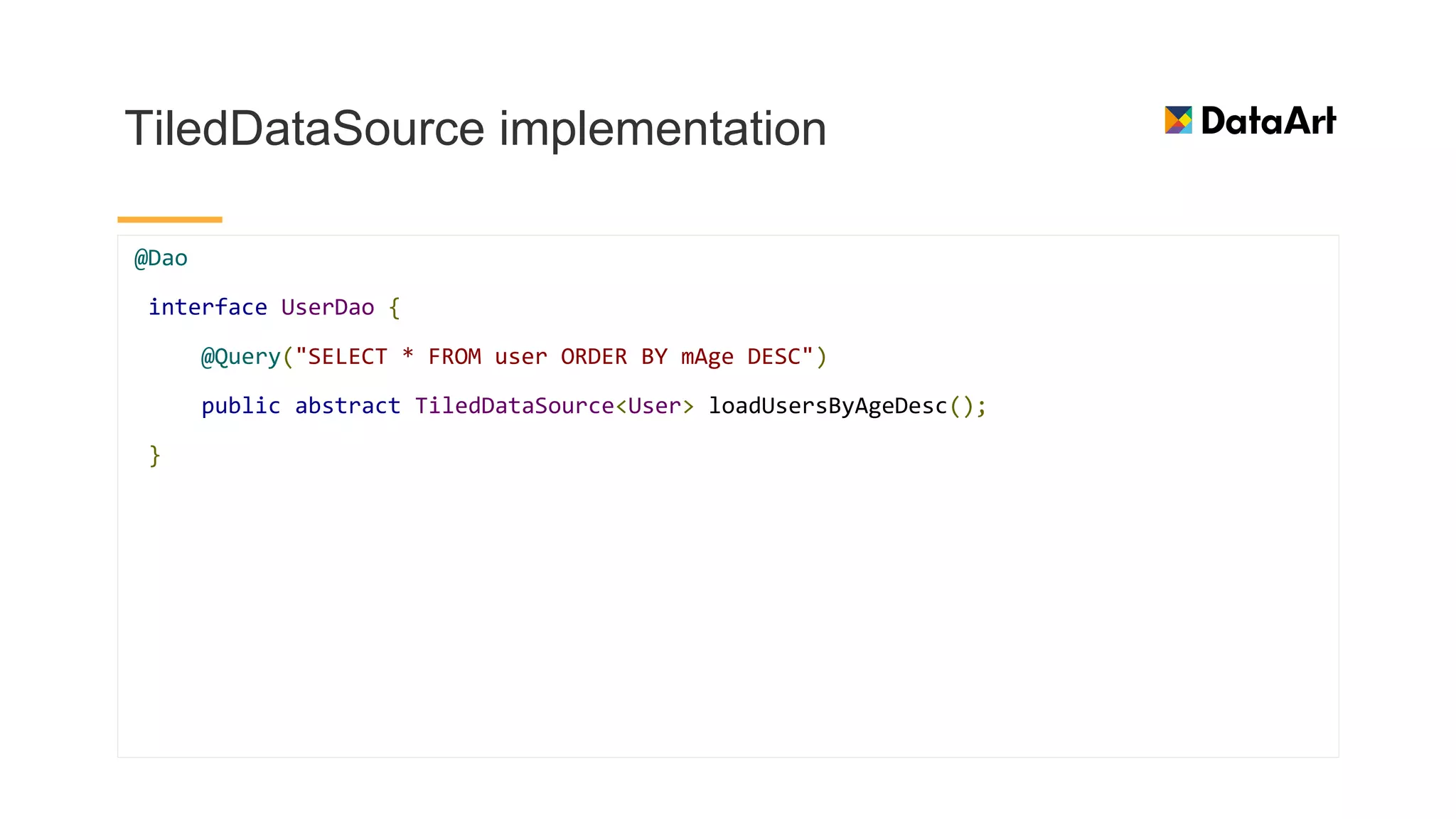
TiledDataSource implementation
@Dao
interface UserDao {
@Query("SELECT * FROM user ORDER BY mAge DESC")
public abstract TiledDataSource<User> loadUsersByAgeDesc();
}
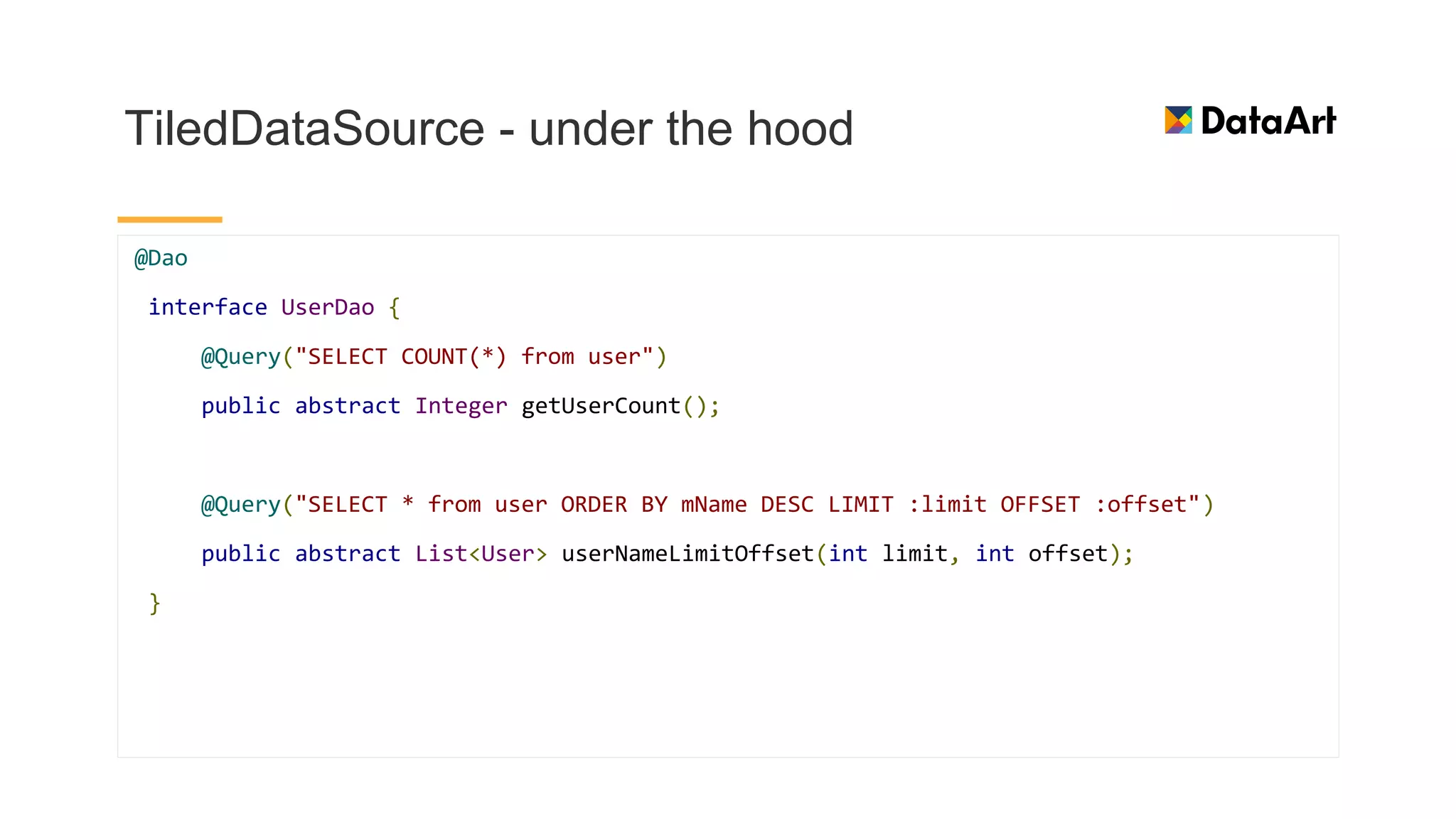
TiledDataSource - under the hood
@Dao
interface UserDao {
@Query("SELECT COUNT(*) from user")
public abstract Integer getUserCount();
@Query("SELECT * from user ORDER BY mName DESC LIMIT :limit OFFSET :offset")
public abstract List<User> userNameLimitOffset(int limit, int offset);
}
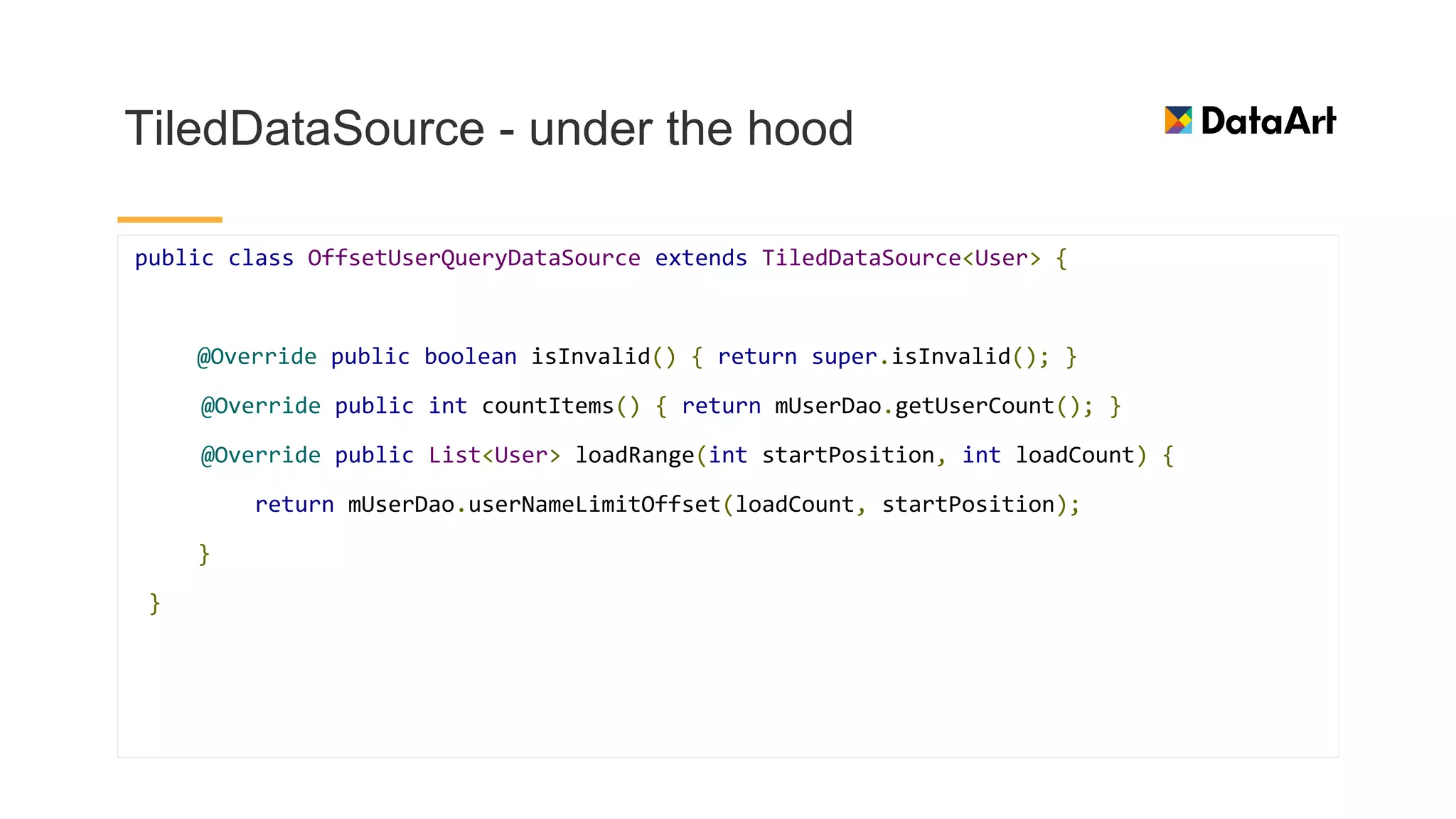
TiledDataSource - under the hood
public class OffsetUserQueryDataSource extends TiledDataSource<User> {
@Override public boolean isInvalid() { return super.isInvalid(); }
@Override public int countItems() { return mUserDao.getUserCount(); }
@Override public List<User> loadRange(int startPosition, int loadCount) {
return mUserDao.userNameLimitOffset(loadCount, startPosition);
}
}
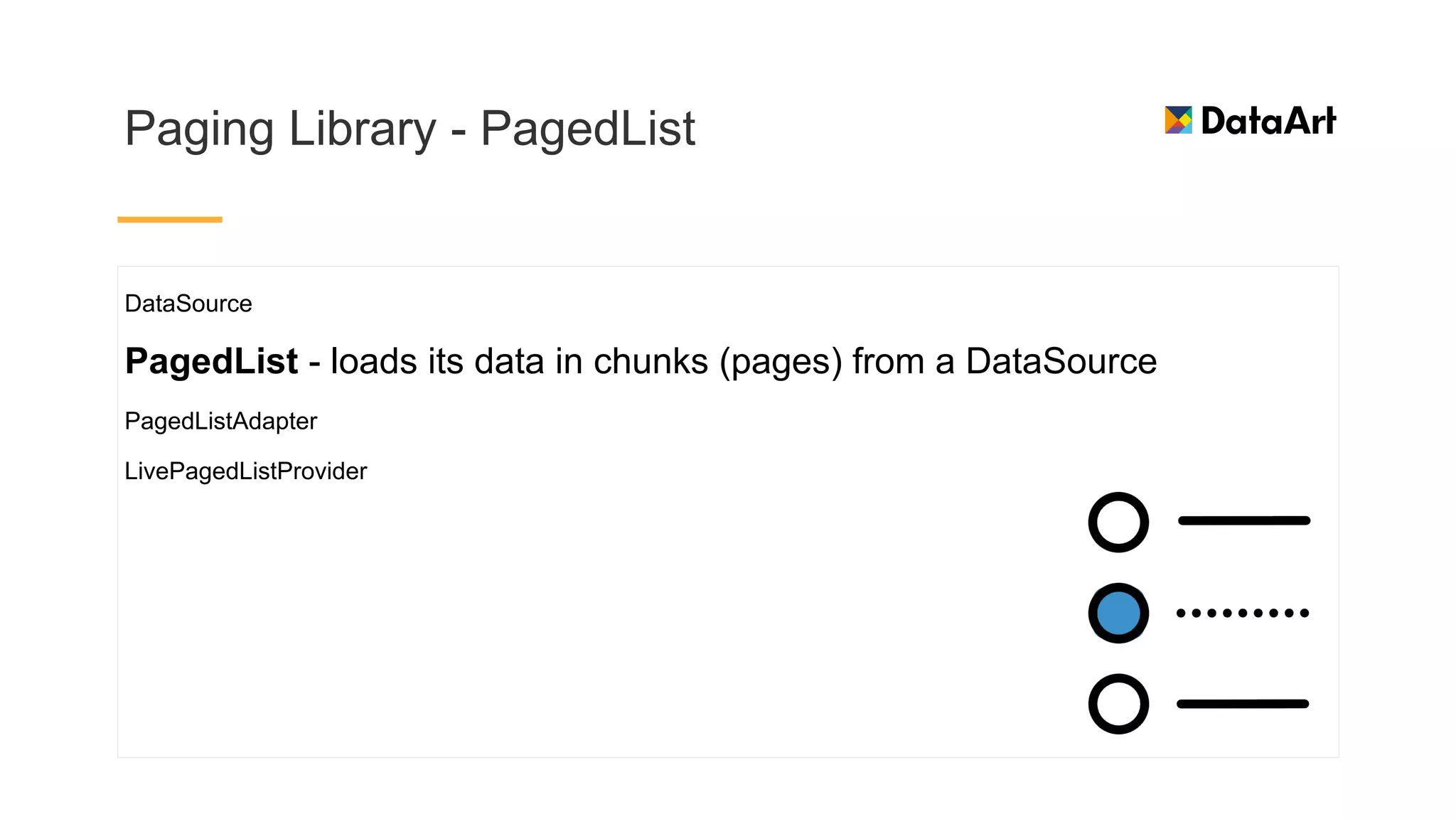
Paging Library - PagedList
DataSource
PagedList - loads its data in chunks (pages) from a DataSource
PagedListAdapter
LivePagedListProvider
Paging Library - LivePagedListProvider
DataSource
PagedList
PagedListAdapter - listens to PagedList loading callbacks as pages are loaded, and uses DiffUtil on a
background thread to compute fine grained updates as new PagedLists are received.
LivePagedListProvider - provides a LiveData<PagedList>, given a
means to construct a DataSource
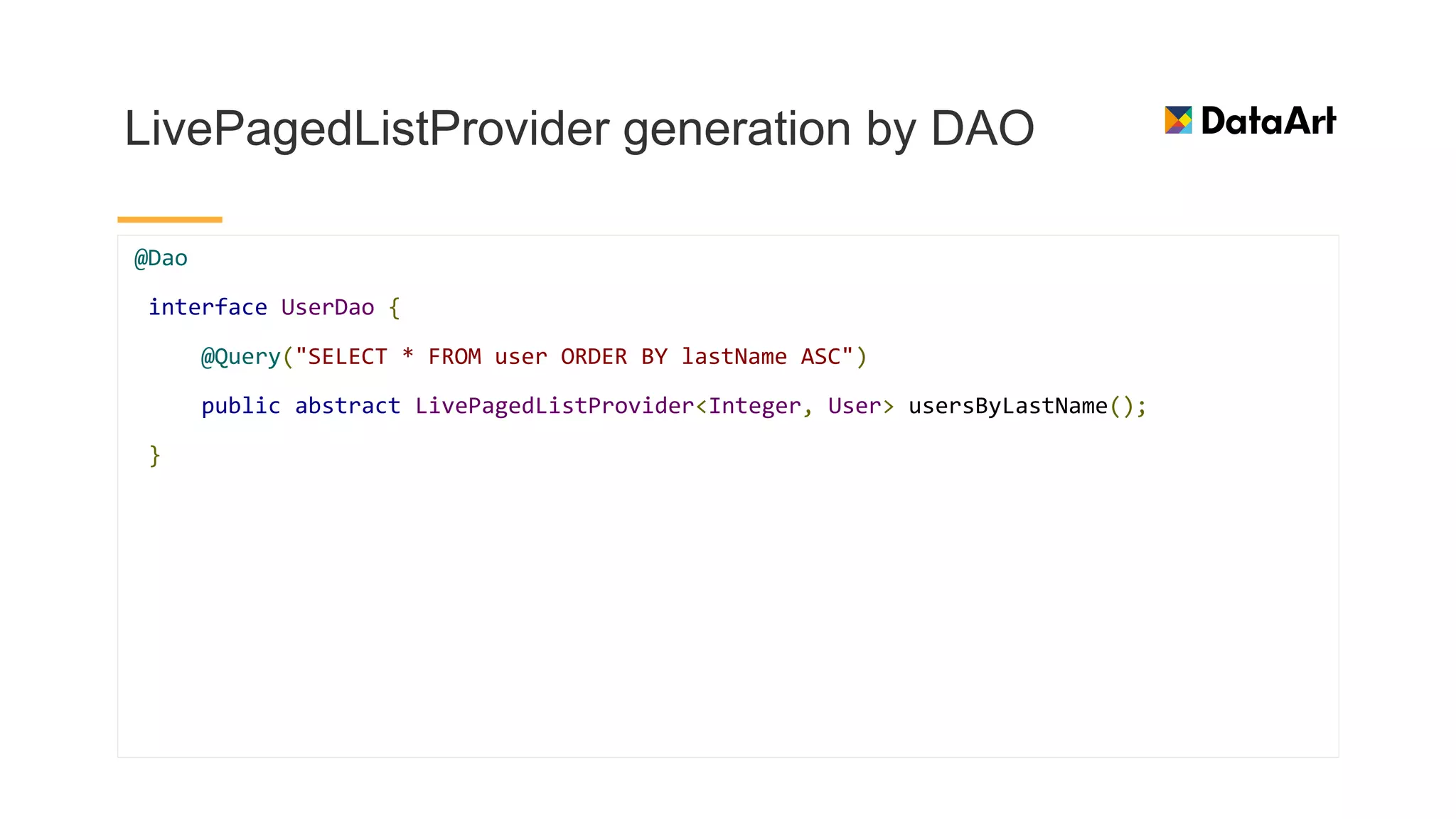
LivePagedListProvider generation by DAO
@Dao
interface UserDao {
@Query("SELECT * FROM user ORDER BY lastName ASC")
public abstract LivePagedListProvider<Integer, User> usersByLastName();
}
Paging Library - PagedListAdapter
DataSource
PagedList
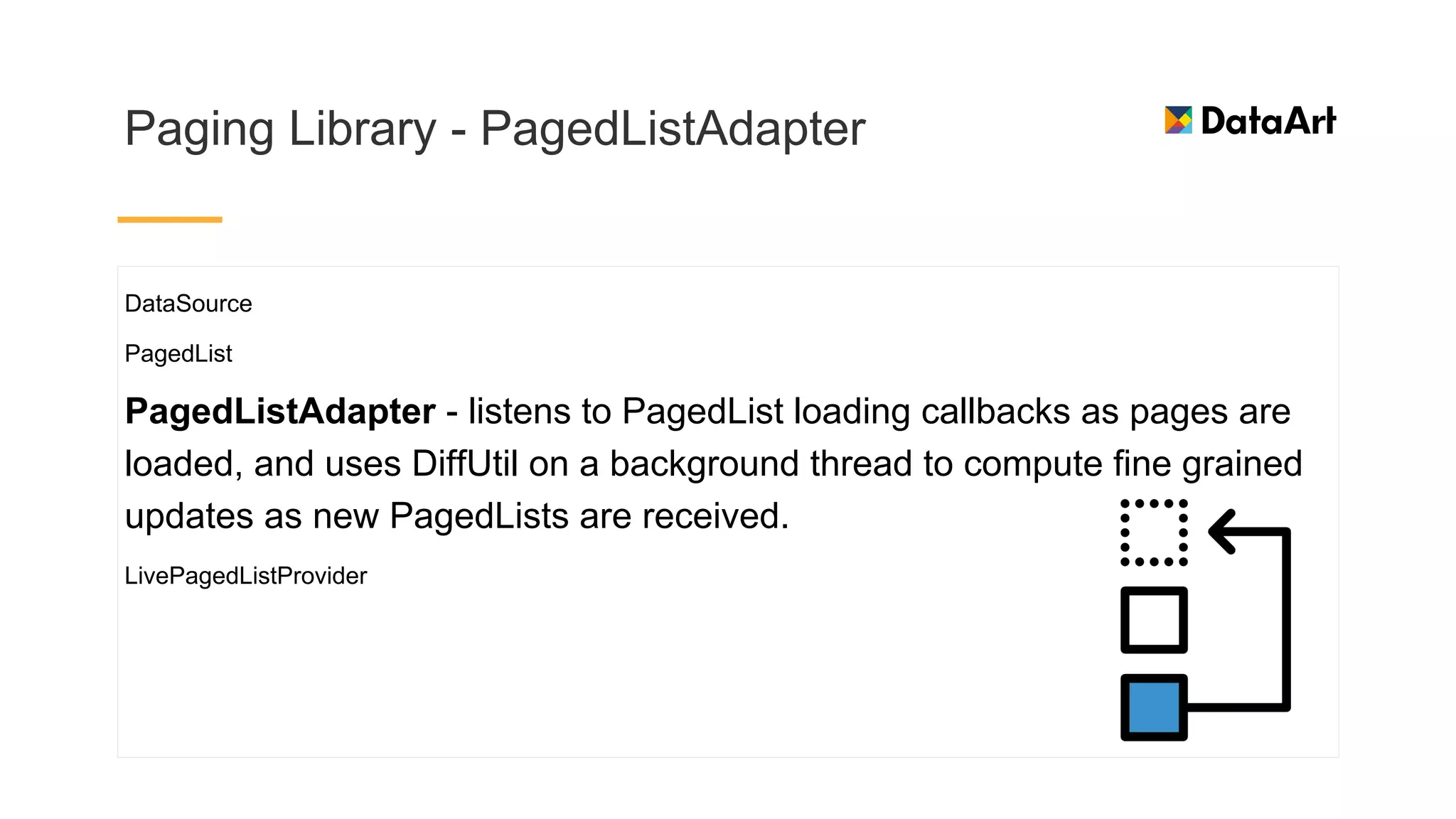
PagedListAdapter - listens to PagedList loading callbacks as pages are
loaded, and uses DiffUtil on a background thread to compute fine grained
updates as new PagedLists are received.
LivePagedListProvider
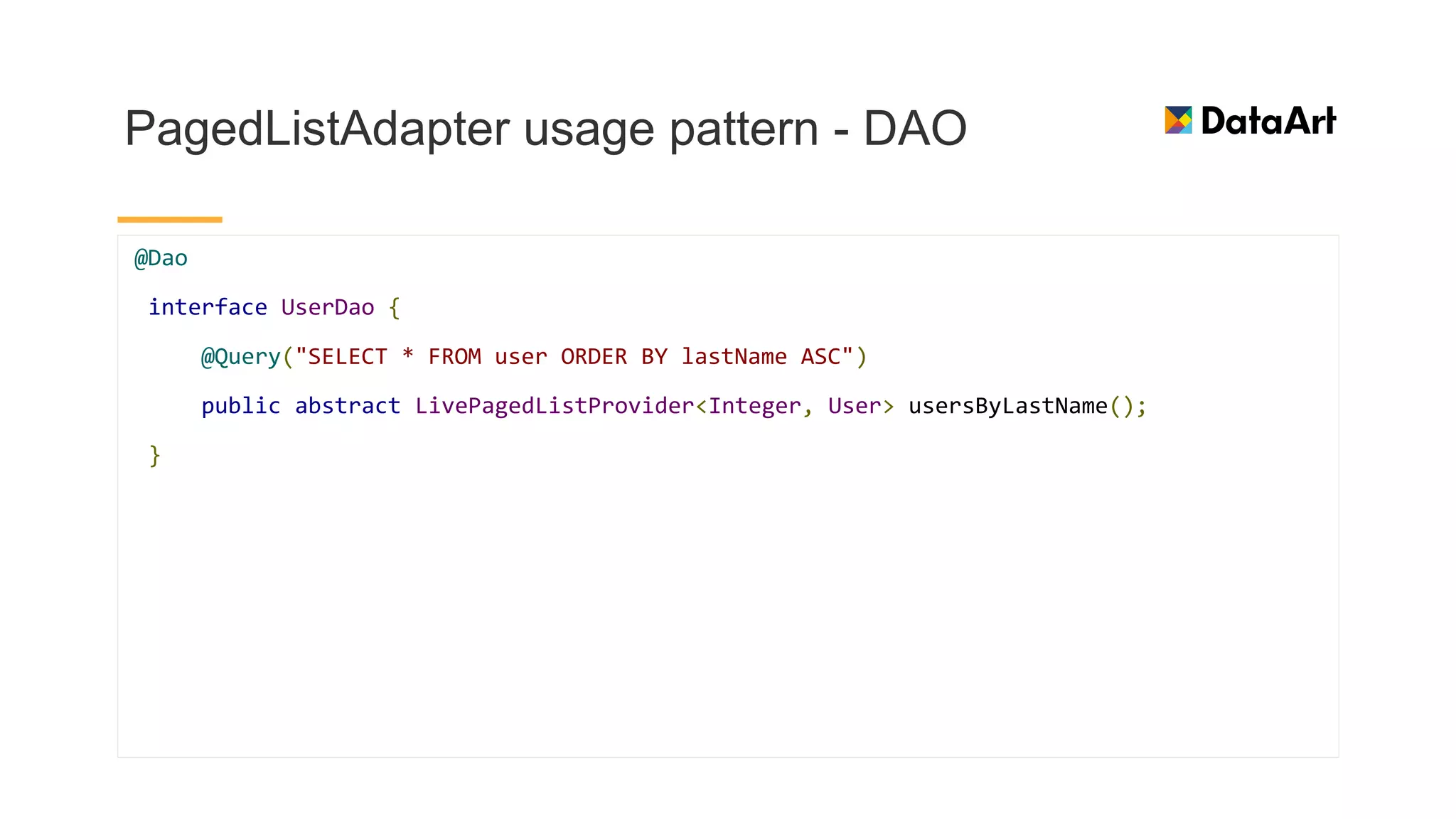
PagedListAdapter usage pattern - DAO
@Dao
interface UserDao {
@Query("SELECT * FROM user ORDER BY lastName ASC")
public abstract LivePagedListProvider<Integer, User> usersByLastName();
}
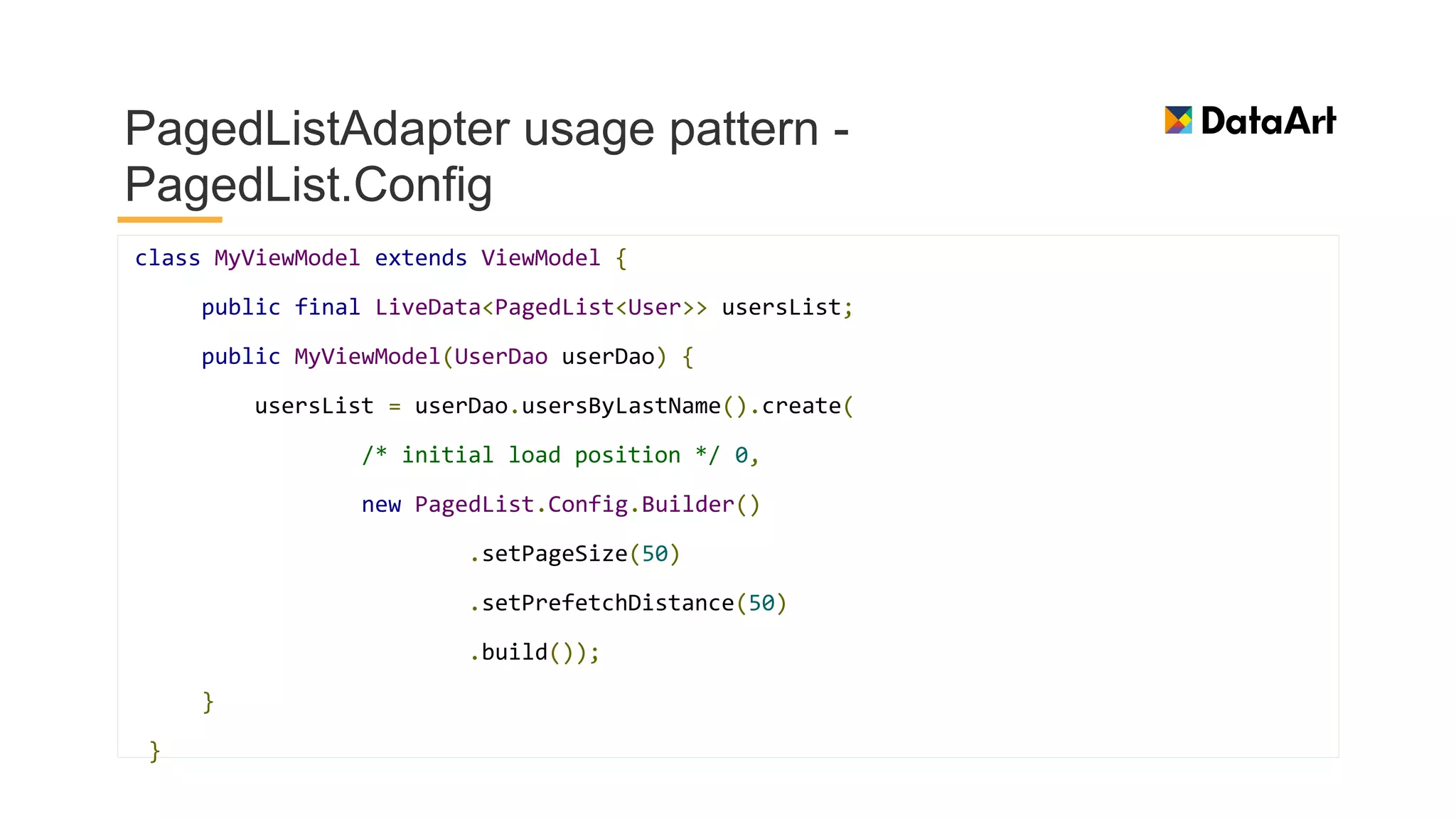
PagedListAdapter usage pattern -
PagedList.Config
class MyViewModel extends ViewModel {
public final LiveData<PagedList<User>> usersList;
public MyViewModel(UserDao userDao) {
usersList = userDao.usersByLastName().create(
/* initial load position */ 0,
new PagedList.Config.Builder()
.setPageSize(50)
.setPrefetchDistance(50)
.build());
}
}
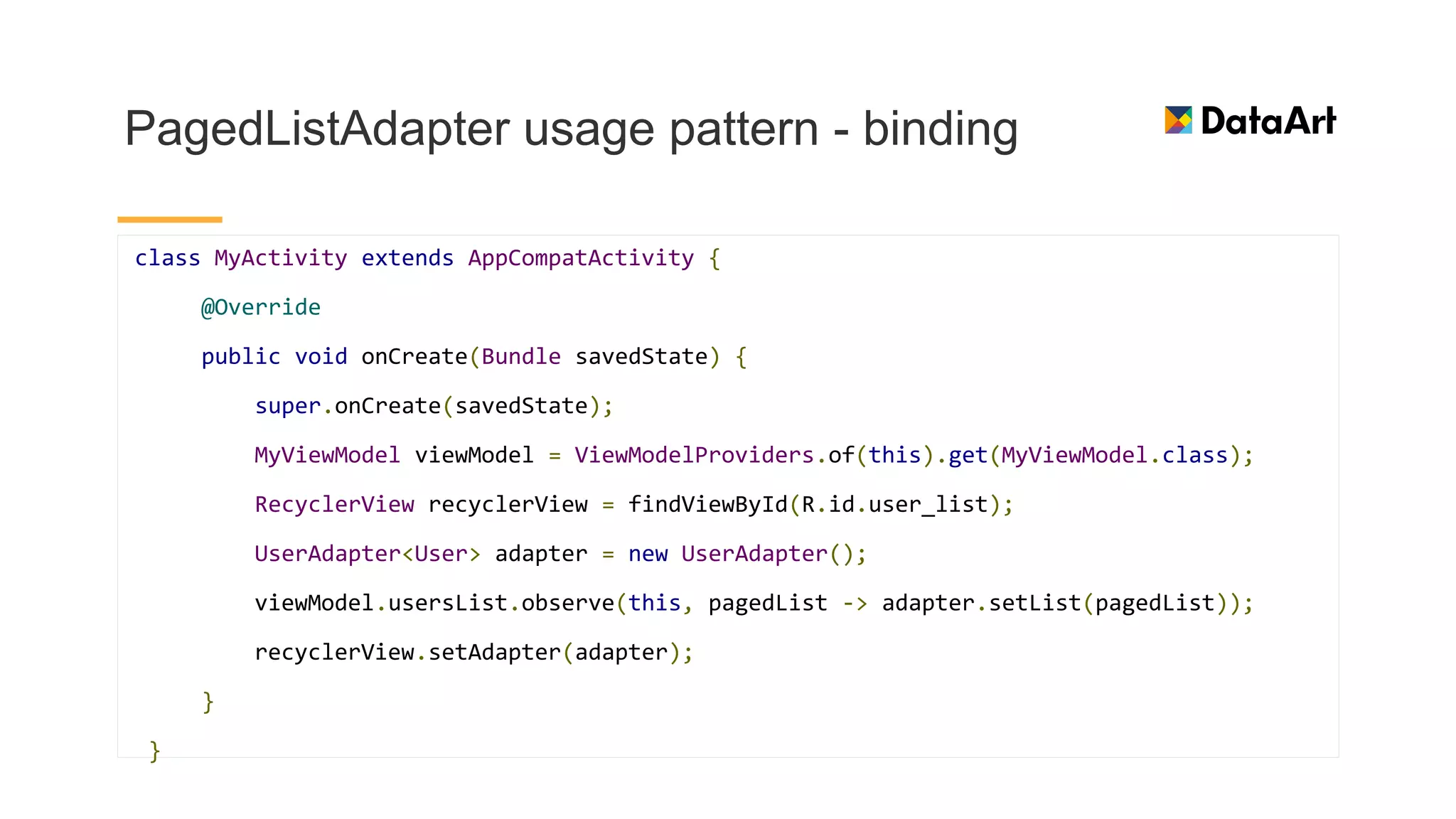
PagedListAdapter usage pattern - binding
class MyActivity extends AppCompatActivity {
@Override
public void onCreate(Bundle savedState) {
super.onCreate(savedState);
MyViewModel viewModel = ViewModelProviders.of(this).get(MyViewModel.class);
RecyclerView recyclerView = findViewById(R.id.user_list);
UserAdapter<User> adapter = new UserAdapter();
viewModel.usersList.observe(this, pagedList -> adapter.setList(pagedList));
recyclerView.setAdapter(adapter);
}
}
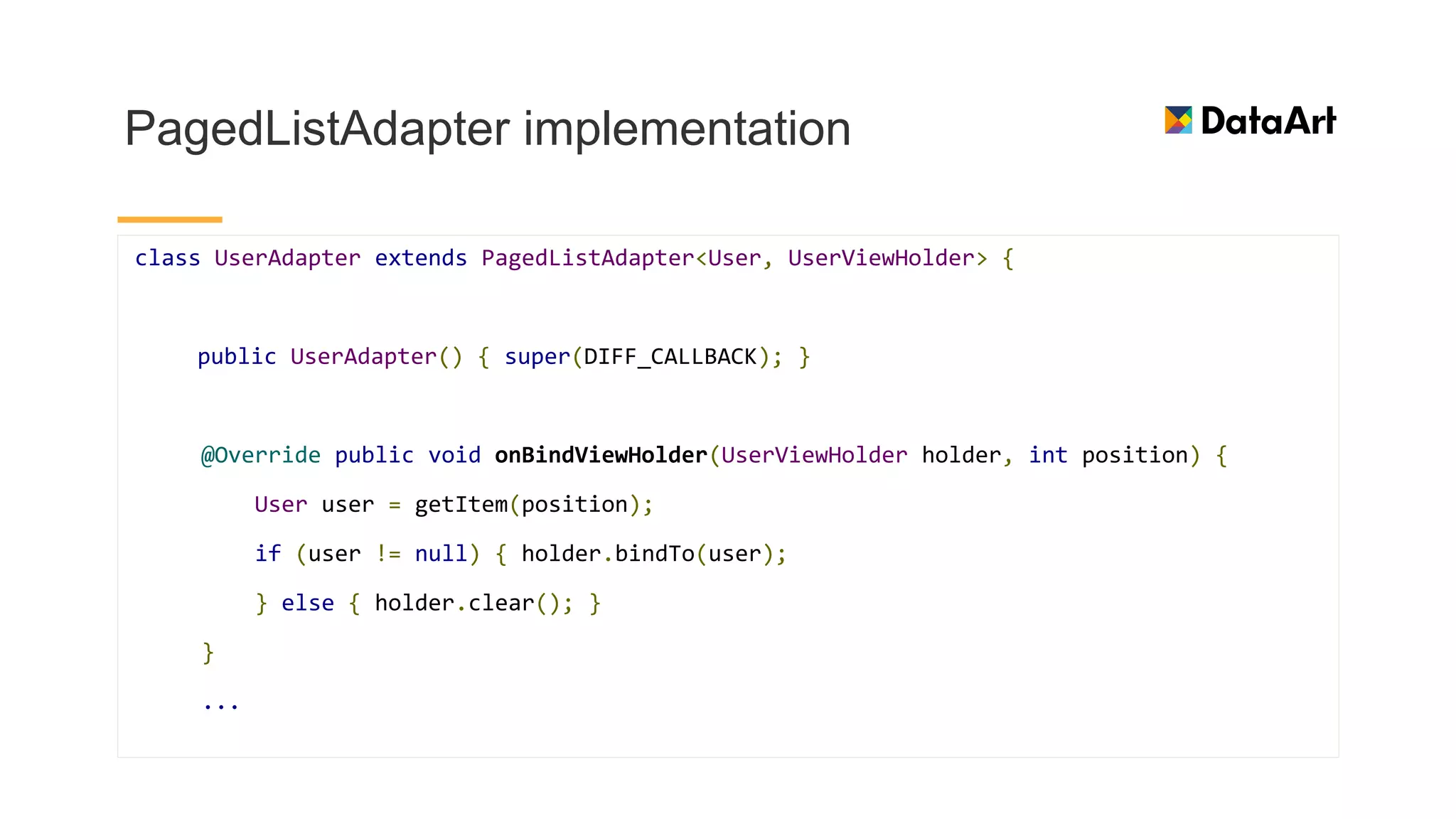
PagedListAdapter implementation
class UserAdapter extends PagedListAdapter<User, UserViewHolder> {
public UserAdapter() { super(DIFF_CALLBACK); }
@Override public void onBindViewHolder(UserViewHolder holder, int position) {
User user = getItem(position);
if (user != null) { holder.bindTo(user);
} else { holder.clear(); }
}
...
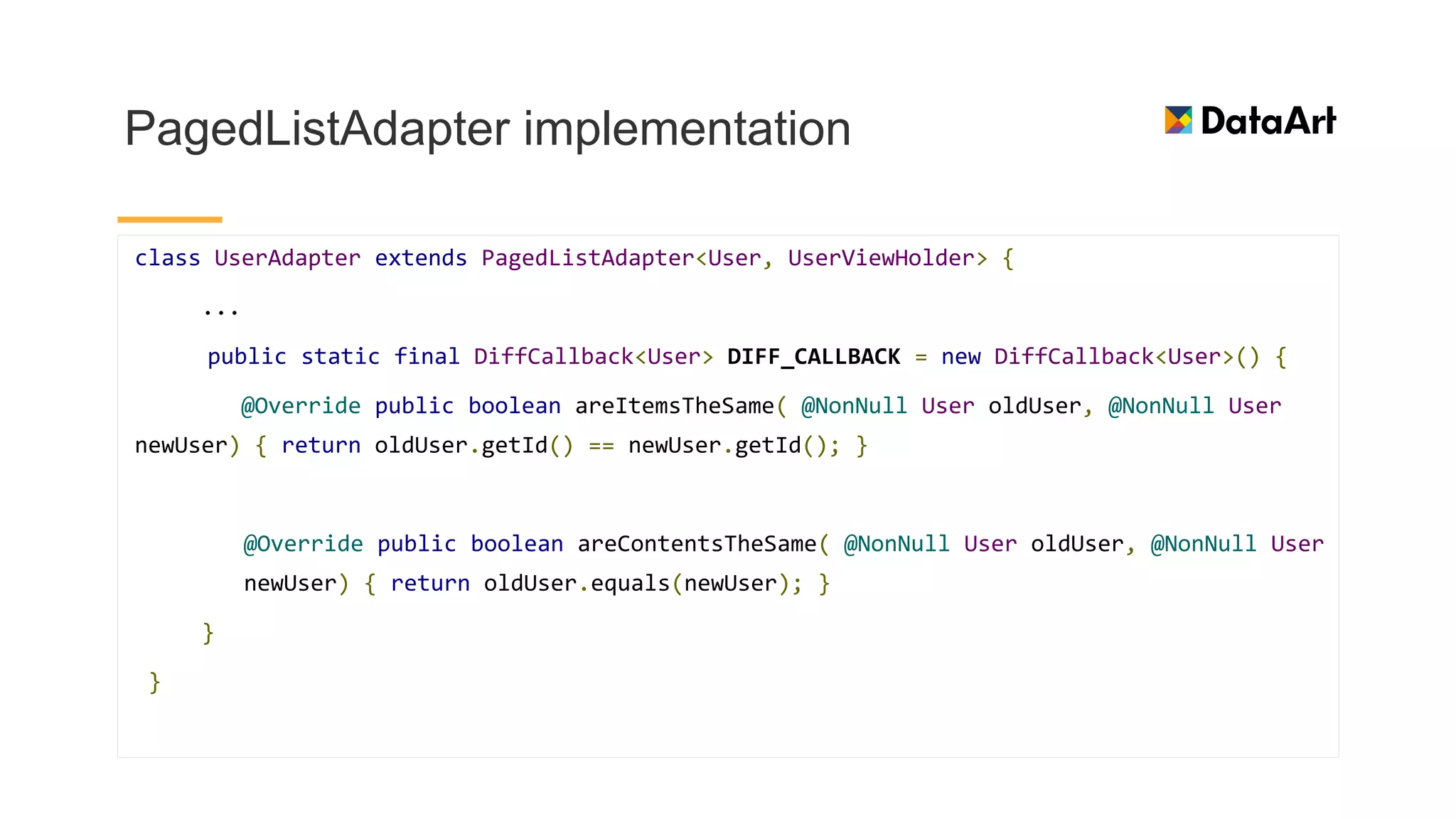
PagedListAdapter implementation
class UserAdapter extends PagedListAdapter<User, UserViewHolder> {
...
public static final DiffCallback<User> DIFF_CALLBACK = new DiffCallback<User>() {
@Override public boolean areItemsTheSame( @NonNull User oldUser, @NonNull User
newUser) { return oldUser.getId() == newUser.getId(); }
@Override public boolean areContentsTheSame( @NonNull User oldUser, @NonNull User
newUser) { return oldUser.equals(newUser); }
}
}
Paging Library flow
Testing
Sneak peek :)
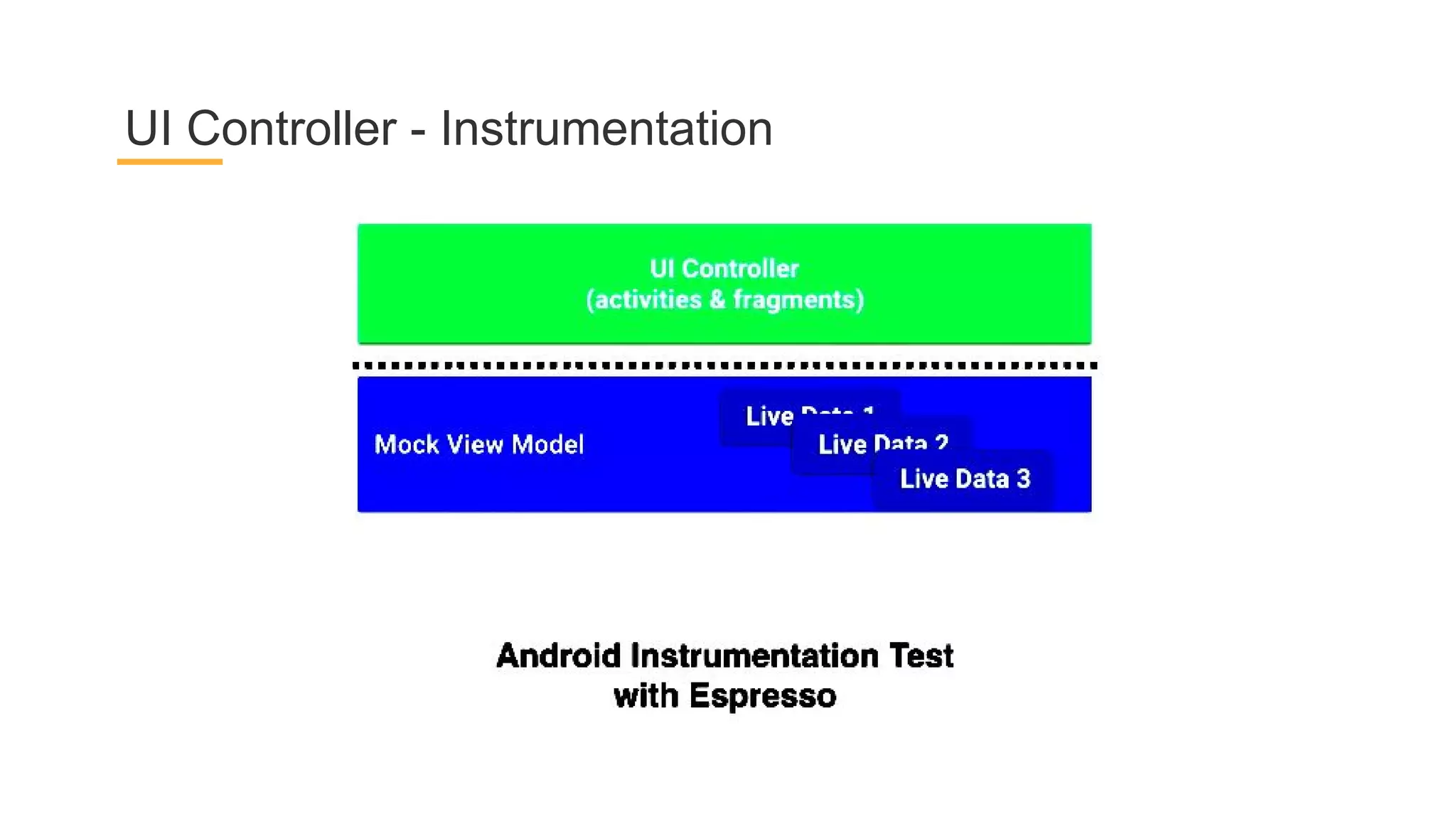
UI Controller - Instrumentation
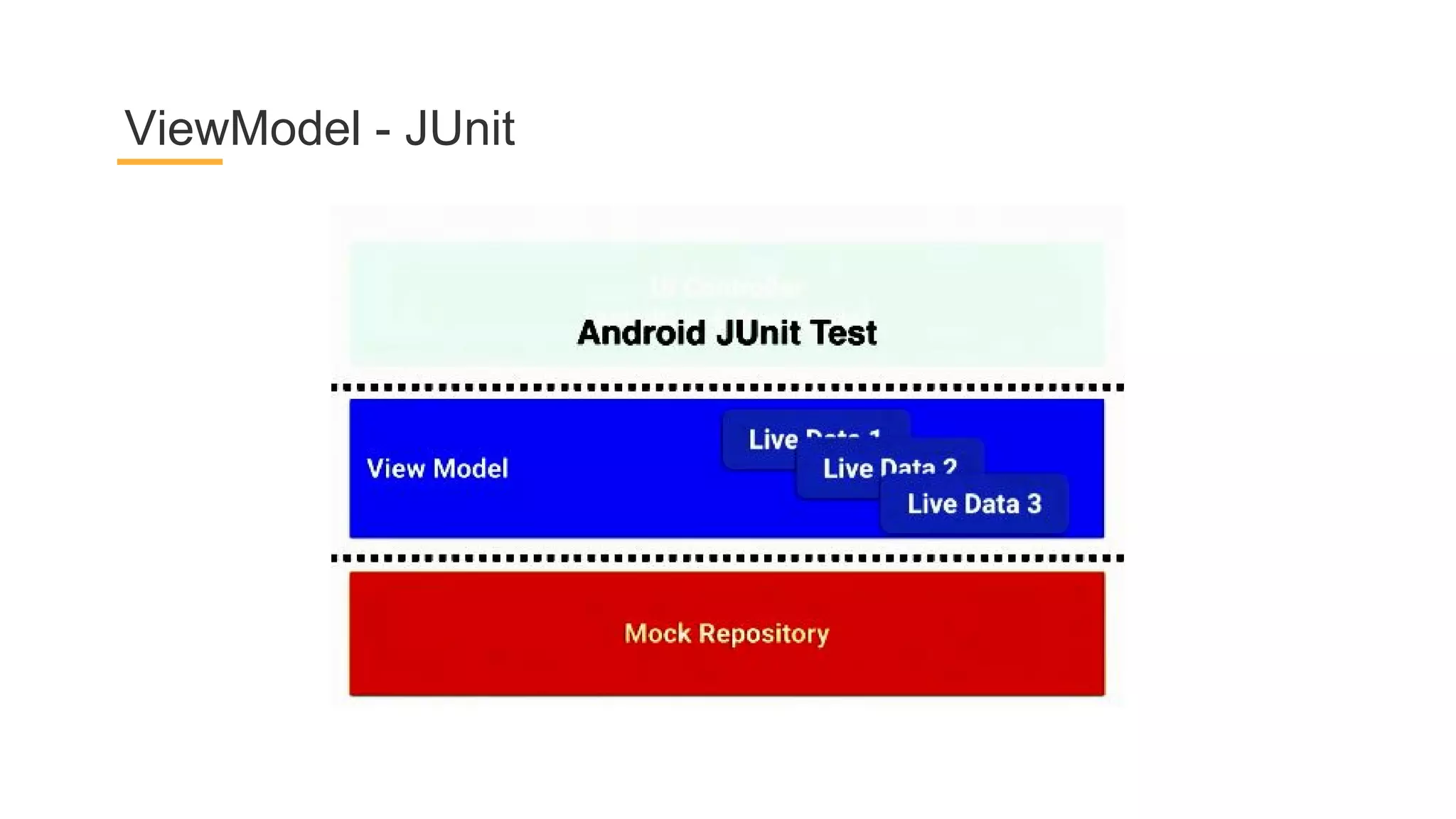
ViewModel - JUnit
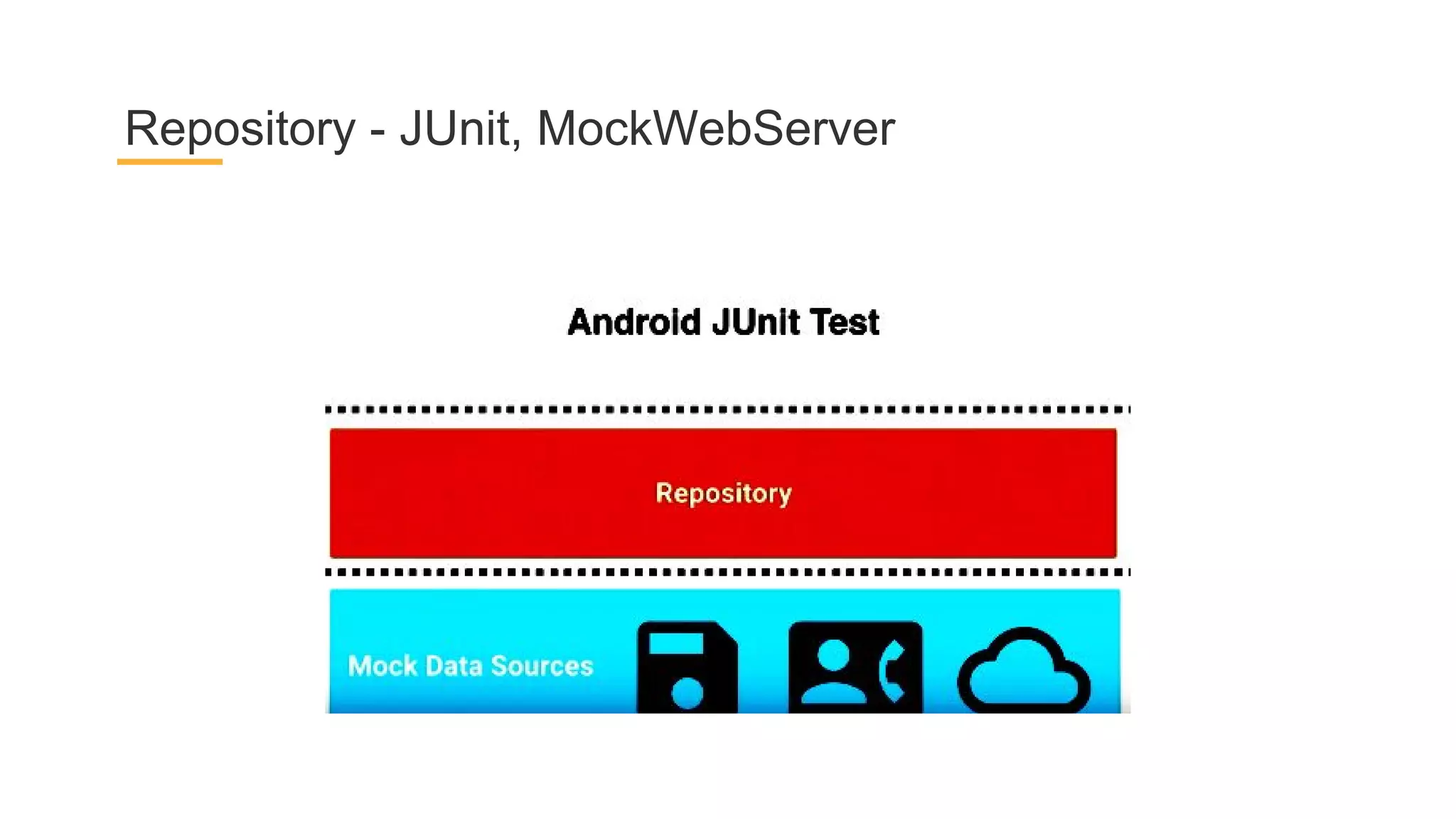
Repository - JUnit, MockWebServer
Scalability and advices
Almost there...
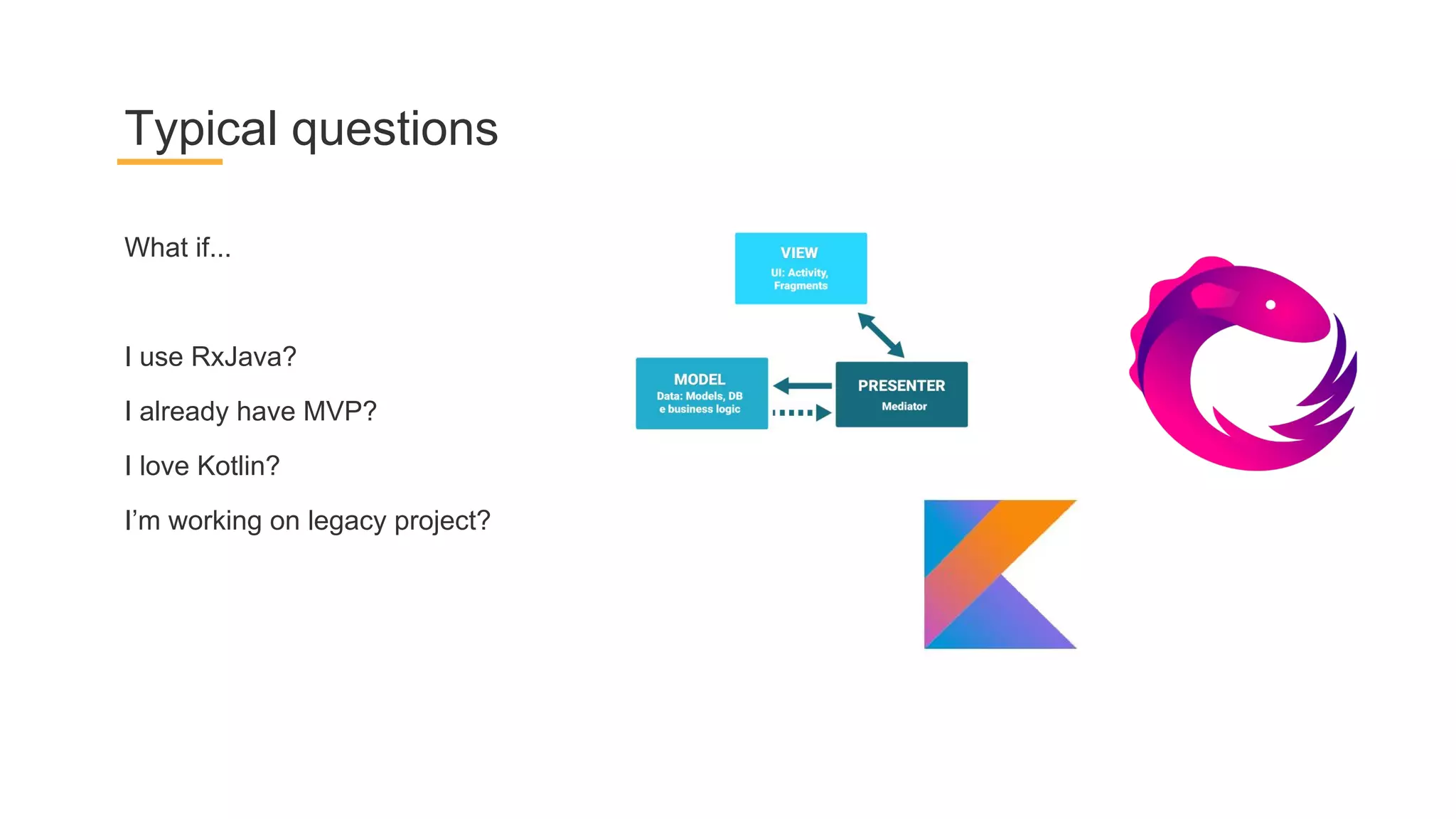
What if...
I use RxJava?
I already have MVP?
I love Kotlin?
I’m working on legacy project?
Typical questions
The Answer is...
Read, watch and visit...
Links
Guide to App Architecture https://developer.android.com/topic/libraries/architecture/guide.html
Architecture Components
https://developer.android.com/topic/libraries/architecture/index.html
I/O ‘17 Architecture Components Introduction - https://youtu.be/FrteWKKVyzI
Solving the Lifecycle Problem - https://youtu.be/bEKNi1JOrNs
Persistence and Offline - https://youtu.be/MfHsPGQ6bgE
Architecture Components on GDD Europe - https://youtu.be/Ts-uxYiBEQ8
GDD Europe CodeLabs g.co/codelabs/gdd17
Google Github samples https://github.com/googlesamples/android-architecture-components
What to read and watch :)
Android MVP Helper https://github.com/Ufkoku/AndroidMVPHelper
Moxy https://github.com/Arello-Mobile/Moxy
Mosby https://github.com/sockeqwe/mosby
Clean Architecture https://github.com/android10/Android-CleanArchitecture
Reark https://github.com/reark/reark
MVP + Dagger2 + Rx https://android.jlelse.eu/mvp-dagger-2-rx-clean-modern-android-app-code-74f63c9a6f2f
Architecture the Lost Years by Uncle Bob https://youtu.be/WpkDN78P884
Alternatives to consider
Where to go :)
Thank you! :)
Constantine Mars
@ConstantineMars
+ConstantineMars
Mobile Architecture Club

Architecture Components

  • 1.
    Architecture Components Constantine Mars TeamLead, Senior Developer @ DataArt Построение современной архитектуры мобильных приложений
  • 2.
  • 3.
  • 4.
    App-hopping OS may killapp at random time App components lifecycle is not under control Components should not depend on each other Can’t rely on data, stored in components There are Everyday Problems to Solve
  • 5.
    Simply related toActivity Lifecycle
  • 6.
    -Separation of concerns -Providesolid user experience -Keep UI lean and simple -Keep UI free of app logic -Drive UI from model -Use persistent model -Assign clear responsibilities for each model class Common Principles for staying in mind :)
  • 7.
  • 8.
  • 9.
    -Modular app -Each classresponsible for one well-defined function -Should be no god objects -The app should be testable Remember Good Architecture Goals...
  • 10.
  • 11.
  • 12.
  • 13.
    “It is impossibleto have one way of writing apps that will be the best for every scenario. That being said, this recommended architecture should be a good starting point for most use cases. If you already have a good way of writing Android apps, you don't need to change.” Be together. not the same
  • 14.
  • 15.
    Purpose: Display dataand pass on UI events Neither contain the UI data, nor directly manipulate data Examples: Activity, Fragment Views = UI Controllers = LifecycleOwners
  • 16.
  • 17.
    Implement Lifecycle sinceBeta AppCompatActivity, Fragment
  • 18.
    ViewModel Data holder forActivity/Fragment Survives configuration changes NEVER references View / Activity / Fragment
  • 19.
    ViewModel public class DetailActivityViewModelextends ViewModel { private WeatherEntry mWeather; public DetailActivityViewModel() {} public WeatherEntry getWeather() { return mWeather; } public void setWeather(WeatherEntry weatherEntry) { mWeather = weatherEntry; } }
  • 20.
  • 21.
    ViewModel and LifecycleOwner publicclass DetailActivity extends LifecycleActivity { DetailActivityViewModel viewModel; @Override protected void onCreate(Bundle savedInstanceState) { super.onCreate(savedInstanceState); ... viewModel = ViewModelProviders.of(this).get(DetailActivityViewModel.class); } ...
  • 22.
    Represent data neededfor the UI to display An observable data holder Lifecycle aware Automatic subscription management LiveData
  • 23.
  • 24.
  • 25.
    Live Data public classDetailActivityViewModel extends ViewModel { private MutableLiveData<WeatherEntry> mWeather; public DetailActivityViewModel() {} public MutableLiveData<WeatherEntry> getWeather() { return mWeather; } public void setWeather(WeatherEntry weatherEntry) { mWeather.postValue(weatherEntry); } }
  • 26.
    Live Data observing publicclass DetailActivity extends LifecycleActivity { DetailActivityViewModel viewModel; @Override protected void onCreate(Bundle savedInstanceState) { super.onCreate(savedInstanceState); ... viewModel = ViewModelProviders.of(this).get(DetailActivityViewModel.class); viewModel.getWeather().observe(this, weatherEntry -> { if(weatherEntry!=null) { bindWeatherToUI(weatherEntry); } }); }
  • 27.
    -Single source oftruth -ViewModels simply request data from the repository -Is a mediator between the different data sources Repository Image from fernandocejas.com
  • 28.
    Manages data froma remote data source, such as the internet May use REST, Cloud Remote Network Data Source
  • 29.
    Manages local datastored in the database Model
  • 30.
    Each class inthe diagram only stores a reference to the class or classes directly "below it" and not any classes above it Layered architecture pattern
  • 31.
  • 32.
    -Less boilerplate comparedto the built-in APIs -Compile-time validation of SQL queries -Data observation via LiveData, RxJava Room ORM purposes
  • 33.
  • 34.
  • 35.
    @Entity declaration @Entity(tableName ="weather", indices = {@Index(value = {"date"}, unique = true)}) public class WeatherEntry { @PrimaryKey(autoGenerate = true) private int id; … }
  • 36.
    @Entity constructors //Room constructor publicWeatherEntry(int id, int weatherIconId, Date date, ...) { //Json constructor - ignored by Room @Ignore public WeatherEntry(int weatherIconId, Date date, // (!) Only one constructor should be exposed to Room ...
  • 37.
  • 38.
    @Dao declaration @Dao public interfaceWeatherDao { @Query("SELECT * FROM weather") List<WeatherEntry> getAll(); @Insert(onConflict = OnConflictStrategy.REPLACE) void insertAll(WeatherEntry... weatherEntries); @Delete void delete(WeatherEntry weatherEntry); }
  • 39.
  • 40.
    @Database declaration @Database(entities ={WeatherEntry.class}, version = 1) @TypeConverters(DateConverter.class) public abstract class AppDatabase extends RoomDatabase { public abstract WeatherDao weatherDao(); }
  • 41.
    @Database - asingleton private static final String DATABASE_NAME = "weather"; private static final Object LOCK = new Object(); private static volatile AppDatabase sInstance; public static AppDatabase getInstance(Context context) { if (sInstance == null) { synchronized (LOCK) { if (sInstance == null) { sInstance = Room.databaseBuilder(context.getApplicationContext(), AppDatabase.class, AppDatabase.DATABASE_NAME).build(); } }} return sInstance; }
  • 42.
    Type converters class DateConverter{ @TypeConverter public static Date toDate(Long timestamp) { return timestamp == null ? null : new Date(timestamp); } @TypeConverter public static Long toTimestamp(Date date) { return date == null ? null : date.getTime(); } }
  • 43.
  • 44.
  • 45.
    Repository pattern public classWeatherRepository { public synchronized static WeatherRepository getInstance(); public synchronized void initializeData(); private void deleteOldData(); private boolean isFetchNeeded(); private void startFetchWeatherService(); }
  • 46.
    Repository - fetchdata from network mWeatherNetworkDataSource = weatherNetworkDataSource; LiveData<WeatherEntry[]> networkData = mWeatherNetworkDataSource.getCurrentWeatherForecasts(); networkData.observeForever(newForecastsFromNetwork -> { mExecutors.diskIO().execute(() -> { mWeatherDao.bulkInsert(newForecastsFromNetwork); Log.d(LOG_TAG, "New values inserted"); }); });
  • 47.
    Repository - useLiveData private WeatherNetworkDataSource(Context context, AppExecutors executors) { mContext = context; mExecutors = executors; mDownloadedWeatherForecasts = new MutableLiveData<WeatherEntry[]>(); }
  • 48.
    Check when tofetch private boolean isFetchNeeded() { Date today = CustomDateUtils.getNormalizedUtcDateForToday(); int count = mWeatherDao.countAllFutureWeather(today); return (count < WeatherNetworkDataSource.NUM_DAYS); }
  • 49.
    Check when tofetch public synchronized void initializeData() { if (mInitialized) return; mInitialized = true; mExecutors.diskIO().execute(() -> { if (isFetchNeeded()) { startFetchWeatherService(); } }); }
  • 50.
    And again -observe LiveData public class DetailActivity extends LifecycleActivity { DetailActivityViewModel viewModel; @Override protected void onCreate(Bundle savedInstanceState) { super.onCreate(savedInstanceState); ... viewModel = ViewModelProviders.of(this).get(DetailActivityViewModel.class); viewModel.getWeather().observe(this, weatherEntry -> { if(weatherEntry!=null) { bindWeatherToUI(weatherEntry); } }); }
  • 51.
    The whole picturefor sample project
  • 52.
  • 53.
  • 54.
    Data source KeyedDataSource -if you need to use data from item N to fetch item N+1. TiledDataSource - if you need to fetch pages in range of data from any location you choose in your data store
  • 55.
    DAO for KeyedDataSource @Dao interfaceUserDao { @Query("SELECT * from user ORDER BY name DESC LIMIT :limit") public abstract List<User> userNameInitial(int limit); @Query("SELECT * from user WHERE name < :key ORDER BY name DESC LIMIT :limit") public abstract List<User> userNameLoadAfter(String key, int limit); @Query("SELECT * from user WHERE name > :key ORDER BY name ASC LIMIT :limit") public abstract List<User> userNameLoadBefore(String key, int limit); }
  • 56.
    KeyedDataSource implementation public classKeyedUserQueryDataSource extends KeyedDataSource<String, User> { @Override public boolean isInvalid() { return super.isInvalid(); } @Override public String getKey(@NonNull User item) { return item.getName(); } @Override public List<User> loadInitial(int pageSize) { return mUserDao.userNameInitial(pageSize); } @Override public List<User> loadBefore(@NonNull String userName, int pageSize) { return mUserDao.userNameLoadBefore(userName, pageSize); } @Override public List<User> loadAfter(@Nullable String userName, int pageSize) { return mUserDao.userNameLoadAfter(userName, pageSize); } }
  • 57.
    TiledDataSource implementation @Dao interface UserDao{ @Query("SELECT * FROM user ORDER BY mAge DESC") public abstract TiledDataSource<User> loadUsersByAgeDesc(); }
  • 58.
    TiledDataSource - underthe hood @Dao interface UserDao { @Query("SELECT COUNT(*) from user") public abstract Integer getUserCount(); @Query("SELECT * from user ORDER BY mName DESC LIMIT :limit OFFSET :offset") public abstract List<User> userNameLimitOffset(int limit, int offset); }
  • 59.
    TiledDataSource - underthe hood public class OffsetUserQueryDataSource extends TiledDataSource<User> { @Override public boolean isInvalid() { return super.isInvalid(); } @Override public int countItems() { return mUserDao.getUserCount(); } @Override public List<User> loadRange(int startPosition, int loadCount) { return mUserDao.userNameLimitOffset(loadCount, startPosition); } }
  • 60.
    Paging Library -PagedList DataSource PagedList - loads its data in chunks (pages) from a DataSource PagedListAdapter LivePagedListProvider
  • 61.
    Paging Library -LivePagedListProvider DataSource PagedList PagedListAdapter - listens to PagedList loading callbacks as pages are loaded, and uses DiffUtil on a background thread to compute fine grained updates as new PagedLists are received. LivePagedListProvider - provides a LiveData<PagedList>, given a means to construct a DataSource
  • 62.
    LivePagedListProvider generation byDAO @Dao interface UserDao { @Query("SELECT * FROM user ORDER BY lastName ASC") public abstract LivePagedListProvider<Integer, User> usersByLastName(); }
  • 63.
    Paging Library -PagedListAdapter DataSource PagedList PagedListAdapter - listens to PagedList loading callbacks as pages are loaded, and uses DiffUtil on a background thread to compute fine grained updates as new PagedLists are received. LivePagedListProvider
  • 64.
    PagedListAdapter usage pattern- DAO @Dao interface UserDao { @Query("SELECT * FROM user ORDER BY lastName ASC") public abstract LivePagedListProvider<Integer, User> usersByLastName(); }
  • 65.
    PagedListAdapter usage pattern- PagedList.Config class MyViewModel extends ViewModel { public final LiveData<PagedList<User>> usersList; public MyViewModel(UserDao userDao) { usersList = userDao.usersByLastName().create( /* initial load position */ 0, new PagedList.Config.Builder() .setPageSize(50) .setPrefetchDistance(50) .build()); } }
  • 66.
    PagedListAdapter usage pattern- binding class MyActivity extends AppCompatActivity { @Override public void onCreate(Bundle savedState) { super.onCreate(savedState); MyViewModel viewModel = ViewModelProviders.of(this).get(MyViewModel.class); RecyclerView recyclerView = findViewById(R.id.user_list); UserAdapter<User> adapter = new UserAdapter(); viewModel.usersList.observe(this, pagedList -> adapter.setList(pagedList)); recyclerView.setAdapter(adapter); } }
  • 67.
    PagedListAdapter implementation class UserAdapterextends PagedListAdapter<User, UserViewHolder> { public UserAdapter() { super(DIFF_CALLBACK); } @Override public void onBindViewHolder(UserViewHolder holder, int position) { User user = getItem(position); if (user != null) { holder.bindTo(user); } else { holder.clear(); } } ...
  • 68.
    PagedListAdapter implementation class UserAdapterextends PagedListAdapter<User, UserViewHolder> { ... public static final DiffCallback<User> DIFF_CALLBACK = new DiffCallback<User>() { @Override public boolean areItemsTheSame( @NonNull User oldUser, @NonNull User newUser) { return oldUser.getId() == newUser.getId(); } @Override public boolean areContentsTheSame( @NonNull User oldUser, @NonNull User newUser) { return oldUser.equals(newUser); } } }
  • 69.
  • 70.
  • 71.
    UI Controller -Instrumentation
  • 72.
  • 73.
    Repository - JUnit,MockWebServer
  • 74.
  • 75.
    What if... I useRxJava? I already have MVP? I love Kotlin? I’m working on legacy project? Typical questions
  • 76.
  • 77.
    Read, watch andvisit... Links
  • 78.
    Guide to AppArchitecture https://developer.android.com/topic/libraries/architecture/guide.html Architecture Components https://developer.android.com/topic/libraries/architecture/index.html I/O ‘17 Architecture Components Introduction - https://youtu.be/FrteWKKVyzI Solving the Lifecycle Problem - https://youtu.be/bEKNi1JOrNs Persistence and Offline - https://youtu.be/MfHsPGQ6bgE Architecture Components on GDD Europe - https://youtu.be/Ts-uxYiBEQ8 GDD Europe CodeLabs g.co/codelabs/gdd17 Google Github samples https://github.com/googlesamples/android-architecture-components What to read and watch :)
  • 79.
    Android MVP Helperhttps://github.com/Ufkoku/AndroidMVPHelper Moxy https://github.com/Arello-Mobile/Moxy Mosby https://github.com/sockeqwe/mosby Clean Architecture https://github.com/android10/Android-CleanArchitecture Reark https://github.com/reark/reark MVP + Dagger2 + Rx https://android.jlelse.eu/mvp-dagger-2-rx-clean-modern-android-app-code-74f63c9a6f2f Architecture the Lost Years by Uncle Bob https://youtu.be/WpkDN78P884 Alternatives to consider
  • 80.
  • 81.
    Thank you! :) ConstantineMars @ConstantineMars +ConstantineMars Mobile Architecture Club