Java DataBase
Connectivity (JDBC)
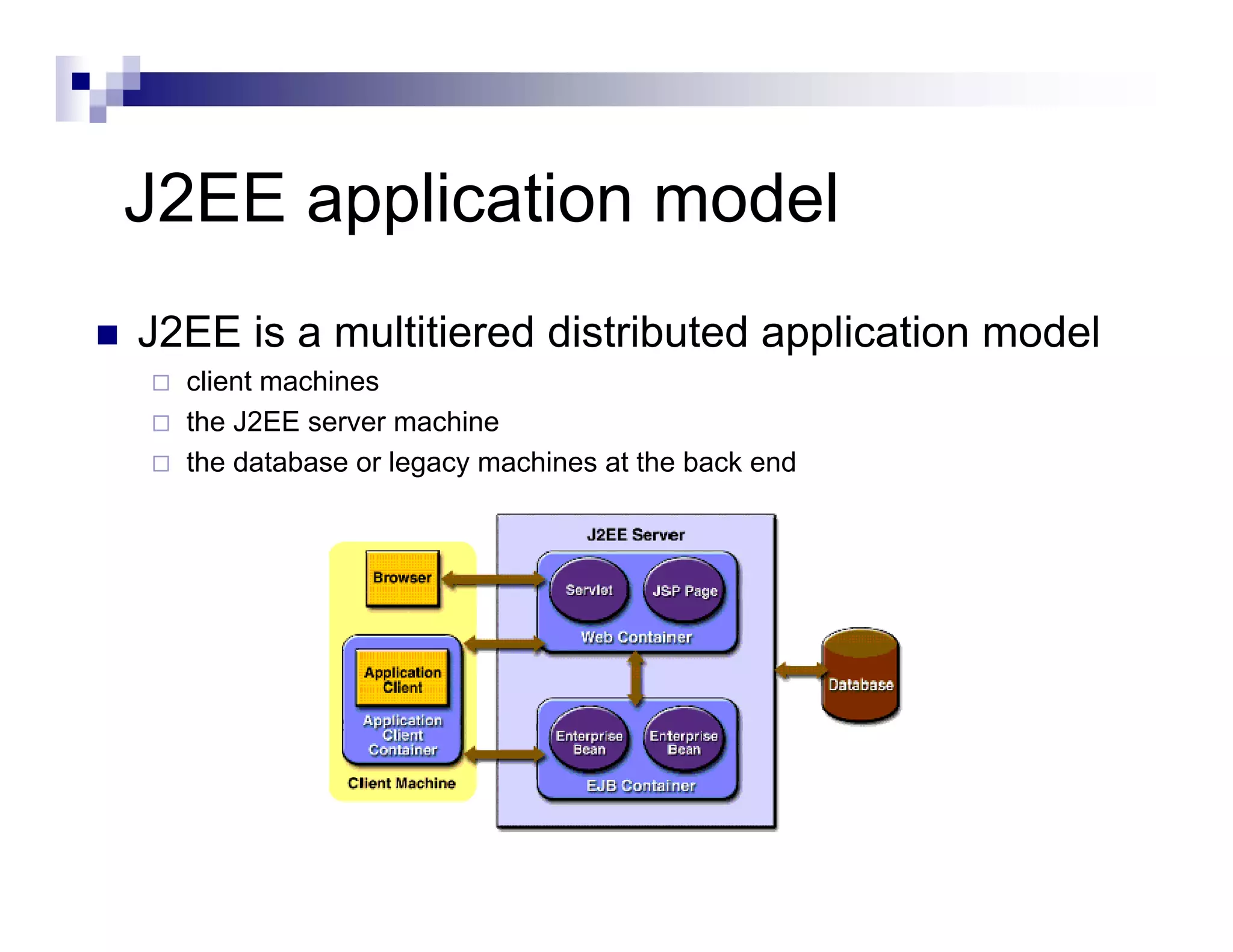
J2EE application model
J2EE is a multitiered distributed application model
  client machines
  the J2EE server machine
  the database or legacy machines at the back end
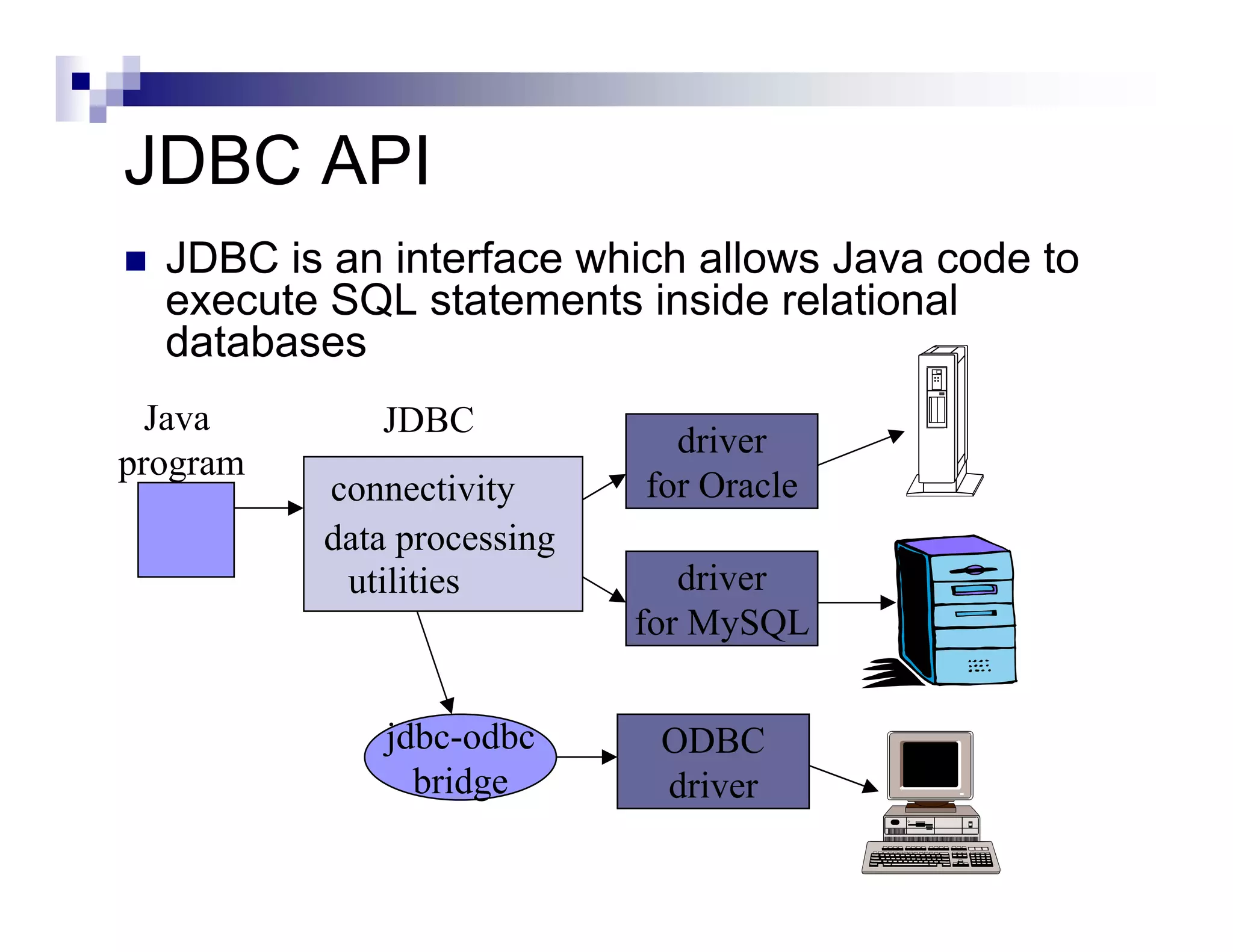
JDBC API
  JDBC is an interface which allows Java code to
  execute SQL statements inside relational
  databases
  Java       JDBC
                              driver
program
          connectivity      for Oracle
          data processing
           utilities           driver
                            for MySQL


              jdbc-odbc      ODBC
                bridge       driver
The JDBC-ODBC Bridge

 ODBC (Open Database Connectivity) is a
 Microsoft standard from the mid 1990’s.

 It is an API that allows C/C++ programs to
 execute SQL inside databases

 ODBC is supported by many products.
The JDBC-ODBC Bridge (Contd.)

 The JDBC-ODBC bridge allows Java code
 to use the C/C++ interface of ODBC
   it means that JDBC can access many different
   database products


 The layers of translation (Java --> C -->
 SQL) can slow down execution.
The JDBC-ODBC Bridge (Contd.)

 The JDBC-ODBC bridge comes free with
 the J2SE:
   called sun.jdbc.odbc.JdbcOdbcDriver


 The ODBC driver for Microsoft Access
 comes with MS Office
   so it is easy to connect Java and Access
JDBC Pseudo Code
All JDBC programs do the following:

Step 1) load the JDBC driver

Step 2) Specify the name and location of the database being used

Step 3) Connect to the database with a Connection object

Step 4) Execute a SQL query using a Statement object

Step 5) Get the results in a ResultSet object

Step 6) Finish by closing the ResultSet, Statement and Connection objects
JDBC API in J2SE
 Set up a database server (Oracle , MySQL, pointbase)
 Get a JDBC driver
     set CLASSPATH for driver lib
          Set classpath in windows, control panel->system->advanced->environment variable
          Set classpath in Solaris, set CLASSPATH to driver jar file
 Import the library
     import java.sql.*;
 Specify the URL to database server
     String url = "jdbc:pointbase://127.0.0.1/test“
 Load the JDBC driver
     Class.forName("com.pointbase.jdbc.jdbcUniversalDriver");
 Connect to database server
     Connection con = DriverManager.getConnection(url, “dbUser", “dbPass");
 Create SQL Statement
     stmt = con.createStatement();
 Execute SQL
     stmt.executeUpdate("insert into COFFEES " + "values('Colombian', 00101, 7.99, 0,
     0)");
     ResultSet rs = stmt.executeQuery(query);
JDBC Example
import java.sql.*;

public class SqlTest
{
      public static void main(String[] args)
      {
            try
            {

            // Step 1: Make a connection

            // Load the driver
            Class.forName("com.pointbase.jdbc.jdbcUniversalDriver");

            // Get a connection using this driver
            String url = "jdbc:pointbase://localhost/cs595";
            String dbUser = "PBPUBLIC";
            String dbPassword = "PBPUBLIC";

            Connection con = DriverManager.getConnection(url, dbUser, dbPassword);
JDBC Example (Contd.)
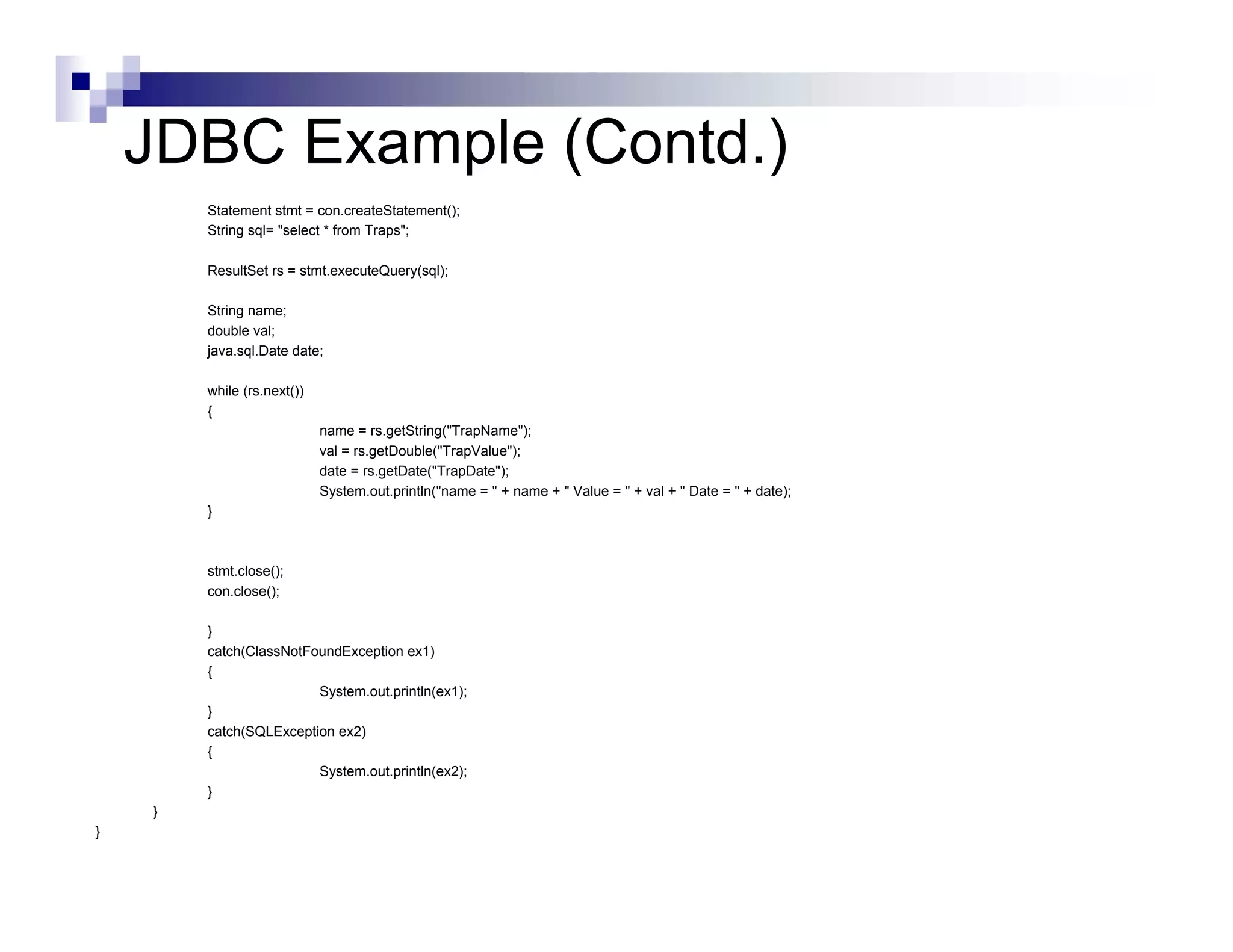
        Statement stmt = con.createStatement();
        String sql= "select * from Traps";

        ResultSet rs = stmt.executeQuery(sql);

        String name;
        double val;
        java.sql.Date date;

        while (rs.next())
        {
                            name = rs.getString("TrapName");
                            val = rs.getDouble("TrapValue");
                            date = rs.getDate("TrapDate");
                            System.out.println("name = " + name + " Value = " + val + " Date = " + date);
        }


        stmt.close();
        con.close();

        }
        catch(ClassNotFoundException ex1)
        {
                        System.out.println(ex1);
        }
        catch(SQLException ex2)
        {
                        System.out.println(ex2);
        }
    }
}
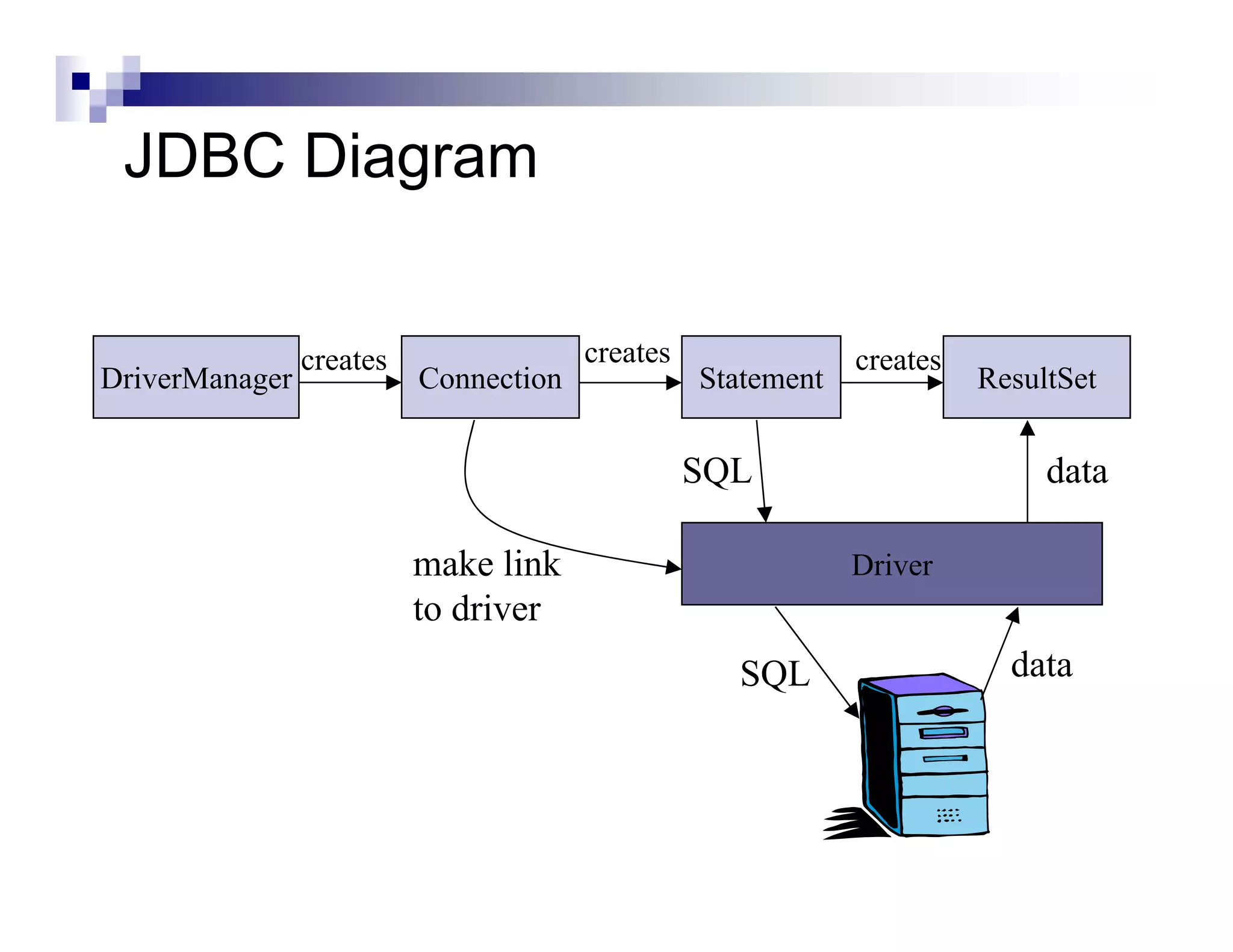
JDBC Diagram


                creates                creates               creates
DriverManager             Connection             Statement             ResultSet


                                                 SQL                        data

                          make link                          Driver
                          to driver
                                                   SQL                   data
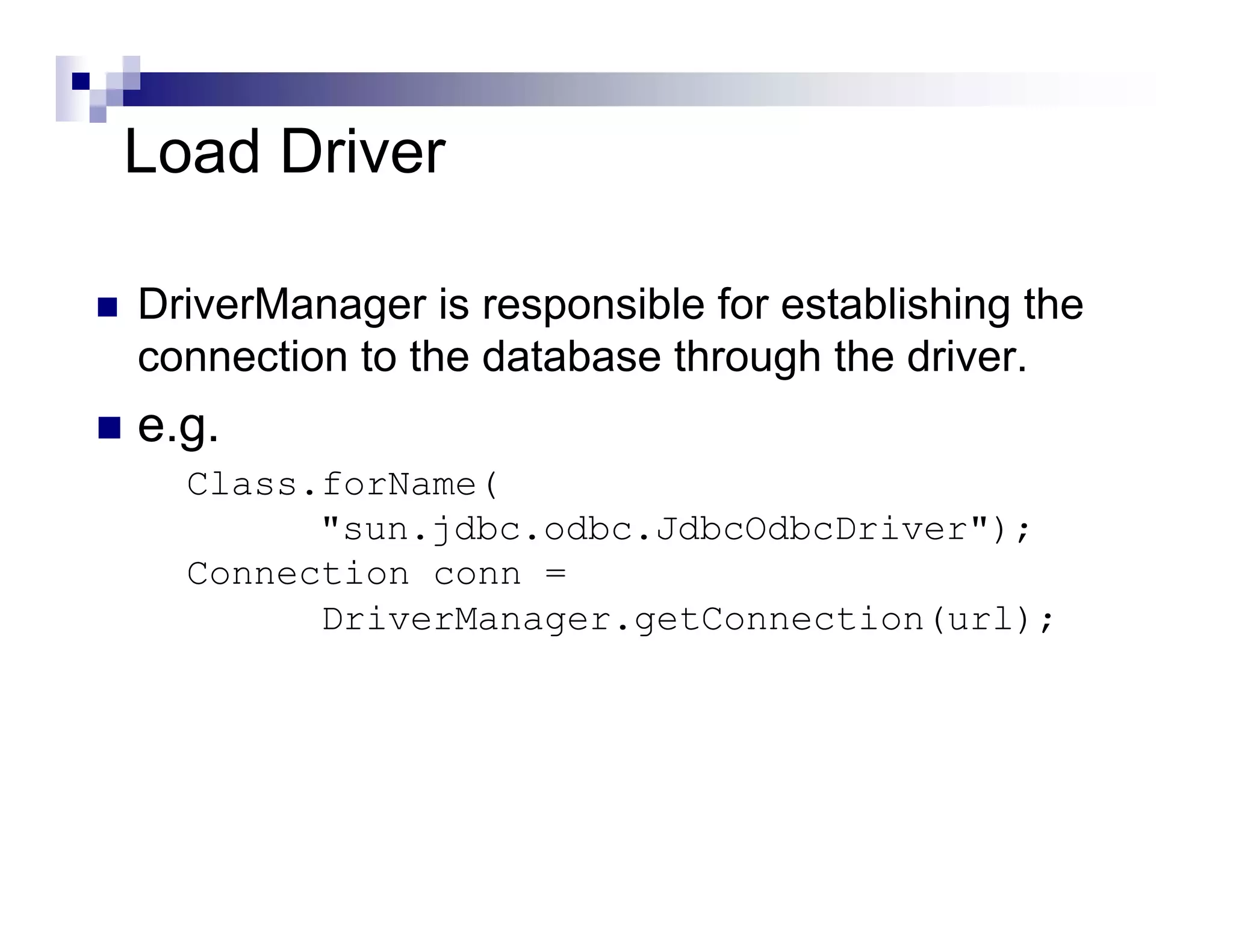
Load Driver

DriverManager is responsible for establishing the
connection to the database through the driver.
e.g.
  Class.forName(
        "sun.jdbc.odbc.JdbcOdbcDriver");
  Connection conn =
        DriverManager.getConnection(url);
Specify the URL to database server
 The name and location of the database is
 given as a URL
   the details of the URL vary depending on the
   type of database that is being used
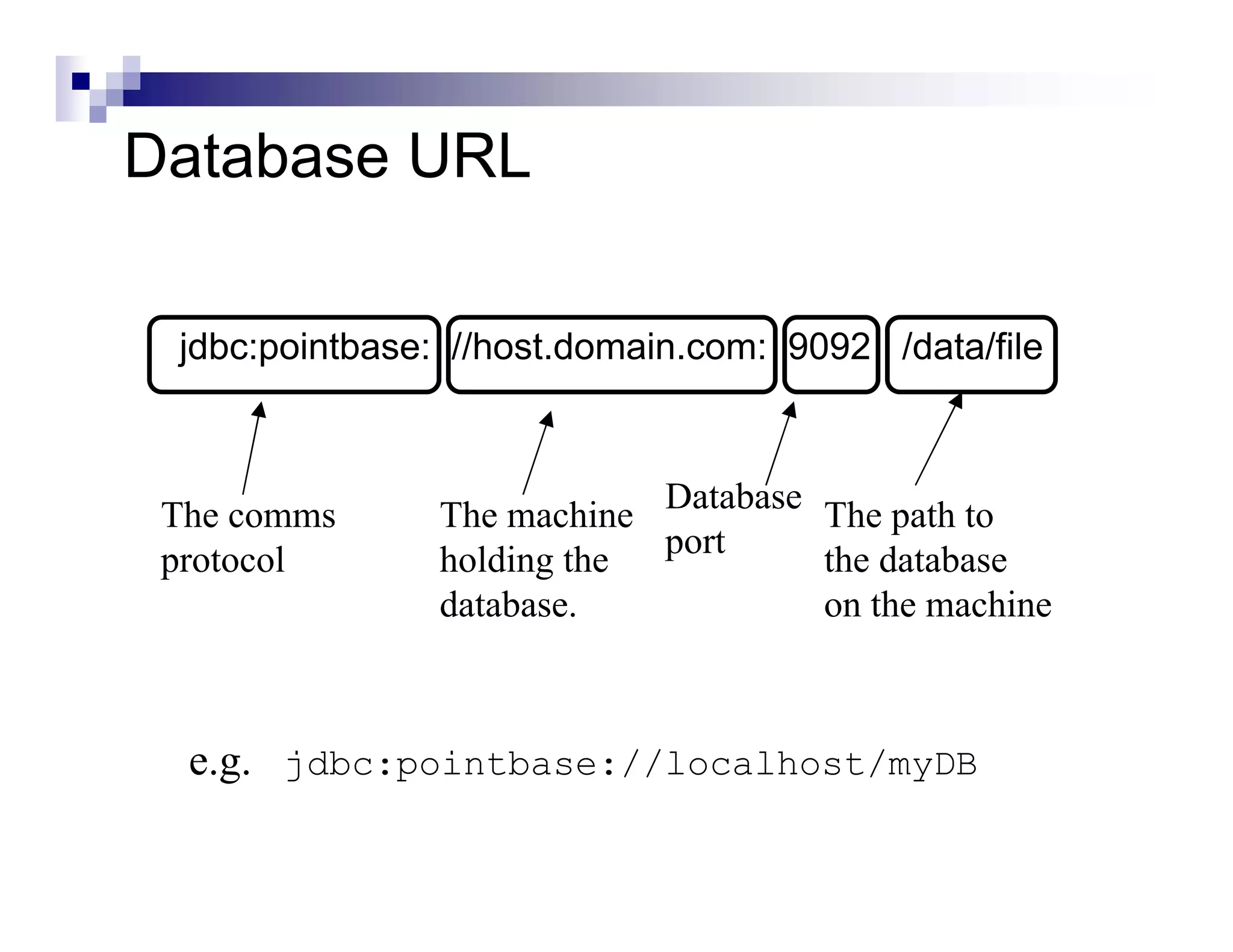
Database URL

 jdbc:pointbase: //host.domain.com: 9092 /data/file


 The comms      The machine Database The path to
                            port
 protocol       holding the          the database
                database.            on the machine


  e.g. jdbc:pointbase://localhost/myDB
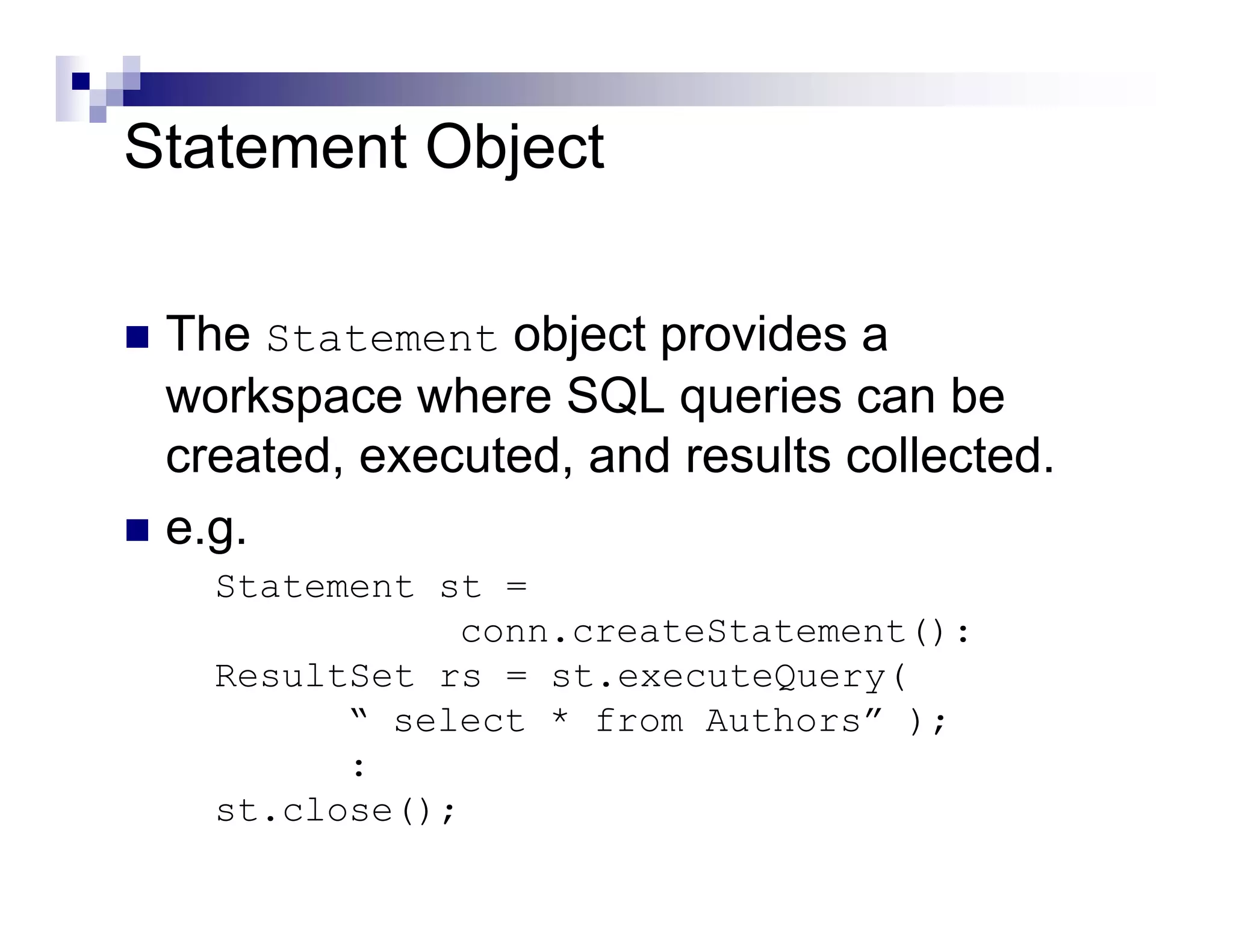
Statement Object

 The Statement object provides a
 workspace where SQL queries can be
 created, executed, and results collected.
 e.g.
   Statement st =
              conn.createStatement():
   ResultSet rs = st.executeQuery(
         “ select * from Authors” );
         :
   st.close();
ResultSet Object

 Stores the results of a SQL query.

 A ResultSet object is similar to a ‘table’
 of answers, which can be examined by
 moving a ‘pointer’ (cursor).
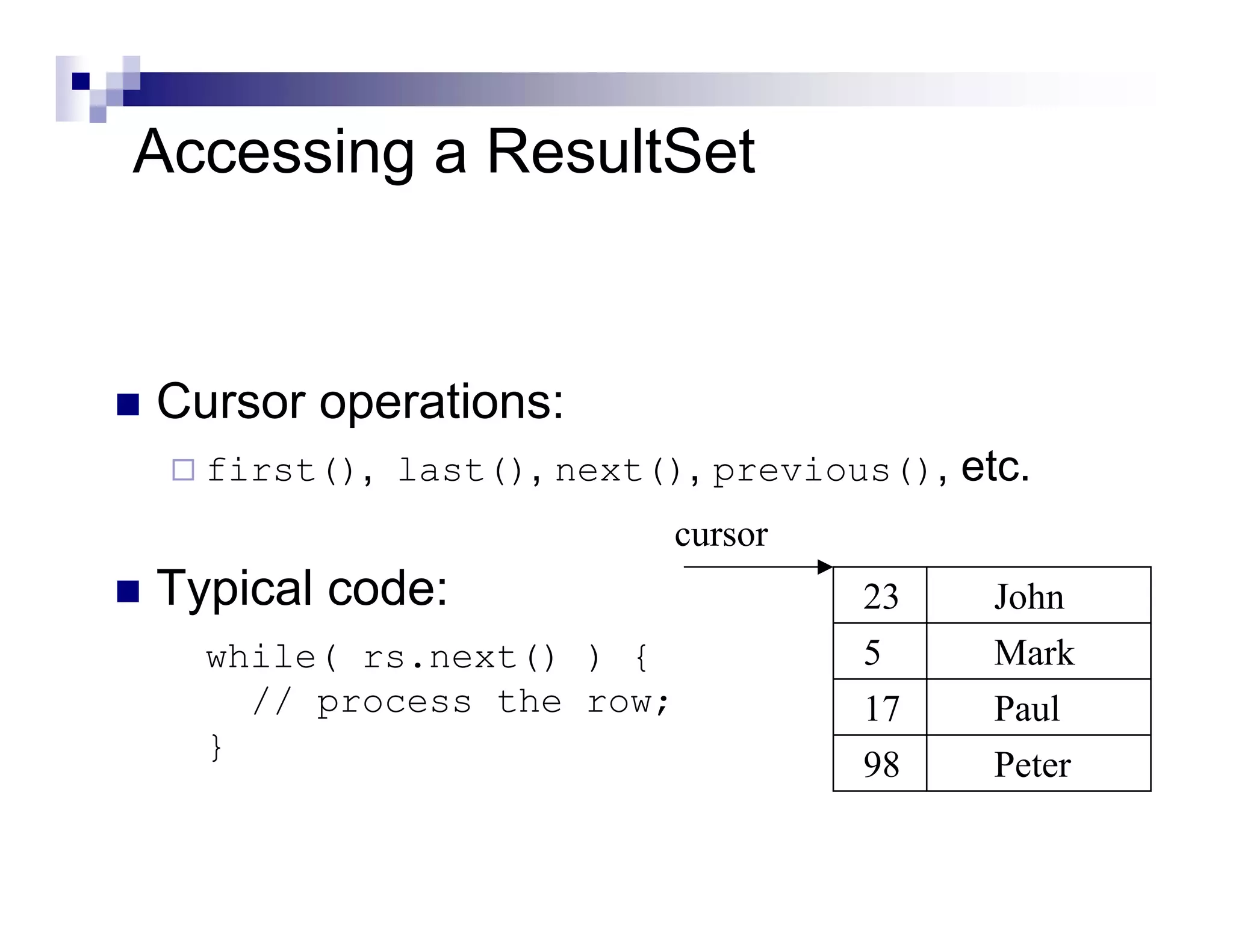
Accessing a ResultSet


Cursor operations:
  first(), last(), next(), previous(), etc.
                         cursor
Typical code:                     23     John
  while( rs.next() ) {            5      Mark
    // process the row;           17     Paul
  }
                                  98     Peter
Accessing a ResultSet (Contd.)


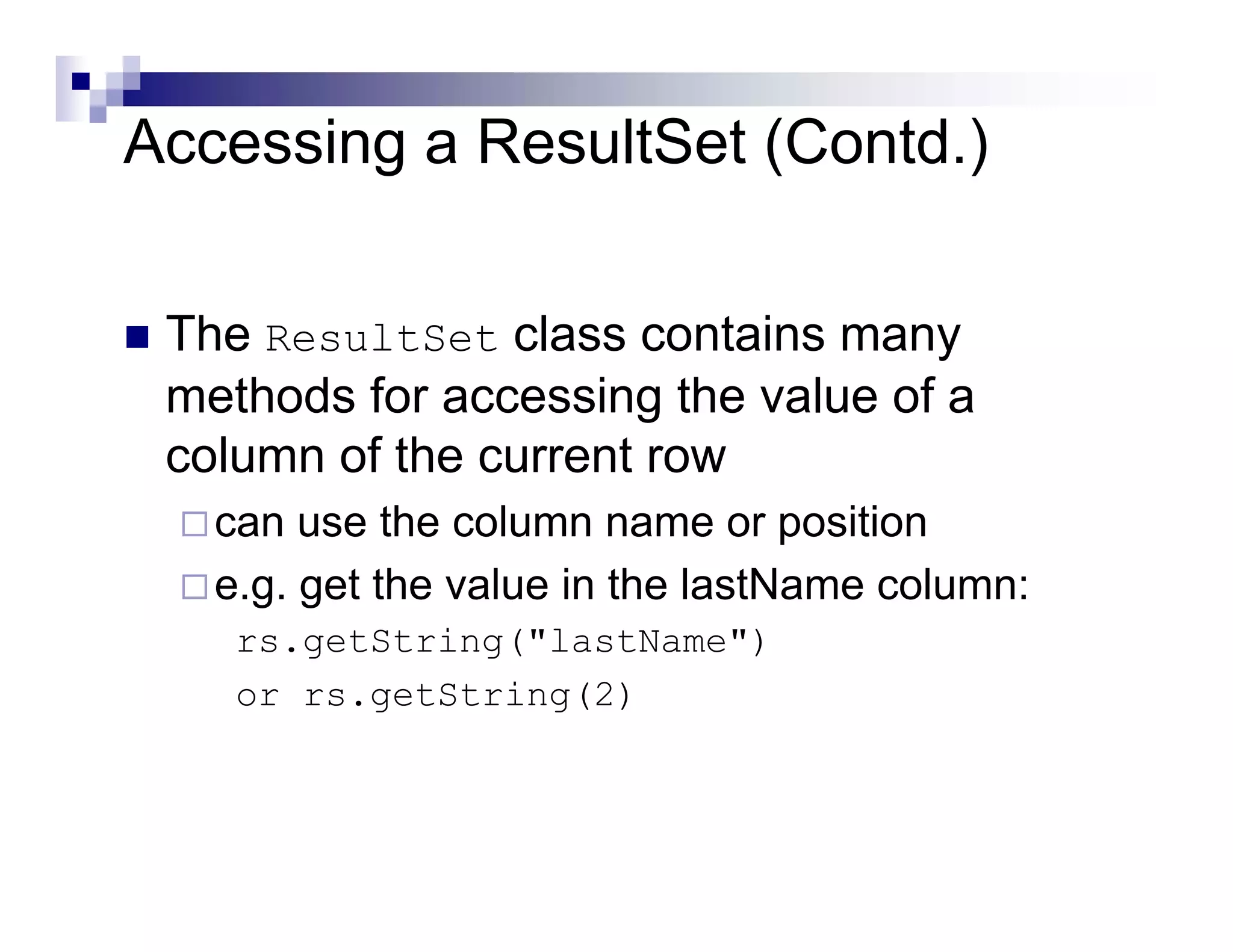
 The ResultSet class contains many
 methods for accessing the value of a
 column of the current row
   can use the column name or position
   e.g. get the value in the lastName column:
    rs.getString("lastName")
    or rs.getString(2)
Accessing a ResultSet (Contd.)

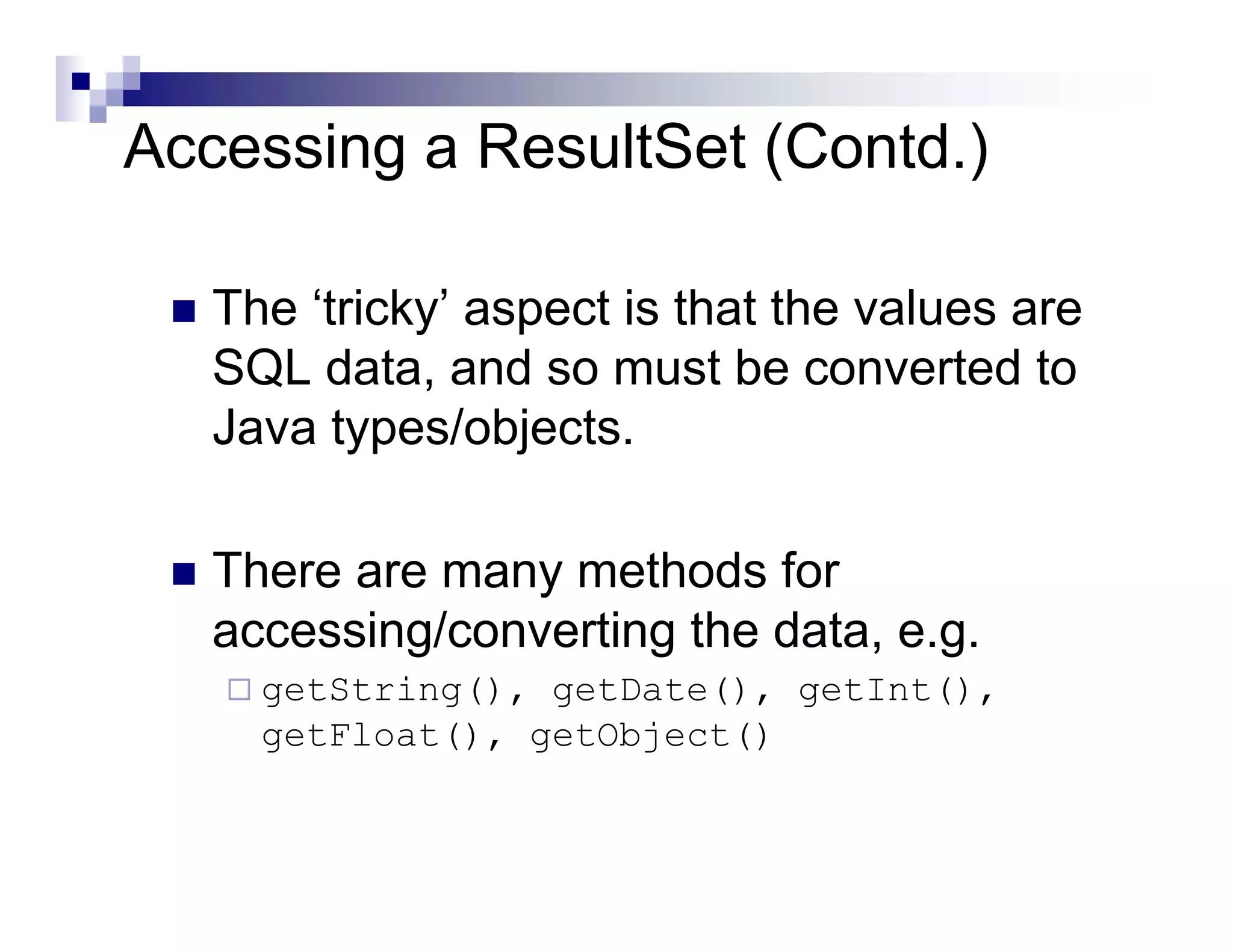
   The ‘tricky’ aspect is that the values are
   SQL data, and so must be converted to
   Java types/objects.

   There are many methods for
   accessing/converting the data, e.g.
     getString(), getDate(), getInt(),
     getFloat(), getObject()
Meta Data

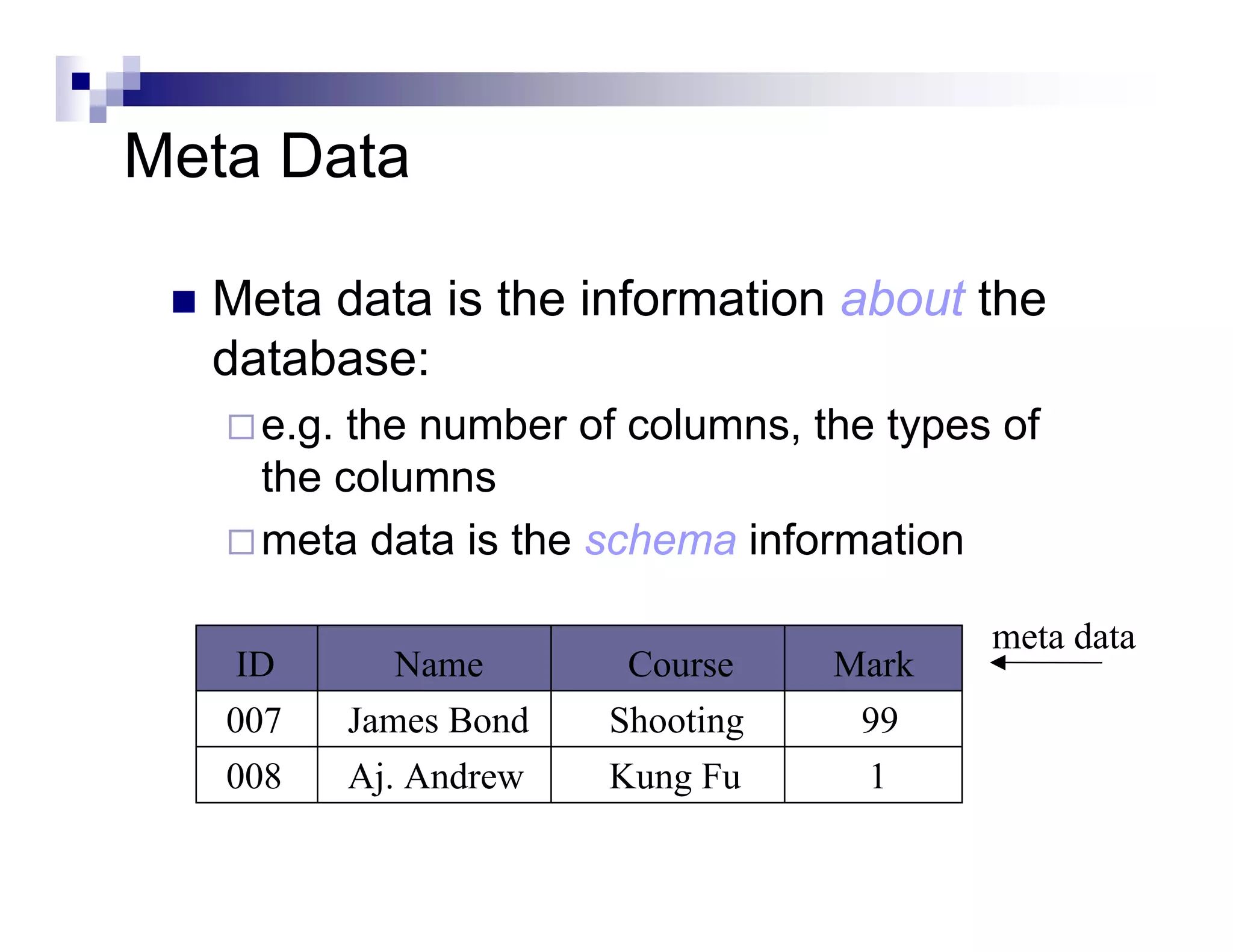
  Meta data is the information about the
  database:
    e.g. the number of columns, the types of
    the columns
    meta data is the schema information

                                         meta data
    ID      Name       Course    Mark
   007   James Bond   Shooting    99
   008   Aj. Andrew   Kung Fu     1
Accessing Meta Data

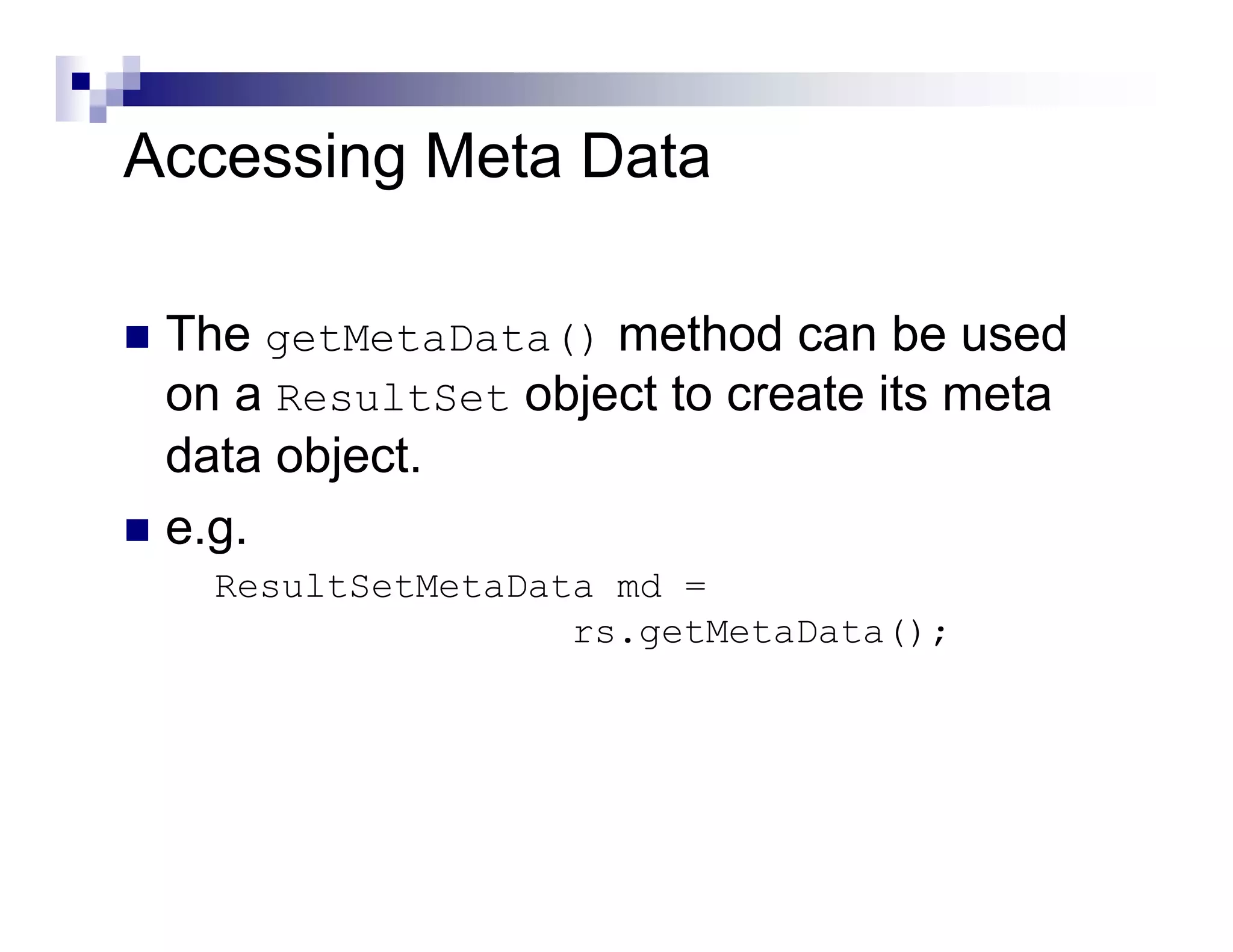
 The getMetaData() method can be used
 on a ResultSet object to create its meta
 data object.
 e.g.
   ResultSetMetaData md =
                   rs.getMetaData();
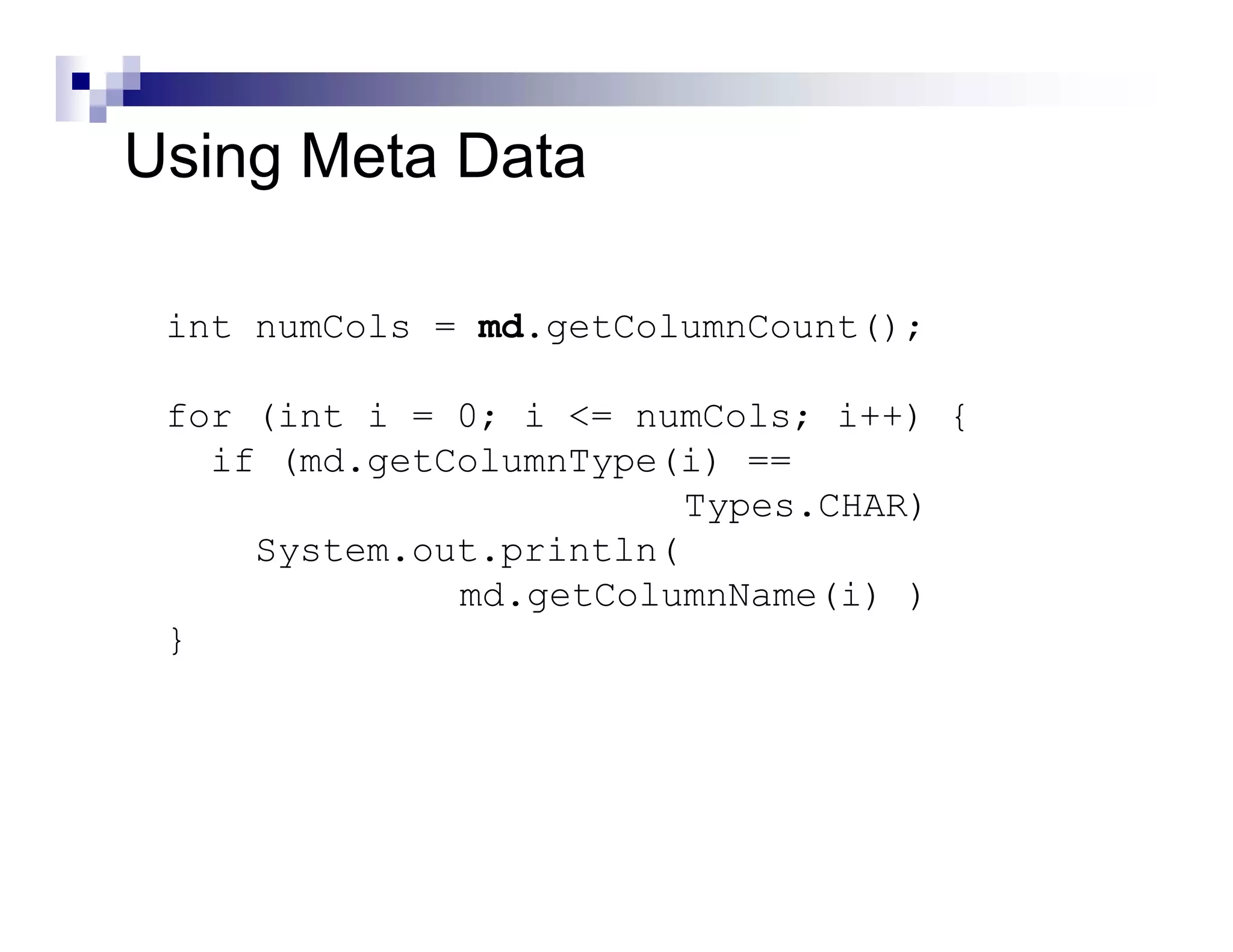
Using Meta Data

 int numCols = md.getColumnCount();

 for (int i = 0; i <= numCols; i++) {
   if (md.getColumnType(i) ==
                         Types.CHAR)
     System.out.println(
              md.getColumnName(i) )
 }
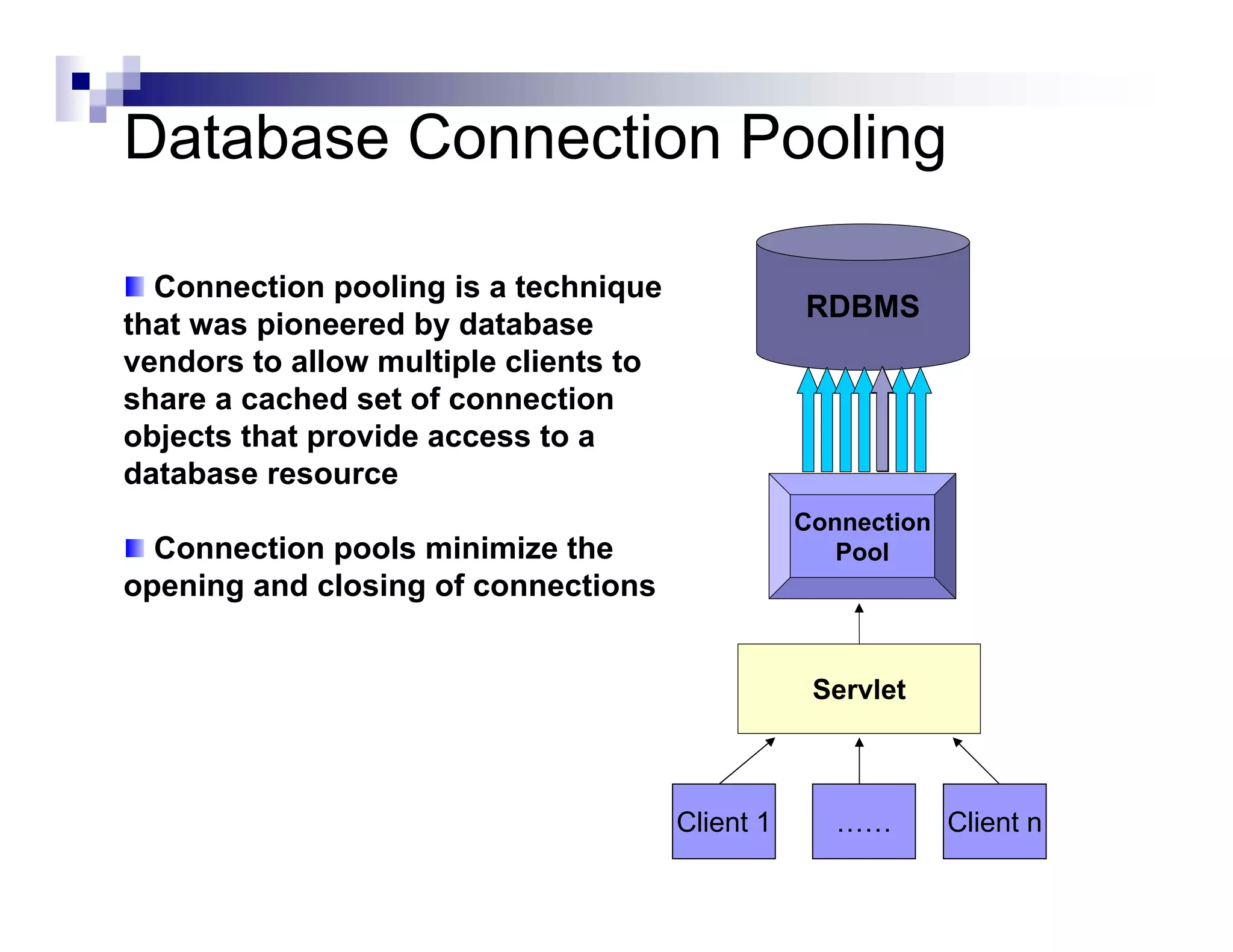
Database Connection Pooling

  Connection pooling is a technique
                                                  RDBMS
that was pioneered by database
vendors to allow multiple clients to
share a cached set of connection
objects that provide access to a
database resource
                                                  Connection
  Connection pools minimize the                      Pool
opening and closing of connections


                                                   Servlet


                                       Client 1      ……        Client n
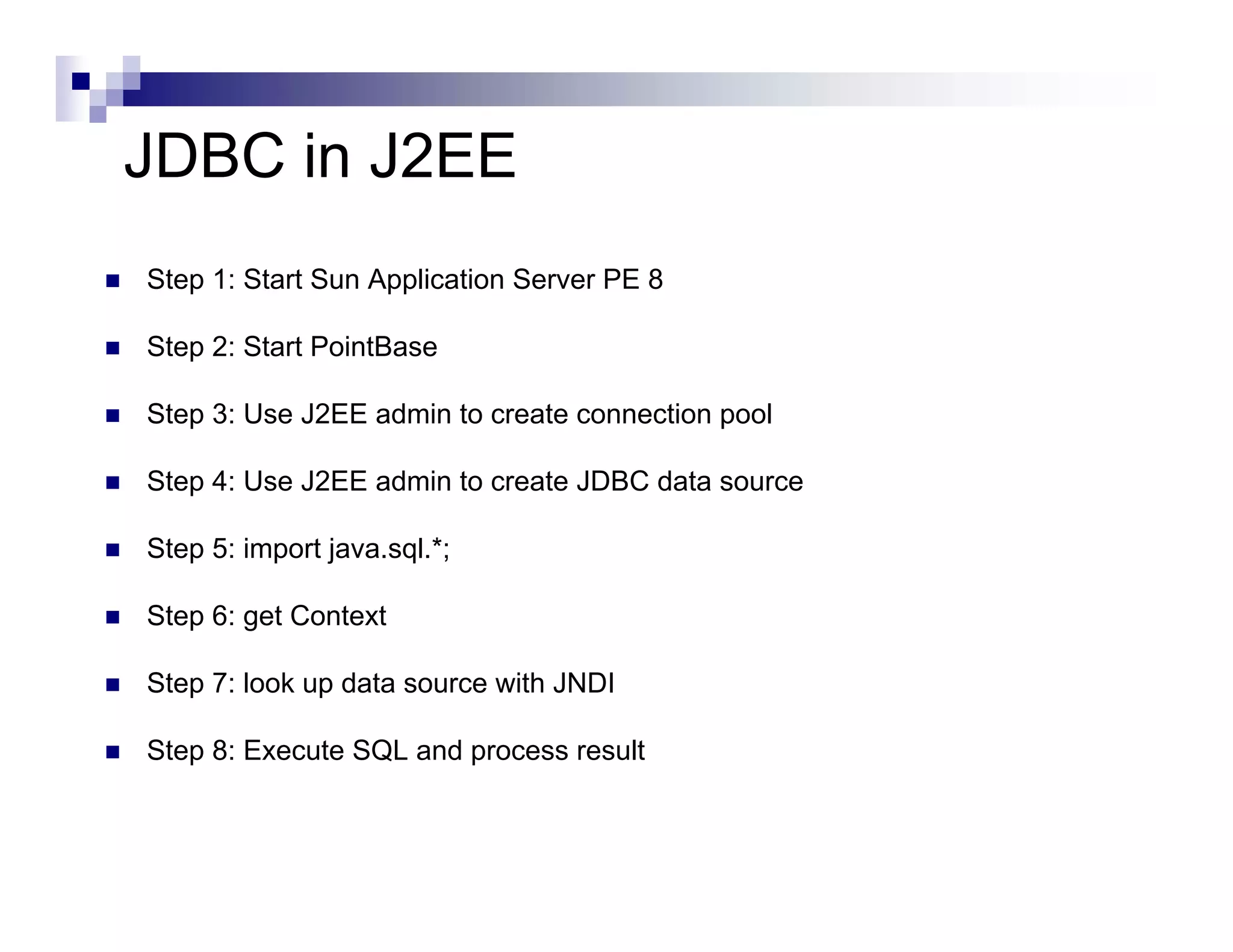
JDBC in J2EE
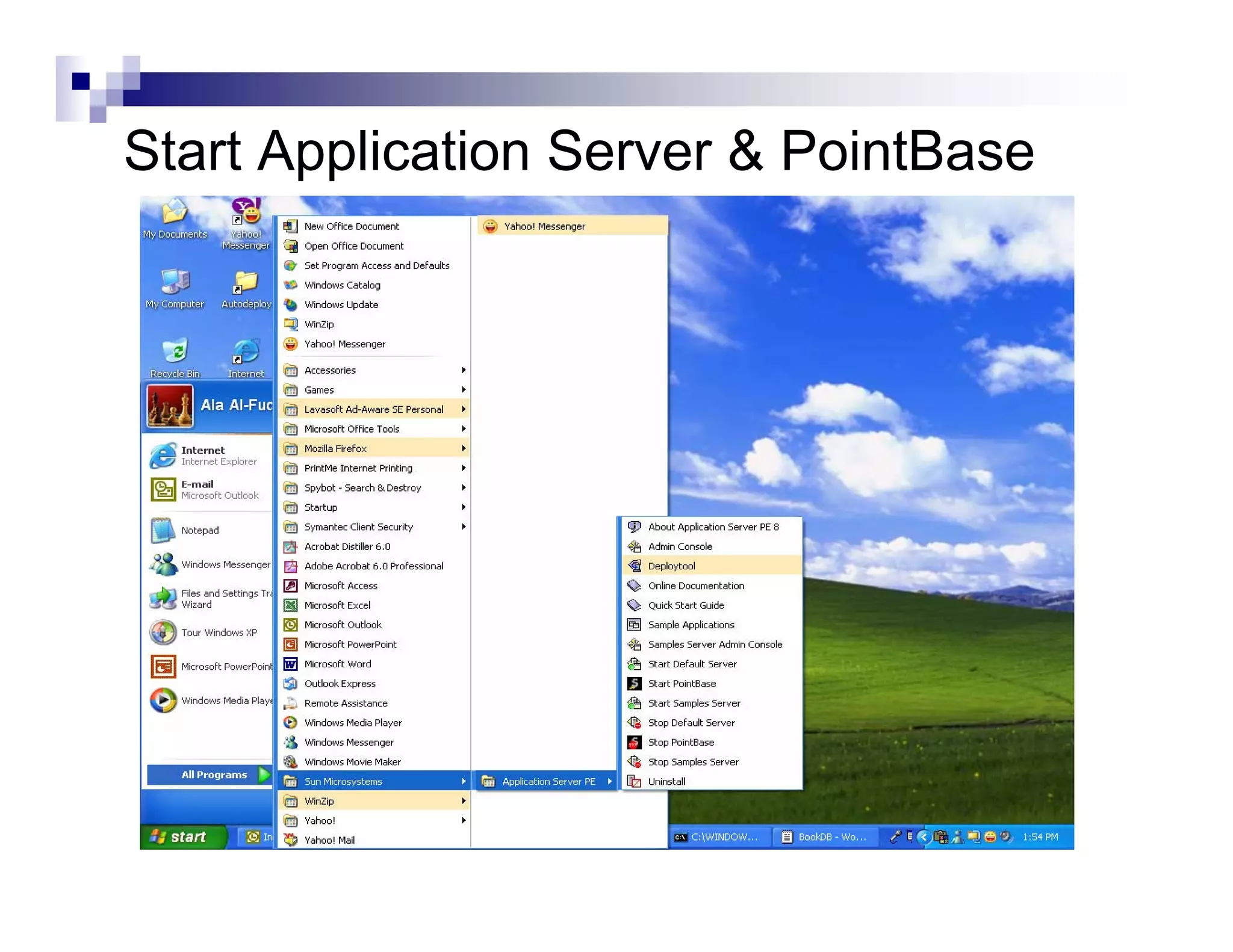
Step 1: Start Sun Application Server PE 8

Step 2: Start PointBase

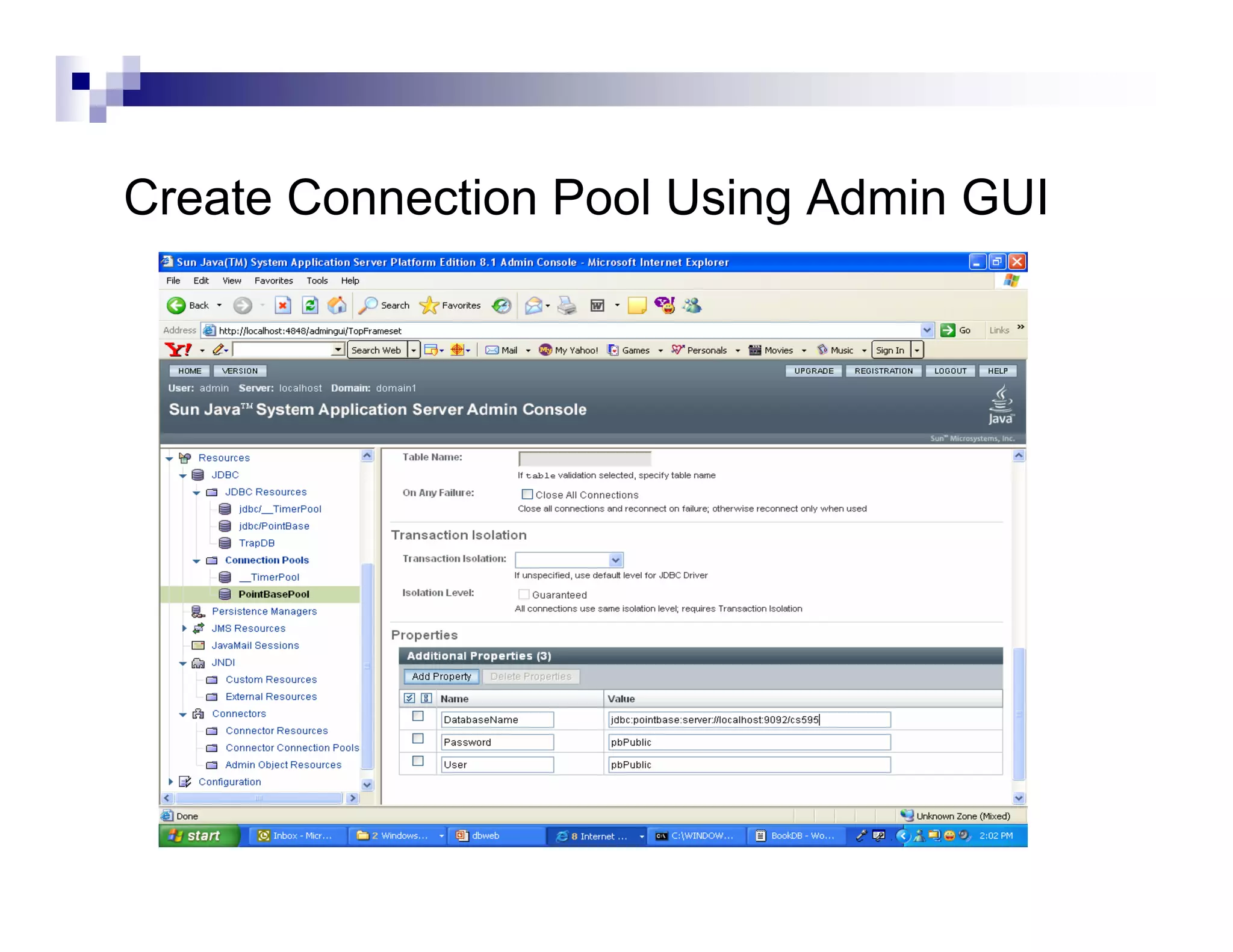
Step 3: Use J2EE admin to create connection pool

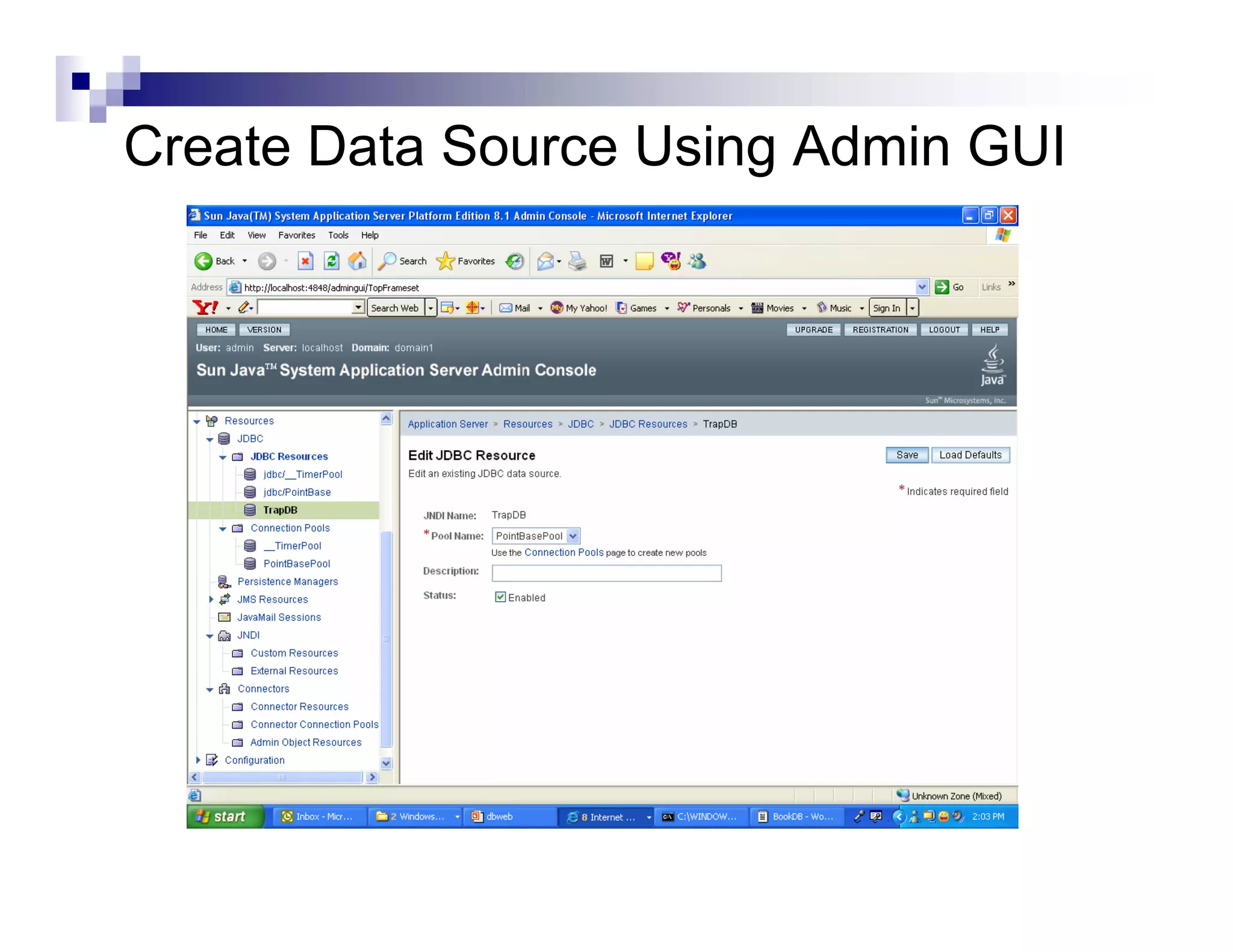
Step 4: Use J2EE admin to create JDBC data source

Step 5: import java.sql.*;

Step 6: get Context

Step 7: look up data source with JNDI

Step 8: Execute SQL and process result
Start Application Server & PointBase
Create Connection Pool Using Admin GUI
Create Data Source Using Admin GUI
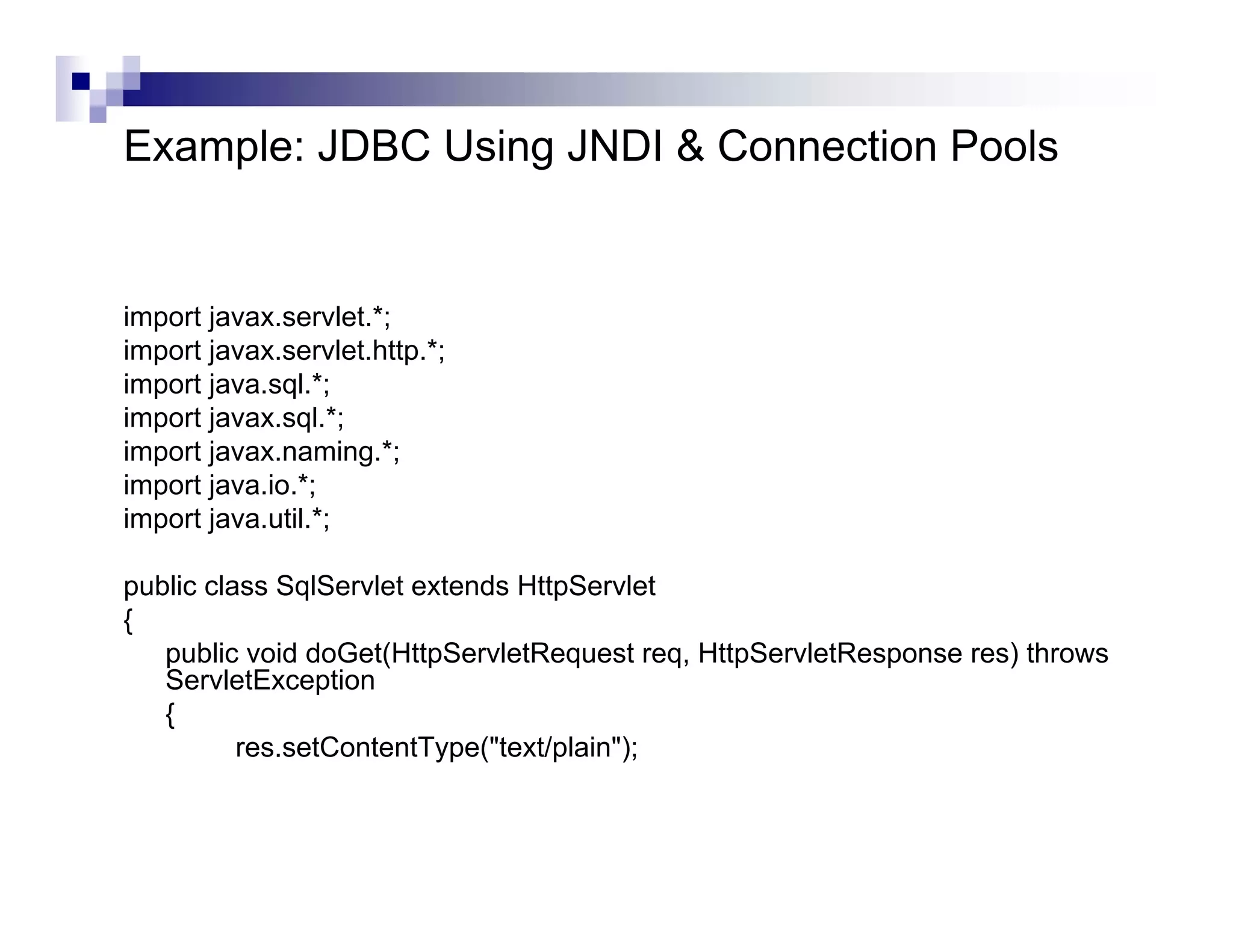
Example: JDBC Using JNDI & Connection Pools


import javax.servlet.*;
import javax.servlet.http.*;
import java.sql.*;
import javax.sql.*;
import javax.naming.*;
import java.io.*;
import java.util.*;

public class SqlServlet extends HttpServlet
{
   public void doGet(HttpServletRequest req, HttpServletResponse res) throws
   ServletException
   {
          res.setContentType("text/plain");
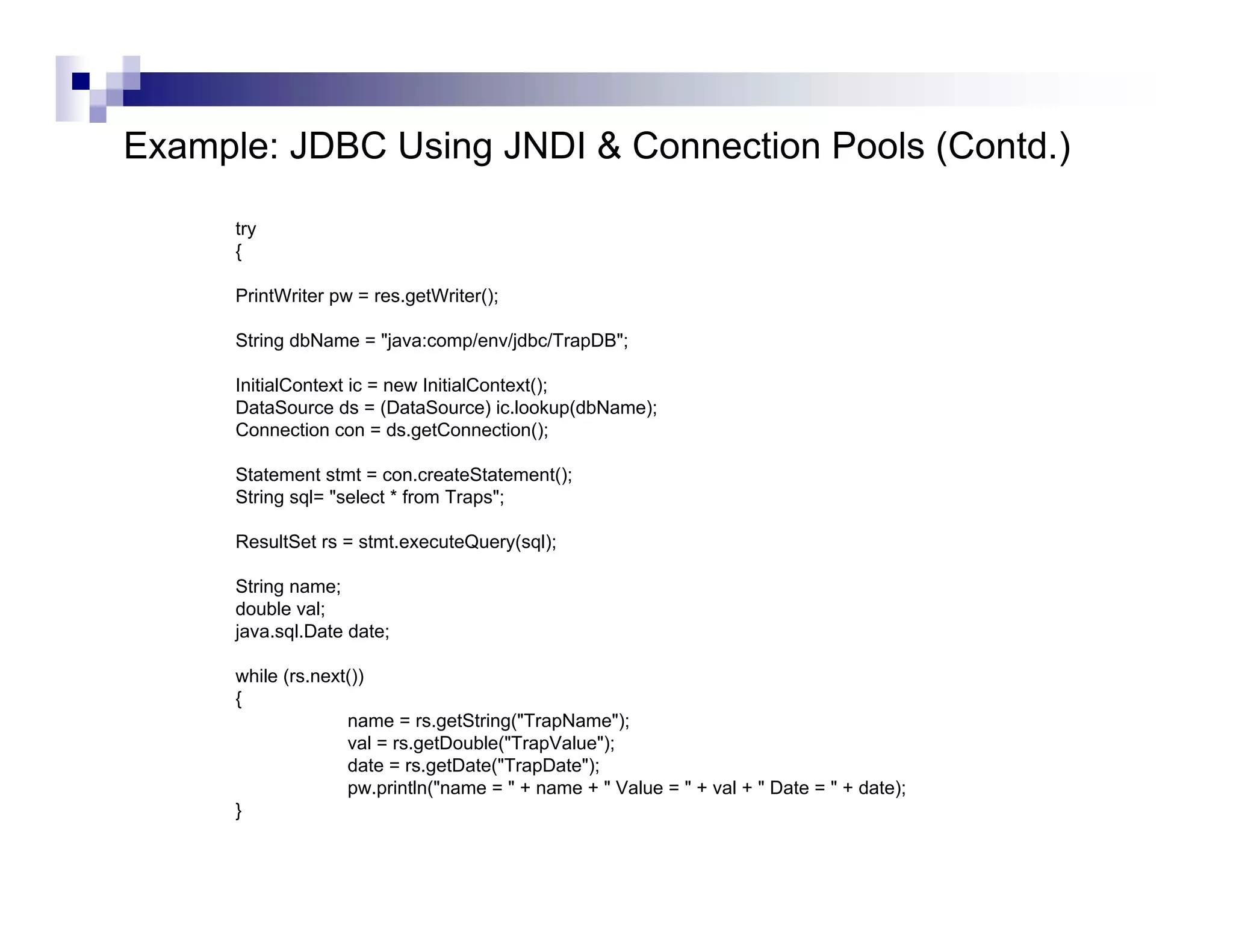
Example: JDBC Using JNDI & Connection Pools (Contd.)

      try
      {

      PrintWriter pw = res.getWriter();

      String dbName = "java:comp/env/jdbc/TrapDB";

      InitialContext ic = new InitialContext();
      DataSource ds = (DataSource) ic.lookup(dbName);
      Connection con = ds.getConnection();

      Statement stmt = con.createStatement();
      String sql= "select * from Traps";

      ResultSet rs = stmt.executeQuery(sql);

      String name;
      double val;
      java.sql.Date date;

      while (rs.next())
      {
                    name = rs.getString("TrapName");
                    val = rs.getDouble("TrapValue");
                    date = rs.getDate("TrapDate");
                    pw.println("name = " + name + " Value = " + val + " Date = " + date);
      }
Example: JDBC Using JNDI & Connection Pools (Contd.)


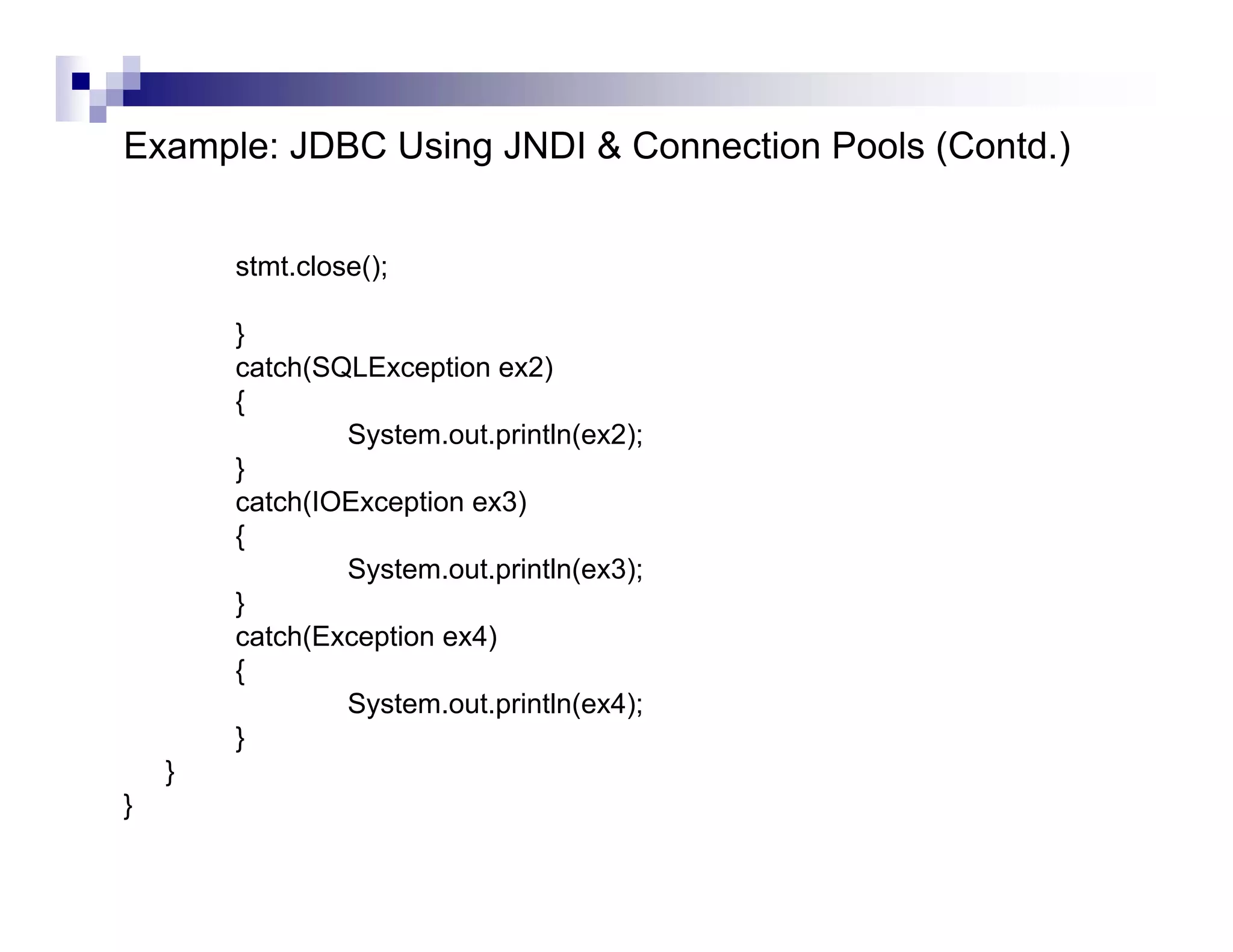
        stmt.close();

        }
        catch(SQLException ex2)
        {
                System.out.println(ex2);
        }
        catch(IOException ex3)
        {
                System.out.println(ex3);
        }
        catch(Exception ex4)
        {
                System.out.println(ex4);
        }
    }
}
Reference
  Database and Enterprise Web Application Development in J2EE,
Xiachuan Yi, Computer Science Department, University of Georgia.

Lecture17

  • 1.
  • 2.
    J2EE application model J2EEis a multitiered distributed application model client machines the J2EE server machine the database or legacy machines at the back end
  • 3.
    JDBC API JDBC is an interface which allows Java code to execute SQL statements inside relational databases Java JDBC driver program connectivity for Oracle data processing utilities driver for MySQL jdbc-odbc ODBC bridge driver
  • 4.
    The JDBC-ODBC Bridge ODBC (Open Database Connectivity) is a Microsoft standard from the mid 1990’s. It is an API that allows C/C++ programs to execute SQL inside databases ODBC is supported by many products.
  • 5.
    The JDBC-ODBC Bridge(Contd.) The JDBC-ODBC bridge allows Java code to use the C/C++ interface of ODBC it means that JDBC can access many different database products The layers of translation (Java --> C --> SQL) can slow down execution.
  • 6.
    The JDBC-ODBC Bridge(Contd.) The JDBC-ODBC bridge comes free with the J2SE: called sun.jdbc.odbc.JdbcOdbcDriver The ODBC driver for Microsoft Access comes with MS Office so it is easy to connect Java and Access
  • 7.
    JDBC Pseudo Code AllJDBC programs do the following: Step 1) load the JDBC driver Step 2) Specify the name and location of the database being used Step 3) Connect to the database with a Connection object Step 4) Execute a SQL query using a Statement object Step 5) Get the results in a ResultSet object Step 6) Finish by closing the ResultSet, Statement and Connection objects
  • 8.
    JDBC API inJ2SE Set up a database server (Oracle , MySQL, pointbase) Get a JDBC driver set CLASSPATH for driver lib Set classpath in windows, control panel->system->advanced->environment variable Set classpath in Solaris, set CLASSPATH to driver jar file Import the library import java.sql.*; Specify the URL to database server String url = "jdbc:pointbase://127.0.0.1/test“ Load the JDBC driver Class.forName("com.pointbase.jdbc.jdbcUniversalDriver"); Connect to database server Connection con = DriverManager.getConnection(url, “dbUser", “dbPass"); Create SQL Statement stmt = con.createStatement(); Execute SQL stmt.executeUpdate("insert into COFFEES " + "values('Colombian', 00101, 7.99, 0, 0)"); ResultSet rs = stmt.executeQuery(query);
  • 9.
    JDBC Example import java.sql.*; publicclass SqlTest { public static void main(String[] args) { try { // Step 1: Make a connection // Load the driver Class.forName("com.pointbase.jdbc.jdbcUniversalDriver"); // Get a connection using this driver String url = "jdbc:pointbase://localhost/cs595"; String dbUser = "PBPUBLIC"; String dbPassword = "PBPUBLIC"; Connection con = DriverManager.getConnection(url, dbUser, dbPassword);
  • 10.
    JDBC Example (Contd.) Statement stmt = con.createStatement(); String sql= "select * from Traps"; ResultSet rs = stmt.executeQuery(sql); String name; double val; java.sql.Date date; while (rs.next()) { name = rs.getString("TrapName"); val = rs.getDouble("TrapValue"); date = rs.getDate("TrapDate"); System.out.println("name = " + name + " Value = " + val + " Date = " + date); } stmt.close(); con.close(); } catch(ClassNotFoundException ex1) { System.out.println(ex1); } catch(SQLException ex2) { System.out.println(ex2); } } }
  • 11.
    JDBC Diagram creates creates creates DriverManager Connection Statement ResultSet SQL data make link Driver to driver SQL data
  • 12.
    Load Driver DriverManager isresponsible for establishing the connection to the database through the driver. e.g. Class.forName( "sun.jdbc.odbc.JdbcOdbcDriver"); Connection conn = DriverManager.getConnection(url);
  • 13.
    Specify the URLto database server The name and location of the database is given as a URL the details of the URL vary depending on the type of database that is being used
  • 14.
    Database URL jdbc:pointbase://host.domain.com: 9092 /data/file The comms The machine Database The path to port protocol holding the the database database. on the machine e.g. jdbc:pointbase://localhost/myDB
  • 15.
    Statement Object TheStatement object provides a workspace where SQL queries can be created, executed, and results collected. e.g. Statement st = conn.createStatement(): ResultSet rs = st.executeQuery( “ select * from Authors” ); : st.close();
  • 16.
    ResultSet Object Storesthe results of a SQL query. A ResultSet object is similar to a ‘table’ of answers, which can be examined by moving a ‘pointer’ (cursor).
  • 17.
    Accessing a ResultSet Cursoroperations: first(), last(), next(), previous(), etc. cursor Typical code: 23 John while( rs.next() ) { 5 Mark // process the row; 17 Paul } 98 Peter
  • 18.
    Accessing a ResultSet(Contd.) The ResultSet class contains many methods for accessing the value of a column of the current row can use the column name or position e.g. get the value in the lastName column: rs.getString("lastName") or rs.getString(2)
  • 19.
    Accessing a ResultSet(Contd.) The ‘tricky’ aspect is that the values are SQL data, and so must be converted to Java types/objects. There are many methods for accessing/converting the data, e.g. getString(), getDate(), getInt(), getFloat(), getObject()
  • 20.
    Meta Data Meta data is the information about the database: e.g. the number of columns, the types of the columns meta data is the schema information meta data ID Name Course Mark 007 James Bond Shooting 99 008 Aj. Andrew Kung Fu 1
  • 21.
    Accessing Meta Data The getMetaData() method can be used on a ResultSet object to create its meta data object. e.g. ResultSetMetaData md = rs.getMetaData();
  • 22.
    Using Meta Data int numCols = md.getColumnCount(); for (int i = 0; i <= numCols; i++) { if (md.getColumnType(i) == Types.CHAR) System.out.println( md.getColumnName(i) ) }
  • 23.
    Database Connection Pooling Connection pooling is a technique RDBMS that was pioneered by database vendors to allow multiple clients to share a cached set of connection objects that provide access to a database resource Connection Connection pools minimize the Pool opening and closing of connections Servlet Client 1 …… Client n
  • 24.
    JDBC in J2EE Step1: Start Sun Application Server PE 8 Step 2: Start PointBase Step 3: Use J2EE admin to create connection pool Step 4: Use J2EE admin to create JDBC data source Step 5: import java.sql.*; Step 6: get Context Step 7: look up data source with JNDI Step 8: Execute SQL and process result
  • 25.
  • 26.
    Create Connection PoolUsing Admin GUI
  • 27.
    Create Data SourceUsing Admin GUI
  • 28.
    Example: JDBC UsingJNDI & Connection Pools import javax.servlet.*; import javax.servlet.http.*; import java.sql.*; import javax.sql.*; import javax.naming.*; import java.io.*; import java.util.*; public class SqlServlet extends HttpServlet { public void doGet(HttpServletRequest req, HttpServletResponse res) throws ServletException { res.setContentType("text/plain");
  • 29.
    Example: JDBC UsingJNDI & Connection Pools (Contd.) try { PrintWriter pw = res.getWriter(); String dbName = "java:comp/env/jdbc/TrapDB"; InitialContext ic = new InitialContext(); DataSource ds = (DataSource) ic.lookup(dbName); Connection con = ds.getConnection(); Statement stmt = con.createStatement(); String sql= "select * from Traps"; ResultSet rs = stmt.executeQuery(sql); String name; double val; java.sql.Date date; while (rs.next()) { name = rs.getString("TrapName"); val = rs.getDouble("TrapValue"); date = rs.getDate("TrapDate"); pw.println("name = " + name + " Value = " + val + " Date = " + date); }
  • 30.
    Example: JDBC UsingJNDI & Connection Pools (Contd.) stmt.close(); } catch(SQLException ex2) { System.out.println(ex2); } catch(IOException ex3) { System.out.println(ex3); } catch(Exception ex4) { System.out.println(ex4); } } }
  • 31.
    Reference Databaseand Enterprise Web Application Development in J2EE, Xiachuan Yi, Computer Science Department, University of Georgia.