
Analog Digital Video

                  By:
                  Yossi Cohen / DSP-IP


Copyright © 2008 LOGTEL
Course Content

      Introduction to Video
          • Basic Concepts & Formats
     • Introduction to Multimedia coding
          • Lossy Compression
          • Basic Video CODEC
     • Standardization Landscape
     • Components
          • File Formats
             • AVI, MPEG4 FF, MKV
          • Codecs
             • H264, VP6, WMV / VC-1, VP8
Copyright © 2008 LOGTEL                     Yossi Cohen
Course Content


     • Delivery methods
          •   RTP Streaming
          •   Progressive Download
          •   HTML5 Video
          •   HTTP Streaming


Copyright © 2008 LOGTEL              Yossi Cohen
Introduction to Video
                  By:
                  Yossi Cohen / DSP-IP


Copyright © 2008 LOGTEL
Agenda

    Basic Video Concepts
      Color Spaces
      Interlacing
      Video Connection(Component, S-Video)
      Image compression
      Introduction to video compression


Copyright © 2008 LOGTEL                      Yossi Cohen
4.2 Color Models in Images
        Colors models and spaces used to store, display,
        and print images.
        RGB Color Model for CRT Displays
             We expect to be able to use 8 bits per color channel
             for color that is accurate enough.
             However, in fact we have to use about 12 bits per
             channel to avoid an aliasing effect in dark image areas
             — contour bands that result from gamma correction.
             For images produced from computer graphics, we
             store integers proportional to intensity in the frame
             buffer. So should have a gamma correction LUT
             between the frame buffer and the CRT.

Copyright © 2008 LOGTEL                                        Yossi Cohen
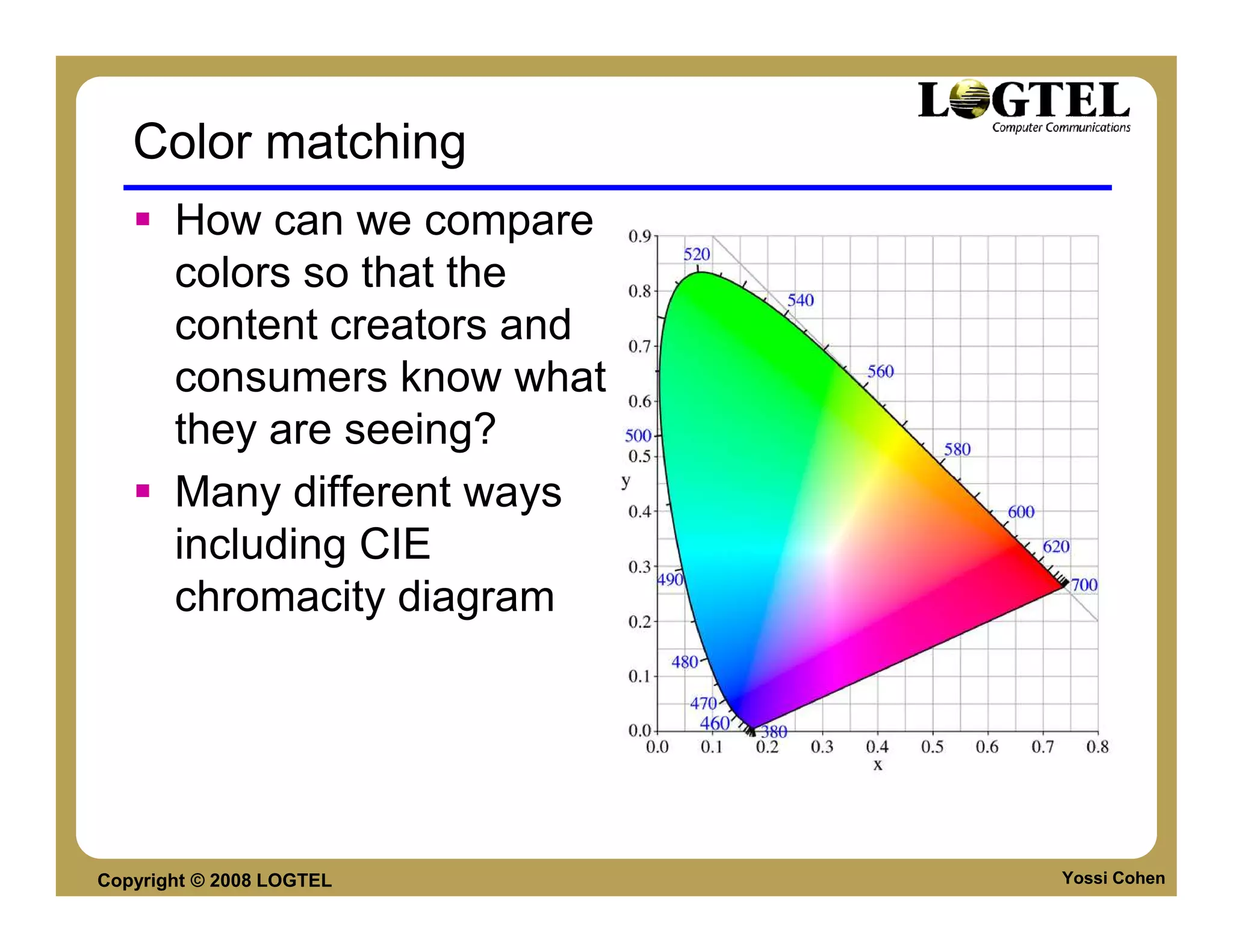
Color matching
       How can we compare
       colors so that the
       content creators and
       consumers know what
       they are seeing?
       Many different ways
       including CIE
       chromacity diagram


Copyright © 2008 LOGTEL       Yossi Cohen
Video Color Transforms
        Largely derived from older analog methods of coding
        color for TV. Luminance is separated from color
        information.
        YIQ is used to transmit TV signals in North America and
        Japan.This coding also makes its way into VHS video
        tape coding in these countries since video tape
        technologies also use YIQ.
        In Europe, video tape uses the PAL or SECAM codings,
        which are based on TV that uses a matrix transform
        called YUV.
        Finally, digital video mostly uses a matrix transform
        called YCbCr that is closely related to YUV


Copyright © 2008 LOGTEL                                     Yossi Cohen
Color Models in Video
    •    Largely derive from older analog methods of coding
         color for TV. Luminance is separated from color
         information.
    •    A matrix transform YIQ is used to transmit TV signals
         in North America and Japan. (NTSC) This coding also
         makes its way into VHS video tape coding in these
         countries since video tape technologies also use YIQ.
    •    In Europe, video tape uses the PAL or SECAM
         codings, which are based on TV that uses a matrix
         transform called YUV.
    •    Finally, digital video mostly uses a matrix transform
         called YCbCr that is closely related to YUV.

Copyright © 2008 LOGTEL                                          Yossi Cohen
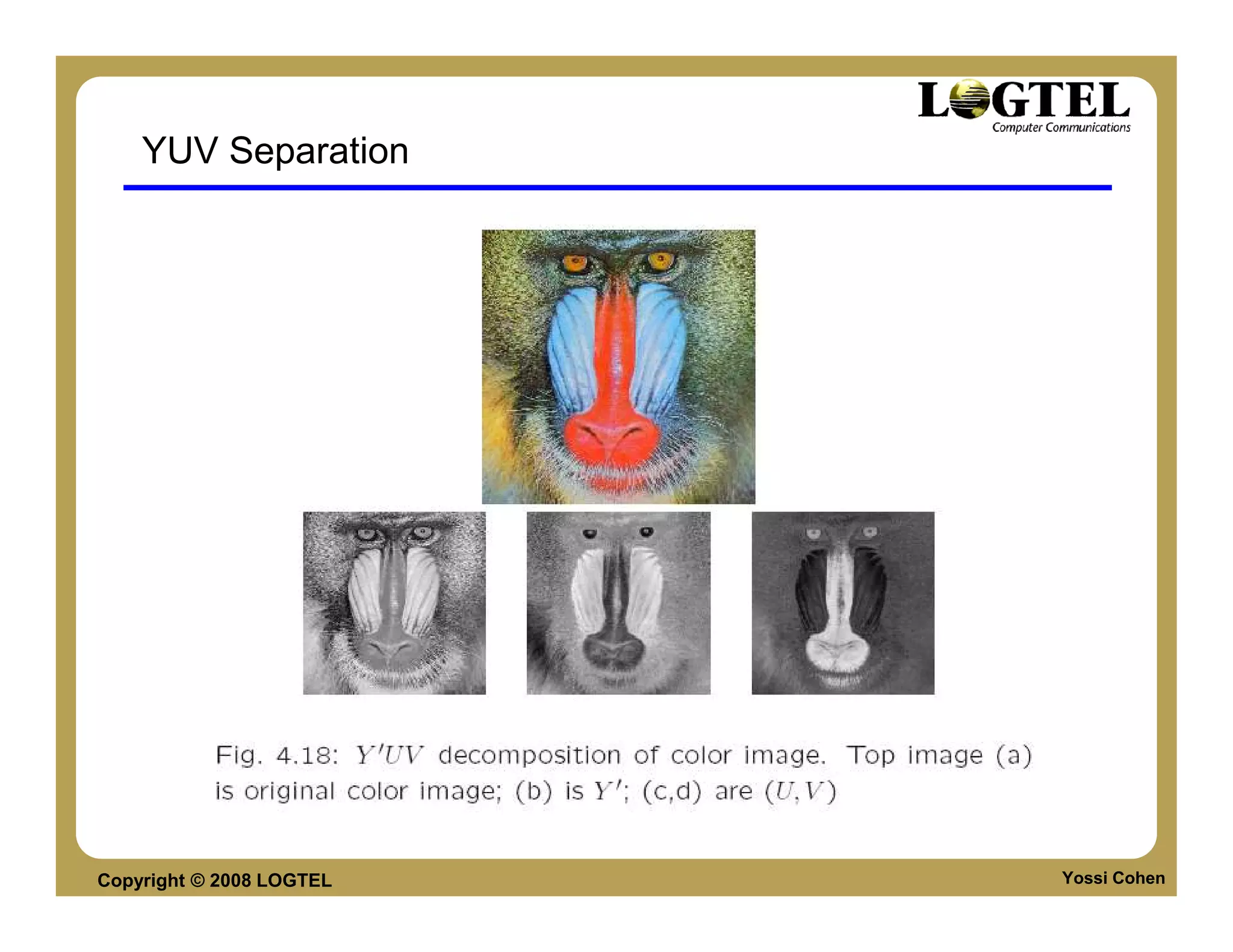
YUV Separation


Copyright © 2008 LOGTEL   Yossi Cohen
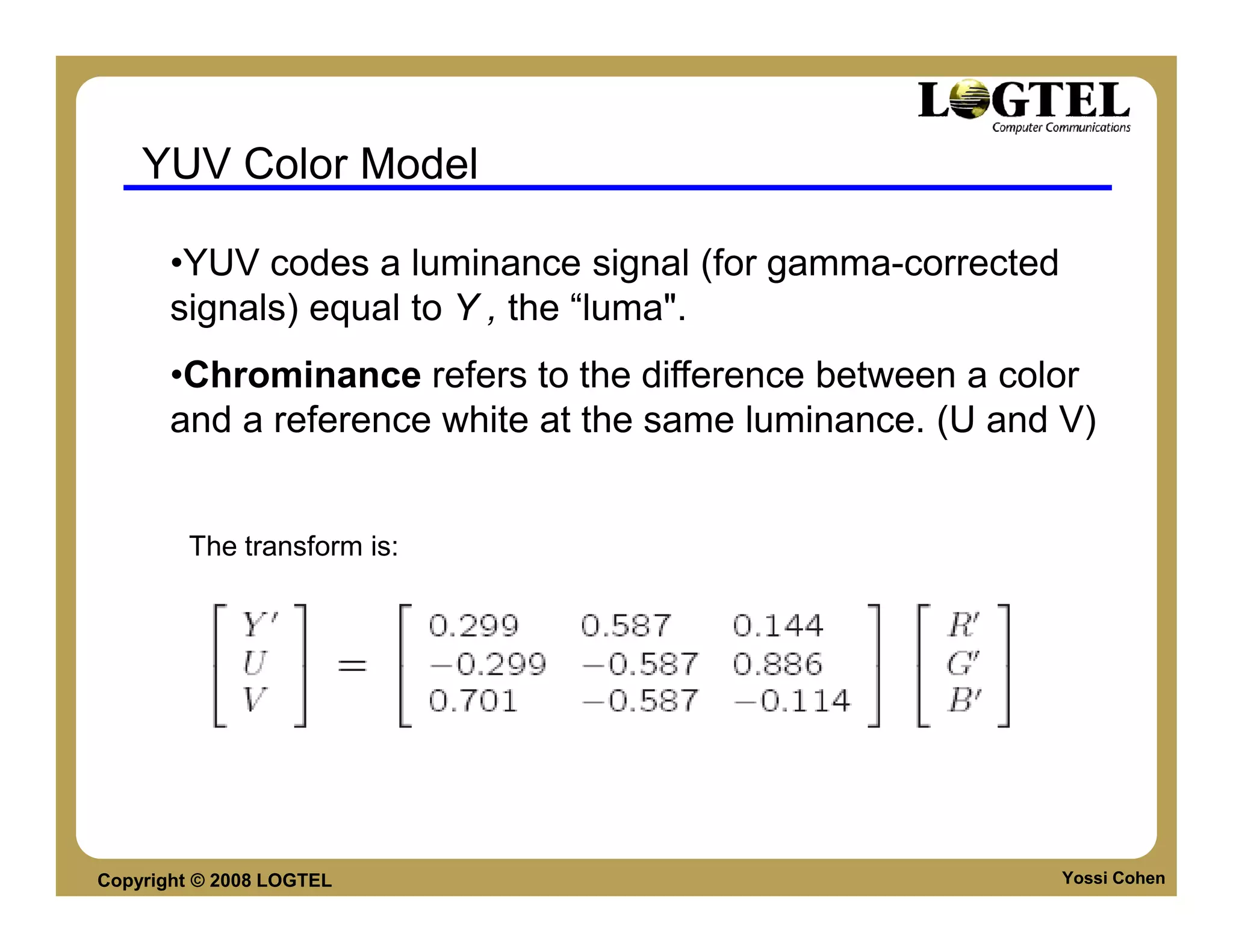
YUV Color Model

       •YUV codes a luminance signal (for gamma-corrected
       signals) equal to Y , the “luma".
       •Chrominance refers to the difference between a color
       and a reference white at the same luminance. (U and V)


        The transform is:


Copyright © 2008 LOGTEL                                     Yossi Cohen
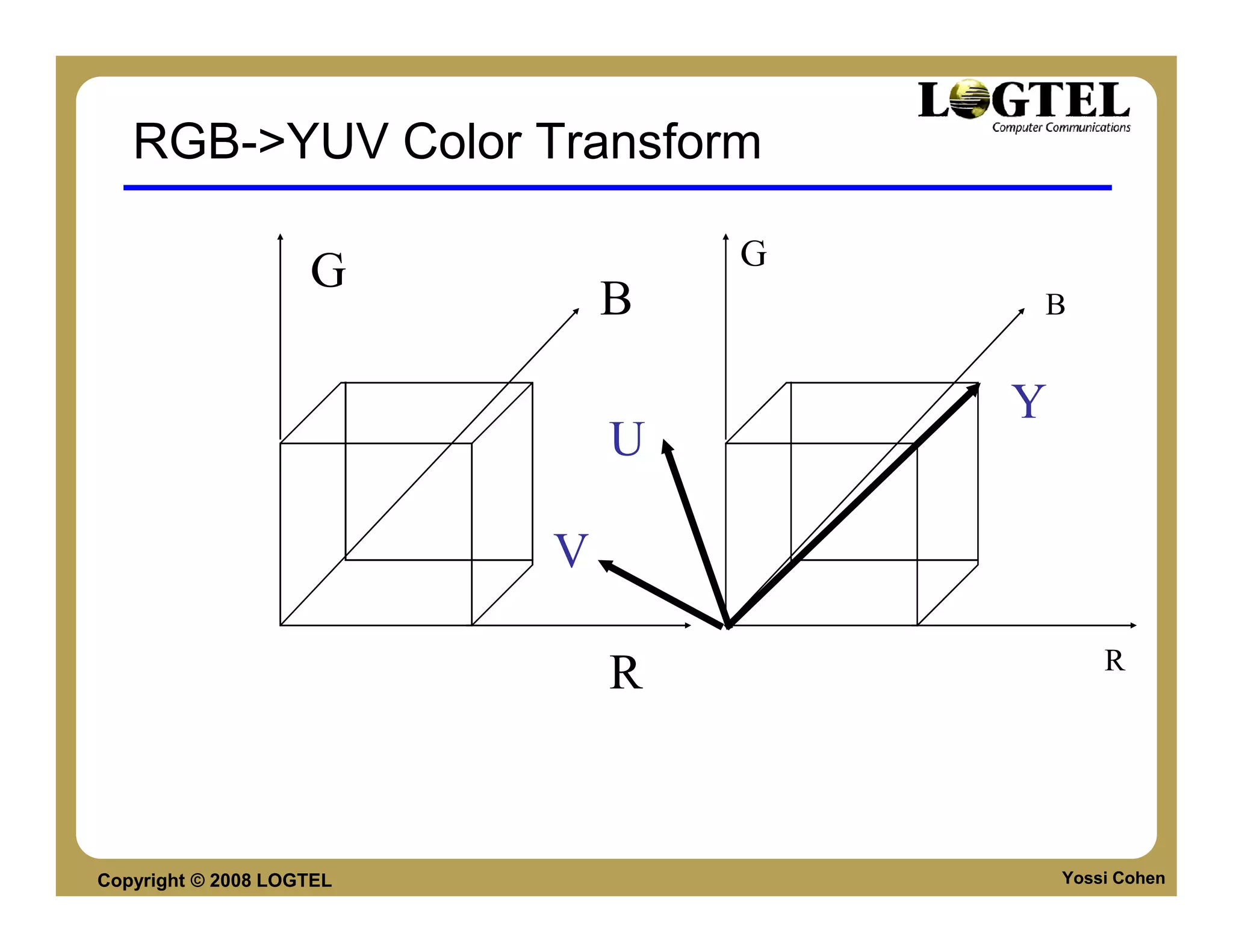
RGB->YUV Color Transform

                                  G
                    G
                              B       B


                                      Y
                              U

                          V

                                              R
                              R


Copyright © 2008 LOGTEL                   Yossi Cohen
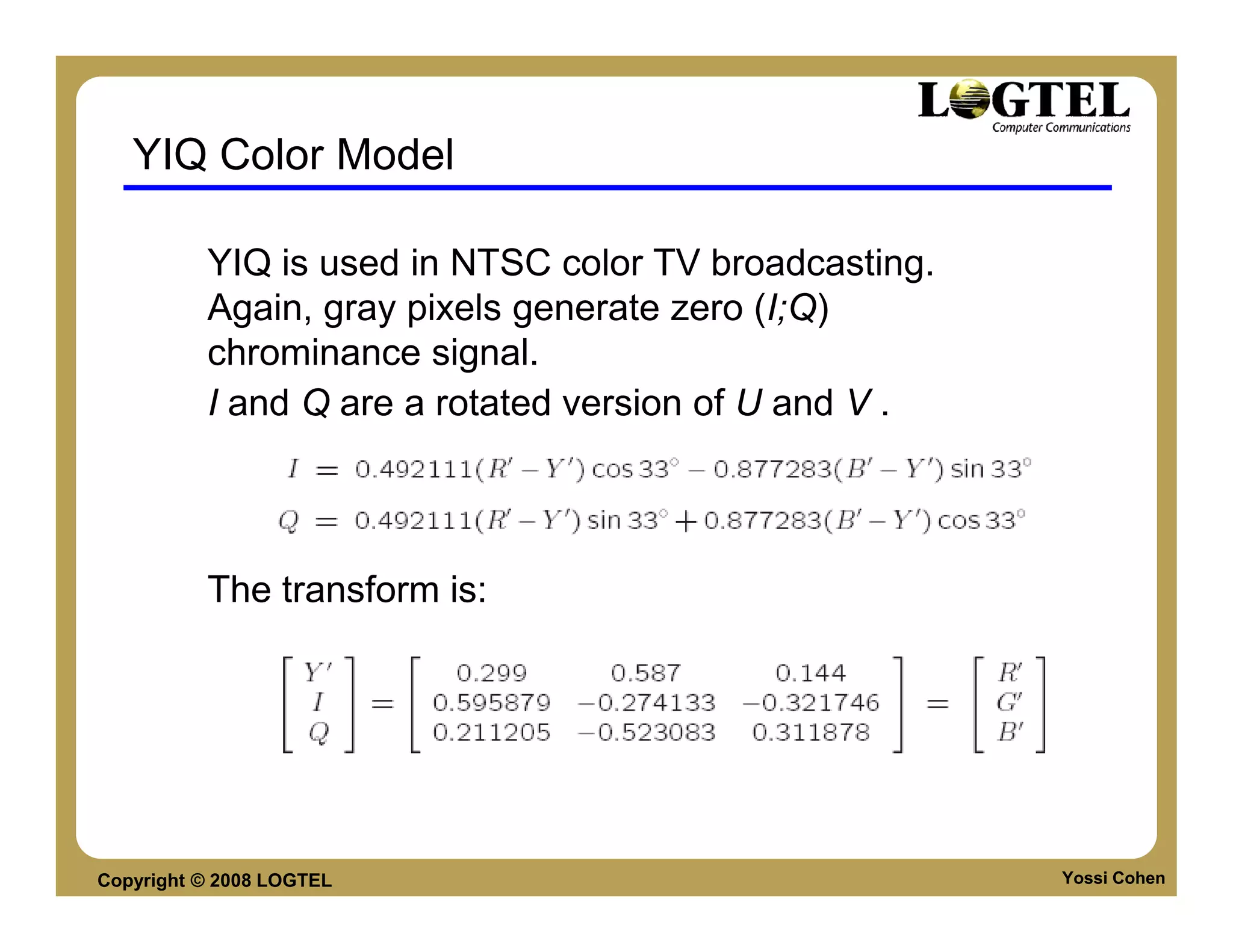
YIQ Color Model

          YIQ is used in NTSC color TV broadcasting.
          Again, gray pixels generate zero (I;Q)
          chrominance signal.
          I and Q are a rotated version of U and V .


          The transform is:


Copyright © 2008 LOGTEL                                Yossi Cohen
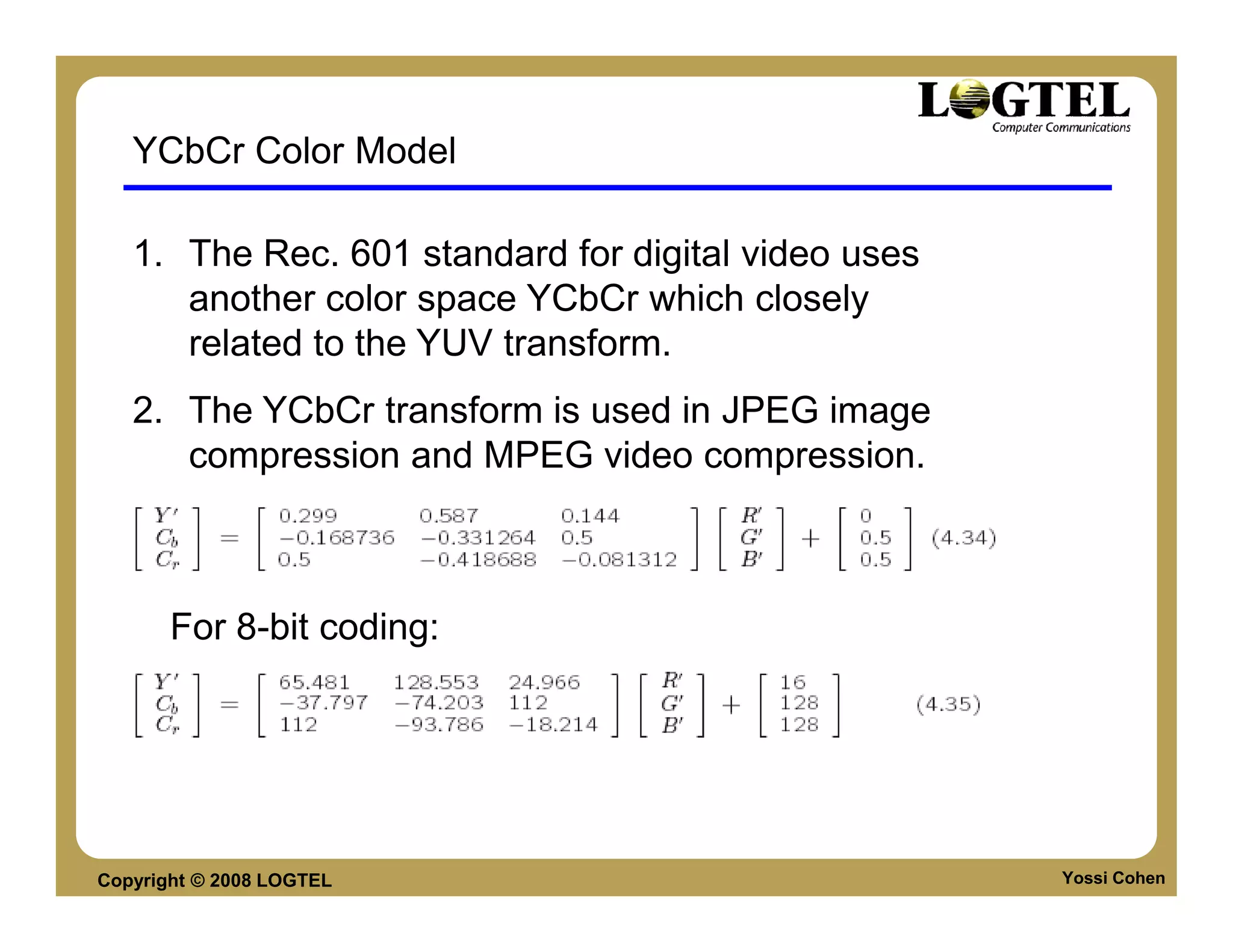
YCbCr Color Model

   1. The Rec. 601 standard for digital video uses
      another color space YCbCr which closely
      related to the YUV transform.
   2. The YCbCr transform is used in JPEG image
      compression and MPEG video compression.


       For 8-bit coding:


Copyright © 2008 LOGTEL                              Yossi Cohen
VIDEO CONNECTION TYPES
     •    Component Video
     •    Composite Video
     •    S-Video


Copyright © 2008 LOGTEL       Yossi Cohen
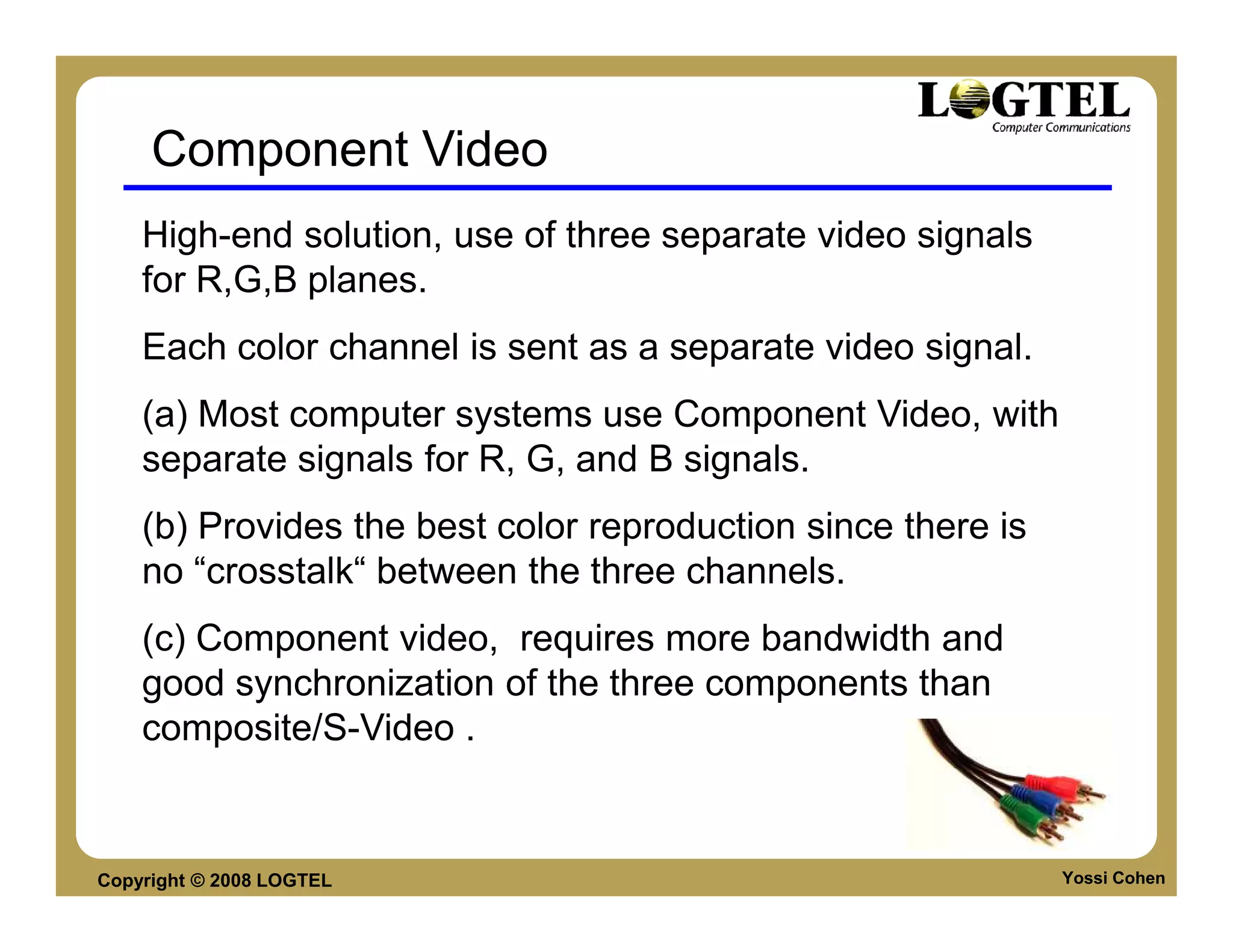
Component Video
    High-end solution, use of three separate video signals
    for R,G,B planes.
    Each color channel is sent as a separate video signal.
    (a) Most computer systems use Component Video, with
    separate signals for R, G, and B signals.
    (b) Provides the best color reproduction since there is
    no “crosstalk“ between the three channels.
    (c) Component video, requires more bandwidth and
    good synchronization of the three components than
    composite/S-Video .


Copyright © 2008 LOGTEL                                       Yossi Cohen
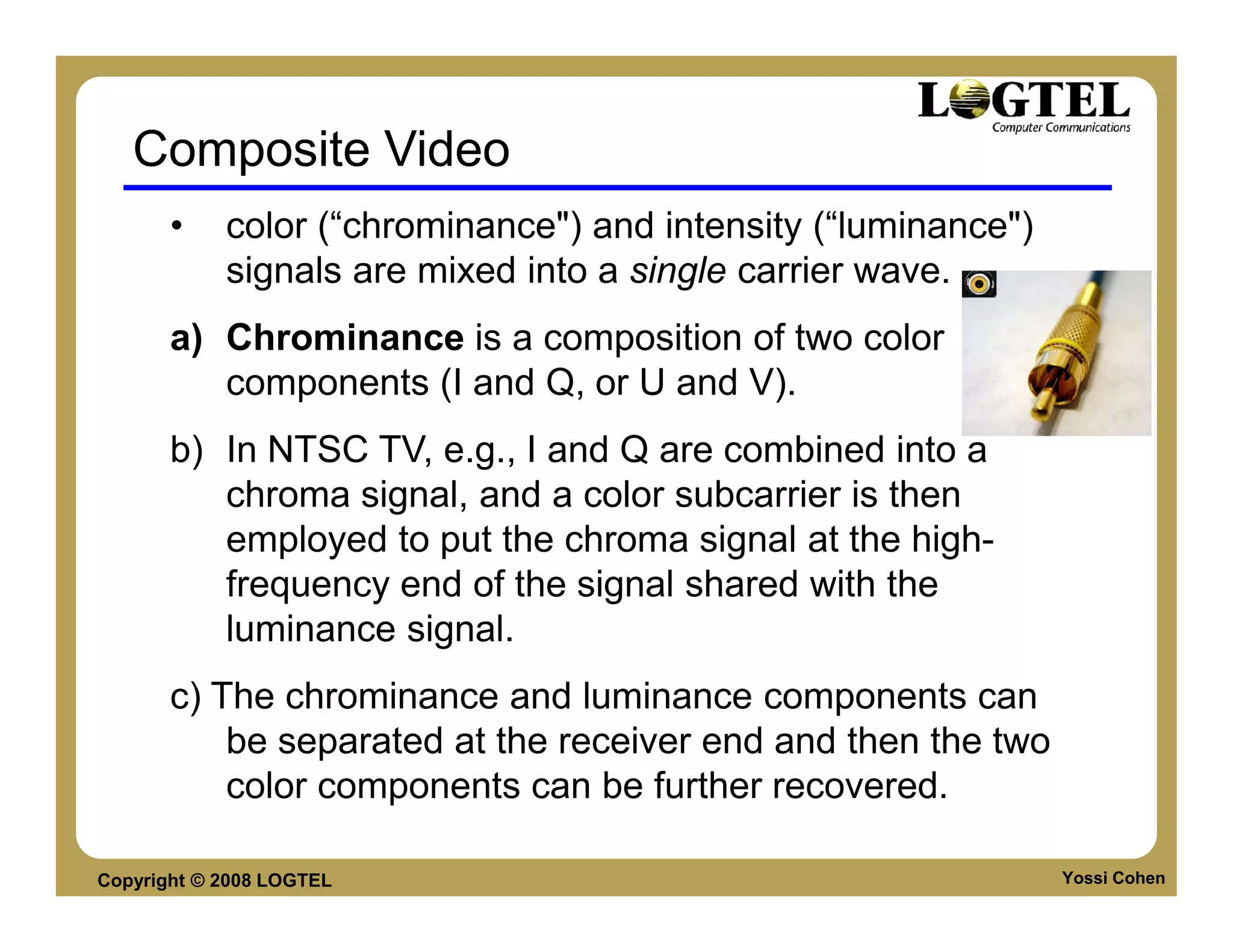
Composite Video
       •    color (“chrominance") and intensity (“luminance")
            signals are mixed into a single carrier wave.
       a) Chrominance is a composition of two color
          components (I and Q, or U and V).
       b) In NTSC TV, e.g., I and Q are combined into a
          chroma signal, and a color subcarrier is then
          employed to put the chroma signal at the high-
          frequency end of the signal shared with the
          luminance signal.
       c) The chrominance and luminance components can
           be separated at the receiver end and then the two
           color components can be further recovered.

Copyright © 2008 LOGTEL                                         Yossi Cohen
Composite Video
    d) When connecting to TVs or VCRs, Composite
    Video uses only one wire and video color signals
    are mixed, not sent separately. The audio and
    sync signals are additions to this one signal.
    Since color and intensity are wrapped into the
    same signal, some interference between the
    luminance and chrominance signals is inevitable.


Copyright © 2008 LOGTEL                           Yossi Cohen
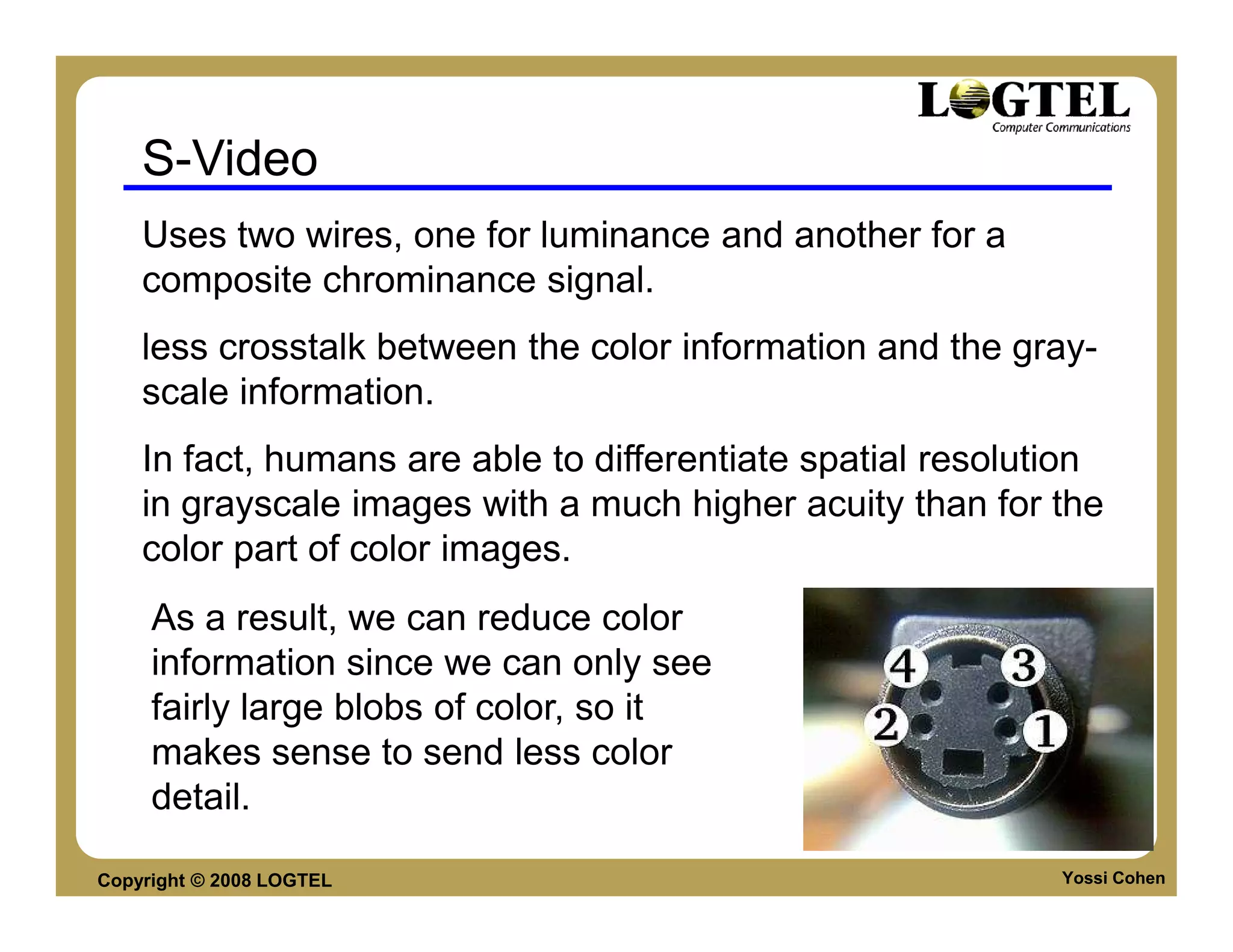
S-Video
    Uses two wires, one for luminance and another for a
    composite chrominance signal.
    less crosstalk between the color information and the gray-
    scale information.
    In fact, humans are able to differentiate spatial resolution
    in grayscale images with a much higher acuity than for the
    color part of color images.
     As a result, we can reduce color
     information since we can only see
     fairly large blobs of color, so it
     makes sense to send less color
     detail.

Copyright © 2008 LOGTEL                                      Yossi Cohen
VIDEO SCANNING
      •Interlacing
      •De-Interlacing


Copyright © 2008 LOGTEL   Yossi Cohen
Analog Video Scanning Process
   An analog signal f(t) samples a time-varying image. So-
   called “progressive" scanning traces through a complete
   picture (a frame) row-wise for each time interval.
   In TV, and in some monitors and multimedia standards as
   well, another system, called “interlaced" scanning is used:
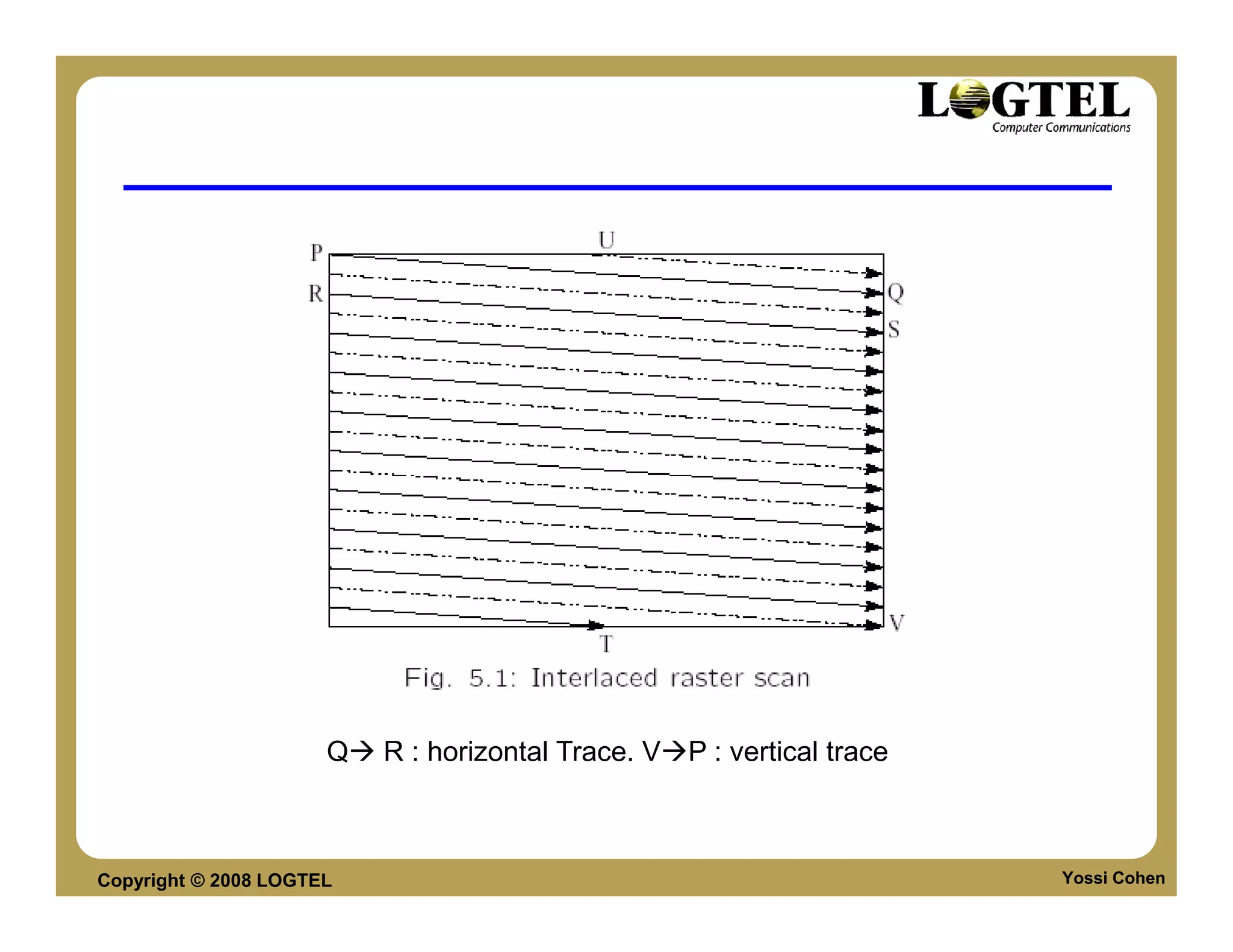
   a) The odd-numbered lines are traced first, and then the
   even-numbered lines are traced. This results in “odd" and
   “even" fields | two fields make up one frame.
   b) In fact, the odd lines (starting from 1) end up at the
   middle of a line at the end of the odd field, and the even
   scan starts at a half-way point.


Copyright © 2008 LOGTEL                                         Yossi Cohen
Q   R : horizontal Trace. V P : vertical trace


Copyright © 2008 LOGTEL                                                Yossi Cohen
Interlacing effects

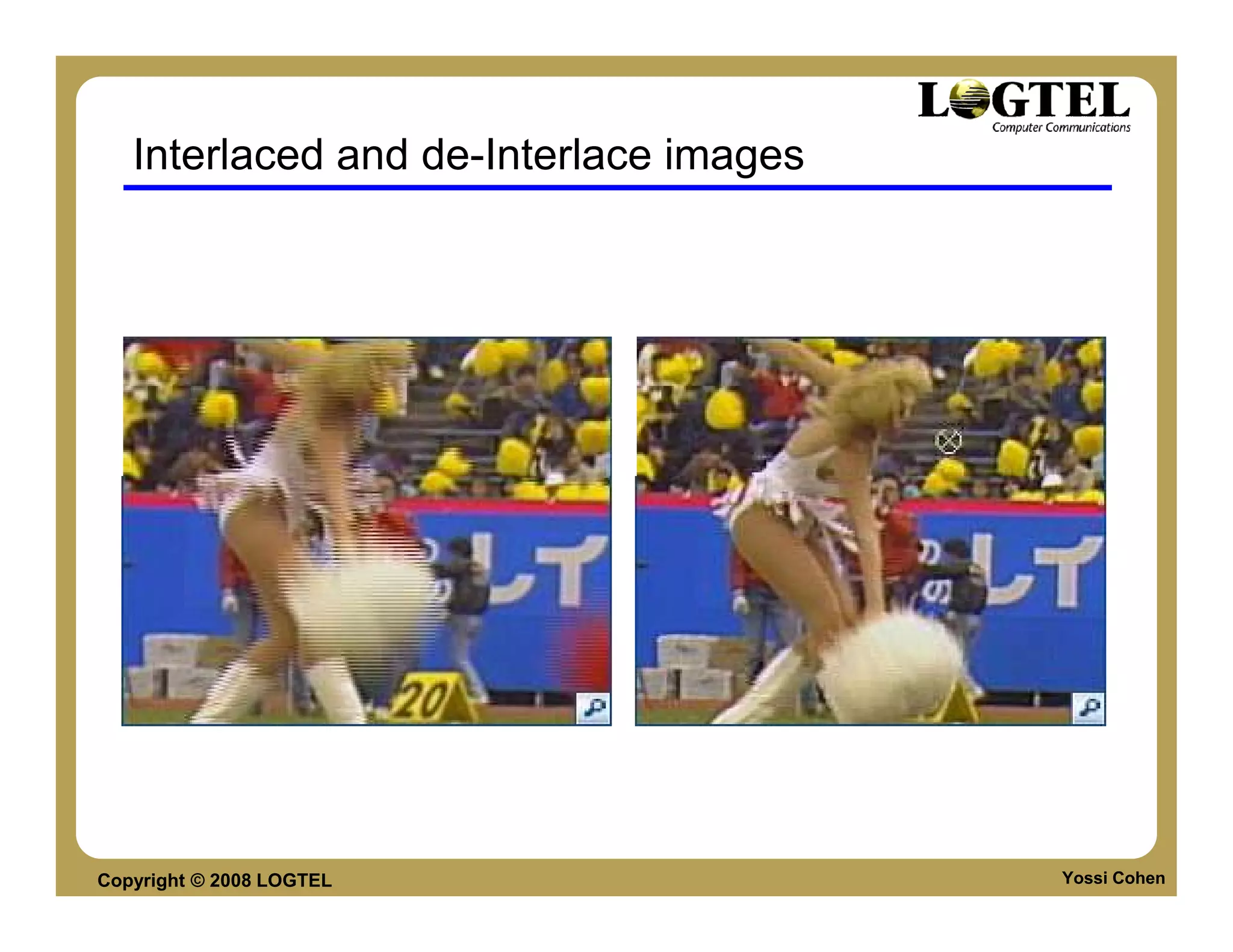
    • Because of interlacing, the odd and even lines
      are displaced in time from each other |
      generally not noticeable except when very fast
      action is taking place on screen, when blurring
      may occur.
    • For example, in the video in Fig. 5.2, the
      moving helicopter is blurred more than is the
      still background.


Copyright © 2008 LOGTEL                               Yossi Cohen
Interlaced and de-Interlace images


Copyright © 2008 LOGTEL                 Yossi Cohen
de-Interlace
    Since it is sometimes necessary to change the frame rate,
       resize, or even produce stills from an interlaced source
       video, various schemes are used to “de-interlace" it.
    a) The simplest de-interlacing method consists of
       discarding one field and duplicating the scan lines of
       the other field. The information in one field is lost
       completely using this simple technique.
    b) b) Other more complicated methods that retain
       information from both fields are also possible. Analog
       video use a small voltage offset from zero to indicate
       “black", and another value such as zero to indicate the
       start of a line. For example, we could use a blacker-
       than-black“ zero signal to indicate the beginning of a
       line.
Copyright © 2008 LOGTEL                                     Yossi Cohen
NTSC Video
   NTSC
  NTSC (National Television System Committee) TV
  standard is mostly used in North America and Japan. It
  uses the familiar 4:3 aspect ratio (i.e., the ratio of picture
  width to its height) and uses 525 scan lines per frame at 30
  frames per second (fps).
  a) NTSC follows the interlaced scanning system, and each
  frame is divided into two fields, with 262.5 lines/field.
  b) Thus the horizontal sweep frequency is 525 X 29.97
  =15, 734 lines/sec, so that each line is swept out in 63.6 u
  second.
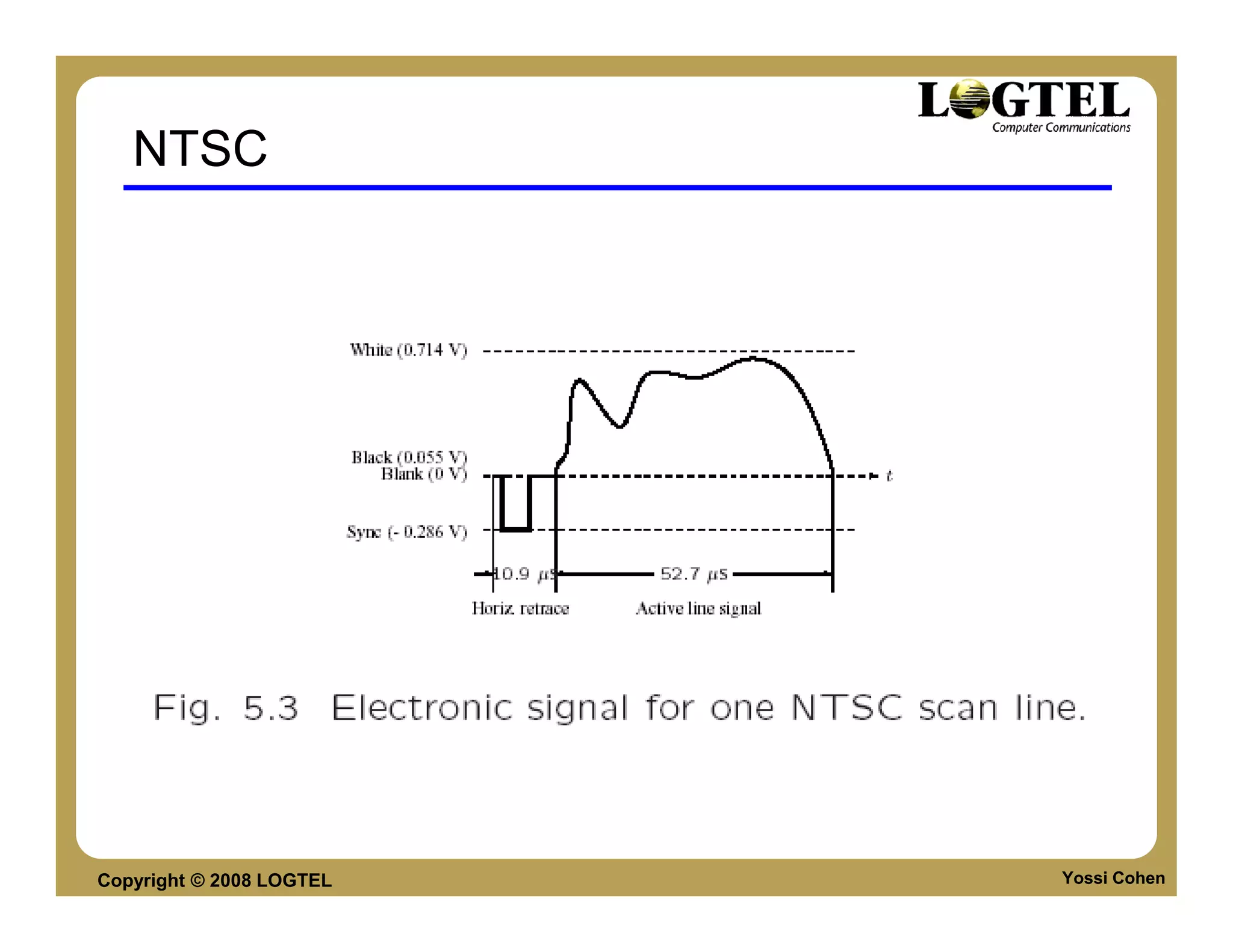
  c) Since the horizontal retrace takes 10.9 u sec, this leaves
  52.7 sec for the active line signal during which image data
  is displayed (see Fig.5.3).
Copyright © 2008 LOGTEL                                      Yossi Cohen
NTSC
    NTSC video is an analog signal with no fixed horizontal
    resolution. Therefore one must decide how many times to
    sample the signal for display: each sample corresponds
    to one pixel output.
     A “pixel clock" is used to divide each horizontal line of
    video into samples. The higher the frequency of the pixel
    clock, the more samples per line there are.
    Different video formats provide dierent numbers of
    samples per line, as listed in Table 5.1.


Copyright © 2008 LOGTEL                                      Yossi Cohen
NTSC


Copyright © 2008 LOGTEL   Yossi Cohen
NTSC Color Modulation

   NTSC uses the YIQ color model, and the technique of quadrature
   modulation is employed to combine (the spectrally overlapped part of) I (in-
   phase) and Q (quadrature) signals into a single chroma signal C:
   C = I cos(Fsct) + Qsin(Fsct) (5:1)
   This modulated chroma signal is also known as the color subcarrier, whose
   magnitude is qI2 +Q2, and phase is arctan(Q/I). The frequency of C is Fsc
   3:58 MHz.
   The NTSC composite signal is a further composition of the luminance signal Y
   and the chroma signal as defined below:
   composite = Y +C = Y +I cos(Fsct) + Qsin(Fsct) (5:2)


Copyright © 2008 LOGTEL                                                       Yossi Cohen
PAL
     PAL (Phase Alternating Line) is a TV standard widely
     used in Western Europe, China, India, and many other
     parts of the world.
     PAL uses 625 scan lines per frame, at 25
     frames/second, with a 4:3 aspect ratio and interlaced
     fields.
     (a) PAL uses the YUV color model. It uses an 8 MHz
     channel and allocates a bandwidth of 5.5 MHz to Y, and
     1.8 MHz each to U and V. The color subcarrier
     frequency is fsc 4:43 MHz.
     (b) In order to improve picture quality, chroma signals
     have alternate signs (e.g., +U and -U) in successive
     scan lines, hence the name “Phase Alternating Line".
Copyright © 2008 LOGTEL                                        Yossi Cohen
PAL
    (c) This facilitates the use of a (line rate) comb filter at the
    receiver| the signals in consecutive lines are averaged so
    as to cancel the chroma signals (that always carry
    opposite signs) for separating Y and C and obtaining high
    quality Y signals.


Copyright © 2008 LOGTEL                                          Yossi Cohen
Video Worlds


                    Intro to Media Coding
                  Image and Video
                  Speech
                  Audio


Copyright © 2008 LOGTEL
Compression

        Compression – Representing information by
        less bit than the original information
        Lossless Compression – Original information
        and compressed information are identical.
        example LZ, TAR and other compression
        techniques.
        Lossy Compression – Compressed info is not
        the same as uncompressed info. Example:
        MP3, JPEG etc
        Lossy compression is often MODEL Based
        Compression
Copyright © 2008 LOGTEL                           Yossi Cohen
Compression terms
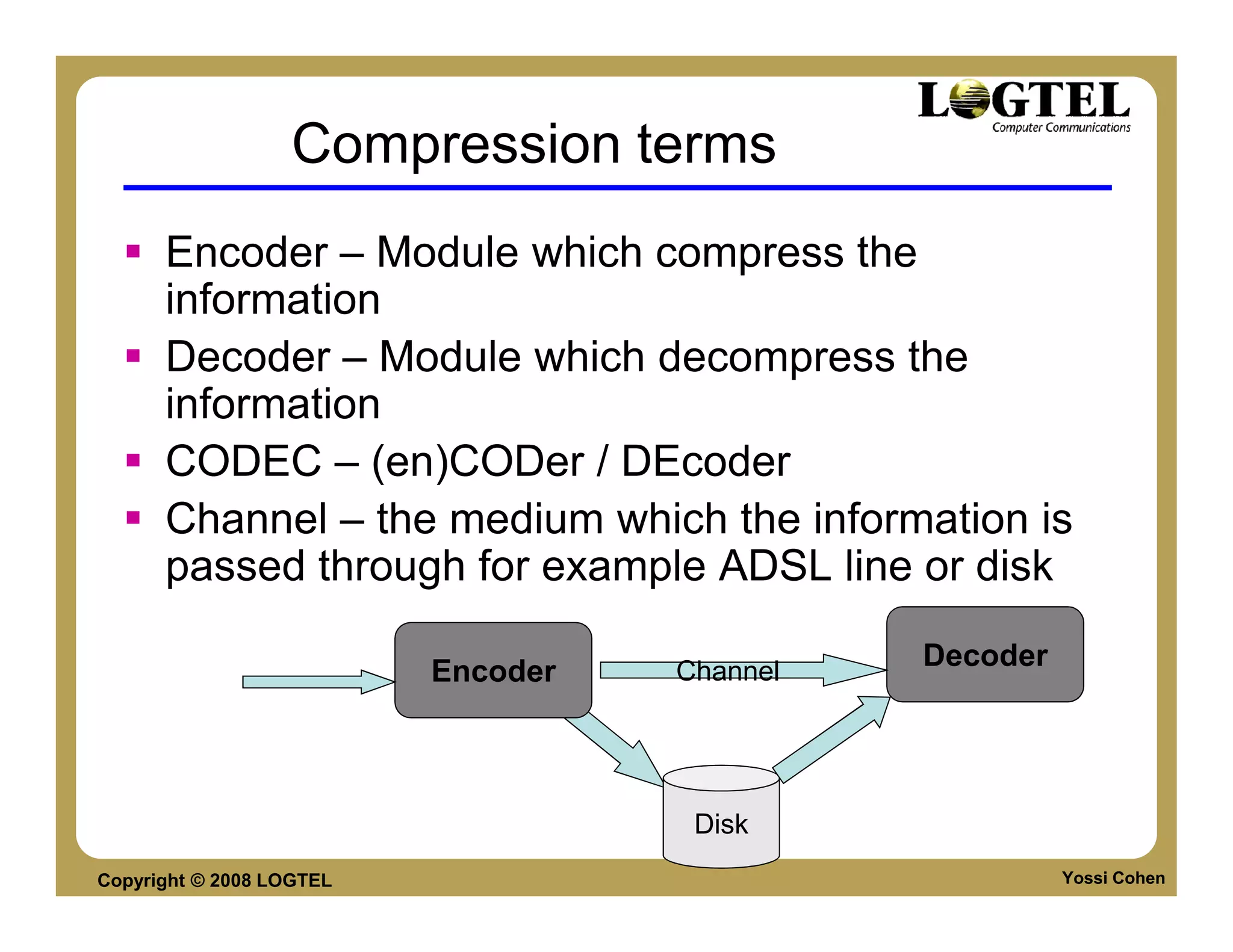
      Encoder – Module which compress the
      information
      Decoder – Module which decompress the
      information
      CODEC – (en)CODer / DEcoder
      Channel – the medium which the information is
      passed through for example ADSL line or disk
                                              Decoder
                          Encoder   Channel


                                     Disk
Copyright © 2008 LOGTEL                                 Yossi Cohen
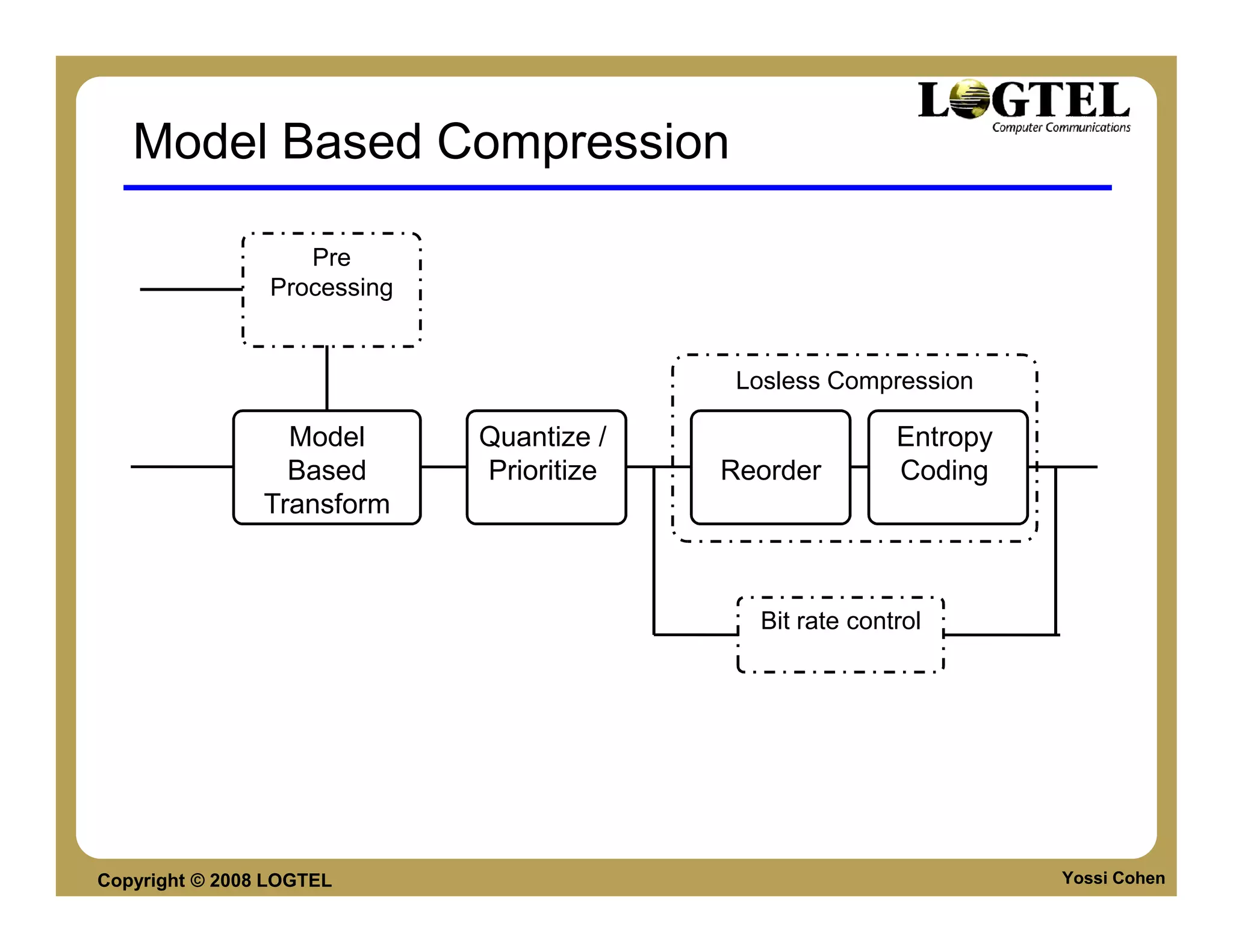
Model Based Compression

                   Pre
                Processing


                                           Losless Compression

                  Model      Quantize /                  Entropy
                  Based      Prioritize   Reorder        Coding
                Transform


                                            Bit rate control


Copyright © 2008 LOGTEL                                            Yossi Cohen
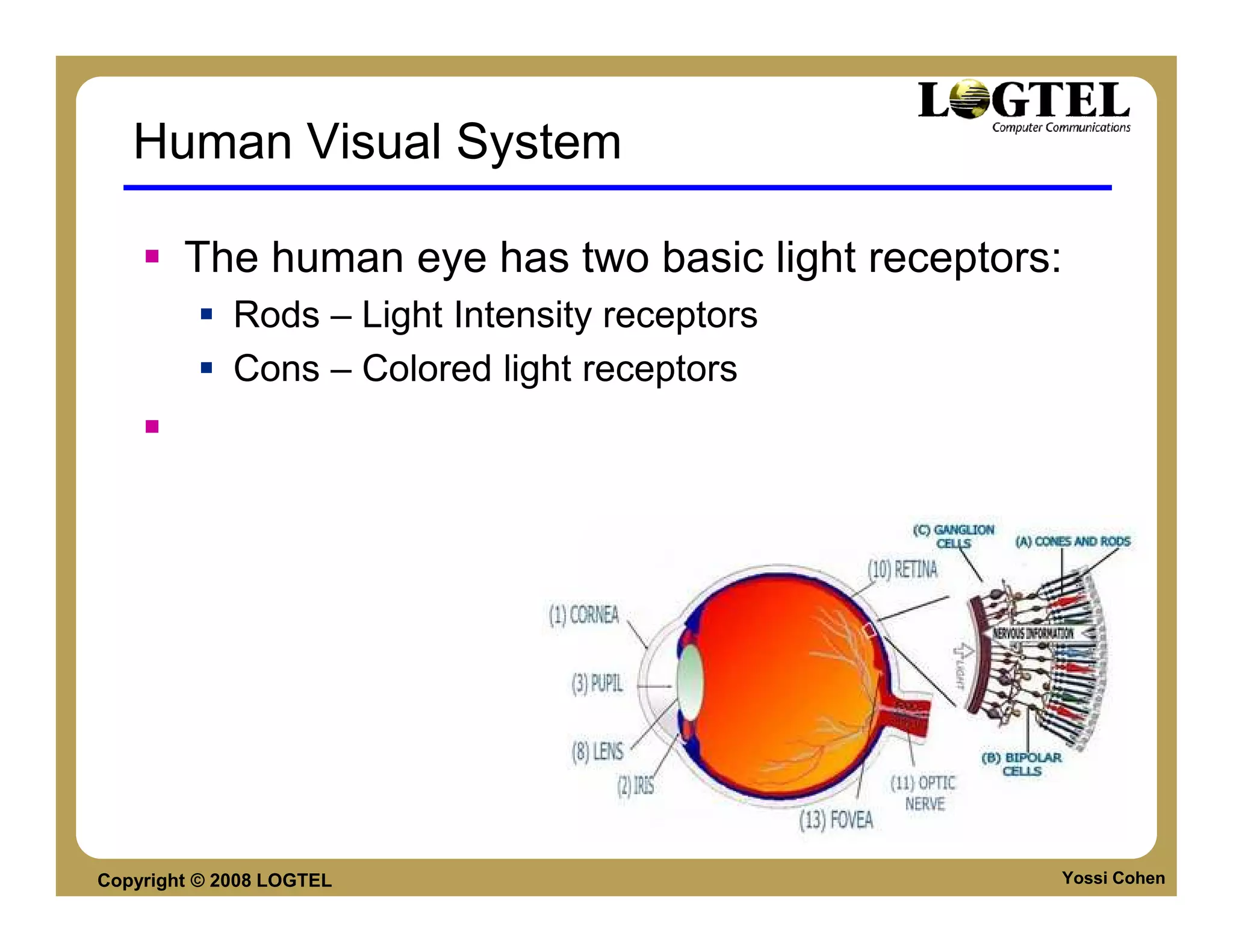
Human Visual System

        The human eye has two basic light receptors:
             Rods – Light Intensity receptors
             Cons – Colored light receptors


Copyright © 2008 LOGTEL                            Yossi Cohen
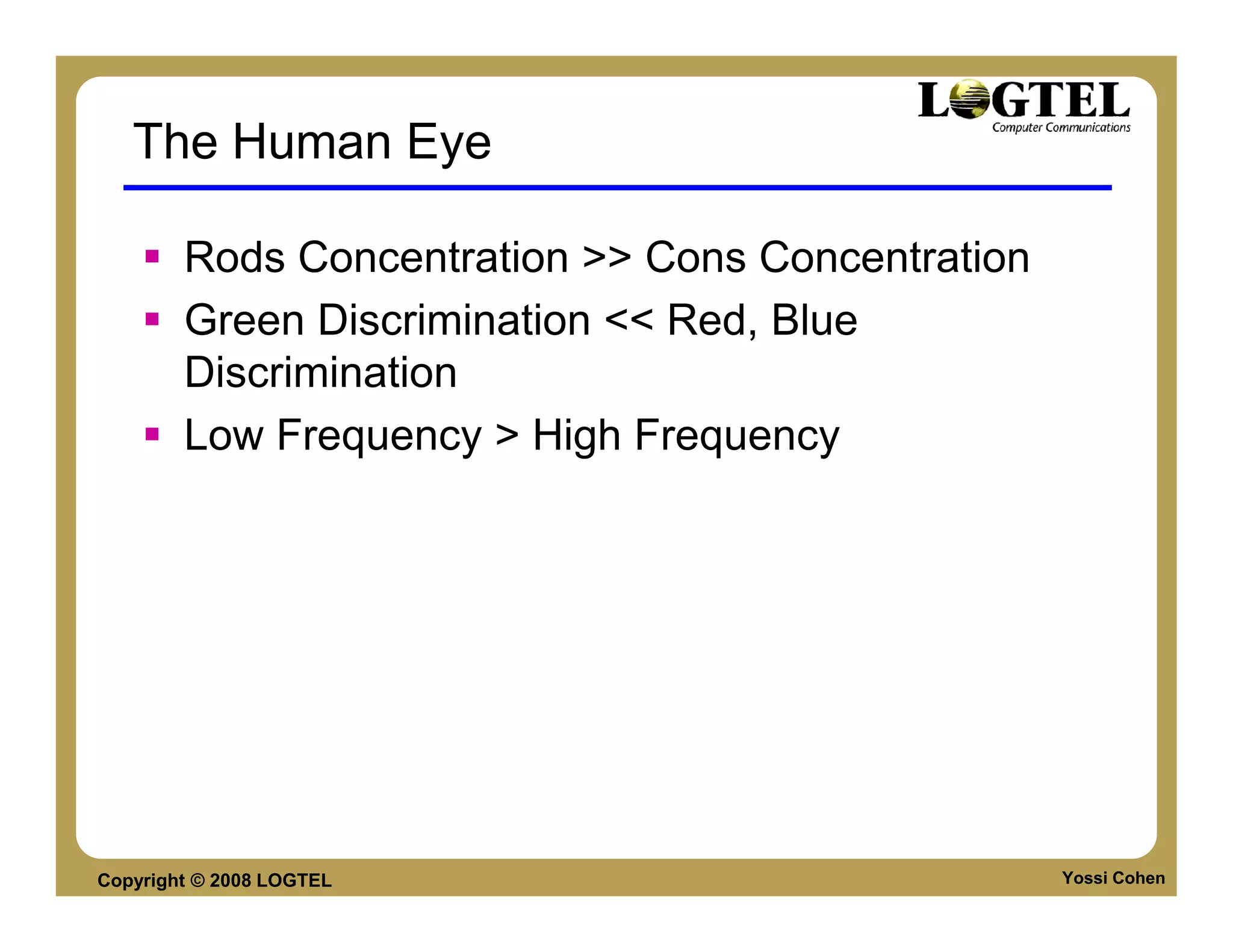
The Human Eye

        Rods Concentration >> Cons Concentration
        Green Discrimination << Red, Blue
        Discrimination
        Low Frequency > High Frequency


Copyright © 2008 LOGTEL                            Yossi Cohen
Image Coding Model Based transformations

        RGB (3 equally quantized colors) ->
        YUV (Light Intensity + two color channels)
        Pixel based domain -> Frequency domain


Copyright © 2008 LOGTEL                              Yossi Cohen
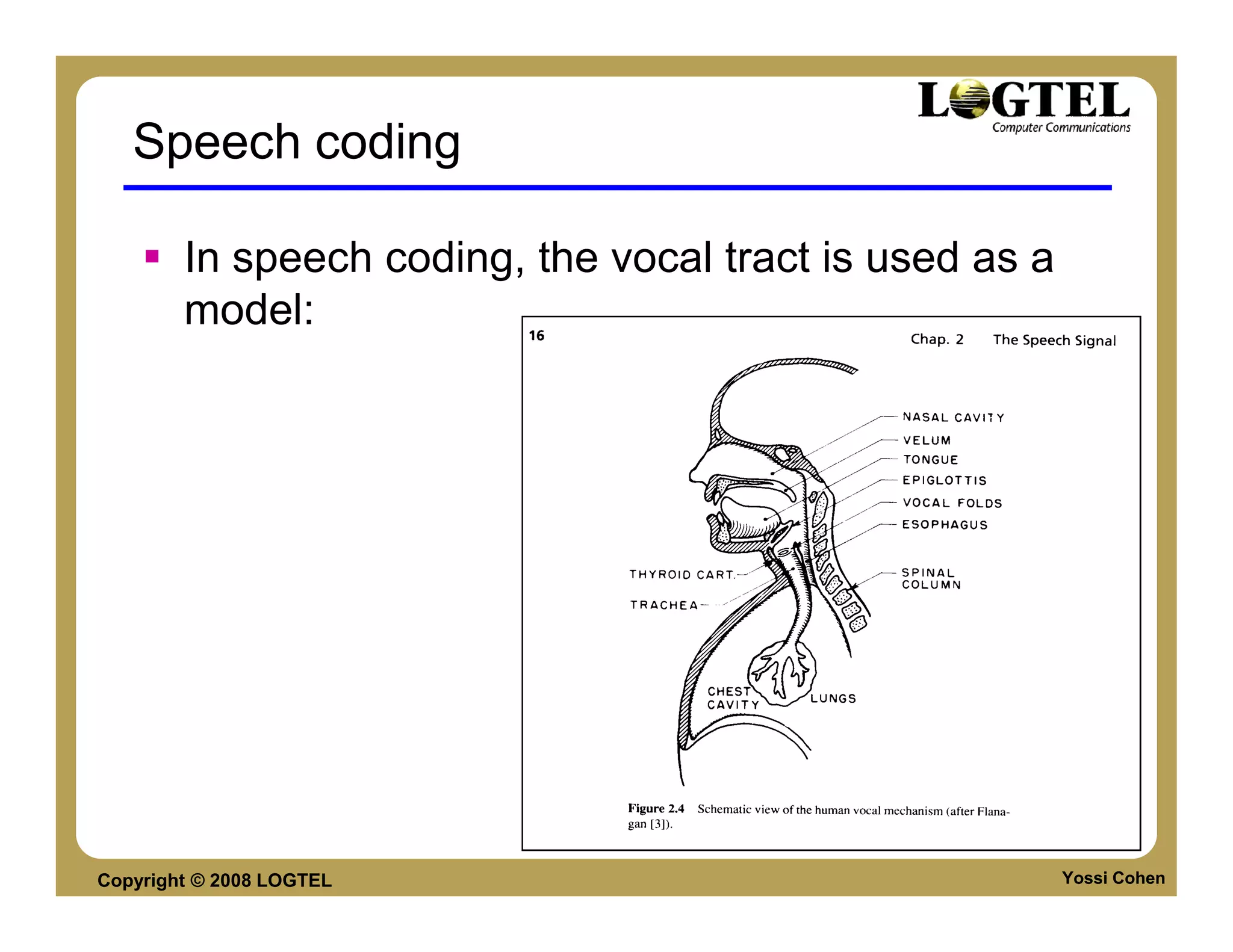
Speech coding

        In speech coding, the vocal tract is used as a
        model:


Copyright © 2008 LOGTEL                                  Yossi Cohen
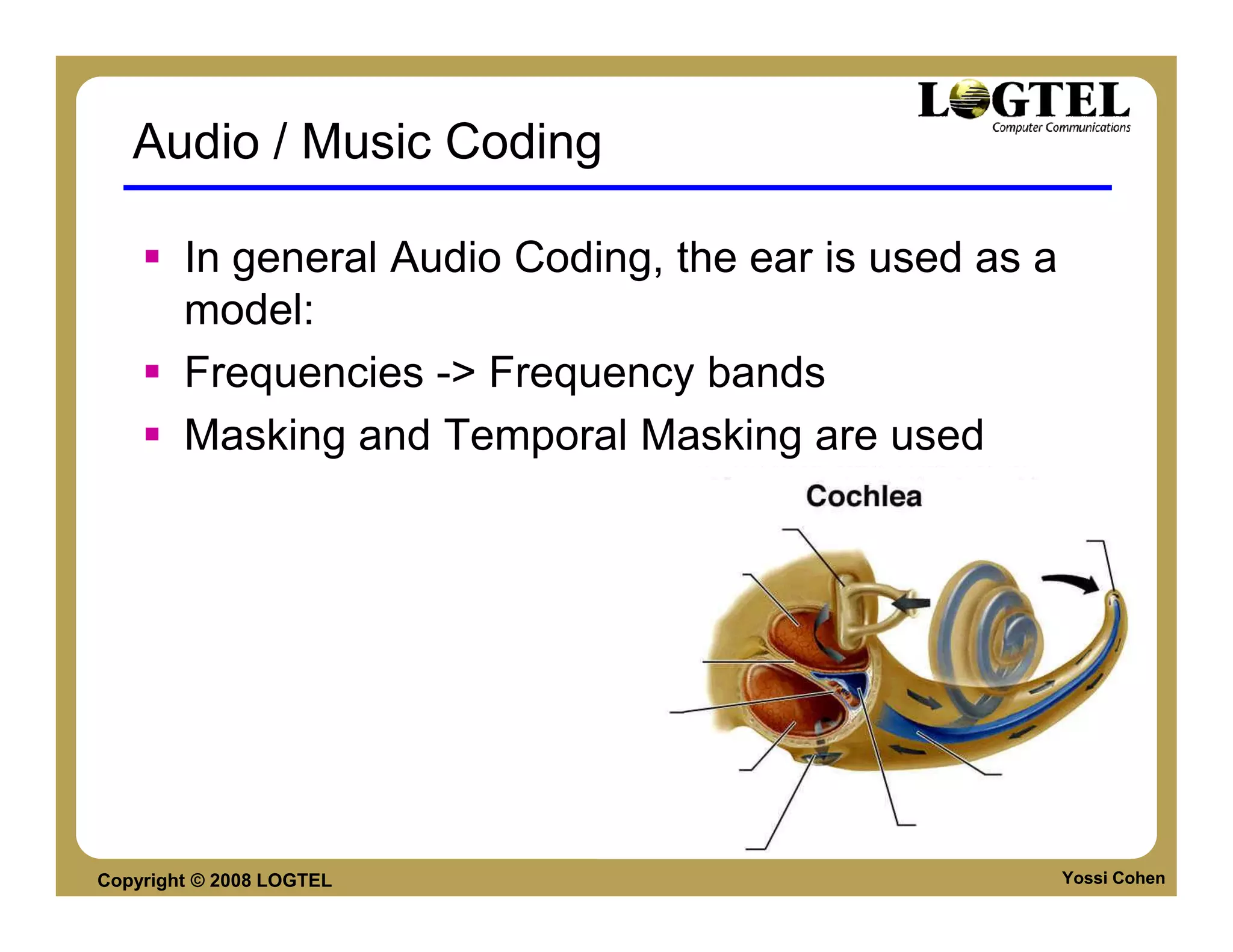
Audio / Music Coding

        In general Audio Coding, the ear is used as a
        model:
        Frequencies -> Frequency bands
        Masking and Temporal Masking are used


Copyright © 2008 LOGTEL                                 Yossi Cohen
Basic Image and Video coding
         Definitions

         Where to lose information: color & frequency


Copyright © 2008 LOGTEL
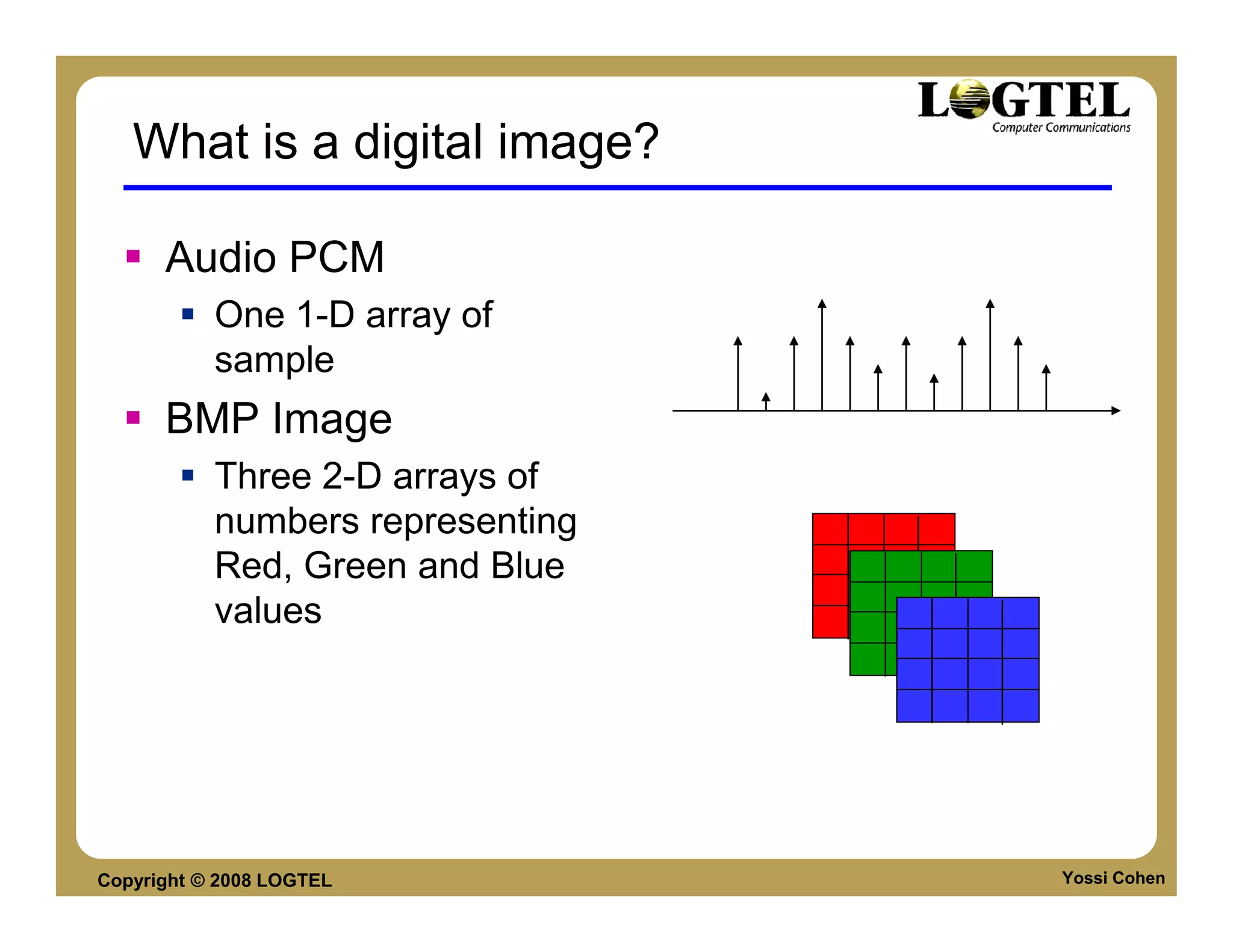
What is a digital image?

      Audio PCM
           One 1-D array of
           sample
      BMP Image
           Three 2-D arrays of
           numbers representing
           Red, Green and Blue
           values


Copyright © 2008 LOGTEL           Yossi Cohen
Image Compression? Why?

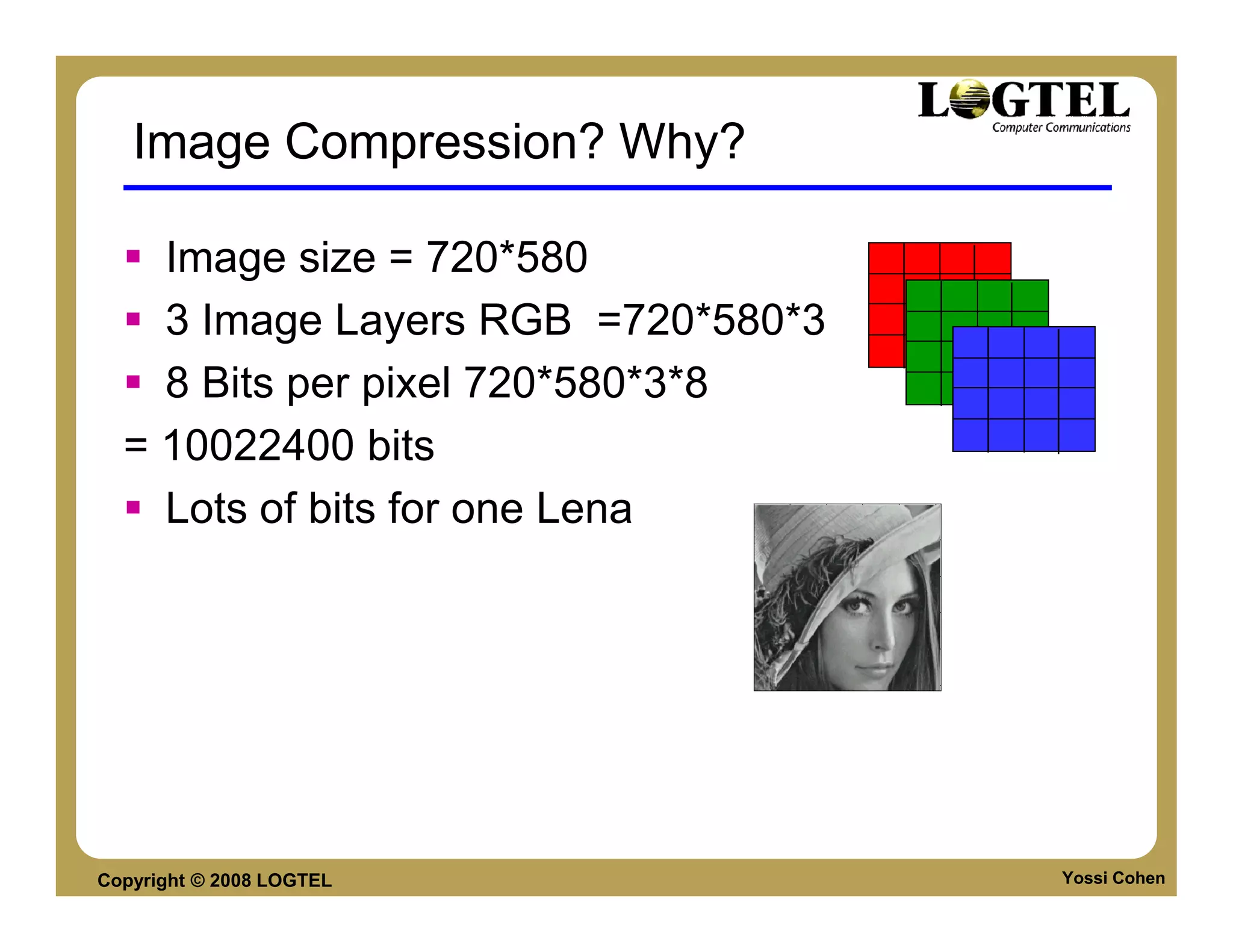
    Image size = 720*580
    3 Image Layers RGB =720*580*3
    8 Bits per pixel 720*580*3*8
  = 10022400 bits
    Lots of bits for one Lena


Copyright © 2008 LOGTEL             Yossi Cohen
IMAGE COMPRESSION


Copyright © 2008 LOGTEL   Yossi Cohen
Color based decimation

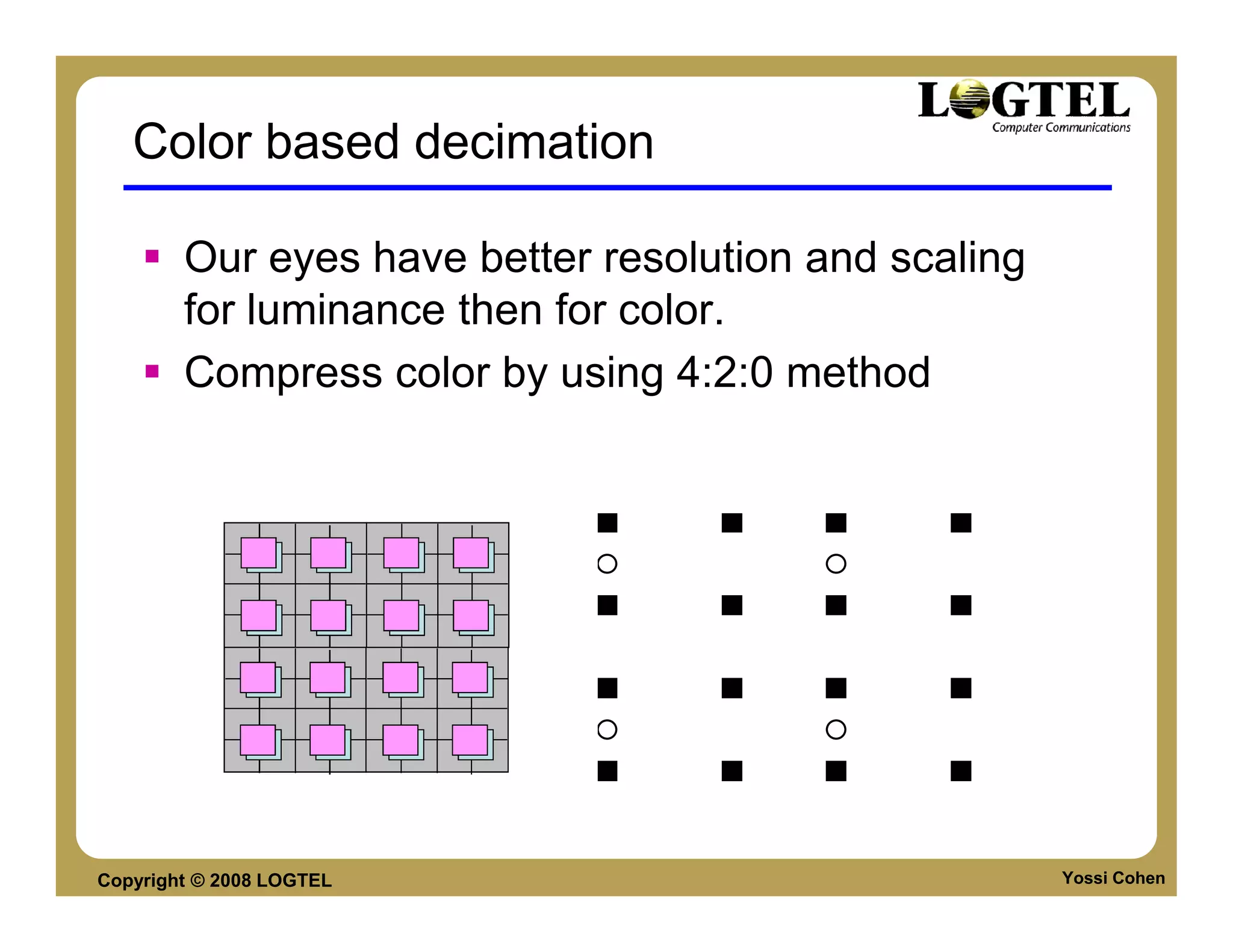
        Our eyes have better resolution and scaling
        for luminance then for color.
        Compress color by using 4:2:0 method


Copyright © 2008 LOGTEL                               Yossi Cohen
Counting the bits

        How much can we save by color
        compression?
             3*Image size in RGB 24 bit color representation.
             1 + 2*1/4 Image size in 4:2:0 YUV representation.
             Compression ratio is 2 !!
        Actual saving is bigger due to different Y and
        UV quantization.


Copyright © 2008 LOGTEL                                          Yossi Cohen
Linear Transform

      If the signal is formatted as a   Energy compaction property:
      vector, a linear transform can    The transformed signal vector
      be formulated as a matrix-        has few, large coefficients and
      vector product that transform     many nearly zero small
      the signal into a different       coefficients. These few large
      domain.                           coefficients can be encoded
      Examples:                         efficiently with few bits while
           K-L Transform                retaining the majority of energy
                                        of the original signal.
           Discrete Fourier Transform
           Discrete cosine transform
           Discrete wavelet transform


Copyright © 2008 LOGTEL                                             Yossi Cohen
Block-based Image Coding

      Block-based image          Advantages:
      coding scheme:               Parallel processing
      partitions the entire        can be applied to
      image into 8 by 8 or         process individual
                                   blocks in parallel.
      16 by 16 (or other
                                   Redundant information
      size) blocks.                in close proximity (like
      The coding algorithm         cache)
      is applied to individual
      blocks independently.


Copyright © 2008 LOGTEL                                 Yossi Cohen
Transform - DCT

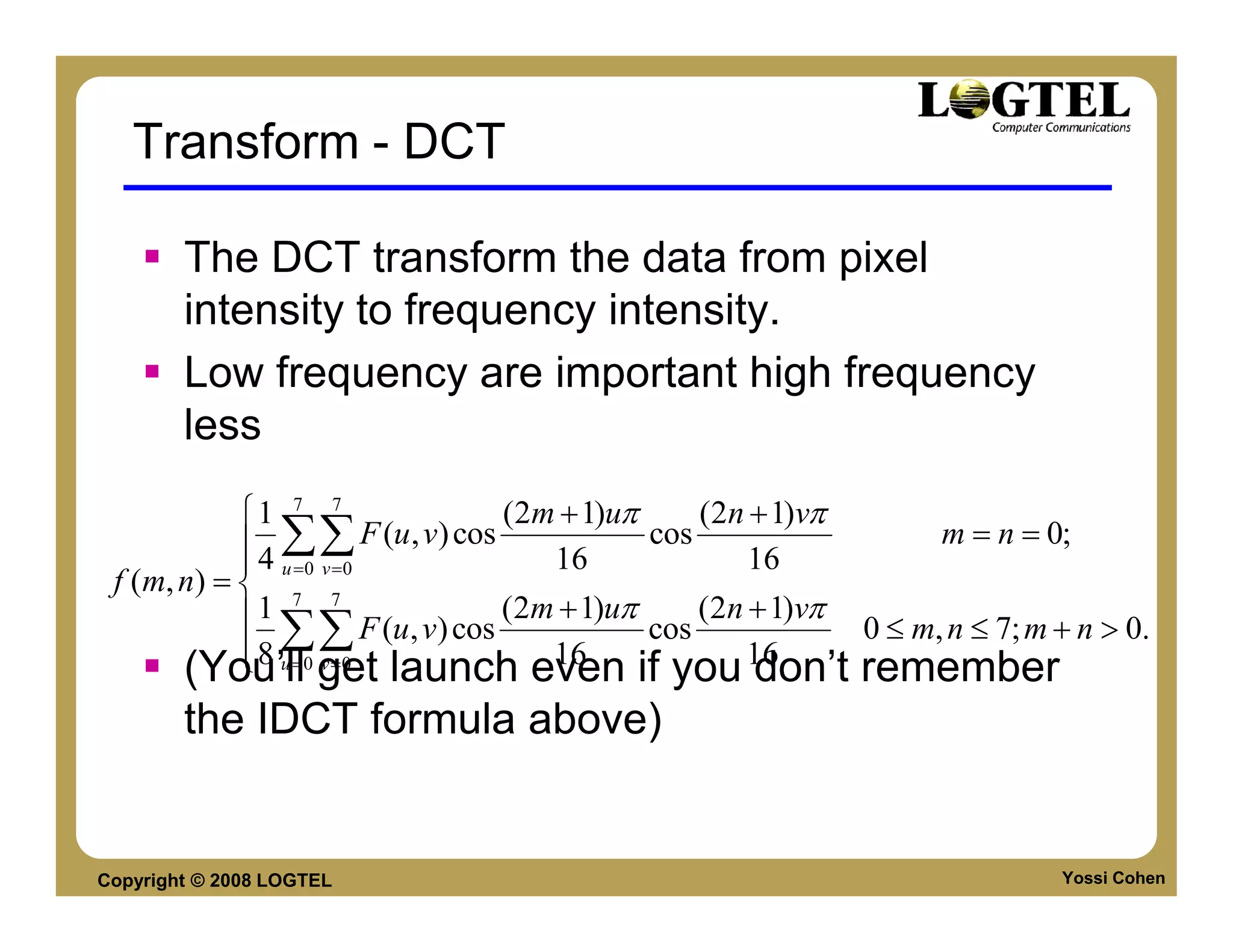
        The DCT transform the data from pixel
        intensity to frequency intensity.
        Low frequency are important high frequency
        less
            1 7 7                    (2m + 1)uπ     (2n + 1)vπ
             4 ∑∑      F (u , v) cos            cos                  m = n = 0;
             u =0 v =0                  16              16
 f (m, n) =  7 7
            1                        (2m + 1)uπ     (2n + 1)vπ
             8 ∑∑
                        F (u, v) cos             cos            0 ≤ m, n ≤ 7; m + n > 0.
             u = v =0
       (You’ll0 get launch even if you 1616
                                                         don’t remember
        the IDCT formula above)


Copyright © 2008 LOGTEL                                                         Yossi Cohen
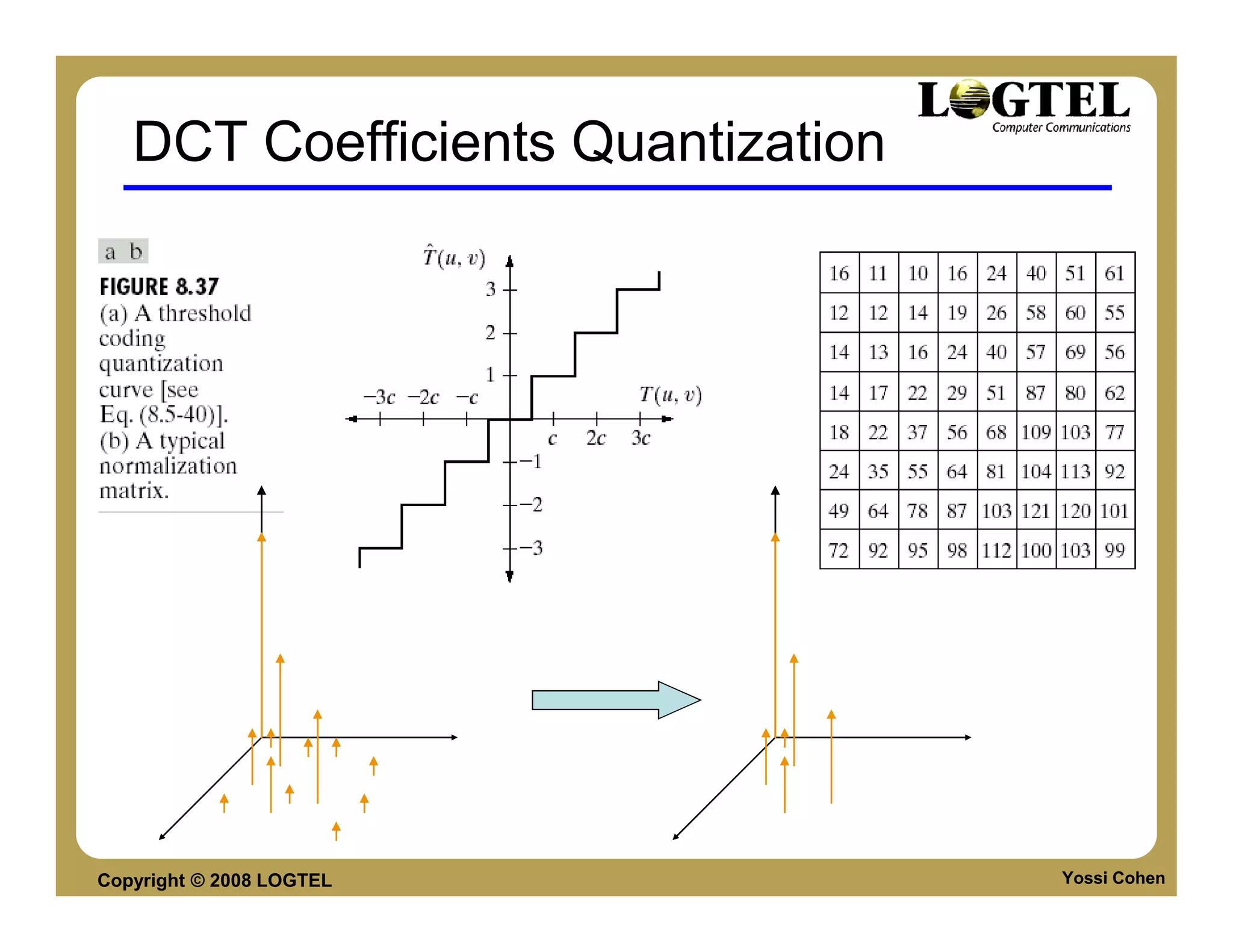
DCT Coefficients Quantization


Copyright © 2008 LOGTEL            Yossi Cohen
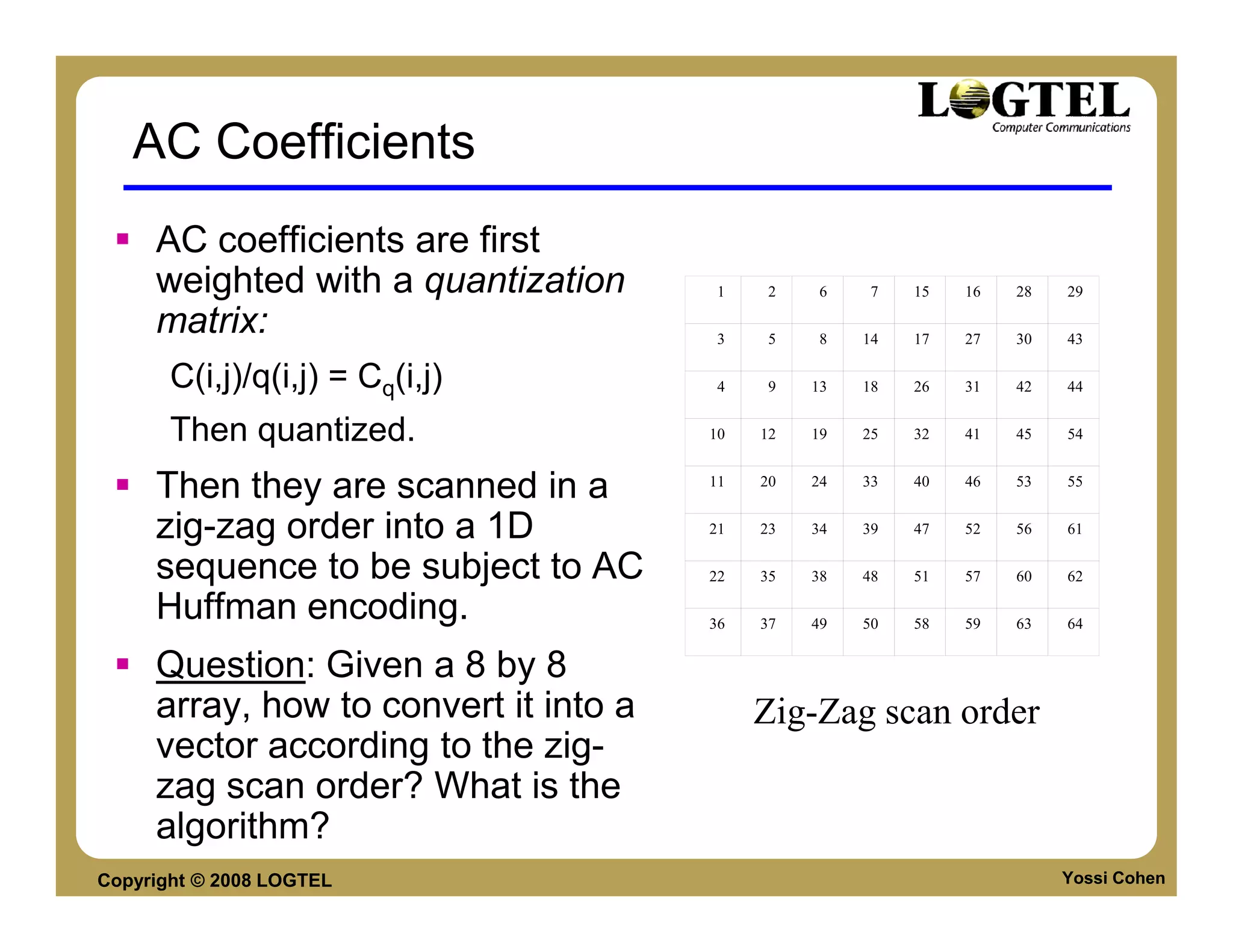
AC Coefficients
     AC coefficients are first
     weighted with a quantization       1    2    6    7   15   16   28   29

     matrix:                            3    5    8   14   17   27   30   43

       C(i,j)/q(i,j) = Cq(i,j)          4    9   13   18   26   31   42   44


       Then quantized.                 10   12   19   25   32   41   45   54


     Then they are scanned in a        11   20   24   33   40   46   53   55


     zig-zag order into a 1D           21   23   34   39   47   52   56   61

     sequence to be subject to AC      22   35   38   48   51   57   60   62

     Huffman encoding.                 36   37   49   50   58   59   63   64


     Question: Given a 8 by 8
     array, how to convert it into a        Zig-Zag scan order
     vector according to the zig-
     zag scan order? What is the
     algorithm?
Copyright © 2008 LOGTEL                                                   Yossi Cohen
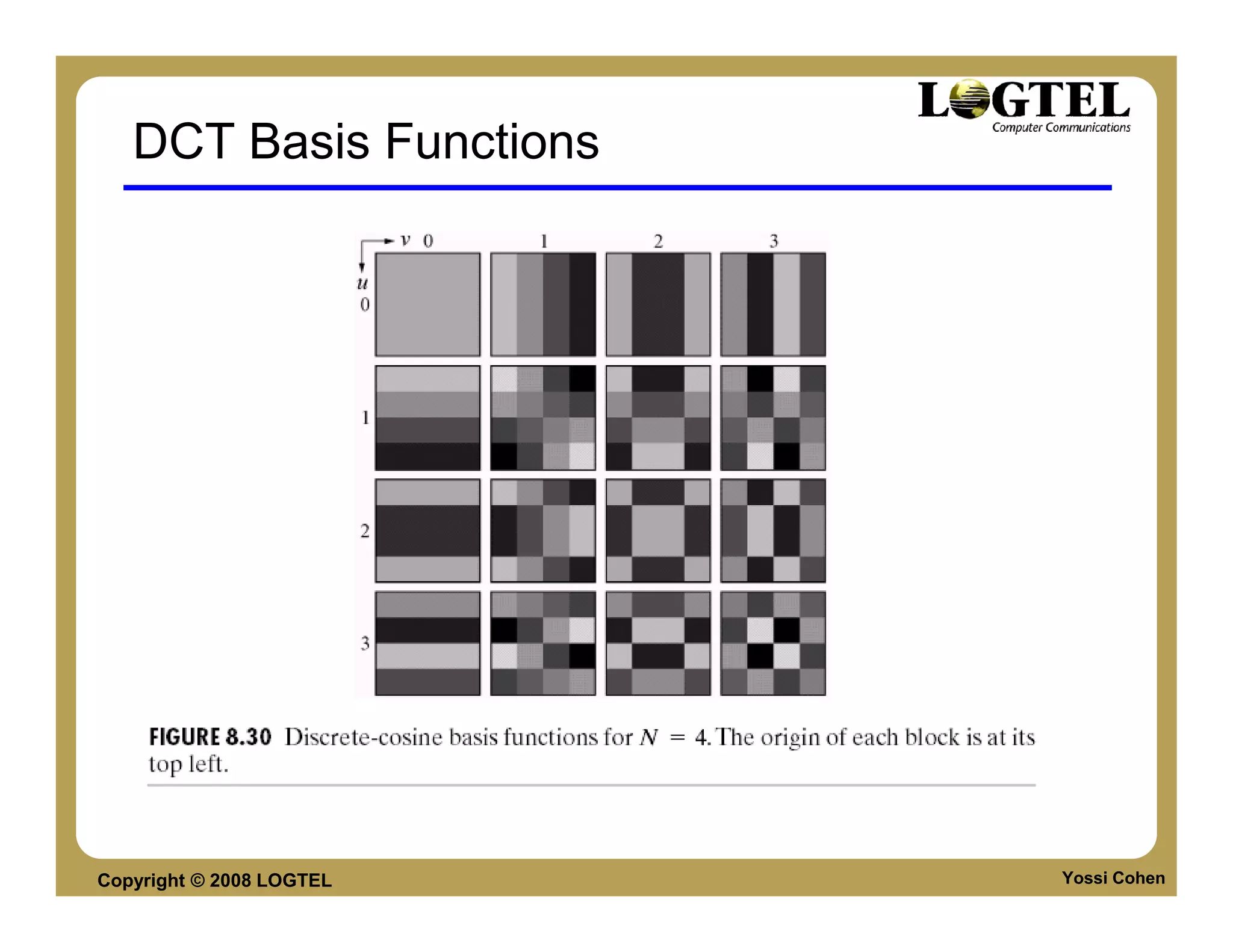
DCT Basis Functions


Copyright © 2008 LOGTEL   Yossi Cohen
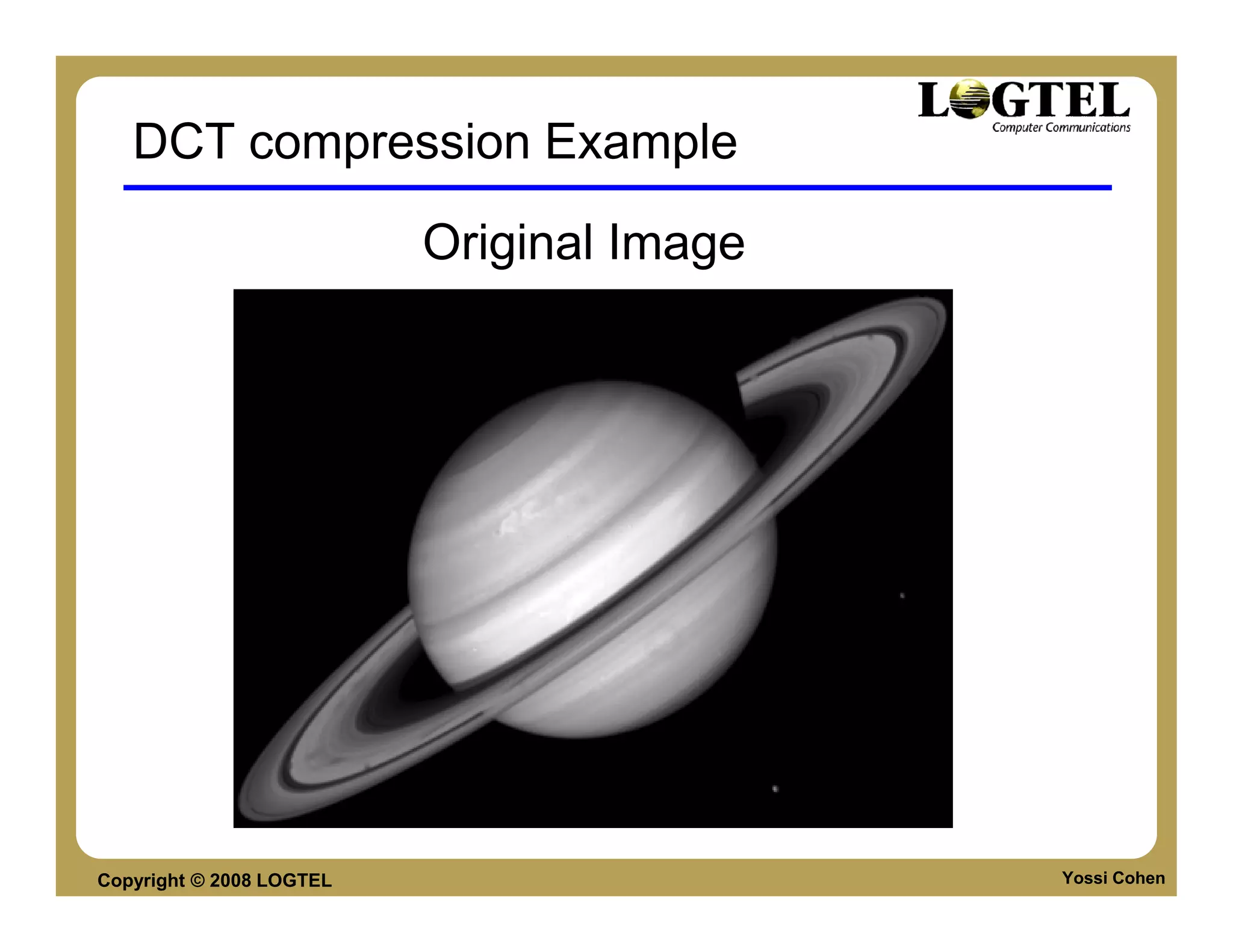
DCT compression Example

                          Original Image


Copyright © 2008 LOGTEL                    Yossi Cohen
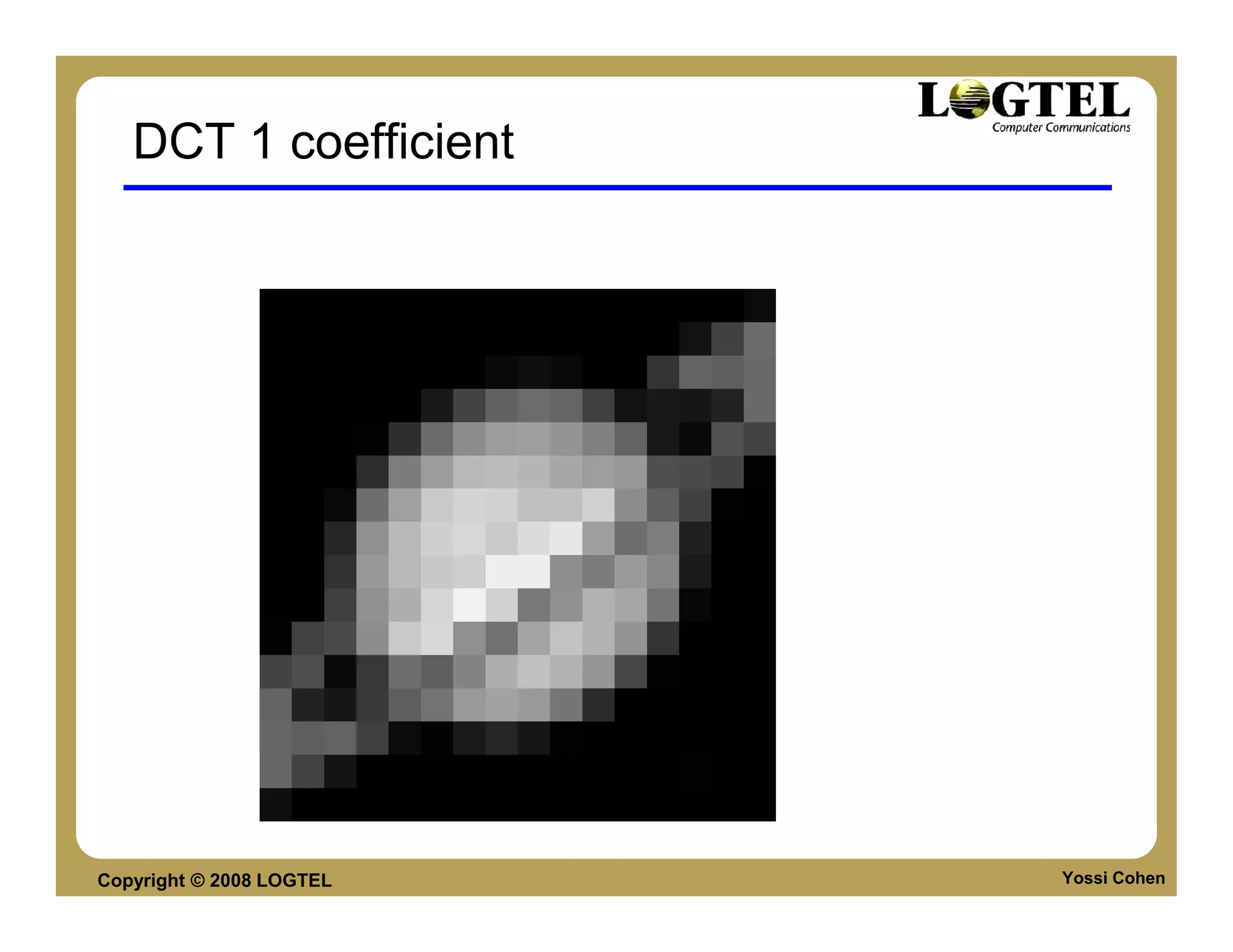
DCT 1 coefficient


Copyright © 2008 LOGTEL   Yossi Cohen
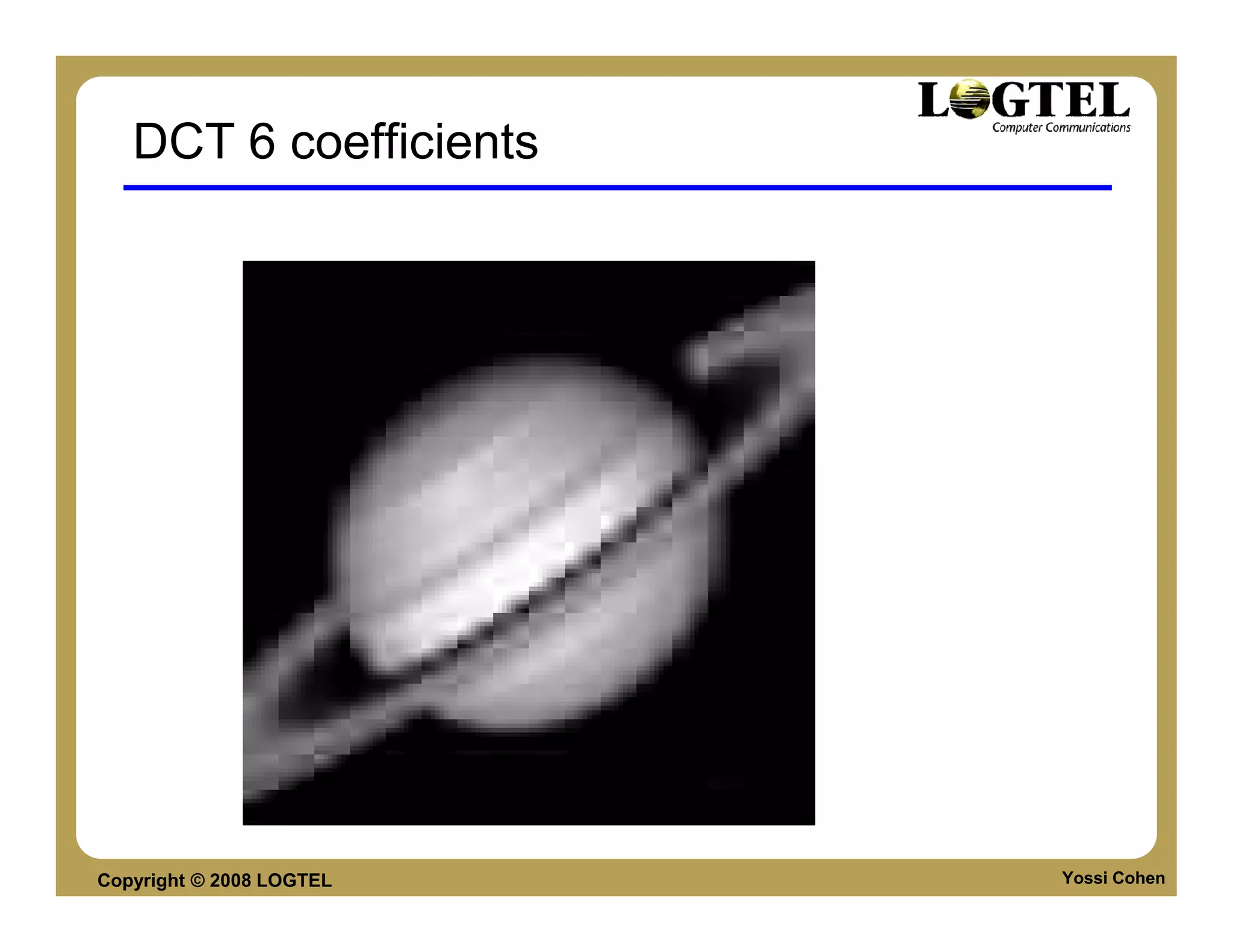
DCT 6 coefficients


Copyright © 2008 LOGTEL   Yossi Cohen
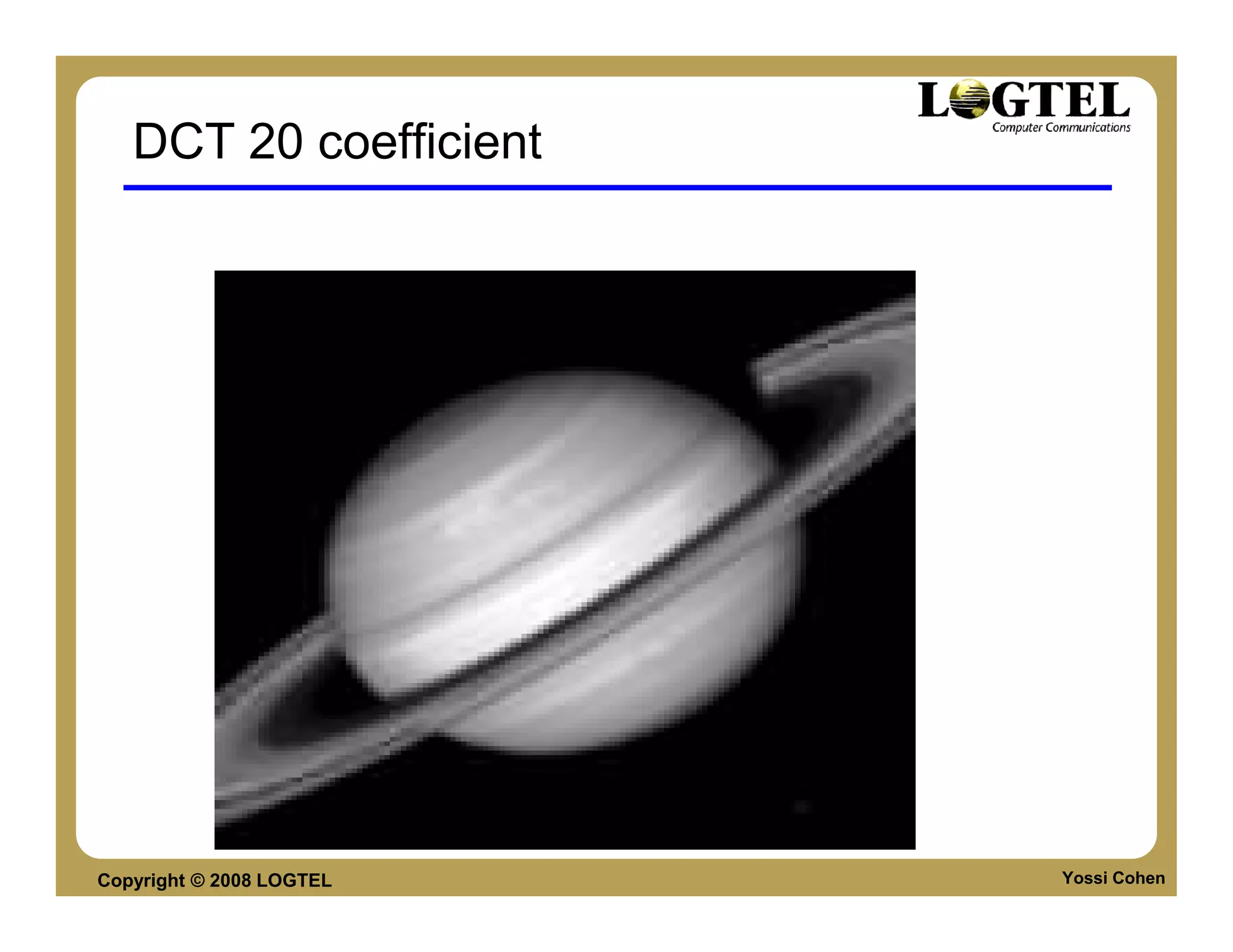
DCT 20 coefficient


Copyright © 2008 LOGTEL   Yossi Cohen
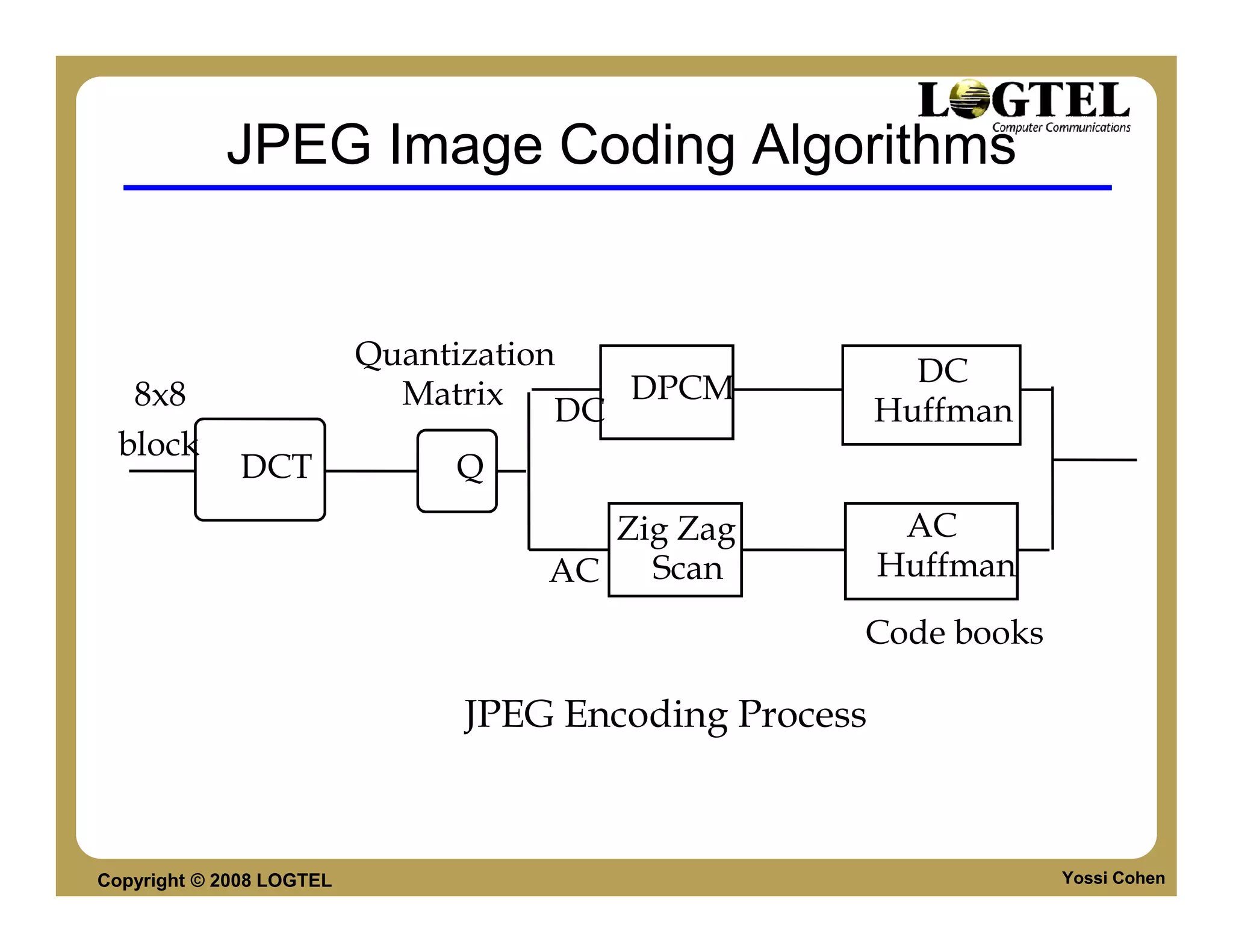
JPEG Image Coding Algorithms


                          Quantization                  DC
   8x8                      Matrix DC DPCM            Huffman
  block
              DCT             Q
                                     Zig Zag           AC
                                  AC   Scan           Huffman
                                                  Code books

                              JPEG Encoding Process


Copyright © 2008 LOGTEL                                         Yossi Cohen
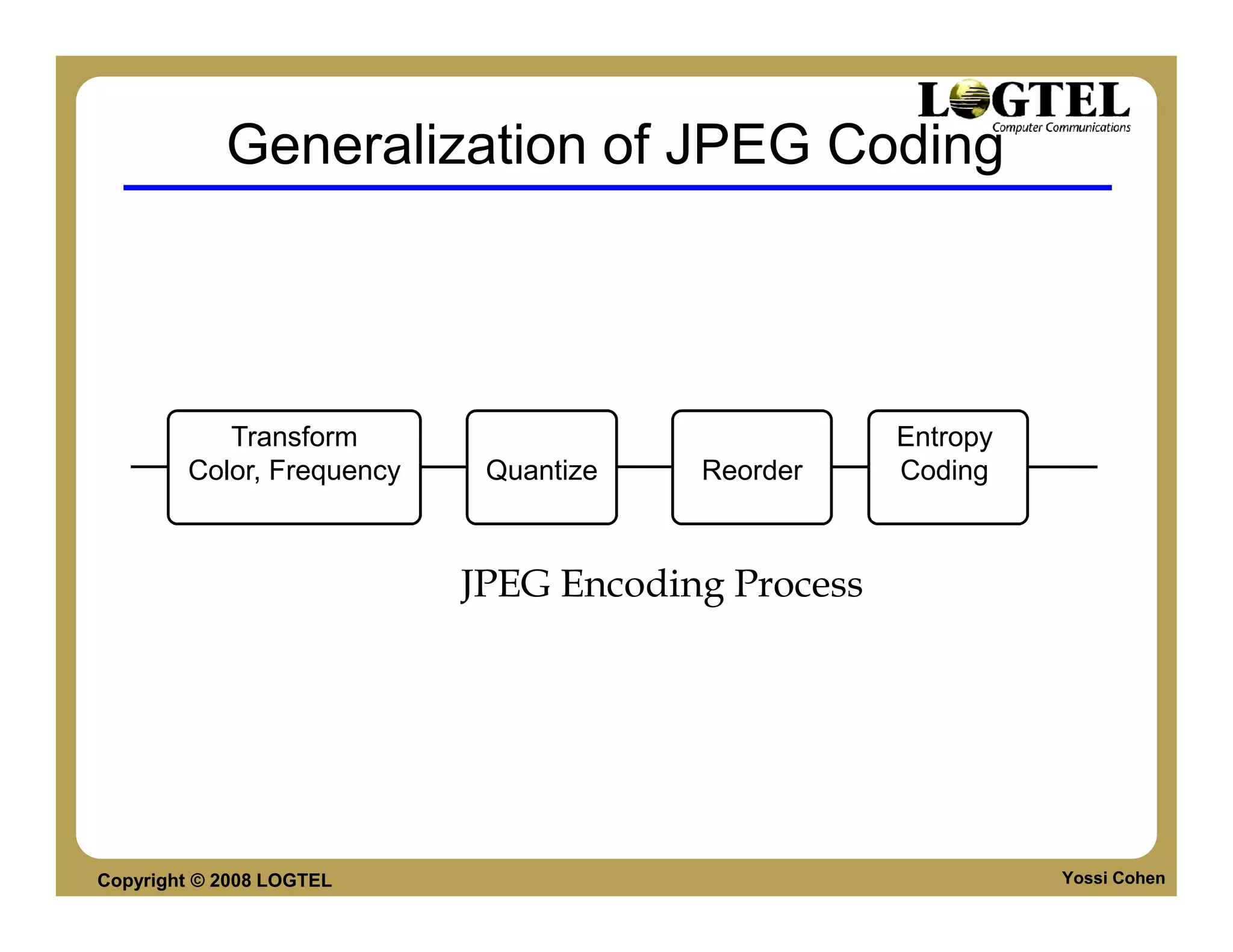
Generalization of JPEG Coding


           Transform                               Entropy
        Color, Frequency    Quantize   Reorder     Coding


                           JPEG Encoding Process


Copyright © 2008 LOGTEL                                      Yossi Cohen
Video Coding Basics
                  By:
                  Yossi Cohen


Copyright © 2008 LOGTEL
Video Coding
          Video coding is often implemented as encoding
          a sequence of images.Motion compensation
          is used to exploit temporal redundancy
          between successive frames.
          Examples: MPEG-I, MPEG-II, MPEG-IV,
          H.263, H.263+, H264
          Existing video coding standards are based on
          JPEG image compression as well as motion
          compensation.


Copyright © 2008 LOGTEL                             Yossi Cohen
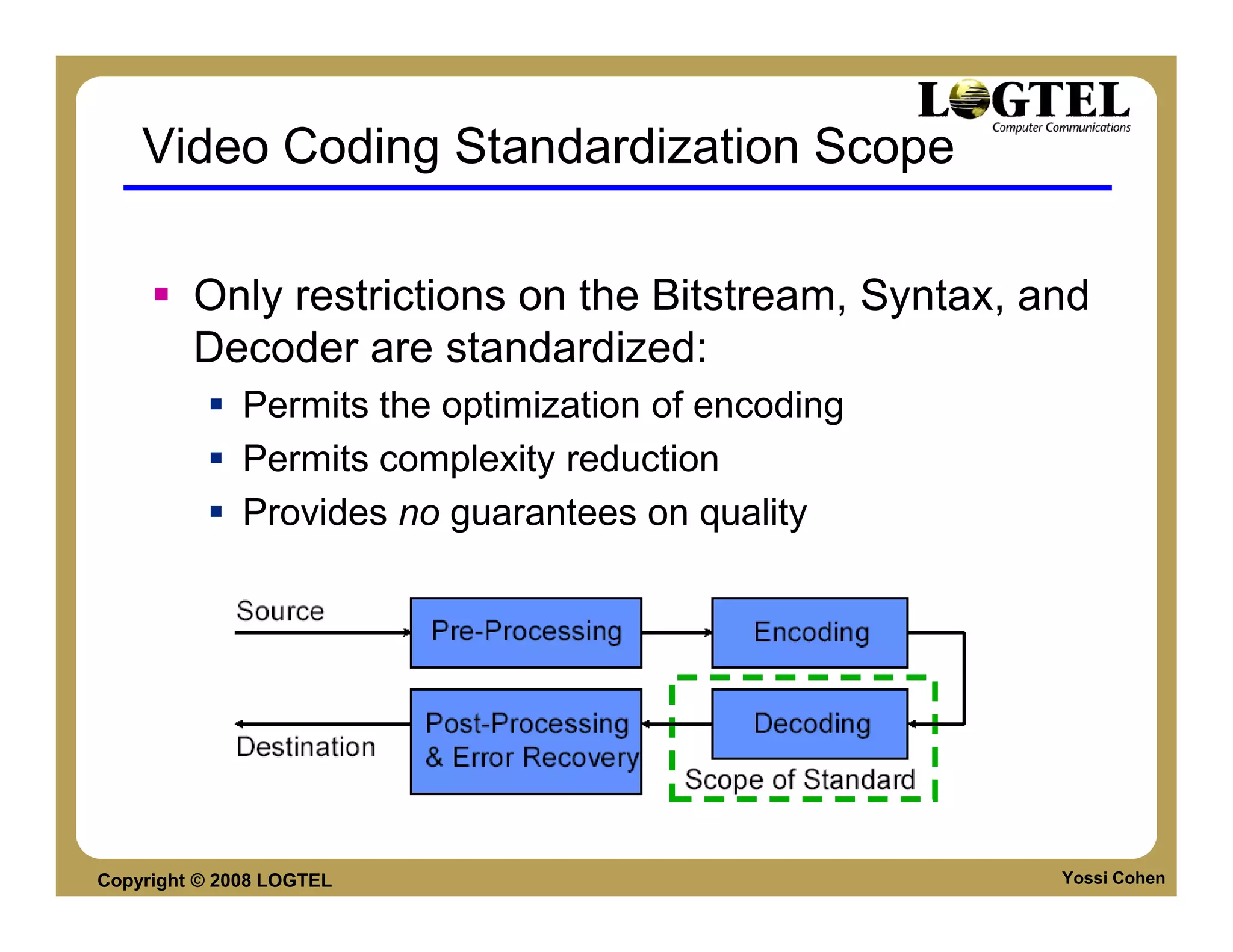
Video Coding Standardization Scope

         Only restrictions on the Bitstream, Syntax, and
         Decoder are standardized:
              Permits the optimization of encoding
              Permits complexity reduction
              Provides no guarantees on quality


Copyright © 2008 LOGTEL                               Yossi Cohen
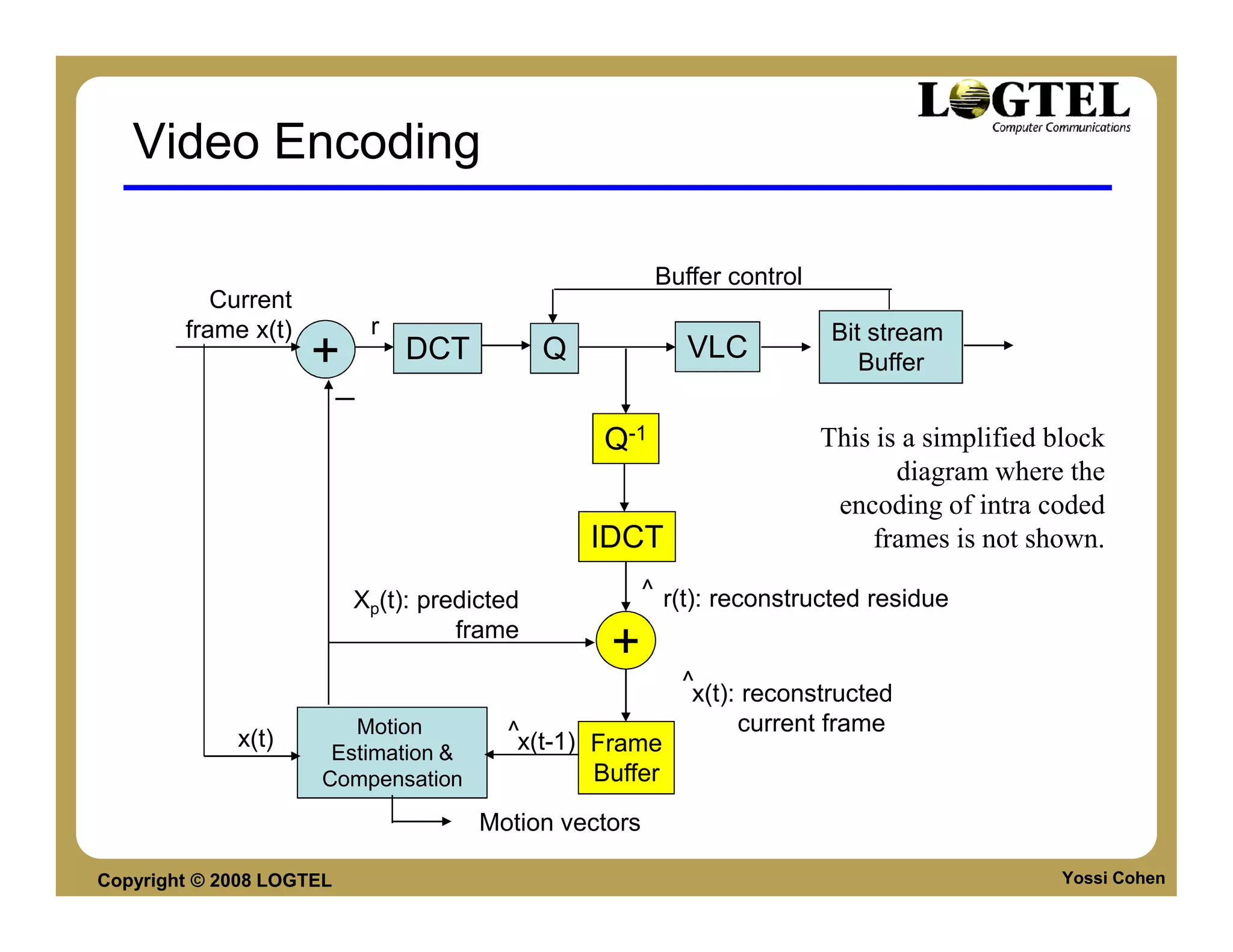
Video Encoding

                                                          Buffer control
           Current
        frame x(t)            r                                             Bit stream
                     +            DCT        Q               VLC               Buffer
                          −
                                                  Q-1                      This is a simplified block
                                                                                  diagram where the
                                                                            encoding of intra coded
                                                 IDCT                          frames is not shown.

                          Xp(t): predicted               ^ r(t): reconstructed residue
                                    frame
                                                   +
                                                            ^
                                                             x(t): reconstructed
                         Motion           ^x(t-1)                 current frame
             x(t)                                 Frame
                       Estimation &
                      Compensation                Buffer
                                        Motion vectors

Copyright © 2008 LOGTEL                                                                          Yossi Cohen
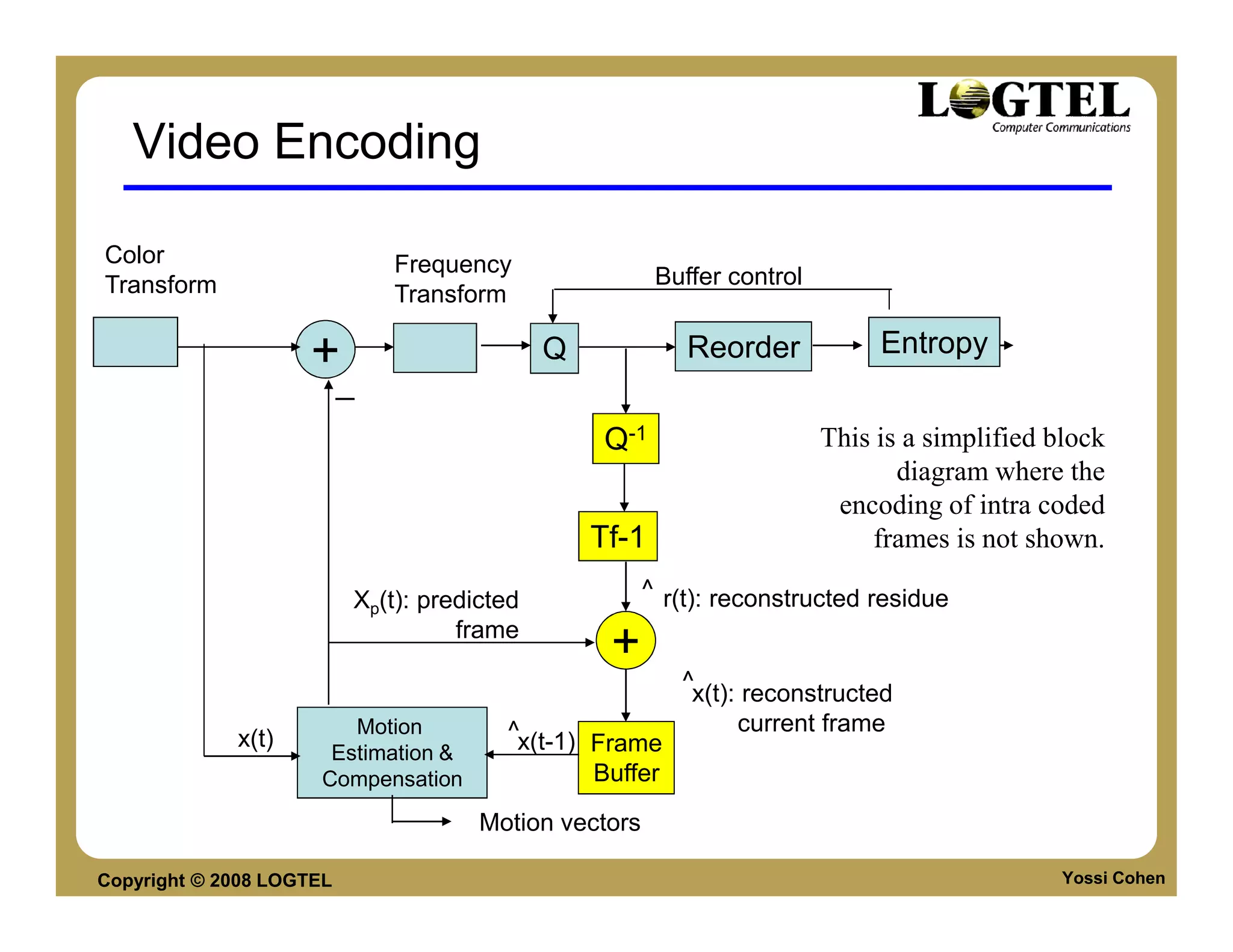
Video Encoding

Color                         Frequency
Transform                                               Buffer control
                              Transform

                    +                        Q             Reorder            Entropy
                          −
                                                  Q-1                    This is a simplified block
                                                                                diagram where the
                                                                          encoding of intra coded
                                                 Tf-1                        frames is not shown.

                          Xp(t): predicted             ^ r(t): reconstructed residue
                                    frame
                                                  +
                                                          ^
                                                           x(t): reconstructed
                         Motion         ^x(t-1)                 current frame
             x(t)                               Frame
                       Estimation &
                      Compensation              Buffer
                                      Motion vectors

Copyright © 2008 LOGTEL                                                                        Yossi Cohen
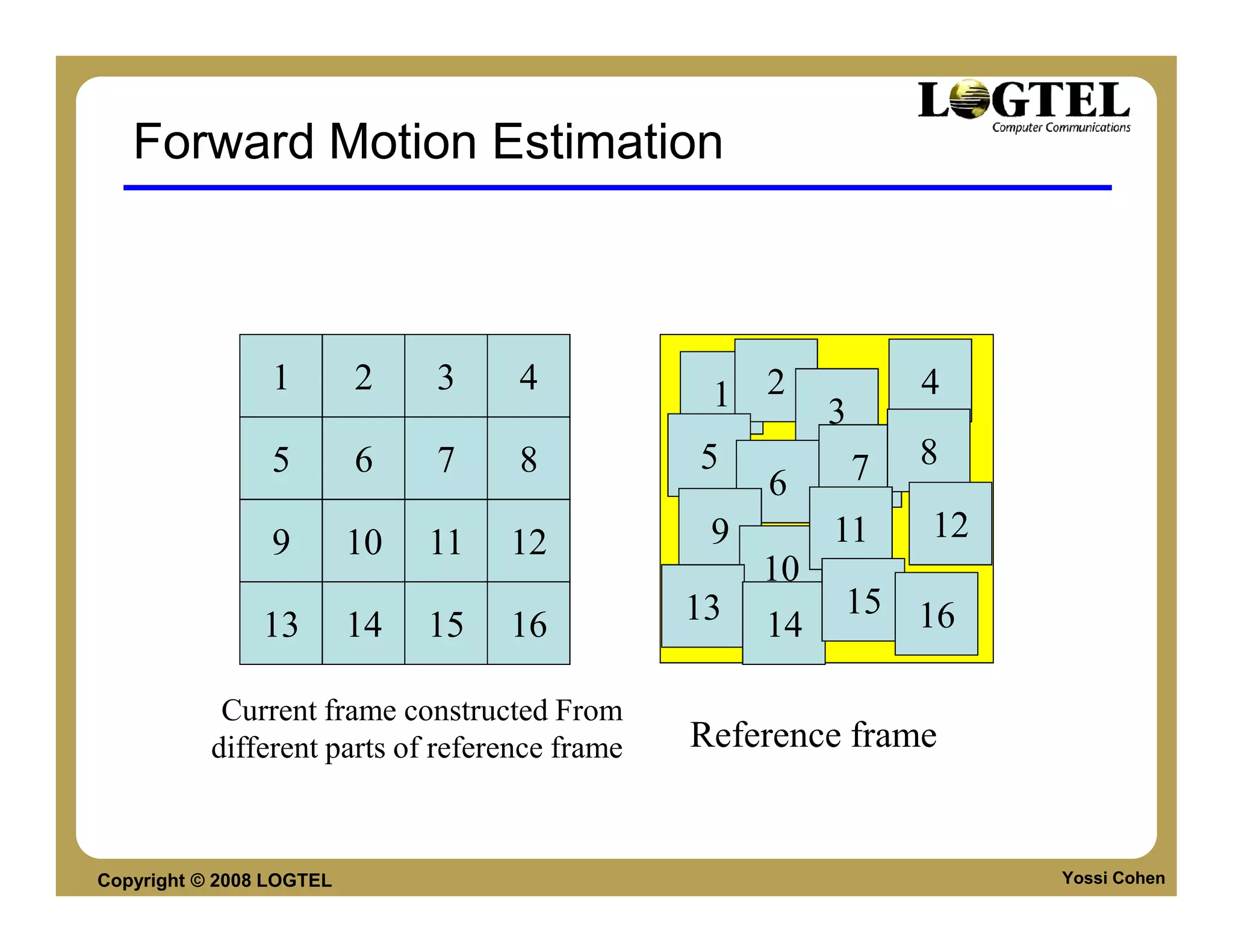
Forward Motion Estimation


                 1        2    3    4            1 2              4
                                                          3
                 5        6    7    8           5             7   8
                                                     6
                 9        10   11   12           9        11      12
                                                     10
                                                13        15 16
                13        14   15   16               14

            Current frame constructed From
           different parts of reference frame   Reference frame


Copyright © 2008 LOGTEL                                                Yossi Cohen
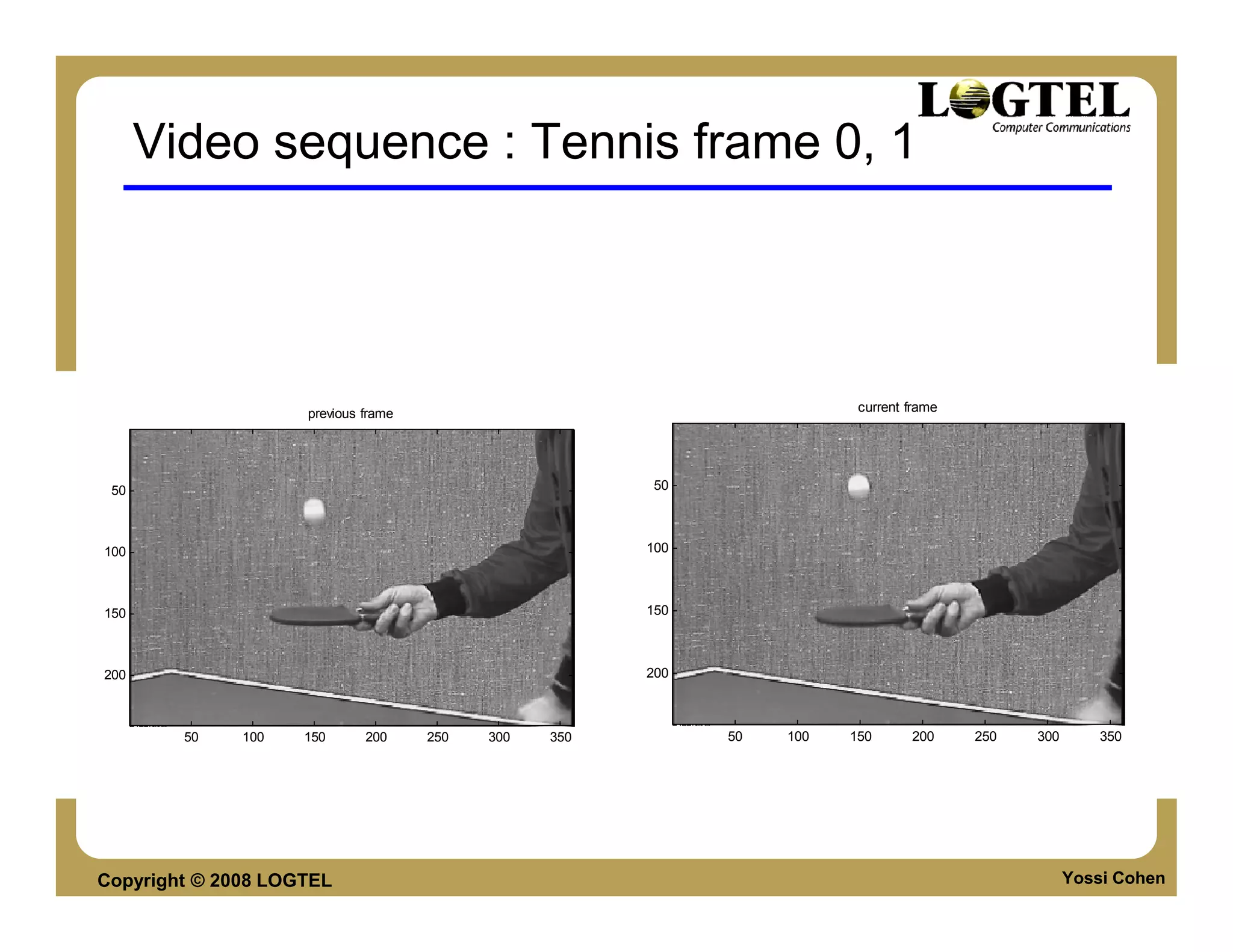
Video sequence : Tennis frame 0, 1


                    previous frame                                       current frame


 50                                                    50


100                                                    100


150                                                    150


200                                                    200


        50    100   150      200     250   300   350         50   100   150      200     250   300       350


Copyright © 2008 LOGTEL                                                                              Yossi Cohen
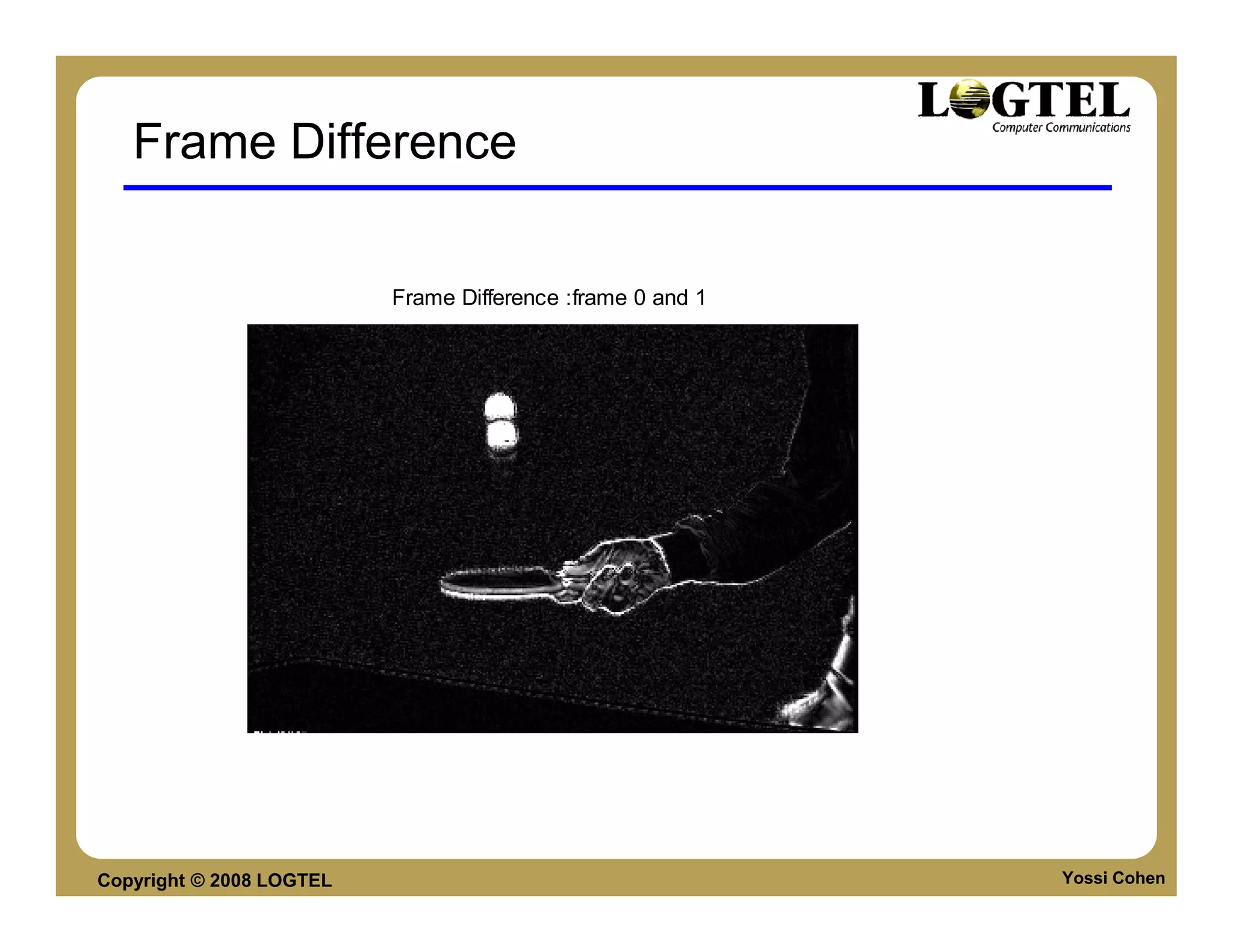
Frame Difference

                          Frame Difference :frame 0 and 1


Copyright © 2008 LOGTEL                                     Yossi Cohen
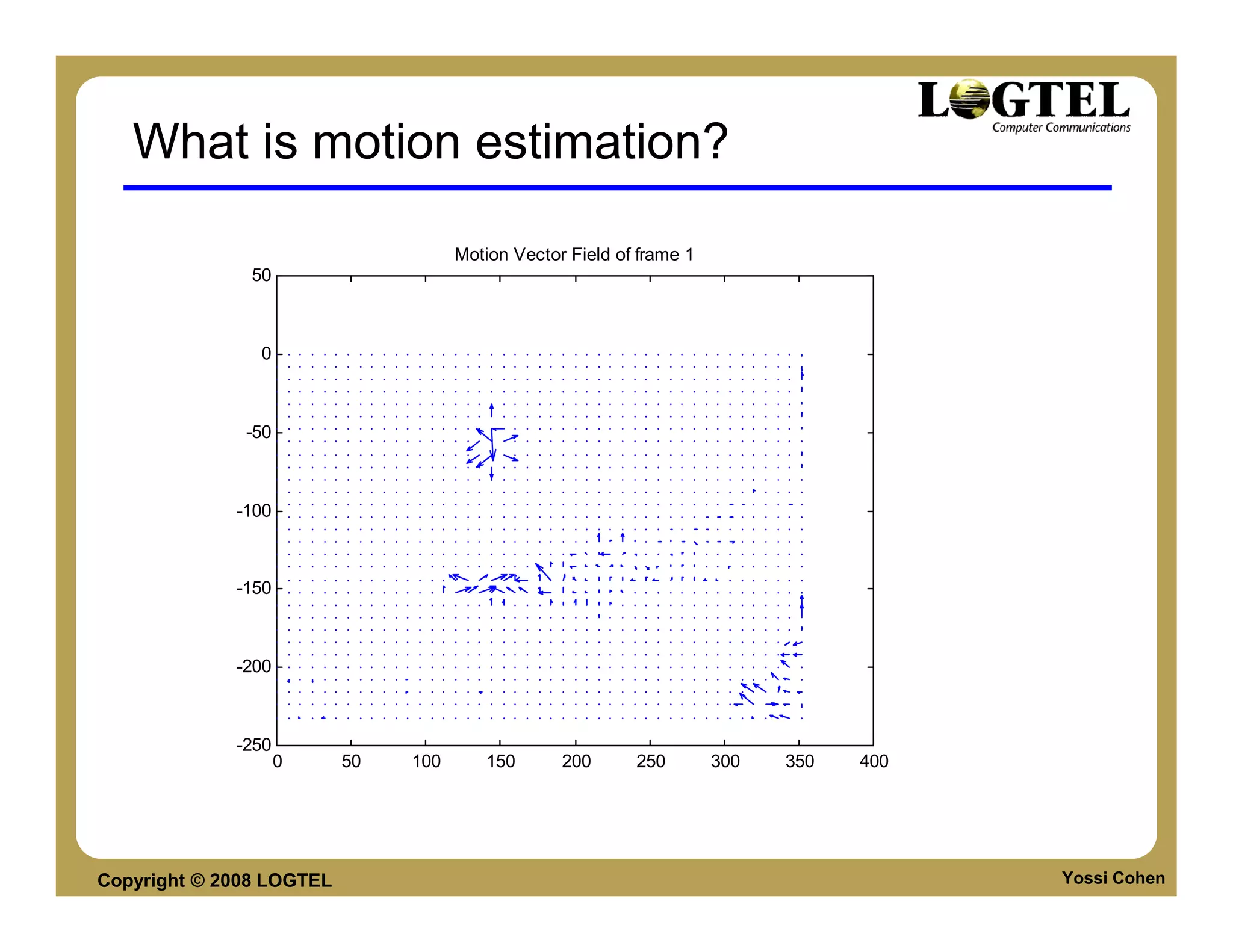
What is motion estimation?

                                     Motion Vector Field of frame 1
               50


                0


              -50


             -100


             -150


             -200


             -250
                    0     50   100      150       200      250        300   350   400


Copyright © 2008 LOGTEL                                                                 Yossi Cohen
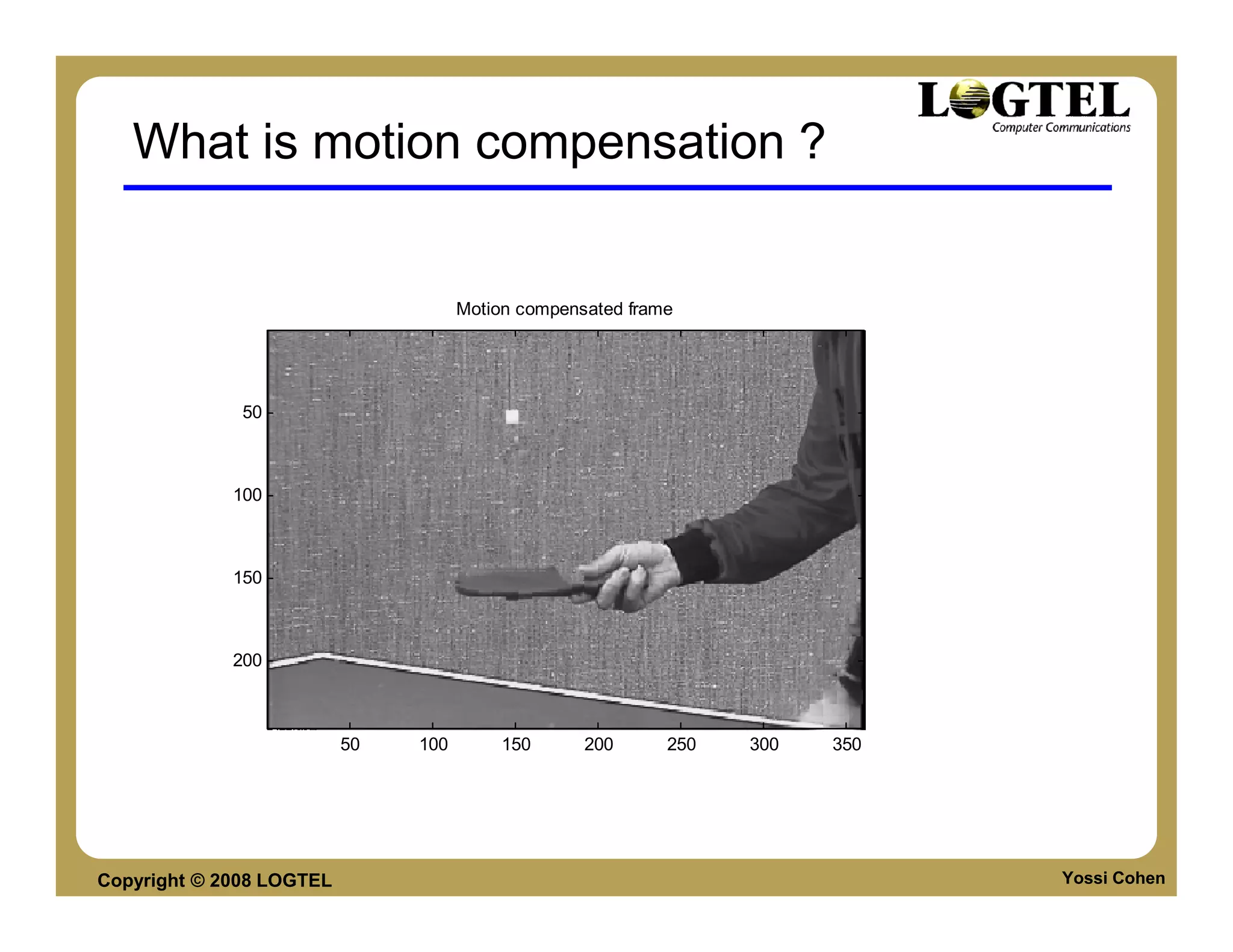
What is motion compensation ?


                                     Motion compensated frame


              50


             100


             150


             200


                          50   100        150      200      250   300   350


Copyright © 2008 LOGTEL                                                       Yossi Cohen
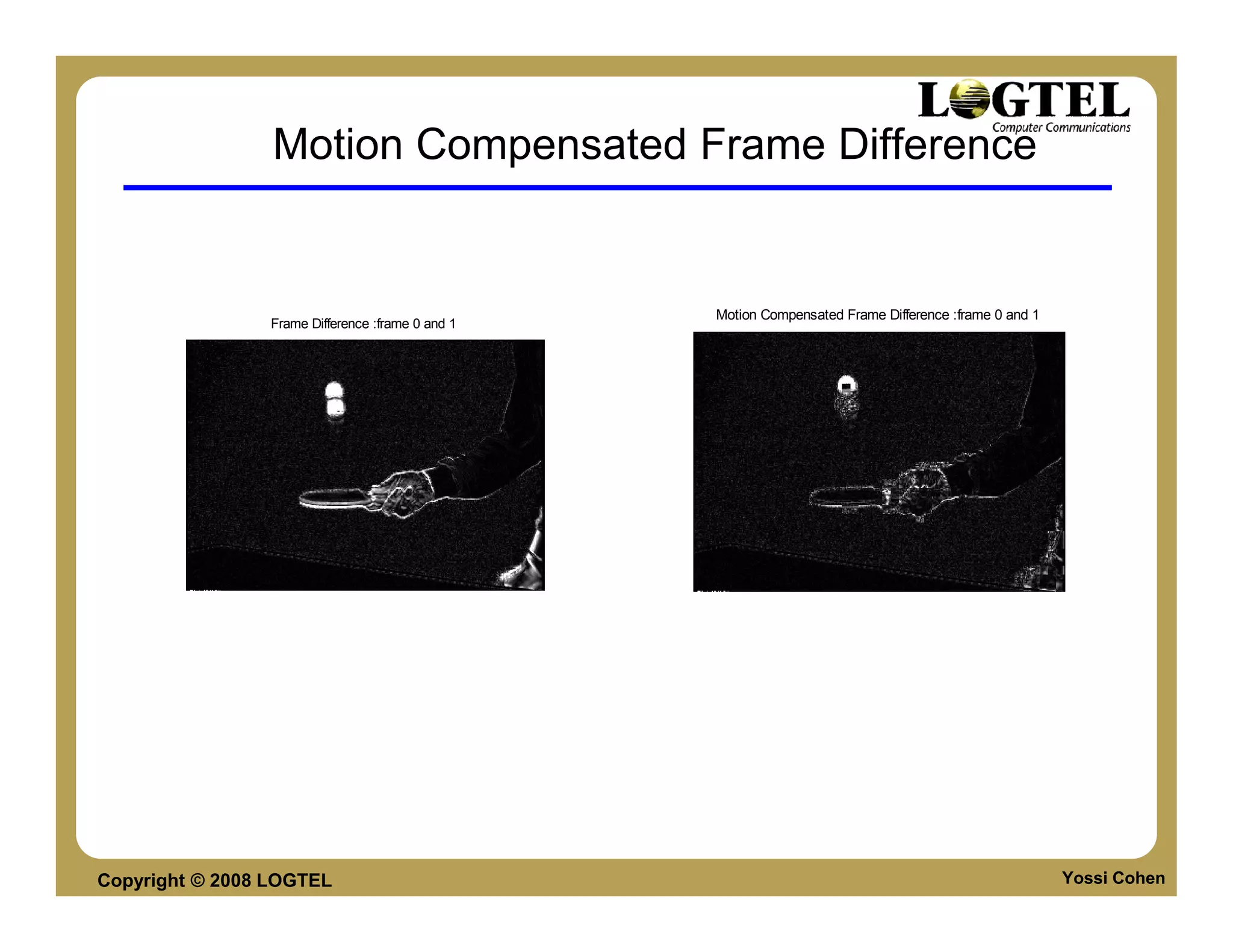
Motion Compensated Frame Difference


                                                  Motion Compensated Frame Difference :frame 0 and 1
                Frame Difference :frame 0 and 1


Copyright © 2008 LOGTEL                                                                                Yossi Cohen
Video Worlds


                  Video Structures


Copyright © 2008 LOGTEL
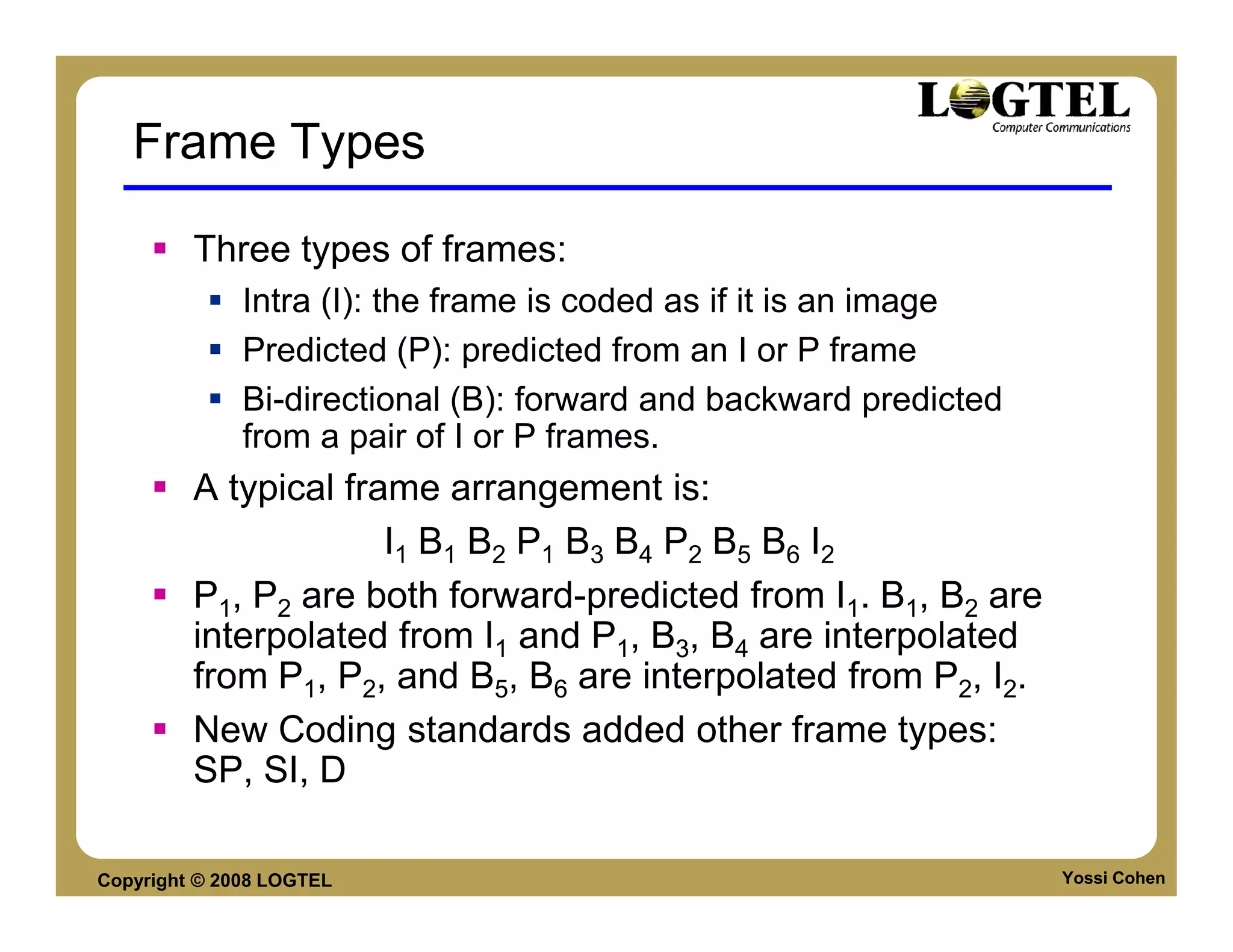
Frame Types

         Three types of frames:
              Intra (I): the frame is coded as if it is an image
              Predicted (P): predicted from an I or P frame
              Bi-directional (B): forward and backward predicted
              from a pair of I or P frames.
         A typical frame arrangement is:
                      I1 B1 B2 P1 B3 B4 P2 B5 B6 I2
         P1, P2 are both forward-predicted from I1. B1, B2 are
         interpolated from I1 and P1, B3, B4 are interpolated
         from P1, P2, and B5, B6 are interpolated from P2, I2.
         New Coding standards added other frame types:
         SP, SI, D

Copyright © 2008 LOGTEL                                            Yossi Cohen
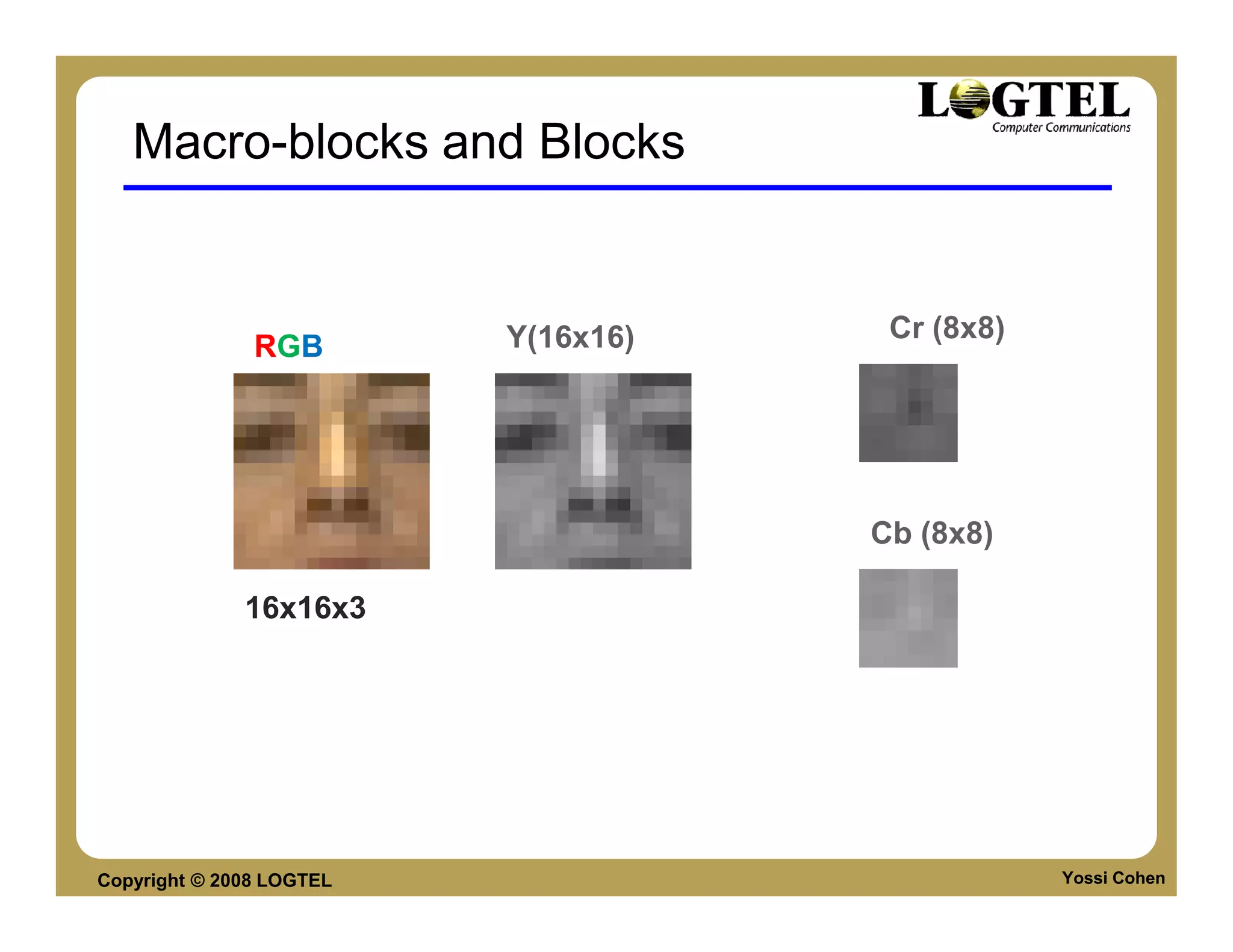
Macro-blocks and Blocks


                          Y(16x16)    Cr (8x8)
               RGB


                                     Cb (8x8)

              16x16x3


Copyright © 2008 LOGTEL                          Yossi Cohen
VIDEO CODING STANDARDS


Copyright © 2008 LOGTEL       Yossi Cohen
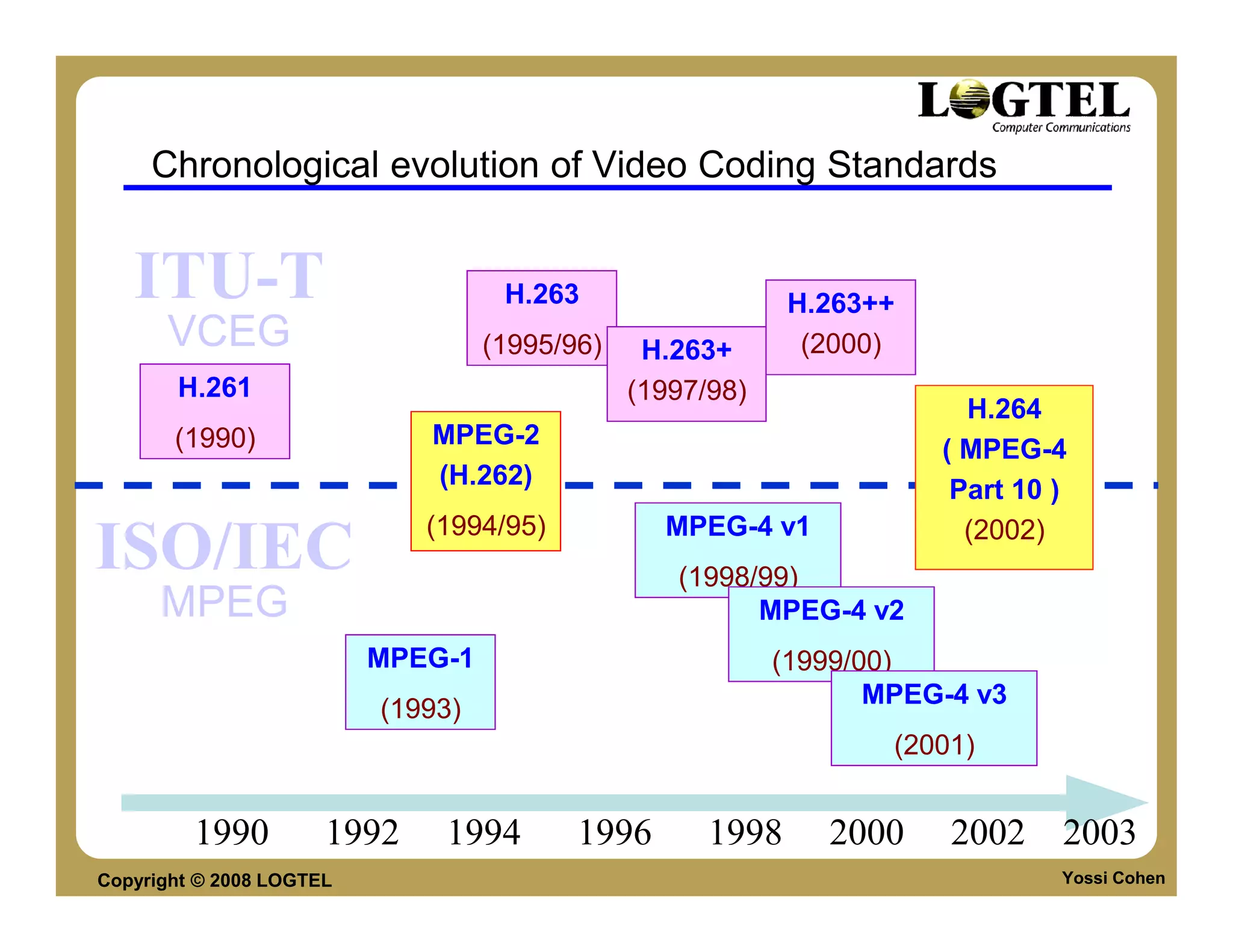
Chronological evolution of Video Coding Standards


   ITU-T                            H.263                   H.263++
      VCEG                         (1995/96)    H.263+       (2000)
       H.261                                   (1997/98)
                                                                        H.264
       (1990)                MPEG-2
                                                                      ( MPEG-4
                             (H.262)
                                                                       Part 10 )
                             (1994/95)           MPEG-4 v1              (2002)
ISO/IEC                                           (1998/99)
      MPEG                                              MPEG-4 v2
                          MPEG-1                           (1999/00)
                                                                  MPEG-4 v3
                          (1993)
                                                                   (2001)


         1990         1992    1994        1996       1998     2000     2002 2003
Copyright © 2008 LOGTEL                                                        Yossi Cohen
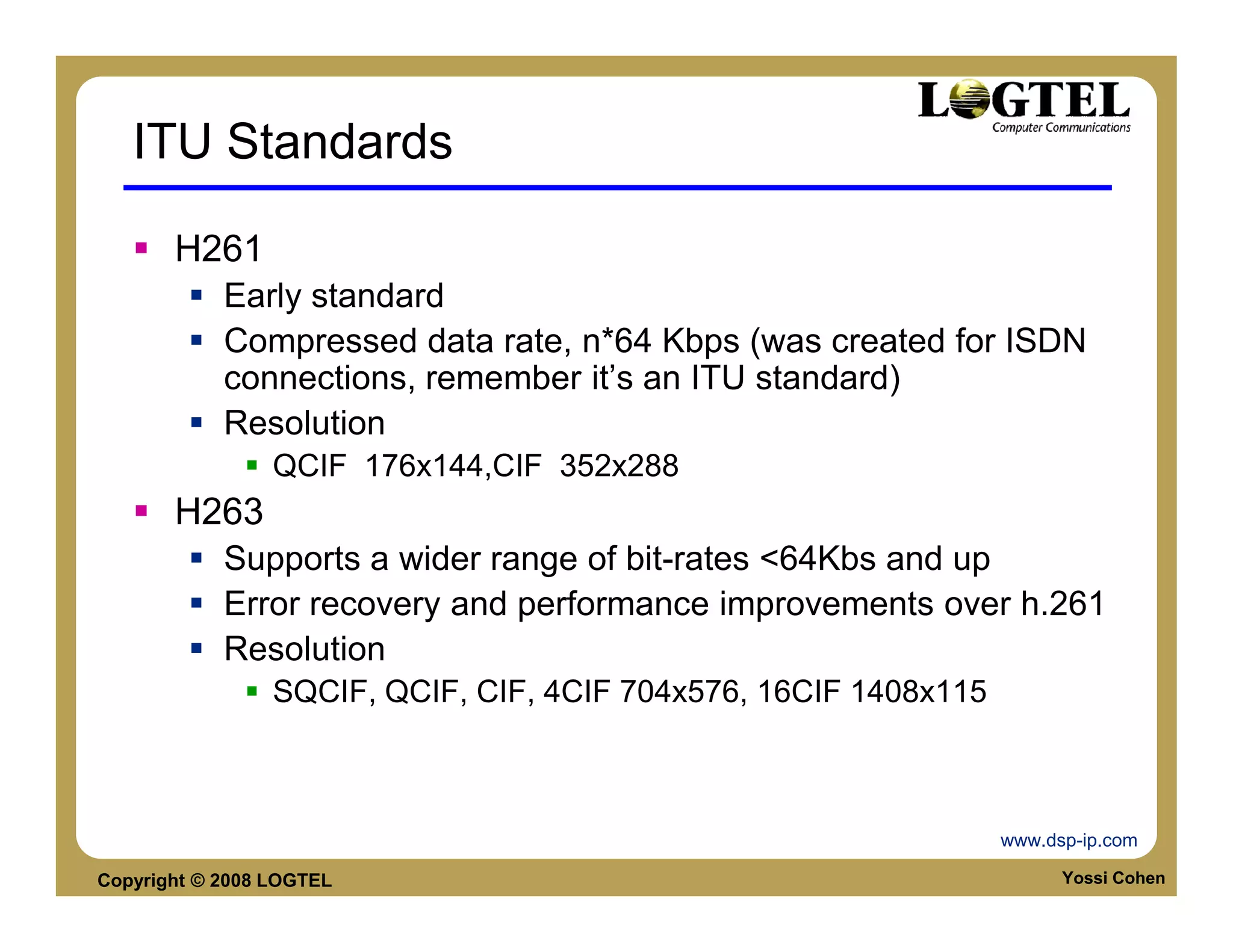
ITU Standards

       H261
            Early standard
            Compressed data rate, n*64 Kbps (was created for ISDN
            connections, remember it’s an ITU standard)
            Resolution
                 QCIF 176x144,CIF 352x288
       H263
            Supports a wider range of bit-rates <64Kbs and up
            Error recovery and performance improvements over h.261
            Resolution
                 SQCIF, QCIF, CIF, 4CIF 704x576, 16CIF 1408x115


                                                                  www.dsp-ip.com

Copyright © 2008 LOGTEL                                                 Yossi Cohen
ITU Standards

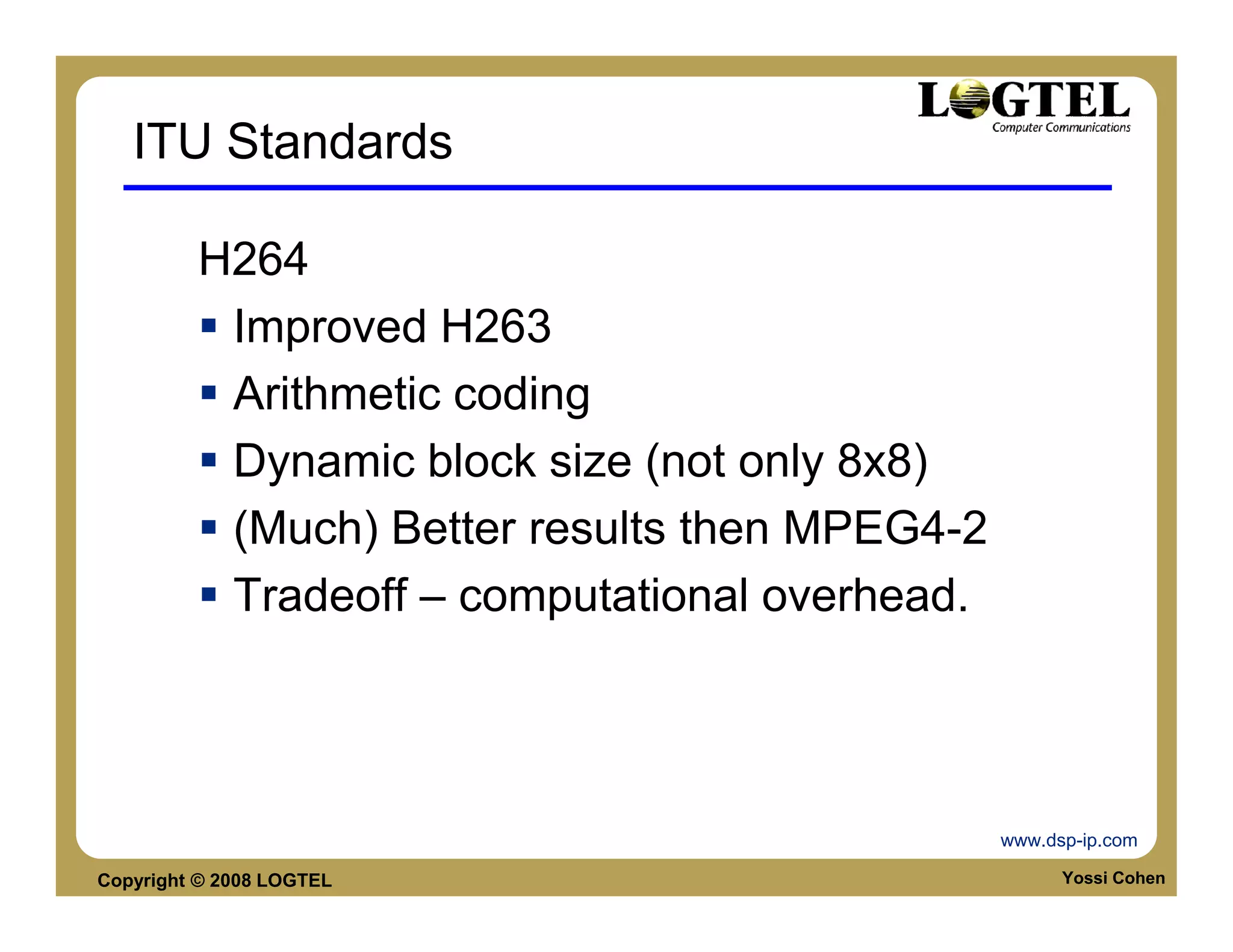
         H264
          Improved H263
          Arithmetic coding
          Dynamic block size (not only 8x8)
          (Much) Better results then MPEG4-2
          Tradeoff – computational overhead.


                                               www.dsp-ip.com

Copyright © 2008 LOGTEL                              Yossi Cohen
ITU Standards
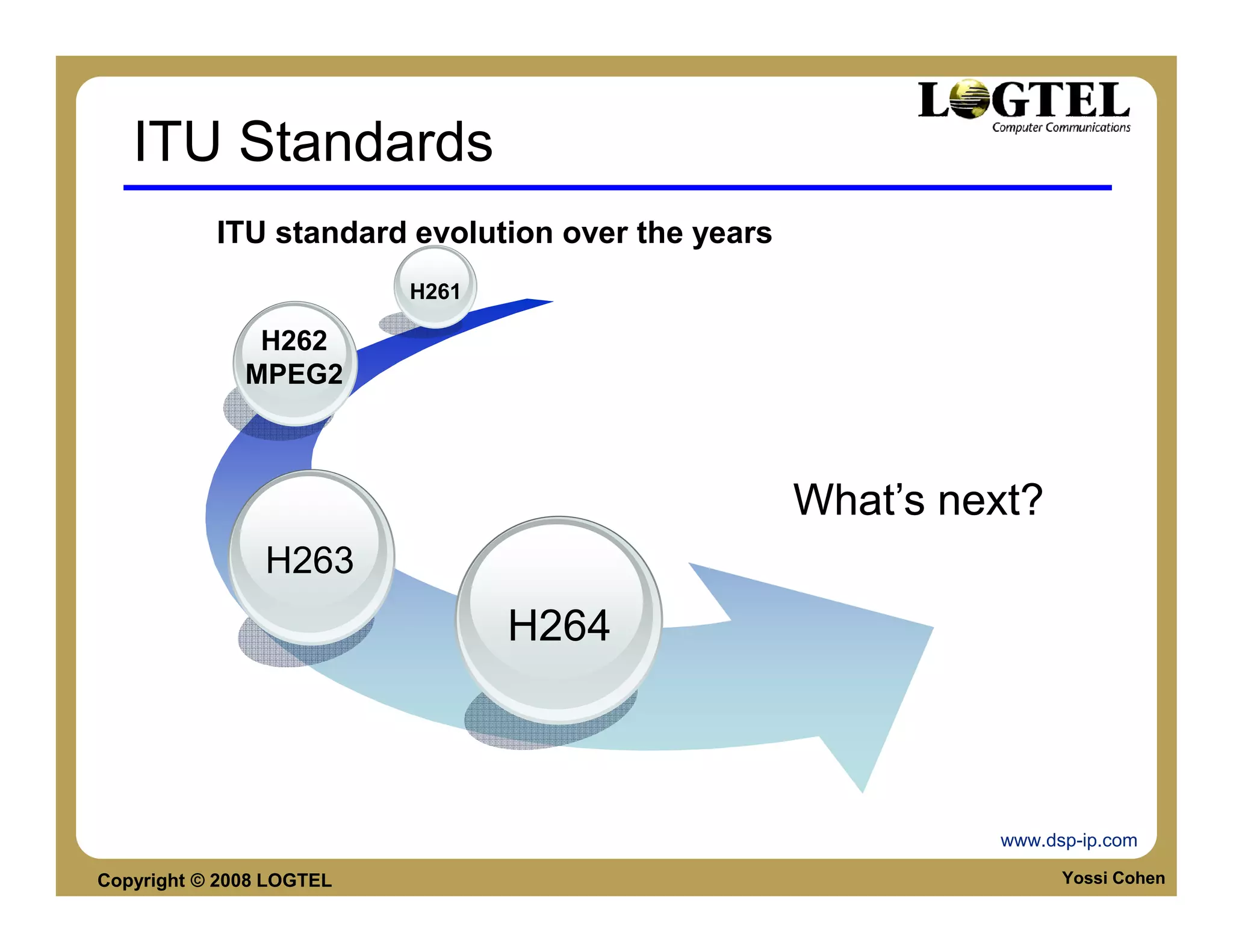
           ITU standard evolution over the years
                          H261

               H262
              MPEG2


                                                   What’s next?
                H263
                                 H264


                                                            www.dsp-ip.com

Copyright © 2008 LOGTEL                                           Yossi Cohen
ISO MPEG Standards

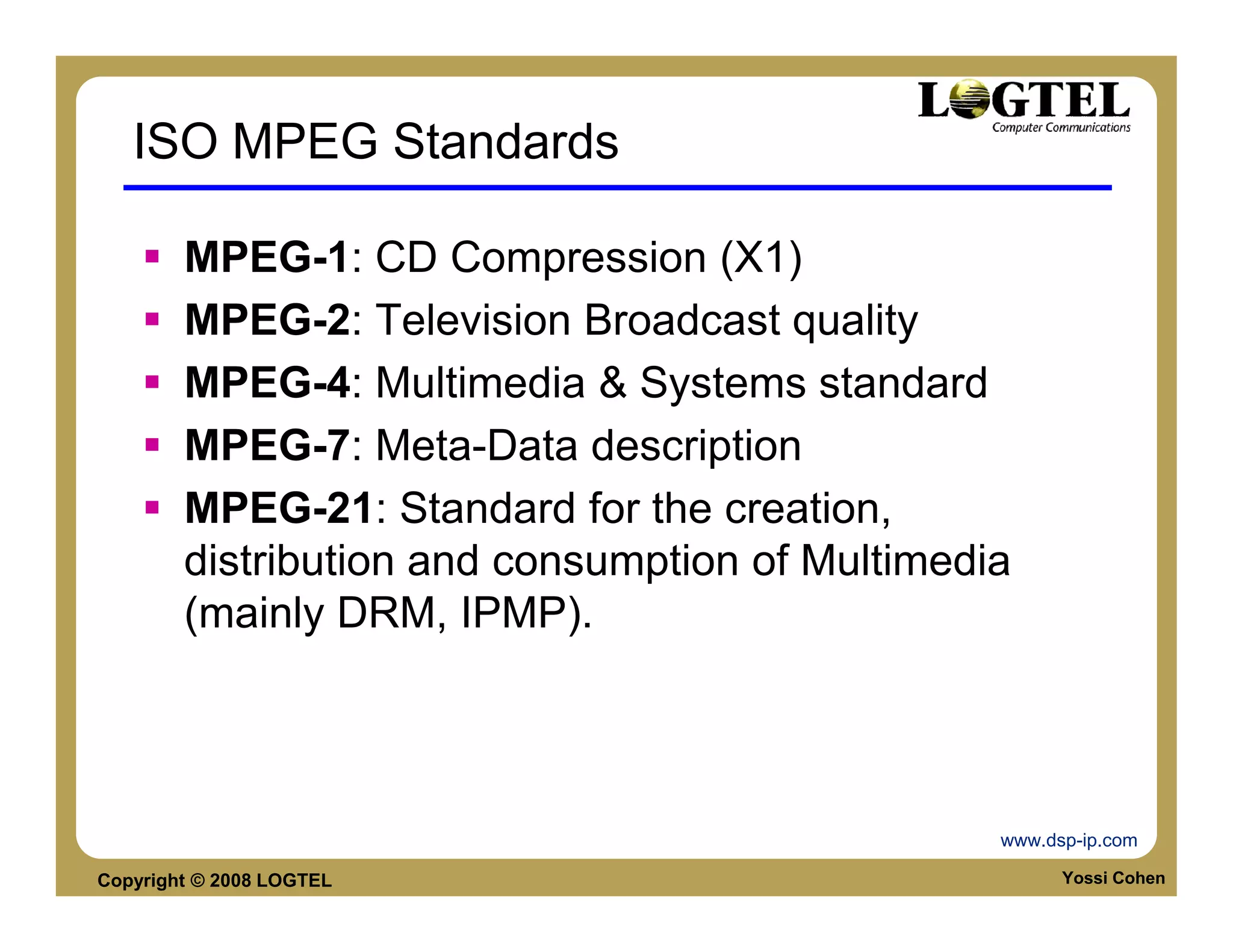
        MPEG-1: CD Compression (X1)
        MPEG-2: Television Broadcast quality
        MPEG-4: Multimedia & Systems standard
        MPEG-7: Meta-Data description
        MPEG-21: Standard for the creation,
        distribution and consumption of Multimedia
        (mainly DRM, IPMP).


                                                 www.dsp-ip.com

Copyright © 2008 LOGTEL                                Yossi Cohen
Data virtualization in ISO standards
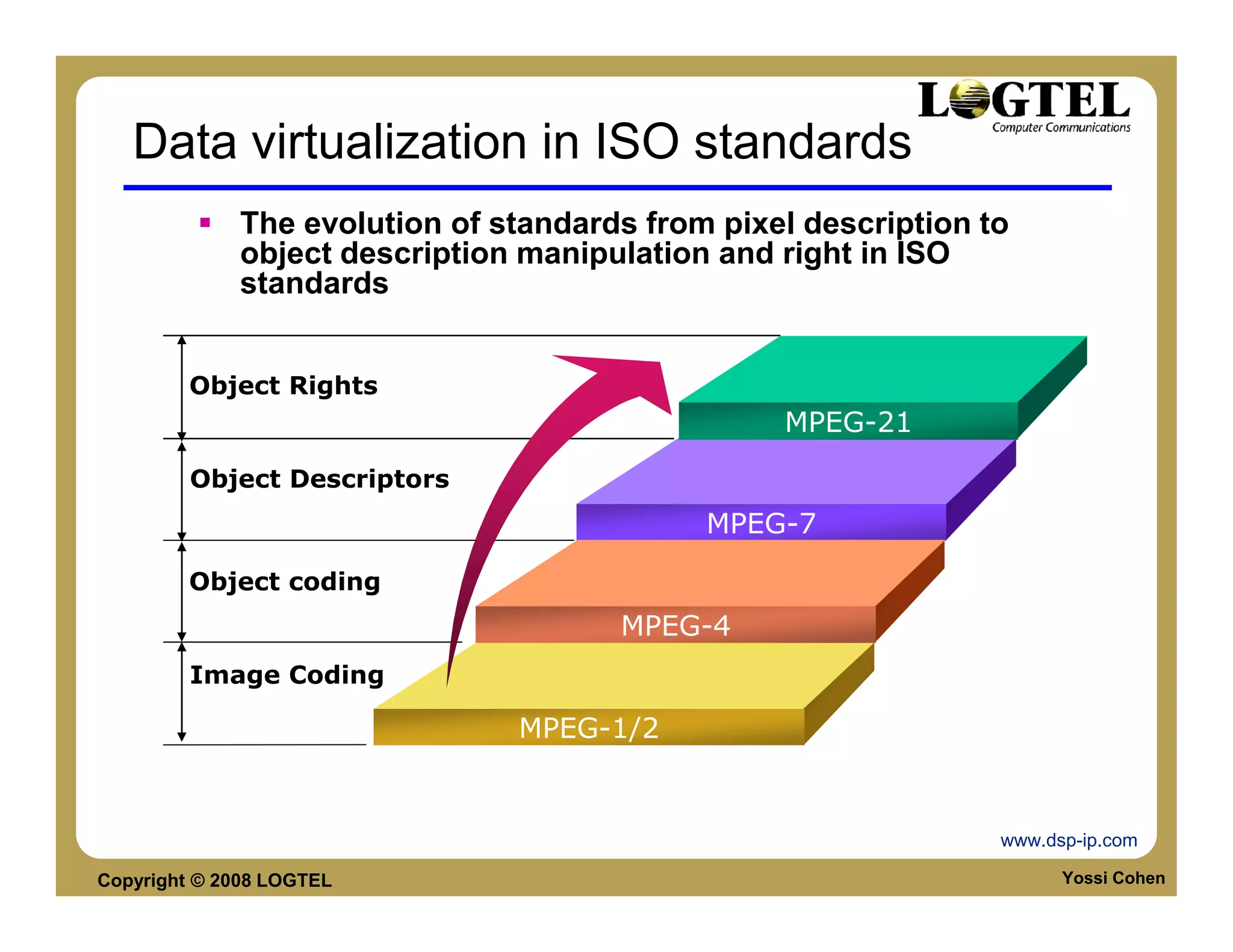
             The evolution of standards from pixel description to
             object description manipulation and right in ISO
             standards


         Object Rights
                                                 MPEG-21
         Object Descriptors
                                            MPEG-7

        Object coding
                                      MPEG-4
         Image Coding

                               MPEG-1/2


                                                                www.dsp-ip.com

Copyright © 2008 LOGTEL                                               Yossi Cohen
MPEG-1

             A standard for storage and retrieval of audio and
             video, (1992)
             Up to 1.5 Mbps
             P-frame, Predictive-coded frames
                  requires info from previous I or P frames
             B-frames, Bi-directionally predictive coded frames
                  requires previous and following frames
             D-frame, DC-coded frames
                  Consists of lowest frequency of an image
                  Used for fast forward and fast reverse modes


Copyright © 2008 LOGTEL                                           Yossi Cohen
MPEG-2

        A standard for high-quality video and digital
        television, (1994)
        2-100 Mbps
        Coding similar to MPEG-1
        Several profiles and levels for different
        resolutions and qualities
        Enhanced audio, (multiple channels)


Copyright © 2008 LOGTEL                                 Yossi Cohen
MPEG-4

        Designed for multimedia, (v1 Oct.1998)
        Coding of both natural and synthetic audio-
        visual data
        Improved efficiency, (object based)
        Error robustness
        Many more MM features


Copyright © 2008 LOGTEL                               Yossi Cohen
Why ISO adopted ITU technology
                  Comparison of compression formats

            38                     CIF 30Hz
            37
            36
            35
            34
            33
   Quality  32
Y-PSNR [dB] 31
            30
            29
            28                                          JVT/H.26L
            27                                          MPEG-4
            26                                          MPEG-2
            25                                          H.263
                  0        500   1000   1500     2000     2500   3000   3500
                                        Bit-rate [kbit/s]

 Copyright © 2008 LOGTEL                                                       Yossi Cohen
MPEG-2 STANDARD


Copyright © 2008 LOGTEL   Yossi Cohen
MPEG History

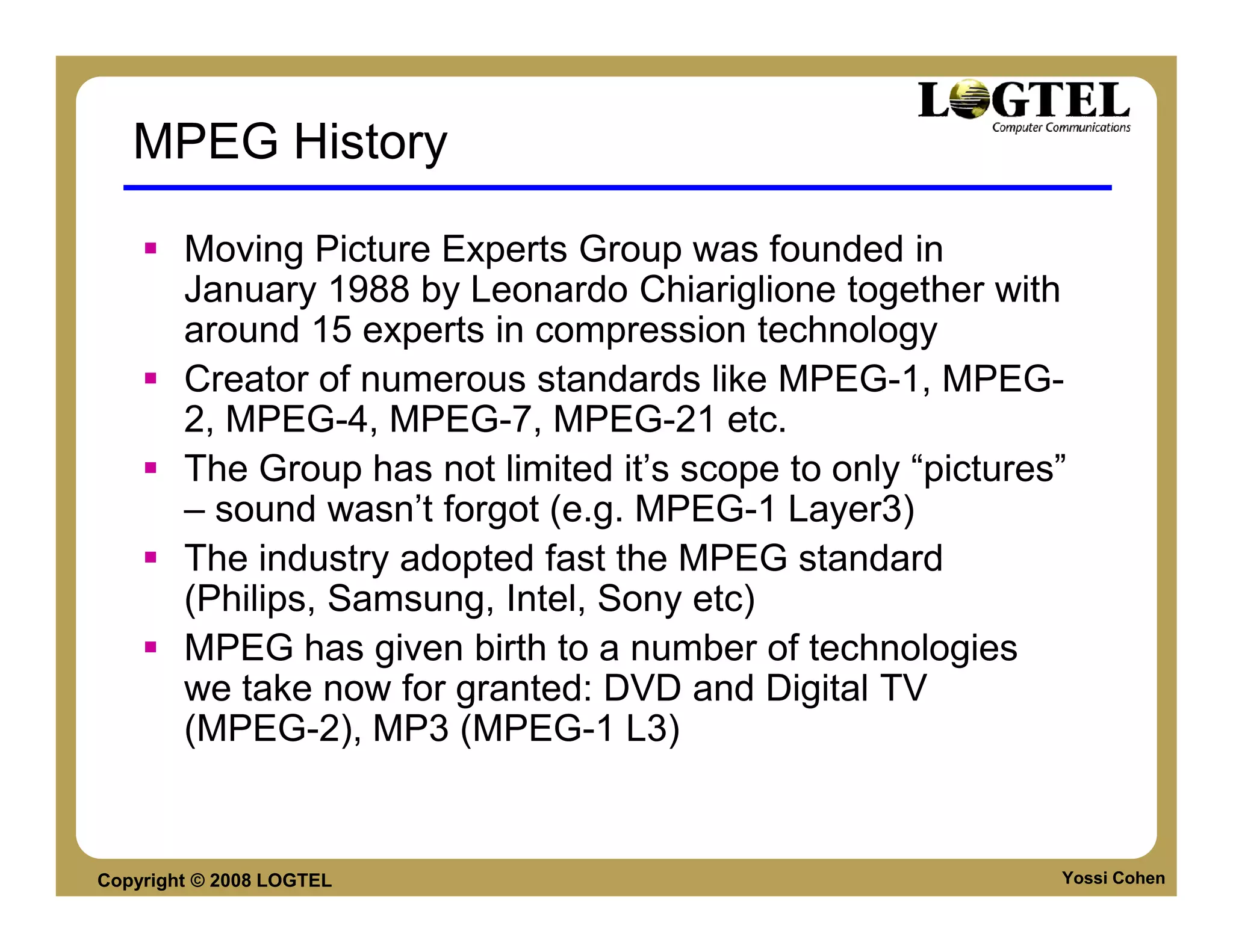
        Moving Picture Experts Group was founded in
        January 1988 by Leonardo Chiariglione together with
        around 15 experts in compression technology
        Creator of numerous standards like MPEG-1, MPEG-
        2, MPEG-4, MPEG-7, MPEG-21 etc.
        The Group has not limited it’s scope to only “pictures”
        – sound wasn’t forgot (e.g. MPEG-1 Layer3)
        The industry adopted fast the MPEG standard
        (Philips, Samsung, Intel, Sony etc)
        MPEG has given birth to a number of technologies
        we take now for granted: DVD and Digital TV
        (MPEG-2), MP3 (MPEG-1 L3)


Copyright © 2008 LOGTEL                                       Yossi Cohen
MPEG-2

        In 1994, MPEG has published the ISO/IEC-
        13818, also known as MPEG-2
        MPEG-2 was the standard adopted by DVD
        and Digital TV
        MPEG2 is designed for video compression
        between 1.5 and 15 Mbps for SD
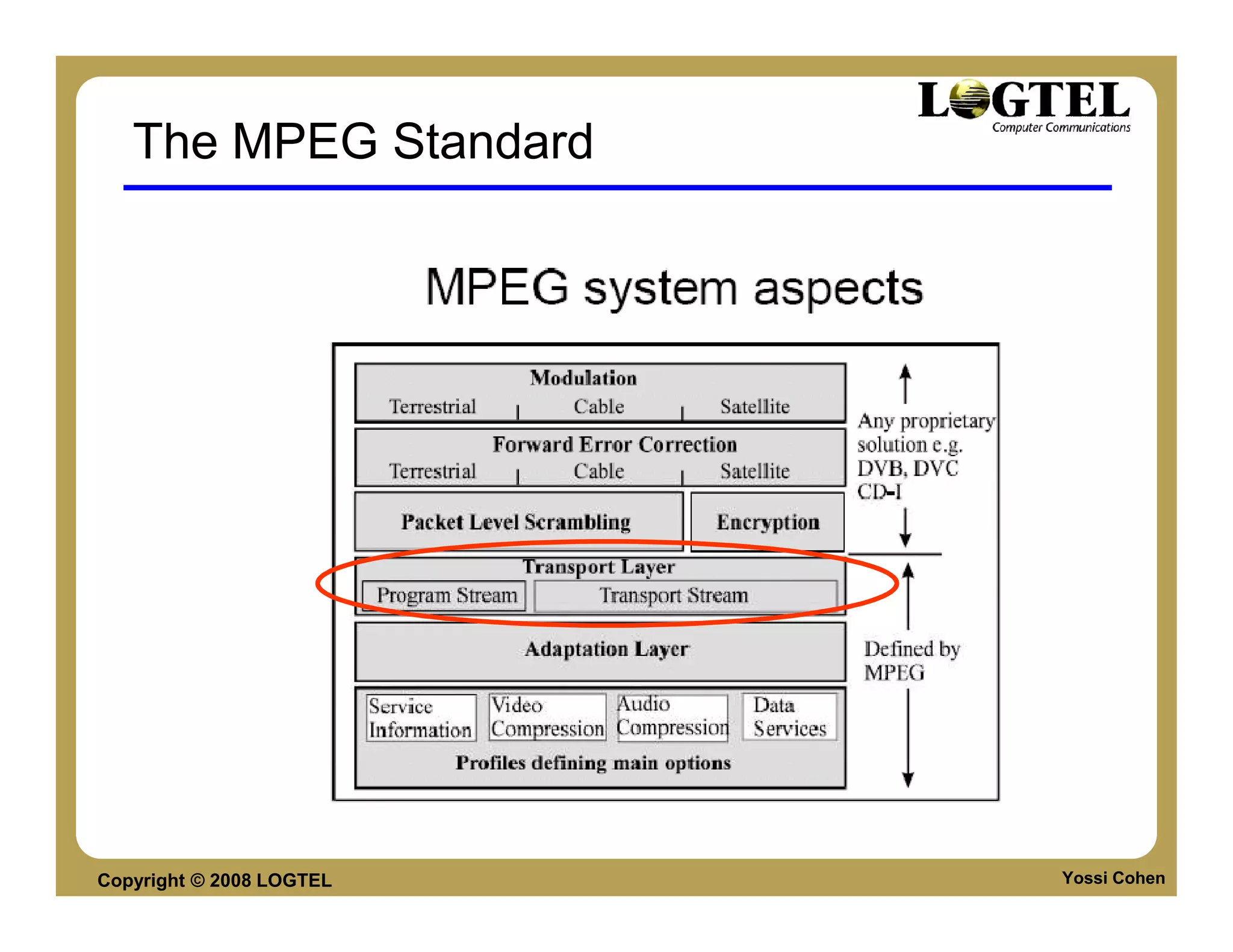
        MPEG-2 streams come in 2 forms: Program
        Stream and Transport Stream


Copyright © 2008 LOGTEL                            Yossi Cohen
The MPEG Standard


Copyright © 2008 LOGTEL   Yossi Cohen
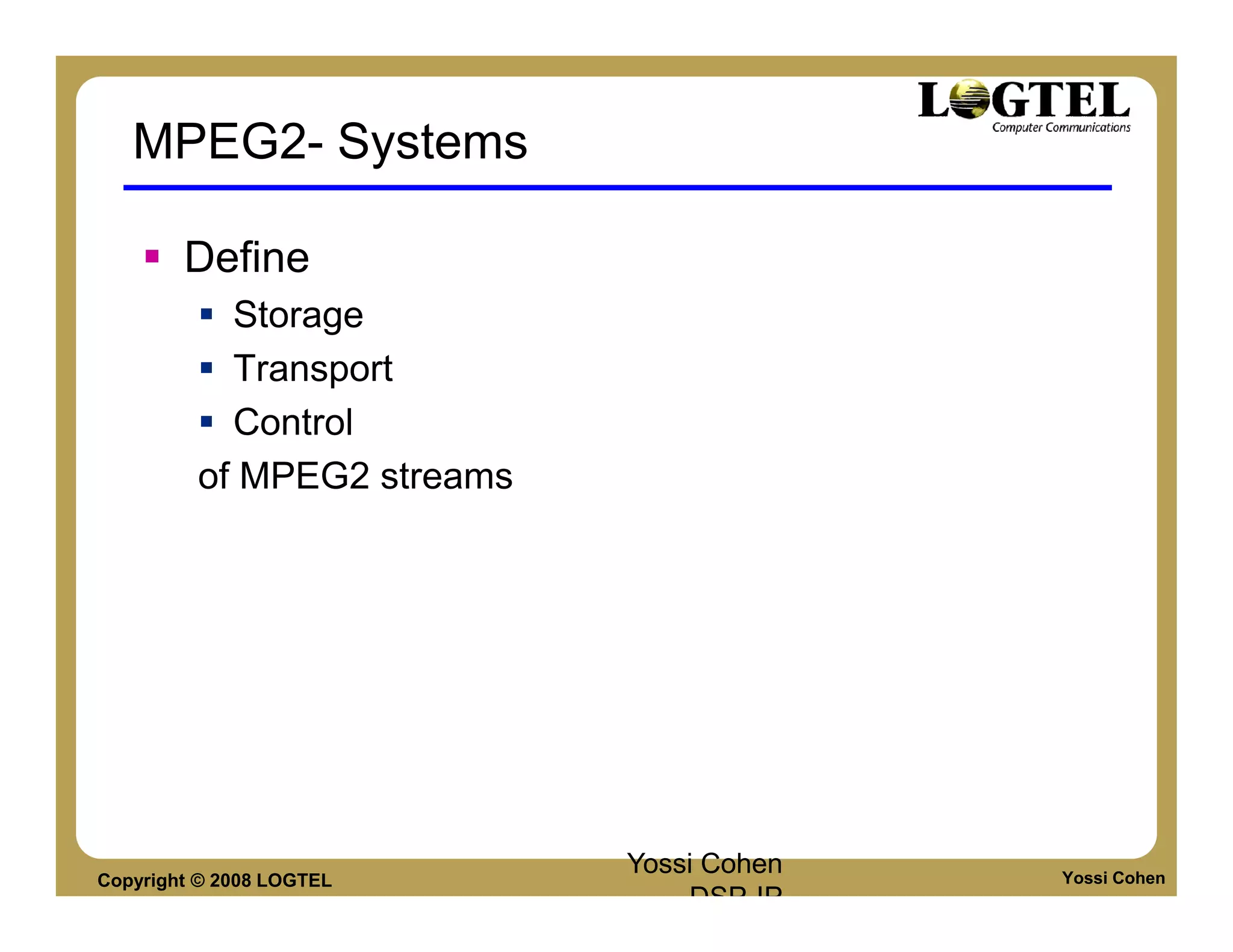
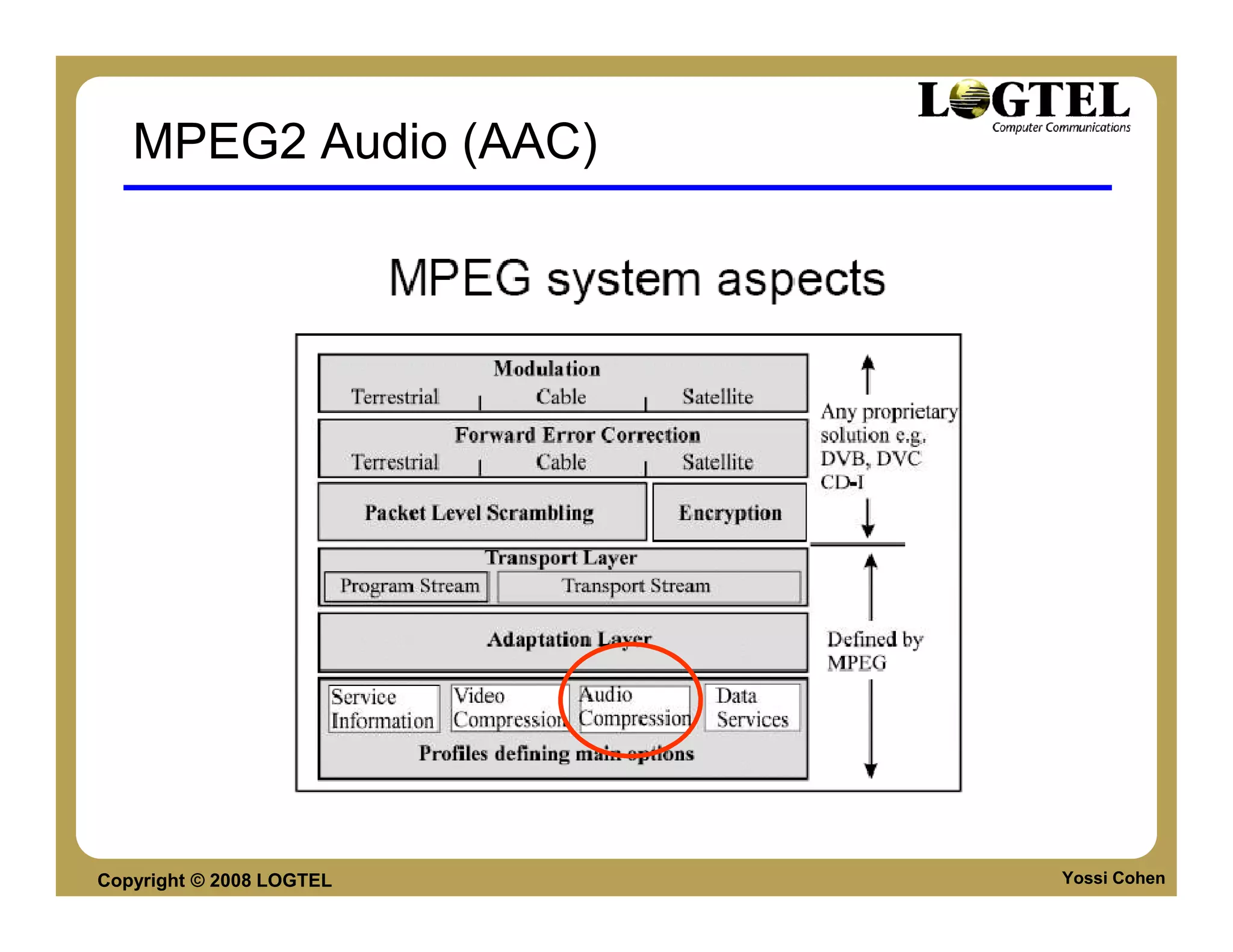
MPEG2- Systems

        Define
           Storage
           Transport
           Control
         of MPEG2 streams


Copyright © 2008 LOGTEL
                            Yossi Cohen   Yossi Cohen
                                DSP-IP
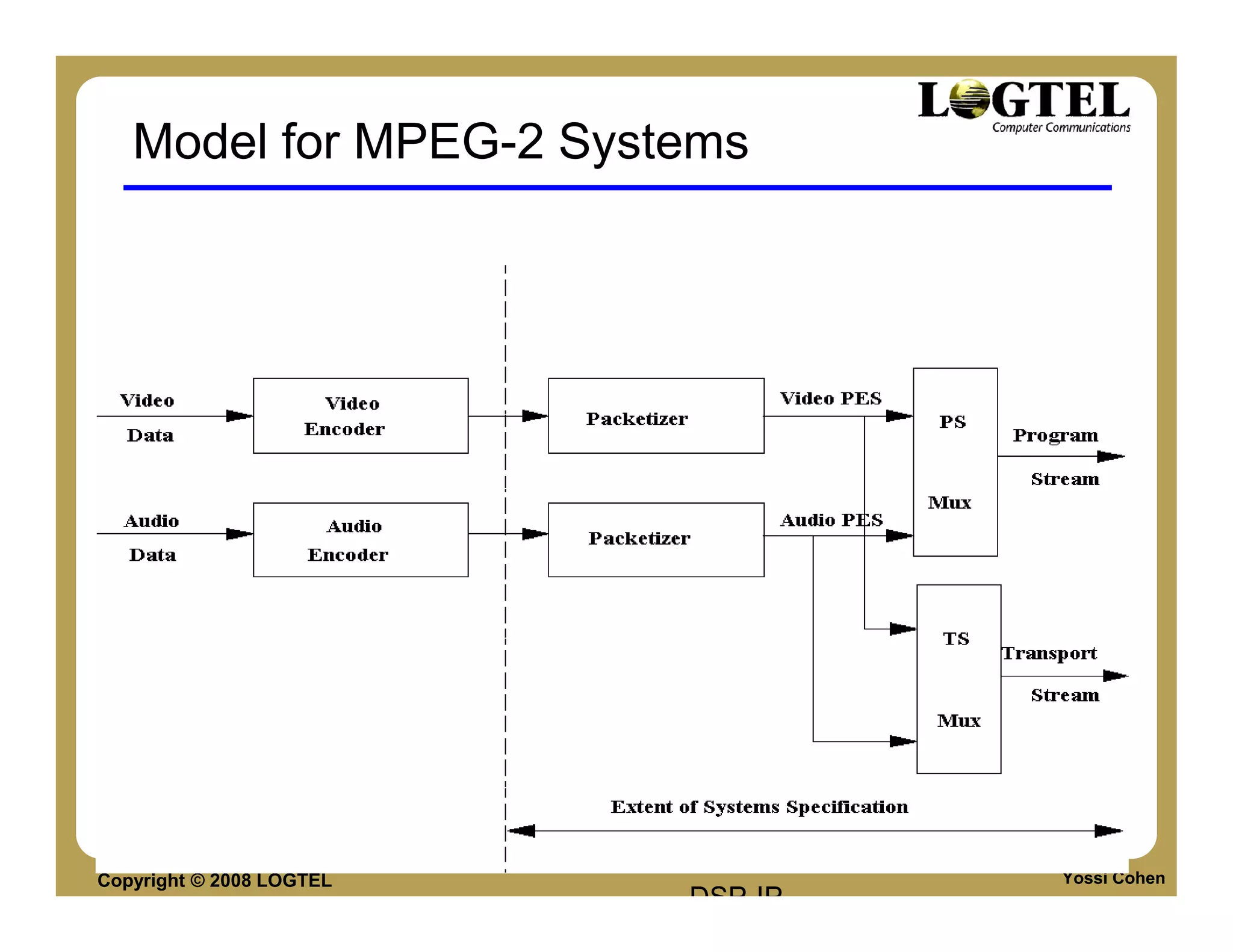
Model for MPEG-2 Systems


Copyright © 2008 LOGTEL
                          Yossi Cohen   Yossi Cohen
                              DSP-IP
MPEG-2 Program Stream
      Similar to MPEG-1 Systems Multiplex
      Combines one or more Packetised Elementary
      Streams (PES), which have a common time-
      base, into a single stream
      Designed for use in relatively error-free
      environments and suitable for applications
      which may involve software processing
      Program stream packets may be of variable and
      relatively great length
      Variable length / Error free what's the
      connection?
Copyright © 2008 LOGTEL                         Yossi Cohen
MPEG-2 Transport Stream
        Combines one or more Packetized Elementary
        Streams (PES) with one or more independent
        time bases into a single stream (sometimes
        called multiplex)
        Elementary streams sharing a common time-
        base form a program
        Designed for use in environments where errors
        are likely, such as storage or transmission in
        lossy or noisy media
        The transport stream is made of packets with
        fixed length of 188 bytes – Why?
        What is the header overhead in 188 bytes
        packet?
Copyright © 2008 LOGTEL                            Yossi Cohen
MPEG2 AAC


Copyright © 2008 LOGTEL   Yossi Cohen
MPEG2 Audio (AAC)


Copyright © 2008 LOGTEL   Yossi Cohen
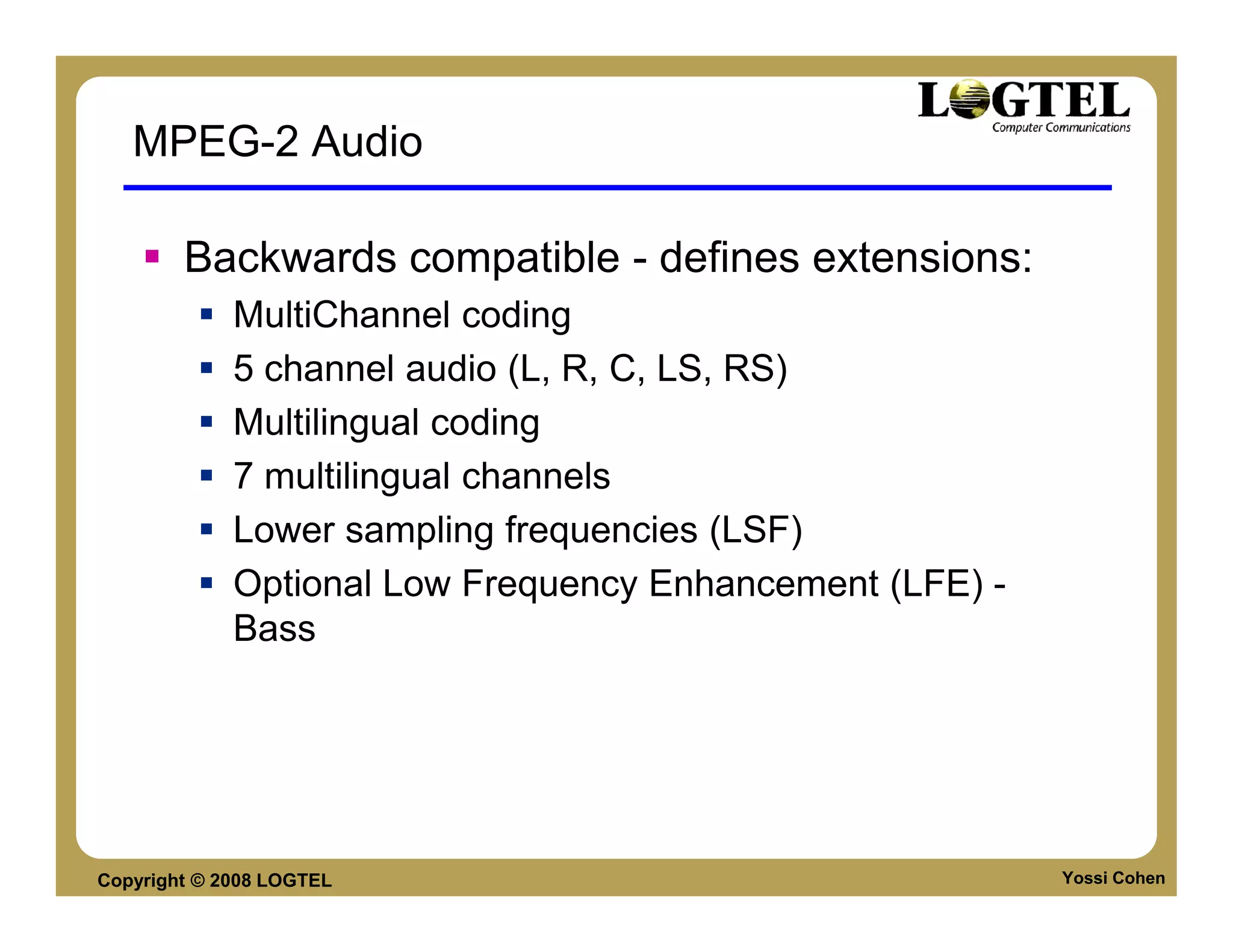
MPEG-2 Audio

        Backwards compatible - defines extensions:
             MultiChannel coding
             5 channel audio (L, R, C, LS, RS)
             Multilingual coding
             7 multilingual channels
             Lower sampling frequencies (LSF)
             Optional Low Frequency Enhancement (LFE) -
             Bass


Copyright © 2008 LOGTEL                                   Yossi Cohen
Media Delivery Components
                File Format / Container
                Codec
                Delivery Protocols


Copyright © 2008 LOGTEL
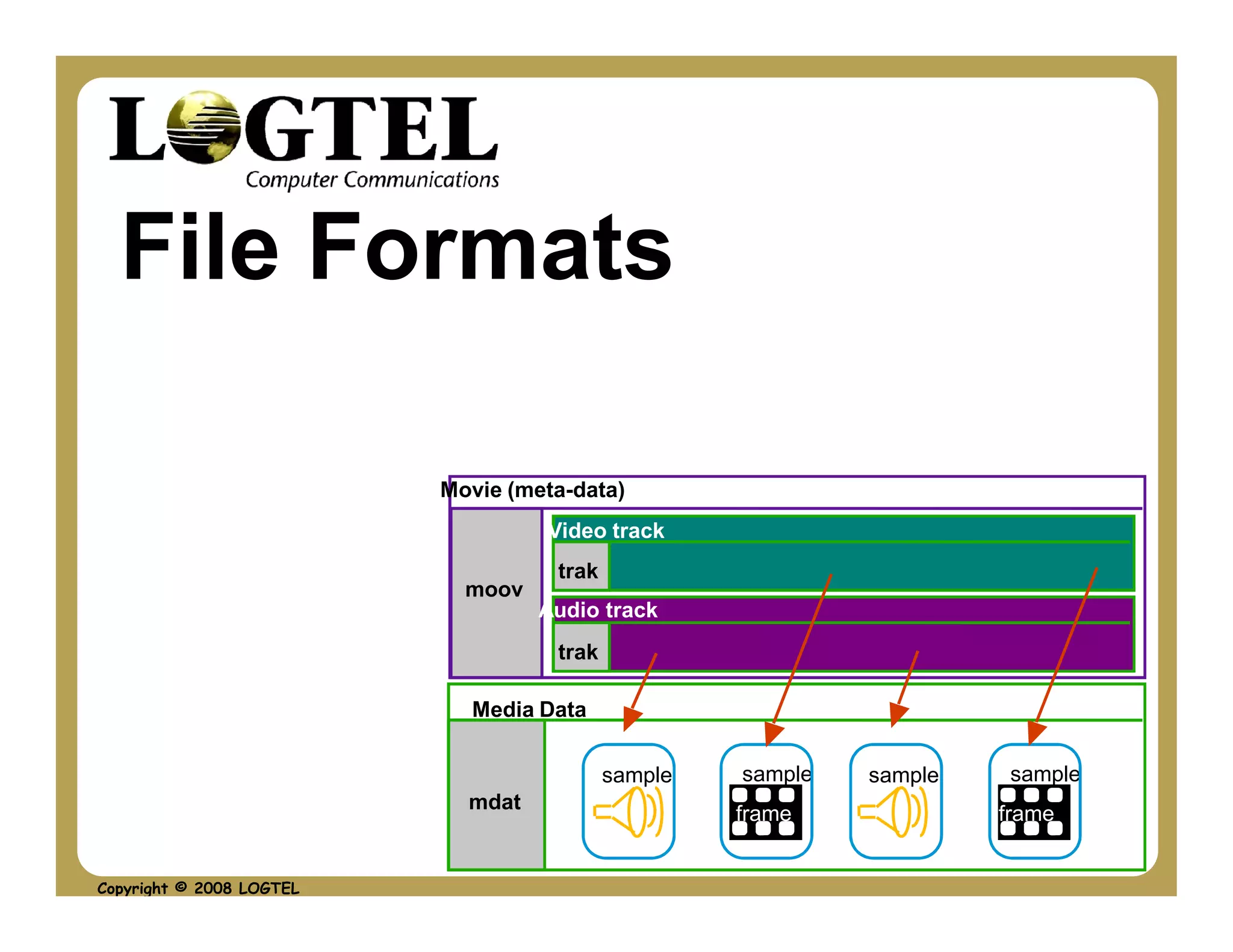
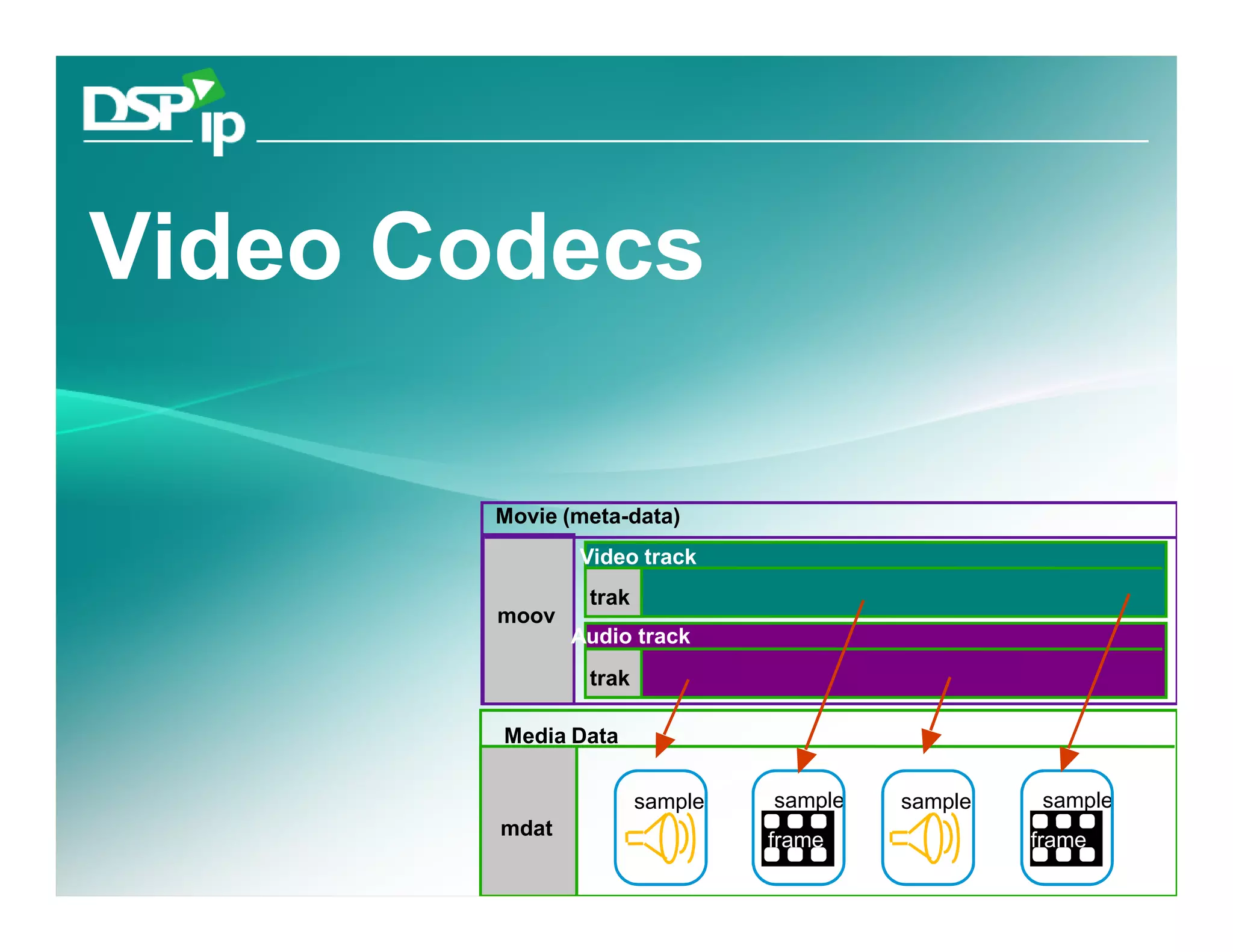
File Formats

                          Movie (meta-data)
                                   Video track
                                    trak
                            moov
                                   Audio track
                                    trak

                            Media Data

                                           sample   sample   sample    sample
                            mdat
                                                    frame             frame


Copyright © 2008 LOGTEL
Agenda

      Intro to file formats
      Second Generation formats
           RIFF: AVI, WAV
      Third Generation Containers
           MPEG4 FF
           MKV


Copyright © 2008 LOGTEL             Yossi Cohen
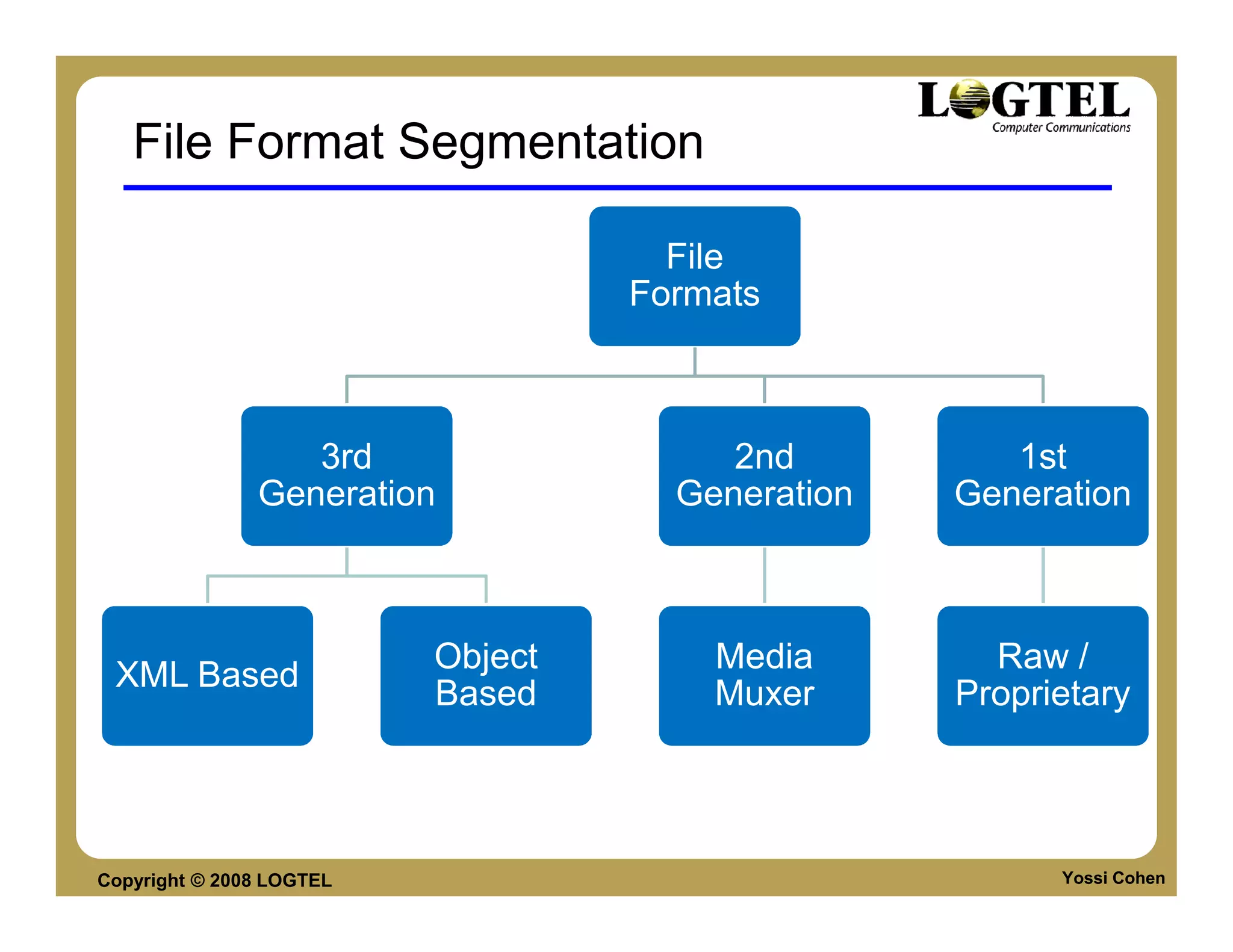
File Format Segmentation

                                     File
                                   Formats


                  3rd                   2nd          1st
               Generation            Generation   Generation


                          Object       Media        Raw /
 XML Based
                          Based        Muxer      Proprietary


Copyright © 2008 LOGTEL                                 Yossi Cohen
2ND GENERATION FILE FORMATS


Copyright © 2008 LOGTEL            Yossi Cohen
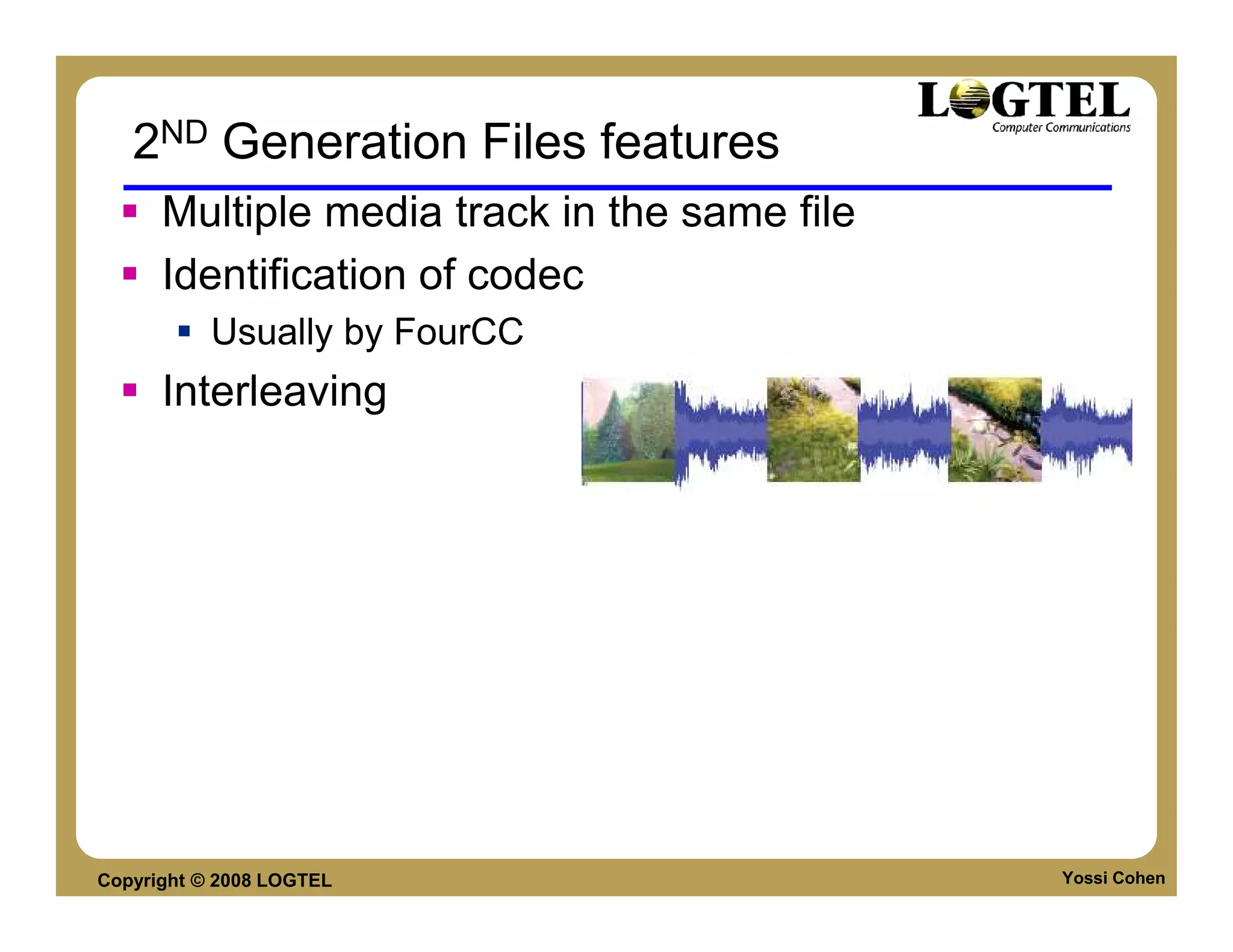
2ND Generation Files features
      Multiple media track in the same file
      Identification of codec
           Usually by FourCC
      Interleaving


Copyright © 2008 LOGTEL                       Yossi Cohen
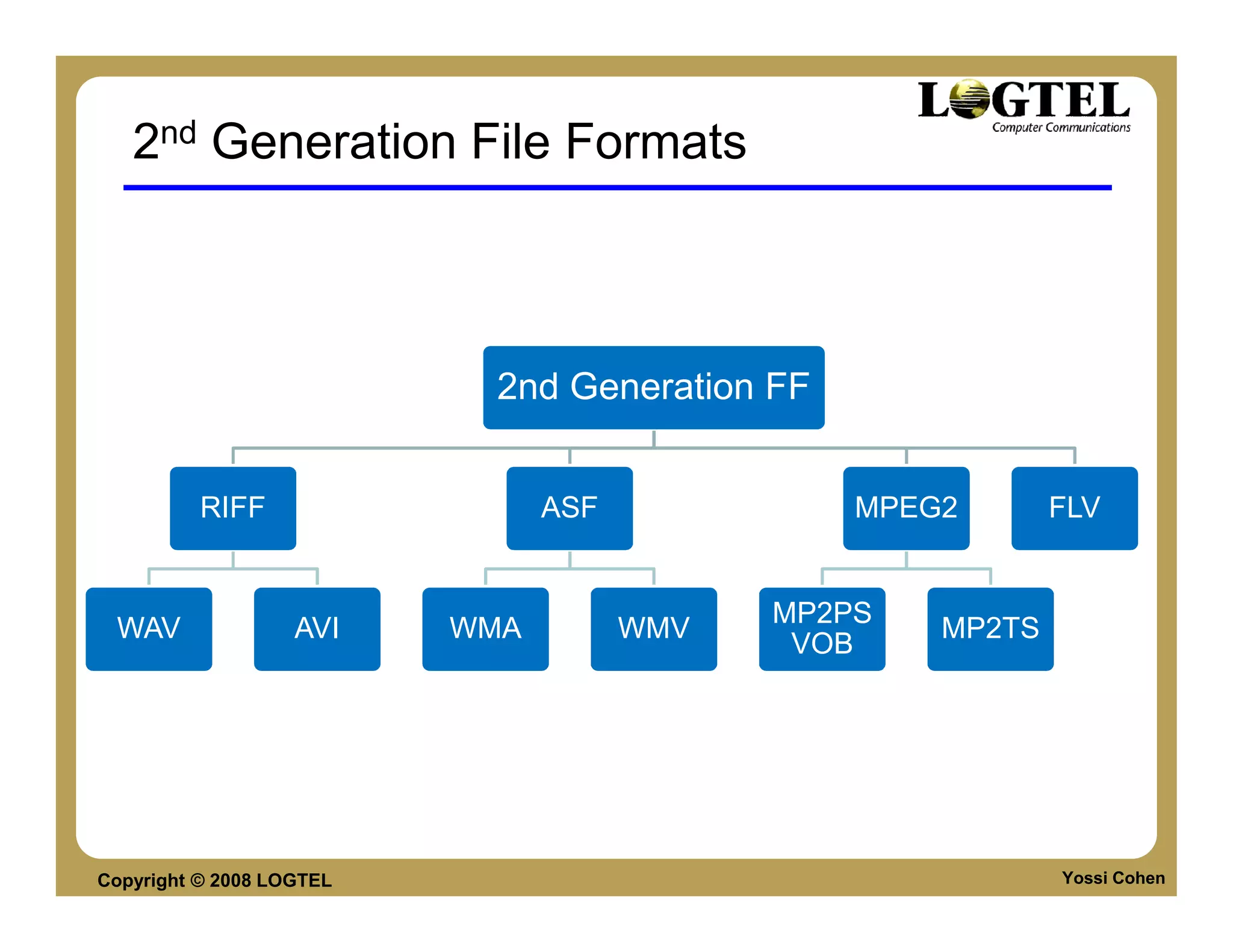
2nd Generation File Formats


                           2nd Generation FF


          RIFF                  ASF             MPEG2       FLV


                                            MP2PS
 WAV               AVI    WMA         WMV           MP2TS
                                             VOB


Copyright © 2008 LOGTEL                                     Yossi Cohen
AVI FILE FORMAT


Copyright © 2008 LOGTEL   Yossi Cohen
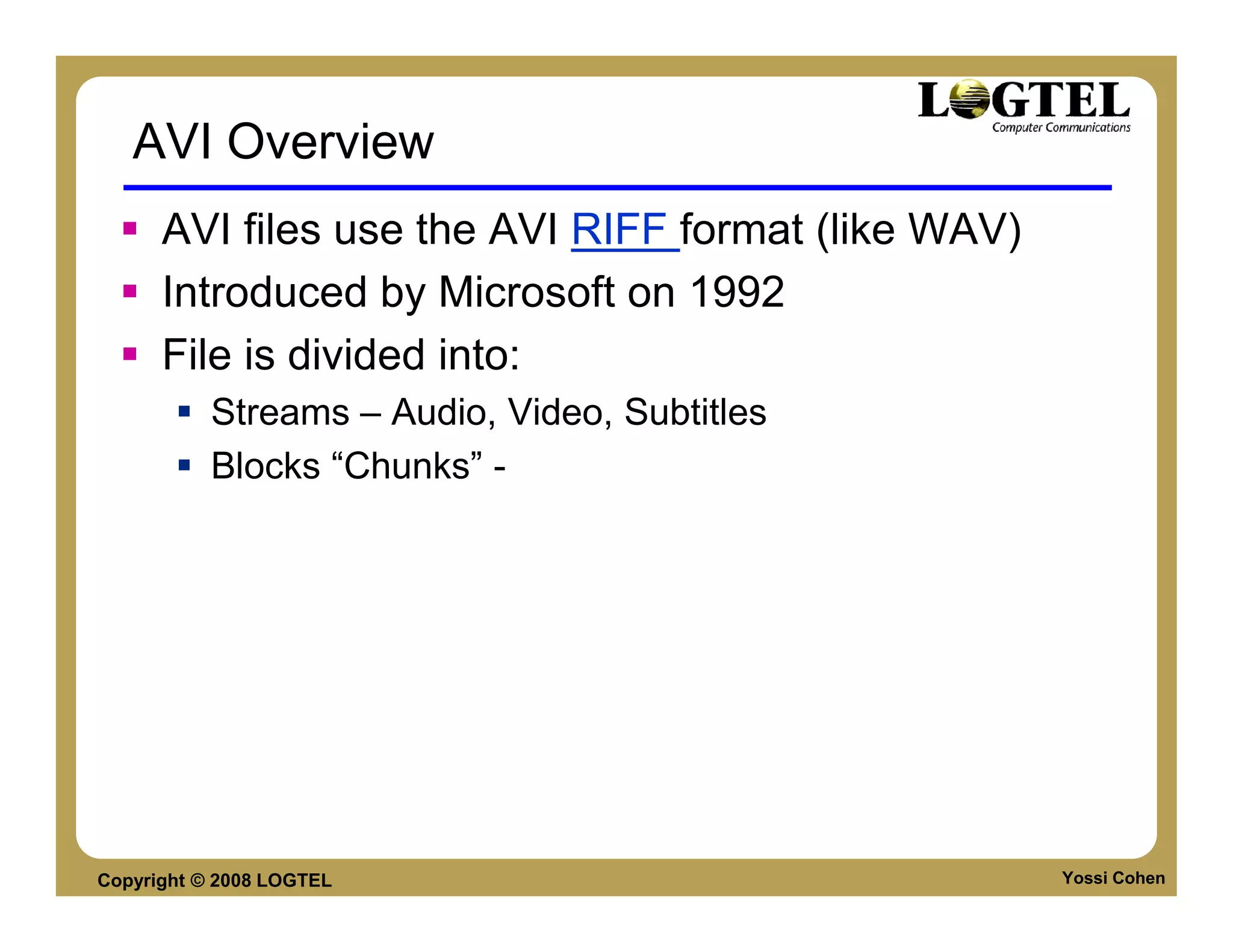
AVI Overview
      AVI files use the AVI RIFF format (like WAV)
      Introduced by Microsoft on 1992
      File is divided into:
           Streams – Audio, Video, Subtitles
           Blocks “Chunks” -


Copyright © 2008 LOGTEL                              Yossi Cohen
Blocks / Chunks
      A RIFF File logical unit
      Chunks are identified by four letters (FOUR-CC)
      RIFF file has two mandatory sub-chunks and
      one optional sub-chunk
      Mandatory Chunks:             RIFF ('AVI '
                                    LIST ('hdrl‘
           hdrl – File header
                                         'avih'(<Main AVI Header>)
           movi - Media Data             LIST ('strl’ ... ) . . . )
                                    LIST ('movi‘ . . . )
      Optional Chunk                ['idx1
                                    ['idx1'<AVI Index>]
           idx1 - Index            )
                                  *This order is fixed


Copyright © 2008 LOGTEL                                     Yossi Cohen
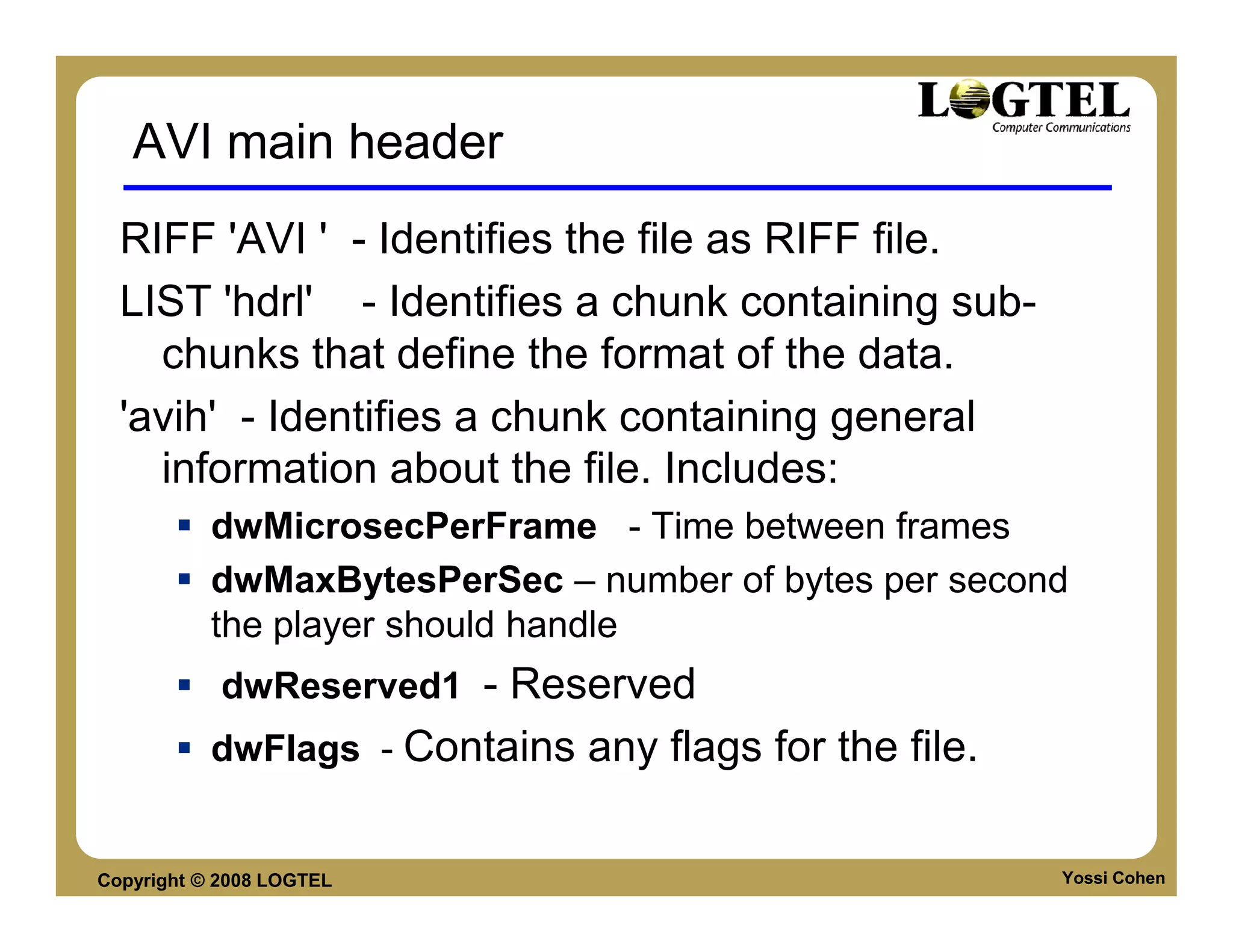
AVI main header
  RIFF 'AVI ' - Identifies the file as RIFF file.
  LIST 'hdrl' - Identifies a chunk containing sub-
    chunks that define the format of the data.
  'avih' - Identifies a chunk containing general
    information about the file. Includes:
           dwMicrosecPerFrame - Time between frames
           dwMaxBytesPerSec – number of bytes per second
           the player should handle
            dwReserved1 - Reserved
           dwFlags - Contains any flags for the file.


Copyright © 2008 LOGTEL                                 Yossi Cohen
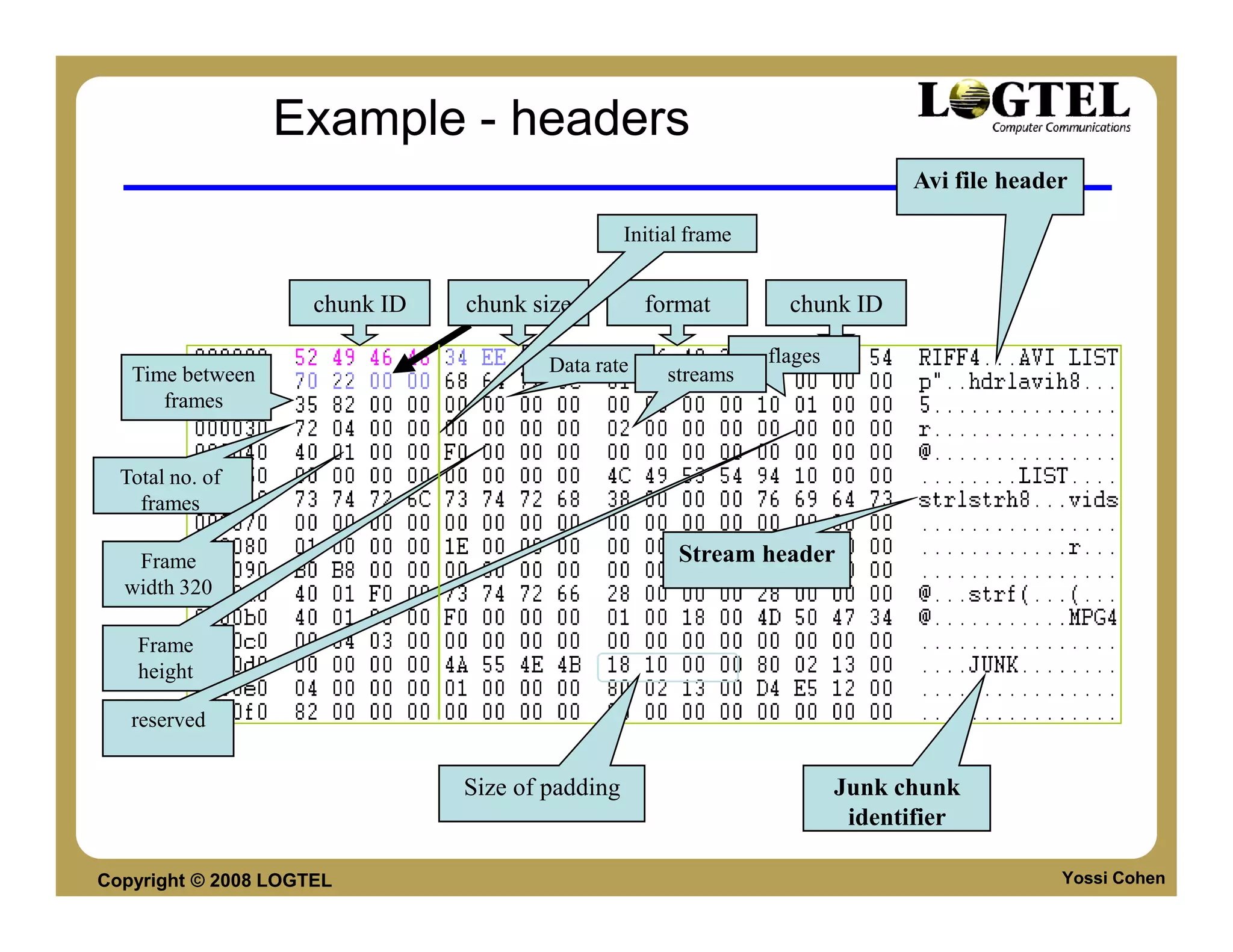
Example - headers
                                                                                 Avi file header

                                                  Initial frame


                     chunk ID   chunk size          format          chunk ID

                                        Data rate                 flages
   Time between                                        streams
      frames


  Total no. of
    frames

   Frame                                                Stream header
  width 320

    Frame
    height

   reserved


                                Size of padding                            Junk chunk
                                                                            identifier

Copyright © 2008 LOGTEL                                                                        Yossi Cohen
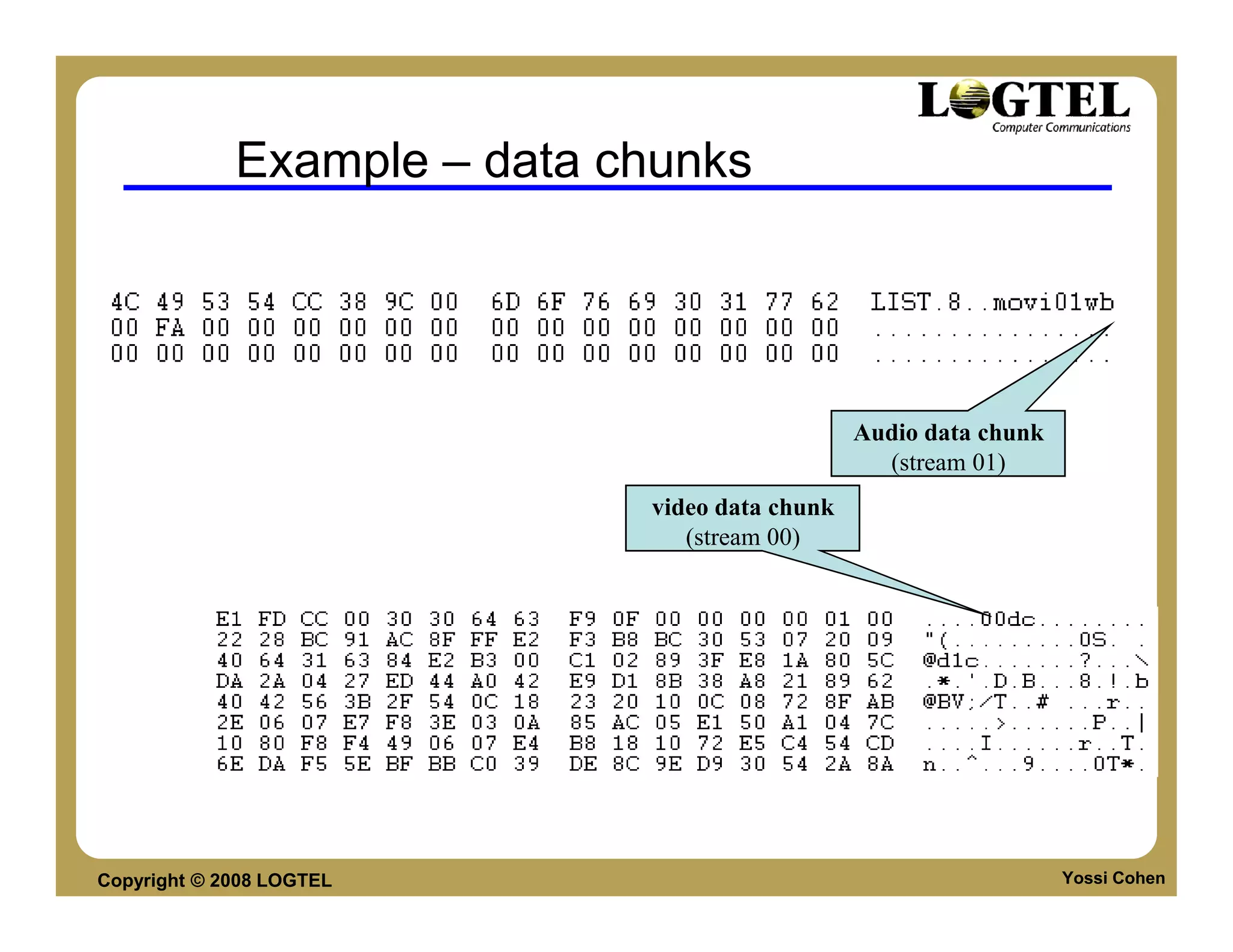
Example – data chunks


                                                Audio data chunk
                                                  (stream 01)
                             video data chunk
                                (stream 00)


Copyright © 2008 LOGTEL                                            Yossi Cohen
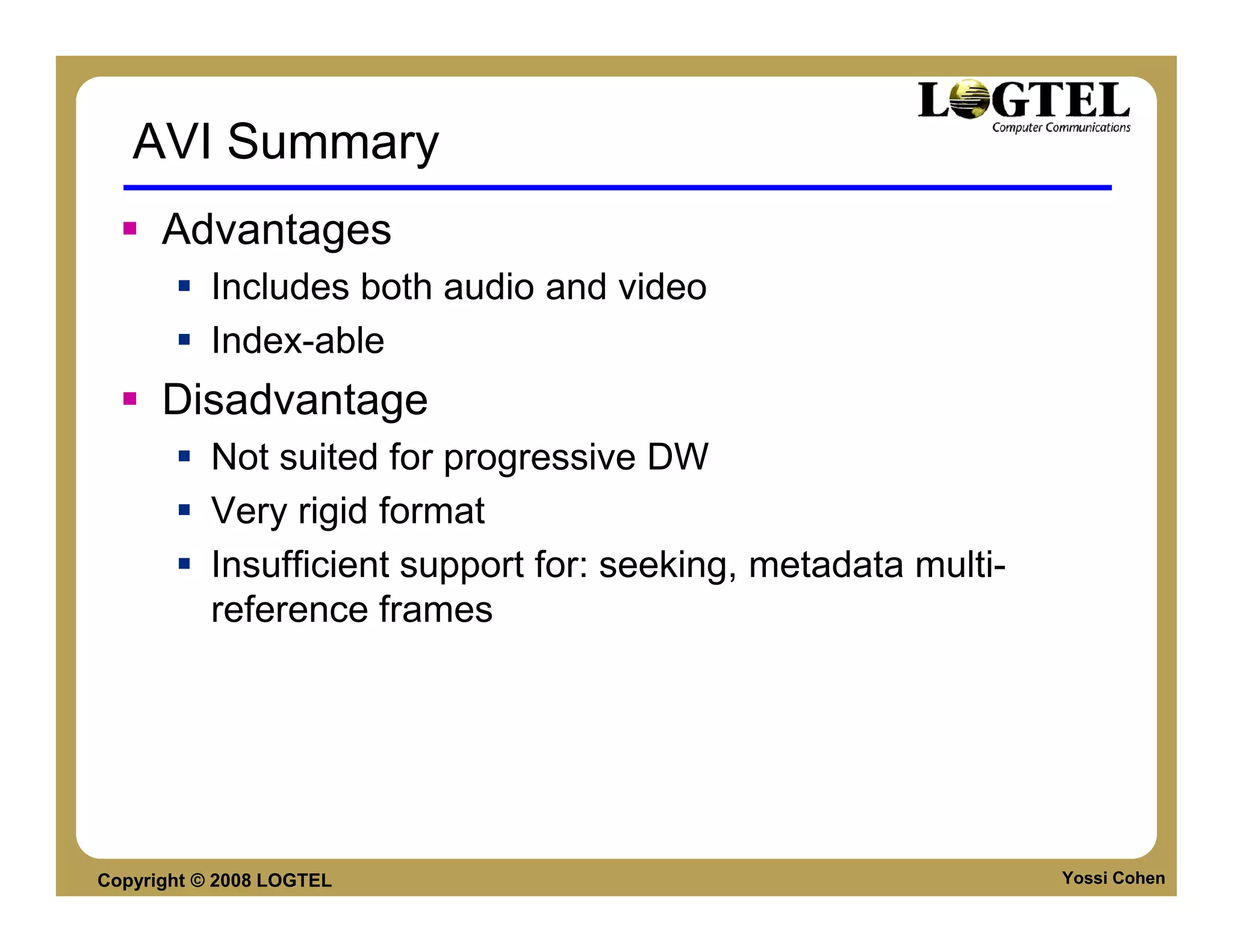
AVI Summary
      Advantages
           Includes both audio and video
           Index-able
      Disadvantage
           Not suited for progressive DW
           Very rigid format
           Insufficient support for: seeking, metadata multi-
           reference frames


Copyright © 2008 LOGTEL                                         Yossi Cohen
3RD GENERATION FILE FORMATS


Copyright © 2008 LOGTEL       Yossi Cohen
Why “Fix it”?
      2nd Generation Formats are missing:
      Metadata
           Separate from Media
           Info on angle, language, Synchronization
           Versioning
      Better Streaming Support
           Reduce CPU per stream
           Better seeking support
      Better parsing
           XML
           Atom Based

Copyright © 2008 LOGTEL                               Yossi Cohen
Main Attributes
      File format is not just a Video / Audio multiplexer
      Separation between
           Media – Audio, Video, Images, Subtitles
           Metadata – Indexing, frame length, Tags


Copyright © 2008 LOGTEL                                Yossi Cohen
3rd Generation File Formats

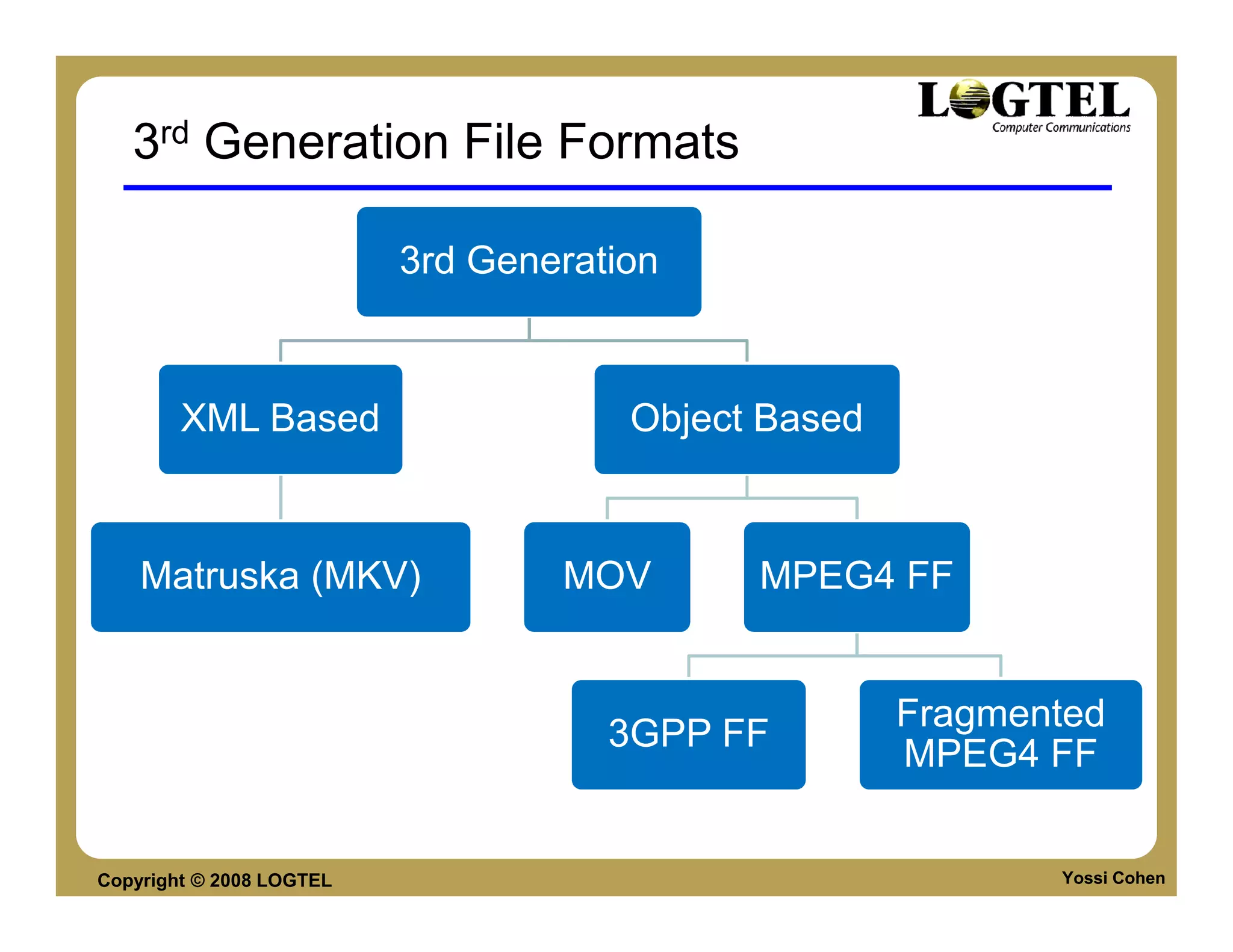
                          3rd Generation


        XML Based                     Object Based


    Matruska (MKV)                MOV       MPEG4 FF


                                                     Fragmented
                                     3GPP FF
                                                     MPEG4 FF


Copyright © 2008 LOGTEL                                     Yossi Cohen
MPEG4 FILE FORMAT


Copyright © 2008 LOGTEL   Yossi Cohen
MP4 File Format
       File Structuring Concepts
           Separate the media data from descriptive (meta)
           data.
           Support the use of multiple files.
           Support for hint tracks:
               support of real time streaming over any protocol


Copyright © 2008 LOGTEL                                           Yossi Cohen
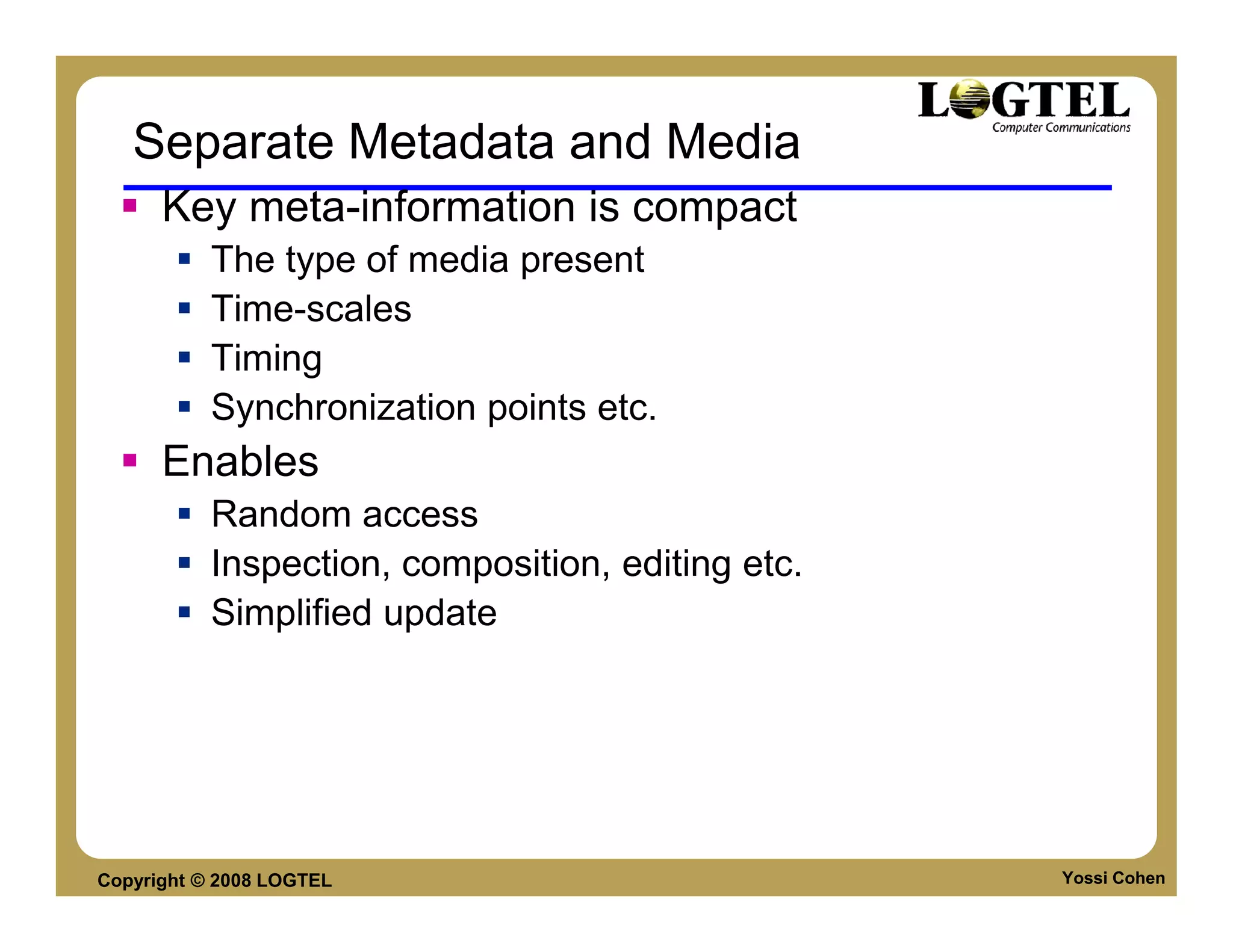
Separate Metadata and Media
      Key meta-information is compact
           The type of media present
           Time-scales
           Timing
           Synchronization points etc.
      Enables
           Random access
           Inspection, composition, editing etc.
           Simplified update


Copyright © 2008 LOGTEL                            Yossi Cohen
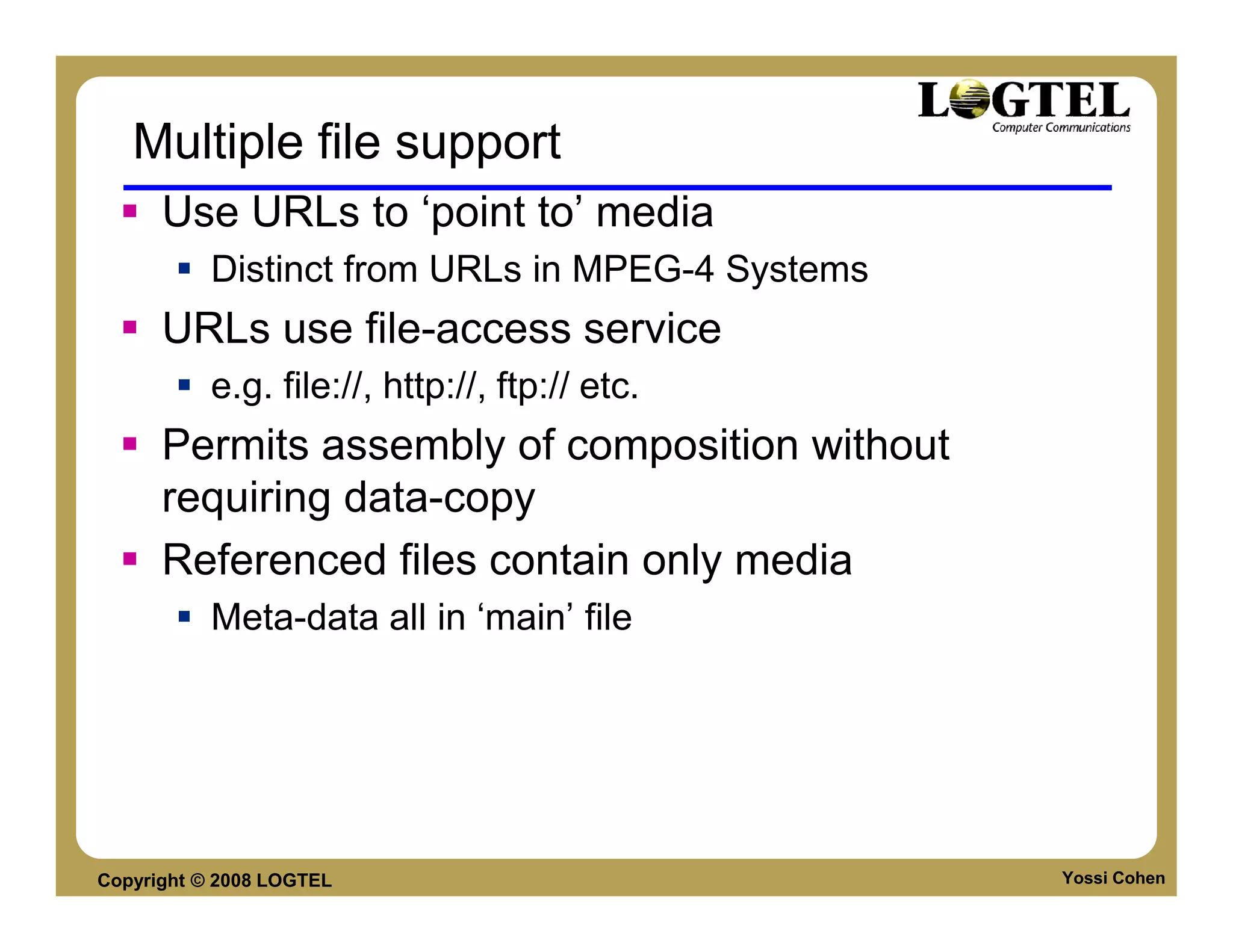
Multiple file support
      Use URLs to ‘point to’ media
           Distinct from URLs in MPEG-4 Systems
      URLs use file-access service
           e.g. file://, http://, ftp:// etc.
      Permits assembly of composition without
      requiring data-copy
      Referenced files contain only media
           Meta-data all in ‘main’ file


Copyright © 2008 LOGTEL                           Yossi Cohen
Logical File Structure
      Presentation (‘movie’) contains
      Tracks which contain
      Samples


Copyright © 2008 LOGTEL                 Yossi Cohen
Physical Structure—File
      Succession of objects (atoms, boxes)
      Exactly one Meta-data object
      Zero or more media data object(s)
      Free space etc.


Copyright © 2008 LOGTEL                      Yossi Cohen
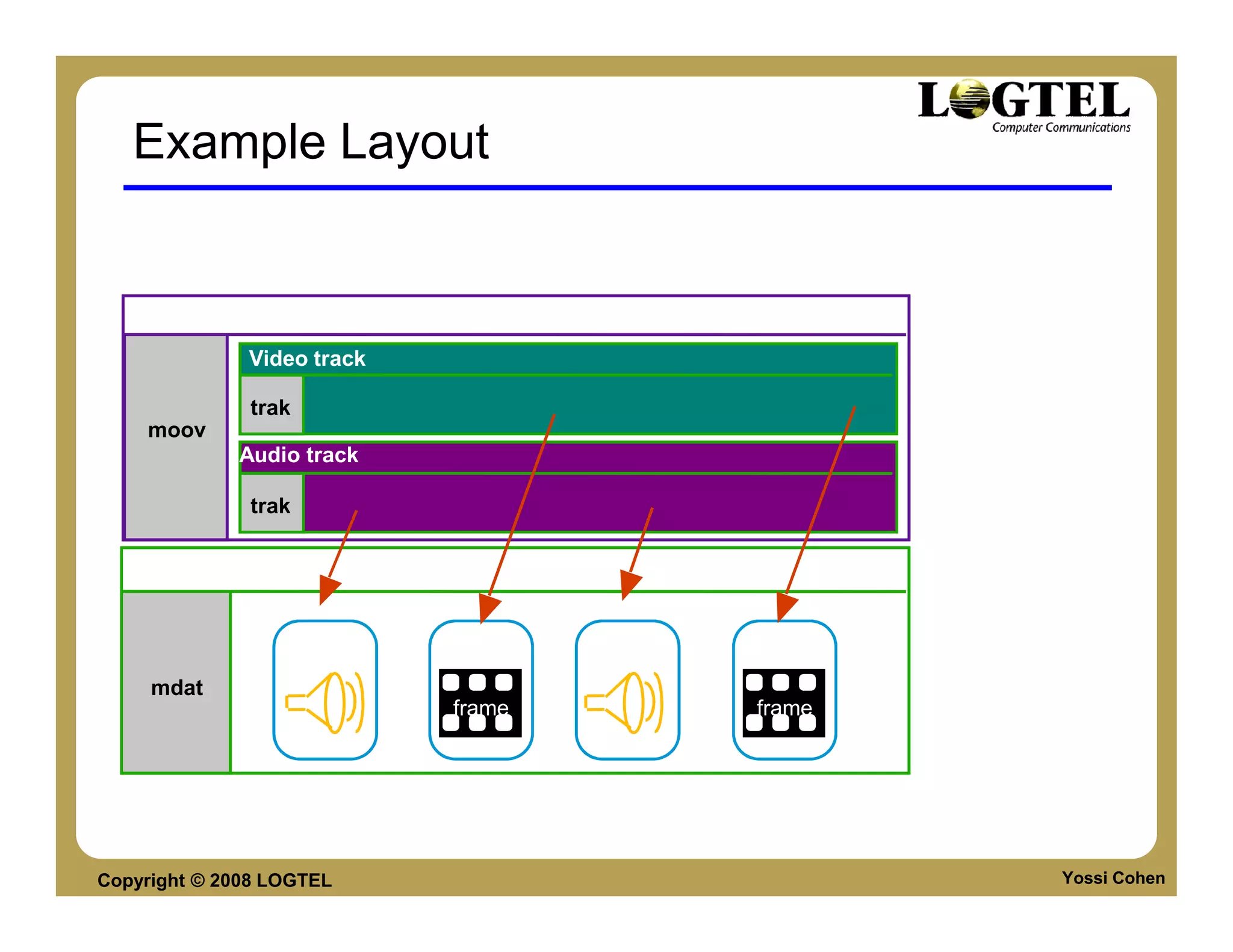
Example Layout


    Movie (meta-data)
              Video track

               trak
    moov
             Audio track

               trak


    Media Data


                      sample   sample   sample   sample
     mdat
                               frame             frame


Copyright © 2008 LOGTEL                                   Yossi Cohen
Meta-data tables
      Sample Timing
      Sample Size and position
      Synchronization (random access) points, priority
      etc.
      Temporal/physical order de-coupled
           May be aligned for optimization
           Permits composition, editing, re-use etc. without re-
           write
      Tables are compacted


Copyright © 2008 LOGTEL                                            Yossi Cohen
Multi-protocol Streaming support
      Two kinds of track
      Media (Elementary Stream) Tracks
           Sample is Access Unit
      Protocol ‘hint’ tracks
           Sample tells server how to build protocol transmission
           unit (packet, protocol data unit etc.)


Copyright © 2008 LOGTEL                                       Yossi Cohen
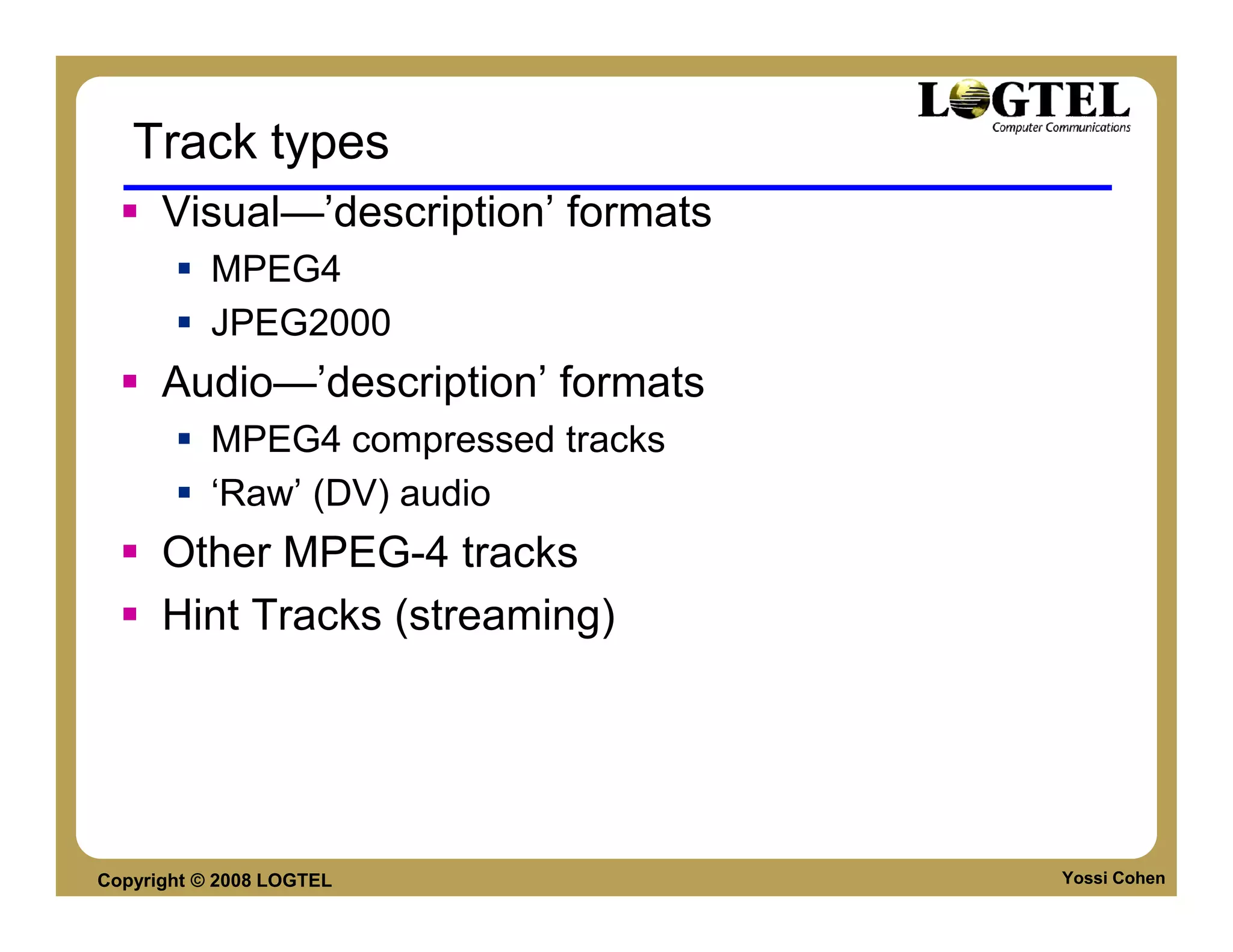
Track types
      Visual—’description’ formats
           MPEG4
           JPEG2000
      Audio—’description’ formats
           MPEG4 compressed tracks
           ‘Raw’ (DV) audio
      Other MPEG-4 tracks
      Hint Tracks (streaming)


Copyright © 2008 LOGTEL              Yossi Cohen
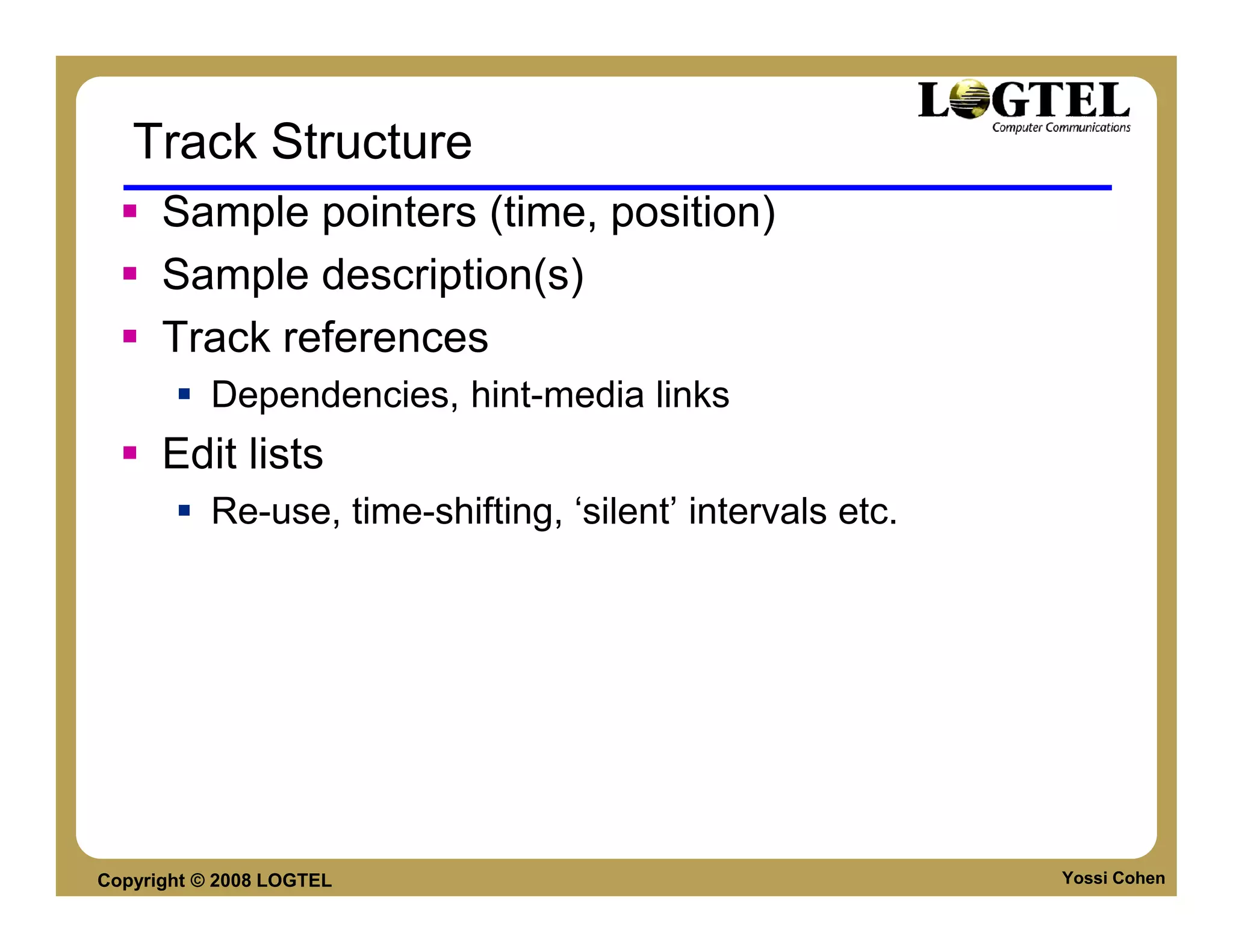
Track Structure
      Sample pointers (time, position)
      Sample description(s)
      Track references
           Dependencies, hint-media links
      Edit lists
           Re-use, time-shifting, ‘silent’ intervals etc.


Copyright © 2008 LOGTEL                                     Yossi Cohen
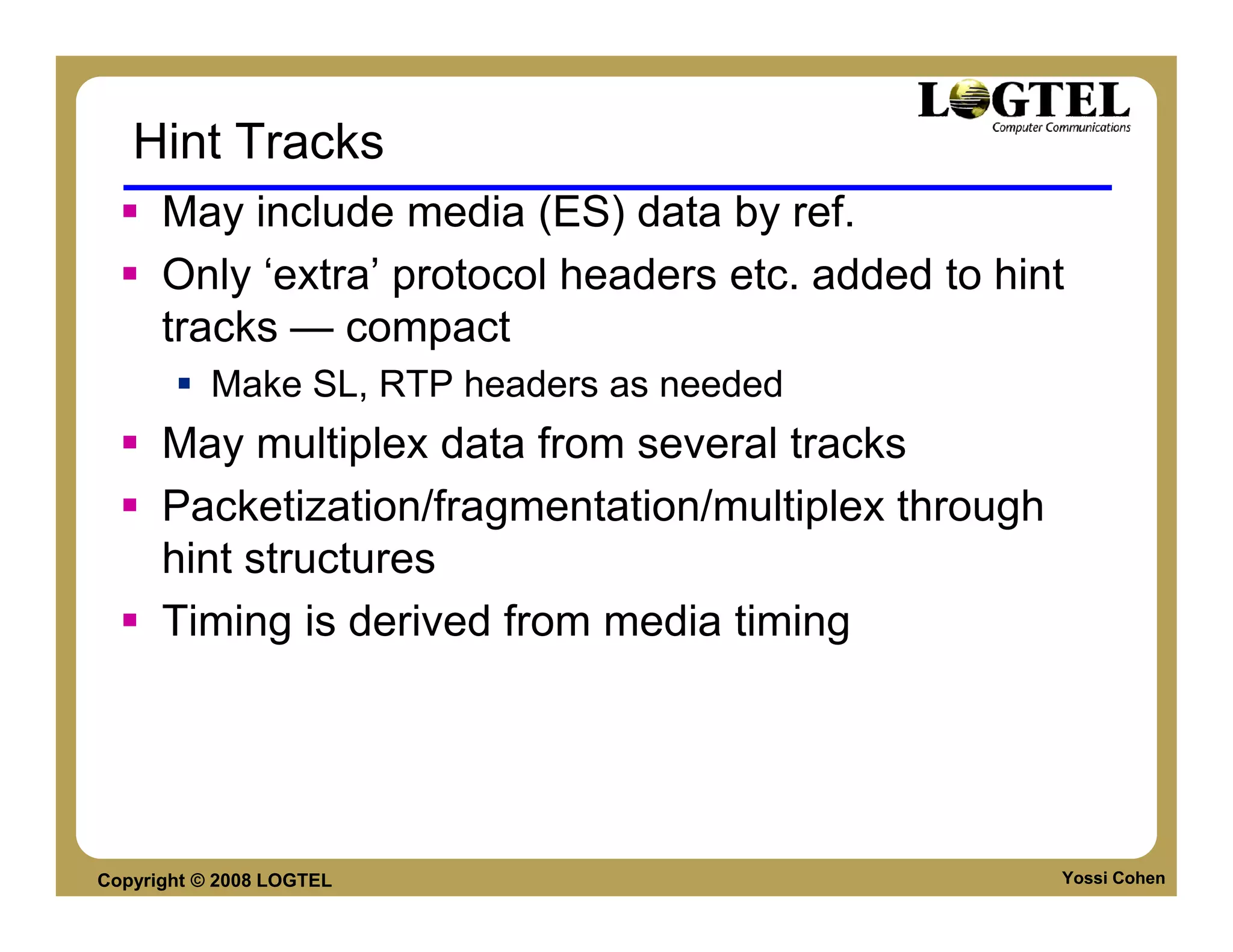
Hint Tracks
      May include media (ES) data by ref.
      Only ‘extra’ protocol headers etc. added to hint
      tracks — compact
           Make SL, RTP headers as needed
      May multiplex data from several tracks
      Packetization/fragmentation/multiplex through
      hint structures
      Timing is derived from media timing


Copyright © 2008 LOGTEL                               Yossi Cohen
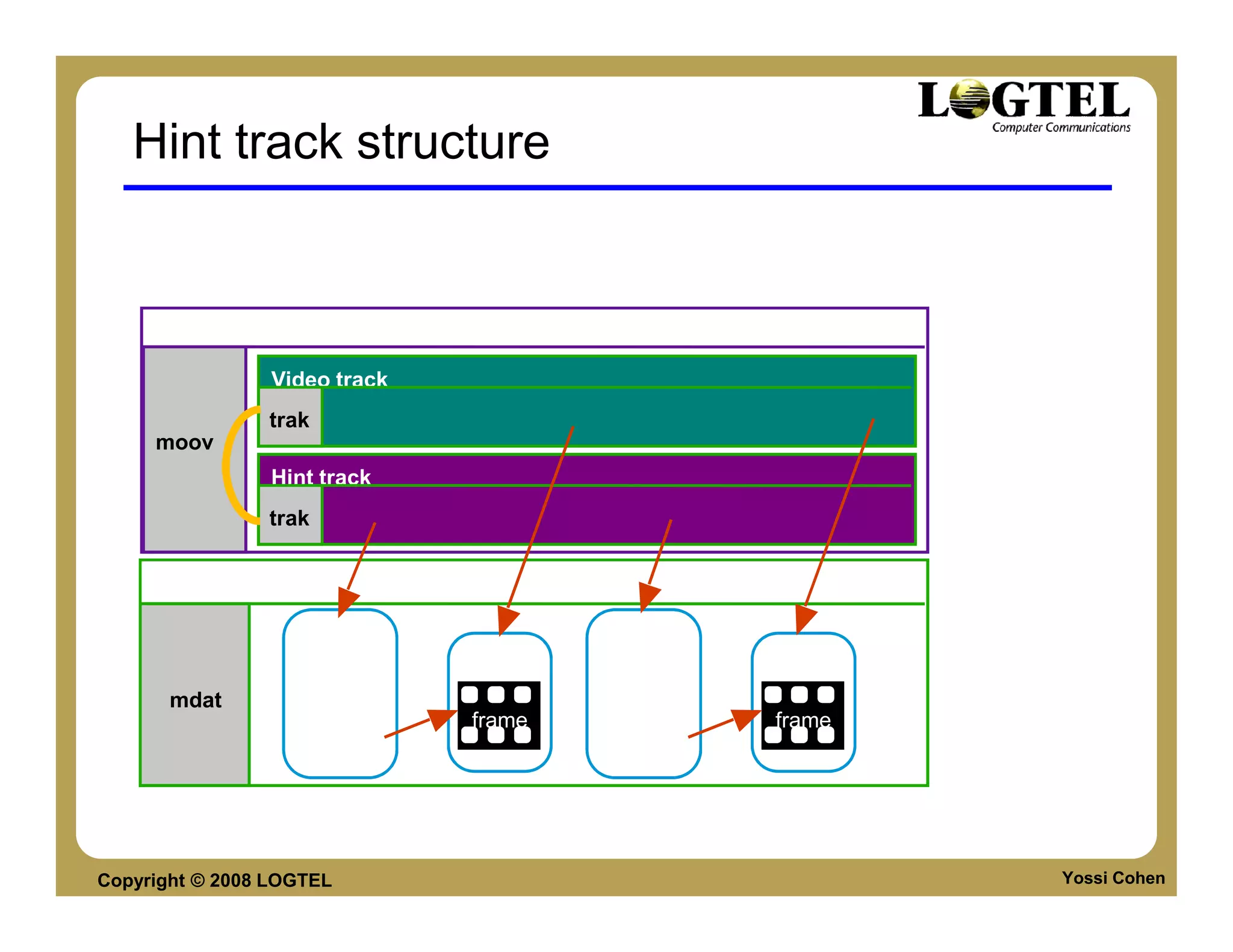
Hint track structure


      Movie (meta-data)

                 Video track
                trak
     moov
                 Hint track
                trak


      Sample Data

                       sample            sample
                        hint    sample    hint     sample
       mdat         header               header
                                frame              frame
                    pointer              pointer


Copyright © 2008 LOGTEL                                     Yossi Cohen
Extensibility
      Other media types.
           Non-sc29 sample descriptions (e.G. Other video).
           Non-sc29 track types (e.G. Laboratory instrument
           trace).
      Copyright notice (file or track level) etc.
      General object extensions (GUIDs).


Copyright © 2008 LOGTEL                                       Yossi Cohen
Advantages
      Compatibility
           files can be played by other companies players.
               Real Player with envivo plug-in.
               Windows media player etc.
           Files can be streamed by other companies streaming
           server
               Darwin Streaming Server.
               Quick Time Streaming Server.


Copyright © 2008 LOGTEL                                      Yossi Cohen
Single File-Multiple data types
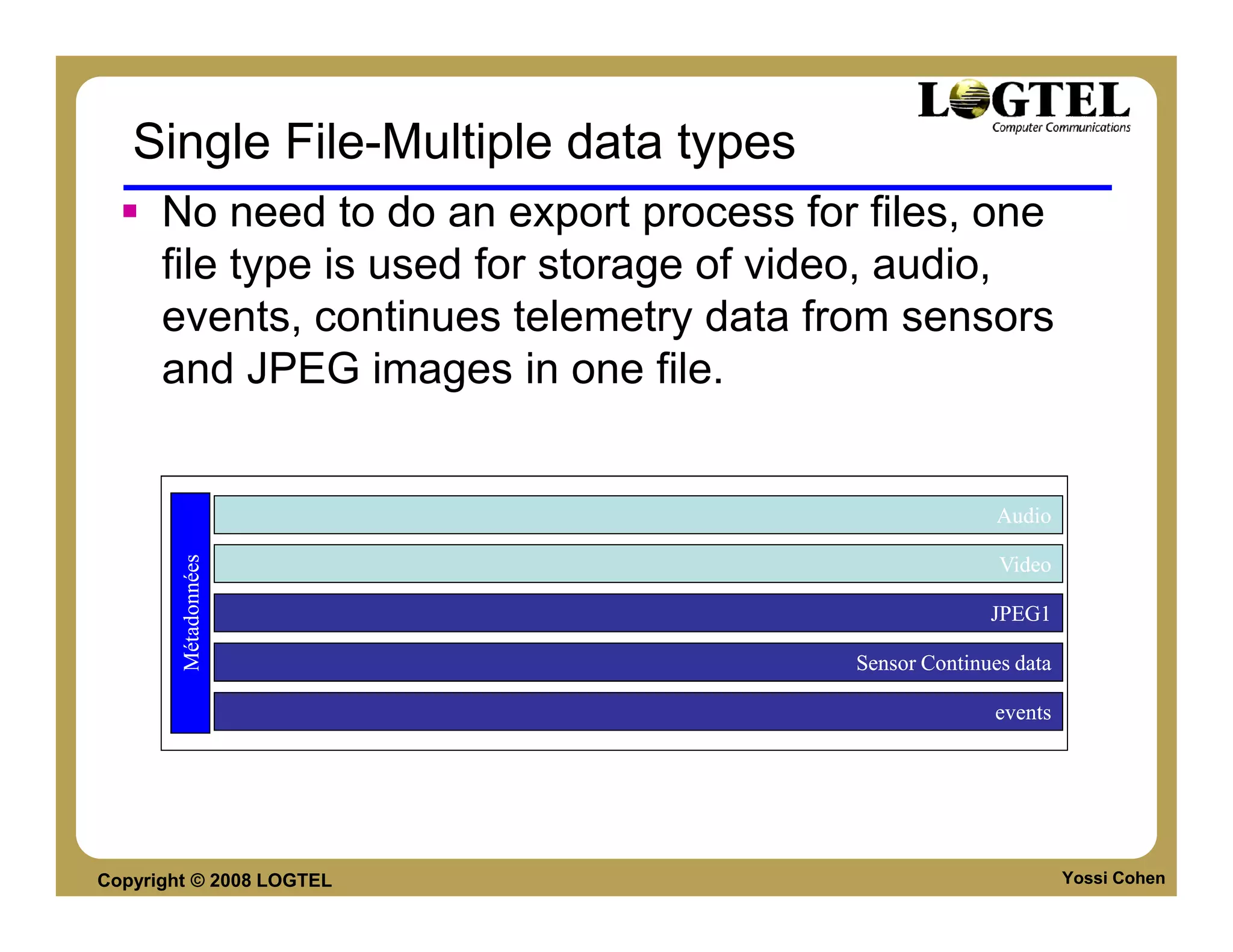
      No need to do an export process for files, one
      file type is used for storage of video, audio,
      events, continues telemetry data from sensors
      and JPEG images in one file.


                                                        Audio
        Métadonnées


                                                        Video

                                                       JPEG1
                                                       JPEG1

                                         Sensor Continues data

                                                       events


Copyright © 2008 LOGTEL                                          Yossi Cohen
Single file playback
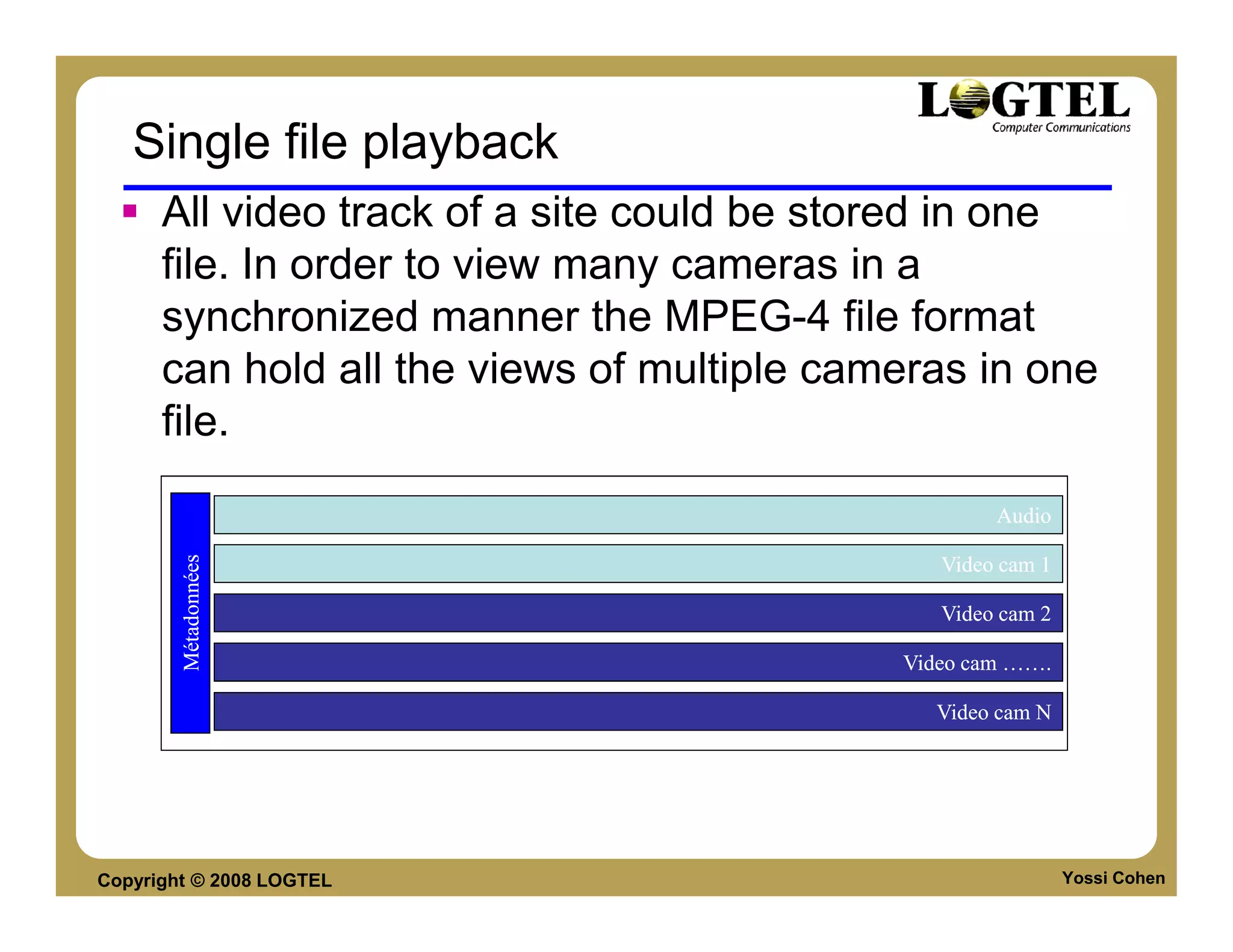
      All video track of a site could be stored in one
      file. In order to view many cameras in a
      synchronized manner the MPEG-4 file format
      can hold all the views of multiple cameras in one
      file.

                                                    Audio
        Métadonnées


                                               Video cam 1

                                               Video cam 2

                                            Video cam …….

                                              Video cam N


Copyright © 2008 LOGTEL                                      Yossi Cohen
Skimming
      Skimming – shortening a long movie to its
      interesting points, much like creating a “promo”.
      For example skimming a surveillance movie of
      two hours to 2 minutes where there is movement
      and people are entering the building.
      MPEG-4 FF enables the creation of skims within
      the file through the use of edit-list (part of the
      standard) without overhead.


Copyright © 2008 LOGTEL                              Yossi Cohen
MKV FILE FORMAT


     XML Based File-Format


Copyright © 2008 LOGTEL      Yossi Cohen
MKV - File Format
      Container file format for videos, audio tracks,
      pictures and subtitles all in one file.

      Announced on Dec. 2002 by Steve Lhomme.

      Based on Binary XML format called EBML
      (Extensible Binary Meta Language)

      Complete Open-Standard format. (Free for
      personal use).

      Source is licensed under GNU L-GPL.

Copyright © 2008 LOGTEL                                 Yossi Cohen
MKV - Specifications
      Can contain chapter entries of video streams

      Allows fast in-file seeking.

      Metadata tags are fully supported.

      Multiple streams container in a single file.

      Modular – Can be expanded to company special
      needs.

      Can be streamed over HTTP, FTP, etc.

Copyright © 2008 LOGTEL                              Yossi Cohen
MKV Support software & hardware
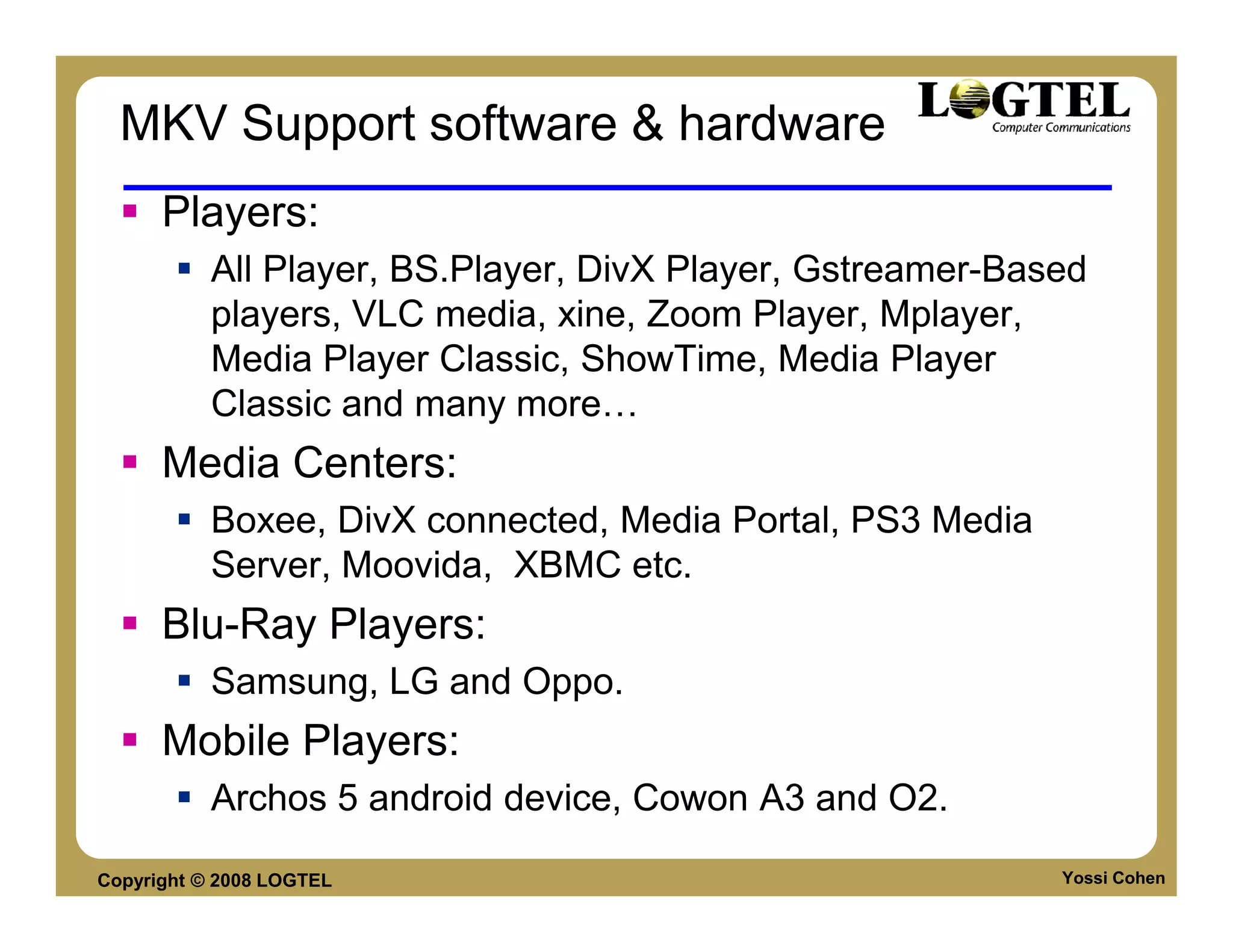
      Players:
           All Player, BS.Player, DivX Player, Gstreamer-Based
           players, VLC media, xine, Zoom Player, Mplayer,
           Media Player Classic, ShowTime, Media Player
           Classic and many more
      Media Centers:
           Boxee, DivX connected, Media Portal, PS3 Media
           Server, Moovida, XBMC etc.
      Blu-Ray Players:
           Samsung, LG and Oppo.
      Mobile Players:
           Archos 5 android device, Cowon A3 and O2.

Copyright © 2008 LOGTEL                                     Yossi Cohen
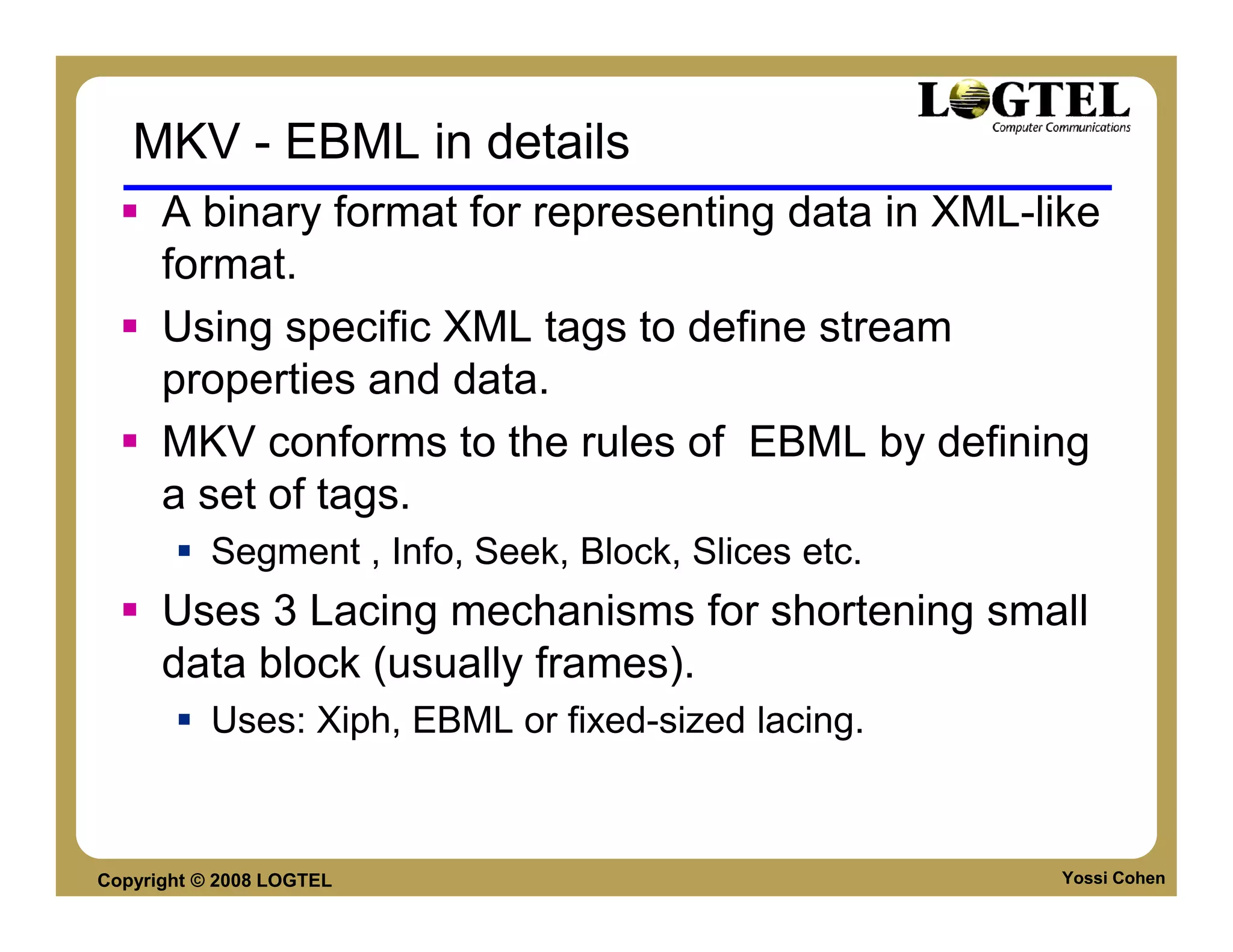
MKV - EBML in details
      A binary format for representing data in XML-like
      format.
      Using specific XML tags to define stream
      properties and data.
      MKV conforms to the rules of EBML by defining
      a set of tags.
           Segment , Info, Seek, Block, Slices etc.
      Uses 3 Lacing mechanisms for shortening small
      data block (usually frames).
           Uses: Xiph, EBML or fixed-sized lacing.


Copyright © 2008 LOGTEL                               Yossi Cohen
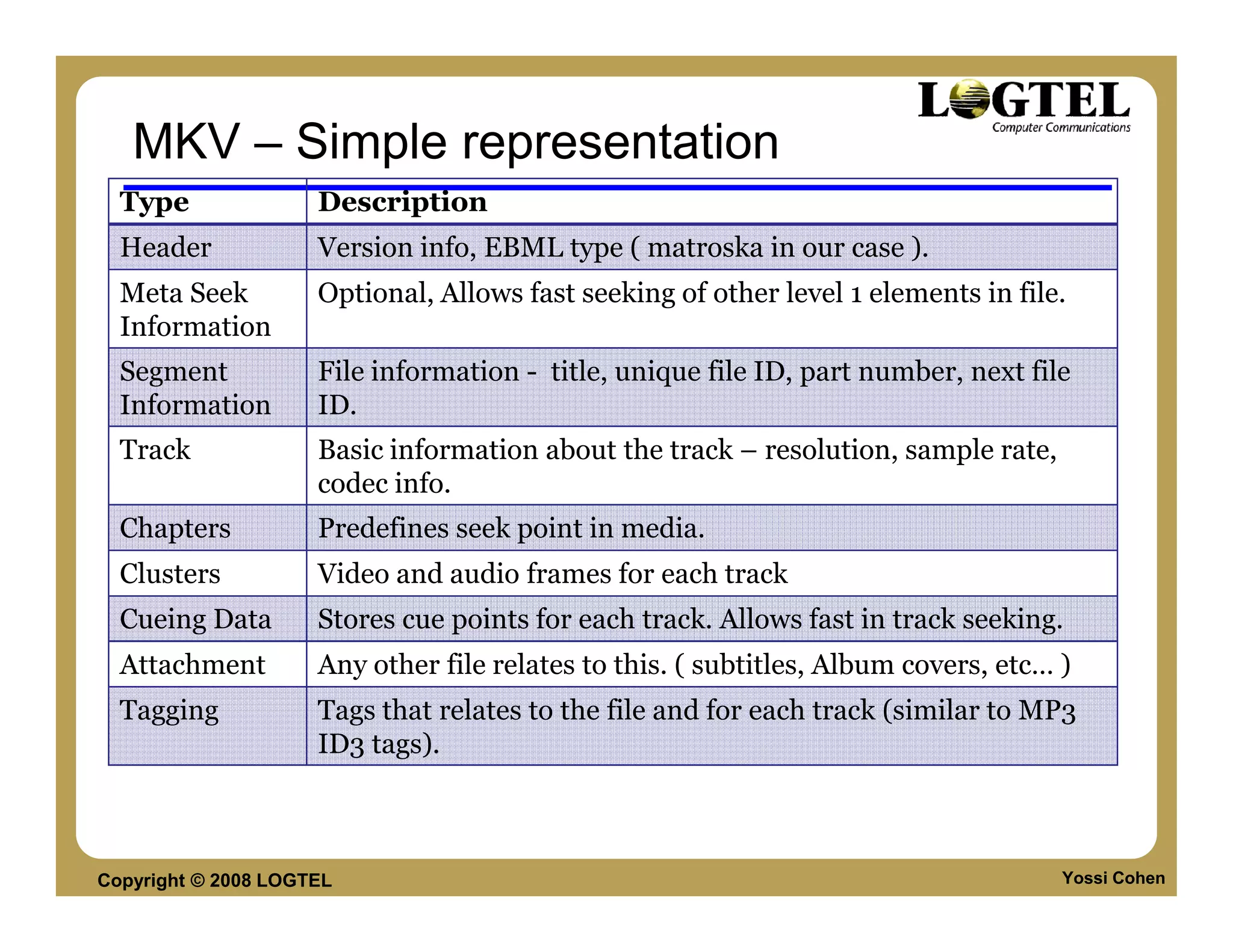
MKV – Simple representation
  Type               Description
  Header             Version info, EBML type ( matroska in our case ).
  Meta Seek          Optional, Allows fast seeking of other level 1 elements in file.
  Information
  Segment            File information - title, unique file ID, part number, next file
  Information        ID.
  Track              Basic information about the track – resolution, sample rate,
                     codec info.
  Chapters           Predefines seek point in media.
  Clusters           Video and audio frames for each track
  Cueing Data        Stores cue points for each track. Allows fast in track seeking.
  Attachment         Any other file relates to this. ( subtitles, Album covers, etc… )
  Tagging            Tags that relates to the file and for each track (similar to MP3
                     ID3 tags).


Copyright © 2008 LOGTEL                                                              Yossi Cohen
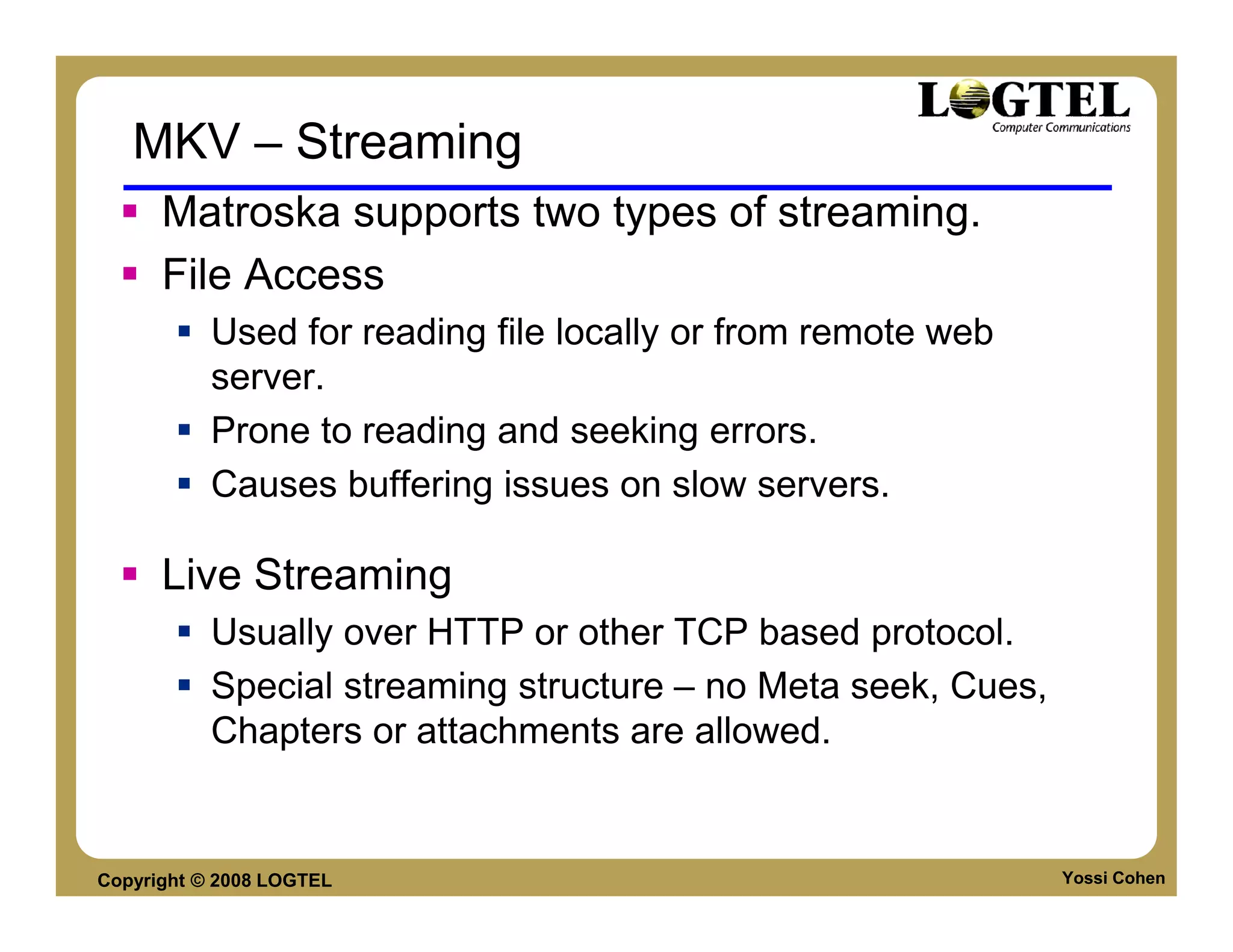
MKV – Streaming
      Matroska supports two types of streaming.
      File Access
           Used for reading file locally or from remote web
           server.
           Prone to reading and seeking errors.
           Causes buffering issues on slow servers.

      Live Streaming
           Usually over HTTP or other TCP based protocol.
           Special streaming structure – no Meta seek, Cues,
           Chapters or attachments are allowed.


Copyright © 2008 LOGTEL                                        Yossi Cohen
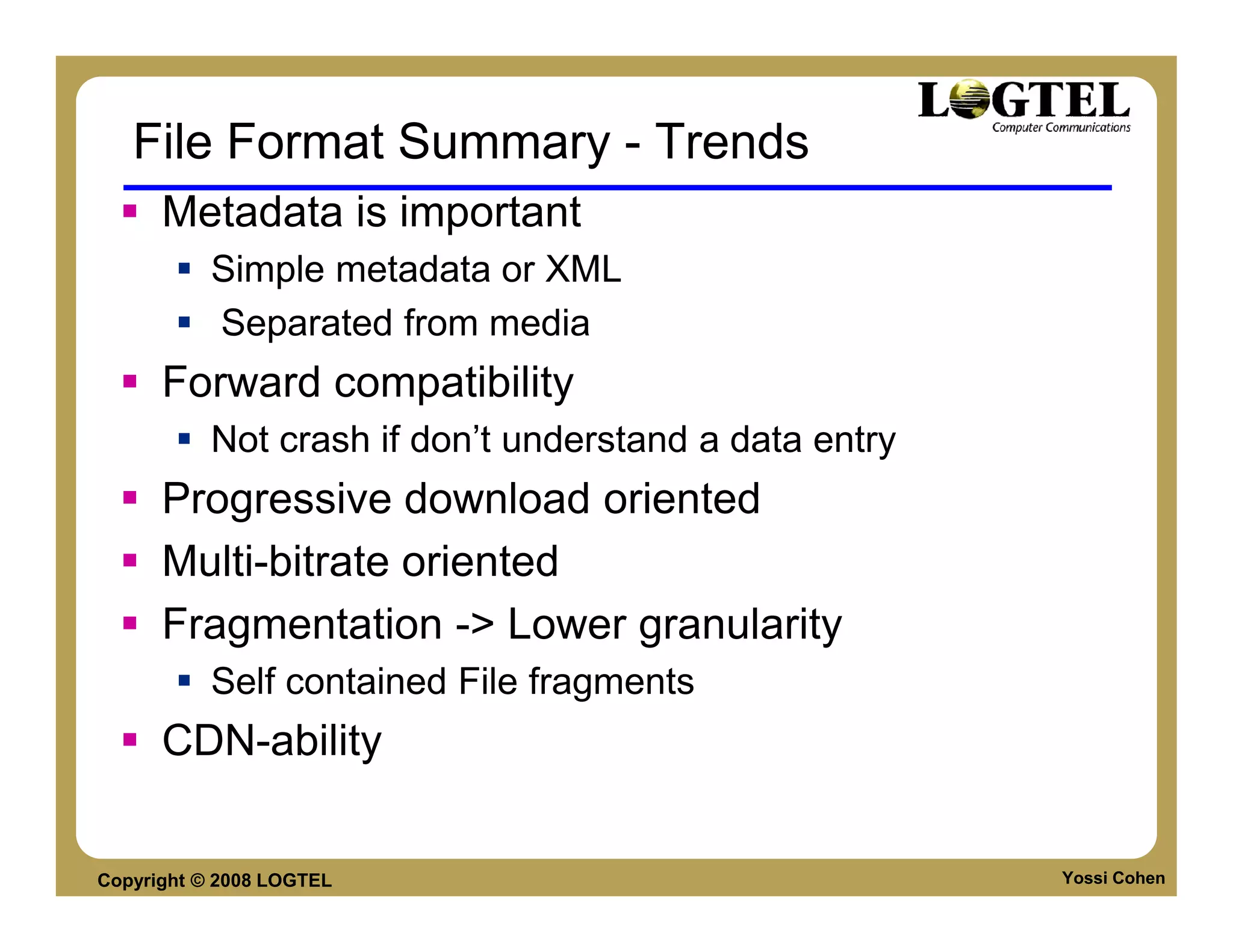
File Format Summary - Trends
      Metadata is important
           Simple metadata or XML
           Separated from media
      Forward compatibility
           Not crash if don’t understand a data entry
      Progressive download oriented
      Multi-bitrate oriented
      Fragmentation -> Lower granularity
           Self contained File fragments
      CDN-ability


Copyright © 2008 LOGTEL                                 Yossi Cohen
Video Codecs

                          Movie (meta-data)
                                 Video track
                                  trak
                          moov
                                 Audio track
                                  trak

                          Media Data

                                         sample   sample   sample    sample
                          mdat
                                                  frame             frame
Copyright © 2008 LOGTEL                                               Yossi Cohen
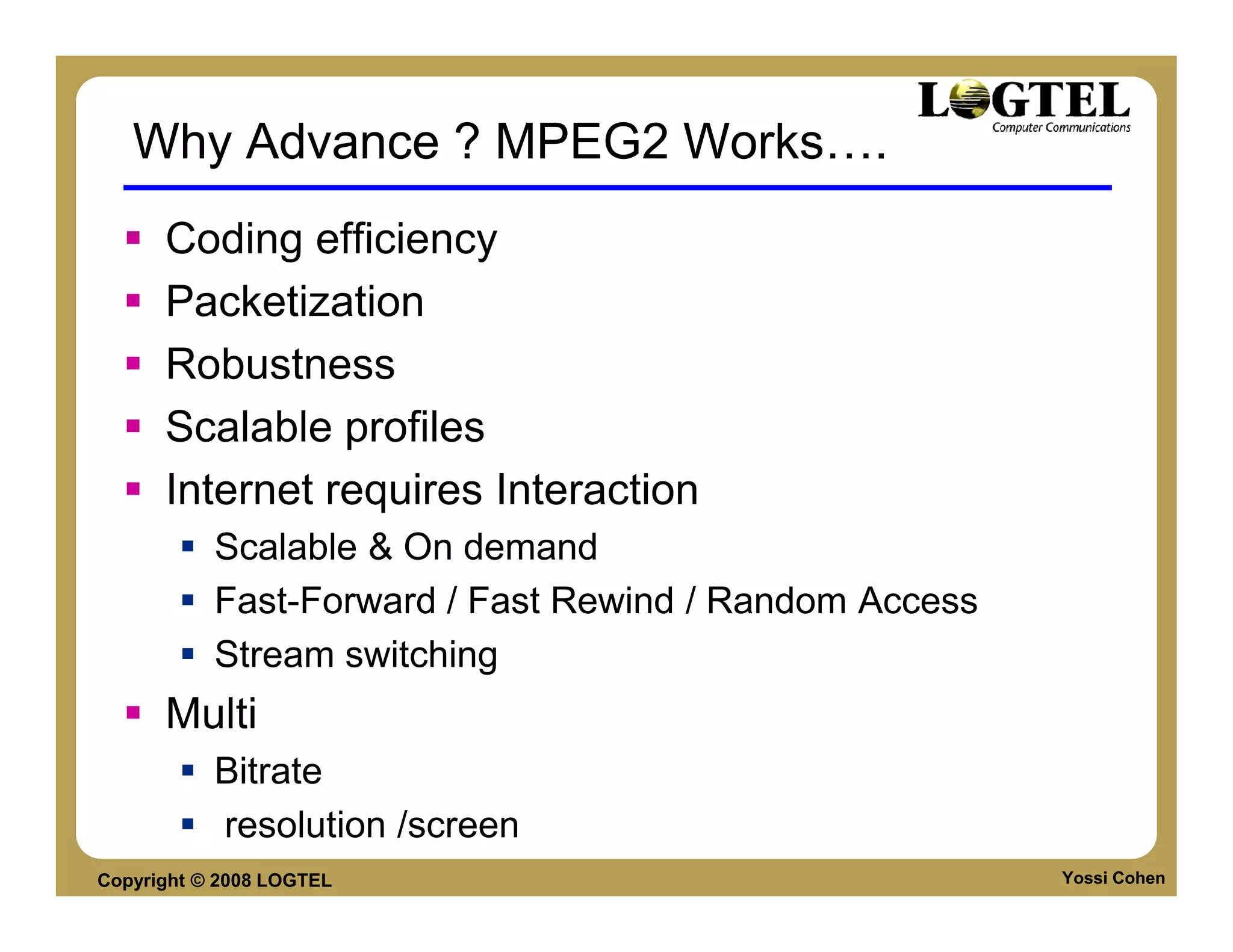
Why Advance ? MPEG2 Works                   .
      Coding efficiency
      Packetization
      Robustness
      Scalable profiles
      Internet requires Interaction
           Scalable & On demand
           Fast-Forward / Fast Rewind / Random Access
           Stream switching
      Multi
           Bitrate
           resolution /screen
Copyright © 2008 LOGTEL                                 Yossi Cohen
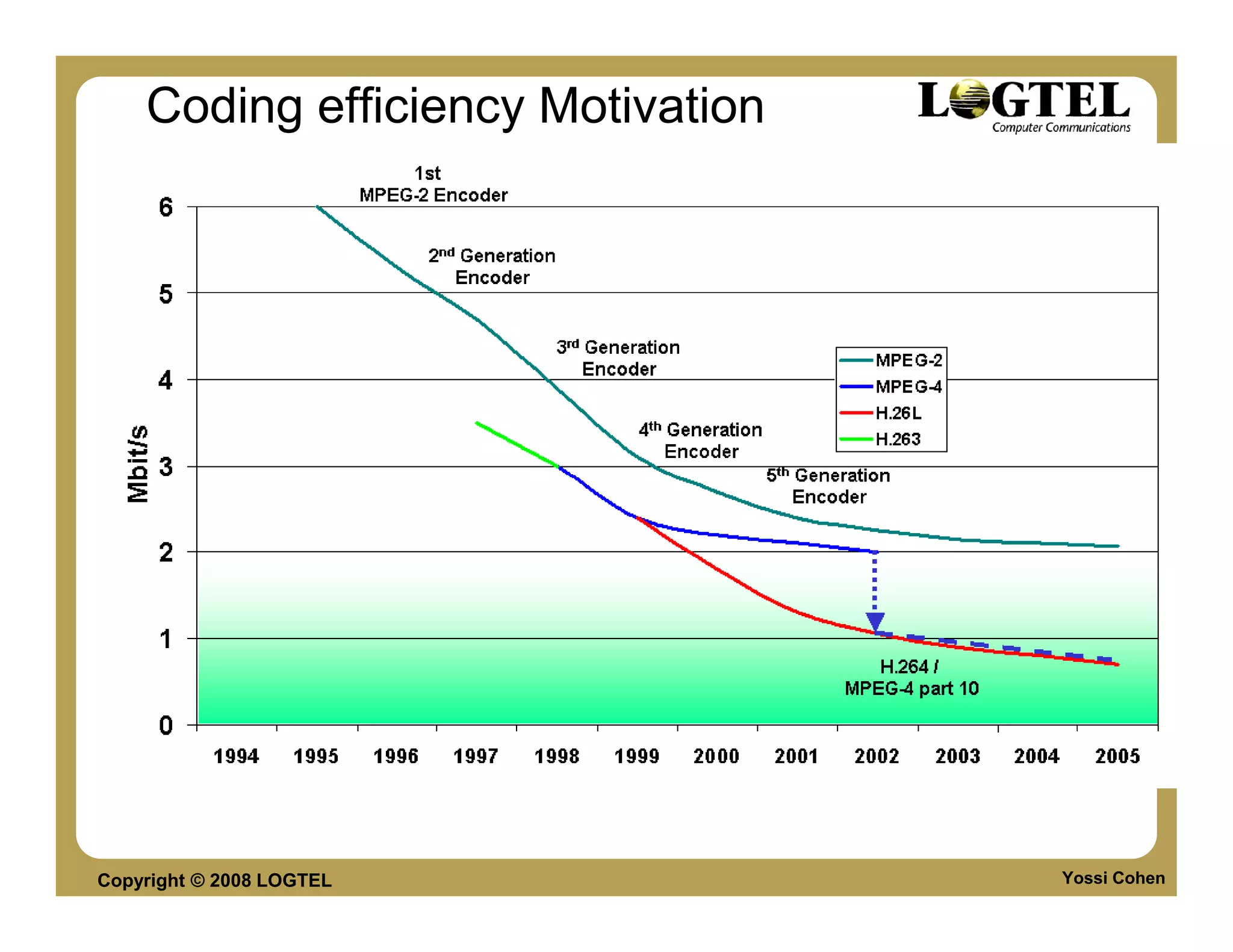
Coding efficiency Motivation


Copyright © 2008 LOGTEL            Yossi Cohen
Codec discussion

        Internet and video codec
        Standard codecs – MPEG4-2 and H.264
        Non standard codecs
             Sorenson Spark
             VP6
             WMV9
             VC-1
             VP8


Copyright © 2008 LOGTEL                       Yossi Cohen
H.264


Copyright © 2008 LOGTEL   Yossi Cohen
H.264 Terminology
         The following terms are used interchangeably:
              H.26L
              “JVT CODEC”
              The “AVC” or Advanced Video CODE
         Proper Terminology going forward:
              MPEG-4 Part 10 (Official MPEG Term)
                   ISO/IEC 14496-10 AVC
              H.264 (Official ITU Term)


Copyright © 2008 LOGTEL                             Yossi Cohen
H264 Standard ideas
       “Blocks” size fixed ->Variable
            Slice
            Block
       Block Size order/scanning –> different orders
            Zig-zag, Flexible Macroblock Order
       Additional spatial prediction - >Intra prediction
       Inter prediction 1 frame only ->Multiple frames
            P and B picture
            Multiple reference frame

Copyright © 2008 LOGTEL                                Yossi Cohen
H264 Standard Ideas

               Pixel interpolation
               Motion vectors
          In-loop Deblocking filter
          Improved Entropy coding


Copyright © 2008 LOGTEL               Yossi Cohen
New Features of H.264 - summarized

         SP, SI - Additional picture types
         NAL (Network Abstraction Layer)
         CABAC - Additional entropy coding mode
         ¼ & 1/8-pixel motion vector precision
         In-loop de-blocking filter
         B-frame prediction weighting
         4×4 integer transform
         Multi-mode intra-prediction
         NAL - Coding and transport layers separation
         FMO - Flexible MacroBlock ordering.
Copyright © 2008 LOGTEL                             Yossi Cohen
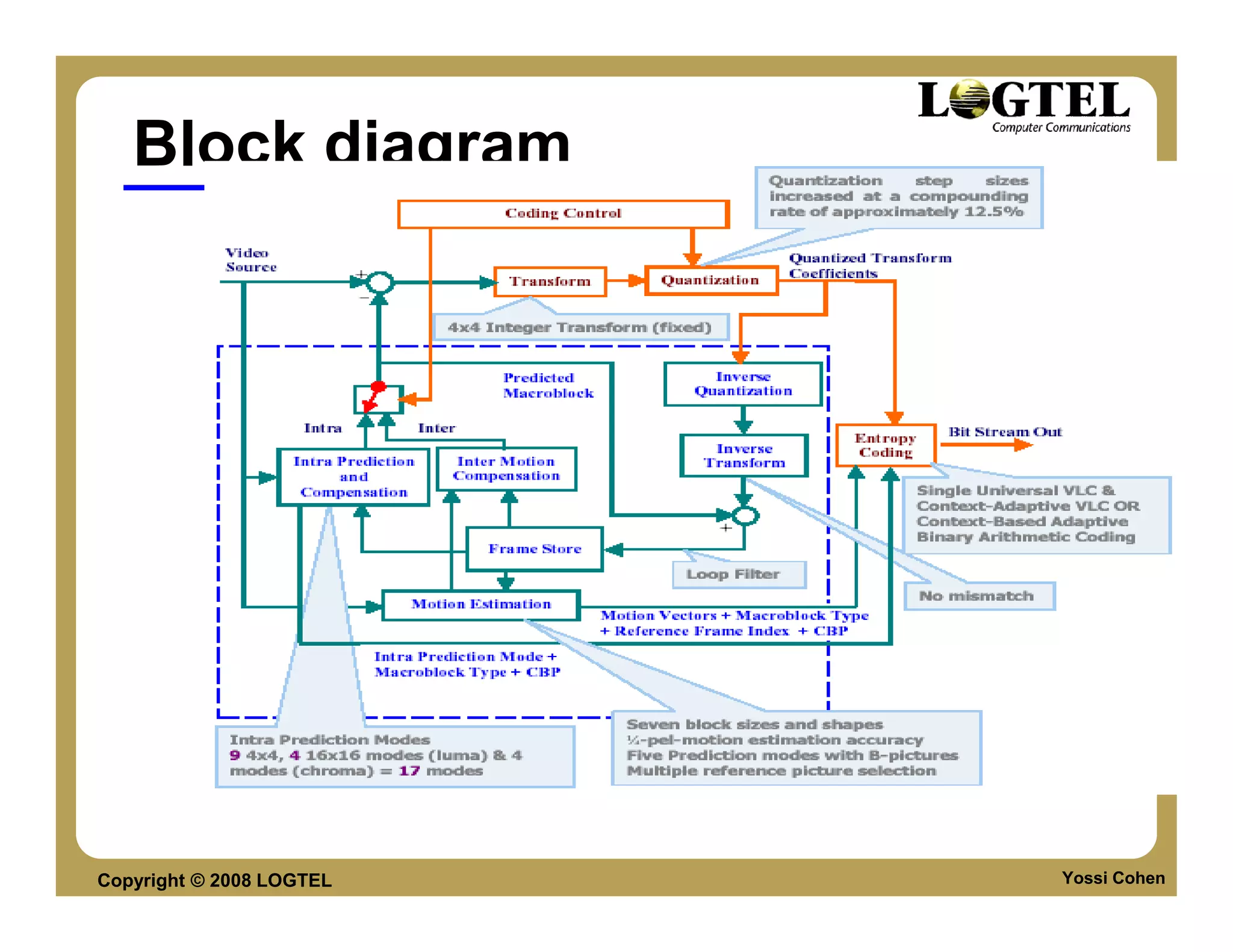
Block diagram


Copyright © 2008 LOGTEL   Yossi Cohen
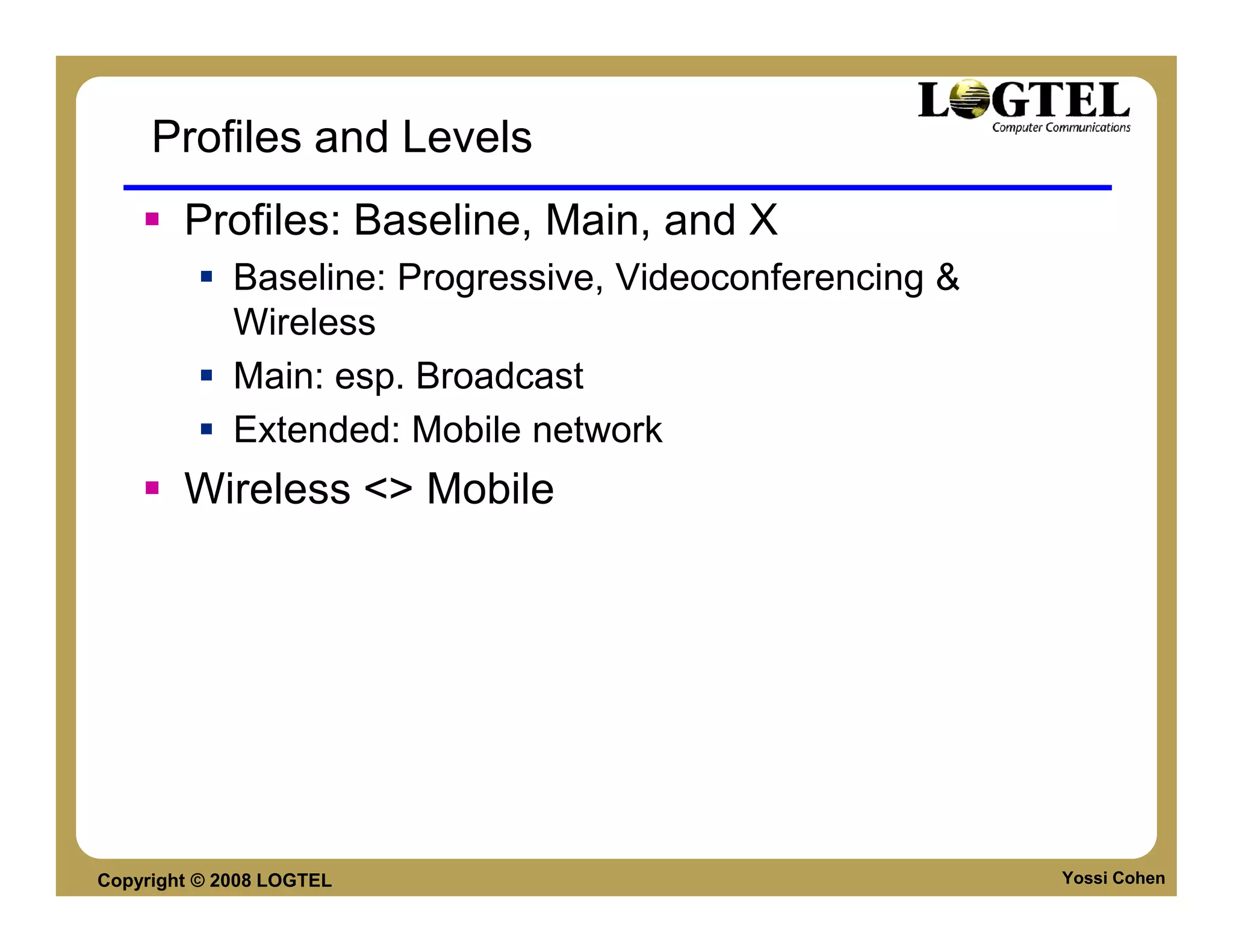
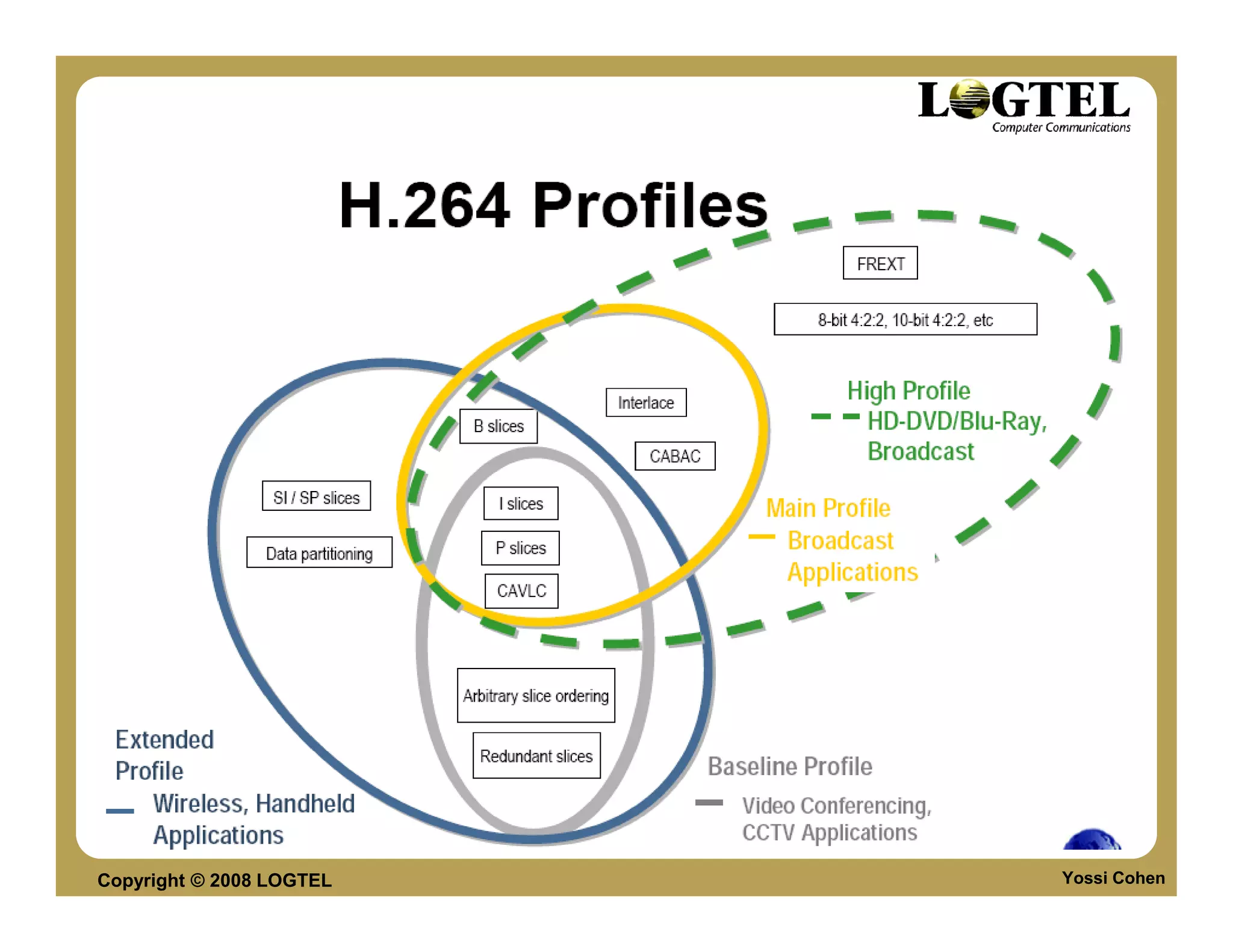
Profiles and Levels
        Profiles: Baseline, Main, and X
             Baseline: Progressive, Videoconferencing &
             Wireless
             Main: esp. Broadcast
             Extended: Mobile network
        Wireless <> Mobile


Copyright © 2008 LOGTEL                                   Yossi Cohen
Copyright © 2008 LOGTEL   Yossi Cohen
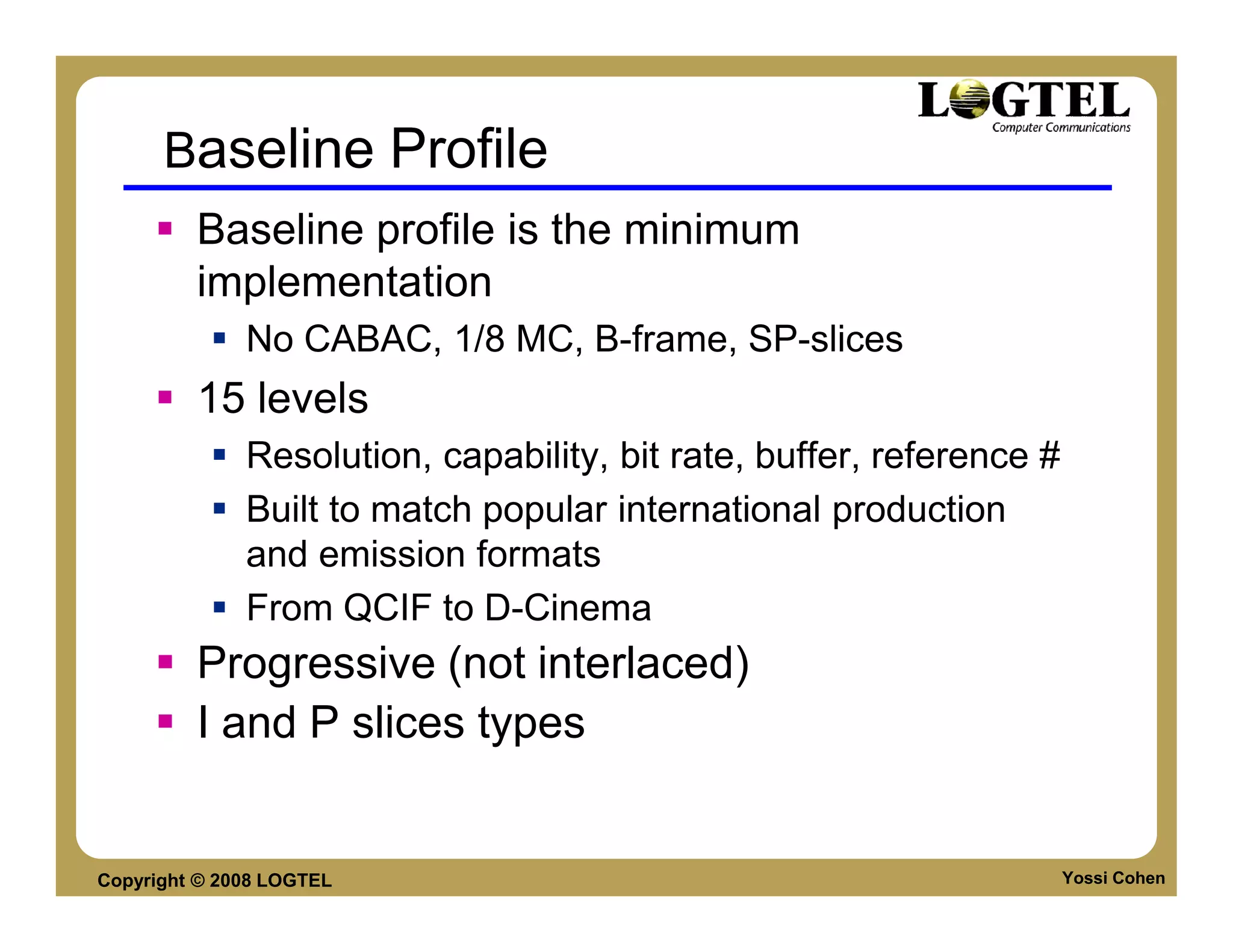
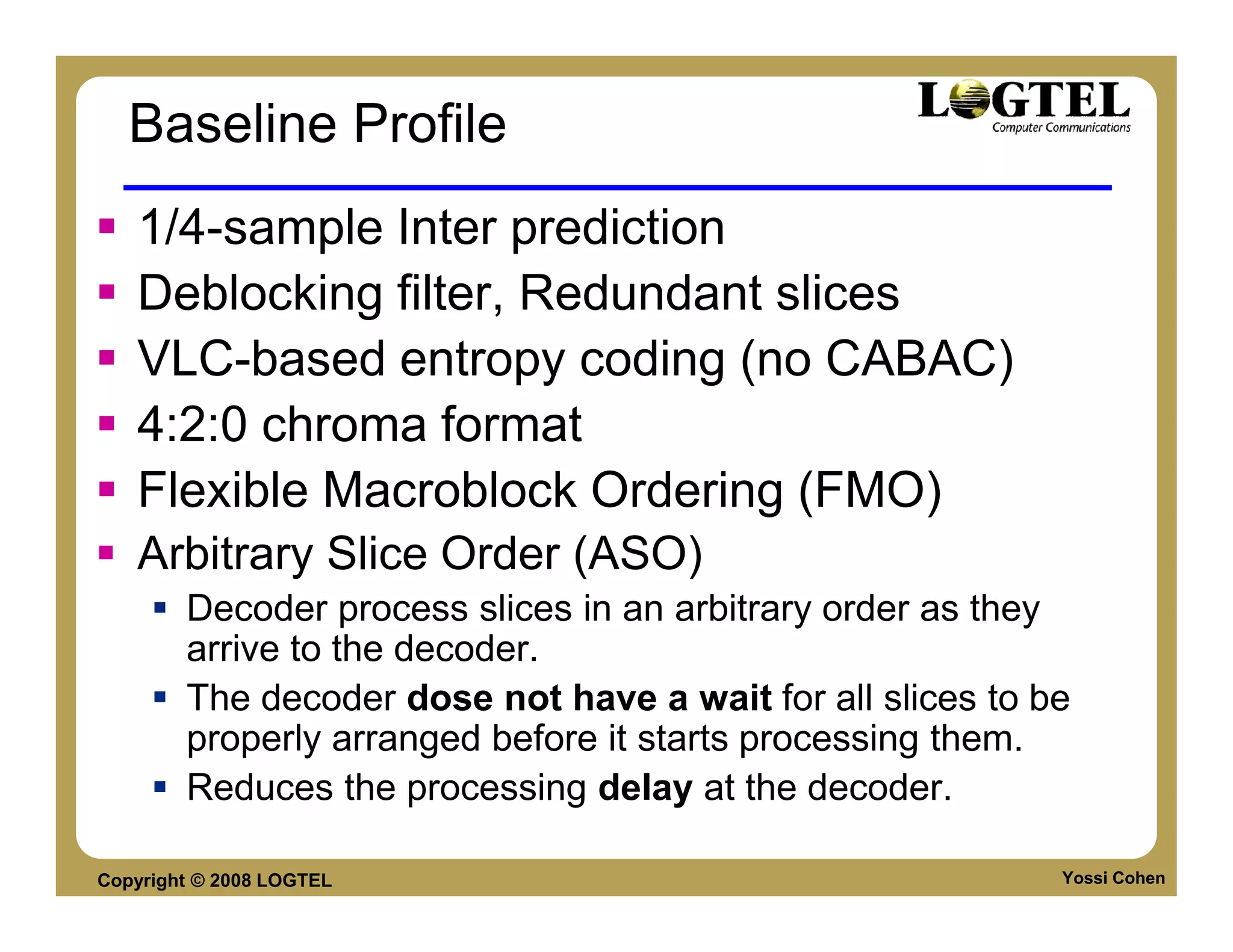
Baseline Profile
         Baseline profile is the minimum
         implementation
              No CABAC, 1/8 MC, B-frame, SP-slices
         15 levels
              Resolution, capability, bit rate, buffer, reference #
              Built to match popular international production
              and emission formats
              From QCIF to D-Cinema
         Progressive (not interlaced)
         I and P slices types


Copyright © 2008 LOGTEL                                               Yossi Cohen
Baseline Profile
   1/4-sample Inter prediction
   Deblocking filter, Redundant slices
   VLC-based entropy coding (no CABAC)
   4:2:0 chroma format
   Flexible Macroblock Ordering (FMO)
   Arbitrary Slice Order (ASO)
        Decoder process slices in an arbitrary order as they
        arrive to the decoder.
        The decoder dose not have a wait for all slices to be
        properly arranged before it starts processing them.
        Reduces the processing delay at the decoder.

Copyright © 2008 LOGTEL                                     Yossi Cohen
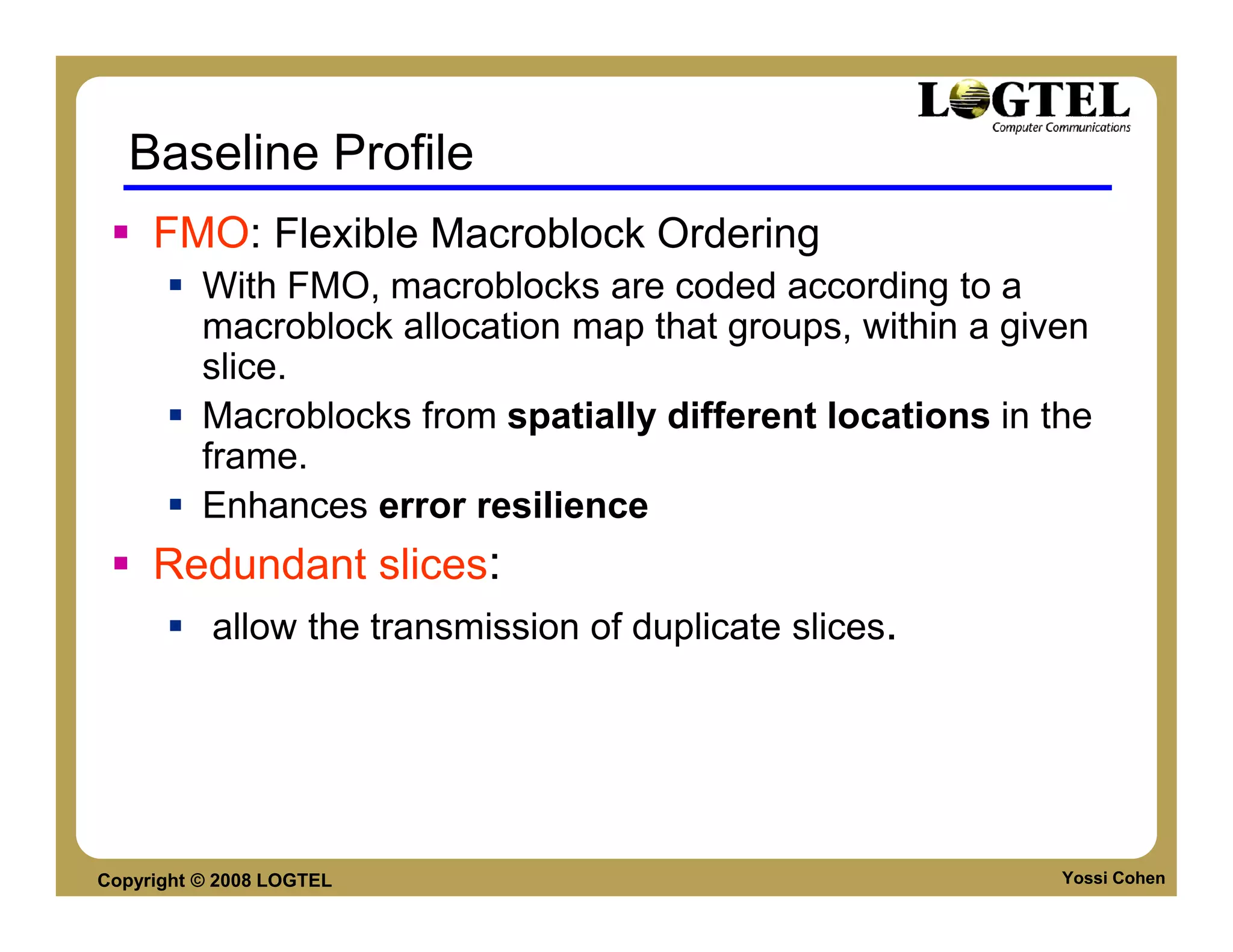
Baseline Profile
     FMO: Flexible Macroblock Ordering
          With FMO, macroblocks are coded according to a
          macroblock allocation map that groups, within a given
          slice.
          Macroblocks from spatially different locations in the
          frame.
          Enhances error resilience
     Redundant slices:
           allow the transmission of duplicate slices.


Copyright © 2008 LOGTEL                                      Yossi Cohen
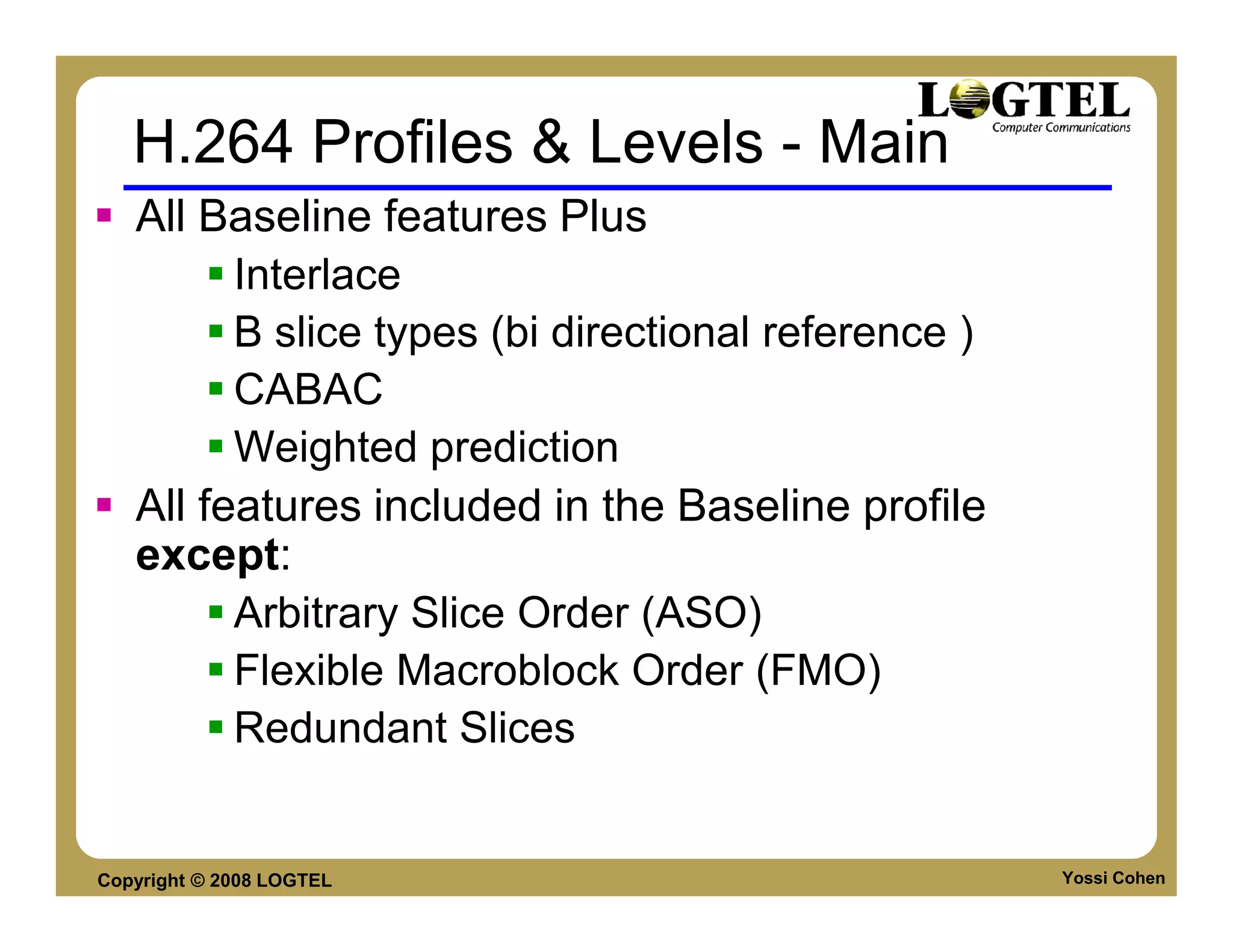
H.264 Profiles & Levels - Main
   All Baseline features Plus
         Interlace
         B slice types (bi directional reference )
         CABAC
         Weighted prediction
   All features included in the Baseline profile
   except:
         Arbitrary Slice Order (ASO)
         Flexible Macroblock Order (FMO)
         Redundant Slices


Copyright © 2008 LOGTEL                              Yossi Cohen
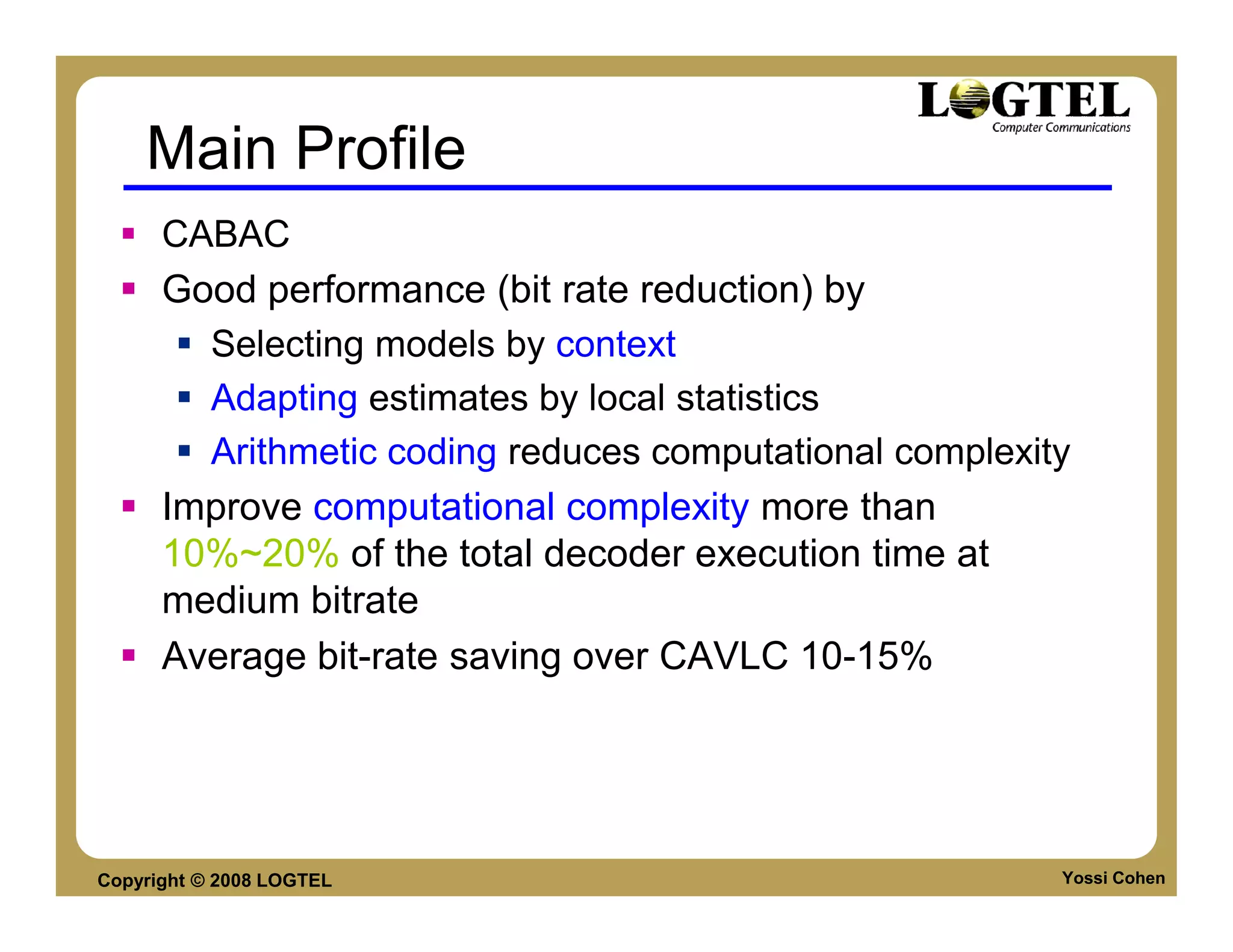
Main Profile
      CABAC
      Good performance (bit rate reduction) by
        Selecting models by context
        Adapting estimates by local statistics
        Arithmetic coding reduces computational complexity
      Improve computational complexity more than
      10%~20% of the total decoder execution time at
      medium bitrate
      Average bit-rate saving over CAVLC 10-15%


Copyright © 2008 LOGTEL                                  Yossi Cohen
Extended Profile
       All Baseline features plus
           Interlace
           B slice types
           Weighted prediction


Copyright © 2008 LOGTEL             Yossi Cohen
Frame structure
     Slices:
          A picture is split into 1 or several slices.
          Slices are self contained.
          Slices are a sequence of MB.
     MacroBlocks [MB]
          Basic syntax & processing unit.
          Contains 16x16 luma samples and
          2 x 8x8 chroma samples.
          MB within a slice depend on each other.
          MB can be further partitioned.


Copyright © 2008 LOGTEL                                  Yossi Cohen
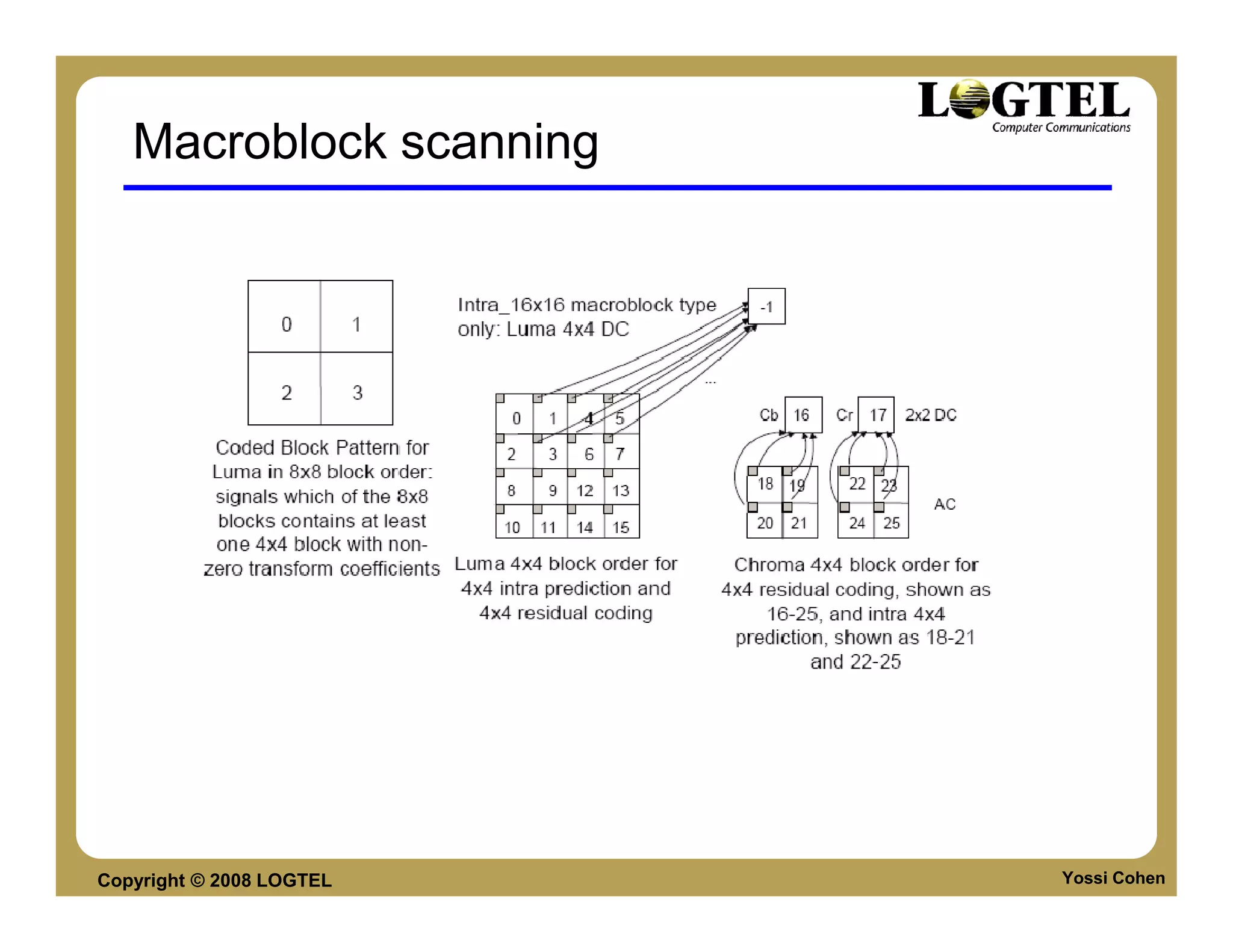
Macroblock scanning


Copyright © 2008 LOGTEL   Yossi Cohen
Scanning order of residual blocks
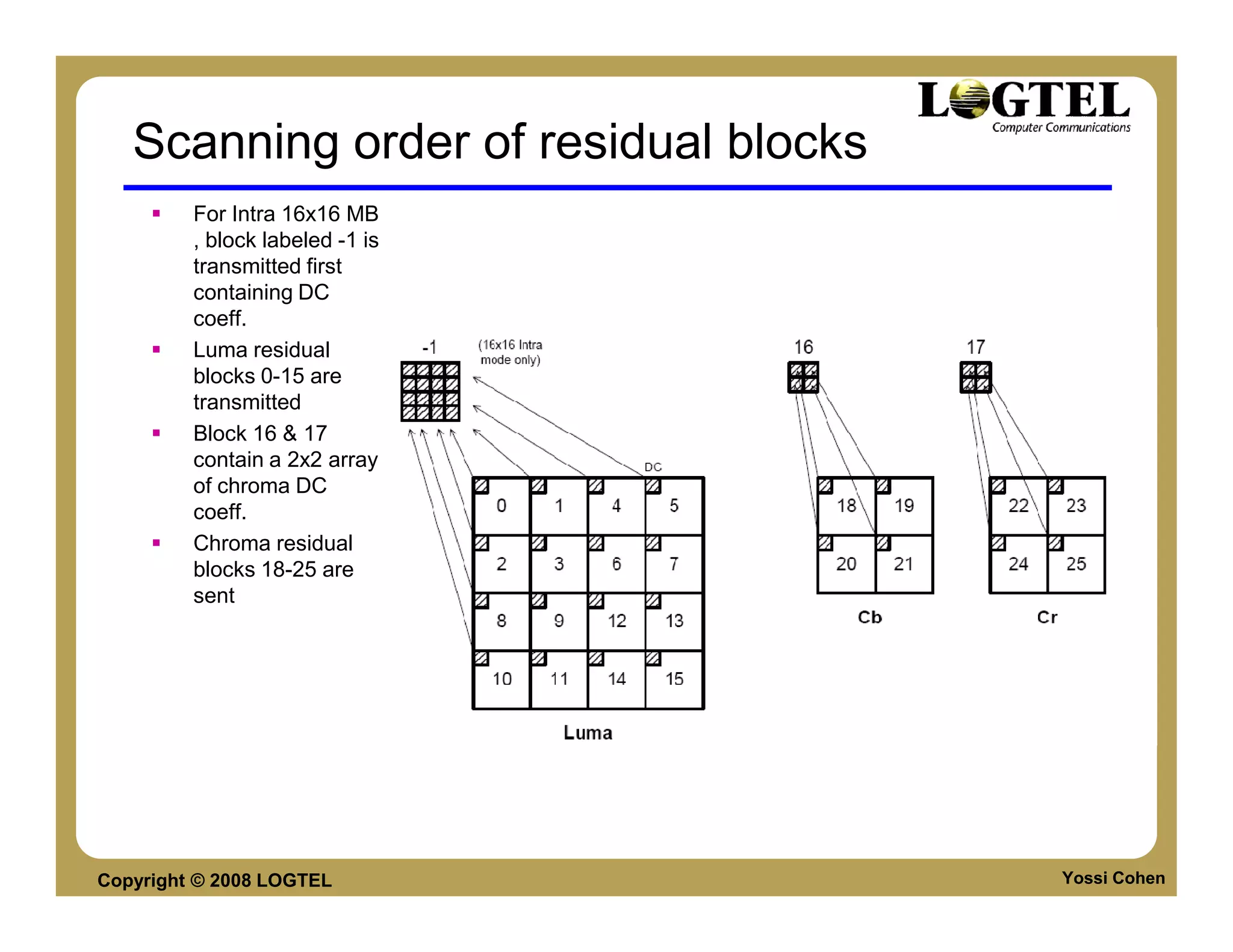
         For Intra 16x16 MB
         , block labeled -1 is
         transmitted first
         containing DC
         coeff.
         Luma residual
         blocks 0-15 are
         transmitted
         Block 16 & 17
         contain a 2x2 array
         of chroma DC
         coeff.
         Chroma residual
         blocks 18-25 are
         sent


Copyright © 2008 LOGTEL                Yossi Cohen
Variable block size
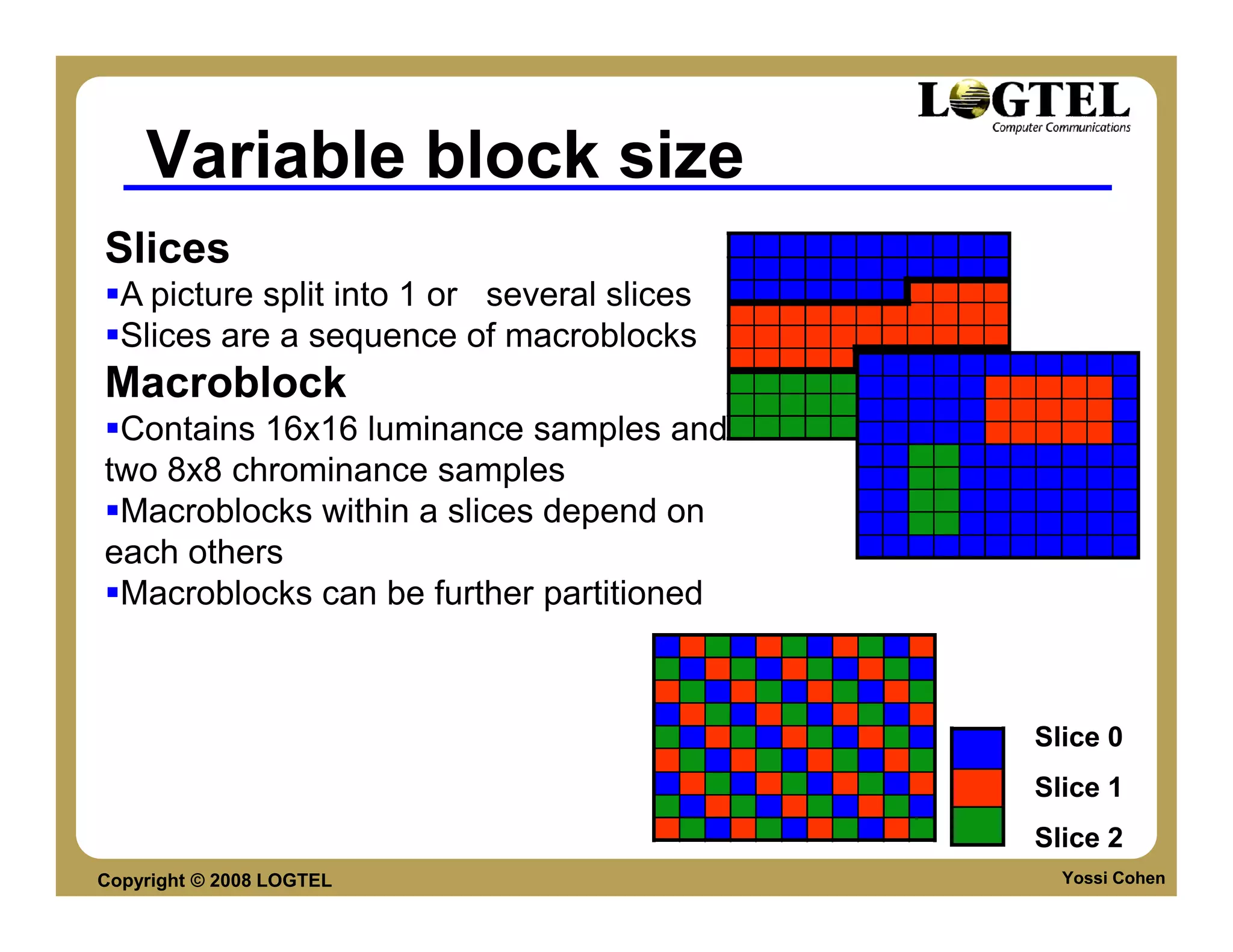
Slices
  A picture split into 1 or several slices
  Slices are a sequence of macroblocks
Macroblock
 Contains 16x16 luminance samples and
two 8x8 chrominance samples
 Macroblocks within a slices depend on
each others
 Macroblocks can be further partitioned


                                             Slice 0
                                             Slice 1
                                             Slice 2
Copyright © 2008 LOGTEL                        Yossi Cohen
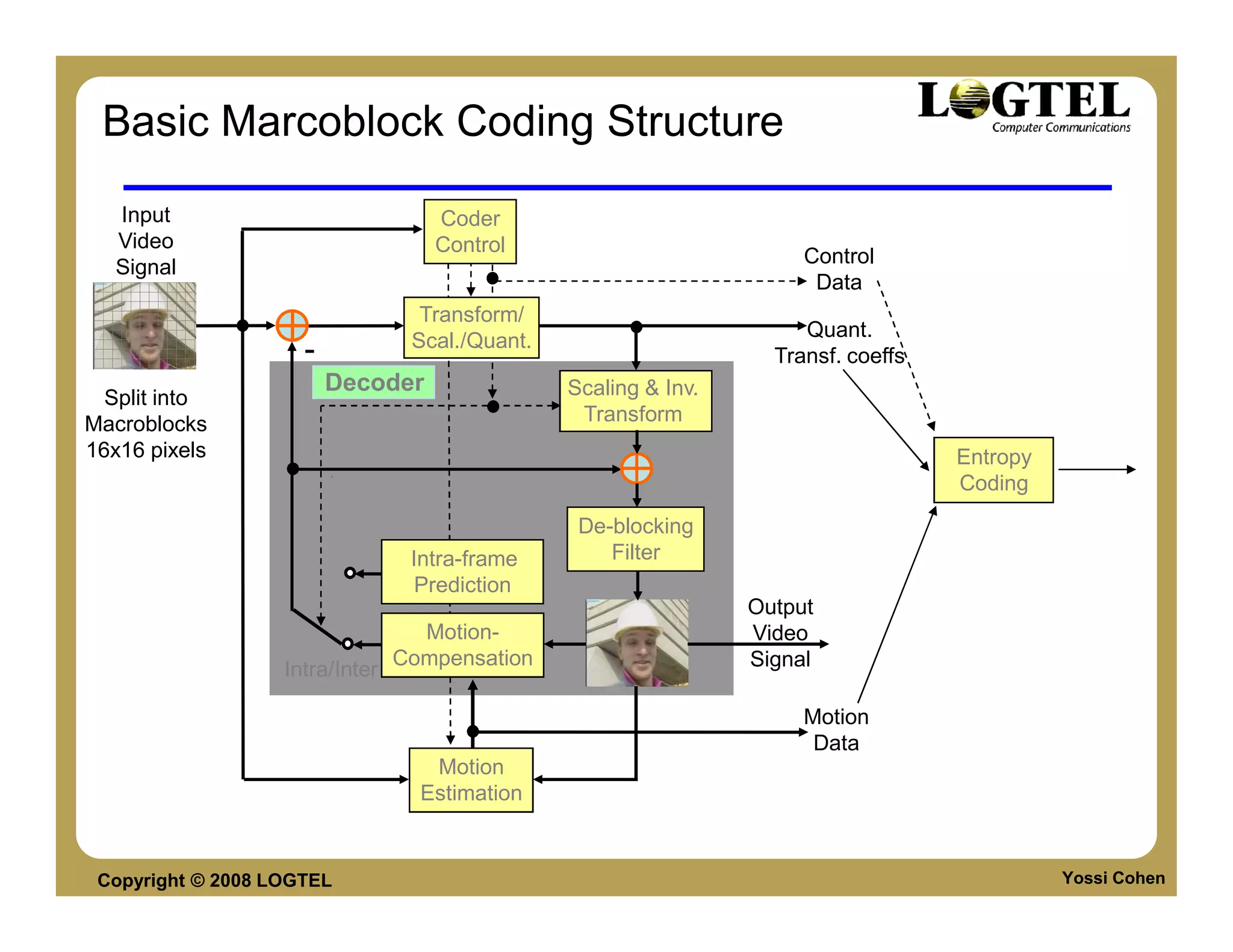
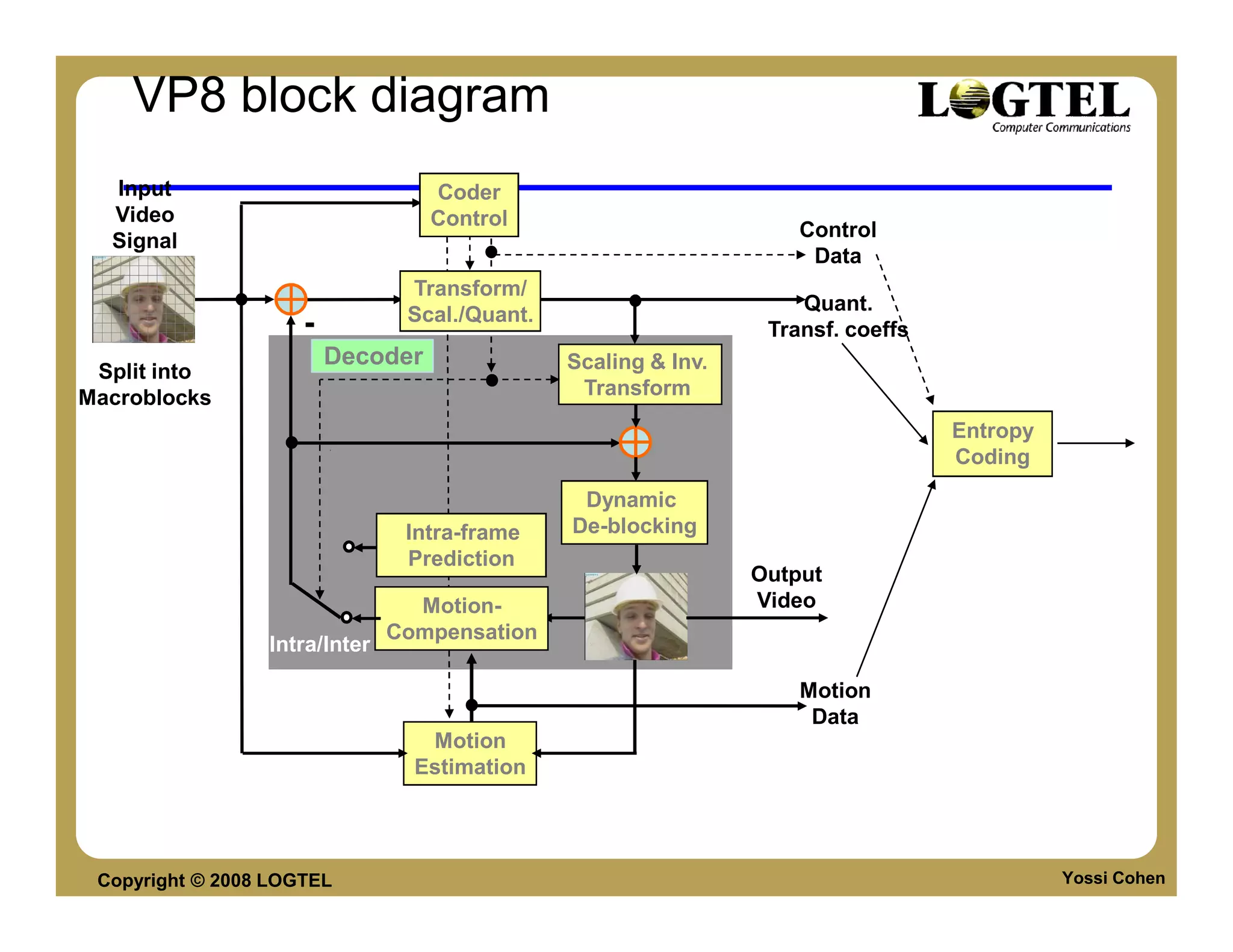
Basic Marcoblock Coding Structure
   Input                            Coder
   Video                            Control
                                                                       Control
   Signal
                                                                        Data
                                   Transform/
                                                                       Quant.
                                  Scal./Quant.
                     -                                              Transf. coeffs
                         Decoder                 Scaling & Inv.
  Split into
Macroblocks                                       Transform
16x16 pixels                                                                         Entropy
                                                                                     Coding
                                                  De-blocking
                                  Intra-frame        Filter
                                   Prediction
                                                                  Output
                                   Motion-                        Video
                                 Compensation                     Signal
                   Intra/Inter

                                                                       Motion
                                                                        Data
                                    Motion
                                   Estimation


 Copyright © 2008 LOGTEL                                                                       Yossi Cohen
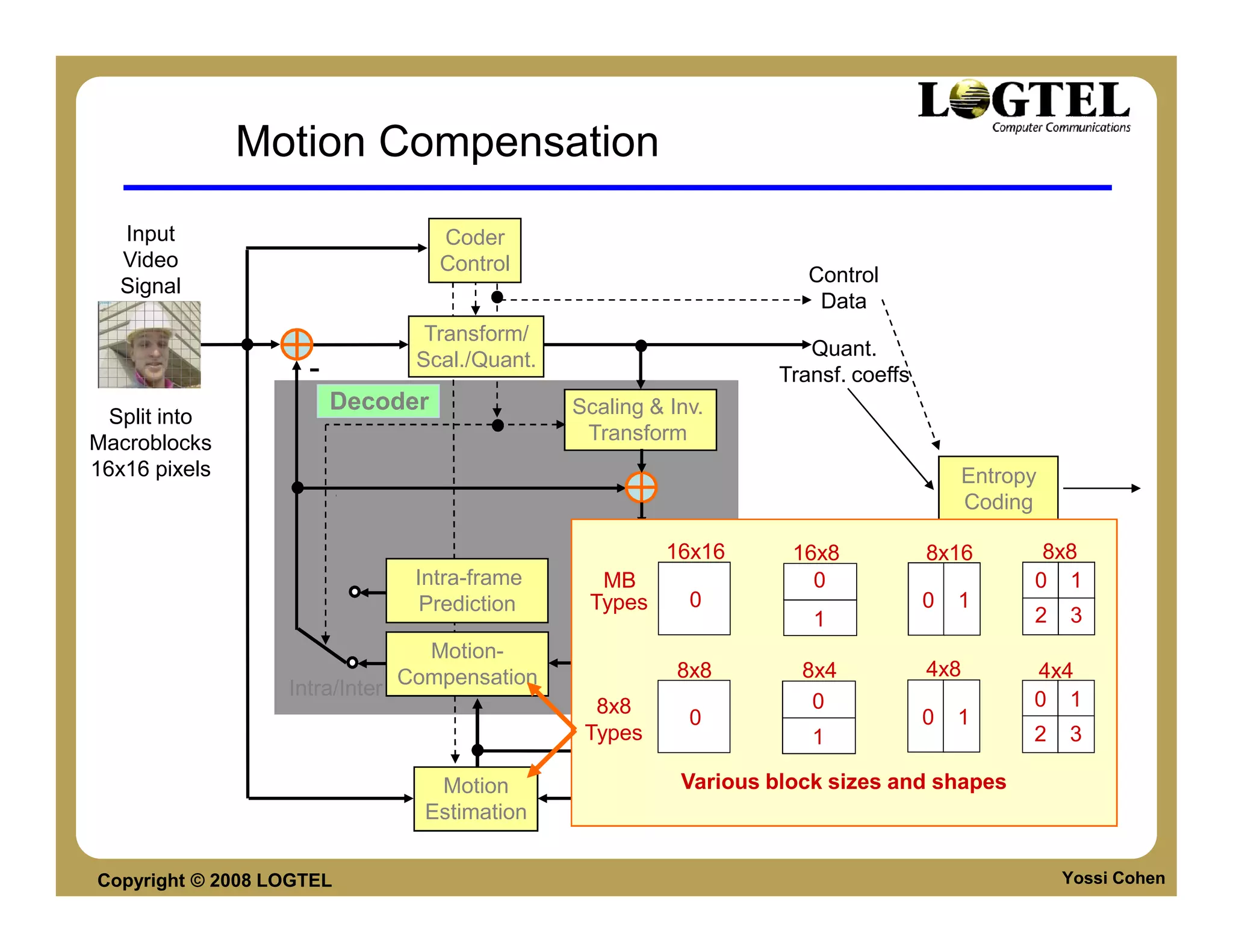
Motion Compensation
   Input                           Coder
   Video                           Control
                                                                        Control
   Signal
                                                                         Data
                                  Transform/
                                                                        Quant.
                                 Scal./Quant.
                    -                                                Transf. coeffs
                        Decoder                 Scaling & Inv.
  Split into
Macroblocks                                      Transform
16x16 pixels                                                                              Entropy
                                                                                          Coding
                                                 De-blocking
                                                           16x16      16x8            8x16       8x8
                                 Intra-frame      MBFilter              0                       0 1
                                  Prediction     Types       0                        0   1
                                                                   Output1                      2   3
                                  Motion-                          Video
                                Compensation               8x8         8x4
                                                                   Signal             4x8       4x4
                  Intra/Inter
                                                  8x8                   0                       0 1
                                                            0                     0 1
                                                 Types                 Motion
                                                                       1                        2   3
                                                                        Data
                                   Motion                  Various block sizes and shapes
                                  Estimation


Copyright © 2008 LOGTEL                                                                             Yossi Cohen
Tree structured Motion Compensation
       Input                         Coder
      Video                         Control
                                                                         Control
      Signal
                                                                           Data
                                   Transform/
                                                                             Quant.
                                  Scal./Quant.
                     -                                                Transf. coeffs
                         Decoder                  Scaling & Inv.
   Split into
Macroblocks                                          Transform
16x16 pixels                                                16x16        16x8          8x16
                                                                                         Entropy 8x8
                                                    MB                     0             Coding 0 1
                                                   Types       0                       0 1
                                                  De-blocking              1                    2 3
                                  Intra-frame           Filter
                                                             8x8          8x4          4x8         4x4
                                     Prediction                            0                       0 1
                                                    8x8        0    Output             0   1
                                      Motion-      Types             Video 1                       2   3
                                 Compensation                       Signal
                   Intra/Inter

                                                                         Motion 5
                                                                         013
                                                                             46
                                                                          Data7
                                       Motion                             2
                                                                                8
                                   Estimation
                                                       Motion vector accuracy 1/4 (6-tap filter)


 Copyright © 2008 LOGTEL                                                                           Yossi Cohen
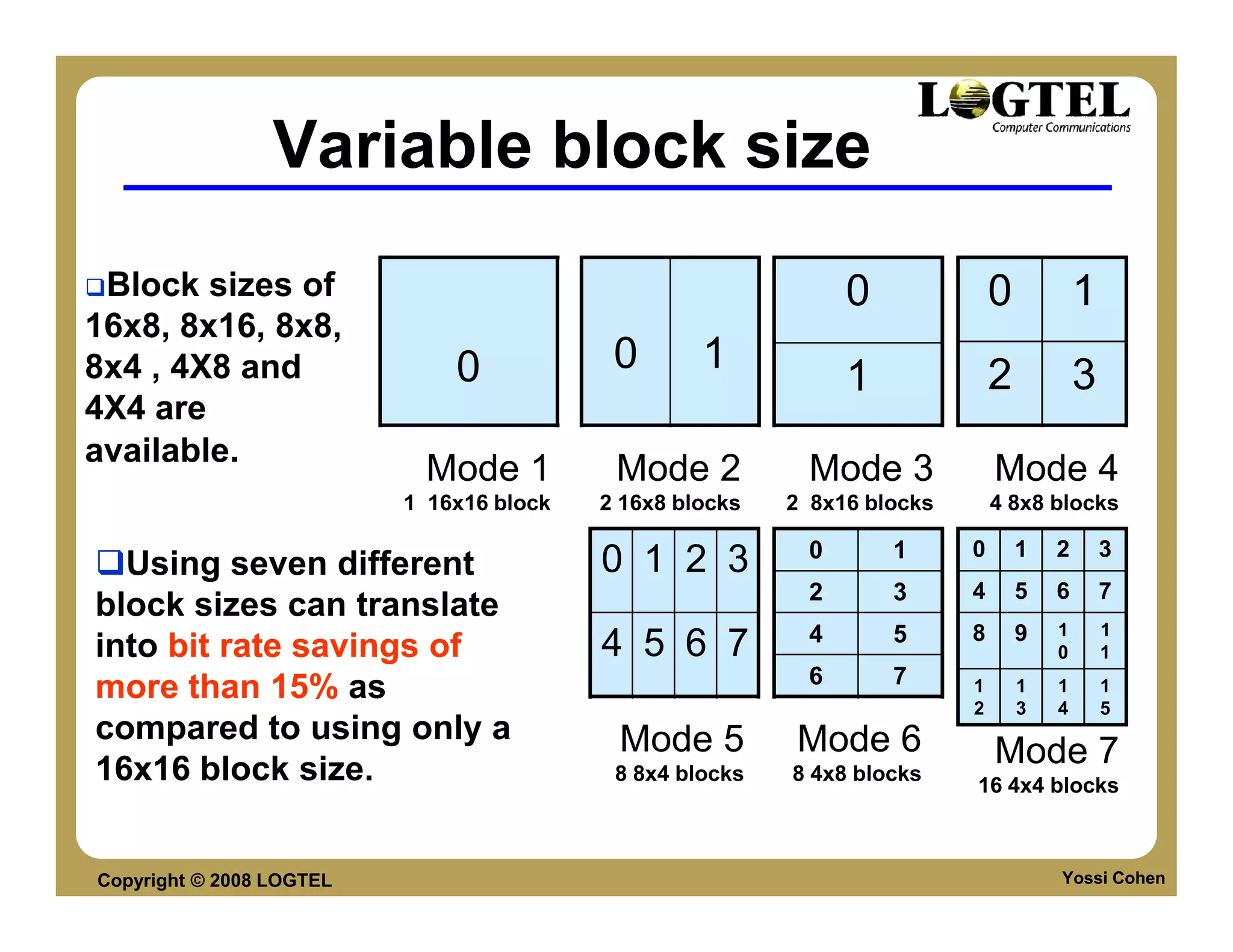
Variable block size
 Block sizes of                                                 0             0           1
16x8, 8x16, 8x8,
8x4 , 4X8 and                 0            0       1                          2           3
                                                                1
4X4 are
available.
                           Mode 1          Mode 2           Mode 3            Mode 4
                          1 16x16 block   2 16x8 blocks   2 8x16 blocks       4 8x8 blocks

                                                            0       1     0       1   2       3
  Using seven different                   0 1 2 3
                                                            2       3     4       5   6       7
block sizes can translate
                                                            4       5     8       9   1       1
into bit rate savings of                  4 5 6 7                                     0       1
                                                            6       7
more than 15% as                                                          1
                                                                          2
                                                                                  1
                                                                                  3
                                                                                      1
                                                                                      4
                                                                                              1
                                                                                              5
compared to using only a                   Mode 5         Mode 6
16x16 block size.                          8 8x4 blocks   8 4x8 blocks
                                                                              Mode 7
                                                                          16 4x4 blocks


Copyright © 2008 LOGTEL                                                               Yossi Cohen
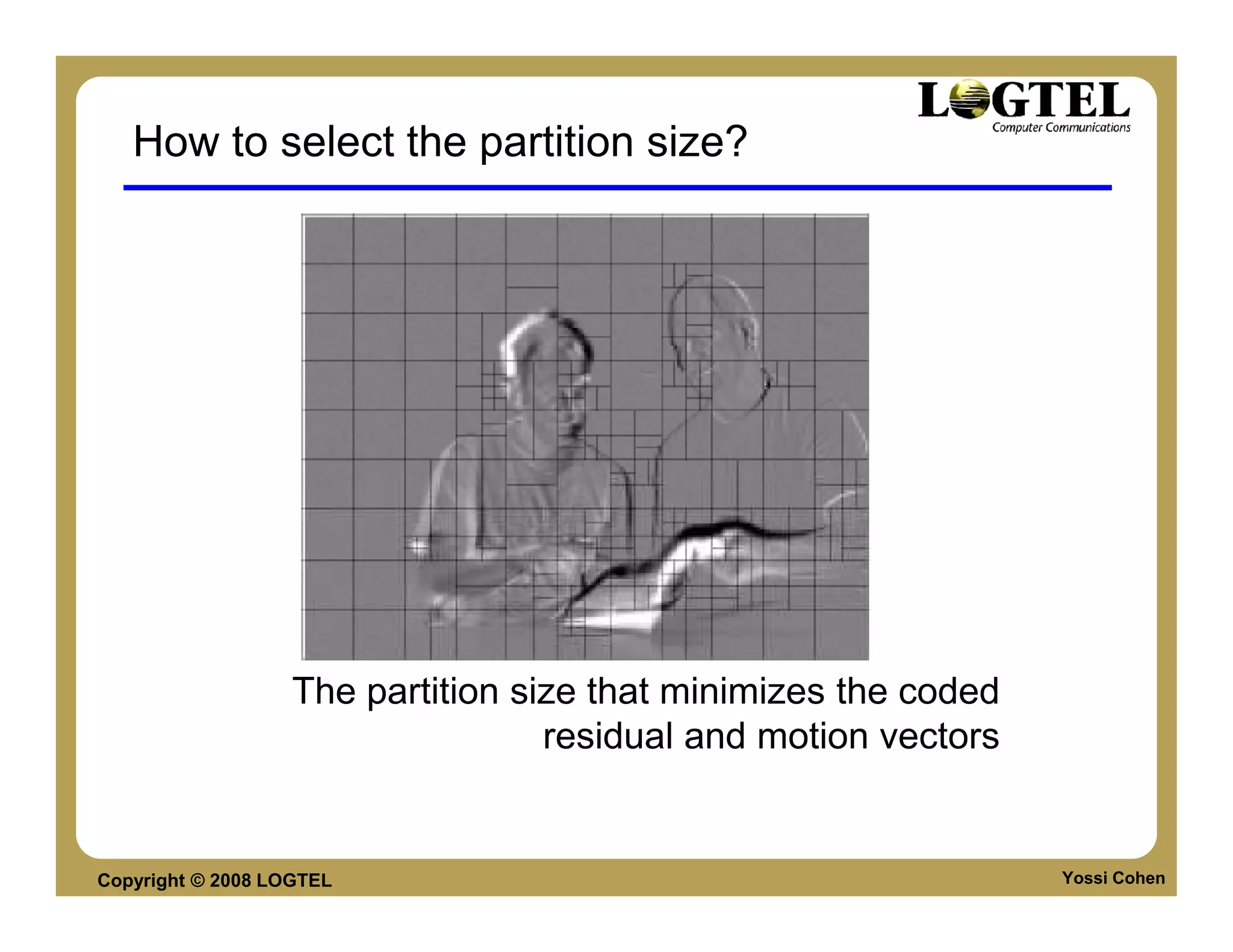
How to select the partition size?


                   The partition size that minimizes the coded
                                   residual and motion vectors


Copyright © 2008 LOGTEL                                          Yossi Cohen
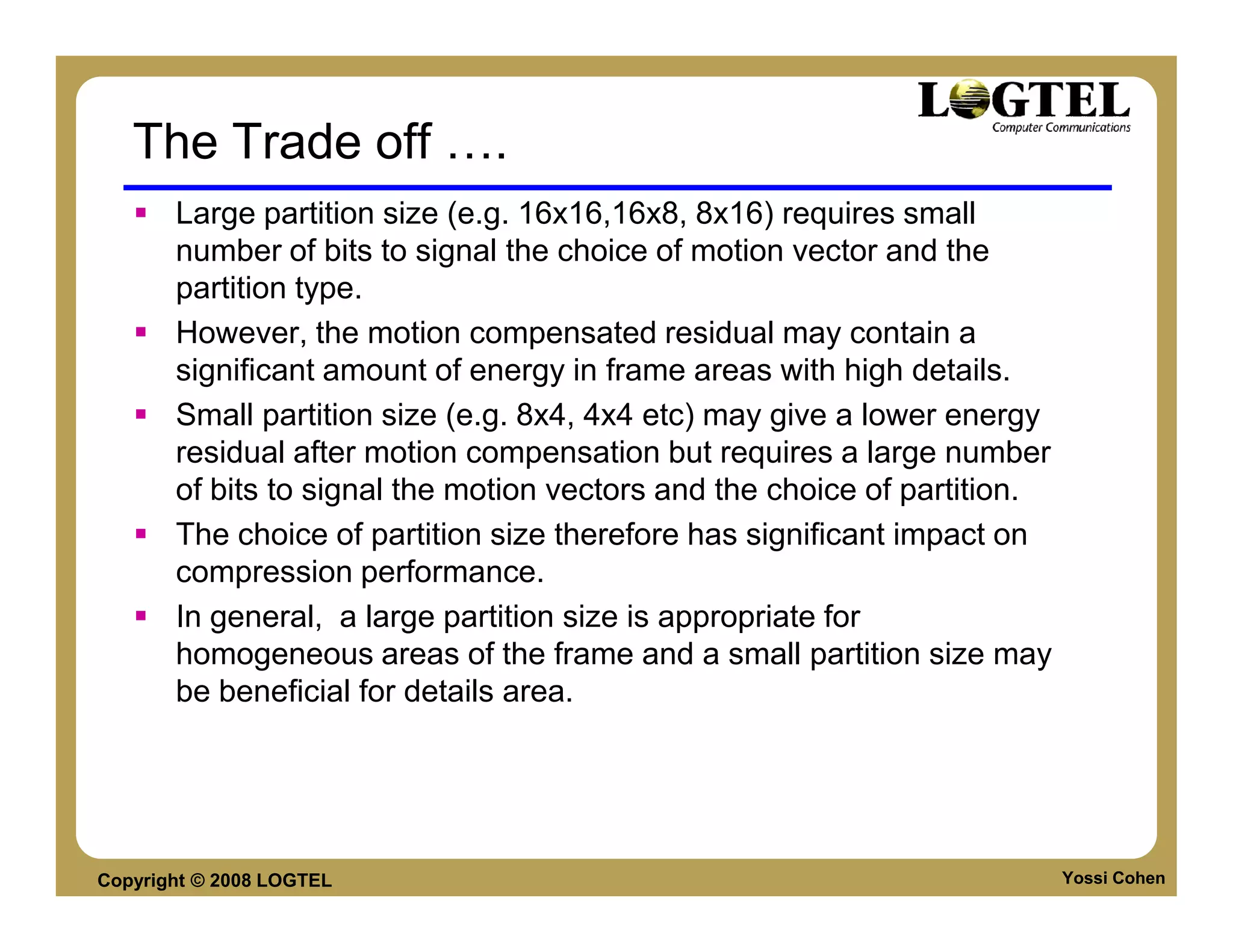
The Trade off              .
       Large partition size (e.g. 16x16,16x8, 8x16) requires small
       number of bits to signal the choice of motion vector and the
       partition type.
       However, the motion compensated residual may contain a
       significant amount of energy in frame areas with high details.
       Small partition size (e.g. 8x4, 4x4 etc) may give a lower energy
       residual after motion compensation but requires a large number
       of bits to signal the motion vectors and the choice of partition.
       The choice of partition size therefore has significant impact on
       compression performance.
       In general, a large partition size is appropriate for
       homogeneous areas of the frame and a small partition size may
       be beneficial for details area.


Copyright © 2008 LOGTEL                                                    Yossi Cohen
Interpolation
     Quarter sample luma
        interpolation
     2 steps:
        Applying a 6 tap filter
        with tap values:
     (1,-5,20,20,-5,1)
        Quarter sample
        positions are obtained
        by averaging samples at
        integer and half sample
        positions.
                          b=round((E-5F+20G+20H-5I+J)/32)

Copyright © 2008 LOGTEL                                Yossi Cohen
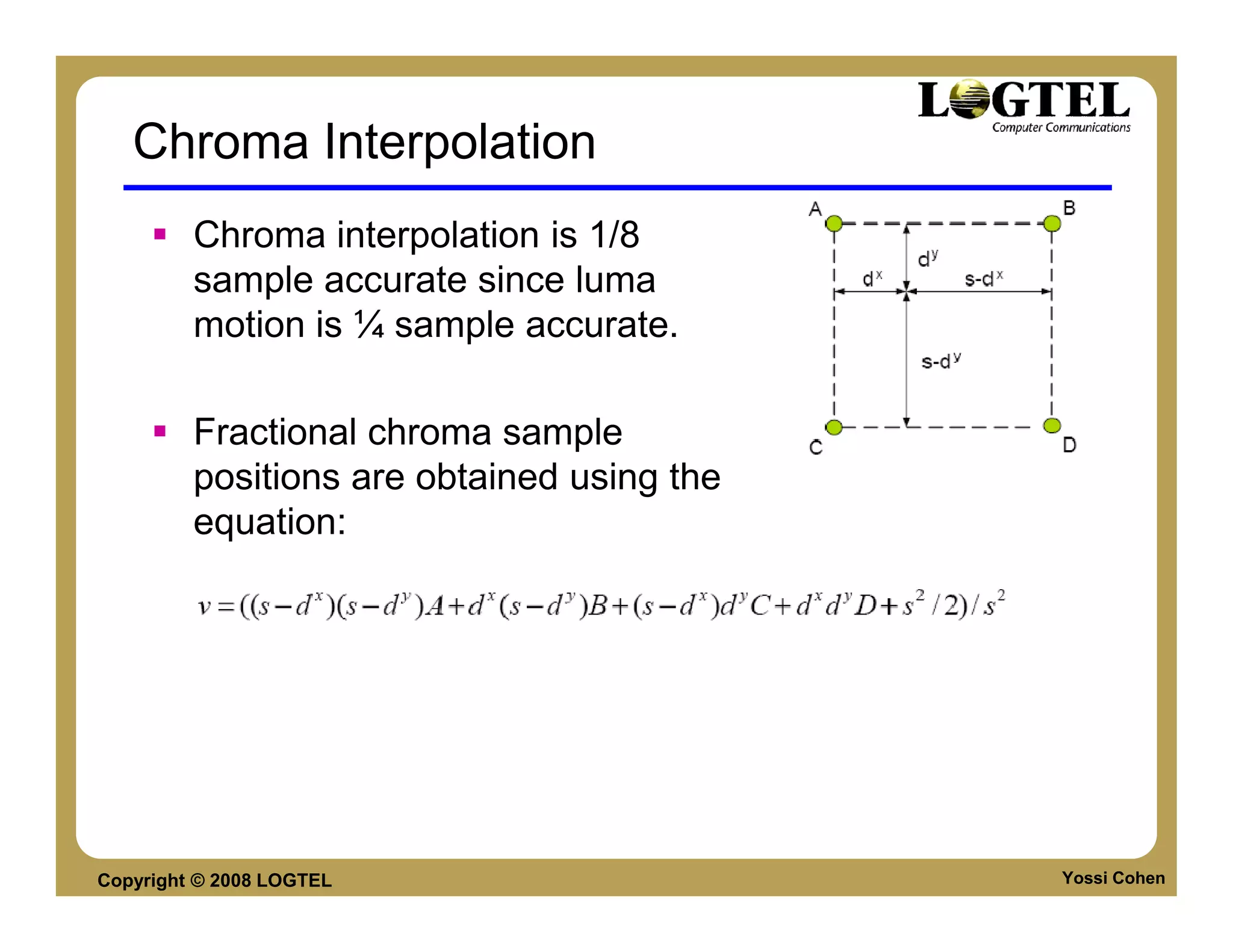
Chroma Interpolation
         Chroma interpolation is 1/8
         sample accurate since luma
         motion is ¼ sample accurate.

         Fractional chroma sample
         positions are obtained using the
         equation:


Copyright © 2008 LOGTEL                     Yossi Cohen
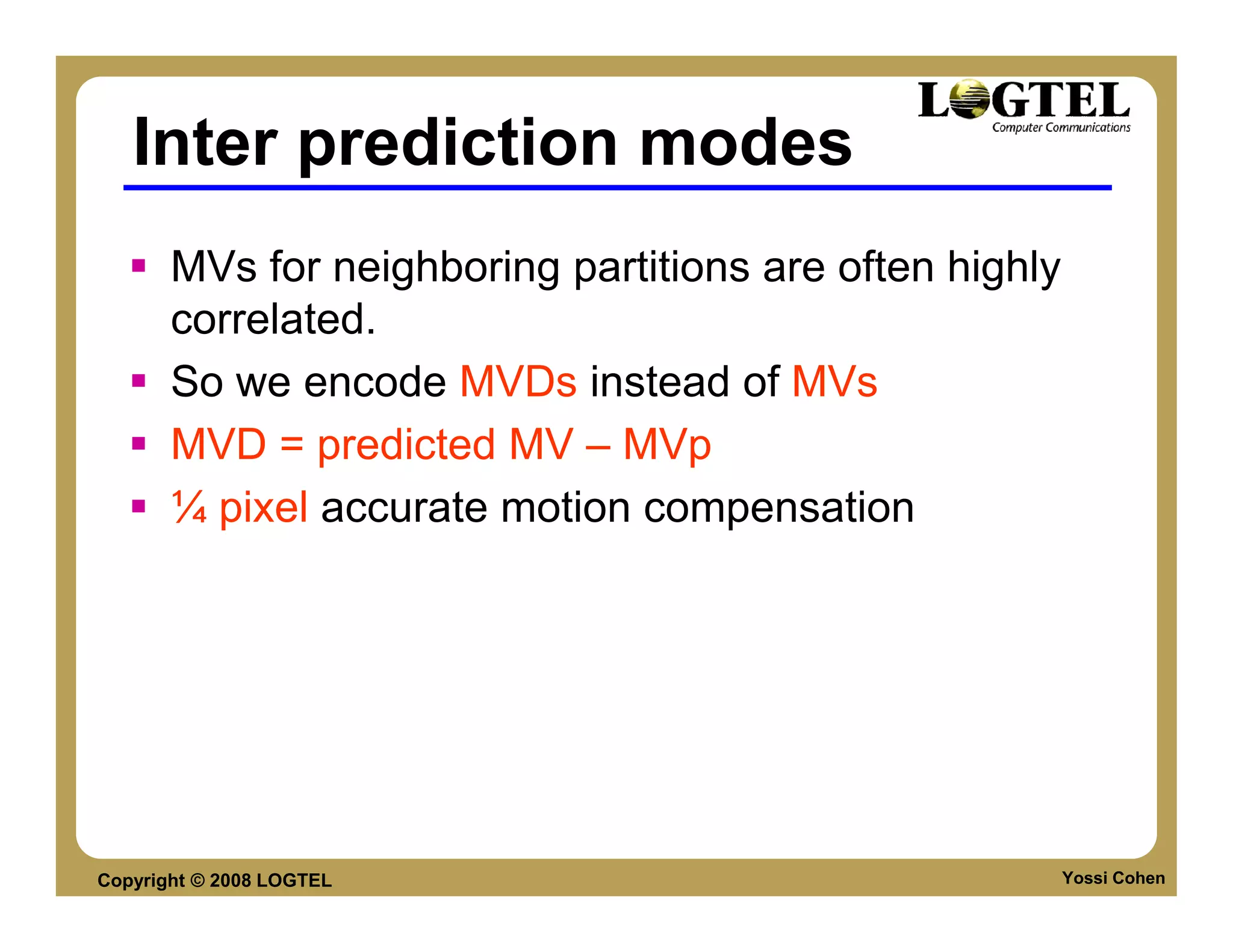
Inter prediction modes
       MVs for neighboring partitions are often highly
       correlated.
       So we encode MVDs instead of MVs
       MVD = predicted MV – MVp
       ¼ pixel accurate motion compensation


Copyright © 2008 LOGTEL                                  Yossi Cohen
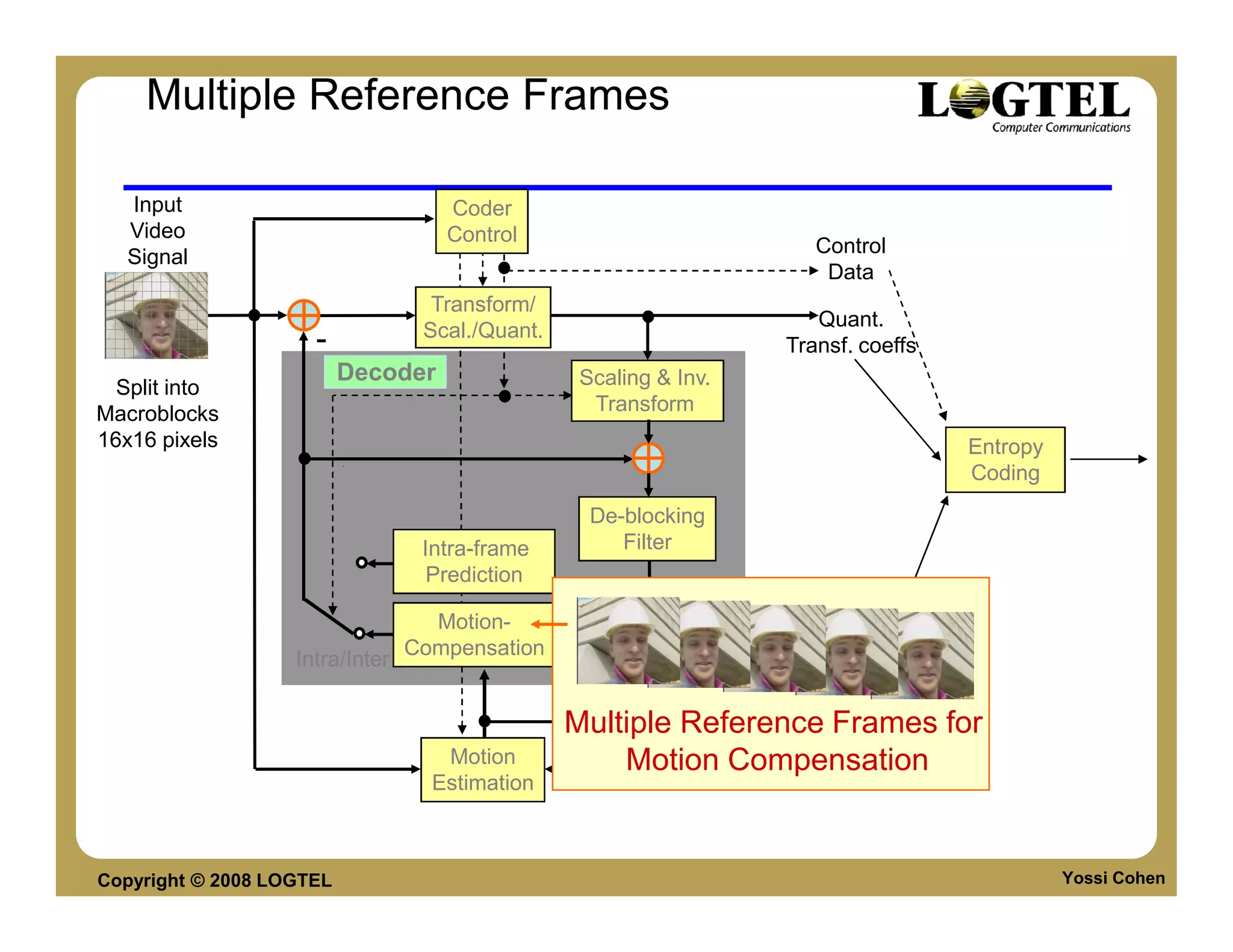
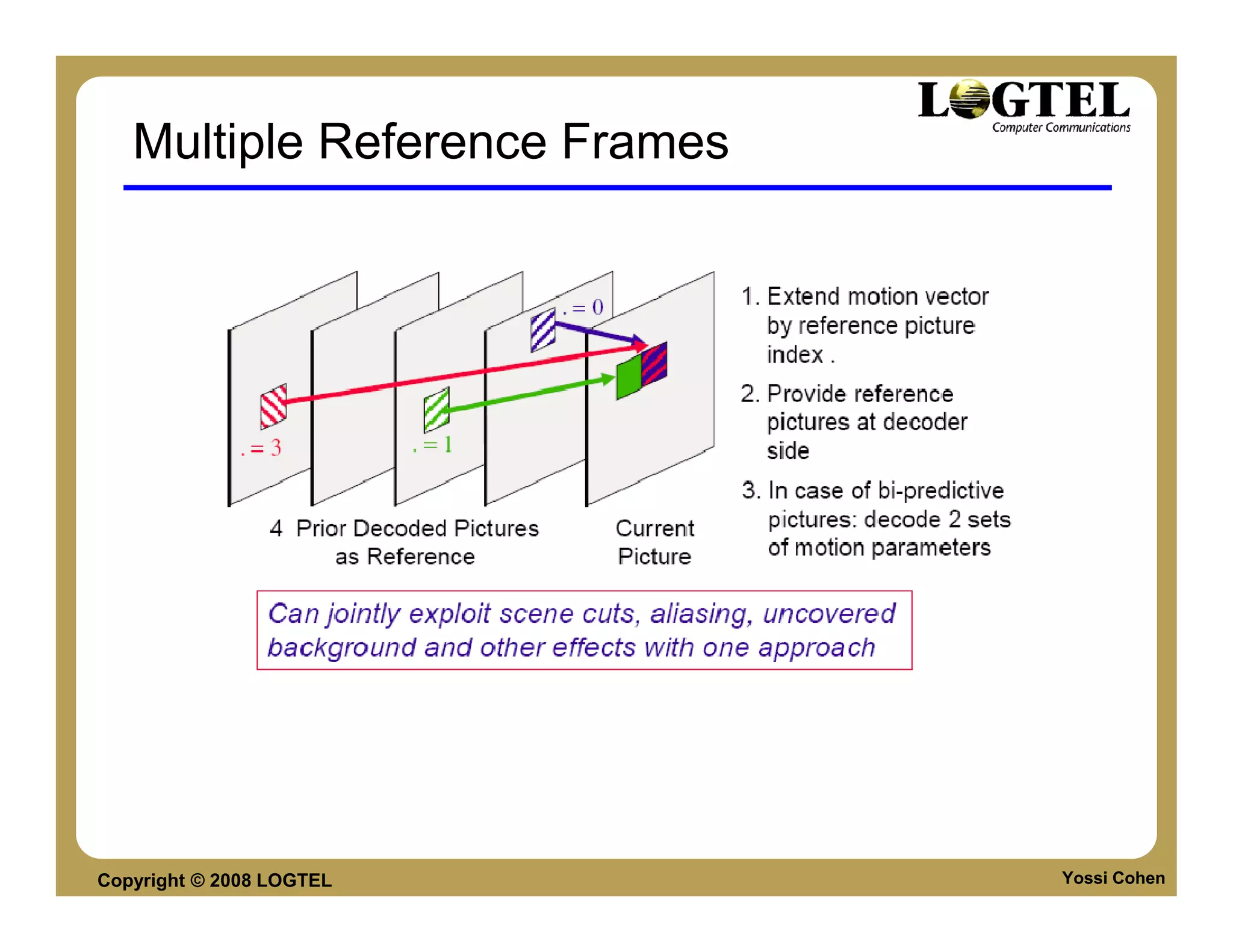
Multiple Reference Frames

   Input                            Coder
   Video                            Control
                                                                        Control
   Signal
                                                                         Data
                                   Transform/
                                                                        Quant.
                                  Scal./Quant.
                     -                                               Transf. coeffs
                          Decoder                 Scaling & Inv.
  Split into
Macroblocks                                        Transform
16x16 pixels                                                                          Entropy
                                                                                      Coding
                                                   De-blocking
                                  Intra-frame         Filter
                                   Prediction
                                                                   Output
                                   Motion-                         Video
                                 Compensation                      Signal
                   Intra/Inter

                                                                        Motion
                                                 Multiple Reference Data
                                                                    Frames for
                                    Motion           Motion Compensation
                                   Estimation


Copyright © 2008 LOGTEL                                                                         Yossi Cohen
Multiple Reference Frames


Copyright © 2008 LOGTEL        Yossi Cohen
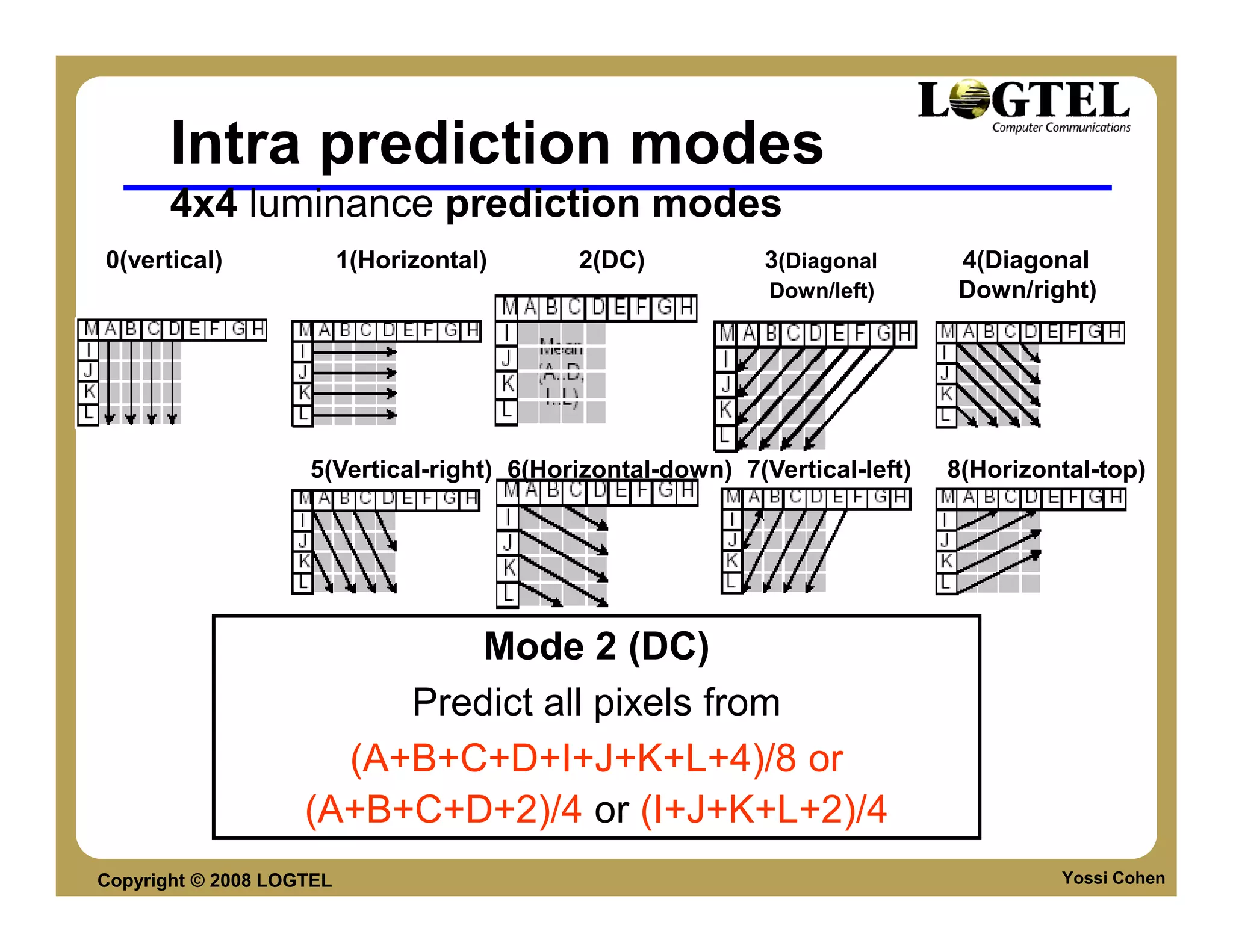
Intra prediction modes
       4x4 luminance prediction modes
0(vertical)               1(Horizontal)    2(DC)            3(Diagonal      4(Diagonal
                                                            Down/left)      Down/right)


                    5(Vertical-right) 6(Horizontal-down) 7(Vertical-left)   8(Horizontal-top)


                             Mode 2 (DC)
                         Predict all pixels from
                      (A+B+C+D+I+J+K+L+4)/8 or
                    (A+B+C+D+2)/4 or (I+J+K+L+2)/4
Copyright © 2008 LOGTEL                                                              Yossi Cohen
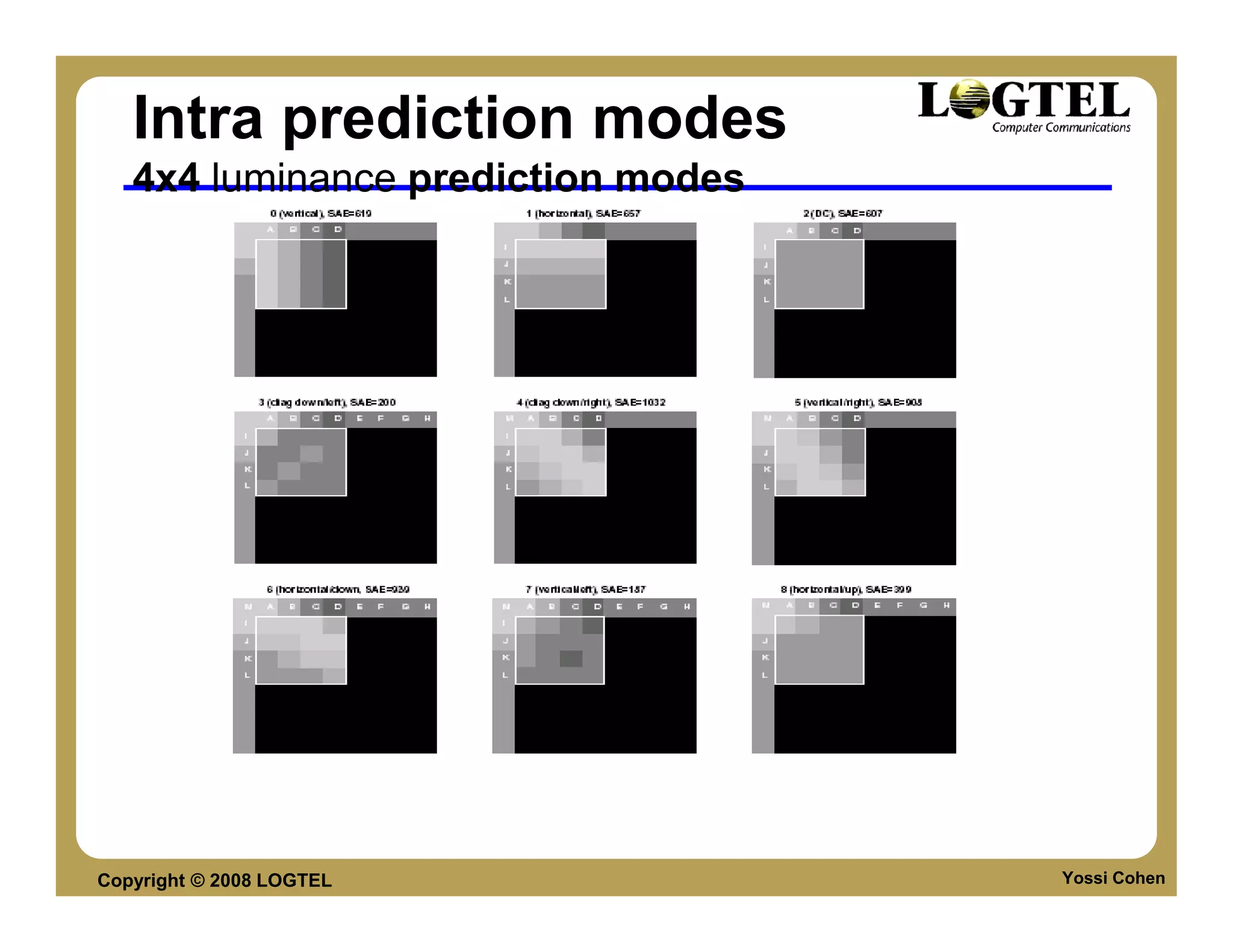
Intra prediction modes
   4x4 luminance prediction modes


Copyright © 2008 LOGTEL             Yossi Cohen
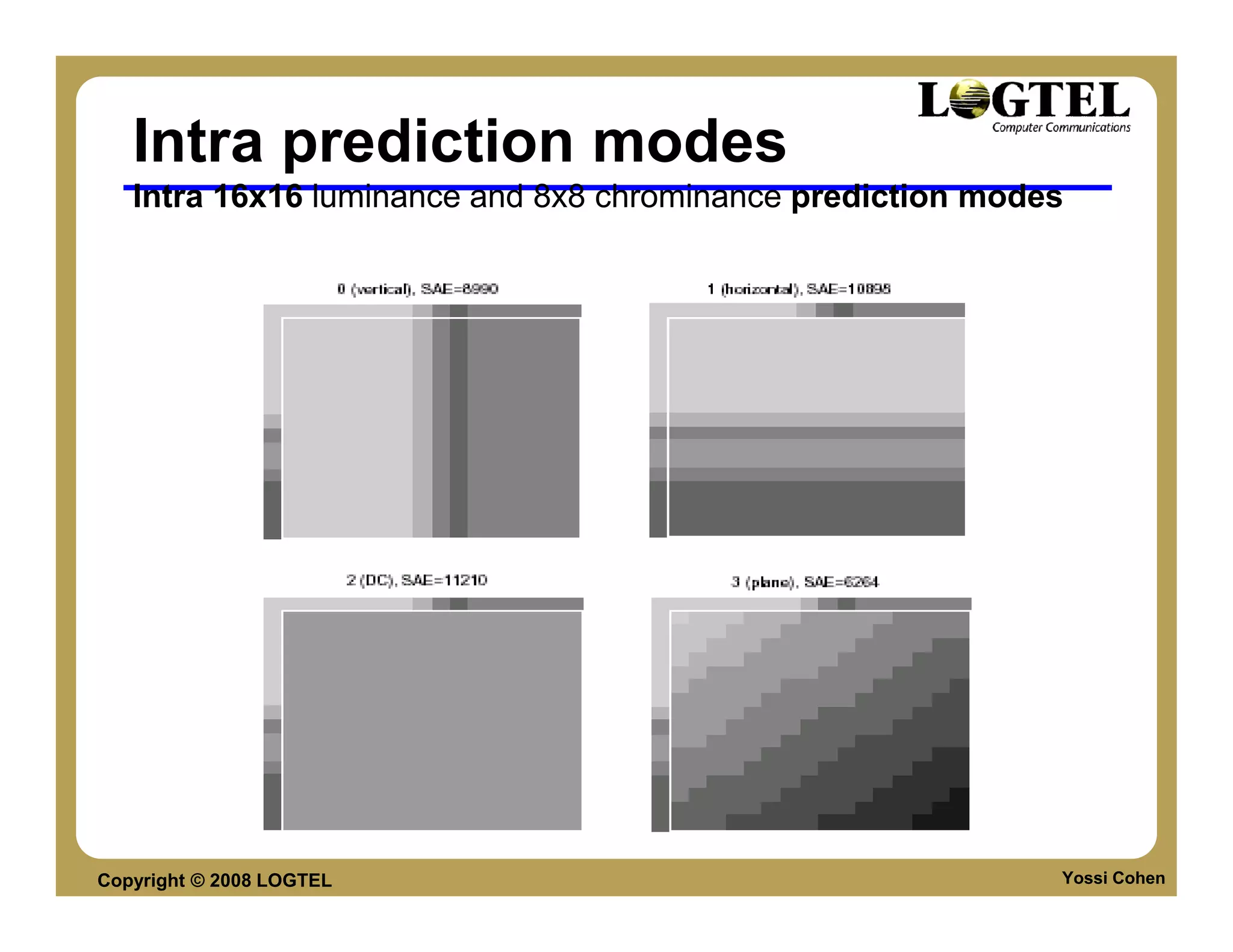
Intra prediction modes
   Intra 16x16 luminance and 8x8 chrominance prediction modes


Copyright © 2008 LOGTEL                                     Yossi Cohen
Inter prediction modes
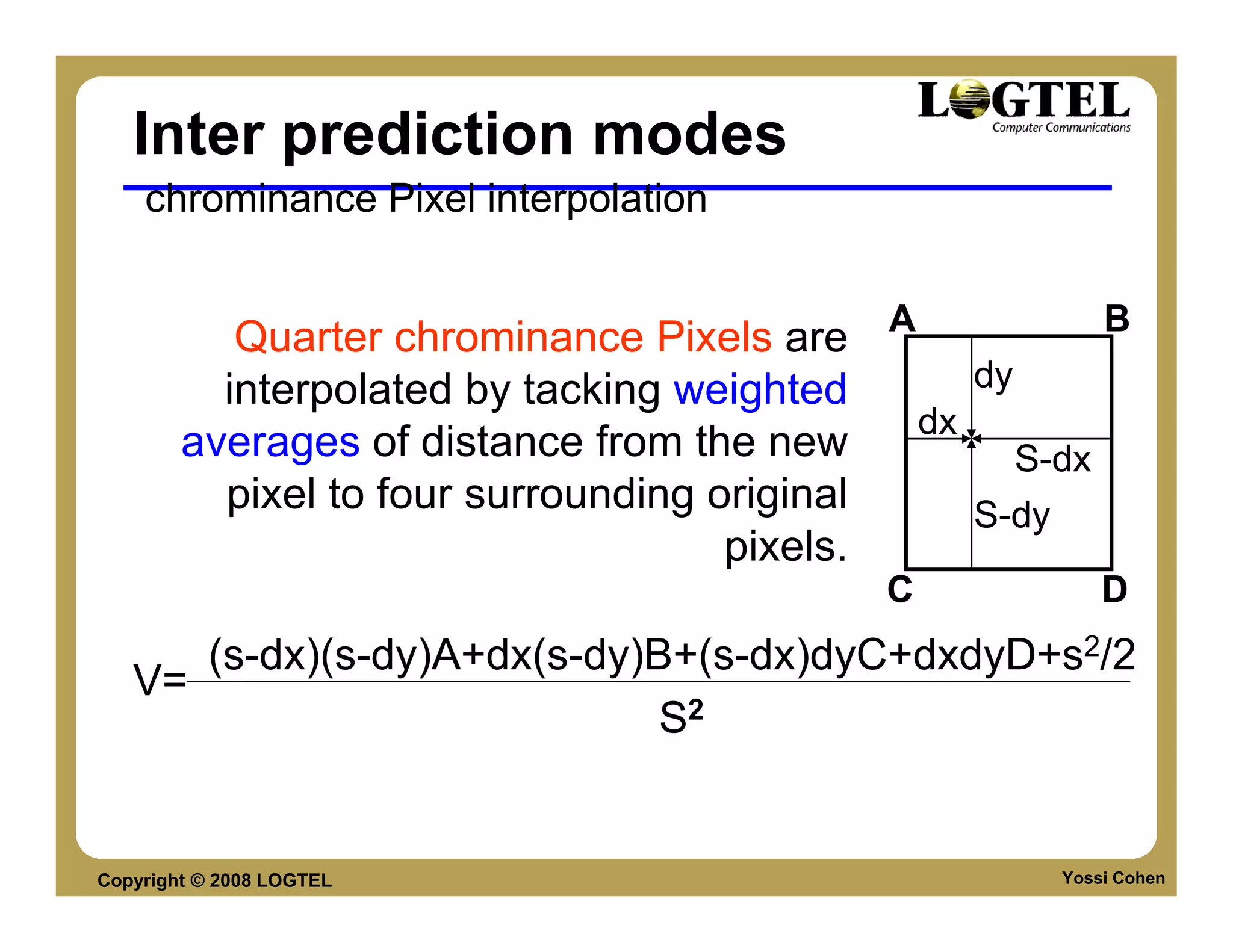
    chrominance Pixel interpolation


           Quarter chrominance Pixels are A             B
          interpolated by tacking weighted      dy
                                             dx
        averages of distance from the new          S-dx
          pixel to four surrounding original    S-dy
                                     pixels.
                                            C            D
      (s-dx)(s-dy)A+dx(s-dy)B+(s-dx)dyC+dxdyD+s2/2
   V=
                             S2


Copyright © 2008 LOGTEL                              Yossi Cohen
Deblocking filter
     Deblocking filter:
       Improves subjective visual and objective quality of
       the decoded picture
       Significantly superior to post filtering
       Filtering affects the edges of 4x4 block structure
       Highly content adaptive filtering procedure mainly
       removes blocking artifacts and does not
       unnecessarily blur the visual content
       Filtering strength is dependent on inter,intra, motion
       and coded residuals.


Copyright © 2008 LOGTEL                                         Yossi Cohen
Deblocking filter

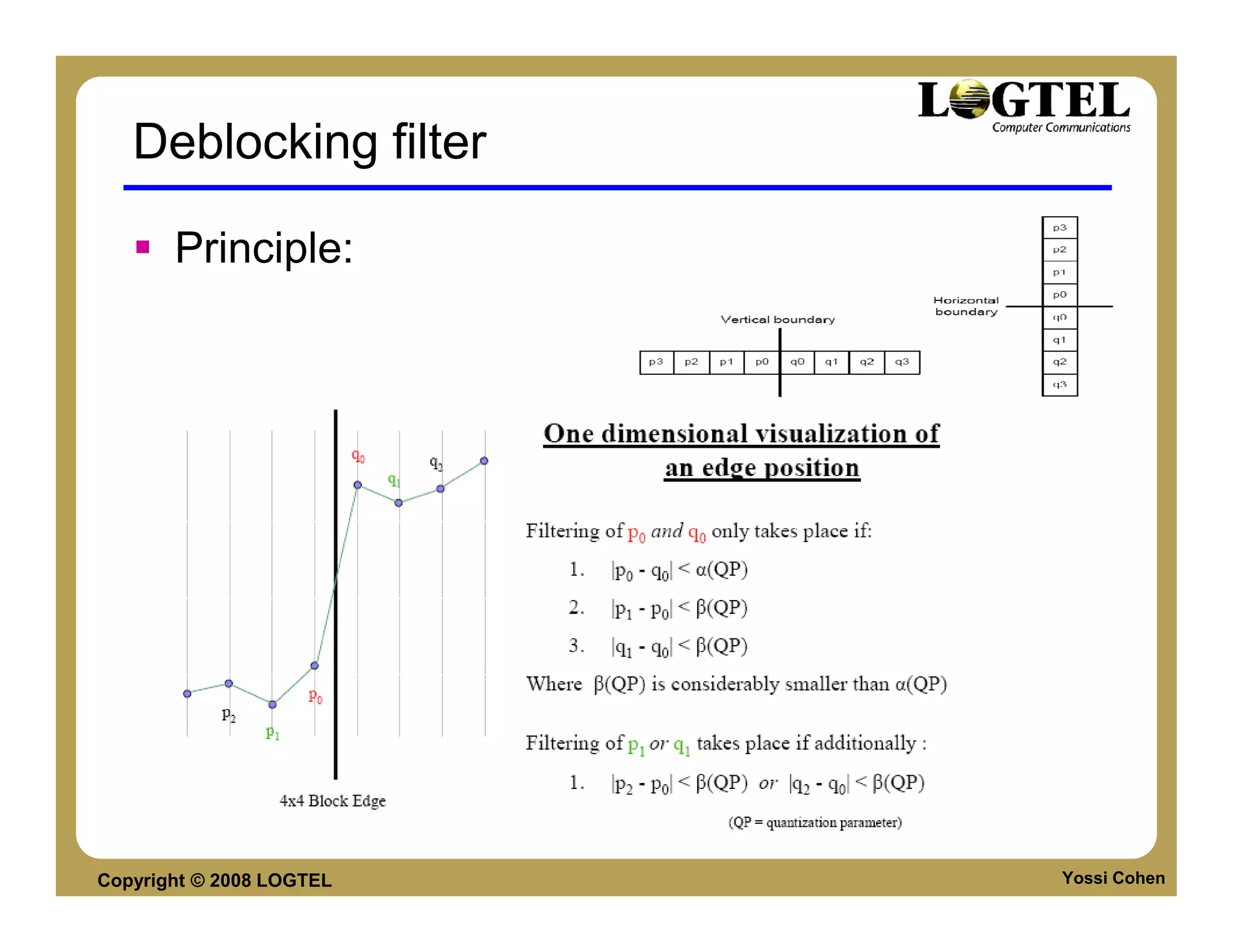
       Principle:


Copyright © 2008 LOGTEL   Yossi Cohen
Deblocking filter
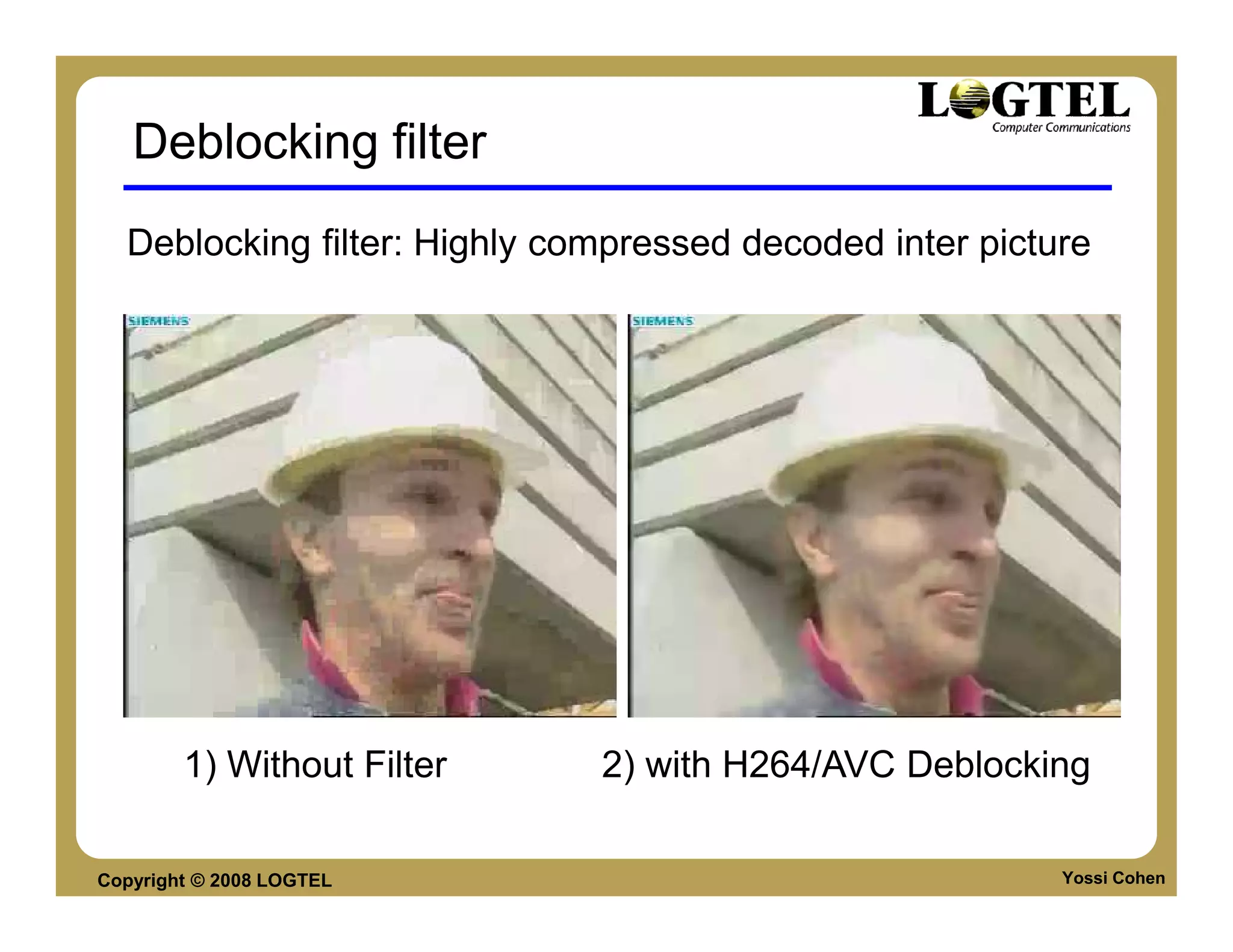
  Deblocking filter: Highly compressed decoded inter picture


        1) Without Filter     2) with H264/AVC Deblocking

Copyright © 2008 LOGTEL                                   Yossi Cohen
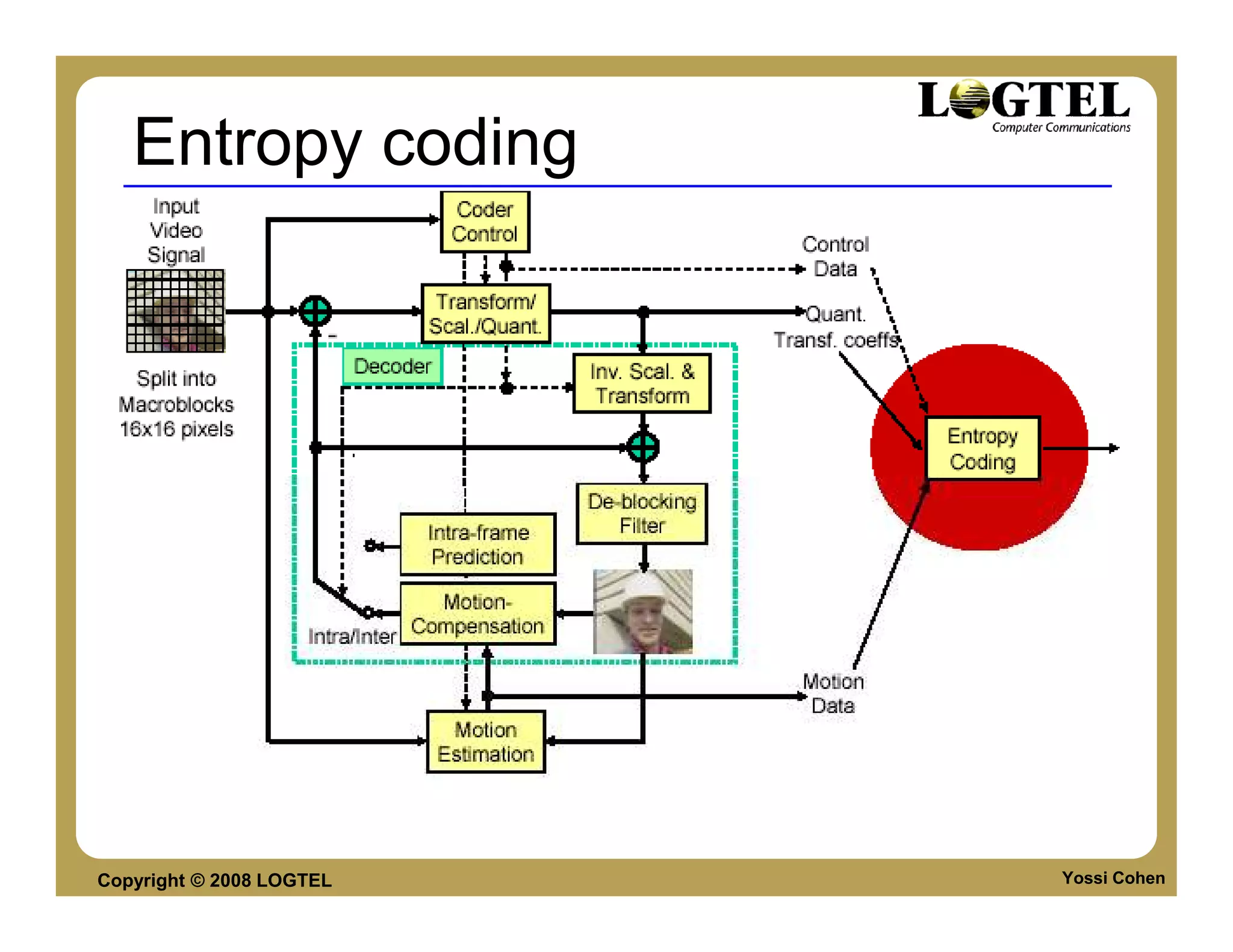
Entropy coding


Copyright © 2008 LOGTEL   Yossi Cohen
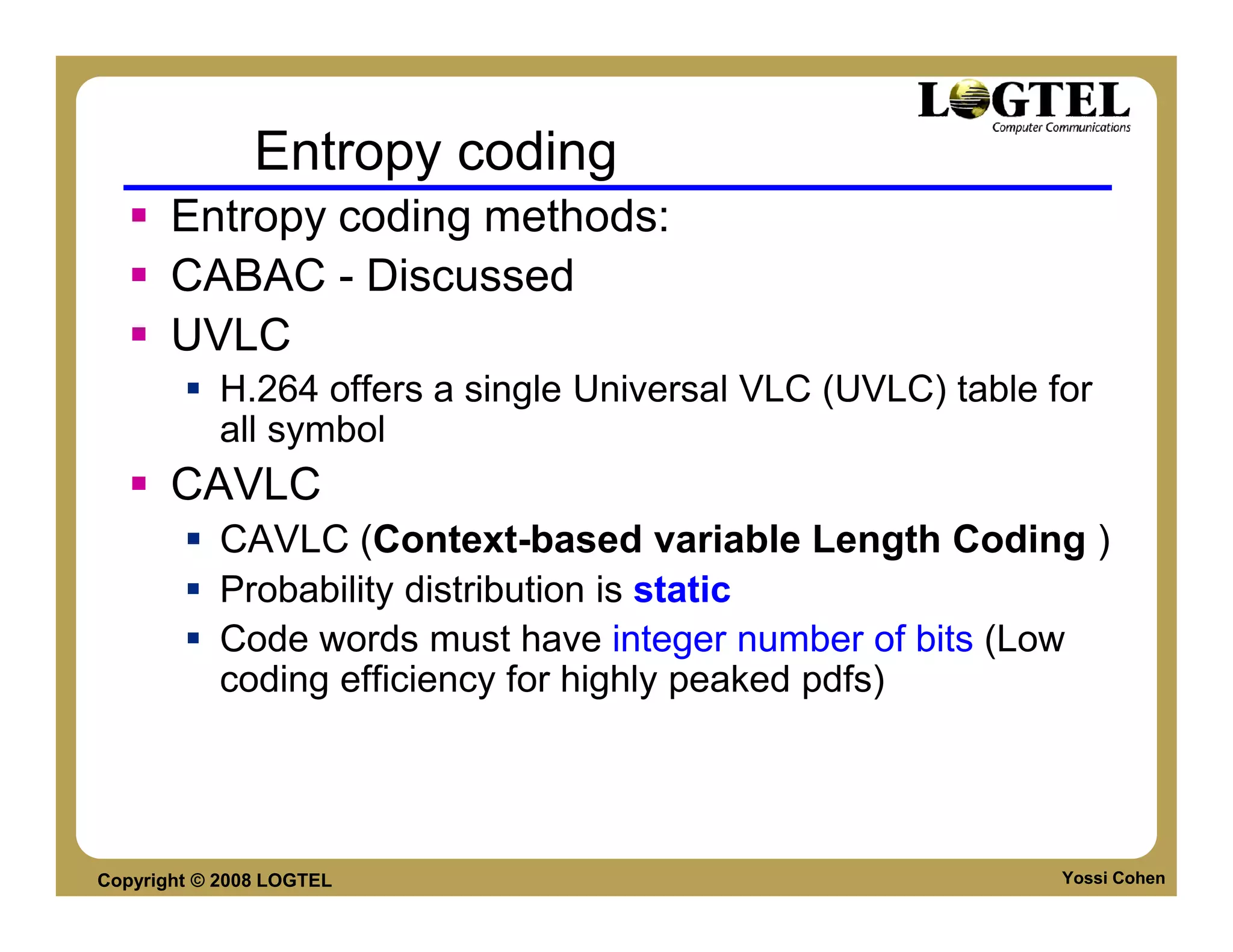
Entropy coding
       Entropy coding methods:
       CABAC - Discussed
       UVLC
           H.264 offers a single Universal VLC (UVLC) table for
           all symbol
       CAVLC
           CAVLC (Context-based variable Length Coding )
           Probability distribution is static
           Code words must have integer number of bits (Low
           coding efficiency for highly peaked pdfs)


Copyright © 2008 LOGTEL                                      Yossi Cohen
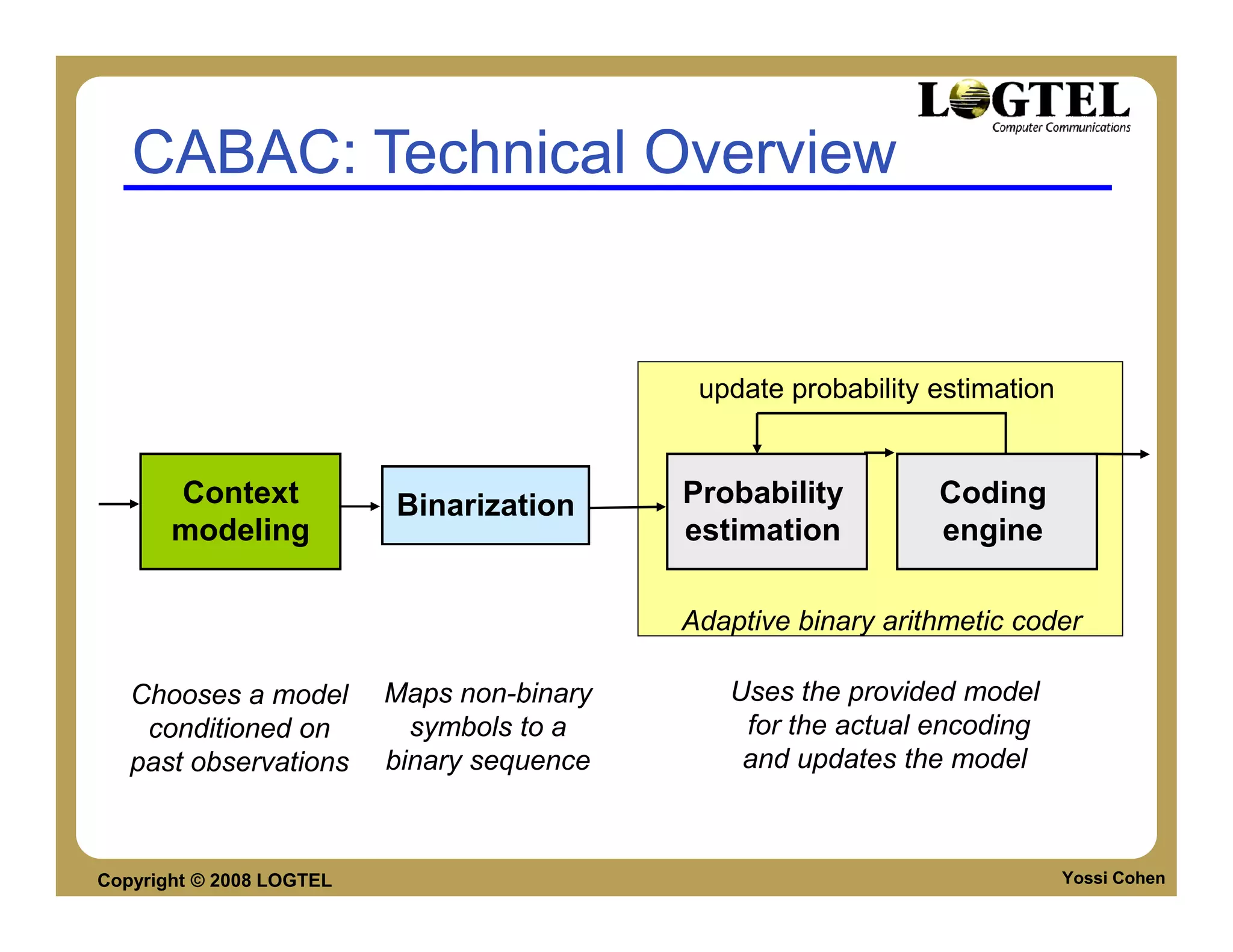
CABAC: Technical Overview


                                             update probability estimation


       Context            Binarization      Probability         Coding
       modeling                             estimation          engine

                                            Adaptive binary arithmetic coder

   Chooses a model        Maps non-binary      Uses the provided model
    conditioned on          symbols to a        for the actual encoding
   past observations      binary sequence       and updates the model


Copyright © 2008 LOGTEL                                                      Yossi Cohen
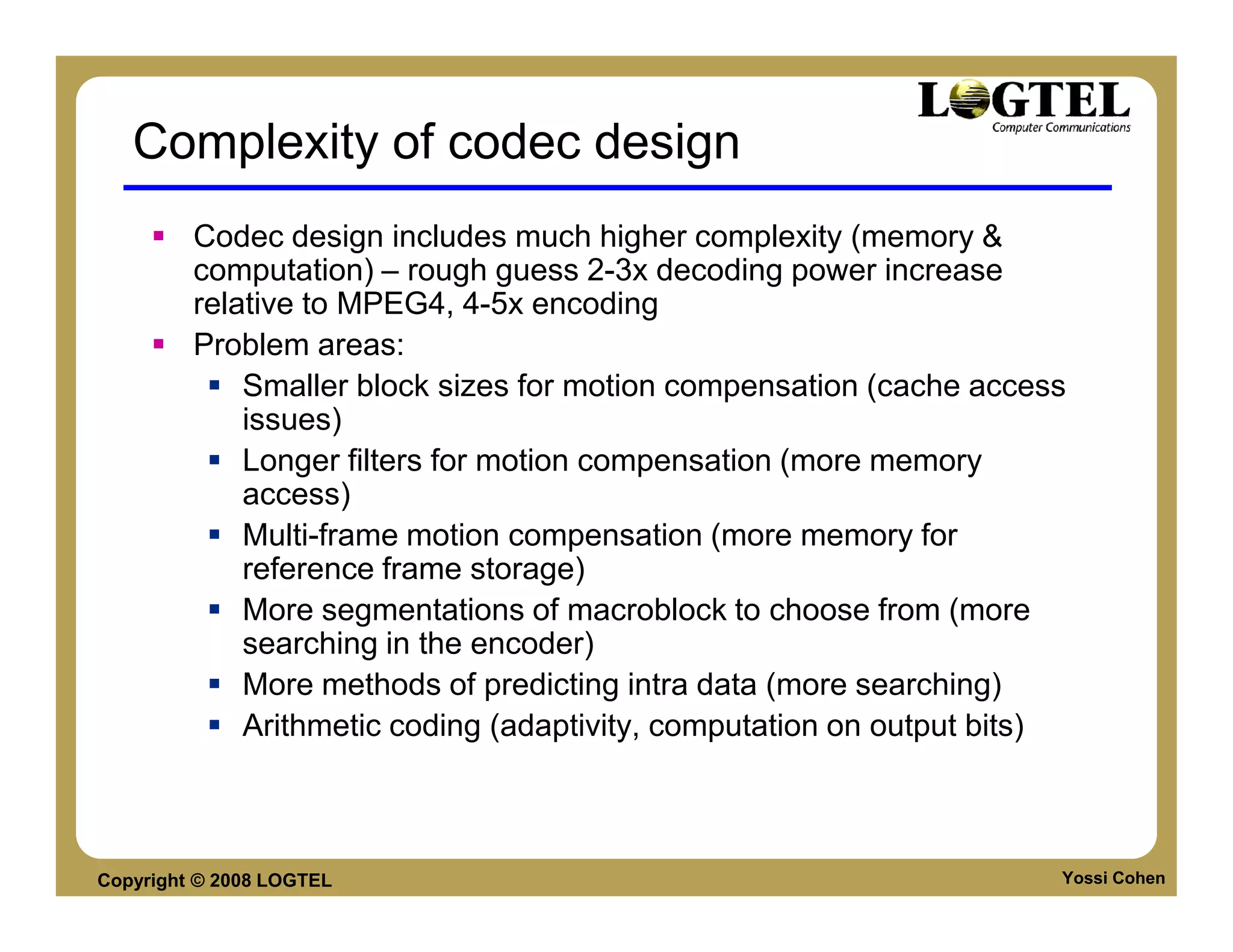
Complexity of codec design
         Codec design includes much higher complexity (memory &
         computation) – rough guess 2-3x decoding power increase
         relative to MPEG4, 4-5x encoding
         Problem areas:
             Smaller block sizes for motion compensation (cache access
             issues)
             Longer filters for motion compensation (more memory
             access)
             Multi-frame motion compensation (more memory for
             reference frame storage)
             More segmentations of macroblock to choose from (more
             searching in the encoder)
             More methods of predicting intra data (more searching)
             Arithmetic coding (adaptivity, computation on output bits)


Copyright © 2008 LOGTEL                                               Yossi Cohen
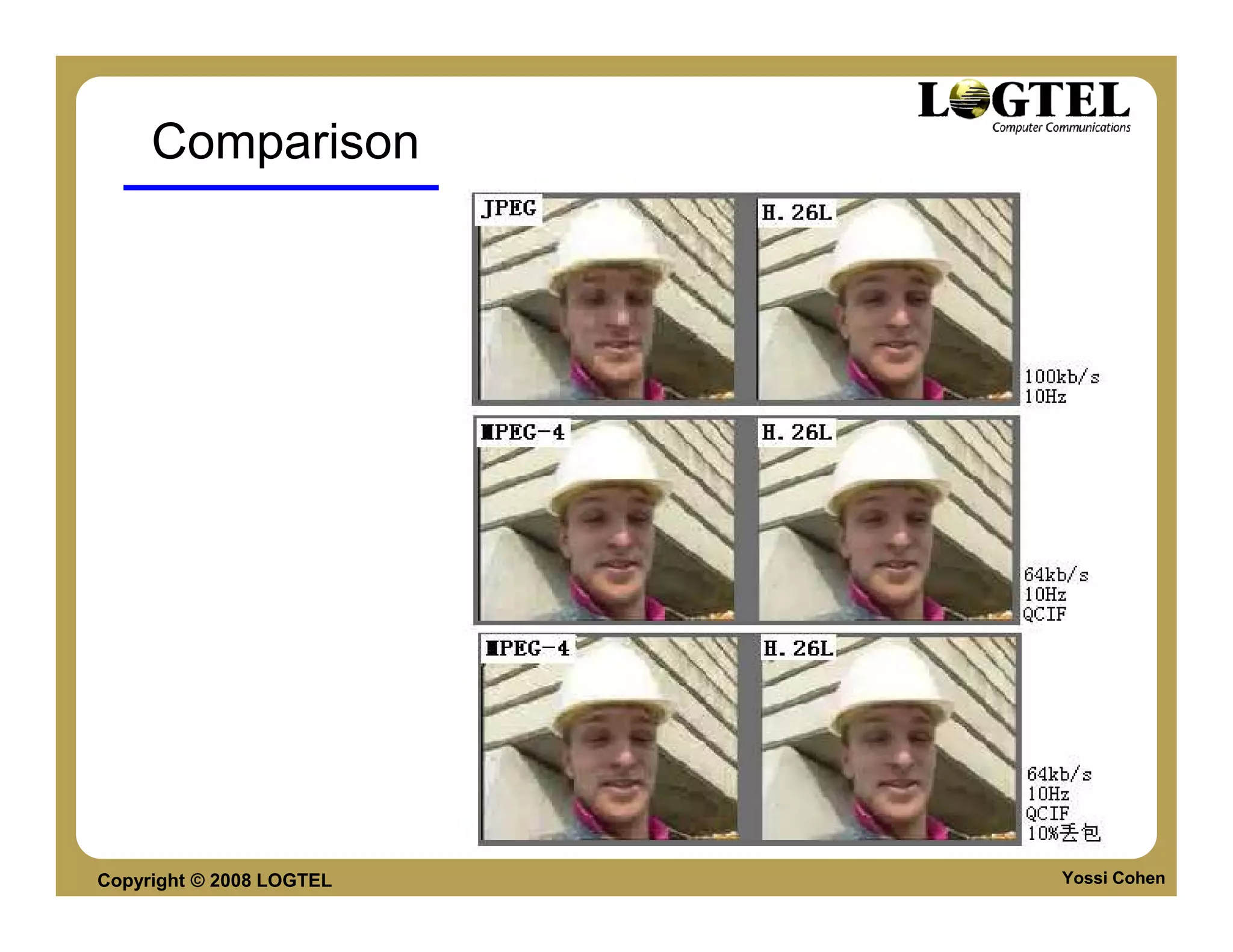
Comparison


Copyright © 2008 LOGTEL   Yossi Cohen
Summary

     New key features are:
          Enhanced motion compensation
          Small blocks for transform coding
          Improved de-blocking filter
          Enhanced entropy coding
     Substantial bit-rate savings (up to 50%) relative to
     other standards for the same quality
     The complexity of the encoder triples that of the
     prior ones
     The complexity of the decoder doubles that of the
     prior ones
Copyright © 2008 LOGTEL                               Yossi Cohen
Sorenson Spark video Codec
       H263 variant
       Low footprint (code size) ~100K
       Good performance for 2002
       Quality SPARK vs Optimal MPEG (H263+)
           20-30% less efficient
       SPARK Quality RT vs Offline
           RT has Considerably lower quality due to processing
           power and RT (delay) constraints


Copyright © 2008 LOGTEL                                     Yossi Cohen
Sorenson Spark - 2
       Does Not support:
           Arithmetic coding
           Advance prediction
           B-frames
       Features
           De-blocking filter mode
           UMV - Unrestricted Motion Vector mode
           Arbitrary frame dimensions
           Supported by FFMPEG
           D – Frames


Copyright © 2008 LOGTEL                            Yossi Cohen
D-Frames
       D (Disposable) frames
           One way prediction
           Provides flexible bit-rate: I-D-P-D-P-D-P
           D-frames used only when feeding a flash
           communication server


Copyright © 2008 LOGTEL                                Yossi Cohen
On2 TrueMotion VP6
       Features
           Compressed I-frames (Intra-compression makes use
           of spatial predictors)
           unidirectional predicted frames (P-frames)
           Multiple reference P-frames
           8x8 iDCT-class transform (4x4 in VP7)
           improved quantization strategy (preserves image
           details)
           Advance Entropy Coding


Copyright © 2008 LOGTEL                                  Yossi Cohen
VP6 Features
       Entropy Coding
           various techniques are used based on complexity and
           frame size including:
                VLC
                Context modeled binary coding (like H264 CABAC)
       Bit Rate Control
           To reach the requested data rate, VP6 adjusts
                Quantization levels
                Encoded frame dimensions
                Entropy Coding
                Drop frames


Copyright © 2008 LOGTEL                                           Yossi Cohen
VP6 motion prediction
       Motion Vectors
           One vector per MacroBlock (16x16)
           or
           4 vectors for each block (8x8)
       Quarter pel motion compensation support
       Unrestricted motion compensation support
       Two reference frames:
           The previous frame
           or
           Previously bookmarked frame


Copyright © 2008 LOGTEL                           Yossi Cohen
VP6 vs H264

   VP6 is much simpler than H.264
        Requires less CPU resourced for decoding & encoding
        Code size is considerably smaller.
   Simpler means less efficient? NO! Techniques
   used:
        Mix of adaptive sub-pixel motion estimation
        Better prediction of low-order frequency coefficients
        Improved quantization strategy
        de-blocking and de-ringing filters
        Enhanced context based entropy coding,


Copyright © 2008 LOGTEL                                         Yossi Cohen
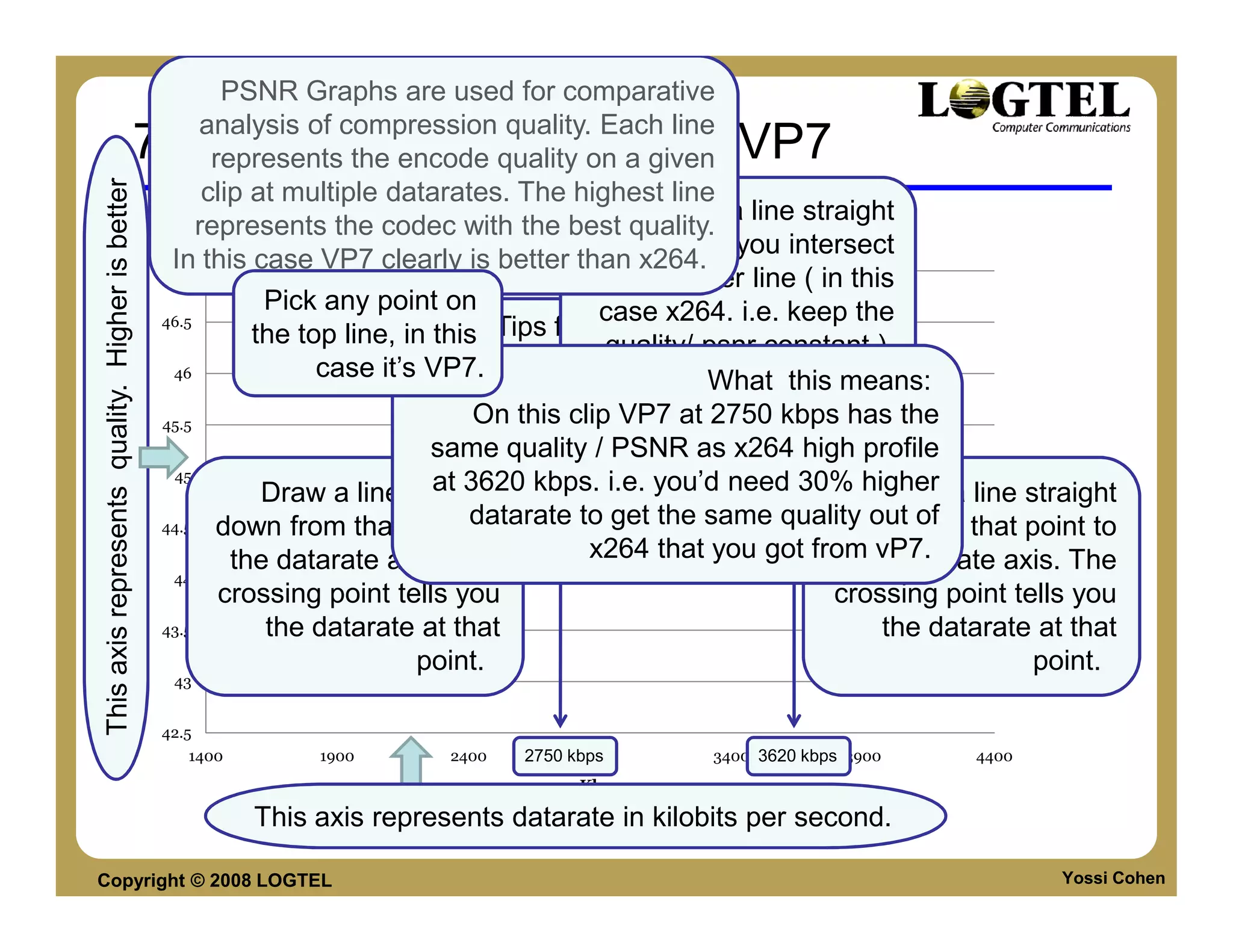
PSNR Graphs are used for comparative
                                                             analysis of compression quality. Each line
                                                 720p High Profile H.264 vs VP7
                                                               represents the encode quality on a given
This axis represents quality. Higher is better

                                                              clip at multiple datarates. The highest line
                                                                                                       Draw a line straight
                                                             represents the codec with the best quality.
                                                                                         Alexander Trailer intersect
                                                                                                 across until you
                                                         In this case VP7 clearly is better than x264.
                                                          47
                                                                                                     the lower line ( in this
                                                                    Pick any point on             case x264. i.e. keep the
                                                        46.5
                                                                   the top line, in this Tips for reading this kind of a
                                                                                                   quality/ psnr constant )
                                                         46              case it’s VP7.        graph (a PSNR graph):
                                                                                                            What this means:
                                                        45.5                         On this clip VP7 at 2750 kbps has the
                                                                                 same quality / PSNR as x264 high profile
                                                         45
                                                                  Draw a line straight kbps. i.e. you’d need 30% higher a line straight
                                                                                 at 3620
                                                 PSNR


                                                                                                                      Draw
                                                        44.5   down from that pointdatarate to get the same quality outfrom that point to
                                                                                     to                            down of             Vp7

                                                                the datarate axis. The         x264 that you got from vP7.             x264
                                                                                                                    the datarate axis. The
                                                         44
                                                               crossing point tells you                               crossing point tells you
                                                        43.5       the datarate at that                                   the datarate at that
                                                                                point.                                                 point.
                                                         43


                                                        42.5
                                                           1400        1900       2400    2750 kbps
                                                                                                 2900    3400 3620 kbps 3900      4400
                                                                                                Kbps

                                                                  This axis represents datarate in kilobits per second.

Copyright © 2008 LOGTEL                                                                                                                  Yossi Cohen
VP6 vs. H264

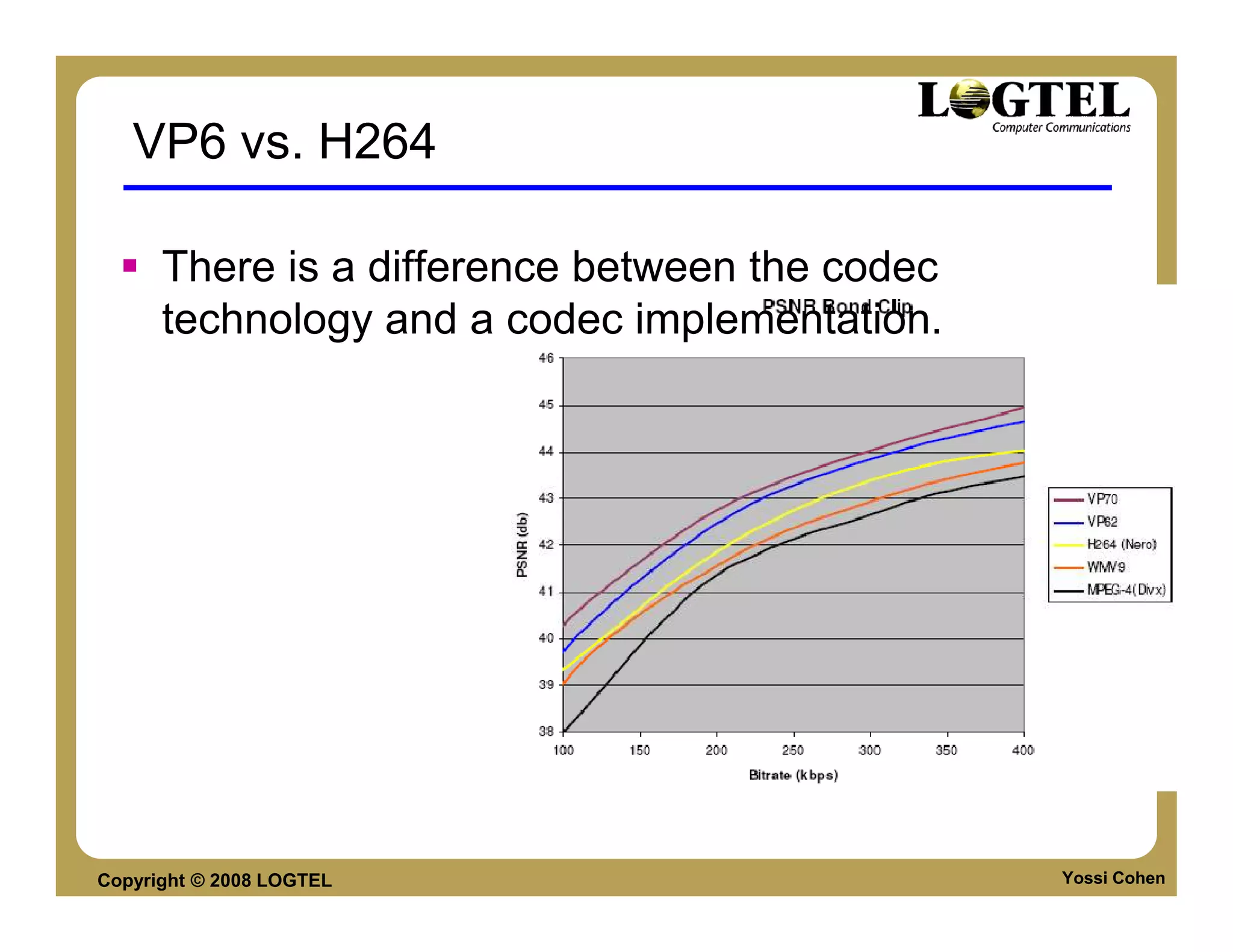
      There is a difference between the codec
      technology and a codec implementation.


Copyright © 2008 LOGTEL                         Yossi Cohen
On2 VP7
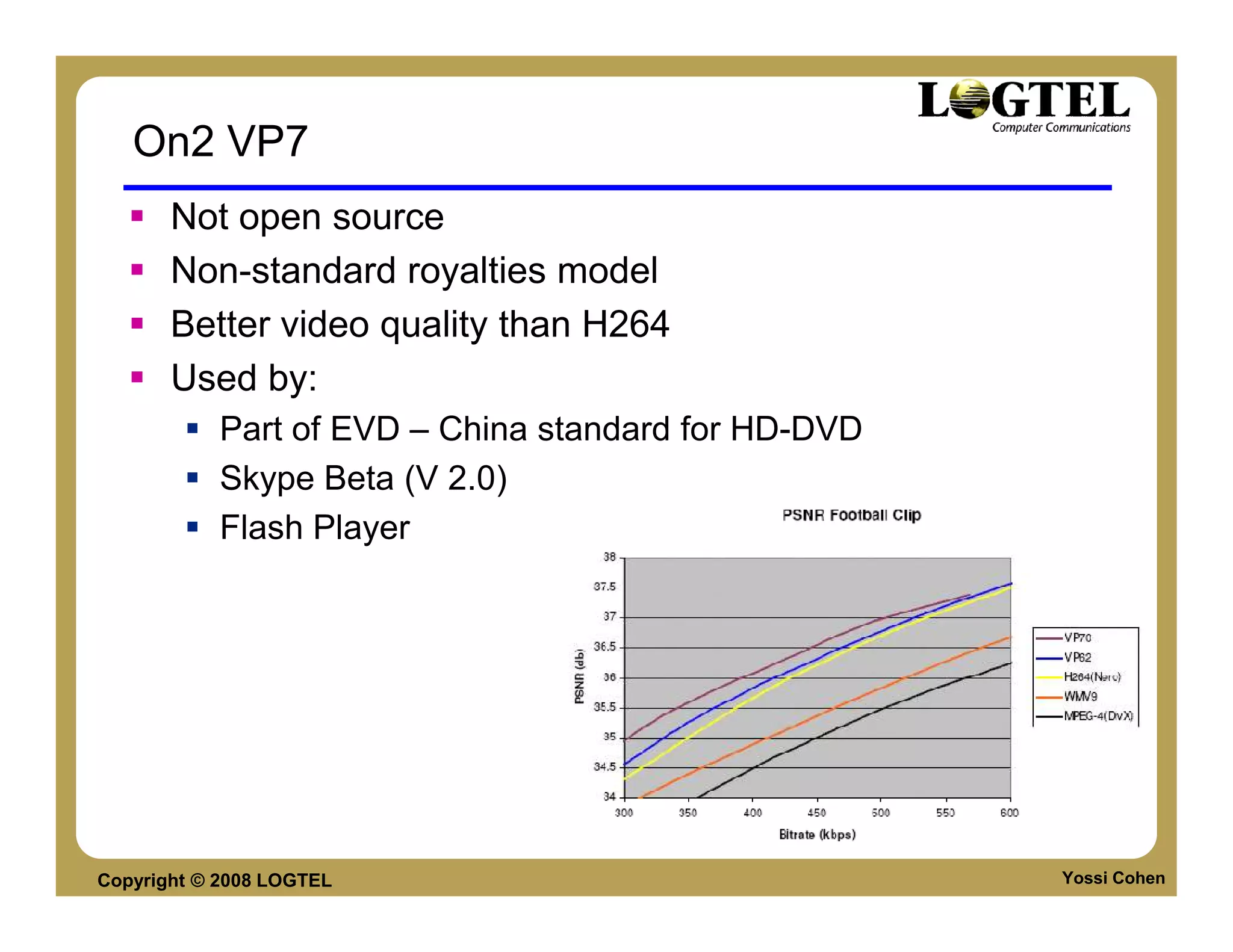
       Not open source
       Non-standard royalties model
       Better video quality than H264
       Used by:
           Part of EVD – China standard for HD-DVD
           Skype Beta (V 2.0)
           Flash Player


Copyright © 2008 LOGTEL                              Yossi Cohen
Windows Media
       Windows media is a format used by Microsoft for
       encoding and distributing Audio and Video.
       Windows Media has two types of media:
           Windows Media Audio (WMA)
           Windows Media video (WMV)
       Windows Media Video
           A modified version of MPEG 4
           Codec version has initially started from version 7 for
           windows media player 7 and then evolved to version
           8-10


Copyright © 2008 LOGTEL                                        Yossi Cohen
Windows Media 9 - VC1 Format
       Microsoft has submitted Version 9 codec to the Society
       of Motion Picture and Television Engineers (SMPTE), for
       approval as an international standard. SMPTE is
       reviewing the submission under the draft-name "VC-1")

       This codec is also used to distribute high definition video
       on standard DVDs in a format Microsoft has branded as
       WMV HD. This WMV HD content can be played back on
       computers or compatible DVD players.

       The Trial version of standards were published by
       SMPTE in September 2005

       WMV9 was approved by SMPTE, April 2006

Copyright © 2008 LOGTEL                                        Yossi Cohen
GOOGLE VP8


Copyright © 2008 LOGTEL   Yossi Cohen
Before we start
      VP8 goal is NOT to delivery the best video
      quality in any given bitrate
      VP8 was designed as a mobile video decoder
      and should be examined in this context:
           VP8 vs H.264 base profile


Copyright © 2008 LOGTEL                            Yossi Cohen
Google VP8
      Last month, in Google IO (its developer
      confrence), Google released VP8 as open
      source
      VP8 is a light weight video codec developed by
      On2.
      VP8 provide quality which is the same/higher
      than H.264 base profile
      VP8 memory requirements are lower than H.264
      base profile
      After optimization, VP8 might have better MIPS
      performance than H.264 base profile

Copyright © 2008 LOGTEL                           Yossi Cohen
Genealogy
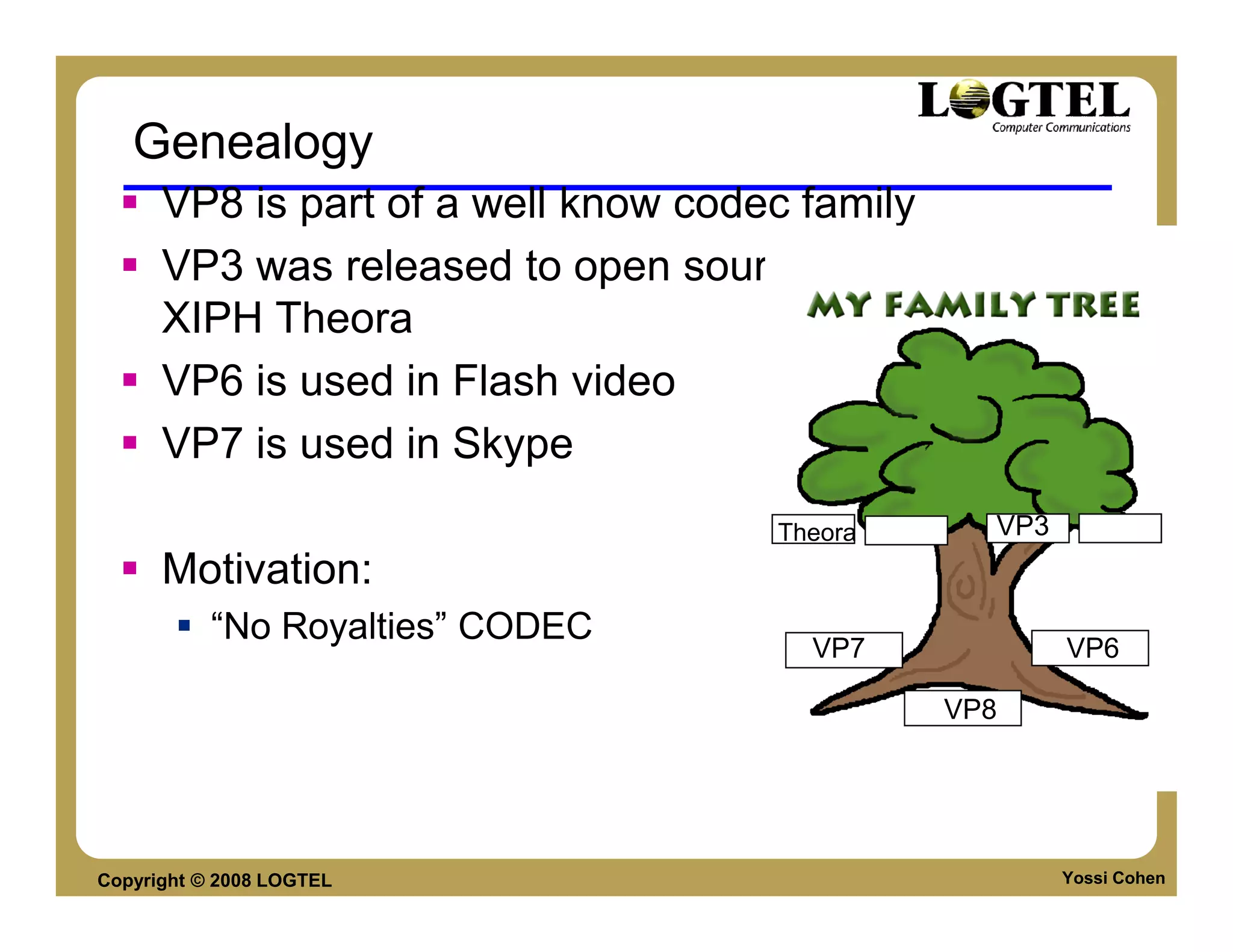
      VP8 is part of a well know codec family
      VP3 was released to open source to become
      XIPH Theora
      VP6 is used in Flash video
      VP7 is used in Skype
                                   Theora     VP3
      Motivation:
           “No Royalties” CODEC
                                     VP7            VP6

                                            VP8


Copyright © 2008 LOGTEL                             Yossi Cohen
ADAPTATION – WHO USE IT?

     Software
     Hardware
     Platform & Publishers


Copyright © 2008 LOGTEL         Yossi Cohen
Software Adaptation
      Android, Anystream, Collabora
      Corecodec, Firefox, Adobe Flash
      Google Chrome, iLinc,
      Inlet, Opera, ooVoo
      Skype, Sorenson Media
      Theora.org, Telestream, Wildform.


Copyright © 2008 LOGTEL                   Yossi Cohen
Hardware adaptation
      AMD, ARM, Broadcom
      Digital Rapids, Freescale
      Harmonic ,Logitech, ViewCast
      Imagination Technologies, Marvell
      NVIDIA, Qualcomm, Texas Instruments
      VeriSilicon, MIPS


Copyright © 2008 LOGTEL                     Yossi Cohen
Platforms and Publishers
      Brightcove
      Encoding.com
      HD Cloud
      Kaltura
      Ooyala
      YouTube
      Zencoder


Copyright © 2008 LOGTEL       Yossi Cohen
VP8 MAIN FEATURES


Copyright © 2008 LOGTEL   Yossi Cohen
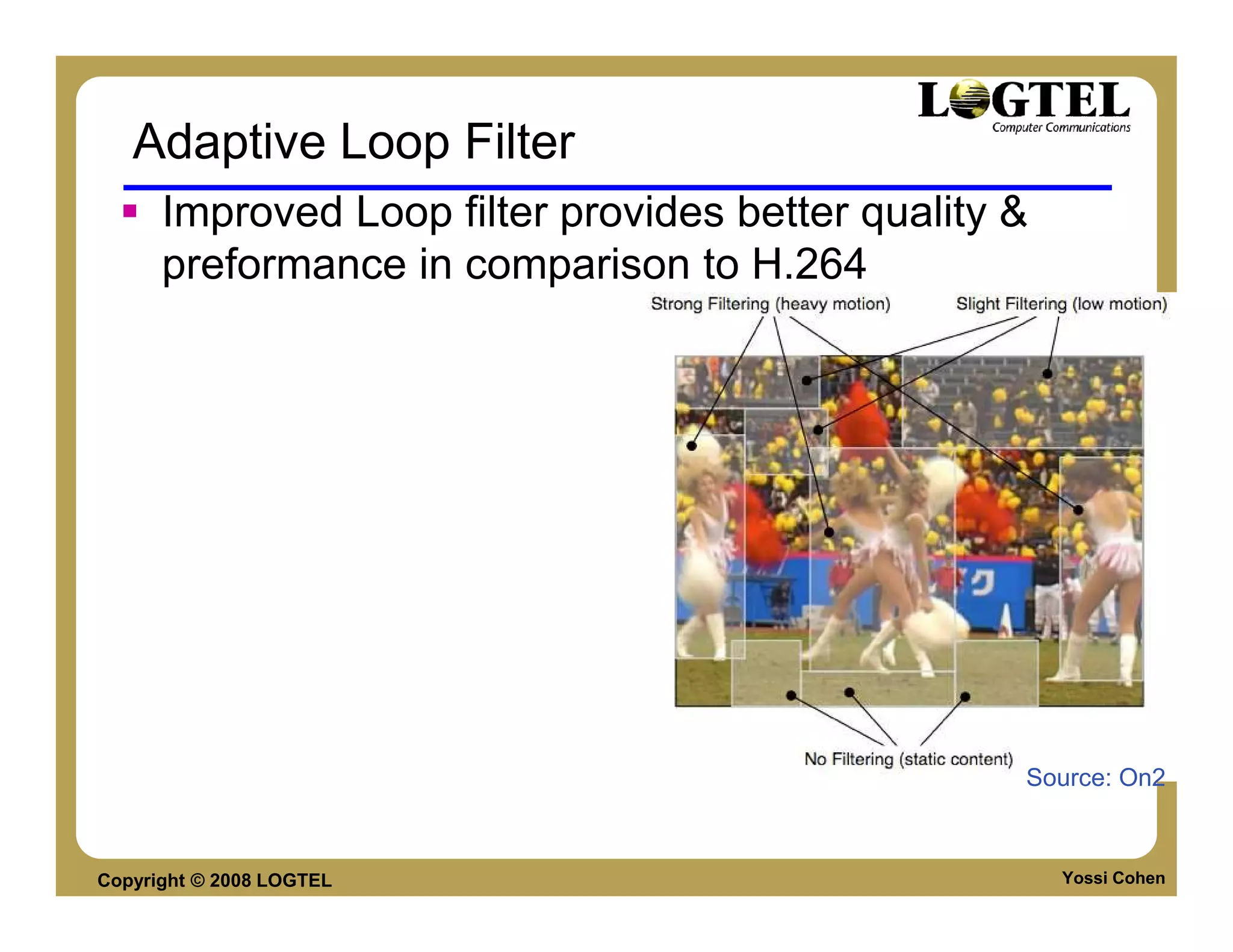
Adaptive Loop Filter
      Improved Loop filter provides better quality &
      preformance in comparison to H.264


                                                   Source: On2


Copyright © 2008 LOGTEL                                Yossi Cohen
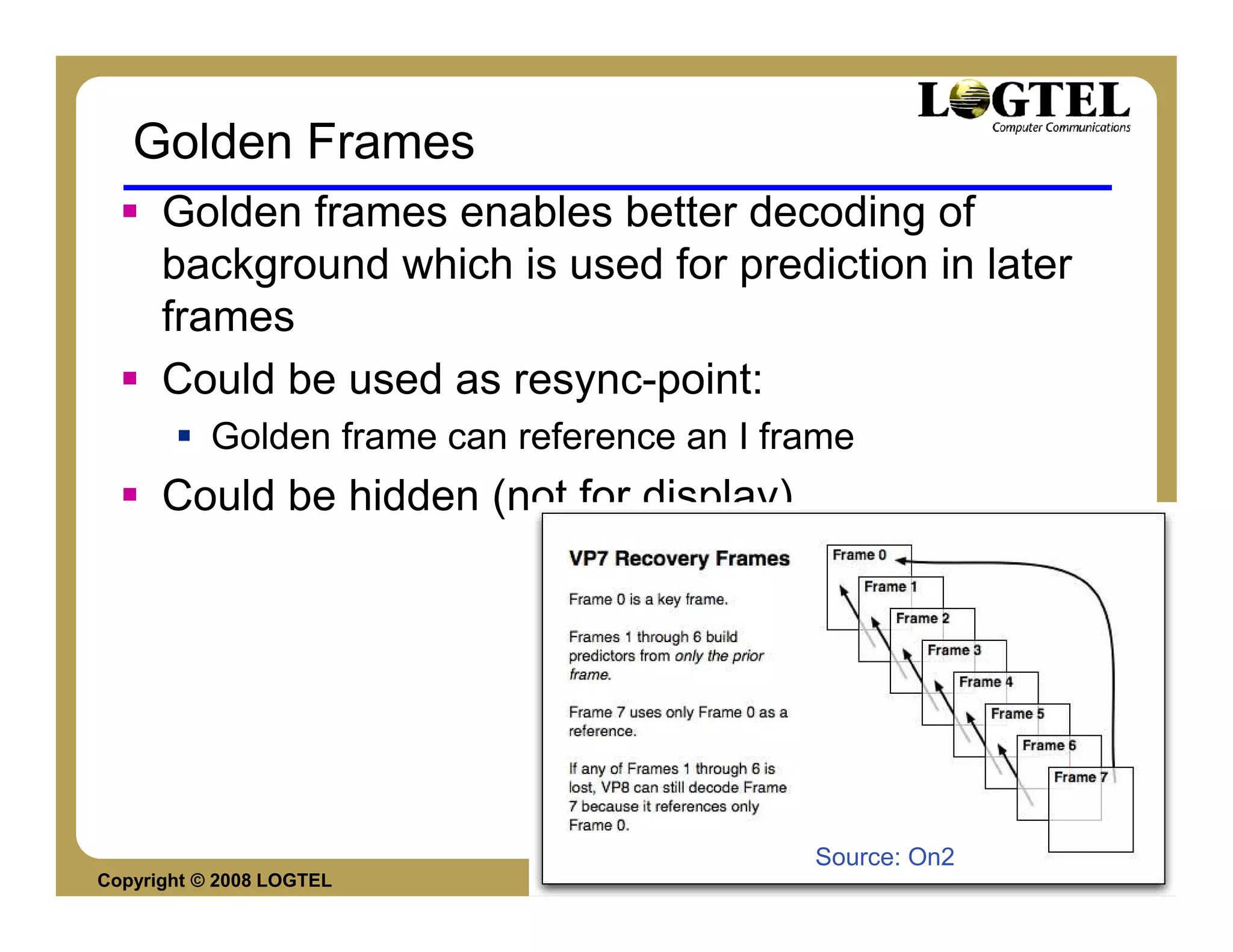
Golden Frames
      Golden frames enables better decoding of
      background which is used for prediction in later
      frames
      Could be used as resync-point:
           Golden frame can reference an I frame
      Could be hidden (not for display)


                                             Source: On2
Copyright © 2008 LOGTEL                                    Yossi Cohen
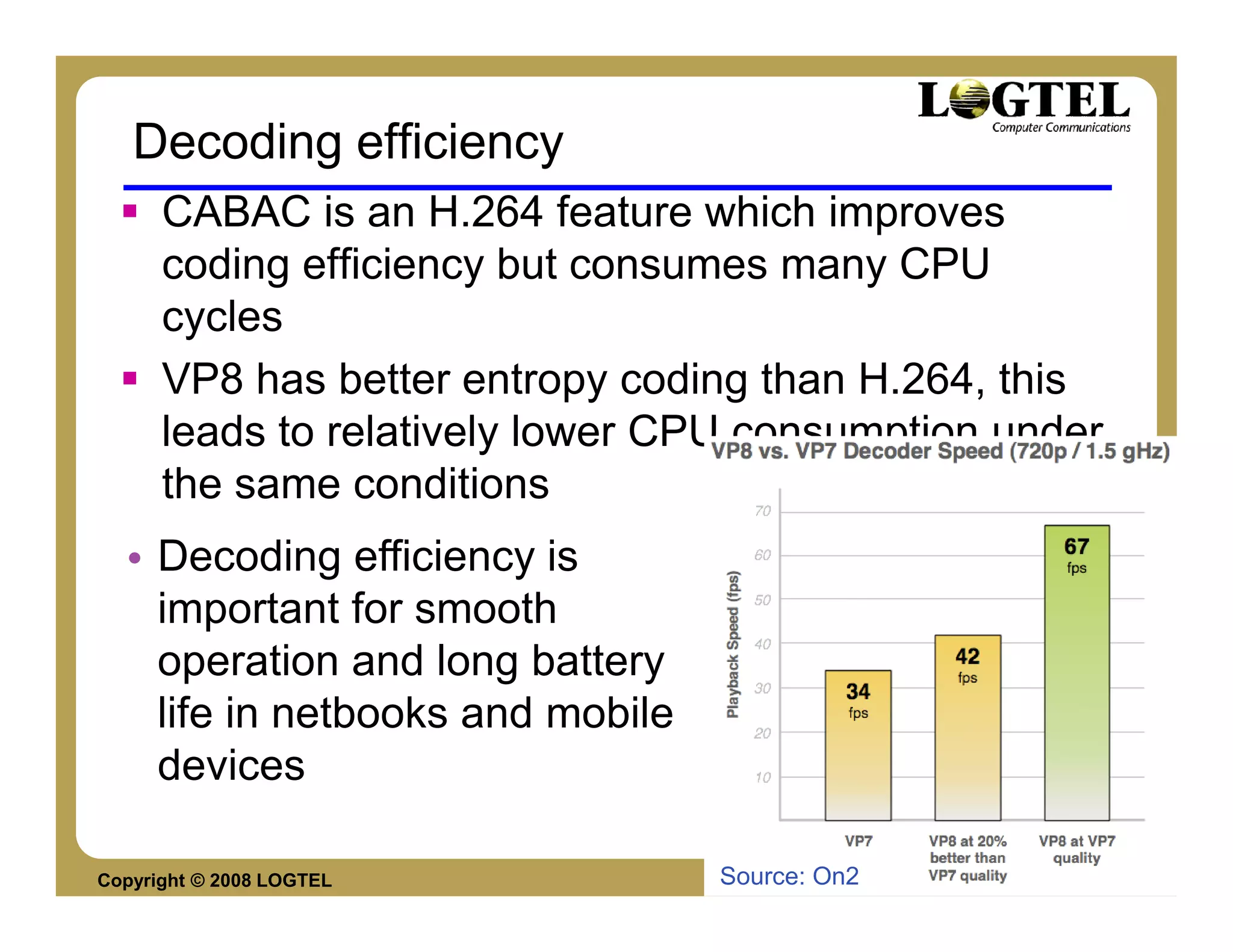
Decoding efficiency
      CABAC is an H.264 feature which improves
      coding efficiency but consumes many CPU
      cycles
      VP8 has better entropy coding than H.264, this
      leads to relatively lower CPU consumption under
      the same conditions
  • Decoding efficiency is
    important for smooth
    operation and long battery
    life in netbooks and mobile
    devices

Copyright © 2008 LOGTEL           Source: On2     Yossi Cohen
Resolution up-scaling & downscaling
      Supported by the decoder
      Encoder could decide dynamically (RT
      applications) to lower resolution in case of low
      bit rate and let the decoder scale.
      Remove decision from the application
      No need for an I frame


Copyright © 2008 LOGTEL                                  Yossi Cohen
VP8 BASICS
     Definitions
     Bitstream structure
     Frame structure


Copyright © 2008 LOGTEL    Yossi Cohen
Definitions
      Frame – same as H.264
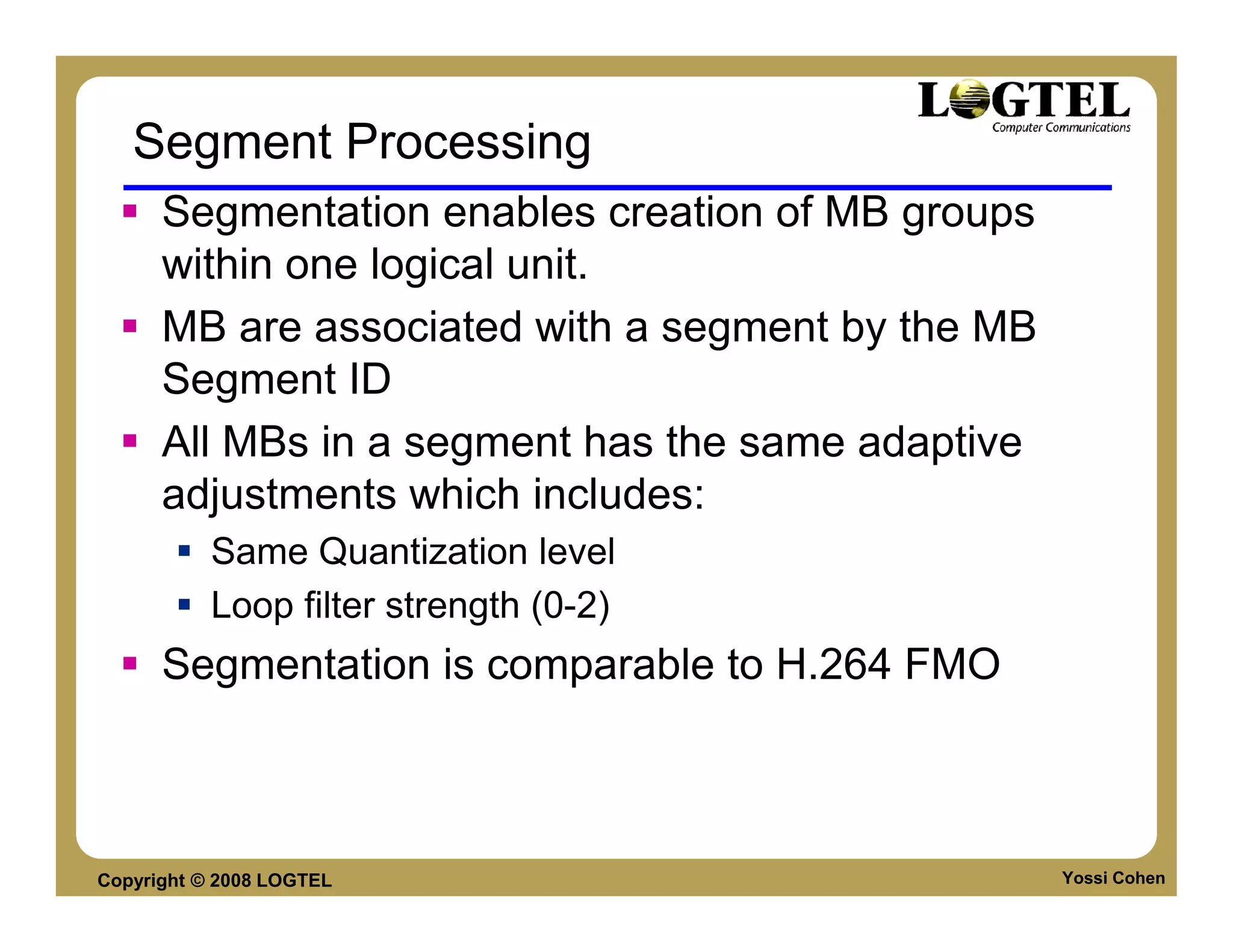
      Segment – Parallel to slice in H.264. MB in the
      same segment will use the settings such as:
           Probabilistic encoder/decoder settings
           De-blocking filter settings
      Partition – block of byte aligned compressed
      video bits.


Copyright © 2008 LOGTEL                                 Yossi Cohen
Definitions
      Block – 8x8 matrix of pixels
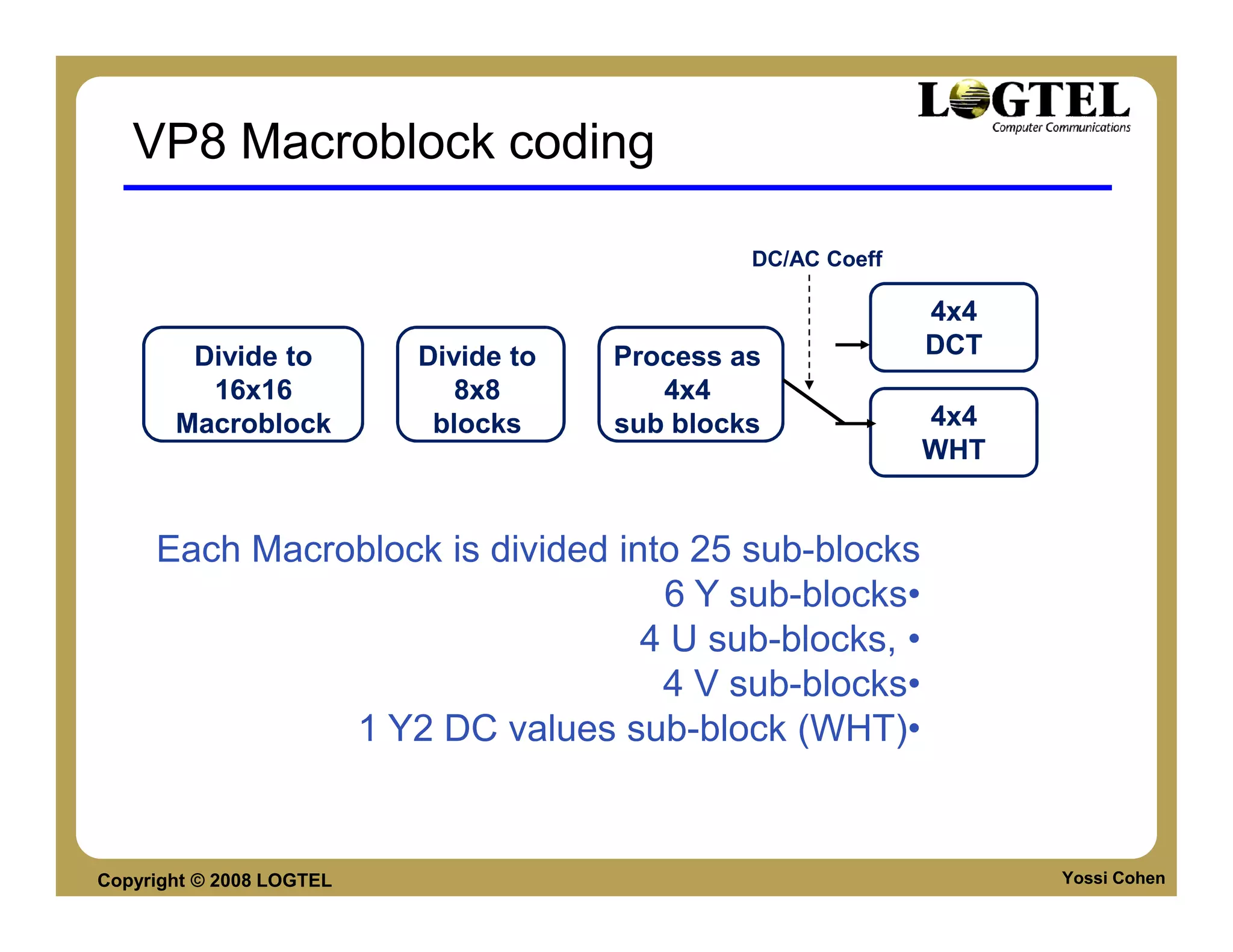
      Macro-block –processing unit, contains a 16x16
      Y pixels, and 2 8x8 matrix of U and V:
           4* 8x8Y block
           1* 8x8U block
           1* 8x8V block
      Sub-block – 4x4 matrix of pixels. All DCT / WHT
      operations are done on sub-blocks.


Copyright © 2008 LOGTEL                            Yossi Cohen
Frame Types
      I Frame
      P Frame
      No B Frames due to patents / delays
      Prediction
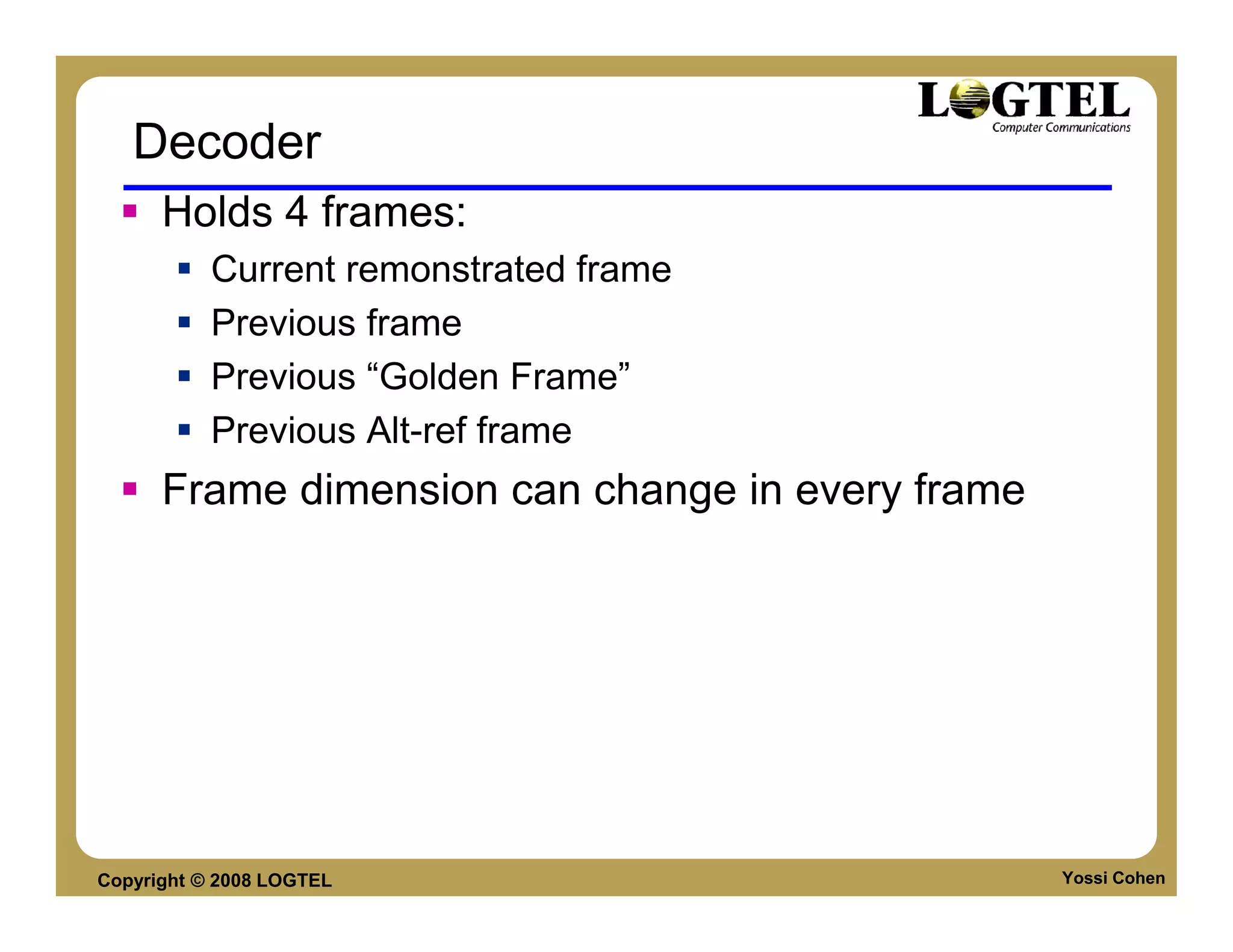
           Previous frame
           “Golden Frame”
           Alt-ref frame


Copyright © 2008 LOGTEL                     Yossi Cohen
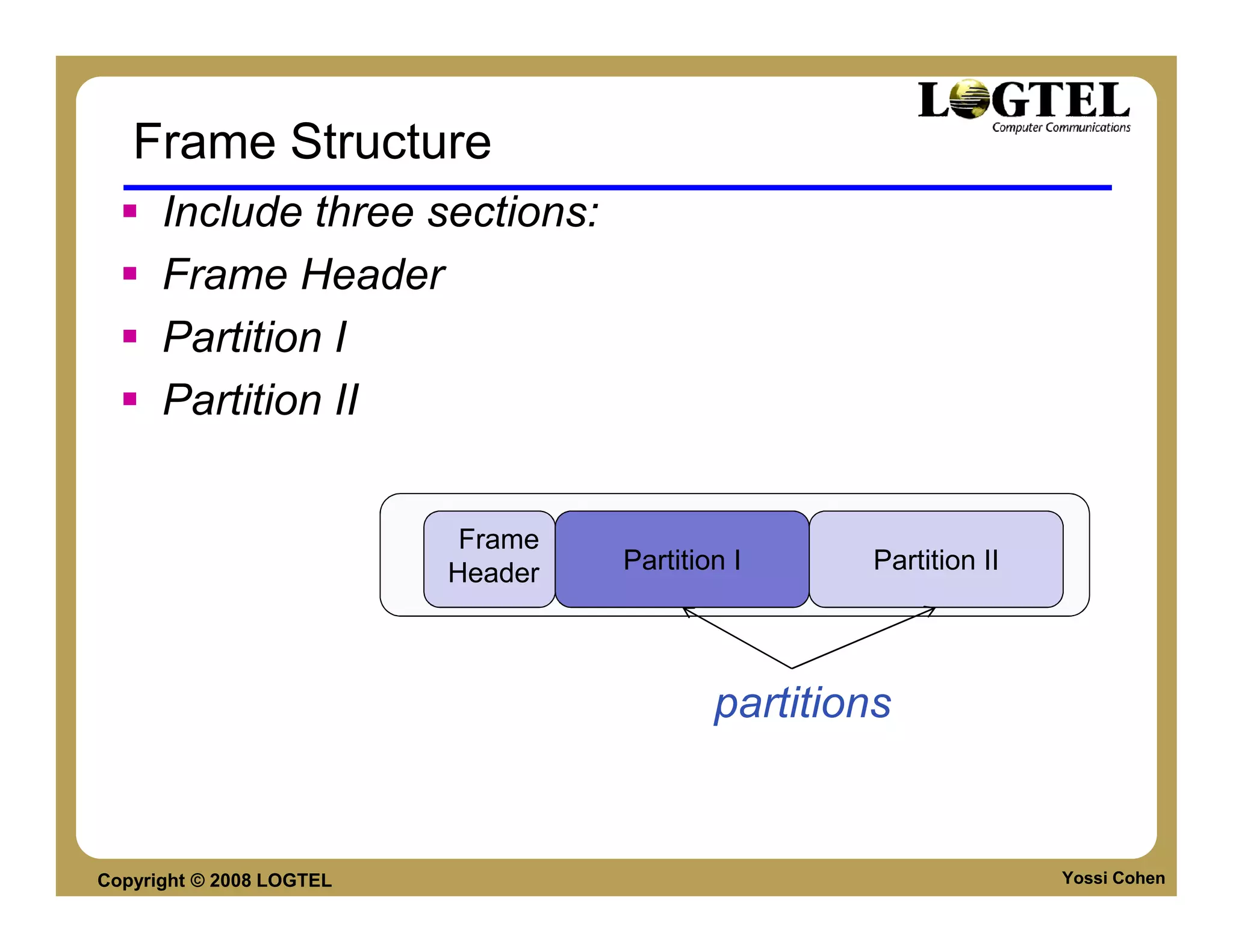
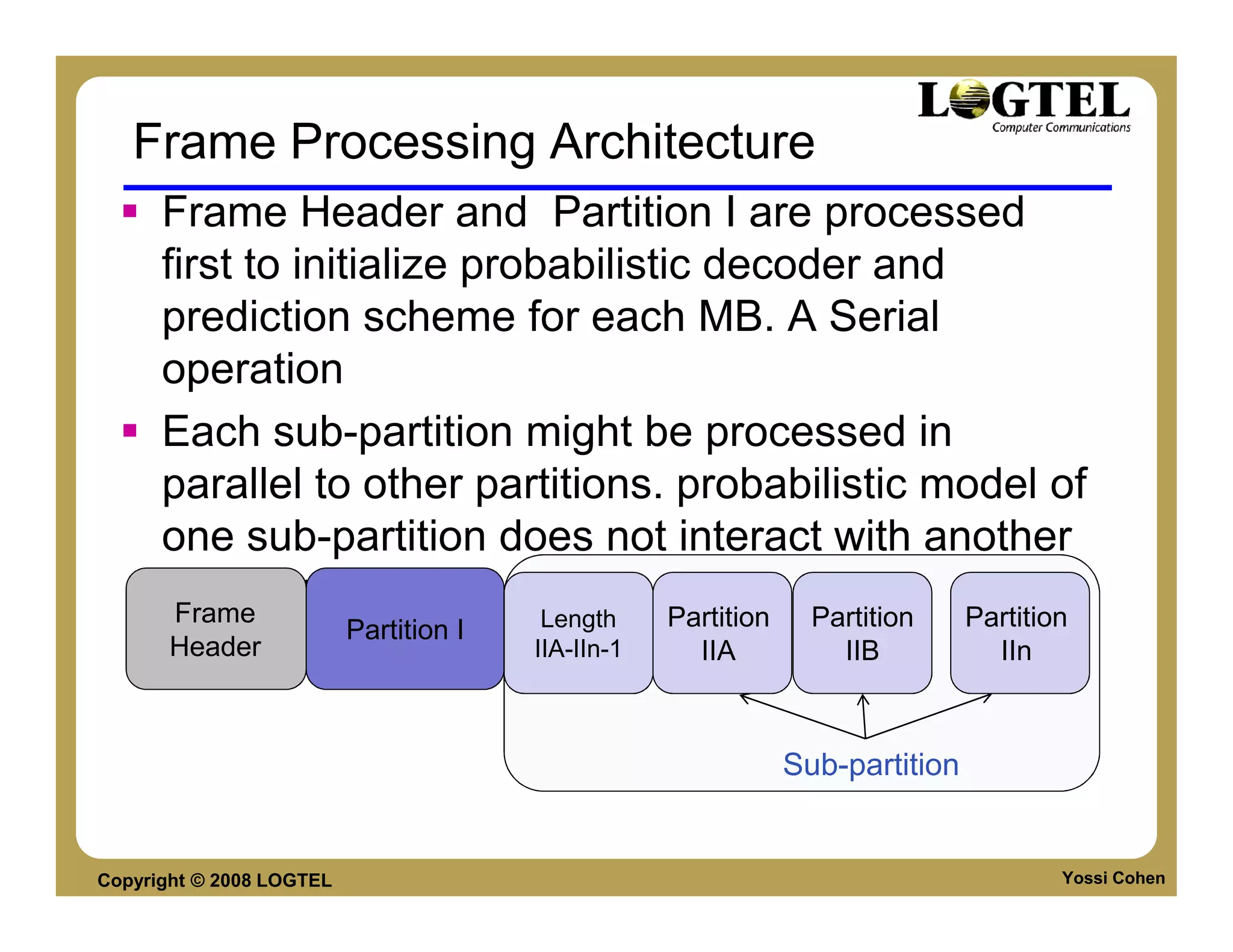
Frame Structure
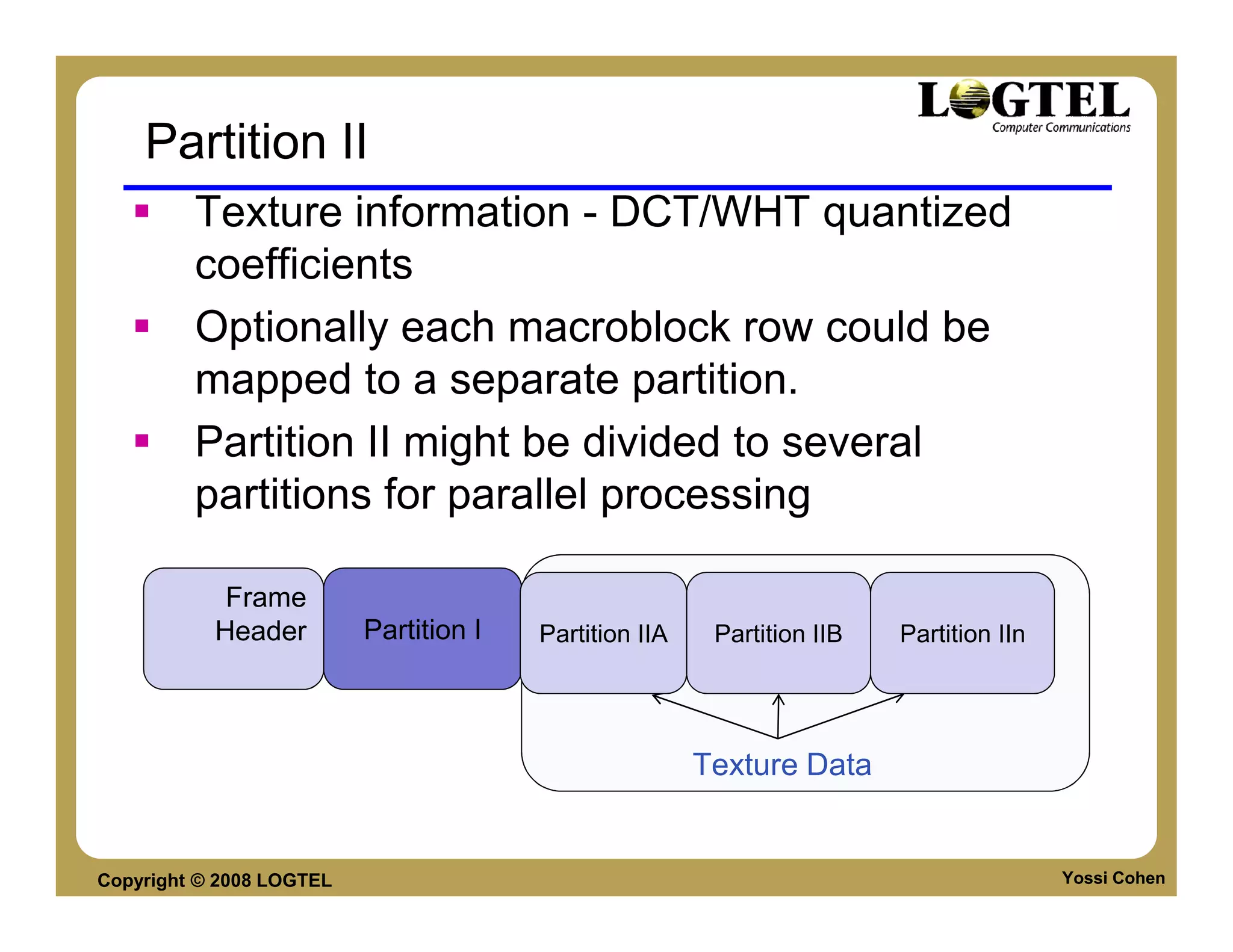
      Include three sections:
      Frame Header
      Partition I
      Partition II


                           Frame
                          Header   Partition I      Partition II


                                           partitions


Copyright © 2008 LOGTEL                                            Yossi Cohen
Frame Header
      Byte aligned uncompressed information
      Frame type - 1-bit frame type
         0 for key frames, 1 for inter-frame.
      Level - A 3-bit version number
         0 - 3 are defined as four different profiles with
         different decoding complexity; other values for future
         use
      show_frame - A 1-bit show_frame flag
           0 – current frame not for display
           1 - current frame is for display
      Length - A 19-bit field containing the size of the first data
      partition in bytes.

Copyright © 2008 LOGTEL                                         Yossi Cohen
Partition I
      Partition I
             Header information for the entire frame
             Per-macroblock information specifying how each
             macroblock is predicted.
             This information is presented in raster-scan order


Copyright © 2008 LOGTEL                                           Yossi Cohen
Partition II
         Texture information - DCT/WHT quantized
         coefficients
         Optionally each macroblock row could be
         mapped to a separate partition.
         Partition II might be divided to several
         partitions for parallel processing

            Frame
           Header         Partition I   Partition IIA    Partition IIB   Partition IIn


                                                        Texture Data


Copyright © 2008 LOGTEL                                                                  Yossi Cohen
Decoder
      Holds 4 frames:
           Current remonstrated frame
           Previous frame
           Previous “Golden Frame”
           Previous Alt-ref frame
      Frame dimension can change in every frame


Copyright © 2008 LOGTEL                           Yossi Cohen
VP8 block diagram
  Input                            Coder
  Video                            Control
                                                                    Control
  Signal
                                                                     Data
                                Transform/
                                                                    Quant.
                                Scal./Quant.
                     -                                           Transf. coeffs
                         Decoder               Scaling & Inv.
 Split into
Macroblocks                                     Transform
                                                                                  Entropy
                                                                                  Coding
                                                Dynamic
                                Intra-frame    De-blocking
                                Prediction
                                                                Output
                                 Motion-                        Video
                               Compensation
                 Intra/Inter

                                                                    Motion
                                                                     Data
                                  Motion
                                 Estimation


 Copyright © 2008 LOGTEL                                                                    Yossi Cohen
VP8 BLOCK CODING


Copyright © 2008 LOGTEL   Yossi Cohen
VP8 Macroblock coding

                                               DC/AC Coeff

                                                             4x4
        Divide to         Divide to   Process as             DCT
         16x16               8x8         4x4
       Macroblock          blocks     sub blocks             4x4
                                                             WHT


     Each Macroblock is divided into 25 sub-blocks
                                   6 Y sub-blocks•
                                  4 U sub-blocks, •
                                   4 V sub-blocks•
               1 Y2 DC values sub-block (WHT)•


Copyright © 2008 LOGTEL                                            Yossi Cohen
DCT & iDCT
      Very inefficient – uses 16bit multiplaction in
      decoder
      Uses exact values of pixels
           +Memory
           +Accuracy and no drift

   = 20091; //sqrt(2) * cos(pi/8)     static const int cospi8sqrt2minus1
   = 35468; //sqrt(2) * sin (pi/8)          static const int sinpi8sqrt2


                           temp1 = (ip[4] * sinpi8sqrt2 + rounding) >> 16;
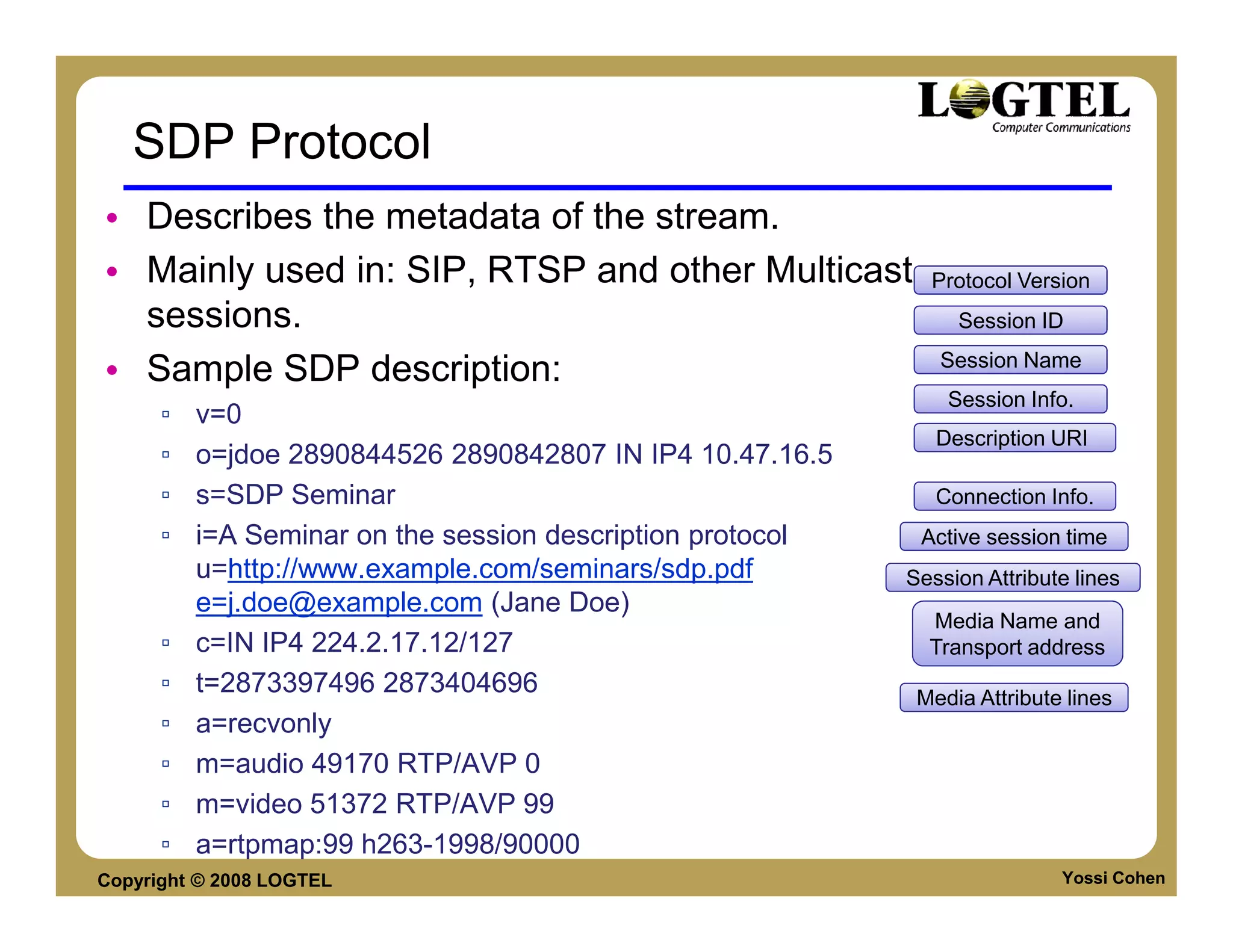


Copyright © 2008 LOGTEL                                                 Yossi Cohen
Quantization
      There are 6 quantizers each has its own levels
      The quantizer depends on (multiplication of)
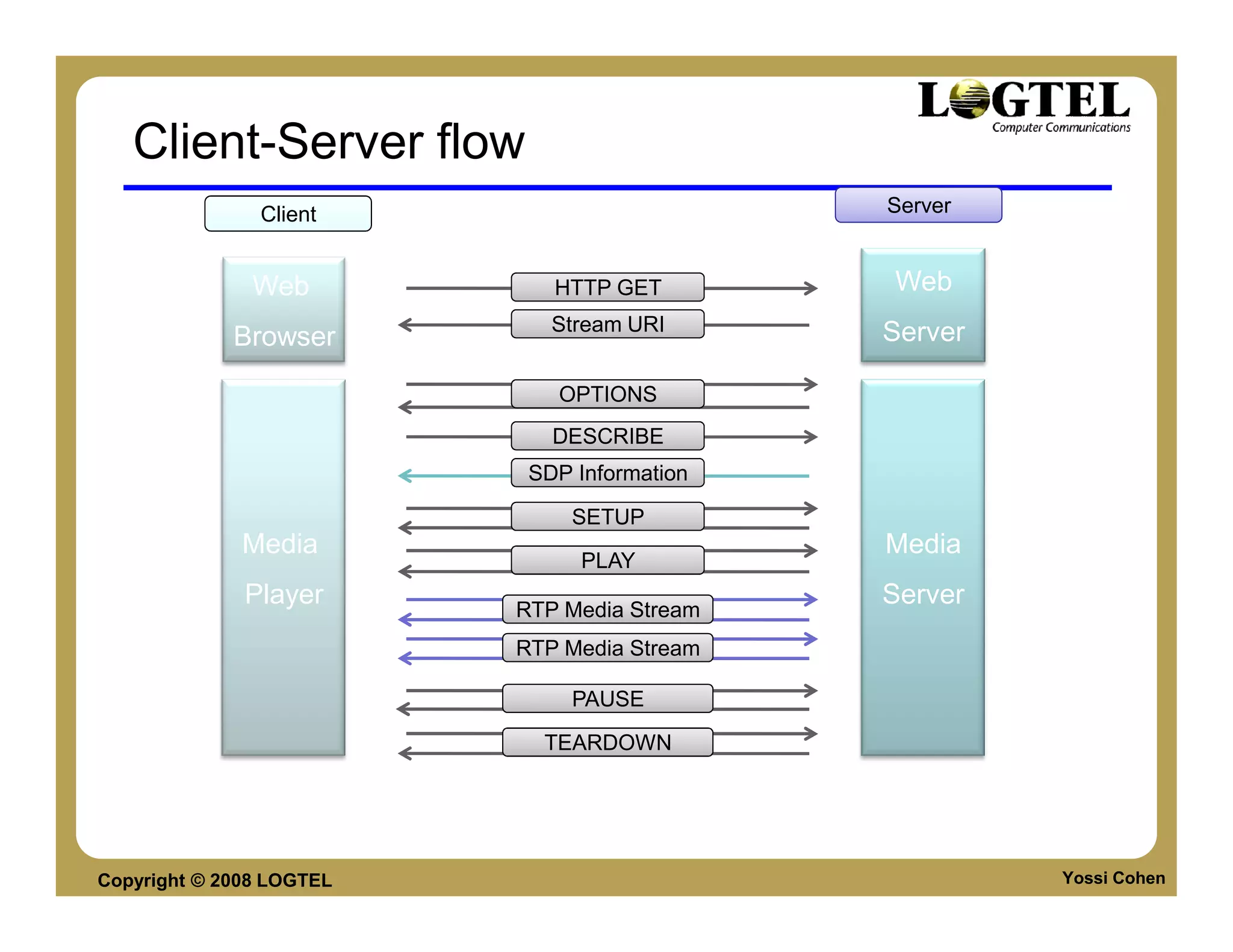
           Plane: Y,U, V
           Coefficient AC, DC
      Quantizer level is indicated by a 7 digit number
      which is an entry into one of the 6 quantization
      levels


Copyright © 2008 LOGTEL                              Yossi Cohen
VP8 PREDICTION

     Inter-prediction
     Intra prediction


Copyright © 2008 LOGTEL   Yossi Cohen
Macroblock Intra Prediction
      Intra-prediction exploits the spatial coherence
      between Macro-blocks without referring to other
      frames.
      Modes
           Same as H.264 in i16x16 and i4x4
           Missing modes like i8x8 which exists in H.264


Copyright © 2008 LOGTEL                                    Yossi Cohen
Intra prediction - blocks used

                                                          Not Relevant


                                          Not Available   Not Available
                               M

      Not Available       Not Available   Not Available   Not Available


Copyright © 2008 LOGTEL                                                   Yossi Cohen
Inter-frame prediction - Chroma
      Chroma prediction - motion vector for each 8X8
      chroma block is calculated separately by one of
      four prediction methods listed below:
      1. Vertical - Copying the row from above throughout the
         prediction buffer.
      2. Horizontal - Copying the column from left throughout
         the prediction buffer.
      3. DC - Copying the average value of the row and
         column throughout the prediction buffer.
      4. Extrapolation from the row and column using the
         (fixed) second difference (horizontal and vertical)
         from the upper left corner.


Copyright © 2008 LOGTEL                                   Yossi Cohen
8x8 Chroma prediction modes
        U,V, Y prediction are done separately and one •
           channel prediction does not affect the other
                                             channels.


Copyright © 2008 LOGTEL                             Yossi Cohen
i4x4 Prediction
      4x4 block are predicated by
           four 16x16 prediction methods


           six “diagonal” prediction methods
                                                            Diagonal Down/leftDiagonal Down/right
                                                                     Down/leftDiagonal


                          Horizontal-down   Vertical-left     Horizontal-top        Vertical-right


Copyright © 2008 LOGTEL                                                                  Yossi Cohen
Inter-frame prediction - Luma
      Definition - Inter-prediction exploits the temporal
      coherence between frames to save bitrate.
      Luma sub-block prediction
           Method - each Y 4x4 sub-blocks is related to a 4x4
           sub-block of the prediction frame.
           Precision – motion vectors precision is q-pel.
           interpolation pixel is calculated by applying a kernel
           filter three pixels horizontally and vertically.


Copyright © 2008 LOGTEL                                        Yossi Cohen
Inter-frame Prediction - Chroma
      Chroma precision - the calculated chroma
      motion vectors have 1/8 pixel resolution
      averaging the vectors of the four Y sub-blocks
      that occupy the same area of the frame.


Copyright © 2008 LOGTEL                                Yossi Cohen
PARALLEL PROCESSING


     Segment
     Partition


Copyright © 2008 LOGTEL    Yossi Cohen
Segment Processing
      Segmentation enables creation of MB groups
      within one logical unit.
      MB are associated with a segment by the MB
      Segment ID
      All MBs in a segment has the same adaptive
      adjustments which includes:
           Same Quantization level
           Loop filter strength (0-2)
      Segmentation is comparable to H.264 FMO


Copyright © 2008 LOGTEL                            Yossi Cohen
Frame Processing Architecture
      Frame Header and Partition I are processed
      first to initialize probabilistic decoder and
      prediction scheme for each MB. A Serial
      operation
      Each sub-partition might be processed in
      parallel to other partitions. probabilistic model of
      one sub-partition does not interact with another
      sub-partition
       Frame
                          Partition I    Length     Partition     Partition     Partition
       Header                           IIA-IIn-1     IIA           IIB           IIn


                                                                Sub-partition


Copyright © 2008 LOGTEL                                                                 Yossi Cohen
COMPARISON (FINALLY)


Copyright © 2008 LOGTEL     Yossi Cohen
Talking heads, Low motion
      Low motion videos like talking heads are easy to
      compress, so you'll see no real difference


Copyright © 2008 LOGTEL                             Yossi Cohen
Low motion
      In another low motion video with a terrible
      background for encoding (finely detailed
      wallpaper), the VP8 video retains much more
      detail than H.264. Interesting result.


Copyright © 2008 LOGTEL                             Yossi Cohen
Medium motion
  VP8 holds up fairly well


Copyright © 2008 LOGTEL      Yossi Cohen
High motion
      In high motion videos, H.264 seems superior. In this
      sample, blocks are visible in the pita where the H.264
      video is smooth. The pin-striped shirt in the right
      background is also sharper in the H.264 video, as is the
      striped shirt on the left.


Copyright © 2008 LOGTEL                                     Yossi Cohen
Very High motion
      In this very high motion skateboard video, H.264
      also looks clearer, particularly in the highlighted
      areas in the fence, where the VP8 video has
      artifacts.


Copyright © 2008 LOGTEL                                Yossi Cohen
Final
 In the final comparison, I'd give a slight edge to
 VP8, which was clearer and showed fewer artifacts.


Copyright © 2008 LOGTEL                         Yossi Cohen
Quality Comparison


Copyright © 2008 LOGTEL   Yossi Cohen
Test yourself
   1. Why VP8 is less effective in high motion?
   2. Is it patent free?
   3. Will you use it?


Copyright © 2008 LOGTEL                           Yossi Cohen
MEASUREMENT TAXONOMY
    Subjective
    Objective
    Payload based, codec aware, codec anaware


Copyright © 2008 LOGTEL                     Yossi Cohen
Measurement methods review
       Subjective
           Accurate
           Expensive, not for monitoring
       Objective
           Repeatable
           For both testing and monitoring


Copyright © 2008 LOGTEL                      Yossi Cohen
Multimedia monitoring methods
Broadcast                                                                        HSI and
    World                                                                      Data World

          Subjective                       Objective

                                                                   Network
   MOS           BT500                      Codec aware           Monitoring
  (Voice)        (Video)                    based Packet
                                                                                     Delay, Jitter
                          Payload                                                    Packet loss
                                                         VQS
         Full                                          Telchemy
                                                                     Codec independent
      Reference        Reduced                                         based Packet
                                                 V-Factor
                       Reference

  J.144       PSNR                No
                               Reference   VQI                                 MDI

          Testing                                                      Monitoring


 Copyright © 2008 LOGTEL                                                             Yossi Cohen
Objective methods


                                          Objective


                          Payload   Codec aware    Codec independent    Network
                                    based Packet     based Packet      Monitoring


Copyright © 2008 LOGTEL                                                        Yossi Cohen
Payload Based Methods

                                           Payload


                             Full
                          Reference
                                        Reduced
                                        Reference


                J.144            PSNR                   No
                                                     Reference


Copyright © 2008 LOGTEL                                          Yossi Cohen
Full Reference: Video Quality Assessment
   ITU-T J.144 and ITU-R BT.1683

       Full-reference perceptual models
       Digital TV
       Rec. 601 image resolution (PAL/NTSC)
       Bit rates: 768 kbps ~ 5 Mbps
       Compression errors


Copyright © 2008 LOGTEL                       Yossi Cohen
Voice Quality Assessment – with/out reference
   ITU-T P.862 (Feb 2001) - Full Reference
        Full-reference perceptual model (PESQ)
        Signal-based measurement
        Narrow-band telephony and speech codecs
        P.862.1 provides output mapping for prediction on
        MOS scale
   ITU-T P.563 (May 2004)
        No-reference perceptual model
        Signal-based measurement
        Narrow-band telephony applications


Copyright © 2008 LOGTEL                                     Yossi Cohen
Voice Quality Assessment

       ITU-T P.862.2 (Nov 2005):
          Extension of ITU-T P.862
          Wide-band telephony and speech codecs (5 ~7Khz)
       ITU-T P.VTQ (on-going):
          Targeted at VoIP applications
          Minimum performance framework for no-reference
          packet-based measurement
          Models analyze packet statistics; speech payload is
          assumed
          Uses P.862 as a measurement reference


Copyright © 2008 LOGTEL                                     Yossi Cohen
Codec Aware Methods

                            Codec aware
                            based Packet


                                               VQS
                                             Telchemy

                                  V-Factor


                          VQI


Copyright © 2008 LOGTEL                                 Yossi Cohen
Packet – Codec Aware
    Monitoring technique
    Codec dependent
    Incorporates network parameters data with
    codec behavior data
    Scales- could monitor thousands of channels
    Examples:               The need a codec aware metrics
                                             35

         VQS (Telchemy)                      30

                                             25
         VQI(Brix)
                                 PSNR (dB)


                                             20                                         Robust
         V-Factor (QoSMetrics)               15
                                                                                         codec
                                             10
                                                                                    Problem area
                                             5

                                             0
                                                  0   “Raw”   5        10             15            20
                                                      codec       Packet Loss (%)


Copyright © 2008 LOGTEL                                                                      Yossi Cohen
Packet – Codec aware
  Packet Loss/Discard Rate


                             100
                             80                                                             Packet loss/discard typically
                                                                                          occurs in high density periods
                             60
                             40
                             20
                              0
                                   0       10                                        20          30           40            50
                                  Base quality level                         5            Time
                             depends on frame rate,
                                                        Mean Opinion Score


                                                                             4
                                codec type, bit rate
                                                                             3
                                       Average can be                                        Impact of Burst of
                                           misleading                        2
                                                                                                 Packet Loss
                                                                             1                                                               Subjective
                                                                                 0           5         10          15       20
                                                                                                                                      compensation for
                                                     Poor quality                                    5-8
                                                                                                      Time
                                                                                                                                      variance between
                                                  during burst of                                seconds       15-30                 human and testing
                                                   loss/discards
                                                                                                             seconds             equipment view of loss


Copyright © 2008 LOGTEL                                                                                                                        Yossi Cohen
Example V-Factor
       Based on MPQM (Moving Picture Quality
       Metrics) – high quality video measurement
       standard
       V = f(QER, PLR, R)
           QER – relative video codec quality
           PLR – Packet loss ratio (based on actual packet loss,
           jitter data and jitter buffer model)
           R – Image complexity factor (2-3)
       Adopted by Spirnet


Copyright © 2008 LOGTEL                                      Yossi Cohen
Packet – Codec Independent
       Monitoring only
       Codec independent
       Based on network parameters data only
       Scales - could monitor thousands of channels
       Examples:
           MDI
                IneoQuest
                standardized by IETF


Copyright © 2008 LOGTEL                               Yossi Cohen
DELIVERY METHODS

     RTP/RTSP Streaming
     Progressive Download
     HTTP Streaming


Copyright © 2008 LOGTEL     Yossi Cohen
RTSP STREAMING


Copyright © 2008 LOGTEL   Yossi Cohen
RTSP Protocol
      Real Time Streaming Protocol

      Used for controlling streaming data over the
      web.
      Designed to efficiently broadcast audio/video-
      on-demand to large groups.

      Using Directives to control the stream
           Options, Describe, Setup, Play, Pause, Record,
           Teardown.


Copyright © 2008 LOGTEL                                     Yossi Cohen
SDP Protocol
• Describes the metadata of the stream.
• Mainly used in: SIP, RTSP and other Multicast               Protocol Version
  sessions.                                                      Session ID
                                                               Session Name
• Sample SDP description:
                                                                Session Info.
      ▫   v=0
                                                               Description URI
      ▫   o=jdoe 2890844526 2890842807 IN IP4 10.47.16.5
      ▫   s=SDP Seminar                                        Connection Info.
      ▫   i=A Seminar on the session description protocol    Active session time
          u=http://www.example.com/seminars/sdp.pdf         Session Attribute lines
          e=j.doe@example.com (Jane Doe)
                                                              Media Name and
      ▫   c=IN IP4 224.2.17.12/127                            Transport address
      ▫   t=2873397496 2873404696                            Media Attribute lines
      ▫   a=recvonly
      ▫   m=audio 49170 RTP/AVP 0
      ▫   m=video 51372 RTP/AVP 99
      ▫   a=rtpmap:99 h263-1998/90000
Copyright © 2008 LOGTEL                                                     Yossi Cohen
Client-Server flow
               Client                        Server


               Web           HTTP GET        Web
                             Stream URI      Server
             Browser

                             OPTIONS
                             DESCRIBE
                           SDP Information

                               SETUP
              Media                          Media
                               PLAY
              Player      RTP Media Stream
                                             Server
                          RTP Media Stream

                               PAUSE

                            TEARDOWN


Copyright © 2008 LOGTEL                               Yossi Cohen
RTSP Protocol Parameters
  • version
       ▫ The version of rtsp. (RTSP/1.0)
  • URL
                          [rtsp/rtspu]://host:port/path


       Reliable           unreliable   legal domain   port used to
                                                                      the server
       protocol            protocol     name or IP     control the
                                                                     stream path
        (TCP)               (UDP)        address         stream


       *port – the actual stream will be delivered in other port


Copyright © 2008 LOGTEL                                                        Yossi Cohen
RTSP Protocol Parameters (Ctnd.)
  • Session ID
     ▫ Generated by the server
     ▫ Stays constant for the entire session
  • SMPTE – Relative timestamp
     ▫ A relative time from the beginning of the stream.
     ▫ Nested types: smpte-range, smpte-type, smpte-time.
       ▫ smpte-25=(starttime)-(endtime)
  • UTC – Absolute time
     ▫ Absolute time using GMT.
     ▫ Nested types: utc-range, utc-time. utc-date
       ▫ utc-time = (utcdate)T(utctime).(fraction)Z
  • NPT - Normal Play Time
     ▫ Absolute position from the beginning of the presentation.
       ▫ npt=123.45-125


Copyright © 2008 LOGTEL                                            Yossi Cohen
RTSP Session Details


                     Initiation


                     Handling


                   Termination


Copyright © 2008 LOGTEL           Yossi Cohen
RTSP - OPTIONS request


                                              Media URL
                                                                     Client Player
                              Request ID
 OPTIONS – Request for information about the communication options available by
                                                        the Request-URI.
    CSeq – the request id, a response with the same id will be sent from the server.•
                                                 Media URL – the URL of the video.•
                                         Client Player – the user agent of the client.•


Copyright © 2008 LOGTEL                                                                   Yossi Cohen
RTSP – OPTIONS response


                                       Response Code
                                                                                                   Available
                                                                                                   Options

                           All RTSP response codes are divided into 5 ranges (RFC 2326 7.1.1) :•
1xx – Informational, 2xx – Success 3xx – Redirection, 4xx – Client Error, 5xx – Server Error.
                                        CSeq has the same value as the request CSeq field.
                     The server response will return the available methods that it supports. •
                                 It May contain any arbitrary data the server want to expose.


Copyright © 2008 LOGTEL                                                                                  Yossi Cohen
RTSP – DESCRIBE request


                                                   Description readers


                             DESCRIBE is used to retrieve the description of the media URL and the session.
The description response MUST contain all media and streaming data needed in order to initialize the session.
                     Fields: Accept - Used to inform the server which description methods the client supports.
                                               Session Description Protocol (SDP) is highly used.
                                                                         Notice that CSeq field is increased by one.


Copyright © 2008 LOGTEL                                                                                Yossi Cohen
RTSP – DESCRIBE response


                                                     The media URL the response is referring to

                                             The description method used

                                             The length of the SDP message

                                                   Description readers


                                                                                              SDP


                 The response will always return the details of the media.
                                               SDP details will be next


Copyright © 2008 LOGTEL                                                                             Yossi Cohen
RTSP – GET_PARAMETER request


                             GET_PARAMETER is used to retrieve information about the stream.
                                   The request can be initiated from the Client or from the Server.
                      The request/response message body is left to server/client implementation.
   The parameters can be: packets received, jitter, bps or any other relevant information about the
                                                                                           stream.


Copyright © 2008 LOGTEL                                                                               Yossi Cohen
RTSP – SETUP request


           Transport protocol    Unicast/Multicast    RTP/RTSP client      Track ID
                                                        media port

                          SETUP is used to specify the transport details used to stream the media.
                       The request/response message body is left to server/client implementation.
   The parameters can be: packets received, jitter, bps or any other relevant information about the
                                                                                           stream.


Copyright © 2008 LOGTEL                                                                               Yossi Cohen
Transport    Unicast/Multicast      Unicast        Last gateway   The client port    The server
   protocol     server option       destination ip     source ip      to receive      port to receive
                                                                     media data        media data
                                                      SETUP response will contain the session ID.
                             For each track ( audio/video ) a different SETUP request will be made
 After the response is received, a PLAY request can be made to start receiving the media stream.


Copyright © 2008 LOGTEL                                                                                 Yossi Cohen
RTSP – PLAY request


                          Normal Play
                             TIme

      PLAY request tells the server to start send data through the streaming details defined in the
                                                                                   SETUP process.
   PLAY request maybe queued so that a PLAY request arriving while a previous PLAY request is
                                          still active is delayed until the first has been completed.


Copyright © 2008 LOGTEL                                                                                 Yossi Cohen
RTSP – PAUSE request


                                             Stream URL


                                          PAUSE request tells the server to pause the streaming.
   When the user will want to start the stream again he’ll send a PLAY request to the same URL.
              The request may contain time information to handle when the pause will take effect.


Copyright © 2008 LOGTEL                                                                Yossi Cohen
RTSP – TEARDOWN


                                                      Description readers


           TEARDOWN stops the stream delivery for the URL specified.
    Informs the server that the client is disconnecting from it.


                       The response will include only the response code.


Copyright © 2008 LOGTEL                                                     Yossi Cohen
RTSP – More Request types
      RECORD:
           Initiates recording operation given a time information and
           stream URL.
       REDIRECT:
           Server to Client request that informs the client he needs to
           switch the server he connected to.
           The request will contain the new server URL.
      SET_PARAMETER:
           sends a request to change a value of the presentation
           stream.
           The response code will contain the answer.
      ANNOUNCE:
           Can be initiated both by client/server. Informs the recipient
           that the SDP table of the object has changed.
Copyright © 2008 LOGTEL                                              Yossi Cohen
Progressive Download
      Uses file download from an HTTP web server.
      Uses HTTP GET request
      Flash player enables file playback while the
      download is still in progress.
      The ability to be played while the file is being
      downloaded is in the wrapper (container) of the
      file.


Copyright © 2008 LOGTEL                              Yossi Cohen
HTML5 Video


Copyright © 2008 LOGTEL   Yossi Cohen
HTML5
       Drafts by WHAT WG
           Web Hypertext Application Technologies
      Merging into W3C specifications
      “One of HTML5’s goals is to move the Web away from
      proprietary technologies such as Flash, Silverlight, and
      JavaFX, says Ian Hickson, co-editor of the HTML5
      specification.”
      —Paul Krill, reporting for InfoWorld, June 16, 2009
      Browser support


Copyright © 2008 LOGTEL                                      Yossi Cohen
Fragmented Web - Description
      Multimedia coding on the web is fragmented
      Many video codecs:
           DIVX, XVID, H.264
           WMV, VC-1, VP6
      Many containers (File Format)
           AVI, MKV
           MPEG4 FF, 3GPP
      Many delivery methods
           RTSP/RTP Streaming, Progressive download
           Live HTTP, Smooth Streaming


Copyright © 2008 LOGTEL                               Yossi Cohen
Fragmented Web - Challenges
      Proprietary Plug-ins - like Flash
      Vertical market control on media distribution –
      like Apple
      Media Distributers need to support many:
           Codecs
           Containers
           Delivery Formats
      in order to support all device and audiences


Copyright © 2008 LOGTEL                                 Yossi Cohen
XIPH
      XIPH.org is a non profit organization which
      aims to create free multimedia coding standards
      XIPH defined
           Vorbis – Audio codec
           Ogg – a free file format media container
           Speex – voice codec
           Theora – Video Codec
      HTML5 Video first based its video codec and
      container standard on XIPH Standards


Copyright © 2008 LOGTEL                               Yossi Cohen
HTML5 Video
      HTML5 video first defined XIPH formats as the
      base HTML5 video:
      “User agents should support Theora video and
      Vorbis audio, as well as the Ogg container
      format.” December 10, 2007, the HTML5 specification
      This was later replaced by a statement which
      basically stated: we cant make up our mind, use
      whatever you like.


Copyright © 2008 LOGTEL                                Yossi Cohen
HTML5 Video - Fragmented
      Support Theora (version of VP3)
           Old codec
           Poor performance (BR/Quality ratio)
           Free no royalties
           Hardware support?
      Also H.264
           Much better quality per bitrate
           But it requires royalties .
      Google opens VP8
           Good Quality
           No Royalties (?)


Copyright © 2008 LOGTEL                          Yossi Cohen
HTML5 Video Code


      <videosrc="movie.ogg" controls="controls">If
      you can see this text, your browser does not
      support the HTML5 video tag.</video>

                                     Source W3C School


Copyright © 2008 LOGTEL                              Yossi Cohen
Browser CODEC Support

      Browser             Ogg Theora   H.264/MPEG-4 AVC

      Internet Explorer      NO              9.0

      Mozilla Firefox        3.5             No

      Google Chrome          3.0             3.0

      Safari                 No              3.1

      Opera                 10.50


Copyright © 2008 LOGTEL                              Yossi Cohen
What is missing
      Standard Multi-bitrate support
      HTTP Streaming (not PD)
      Option for live streams
      Transmit your camera (ChatRoulette Style)
      P2P Interaction


   Is that the Flash Killer?
Copyright © 2008 LOGTEL                           Yossi Cohen
WebM Project


Copyright © 2008 LOGTEL   Yossi Cohen
WebM Overview
      Google Sponsored Project
      Aims to create: Open, Royalty free media coding
      formats for the open web
      Defines
           File Format / Container
           Audio CODEC
           Video CODEC


Copyright © 2008 LOGTEL                            Yossi Cohen
WebM
      WebM fills the gap left by HTML5 standardization.
      Defines: video, audio and container formats
      Solves the royalty free Theora vs the superior
      quality H.264 by providing a royalty free video
      codec with the same (or better) video quality as
      H.264


Copyright © 2008 LOGTEL                      Source: On2
                                                       Yossi Cohen
HTTP STREAMING


Copyright © 2008 LOGTEL   Yossi Cohen
HTTP Streaming slide

      HTTP is the future video delivery method
      All major companies (except Google) released
      HTTP based media streaming methods
      Main advantages
           Better User experience (over PD)
           Lower Cost (over streaming)
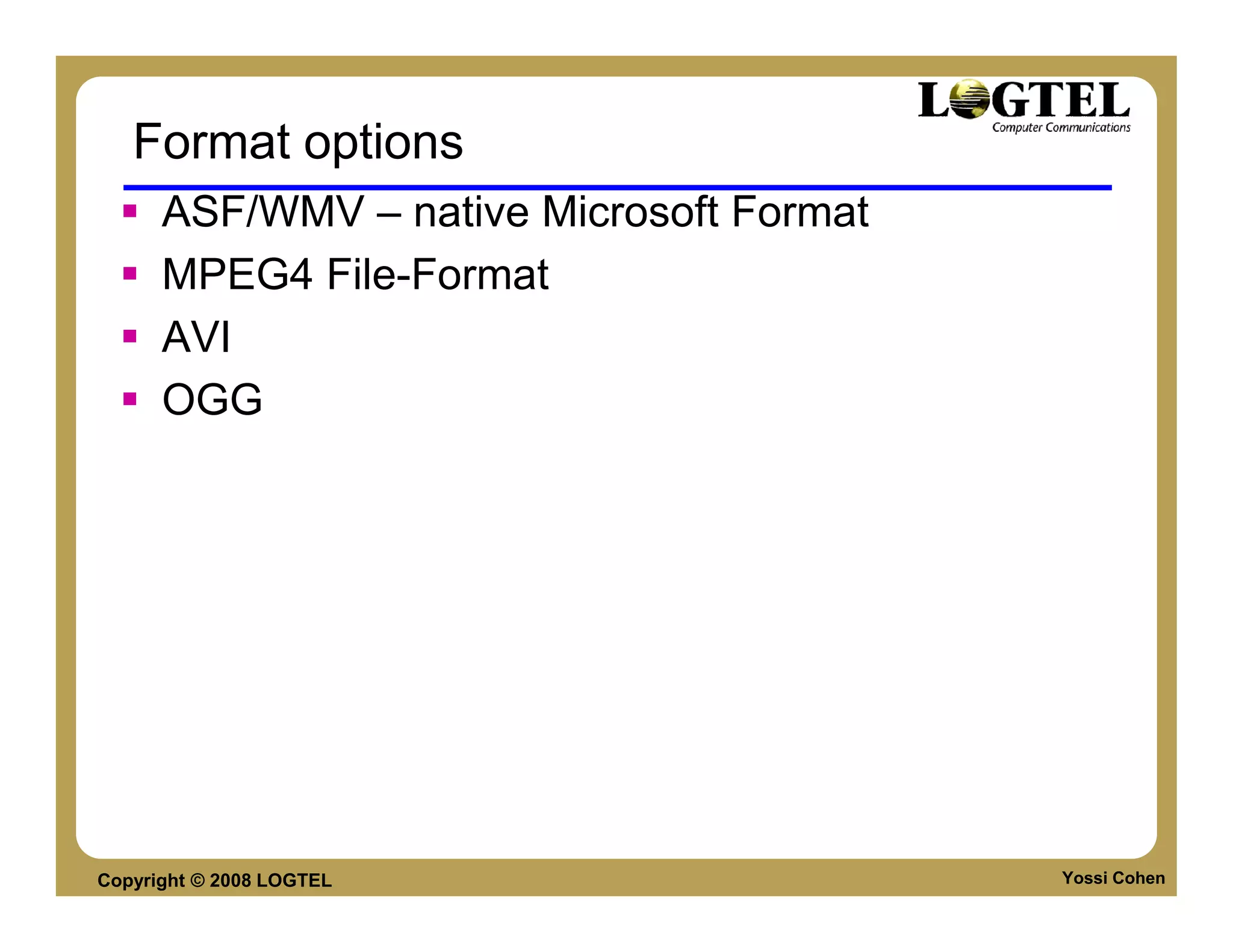
           Leads to CDN streaming Convergence
      HTTP streaming methods by:
           Apple, Microsoft, Adobe
           3GPP (Mobile) and OIPF (IPTV)
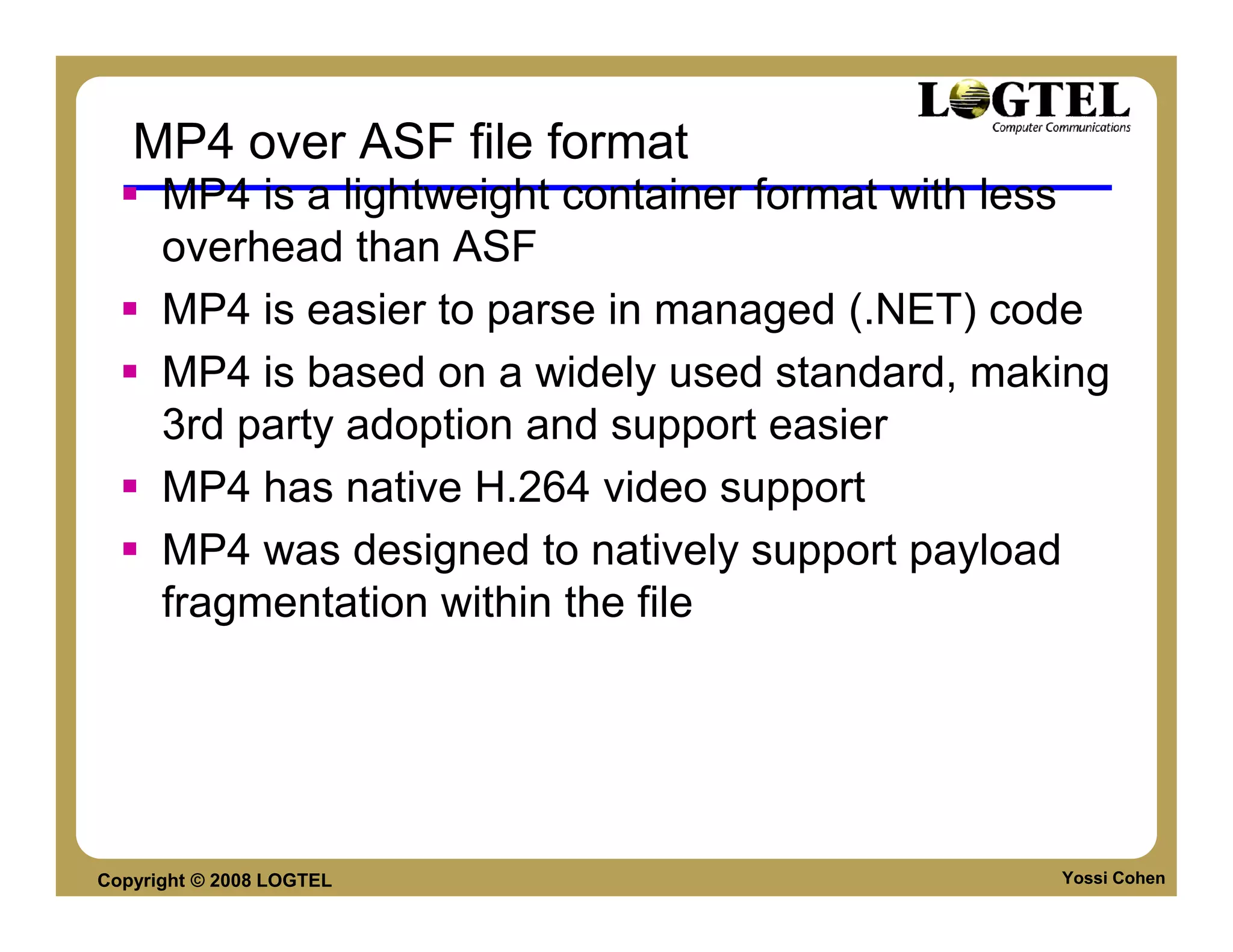
Copyright © 2008 LOGTEL                              Yossi Cohen
SILVERLIGHT
      SMOOTH STREAMING


Copyright © 2008 LOGTEL   Yossi Cohen
Smooth Streaming

     Microsoft’s implementation of HTTP-based
     adaptive streaming
     A hybrid media delivery method that acts like
     streaming but is in fact a series of short
     progressive downloads
     Leverages existing HTTP caches
     Client can seamlessly switch video quality and bit
     rate based on perceived network bandwidth and
     CPU resources


Copyright © 2008 LOGTEL                             Yossi Cohen
Streaming or Progressive Download?

                          Traditional          Progressive
                          Streaming            Download
                          • Responsive         • Works from a
                            User Experience      Web Server
                          • Bandwidth Use      • World-wide
                          • User Tracking        scale w/HTTP


                          Challenges           Challenges
                          • No cache-ability   • Limited User
                          • Separate,            Experience
                            smaller            • User tracking
                            streaming          • Bandwidth Use
                            networks             (20% watched)


Copyright © 2008 LOGTEL                                          Yossi Cohen
Smooth Streaming Design
     Smooth Streaming File Format based on MP4
     (ISO Base Media File Format)
     Video is encoded and stored on disk as one
     contiguous MP4 file
          Separate file for each bit rate
     Each video Group of Pictures (GOP) is stored in
     a Movie Fragment box
          This allows easy fragmentation at key frames
     Contiguous file is virtually split up into chunks
     when responding to a client request


Copyright © 2008 LOGTEL                                  Yossi Cohen
Content Provider Benefits
      Cheaper to deploy
           Can utilize any generic HTTP caches/proxies
           Doesn’t require specialized servers
           at every node
      Better scalability and reach
           Reduces “last mile” issues because it can dynamically
           adapt to inferior network conditions
      Audience can adapt to the content, rather than
      requiring the content providers to guess which bit
      rates are most likely to be accessible to their
      audience

Copyright © 2008 LOGTEL                                      Yossi Cohen
End User Benefits
      Fast start-up and seek times
           Start-up/seeking can be initiated on the lowest bit rate
           before moving up to a higher bit rate
      No buffering, no disconnects, no
      playback stutter
           As long as the user meets the minimum
           bit rate requirement
      Seamless bit rate switching based on network
      conditions and CPU capabilities.
      A generally consistent, smooth
      playback experience


Copyright © 2008 LOGTEL                                         Yossi Cohen
Evolution
      Previous versions of MS streaming divide the file
      into many chunkc 0001.vid 0002.vid etc
      Problematic in caching, CDNs, CMS etc
      Today all fragments of a file are contained in a
      single bitstream container. Typically 1 fragment
      = 1 video GOP.


Copyright © 2008 LOGTEL                             Yossi Cohen
SILVERLIGHT FILES


     Containers & Configuration files


Copyright © 2008 LOGTEL                 Yossi Cohen
Format options
      ASF/WMV – native Microsoft Format
      MPEG4 File-Format
      AVI
      OGG


Copyright © 2008 LOGTEL                   Yossi Cohen
MP4 over ASF file format
      MP4 is a lightweight container format with less
      overhead than ASF
      MP4 is easier to parse in managed (.NET) code
      MP4 is based on a widely used standard, making
      3rd party adoption and support easier
      MP4 has native H.264 video support
      MP4 was designed to natively support payload
      fragmentation within the file


Copyright © 2008 LOGTEL                           Yossi Cohen
MP4 File format
      MP4 has two format types
           Disk Format - for file storage
           Wire format - for transport
      Wire format enables easy CDN support and
      integration


Copyright © 2008 LOGTEL                          Yossi Cohen
Smooth Streaming File Format


Copyright © 2008 LOGTEL           Yossi Cohen
Smooth Streaming Wire Format


Copyright © 2008 LOGTEL           Yossi Cohen
File extensions
      Media Files
           *.ismv - Audio & Video
           *.isma – Audio only
      Manifest Files
           *.ism – Server manifest. Describes to the server
           Relation between tracks, bitrates & files on disk.
           Based on SMIL 2.0 XML format specification
           *.ismc – Describes to the client the available streams,
           CODECS used, bitrates encoded, video resolutions,
           markers, captions. First file delivered to client. It’s the
           first file delivered to client (“SDP” like).


Copyright © 2008 LOGTEL                                            Yossi Cohen
Directory Structure
                                           Media file in
                                            different
                          Manifest Files     bitrates


Copyright © 2008 LOGTEL                                    Yossi Cohen
Manifest files
      VC-1, WMA, H.264 and AAC codecs
      Text streams
      Multi-language audio tracks
      Alternate video & audio tracks (i.e. multiple
      camera angles, director’s commentary, etc.)
      Multiple hardware profiles (i.e. same bitrates
      targeted at different playback devices)
      Script commands, markers/chapters, captions
      Client manifest Gzip compression
      URL obfuscation
      Live encoding and streaming
Copyright © 2008 LOGTEL                                Yossi Cohen
ISM file sample
  <?xml version="1.0" encoding="utf-16" ?>
  - <!-- Created with Expression Encoder version 2.1.1206.0 -->
  - <smil xmlns="http://www.w3.org/2001/SMIL20/Language">
  - <head>
    <meta name="clientManifestRelativePath" content="NBA.ismc" />
    </head>
  - <body>
  - <switch>
  - <video src="NBA_3000000.ismv" systemBitrate="3000000">
    <param name="trackID" value="2" valuetype="data" />
    </video>
  - <video src="NBA_2400000.ismv" systemBitrate="2400000">
    <param name="trackID" value="2" valuetype="data" />
    </video>
  - <video src="NBA_1800000.ismv" systemBitrate="1800000">
    <param name="trackID" value="2" valuetype="data" />
    </video>


Copyright © 2008 LOGTEL                                             Yossi Cohen
ISM file sample
  - <video src="NBA_1300000.ismv" systemBitrate="1300000">
    <param name="trackID" value="2" valuetype="data" />
    </video>
  - <video src="NBA_800000.ismv" systemBitrate="800000">
    <param name="trackID" value="2" valuetype="data" />
    </video>
  - <video src="NBA_500000.ismv" systemBitrate="500000">
    <param name="trackID" value="2" valuetype="data" />
    </video>
  - <audio src="NBA_3000000.ismv" systemBitrate="64000">
    <param name="trackID" value="1" valuetype="data" />
    </audio>
    </switch>
    </body>
    </smil>


Copyright © 2008 LOGTEL                                      Yossi Cohen
*.ISMC sample
  <?xml version="1.0" encoding="utf-16" ?>
  - <!-- Created with Expression Encoder version 2.1.1206.0 -->
  - <SmoothStreamingMedia MajorVersion="1" MinorVersion="0" Duration="4084405506">
  - <StreamIndex Type="video" Subtype="WVC1" Chunks="208"
       Url="QualityLevels({bitrate})/Fragments(video={start time})">
    <QualityLevel Bitrate="3000000" FourCC="WVC1" Width="1280" Height="720"
       CodecPrivateData="250000010FD3FE27F1678A27F859E80C9082DB8D44A9C00000
       010E5A67F840" />
    <QualityLevel Bitrate="2400000" FourCC="WVC1" Width="1056" Height="592"
       CodecPrivateData="250000010FD3FE20F1278A20F849E80C9082493DEDDCC00000
       010E5A67F840" />
  <QualityLevel Bitrate="1800000" FourCC="WVC1" Width="848" Height="480"
       CodecPrivateData="250000010FCBF81A70EF8A1A783BE80C908236EE5265400000
       010E5A67F840" />
    <QualityLevel Bitrate="1300000" FourCC="WVC1" Width="640" Height="352"
       CodecPrivateData="250000010FCBE813F0AF8A13F82BE80C9081A7ABF704400000
       010E5A67F840" />


Copyright © 2008 LOGTEL                                                     Yossi Cohen
ISMC File - 2
   - <SmoothStreamingMedia MajorVersion="1" MinorVersion="0" Duration="5965419999">
   - <StreamIndex Type="video" Subtype="WVC1" Chunks="299"
         Url="QualityLevels({bitrate})/Fragments(video={start time})">
     <QualityLevel Bitrate="2750000" FourCC="WVC1" Width="1280" Height="720"
         CodecPrivateData="250000010FD3BE27F1678A27F859E804508253EBE8E6C00000010E5AE7F8
         40" /> ..
   <c n="0" d="20000000" />
     <c n="1" d="20000000" />
   .....
     <c n="298" d="5000001" />
     </StreamIndex>
   - <StreamIndex Type="audio" Subtype="WmaPro" Chunks="299"
         Url="QualityLevels({bitrate})/Fragments(audio={start time})">
     <QualityLevel Bitrate="64000"
         WaveFormatEx="6201020044AC0000451F0000CF05100012001000030000000000000000000000
         E00042C0" />
     <c n="0" d="20433560" /> ....
     <c n="297" d="20433560" />
     <c n="298" d="4393197" />
     </StreamIndex>
     </SmoothStreamingMedia>

Copyright © 2008 LOGTEL                                                               Yossi Cohen
SILVERLIGHT SESSION


     Initiation and Flow


Copyright © 2008 LOGTEL    Yossi Cohen
Smooth Streaming Protocol

    Smooth Streaming Protocol uses HTTP
    [RFC2616] as its underlying transport .
    The Server role in the protocol is stateless
         Enabling (potentially) different instance of the server
         to handle client requests
         Request can utilize any generic HTTP
         caches/proxies - > Lowering CDN costs


Copyright © 2008 LOGTEL                                            Yossi Cohen
Messages
      Smooth Streaming Protocol uses 4 different
      messages:
           Manifest Request
           Manifest Response
           Fragment Request
           Fragment Response


      All messages follow the HTTP/1.1 specification


Copyright © 2008 LOGTEL                            Yossi Cohen
Messages Flow
                          Server                          Client
                                     Manifest Request


                                   Manifest Response


                                    Fragment Request


                                   Fragment Response


                                    Fragment Request(s)


Copyright © 2008 LOGTEL                                            Yossi Cohen
Messages
      Manifest Request and Fragment Request
      message MUST use the HTTP "GET" method,
      generated by the client.

      Manifest Request and Fragment Request
      message use the HTTP Response messages.
      Status-Code SHOULD be 200.


Copyright © 2008 LOGTEL                         Yossi Cohen
Smooth Streaming Transport Protocol Session

                                                    Manifest Request
                          Manifest Response
                                                   Video Fragment Request


                                                  Audio Fragment Request
                              Fragment Response


Copyright © 2008 LOGTEL                                         Yossi Cohen
Session Details - Manifest Request


      In order to initiate a presentation the Client
      MUST send the server a Manifest Request using
      the HTTP GET method.


Copyright © 2008 LOGTEL                           Yossi Cohen
Session Details - Manifest Response


      The Response is a ISMC Manifest file describing the session.
 - <SmoothStreamingMedia MajorVersion="1" MinorVersion="0" Duration="5965419999">
 - <StreamIndex Type="video" Subtype="WVC1" Chunks="299" Url="QualityLevels({bitrate})/Fragments(video={start time})">
   <QualityLevel Bitrate="2750000" FourCC="WVC1" Width="1280" Height="720"
        CodecPrivateData="250000010FD3BE27F1678A27F859E804508253EBE8E6C00000010E5AE7F840" />
     ..
 <c n="0" d="20000000" />
   <c n="1" d="20000000" />
 .....
 <c n="297" d="20000000" />
   <c n="298" d="5000001" />
   </StreamIndex>
 - <StreamIndex Type="audio" Subtype="WmaPro" Chunks="299" Url="QualityLevels({bitrate})/Fragments(audio={start time})">
   <QualityLevel Bitrate="64000" WaveFormatEx="6201020044AC0000451F0000CF05100012001000030000000000000000000000E00042C0" />
   <c n="0" d="20433560" />
 ....
   <c n="297" d="20433560" />
   <c n="298" d="4393197" />
   </StreamIndex>
   </SmoothStreamingMedia>


Copyright © 2008 LOGTEL                                                                                              Yossi Cohen
Manifest Response reviewed
     We can see in the ISMC file that the server can support 8 different levels
     of quality (bitrate) for the client can chose from between 2.75Mbit to 0.35
     Mbit.
- <SmoothStreamingMedia MajorVersion="1" MinorVersion="0" Duration="5965419999">
- <StreamIndex Type="video" Subtype="WVC1" Chunks="299" Url="QualityLevels({bitrate})/Fragments(video={start time})">
  <QualityLevel Bitrate="2750000" FourCC="WVC1" Width="1280" Height="720"
      CodecPrivateData="250000010FD3BE27F1678A27F859E804508253EBE8E6C00000010E5AE7F840" />
  <QualityLevel Bitrate="2040000" FourCC="WVC1" Width="1056" Height="592"
      CodecPrivateData="250000010FD3BE20F1278A20F849E80450823E414DD1400000010E5AE7F840" />
  <QualityLevel Bitrate="1520000" FourCC="WVC1" Width="848" Height="480"
      CodecPrivateData="250000010FCBAE1A70EF8A1A783BE8045081AE62F3F7400000010E5AE7F840" />
  <QualityLevel Bitrate="1130000" FourCC="WVC1" Width="704" Height="400"
      CodecPrivateData="250000010FCBA215F0C78A15F831E8045081A27BD635C00000010E5AE7F840" />
  <QualityLevel Bitrate="845000" FourCC="WVC1" Width="576" Height="320"
      CodecPrivateData="250000010FCB9A11F09F8A11F827E804508199C94077400000010E5AE7F840" />
  <QualityLevel Bitrate="630000" FourCC="WVC1" Width="448" Height="256"
      CodecPrivateData="250000010FCB920DF07F8A0DF81FE804508113396020C00000010E5AE7F840" />
  <QualityLevel Bitrate="470000" FourCC="WVC1" Width="368" Height="208"
      CodecPrivateData="250000010FC38E0B70678A0B7819E80450810E5747B6C00000010E5AE7F840" />
  <QualityLevel Bitrate="350000" FourCC="WVC1" Width="320" Height="176"
      CodecPrivateData="250000010FC38A09F0578A09F815E80450808AADEACF400000010E5AE7F840" />


Copyright © 2008 LOGTEL                                                                                                 Yossi Cohen
Manifest Response – reviewed
     The client also receives the number of chunks for audio and video tracks
     and the duration of each chunk so it can request the chunk which fits the
     desired position in the file
<c n="0" d="20000000" />
  <c n="1" d="20000000" />
  <c n="2" d="20000000" />
  <c n="3" d="20000000" />
....
  <c n="297" d="20000000" />
  <c n="298" d="5000001" />
  </StreamIndex>
- <StreamIndex Type="audio" Subtype="WmaPro" Chunks="299" Url="QualityLevels({bitrate})/Fragments(audio={start time})">
  <QualityLevel Bitrate="64000" WaveFormatEx="6201020044AC0000451F0000CF05100012001000030000000000000000000000E00042C0" />
  <c n="0" d="20433560" />
  <c n="1" d="19969161" />
  <c n="2" d="19969161" />
  <c n="3" d="20433560" />
  <c n="4" d="20433560" />
<c n="297" d="20433560" />
  <c n="298" d="4393197" />
  </StreamIndex>
  </SmoothStreamingMedia>


Copyright © 2008 LOGTEL                                                                                              Yossi Cohen
Session Details – Fragment Request


    Client-Server requests are based on RESTFull
    URLs:
    GET /mediadl/iisnet/smoothmedia/Experience/BigBuckBunny_720p.ism/QualityLevels(350000)/Fragments(video=0)


    The URL includes reference to:
         Bitrate as QualityLevels which maps to a media file
         Fragment number


Copyright © 2008 LOGTEL                                                                                 Yossi Cohen
Session Details – Fragment Response


      The Server:
         checks “BigBuckBunny_720p.ism” server manifest file to find the
         media file associated with the quality level(350000)
         Opens and parses the associated media file to get the chunk
         with requested time offset (0).
         Sends the requested media fragment to the client as HTTP
         response with status code set to 200


Copyright © 2008 LOGTEL                                              Yossi Cohen
Refrences
      Most valuable refrence:
      http://alexzambelli.com/blog/2009/02/10/smooth-
      streaming-architecture/


Copyright © 2008 LOGTEL                            Yossi Cohen
Summary

        Video – much more than coding technology
             DRM, Delivery protocols, Servers, CDNs
        Future
             IPTV, Augmented Reality, 3D & MVC
        Money
             Over 1B NIS invested in video companies in last
             3 months
        Its going to be hot


Copyright © 2008 LOGTEL                                        Yossi Cohen

Analog Digital Video

  • 1.
    Analog Digital Video By: Yossi Cohen / DSP-IP Copyright © 2008 LOGTEL
  • 2.
    Course Content Introduction to Video • Basic Concepts & Formats • Introduction to Multimedia coding • Lossy Compression • Basic Video CODEC • Standardization Landscape • Components • File Formats • AVI, MPEG4 FF, MKV • Codecs • H264, VP6, WMV / VC-1, VP8 Copyright © 2008 LOGTEL Yossi Cohen
  • 3.
    Course Content • Delivery methods • RTP Streaming • Progressive Download • HTML5 Video • HTTP Streaming Copyright © 2008 LOGTEL Yossi Cohen
  • 4.
    Introduction to Video By: Yossi Cohen / DSP-IP Copyright © 2008 LOGTEL
  • 5.
    Agenda Basic Video Concepts Color Spaces Interlacing Video Connection(Component, S-Video) Image compression Introduction to video compression Copyright © 2008 LOGTEL Yossi Cohen
  • 6.
    4.2 Color Modelsin Images Colors models and spaces used to store, display, and print images. RGB Color Model for CRT Displays We expect to be able to use 8 bits per color channel for color that is accurate enough. However, in fact we have to use about 12 bits per channel to avoid an aliasing effect in dark image areas — contour bands that result from gamma correction. For images produced from computer graphics, we store integers proportional to intensity in the frame buffer. So should have a gamma correction LUT between the frame buffer and the CRT. Copyright © 2008 LOGTEL Yossi Cohen
  • 7.
    Color matching How can we compare colors so that the content creators and consumers know what they are seeing? Many different ways including CIE chromacity diagram Copyright © 2008 LOGTEL Yossi Cohen
  • 8.
    Video Color Transforms Largely derived from older analog methods of coding color for TV. Luminance is separated from color information. YIQ is used to transmit TV signals in North America and Japan.This coding also makes its way into VHS video tape coding in these countries since video tape technologies also use YIQ. In Europe, video tape uses the PAL or SECAM codings, which are based on TV that uses a matrix transform called YUV. Finally, digital video mostly uses a matrix transform called YCbCr that is closely related to YUV Copyright © 2008 LOGTEL Yossi Cohen
  • 9.
    Color Models inVideo • Largely derive from older analog methods of coding color for TV. Luminance is separated from color information. • A matrix transform YIQ is used to transmit TV signals in North America and Japan. (NTSC) This coding also makes its way into VHS video tape coding in these countries since video tape technologies also use YIQ. • In Europe, video tape uses the PAL or SECAM codings, which are based on TV that uses a matrix transform called YUV. • Finally, digital video mostly uses a matrix transform called YCbCr that is closely related to YUV. Copyright © 2008 LOGTEL Yossi Cohen
  • 10.
    YUV Separation Copyright ©2008 LOGTEL Yossi Cohen
  • 11.
    YUV Color Model •YUV codes a luminance signal (for gamma-corrected signals) equal to Y , the “luma". •Chrominance refers to the difference between a color and a reference white at the same luminance. (U and V) The transform is: Copyright © 2008 LOGTEL Yossi Cohen
  • 12.
    RGB->YUV Color Transform G G B B Y U V R R Copyright © 2008 LOGTEL Yossi Cohen
  • 13.
    YIQ Color Model YIQ is used in NTSC color TV broadcasting. Again, gray pixels generate zero (I;Q) chrominance signal. I and Q are a rotated version of U and V . The transform is: Copyright © 2008 LOGTEL Yossi Cohen
  • 14.
    YCbCr Color Model 1. The Rec. 601 standard for digital video uses another color space YCbCr which closely related to the YUV transform. 2. The YCbCr transform is used in JPEG image compression and MPEG video compression. For 8-bit coding: Copyright © 2008 LOGTEL Yossi Cohen
  • 15.
    VIDEO CONNECTION TYPES • Component Video • Composite Video • S-Video Copyright © 2008 LOGTEL Yossi Cohen
  • 16.
    Component Video High-end solution, use of three separate video signals for R,G,B planes. Each color channel is sent as a separate video signal. (a) Most computer systems use Component Video, with separate signals for R, G, and B signals. (b) Provides the best color reproduction since there is no “crosstalk“ between the three channels. (c) Component video, requires more bandwidth and good synchronization of the three components than composite/S-Video . Copyright © 2008 LOGTEL Yossi Cohen
  • 17.
    Composite Video • color (“chrominance") and intensity (“luminance") signals are mixed into a single carrier wave. a) Chrominance is a composition of two color components (I and Q, or U and V). b) In NTSC TV, e.g., I and Q are combined into a chroma signal, and a color subcarrier is then employed to put the chroma signal at the high- frequency end of the signal shared with the luminance signal. c) The chrominance and luminance components can be separated at the receiver end and then the two color components can be further recovered. Copyright © 2008 LOGTEL Yossi Cohen
  • 18.
    Composite Video d) When connecting to TVs or VCRs, Composite Video uses only one wire and video color signals are mixed, not sent separately. The audio and sync signals are additions to this one signal. Since color and intensity are wrapped into the same signal, some interference between the luminance and chrominance signals is inevitable. Copyright © 2008 LOGTEL Yossi Cohen
  • 19.
    S-Video Uses two wires, one for luminance and another for a composite chrominance signal. less crosstalk between the color information and the gray- scale information. In fact, humans are able to differentiate spatial resolution in grayscale images with a much higher acuity than for the color part of color images. As a result, we can reduce color information since we can only see fairly large blobs of color, so it makes sense to send less color detail. Copyright © 2008 LOGTEL Yossi Cohen
  • 20.
    VIDEO SCANNING •Interlacing •De-Interlacing Copyright © 2008 LOGTEL Yossi Cohen
  • 21.
    Analog Video ScanningProcess An analog signal f(t) samples a time-varying image. So- called “progressive" scanning traces through a complete picture (a frame) row-wise for each time interval. In TV, and in some monitors and multimedia standards as well, another system, called “interlaced" scanning is used: a) The odd-numbered lines are traced first, and then the even-numbered lines are traced. This results in “odd" and “even" fields | two fields make up one frame. b) In fact, the odd lines (starting from 1) end up at the middle of a line at the end of the odd field, and the even scan starts at a half-way point. Copyright © 2008 LOGTEL Yossi Cohen
  • 22.
    Q R : horizontal Trace. V P : vertical trace Copyright © 2008 LOGTEL Yossi Cohen
  • 23.
    Interlacing effects • Because of interlacing, the odd and even lines are displaced in time from each other | generally not noticeable except when very fast action is taking place on screen, when blurring may occur. • For example, in the video in Fig. 5.2, the moving helicopter is blurred more than is the still background. Copyright © 2008 LOGTEL Yossi Cohen
  • 24.
    Interlaced and de-Interlaceimages Copyright © 2008 LOGTEL Yossi Cohen
  • 25.
    de-Interlace Since it is sometimes necessary to change the frame rate, resize, or even produce stills from an interlaced source video, various schemes are used to “de-interlace" it. a) The simplest de-interlacing method consists of discarding one field and duplicating the scan lines of the other field. The information in one field is lost completely using this simple technique. b) b) Other more complicated methods that retain information from both fields are also possible. Analog video use a small voltage offset from zero to indicate “black", and another value such as zero to indicate the start of a line. For example, we could use a blacker- than-black“ zero signal to indicate the beginning of a line. Copyright © 2008 LOGTEL Yossi Cohen
  • 26.
    NTSC Video NTSC NTSC (National Television System Committee) TV standard is mostly used in North America and Japan. It uses the familiar 4:3 aspect ratio (i.e., the ratio of picture width to its height) and uses 525 scan lines per frame at 30 frames per second (fps). a) NTSC follows the interlaced scanning system, and each frame is divided into two fields, with 262.5 lines/field. b) Thus the horizontal sweep frequency is 525 X 29.97 =15, 734 lines/sec, so that each line is swept out in 63.6 u second. c) Since the horizontal retrace takes 10.9 u sec, this leaves 52.7 sec for the active line signal during which image data is displayed (see Fig.5.3). Copyright © 2008 LOGTEL Yossi Cohen
  • 27.
    NTSC NTSC video is an analog signal with no fixed horizontal resolution. Therefore one must decide how many times to sample the signal for display: each sample corresponds to one pixel output. A “pixel clock" is used to divide each horizontal line of video into samples. The higher the frequency of the pixel clock, the more samples per line there are. Different video formats provide dierent numbers of samples per line, as listed in Table 5.1. Copyright © 2008 LOGTEL Yossi Cohen
  • 28.
    NTSC Copyright © 2008LOGTEL Yossi Cohen
  • 29.
    NTSC Color Modulation NTSC uses the YIQ color model, and the technique of quadrature modulation is employed to combine (the spectrally overlapped part of) I (in- phase) and Q (quadrature) signals into a single chroma signal C: C = I cos(Fsct) + Qsin(Fsct) (5:1) This modulated chroma signal is also known as the color subcarrier, whose magnitude is qI2 +Q2, and phase is arctan(Q/I). The frequency of C is Fsc 3:58 MHz. The NTSC composite signal is a further composition of the luminance signal Y and the chroma signal as defined below: composite = Y +C = Y +I cos(Fsct) + Qsin(Fsct) (5:2) Copyright © 2008 LOGTEL Yossi Cohen
  • 30.
    PAL PAL (Phase Alternating Line) is a TV standard widely used in Western Europe, China, India, and many other parts of the world. PAL uses 625 scan lines per frame, at 25 frames/second, with a 4:3 aspect ratio and interlaced fields. (a) PAL uses the YUV color model. It uses an 8 MHz channel and allocates a bandwidth of 5.5 MHz to Y, and 1.8 MHz each to U and V. The color subcarrier frequency is fsc 4:43 MHz. (b) In order to improve picture quality, chroma signals have alternate signs (e.g., +U and -U) in successive scan lines, hence the name “Phase Alternating Line". Copyright © 2008 LOGTEL Yossi Cohen
  • 31.
    PAL (c) This facilitates the use of a (line rate) comb filter at the receiver| the signals in consecutive lines are averaged so as to cancel the chroma signals (that always carry opposite signs) for separating Y and C and obtaining high quality Y signals. Copyright © 2008 LOGTEL Yossi Cohen
  • 32.
    Video Worlds Intro to Media Coding Image and Video Speech Audio Copyright © 2008 LOGTEL
  • 33.
    Compression Compression – Representing information by less bit than the original information Lossless Compression – Original information and compressed information are identical. example LZ, TAR and other compression techniques. Lossy Compression – Compressed info is not the same as uncompressed info. Example: MP3, JPEG etc Lossy compression is often MODEL Based Compression Copyright © 2008 LOGTEL Yossi Cohen
  • 34.
    Compression terms Encoder – Module which compress the information Decoder – Module which decompress the information CODEC – (en)CODer / DEcoder Channel – the medium which the information is passed through for example ADSL line or disk Decoder Encoder Channel Disk Copyright © 2008 LOGTEL Yossi Cohen
  • 35.
    Model Based Compression Pre Processing Losless Compression Model Quantize / Entropy Based Prioritize Reorder Coding Transform Bit rate control Copyright © 2008 LOGTEL Yossi Cohen
  • 36.
    Human Visual System The human eye has two basic light receptors: Rods – Light Intensity receptors Cons – Colored light receptors Copyright © 2008 LOGTEL Yossi Cohen
  • 37.
    The Human Eye Rods Concentration >> Cons Concentration Green Discrimination << Red, Blue Discrimination Low Frequency > High Frequency Copyright © 2008 LOGTEL Yossi Cohen
  • 38.
    Image Coding ModelBased transformations RGB (3 equally quantized colors) -> YUV (Light Intensity + two color channels) Pixel based domain -> Frequency domain Copyright © 2008 LOGTEL Yossi Cohen
  • 39.
    Speech coding In speech coding, the vocal tract is used as a model: Copyright © 2008 LOGTEL Yossi Cohen
  • 40.
    Audio / MusicCoding In general Audio Coding, the ear is used as a model: Frequencies -> Frequency bands Masking and Temporal Masking are used Copyright © 2008 LOGTEL Yossi Cohen
  • 41.
    Basic Image andVideo coding Definitions Where to lose information: color & frequency Copyright © 2008 LOGTEL
  • 42.
    What is adigital image? Audio PCM One 1-D array of sample BMP Image Three 2-D arrays of numbers representing Red, Green and Blue values Copyright © 2008 LOGTEL Yossi Cohen
  • 43.
    Image Compression? Why? Image size = 720*580 3 Image Layers RGB =720*580*3 8 Bits per pixel 720*580*3*8 = 10022400 bits Lots of bits for one Lena Copyright © 2008 LOGTEL Yossi Cohen
  • 44.
    IMAGE COMPRESSION Copyright ©2008 LOGTEL Yossi Cohen
  • 45.
    Color based decimation Our eyes have better resolution and scaling for luminance then for color. Compress color by using 4:2:0 method Copyright © 2008 LOGTEL Yossi Cohen
  • 46.
    Counting the bits How much can we save by color compression? 3*Image size in RGB 24 bit color representation. 1 + 2*1/4 Image size in 4:2:0 YUV representation. Compression ratio is 2 !! Actual saving is bigger due to different Y and UV quantization. Copyright © 2008 LOGTEL Yossi Cohen
  • 47.
    Linear Transform If the signal is formatted as a Energy compaction property: vector, a linear transform can The transformed signal vector be formulated as a matrix- has few, large coefficients and vector product that transform many nearly zero small the signal into a different coefficients. These few large domain. coefficients can be encoded Examples: efficiently with few bits while K-L Transform retaining the majority of energy of the original signal. Discrete Fourier Transform Discrete cosine transform Discrete wavelet transform Copyright © 2008 LOGTEL Yossi Cohen
  • 48.
    Block-based Image Coding Block-based image Advantages: coding scheme: Parallel processing partitions the entire can be applied to image into 8 by 8 or process individual blocks in parallel. 16 by 16 (or other Redundant information size) blocks. in close proximity (like The coding algorithm cache) is applied to individual blocks independently. Copyright © 2008 LOGTEL Yossi Cohen
  • 49.
    Transform - DCT The DCT transform the data from pixel intensity to frequency intensity. Low frequency are important high frequency less 1 7 7 (2m + 1)uπ (2n + 1)vπ  4 ∑∑ F (u , v) cos cos m = n = 0;  u =0 v =0 16 16 f (m, n) =  7 7 1 (2m + 1)uπ (2n + 1)vπ  8 ∑∑ F (u, v) cos cos 0 ≤ m, n ≤ 7; m + n > 0.  u = v =0 (You’ll0 get launch even if you 1616 don’t remember the IDCT formula above) Copyright © 2008 LOGTEL Yossi Cohen
  • 50.
    DCT Coefficients Quantization Copyright© 2008 LOGTEL Yossi Cohen
  • 51.
    AC Coefficients AC coefficients are first weighted with a quantization 1 2 6 7 15 16 28 29 matrix: 3 5 8 14 17 27 30 43 C(i,j)/q(i,j) = Cq(i,j) 4 9 13 18 26 31 42 44 Then quantized. 10 12 19 25 32 41 45 54 Then they are scanned in a 11 20 24 33 40 46 53 55 zig-zag order into a 1D 21 23 34 39 47 52 56 61 sequence to be subject to AC 22 35 38 48 51 57 60 62 Huffman encoding. 36 37 49 50 58 59 63 64 Question: Given a 8 by 8 array, how to convert it into a Zig-Zag scan order vector according to the zig- zag scan order? What is the algorithm? Copyright © 2008 LOGTEL Yossi Cohen
  • 52.
    DCT Basis Functions Copyright© 2008 LOGTEL Yossi Cohen
  • 53.
    DCT compression Example Original Image Copyright © 2008 LOGTEL Yossi Cohen
  • 54.
    DCT 1 coefficient Copyright© 2008 LOGTEL Yossi Cohen
  • 55.
    DCT 6 coefficients Copyright© 2008 LOGTEL Yossi Cohen
  • 56.
    DCT 20 coefficient Copyright© 2008 LOGTEL Yossi Cohen
  • 57.
    JPEG Image CodingAlgorithms Quantization DC 8x8 Matrix DC DPCM Huffman block DCT Q Zig Zag AC AC Scan Huffman Code books JPEG Encoding Process Copyright © 2008 LOGTEL Yossi Cohen
  • 58.
    Generalization of JPEGCoding Transform Entropy Color, Frequency Quantize Reorder Coding JPEG Encoding Process Copyright © 2008 LOGTEL Yossi Cohen
  • 59.
    Video Coding Basics By: Yossi Cohen Copyright © 2008 LOGTEL
  • 60.
    Video Coding Video coding is often implemented as encoding a sequence of images.Motion compensation is used to exploit temporal redundancy between successive frames. Examples: MPEG-I, MPEG-II, MPEG-IV, H.263, H.263+, H264 Existing video coding standards are based on JPEG image compression as well as motion compensation. Copyright © 2008 LOGTEL Yossi Cohen
  • 61.
    Video Coding StandardizationScope Only restrictions on the Bitstream, Syntax, and Decoder are standardized: Permits the optimization of encoding Permits complexity reduction Provides no guarantees on quality Copyright © 2008 LOGTEL Yossi Cohen
  • 62.
    Video Encoding Buffer control Current frame x(t) r Bit stream + DCT Q VLC Buffer − Q-1 This is a simplified block diagram where the encoding of intra coded IDCT frames is not shown. Xp(t): predicted ^ r(t): reconstructed residue frame + ^ x(t): reconstructed Motion ^x(t-1) current frame x(t) Frame Estimation & Compensation Buffer Motion vectors Copyright © 2008 LOGTEL Yossi Cohen
  • 63.
    Video Encoding Color Frequency Transform Buffer control Transform + Q Reorder Entropy − Q-1 This is a simplified block diagram where the encoding of intra coded Tf-1 frames is not shown. Xp(t): predicted ^ r(t): reconstructed residue frame + ^ x(t): reconstructed Motion ^x(t-1) current frame x(t) Frame Estimation & Compensation Buffer Motion vectors Copyright © 2008 LOGTEL Yossi Cohen
  • 64.
    Forward Motion Estimation 1 2 3 4 1 2 4 3 5 6 7 8 5 7 8 6 9 10 11 12 9 11 12 10 13 15 16 13 14 15 16 14 Current frame constructed From different parts of reference frame Reference frame Copyright © 2008 LOGTEL Yossi Cohen
  • 65.
    Video sequence :Tennis frame 0, 1 previous frame current frame 50 50 100 100 150 150 200 200 50 100 150 200 250 300 350 50 100 150 200 250 300 350 Copyright © 2008 LOGTEL Yossi Cohen
  • 66.
    Frame Difference Frame Difference :frame 0 and 1 Copyright © 2008 LOGTEL Yossi Cohen
  • 67.
    What is motionestimation? Motion Vector Field of frame 1 50 0 -50 -100 -150 -200 -250 0 50 100 150 200 250 300 350 400 Copyright © 2008 LOGTEL Yossi Cohen
  • 68.
    What is motioncompensation ? Motion compensated frame 50 100 150 200 50 100 150 200 250 300 350 Copyright © 2008 LOGTEL Yossi Cohen
  • 69.
    Motion Compensated FrameDifference Motion Compensated Frame Difference :frame 0 and 1 Frame Difference :frame 0 and 1 Copyright © 2008 LOGTEL Yossi Cohen
  • 70.
    Video Worlds Video Structures Copyright © 2008 LOGTEL
  • 71.
    Frame Types Three types of frames: Intra (I): the frame is coded as if it is an image Predicted (P): predicted from an I or P frame Bi-directional (B): forward and backward predicted from a pair of I or P frames. A typical frame arrangement is: I1 B1 B2 P1 B3 B4 P2 B5 B6 I2 P1, P2 are both forward-predicted from I1. B1, B2 are interpolated from I1 and P1, B3, B4 are interpolated from P1, P2, and B5, B6 are interpolated from P2, I2. New Coding standards added other frame types: SP, SI, D Copyright © 2008 LOGTEL Yossi Cohen
  • 72.
    Macro-blocks and Blocks Y(16x16) Cr (8x8) RGB Cb (8x8) 16x16x3 Copyright © 2008 LOGTEL Yossi Cohen
  • 73.
    VIDEO CODING STANDARDS Copyright© 2008 LOGTEL Yossi Cohen
  • 74.
    Chronological evolution ofVideo Coding Standards ITU-T H.263 H.263++ VCEG (1995/96) H.263+ (2000) H.261 (1997/98) H.264 (1990) MPEG-2 ( MPEG-4 (H.262) Part 10 ) (1994/95) MPEG-4 v1 (2002) ISO/IEC (1998/99) MPEG MPEG-4 v2 MPEG-1 (1999/00) MPEG-4 v3 (1993) (2001) 1990 1992 1994 1996 1998 2000 2002 2003 Copyright © 2008 LOGTEL Yossi Cohen
  • 75.
    ITU Standards H261 Early standard Compressed data rate, n*64 Kbps (was created for ISDN connections, remember it’s an ITU standard) Resolution QCIF 176x144,CIF 352x288 H263 Supports a wider range of bit-rates <64Kbs and up Error recovery and performance improvements over h.261 Resolution SQCIF, QCIF, CIF, 4CIF 704x576, 16CIF 1408x115 www.dsp-ip.com Copyright © 2008 LOGTEL Yossi Cohen
  • 76.
    ITU Standards H264 Improved H263 Arithmetic coding Dynamic block size (not only 8x8) (Much) Better results then MPEG4-2 Tradeoff – computational overhead. www.dsp-ip.com Copyright © 2008 LOGTEL Yossi Cohen
  • 77.
    ITU Standards ITU standard evolution over the years H261 H262 MPEG2 What’s next? H263 H264 www.dsp-ip.com Copyright © 2008 LOGTEL Yossi Cohen
  • 78.
    ISO MPEG Standards MPEG-1: CD Compression (X1) MPEG-2: Television Broadcast quality MPEG-4: Multimedia & Systems standard MPEG-7: Meta-Data description MPEG-21: Standard for the creation, distribution and consumption of Multimedia (mainly DRM, IPMP). www.dsp-ip.com Copyright © 2008 LOGTEL Yossi Cohen
  • 79.
    Data virtualization inISO standards The evolution of standards from pixel description to object description manipulation and right in ISO standards Object Rights MPEG-21 Object Descriptors MPEG-7 Object coding MPEG-4 Image Coding MPEG-1/2 www.dsp-ip.com Copyright © 2008 LOGTEL Yossi Cohen
  • 80.
    MPEG-1 A standard for storage and retrieval of audio and video, (1992) Up to 1.5 Mbps P-frame, Predictive-coded frames requires info from previous I or P frames B-frames, Bi-directionally predictive coded frames requires previous and following frames D-frame, DC-coded frames Consists of lowest frequency of an image Used for fast forward and fast reverse modes Copyright © 2008 LOGTEL Yossi Cohen
  • 81.
    MPEG-2 A standard for high-quality video and digital television, (1994) 2-100 Mbps Coding similar to MPEG-1 Several profiles and levels for different resolutions and qualities Enhanced audio, (multiple channels) Copyright © 2008 LOGTEL Yossi Cohen
  • 82.
    MPEG-4 Designed for multimedia, (v1 Oct.1998) Coding of both natural and synthetic audio- visual data Improved efficiency, (object based) Error robustness Many more MM features Copyright © 2008 LOGTEL Yossi Cohen
  • 83.
    Why ISO adoptedITU technology Comparison of compression formats 38 CIF 30Hz 37 36 35 34 33 Quality 32 Y-PSNR [dB] 31 30 29 28 JVT/H.26L 27 MPEG-4 26 MPEG-2 25 H.263 0 500 1000 1500 2000 2500 3000 3500 Bit-rate [kbit/s] Copyright © 2008 LOGTEL Yossi Cohen
  • 84.
    MPEG-2 STANDARD Copyright ©2008 LOGTEL Yossi Cohen
  • 85.
    MPEG History Moving Picture Experts Group was founded in January 1988 by Leonardo Chiariglione together with around 15 experts in compression technology Creator of numerous standards like MPEG-1, MPEG- 2, MPEG-4, MPEG-7, MPEG-21 etc. The Group has not limited it’s scope to only “pictures” – sound wasn’t forgot (e.g. MPEG-1 Layer3) The industry adopted fast the MPEG standard (Philips, Samsung, Intel, Sony etc) MPEG has given birth to a number of technologies we take now for granted: DVD and Digital TV (MPEG-2), MP3 (MPEG-1 L3) Copyright © 2008 LOGTEL Yossi Cohen
  • 86.
    MPEG-2 In 1994, MPEG has published the ISO/IEC- 13818, also known as MPEG-2 MPEG-2 was the standard adopted by DVD and Digital TV MPEG2 is designed for video compression between 1.5 and 15 Mbps for SD MPEG-2 streams come in 2 forms: Program Stream and Transport Stream Copyright © 2008 LOGTEL Yossi Cohen
  • 87.
    The MPEG Standard Copyright© 2008 LOGTEL Yossi Cohen
  • 88.
    MPEG2- Systems Define Storage Transport Control of MPEG2 streams Copyright © 2008 LOGTEL Yossi Cohen Yossi Cohen DSP-IP
  • 89.
    Model for MPEG-2Systems Copyright © 2008 LOGTEL Yossi Cohen Yossi Cohen DSP-IP
  • 90.
    MPEG-2 Program Stream Similar to MPEG-1 Systems Multiplex Combines one or more Packetised Elementary Streams (PES), which have a common time- base, into a single stream Designed for use in relatively error-free environments and suitable for applications which may involve software processing Program stream packets may be of variable and relatively great length Variable length / Error free what's the connection? Copyright © 2008 LOGTEL Yossi Cohen
  • 91.
    MPEG-2 Transport Stream Combines one or more Packetized Elementary Streams (PES) with one or more independent time bases into a single stream (sometimes called multiplex) Elementary streams sharing a common time- base form a program Designed for use in environments where errors are likely, such as storage or transmission in lossy or noisy media The transport stream is made of packets with fixed length of 188 bytes – Why? What is the header overhead in 188 bytes packet? Copyright © 2008 LOGTEL Yossi Cohen
  • 92.
    MPEG2 AAC Copyright ©2008 LOGTEL Yossi Cohen
  • 93.
    MPEG2 Audio (AAC) Copyright© 2008 LOGTEL Yossi Cohen
  • 94.
    MPEG-2 Audio Backwards compatible - defines extensions: MultiChannel coding 5 channel audio (L, R, C, LS, RS) Multilingual coding 7 multilingual channels Lower sampling frequencies (LSF) Optional Low Frequency Enhancement (LFE) - Bass Copyright © 2008 LOGTEL Yossi Cohen
  • 95.
    Media Delivery Components File Format / Container Codec Delivery Protocols Copyright © 2008 LOGTEL
  • 96.
    File Formats Movie (meta-data) Video track trak moov Audio track trak Media Data sample sample sample sample mdat frame frame Copyright © 2008 LOGTEL
  • 97.
    Agenda Intro to file formats Second Generation formats RIFF: AVI, WAV Third Generation Containers MPEG4 FF MKV Copyright © 2008 LOGTEL Yossi Cohen
  • 98.
    File Format Segmentation File Formats 3rd 2nd 1st Generation Generation Generation Object Media Raw / XML Based Based Muxer Proprietary Copyright © 2008 LOGTEL Yossi Cohen
  • 99.
    2ND GENERATION FILEFORMATS Copyright © 2008 LOGTEL Yossi Cohen
  • 100.
    2ND Generation Filesfeatures Multiple media track in the same file Identification of codec Usually by FourCC Interleaving Copyright © 2008 LOGTEL Yossi Cohen
  • 101.
    2nd Generation FileFormats 2nd Generation FF RIFF ASF MPEG2 FLV MP2PS WAV AVI WMA WMV MP2TS VOB Copyright © 2008 LOGTEL Yossi Cohen
  • 102.
    AVI FILE FORMAT Copyright© 2008 LOGTEL Yossi Cohen
  • 103.
    AVI Overview AVI files use the AVI RIFF format (like WAV) Introduced by Microsoft on 1992 File is divided into: Streams – Audio, Video, Subtitles Blocks “Chunks” - Copyright © 2008 LOGTEL Yossi Cohen
  • 104.
    Blocks / Chunks A RIFF File logical unit Chunks are identified by four letters (FOUR-CC) RIFF file has two mandatory sub-chunks and one optional sub-chunk Mandatory Chunks: RIFF ('AVI ' LIST ('hdrl‘ hdrl – File header 'avih'(<Main AVI Header>) movi - Media Data LIST ('strl’ ... ) . . . ) LIST ('movi‘ . . . ) Optional Chunk ['idx1 ['idx1'<AVI Index>] idx1 - Index ) *This order is fixed Copyright © 2008 LOGTEL Yossi Cohen
  • 105.
    AVI main header RIFF 'AVI ' - Identifies the file as RIFF file. LIST 'hdrl' - Identifies a chunk containing sub- chunks that define the format of the data. 'avih' - Identifies a chunk containing general information about the file. Includes: dwMicrosecPerFrame - Time between frames dwMaxBytesPerSec – number of bytes per second the player should handle dwReserved1 - Reserved dwFlags - Contains any flags for the file. Copyright © 2008 LOGTEL Yossi Cohen
  • 106.
    Example - headers Avi file header Initial frame chunk ID chunk size format chunk ID Data rate flages Time between streams frames Total no. of frames Frame Stream header width 320 Frame height reserved Size of padding Junk chunk identifier Copyright © 2008 LOGTEL Yossi Cohen
  • 107.
    Example – datachunks Audio data chunk (stream 01) video data chunk (stream 00) Copyright © 2008 LOGTEL Yossi Cohen
  • 108.
    AVI Summary Advantages Includes both audio and video Index-able Disadvantage Not suited for progressive DW Very rigid format Insufficient support for: seeking, metadata multi- reference frames Copyright © 2008 LOGTEL Yossi Cohen
  • 109.
    3RD GENERATION FILEFORMATS Copyright © 2008 LOGTEL Yossi Cohen
  • 110.
    Why “Fix it”? 2nd Generation Formats are missing: Metadata Separate from Media Info on angle, language, Synchronization Versioning Better Streaming Support Reduce CPU per stream Better seeking support Better parsing XML Atom Based Copyright © 2008 LOGTEL Yossi Cohen
  • 111.
    Main Attributes File format is not just a Video / Audio multiplexer Separation between Media – Audio, Video, Images, Subtitles Metadata – Indexing, frame length, Tags Copyright © 2008 LOGTEL Yossi Cohen
  • 112.
    3rd Generation FileFormats 3rd Generation XML Based Object Based Matruska (MKV) MOV MPEG4 FF Fragmented 3GPP FF MPEG4 FF Copyright © 2008 LOGTEL Yossi Cohen
  • 113.
    MPEG4 FILE FORMAT Copyright© 2008 LOGTEL Yossi Cohen
  • 114.
    MP4 File Format File Structuring Concepts Separate the media data from descriptive (meta) data. Support the use of multiple files. Support for hint tracks: support of real time streaming over any protocol Copyright © 2008 LOGTEL Yossi Cohen
  • 115.
    Separate Metadata andMedia Key meta-information is compact The type of media present Time-scales Timing Synchronization points etc. Enables Random access Inspection, composition, editing etc. Simplified update Copyright © 2008 LOGTEL Yossi Cohen
  • 116.
    Multiple file support Use URLs to ‘point to’ media Distinct from URLs in MPEG-4 Systems URLs use file-access service e.g. file://, http://, ftp:// etc. Permits assembly of composition without requiring data-copy Referenced files contain only media Meta-data all in ‘main’ file Copyright © 2008 LOGTEL Yossi Cohen
  • 117.
    Logical File Structure Presentation (‘movie’) contains Tracks which contain Samples Copyright © 2008 LOGTEL Yossi Cohen
  • 118.
    Physical Structure—File Succession of objects (atoms, boxes) Exactly one Meta-data object Zero or more media data object(s) Free space etc. Copyright © 2008 LOGTEL Yossi Cohen
  • 119.
    Example Layout Movie (meta-data) Video track trak moov Audio track trak Media Data sample sample sample sample mdat frame frame Copyright © 2008 LOGTEL Yossi Cohen
  • 120.
    Meta-data tables Sample Timing Sample Size and position Synchronization (random access) points, priority etc. Temporal/physical order de-coupled May be aligned for optimization Permits composition, editing, re-use etc. without re- write Tables are compacted Copyright © 2008 LOGTEL Yossi Cohen
  • 121.
    Multi-protocol Streaming support Two kinds of track Media (Elementary Stream) Tracks Sample is Access Unit Protocol ‘hint’ tracks Sample tells server how to build protocol transmission unit (packet, protocol data unit etc.) Copyright © 2008 LOGTEL Yossi Cohen
  • 122.
    Track types Visual—’description’ formats MPEG4 JPEG2000 Audio—’description’ formats MPEG4 compressed tracks ‘Raw’ (DV) audio Other MPEG-4 tracks Hint Tracks (streaming) Copyright © 2008 LOGTEL Yossi Cohen
  • 123.
    Track Structure Sample pointers (time, position) Sample description(s) Track references Dependencies, hint-media links Edit lists Re-use, time-shifting, ‘silent’ intervals etc. Copyright © 2008 LOGTEL Yossi Cohen
  • 124.
    Hint Tracks May include media (ES) data by ref. Only ‘extra’ protocol headers etc. added to hint tracks — compact Make SL, RTP headers as needed May multiplex data from several tracks Packetization/fragmentation/multiplex through hint structures Timing is derived from media timing Copyright © 2008 LOGTEL Yossi Cohen
  • 125.
    Hint track structure Movie (meta-data) Video track trak moov Hint track trak Sample Data sample sample hint sample hint sample mdat header header frame frame pointer pointer Copyright © 2008 LOGTEL Yossi Cohen
  • 126.
    Extensibility Other media types. Non-sc29 sample descriptions (e.G. Other video). Non-sc29 track types (e.G. Laboratory instrument trace). Copyright notice (file or track level) etc. General object extensions (GUIDs). Copyright © 2008 LOGTEL Yossi Cohen
  • 127.
    Advantages Compatibility files can be played by other companies players. Real Player with envivo plug-in. Windows media player etc. Files can be streamed by other companies streaming server Darwin Streaming Server. Quick Time Streaming Server. Copyright © 2008 LOGTEL Yossi Cohen
  • 128.
    Single File-Multiple datatypes No need to do an export process for files, one file type is used for storage of video, audio, events, continues telemetry data from sensors and JPEG images in one file. Audio Métadonnées Video JPEG1 JPEG1 Sensor Continues data events Copyright © 2008 LOGTEL Yossi Cohen
  • 129.
    Single file playback All video track of a site could be stored in one file. In order to view many cameras in a synchronized manner the MPEG-4 file format can hold all the views of multiple cameras in one file. Audio Métadonnées Video cam 1 Video cam 2 Video cam ……. Video cam N Copyright © 2008 LOGTEL Yossi Cohen
  • 130.
    Skimming Skimming – shortening a long movie to its interesting points, much like creating a “promo”. For example skimming a surveillance movie of two hours to 2 minutes where there is movement and people are entering the building. MPEG-4 FF enables the creation of skims within the file through the use of edit-list (part of the standard) without overhead. Copyright © 2008 LOGTEL Yossi Cohen
  • 131.
    MKV FILE FORMAT XML Based File-Format Copyright © 2008 LOGTEL Yossi Cohen
  • 132.
    MKV - FileFormat Container file format for videos, audio tracks, pictures and subtitles all in one file. Announced on Dec. 2002 by Steve Lhomme. Based on Binary XML format called EBML (Extensible Binary Meta Language) Complete Open-Standard format. (Free for personal use). Source is licensed under GNU L-GPL. Copyright © 2008 LOGTEL Yossi Cohen
  • 133.
    MKV - Specifications Can contain chapter entries of video streams Allows fast in-file seeking. Metadata tags are fully supported. Multiple streams container in a single file. Modular – Can be expanded to company special needs. Can be streamed over HTTP, FTP, etc. Copyright © 2008 LOGTEL Yossi Cohen
  • 134.
    MKV Support software& hardware Players: All Player, BS.Player, DivX Player, Gstreamer-Based players, VLC media, xine, Zoom Player, Mplayer, Media Player Classic, ShowTime, Media Player Classic and many more Media Centers: Boxee, DivX connected, Media Portal, PS3 Media Server, Moovida, XBMC etc. Blu-Ray Players: Samsung, LG and Oppo. Mobile Players: Archos 5 android device, Cowon A3 and O2. Copyright © 2008 LOGTEL Yossi Cohen
  • 135.
    MKV - EBMLin details A binary format for representing data in XML-like format. Using specific XML tags to define stream properties and data. MKV conforms to the rules of EBML by defining a set of tags. Segment , Info, Seek, Block, Slices etc. Uses 3 Lacing mechanisms for shortening small data block (usually frames). Uses: Xiph, EBML or fixed-sized lacing. Copyright © 2008 LOGTEL Yossi Cohen
  • 136.
    MKV – Simplerepresentation Type Description Header Version info, EBML type ( matroska in our case ). Meta Seek Optional, Allows fast seeking of other level 1 elements in file. Information Segment File information - title, unique file ID, part number, next file Information ID. Track Basic information about the track – resolution, sample rate, codec info. Chapters Predefines seek point in media. Clusters Video and audio frames for each track Cueing Data Stores cue points for each track. Allows fast in track seeking. Attachment Any other file relates to this. ( subtitles, Album covers, etc… ) Tagging Tags that relates to the file and for each track (similar to MP3 ID3 tags). Copyright © 2008 LOGTEL Yossi Cohen
  • 137.
    MKV – Streaming Matroska supports two types of streaming. File Access Used for reading file locally or from remote web server. Prone to reading and seeking errors. Causes buffering issues on slow servers. Live Streaming Usually over HTTP or other TCP based protocol. Special streaming structure – no Meta seek, Cues, Chapters or attachments are allowed. Copyright © 2008 LOGTEL Yossi Cohen
  • 138.
    File Format Summary- Trends Metadata is important Simple metadata or XML Separated from media Forward compatibility Not crash if don’t understand a data entry Progressive download oriented Multi-bitrate oriented Fragmentation -> Lower granularity Self contained File fragments CDN-ability Copyright © 2008 LOGTEL Yossi Cohen
  • 139.
    Video Codecs Movie (meta-data) Video track trak moov Audio track trak Media Data sample sample sample sample mdat frame frame Copyright © 2008 LOGTEL Yossi Cohen
  • 140.
    Why Advance ?MPEG2 Works . Coding efficiency Packetization Robustness Scalable profiles Internet requires Interaction Scalable & On demand Fast-Forward / Fast Rewind / Random Access Stream switching Multi Bitrate resolution /screen Copyright © 2008 LOGTEL Yossi Cohen
  • 141.
    Coding efficiency Motivation Copyright© 2008 LOGTEL Yossi Cohen
  • 142.
    Codec discussion Internet and video codec Standard codecs – MPEG4-2 and H.264 Non standard codecs Sorenson Spark VP6 WMV9 VC-1 VP8 Copyright © 2008 LOGTEL Yossi Cohen
  • 143.
    H.264 Copyright © 2008LOGTEL Yossi Cohen
  • 144.
    H.264 Terminology The following terms are used interchangeably: H.26L “JVT CODEC” The “AVC” or Advanced Video CODE Proper Terminology going forward: MPEG-4 Part 10 (Official MPEG Term) ISO/IEC 14496-10 AVC H.264 (Official ITU Term) Copyright © 2008 LOGTEL Yossi Cohen
  • 145.
    H264 Standard ideas “Blocks” size fixed ->Variable Slice Block Block Size order/scanning –> different orders Zig-zag, Flexible Macroblock Order Additional spatial prediction - >Intra prediction Inter prediction 1 frame only ->Multiple frames P and B picture Multiple reference frame Copyright © 2008 LOGTEL Yossi Cohen
  • 146.
    H264 Standard Ideas Pixel interpolation Motion vectors In-loop Deblocking filter Improved Entropy coding Copyright © 2008 LOGTEL Yossi Cohen
  • 147.
    New Features ofH.264 - summarized SP, SI - Additional picture types NAL (Network Abstraction Layer) CABAC - Additional entropy coding mode ¼ & 1/8-pixel motion vector precision In-loop de-blocking filter B-frame prediction weighting 4×4 integer transform Multi-mode intra-prediction NAL - Coding and transport layers separation FMO - Flexible MacroBlock ordering. Copyright © 2008 LOGTEL Yossi Cohen
  • 148.
    Block diagram Copyright ©2008 LOGTEL Yossi Cohen
  • 149.
    Profiles and Levels Profiles: Baseline, Main, and X Baseline: Progressive, Videoconferencing & Wireless Main: esp. Broadcast Extended: Mobile network Wireless <> Mobile Copyright © 2008 LOGTEL Yossi Cohen
  • 150.
    Copyright © 2008LOGTEL Yossi Cohen
  • 151.
    Baseline Profile Baseline profile is the minimum implementation No CABAC, 1/8 MC, B-frame, SP-slices 15 levels Resolution, capability, bit rate, buffer, reference # Built to match popular international production and emission formats From QCIF to D-Cinema Progressive (not interlaced) I and P slices types Copyright © 2008 LOGTEL Yossi Cohen
  • 152.
    Baseline Profile 1/4-sample Inter prediction Deblocking filter, Redundant slices VLC-based entropy coding (no CABAC) 4:2:0 chroma format Flexible Macroblock Ordering (FMO) Arbitrary Slice Order (ASO) Decoder process slices in an arbitrary order as they arrive to the decoder. The decoder dose not have a wait for all slices to be properly arranged before it starts processing them. Reduces the processing delay at the decoder. Copyright © 2008 LOGTEL Yossi Cohen
  • 153.
    Baseline Profile FMO: Flexible Macroblock Ordering With FMO, macroblocks are coded according to a macroblock allocation map that groups, within a given slice. Macroblocks from spatially different locations in the frame. Enhances error resilience Redundant slices: allow the transmission of duplicate slices. Copyright © 2008 LOGTEL Yossi Cohen
  • 154.
    H.264 Profiles &Levels - Main All Baseline features Plus Interlace B slice types (bi directional reference ) CABAC Weighted prediction All features included in the Baseline profile except: Arbitrary Slice Order (ASO) Flexible Macroblock Order (FMO) Redundant Slices Copyright © 2008 LOGTEL Yossi Cohen
  • 155.
    Main Profile CABAC Good performance (bit rate reduction) by Selecting models by context Adapting estimates by local statistics Arithmetic coding reduces computational complexity Improve computational complexity more than 10%~20% of the total decoder execution time at medium bitrate Average bit-rate saving over CAVLC 10-15% Copyright © 2008 LOGTEL Yossi Cohen
  • 156.
    Extended Profile All Baseline features plus Interlace B slice types Weighted prediction Copyright © 2008 LOGTEL Yossi Cohen
  • 157.
    Frame structure Slices: A picture is split into 1 or several slices. Slices are self contained. Slices are a sequence of MB. MacroBlocks [MB] Basic syntax & processing unit. Contains 16x16 luma samples and 2 x 8x8 chroma samples. MB within a slice depend on each other. MB can be further partitioned. Copyright © 2008 LOGTEL Yossi Cohen
  • 158.
    Macroblock scanning Copyright ©2008 LOGTEL Yossi Cohen
  • 159.
    Scanning order ofresidual blocks For Intra 16x16 MB , block labeled -1 is transmitted first containing DC coeff. Luma residual blocks 0-15 are transmitted Block 16 & 17 contain a 2x2 array of chroma DC coeff. Chroma residual blocks 18-25 are sent Copyright © 2008 LOGTEL Yossi Cohen
  • 160.
    Variable block size Slices A picture split into 1 or several slices Slices are a sequence of macroblocks Macroblock Contains 16x16 luminance samples and two 8x8 chrominance samples Macroblocks within a slices depend on each others Macroblocks can be further partitioned Slice 0 Slice 1 Slice 2 Copyright © 2008 LOGTEL Yossi Cohen
  • 161.
    Basic Marcoblock CodingStructure Input Coder Video Control Control Signal Data Transform/ Quant. Scal./Quant. - Transf. coeffs Decoder Scaling & Inv. Split into Macroblocks Transform 16x16 pixels Entropy Coding De-blocking Intra-frame Filter Prediction Output Motion- Video Compensation Signal Intra/Inter Motion Data Motion Estimation Copyright © 2008 LOGTEL Yossi Cohen
  • 162.
    Motion Compensation Input Coder Video Control Control Signal Data Transform/ Quant. Scal./Quant. - Transf. coeffs Decoder Scaling & Inv. Split into Macroblocks Transform 16x16 pixels Entropy Coding De-blocking 16x16 16x8 8x16 8x8 Intra-frame MBFilter 0 0 1 Prediction Types 0 0 1 Output1 2 3 Motion- Video Compensation 8x8 8x4 Signal 4x8 4x4 Intra/Inter 8x8 0 0 1 0 0 1 Types Motion 1 2 3 Data Motion Various block sizes and shapes Estimation Copyright © 2008 LOGTEL Yossi Cohen
  • 163.
    Tree structured MotionCompensation Input Coder Video Control Control Signal Data Transform/ Quant. Scal./Quant. - Transf. coeffs Decoder Scaling & Inv. Split into Macroblocks Transform 16x16 pixels 16x16 16x8 8x16 Entropy 8x8 MB 0 Coding 0 1 Types 0 0 1 De-blocking 1 2 3 Intra-frame Filter 8x8 8x4 4x8 4x4 Prediction 0 0 1 8x8 0 Output 0 1 Motion- Types Video 1 2 3 Compensation Signal Intra/Inter Motion 5 013 46 Data7 Motion 2 8 Estimation Motion vector accuracy 1/4 (6-tap filter) Copyright © 2008 LOGTEL Yossi Cohen
  • 164.
    Variable block size Block sizes of 0 0 1 16x8, 8x16, 8x8, 8x4 , 4X8 and 0 0 1 2 3 1 4X4 are available. Mode 1 Mode 2 Mode 3 Mode 4 1 16x16 block 2 16x8 blocks 2 8x16 blocks 4 8x8 blocks 0 1 0 1 2 3 Using seven different 0 1 2 3 2 3 4 5 6 7 block sizes can translate 4 5 8 9 1 1 into bit rate savings of 4 5 6 7 0 1 6 7 more than 15% as 1 2 1 3 1 4 1 5 compared to using only a Mode 5 Mode 6 16x16 block size. 8 8x4 blocks 8 4x8 blocks Mode 7 16 4x4 blocks Copyright © 2008 LOGTEL Yossi Cohen
  • 165.
    How to selectthe partition size? The partition size that minimizes the coded residual and motion vectors Copyright © 2008 LOGTEL Yossi Cohen
  • 166.
    The Trade off . Large partition size (e.g. 16x16,16x8, 8x16) requires small number of bits to signal the choice of motion vector and the partition type. However, the motion compensated residual may contain a significant amount of energy in frame areas with high details. Small partition size (e.g. 8x4, 4x4 etc) may give a lower energy residual after motion compensation but requires a large number of bits to signal the motion vectors and the choice of partition. The choice of partition size therefore has significant impact on compression performance. In general, a large partition size is appropriate for homogeneous areas of the frame and a small partition size may be beneficial for details area. Copyright © 2008 LOGTEL Yossi Cohen
  • 167.
    Interpolation Quarter sample luma interpolation 2 steps: Applying a 6 tap filter with tap values: (1,-5,20,20,-5,1) Quarter sample positions are obtained by averaging samples at integer and half sample positions. b=round((E-5F+20G+20H-5I+J)/32) Copyright © 2008 LOGTEL Yossi Cohen
  • 168.
    Chroma Interpolation Chroma interpolation is 1/8 sample accurate since luma motion is ¼ sample accurate. Fractional chroma sample positions are obtained using the equation: Copyright © 2008 LOGTEL Yossi Cohen
  • 169.
    Inter prediction modes MVs for neighboring partitions are often highly correlated. So we encode MVDs instead of MVs MVD = predicted MV – MVp ¼ pixel accurate motion compensation Copyright © 2008 LOGTEL Yossi Cohen
  • 170.
    Multiple Reference Frames Input Coder Video Control Control Signal Data Transform/ Quant. Scal./Quant. - Transf. coeffs Decoder Scaling & Inv. Split into Macroblocks Transform 16x16 pixels Entropy Coding De-blocking Intra-frame Filter Prediction Output Motion- Video Compensation Signal Intra/Inter Motion Multiple Reference Data Frames for Motion Motion Compensation Estimation Copyright © 2008 LOGTEL Yossi Cohen
  • 171.
    Multiple Reference Frames Copyright© 2008 LOGTEL Yossi Cohen
  • 172.
    Intra prediction modes 4x4 luminance prediction modes 0(vertical) 1(Horizontal) 2(DC) 3(Diagonal 4(Diagonal Down/left) Down/right) 5(Vertical-right) 6(Horizontal-down) 7(Vertical-left) 8(Horizontal-top) Mode 2 (DC) Predict all pixels from (A+B+C+D+I+J+K+L+4)/8 or (A+B+C+D+2)/4 or (I+J+K+L+2)/4 Copyright © 2008 LOGTEL Yossi Cohen
  • 173.
    Intra prediction modes 4x4 luminance prediction modes Copyright © 2008 LOGTEL Yossi Cohen
  • 174.
    Intra prediction modes Intra 16x16 luminance and 8x8 chrominance prediction modes Copyright © 2008 LOGTEL Yossi Cohen
  • 175.
    Inter prediction modes chrominance Pixel interpolation Quarter chrominance Pixels are A B interpolated by tacking weighted dy dx averages of distance from the new S-dx pixel to four surrounding original S-dy pixels. C D (s-dx)(s-dy)A+dx(s-dy)B+(s-dx)dyC+dxdyD+s2/2 V= S2 Copyright © 2008 LOGTEL Yossi Cohen
  • 176.
    Deblocking filter Deblocking filter: Improves subjective visual and objective quality of the decoded picture Significantly superior to post filtering Filtering affects the edges of 4x4 block structure Highly content adaptive filtering procedure mainly removes blocking artifacts and does not unnecessarily blur the visual content Filtering strength is dependent on inter,intra, motion and coded residuals. Copyright © 2008 LOGTEL Yossi Cohen
  • 177.
    Deblocking filter Principle: Copyright © 2008 LOGTEL Yossi Cohen
  • 178.
    Deblocking filter Deblocking filter: Highly compressed decoded inter picture 1) Without Filter 2) with H264/AVC Deblocking Copyright © 2008 LOGTEL Yossi Cohen
  • 179.
    Entropy coding Copyright ©2008 LOGTEL Yossi Cohen
  • 180.
    Entropy coding Entropy coding methods: CABAC - Discussed UVLC H.264 offers a single Universal VLC (UVLC) table for all symbol CAVLC CAVLC (Context-based variable Length Coding ) Probability distribution is static Code words must have integer number of bits (Low coding efficiency for highly peaked pdfs) Copyright © 2008 LOGTEL Yossi Cohen
  • 181.
    CABAC: Technical Overview update probability estimation Context Binarization Probability Coding modeling estimation engine Adaptive binary arithmetic coder Chooses a model Maps non-binary Uses the provided model conditioned on symbols to a for the actual encoding past observations binary sequence and updates the model Copyright © 2008 LOGTEL Yossi Cohen
  • 182.
    Complexity of codecdesign Codec design includes much higher complexity (memory & computation) – rough guess 2-3x decoding power increase relative to MPEG4, 4-5x encoding Problem areas: Smaller block sizes for motion compensation (cache access issues) Longer filters for motion compensation (more memory access) Multi-frame motion compensation (more memory for reference frame storage) More segmentations of macroblock to choose from (more searching in the encoder) More methods of predicting intra data (more searching) Arithmetic coding (adaptivity, computation on output bits) Copyright © 2008 LOGTEL Yossi Cohen
  • 183.
    Comparison Copyright © 2008LOGTEL Yossi Cohen
  • 184.
    Summary New key features are: Enhanced motion compensation Small blocks for transform coding Improved de-blocking filter Enhanced entropy coding Substantial bit-rate savings (up to 50%) relative to other standards for the same quality The complexity of the encoder triples that of the prior ones The complexity of the decoder doubles that of the prior ones Copyright © 2008 LOGTEL Yossi Cohen
  • 185.
    Sorenson Spark videoCodec H263 variant Low footprint (code size) ~100K Good performance for 2002 Quality SPARK vs Optimal MPEG (H263+) 20-30% less efficient SPARK Quality RT vs Offline RT has Considerably lower quality due to processing power and RT (delay) constraints Copyright © 2008 LOGTEL Yossi Cohen
  • 186.
    Sorenson Spark -2 Does Not support: Arithmetic coding Advance prediction B-frames Features De-blocking filter mode UMV - Unrestricted Motion Vector mode Arbitrary frame dimensions Supported by FFMPEG D – Frames Copyright © 2008 LOGTEL Yossi Cohen
  • 187.
    D-Frames D (Disposable) frames One way prediction Provides flexible bit-rate: I-D-P-D-P-D-P D-frames used only when feeding a flash communication server Copyright © 2008 LOGTEL Yossi Cohen
  • 188.
    On2 TrueMotion VP6 Features Compressed I-frames (Intra-compression makes use of spatial predictors) unidirectional predicted frames (P-frames) Multiple reference P-frames 8x8 iDCT-class transform (4x4 in VP7) improved quantization strategy (preserves image details) Advance Entropy Coding Copyright © 2008 LOGTEL Yossi Cohen
  • 189.
    VP6 Features Entropy Coding various techniques are used based on complexity and frame size including: VLC Context modeled binary coding (like H264 CABAC) Bit Rate Control To reach the requested data rate, VP6 adjusts Quantization levels Encoded frame dimensions Entropy Coding Drop frames Copyright © 2008 LOGTEL Yossi Cohen
  • 190.
    VP6 motion prediction Motion Vectors One vector per MacroBlock (16x16) or 4 vectors for each block (8x8) Quarter pel motion compensation support Unrestricted motion compensation support Two reference frames: The previous frame or Previously bookmarked frame Copyright © 2008 LOGTEL Yossi Cohen
  • 191.
    VP6 vs H264 VP6 is much simpler than H.264 Requires less CPU resourced for decoding & encoding Code size is considerably smaller. Simpler means less efficient? NO! Techniques used: Mix of adaptive sub-pixel motion estimation Better prediction of low-order frequency coefficients Improved quantization strategy de-blocking and de-ringing filters Enhanced context based entropy coding, Copyright © 2008 LOGTEL Yossi Cohen
  • 192.
    PSNR Graphs areused for comparative analysis of compression quality. Each line 720p High Profile H.264 vs VP7 represents the encode quality on a given This axis represents quality. Higher is better clip at multiple datarates. The highest line Draw a line straight represents the codec with the best quality. Alexander Trailer intersect across until you In this case VP7 clearly is better than x264. 47 the lower line ( in this Pick any point on case x264. i.e. keep the 46.5 the top line, in this Tips for reading this kind of a quality/ psnr constant ) 46 case it’s VP7. graph (a PSNR graph): What this means: 45.5 On this clip VP7 at 2750 kbps has the same quality / PSNR as x264 high profile 45 Draw a line straight kbps. i.e. you’d need 30% higher a line straight at 3620 PSNR Draw 44.5 down from that pointdatarate to get the same quality outfrom that point to to down of Vp7 the datarate axis. The x264 that you got from vP7. x264 the datarate axis. The 44 crossing point tells you crossing point tells you 43.5 the datarate at that the datarate at that point. point. 43 42.5 1400 1900 2400 2750 kbps 2900 3400 3620 kbps 3900 4400 Kbps This axis represents datarate in kilobits per second. Copyright © 2008 LOGTEL Yossi Cohen
  • 193.
    VP6 vs. H264 There is a difference between the codec technology and a codec implementation. Copyright © 2008 LOGTEL Yossi Cohen
  • 194.
    On2 VP7 Not open source Non-standard royalties model Better video quality than H264 Used by: Part of EVD – China standard for HD-DVD Skype Beta (V 2.0) Flash Player Copyright © 2008 LOGTEL Yossi Cohen
  • 195.
    Windows Media Windows media is a format used by Microsoft for encoding and distributing Audio and Video. Windows Media has two types of media: Windows Media Audio (WMA) Windows Media video (WMV) Windows Media Video A modified version of MPEG 4 Codec version has initially started from version 7 for windows media player 7 and then evolved to version 8-10 Copyright © 2008 LOGTEL Yossi Cohen
  • 196.
    Windows Media 9- VC1 Format Microsoft has submitted Version 9 codec to the Society of Motion Picture and Television Engineers (SMPTE), for approval as an international standard. SMPTE is reviewing the submission under the draft-name "VC-1") This codec is also used to distribute high definition video on standard DVDs in a format Microsoft has branded as WMV HD. This WMV HD content can be played back on computers or compatible DVD players. The Trial version of standards were published by SMPTE in September 2005 WMV9 was approved by SMPTE, April 2006 Copyright © 2008 LOGTEL Yossi Cohen
  • 197.
    GOOGLE VP8 Copyright ©2008 LOGTEL Yossi Cohen
  • 198.
    Before we start VP8 goal is NOT to delivery the best video quality in any given bitrate VP8 was designed as a mobile video decoder and should be examined in this context: VP8 vs H.264 base profile Copyright © 2008 LOGTEL Yossi Cohen
  • 199.
    Google VP8 Last month, in Google IO (its developer confrence), Google released VP8 as open source VP8 is a light weight video codec developed by On2. VP8 provide quality which is the same/higher than H.264 base profile VP8 memory requirements are lower than H.264 base profile After optimization, VP8 might have better MIPS performance than H.264 base profile Copyright © 2008 LOGTEL Yossi Cohen
  • 200.
    Genealogy VP8 is part of a well know codec family VP3 was released to open source to become XIPH Theora VP6 is used in Flash video VP7 is used in Skype Theora VP3 Motivation: “No Royalties” CODEC VP7 VP6 VP8 Copyright © 2008 LOGTEL Yossi Cohen
  • 201.
    ADAPTATION – WHOUSE IT? Software Hardware Platform & Publishers Copyright © 2008 LOGTEL Yossi Cohen
  • 202.
    Software Adaptation Android, Anystream, Collabora Corecodec, Firefox, Adobe Flash Google Chrome, iLinc, Inlet, Opera, ooVoo Skype, Sorenson Media Theora.org, Telestream, Wildform. Copyright © 2008 LOGTEL Yossi Cohen
  • 203.
    Hardware adaptation AMD, ARM, Broadcom Digital Rapids, Freescale Harmonic ,Logitech, ViewCast Imagination Technologies, Marvell NVIDIA, Qualcomm, Texas Instruments VeriSilicon, MIPS Copyright © 2008 LOGTEL Yossi Cohen
  • 204.
    Platforms and Publishers Brightcove Encoding.com HD Cloud Kaltura Ooyala YouTube Zencoder Copyright © 2008 LOGTEL Yossi Cohen
  • 205.
    VP8 MAIN FEATURES Copyright© 2008 LOGTEL Yossi Cohen
  • 206.
    Adaptive Loop Filter Improved Loop filter provides better quality & preformance in comparison to H.264 Source: On2 Copyright © 2008 LOGTEL Yossi Cohen
  • 207.
    Golden Frames Golden frames enables better decoding of background which is used for prediction in later frames Could be used as resync-point: Golden frame can reference an I frame Could be hidden (not for display) Source: On2 Copyright © 2008 LOGTEL Yossi Cohen
  • 208.
    Decoding efficiency CABAC is an H.264 feature which improves coding efficiency but consumes many CPU cycles VP8 has better entropy coding than H.264, this leads to relatively lower CPU consumption under the same conditions • Decoding efficiency is important for smooth operation and long battery life in netbooks and mobile devices Copyright © 2008 LOGTEL Source: On2 Yossi Cohen
  • 209.
    Resolution up-scaling &downscaling Supported by the decoder Encoder could decide dynamically (RT applications) to lower resolution in case of low bit rate and let the decoder scale. Remove decision from the application No need for an I frame Copyright © 2008 LOGTEL Yossi Cohen
  • 210.
    VP8 BASICS Definitions Bitstream structure Frame structure Copyright © 2008 LOGTEL Yossi Cohen
  • 211.
    Definitions Frame – same as H.264 Segment – Parallel to slice in H.264. MB in the same segment will use the settings such as: Probabilistic encoder/decoder settings De-blocking filter settings Partition – block of byte aligned compressed video bits. Copyright © 2008 LOGTEL Yossi Cohen
  • 212.
    Definitions Block – 8x8 matrix of pixels Macro-block –processing unit, contains a 16x16 Y pixels, and 2 8x8 matrix of U and V: 4* 8x8Y block 1* 8x8U block 1* 8x8V block Sub-block – 4x4 matrix of pixels. All DCT / WHT operations are done on sub-blocks. Copyright © 2008 LOGTEL Yossi Cohen
  • 213.
    Frame Types I Frame P Frame No B Frames due to patents / delays Prediction Previous frame “Golden Frame” Alt-ref frame Copyright © 2008 LOGTEL Yossi Cohen
  • 214.
    Frame Structure Include three sections: Frame Header Partition I Partition II Frame Header Partition I Partition II partitions Copyright © 2008 LOGTEL Yossi Cohen
  • 215.
    Frame Header Byte aligned uncompressed information Frame type - 1-bit frame type 0 for key frames, 1 for inter-frame. Level - A 3-bit version number 0 - 3 are defined as four different profiles with different decoding complexity; other values for future use show_frame - A 1-bit show_frame flag 0 – current frame not for display 1 - current frame is for display Length - A 19-bit field containing the size of the first data partition in bytes. Copyright © 2008 LOGTEL Yossi Cohen
  • 216.
    Partition I Partition I Header information for the entire frame Per-macroblock information specifying how each macroblock is predicted. This information is presented in raster-scan order Copyright © 2008 LOGTEL Yossi Cohen
  • 217.
    Partition II Texture information - DCT/WHT quantized coefficients Optionally each macroblock row could be mapped to a separate partition. Partition II might be divided to several partitions for parallel processing Frame Header Partition I Partition IIA Partition IIB Partition IIn Texture Data Copyright © 2008 LOGTEL Yossi Cohen
  • 218.
    Decoder Holds 4 frames: Current remonstrated frame Previous frame Previous “Golden Frame” Previous Alt-ref frame Frame dimension can change in every frame Copyright © 2008 LOGTEL Yossi Cohen
  • 219.
    VP8 block diagram Input Coder Video Control Control Signal Data Transform/ Quant. Scal./Quant. - Transf. coeffs Decoder Scaling & Inv. Split into Macroblocks Transform Entropy Coding Dynamic Intra-frame De-blocking Prediction Output Motion- Video Compensation Intra/Inter Motion Data Motion Estimation Copyright © 2008 LOGTEL Yossi Cohen
  • 220.
    VP8 BLOCK CODING Copyright© 2008 LOGTEL Yossi Cohen
  • 221.
    VP8 Macroblock coding DC/AC Coeff 4x4 Divide to Divide to Process as DCT 16x16 8x8 4x4 Macroblock blocks sub blocks 4x4 WHT Each Macroblock is divided into 25 sub-blocks 6 Y sub-blocks• 4 U sub-blocks, • 4 V sub-blocks• 1 Y2 DC values sub-block (WHT)• Copyright © 2008 LOGTEL Yossi Cohen
  • 222.
    DCT & iDCT Very inefficient – uses 16bit multiplaction in decoder Uses exact values of pixels +Memory +Accuracy and no drift = 20091; //sqrt(2) * cos(pi/8) static const int cospi8sqrt2minus1 = 35468; //sqrt(2) * sin (pi/8) static const int sinpi8sqrt2 temp1 = (ip[4] * sinpi8sqrt2 + rounding) >> 16; Copyright © 2008 LOGTEL Yossi Cohen
  • 223.
    Quantization There are 6 quantizers each has its own levels The quantizer depends on (multiplication of) Plane: Y,U, V Coefficient AC, DC Quantizer level is indicated by a 7 digit number which is an entry into one of the 6 quantization levels Copyright © 2008 LOGTEL Yossi Cohen
  • 224.
    VP8 PREDICTION Inter-prediction Intra prediction Copyright © 2008 LOGTEL Yossi Cohen
  • 225.
    Macroblock Intra Prediction Intra-prediction exploits the spatial coherence between Macro-blocks without referring to other frames. Modes Same as H.264 in i16x16 and i4x4 Missing modes like i8x8 which exists in H.264 Copyright © 2008 LOGTEL Yossi Cohen
  • 226.
    Intra prediction -blocks used Not Relevant Not Available Not Available M Not Available Not Available Not Available Not Available Copyright © 2008 LOGTEL Yossi Cohen
  • 227.
    Inter-frame prediction -Chroma Chroma prediction - motion vector for each 8X8 chroma block is calculated separately by one of four prediction methods listed below: 1. Vertical - Copying the row from above throughout the prediction buffer. 2. Horizontal - Copying the column from left throughout the prediction buffer. 3. DC - Copying the average value of the row and column throughout the prediction buffer. 4. Extrapolation from the row and column using the (fixed) second difference (horizontal and vertical) from the upper left corner. Copyright © 2008 LOGTEL Yossi Cohen
  • 228.
    8x8 Chroma predictionmodes U,V, Y prediction are done separately and one • channel prediction does not affect the other channels. Copyright © 2008 LOGTEL Yossi Cohen
  • 229.
    i4x4 Prediction 4x4 block are predicated by four 16x16 prediction methods six “diagonal” prediction methods Diagonal Down/leftDiagonal Down/right Down/leftDiagonal Horizontal-down Vertical-left Horizontal-top Vertical-right Copyright © 2008 LOGTEL Yossi Cohen
  • 230.
    Inter-frame prediction -Luma Definition - Inter-prediction exploits the temporal coherence between frames to save bitrate. Luma sub-block prediction Method - each Y 4x4 sub-blocks is related to a 4x4 sub-block of the prediction frame. Precision – motion vectors precision is q-pel. interpolation pixel is calculated by applying a kernel filter three pixels horizontally and vertically. Copyright © 2008 LOGTEL Yossi Cohen
  • 231.
    Inter-frame Prediction -Chroma Chroma precision - the calculated chroma motion vectors have 1/8 pixel resolution averaging the vectors of the four Y sub-blocks that occupy the same area of the frame. Copyright © 2008 LOGTEL Yossi Cohen
  • 232.
    PARALLEL PROCESSING Segment Partition Copyright © 2008 LOGTEL Yossi Cohen
  • 233.
    Segment Processing Segmentation enables creation of MB groups within one logical unit. MB are associated with a segment by the MB Segment ID All MBs in a segment has the same adaptive adjustments which includes: Same Quantization level Loop filter strength (0-2) Segmentation is comparable to H.264 FMO Copyright © 2008 LOGTEL Yossi Cohen
  • 234.
    Frame Processing Architecture Frame Header and Partition I are processed first to initialize probabilistic decoder and prediction scheme for each MB. A Serial operation Each sub-partition might be processed in parallel to other partitions. probabilistic model of one sub-partition does not interact with another sub-partition Frame Partition I Length Partition Partition Partition Header IIA-IIn-1 IIA IIB IIn Sub-partition Copyright © 2008 LOGTEL Yossi Cohen
  • 235.
    COMPARISON (FINALLY) Copyright ©2008 LOGTEL Yossi Cohen
  • 236.
    Talking heads, Lowmotion Low motion videos like talking heads are easy to compress, so you'll see no real difference Copyright © 2008 LOGTEL Yossi Cohen
  • 237.
    Low motion In another low motion video with a terrible background for encoding (finely detailed wallpaper), the VP8 video retains much more detail than H.264. Interesting result. Copyright © 2008 LOGTEL Yossi Cohen
  • 238.
    Medium motion VP8 holds up fairly well Copyright © 2008 LOGTEL Yossi Cohen
  • 239.
    High motion In high motion videos, H.264 seems superior. In this sample, blocks are visible in the pita where the H.264 video is smooth. The pin-striped shirt in the right background is also sharper in the H.264 video, as is the striped shirt on the left. Copyright © 2008 LOGTEL Yossi Cohen
  • 240.
    Very High motion In this very high motion skateboard video, H.264 also looks clearer, particularly in the highlighted areas in the fence, where the VP8 video has artifacts. Copyright © 2008 LOGTEL Yossi Cohen
  • 241.
    Final In thefinal comparison, I'd give a slight edge to VP8, which was clearer and showed fewer artifacts. Copyright © 2008 LOGTEL Yossi Cohen
  • 242.
    Quality Comparison Copyright ©2008 LOGTEL Yossi Cohen
  • 243.
    Test yourself 1. Why VP8 is less effective in high motion? 2. Is it patent free? 3. Will you use it? Copyright © 2008 LOGTEL Yossi Cohen
  • 244.
    MEASUREMENT TAXONOMY Subjective Objective Payload based, codec aware, codec anaware Copyright © 2008 LOGTEL Yossi Cohen
  • 245.
    Measurement methods review Subjective Accurate Expensive, not for monitoring Objective Repeatable For both testing and monitoring Copyright © 2008 LOGTEL Yossi Cohen
  • 246.
    Multimedia monitoring methods Broadcast HSI and World Data World Subjective Objective Network MOS BT500 Codec aware Monitoring (Voice) (Video) based Packet Delay, Jitter Payload Packet loss VQS Full Telchemy Codec independent Reference Reduced based Packet V-Factor Reference J.144 PSNR No Reference VQI MDI Testing Monitoring Copyright © 2008 LOGTEL Yossi Cohen
  • 247.
    Objective methods Objective Payload Codec aware Codec independent Network based Packet based Packet Monitoring Copyright © 2008 LOGTEL Yossi Cohen
  • 248.
    Payload Based Methods Payload Full Reference Reduced Reference J.144 PSNR No Reference Copyright © 2008 LOGTEL Yossi Cohen
  • 249.
    Full Reference: VideoQuality Assessment ITU-T J.144 and ITU-R BT.1683 Full-reference perceptual models Digital TV Rec. 601 image resolution (PAL/NTSC) Bit rates: 768 kbps ~ 5 Mbps Compression errors Copyright © 2008 LOGTEL Yossi Cohen
  • 250.
    Voice Quality Assessment– with/out reference ITU-T P.862 (Feb 2001) - Full Reference Full-reference perceptual model (PESQ) Signal-based measurement Narrow-band telephony and speech codecs P.862.1 provides output mapping for prediction on MOS scale ITU-T P.563 (May 2004) No-reference perceptual model Signal-based measurement Narrow-band telephony applications Copyright © 2008 LOGTEL Yossi Cohen
  • 251.
    Voice Quality Assessment ITU-T P.862.2 (Nov 2005): Extension of ITU-T P.862 Wide-band telephony and speech codecs (5 ~7Khz) ITU-T P.VTQ (on-going): Targeted at VoIP applications Minimum performance framework for no-reference packet-based measurement Models analyze packet statistics; speech payload is assumed Uses P.862 as a measurement reference Copyright © 2008 LOGTEL Yossi Cohen
  • 252.
    Codec Aware Methods Codec aware based Packet VQS Telchemy V-Factor VQI Copyright © 2008 LOGTEL Yossi Cohen
  • 253.
    Packet – CodecAware Monitoring technique Codec dependent Incorporates network parameters data with codec behavior data Scales- could monitor thousands of channels Examples: The need a codec aware metrics 35 VQS (Telchemy) 30 25 VQI(Brix) PSNR (dB) 20 Robust V-Factor (QoSMetrics) 15 codec 10 Problem area 5 0 0 “Raw” 5 10 15 20 codec Packet Loss (%) Copyright © 2008 LOGTEL Yossi Cohen
  • 254.
    Packet – Codecaware Packet Loss/Discard Rate 100 80 Packet loss/discard typically occurs in high density periods 60 40 20 0 0 10 20 30 40 50 Base quality level 5 Time depends on frame rate, Mean Opinion Score 4 codec type, bit rate 3 Average can be Impact of Burst of misleading 2 Packet Loss 1 Subjective 0 5 10 15 20 compensation for Poor quality 5-8 Time variance between during burst of seconds 15-30 human and testing loss/discards seconds equipment view of loss Copyright © 2008 LOGTEL Yossi Cohen
  • 255.
    Example V-Factor Based on MPQM (Moving Picture Quality Metrics) – high quality video measurement standard V = f(QER, PLR, R) QER – relative video codec quality PLR – Packet loss ratio (based on actual packet loss, jitter data and jitter buffer model) R – Image complexity factor (2-3) Adopted by Spirnet Copyright © 2008 LOGTEL Yossi Cohen
  • 256.
    Packet – CodecIndependent Monitoring only Codec independent Based on network parameters data only Scales - could monitor thousands of channels Examples: MDI IneoQuest standardized by IETF Copyright © 2008 LOGTEL Yossi Cohen
  • 257.
    DELIVERY METHODS RTP/RTSP Streaming Progressive Download HTTP Streaming Copyright © 2008 LOGTEL Yossi Cohen
  • 258.
    RTSP STREAMING Copyright ©2008 LOGTEL Yossi Cohen
  • 259.
    RTSP Protocol Real Time Streaming Protocol Used for controlling streaming data over the web. Designed to efficiently broadcast audio/video- on-demand to large groups. Using Directives to control the stream Options, Describe, Setup, Play, Pause, Record, Teardown. Copyright © 2008 LOGTEL Yossi Cohen
  • 260.
    SDP Protocol • Describesthe metadata of the stream. • Mainly used in: SIP, RTSP and other Multicast Protocol Version sessions. Session ID Session Name • Sample SDP description: Session Info. ▫ v=0 Description URI ▫ o=jdoe 2890844526 2890842807 IN IP4 10.47.16.5 ▫ s=SDP Seminar Connection Info. ▫ i=A Seminar on the session description protocol Active session time u=http://www.example.com/seminars/sdp.pdf Session Attribute lines e=j.doe@example.com (Jane Doe) Media Name and ▫ c=IN IP4 224.2.17.12/127 Transport address ▫ t=2873397496 2873404696 Media Attribute lines ▫ a=recvonly ▫ m=audio 49170 RTP/AVP 0 ▫ m=video 51372 RTP/AVP 99 ▫ a=rtpmap:99 h263-1998/90000 Copyright © 2008 LOGTEL Yossi Cohen
  • 261.
    Client-Server flow Client Server Web HTTP GET Web Stream URI Server Browser OPTIONS DESCRIBE SDP Information SETUP Media Media PLAY Player RTP Media Stream Server RTP Media Stream PAUSE TEARDOWN Copyright © 2008 LOGTEL Yossi Cohen
  • 262.
    RTSP Protocol Parameters • version ▫ The version of rtsp. (RTSP/1.0) • URL [rtsp/rtspu]://host:port/path Reliable unreliable legal domain port used to the server protocol protocol name or IP control the stream path (TCP) (UDP) address stream *port – the actual stream will be delivered in other port Copyright © 2008 LOGTEL Yossi Cohen
  • 263.
    RTSP Protocol Parameters(Ctnd.) • Session ID ▫ Generated by the server ▫ Stays constant for the entire session • SMPTE – Relative timestamp ▫ A relative time from the beginning of the stream. ▫ Nested types: smpte-range, smpte-type, smpte-time. ▫ smpte-25=(starttime)-(endtime) • UTC – Absolute time ▫ Absolute time using GMT. ▫ Nested types: utc-range, utc-time. utc-date ▫ utc-time = (utcdate)T(utctime).(fraction)Z • NPT - Normal Play Time ▫ Absolute position from the beginning of the presentation. ▫ npt=123.45-125 Copyright © 2008 LOGTEL Yossi Cohen
  • 264.
    RTSP Session Details Initiation Handling Termination Copyright © 2008 LOGTEL Yossi Cohen
  • 265.
    RTSP - OPTIONSrequest Media URL Client Player Request ID OPTIONS – Request for information about the communication options available by the Request-URI. CSeq – the request id, a response with the same id will be sent from the server.• Media URL – the URL of the video.• Client Player – the user agent of the client.• Copyright © 2008 LOGTEL Yossi Cohen
  • 266.
    RTSP – OPTIONSresponse Response Code Available Options All RTSP response codes are divided into 5 ranges (RFC 2326 7.1.1) :• 1xx – Informational, 2xx – Success 3xx – Redirection, 4xx – Client Error, 5xx – Server Error. CSeq has the same value as the request CSeq field. The server response will return the available methods that it supports. • It May contain any arbitrary data the server want to expose. Copyright © 2008 LOGTEL Yossi Cohen
  • 267.
    RTSP – DESCRIBErequest Description readers DESCRIBE is used to retrieve the description of the media URL and the session. The description response MUST contain all media and streaming data needed in order to initialize the session. Fields: Accept - Used to inform the server which description methods the client supports. Session Description Protocol (SDP) is highly used. Notice that CSeq field is increased by one. Copyright © 2008 LOGTEL Yossi Cohen
  • 268.
    RTSP – DESCRIBEresponse The media URL the response is referring to The description method used The length of the SDP message Description readers SDP The response will always return the details of the media. SDP details will be next Copyright © 2008 LOGTEL Yossi Cohen
  • 269.
    RTSP – GET_PARAMETERrequest GET_PARAMETER is used to retrieve information about the stream. The request can be initiated from the Client or from the Server. The request/response message body is left to server/client implementation. The parameters can be: packets received, jitter, bps or any other relevant information about the stream. Copyright © 2008 LOGTEL Yossi Cohen
  • 270.
    RTSP – SETUPrequest Transport protocol Unicast/Multicast RTP/RTSP client Track ID media port SETUP is used to specify the transport details used to stream the media. The request/response message body is left to server/client implementation. The parameters can be: packets received, jitter, bps or any other relevant information about the stream. Copyright © 2008 LOGTEL Yossi Cohen
  • 271.
    Transport Unicast/Multicast Unicast Last gateway The client port The server protocol server option destination ip source ip to receive port to receive media data media data SETUP response will contain the session ID. For each track ( audio/video ) a different SETUP request will be made After the response is received, a PLAY request can be made to start receiving the media stream. Copyright © 2008 LOGTEL Yossi Cohen
  • 272.
    RTSP – PLAYrequest Normal Play TIme PLAY request tells the server to start send data through the streaming details defined in the SETUP process. PLAY request maybe queued so that a PLAY request arriving while a previous PLAY request is still active is delayed until the first has been completed. Copyright © 2008 LOGTEL Yossi Cohen
  • 273.
    RTSP – PAUSErequest Stream URL PAUSE request tells the server to pause the streaming. When the user will want to start the stream again he’ll send a PLAY request to the same URL. The request may contain time information to handle when the pause will take effect. Copyright © 2008 LOGTEL Yossi Cohen
  • 274.
    RTSP – TEARDOWN Description readers TEARDOWN stops the stream delivery for the URL specified. Informs the server that the client is disconnecting from it. The response will include only the response code. Copyright © 2008 LOGTEL Yossi Cohen
  • 275.
    RTSP – MoreRequest types RECORD: Initiates recording operation given a time information and stream URL. REDIRECT: Server to Client request that informs the client he needs to switch the server he connected to. The request will contain the new server URL. SET_PARAMETER: sends a request to change a value of the presentation stream. The response code will contain the answer. ANNOUNCE: Can be initiated both by client/server. Informs the recipient that the SDP table of the object has changed. Copyright © 2008 LOGTEL Yossi Cohen
  • 276.
    Progressive Download Uses file download from an HTTP web server. Uses HTTP GET request Flash player enables file playback while the download is still in progress. The ability to be played while the file is being downloaded is in the wrapper (container) of the file. Copyright © 2008 LOGTEL Yossi Cohen
  • 277.
    HTML5 Video Copyright ©2008 LOGTEL Yossi Cohen
  • 278.
    HTML5 Drafts by WHAT WG Web Hypertext Application Technologies Merging into W3C specifications “One of HTML5’s goals is to move the Web away from proprietary technologies such as Flash, Silverlight, and JavaFX, says Ian Hickson, co-editor of the HTML5 specification.” —Paul Krill, reporting for InfoWorld, June 16, 2009 Browser support Copyright © 2008 LOGTEL Yossi Cohen
  • 279.
    Fragmented Web -Description Multimedia coding on the web is fragmented Many video codecs: DIVX, XVID, H.264 WMV, VC-1, VP6 Many containers (File Format) AVI, MKV MPEG4 FF, 3GPP Many delivery methods RTSP/RTP Streaming, Progressive download Live HTTP, Smooth Streaming Copyright © 2008 LOGTEL Yossi Cohen
  • 280.
    Fragmented Web -Challenges Proprietary Plug-ins - like Flash Vertical market control on media distribution – like Apple Media Distributers need to support many: Codecs Containers Delivery Formats in order to support all device and audiences Copyright © 2008 LOGTEL Yossi Cohen
  • 281.
    XIPH XIPH.org is a non profit organization which aims to create free multimedia coding standards XIPH defined Vorbis – Audio codec Ogg – a free file format media container Speex – voice codec Theora – Video Codec HTML5 Video first based its video codec and container standard on XIPH Standards Copyright © 2008 LOGTEL Yossi Cohen
  • 282.
    HTML5 Video HTML5 video first defined XIPH formats as the base HTML5 video: “User agents should support Theora video and Vorbis audio, as well as the Ogg container format.” December 10, 2007, the HTML5 specification This was later replaced by a statement which basically stated: we cant make up our mind, use whatever you like. Copyright © 2008 LOGTEL Yossi Cohen
  • 283.
    HTML5 Video -Fragmented Support Theora (version of VP3) Old codec Poor performance (BR/Quality ratio) Free no royalties Hardware support? Also H.264 Much better quality per bitrate But it requires royalties . Google opens VP8 Good Quality No Royalties (?) Copyright © 2008 LOGTEL Yossi Cohen
  • 284.
    HTML5 Video Code <videosrc="movie.ogg" controls="controls">If you can see this text, your browser does not support the HTML5 video tag.</video> Source W3C School Copyright © 2008 LOGTEL Yossi Cohen
  • 285.
    Browser CODEC Support Browser Ogg Theora H.264/MPEG-4 AVC Internet Explorer NO 9.0 Mozilla Firefox 3.5 No Google Chrome 3.0 3.0 Safari No 3.1 Opera 10.50 Copyright © 2008 LOGTEL Yossi Cohen
  • 286.
    What is missing Standard Multi-bitrate support HTTP Streaming (not PD) Option for live streams Transmit your camera (ChatRoulette Style) P2P Interaction Is that the Flash Killer? Copyright © 2008 LOGTEL Yossi Cohen
  • 287.
    WebM Project Copyright ©2008 LOGTEL Yossi Cohen
  • 288.
    WebM Overview Google Sponsored Project Aims to create: Open, Royalty free media coding formats for the open web Defines File Format / Container Audio CODEC Video CODEC Copyright © 2008 LOGTEL Yossi Cohen
  • 289.
    WebM WebM fills the gap left by HTML5 standardization. Defines: video, audio and container formats Solves the royalty free Theora vs the superior quality H.264 by providing a royalty free video codec with the same (or better) video quality as H.264 Copyright © 2008 LOGTEL Source: On2 Yossi Cohen
  • 290.
    HTTP STREAMING Copyright ©2008 LOGTEL Yossi Cohen
  • 291.
    HTTP Streaming slide HTTP is the future video delivery method All major companies (except Google) released HTTP based media streaming methods Main advantages Better User experience (over PD) Lower Cost (over streaming) Leads to CDN streaming Convergence HTTP streaming methods by: Apple, Microsoft, Adobe 3GPP (Mobile) and OIPF (IPTV) Copyright © 2008 LOGTEL Yossi Cohen
  • 292.
    SILVERLIGHT SMOOTH STREAMING Copyright © 2008 LOGTEL Yossi Cohen
  • 293.
    Smooth Streaming Microsoft’s implementation of HTTP-based adaptive streaming A hybrid media delivery method that acts like streaming but is in fact a series of short progressive downloads Leverages existing HTTP caches Client can seamlessly switch video quality and bit rate based on perceived network bandwidth and CPU resources Copyright © 2008 LOGTEL Yossi Cohen
  • 294.
    Streaming or ProgressiveDownload? Traditional Progressive Streaming Download • Responsive • Works from a User Experience Web Server • Bandwidth Use • World-wide • User Tracking scale w/HTTP Challenges Challenges • No cache-ability • Limited User • Separate, Experience smaller • User tracking streaming • Bandwidth Use networks (20% watched) Copyright © 2008 LOGTEL Yossi Cohen
  • 295.
    Smooth Streaming Design Smooth Streaming File Format based on MP4 (ISO Base Media File Format) Video is encoded and stored on disk as one contiguous MP4 file Separate file for each bit rate Each video Group of Pictures (GOP) is stored in a Movie Fragment box This allows easy fragmentation at key frames Contiguous file is virtually split up into chunks when responding to a client request Copyright © 2008 LOGTEL Yossi Cohen
  • 296.
    Content Provider Benefits Cheaper to deploy Can utilize any generic HTTP caches/proxies Doesn’t require specialized servers at every node Better scalability and reach Reduces “last mile” issues because it can dynamically adapt to inferior network conditions Audience can adapt to the content, rather than requiring the content providers to guess which bit rates are most likely to be accessible to their audience Copyright © 2008 LOGTEL Yossi Cohen
  • 297.
    End User Benefits Fast start-up and seek times Start-up/seeking can be initiated on the lowest bit rate before moving up to a higher bit rate No buffering, no disconnects, no playback stutter As long as the user meets the minimum bit rate requirement Seamless bit rate switching based on network conditions and CPU capabilities. A generally consistent, smooth playback experience Copyright © 2008 LOGTEL Yossi Cohen
  • 298.
    Evolution Previous versions of MS streaming divide the file into many chunkc 0001.vid 0002.vid etc Problematic in caching, CDNs, CMS etc Today all fragments of a file are contained in a single bitstream container. Typically 1 fragment = 1 video GOP. Copyright © 2008 LOGTEL Yossi Cohen
  • 299.
    SILVERLIGHT FILES Containers & Configuration files Copyright © 2008 LOGTEL Yossi Cohen
  • 300.
    Format options ASF/WMV – native Microsoft Format MPEG4 File-Format AVI OGG Copyright © 2008 LOGTEL Yossi Cohen
  • 301.
    MP4 over ASFfile format MP4 is a lightweight container format with less overhead than ASF MP4 is easier to parse in managed (.NET) code MP4 is based on a widely used standard, making 3rd party adoption and support easier MP4 has native H.264 video support MP4 was designed to natively support payload fragmentation within the file Copyright © 2008 LOGTEL Yossi Cohen
  • 302.
    MP4 File format MP4 has two format types Disk Format - for file storage Wire format - for transport Wire format enables easy CDN support and integration Copyright © 2008 LOGTEL Yossi Cohen
  • 303.
    Smooth Streaming FileFormat Copyright © 2008 LOGTEL Yossi Cohen
  • 304.
    Smooth Streaming WireFormat Copyright © 2008 LOGTEL Yossi Cohen
  • 305.
    File extensions Media Files *.ismv - Audio & Video *.isma – Audio only Manifest Files *.ism – Server manifest. Describes to the server Relation between tracks, bitrates & files on disk. Based on SMIL 2.0 XML format specification *.ismc – Describes to the client the available streams, CODECS used, bitrates encoded, video resolutions, markers, captions. First file delivered to client. It’s the first file delivered to client (“SDP” like). Copyright © 2008 LOGTEL Yossi Cohen
  • 306.
    Directory Structure Media file in different Manifest Files bitrates Copyright © 2008 LOGTEL Yossi Cohen
  • 307.
    Manifest files VC-1, WMA, H.264 and AAC codecs Text streams Multi-language audio tracks Alternate video & audio tracks (i.e. multiple camera angles, director’s commentary, etc.) Multiple hardware profiles (i.e. same bitrates targeted at different playback devices) Script commands, markers/chapters, captions Client manifest Gzip compression URL obfuscation Live encoding and streaming Copyright © 2008 LOGTEL Yossi Cohen
  • 308.
    ISM file sample <?xml version="1.0" encoding="utf-16" ?> - <!-- Created with Expression Encoder version 2.1.1206.0 --> - <smil xmlns="http://www.w3.org/2001/SMIL20/Language"> - <head> <meta name="clientManifestRelativePath" content="NBA.ismc" /> </head> - <body> - <switch> - <video src="NBA_3000000.ismv" systemBitrate="3000000"> <param name="trackID" value="2" valuetype="data" /> </video> - <video src="NBA_2400000.ismv" systemBitrate="2400000"> <param name="trackID" value="2" valuetype="data" /> </video> - <video src="NBA_1800000.ismv" systemBitrate="1800000"> <param name="trackID" value="2" valuetype="data" /> </video> Copyright © 2008 LOGTEL Yossi Cohen
  • 309.
    ISM file sample - <video src="NBA_1300000.ismv" systemBitrate="1300000"> <param name="trackID" value="2" valuetype="data" /> </video> - <video src="NBA_800000.ismv" systemBitrate="800000"> <param name="trackID" value="2" valuetype="data" /> </video> - <video src="NBA_500000.ismv" systemBitrate="500000"> <param name="trackID" value="2" valuetype="data" /> </video> - <audio src="NBA_3000000.ismv" systemBitrate="64000"> <param name="trackID" value="1" valuetype="data" /> </audio> </switch> </body> </smil> Copyright © 2008 LOGTEL Yossi Cohen
  • 310.
    *.ISMC sample <?xml version="1.0" encoding="utf-16" ?> - <!-- Created with Expression Encoder version 2.1.1206.0 --> - <SmoothStreamingMedia MajorVersion="1" MinorVersion="0" Duration="4084405506"> - <StreamIndex Type="video" Subtype="WVC1" Chunks="208" Url="QualityLevels({bitrate})/Fragments(video={start time})"> <QualityLevel Bitrate="3000000" FourCC="WVC1" Width="1280" Height="720" CodecPrivateData="250000010FD3FE27F1678A27F859E80C9082DB8D44A9C00000 010E5A67F840" /> <QualityLevel Bitrate="2400000" FourCC="WVC1" Width="1056" Height="592" CodecPrivateData="250000010FD3FE20F1278A20F849E80C9082493DEDDCC00000 010E5A67F840" /> <QualityLevel Bitrate="1800000" FourCC="WVC1" Width="848" Height="480" CodecPrivateData="250000010FCBF81A70EF8A1A783BE80C908236EE5265400000 010E5A67F840" /> <QualityLevel Bitrate="1300000" FourCC="WVC1" Width="640" Height="352" CodecPrivateData="250000010FCBE813F0AF8A13F82BE80C9081A7ABF704400000 010E5A67F840" /> Copyright © 2008 LOGTEL Yossi Cohen
  • 311.
    ISMC File -2 - <SmoothStreamingMedia MajorVersion="1" MinorVersion="0" Duration="5965419999"> - <StreamIndex Type="video" Subtype="WVC1" Chunks="299" Url="QualityLevels({bitrate})/Fragments(video={start time})"> <QualityLevel Bitrate="2750000" FourCC="WVC1" Width="1280" Height="720" CodecPrivateData="250000010FD3BE27F1678A27F859E804508253EBE8E6C00000010E5AE7F8 40" /> .. <c n="0" d="20000000" /> <c n="1" d="20000000" /> ..... <c n="298" d="5000001" /> </StreamIndex> - <StreamIndex Type="audio" Subtype="WmaPro" Chunks="299" Url="QualityLevels({bitrate})/Fragments(audio={start time})"> <QualityLevel Bitrate="64000" WaveFormatEx="6201020044AC0000451F0000CF05100012001000030000000000000000000000 E00042C0" /> <c n="0" d="20433560" /> .... <c n="297" d="20433560" /> <c n="298" d="4393197" /> </StreamIndex> </SmoothStreamingMedia> Copyright © 2008 LOGTEL Yossi Cohen
  • 312.
    SILVERLIGHT SESSION Initiation and Flow Copyright © 2008 LOGTEL Yossi Cohen
  • 313.
    Smooth Streaming Protocol Smooth Streaming Protocol uses HTTP [RFC2616] as its underlying transport . The Server role in the protocol is stateless Enabling (potentially) different instance of the server to handle client requests Request can utilize any generic HTTP caches/proxies - > Lowering CDN costs Copyright © 2008 LOGTEL Yossi Cohen
  • 314.
    Messages Smooth Streaming Protocol uses 4 different messages: Manifest Request Manifest Response Fragment Request Fragment Response All messages follow the HTTP/1.1 specification Copyright © 2008 LOGTEL Yossi Cohen
  • 315.
    Messages Flow Server Client Manifest Request Manifest Response Fragment Request Fragment Response Fragment Request(s) Copyright © 2008 LOGTEL Yossi Cohen
  • 316.
    Messages Manifest Request and Fragment Request message MUST use the HTTP "GET" method, generated by the client. Manifest Request and Fragment Request message use the HTTP Response messages. Status-Code SHOULD be 200. Copyright © 2008 LOGTEL Yossi Cohen
  • 317.
    Smooth Streaming TransportProtocol Session Manifest Request Manifest Response Video Fragment Request Audio Fragment Request Fragment Response Copyright © 2008 LOGTEL Yossi Cohen
  • 318.
    Session Details -Manifest Request In order to initiate a presentation the Client MUST send the server a Manifest Request using the HTTP GET method. Copyright © 2008 LOGTEL Yossi Cohen
  • 319.
    Session Details -Manifest Response The Response is a ISMC Manifest file describing the session. - <SmoothStreamingMedia MajorVersion="1" MinorVersion="0" Duration="5965419999"> - <StreamIndex Type="video" Subtype="WVC1" Chunks="299" Url="QualityLevels({bitrate})/Fragments(video={start time})"> <QualityLevel Bitrate="2750000" FourCC="WVC1" Width="1280" Height="720" CodecPrivateData="250000010FD3BE27F1678A27F859E804508253EBE8E6C00000010E5AE7F840" /> .. <c n="0" d="20000000" /> <c n="1" d="20000000" /> ..... <c n="297" d="20000000" /> <c n="298" d="5000001" /> </StreamIndex> - <StreamIndex Type="audio" Subtype="WmaPro" Chunks="299" Url="QualityLevels({bitrate})/Fragments(audio={start time})"> <QualityLevel Bitrate="64000" WaveFormatEx="6201020044AC0000451F0000CF05100012001000030000000000000000000000E00042C0" /> <c n="0" d="20433560" /> .... <c n="297" d="20433560" /> <c n="298" d="4393197" /> </StreamIndex> </SmoothStreamingMedia> Copyright © 2008 LOGTEL Yossi Cohen
  • 320.
    Manifest Response reviewed We can see in the ISMC file that the server can support 8 different levels of quality (bitrate) for the client can chose from between 2.75Mbit to 0.35 Mbit. - <SmoothStreamingMedia MajorVersion="1" MinorVersion="0" Duration="5965419999"> - <StreamIndex Type="video" Subtype="WVC1" Chunks="299" Url="QualityLevels({bitrate})/Fragments(video={start time})"> <QualityLevel Bitrate="2750000" FourCC="WVC1" Width="1280" Height="720" CodecPrivateData="250000010FD3BE27F1678A27F859E804508253EBE8E6C00000010E5AE7F840" /> <QualityLevel Bitrate="2040000" FourCC="WVC1" Width="1056" Height="592" CodecPrivateData="250000010FD3BE20F1278A20F849E80450823E414DD1400000010E5AE7F840" /> <QualityLevel Bitrate="1520000" FourCC="WVC1" Width="848" Height="480" CodecPrivateData="250000010FCBAE1A70EF8A1A783BE8045081AE62F3F7400000010E5AE7F840" /> <QualityLevel Bitrate="1130000" FourCC="WVC1" Width="704" Height="400" CodecPrivateData="250000010FCBA215F0C78A15F831E8045081A27BD635C00000010E5AE7F840" /> <QualityLevel Bitrate="845000" FourCC="WVC1" Width="576" Height="320" CodecPrivateData="250000010FCB9A11F09F8A11F827E804508199C94077400000010E5AE7F840" /> <QualityLevel Bitrate="630000" FourCC="WVC1" Width="448" Height="256" CodecPrivateData="250000010FCB920DF07F8A0DF81FE804508113396020C00000010E5AE7F840" /> <QualityLevel Bitrate="470000" FourCC="WVC1" Width="368" Height="208" CodecPrivateData="250000010FC38E0B70678A0B7819E80450810E5747B6C00000010E5AE7F840" /> <QualityLevel Bitrate="350000" FourCC="WVC1" Width="320" Height="176" CodecPrivateData="250000010FC38A09F0578A09F815E80450808AADEACF400000010E5AE7F840" /> Copyright © 2008 LOGTEL Yossi Cohen
  • 321.
    Manifest Response –reviewed The client also receives the number of chunks for audio and video tracks and the duration of each chunk so it can request the chunk which fits the desired position in the file <c n="0" d="20000000" /> <c n="1" d="20000000" /> <c n="2" d="20000000" /> <c n="3" d="20000000" /> .... <c n="297" d="20000000" /> <c n="298" d="5000001" /> </StreamIndex> - <StreamIndex Type="audio" Subtype="WmaPro" Chunks="299" Url="QualityLevels({bitrate})/Fragments(audio={start time})"> <QualityLevel Bitrate="64000" WaveFormatEx="6201020044AC0000451F0000CF05100012001000030000000000000000000000E00042C0" /> <c n="0" d="20433560" /> <c n="1" d="19969161" /> <c n="2" d="19969161" /> <c n="3" d="20433560" /> <c n="4" d="20433560" /> <c n="297" d="20433560" /> <c n="298" d="4393197" /> </StreamIndex> </SmoothStreamingMedia> Copyright © 2008 LOGTEL Yossi Cohen
  • 322.
    Session Details –Fragment Request Client-Server requests are based on RESTFull URLs: GET /mediadl/iisnet/smoothmedia/Experience/BigBuckBunny_720p.ism/QualityLevels(350000)/Fragments(video=0) The URL includes reference to: Bitrate as QualityLevels which maps to a media file Fragment number Copyright © 2008 LOGTEL Yossi Cohen
  • 323.
    Session Details –Fragment Response The Server: checks “BigBuckBunny_720p.ism” server manifest file to find the media file associated with the quality level(350000) Opens and parses the associated media file to get the chunk with requested time offset (0). Sends the requested media fragment to the client as HTTP response with status code set to 200 Copyright © 2008 LOGTEL Yossi Cohen
  • 324.
    Refrences Most valuable refrence: http://alexzambelli.com/blog/2009/02/10/smooth- streaming-architecture/ Copyright © 2008 LOGTEL Yossi Cohen
  • 325.
    Summary Video – much more than coding technology DRM, Delivery protocols, Servers, CDNs Future IPTV, Augmented Reality, 3D & MVC Money Over 1B NIS invested in video companies in last 3 months Its going to be hot Copyright © 2008 LOGTEL Yossi Cohen