OVERVIEW

   Introduction to Video

   Analogue Video

   Digital Video


                            2
INTRODUCTION TO VIDEO
   Moving pictures – film and video:
     a series of still images presented at a speed that gives
      the illusion of motion
   Film uses a photo emulsion that reacts to the different
    wavelengths that reproduces images
      Analog film records images on transparent medium
       projected onto a screen

   Video uses electronic circuits to capture information
      Analog video records images as continuously varying
       electrical voltages that produce images on a CRT or
       projection screen
   Film and video rely on the trick of human eyes –             3
    persistence of vision
INTRODUCTION TO VIDEO CONT…
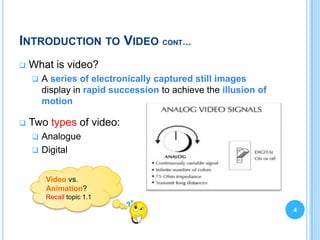
   What is video?
       A series of electronically captured still images
        display in rapid succession to achieve the illusion of
        motion

   Two types of video:
       Analogue
       Digital


         Video vs.
         Animation?
         Recall topic 1.1
                                                                 4
VIDEO SIGNAL
   Light = electromagnetic radiation
   The variation in light wavelength that represent
    brightness and colour can be rendered accurately
    by electronic circuit.
   Electronic waveforms signal = analogue signal
   Analogue video utilizes fluctuations in the electronic
    waveform to represent brightness and colour.
   Analogue video signal – continuous signal

                                                             5
VIDEO SIGNAL CONT…
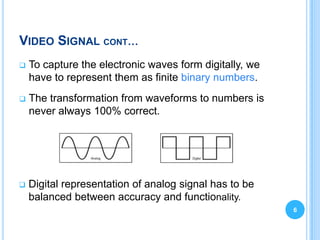
   To capture the electronic waves form digitally, we
    have to represent them as finite binary numbers.
   The transformation from waveforms to numbers is
    never always 100% correct.


   Digital representation of analog signal has to be
    balanced between accuracy and functionality.
                                                         6
VIDEO – FRAMES AND FRAME RATE
   Frame rate (Scan rate) – how fast the frames are
    displayed.
       Standard frame rate:
         film = 24 fps
         25 or 29.97 fps (depending on video standard)


       Lowering frame rate (e.g. 8 fps) can result in video with
        jerky movements or flickers.
       Generally, frame rate of 15 fps = natural movement; use
        for Internet.

                                What happens if we
                                raise the frame
                                rate?                               7
VIDEO – RESOLUTION AND ASPECT RATIO
 Resolution = number of scan lines that fit on screen
 Aspect ratio = width divided by height


                                                         8
VIDEO IMAGE
   Video image is created by an electron gun in the
    CRT.
   The electronic signal illuminates lines of
    phosphorus dots on the screen.
   Methods to illuminate or scan the image:
     Interlaced scan alternates the scanning between odd
      numbered lines in the frame and even numbered lines in
      the frame (NTSC).
     Progressive scan scans each line of the image
      sequentially (computer monitor).
                                                               9
VIDEO COLOUR SIGNALS
Composite Video                      Component Video

   Combines two signals:               Colors are represented
     Luminance or amount                separately.
      of brightness in the                  Red, Green, Blue light
      image.                                 signals combine to
     Chrominance or color                   create color range.
      hue in the image.                 Better color quality.
   Inexpensive to create
    and transmit.
                     Video captured in component color.
                     NTSC standard = composite color.                 10
                     Computer monitors = component color.
ANALOGUE VIDEO
11
ANALOGUE VIDEO
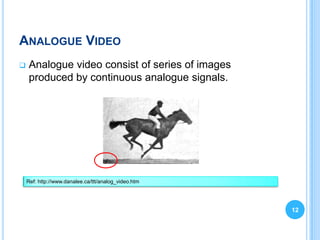
   Analogue video consist of series of images
    produced by continuous analogue signals.


    Ref: http://www.danalee.ca/ttt/analog_video.htm


                                                      12
ANALOGUE VIDEO
   In an analogue video signal, each frame is
    represented by a fluctuating voltage signal.
   This is known as analogue waveform.
   Composite analogue video has all its components
    (brightness, colour, synchronisation information, etc.)
    combined into one signal.


                                                              13
ANALOGUE VIDEO – FORMATS & STANDARDS
   A broadcast television standard:
       NTSC - National Television Standards Committee
           Developed in the US and first used in 1954
           The oldest existing broadcast standard.
           Consists of 525 horizontal lines of display and 60 vertical lines.
           Scanning method (interlacing)
           Only one type exists - NTSC M.

       PAL - Phase Alternating Line
           Developed in Germany and first used in 1967.
            A variant of NTSC, PAL uses a 625/50-line display.
           Different types use different video bandwidth and audio carrier
            specifications.
           Common types are B, G, and H. (Less common - D, I, K, N, & M)
           These different types are generally not compatible with one another.
           In England and much of Europe                                          14
ANALOGUE VIDEO – FORMATS & STANDARDS                                             CONT


        SECAM - Système Électronique pour Couleur avec
         Mèmoire.
              Developed in France and first used in 1967.
              Uses a 625/50 line display.
              Different types use different video bandwidth and audio carrier
               specifications.
                 Types B and D are usually used for VHF.

                 Types G, H, and K are used for UHF.

                 Types I, N, M, K1 and L are used for both VHF and UHF.

                 These different types are generally not compatible with one
                  another.

                                               What’s the TV
                                               standard in
                                               Malaysia?

                                                                                        15
   http://countrycode.org/tv-standards
DIGITAL VIDEO
16
DIGITAL VIDEO
   Digital video uses binary numbers to represent
    image data
   Two sources of digital video:
       Convert existing analog video to digital.
       Create or purchase digital footage.


                                                     17
ANALOGUE VS. DIGITAL
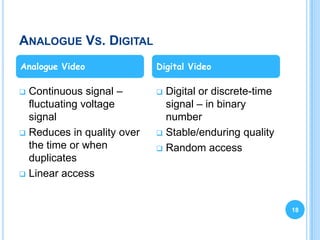
Analogue Video              Digital Video

 Continuous signal –        Digital or discrete-time
  fluctuating voltage         signal – in binary
  signal                      number
 Reduces in quality over    Stable/enduring quality
  the time or when           Random access
  duplicates
 Linear access


                                                         18
DIGITAL VIDEO QUALITY
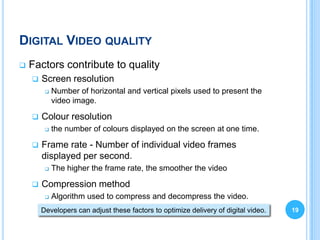
   Factors contribute to quality
       Screen resolution
            Number of horizontal and vertical pixels used to present the
             video image.

       Colour resolution
            the number of colours displayed on the screen at one time.

       Frame rate - Number of individual video frames
        displayed per second.
            The higher the frame rate, the smoother the video

       Compression method
            Algorithm used to compress and decompress the video.
        Developers can adjust these factors to optimize delivery of digital video.   19
SCREEN RESOLUTION
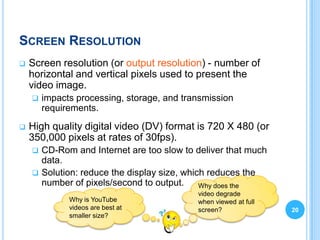
   Screen resolution (or output resolution) - number of
    horizontal and vertical pixels used to present the
    video image.
       impacts processing, storage, and transmission
        requirements.
   High quality digital video (DV) format is 720 X 480 (or
    350,000 pixels at rates of 30fps).
     CD-Rom and Internet are too slow to deliver that much
      data.
     Solution: reduce the display size, which reduces the
      number of pixels/second to output.     Why does the
                                            video degrade
              Why is YouTube                when viewed at full
              videos are best at            screen?               20
              smaller size?
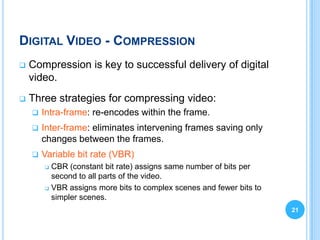
DIGITAL VIDEO - COMPRESSION
   Compression is key to successful delivery of digital
    video.
   Three strategies for compressing video:
       Intra-frame: re-encodes within the frame.
       Inter-frame: eliminates intervening frames saving only
        changes between the frames.
       Variable bit rate (VBR)
         CBR (constant bit rate) assigns same number of bits per
          second to all parts of the video.
         VBR assigns more bits to complex scenes and fewer bits to

          simpler scenes.
                                                                      21
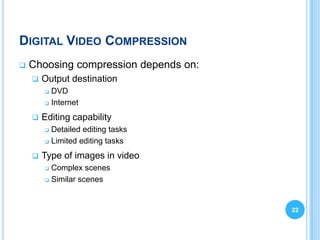
DIGITAL VIDEO COMPRESSION
   Choosing compression depends on:
       Output destination
         DVD
         Internet


       Editing capability
         Detailed editing tasks
         Limited editing tasks


       Type of images in video
         Complex scenes
         Similar scenes


                                       22
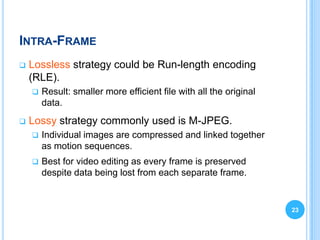
INTRA-FRAME
   Lossless strategy could be Run-length encoding
    (RLE).
       Result: smaller more efficient file with all the original
        data.
   Lossy strategy commonly used is M-JPEG.
       Individual images are compressed and linked together
        as motion sequences.
       Best for video editing as every frame is preserved
        despite data being lost from each separate frame.


                                                                    23
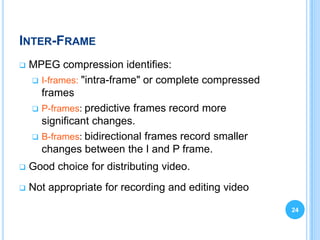
INTER-FRAME
   MPEG compression identifies:
     I-frames: "intra-frame" or complete compressed
      frames
     P-frames: predictive frames record more
      significant changes.
     B-frames: bidirectional frames record smaller
      changes between the I and P frame.
   Good choice for distributing video.
   Not appropriate for recording and editing video

                                                       24
VARIABLE BIT RATE
   Constant Bit Rate encoding uses same number of
    bits per second for simple and complex video.
   Variable Bit Rate assigns more bits to complex
    scenes and fewer bits to simpler scenes.
       Common option in video editing software.


                                                     25
COMMON VIDEO CODECS
   MPEG
     MPEG-1 (short videos on Video CD—optical disc
      format).
     MPEG-2 (transmission of video for television).
     MPEG-4 (video over the web).

   M-JPEG (less-compressed higher quality files
    without inter-frame loss)
   RealVideo (proprietary codec for streaming video
    on web)
   DV (uses M-JPEG, suitable for authoring or
                                                       26
    archiving)
DIGITAL VIDEO - FORMATS & STANDARDS
   Developers use these                Common video file
    formats to render the final          formats
    project in a form suitable for          Windows Video file (.avi)
    delivery
      D1
                                            Movie file (.mpg or .mpeg)
      D2 and D3                            Windows Media Video file
                                             (.mwv)
      DV
      CD Video                             MPEG-4 file (.mp4)
      DVD video                            QuickTime Movie file
      Quicktime                             (.mov, .qt)
      Video for Windows                    Any others?
      Real Video.
                                                                          27
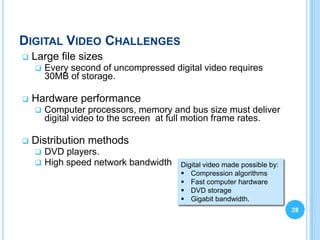
DIGITAL VIDEO CHALLENGES
   Large file sizes
       Every second of uncompressed digital video requires
        30MB of storage.

   Hardware performance
       Computer processors, memory and bus size must deliver
        digital video to the screen at full motion frame rates.

   Distribution methods
       DVD players.
       High speed network bandwidth   Digital video made possible by:
                                        Compression algorithms
                                        Fast computer hardware
                                        DVD storage
                                        Gigabit bandwidth.
                                                                         28
DIGITAL VIDEO
   Quality is long lasting
   Quality for duplicates is almost the same as the
    original
   Allow random search/access of content
   Can be compressed for better and easier storage and
    distribution


                                                          29
MORE ON VIDEO..
Things to consider:
 When to use
       When video can say something that would be
        impossible or difficult to say with medium such as
        graphics, photos, or text.

   Where to place
     In the page
     In a separate context

   User Interaction with Video
       No control – video play immediately
       User control – play/stop buttons                     30
USES OF VIDEO
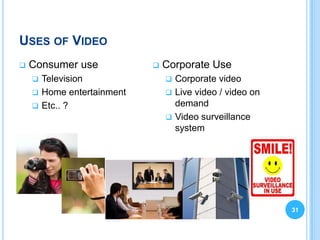
   Consumer use              Corporate Use
     Television                Corporate video
     Home entertainment        Live video / video on
     Etc.. ?                    demand
                                Video surveillance
                                 system


                                                         31
SUMMARY
 Introduced video – definition and concept
 Two categories of video


   Ref and Readings:
     https://learningnetwork.cisco.com/docs/DOC-6492
     http://www.danalee.ca/ttt/analog_video.htm
     Barfield, L. (2004). Design for New Media: Interaction
      design for multimedia and the web. Essex, England:
      PearsonAddison Wesley.


                                                               32

Scct2013 topic4 video

  • 2.
    OVERVIEW  Introduction to Video  Analogue Video  Digital Video 2
  • 3.
    INTRODUCTION TO VIDEO  Moving pictures – film and video:  a series of still images presented at a speed that gives the illusion of motion  Film uses a photo emulsion that reacts to the different wavelengths that reproduces images  Analog film records images on transparent medium projected onto a screen  Video uses electronic circuits to capture information  Analog video records images as continuously varying electrical voltages that produce images on a CRT or projection screen  Film and video rely on the trick of human eyes – 3 persistence of vision
  • 4.
    INTRODUCTION TO VIDEOCONT…  What is video?  A series of electronically captured still images display in rapid succession to achieve the illusion of motion  Two types of video:  Analogue  Digital Video vs. Animation? Recall topic 1.1 4
  • 5.
    VIDEO SIGNAL  Light = electromagnetic radiation  The variation in light wavelength that represent brightness and colour can be rendered accurately by electronic circuit.  Electronic waveforms signal = analogue signal  Analogue video utilizes fluctuations in the electronic waveform to represent brightness and colour.  Analogue video signal – continuous signal 5
  • 6.
    VIDEO SIGNAL CONT…  To capture the electronic waves form digitally, we have to represent them as finite binary numbers.  The transformation from waveforms to numbers is never always 100% correct.  Digital representation of analog signal has to be balanced between accuracy and functionality. 6
  • 7.
    VIDEO – FRAMESAND FRAME RATE  Frame rate (Scan rate) – how fast the frames are displayed.  Standard frame rate:  film = 24 fps  25 or 29.97 fps (depending on video standard)  Lowering frame rate (e.g. 8 fps) can result in video with jerky movements or flickers.  Generally, frame rate of 15 fps = natural movement; use for Internet. What happens if we raise the frame rate? 7
  • 8.
    VIDEO – RESOLUTIONAND ASPECT RATIO  Resolution = number of scan lines that fit on screen  Aspect ratio = width divided by height 8
  • 9.
    VIDEO IMAGE  Video image is created by an electron gun in the CRT.  The electronic signal illuminates lines of phosphorus dots on the screen.  Methods to illuminate or scan the image:  Interlaced scan alternates the scanning between odd numbered lines in the frame and even numbered lines in the frame (NTSC).  Progressive scan scans each line of the image sequentially (computer monitor). 9
  • 10.
    VIDEO COLOUR SIGNALS CompositeVideo Component Video  Combines two signals:  Colors are represented  Luminance or amount separately. of brightness in the  Red, Green, Blue light image. signals combine to  Chrominance or color create color range. hue in the image.  Better color quality.  Inexpensive to create and transmit. Video captured in component color. NTSC standard = composite color. 10 Computer monitors = component color.
  • 11.
  • 12.
    ANALOGUE VIDEO  Analogue video consist of series of images produced by continuous analogue signals. Ref: http://www.danalee.ca/ttt/analog_video.htm 12
  • 13.
    ANALOGUE VIDEO  In an analogue video signal, each frame is represented by a fluctuating voltage signal.  This is known as analogue waveform.  Composite analogue video has all its components (brightness, colour, synchronisation information, etc.) combined into one signal. 13
  • 14.
    ANALOGUE VIDEO –FORMATS & STANDARDS  A broadcast television standard:  NTSC - National Television Standards Committee  Developed in the US and first used in 1954  The oldest existing broadcast standard.  Consists of 525 horizontal lines of display and 60 vertical lines.  Scanning method (interlacing)  Only one type exists - NTSC M.  PAL - Phase Alternating Line  Developed in Germany and first used in 1967.  A variant of NTSC, PAL uses a 625/50-line display.  Different types use different video bandwidth and audio carrier specifications.  Common types are B, G, and H. (Less common - D, I, K, N, & M)  These different types are generally not compatible with one another.  In England and much of Europe 14
  • 15.
    ANALOGUE VIDEO –FORMATS & STANDARDS CONT  SECAM - Système Électronique pour Couleur avec Mèmoire.  Developed in France and first used in 1967.  Uses a 625/50 line display.  Different types use different video bandwidth and audio carrier specifications.  Types B and D are usually used for VHF.  Types G, H, and K are used for UHF.  Types I, N, M, K1 and L are used for both VHF and UHF.  These different types are generally not compatible with one another. What’s the TV standard in Malaysia? 15  http://countrycode.org/tv-standards
  • 16.
  • 17.
    DIGITAL VIDEO  Digital video uses binary numbers to represent image data  Two sources of digital video:  Convert existing analog video to digital.  Create or purchase digital footage. 17
  • 18.
    ANALOGUE VS. DIGITAL AnalogueVideo Digital Video  Continuous signal –  Digital or discrete-time fluctuating voltage signal – in binary signal number  Reduces in quality over  Stable/enduring quality the time or when  Random access duplicates  Linear access 18
  • 19.
    DIGITAL VIDEO QUALITY  Factors contribute to quality  Screen resolution  Number of horizontal and vertical pixels used to present the video image.  Colour resolution  the number of colours displayed on the screen at one time.  Frame rate - Number of individual video frames displayed per second.  The higher the frame rate, the smoother the video  Compression method  Algorithm used to compress and decompress the video. Developers can adjust these factors to optimize delivery of digital video. 19
  • 20.
    SCREEN RESOLUTION  Screen resolution (or output resolution) - number of horizontal and vertical pixels used to present the video image.  impacts processing, storage, and transmission requirements.  High quality digital video (DV) format is 720 X 480 (or 350,000 pixels at rates of 30fps).  CD-Rom and Internet are too slow to deliver that much data.  Solution: reduce the display size, which reduces the number of pixels/second to output. Why does the video degrade Why is YouTube when viewed at full videos are best at screen? 20 smaller size?
  • 21.
    DIGITAL VIDEO -COMPRESSION  Compression is key to successful delivery of digital video.  Three strategies for compressing video:  Intra-frame: re-encodes within the frame.  Inter-frame: eliminates intervening frames saving only changes between the frames.  Variable bit rate (VBR)  CBR (constant bit rate) assigns same number of bits per second to all parts of the video.  VBR assigns more bits to complex scenes and fewer bits to simpler scenes. 21
  • 22.
    DIGITAL VIDEO COMPRESSION  Choosing compression depends on:  Output destination  DVD  Internet  Editing capability  Detailed editing tasks  Limited editing tasks  Type of images in video  Complex scenes  Similar scenes 22
  • 23.
    INTRA-FRAME  Lossless strategy could be Run-length encoding (RLE).  Result: smaller more efficient file with all the original data.  Lossy strategy commonly used is M-JPEG.  Individual images are compressed and linked together as motion sequences.  Best for video editing as every frame is preserved despite data being lost from each separate frame. 23
  • 24.
    INTER-FRAME  MPEG compression identifies:  I-frames: "intra-frame" or complete compressed frames  P-frames: predictive frames record more significant changes.  B-frames: bidirectional frames record smaller changes between the I and P frame.  Good choice for distributing video.  Not appropriate for recording and editing video 24
  • 25.
    VARIABLE BIT RATE  Constant Bit Rate encoding uses same number of bits per second for simple and complex video.  Variable Bit Rate assigns more bits to complex scenes and fewer bits to simpler scenes.  Common option in video editing software. 25
  • 26.
    COMMON VIDEO CODECS  MPEG  MPEG-1 (short videos on Video CD—optical disc format).  MPEG-2 (transmission of video for television).  MPEG-4 (video over the web).  M-JPEG (less-compressed higher quality files without inter-frame loss)  RealVideo (proprietary codec for streaming video on web)  DV (uses M-JPEG, suitable for authoring or 26 archiving)
  • 27.
    DIGITAL VIDEO -FORMATS & STANDARDS  Developers use these  Common video file formats to render the final formats project in a form suitable for  Windows Video file (.avi) delivery  D1  Movie file (.mpg or .mpeg)  D2 and D3  Windows Media Video file (.mwv)  DV  CD Video  MPEG-4 file (.mp4)  DVD video  QuickTime Movie file  Quicktime (.mov, .qt)  Video for Windows  Any others?  Real Video. 27
  • 28.
    DIGITAL VIDEO CHALLENGES  Large file sizes  Every second of uncompressed digital video requires 30MB of storage.  Hardware performance  Computer processors, memory and bus size must deliver digital video to the screen at full motion frame rates.  Distribution methods  DVD players.  High speed network bandwidth Digital video made possible by:  Compression algorithms  Fast computer hardware  DVD storage  Gigabit bandwidth. 28
  • 29.
    DIGITAL VIDEO  Quality is long lasting  Quality for duplicates is almost the same as the original  Allow random search/access of content  Can be compressed for better and easier storage and distribution 29
  • 30.
    MORE ON VIDEO.. Thingsto consider:  When to use  When video can say something that would be impossible or difficult to say with medium such as graphics, photos, or text.  Where to place  In the page  In a separate context  User Interaction with Video  No control – video play immediately  User control – play/stop buttons 30
  • 31.
    USES OF VIDEO  Consumer use  Corporate Use  Television  Corporate video  Home entertainment  Live video / video on  Etc.. ? demand  Video surveillance system 31
  • 32.
    SUMMARY  Introduced video– definition and concept  Two categories of video  Ref and Readings:  https://learningnetwork.cisco.com/docs/DOC-6492  http://www.danalee.ca/ttt/analog_video.htm  Barfield, L. (2004). Design for New Media: Interaction design for multimedia and the web. Essex, England: PearsonAddison Wesley. 32