
AJAX 
Abhilasha Lahigude.
WHAT IS AJAX? 
 "AJAX = Asynchronous JavaScript and XML. 
 AJAX is a technique for creating fast and 
dynamic web pages. 
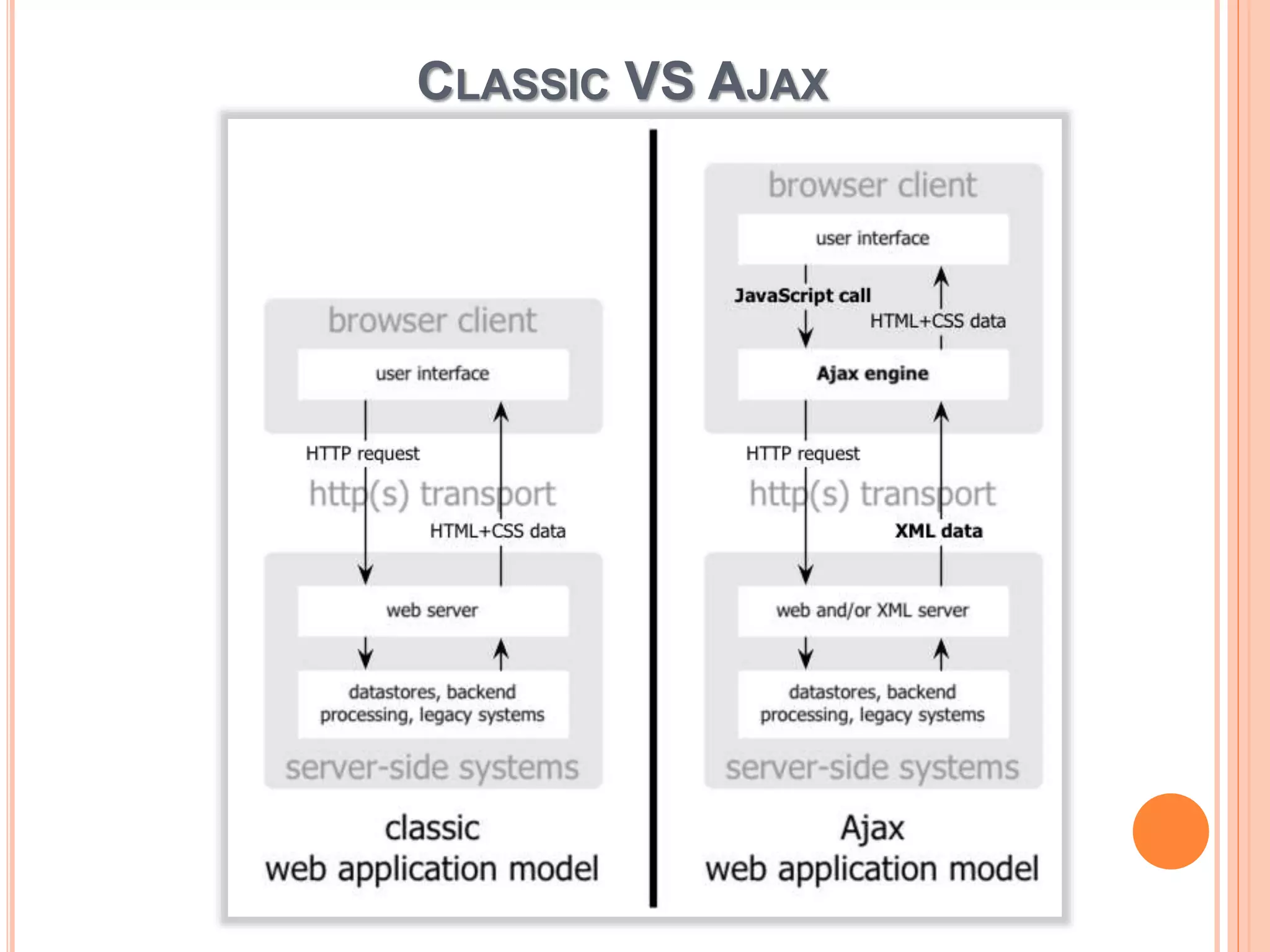
 AJAX allows web pages to be updated 
asynchronously by exchanging small amounts 
of data with the server behind the scenes. This 
means that it is possible to update parts of a 
web page, without reloading the whole page. 
 Classic web pages, (which do not use AJAX) 
must reload the entire page if the content 
should change.
WHY USE AJAX? 
Very user-visible effect 
 Rich UI experience in a Web page 
 Portable across browsers 
 Plus, all advantages of zero-install Web app 
 Ajax Apps: 
 Dynamic data 
 Static or dynamic forms, controls, code, etc. 
 Best of both worlds
CLASSIC VS AJAX
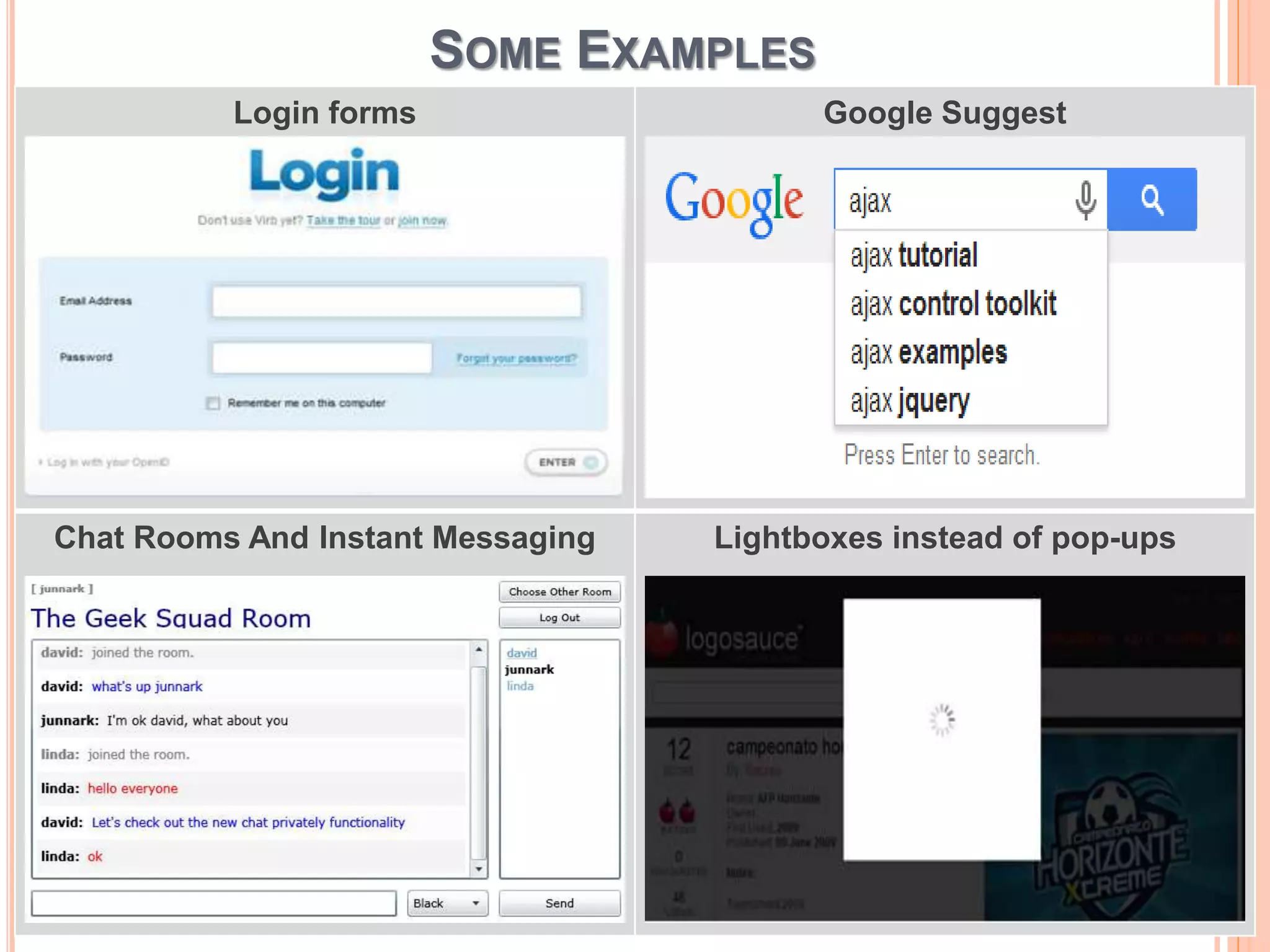
SOME EXAMPLES 
Login forms Google Suggest 
Chat Rooms And Instant Messaging Lightboxes instead of pop-ups
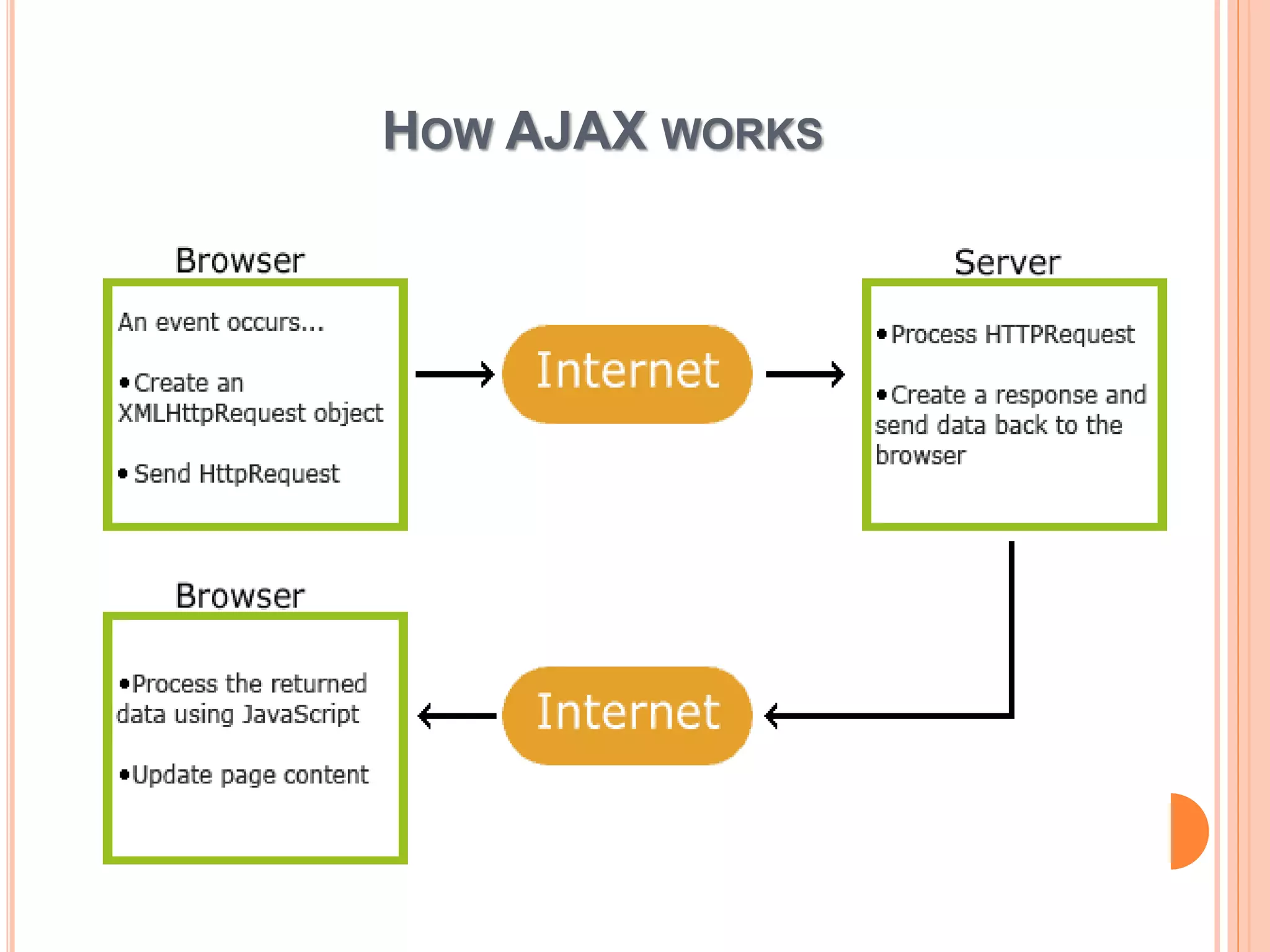
HOW AJAX WORKS
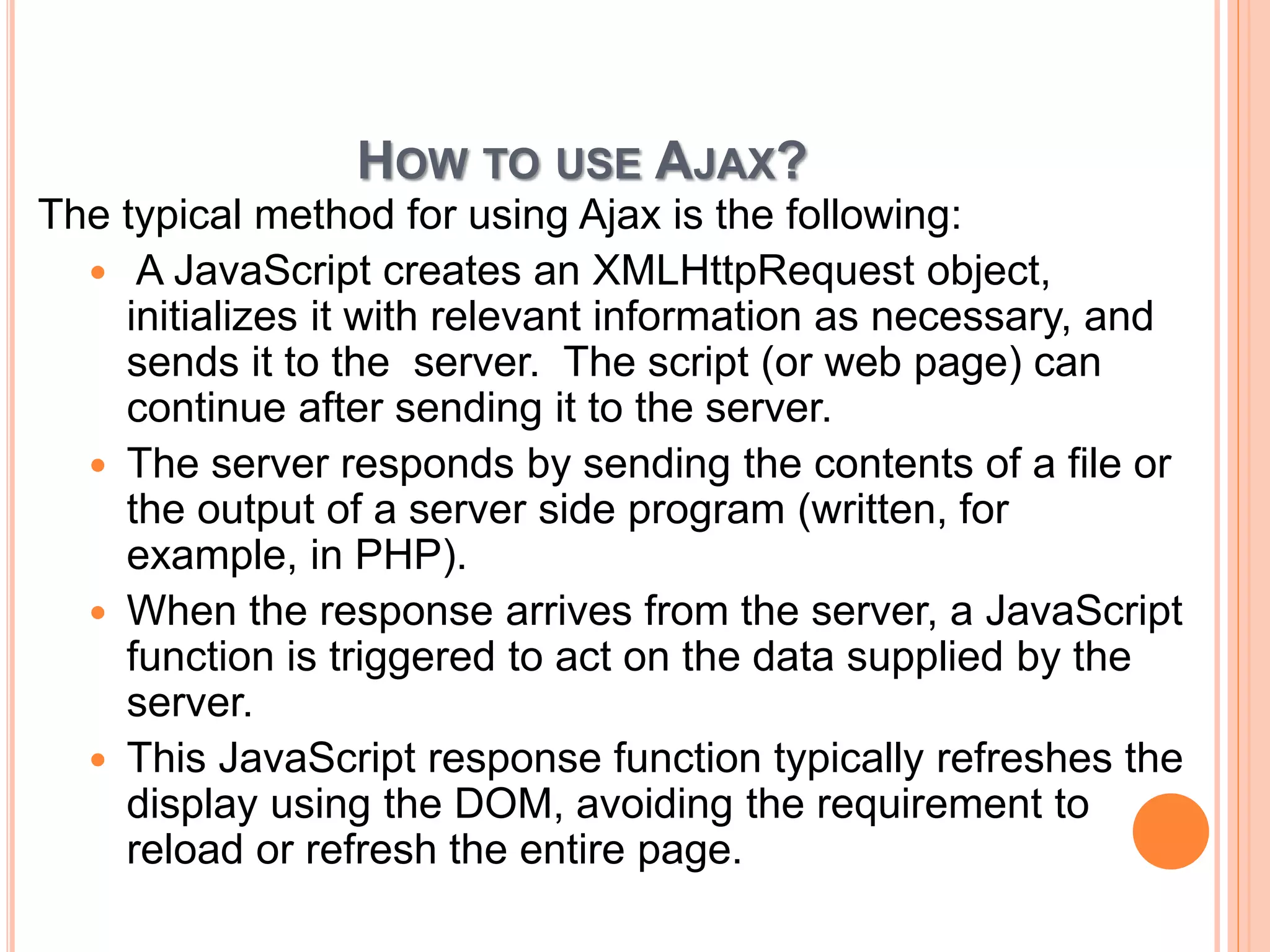
HOW TO USE AJAX? 
The typical method for using Ajax is the following: 
 A JavaScript creates an XMLHttpRequest object, 
initializes it with relevant information as necessary, and 
sends it to the server. The script (or web page) can 
continue after sending it to the server. 
 The server responds by sending the contents of a file or 
the output of a server side program (written, for 
example, in PHP). 
 When the response arrives from the server, a JavaScript 
function is triggered to act on the data supplied by the 
server. 
 This JavaScript response function typically refreshes the 
display using the DOM, avoiding the requirement to 
reload or refresh the entire page.
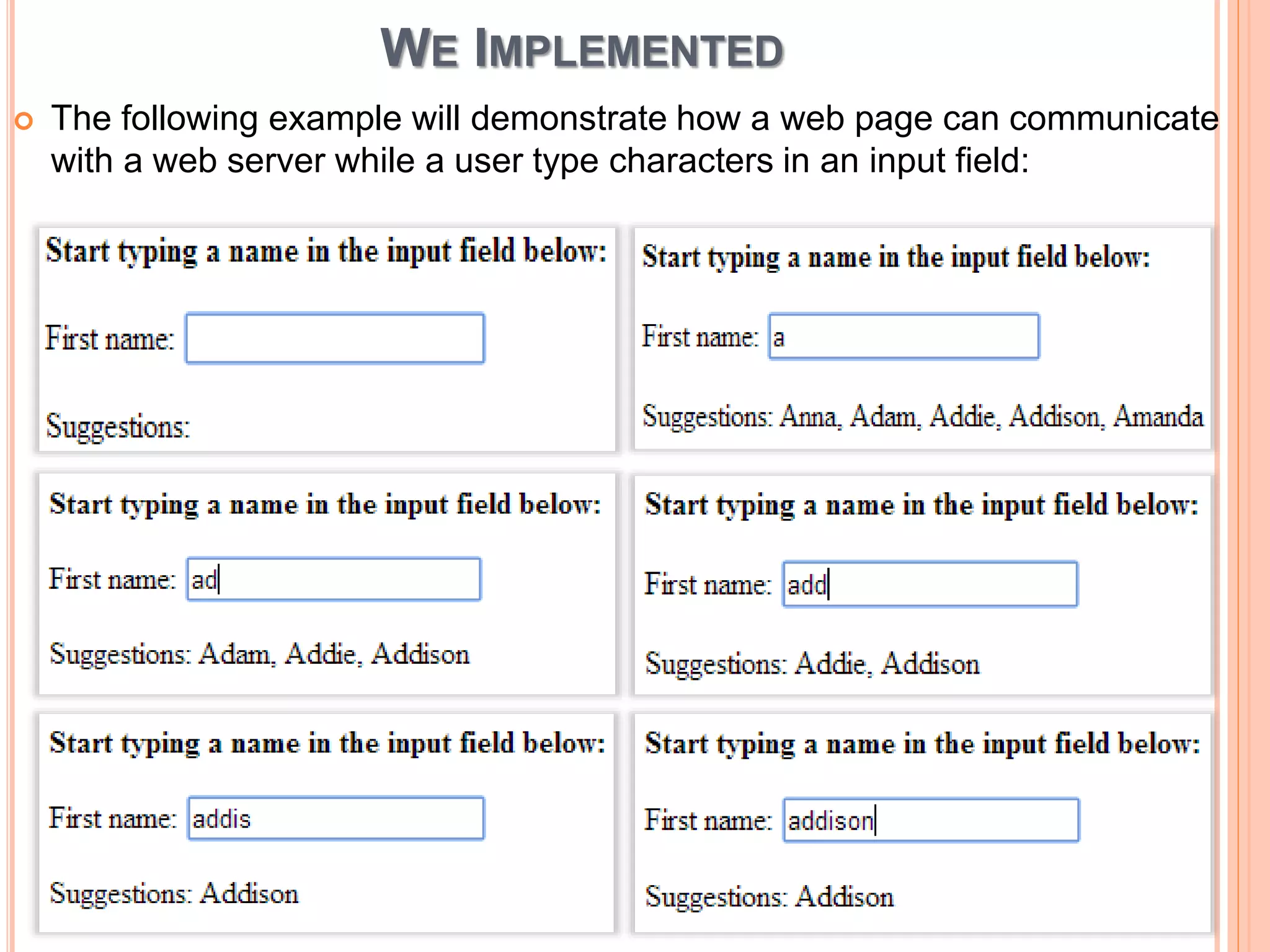
WE IMPLEMENTED 
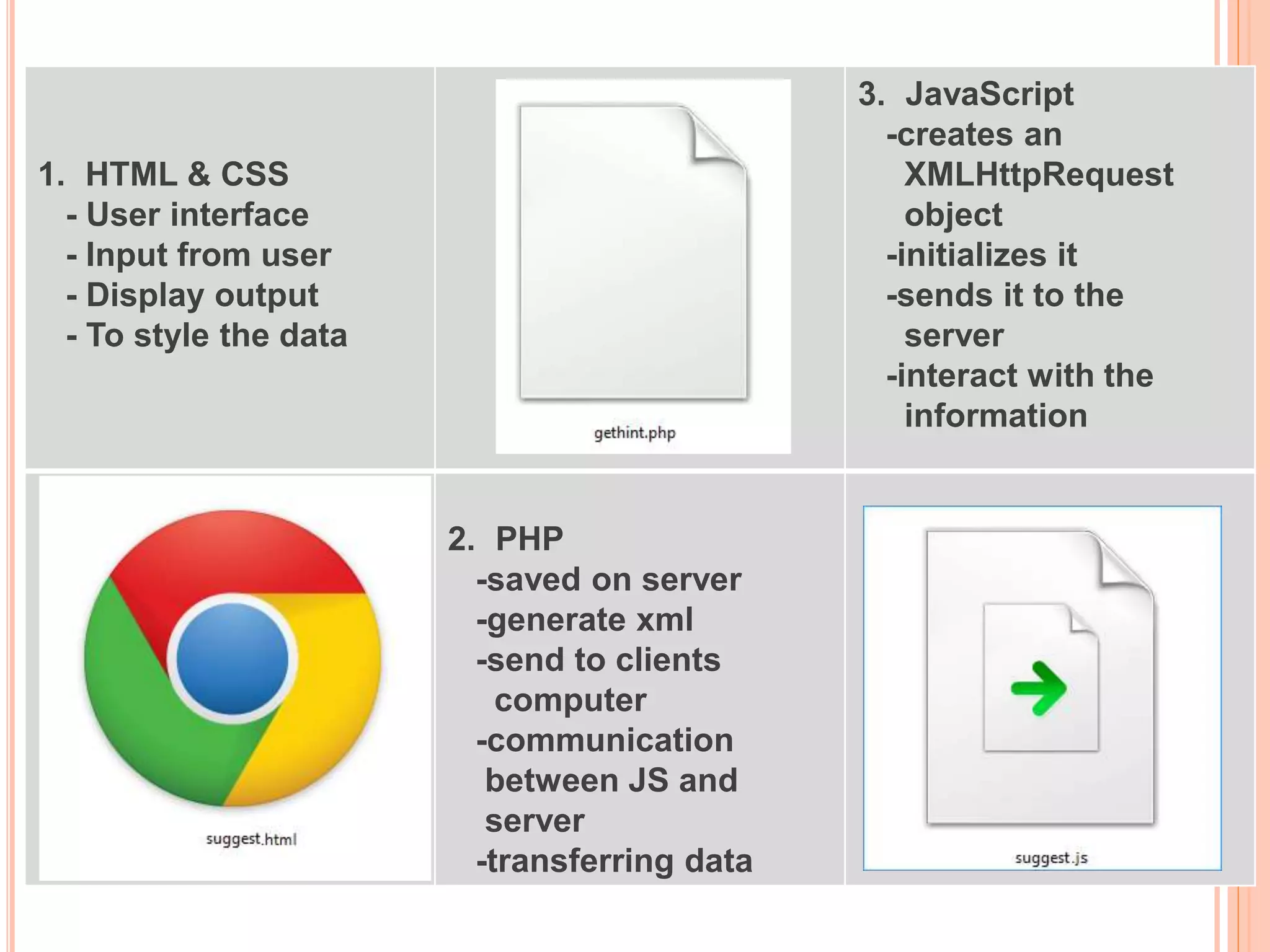
 The following example will demonstrate how a web page can communicate 
with a web server while a user type characters in an input field:
1. HTML & CSS 
- User interface 
- Input from user 
- Display output 
- To style the data 
3. JavaScript 
-creates an 
XMLHttpRequest 
object 
-initializes it 
-sends it to the 
server 
-interact with the 
information 
2. PHP 
-saved on server 
-generate xml 
-send to clients 
computer 
-communication 
between JS and 
server 
-transferring data
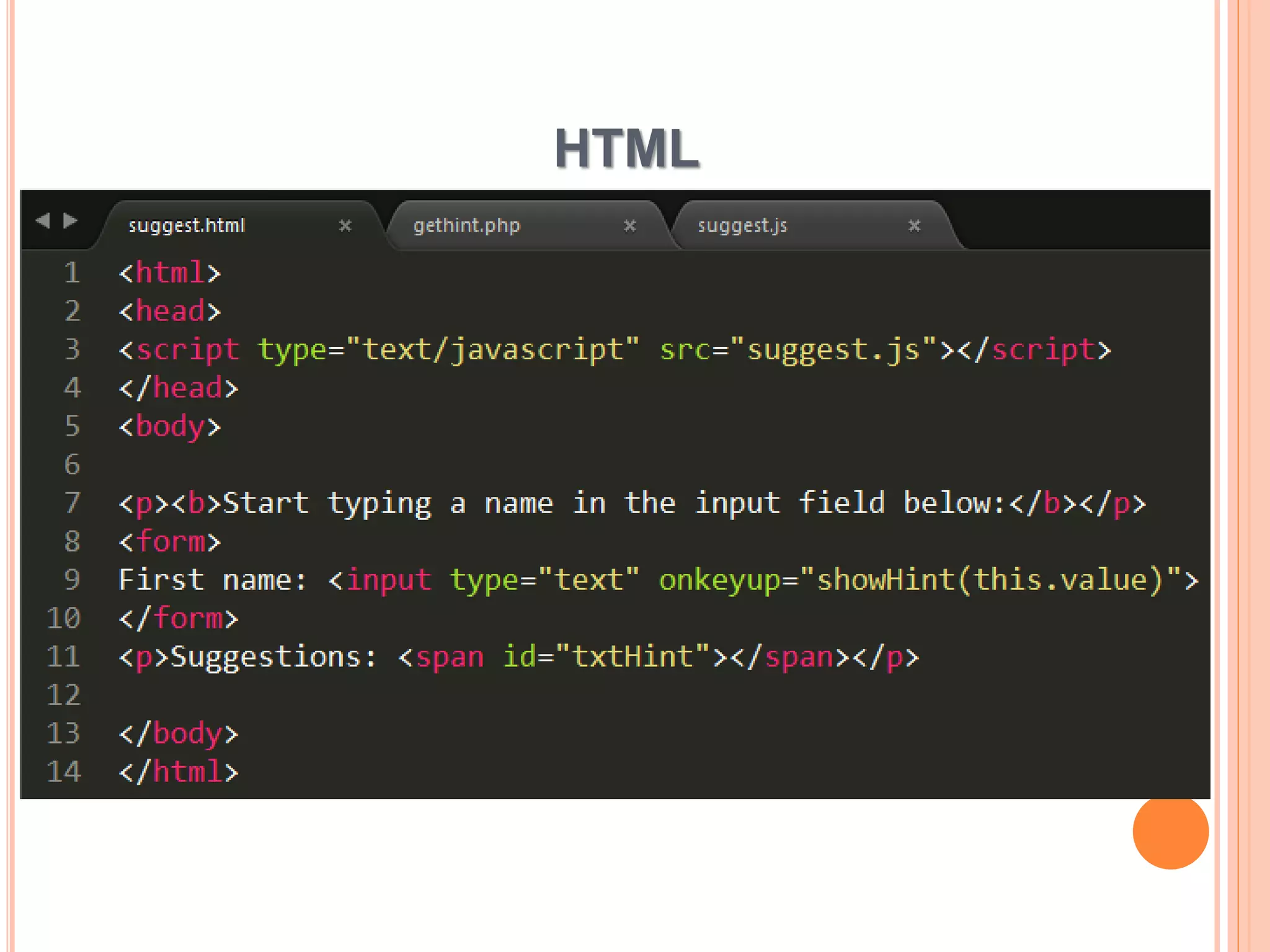
HTML
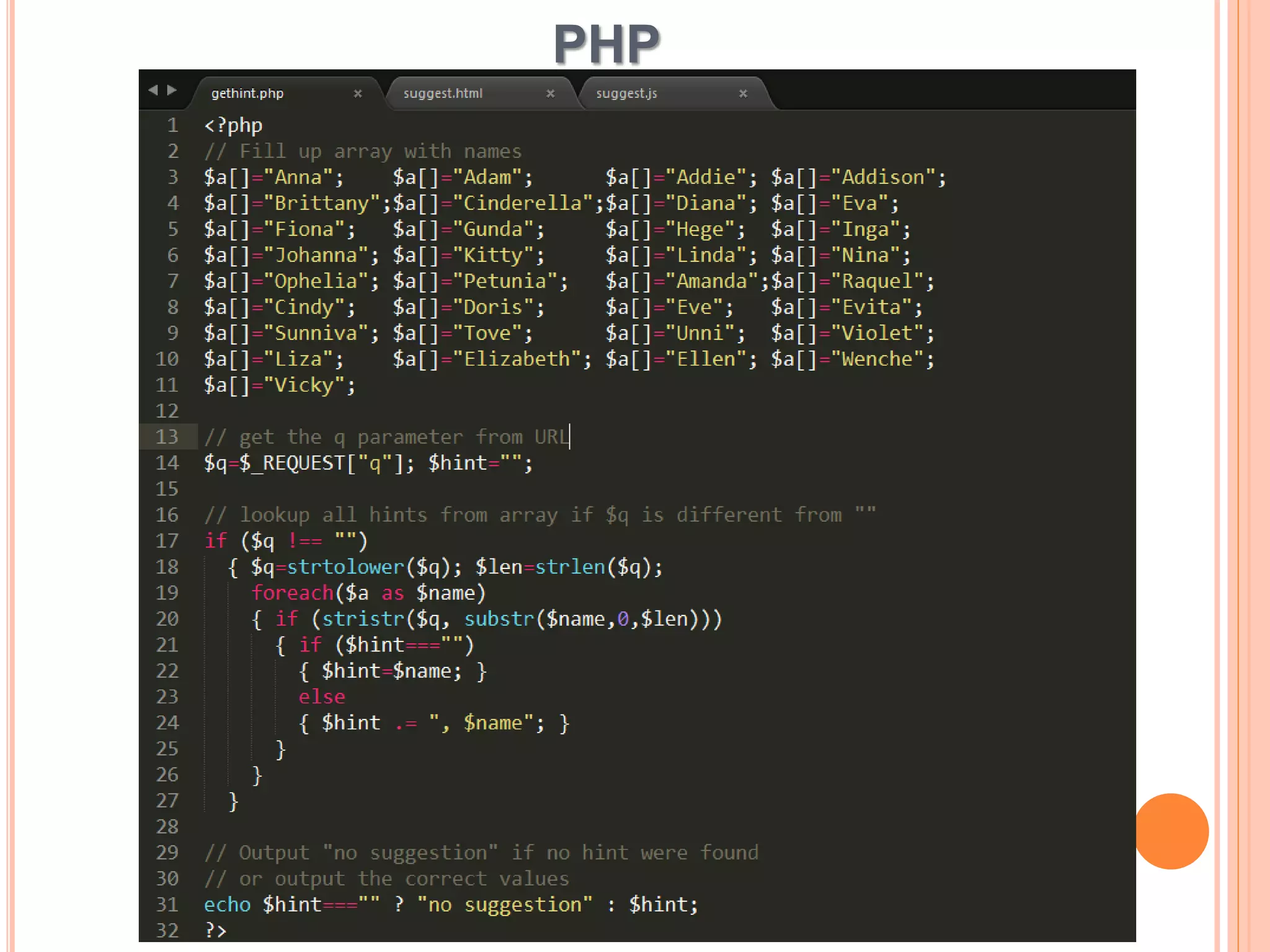
PHP
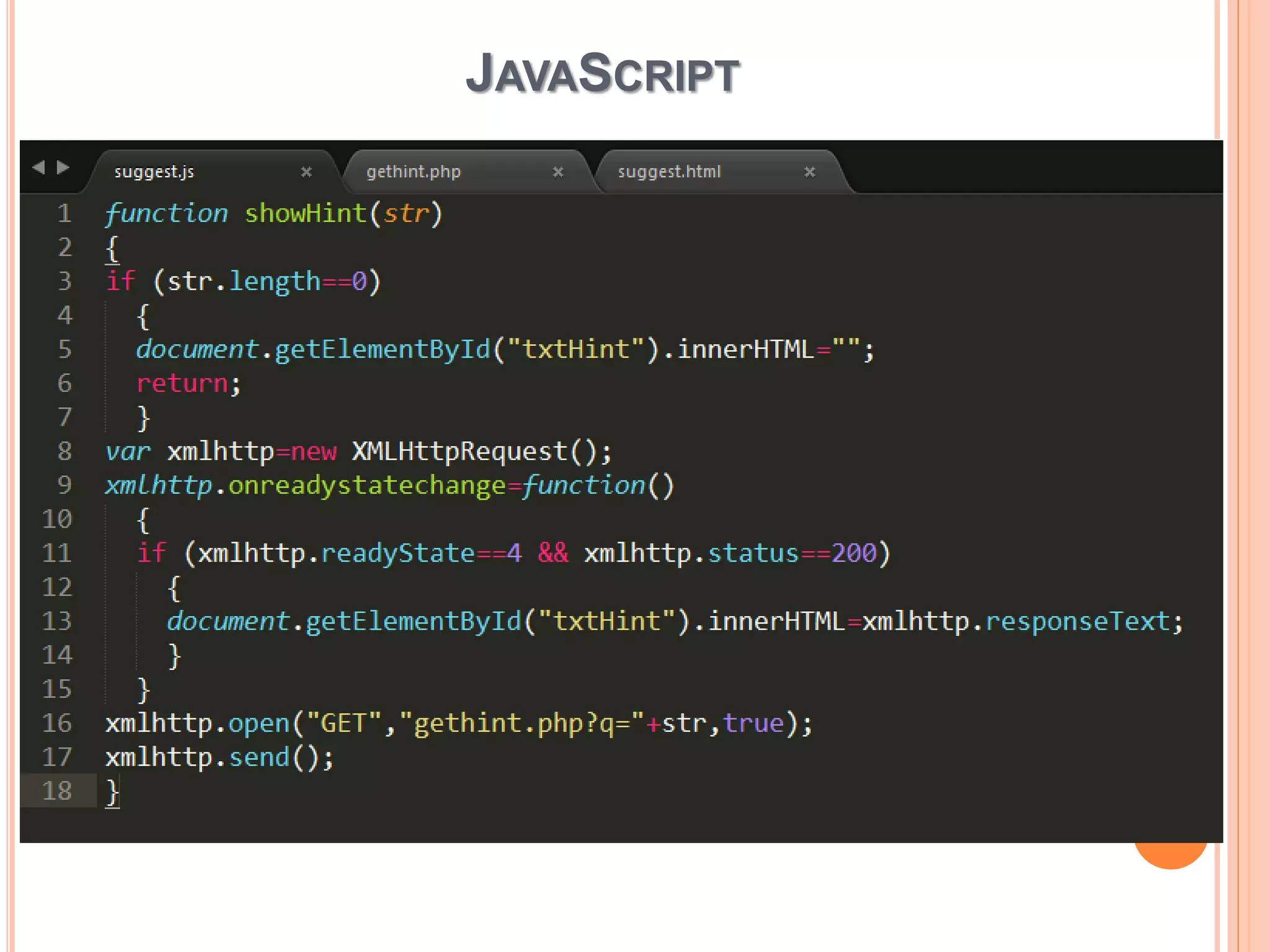
JAVASCRIPT
THANK YOU

AJAX

  • 1.
  • 2.
    WHAT IS AJAX?  "AJAX = Asynchronous JavaScript and XML.  AJAX is a technique for creating fast and dynamic web pages.  AJAX allows web pages to be updated asynchronously by exchanging small amounts of data with the server behind the scenes. This means that it is possible to update parts of a web page, without reloading the whole page.  Classic web pages, (which do not use AJAX) must reload the entire page if the content should change.
  • 3.
    WHY USE AJAX? Very user-visible effect  Rich UI experience in a Web page  Portable across browsers  Plus, all advantages of zero-install Web app  Ajax Apps:  Dynamic data  Static or dynamic forms, controls, code, etc.  Best of both worlds
  • 4.
  • 5.
    SOME EXAMPLES Loginforms Google Suggest Chat Rooms And Instant Messaging Lightboxes instead of pop-ups
  • 6.
  • 7.
    HOW TO USEAJAX? The typical method for using Ajax is the following:  A JavaScript creates an XMLHttpRequest object, initializes it with relevant information as necessary, and sends it to the server. The script (or web page) can continue after sending it to the server.  The server responds by sending the contents of a file or the output of a server side program (written, for example, in PHP).  When the response arrives from the server, a JavaScript function is triggered to act on the data supplied by the server.  This JavaScript response function typically refreshes the display using the DOM, avoiding the requirement to reload or refresh the entire page.
  • 8.
    WE IMPLEMENTED The following example will demonstrate how a web page can communicate with a web server while a user type characters in an input field:
  • 9.
    1. HTML &CSS - User interface - Input from user - Display output - To style the data 3. JavaScript -creates an XMLHttpRequest object -initializes it -sends it to the server -interact with the information 2. PHP -saved on server -generate xml -send to clients computer -communication between JS and server -transferring data
  • 10.
  • 11.
  • 12.
  • 13.