CS3240 - Human Computer Interaction
Lecture 1 : Usability of Interactive Systems


 Lecturer : Dr Bimlesh Wadhwa
 dcsbw@nus.edu.sg
 dcsb @n s ed sg
Content

1.
1 Interaction Design & HCI
2. Evolution of HCI
3. User, Usability and UX
       ,         y


                             1-2
1-3
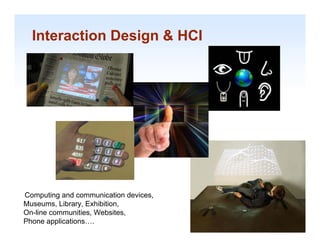
Interaction Design & HCI


Computing and communication devices,
Museums, Library, E hibiti
M         Lib     Exhibition,
On-line communities, Websites,         1-4

Phone applications….                    1-4
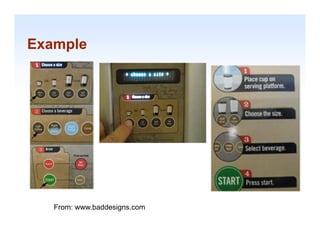
Example


   From: www.baddesigns.com   1-5
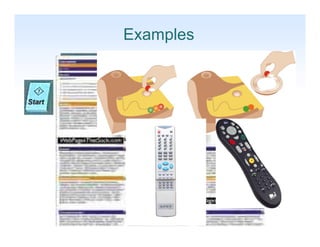
Examples


           1-6
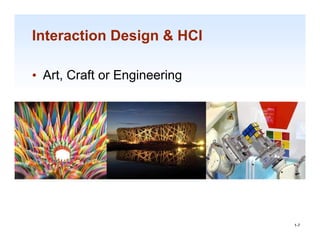
Interaction Design & HCI

• Art Craft or Engineering
  Art,


                             1-7

                              1-7
Interaction Design & HCI
Human-computer interaction is a discipline concerned with
  the design
      design,
           evaluation and
  implementation of interactive
  computing systems for human
  use and with th study of major
        d ith the
  phenomena surrounding them.
 --   Association for Computing Machinery (ACM)


                                                            1-8
Interaction Design & HCI

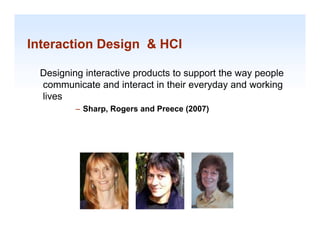
 Designing interactive p
     g g               products to support the way p p
                                     pp          y people
 communicate and interact in their everyday and working
 lives
         – Sharp Rogers and Preece (2007)
           Sharp,


                                                            1-9
Interaction Design & HCI


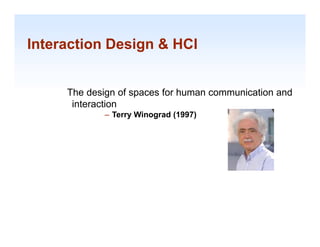
     The design of spaces for human communication and
      interaction
             – Terry Winograd (1997)


                                                    1-10
Interaction Design & HCI

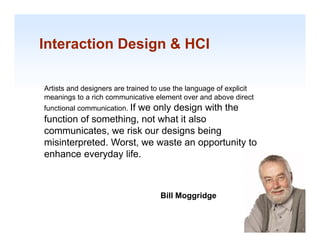
Artists and designers are trained to use the language of explicit
meanings to a rich communicative element over and above direct
functional communication. If
                      we only design with the
           communication
function of something, not what it also
communicates, we risk our designs being
misinterpreted. W t we waste an opportunity to
  i i t     t d Worst,        t          t it t
enhance everyday life.


                                    Bill Moggridge
                                                                    1-11
Interaction Design & HCI

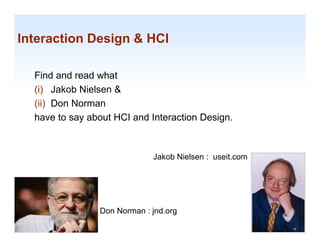
  Find and read what
  (i) Jakob Nielsen &
  ( )
  (ii) Don Norman
  have to say about HCI and Interaction Design.


                             Jakob Nielsen : useit.com


                Don Norman : jnd.org                     1-12
Interaction Design & HCI

It is about understanding and creating software
   and products and technologies that people
   will want to use, will be able to use and will
                use                  use,
   find effective when used.


                  Example :
                  http://futureselfservicebanking.com/
                  htt //f t      lf    i b ki        /
                                                         1-13
Content

1.
1 Interaction Design & HCI
2. Evolution of HCI
3. User, Usability and UX
       ,         y


                             1-14
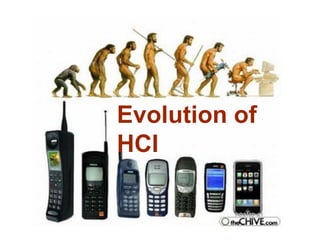
Evolution f
E l ti of
HCI
HCI- Beginning

The beginning of HCI is traced to the March 1982 (
      g      g                                   (U.S.)
                                                      )
  National Bureau of Standards conference, "Human
  Factors in Computer Systems“.


                                                          1-16
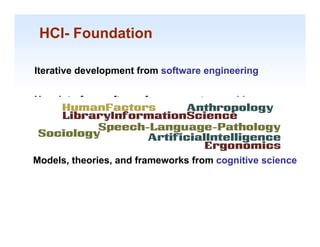
HCI- Foundation

Iterative development from software engineering


User interface software from computer graphics


Psychology & human factors of computing systems


Models, theories, and frameworks from cognitive science


                                                     1-17
HCI- Key initiatives
       y


ACM's Special Interest Group in Computer- Human
 Interaction (SIGCHI).
             (      )

 IFIP's Task Group on Human-Computer Interaction
  (later, Technical Committee 13).


                                                   1-18
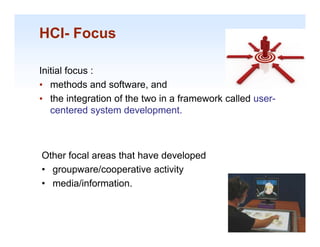
HCI- Focus

Initial focus :
• methods and software, and
• the integration of the two in a framework called user-
   centered system development.
        t d     t    d    l       t


Other focal areas that have developed
• groupware/cooperative activity
• media/information.

                                                           1-19
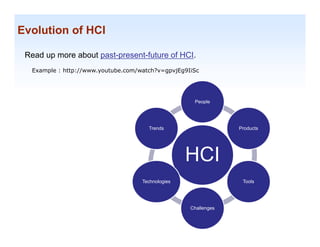
Evolution of HCI

 Read up more about past-present-future of HCI.
  Example : http://www.youtube.com/watch?v=gpvjEg9IiSc


                                                    People


                                      Trends                    Products


                                                   HCI
                                    Technologies                 Tools


                                                   Challenges
                                                                           1-20
Content

1.
1 Interaction Design & HCI
2. Evolution of HCI
3. User, Usability and UX
       ,         y


                             1-21
1-22
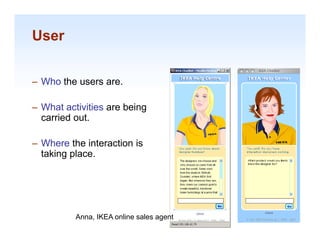
User


– Who the users are.

– What activities are being
  carried out.

– Where the interaction is
  taking place.


                                          1-23
          Anna, IKEA online sales agent
Usability
• user-friendly
  easy to use; accessible; comprehensible; intelligible; idiot
  proof; available; and ready
      f     il bl     d    d

• “friend”
   friend
   –   helps
   –   valuable.
   –   understands
          d t d
   –   reliable and doesn’t hurt.
   –   pleasant


                                                             1-24

                                                                 1-24
Usability goals

•   Effective to use
•   Efficient to use
•   Safe to use
•   Easy to learn
•   Easy to remember how to use
•   ...


                                  1-25
Usability motivations
• Life-critical systems

   – e.g. Air traffic control, nuclear reactors

   – High costs, reliability and effectiveness expected

   – Lengthy training periods

   – Subjective satisfaction is less an issue


                                                          1-26

                                                           1-26
Usability motivations (cont.)

•   Industrial and commercial uses
    – e.g. Banking, insurance, pos

    – Speed of performance, satisfaction & Ease of
      learning fairly important

    – Error rates are relative to cost


                                                     1-27

                                                      1-27
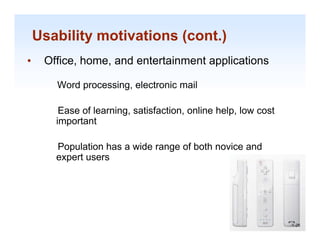
Usability motivations (cont.)
•    Office, home, and entertainment applications

       Word processing, electronic mail

        Ease of learning, satisfaction, online h l l
        E     fl     i      ti f ti       li help, low cost
                                                          t
       important

       Population has a wide range of both novice and
       expert users


                                                              1-28

                                                               1-28
Usability motivations (cont.)
•    Exploratory, creative, and cooperative systems

       Web browsing, search engines, artist toolkits,
       scientific modeling systems

       Collaborative work

        Benchmarks are hard to describe for exploratory
       tasks d device
       t k and d i users.


                                                          1-29

                                                           1-29
Usability motivations (cont.)
•   Social-technical systems

      e.g. Voting, health support, identity verification, crime
      reporting

      Trust, privacy, responsibility, and security are issues

      Verifiable sources and status feedback are important

      Administrators need tools to detect unusual patterns
      of usage

                                                                  1-30

                                                                   1-30
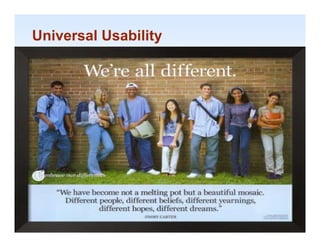
Universal Usability


    Human dimensions, strength, reach
    Sense perception
    Vision: depth contrast, color blindness, and
            depth, contrast       blindness
    motion sensitivity
    Screen-brightness preferences
    Touch: keyboard
    To ch ke board and to chscreen sensiti it
                          touchscreen sensitivity
    Hearing: distinct audio clues


                                                    1-31

                                                     1-31
Universal Usability
 • Physical abilities and physical workplaces
         Human dimensions, strength, reach
         Sense perception
         Vision: depth contrast, color blindness, and
                 depth, contrast       blindness
         motion sensitivity
         Screen-brightness preferences
         Touch: keyboard
         To ch ke board and to chscreen sensiti it
                               touchscreen sensitivity
         Hearing: distinct audio clues


The standard ANSI/HFES 100-2007 Human Factors Engineering of Computer
                                                                        1-32
Workstations (2007)
                                                                         1-32
Universal Usability (cont.)

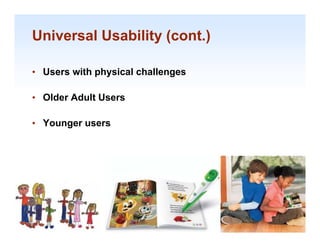
• Users with physical challenges
             p y             g

• Older Adult Users

• Younger users


                                   1-33

                                    1-33
Universal Usability (cont.)


• C
  Cognitive and perceptual abilities
      ii      d          l bili i

     • Long-term, Short term, and Sensory memory
       Long term, Short-term,
     • Language communication and comprehension
     • Learning, skill development, knowledge acquisition,
       and concept attainment
     • Problem solving and reasoning
     • Decision making and risk assessment


                                                         1-34

                                                             1-34
Universal Usability (cont.)

• Personality differences
• C lt
  Cultural and international diversity
         l di t       ti   l di    it
   –   Left-to-right versus right-to-left versus vertical input and reading
   –   Characters, numerals, special characters, and diacriticals
   –   Date and time formats , Numeric and currency formats
   –   Weights and measures
   –   Telephone numbers and addresses
   –   Names and titles (Mr Ms Mme )
                          (Mr., Ms., Mme.)
   –   Social-security, national identification, and passport numbers
   –   Capitalization and punctuation
   –   So t g seque ces
       Sorting sequences
   –   Icons, buttons, colors
   –   Pluralization, grammar, spelling
   –   Etiquette, policies, tone, formality, metaphors
                                                                              1-35

                                                                               1-35
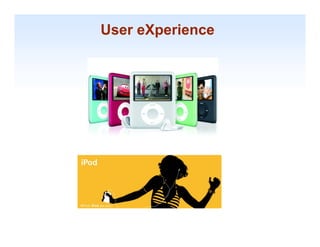
User eXperience


                  1-36
UX


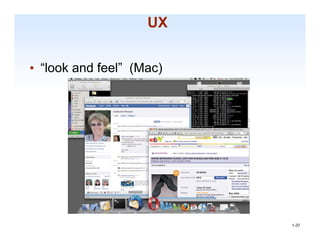
• “look and feel” (Mac)


                          1-37

                           1-37
UX

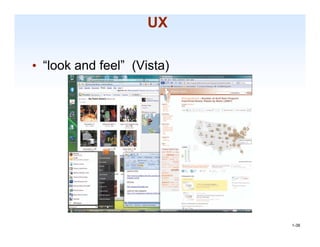
• “look and feel” (Vista)


                            1-38

                             1-38
UX

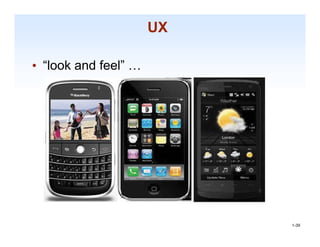
• “look and feel” …


                           1-39

                            1-39
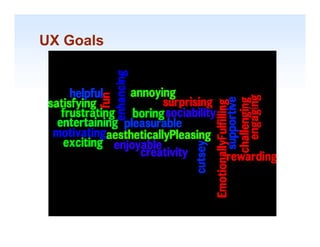
UX Goals


           1-40
Lecture 1
    Key po ts
     ey points

1. Interaction design is concerned with designing interactive
products to support the way people communicate and
interact in their everyday and working lives.


2. It is concerned with how to create quality user experiences.


3. It requires taking into account a number of interdependent
factors, including context of use, type of activities, cultural
differences,
differences and user groups
                          groups.

4. It is multidisciplinary, & involves many inputs from wide-
                         y                y
reaching disciplines and fields.                                  1-41

adsfasdf

  • 1.
    CS3240 - HumanComputer Interaction Lecture 1 : Usability of Interactive Systems Lecturer : Dr Bimlesh Wadhwa dcsbw@nus.edu.sg dcsb @n s ed sg
  • 2.
    Content 1. 1 Interaction Design& HCI 2. Evolution of HCI 3. User, Usability and UX , y 1-2
  • 3.
  • 4.
    Interaction Design &HCI Computing and communication devices, Museums, Library, E hibiti M Lib Exhibition, On-line communities, Websites, 1-4 Phone applications…. 1-4
  • 5.
    Example From: www.baddesigns.com 1-5
  • 6.
  • 7.
    Interaction Design &HCI • Art Craft or Engineering Art, 1-7 1-7
  • 8.
    Interaction Design &HCI Human-computer interaction is a discipline concerned with the design design, evaluation and implementation of interactive computing systems for human use and with th study of major d ith the phenomena surrounding them. -- Association for Computing Machinery (ACM) 1-8
  • 9.
    Interaction Design &HCI Designing interactive p g g products to support the way p p pp y people communicate and interact in their everyday and working lives – Sharp Rogers and Preece (2007) Sharp, 1-9
  • 10.
    Interaction Design &HCI The design of spaces for human communication and interaction – Terry Winograd (1997) 1-10
  • 11.
    Interaction Design &HCI Artists and designers are trained to use the language of explicit meanings to a rich communicative element over and above direct functional communication. If we only design with the communication function of something, not what it also communicates, we risk our designs being misinterpreted. W t we waste an opportunity to i i t t d Worst, t t it t enhance everyday life. Bill Moggridge 1-11
  • 12.
    Interaction Design &HCI Find and read what (i) Jakob Nielsen & ( ) (ii) Don Norman have to say about HCI and Interaction Design. Jakob Nielsen : useit.com Don Norman : jnd.org 1-12
  • 13.
    Interaction Design &HCI It is about understanding and creating software and products and technologies that people will want to use, will be able to use and will use use, find effective when used. Example : http://futureselfservicebanking.com/ htt //f t lf i b ki / 1-13
  • 14.
    Content 1. 1 Interaction Design& HCI 2. Evolution of HCI 3. User, Usability and UX , y 1-14
  • 15.
    Evolution f E lti of HCI
  • 16.
    HCI- Beginning The beginningof HCI is traced to the March 1982 ( g g (U.S.) ) National Bureau of Standards conference, "Human Factors in Computer Systems“. 1-16
  • 17.
    HCI- Foundation Iterative developmentfrom software engineering User interface software from computer graphics Psychology & human factors of computing systems Models, theories, and frameworks from cognitive science 1-17
  • 18.
    HCI- Key initiatives y ACM's Special Interest Group in Computer- Human Interaction (SIGCHI). ( ) IFIP's Task Group on Human-Computer Interaction (later, Technical Committee 13). 1-18
  • 19.
    HCI- Focus Initial focus: • methods and software, and • the integration of the two in a framework called user- centered system development. t d t d l t Other focal areas that have developed • groupware/cooperative activity • media/information. 1-19
  • 20.
    Evolution of HCI Read up more about past-present-future of HCI. Example : http://www.youtube.com/watch?v=gpvjEg9IiSc People Trends Products HCI Technologies Tools Challenges 1-20
  • 21.
    Content 1. 1 Interaction Design& HCI 2. Evolution of HCI 3. User, Usability and UX , y 1-21
  • 22.
  • 23.
    User – Who theusers are. – What activities are being carried out. – Where the interaction is taking place. 1-23 Anna, IKEA online sales agent
  • 24.
    Usability • user-friendly easy to use; accessible; comprehensible; intelligible; idiot proof; available; and ready f il bl d d • “friend” friend – helps – valuable. – understands d t d – reliable and doesn’t hurt. – pleasant 1-24 1-24
  • 25.
    Usability goals • Effective to use • Efficient to use • Safe to use • Easy to learn • Easy to remember how to use • ... 1-25
  • 26.
    Usability motivations • Life-criticalsystems – e.g. Air traffic control, nuclear reactors – High costs, reliability and effectiveness expected – Lengthy training periods – Subjective satisfaction is less an issue 1-26 1-26
  • 27.
    Usability motivations (cont.) • Industrial and commercial uses – e.g. Banking, insurance, pos – Speed of performance, satisfaction & Ease of learning fairly important – Error rates are relative to cost 1-27 1-27
  • 28.
    Usability motivations (cont.) • Office, home, and entertainment applications Word processing, electronic mail Ease of learning, satisfaction, online h l l E fl i ti f ti li help, low cost t important Population has a wide range of both novice and expert users 1-28 1-28
  • 29.
    Usability motivations (cont.) • Exploratory, creative, and cooperative systems Web browsing, search engines, artist toolkits, scientific modeling systems Collaborative work Benchmarks are hard to describe for exploratory tasks d device t k and d i users. 1-29 1-29
  • 30.
    Usability motivations (cont.) • Social-technical systems e.g. Voting, health support, identity verification, crime reporting Trust, privacy, responsibility, and security are issues Verifiable sources and status feedback are important Administrators need tools to detect unusual patterns of usage 1-30 1-30
  • 31.
    Universal Usability Human dimensions, strength, reach Sense perception Vision: depth contrast, color blindness, and depth, contrast blindness motion sensitivity Screen-brightness preferences Touch: keyboard To ch ke board and to chscreen sensiti it touchscreen sensitivity Hearing: distinct audio clues 1-31 1-31
  • 32.
    Universal Usability •Physical abilities and physical workplaces Human dimensions, strength, reach Sense perception Vision: depth contrast, color blindness, and depth, contrast blindness motion sensitivity Screen-brightness preferences Touch: keyboard To ch ke board and to chscreen sensiti it touchscreen sensitivity Hearing: distinct audio clues The standard ANSI/HFES 100-2007 Human Factors Engineering of Computer 1-32 Workstations (2007) 1-32
  • 33.
    Universal Usability (cont.) •Users with physical challenges p y g • Older Adult Users • Younger users 1-33 1-33
  • 34.
    Universal Usability (cont.) •C Cognitive and perceptual abilities ii d l bili i • Long-term, Short term, and Sensory memory Long term, Short-term, • Language communication and comprehension • Learning, skill development, knowledge acquisition, and concept attainment • Problem solving and reasoning • Decision making and risk assessment 1-34 1-34
  • 35.
    Universal Usability (cont.) •Personality differences • C lt Cultural and international diversity l di t ti l di it – Left-to-right versus right-to-left versus vertical input and reading – Characters, numerals, special characters, and diacriticals – Date and time formats , Numeric and currency formats – Weights and measures – Telephone numbers and addresses – Names and titles (Mr Ms Mme ) (Mr., Ms., Mme.) – Social-security, national identification, and passport numbers – Capitalization and punctuation – So t g seque ces Sorting sequences – Icons, buttons, colors – Pluralization, grammar, spelling – Etiquette, policies, tone, formality, metaphors 1-35 1-35
  • 36.
  • 37.
    UX • “look andfeel” (Mac) 1-37 1-37
  • 38.
    UX • “look andfeel” (Vista) 1-38 1-38
  • 39.
    UX • “look andfeel” … 1-39 1-39
  • 40.
  • 41.
    Lecture 1 Key po ts ey points 1. Interaction design is concerned with designing interactive products to support the way people communicate and interact in their everyday and working lives. 2. It is concerned with how to create quality user experiences. 3. It requires taking into account a number of interdependent factors, including context of use, type of activities, cultural differences, differences and user groups groups. 4. It is multidisciplinary, & involves many inputs from wide- y y reaching disciplines and fields. 1-41