Human
Computer
Interaction
(HCI)
Group Members:
Buwenaka, Piyumika, Thilan,
Sachith, Nuwan
Group 4
Humans and Computers
 Humans – Complex organisms capable of
achieving things and the most intelligent
animal species.
 Computers – Designed by humans to
make their lives easy by giving them tasks
to complete.
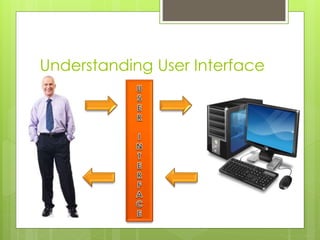
 HCI connects these two parties in a
manner they both understand each other
with the help of an interface.
Understanding User Interface
Definition of HCI
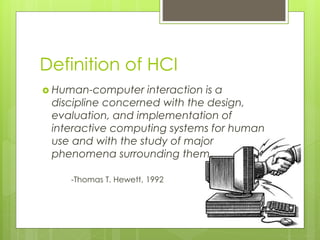
 Human-computer interaction is a
discipline concerned with the design,
evaluation, and implementation of
interactive computing systems for human
use and with the study of major
phenomena surrounding them.
-Thomas T. Hewett, 1992
What is HCI?
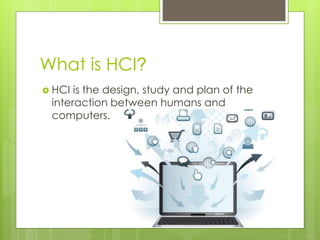
 HCI is the design, study and plan of the
interaction between humans and
computers.
A HCI should be
 Simple
 Useful
 Accessible
 Time Saving
 Attractive
History
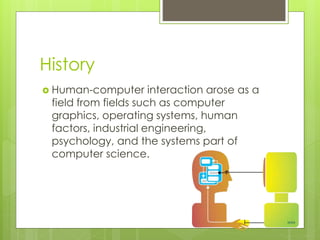
 Human-computer interaction arose as a
field from fields such as computer
graphics, operating systems, human
factors, industrial engineering,
psychology, and the systems part of
computer science.
Importance of HCI for Computer
Science undergraduates
 Study of interface with information.
 To have a competitive advantage once
in the field with rivals.
 Interface layout understanding – How big
the buttons, text and menus should be.
 Effects an individual’s;
 Effectiveness
 Productivity
Human Computer Interaction
(HCI)
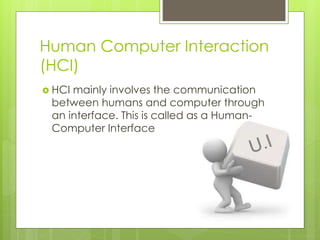
 HCI mainly involves the communication
between humans and computer through
an interface. This is called as a Human-
Computer Interface
Principles of HCI design
 Perceptual principles
 The interface display should be
understandable and clear.
 Usage of human sensory variables such as
color and size.
 Use of redundancy – If a signal is presented
more than once it is likely that the user
remembers it.
Principles of HCI design
 Mental principles
 Picture realism – configuring the interface in
a manner which looks like it would in the
represented environment.
 Use of moving elements in the interface
such as temperature displaying systems.
Principles of HCI design
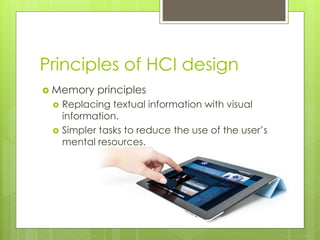
 Memory principles
 Replacing textual information with visual
information.
 Simpler tasks to reduce the use of the user’s
mental resources.
Types of User Interface
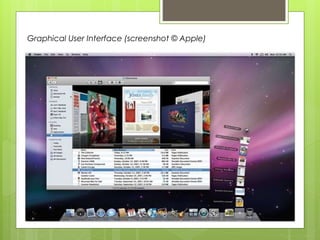
 Graphical User Interface (GUI).
 Web-based User Interface.
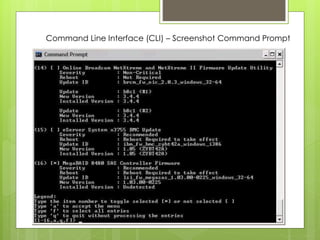
 Command Line Interface (CLI).
 Touch User Interface – Touchscreens
Command Line Interface (CLI) – Screenshot Command Prompt
Graphical User Interface (screenshot © Apple)
Thank You!

Human Computer Interaction (HCI)

  • 1.
  • 3.
    Humans and Computers Humans – Complex organisms capable of achieving things and the most intelligent animal species.  Computers – Designed by humans to make their lives easy by giving them tasks to complete.  HCI connects these two parties in a manner they both understand each other with the help of an interface.
  • 4.
  • 5.
    Definition of HCI Human-computer interaction is a discipline concerned with the design, evaluation, and implementation of interactive computing systems for human use and with the study of major phenomena surrounding them. -Thomas T. Hewett, 1992
  • 6.
    What is HCI? HCI is the design, study and plan of the interaction between humans and computers.
  • 7.
    A HCI shouldbe  Simple  Useful  Accessible  Time Saving  Attractive
  • 8.
    History  Human-computer interactionarose as a field from fields such as computer graphics, operating systems, human factors, industrial engineering, psychology, and the systems part of computer science.
  • 9.
    Importance of HCIfor Computer Science undergraduates  Study of interface with information.  To have a competitive advantage once in the field with rivals.  Interface layout understanding – How big the buttons, text and menus should be.  Effects an individual’s;  Effectiveness  Productivity
  • 10.
    Human Computer Interaction (HCI) HCI mainly involves the communication between humans and computer through an interface. This is called as a Human- Computer Interface
  • 12.
    Principles of HCIdesign  Perceptual principles  The interface display should be understandable and clear.  Usage of human sensory variables such as color and size.  Use of redundancy – If a signal is presented more than once it is likely that the user remembers it.
  • 13.
    Principles of HCIdesign  Mental principles  Picture realism – configuring the interface in a manner which looks like it would in the represented environment.  Use of moving elements in the interface such as temperature displaying systems.
  • 14.
    Principles of HCIdesign  Memory principles  Replacing textual information with visual information.  Simpler tasks to reduce the use of the user’s mental resources.
  • 15.
    Types of UserInterface  Graphical User Interface (GUI).  Web-based User Interface.  Command Line Interface (CLI).  Touch User Interface – Touchscreens
  • 16.
    Command Line Interface(CLI) – Screenshot Command Prompt
  • 17.
    Graphical User Interface(screenshot © Apple)
  • 18.