ACPET - Vic Government  e-Learning Program 2011 Intermediate Online Session 1
Programme Using Elluminate Deliverables – Draft Delivery Templates This session –  Draft Course Design Template   Peer Review of Draft Delivery Template
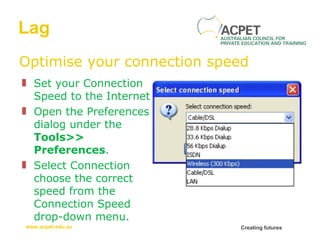
Lag Optimise your connection speed Set your Connection Speed to the Internet  Open the Preferences dialog under the  Tools>> Preferences . Select Connection choose the correct speed from the Connection Speed drop-down menu.
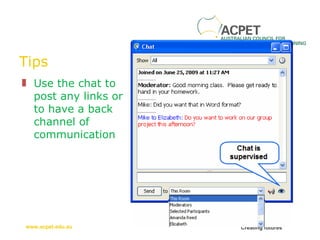
Tips Use the chat to post any links or to have a back channel of communication
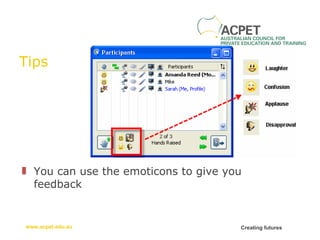
Tips You can use the emoticons to give you feedback
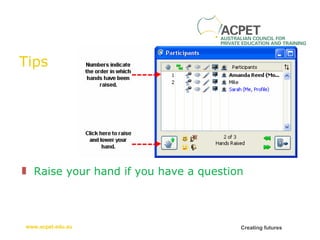
Tips Raise your hand if you have a question
Using Elluminate
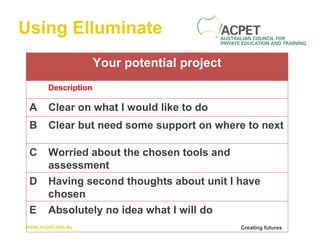
Using Elluminate Your potential project Description A Clear on what I would like to do B Clear but need some support on where to next C Worried about the chosen tools and assessment D Having second thoughts about unit I have chosen E Absolutely no idea what I will do
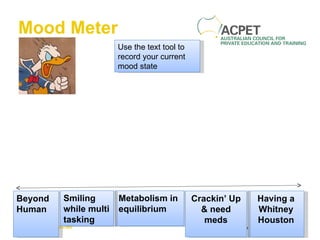
Mood Meter Beyond Human Having a Whitney Houston Metabolism in equilibrium Smiling while multi tasking Crackin’ Up & need meds Use the text tool to record your current mood state
Project Deliverables
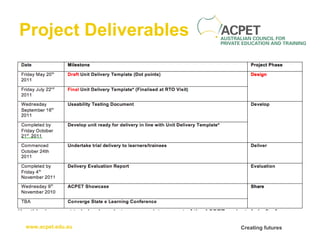
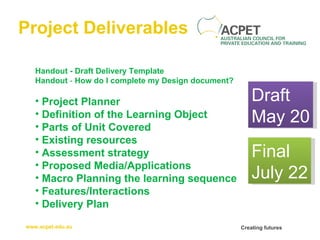
Project Deliverables Handout - Draft Delivery Template Handout  -  How do I complete my Design document? Project Planner Definition of the Learning Object Parts of Unit Covered   Existing resources   Assessment strategy   Proposed Media/Applications   Macro Planning the learning sequence   Features/Interactions Delivery Plan Draft May 20 Final July 22
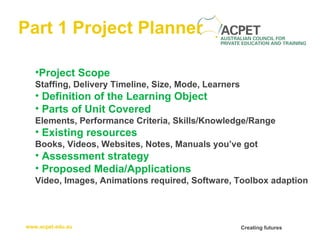
Part 1 Project Planner Project Scope Staffing, Delivery Timeline, Size, Mode, Learners Definition of the Learning Object Parts of Unit Covered Elements, Performance Criteria, Skills/Knowledge/Range   Existing resources Books, Videos, Websites, Notes, Manuals you’ve got   Assessment strategy   Proposed Media/Applications Video, Images, Animations required, Software, Toolbox adaption
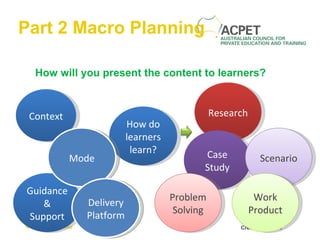
Part 2 Macro Planning How will you present the content to learners? Context Guidance & Support How do learners learn? Research Case Study Scenario Problem Solving Work Product Mode Delivery Platform
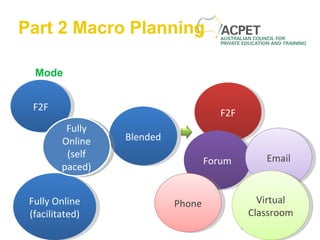
Part 2 Macro Planning Mode F2F Fully Online (facilitated) Blended F2F Forum Email Phone Virtual Classroom Fully Online (self paced)
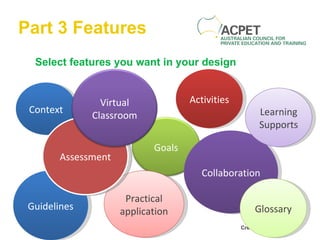
Part 3 Features Select features you want in your design Context Guidelines Activities Collaboration Learning Supports Practical application Glossary Assessment Goals Virtual Classroom
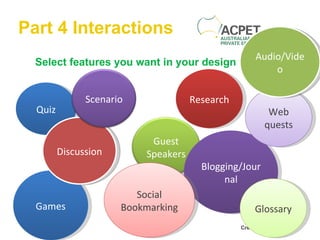
Part 4 Interactions Select features you want in your design Quiz Games Research Blogging/Journal Web quests Social Bookmarking Glossary Discussion Audio/Video Guest Speakers Scenario
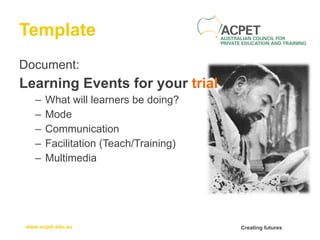
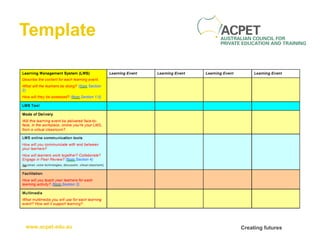
Template Document: Learning Events for your  trial What will learners be doing? Mode Communication Facilitation (Teach/Training) Multimedia
Template
Peer Review Up to 3 minutes per RTO to present Describe: Why choose specific unit of competency Proposed multimedia you hope to use How you will teach skills/knowledge Types of learner interactions Elearning features you hope to use
Peer Review 1 minute to feedback by the Text Box with suggestions: Enhancing how knowledge/skills taught (understanding, problem solving) Enhancing learner interactions (support, collaboration,  group work, industry knowledge) Suggesting new ways of using multimedia (reducing text)
Next Workshop Dates Workshop 3   Wednesday 18th May 10am – 4pm   Using Audio & Podcasting Understanding Audio Using Audacity to record and publish sound files Portable recording options Embedding in HTML, LMS and Social Networking sites RTO Progress Indicator Final Course Design Template
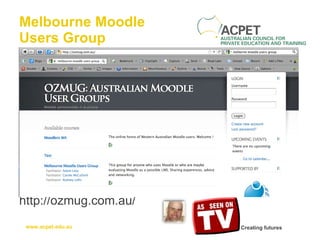
Melbourne Moodle Users Group http://ozmug.com.au/
8 - 10 June 2011 online  conference: e-learning a Realit-e This FREE online conference showcases how vocational education and training (VET) practitioners, training providers and businesses are using e-learning pedagogy, e-tools and e-technologies to develop and deliver new and flexible training options http://networksevents.flexiblelearning.net.au/
Thank you for  playing

ACPET eLearning Mentor Program - Online Session 1

  • 1.
    ACPET - VicGovernment e-Learning Program 2011 Intermediate Online Session 1
  • 2.
    Programme Using ElluminateDeliverables – Draft Delivery Templates This session – Draft Course Design Template Peer Review of Draft Delivery Template
  • 3.
    Lag Optimise yourconnection speed Set your Connection Speed to the Internet Open the Preferences dialog under the Tools>> Preferences . Select Connection choose the correct speed from the Connection Speed drop-down menu.
  • 4.
    Tips Use thechat to post any links or to have a back channel of communication
  • 5.
    Tips You canuse the emoticons to give you feedback
  • 6.
    Tips Raise yourhand if you have a question
  • 7.
  • 8.
    Using Elluminate Yourpotential project Description A Clear on what I would like to do B Clear but need some support on where to next C Worried about the chosen tools and assessment D Having second thoughts about unit I have chosen E Absolutely no idea what I will do
  • 9.
    Mood Meter BeyondHuman Having a Whitney Houston Metabolism in equilibrium Smiling while multi tasking Crackin’ Up & need meds Use the text tool to record your current mood state
  • 10.
  • 11.
    Project Deliverables Handout- Draft Delivery Template Handout - How do I complete my Design document? Project Planner Definition of the Learning Object Parts of Unit Covered   Existing resources   Assessment strategy   Proposed Media/Applications   Macro Planning the learning sequence   Features/Interactions Delivery Plan Draft May 20 Final July 22
  • 12.
    Part 1 ProjectPlanner Project Scope Staffing, Delivery Timeline, Size, Mode, Learners Definition of the Learning Object Parts of Unit Covered Elements, Performance Criteria, Skills/Knowledge/Range   Existing resources Books, Videos, Websites, Notes, Manuals you’ve got   Assessment strategy   Proposed Media/Applications Video, Images, Animations required, Software, Toolbox adaption
  • 13.
    Part 2 MacroPlanning How will you present the content to learners? Context Guidance & Support How do learners learn? Research Case Study Scenario Problem Solving Work Product Mode Delivery Platform
  • 14.
    Part 2 MacroPlanning Mode F2F Fully Online (facilitated) Blended F2F Forum Email Phone Virtual Classroom Fully Online (self paced)
  • 15.
    Part 3 FeaturesSelect features you want in your design Context Guidelines Activities Collaboration Learning Supports Practical application Glossary Assessment Goals Virtual Classroom
  • 16.
    Part 4 InteractionsSelect features you want in your design Quiz Games Research Blogging/Journal Web quests Social Bookmarking Glossary Discussion Audio/Video Guest Speakers Scenario
  • 17.
    Template Document: LearningEvents for your trial What will learners be doing? Mode Communication Facilitation (Teach/Training) Multimedia
  • 18.
  • 19.
    Peer Review Upto 3 minutes per RTO to present Describe: Why choose specific unit of competency Proposed multimedia you hope to use How you will teach skills/knowledge Types of learner interactions Elearning features you hope to use
  • 20.
    Peer Review 1minute to feedback by the Text Box with suggestions: Enhancing how knowledge/skills taught (understanding, problem solving) Enhancing learner interactions (support, collaboration, group work, industry knowledge) Suggesting new ways of using multimedia (reducing text)
  • 21.
    Next Workshop DatesWorkshop 3 Wednesday 18th May 10am – 4pm Using Audio & Podcasting Understanding Audio Using Audacity to record and publish sound files Portable recording options Embedding in HTML, LMS and Social Networking sites RTO Progress Indicator Final Course Design Template
  • 22.
    Melbourne Moodle UsersGroup http://ozmug.com.au/
  • 23.
    8 - 10June 2011 online conference: e-learning a Realit-e This FREE online conference showcases how vocational education and training (VET) practitioners, training providers and businesses are using e-learning pedagogy, e-tools and e-technologies to develop and deliver new and flexible training options http://networksevents.flexiblelearning.net.au/
  • 24.
    Thank you for playing