World Wide Web
By Dr R Jegadeesan
Jyothishmathi Institute of technology and
Science karimnagar
• The World Wide Web (WWW) is a repository of
information linked together from points all over the
world.
• The WWW has a unique combination of flexibility ,
portability, and user-friendly features that
distinguish it from other services provided by the
Internet.
• The WWW project was initiated by CERN (Conseil
Européen pour la Recherche Nucléaire) European
Organization for Nuclear Research.
ARCHITECTURE
• Each site holds one or more documents,
referred to as Web pages.
• Each Web page can contain a link to other
pages in the same site or at other sites.
• The pages can be retrieved and viewed by
using browsers.
• In the above figure the client needs to see some
information that it belongs to site A.
• It sends a request through its browser, a
program that is designed to fetch Web
documents.
• The request, among other information,
includes the address of the site and the Web
page, called the URL
• The server at site A finds the document and
sends it to the client.
• When the user views the document, she/he
finds some references to other documents,
including a Web page at site B.
• The reference has the URL for the new site.
• The user is also interested in seeing this
document.
• The client sends another request to the new
site and the new page is retrieved.
Client (Browser)
• A variety of vendors offer commercial browsers
• Each browser usually consists of three parts:
Controller
 Client Protocol
 Interpreters.
Client (Browser)
• The controller receives input from the keyboard or
the mouse and uses the client programs to access
the document.
• The client protocol can be one of the protocols
such as FTP , HTTP, SMTP, TELNET
• After the document has been accessed, the
controller uses one of the interpreters to display
the document on the screen.
• The interpreter can be HTML, Java, or
JavaScript, depending on the type of document.
Server
• The Web page is stored at the server.
• Each time a client request arrives, the
corresponding document is sent to the client.
• To improve efficiency, servers normally store
requested files in a cache in memory;
memory is faster to access than disk.
• A server can also become more efficient
through multiprocessing.
• In this case, a server can answer more than
one request at a time.
• A client that wants to access a Web page
needs the address.
• URL is the global address of documents on
the World Wide Web.
• The URL defines four things:
Protocol
Host Computer
 Port
 Path
Uniform Resource Locator
Protocol
• The protocol is the client/server program
used to retrieve the document.
• Many different protocols can retrieve a
document; among them are FTP or HTTP.
• The most common today is HTTP.
Host
• The hostname is basically the “domain” to
which the URL is referring.
• The hostname can actually be broken down into
several parts:
• .com .edu .net— this is actually the “top level
domain.”
• “example.com” is often referred to as the “sub
domain” for the .com top level domain..
• Host names are usually begin with the
characters "www".
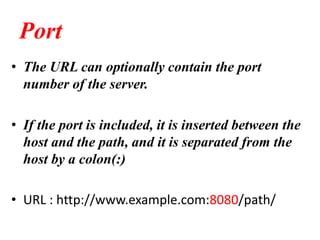
Port
• The URL can optionally contain the port
number of the server.
• If the port is included, it is inserted between the
host and the path, and it is separated from the
host by a colon(:)
• URL : http://www.example.com:8080/path/
Path
• Path is the pathname of the file where the
information is located. Note that the path can
itself contain slashes
• For example
• https://en.wikipedia.org/wiki/Main_Page#/me
dia/File:Irises-Vincent_van_Gogh.jpg
WEB DOCUMENTS
• The documents in the WWW can be grouped
into three broad categories:
Static documents
 Dynamic documents
Static documents
• Static documents are fixed-content documents that are created
and stored in a server.
• The client can get only a copy of the document.
• In other words, the contents of the file are determined when
the file is created, not when it is used.
• Of course, the contents in the server can be changed, but the
user cannot change them.
• When a client accesses the document, a copy of the document
is sent.
• The user can then use a browsing program to display the
document
• Hypertext Mark-up Language (HTML) is a
language used to create static Web pages
Dynamic documents
• A dynamic document is created by a Web
server whenever a browser requests the
document.
• When a request arrives, the Web server runs
an application program or a script that
creates the dynamic document.
• A very simple example of a dynamic
document is the retrieval of the time and date
from a server.
• The Common Gateway Interface (CGI) is a
standard for creating and handling dynamic
Web documents.
• A CGI program with its embedded CGI
interface tags can be written in a language
such as C, C++, Shell Script, or Perl.

Www ppt

  • 1.
    World Wide Web ByDr R Jegadeesan Jyothishmathi Institute of technology and Science karimnagar
  • 2.
    • The WorldWide Web (WWW) is a repository of information linked together from points all over the world. • The WWW has a unique combination of flexibility , portability, and user-friendly features that distinguish it from other services provided by the Internet. • The WWW project was initiated by CERN (Conseil Européen pour la Recherche Nucléaire) European Organization for Nuclear Research.
  • 3.
  • 4.
    • Each siteholds one or more documents, referred to as Web pages. • Each Web page can contain a link to other pages in the same site or at other sites. • The pages can be retrieved and viewed by using browsers.
  • 5.
    • In theabove figure the client needs to see some information that it belongs to site A. • It sends a request through its browser, a program that is designed to fetch Web documents. • The request, among other information, includes the address of the site and the Web page, called the URL
  • 6.
    • The serverat site A finds the document and sends it to the client. • When the user views the document, she/he finds some references to other documents, including a Web page at site B. • The reference has the URL for the new site. • The user is also interested in seeing this document. • The client sends another request to the new site and the new page is retrieved.
  • 7.
    Client (Browser) • Avariety of vendors offer commercial browsers • Each browser usually consists of three parts: Controller  Client Protocol  Interpreters.
  • 8.
  • 9.
    • The controllerreceives input from the keyboard or the mouse and uses the client programs to access the document. • The client protocol can be one of the protocols such as FTP , HTTP, SMTP, TELNET • After the document has been accessed, the controller uses one of the interpreters to display the document on the screen. • The interpreter can be HTML, Java, or JavaScript, depending on the type of document.
  • 10.
    Server • The Webpage is stored at the server. • Each time a client request arrives, the corresponding document is sent to the client. • To improve efficiency, servers normally store requested files in a cache in memory; memory is faster to access than disk. • A server can also become more efficient through multiprocessing. • In this case, a server can answer more than one request at a time.
  • 11.
    • A clientthat wants to access a Web page needs the address. • URL is the global address of documents on the World Wide Web. • The URL defines four things: Protocol Host Computer  Port  Path
  • 12.
  • 13.
    Protocol • The protocolis the client/server program used to retrieve the document. • Many different protocols can retrieve a document; among them are FTP or HTTP. • The most common today is HTTP.
  • 14.
    Host • The hostnameis basically the “domain” to which the URL is referring. • The hostname can actually be broken down into several parts: • .com .edu .net— this is actually the “top level domain.” • “example.com” is often referred to as the “sub domain” for the .com top level domain.. • Host names are usually begin with the characters "www".
  • 15.
    Port • The URLcan optionally contain the port number of the server. • If the port is included, it is inserted between the host and the path, and it is separated from the host by a colon(:) • URL : http://www.example.com:8080/path/
  • 16.
    Path • Path isthe pathname of the file where the information is located. Note that the path can itself contain slashes • For example • https://en.wikipedia.org/wiki/Main_Page#/me dia/File:Irises-Vincent_van_Gogh.jpg
  • 17.
    WEB DOCUMENTS • Thedocuments in the WWW can be grouped into three broad categories: Static documents  Dynamic documents
  • 18.
    Static documents • Staticdocuments are fixed-content documents that are created and stored in a server. • The client can get only a copy of the document. • In other words, the contents of the file are determined when the file is created, not when it is used. • Of course, the contents in the server can be changed, but the user cannot change them. • When a client accesses the document, a copy of the document is sent. • The user can then use a browsing program to display the document
  • 19.
    • Hypertext Mark-upLanguage (HTML) is a language used to create static Web pages
  • 20.
    Dynamic documents • Adynamic document is created by a Web server whenever a browser requests the document. • When a request arrives, the Web server runs an application program or a script that creates the dynamic document. • A very simple example of a dynamic document is the retrieval of the time and date from a server.
  • 22.
    • The CommonGateway Interface (CGI) is a standard for creating and handling dynamic Web documents. • A CGI program with its embedded CGI interface tags can be written in a language such as C, C++, Shell Script, or Perl.