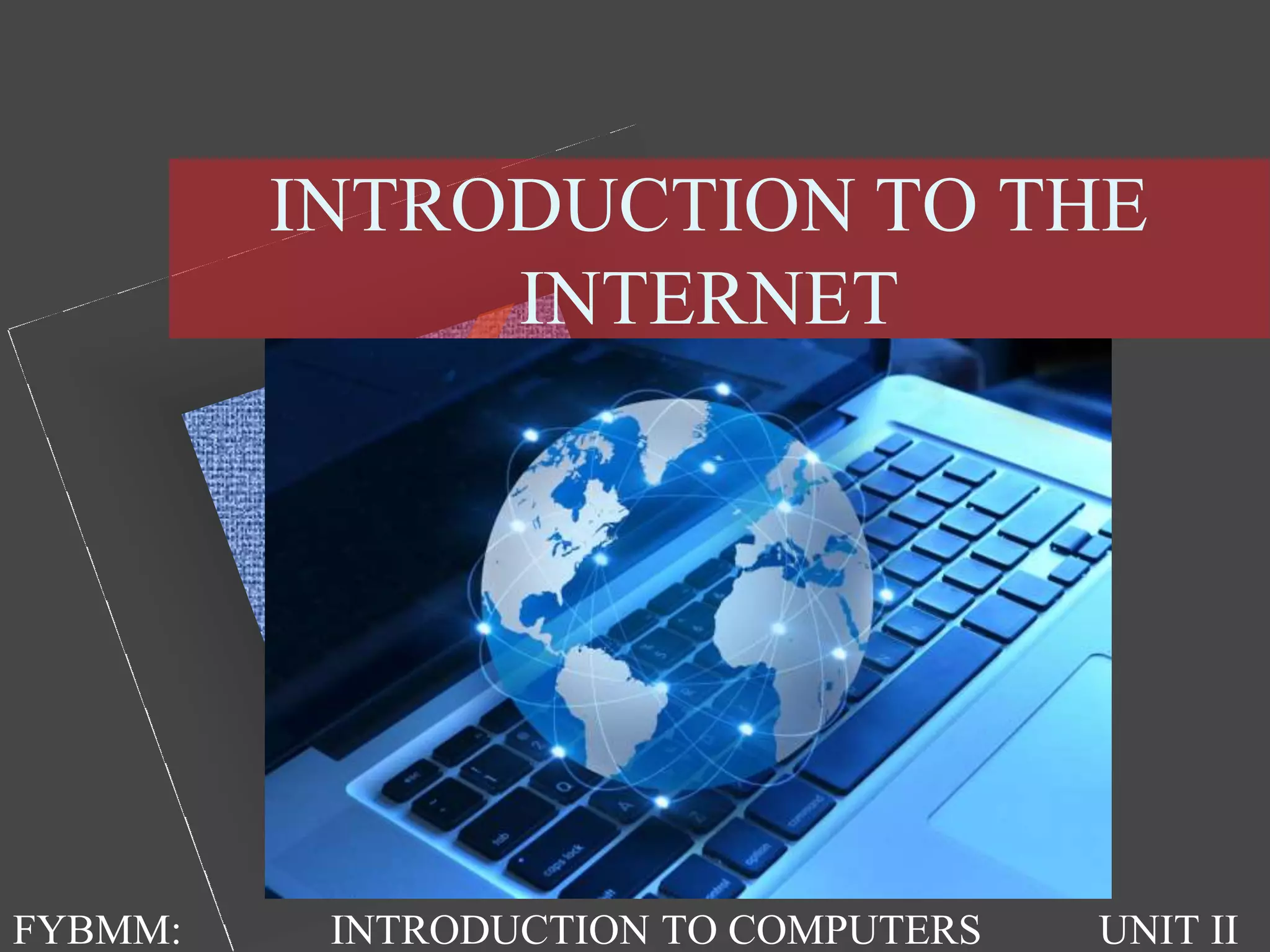

INTRODUCTION TO THE
INTERNET
FYBMM: INTRODUCTION TO COMPUTERS UNIT II
THE INTERNET
• It is the largest network in the world that connects
hundreds of thousands of individual networks all
over the world.
• The popular term for the Internet is the
“information highway”.
• Rather than moving through geographical space, it
moves your ideas and information through
cyberspace – the space of electronic movement of
ideas and information.
THE INTERNET
• No one owns it
• It has no formal management organization.
• As it was originally developed by the Department
of defense.
• To access the Internet, an existing network need to
pay a small registration fee and agree to certain
standards based on the TCP/IP (Transmission
Control Protocol/Internet Protocol) .
USES OF INTERNET
• Send e-mail messages.
• Send (upload) or receive (down load) files
between computers.
• Participate in discussion groups, such as mailing
lists and newsgroups.
• Surfing the web.
WWW (World Wide Web)
• The Web (World Wide Web) consists of
information organized into Web pages containing
text and graphic images.
• It contains hypertext links, or highlighted
keywords and images that lead to related
information.
• A collection of linked Web pages that has a
common theme or focus is called a Web site.
• The main page that all of the pages on a particular
Web site are organized around and link back to is
called the site’s home page.
WWW (World Wide Web)
• A site or area on the World Wide Web that is
accessed by its own Internet address is called a
Web site.
• A Web Page is like a page in a book. Websites
often have several pages that you can access by
clicking on links. A Web site can be a collection
of related Web pages.
• Each Web site contains a home page (this is the
original starting page) and may also contain
additional pages.
WEBSITE EXAMPLE
URL & DOMAIN NAME SYSTEMS
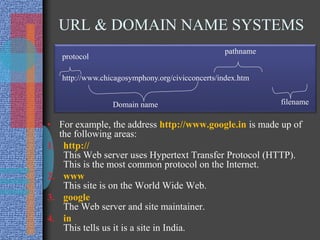
• For example, the address http://www.google.in is made up of
the following areas:
1. http://
This Web server uses Hypertext Transfer Protocol (HTTP).
This is the most common protocol on the Internet.
2. www
This site is on the World Wide Web.
3. google
The Web server and site maintainer.
4. in
This tells us it is a site in India.
http://www.chicagosymphony.org/civicconcerts/index.htm
protocol
Domain name
pathname
filename
URL & DOMAIN NAME
SYSTEMS
• Endings of web pages tells us a bit about the page. Some common
endings to web addresses are:
• com (commercial)
• edu (educational institution)
• gov (government)
• net (network)
• org (organization)
• You might also see addresses that add a country code as the last part of
the address such as:
• ca (Canada)
• uk (United Kingdom)
• fr (France)
• us (United States of America)
• au (Australia)
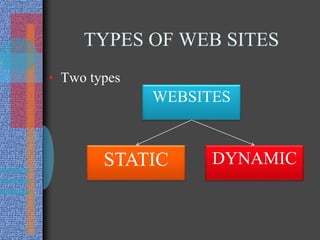
TYPES OF WEB SITES
• Two types
WEBSITES
DYNAMICSTATIC
DIFFERENCE BETWEEN STATIC
& DYNAMIC WEBSITE
• 1. Static websites: - static websites contain fixed number of pages and
format of web page is fixed which delivers information to the client.
There are many changes in contents of web page while page is running
on client's browser. This kind of web sites created from HTML and
CSS coding on simple text editor like notepad.
• Example an organization site, institute site etc.
• 2. Dynamic websites: - dynamic websites can change the web page
contents dynamically while the page is running on client's browser.
This kind of websites use server- side programming like PHP,
Asp.NET. and JSP etc. to modify page contents on run time. Dynamic
websites use client side scripting for prepare dynamic design and
server-side code to handle event, manage session and cookies, and
storing and retrieving data from database.
• Example E-commerce sites, online form application, E-governance
site, social networking sites etc.
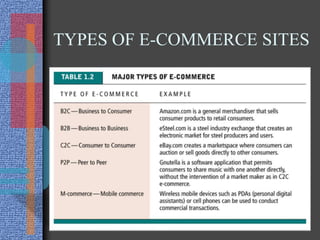
E-COMMERCE SITES
• E-commerce (also written as e-Commerce, eCommerce),
short for electronic commerce, is trading in products or
services using computer networks, such as the Internet.
• Electronic commerce draws on technologies such as
mobile commerce, electronic funds transfer, supply chain
management, Internet marketing, online transaction
processing, electronic data interchange (EDI), inventory
management systems, and automated data collection
systems.
• Modern electronic commerce typically uses the World
Wide Web for at least one part of the transaction's life
cycle, although it may also use other technologies such as
e-mail.
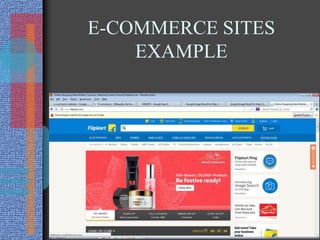
E-COMMERCE SITES
EXAMPLE
TYPES OF E-COMMERCE SITES
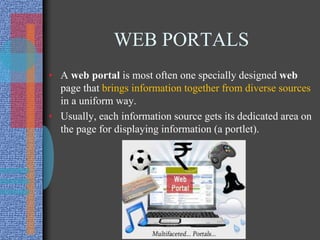
WEB PORTALS
• A web portal is most often one specially designed web
page that brings information together from diverse sources
in a uniform way.
• Usually, each information source gets its dedicated area on
the page for displaying information (a portlet).
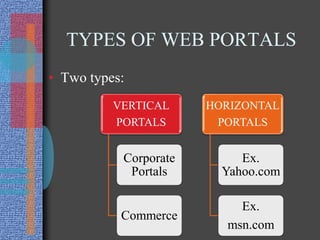
TYPES OF WEB PORTALS
• Two types:
VERTICAL
PORTALS
Corporate
Portals
Commerce
HORIZONTAL
PORTALS
Ex.
Yahoo.com
Ex.
msn.com
MASS MEDIA & INTERNET
• Different mass medias:
– Books
– Newspapers
– Magazines
– Recordings
– Radio
– Movies
– Television
– Internet
INTERNET MASS MEDIA
TOOLS
• Online newsroom
• Blogs
• Message boards
• Podcasts
• Video sharing
• Social media
• RSS Feeds
• Electronic News Gathering
• Digital Satellite News Gathering
• Outside Broadcasting Vans (OB Vans)
INTERNET SECURITY
• Virus
• Worm
• Trojan horse
• firewalls

Introduction to the internet

  • 1.
    INTRODUCTION TO THE INTERNET FYBMM:INTRODUCTION TO COMPUTERS UNIT II
  • 2.
    THE INTERNET • Itis the largest network in the world that connects hundreds of thousands of individual networks all over the world. • The popular term for the Internet is the “information highway”. • Rather than moving through geographical space, it moves your ideas and information through cyberspace – the space of electronic movement of ideas and information.
  • 3.
    THE INTERNET • Noone owns it • It has no formal management organization. • As it was originally developed by the Department of defense. • To access the Internet, an existing network need to pay a small registration fee and agree to certain standards based on the TCP/IP (Transmission Control Protocol/Internet Protocol) .
  • 4.
    USES OF INTERNET •Send e-mail messages. • Send (upload) or receive (down load) files between computers. • Participate in discussion groups, such as mailing lists and newsgroups. • Surfing the web.
  • 5.
    WWW (World WideWeb) • The Web (World Wide Web) consists of information organized into Web pages containing text and graphic images. • It contains hypertext links, or highlighted keywords and images that lead to related information. • A collection of linked Web pages that has a common theme or focus is called a Web site. • The main page that all of the pages on a particular Web site are organized around and link back to is called the site’s home page.
  • 6.
    WWW (World WideWeb) • A site or area on the World Wide Web that is accessed by its own Internet address is called a Web site. • A Web Page is like a page in a book. Websites often have several pages that you can access by clicking on links. A Web site can be a collection of related Web pages. • Each Web site contains a home page (this is the original starting page) and may also contain additional pages.
  • 7.
  • 8.
    URL & DOMAINNAME SYSTEMS • For example, the address http://www.google.in is made up of the following areas: 1. http:// This Web server uses Hypertext Transfer Protocol (HTTP). This is the most common protocol on the Internet. 2. www This site is on the World Wide Web. 3. google The Web server and site maintainer. 4. in This tells us it is a site in India. http://www.chicagosymphony.org/civicconcerts/index.htm protocol Domain name pathname filename
  • 9.
    URL & DOMAINNAME SYSTEMS • Endings of web pages tells us a bit about the page. Some common endings to web addresses are: • com (commercial) • edu (educational institution) • gov (government) • net (network) • org (organization) • You might also see addresses that add a country code as the last part of the address such as: • ca (Canada) • uk (United Kingdom) • fr (France) • us (United States of America) • au (Australia)
  • 10.
    TYPES OF WEBSITES • Two types WEBSITES DYNAMICSTATIC
  • 11.
    DIFFERENCE BETWEEN STATIC &DYNAMIC WEBSITE • 1. Static websites: - static websites contain fixed number of pages and format of web page is fixed which delivers information to the client. There are many changes in contents of web page while page is running on client's browser. This kind of web sites created from HTML and CSS coding on simple text editor like notepad. • Example an organization site, institute site etc. • 2. Dynamic websites: - dynamic websites can change the web page contents dynamically while the page is running on client's browser. This kind of websites use server- side programming like PHP, Asp.NET. and JSP etc. to modify page contents on run time. Dynamic websites use client side scripting for prepare dynamic design and server-side code to handle event, manage session and cookies, and storing and retrieving data from database. • Example E-commerce sites, online form application, E-governance site, social networking sites etc.
  • 12.
    E-COMMERCE SITES • E-commerce(also written as e-Commerce, eCommerce), short for electronic commerce, is trading in products or services using computer networks, such as the Internet. • Electronic commerce draws on technologies such as mobile commerce, electronic funds transfer, supply chain management, Internet marketing, online transaction processing, electronic data interchange (EDI), inventory management systems, and automated data collection systems. • Modern electronic commerce typically uses the World Wide Web for at least one part of the transaction's life cycle, although it may also use other technologies such as e-mail.
  • 13.
  • 14.
  • 15.
    WEB PORTALS • Aweb portal is most often one specially designed web page that brings information together from diverse sources in a uniform way. • Usually, each information source gets its dedicated area on the page for displaying information (a portlet).
  • 16.
    TYPES OF WEBPORTALS • Two types: VERTICAL PORTALS Corporate Portals Commerce HORIZONTAL PORTALS Ex. Yahoo.com Ex. msn.com
  • 17.
    MASS MEDIA &INTERNET • Different mass medias: – Books – Newspapers – Magazines – Recordings – Radio – Movies – Television – Internet
  • 18.
    INTERNET MASS MEDIA TOOLS •Online newsroom • Blogs • Message boards • Podcasts • Video sharing • Social media • RSS Feeds • Electronic News Gathering • Digital Satellite News Gathering • Outside Broadcasting Vans (OB Vans)
  • 19.
    INTERNET SECURITY • Virus •Worm • Trojan horse • firewalls