Production Reflection
Charlie lamb
Process
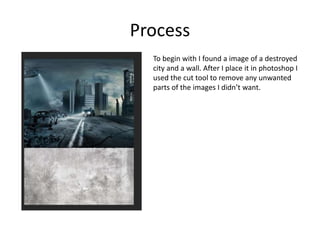
To begin with I found a image of a destroyed
city and a wall. After I place it in photoshop I
used the cut tool to remove any unwanted
parts of the images I didn’t want.
Process
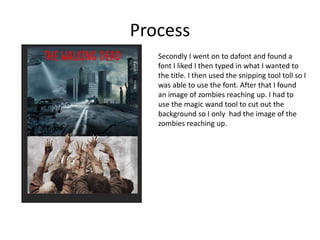
Secondly I went on to dafont and found a
font I liked I then typed in what I wanted to
the title. I then used the snipping tool toll so I
was able to use the font. After that I found
an image of zombies reaching up. I had to
use the magic wand tool to cut out the
background so I only had the image of the
zombies reaching up.
Process
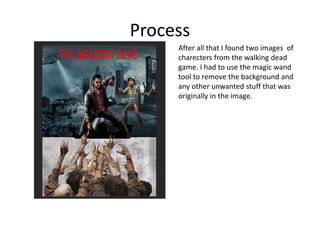
After all that I found two images of
charecters from the walking dead
game. I had to use the magic wand
tool to remove the background and
any other unwanted stuff that was
originally in the image.
Process
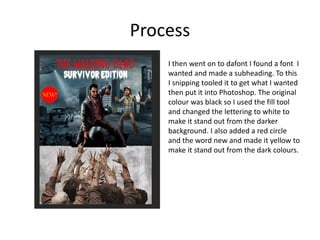
I then went on to dafont I found a font I
wanted and made a subheading. To this
I snipping tooled it to get what I wanted
then put it into Photoshop. The original
colour was black so I used the fill tool
and changed the lettering to white to
make it stand out from the darker
background. I also added a red circle
and the word new and made it yellow to
make it stand out from the dark colours.
Process
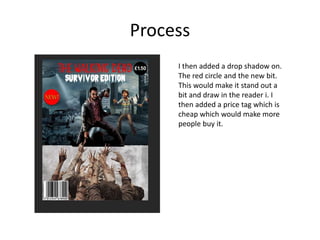
I then added a drop shadow on.
The red circle and the new bit.
This would make it stand out a
bit and draw in the reader i. I
then added a price tag which is
cheap which would make more
people buy it.
Process
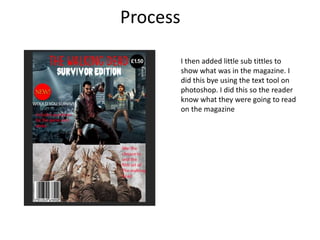
I then added little sub tittles to
show what was in the magazine. I
did this bye using the text tool on
photoshop. I did this so the reader
know what they were going to read
on the magazine
Process
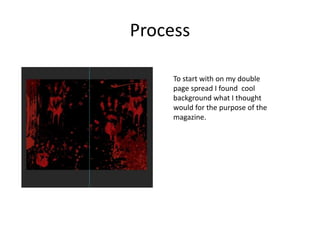
To start with on my double
page spread I found cool
background what I thought
would for the purpose of the
magazine.
Process
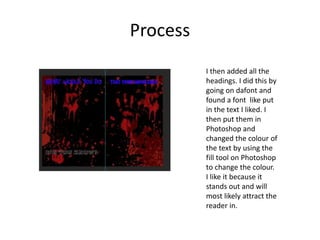
I then added all the
headings. I did this by
going on dafont and
found a font like put
in the text I liked. I
then put them in
Photoshop and
changed the colour of
the text by using the
fill tool on Photoshop
to change the colour.
I like it because it
stands out and will
most likely attract the
reader in.
Process
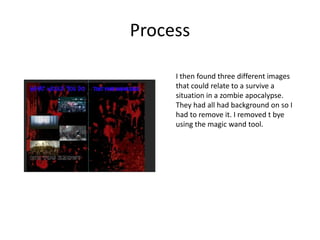
I then found three different images
that could relate to a survive a
situation in a zombie apocalypse.
They had all had background on so I
had to remove it. I removed t bye
using the magic wand tool.
Process
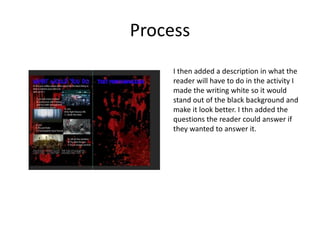
I then added a description in what the
reader will have to do in the activity I
made the writing white so it would
stand out of the black background and
make it look better. I thn added the
questions the reader could answer if
they wanted to answer it.
Process
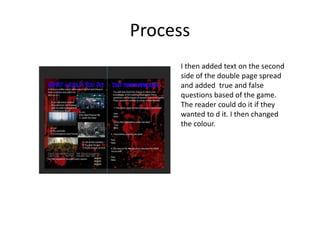
I then added text on the second
side of the double page spread
and added true and false
questions based of the game.
The reader could do it if they
wanted to d it. I then changed
the colour.
Process
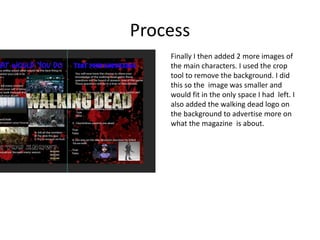
Finally I then added 2 more images of
the main characters. I used the crop
tool to remove the background. I did
this so the image was smaller and
would fit in the only space I had left. I
also added the walking dead logo on
the background to advertise more on
what the magazine is about.

6. production reflection(3)

  • 1.
  • 2.
    Process To begin withI found a image of a destroyed city and a wall. After I place it in photoshop I used the cut tool to remove any unwanted parts of the images I didn’t want.
  • 3.
    Process Secondly I wenton to dafont and found a font I liked I then typed in what I wanted to the title. I then used the snipping tool toll so I was able to use the font. After that I found an image of zombies reaching up. I had to use the magic wand tool to cut out the background so I only had the image of the zombies reaching up.
  • 4.
    Process After all thatI found two images of charecters from the walking dead game. I had to use the magic wand tool to remove the background and any other unwanted stuff that was originally in the image.
  • 5.
    Process I then wenton to dafont I found a font I wanted and made a subheading. To this I snipping tooled it to get what I wanted then put it into Photoshop. The original colour was black so I used the fill tool and changed the lettering to white to make it stand out from the darker background. I also added a red circle and the word new and made it yellow to make it stand out from the dark colours.
  • 6.
    Process I then addeda drop shadow on. The red circle and the new bit. This would make it stand out a bit and draw in the reader i. I then added a price tag which is cheap which would make more people buy it.
  • 7.
    Process I then addedlittle sub tittles to show what was in the magazine. I did this bye using the text tool on photoshop. I did this so the reader know what they were going to read on the magazine
  • 8.
    Process To start withon my double page spread I found cool background what I thought would for the purpose of the magazine.
  • 9.
    Process I then addedall the headings. I did this by going on dafont and found a font like put in the text I liked. I then put them in Photoshop and changed the colour of the text by using the fill tool on Photoshop to change the colour. I like it because it stands out and will most likely attract the reader in.
  • 10.
    Process I then foundthree different images that could relate to a survive a situation in a zombie apocalypse. They had all had background on so I had to remove it. I removed t bye using the magic wand tool.
  • 11.
    Process I then addeda description in what the reader will have to do in the activity I made the writing white so it would stand out of the black background and make it look better. I thn added the questions the reader could answer if they wanted to answer it.
  • 12.
    Process I then addedtext on the second side of the double page spread and added true and false questions based of the game. The reader could do it if they wanted to d it. I then changed the colour.
  • 13.
    Process Finally I thenadded 2 more images of the main characters. I used the crop tool to remove the background. I did this so the image was smaller and would fit in the only space I had left. I also added the walking dead logo on the background to advertise more on what the magazine is about.

Editor's Notes

  • #3 Discuss the tools and processes used in your production. Log your thoughts and feelings about your work.
  • #4 Discuss the tools and processes used in your production. Log your thoughts and feelings about your work.
  • #5 Discuss the tools and processes used in your production. Log your thoughts and feelings about your work.
  • #6 Discuss the tools and processes used in your production. Log your thoughts and feelings about your work.
  • #7 Discuss the tools and processes used in your production. Log your thoughts and feelings about your work.
  • #8 Discuss the tools and processes used in your production. Log your thoughts and feelings about your work.
  • #9 Discuss the tools and processes used in your production. Log your thoughts and feelings about your work.
  • #10 Discuss the tools and processes used in your production. Log your thoughts and feelings about your work.
  • #11 Discuss the tools and processes used in your production. Log your thoughts and feelings about your work.
  • #12 Discuss the tools and processes used in your production. Log your thoughts and feelings about your work.
  • #13 Discuss the tools and processes used in your production. Log your thoughts and feelings about your work.
  • #14 Discuss the tools and processes used in your production. Log your thoughts and feelings about your work.