Experiments
Hope smith
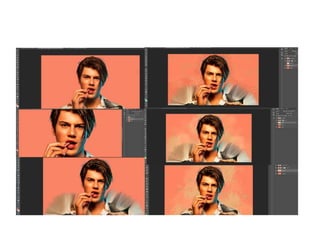
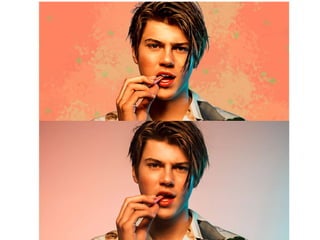
Digital painting
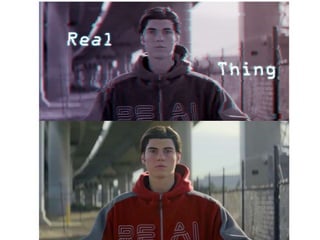
• The first thing I did was make a layer that only
had the guy on then I changed some of the image
settings. Once I did that I used the smudge tool to
smooth his skin and hair out. Next I used the pen
tool to colour over his face and add highlights to
his hair, colour matching all the different areas as
I went along to make the picture look drawn.
Then I colour matched the album cover this was a
promo picture for and used those colours to
make the background.
Glitch effect
• The first thing I did was make the picture black
and white then make a copy of the picture.
Then I turned off the red channel in the
blending options of the copy and moved the
picture to the left. Then I used the marque
tool to move different sections to the left and
right making the image look glitched, I then
did all of that to the text to get the same
effect. I also put a purple/pink ombre over the
top to add some more colour to the picture.
Photo manipulation
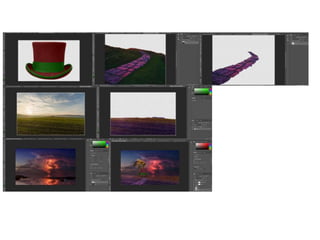
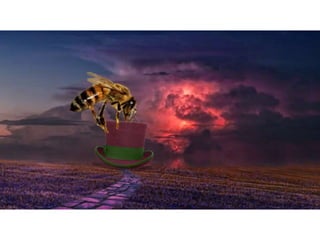
• The first thing I did was change the colour of the
top hat from black/grey to red/green using the
3D material drop tool. Then I cut out the path and
field from the rest of their pictures, I also
adjusted the colours of the field o make it more
purple. Next I put the field on the image of the
sky, blended them together then added the path
and blended that. Then I put the hat on and I had
to add shadows and change the direction the
light hit the hat. The last thing I did was add the
bee on and blend it in to it looked like it was
trying to pick up the hat.
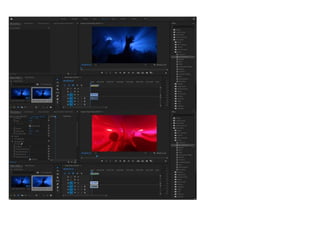
Turbulent displace
• Once I imported the video I put on the
turbulent displace video effect to get the
video to look wiggly, then I changed the offset
levels till it got to a point I was happy with.
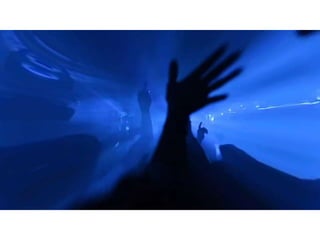
Lens distortion
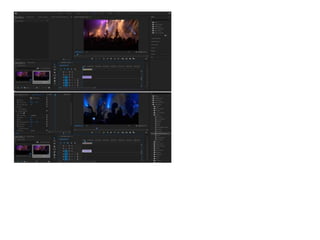
• Once I imported the video I put on the lens
distortion video effect to make the video have
a kind of like a fisheye effect. Next I changed
the curvature levels to -71 this made the video
curve out instead of in.
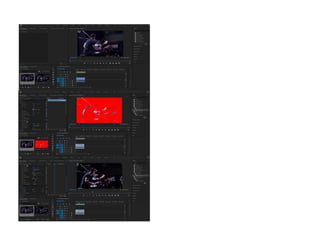
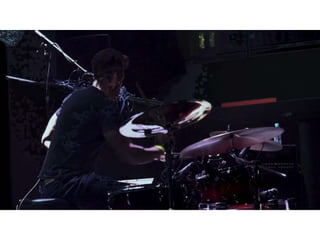
Paint bucket
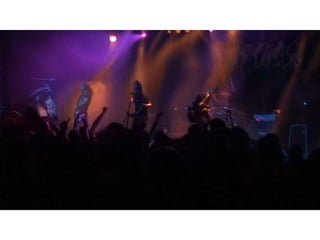
• I imported the video then put on the paint
bucket effect, then I changed the colour of the
paint to black. Once I did that I moved the fill
point to where I wanted it to be then I
changed the opacity to 64% and the stroke
type to choke.
Reflection
• What elements of your experiments will you
include in your final product?
– I like the digital drawing effect for the album cover
because it gives a unique effect that you don’t see
much.
– I liked the lens distortion and paint bucket effects
for the video because the look quite trippy.

4. production experiments (1)

  • 1.
  • 4.
    Digital painting • Thefirst thing I did was make a layer that only had the guy on then I changed some of the image settings. Once I did that I used the smudge tool to smooth his skin and hair out. Next I used the pen tool to colour over his face and add highlights to his hair, colour matching all the different areas as I went along to make the picture look drawn. Then I colour matched the album cover this was a promo picture for and used those colours to make the background.
  • 6.
    Glitch effect • Thefirst thing I did was make the picture black and white then make a copy of the picture. Then I turned off the red channel in the blending options of the copy and moved the picture to the left. Then I used the marque tool to move different sections to the left and right making the image look glitched, I then did all of that to the text to get the same effect. I also put a purple/pink ombre over the top to add some more colour to the picture.
  • 9.
    Photo manipulation • Thefirst thing I did was change the colour of the top hat from black/grey to red/green using the 3D material drop tool. Then I cut out the path and field from the rest of their pictures, I also adjusted the colours of the field o make it more purple. Next I put the field on the image of the sky, blended them together then added the path and blended that. Then I put the hat on and I had to add shadows and change the direction the light hit the hat. The last thing I did was add the bee on and blend it in to it looked like it was trying to pick up the hat.
  • 12.
    Turbulent displace • OnceI imported the video I put on the turbulent displace video effect to get the video to look wiggly, then I changed the offset levels till it got to a point I was happy with.
  • 15.
    Lens distortion • OnceI imported the video I put on the lens distortion video effect to make the video have a kind of like a fisheye effect. Next I changed the curvature levels to -71 this made the video curve out instead of in.
  • 18.
    Paint bucket • Iimported the video then put on the paint bucket effect, then I changed the colour of the paint to black. Once I did that I moved the fill point to where I wanted it to be then I changed the opacity to 64% and the stroke type to choke.
  • 19.
    Reflection • What elementsof your experiments will you include in your final product? – I like the digital drawing effect for the album cover because it gives a unique effect that you don’t see much. – I liked the lens distortion and paint bucket effects for the video because the look quite trippy.

Editor's Notes

  • #3 Discuss the tools and processes used in your experiments