Implementing the Database
       Server SW###
Session 2
Database Hardware
• RAM - Random Access Memory
• Caching - Memory is 10,000 times faster than disk!
• Locality of Reference - if is a piece of data is
  accessed, it is likely the next piece of date will be.
• Procedure Cache - precompiled procedures.
• Paging - shuffling of data between memory, and
  disk.
• Virtual Memory / Swap Files – the anti-cache…
Database Hardware
• Disk Space - How much for SQL functions?
• NOT ALL - utilities.
• Disk Mirroring / RAID – improve throughput
  and/or reliability by making multiple disks act as a
  single device. Also allows for larger volumes.
• “Data located on segment” – home-made RAID, for
  throughput only.
• Should always be done below SQL Server level if
  possible.
Database Hardware
•   Processor(s).
•   SMP - Symmetric Multi Processing
•   Dual-core processors.
•   The more the merrier?
•   Faster vs. more?
Database Hardware
• Network.
• Adapter speed (100MB, 1GB)
• Protocols - Banyan Vines, anyone? TCP/IP is
  the standard world-wide.
• Multiple Adapters? Only on multiple networks,
  usually.
• Problems – latency, bandwidth.
• Sniffers may help?
Hardware and Performance
• Simple tests by looking at the performance
  monitor.
  – If the processor is “floored”, a faster processor
    will help.
  – If lots of PAGING is occurring, then more
    memory can be used. (physical vs. virtual reads).
    Cache hit ratio may be a clue.
  – If reads and writes are queuing, more disk
    bandwidth may help.
Hardware and Performance
• Final Idea - sometimes throwing hardware at a
  problem is cheaper than engineering a solution.
  Other problems cannot be solved with even an
  infinite amount of hardware.
• “Big O Notation” - order of growth of
  algorithms.
ODBC, MDAC, ADO, etc.)
• “Standard” interfaces between an application
  and the database.
• An API?
• Hands On - Settings | Control Panel | ODBC
  Administrator.
• Must be set up on each client.
• The server becomes known to the client system
  by one or more ‘Driver Names’. Allegedly
  allows for moving of data without application
  changes (but local changes).
“SQL Links”

• Name directly stolen from Borland software.
• Referring to any API that is proprietary and
  designed to interface between a single
  programming environment and designed to talk
  to a single database type.
• Oracle SQL*NET.
Devices
• Device : A storage area which SQL Server
  can read from or write to. Most frequently
  this is a file. Databases and transaction logs
  occupy one or more devices (files).
• Dump Devices : Devices used for backups.
  Also called ‘backup devices’. Can be a disk
  file, a tape, a named pipe.
• Used for dumping or restoring databases and
  transaction logs.
Database Devices
• Database Device : A disk file used to store databases and/or
  transaction logs.
• Relationship from Databases/Transaction Log to files is 1:N.
  A database/log may span multiple files, but databases/logs
  may not share files.
• Devices are located in the instance pathDATA by default.
  Not always what you want. Data on a different virtual drive?
• The “instance path” is the path where this “instance” of 2005
  is running. Can be multiple instances per machine, or
  developer edition / standard edition, or use of Reporting
  Services, Analysis Services, etc.
Database Devices
• If you create your database in SQL, CREATE
  DATABASE and ALTER DATABASE allow the
  creation / addition / configuration of devices.
• It is far easier and more common to use SQLEW to
  manage devices and databases - recommended.
Databases - LAB
• Register the server.
• Create and configure a database for use
  during the semester.
• Should NOT be allowed to automatially
  expand!
Databases
• ‘An (organized) collection of (the binary
  representation of) data (stored on permanent
  read-write media)’
• A self-contained structure, that logically contains
  a set of tables, views, rules, stored procedures, etc.
• Can be in one more files.
• Will consume the entire file.
Transaction Logs
• Modifications to databases are atomic.
• A single update to add 10% to all salaries will
  affect all rows or none. However, logic dictates
  that a computer can only calculate one at a time.
• What happens if the database server crashes in
  the middle?
Transaction Logs
•   SQL Server uses ‘write-ahead’ transaction logging.
•   All changes are viewed as ‘transactions’.
•   Transactions are written to the log before the database.
•   A ‘midpoint’ is used in the log.
•   During a transaction, conceptually the DBMS:
    –   Identifies all the changes that will be made.
    –   Writes those changes to the log.
    –   Writes a midpoint in the log.
    –   Writes changes to the database, noting each change in the log.
Transaction Logs
• When the server is started, conceptually:
  – Any transaction that had not reached the midpoint
    never happened.
  – Any transaction that had passed the midpoint and
    started changing tables can be completed.
• “Conceptually” - the algorithm is more complex
  due to possible interaction between transactions.
Transaction Logs
• Pre-7.0, transactions logs could share a device with
  the database. This is a very bad idea for both
  performance and recovery reasons.
• Also, database (MDF) and log (LDF) files are
  position sensitive. Copying moves position and
  requires them to be re “ATTACHED”.
• Pre-7.0, .DAT files could not be re-attached
  (backing up the files was futile).
• Hint: back up the master DB after changing any
  other DB - it holds information on all other DBs!
A Common Error
• [Microsoft][ODBC SQL Server Driver][SQL Server]The
  log file for database ‘PRODUCTION' is full. Back up
  the transaction log for the database to free up some
  log space.

• Logs grow forever unless backed up or
  truncated. Limit log space growth and trim
  them regularly.
• Even when truncated / backed up, they grow
  to a high water mark and remain there.
Generic SQL Data Types
• CHAR(n), VARCHAR(n)
• VARCHAR used when lots of variation can
  occur (avoids wasting of space, allows indexes
  to be more efficient)
• DECIMAL(p,s), NUMERIC(p,s)
• INT, SMALLINT, LONGINT
• FLOAT(n), REAL, DOUBLE
• REAL and DOUBLE are the same in SQL
  Server
SQL Server Data Types
•   DATETIME, SMALLDATETIME
•   NVARCHAR() et al. (for DBCS)
•   TIMESTAMP
•   BIT
•   BINARY(), VARBINARY()
•   MONEY, SMALLMONEY
•   TEXT, IMAGE
•   IMAGE is basically a BLOB (Binary Large
    OBject)
Types of SQL Statements

SQL consists of two groups of statement
types:
  Data Manipulation (Modification) Language
  (DML) - allows a user to look at, add to, modify,
  or remove the data in a database. SELECT,
  UPDATE, INSERT, and DELETE are DML
  statements.
  Data Definition Language (DDL) - allows a user
  to alter the structure of the database. Supports
  the creation, deletion, and modification of
  database objects.
Types of DDL Objects

  Tables
  Views
  Indexes
  Rules
  Stored Procedures
  Triggers

Discussion focuses on Tables and Indexes.
CREATE TABLE
Creates a table with no data.
Defines the structure of the table (the
relation schema).
Basic Syntax :
   CREATE TABLE <tableName> (
         <columnName1> <dataType1>[(<size1>)],
         …,
         <columnNameN> <dataTypeN>[(<sizeN>)]
   )
CREATE TABLE
The tableName:
  May not have spaces unless enclosed in []. Not
  recommended.
  Is case insensitive (as is all SQL).
  Must not be a SQL keyword (can be a reserved word).
  Must be unique (for a particular user.table)
The columnNames:
  Same rules as tables, but column names must only be
  unique within the table.
Hint - Use a naming convention different
from your PL.
CREATE TABLE
dataType = INT, CHAR, VARCHAR, DATE,
etc. (domain)
size = the size of the data.
 Generally default is fine for non-textual data.
 With CHAR/VARCHAR/NVARCHAR, default of
 1 is usually not acceptable.
CREATE TABLE
The user who creates the table is the owner
of the table. Other users must be granted
access, and may have to preface the name of
the table with the name of the owner.
If USER1 creates TABLE1, USER2 sees it as
USER1.TABLE1
In this way users can each have a table with
the same name, e.g., MY_PREFERENCES.
The user name can be omitted if there is no
ambiguity.
EXAMPLE

An Emergency Room needs a table for all the
doctors that work there. Define and create it.
Indexes
“An index is an ordered (alphabetic or numeric) list
of all the contents of a column or groups of
columns in a table.” -Gruber.
Tables by definition are not ordered. Indexes
provide an external structure that gives the table
order.
Indexes make searches, particularly JOINs and
GROUP BYs, much faster.
On the flip side, Indexes make inserts to and deletes
from the table slower, as well as updates to the
indexed fields.
An Index Example
Assume the telephone company keeps a phone # table, where
each phone number is matched with the SSN of the owner of
the phone. Entries are added and deleted to the table as account
information changes. There are 1,000,000 entries in the table.
   Assuming we can read 100 records in one second,
   approximately how long does it take to find a phone number?
   How can we make this faster?
   How much faster?
How Indexes (Indices) Work
• They use the concept of a binary search - in an ordered list,
  check the middle item and you can eliminate half the list
  (see example).
• The external structure is a binary tree (actually, a b-tree of
  extents, but we’ll ignore that).
• Each node on the tree can have a left and a right child.
  ALL nodes to the left of a node have lower values, all to
  the right have a higher value.
• Moving down the the tree is O(log n).
• The tree must be ‘rebalanced’ on occasion; rebalancing is
  O(n^2).
Indexes
Indexes work by themselves once created.
Syntax:
   CREATE [UNIQUE] INDEX <indexName>
          ON <tableName> (columnName1, […,
                          columnNameN] )

For example,
   create index PAGER_NDX on DOCTOR (PAGER_NUMS)

Its nice to have all indexes have some part of
their name in common.
Indexes
If UNIQUE is specified, then no duplicates are allowed
in the field or collection of fields.
No NULLs are allowed in unique indexes.
Attempts to violate a unique index cause an error.
The data in the table must fulfill the requirements for a
unique index before the index is created.
And now that we’ve talked about unique indexes…
don’t use them. Its more clear to use a TABLE
CONSTRAINT and a normal index.
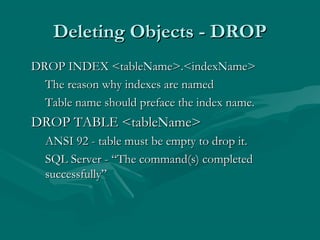
Deleting Objects - DROP
DROP INDEX <tableName>.<indexName>
  The reason why indexes are named
  Table name should preface the index name.
DROP TABLE <tableName>
  ANSI 92 - table must be empty to drop it.
  SQL Server - “The command(s) completed
  successfully”
ALTER TABLE
Non-standard but widely available.
Allows adding of columns to table (most DBs)
SQL Server allows adding and removing of
columns or constraints as long as no violations
are caused.
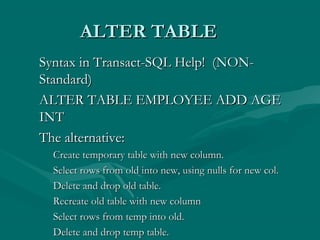
ALTER TABLE
Syntax in Transact-SQL Help! (NON-
Standard)
ALTER TABLE EMPLOYEE ADD AGE
INT
The alternative:
 Create temporary table with new column.
 Select rows from old into new, using nulls for new col.
 Delete and drop old table.
 Recreate old table with new column
 Select rows from temp into old.
 Delete and drop temp table.

Implementing the Databese Server session 02

  • 1.
    Implementing the Database Server SW### Session 2
  • 2.
    Database Hardware • RAM- Random Access Memory • Caching - Memory is 10,000 times faster than disk! • Locality of Reference - if is a piece of data is accessed, it is likely the next piece of date will be. • Procedure Cache - precompiled procedures. • Paging - shuffling of data between memory, and disk. • Virtual Memory / Swap Files – the anti-cache…
  • 3.
    Database Hardware • DiskSpace - How much for SQL functions? • NOT ALL - utilities. • Disk Mirroring / RAID – improve throughput and/or reliability by making multiple disks act as a single device. Also allows for larger volumes. • “Data located on segment” – home-made RAID, for throughput only. • Should always be done below SQL Server level if possible.
  • 4.
    Database Hardware • Processor(s). • SMP - Symmetric Multi Processing • Dual-core processors. • The more the merrier? • Faster vs. more?
  • 5.
    Database Hardware • Network. •Adapter speed (100MB, 1GB) • Protocols - Banyan Vines, anyone? TCP/IP is the standard world-wide. • Multiple Adapters? Only on multiple networks, usually. • Problems – latency, bandwidth. • Sniffers may help?
  • 6.
    Hardware and Performance •Simple tests by looking at the performance monitor. – If the processor is “floored”, a faster processor will help. – If lots of PAGING is occurring, then more memory can be used. (physical vs. virtual reads). Cache hit ratio may be a clue. – If reads and writes are queuing, more disk bandwidth may help.
  • 7.
    Hardware and Performance •Final Idea - sometimes throwing hardware at a problem is cheaper than engineering a solution. Other problems cannot be solved with even an infinite amount of hardware. • “Big O Notation” - order of growth of algorithms.
  • 8.
    ODBC, MDAC, ADO,etc.) • “Standard” interfaces between an application and the database. • An API? • Hands On - Settings | Control Panel | ODBC Administrator. • Must be set up on each client. • The server becomes known to the client system by one or more ‘Driver Names’. Allegedly allows for moving of data without application changes (but local changes).
  • 9.
    “SQL Links” • Namedirectly stolen from Borland software. • Referring to any API that is proprietary and designed to interface between a single programming environment and designed to talk to a single database type. • Oracle SQL*NET.
  • 10.
    Devices • Device :A storage area which SQL Server can read from or write to. Most frequently this is a file. Databases and transaction logs occupy one or more devices (files). • Dump Devices : Devices used for backups. Also called ‘backup devices’. Can be a disk file, a tape, a named pipe. • Used for dumping or restoring databases and transaction logs.
  • 11.
    Database Devices • DatabaseDevice : A disk file used to store databases and/or transaction logs. • Relationship from Databases/Transaction Log to files is 1:N. A database/log may span multiple files, but databases/logs may not share files. • Devices are located in the instance pathDATA by default. Not always what you want. Data on a different virtual drive? • The “instance path” is the path where this “instance” of 2005 is running. Can be multiple instances per machine, or developer edition / standard edition, or use of Reporting Services, Analysis Services, etc.
  • 12.
    Database Devices • Ifyou create your database in SQL, CREATE DATABASE and ALTER DATABASE allow the creation / addition / configuration of devices. • It is far easier and more common to use SQLEW to manage devices and databases - recommended.
  • 13.
    Databases - LAB •Register the server. • Create and configure a database for use during the semester. • Should NOT be allowed to automatially expand!
  • 14.
    Databases • ‘An (organized)collection of (the binary representation of) data (stored on permanent read-write media)’ • A self-contained structure, that logically contains a set of tables, views, rules, stored procedures, etc. • Can be in one more files. • Will consume the entire file.
  • 15.
    Transaction Logs • Modificationsto databases are atomic. • A single update to add 10% to all salaries will affect all rows or none. However, logic dictates that a computer can only calculate one at a time. • What happens if the database server crashes in the middle?
  • 16.
    Transaction Logs • SQL Server uses ‘write-ahead’ transaction logging. • All changes are viewed as ‘transactions’. • Transactions are written to the log before the database. • A ‘midpoint’ is used in the log. • During a transaction, conceptually the DBMS: – Identifies all the changes that will be made. – Writes those changes to the log. – Writes a midpoint in the log. – Writes changes to the database, noting each change in the log.
  • 17.
    Transaction Logs • Whenthe server is started, conceptually: – Any transaction that had not reached the midpoint never happened. – Any transaction that had passed the midpoint and started changing tables can be completed. • “Conceptually” - the algorithm is more complex due to possible interaction between transactions.
  • 18.
    Transaction Logs • Pre-7.0,transactions logs could share a device with the database. This is a very bad idea for both performance and recovery reasons. • Also, database (MDF) and log (LDF) files are position sensitive. Copying moves position and requires them to be re “ATTACHED”. • Pre-7.0, .DAT files could not be re-attached (backing up the files was futile). • Hint: back up the master DB after changing any other DB - it holds information on all other DBs!
  • 19.
    A Common Error •[Microsoft][ODBC SQL Server Driver][SQL Server]The log file for database ‘PRODUCTION' is full. Back up the transaction log for the database to free up some log space. • Logs grow forever unless backed up or truncated. Limit log space growth and trim them regularly. • Even when truncated / backed up, they grow to a high water mark and remain there.
  • 20.
    Generic SQL DataTypes • CHAR(n), VARCHAR(n) • VARCHAR used when lots of variation can occur (avoids wasting of space, allows indexes to be more efficient) • DECIMAL(p,s), NUMERIC(p,s) • INT, SMALLINT, LONGINT • FLOAT(n), REAL, DOUBLE • REAL and DOUBLE are the same in SQL Server
  • 21.
    SQL Server DataTypes • DATETIME, SMALLDATETIME • NVARCHAR() et al. (for DBCS) • TIMESTAMP • BIT • BINARY(), VARBINARY() • MONEY, SMALLMONEY • TEXT, IMAGE • IMAGE is basically a BLOB (Binary Large OBject)
  • 22.
    Types of SQLStatements SQL consists of two groups of statement types: Data Manipulation (Modification) Language (DML) - allows a user to look at, add to, modify, or remove the data in a database. SELECT, UPDATE, INSERT, and DELETE are DML statements. Data Definition Language (DDL) - allows a user to alter the structure of the database. Supports the creation, deletion, and modification of database objects.
  • 23.
    Types of DDLObjects Tables Views Indexes Rules Stored Procedures Triggers Discussion focuses on Tables and Indexes.
  • 24.
    CREATE TABLE Creates atable with no data. Defines the structure of the table (the relation schema). Basic Syntax : CREATE TABLE <tableName> ( <columnName1> <dataType1>[(<size1>)], …, <columnNameN> <dataTypeN>[(<sizeN>)] )
  • 25.
    CREATE TABLE The tableName: May not have spaces unless enclosed in []. Not recommended. Is case insensitive (as is all SQL). Must not be a SQL keyword (can be a reserved word). Must be unique (for a particular user.table) The columnNames: Same rules as tables, but column names must only be unique within the table. Hint - Use a naming convention different from your PL.
  • 26.
    CREATE TABLE dataType =INT, CHAR, VARCHAR, DATE, etc. (domain) size = the size of the data. Generally default is fine for non-textual data. With CHAR/VARCHAR/NVARCHAR, default of 1 is usually not acceptable.
  • 27.
    CREATE TABLE The userwho creates the table is the owner of the table. Other users must be granted access, and may have to preface the name of the table with the name of the owner. If USER1 creates TABLE1, USER2 sees it as USER1.TABLE1 In this way users can each have a table with the same name, e.g., MY_PREFERENCES. The user name can be omitted if there is no ambiguity.
  • 28.
    EXAMPLE An Emergency Roomneeds a table for all the doctors that work there. Define and create it.
  • 29.
    Indexes “An index isan ordered (alphabetic or numeric) list of all the contents of a column or groups of columns in a table.” -Gruber. Tables by definition are not ordered. Indexes provide an external structure that gives the table order. Indexes make searches, particularly JOINs and GROUP BYs, much faster. On the flip side, Indexes make inserts to and deletes from the table slower, as well as updates to the indexed fields.
  • 30.
    An Index Example Assumethe telephone company keeps a phone # table, where each phone number is matched with the SSN of the owner of the phone. Entries are added and deleted to the table as account information changes. There are 1,000,000 entries in the table. Assuming we can read 100 records in one second, approximately how long does it take to find a phone number? How can we make this faster? How much faster?
  • 31.
    How Indexes (Indices)Work • They use the concept of a binary search - in an ordered list, check the middle item and you can eliminate half the list (see example). • The external structure is a binary tree (actually, a b-tree of extents, but we’ll ignore that). • Each node on the tree can have a left and a right child. ALL nodes to the left of a node have lower values, all to the right have a higher value. • Moving down the the tree is O(log n). • The tree must be ‘rebalanced’ on occasion; rebalancing is O(n^2).
  • 32.
    Indexes Indexes work bythemselves once created. Syntax: CREATE [UNIQUE] INDEX <indexName> ON <tableName> (columnName1, […, columnNameN] ) For example, create index PAGER_NDX on DOCTOR (PAGER_NUMS) Its nice to have all indexes have some part of their name in common.
  • 33.
    Indexes If UNIQUE isspecified, then no duplicates are allowed in the field or collection of fields. No NULLs are allowed in unique indexes. Attempts to violate a unique index cause an error. The data in the table must fulfill the requirements for a unique index before the index is created. And now that we’ve talked about unique indexes… don’t use them. Its more clear to use a TABLE CONSTRAINT and a normal index.
  • 34.
    Deleting Objects -DROP DROP INDEX <tableName>.<indexName> The reason why indexes are named Table name should preface the index name. DROP TABLE <tableName> ANSI 92 - table must be empty to drop it. SQL Server - “The command(s) completed successfully”
  • 35.
    ALTER TABLE Non-standard butwidely available. Allows adding of columns to table (most DBs) SQL Server allows adding and removing of columns or constraints as long as no violations are caused.
  • 36.
    ALTER TABLE Syntax inTransact-SQL Help! (NON- Standard) ALTER TABLE EMPLOYEE ADD AGE INT The alternative: Create temporary table with new column. Select rows from old into new, using nulls for new col. Delete and drop old table. Recreate old table with new column Select rows from temp into old. Delete and drop temp table.