Finding Function in Social Media: DayTwo
Presented by Jordan Epp, MEd
Instructional Designer, University of Saskatchewan
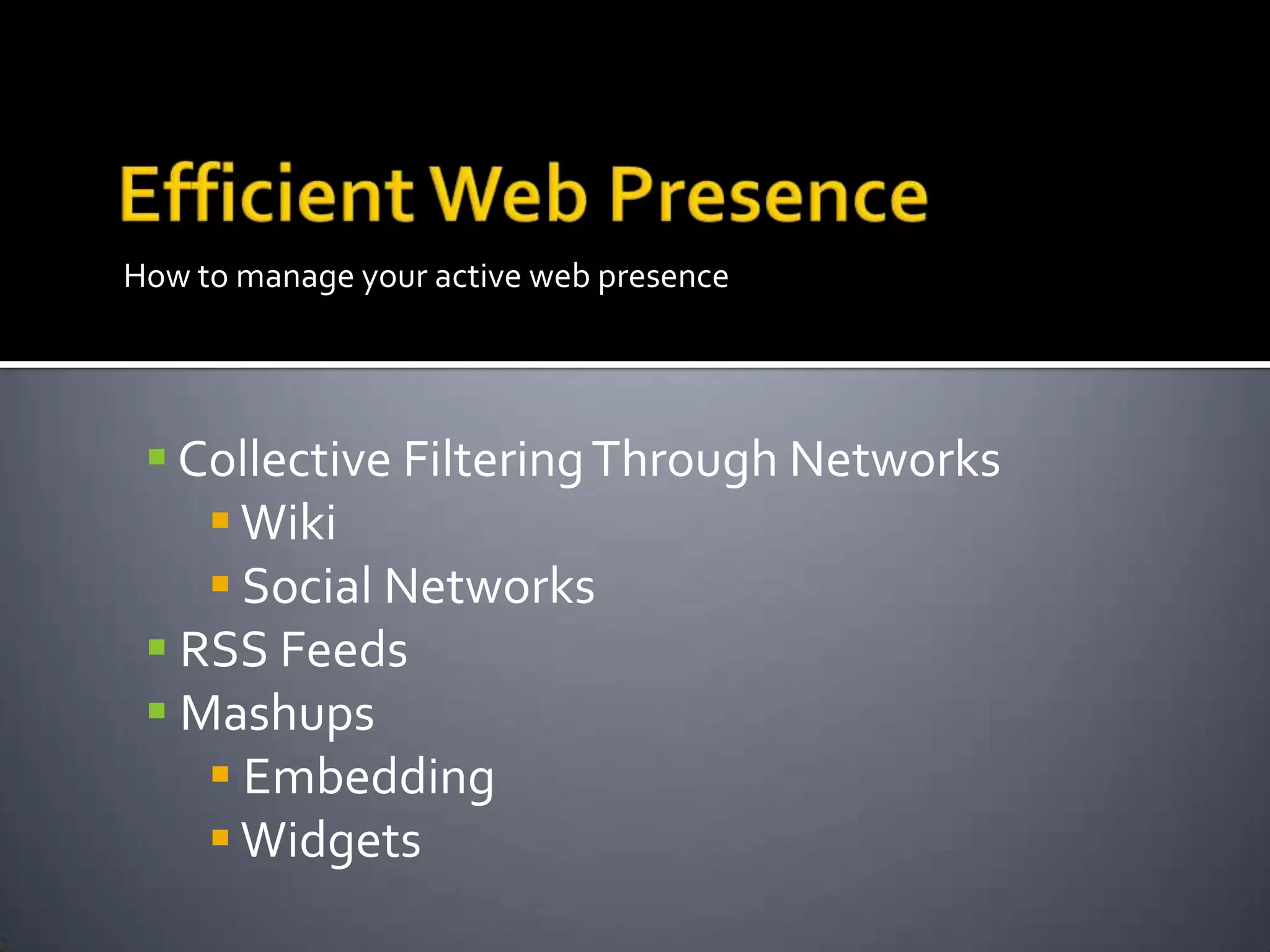
How to manage your active web presence
 Collective FilteringThrough Networks
Wiki
 Social Networks
 RSS Feeds
 Mashups
 Embedding
Widgets
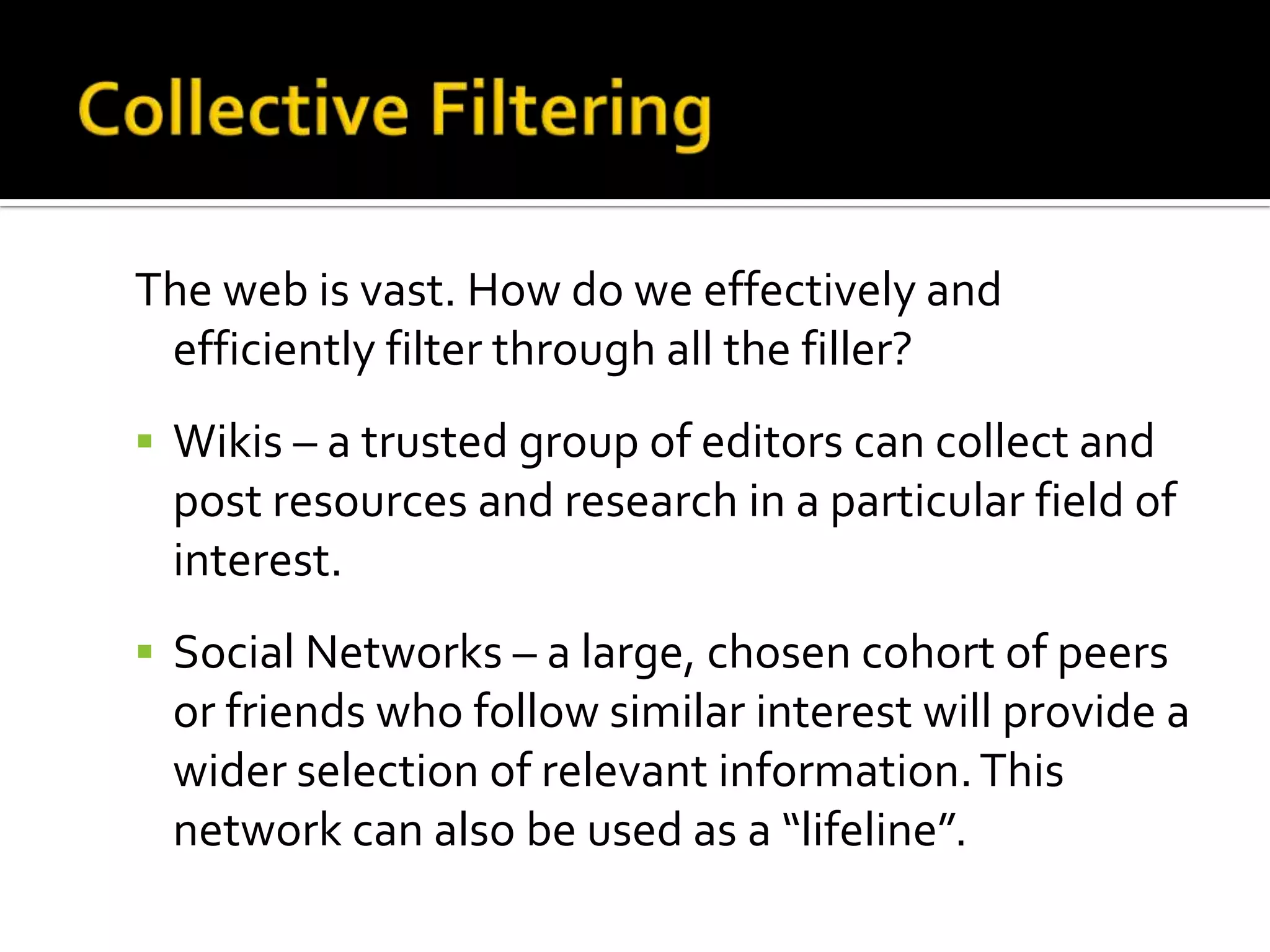
The web is vast. How do we effectively and
efficiently filter through all the filler?
 Wikis – a trusted group of editors can collect and
post resources and research in a particular field of
interest.
 Social Networks – a large, chosen cohort of peers
or friends who follow similar interest will provide a
wider selection of relevant information.This
network can also be used as a “lifeline”.
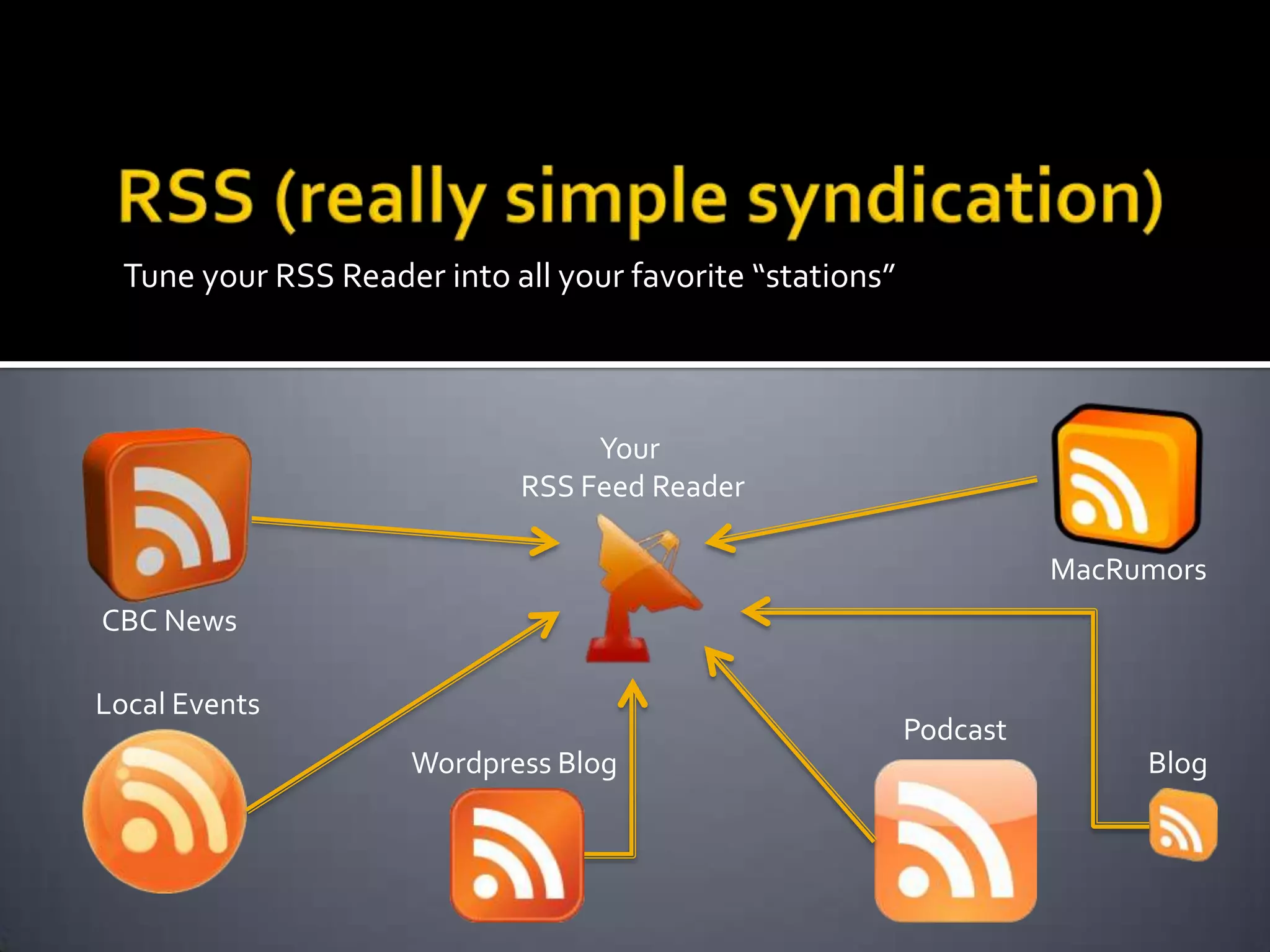
Tune your RSS Reader into all your favorite “stations”
Your
RSS Feed Reader
Blog
CBC News
Local Events
Podcast
Wordpress Blog
MacRumors
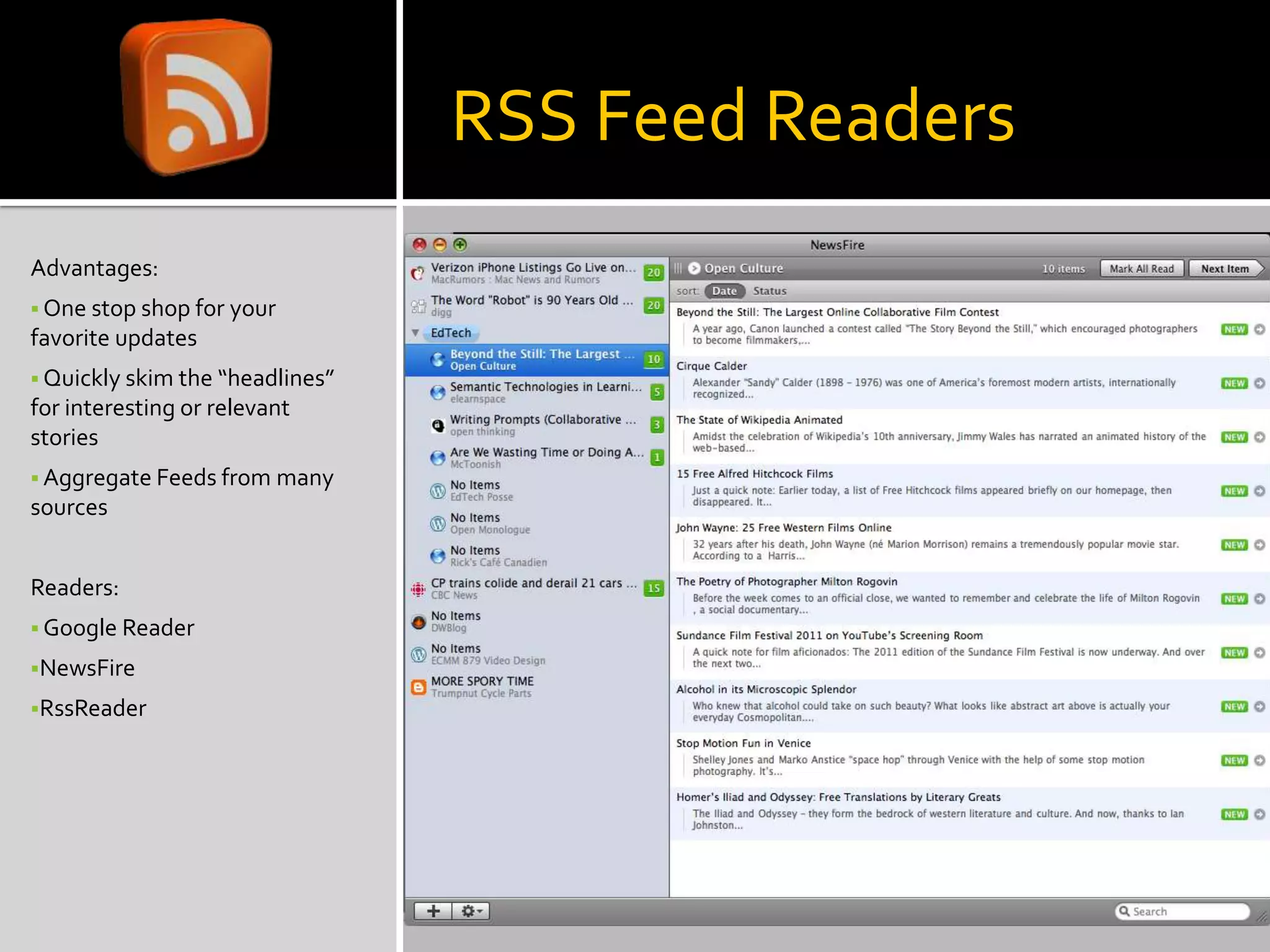
RSS Feed Readers
Advantages:
 One stop shop for your
favorite updates
 Quickly skim the “headlines”
for interesting or relevant
stories
 Aggregate Feeds from many
sources
Readers:
 Google Reader
NewsFire
RssReader
Mashups
So you’ve got a few great tools
you use.Your blog is all set up,
you’re using social
bookmarking, you’ve got the
family photos on Flickr, and
your friends are being updated
regularly by your status
updates…phew!
If this is starting to sound like a
lot of running around you
might be ready to look into
doing the Mash!
 Combine tools in one location to create
efficiency in your web activities
 Embedding one web application into another
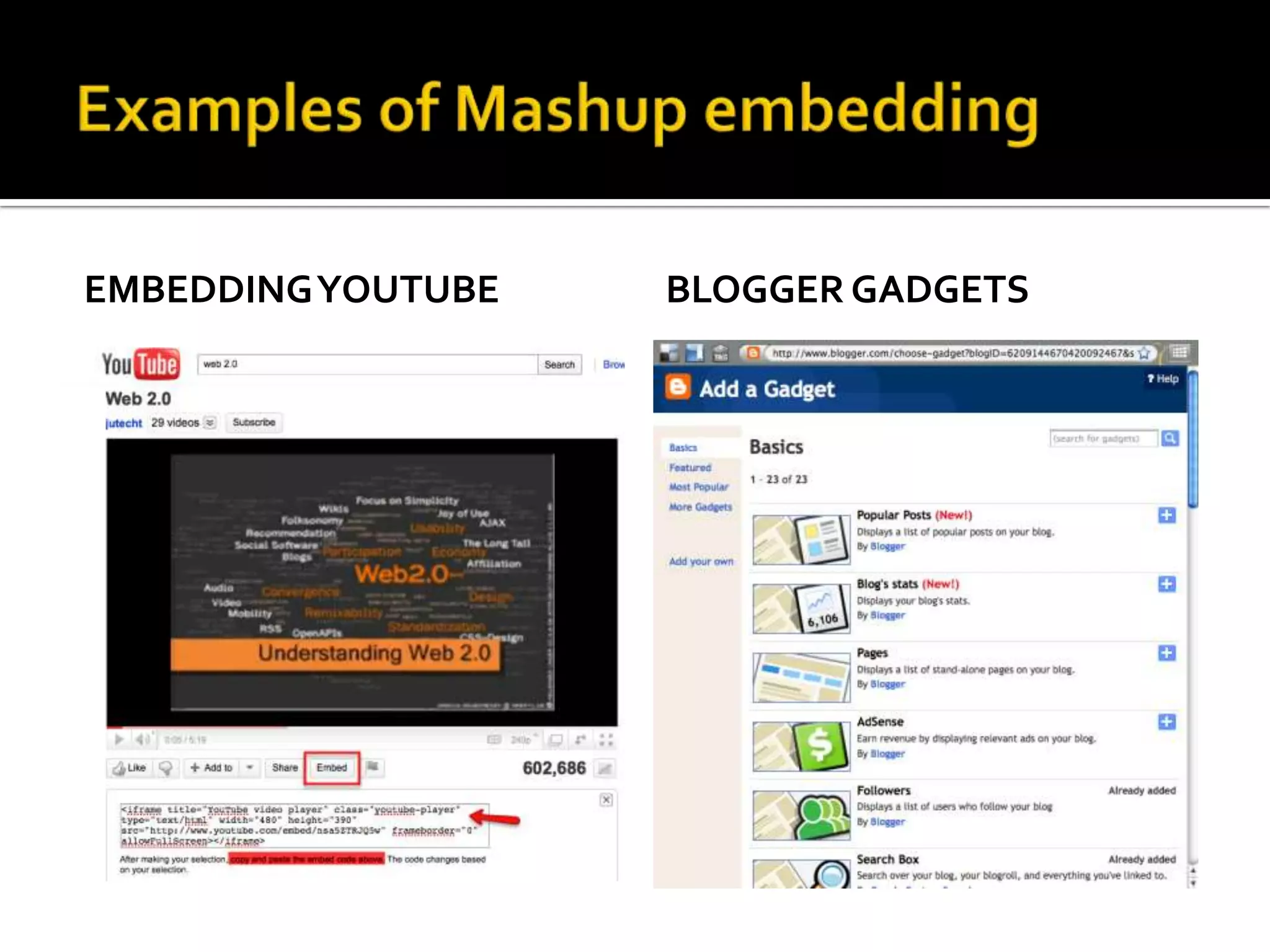
 Place aYouTube video in a Blog post
 Have your Blog posts tweeted automatically
 Combine yourTwitter posts and your facebook
status updates
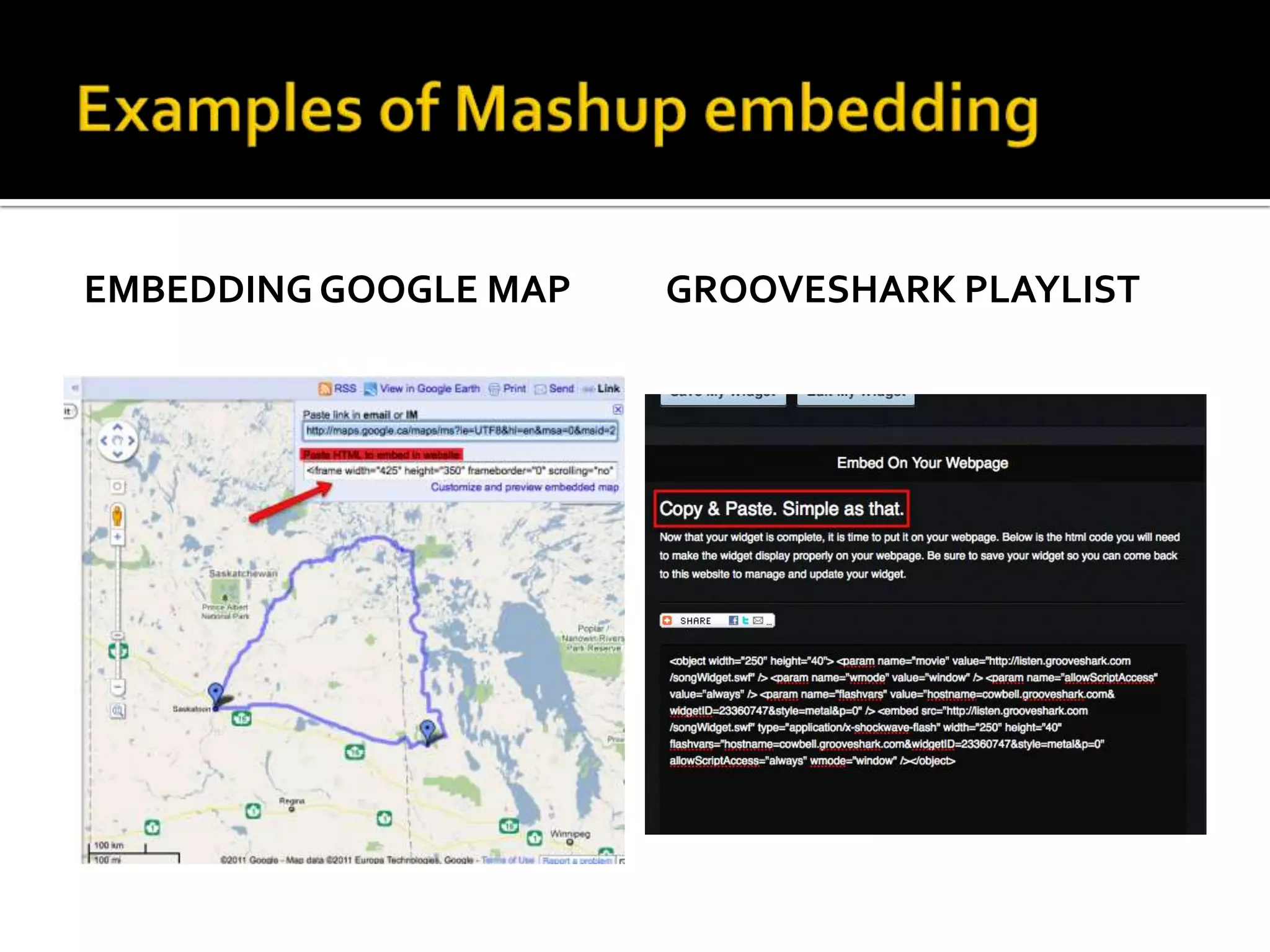
 Post an interactive Google Map in yourWiki
How does this magic happen?
 Mashups make use of what programmers call “code
reuse”.
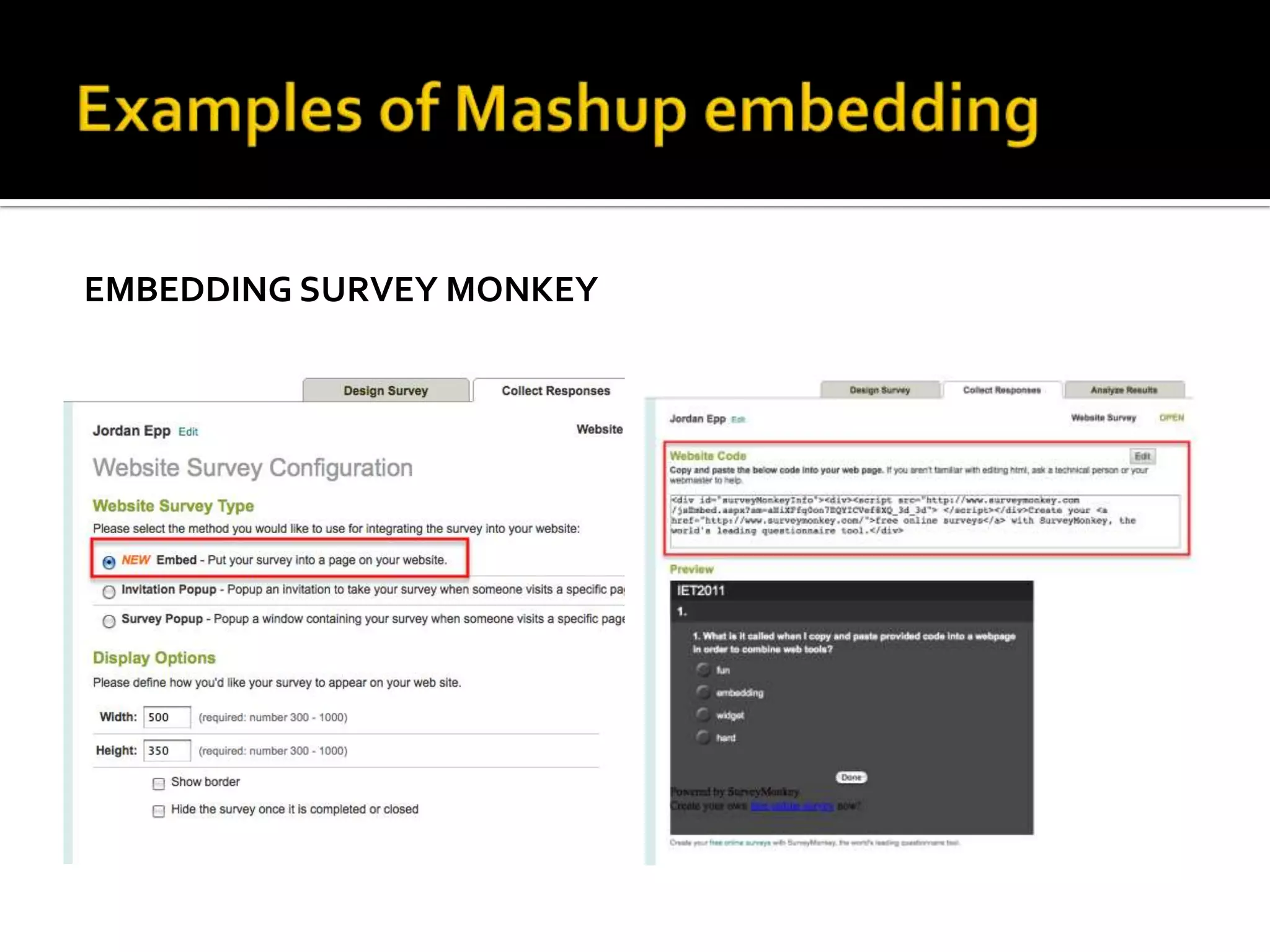
 Snippets of HTML code are provided for copying and
pasting.
The act of copying and pasting code into another site
is called “Embedding”.
 Common forms of this code are provided as
“Widgets”, sometimes known as “gadgets” or “applets”
EMBEDDINGYOUTUBE BLOGGER GADGETS
EMBEDDING SURVEY MONKEY
EMBEDDING GOOGLE MAP GROOVESHARK PLAYLIST
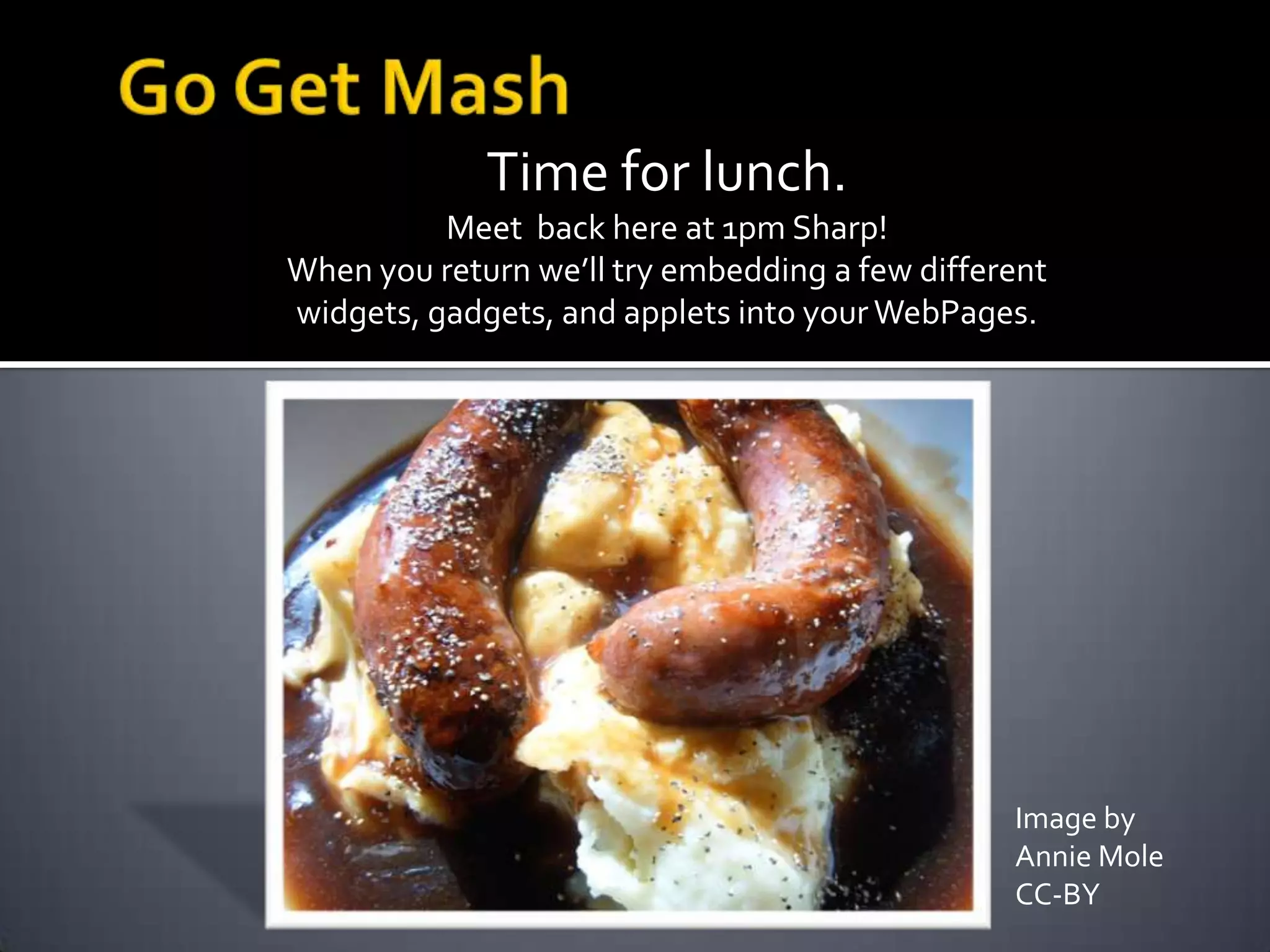
Time for lunch.
Meet back here at 1pm Sharp!
When you return we’ll try embedding a few different
widgets, gadgets, and applets into yourWebPages.
Image by
Annie Mole
CC-BY
Continuing Down the Information Highway
How do we keep up with the web as it changes?
 You’re in the right place to find out
 You’ve got the tools that will help inform
 You will determine the shape of the web
Continuing Down the Information Highway
Keeping ourWeb Presence in shape
 Maintain your presence
 Groom your networks
 Try something new
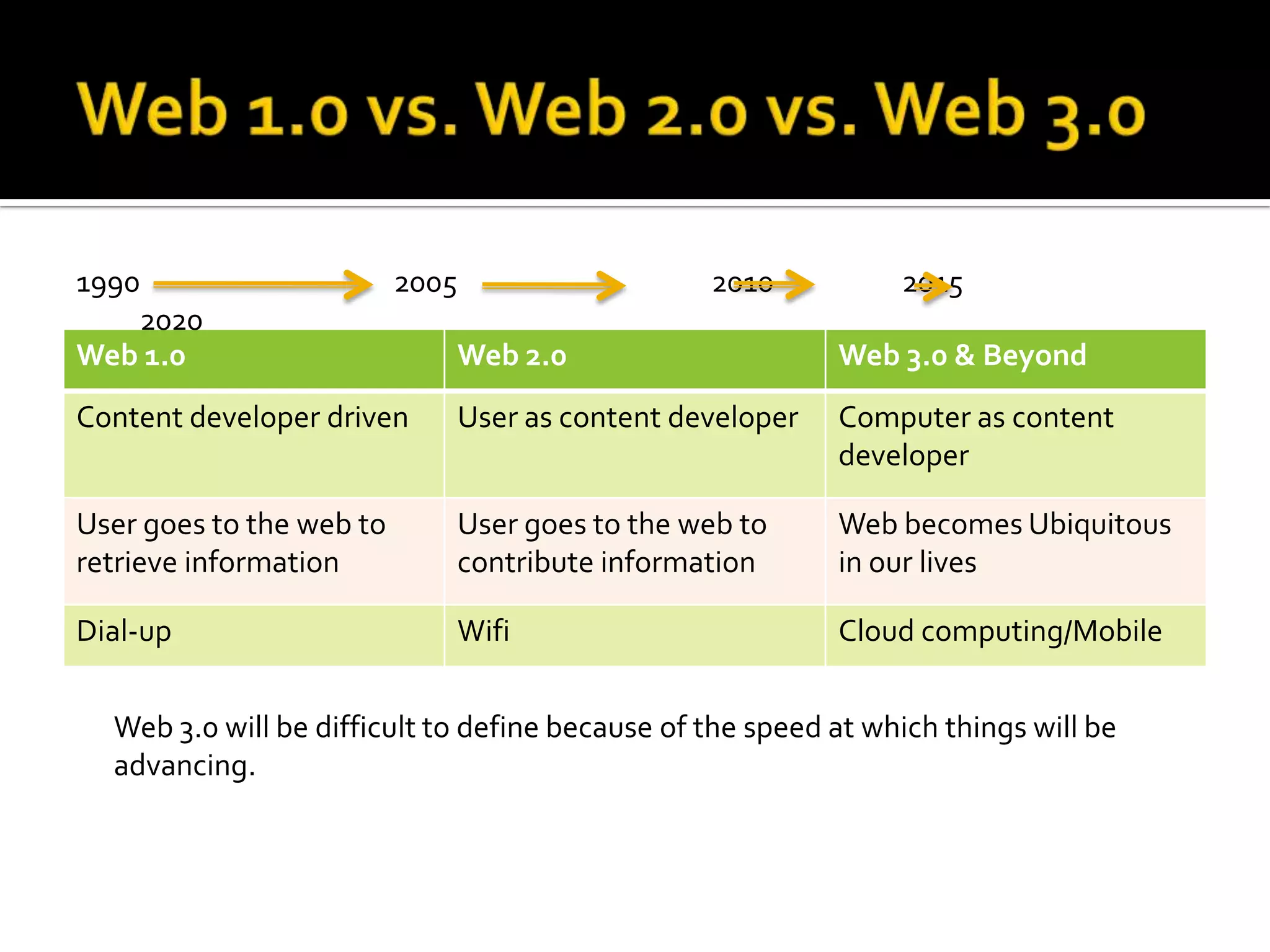
Web 1.0 Web 2.0 Web 3.0 & Beyond
Content developer driven User as content developer Computer as content
developer
User goes to the web to
retrieve information
User goes to the web to
contribute information
Web becomes Ubiquitous
in our lives
Dial-up Wifi Cloud computing/Mobile
Web 3.0 will be difficult to define because of the speed at which things will be
advancing.
1990 2005 2010 2015
2020
There are a few emerging trends that most
people agree will help define theWorldWide
Web of the Future
 The SemanticWeb
 MobileTechnologies
 Cloud Computing
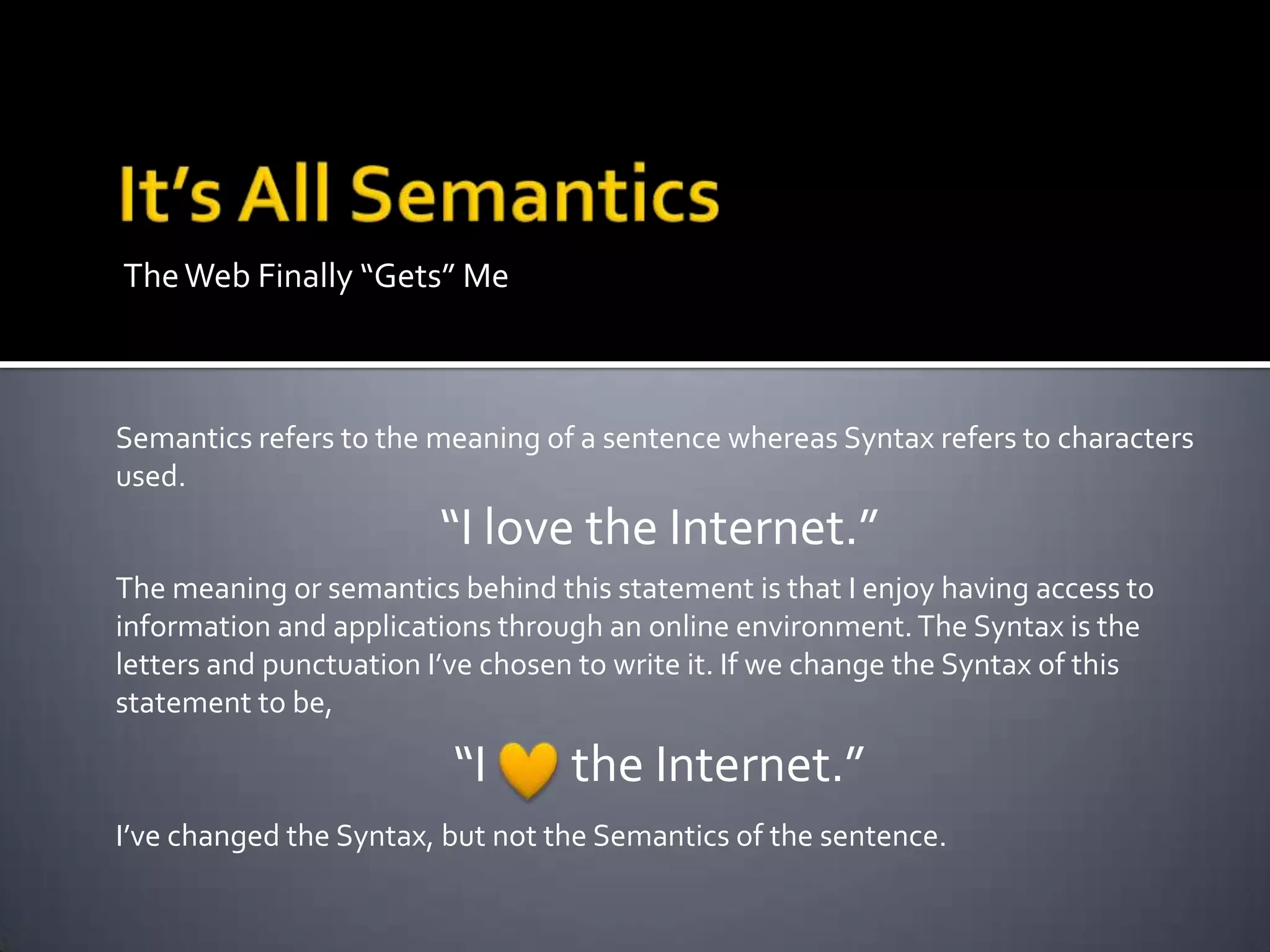
TheWeb Finally “Gets” Me
Semantics refers to the meaning of a sentence whereas Syntax refers to characters
used.
“I love the Internet.”
The meaning or semantics behind this statement is that I enjoy having access to
information and applications through an online environment.The Syntax is the
letters and punctuation I’ve chosen to write it. If we change the Syntax of this
statement to be,
“I the Internet.”
I’ve changed the Syntax, but not the Semantics of the sentence.
The Problem
 Computers understand Syntax, but not
Semantics
 When you search for your favorite band, you
may get results of upcoming shows, new
albums, fan clubs, or pictures, but only you
can decipher the semantics or meaning of
these web pages.
The Possibilities
 Computers that understand semantics would
better understand how to deliver content to
you.
 They would also be more able to work with
other applications to use that content for
things like buying tickets or exporting concert
dates to your calendar.
There are a few projects you can check out for
more information if you’re interested in
testing out the SemanticWeb:
 Firefox – Operator Plug-in
 Microformats.org
 rdfa.info/about
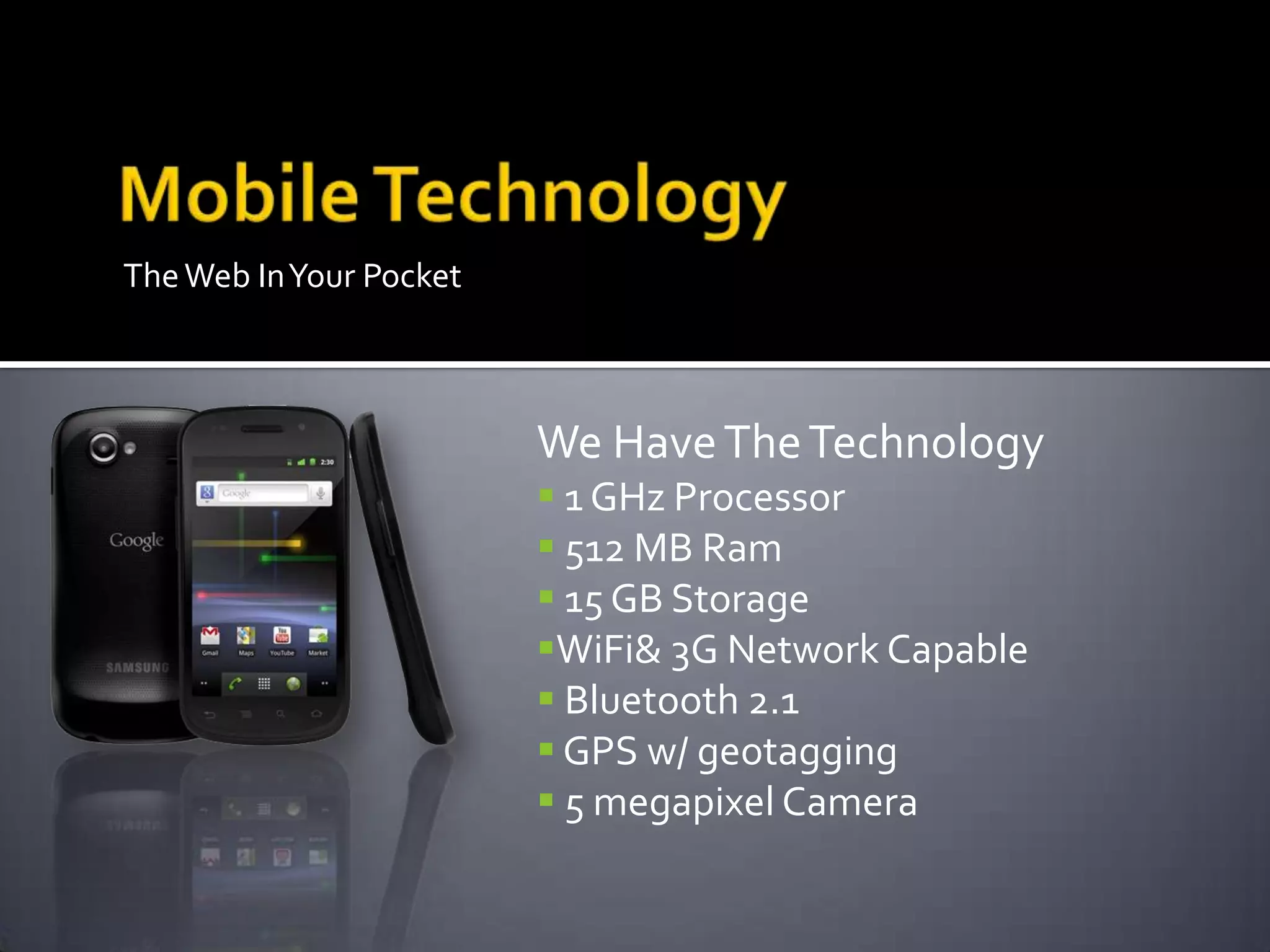
TheWeb InYour Pocket
We HaveTheTechnology
 1 GHz Processor
 512 MB Ram
 15 GB Storage
WiFi& 3G Network Capable
 Bluetooth 2.1
 GPS w/ geotagging
 5 megapixel Camera
 AnytimeAnywhereWireless
 MobileContent Design for the Masses
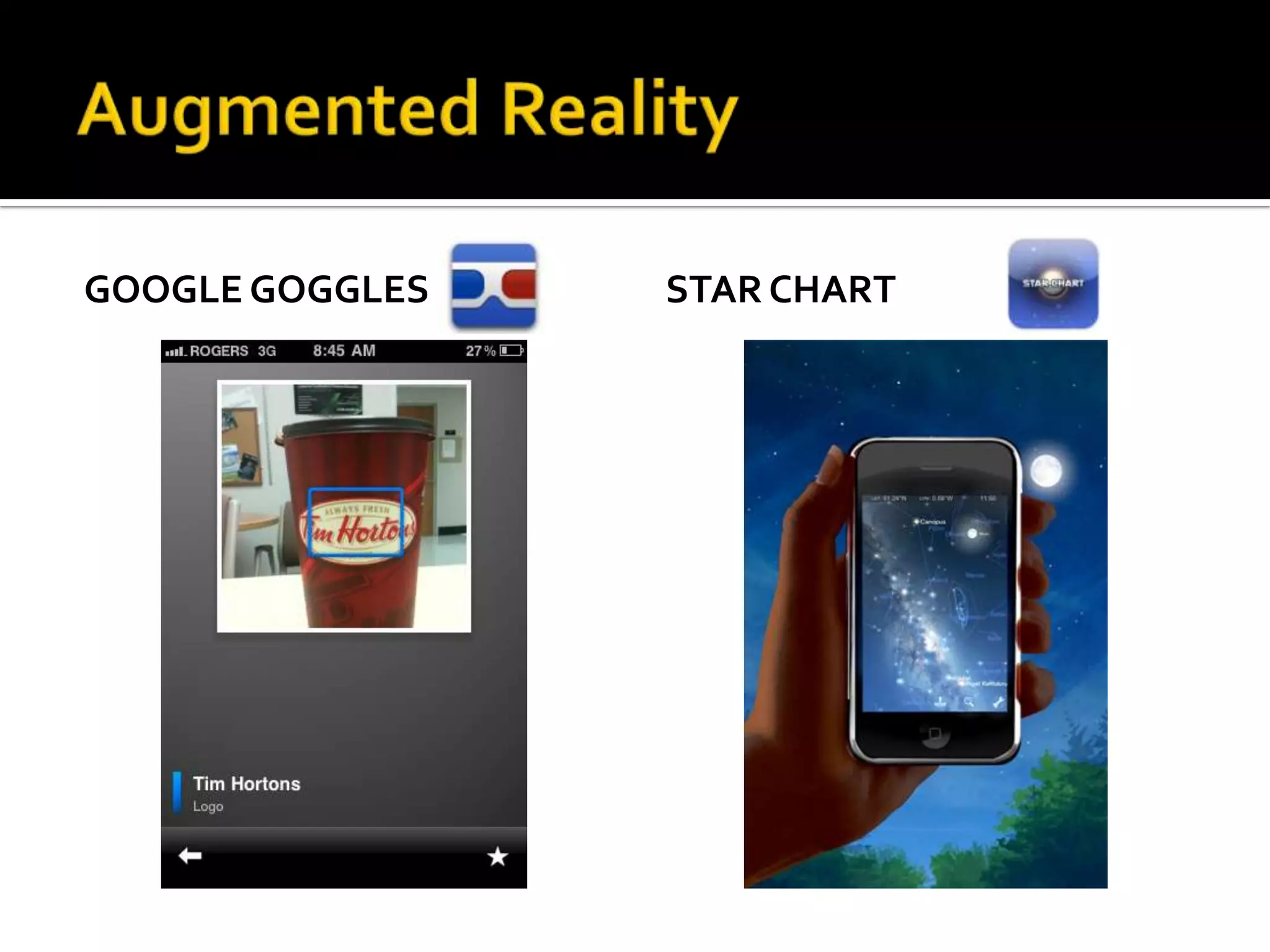
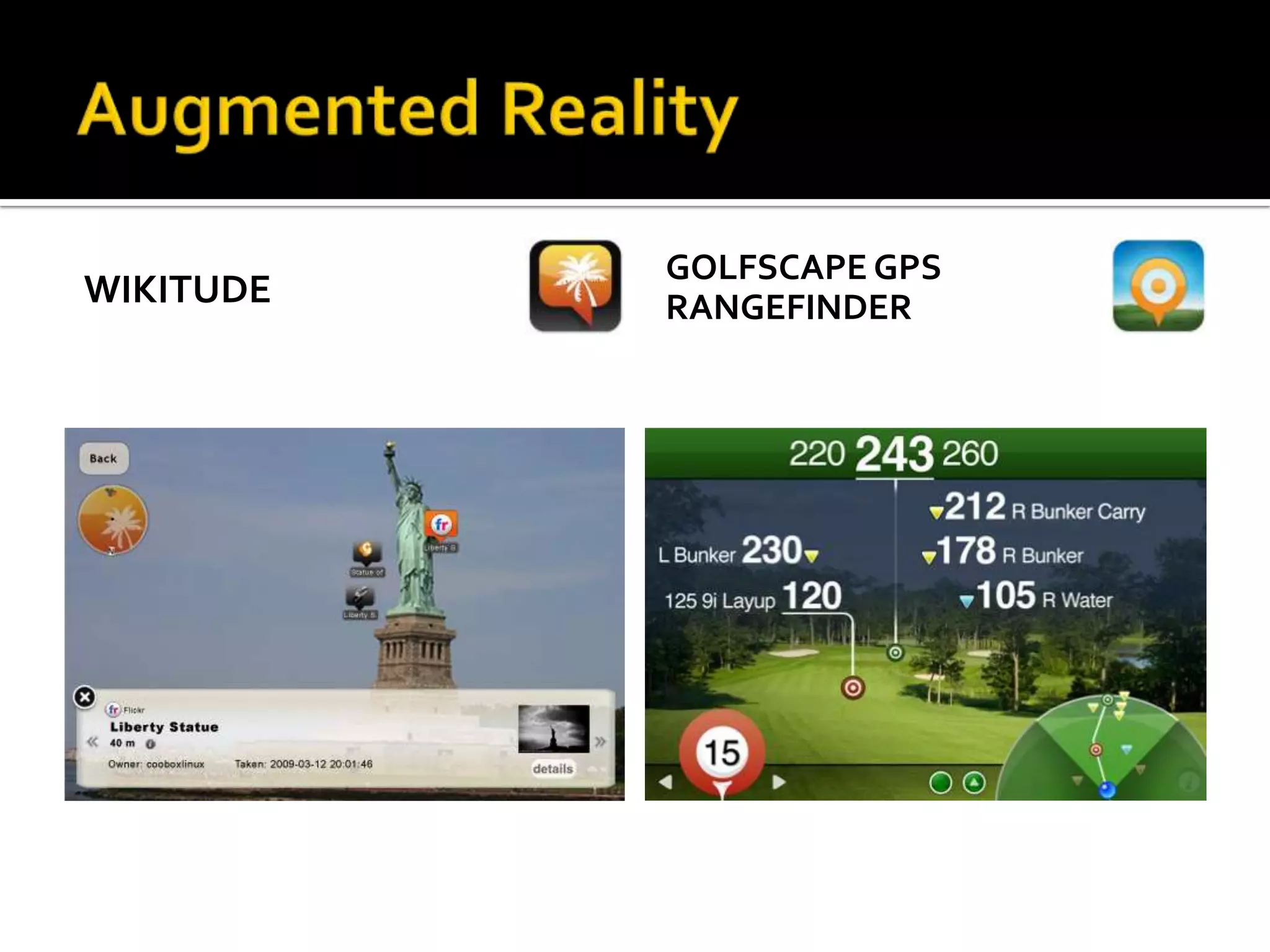
 Augmented Reality
 Google Goggles
 Star Chart
 Wikitude
 Golfscape GPS Rangefinder
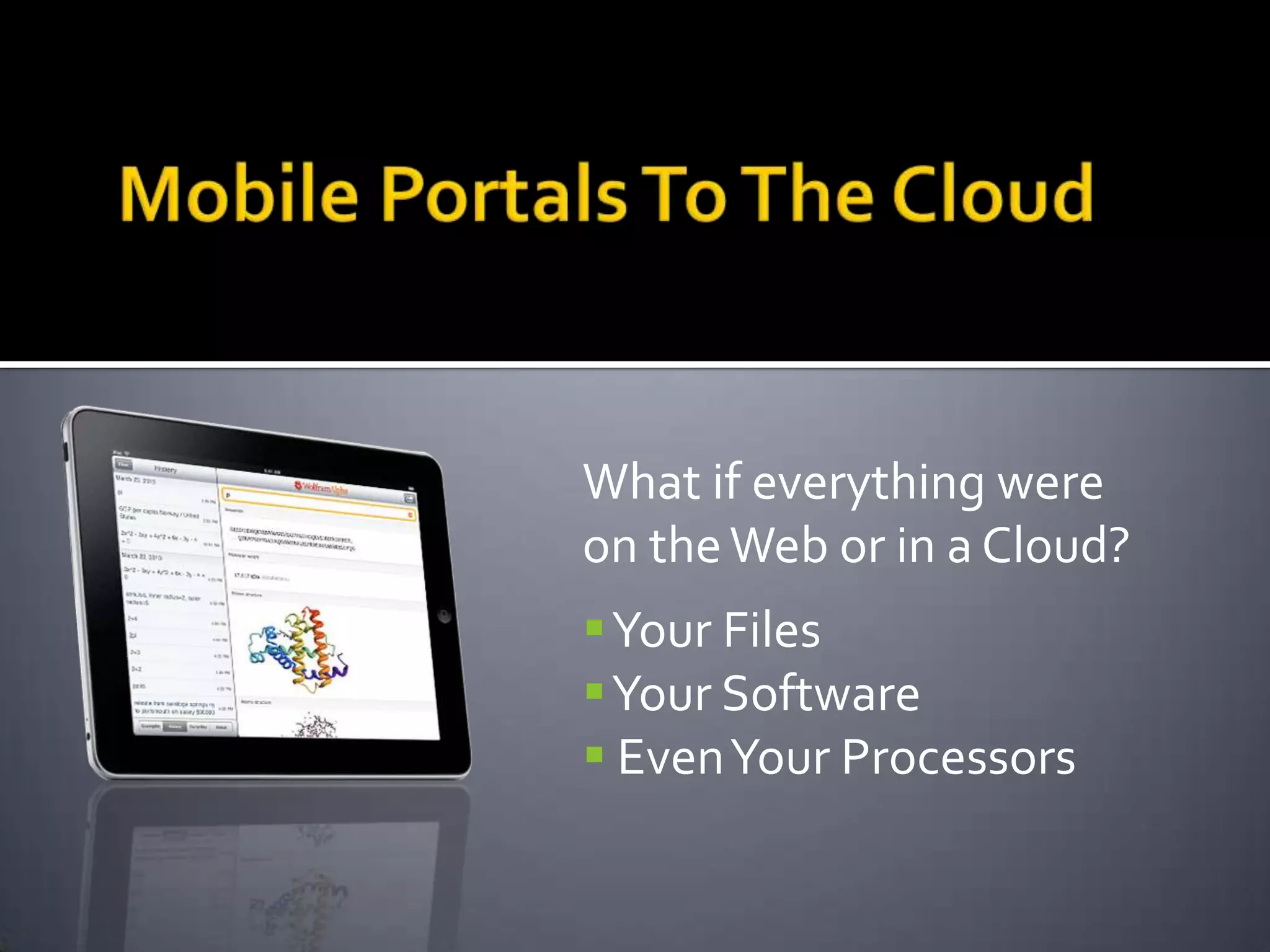
 Mobile Portals to “The Cloud”
GOOGLE GOGGLES STAR CHART
WIKITUDE
GOLFSCAPE GPS
RANGEFINDER
What if everything were
on theWeb or in a Cloud?
Your Files
Your Software
 EvenYour Processors
Connecting to the Cloud
poppet with a camera – CC-BY
Characteristics
 All data processing and the resulting data
lives in the Cloud
 Access to applications and files is available
via any connected device
 Similar to a power grid in concept
Advantages
 Up-to-date software
 Maximum processing power
 Multiple redundant backups
 Universal Access
The Future is Access and Efficiency
 An Internet that understands more
 Ubiquitous wireless access
 Mobile devices with the power to connect
 A cloud to call our own
Jordan Epp
Instructional Designer
Centre for Continuing & Distance Education
University of Saskatchewan
Email: jordan.epp@usask.ca
Twitter: I_am_10_ninjas
Second Life: Harvey Storaro
Skype: jordanepp
Blog: edtech306.wordpress.com
U of S Homepage: http://homepage.usask.ca/~jte076/

Introduction to Emerging Technologies: Day Two

  • 1.
    Finding Function inSocial Media: DayTwo Presented by Jordan Epp, MEd Instructional Designer, University of Saskatchewan
  • 2.
    How to manageyour active web presence  Collective FilteringThrough Networks Wiki  Social Networks  RSS Feeds  Mashups  Embedding Widgets
  • 3.
    The web isvast. How do we effectively and efficiently filter through all the filler?  Wikis – a trusted group of editors can collect and post resources and research in a particular field of interest.  Social Networks – a large, chosen cohort of peers or friends who follow similar interest will provide a wider selection of relevant information.This network can also be used as a “lifeline”.
  • 4.
    Tune your RSSReader into all your favorite “stations” Your RSS Feed Reader Blog CBC News Local Events Podcast Wordpress Blog MacRumors
  • 5.
    RSS Feed Readers Advantages: One stop shop for your favorite updates  Quickly skim the “headlines” for interesting or relevant stories  Aggregate Feeds from many sources Readers:  Google Reader NewsFire RssReader
  • 6.
    Mashups So you’ve gota few great tools you use.Your blog is all set up, you’re using social bookmarking, you’ve got the family photos on Flickr, and your friends are being updated regularly by your status updates…phew! If this is starting to sound like a lot of running around you might be ready to look into doing the Mash!
  • 7.
     Combine toolsin one location to create efficiency in your web activities  Embedding one web application into another  Place aYouTube video in a Blog post  Have your Blog posts tweeted automatically  Combine yourTwitter posts and your facebook status updates  Post an interactive Google Map in yourWiki
  • 8.
    How does thismagic happen?  Mashups make use of what programmers call “code reuse”.  Snippets of HTML code are provided for copying and pasting. The act of copying and pasting code into another site is called “Embedding”.  Common forms of this code are provided as “Widgets”, sometimes known as “gadgets” or “applets”
  • 9.
  • 10.
  • 11.
    EMBEDDING GOOGLE MAPGROOVESHARK PLAYLIST
  • 12.
    Time for lunch. Meetback here at 1pm Sharp! When you return we’ll try embedding a few different widgets, gadgets, and applets into yourWebPages. Image by Annie Mole CC-BY
  • 13.
    Continuing Down theInformation Highway How do we keep up with the web as it changes?  You’re in the right place to find out  You’ve got the tools that will help inform  You will determine the shape of the web
  • 14.
    Continuing Down theInformation Highway Keeping ourWeb Presence in shape  Maintain your presence  Groom your networks  Try something new
  • 15.
    Web 1.0 Web2.0 Web 3.0 & Beyond Content developer driven User as content developer Computer as content developer User goes to the web to retrieve information User goes to the web to contribute information Web becomes Ubiquitous in our lives Dial-up Wifi Cloud computing/Mobile Web 3.0 will be difficult to define because of the speed at which things will be advancing. 1990 2005 2010 2015 2020
  • 16.
    There are afew emerging trends that most people agree will help define theWorldWide Web of the Future  The SemanticWeb  MobileTechnologies  Cloud Computing
  • 17.
    TheWeb Finally “Gets”Me Semantics refers to the meaning of a sentence whereas Syntax refers to characters used. “I love the Internet.” The meaning or semantics behind this statement is that I enjoy having access to information and applications through an online environment.The Syntax is the letters and punctuation I’ve chosen to write it. If we change the Syntax of this statement to be, “I the Internet.” I’ve changed the Syntax, but not the Semantics of the sentence.
  • 18.
    The Problem  Computersunderstand Syntax, but not Semantics  When you search for your favorite band, you may get results of upcoming shows, new albums, fan clubs, or pictures, but only you can decipher the semantics or meaning of these web pages.
  • 19.
    The Possibilities  Computersthat understand semantics would better understand how to deliver content to you.  They would also be more able to work with other applications to use that content for things like buying tickets or exporting concert dates to your calendar.
  • 20.
    There are afew projects you can check out for more information if you’re interested in testing out the SemanticWeb:  Firefox – Operator Plug-in  Microformats.org  rdfa.info/about
  • 21.
    TheWeb InYour Pocket WeHaveTheTechnology  1 GHz Processor  512 MB Ram  15 GB Storage WiFi& 3G Network Capable  Bluetooth 2.1  GPS w/ geotagging  5 megapixel Camera
  • 22.
     AnytimeAnywhereWireless  MobileContentDesign for the Masses  Augmented Reality  Google Goggles  Star Chart  Wikitude  Golfscape GPS Rangefinder  Mobile Portals to “The Cloud”
  • 23.
  • 24.
  • 25.
    What if everythingwere on theWeb or in a Cloud? Your Files Your Software  EvenYour Processors
  • 26.
    Connecting to theCloud poppet with a camera – CC-BY Characteristics  All data processing and the resulting data lives in the Cloud  Access to applications and files is available via any connected device  Similar to a power grid in concept Advantages  Up-to-date software  Maximum processing power  Multiple redundant backups  Universal Access
  • 27.
    The Future isAccess and Efficiency  An Internet that understands more  Ubiquitous wireless access  Mobile devices with the power to connect  A cloud to call our own
  • 28.
    Jordan Epp Instructional Designer Centrefor Continuing & Distance Education University of Saskatchewan Email: jordan.epp@usask.ca Twitter: I_am_10_ninjas Second Life: Harvey Storaro Skype: jordanepp Blog: edtech306.wordpress.com U of S Homepage: http://homepage.usask.ca/~jte076/

Editor's Notes

  • #5 Offered as a recommended resource for learning more about digital citizenship. Not a lot more time spent on this.
  • #7 Offered as a recommended resource for learning more about digital citizenship. Not a lot more time spent on this.