




1 
TECHNICAL SEO 
BECOMING THE WORLDS BEST CRAWLED DOMAIN! 
Bastian Grimm, VP Organic Search, Peak Ace AG | @basgr
2 
Presentation Download: 
http://pa.ag/seozone14
3 
LETS TALK ABOUT SPACE! 
BEAUTIFUL, ISN‘T IT? 
Source: http://bit.ly/1iT6JSk
4 
CRAWLSPACE 
THE MOST IMPORTANT THING IN TECHNICAL SEO! 
Source: http://bit.ly/1iT6JSk
5 
WHAT IS CRAWLSPACE? 
ACCESSIBILITY, EFFICIENCY, PRIORITY & SPEED! 
Source: http://bit.ly/1iT6JSk
6 
But why… 
… do search engines love efficient, easily 
accessible sites for crawling?
7 
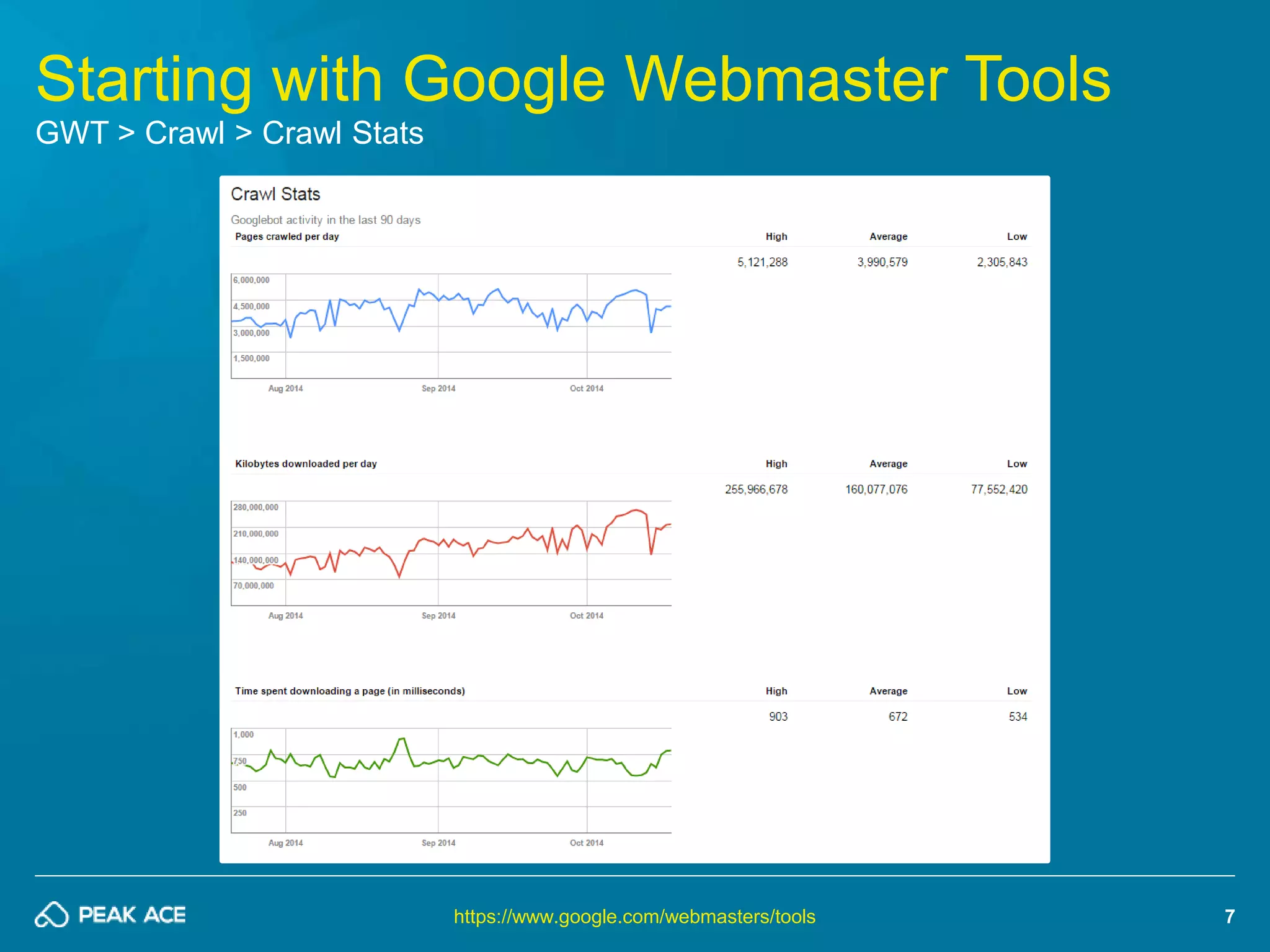
Starting with Google Webmaster Tools 
GWT > Crawl > Crawl Stats 
https://www.google.com/webmasters/tools
8 
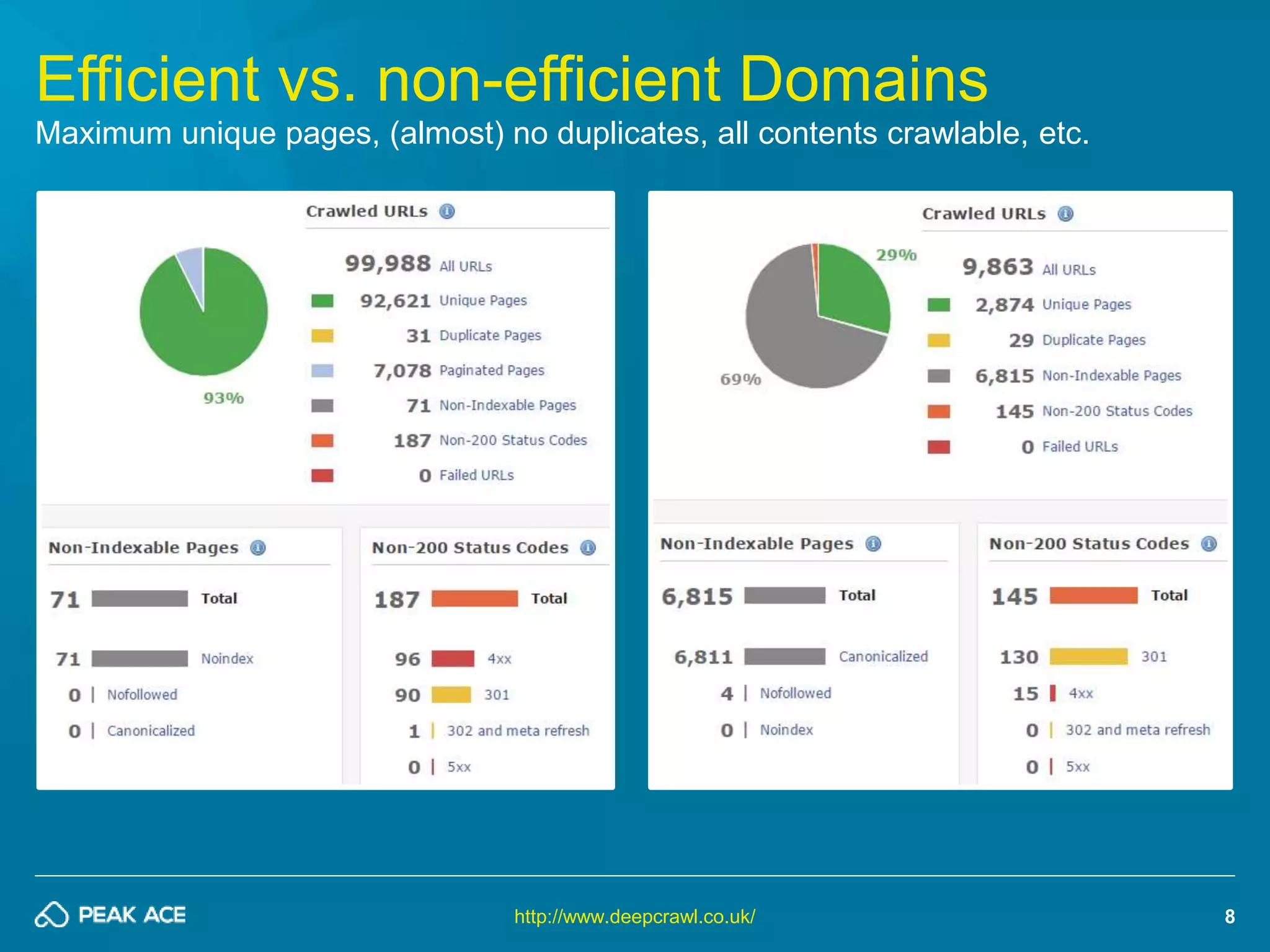
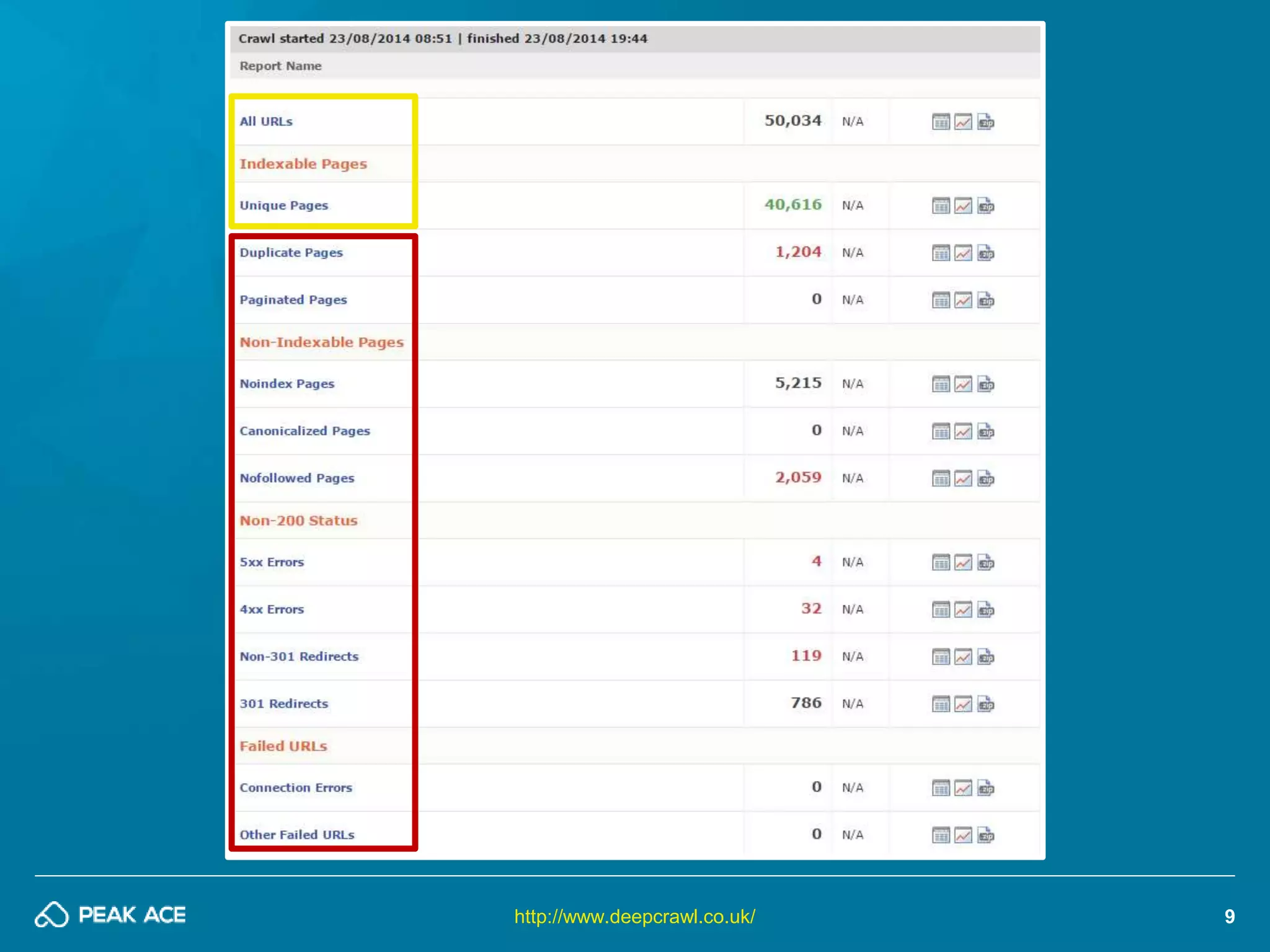
Efficient vs. non-efficient Domains 
Maximum unique pages, (almost) no duplicates, all contents crawlable, etc. 
http://www.deepcrawl.co.uk/
http://www.deepcrawl.co.uk/ 9
10 
#1 Proper architecture 
Use no. of links & link depth to control crawlers
THE MOST IMPORTANT THING? 
YOUR HOMEPAGE! ALL CONTENTS MAX. 3-4 CLICKS AWAY! 
11
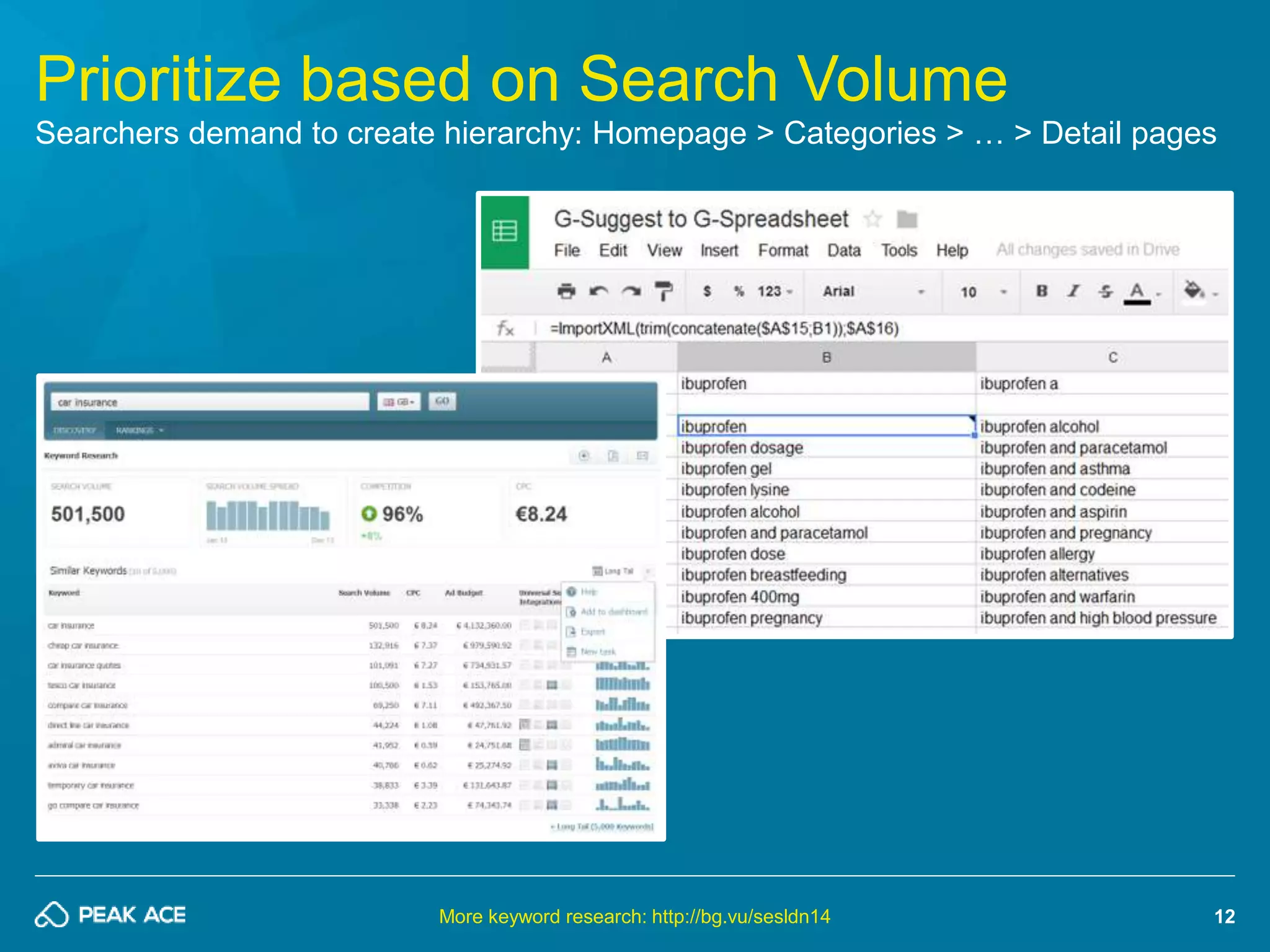
Prioritize based on Search Volume 
Searchers demand to create hierarchy: Homepage > Categories > … > Detail pages 
12 
More keyword research: http://bg.vu/sesldn14
webcache.googleusercontent.com/search?q=cache:www.domain.com&strip=1 
13 
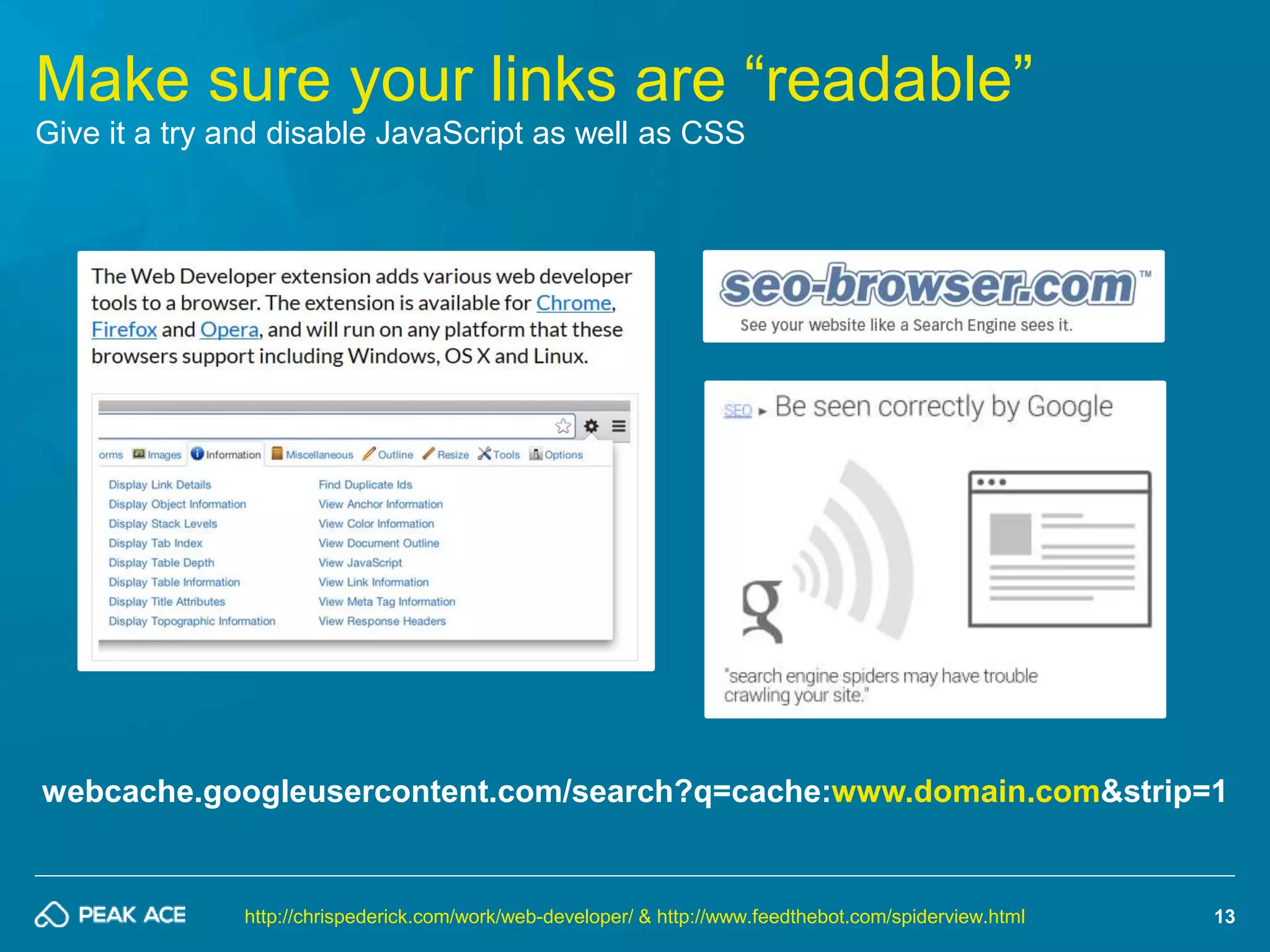
Make sure your links are “readable” 
Give it a try and disable JavaScript as well as CSS 
http://chrispederick.com/work/web-developer/ & http://www.feedthebot.com/spiderview.html
14 
#2 Have the “right” links 
Make sure to get the best internal links for each 
and every sub-page!
15 
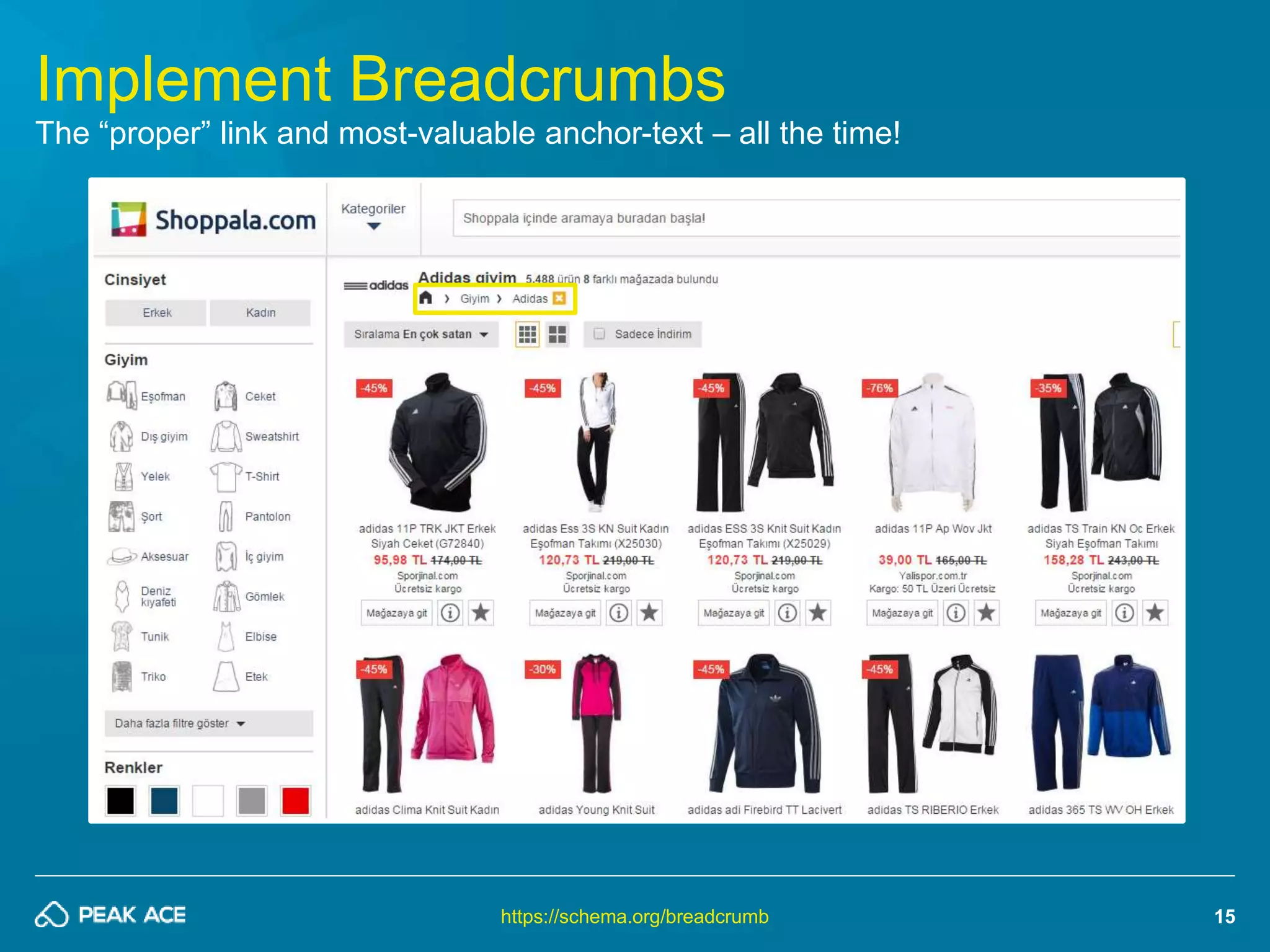
Implement Breadcrumbs 
The “proper” link and most-valuable anchor-text – all the time! 
https://schema.org/breadcrumb
16 
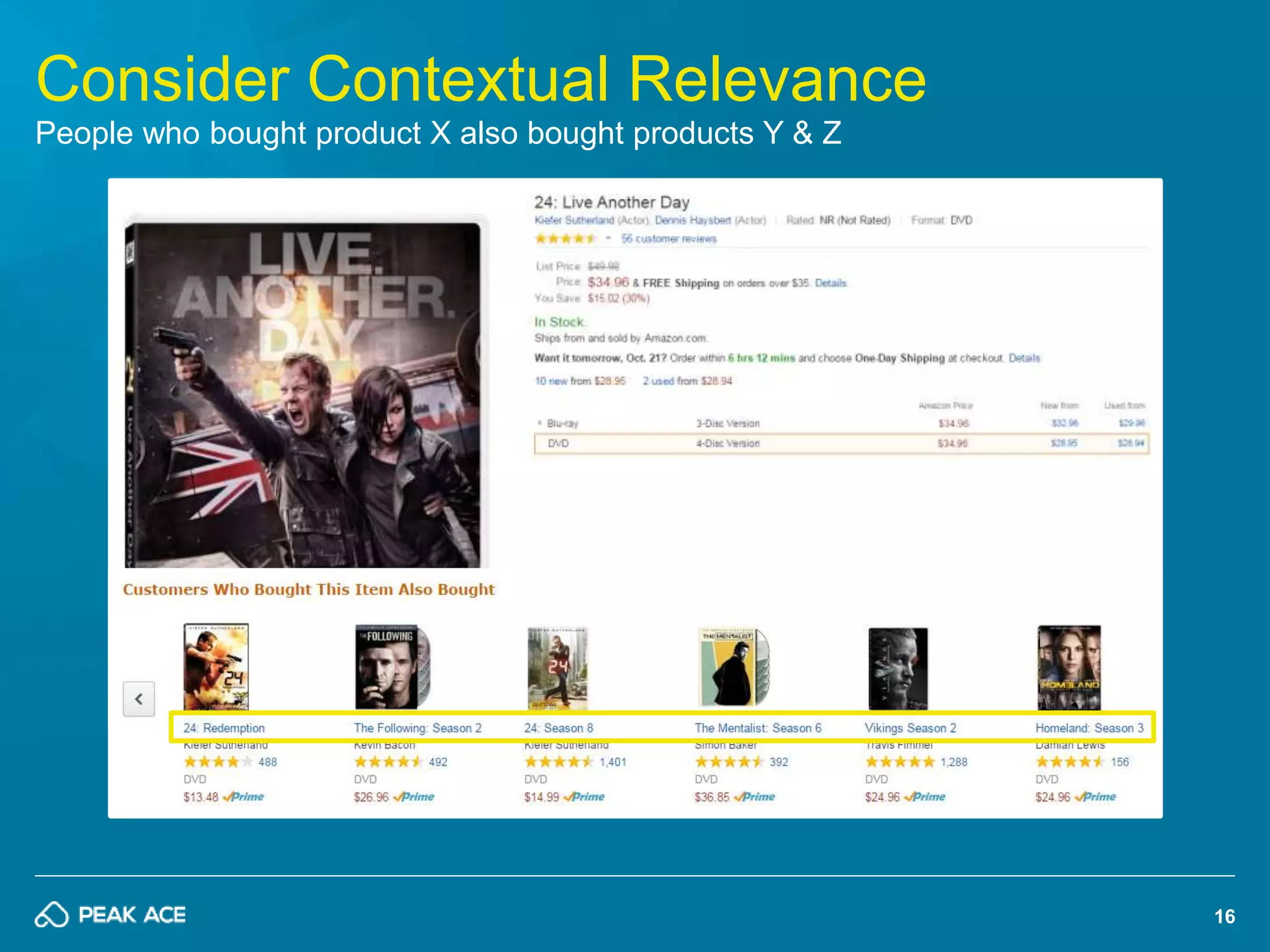
Consider Contextual Relevance 
People who bought product X also bought products Y & Z
17 
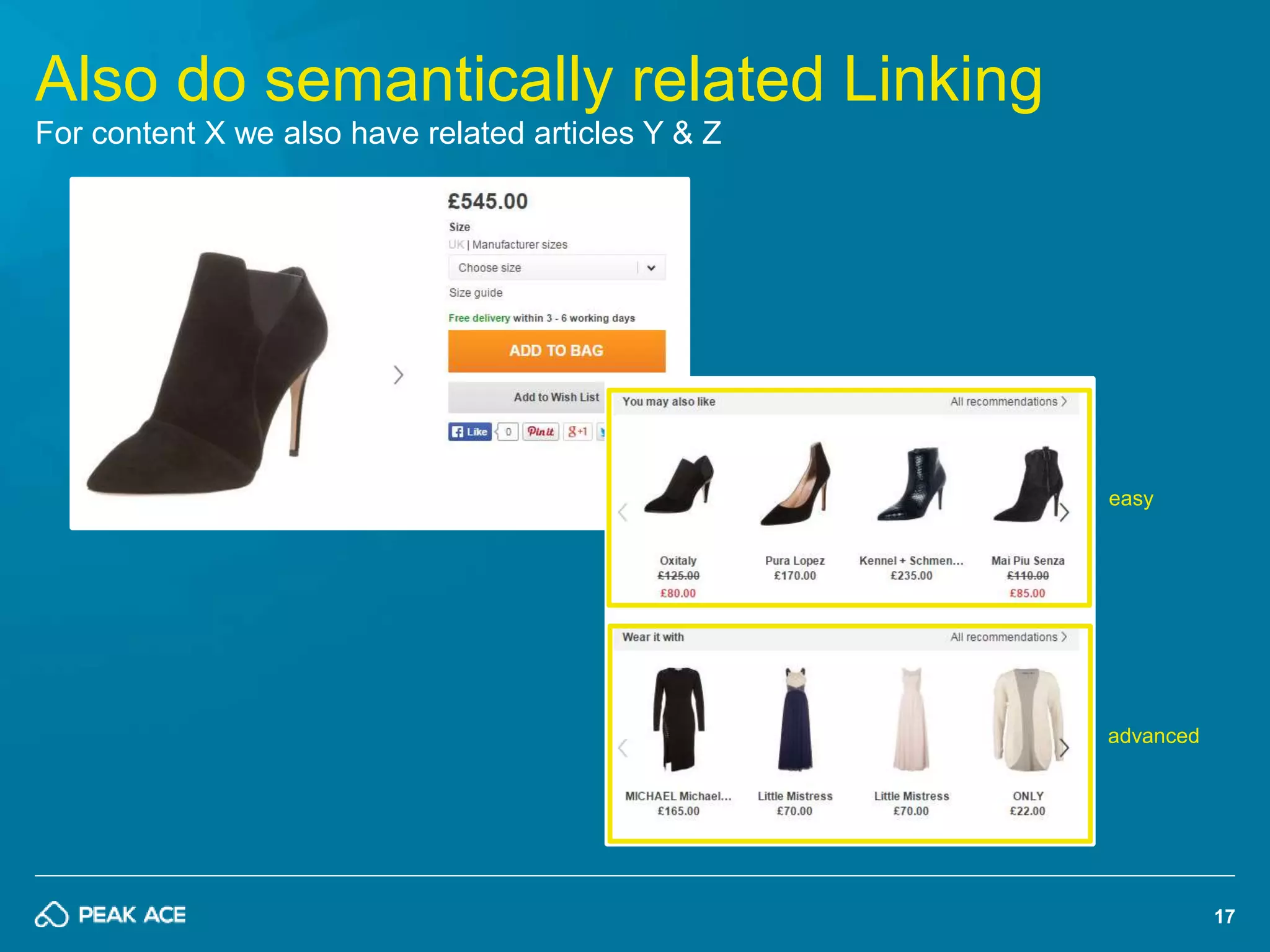
Also do semantically related Linking 
For content X we also have related articles Y & Z 
easy 
advanced
18 
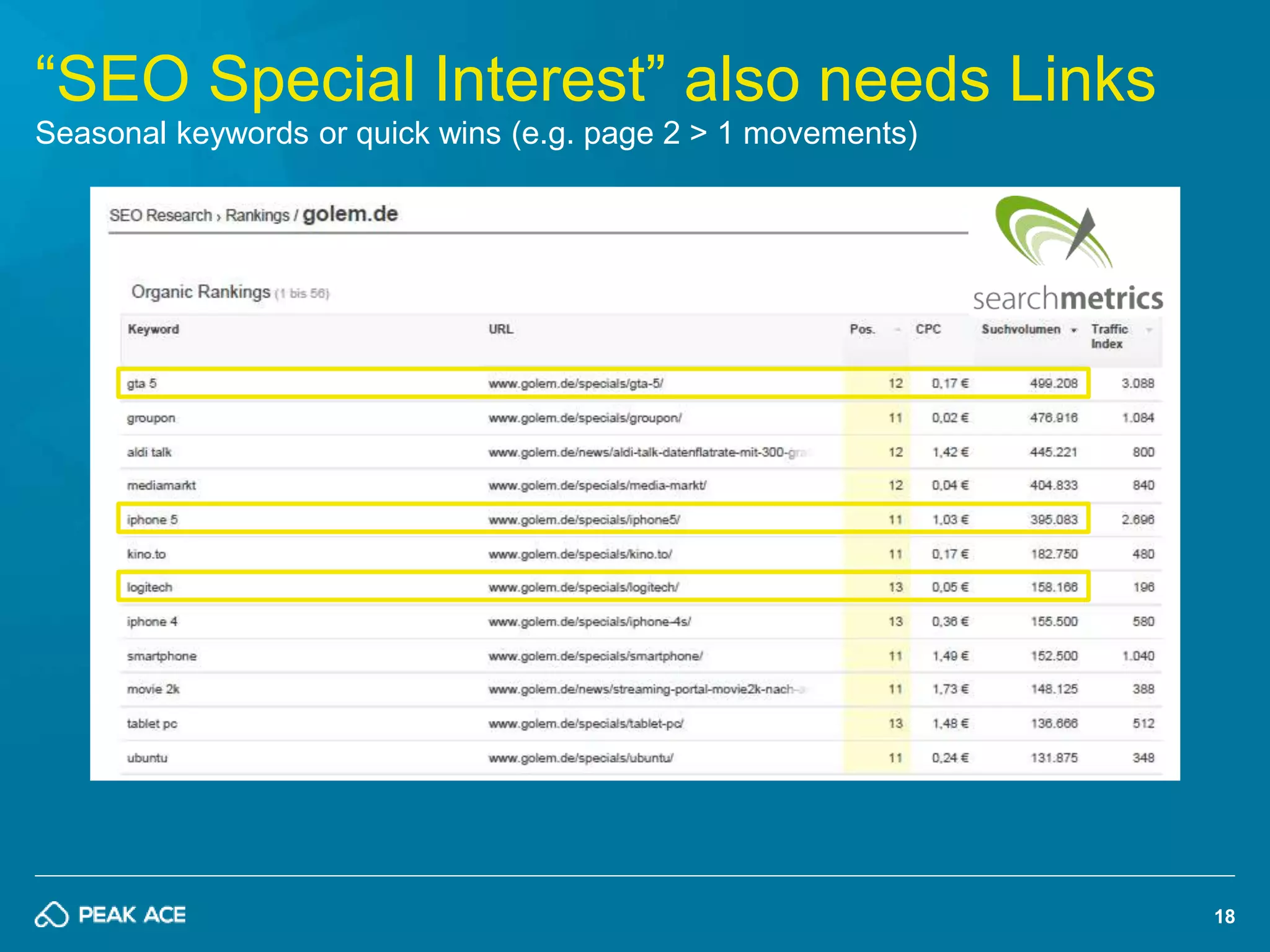
“SEO Special Interest” also needs Links 
Seasonal keywords or quick wins (e.g. page 2 > 1 movements)
19 
#3 Do Crawler Control 
Care about which pages you put into the index 
and more importantly how you do that!
20 
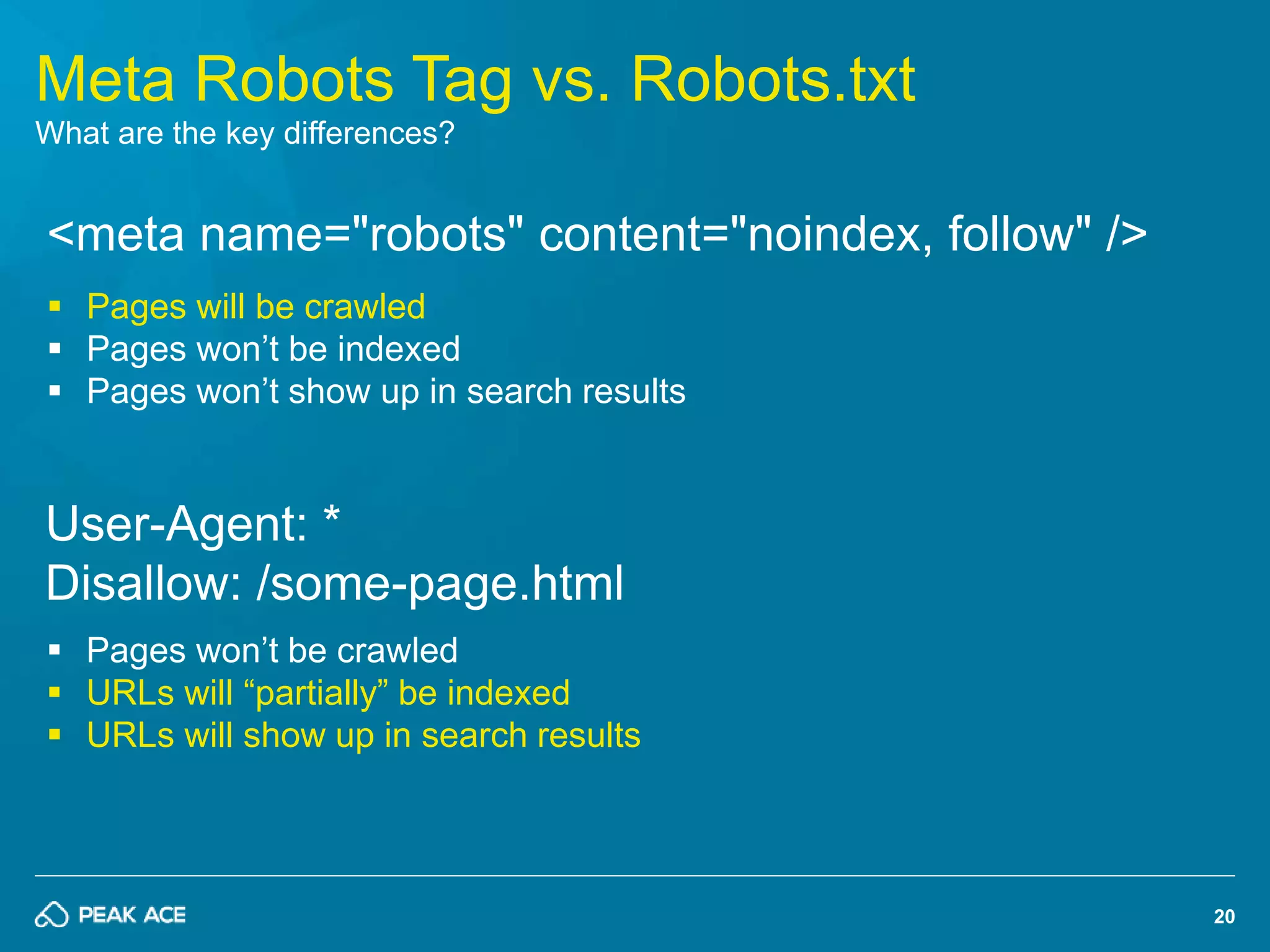
Meta Robots Tag vs. Robots.txt 
What are the key differences? 
<meta name="robots" content="noindex, follow" /> 
 Pages will be crawled 
 Pages won’t be indexed 
 Pages won’t show up in search results 
User-Agent: * 
Disallow: /some-page.html 
 Pages won’t be crawled 
 URLs will “partially” be indexed 
 URLs will show up in search results
21 
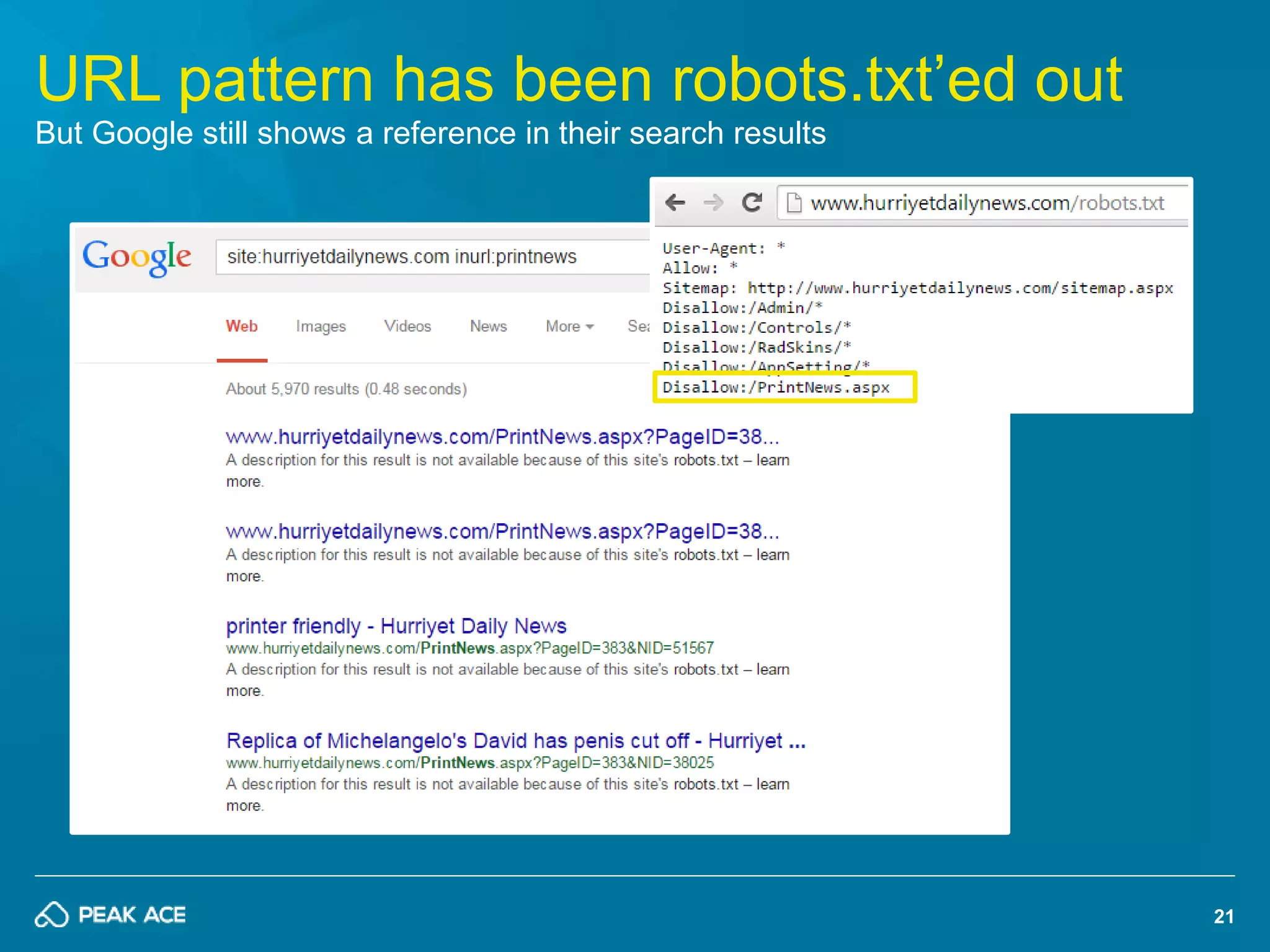
URL pattern has been robots.txt’ed out 
But Google still shows a reference in their search results
22 
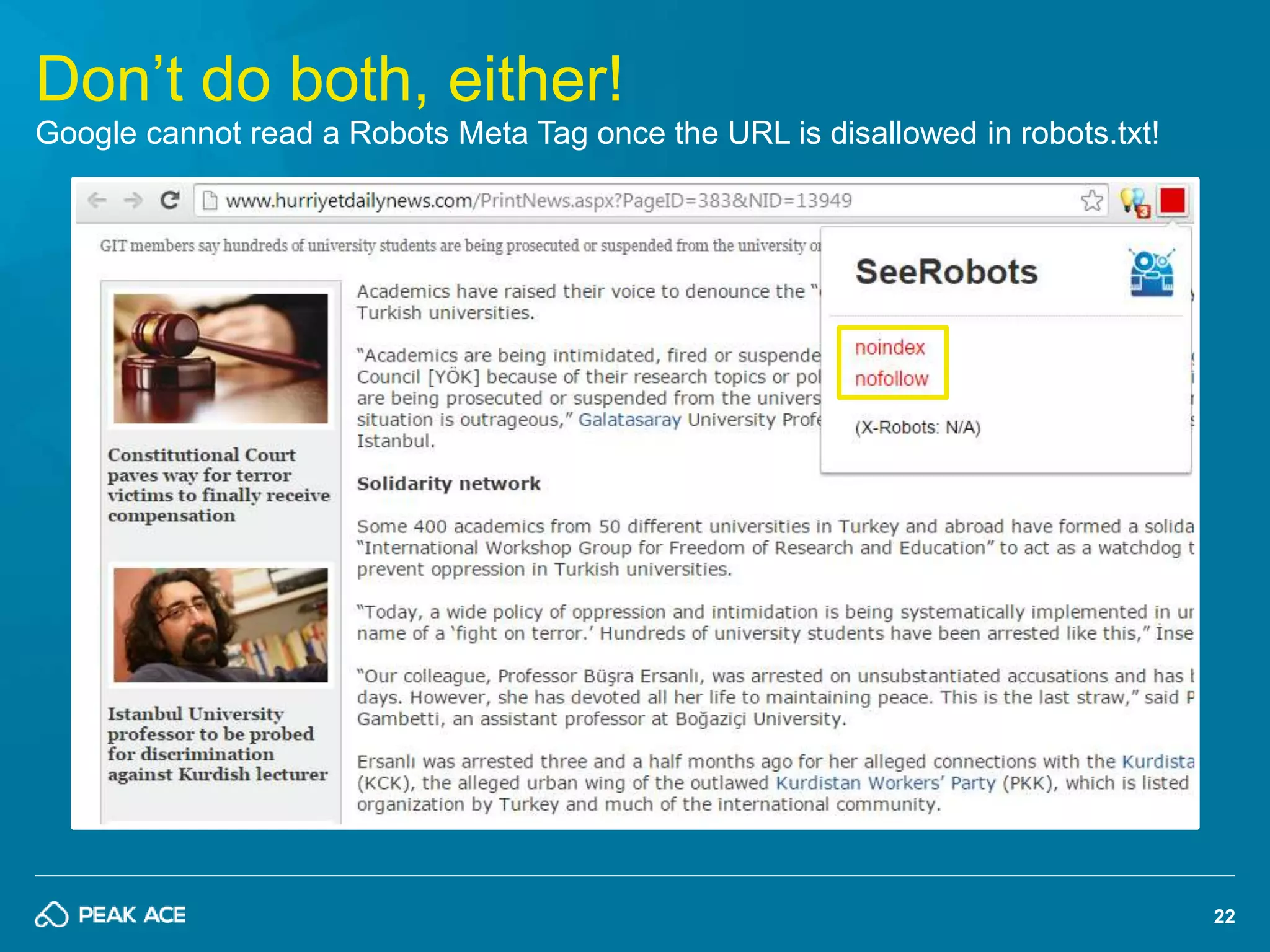
Don’t do both, either! 
Google cannot read a Robots Meta Tag once the URL is disallowed in robots.txt!
23 
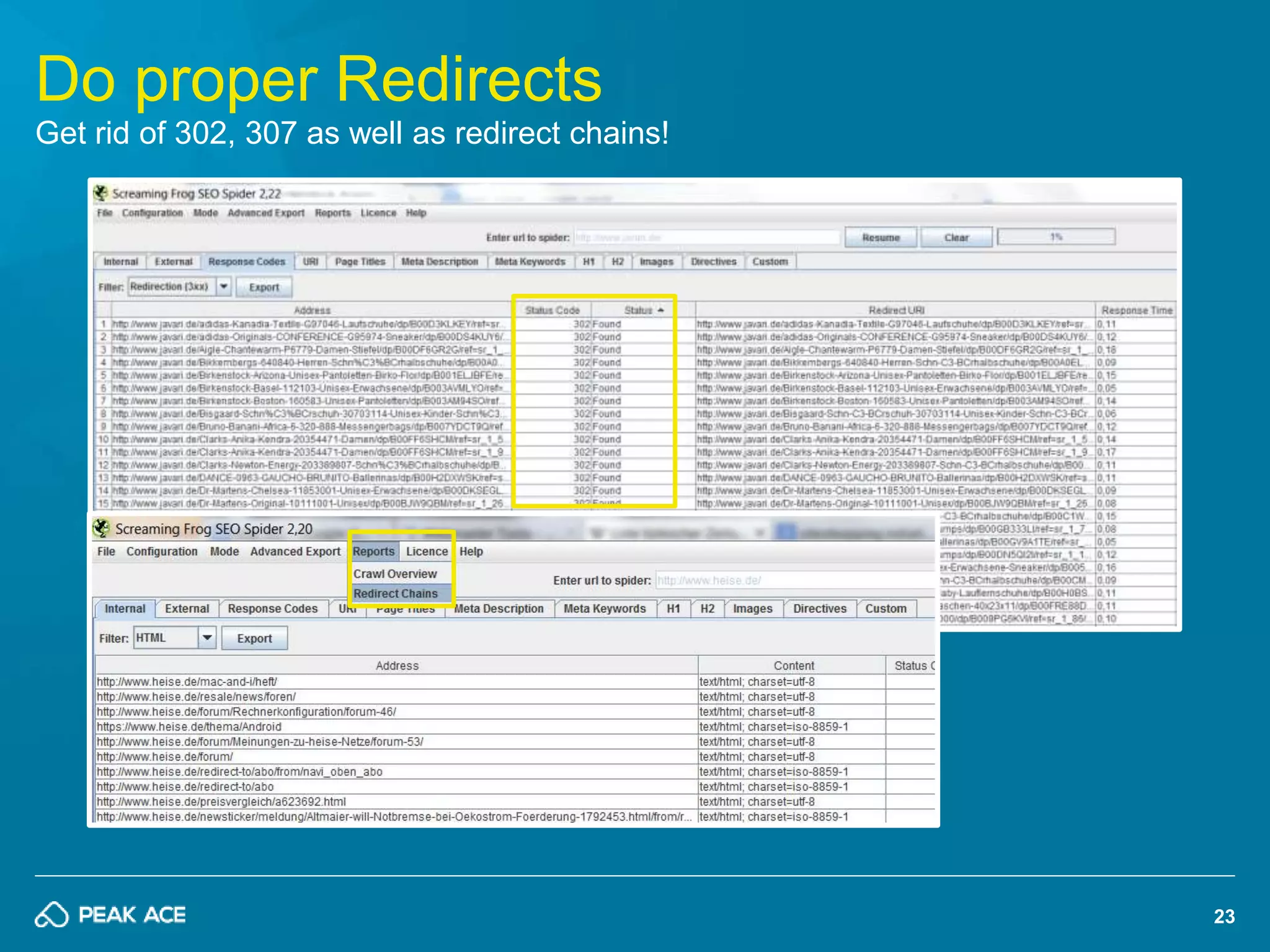
Do proper Redirects 
Get rid of 302, 307 as well as redirect chains!
24 
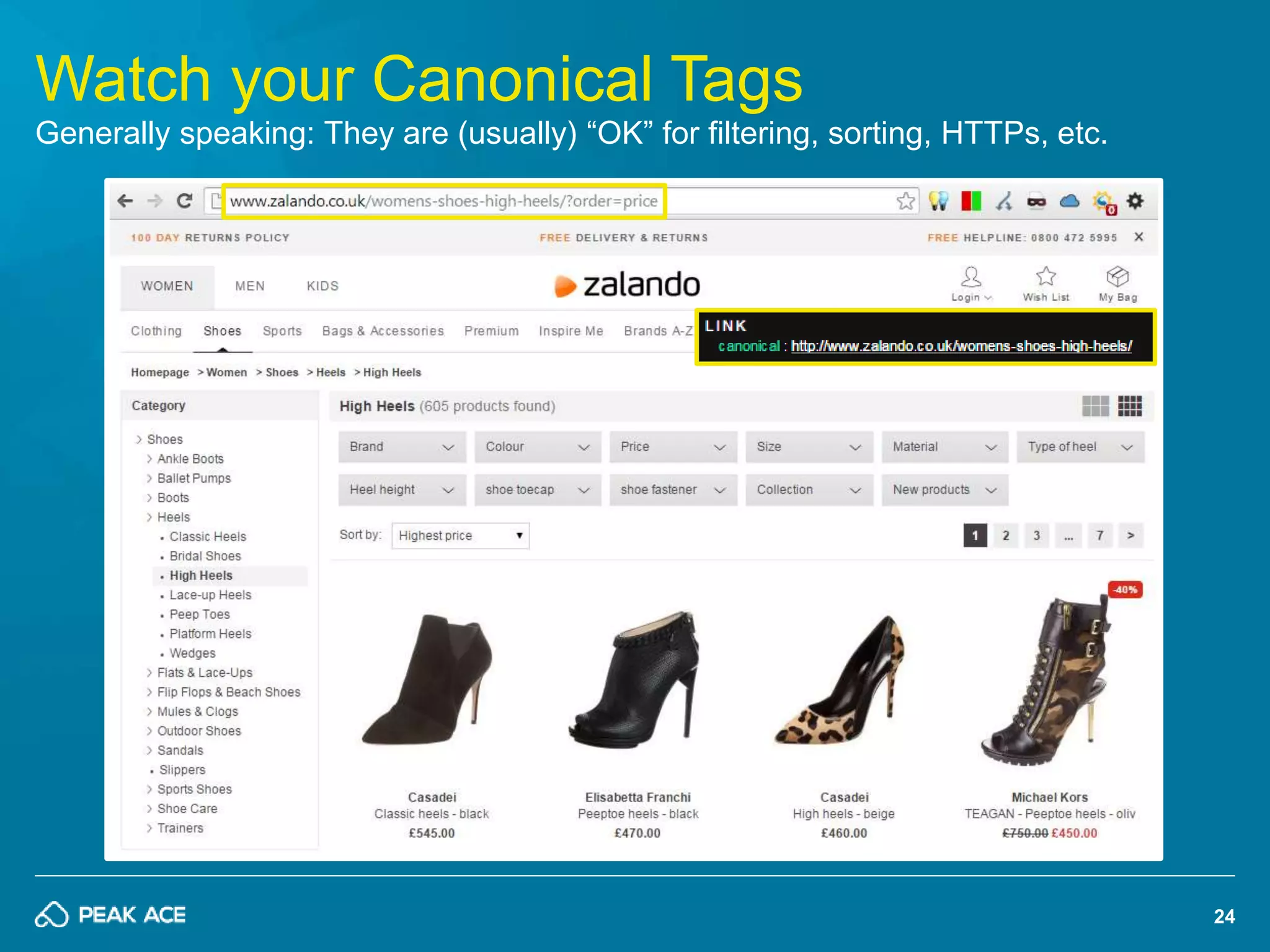
Watch your Canonical Tags 
Generally speaking: They are (usually) “OK” for filtering, sorting, HTTPs, etc.
25 
Google might ignore Canonicals…! 
Don’t use Canonicals as excuse for poor architecture; do 301’s whenever possible! 
Is rel="canonical" a hint or a directive? 
It's a hint that we honor strongly. We'll 
take your preference into account, in 
conjunction with other signals, when 
calculating the most relevant page […] 
Full story: http://pa.ag/1FxYZEd
26 
On-Page Auditing Tools 
Architecture: Crawling, Headers, Redirects, etc.
27 
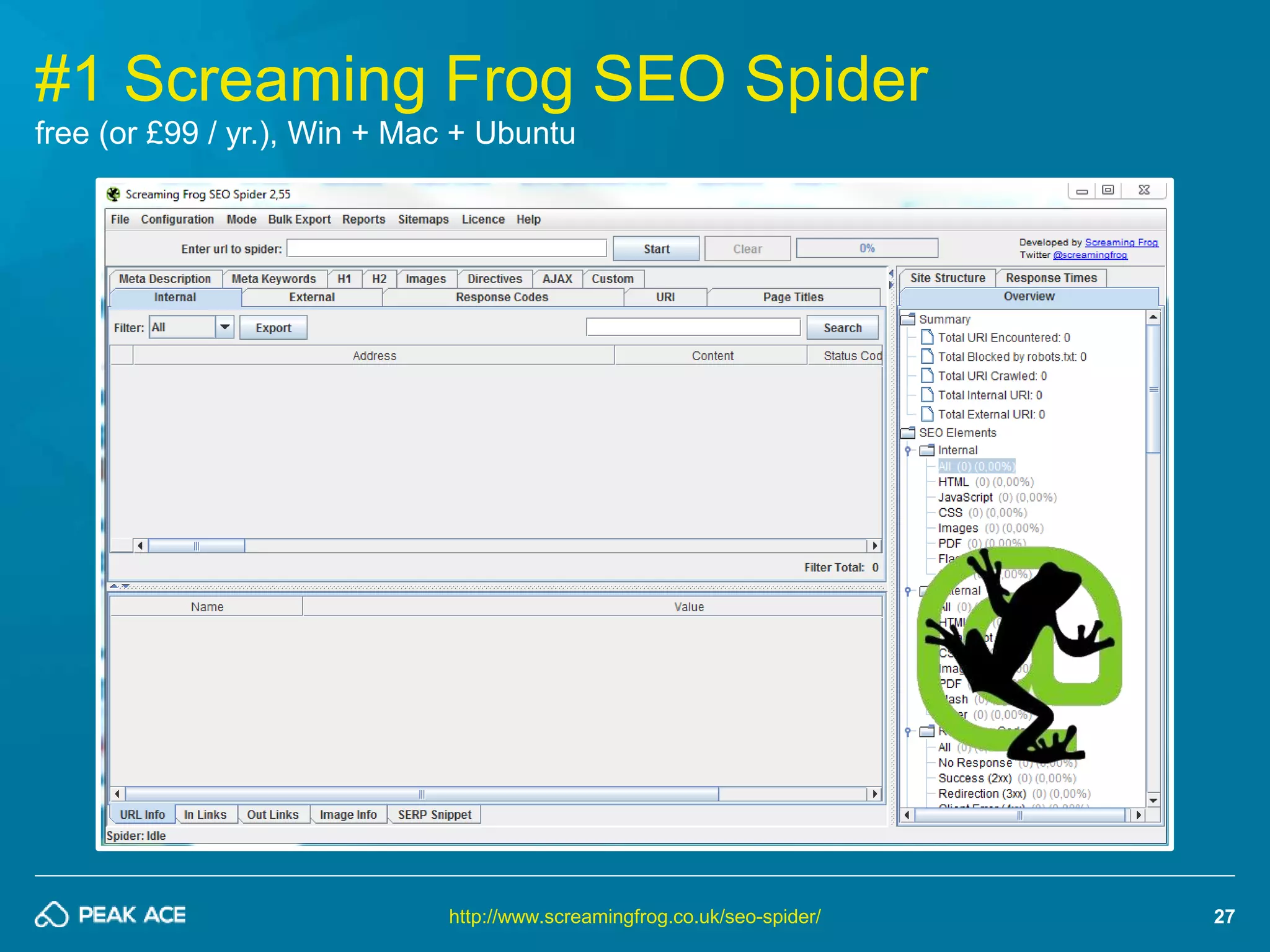
#1 Screaming Frog SEO Spider 
free (or £99 / yr.), Win + Mac + Ubuntu 
http://www.screamingfrog.co.uk/seo-spider/
28 
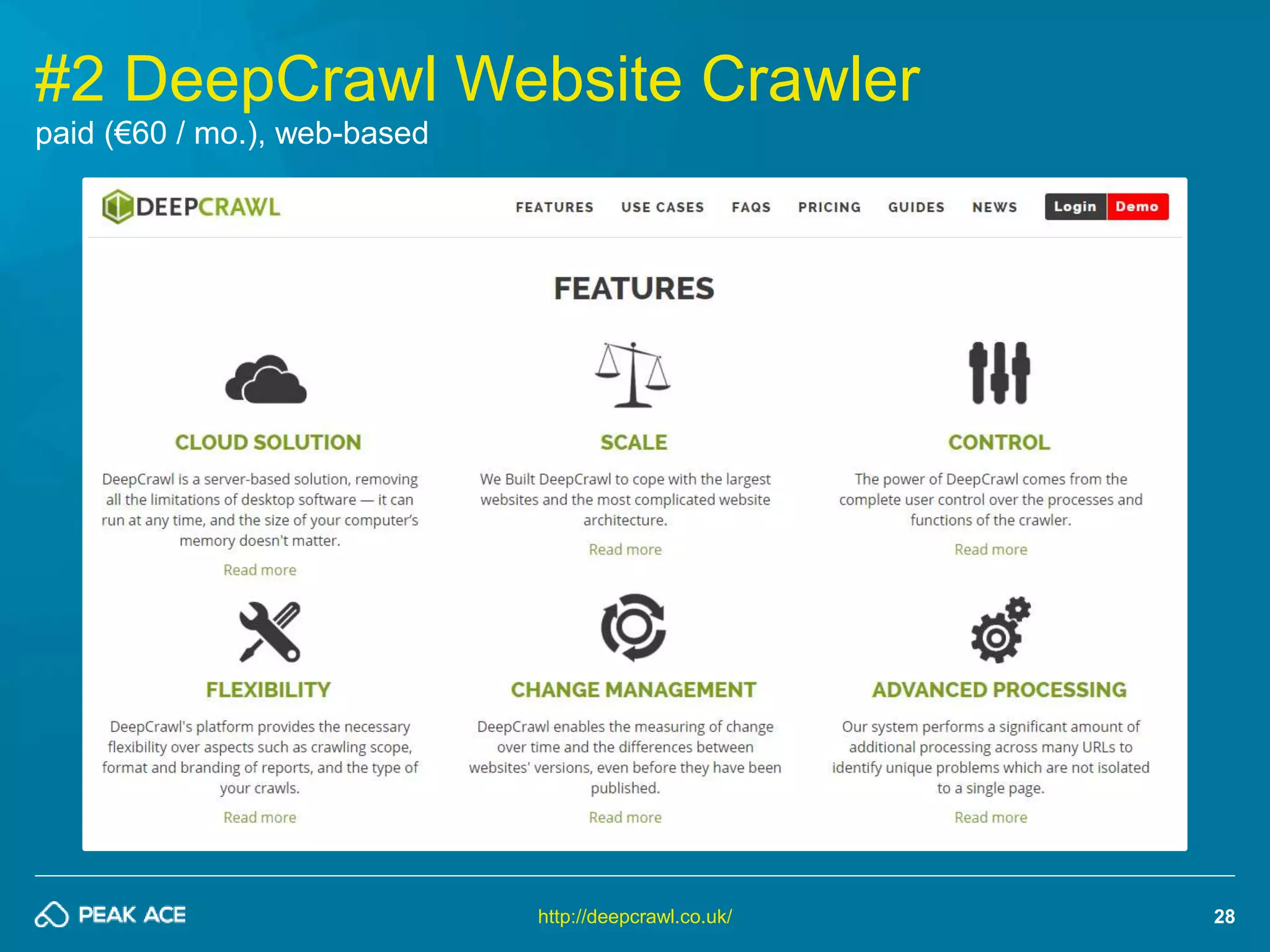
#2 DeepCrawl Website Crawler 
http://deepcrawl.co.uk/ 
paid (€60 / mo.), web-based
29 
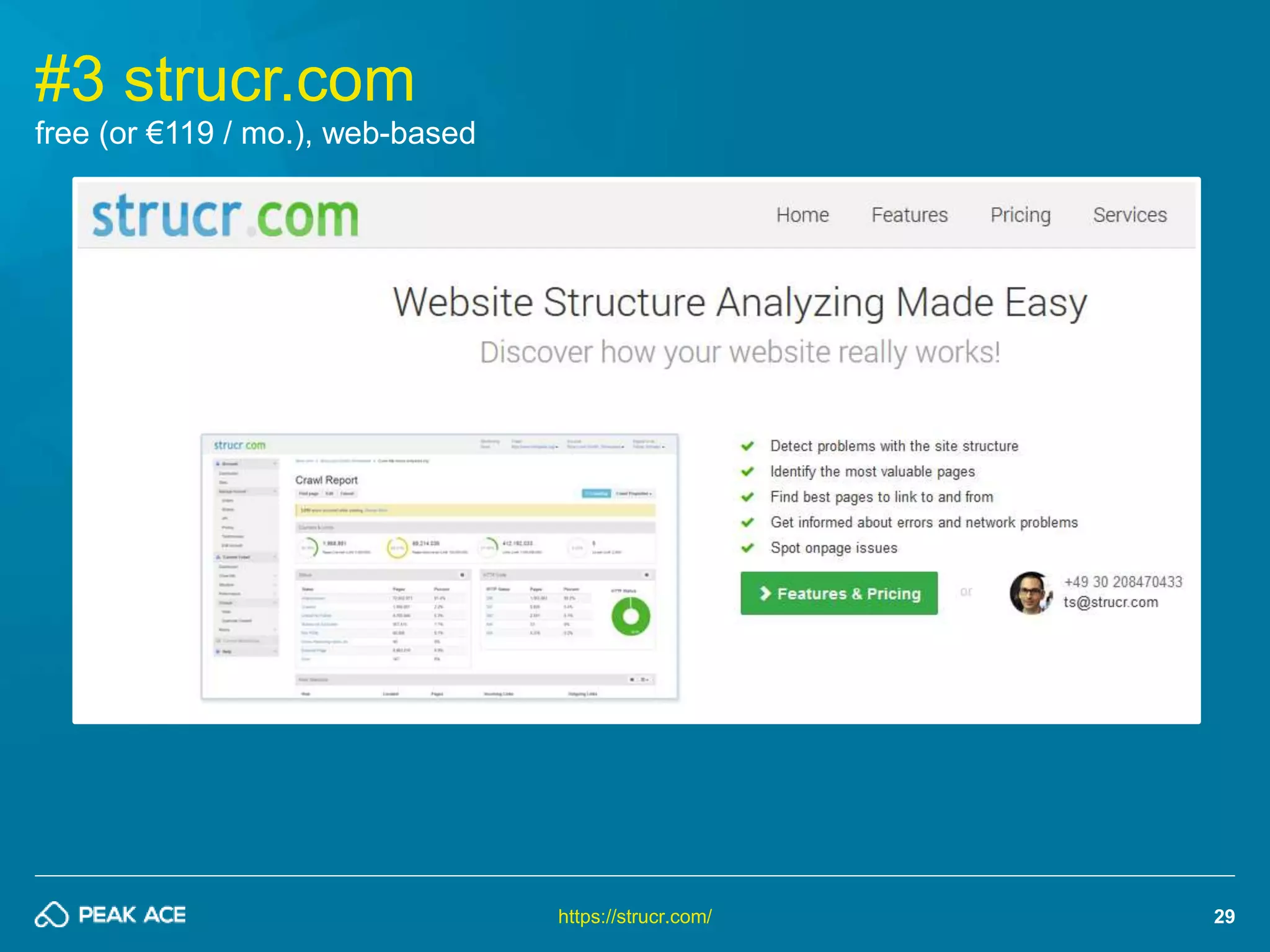
#3 strucr.com 
https://strucr.com/ 
free (or €119 / mo.), web-based
30 
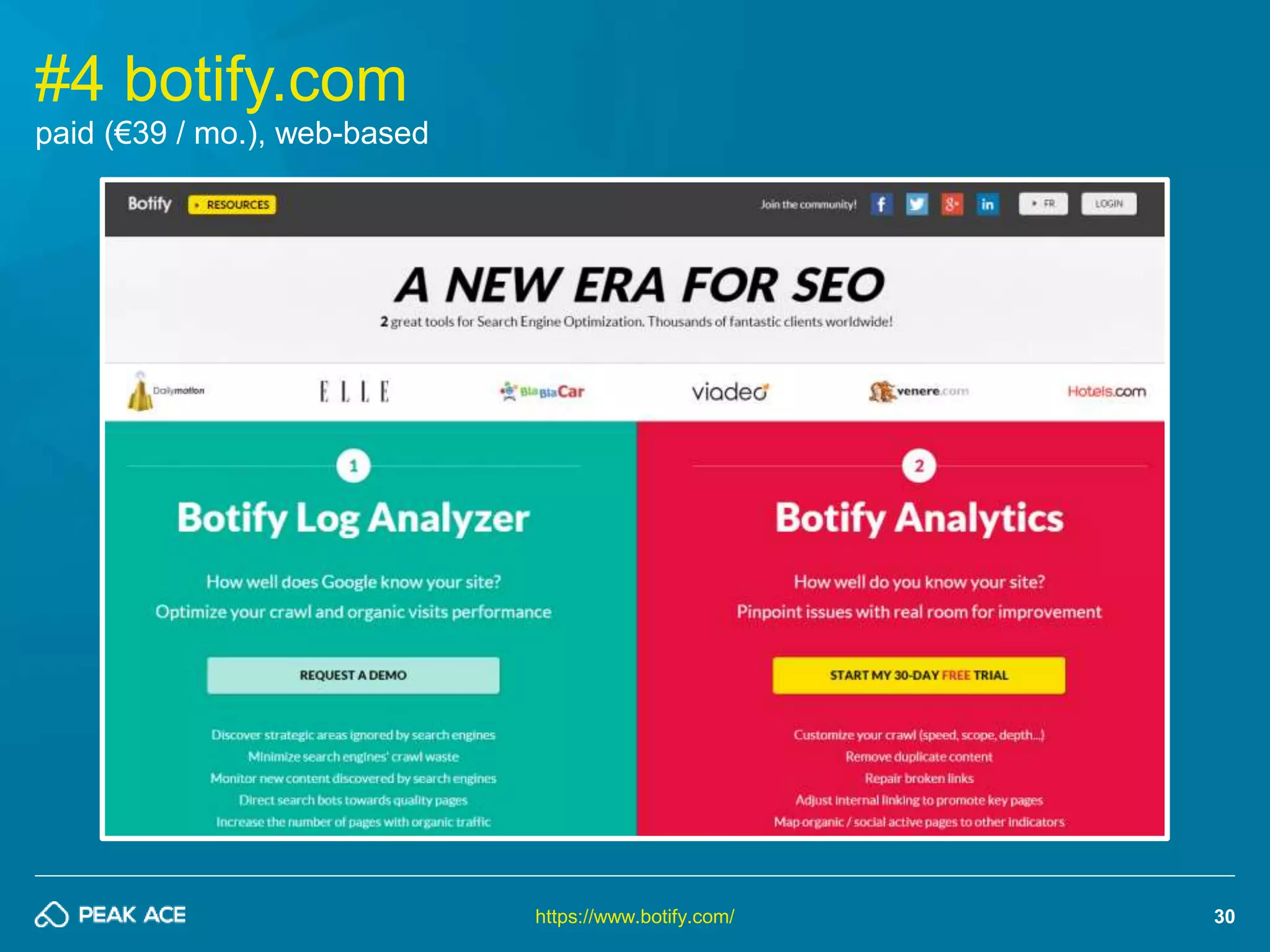
#4 botify.com 
https://www.botify.com/ 
paid (€39 / mo.), web-based
31 
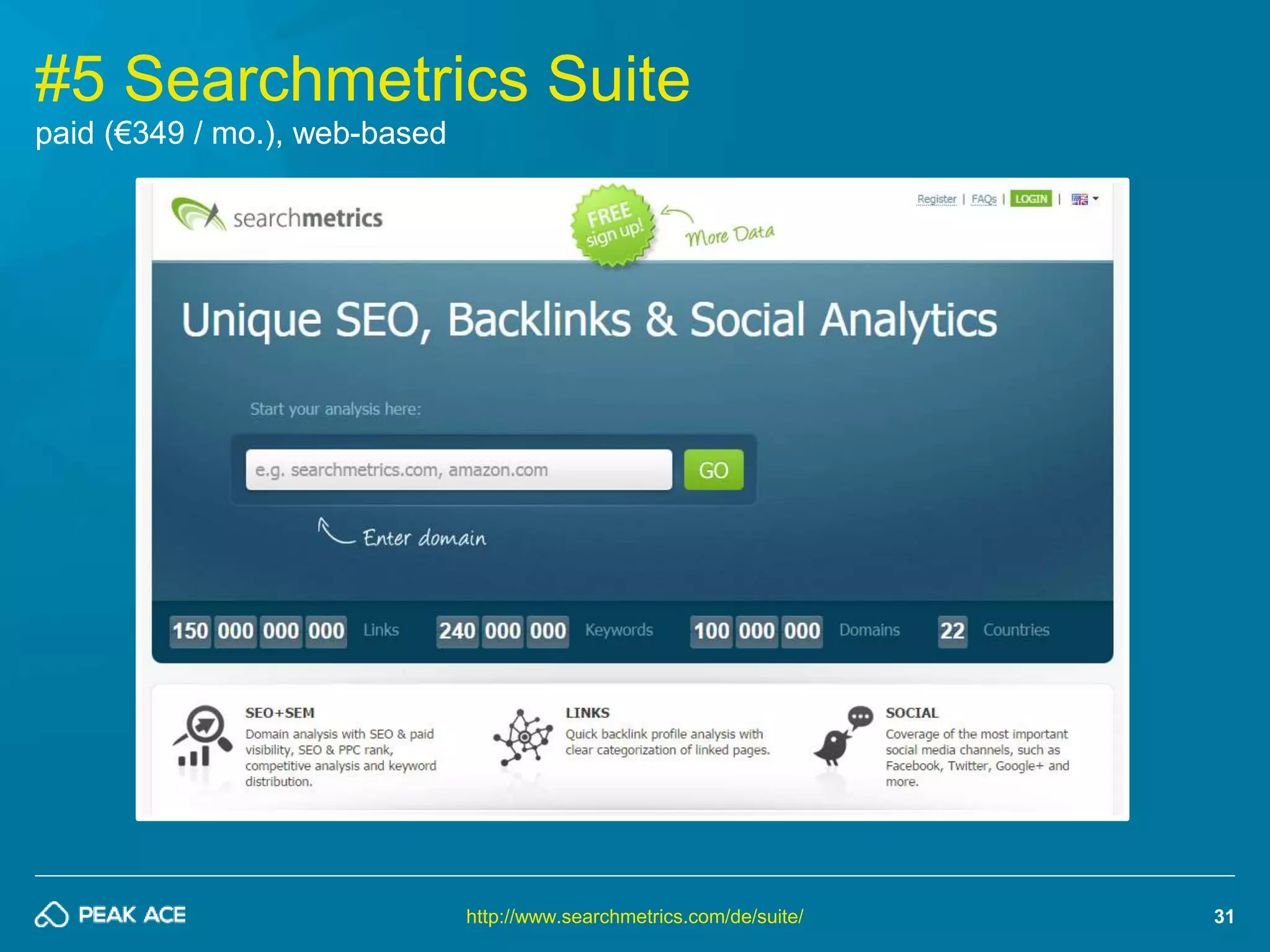
#5 Searchmetrics Suite 
http://www.searchmetrics.com/de/suite/ 
paid (€349 / mo.), web-based
32 
Performance Auditing 
It’s all about site speed!
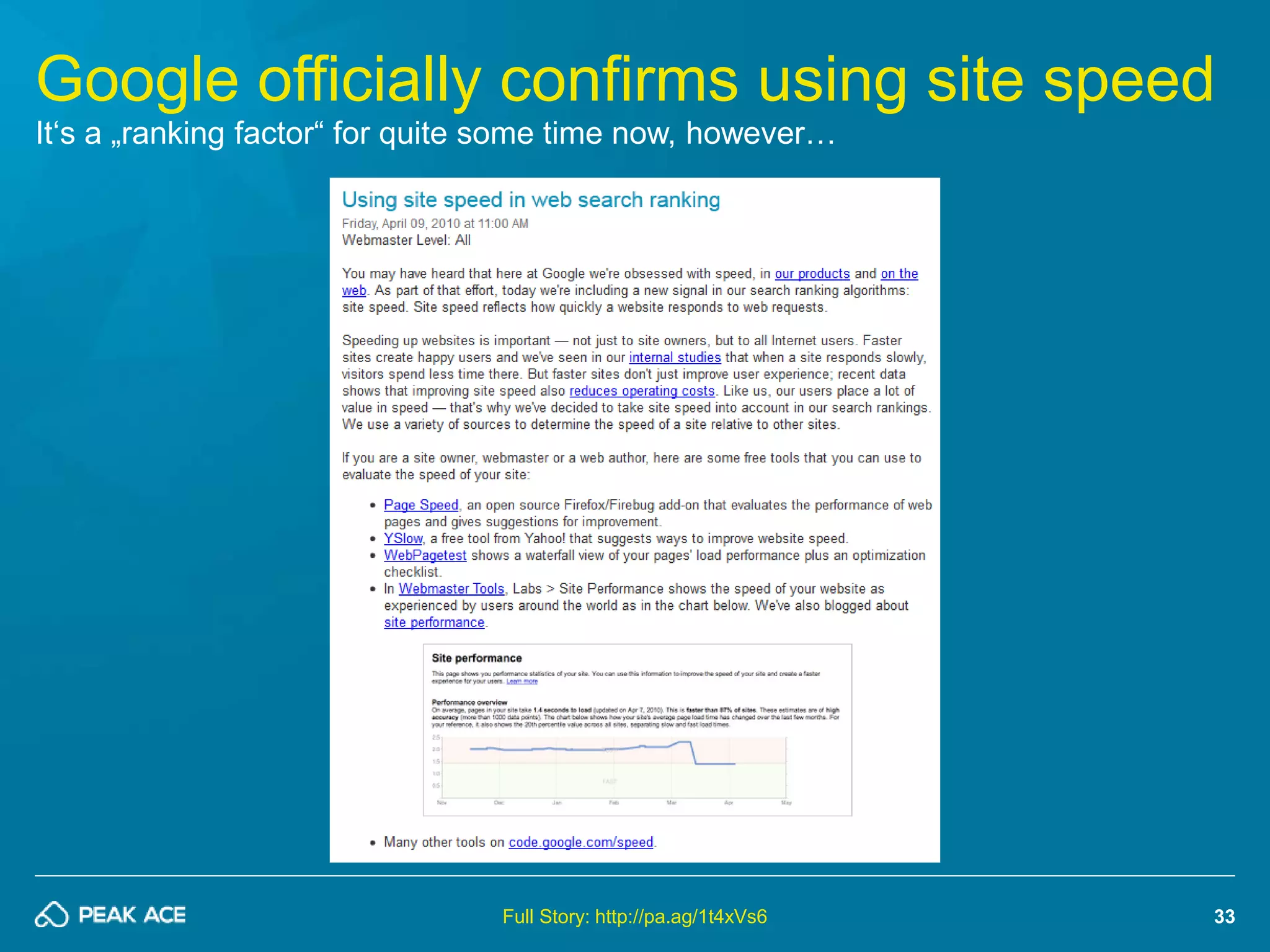
Google officially confirms using site speed 
33 
It‘s a „ranking factor“ for quite some time now, however… 
Full Story: http://pa.ag/1t4xVs6
34 
It really is more a benefit for your users 
But nevertheless it helps in crawling sites as well… 
“We encourage you to start looking at 
your site's speed - not only to improve 
your ranking in search engines, but 
also to improve everyone's experience 
on the internet.” 
- Amit Singhal & Matt Cutts, Google Search Quality Team 
Full Story: http://pa.ag/1t4xVs6
35 
Site owners did listen to Google 
The top-3 results are way faster than it’s competitors 
Source: Searchmetrics Ranking Factors 2014 (US) - http://pa.ag/10cZuU2
36 
Start with Google PageSpeed Insights 
It‘s a free, web-based tool to „score“ your site against a set of rules / best-practices 
https://developers.google.com/speed/pagespeed/insights/
37 
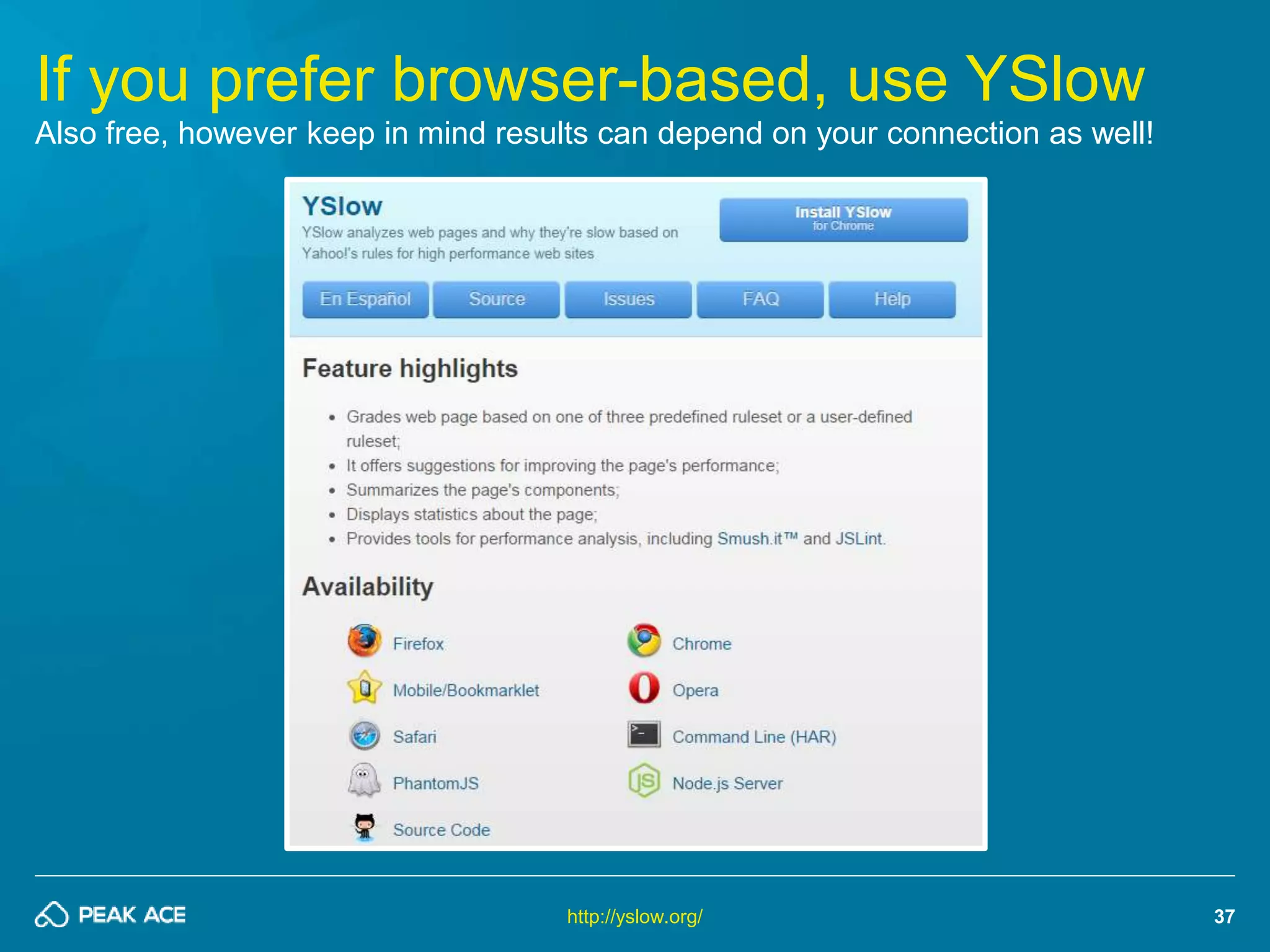
If you prefer browser-based, use YSlow 
Also free, however keep in mind results can depend on your connection as well! 
http://yslow.org/
38 
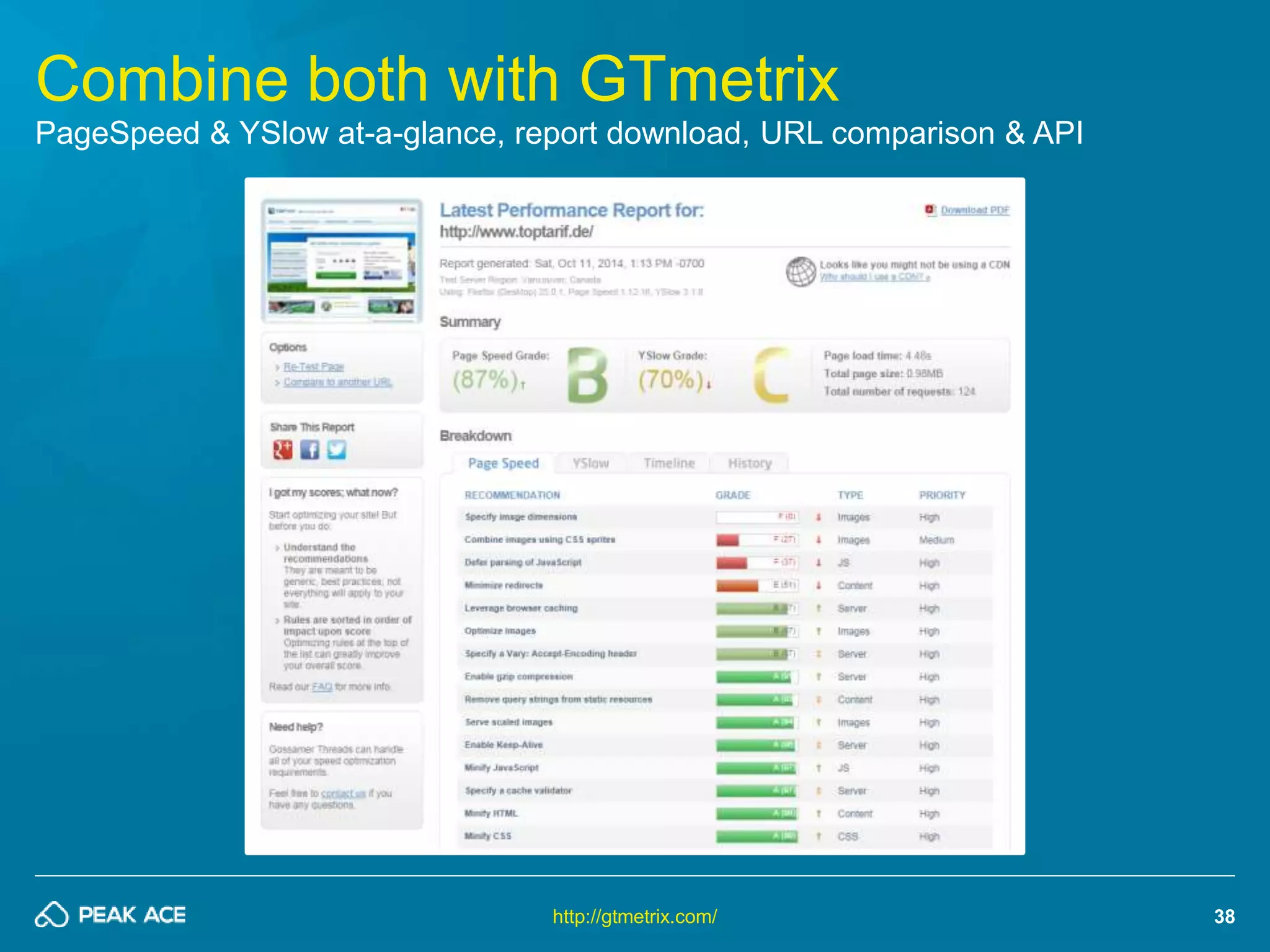
Combine both with GTmetrix 
PageSpeed & YSlow at-a-glance, report download, URL comparison & API 
http://gtmetrix.com/
39 
ANOTHER TOP-5 TIPS 
HOW TO MAKE YOUR SITE REALLY FAST!
40 
#1 Reduce no. of requests 
As few HTTP connections as possible!
41 
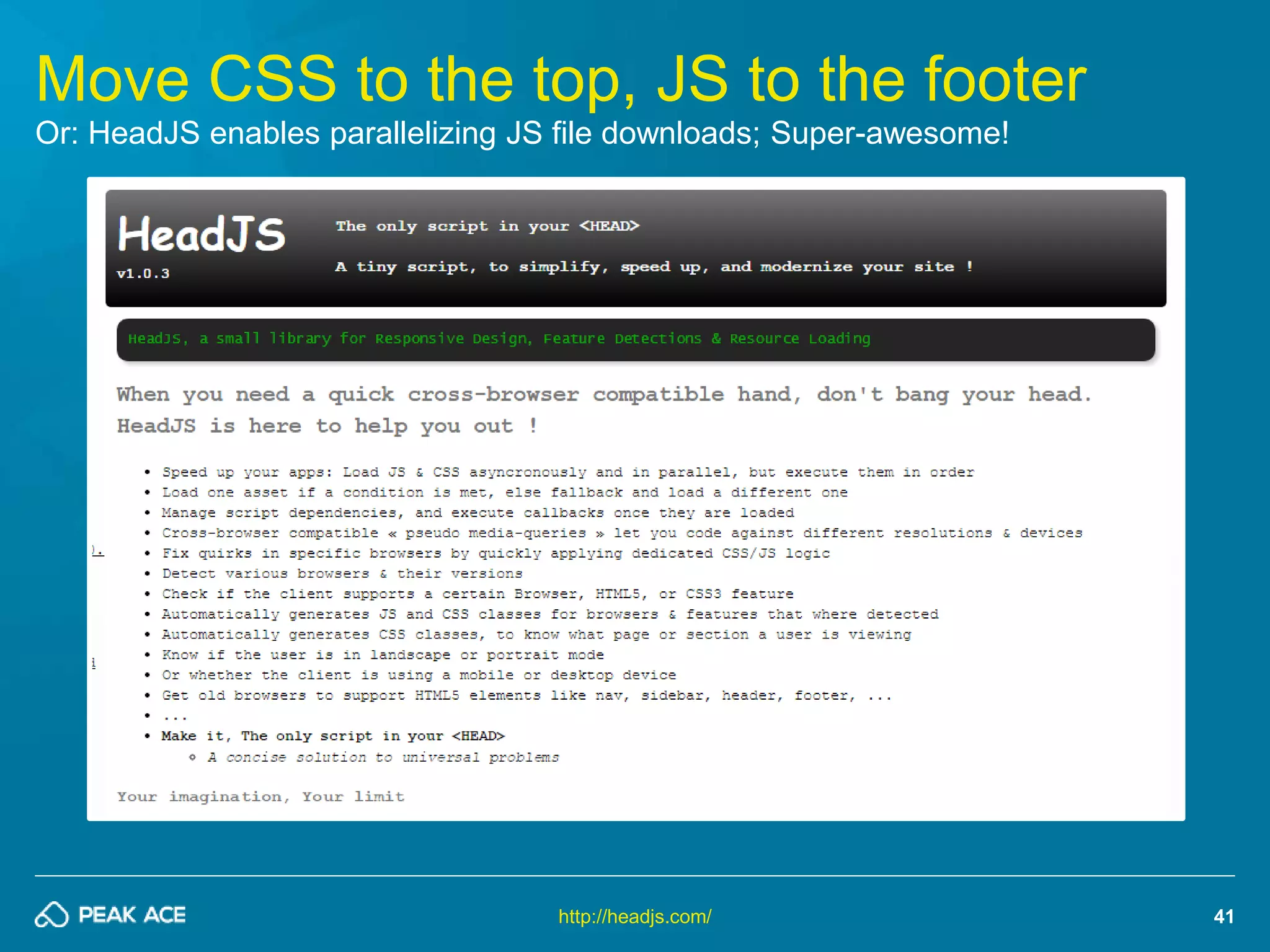
Move CSS to the top, JS to the footer 
Or: HeadJS enables parallelizing JS file downloads; Super-awesome! 
http://headjs.com/
42 
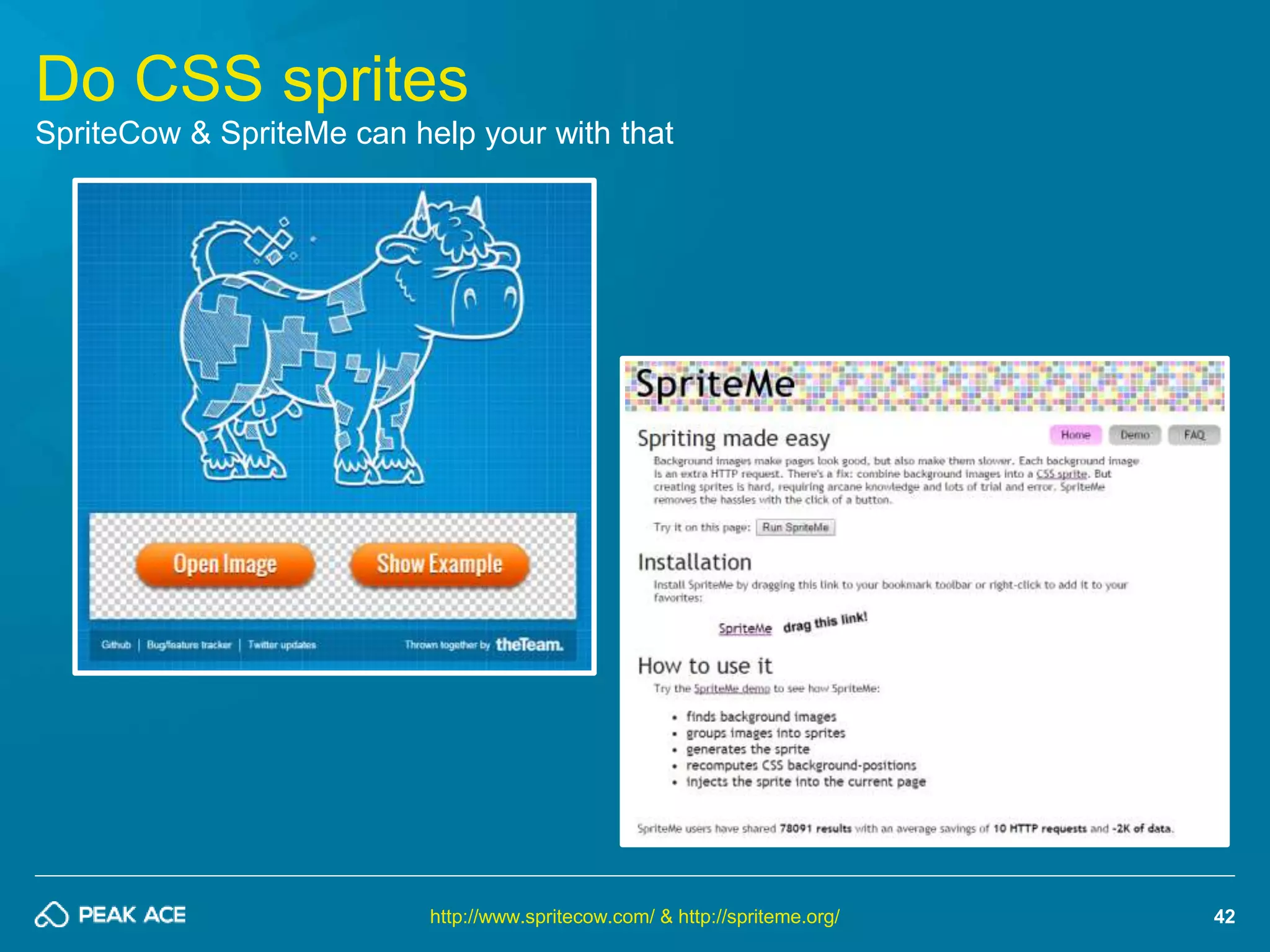
Do CSS sprites 
SpriteCow & SpriteMe can help your with that 
http://www.spritecow.com/ & http://spriteme.org/
43 
#2 Decrease size of requests 
The smaller the file, the faster it loads!
44 
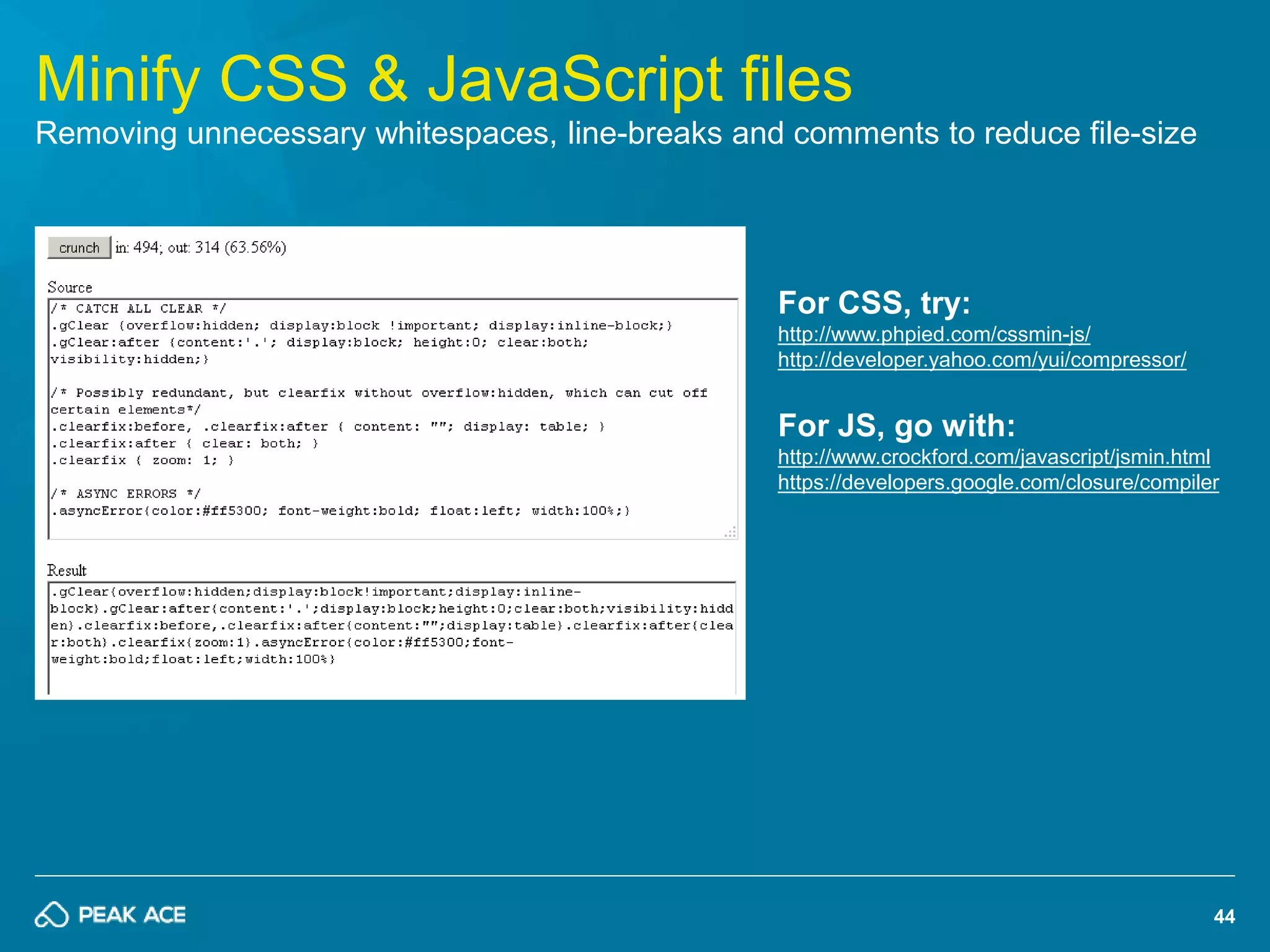
Minify CSS & JavaScript files 
Removing unnecessary whitespaces, line-breaks and comments to reduce file-size 
For CSS, try: 
http://www.phpied.com/cssmin-js/ 
http://developer.yahoo.com/yui/compressor/ 
For JS, go with: 
http://www.crockford.com/javascript/jsmin.html 
https://developers.google.com/closure/compiler
45 
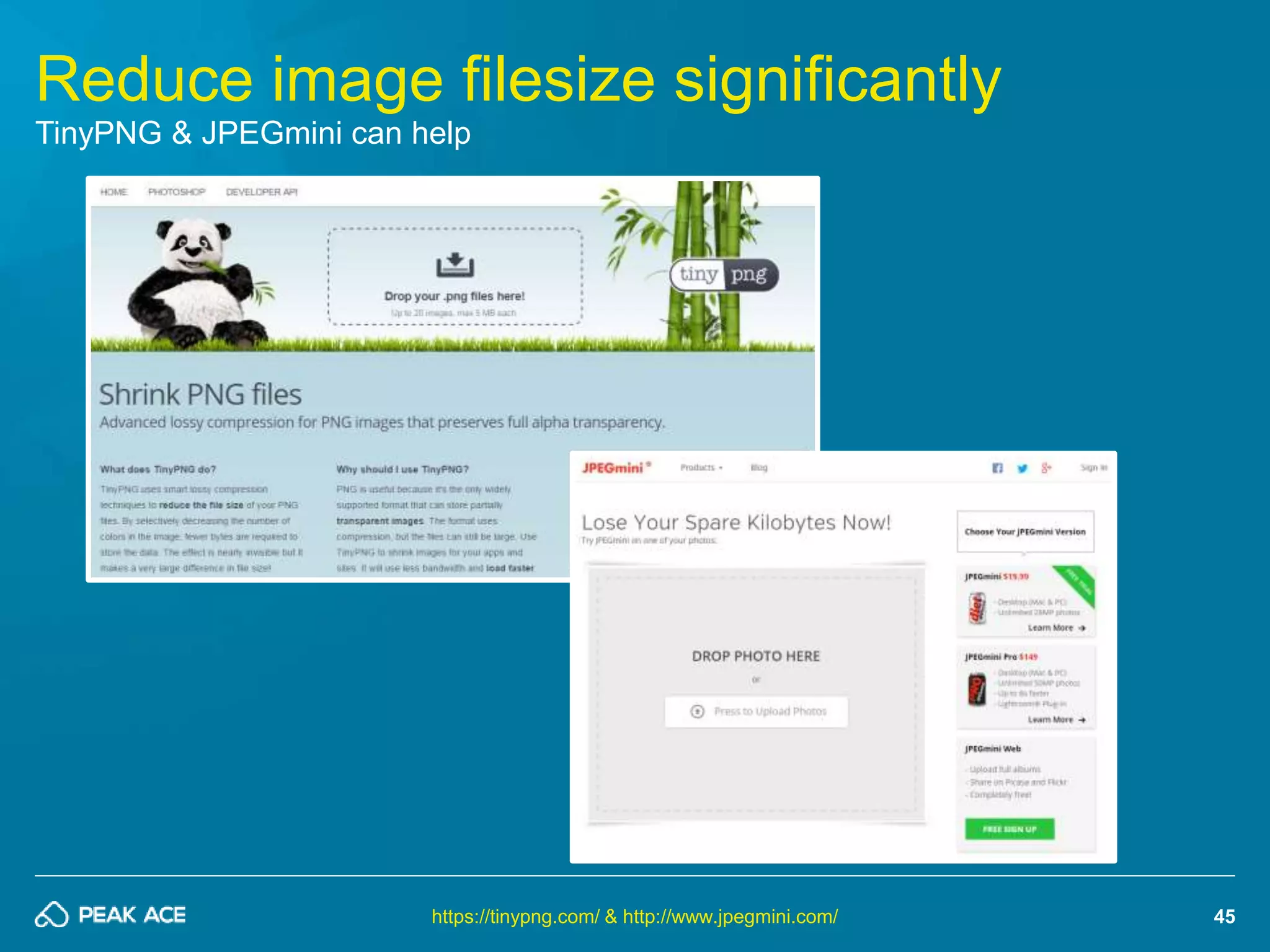
Reduce image filesize significantly 
TinyPNG & JPEGmini can help 
https://tinypng.com/ & http://www.jpegmini.com/
46 
Enable GZIP compression 
Output compression massively decreases size and therefore speeds up rendering 
On Apache, try “mod_deflate” which is straight forward: 
AddOutputFilterByType DEFLATE text/html text/plain 
text/xml 
http://www.gzip.org/ & http://pa.ag/1t4DGpH
#3 Implement proper caching 
47 
Only transfer files when really necessary!
ASK YOUR IT GUYS! 
THEY WILL KNOW HOW TO DO IT 
Image Source: podbean.com
49 
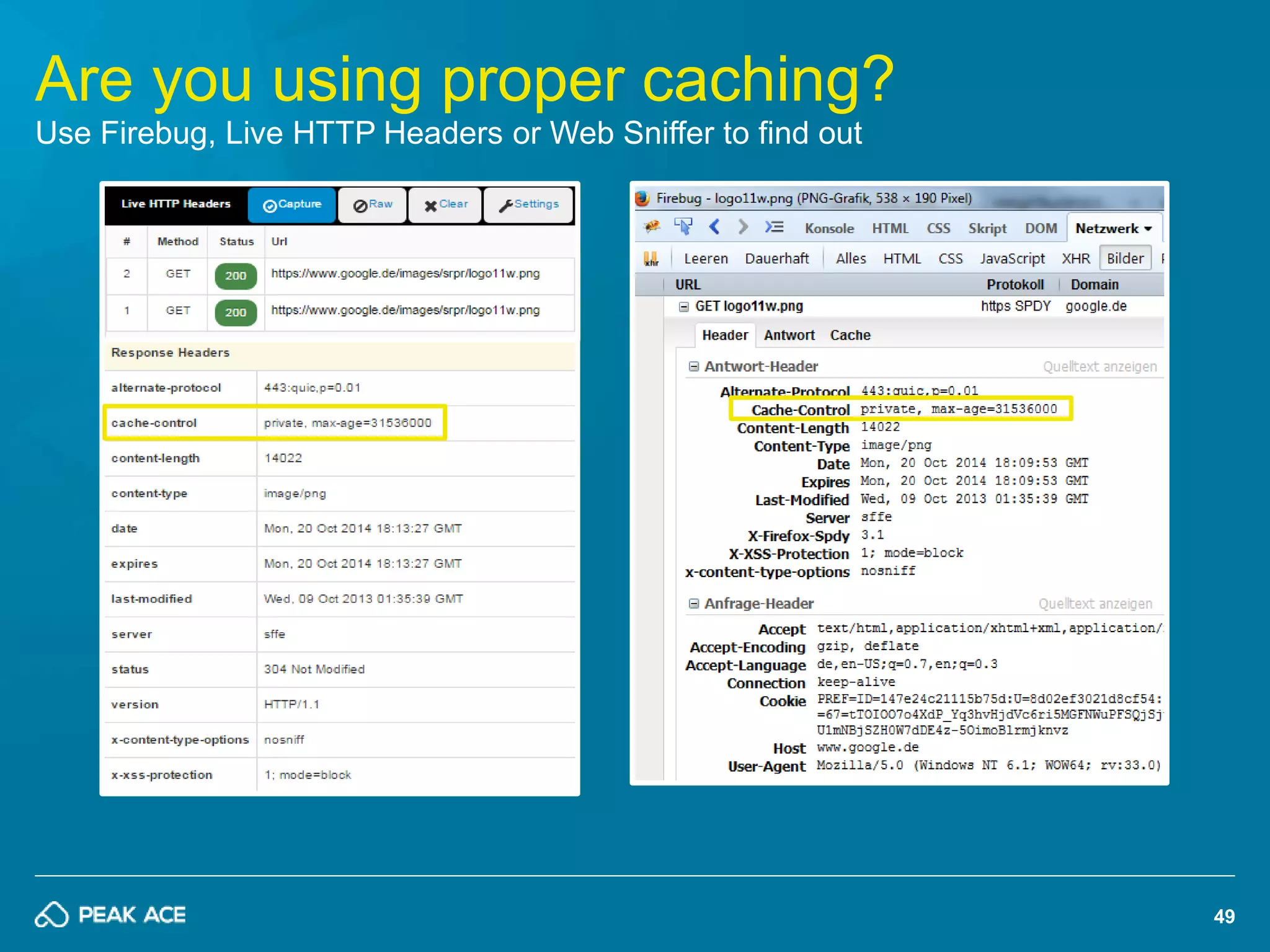
Are you using proper caching? 
Use Firebug, Live HTTP Headers or Web Sniffer to find out
50 
#4 Clean-up your HTML 
Get rid of everything that bloats up the source!
51 
Optimize your Mark-Up 
The HTML you’re serving should be as small as possible! 
 There is no need for HTML comments on a live system – remove 
them during build-time (e.g. with Apache ANT) 
 Move inline CSS / JS to external files – you want your HTML to 
be as small as possible 
 Don’t use @import in CSS – it makes it impossible for browsers 
to download in parallel 
 Don’t scale using width / height – smaller images means less 
file-size. Always provide images in proper dimensions. 
 Do async loading whenever possible: Non-SEO images or your 
social buttons must not block your site’s rendering
52 
#5 The server-side 
Hosting, database, webserver & more
53 
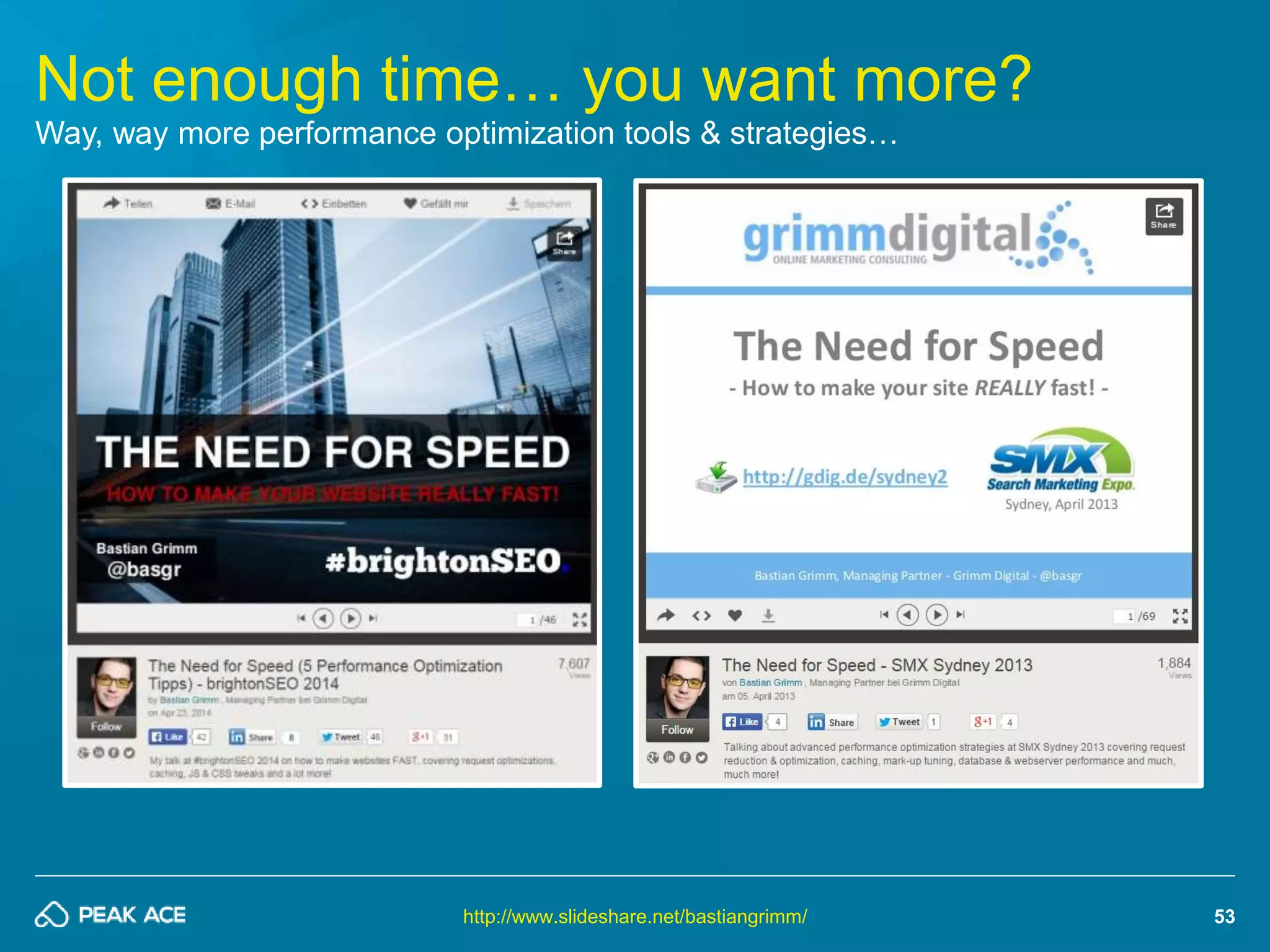
Not enough time… you want more? 
Way, way more performance optimization tools & strategies… 
http://www.slideshare.net/bastiangrimm/
54 
ITS NO ROCKET SCIENCE 
PLEASE DON‘T USE TOOLS WITHOUT QUESTIONING THEM!
55 
WE ARE HIRING: pa.ag/ace-jobs 
10+ Openings in PPC, SEO as well as Content & Online PR in Berlin! 
http://pa.ag/ace-jobs
56 
Your turn! Questions? 
 bg@peakace.de 
 twitter.com/peakaceag 
 facebook.com/peakaceag 
 www.peakace.de 
http://pa.ag/seozone14

Technical SEO: Crawl Space Management - SEOZone Istanbul 2014

  • 1.
    1 TECHNICAL SEO BECOMING THE WORLDS BEST CRAWLED DOMAIN! Bastian Grimm, VP Organic Search, Peak Ace AG | @basgr
  • 2.
    2 Presentation Download: http://pa.ag/seozone14
  • 3.
    3 LETS TALKABOUT SPACE! BEAUTIFUL, ISN‘T IT? Source: http://bit.ly/1iT6JSk
  • 4.
    4 CRAWLSPACE THEMOST IMPORTANT THING IN TECHNICAL SEO! Source: http://bit.ly/1iT6JSk
  • 5.
    5 WHAT ISCRAWLSPACE? ACCESSIBILITY, EFFICIENCY, PRIORITY & SPEED! Source: http://bit.ly/1iT6JSk
  • 6.
    6 But why… … do search engines love efficient, easily accessible sites for crawling?
  • 7.
    7 Starting withGoogle Webmaster Tools GWT > Crawl > Crawl Stats https://www.google.com/webmasters/tools
  • 8.
    8 Efficient vs.non-efficient Domains Maximum unique pages, (almost) no duplicates, all contents crawlable, etc. http://www.deepcrawl.co.uk/
  • 9.
  • 10.
    10 #1 Properarchitecture Use no. of links & link depth to control crawlers
  • 11.
    THE MOST IMPORTANTTHING? YOUR HOMEPAGE! ALL CONTENTS MAX. 3-4 CLICKS AWAY! 11
  • 12.
    Prioritize based onSearch Volume Searchers demand to create hierarchy: Homepage > Categories > … > Detail pages 12 More keyword research: http://bg.vu/sesldn14
  • 13.
    webcache.googleusercontent.com/search?q=cache:www.domain.com&strip=1 13 Makesure your links are “readable” Give it a try and disable JavaScript as well as CSS http://chrispederick.com/work/web-developer/ & http://www.feedthebot.com/spiderview.html
  • 14.
    14 #2 Havethe “right” links Make sure to get the best internal links for each and every sub-page!
  • 15.
    15 Implement Breadcrumbs The “proper” link and most-valuable anchor-text – all the time! https://schema.org/breadcrumb
  • 16.
    16 Consider ContextualRelevance People who bought product X also bought products Y & Z
  • 17.
    17 Also dosemantically related Linking For content X we also have related articles Y & Z easy advanced
  • 18.
    18 “SEO SpecialInterest” also needs Links Seasonal keywords or quick wins (e.g. page 2 > 1 movements)
  • 19.
    19 #3 DoCrawler Control Care about which pages you put into the index and more importantly how you do that!
  • 20.
    20 Meta RobotsTag vs. Robots.txt What are the key differences? <meta name="robots" content="noindex, follow" />  Pages will be crawled  Pages won’t be indexed  Pages won’t show up in search results User-Agent: * Disallow: /some-page.html  Pages won’t be crawled  URLs will “partially” be indexed  URLs will show up in search results
  • 21.
    21 URL patternhas been robots.txt’ed out But Google still shows a reference in their search results
  • 22.
    22 Don’t doboth, either! Google cannot read a Robots Meta Tag once the URL is disallowed in robots.txt!
  • 23.
    23 Do properRedirects Get rid of 302, 307 as well as redirect chains!
  • 24.
    24 Watch yourCanonical Tags Generally speaking: They are (usually) “OK” for filtering, sorting, HTTPs, etc.
  • 25.
    25 Google mightignore Canonicals…! Don’t use Canonicals as excuse for poor architecture; do 301’s whenever possible! Is rel="canonical" a hint or a directive? It's a hint that we honor strongly. We'll take your preference into account, in conjunction with other signals, when calculating the most relevant page […] Full story: http://pa.ag/1FxYZEd
  • 26.
    26 On-Page AuditingTools Architecture: Crawling, Headers, Redirects, etc.
  • 27.
    27 #1 ScreamingFrog SEO Spider free (or £99 / yr.), Win + Mac + Ubuntu http://www.screamingfrog.co.uk/seo-spider/
  • 28.
    28 #2 DeepCrawlWebsite Crawler http://deepcrawl.co.uk/ paid (€60 / mo.), web-based
  • 29.
    29 #3 strucr.com https://strucr.com/ free (or €119 / mo.), web-based
  • 30.
    30 #4 botify.com https://www.botify.com/ paid (€39 / mo.), web-based
  • 31.
    31 #5 SearchmetricsSuite http://www.searchmetrics.com/de/suite/ paid (€349 / mo.), web-based
  • 32.
    32 Performance Auditing It’s all about site speed!
  • 33.
    Google officially confirmsusing site speed 33 It‘s a „ranking factor“ for quite some time now, however… Full Story: http://pa.ag/1t4xVs6
  • 34.
    34 It reallyis more a benefit for your users But nevertheless it helps in crawling sites as well… “We encourage you to start looking at your site's speed - not only to improve your ranking in search engines, but also to improve everyone's experience on the internet.” - Amit Singhal & Matt Cutts, Google Search Quality Team Full Story: http://pa.ag/1t4xVs6
  • 35.
    35 Site ownersdid listen to Google The top-3 results are way faster than it’s competitors Source: Searchmetrics Ranking Factors 2014 (US) - http://pa.ag/10cZuU2
  • 36.
    36 Start withGoogle PageSpeed Insights It‘s a free, web-based tool to „score“ your site against a set of rules / best-practices https://developers.google.com/speed/pagespeed/insights/
  • 37.
    37 If youprefer browser-based, use YSlow Also free, however keep in mind results can depend on your connection as well! http://yslow.org/
  • 38.
    38 Combine bothwith GTmetrix PageSpeed & YSlow at-a-glance, report download, URL comparison & API http://gtmetrix.com/
  • 39.
    39 ANOTHER TOP-5TIPS HOW TO MAKE YOUR SITE REALLY FAST!
  • 40.
    40 #1 Reduceno. of requests As few HTTP connections as possible!
  • 41.
    41 Move CSSto the top, JS to the footer Or: HeadJS enables parallelizing JS file downloads; Super-awesome! http://headjs.com/
  • 42.
    42 Do CSSsprites SpriteCow & SpriteMe can help your with that http://www.spritecow.com/ & http://spriteme.org/
  • 43.
    43 #2 Decreasesize of requests The smaller the file, the faster it loads!
  • 44.
    44 Minify CSS& JavaScript files Removing unnecessary whitespaces, line-breaks and comments to reduce file-size For CSS, try: http://www.phpied.com/cssmin-js/ http://developer.yahoo.com/yui/compressor/ For JS, go with: http://www.crockford.com/javascript/jsmin.html https://developers.google.com/closure/compiler
  • 45.
    45 Reduce imagefilesize significantly TinyPNG & JPEGmini can help https://tinypng.com/ & http://www.jpegmini.com/
  • 46.
    46 Enable GZIPcompression Output compression massively decreases size and therefore speeds up rendering On Apache, try “mod_deflate” which is straight forward: AddOutputFilterByType DEFLATE text/html text/plain text/xml http://www.gzip.org/ & http://pa.ag/1t4DGpH
  • 47.
    #3 Implement propercaching 47 Only transfer files when really necessary!
  • 48.
    ASK YOUR ITGUYS! THEY WILL KNOW HOW TO DO IT Image Source: podbean.com
  • 49.
    49 Are youusing proper caching? Use Firebug, Live HTTP Headers or Web Sniffer to find out
  • 50.
    50 #4 Clean-upyour HTML Get rid of everything that bloats up the source!
  • 51.
    51 Optimize yourMark-Up The HTML you’re serving should be as small as possible!  There is no need for HTML comments on a live system – remove them during build-time (e.g. with Apache ANT)  Move inline CSS / JS to external files – you want your HTML to be as small as possible  Don’t use @import in CSS – it makes it impossible for browsers to download in parallel  Don’t scale using width / height – smaller images means less file-size. Always provide images in proper dimensions.  Do async loading whenever possible: Non-SEO images or your social buttons must not block your site’s rendering
  • 52.
    52 #5 Theserver-side Hosting, database, webserver & more
  • 53.
    53 Not enoughtime… you want more? Way, way more performance optimization tools & strategies… http://www.slideshare.net/bastiangrimm/
  • 54.
    54 ITS NOROCKET SCIENCE PLEASE DON‘T USE TOOLS WITHOUT QUESTIONING THEM!
  • 55.
    55 WE AREHIRING: pa.ag/ace-jobs 10+ Openings in PPC, SEO as well as Content & Online PR in Berlin! http://pa.ag/ace-jobs
  • 56.
    56 Your turn!Questions?  bg@peakace.de  twitter.com/peakaceag  facebook.com/peakaceag  www.peakace.de http://pa.ag/seozone14