Zero Touch Installations with
System Center Configuration
      Manager 2012
 Presented by Rhonda J. Layfield
         Copyright 2010
What We’ll Cover Today:
•   ConfigMgr Features
•   Installation
•   Create a ConfigMgr Site
•   Setup a ZTI OSD
ConfigMgr Features
•   Collect hardware and software and inventory
•   Deploy software applications
•   Deploy software updates
•   Provide network policies
•   Meter software usage
•   Specify desired configuration
•   Remotely control clients
•   Provide operating system deployments (OSD)
Installation
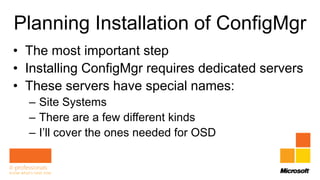
Planning Installation of ConfigMgr
• The most important step
• Installing ConfigMgr requires dedicated servers
• These servers have special names:
  – Site Systems
  – There are a few different kinds
  – I’ll cover the ones needed for OSD
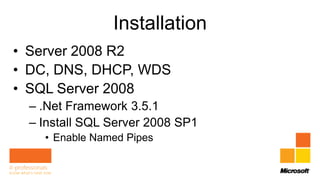
Installation
• Server 2008 R2
• DC, DNS, DHCP, WDS
• SQL Server 2008
  – .Net Framework 3.5.1
  – Install SQL Server 2008 SP1
    • Enable Named Pipes
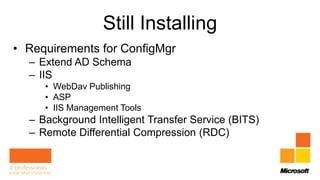
Still Installing
• Requirements for ConfigMgr
  – Extend AD Schema
  – IIS
     • WebDav Publishing
     • ASP
     • IIS Management Tools
  – Background Intelligent Transfer Service (BITS)
  – Remote Differential Compression (RDC)
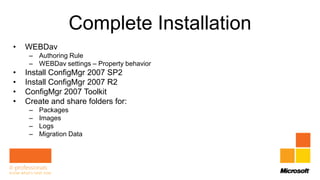
Complete Installation
•   WEBDav
     – Authoring Rule
     – WEBDav settings – Property behavior
•   Install ConfigMgr 2007 SP2
•   Install ConfigMgr 2007 R2
•   ConfigMgr 2007 Toolkit
•   Create and share folders for:
     –   Packages
     –   Images
     –   Logs
     –   Migration Data
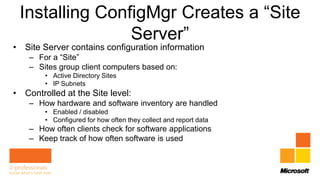
Installing ConfigMgr Creates a “Site
                Server”
• Site Server contains configuration information
    – For a “Site”
    – Sites group client computers based on:
        • Active Directory Sites
        • IP Subnets
• Controlled at the Site level:
    – How hardware and software inventory are handled
        • Enabled / disabled
        • Configured for how often they collect and report data
    – How often clients check for software applications
    – Keep track of how often software is used
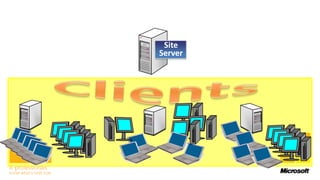
Site
Server
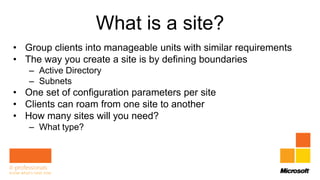
What is a site?
• Group clients into manageable units with similar requirements
• The way you create a site is by defining boundaries
   – Active Directory
   – Subnets
• One set of configuration parameters per site
• Clients can roam from one site to another
• How many sites will you need?
   – What type?
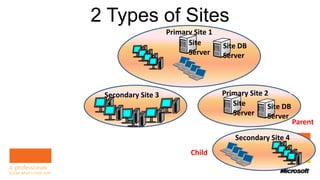
2 Types of Sites
                            Primary Site 1
                                  Site       Site DB     Parent
                                  Server     Server


Child    Secondary Site 3                    Primary Site 2       Child
                                                Site       Site DB
                                                Server     Server
                                                                   Parent
                                                 Secondary Site 4
                                   Child
Setting Boundaries
Deploy ConfigMgr Agents
• All clients in a ConfigMgr site must have the
  client software installed
• This software is called an “Agent”
• There are multiple types of Agents
Client Agents
• Client agent can be installed in more than one method
   – Client push installer

• Component Configuration
   – Double click Software Distribution
   – Software Distribution Properties type E:
• But first the clients need to be found
   – Discovery methods
       • AD System Discovery
Add Site System Roles
• Remember those dedicated servers from
  earlier?
• Now it’s time to set up Site Systems
• Run the New Site Role Wizard
Integrate MDT 2012
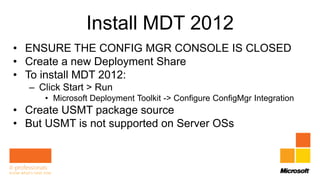
Install MDT 2012
• ENSURE THE CONFIG MGR CONSOLE IS CLOSED
• Create a new Deployment Share
• To install MDT 2012:
  – Click Start > Run
     • Microsoft Deployment Toolkit -> Configure ConfigMgr Integration
• Create USMT package source
• But USMT is not supported on Server OSs
Integrate MDT 2012
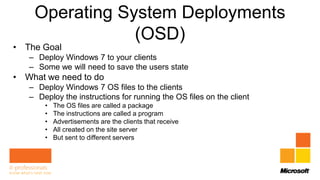
Operating System Deployments
                (OSD)
• The Goal
   – Deploy Windows 7 to your clients
   – Some we will need to save the users state
• What we need to do
   – Deploy Windows 7 OS files to the clients
   – Deploy the instructions for running the OS files on the client
       •   The OS files are called a package
       •   The instructions are called a program
       •   Advertisements are the clients that receive
       •   All created on the site server
       •   But sent to different servers
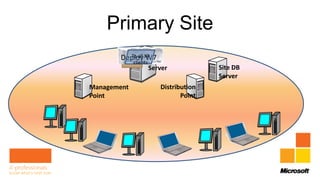
Primary Site
         OSD all W7
        Deploy XPSite
          To
             clients
                       Server            Site DB
                                         Server
Management                Distribution
Point                            Point
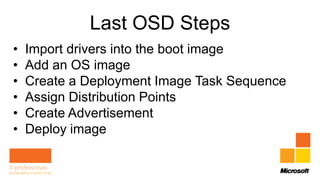
Last OSD Steps
•   Import drivers into the boot image
•   Add an OS image
•   Create a Deployment Image Task Sequence
•   Assign Distribution Points
•   Create Advertisement
•   Deploy image
Set Up an OSD
What We Covered
•   ConfigMgr Features
•   Installation
•   Create a ConfigMgr Site
•   Setup a ZTI OSD

Deployment day session 4 deployment using sccm

  • 1.
    Zero Touch Installationswith System Center Configuration Manager 2012 Presented by Rhonda J. Layfield Copyright 2010
  • 2.
    What We’ll CoverToday: • ConfigMgr Features • Installation • Create a ConfigMgr Site • Setup a ZTI OSD
  • 3.
    ConfigMgr Features • Collect hardware and software and inventory • Deploy software applications • Deploy software updates • Provide network policies • Meter software usage • Specify desired configuration • Remotely control clients • Provide operating system deployments (OSD)
  • 4.
  • 5.
    Planning Installation ofConfigMgr • The most important step • Installing ConfigMgr requires dedicated servers • These servers have special names: – Site Systems – There are a few different kinds – I’ll cover the ones needed for OSD
  • 6.
    Installation • Server 2008R2 • DC, DNS, DHCP, WDS • SQL Server 2008 – .Net Framework 3.5.1 – Install SQL Server 2008 SP1 • Enable Named Pipes
  • 7.
    Still Installing • Requirementsfor ConfigMgr – Extend AD Schema – IIS • WebDav Publishing • ASP • IIS Management Tools – Background Intelligent Transfer Service (BITS) – Remote Differential Compression (RDC)
  • 8.
    Complete Installation • WEBDav – Authoring Rule – WEBDav settings – Property behavior • Install ConfigMgr 2007 SP2 • Install ConfigMgr 2007 R2 • ConfigMgr 2007 Toolkit • Create and share folders for: – Packages – Images – Logs – Migration Data
  • 9.
    Installing ConfigMgr Createsa “Site Server” • Site Server contains configuration information – For a “Site” – Sites group client computers based on: • Active Directory Sites • IP Subnets • Controlled at the Site level: – How hardware and software inventory are handled • Enabled / disabled • Configured for how often they collect and report data – How often clients check for software applications – Keep track of how often software is used
  • 10.
  • 11.
    What is asite? • Group clients into manageable units with similar requirements • The way you create a site is by defining boundaries – Active Directory – Subnets • One set of configuration parameters per site • Clients can roam from one site to another • How many sites will you need? – What type?
  • 12.
    2 Types ofSites Primary Site 1 Site Site DB Parent Server Server Child Secondary Site 3 Primary Site 2 Child Site Site DB Server Server Parent Secondary Site 4 Child
  • 13.
  • 14.
    Deploy ConfigMgr Agents •All clients in a ConfigMgr site must have the client software installed • This software is called an “Agent” • There are multiple types of Agents
  • 15.
    Client Agents • Clientagent can be installed in more than one method – Client push installer • Component Configuration – Double click Software Distribution – Software Distribution Properties type E: • But first the clients need to be found – Discovery methods • AD System Discovery
  • 16.
    Add Site SystemRoles • Remember those dedicated servers from earlier? • Now it’s time to set up Site Systems • Run the New Site Role Wizard
  • 17.
  • 18.
    Install MDT 2012 •ENSURE THE CONFIG MGR CONSOLE IS CLOSED • Create a new Deployment Share • To install MDT 2012: – Click Start > Run • Microsoft Deployment Toolkit -> Configure ConfigMgr Integration • Create USMT package source • But USMT is not supported on Server OSs
  • 19.
  • 20.
    Operating System Deployments (OSD) • The Goal – Deploy Windows 7 to your clients – Some we will need to save the users state • What we need to do – Deploy Windows 7 OS files to the clients – Deploy the instructions for running the OS files on the client • The OS files are called a package • The instructions are called a program • Advertisements are the clients that receive • All created on the site server • But sent to different servers
  • 21.
    Primary Site OSD all W7 Deploy XPSite To clients Server Site DB Server Management Distribution Point Point
  • 22.
    Last OSD Steps • Import drivers into the boot image • Add an OS image • Create a Deployment Image Task Sequence • Assign Distribution Points • Create Advertisement • Deploy image
  • 23.
  • 24.
    What We Covered • ConfigMgr Features • Installation • Create a ConfigMgr Site • Setup a ZTI OSD