Virtualization Awareness Aley El-Dean AdhamSW Infrastructure ConsultantAley.adham@qinnova.com
Outline1-What is Virtualization? 2-What is Hypervisor Layer?3- Hypervisor Classification 4-History of Virtualization5-Overview on Hyper-V and VMM 20086-Overview on VMware vShpere7-What is Cloud Computing?8-Case Study (Google, Amazon and Windows Azure)9-Hands on LAB
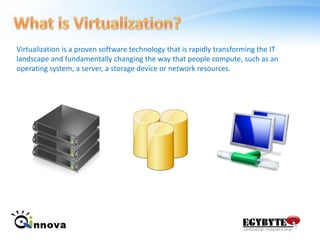
What is Virtualization?Virtualization is a proven software technology that is rapidly transforming the IT landscape and fundamentally changing the way that people compute, such as an operating system, a server, a storage device or network resources.
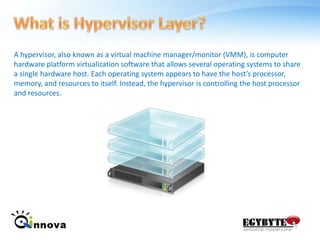
What is Hypervisor Layer?A hypervisor, also known as a virtual machine manager/monitor (VMM), is computer hardware platform virtualization software that allows several operating systems to share a single hardware host. Each operating system appears to have the host’s processor, memory, and resources to itself. Instead, the hypervisor is controlling the host processor and resources.
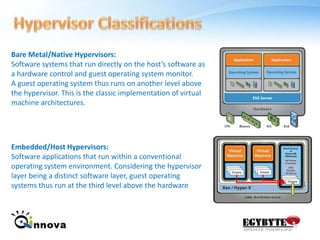
Hypervisor Classifications Bare Metal/Native Hypervisors:Software systems that run directly on the host’s software as a hardware control and guest operating system monitor. A guest operating system thus runs on another level above the hypervisor. This is the classic implementation of virtual machine architectures.Embedded/Host Hypervisors:Software applications that run within a conventional operating system environment. Considering the hypervisor layer being a distinct software layer, guest operating systems thus run at the third level above the hardware
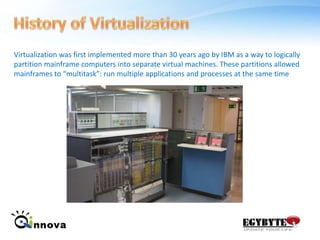
History of VirtualizationVirtualization was first implemented more than 30 years ago by IBM as a way to logically partition mainframe computers into separate virtual machines. These partitions allowed mainframes to “multitask”: run multiple applications and processes at the same time
Microsoft Hyper-V Features 32-bit (x86) & 64-bit (x64) VMsLarge memory support (64 GB) per VMIntegrated cluster support for HA & Quick MigrationBitLocker: Seamless, secure data encryptionLive Backup: Volume Shadow Service integrationPass-through disk access for VMsVirtual Machine snapshotsNew hardware sharing architectureDisk, networking, input, videoRobust networking: VLANs and NLBSupport for Full or Server Core installations
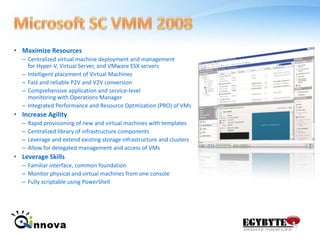
Microsoft SC VMM 2008Maximize ResourcesCentralized virtual machine deployment and management for Hyper-V, Virtual Server, and VMware ESX serversIntelligent placement of Virtual MachinesFast and reliable P2V and V2V conversionComprehensive application and service-level monitoring with Operations ManagerIntegrated Performance and Resource Optmization (PRO) of VMsIncrease AgilityRapid provisioning of new and virtual machines with templatesCentralized library of infrastructure componentsLeverage and extend existing storage infrastructure and clustersAllow for delegated management and access of VMsLeverage SkillsFamiliar interface, common foundation Monitor physical and virtual machines from one console Fully scriptable using PowerShell
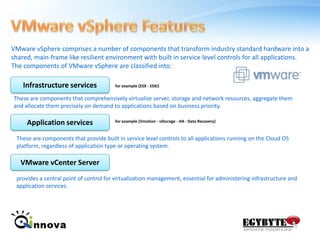
VMware vSphere FeaturesVMware vSphere comprises a number of components that transform industry standard hardware into a shared, main-frame like resilient environment with built in service level controls for all applications. The components of VMware vSphere are classified into:Infrastructure servicesfor example {ESX - ESXi}These are components that comprehensively virtualize server, storage and network resources, aggregate them and allocate them precisely on demand to applications based on business priority.Application servicesfor example {Vmotion - vStorage - HA - Data Recavery}These are components that provide built in service level controls to all applications running on the Cloud OS platform, regardless of application type or operating system.VMware vCenter Serverprovides a central point of control for virtualization management, essential for administering infrastructure and application services.
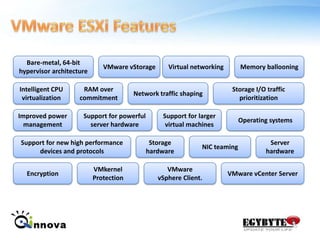
VMware ESXi FeaturesBare-metal, 64-bit hypervisor architectureVMware vStorageVirtual networkingMemory ballooningIntelligent CPU virtualizationRAM over commitmentNetwork traffic shapingStorage I/O traffic prioritizationOperating systemsSupport for larger virtual machinesSupport for powerful server hardwareImproved power managementSupport for new high performance devices and protocolsStorage hardwareServer hardwareNIC teamingVMware vSphere Client.EncryptionVMware vCenter ServerVMkernel Protection
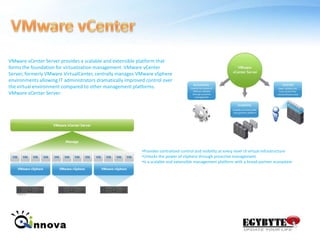
VMware vCenterVMware vCenter Server provides a scalable and extensible platform that forms the foundation for virtualization management. VMware vCenter Server, formerly VMware VirtualCenter, centrally manages VMware vSphere environments allowing IT administrators dramatically improved control over the virtual environment compared to other management platforms. VMware vCenter Server:Provides centralized control and visibility at every level of virtual infrastructure
Unlocks the power of vSphere through proactive management
Is a scalable and extensible management platform with a broad partner ecosystemDiscussion
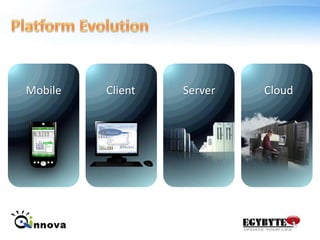
Platform EvolutionCloudMobileClientServer
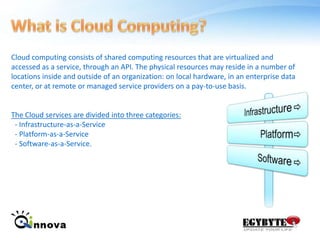
What is Cloud Computing?Cloud computing consists of shared computing resources that are virtualized and accessed as a service, through an API. The physical resources may reside in a number of locations inside and outside of an organization: on local hardware, in an enterprise data center, or at remote or managed service providers on a pay-to-use basis. The Cloud services are divided into three categories:   - Infrastructure-as-a-Service  - Platform-as-a-Service  - Software-as-a-Service.InfrastructurePlatformSoftware
Benefits of Cloud Computing.Reduced CostCloud technology is paid incrementally, saving organizations money.Increased StorageOrganizations can store more data than on private computer systems.Highly AutomatedNo longer do IT personnel need to worry about keeping software up to date.FlexibilityCloud computing offers much more flexibility than past computing methods.More MobilityEmployees can access information wherever they are, rather than having to remain at their desks no MORE VPN Required.Reducing IT StuffYou don’t have to hire more IT Stuff for special purpose, your small IT stuff will do the best.
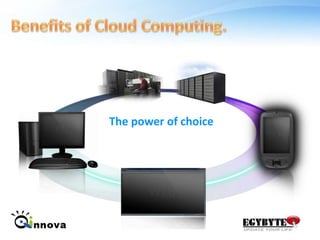
Benefits of Cloud Computing.The power of choice
Clouds Type!Public CloudA public cloud computing environment is open for use by the general public, which could include individuals, corporations or other types of organizations. Amazon Web Services and Google's App Engine are examples of a public cloud. The public cloud offers startups and SMBs an opportunity to take advantage of the scalability, agility and automated management of the cloud by essentially renting computing resources and avoiding costly hardware expenditures. Private CloudA private cloud computing environment exists within the boundaries of an organization, typically for its exclusive usage. Often, private clouds are driven by C-level executives' concerns about the security and reliability of public clouds, since private clouds can deliver many of the benefits of public cloud computing, without the downside. Interest in private clouds is also driven by IT departments' attempts to develop utility-like IT environments, where computing resources and applications can be provisioned with greater efficiency.
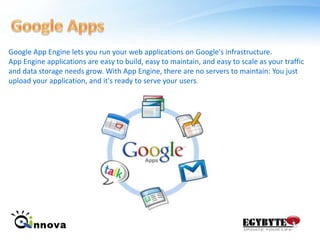
Google AppsGoogle App Engine lets you run your web applications on Google's infrastructure. App Engine applications are easy to build, easy to maintain, and easy to scale as your traffic and data storage needs grow. With App Engine, there are no servers to maintain: You just upload your application, and it's ready to serve your users.
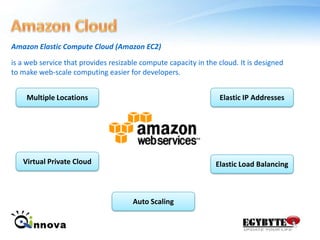
Amazon CloudAmazon Elastic Compute Cloud (Amazon EC2)is a web service that provides resizable compute capacity in the cloud. It is designed to make web-scale computing easier for developers.Multiple LocationsElastic IP AddressesVirtual Private CloudElastic Load BalancingAuto Scaling
Windows AzureWindows Azure offers a platform that is easily implemented alongside your current environment.- Windows Azure: operating system as a service- Microsoft SQL Azure: fully relational database in the cloud- Windows Azure platform AppFabric: makes it simpler to connect cloud and on-premises applicationsPricing # Compute = $0.12 / hour# Storage = $0.15 / GB stored / month# Storage transactions = $0.01 / 10KWindows Azure is now commercially available. Usage during the month of January 2010 will be at no charge. We will begin charging customers on February 1st, 2010
Statistics
Message  Cloud Computing is elastic & customizable for your business and your technical needs… it’s the future of IT.
Discussion
Please Fill    Your Evaluation form.
Thank You.Aley El-Dean AdhamSW Infrastructure ConsultantAley.adham@qinnova.com

Qinnova Cloud Computing Session

  • 1.
    Virtualization Awareness AleyEl-Dean AdhamSW Infrastructure ConsultantAley.adham@qinnova.com
  • 2.
    Outline1-What is Virtualization?2-What is Hypervisor Layer?3- Hypervisor Classification 4-History of Virtualization5-Overview on Hyper-V and VMM 20086-Overview on VMware vShpere7-What is Cloud Computing?8-Case Study (Google, Amazon and Windows Azure)9-Hands on LAB
  • 3.
    What is Virtualization?Virtualizationis a proven software technology that is rapidly transforming the IT landscape and fundamentally changing the way that people compute, such as an operating system, a server, a storage device or network resources.
  • 4.
    What is HypervisorLayer?A hypervisor, also known as a virtual machine manager/monitor (VMM), is computer hardware platform virtualization software that allows several operating systems to share a single hardware host. Each operating system appears to have the host’s processor, memory, and resources to itself. Instead, the hypervisor is controlling the host processor and resources.
  • 5.
    Hypervisor Classifications BareMetal/Native Hypervisors:Software systems that run directly on the host’s software as a hardware control and guest operating system monitor. A guest operating system thus runs on another level above the hypervisor. This is the classic implementation of virtual machine architectures.Embedded/Host Hypervisors:Software applications that run within a conventional operating system environment. Considering the hypervisor layer being a distinct software layer, guest operating systems thus run at the third level above the hardware
  • 6.
    History of VirtualizationVirtualizationwas first implemented more than 30 years ago by IBM as a way to logically partition mainframe computers into separate virtual machines. These partitions allowed mainframes to “multitask”: run multiple applications and processes at the same time
  • 7.
    Microsoft Hyper-V Features32-bit (x86) & 64-bit (x64) VMsLarge memory support (64 GB) per VMIntegrated cluster support for HA & Quick MigrationBitLocker: Seamless, secure data encryptionLive Backup: Volume Shadow Service integrationPass-through disk access for VMsVirtual Machine snapshotsNew hardware sharing architectureDisk, networking, input, videoRobust networking: VLANs and NLBSupport for Full or Server Core installations
  • 8.
    Microsoft SC VMM2008Maximize ResourcesCentralized virtual machine deployment and management for Hyper-V, Virtual Server, and VMware ESX serversIntelligent placement of Virtual MachinesFast and reliable P2V and V2V conversionComprehensive application and service-level monitoring with Operations ManagerIntegrated Performance and Resource Optmization (PRO) of VMsIncrease AgilityRapid provisioning of new and virtual machines with templatesCentralized library of infrastructure componentsLeverage and extend existing storage infrastructure and clustersAllow for delegated management and access of VMsLeverage SkillsFamiliar interface, common foundation Monitor physical and virtual machines from one console Fully scriptable using PowerShell
  • 9.
    VMware vSphere FeaturesVMwarevSphere comprises a number of components that transform industry standard hardware into a shared, main-frame like resilient environment with built in service level controls for all applications. The components of VMware vSphere are classified into:Infrastructure servicesfor example {ESX - ESXi}These are components that comprehensively virtualize server, storage and network resources, aggregate them and allocate them precisely on demand to applications based on business priority.Application servicesfor example {Vmotion - vStorage - HA - Data Recavery}These are components that provide built in service level controls to all applications running on the Cloud OS platform, regardless of application type or operating system.VMware vCenter Serverprovides a central point of control for virtualization management, essential for administering infrastructure and application services.
  • 10.
    VMware ESXi FeaturesBare-metal,64-bit hypervisor architectureVMware vStorageVirtual networkingMemory ballooningIntelligent CPU virtualizationRAM over commitmentNetwork traffic shapingStorage I/O traffic prioritizationOperating systemsSupport for larger virtual machinesSupport for powerful server hardwareImproved power managementSupport for new high performance devices and protocolsStorage hardwareServer hardwareNIC teamingVMware vSphere Client.EncryptionVMware vCenter ServerVMkernel Protection
  • 11.
    VMware vCenterVMware vCenterServer provides a scalable and extensible platform that forms the foundation for virtualization management. VMware vCenter Server, formerly VMware VirtualCenter, centrally manages VMware vSphere environments allowing IT administrators dramatically improved control over the virtual environment compared to other management platforms. VMware vCenter Server:Provides centralized control and visibility at every level of virtual infrastructure
  • 12.
    Unlocks the powerof vSphere through proactive management
  • 13.
    Is a scalableand extensible management platform with a broad partner ecosystemDiscussion
  • 14.
  • 15.
    What is CloudComputing?Cloud computing consists of shared computing resources that are virtualized and accessed as a service, through an API. The physical resources may reside in a number of locations inside and outside of an organization: on local hardware, in an enterprise data center, or at remote or managed service providers on a pay-to-use basis. The Cloud services are divided into three categories: - Infrastructure-as-a-Service - Platform-as-a-Service - Software-as-a-Service.InfrastructurePlatformSoftware
  • 16.
    Benefits of CloudComputing.Reduced CostCloud technology is paid incrementally, saving organizations money.Increased StorageOrganizations can store more data than on private computer systems.Highly AutomatedNo longer do IT personnel need to worry about keeping software up to date.FlexibilityCloud computing offers much more flexibility than past computing methods.More MobilityEmployees can access information wherever they are, rather than having to remain at their desks no MORE VPN Required.Reducing IT StuffYou don’t have to hire more IT Stuff for special purpose, your small IT stuff will do the best.
  • 17.
    Benefits of CloudComputing.The power of choice
  • 18.
    Clouds Type!Public CloudApublic cloud computing environment is open for use by the general public, which could include individuals, corporations or other types of organizations. Amazon Web Services and Google's App Engine are examples of a public cloud. The public cloud offers startups and SMBs an opportunity to take advantage of the scalability, agility and automated management of the cloud by essentially renting computing resources and avoiding costly hardware expenditures. Private CloudA private cloud computing environment exists within the boundaries of an organization, typically for its exclusive usage. Often, private clouds are driven by C-level executives' concerns about the security and reliability of public clouds, since private clouds can deliver many of the benefits of public cloud computing, without the downside. Interest in private clouds is also driven by IT departments' attempts to develop utility-like IT environments, where computing resources and applications can be provisioned with greater efficiency.
  • 19.
    Google AppsGoogle AppEngine lets you run your web applications on Google's infrastructure. App Engine applications are easy to build, easy to maintain, and easy to scale as your traffic and data storage needs grow. With App Engine, there are no servers to maintain: You just upload your application, and it's ready to serve your users.
  • 20.
    Amazon CloudAmazon ElasticCompute Cloud (Amazon EC2)is a web service that provides resizable compute capacity in the cloud. It is designed to make web-scale computing easier for developers.Multiple LocationsElastic IP AddressesVirtual Private CloudElastic Load BalancingAuto Scaling
  • 21.
    Windows AzureWindows Azureoffers a platform that is easily implemented alongside your current environment.- Windows Azure: operating system as a service- Microsoft SQL Azure: fully relational database in the cloud- Windows Azure platform AppFabric: makes it simpler to connect cloud and on-premises applicationsPricing # Compute = $0.12 / hour# Storage = $0.15 / GB stored / month# Storage transactions = $0.01 / 10KWindows Azure is now commercially available. Usage during the month of January 2010 will be at no charge. We will begin charging customers on February 1st, 2010
  • 22.
  • 23.
    Message CloudComputing is elastic & customizable for your business and your technical needs… it’s the future of IT.
  • 24.
  • 25.
    Please Fill Your Evaluation form.
  • 26.
    Thank You.Aley El-DeanAdhamSW Infrastructure ConsultantAley.adham@qinnova.com

Editor's Notes

  • #14 ChoiceBuild applications completely with softwareBuild applications completely with servicesCombine to get the best of both worldsSlide objective:Address the “Why” question up front. Why are we investing in services.Microsoft today – taking credit for the types of apps developers can build today on our platformMotivate the need for the services platform Frame the challenges with building applications today Speaking Points:There are 3 key principles for S+S:Experiences beyond a single deviceInfrastructure and solutions extend from the server to the cloudWindows with no boundaries, from PC to web to phone, and from server to cloudExperiences beyond a single devicePC era about self-empowerment, centered on docs/spreadsheet/presentationToday: self-publishing, rich media, relationships ……anytime, anywhere, across MANY devicesWhat we believeSeamless experiences across all devices and the webOS value from device specific to unified management of devices/applications/data across all devices and the webSimilarly, apps will be seamless across PC, devices, web; e.g. Office, Office Mobile, Office LiveInfrastructure & Solutions ExtendedBusinesses want flexibilityTo extend on-prem infra/apps with cloud servicesTo optimize what infra/apps live on-prem or in cloudWhat we believeCloud infra and services developed alongside server counterparts will provide businesses the Power of Choice……which will allow businesses to tune and optimize IT architectures and best utilize IT pro skillsEvidence in our Online offeringsWindows with no boundaries…Developers need new app models and frameworksTo write GREAT apps for Windows and GREAT apps for the webTo tap into cloud utility computing, while connecting to on-premisesTo utilize existing skills (and code), while moving to the cloudWhat we believeApp patterns becoming loosely coupledFront-end: many-device UX – PC/phone/browserBack-end: compositions written, deployed, debugged, maintained, serviced across a gridEvidence in .NET runtimes and tools … spanning cloud to on-prem data center on back-end, and spanning PC/phone/browser on front-endNotes:S+S—His big thing is flexibility.  It’s not extending your client assets to the cloud.  Test S+S term, but let them know we received feedback that S+S didn’t test wellFor the purpose of ourdiscussion on the future of the .NET Framework, Software + Services means leveraging your existing .NET assets and extending them to the cloud. When I say assets, I mean not only technology investments such as servers, but your training, your skill sets, and existing web services. When you stop to think about it, this is a very big deal. To go back to the mainframe example we talked about earlier, people had to relearn everything to move to the PC. We think it’s very important to offer the benefits of the cloud with the skill sets and assets people have today, and we are committed to delivering on this. Simply put, if you’ve already made a bet on .NET and are finding value today—that value will continue to increase moving forward. If you haven’t made a bet on .NET, you can rest assured the skills you build today will continue to work in the S+S world.