Foundation of IT
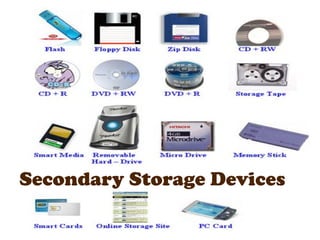
Secondary Storage Devices
What is Storage
Device? storage devices
Storage Devices are the data

that are used in the computers to store the
data.
The computer has many types of data storage
devices.
Some of them can be classified as the
removable data Storage Devices and the others
as the non removable data Storage Devices.
Computer Memory?
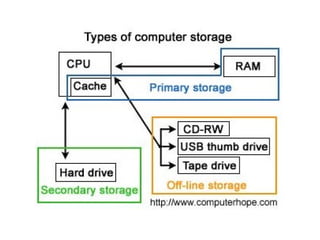
The memory is of two types:
one is the primary memory and the other one is
the secondary memory.
The primary memory is the volatile memory (RAM)and
the secondary memory is the non volatile memory.
The volatile memory is the kind of the memory that is
erasable and the non volatile memory is the one where
in the contents cannot be erased. Basically when we talk
about the data storage devices it is generally assumed to
be the secondary memory.
What are the
secondary Storage
Devices?
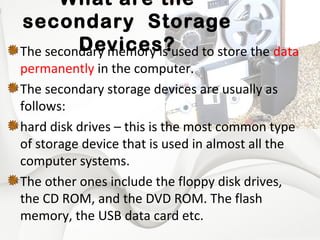
The secondary memory is used to store the data
permanently in the computer.
The secondary storage devices are usually as
follows:
hard disk drives – this is the most common type
of storage device that is used in almost all the
computer systems.
The other ones include the floppy disk drives,
the CD ROM, and the DVD ROM. The flash
memory, the USB data card etc.
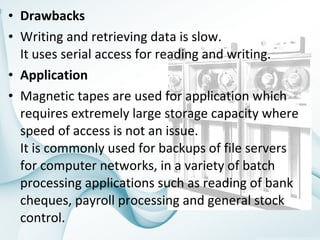
Magnetic tapes
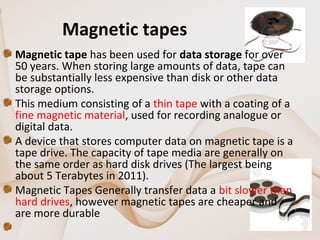
Magnetic tape has been used for data storage for over 
50 years. When storing large amounts of data, tape can 
be substantially less expensive than disk or other data 
storage options. 
This medium consisting of a thin tape with a coating of a 
fine magnetic material, used for recording analogue or 
digital data. 
A device that stores computer data on magnetic tape is a 
tape drive. The capacity of tape media are generally on 
the same order as hard disk drives (The largest being 
about 5 Terabytes in 2011). 
Magnetic Tapes Generally transfer data a bit slower than 
hard drives, however magnetic tapes are cheaper and 
are more durable
 
• Drawbacks
• Writing and retrieving data is slow.
It uses serial access for reading and writing.
• Application
• Magnetic tapes are used for application which 
requires extremely large storage capacity where 
speed of access is not an issue. 
It is commonly used for backups of file servers 
for computer networks, in a variety of batch 
processing applications such as reading of bank 
cheques, payroll processing and general stock 
control.
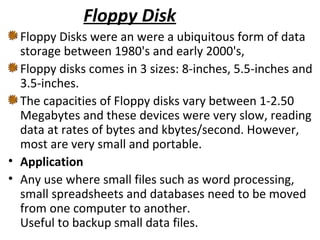
Floppy Disk
Floppy Disks were an were a ubiquitous form of data 
storage between 1980's and early 2000's, 
Floppy disks comes in 3 sizes: 8-inches, 5.5-inches and 
3.5-inches. 
The capacities of Floppy disks vary between 1-2.50 
Megabytes and these devices were very slow, reading 
data at rates of bytes and kbytes/second. However, 
most are very small and portable.
• Application
• Any use where small files such as word processing, 
small spreadsheets and databases need to be moved 
from one computer to another.
Useful to backup small data files.
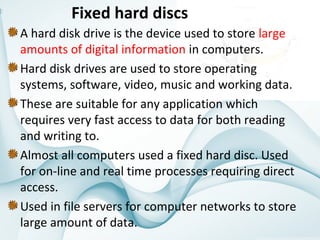
Fixed hard discs
A hard disk drive is the device used to store large 
amounts of digital information in computers. 
Hard disk drives are used to store operating 
systems, software, video, music and working data. 
These are suitable for any application which 
requires very fast access to data for both reading 
and writing to.
Almost all computers used a fixed hard disc. Used 
for on-line and real time processes requiring direct 
access. 
Used in file servers for computer networks to store 
large amount of data.
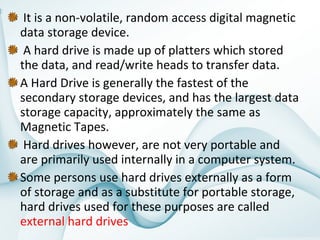
 It is a non-volatile, random access digital magnetic 
data storage device.
 A hard drive is made up of platters which stored 
the data, and read/write heads to transfer data. 
A Hard Drive is generally the fastest of the 
secondary storage devices, and has the largest data 
storage capacity, approximately the same as 
Magnetic Tapes.
 Hard drives however, are not very portable and 
are primarily used internally in a computer system. 
Some persons use hard drives externally as a form 
of storage and as a substitute for portable storage, 
hard drives used for these purposes are called 
external hard drives
Portable hard discs

Portable hard discs are good fun because you 
can carry data about all over the place and 
transfer information, programs, pictures, etc 
between computers.
This hardware can be connected with laptop, 
notebook and pc using USB port.
Plug and play enable the device more flexible to 
the user.
We can carry any where else due to its smaller 
size, price and capacity.
• Advantages:
• Greatly improved data cargo carrying capacity (relative
to the 1.44 Mb floppy disc).
• You don't need to worry about the other person having
the same type of special cartridge drive as yourself.
• Disadvantages:
• Hard drives have to be handled quite carefully, and when
being transported should be wrapped in something soft
and put in a padded bag.
• More expensive than other forms of removable media.
• Application
• Portable disc discs are used to store very large files which
need transporting from one computer to another and
price is not an issue.
Optical backing storage media such as
CDs andDVDs
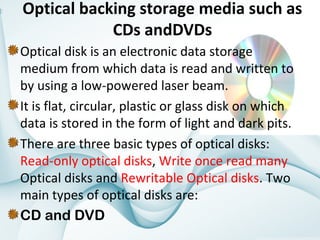
Optical disk is an electronic data storage
medium from which data is read and written to
by using a low-powered laser beam.
It is flat, circular, plastic or glass disk on which
data is stored in the form of light and dark pits.
There are three basic types of optical disks:
Read-only optical disks, Write once read many
Optical disks and Rewritable Optical disks. Two
main types of optical disks are:
CD and DVD
•

What is Storage
Device?
CDs tend to be used for large files (but smaller than 1Gb)

which are too big for a floppy disc to hold such as music
and general animation.
• CD ROM/DVD ROM Applications which require the
prevention of deletion of data, accidental or otherwise.
• CD R/DVD R Applications which require a single ‘burning’
of data, e.g. CDs - recording of music downloads from the
Internet, recording of music from MP3 format, recording
of data for archiving or backup purposes. DVDs –
recording of film movies and television programs.
• CD RW/DVD RW Applications which require the updating
of information and ability to record over old data. Not
suitable for music recording but is very useful for keeping
generations of files. DVDs have between five and ten
times the capacity of CDs.
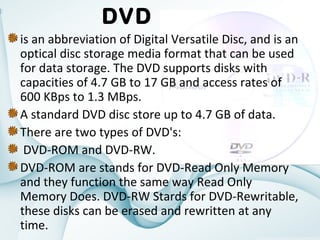
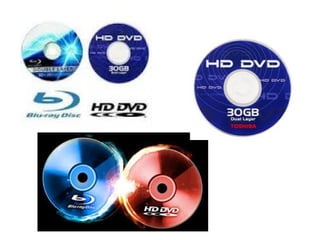
DVD
is an abbreviation of Digital Versatile Disc, and is an
optical disc storage media format that can be used
for data storage. The DVD supports disks with
capacities of 4.7 GB to 17 GB and access rates of
600 KBps to 1.3 MBps.
A standard DVD disc store up to 4.7 GB of data.
There are two types of DVD's:
DVD-ROM and DVD-RW.
DVD-ROM are stands for DVD-Read Only Memory
and they function the same way Read Only
Memory Does. DVD-RW Stards for DVD-Rewritable,
these disks can be erased and rewritten at any
time.
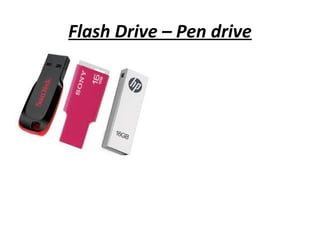
Flash Drive – Pen drive

A flash drive is a small external storage device,
typically the size of a human thumb that consists of
flash memory.
USB flash drives are removable and rewritable
reads and writes to flash memory.
They are a solid-state storage medium that's both
inexpensive and durable.
Currently, USB 2.0 flash drives on the market are
able to reach a data transfer speed of 480 Mbit/s
USB 3.0 has transmission speeds of up to 5 Gbit/s.
USB Flash drives vary in sizes from 128 Megabytes
to 64 Gigabytes. More commonly used sizes vary
from 2 Gigabytes -16 Gigabytes.
Flash Drive – Pen drive
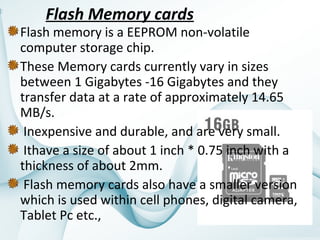
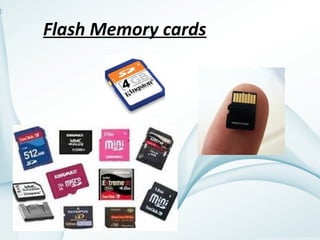
Flash Memory cards

Flash memory is a EEPROM non-volatile
computer storage chip.
These Memory cards currently vary in sizes
between 1 Gigabytes -16 Gigabytes and they
transfer data at a rate of approximately 14.65
MB/s.
Inexpensive and durable, and are very small.
Ithave a size of about 1 inch * 0.75 inch with a
thickness of about 2mm.
Flash memory cards also have a smaller version
which is used within cell phones, digital camera,
Tablet Pc etc.,
Flash Memory cards

Secondary storage devices