STORAGE DEVICES
A computerstorage device is any type of
hardware that stores data.
Storage device is any apparatus for
recording computer data in a permanent or
semi-permanent form.
3.
TYPES OF STORAGEDEVICES
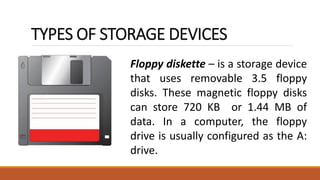
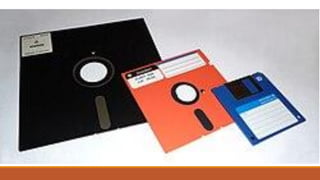
Floppy diskette – is a storage device
that uses removable 3.5 floppy
disks. These magnetic floppy disks
can store 720 KB or 1.44 MB of
data. In a computer, the floppy
drive is usually configured as the A:
drive.
5.
OPTICAL DRIVE
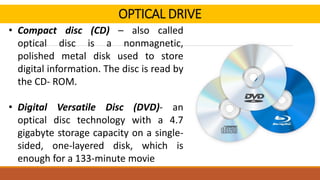
Optical Drive- An optical drive is a storage device
that uses lasers to read data on the optical media.
There are three types of optical drives: Compact
Disc (CD), Digital Versatile Disc (DVD) and Blu-ray
Disc (BD). CD, DVD, and BD media can be pre-
recorded (read-only), recordable (write once), or
rewritable (read and write multiple times).
6.
OPTICAL DRIVE
• Compactdisc (CD) – also called
optical disc is a nonmagnetic,
polished metal disk used to store
digital information. The disc is read by
the CD- ROM.
• Digital Versatile Disc (DVD)- an
optical disc technology with a 4.7
gigabyte storage capacity on a single-
sided, one-layered disk, which is
enough for a 133-minute movie
7.
EXTERNAL FLASH DRIVE
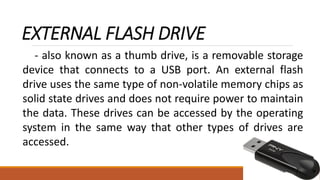
-also known as a thumb drive, is a removable storage
device that connects to a USB port. An external flash
drive uses the same type of non-volatile memory chips as
solid state drives and does not require power to maintain
the data. These drives can be accessed by the operating
system in the same way that other types of drives are
accessed.
8.
HARD DRIVE
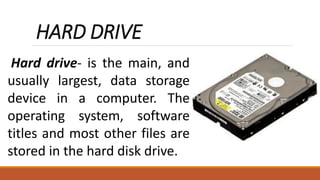
Hard drive-is the main, and
usually largest, data storage
device in a computer. The
operating system, software
titles and most other files are
stored in the hard disk drive.
9.
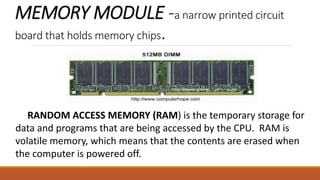
MEMORY MODULE -anarrow printed circuit
board that holds memory chips.
RANDOM ACCESS MEMORY (RAM) is the temporary storage for
data and programs that are being accessed by the CPU. RAM is
volatile memory, which means that the contents are erased when
the computer is powered off.
10.
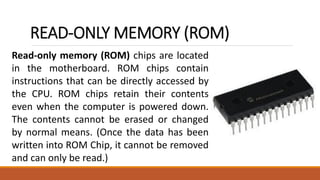
READ-ONLY MEMORY (ROM)
Read-onlymemory (ROM) chips are located
in the motherboard. ROM chips contain
instructions that can be directly accessed by
the CPU. ROM chips retain their contents
even when the computer is powered down.
The contents cannot be erased or changed
by normal means. (Once the data has been
written into ROM Chip, it cannot be removed
and can only be read.)
12.
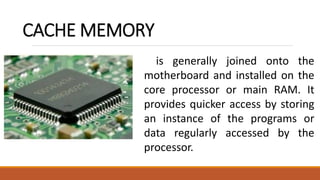
CACHE MEMORY
is generallyjoined onto the
motherboard and installed on the
core processor or main RAM. It
provides quicker access by storing
an instance of the programs or
data regularly accessed by the
processor.
1. PRIMARY STORAGE– also known as main memory, is the
main area in a computer in which data is stored for quick
access by the computer’s processor. It used to hold/store data
and application temporarily or for a shorter period of time
while the computer is running.
2. SECONDARY STORAGE – device that holds data
until it is deleted or overwritten. It refers to any non-
volatile storage device that is internal or external to
the computer. It doesn’t have a direct access to CPU.
It is also referring to storage devices and media that
are not constantly accessible by a computer system.
15.
Primary Storage vs.Secondary Storage
Internal to your computer, the primary storage gathers and holds your
data and files on a temporary or short-term basis until it is no longer
required. It is the fastest category of memory or storage devices. Your hard
drive stores virtually all the programs and applications installed on your
computer, including the operating system, device drivers, applications, and
general user data. You may also have additional secondary storage devices
connected to your computer, such as an external hard drive. USB thumb
drive or a media player such as Blu-ray or DVD. Primary storage usually has a
higher cost than secondary storage. The cost difference limits the amount of
primary storage versus secondary storage. Primary storage has faster access
to the processor due to its proximity. Secondary storage must transfer its
data over a longer distance and through another channel before it can reach
the processor.