Downloaded 95 times

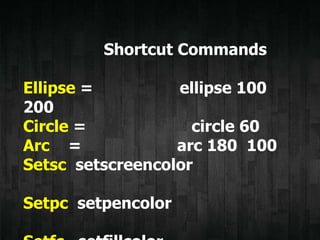
![setsc
[R G B]
= setpc [50 200 255]
= setsc [250 255 55]
setsc __
setsc 3
0 = 1 = 3
=
2 = 4 =](https://image.slidesharecdn.com/mswlogo-130913012319-phpapp01/85/Msw-logo-8-320.jpg)
![REPEAT n [ .. ]
n
SETPENCOLOR
[R G B]
SETP
C
SETPENCOLOR
n
SETP
C n
SETSCREENCOL
OR
SETS
C](https://image.slidesharecdn.com/mswlogo-130913012319-phpapp01/85/Msw-logo-9-320.jpg)
![To
To m01
Repeat 4 [ fd 100 rt
90]](https://image.slidesharecdn.com/mswlogo-130913012319-phpapp01/85/Msw-logo-10-320.jpg)
![Program ModeCommand Mode
Clear Screen - CS)
Program Mode
comand
mode REPEAT 4 [FD 100 RT 90]
program
mode
TO SQUARE
REPEAT 4 [FD 100 RT 90]
END](https://image.slidesharecdn.com/mswlogo-130913012319-phpapp01/85/Msw-logo-12-320.jpg)

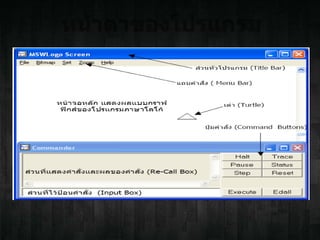
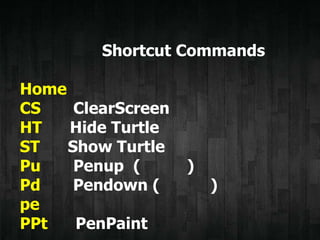
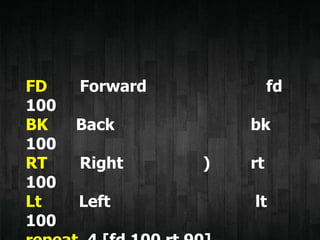
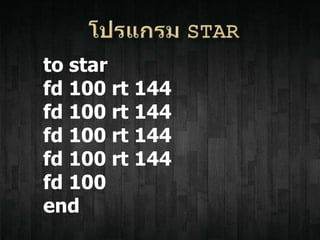
This document contains shortcuts and commands for the MSWLogo programming language. It lists basic movement commands like forward, back, right, and left. It also covers procedures to draw shapes like ellipses, circles, and arcs. Functions are presented for setting the pen and screen colors. Examples are given for repeating commands and defining simple procedures to draw a square and star.


