Maximizing Student
Learning with Multimedia
Assignments
Andy Horbal
University of Maryland Libraries
TLTC Workshop
April 29, 2015
Outline
1. Intros
2. Overview of types of multimedia assignments
3. Brainstorming activity
4. How to design a multimedia assignment
5. Assignment design activity
6. Slides/contact info/Q+A
Levels of Assistance
Level One: General workshop and/or
consultations (ENG 293, ENG 448, HDCC 105)
Level Two: Assignment-specific workshop and/or
consultations (WMST 250, AMST 428/628)
Level Three: Assignment design assistance
(HHUM 106)
Level Four: Course/curriculum design assistance
(UNIV 100, FILM 469)
Case Study: FILM 469 The
Cinema of Sergei Eisenstein
Videos by Lealin Queen. 2015. Used with permission.
Case Study: FILM 469 The
Cinema of Sergei Eisenstein
Why *We* Believe Multimedia
Assignments are Valuable
• Selfish reason: maximize the value of our
media collections
• “Altruistic” reasons:
• Opportunity to teach essential 21st century
life skills (media literacy)
• Attractive to prospective employers
• Effective pedagogical technique
Top Five Benefits of Multimedia
Assignments
• Deeper engagement with source materials
• Opportunity for collaborative/experiential learning
• Facilitates writing for multiple (scholarly + non-scholarly)
audiences
• Multiple forms of “writing” required by many multimedia
assignments increases retention
• Students motivated to create something which will continue to
have utility to them after the semester is over
• Further reading
Types of Multimedia
Assignments
https://www.lib.umn.edu/media/media-
assignment-case-studies
Slide used with permission from
Scott Spicer, University of
Minnesota
Slide used with permission from
Scott Spicer, University of
Minnesota
Slide used with permission from
Scott Spicer, University of
Minnesota
Activity: Why Do *You* Believe
Multimedia Assignments are
Valuable?
1. Ways media is used by scholars and
professionals in your field
2. Other reasons your students might benefit
from exposure to multimedia production
Brainstorm with your table:
Designing Multimedia
Assignments
Considerations:
• Why have you decided to give your students a multimedia
assignment?
• What do you want their projects to look like, and what do
they need to know to be able to achieve this goal?
• How much time will they need, and how will you evaluate
their work?
• Where will the assignments “live” after the semester is over?
Designing Multimedia
Assignments: Why?
• What is the value added from including
a multimedia component in your class?
• Consider group work
• What are your learning objectives?
• What will your students be able to *do* as a result
of successfully completing this assignment?
Designing Multimedia
Assignments: What?
• What do you want your students’
finished products to look/sound like?
• Quantitative + qualitative
• Higher tolerance for poor video than poor audio
• What hardware + software will you tell
your students they need to/can use?
Equipment Loan Programs at
UMD
• Terrapin Learning Commons
• Library Media Services
• Stamp Technology Services Equipment
Lending Program
• Others?
Multimedia Production
Software
• Terpware
• Adobe Creative Cloud
• Whatever comes installed on your
students’ computers/phones!
• Free internet programs
• Consider making researching + evaluating
programs part of assignment
Designing Multimedia
Assignments: What? (cont.)
• What skills do they need?
• Lynda.com
• LMS instruction/consultation services
• Will they be using pre-existing works?
• Footage Access
• Streaming video databases
• LMS collections/personal copies
• Internet resources
Using Pre-Existing Works
• LMS collections/personal copies
• DVD ripping resources
• DMCA exemptions
• Fair Use
• Codes of Best Practices in Fair Use
• Internet resources
• Internet Archive
• CC Search
• Attribution
• How to Cite Film, Video, and Online Media
Designing Multimedia
Assignments: How?
• How much time will you give them to
complete the assignment?
• University of Minnesota’s Video/Media Project
Assignment Calculator
• University of Delaware’s Video Project Calculator
• How will you evaluate the assignment?
• Use your learning objectives!
• Example rubrics
Designing Multimedia
Assignments: Where?
• Where will your students’ assignments
live after the semester is over?
• Consider incorporating a fair use analysis into the
assignment
• Permission to use assignments with future classes?
• Release forms
Activity: Designing Multimedia
Assignments
1. Select one of the uses for media or reasons your
students might benefit from exposure to multimedia
production you brainstormed in activity # 1
2. Create learning objectives based on this use or reason
3. Using the considerations we discussed as a framework,
design a multimedia assignment around your learning
objectives
Working with your table:
Activity: Design a Multimedia
Assignment (cont.)
Why?
What will your students be able to *do* as a result of successfully completing this
assignment?
How does a multimedia assignment add additional value to your class?
What?
Define your expectations for what your students’ finished products should look/sound like.
What hardware + software can/must they use? Where will they get it?
What skills do your students need to complete this assignment? How will they acquire them?
Will your students be using pre-existing works? If so, where will they find/how will they access
them?
How?
How much time will you give your students to work? Will you employ scaffolding?
How will you evaluate the assignment?
Where?
Where will your students’ assignments “live” after the semester is over?
Is there any possibility that you will want to use their work yourself?
Contact
Me:
Andy Horbal
Head of Learning Commons
1101 McKeldin Library
University of Maryland
College Park, MD 20742
(301) 405-9227
ahorbal@umd.edu
Library Media Services:
0300 Hornbake Library,
University of Maryland
College Park, MD 20742
301-405-9236
nonprint@umd.edu
http://www.slideshare.net/horbal125/maximizing-
student-learning-with-multimedia-assignments

Maximizing student learning with multimedia assignments

  • 1.
    Maximizing Student Learning withMultimedia Assignments Andy Horbal University of Maryland Libraries TLTC Workshop April 29, 2015
  • 2.
    Outline 1. Intros 2. Overviewof types of multimedia assignments 3. Brainstorming activity 4. How to design a multimedia assignment 5. Assignment design activity 6. Slides/contact info/Q+A
  • 3.
    Levels of Assistance LevelOne: General workshop and/or consultations (ENG 293, ENG 448, HDCC 105) Level Two: Assignment-specific workshop and/or consultations (WMST 250, AMST 428/628) Level Three: Assignment design assistance (HHUM 106) Level Four: Course/curriculum design assistance (UNIV 100, FILM 469)
  • 4.
    Case Study: FILM469 The Cinema of Sergei Eisenstein Videos by Lealin Queen. 2015. Used with permission.
  • 5.
    Case Study: FILM469 The Cinema of Sergei Eisenstein
  • 6.
    Why *We* BelieveMultimedia Assignments are Valuable • Selfish reason: maximize the value of our media collections • “Altruistic” reasons: • Opportunity to teach essential 21st century life skills (media literacy) • Attractive to prospective employers • Effective pedagogical technique
  • 7.
    Top Five Benefitsof Multimedia Assignments • Deeper engagement with source materials • Opportunity for collaborative/experiential learning • Facilitates writing for multiple (scholarly + non-scholarly) audiences • Multiple forms of “writing” required by many multimedia assignments increases retention • Students motivated to create something which will continue to have utility to them after the semester is over • Further reading
  • 8.
  • 9.
    Slide used withpermission from Scott Spicer, University of Minnesota
  • 10.
    Slide used withpermission from Scott Spicer, University of Minnesota
  • 11.
    Slide used withpermission from Scott Spicer, University of Minnesota
  • 12.
    Activity: Why Do*You* Believe Multimedia Assignments are Valuable? 1. Ways media is used by scholars and professionals in your field 2. Other reasons your students might benefit from exposure to multimedia production Brainstorm with your table:
  • 13.
    Designing Multimedia Assignments Considerations: • Whyhave you decided to give your students a multimedia assignment? • What do you want their projects to look like, and what do they need to know to be able to achieve this goal? • How much time will they need, and how will you evaluate their work? • Where will the assignments “live” after the semester is over?
  • 14.
    Designing Multimedia Assignments: Why? •What is the value added from including a multimedia component in your class? • Consider group work • What are your learning objectives? • What will your students be able to *do* as a result of successfully completing this assignment?
  • 15.
    Designing Multimedia Assignments: What? •What do you want your students’ finished products to look/sound like? • Quantitative + qualitative • Higher tolerance for poor video than poor audio • What hardware + software will you tell your students they need to/can use?
  • 16.
    Equipment Loan Programsat UMD • Terrapin Learning Commons • Library Media Services • Stamp Technology Services Equipment Lending Program • Others?
  • 17.
    Multimedia Production Software • Terpware •Adobe Creative Cloud • Whatever comes installed on your students’ computers/phones! • Free internet programs • Consider making researching + evaluating programs part of assignment
  • 18.
    Designing Multimedia Assignments: What?(cont.) • What skills do they need? • Lynda.com • LMS instruction/consultation services • Will they be using pre-existing works? • Footage Access • Streaming video databases • LMS collections/personal copies • Internet resources
  • 19.
    Using Pre-Existing Works •LMS collections/personal copies • DVD ripping resources • DMCA exemptions • Fair Use • Codes of Best Practices in Fair Use • Internet resources • Internet Archive • CC Search • Attribution • How to Cite Film, Video, and Online Media
  • 20.
    Designing Multimedia Assignments: How? •How much time will you give them to complete the assignment? • University of Minnesota’s Video/Media Project Assignment Calculator • University of Delaware’s Video Project Calculator • How will you evaluate the assignment? • Use your learning objectives! • Example rubrics
  • 21.
    Designing Multimedia Assignments: Where? •Where will your students’ assignments live after the semester is over? • Consider incorporating a fair use analysis into the assignment • Permission to use assignments with future classes? • Release forms
  • 22.
    Activity: Designing Multimedia Assignments 1.Select one of the uses for media or reasons your students might benefit from exposure to multimedia production you brainstormed in activity # 1 2. Create learning objectives based on this use or reason 3. Using the considerations we discussed as a framework, design a multimedia assignment around your learning objectives Working with your table:
  • 23.
    Activity: Design aMultimedia Assignment (cont.) Why? What will your students be able to *do* as a result of successfully completing this assignment? How does a multimedia assignment add additional value to your class? What? Define your expectations for what your students’ finished products should look/sound like. What hardware + software can/must they use? Where will they get it? What skills do your students need to complete this assignment? How will they acquire them? Will your students be using pre-existing works? If so, where will they find/how will they access them? How? How much time will you give your students to work? Will you employ scaffolding? How will you evaluate the assignment? Where? Where will your students’ assignments “live” after the semester is over? Is there any possibility that you will want to use their work yourself?
  • 24.
    Contact Me: Andy Horbal Head ofLearning Commons 1101 McKeldin Library University of Maryland College Park, MD 20742 (301) 405-9227 ahorbal@umd.edu Library Media Services: 0300 Hornbake Library, University of Maryland College Park, MD 20742 301-405-9236 nonprint@umd.edu http://www.slideshare.net/horbal125/maximizing- student-learning-with-multimedia-assignments

Editor's Notes

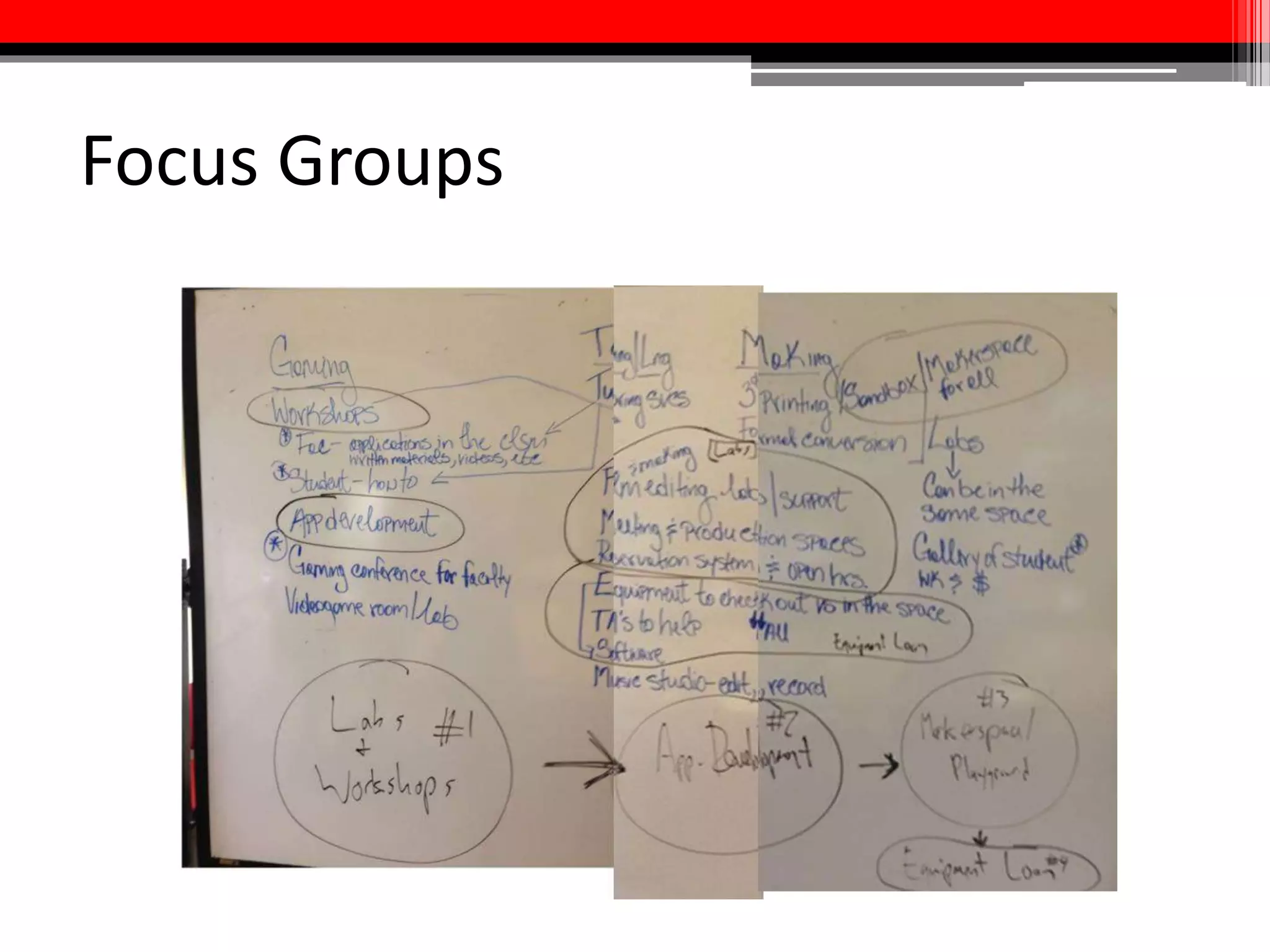
  • #3 Please feel free to “interrupt” w/ questions, comments, and suggestions based on your own experiences! Intros: name, departmental/unit affiliation, previous experience w/ multimedia assignments
  • #4 Level One projects = Fan fiction (video option); service learning project (video option); podcast, photo essay, + PSA about a campus issue/furthering the agenda of a campus group Level Two projects = “Washington Post-style” short documentary, filmmaking exercise Level Three projects = video essay assignment Level Four projects = video documentation of an on-campus group, 1st-person “my freshman year” videos, and multi-modal presentations; “Eisensteinian” re-assemblies + filming an Eisenstein essay
  • #10 Other low-support projects: Video tutorial w/ screen capture software Slide show presentation w/ VO Videotaped presentation
  • #13 10 minutes. Demo w/ Film Studies.
  • #20 DMCA exemption = for “[m]otion pictures on DVDs or distributed by online services, for purposes of criticism or comment in noncommercial videos, documentary films, nonfiction multimedia ebooks offering film analysis, and for certain educational uses by college and university faculty and students and kindergarten through twelfth grade educators”
  • #21 Hand out the assignment at the beginning of the semester Scaffolding = highly recommended!
  • #23 30 minutes.
  • #24 Demo w/ Film Studies