INTRODUCTION
TO
COMPUTER
BY HASNAT TARIQ
What is a computer?
• A computer is an electronic device that manipulates
information, or data. It has the ability to store, retrieve,
and process data.
Parts of Computer
• Computer has two main elements:
1. Hardware
2. Software
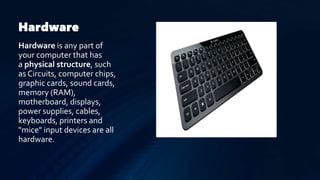
Hardware
Hardware is any part of
your computer that has
a physical structure, such
as Circuits, computer chips,
graphic cards, sound cards,
memory (RAM),
motherboard, displays,
power supplies, cables,
keyboards, printers and
"mice" input devices are all
hardware.
Software
Software is any set of
instructions that tells the
hardware what to
do and how to do it.
Examples of software
include web browsers,
games, and word
processors.
Role of Computer in Biotechnology
1. For comparison of a specific sequence with those of other sequences of
the data base (already existing).
2. Computers are known for their enormous problem solving power. A new
DNA sequence is compared with any such similar or nearly similar sequence
of the data base.
3. The data stored in a data base can be shared by many scientists working
in different parts of the world through a computer network.
Role of Computer in Multimedia
Computers can combine sounds, graphics, animation and audio to come up
with an attractive and more enticing multimedia.
There several multimedia computer softwares available in the market
that offer a wide variety of features to create a multimedia
presentation.
Two examples are the ms office power point program and ms movie
maker that enable the production of audio-visual multimedia
presentation with various added features engaging for audiences to
watch. To produce a high quality multimedia using a computer, a
computer unit requires a powerful microprocessor, large memory and
high storage capabilities.
Graphics
Graphics are visual images or designs on some surface, such as a wall, canvas, screen,
paper, or stone to inform, illustrate, or entertain. In contemporary usage it includes:
pictorial representation of data, as in computer-aided design and manufacture, in
typesetting and the graphic arts, and in educational and recreational software. Images
that are generated by a computer are called computer graphics.
Examples are photographs, drawings, line art, graphs, diagrams, typography, symbols,
geometric designs, maps, or other images.
Uses of Graphic
• BUSINESS
• ADVERTISING
• POLITICAL
• EDUCATION
• FILM AND ANIMATION
Types of
Graphics
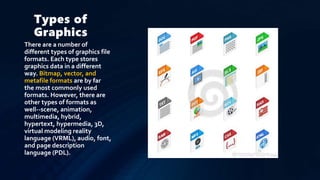
There are a number of
different types of graphics file
formats. Each type stores
graphics data in a different
way. Bitmap, vector, and
metafile formats are by far
the most commonly used
formats. However, there are
other types of formats as
well--scene, animation,
multimedia, hybrid,
hypertext, hypermedia, 3D,
virtual modeling reality
language (VRML), audio, font,
and page description
language (PDL).
System Softwares
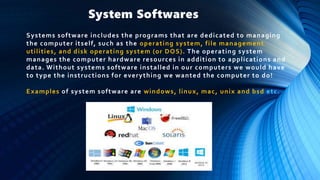
Systems software includes the programs that are dedicated to managing
the computer itself, such as the operating system, file management
utilities, and disk operating system (or DOS). The operating system
manages the computer hardware resources in addition to applications and
data. Without systems software installed in our computers we would have
to type the instructions for everything we wanted the computer to do!
Examples of system software are windows, linux, mac, unix and bsd etc.
Applications Software
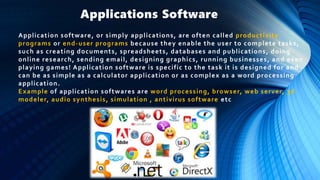
Application software, or simply applications, are often called productivity
programs or end-user programs because they enable the user to complete tasks,
such as creating documents, spreadsheets, databases and publications, doing
online research, sending email, designing graphics, running businesses, and even
playing games! Application software is specific to the task it is designed for and
can be as simple as a calculator application or as complex as a word processing
application.
Example of application softwares are word processing, browser, web server, 3d
modeler, audio synthesis, simulation , antivirus software etc
Operating
System
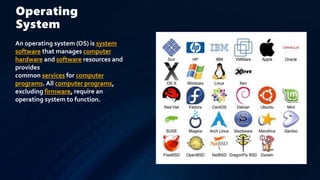
An operating system (OS) is system
software that manages computer
hardware and software resources and
provides
common services for computer
programs. All computer programs,
excluding firmware, require an
operating system to function.
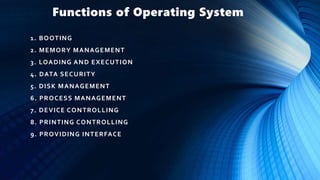
Functions of Operating System
1. BOOTING
2. MEMORY MANAGEMENT
3. LOADING AND EXECUTION
4. DATA SECURITY
5. DISK MANAGEMENT
6. PROCESS MANAGEMENT
7. DEVICE CONTROLLING
8. PRINTING CONTROLLING
9. PROVIDING INTERFACE
THANKS…………………….

Introduction to computer

  • 1.
  • 2.
    What is acomputer? • A computer is an electronic device that manipulates information, or data. It has the ability to store, retrieve, and process data.
  • 3.
    Parts of Computer •Computer has two main elements: 1. Hardware 2. Software
  • 4.
    Hardware Hardware is anypart of your computer that has a physical structure, such as Circuits, computer chips, graphic cards, sound cards, memory (RAM), motherboard, displays, power supplies, cables, keyboards, printers and "mice" input devices are all hardware.
  • 5.
    Software Software is anyset of instructions that tells the hardware what to do and how to do it. Examples of software include web browsers, games, and word processors.
  • 6.
    Role of Computerin Biotechnology 1. For comparison of a specific sequence with those of other sequences of the data base (already existing). 2. Computers are known for their enormous problem solving power. A new DNA sequence is compared with any such similar or nearly similar sequence of the data base. 3. The data stored in a data base can be shared by many scientists working in different parts of the world through a computer network.
  • 7.
    Role of Computerin Multimedia Computers can combine sounds, graphics, animation and audio to come up with an attractive and more enticing multimedia. There several multimedia computer softwares available in the market that offer a wide variety of features to create a multimedia presentation. Two examples are the ms office power point program and ms movie maker that enable the production of audio-visual multimedia presentation with various added features engaging for audiences to watch. To produce a high quality multimedia using a computer, a computer unit requires a powerful microprocessor, large memory and high storage capabilities.
  • 8.
    Graphics Graphics are visualimages or designs on some surface, such as a wall, canvas, screen, paper, or stone to inform, illustrate, or entertain. In contemporary usage it includes: pictorial representation of data, as in computer-aided design and manufacture, in typesetting and the graphic arts, and in educational and recreational software. Images that are generated by a computer are called computer graphics. Examples are photographs, drawings, line art, graphs, diagrams, typography, symbols, geometric designs, maps, or other images.
  • 9.
    Uses of Graphic •BUSINESS • ADVERTISING • POLITICAL • EDUCATION • FILM AND ANIMATION
  • 10.
    Types of Graphics There area number of different types of graphics file formats. Each type stores graphics data in a different way. Bitmap, vector, and metafile formats are by far the most commonly used formats. However, there are other types of formats as well--scene, animation, multimedia, hybrid, hypertext, hypermedia, 3D, virtual modeling reality language (VRML), audio, font, and page description language (PDL).
  • 11.
    System Softwares Systems softwareincludes the programs that are dedicated to managing the computer itself, such as the operating system, file management utilities, and disk operating system (or DOS). The operating system manages the computer hardware resources in addition to applications and data. Without systems software installed in our computers we would have to type the instructions for everything we wanted the computer to do! Examples of system software are windows, linux, mac, unix and bsd etc.
  • 12.
    Applications Software Application software,or simply applications, are often called productivity programs or end-user programs because they enable the user to complete tasks, such as creating documents, spreadsheets, databases and publications, doing online research, sending email, designing graphics, running businesses, and even playing games! Application software is specific to the task it is designed for and can be as simple as a calculator application or as complex as a word processing application. Example of application softwares are word processing, browser, web server, 3d modeler, audio synthesis, simulation , antivirus software etc
  • 13.
    Operating System An operating system(OS) is system software that manages computer hardware and software resources and provides common services for computer programs. All computer programs, excluding firmware, require an operating system to function.
  • 14.
    Functions of OperatingSystem 1. BOOTING 2. MEMORY MANAGEMENT 3. LOADING AND EXECUTION 4. DATA SECURITY 5. DISK MANAGEMENT 6. PROCESS MANAGEMENT 7. DEVICE CONTROLLING 8. PRINTING CONTROLLING 9. PROVIDING INTERFACE
  • 16.