Introduction-to-Computers.pptx this is the introduction to computers
1.
Introduction to Computers
Computershave revolutionized nearly every aspect of modern life, from
communication and entertainment to science and industry.
Understanding the basics of computer technology is essential in today's
digital world. This presentation provides a foundational overview of
what a computer is, its history, and the types of computers commonly
used today.
We'll then explore the essential components that make up a computer,
the role of operating systems and software, and the significance of
computer networks and the Internet. By the end of this presentation,
you'll have a clearer understanding of computers and their importance
in our daily lives.
AK
by Arslan Ahmad Khan
2.
Basic Computer Components:Hardware
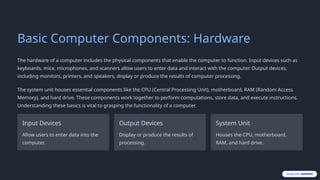
The hardware of a computer includes the physical components that enable the computer to function. Input devices such as
keyboards, mice, microphones, and scanners allow users to enter data and interact with the computer. Output devices,
including monitors, printers, and speakers, display or produce the results of computer processing.
The system unit houses essential components like the CPU (Central Processing Unit), motherboard, RAM (Random Access
Memory), and hard drive. These components work together to perform computations, store data, and execute instructions.
Understanding these basics is vital to grasping the functionality of a computer.
Input Devices
Allow users to enter data into the
computer.
Output Devices
Display or produce the results of
processing.
System Unit
Houses the CPU, motherboard,
RAM, and hard drive.
3.
The Central ProcessingUnit (CPU)
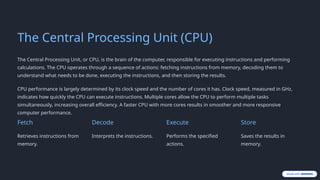
The Central Processing Unit, or CPU, is the brain of the computer, responsible for executing instructions and performing
calculations. The CPU operates through a sequence of actions: fetching instructions from memory, decoding them to
understand what needs to be done, executing the instructions, and then storing the results.
CPU performance is largely determined by its clock speed and the number of cores it has. Clock speed, measured in GHz,
indicates how quickly the CPU can execute instructions. Multiple cores allow the CPU to perform multiple tasks
simultaneously, increasing overall efficiency. A faster CPU with more cores results in smoother and more responsive
computer performance.
Fetch
Retrieves instructions from
memory.
Decode
Interprets the instructions.
Execute
Performs the specified
actions.
Store
Saves the results in
memory.
4.
Memory and Storage
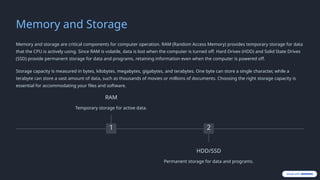
Memoryand storage are critical components for computer operation. RAM (Random Access Memory) provides temporary storage for data
that the CPU is actively using. Since RAM is volatile, data is lost when the computer is turned off. Hard Drives (HDD) and Solid State Drives
(SSD) provide permanent storage for data and programs, retaining information even when the computer is powered off.
Storage capacity is measured in bytes, kilobytes, megabytes, gigabytes, and terabytes. One byte can store a single character, while a
terabyte can store a vast amount of data, such as thousands of movies or millions of documents. Choosing the right storage capacity is
essential for accommodating your files and software.
1
RAM
Temporary storage for active data.
2
HDD/SSD
Permanent storage for data and programs.
5.
Operating Systems (OS)
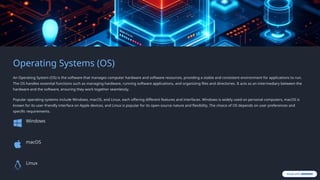
AnOperating System (OS) is the software that manages computer hardware and software resources, providing a stable and consistent environment for applications to run.
The OS handles essential functions such as managing hardware, running software applications, and organizing files and directories. It acts as an intermediary between the
hardware and the software, ensuring they work together seamlessly.
Popular operating systems include Windows, macOS, and Linux, each offering different features and interfaces. Windows is widely used on personal computers, macOS is
known for its user-friendly interface on Apple devices, and Linux is popular for its open-source nature and flexibility. The choice of OS depends on user preferences and
specific requirements.
Windows
macOS
Linux
6.
Software: Applications andPrograms
Software refers to the programs and applications that run on a computer, enabling users to perform specific tasks. System
software manages the computer's hardware, while application software allows users to perform specific tasks like creating
documents, browsing the web, or playing games. Software is essential for making a computer useful and versatile.
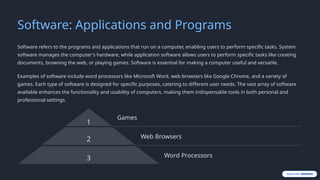
Examples of software include word processors like Microsoft Word, web browsers like Google Chrome, and a variety of
games. Each type of software is designed for specific purposes, catering to different user needs. The vast array of software
available enhances the functionality and usability of computers, making them indispensable tools in both personal and
professional settings.
1
Games
2 Web Browsers
3 Word Processors
7.
Computer Networks andthe Internet
A computer network is a collection of interconnected computers and devices that can communicate and share resources with each other.
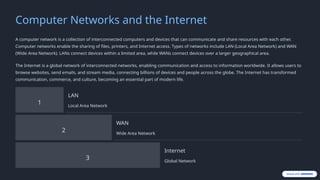
Computer networks enable the sharing of files, printers, and Internet access. Types of networks include LAN (Local Area Network) and WAN
(Wide Area Network). LANs connect devices within a limited area, while WANs connect devices over a larger geographical area.
The Internet is a global network of interconnected networks, enabling communication and access to information worldwide. It allows users to
browse websites, send emails, and stream media, connecting billions of devices and people across the globe. The Internet has transformed
communication, commerce, and culture, becoming an essential part of modern life.
1
LAN
Local Area Network
2
WAN
Wide Area Network
3
Internet
Global Network
8.
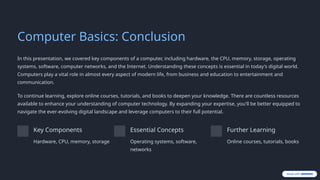
Computer Basics: Conclusion
Inthis presentation, we covered key components of a computer, including hardware, the CPU, memory, storage, operating
systems, software, computer networks, and the Internet. Understanding these concepts is essential in today's digital world.
Computers play a vital role in almost every aspect of modern life, from business and education to entertainment and
communication.
To continue learning, explore online courses, tutorials, and books to deepen your knowledge. There are countless resources
available to enhance your understanding of computer technology. By expanding your expertise, you'll be better equipped to
navigate the ever-evolving digital landscape and leverage computers to their full potential.
Key Components
Hardware, CPU, memory, storage
Essential Concepts
Operating systems, software,
networks
Further Learning
Online courses, tutorials, books