1
2
 Structure Diagrams (Class diagrams) are used to describe
the static composition of components/Objects (i.e.,
constraints on what instances may exist at run-time).
 Deployment Diagrams are used to describe the mapping
between software artifacts and deployment targets.
 Why do objects exist?
 To perform an activity to help fulfill a system’s purpose
 What about modeling dynamic behavior?
3
 Interaction diagrams model how groups of object
collaborate to perform some behavior
 Typically captures the behavior of a single use case
 Behaviour Diagrams are used to describe the behaviour
 Of the whole application.
 Of a particular process in an application.
 Of a specific object in an application.
 The behavioral diagrams are categorized as follows:
 use case diagrams,
 interaction diagrams (Sequence & Communication),
 state–chart diagrams, and
 activity diagrams.
4
5
 Use Case: Manage Course Information (UC_ID1)
 Participating Actors: Course Administrator
 Entry Conditions: Course Administrator is logged into
Courseware
 Exit Conditions: Course Administrator has received an
acknowledgement from the system that the selected
transaction is complete, or if not complete, a message
explaining the failure
 Quality Requirements: (Performance) Course
Administrator receives a response from the system in less
than 3 seconds
 Related Requirements: Create, Modify, and Delete Course
 …
6
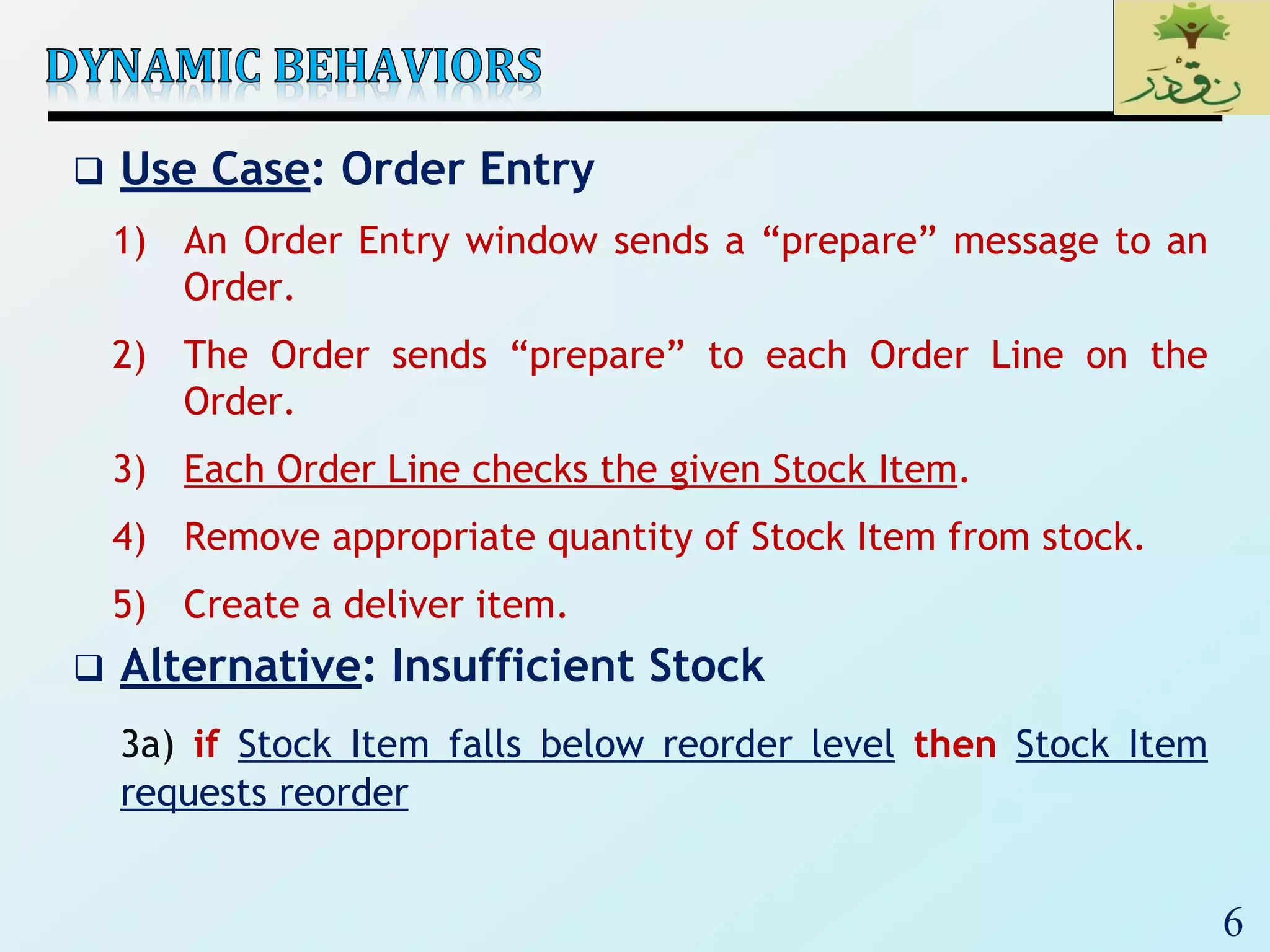
 Use Case: Order Entry
1) An Order Entry window sends a “prepare” message to an
Order.
2) The Order sends “prepare” to each Order Line on the
Order.
3) Each Order Line checks the given Stock Item.
4) Remove appropriate quantity of Stock Item from stock.
5) Create a deliver item.
 Alternative: Insufficient Stock
3a) if Stock Item falls below reorder level then Stock Item
requests reorder
7
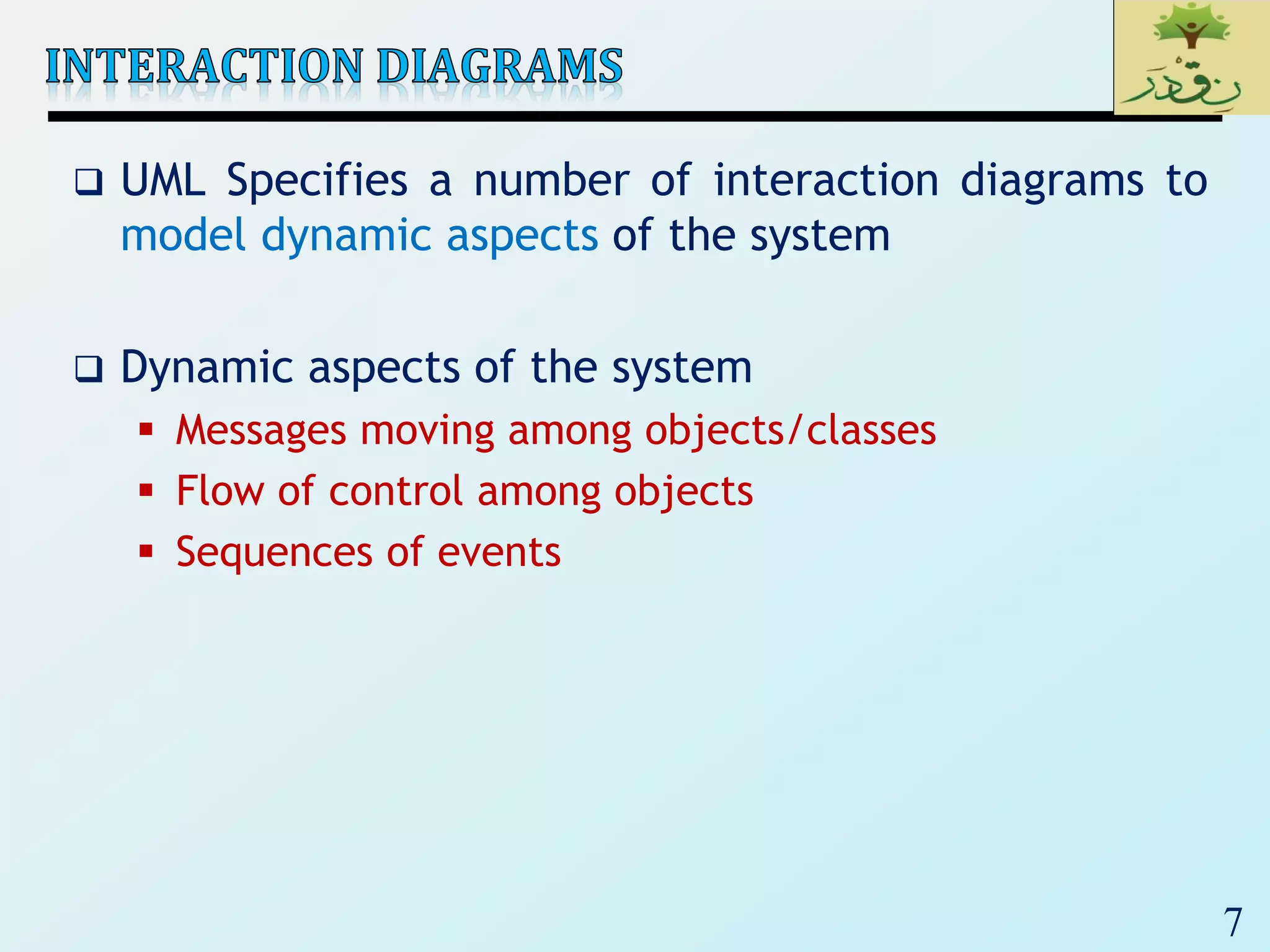
 UML Specifies a number of interaction diagrams to
model dynamic aspects of the system
 Dynamic aspects of the system
 Messages moving among objects/classes
 Flow of control among objects
 Sequences of events
8
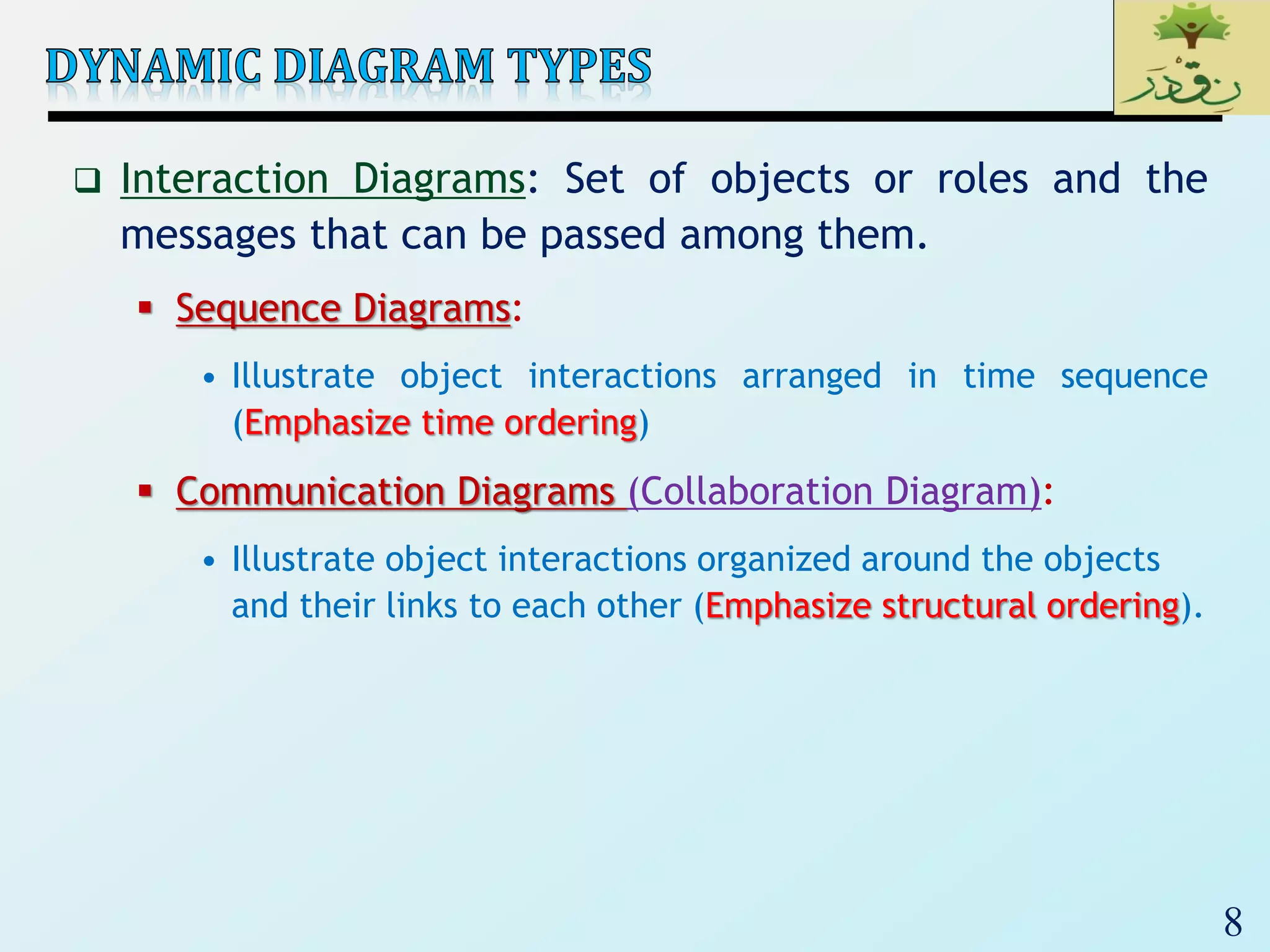
 Interaction Diagrams: Set of objects or roles and the
messages that can be passed among them.
 Sequence Diagrams:
• Illustrate object interactions arranged in time sequence
(Emphasize time ordering)
 Communication Diagrams (Collaboration Diagram):
• Illustrate object interactions organized around the objects
and their links to each other (Emphasize structural ordering).
9
10
 Describe the flow of messages, events, actions between
objects
 Show concurrent processes and activations
 Show time sequences that are not easily depicted in
other diagrams
 Typically used during analysis and design to document
and understand the logical flow of your system
Emphasis on time ordering!
11
12
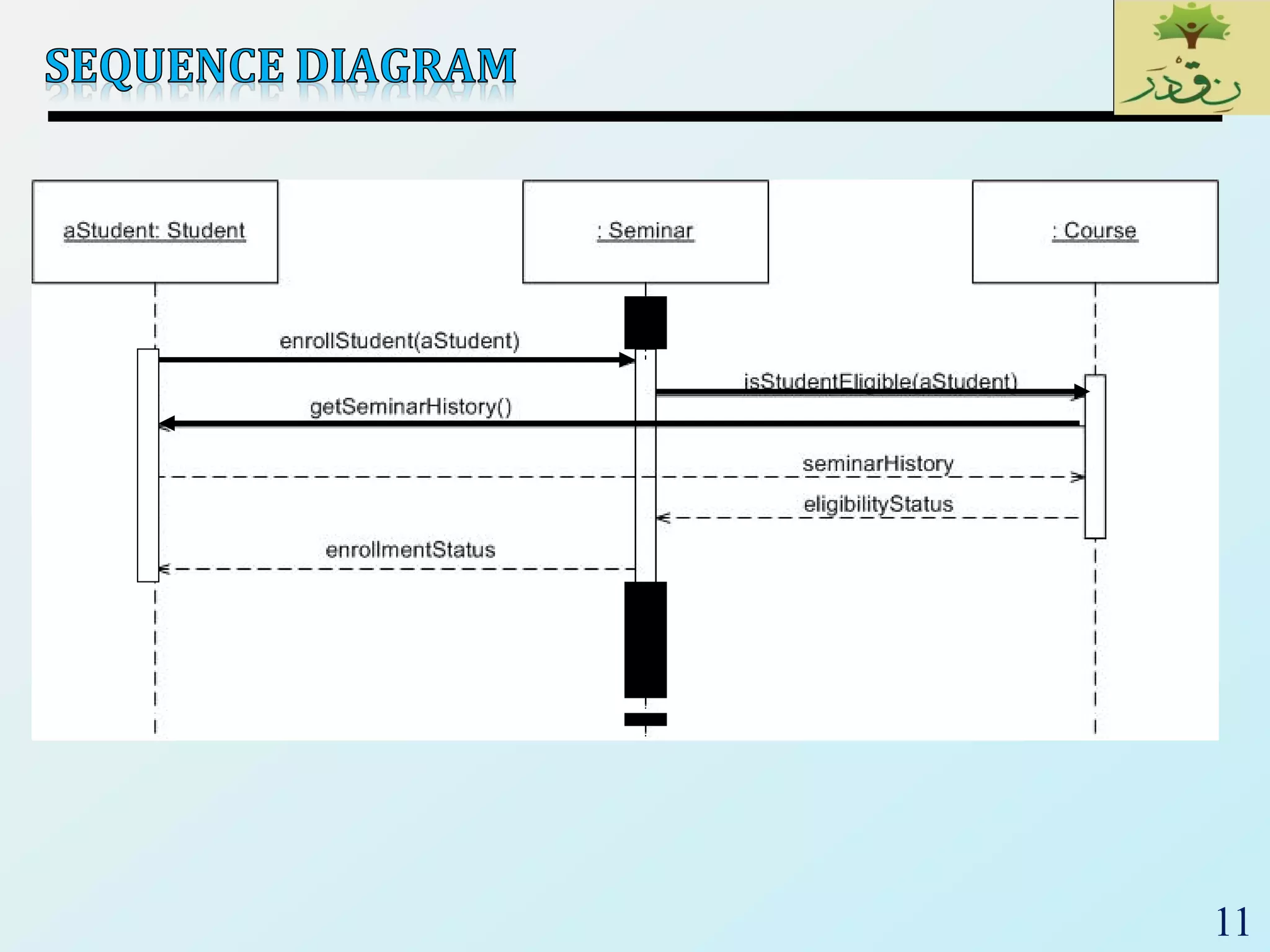
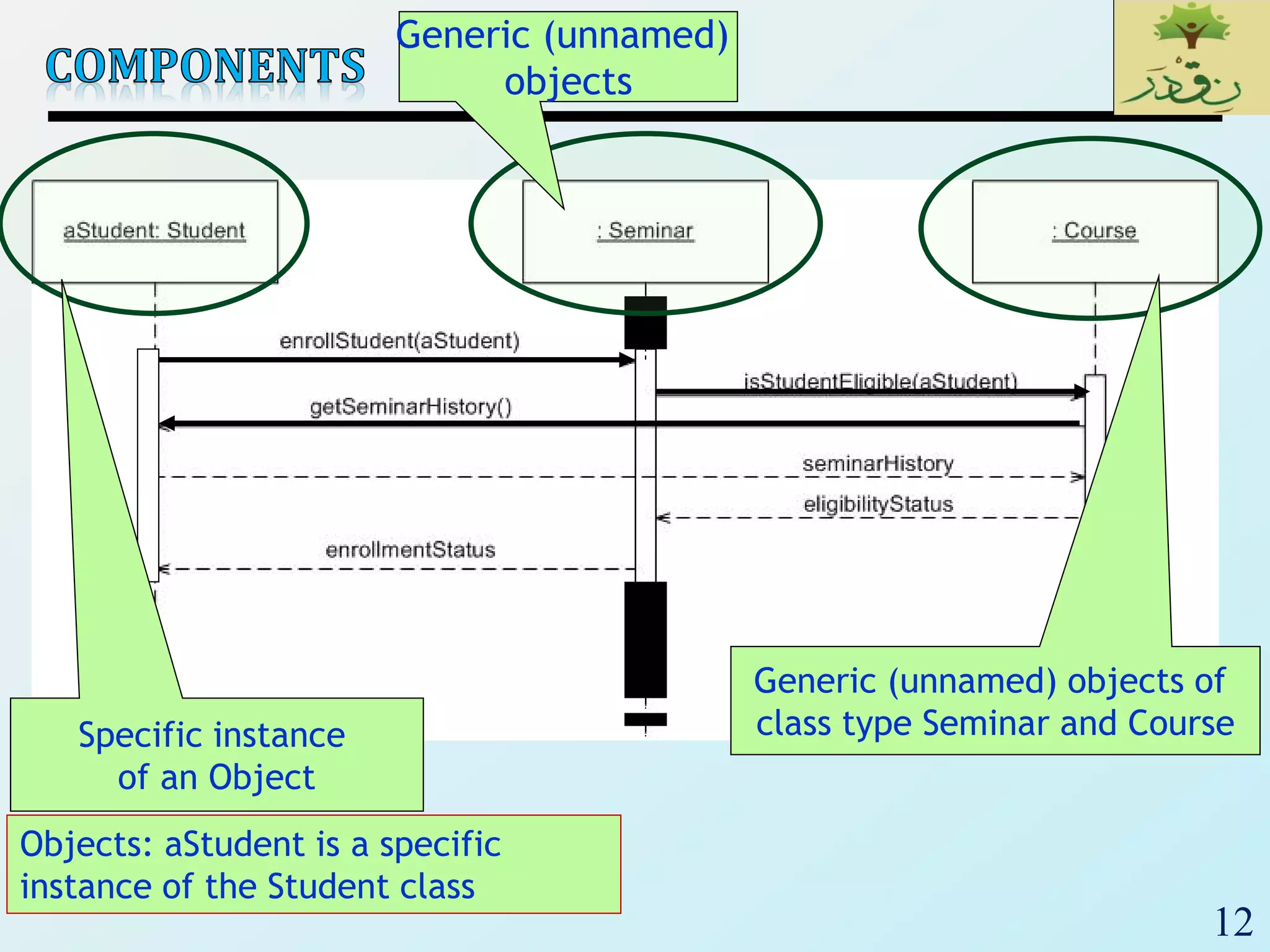
Objects: aStudent is a specific
instance of the Student class
Specific instance
of an Object
Generic (unnamed)
objects
Generic (unnamed) objects of
class type Seminar and Course
13
TimeIncreasing
All lines should be horizontal to indicate instantaneous actions.
Additionally if ActivityA happens before ActivityB, ActivityA must be
above activityB
Lower = Later!
14
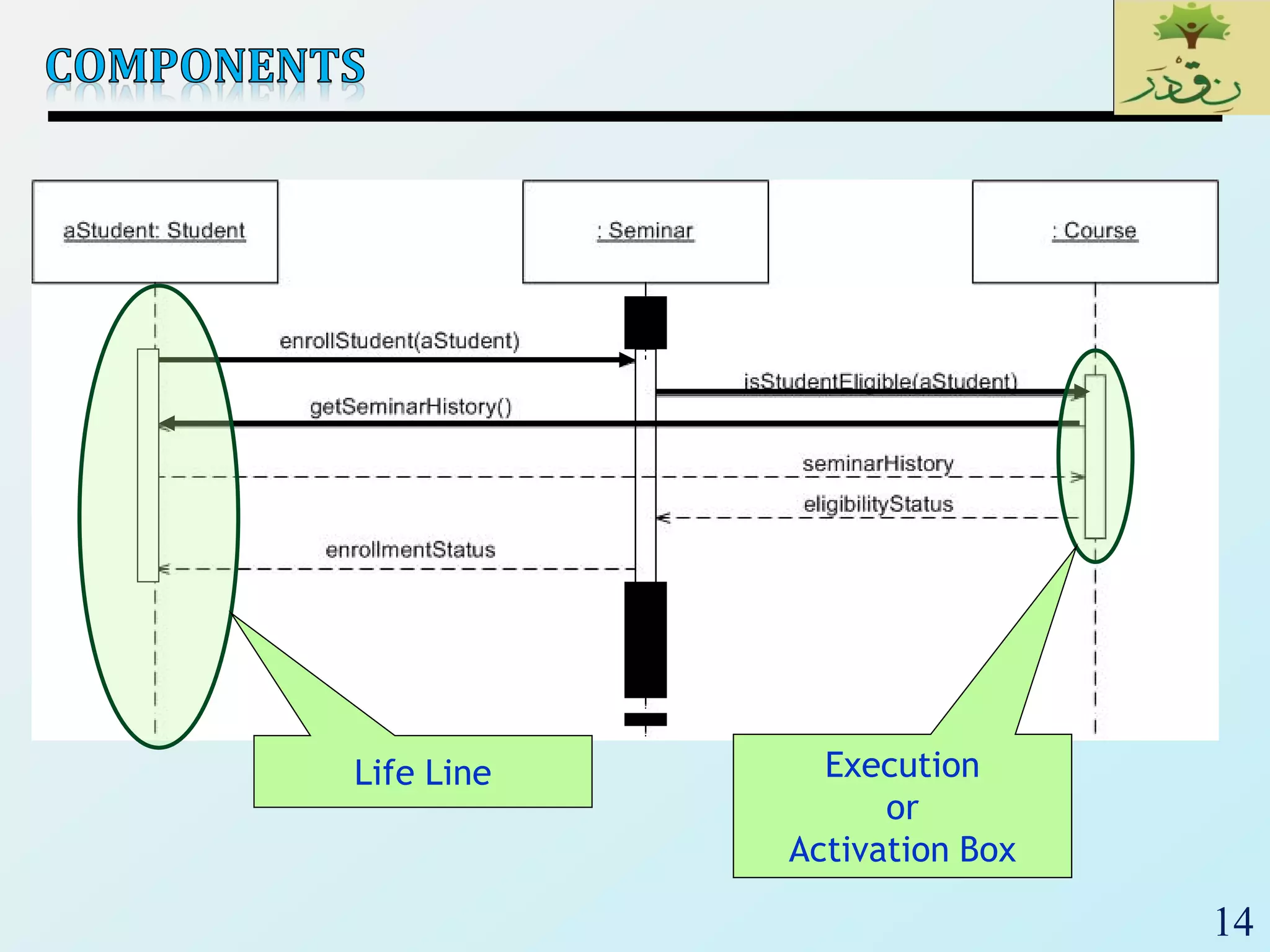
Execution
or
Activation Box
Life Line
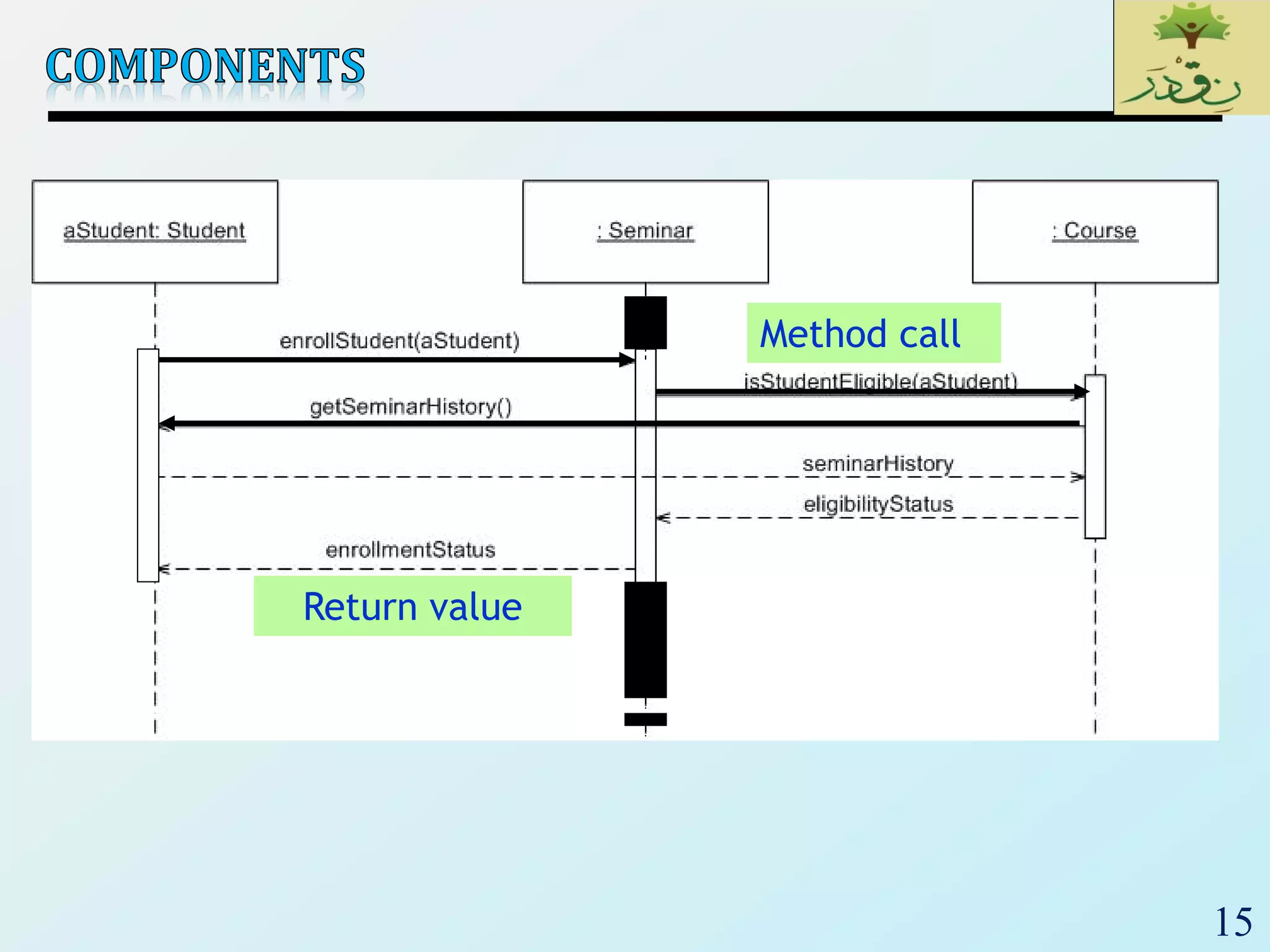
15
Return value
Method call
16
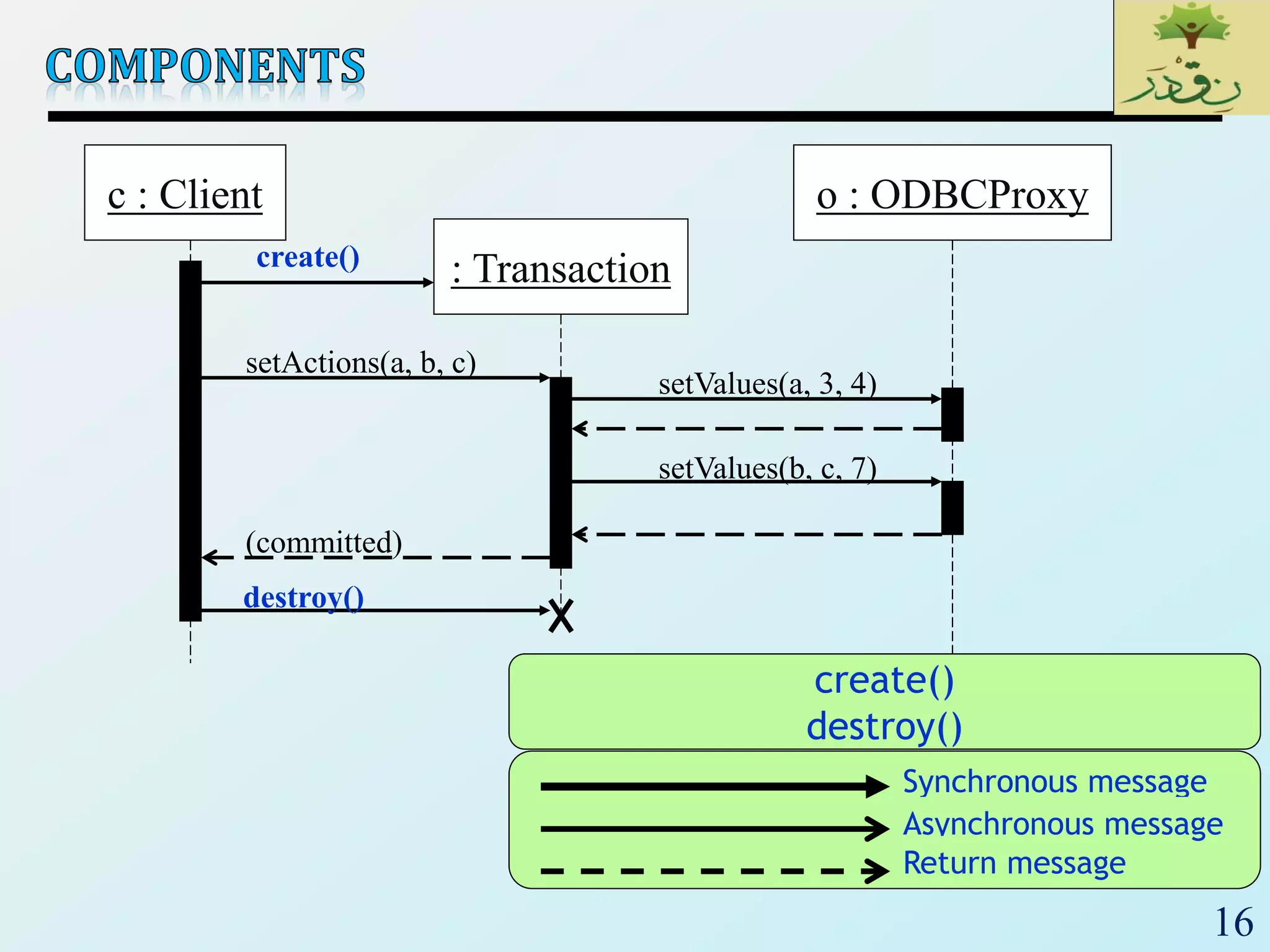
c : Client
: Transaction
o : ODBCProxy
create()
setActions(a, b, c)
setValues(a, 3, 4)
setValues(b, c, 7)
(committed)
destroy()
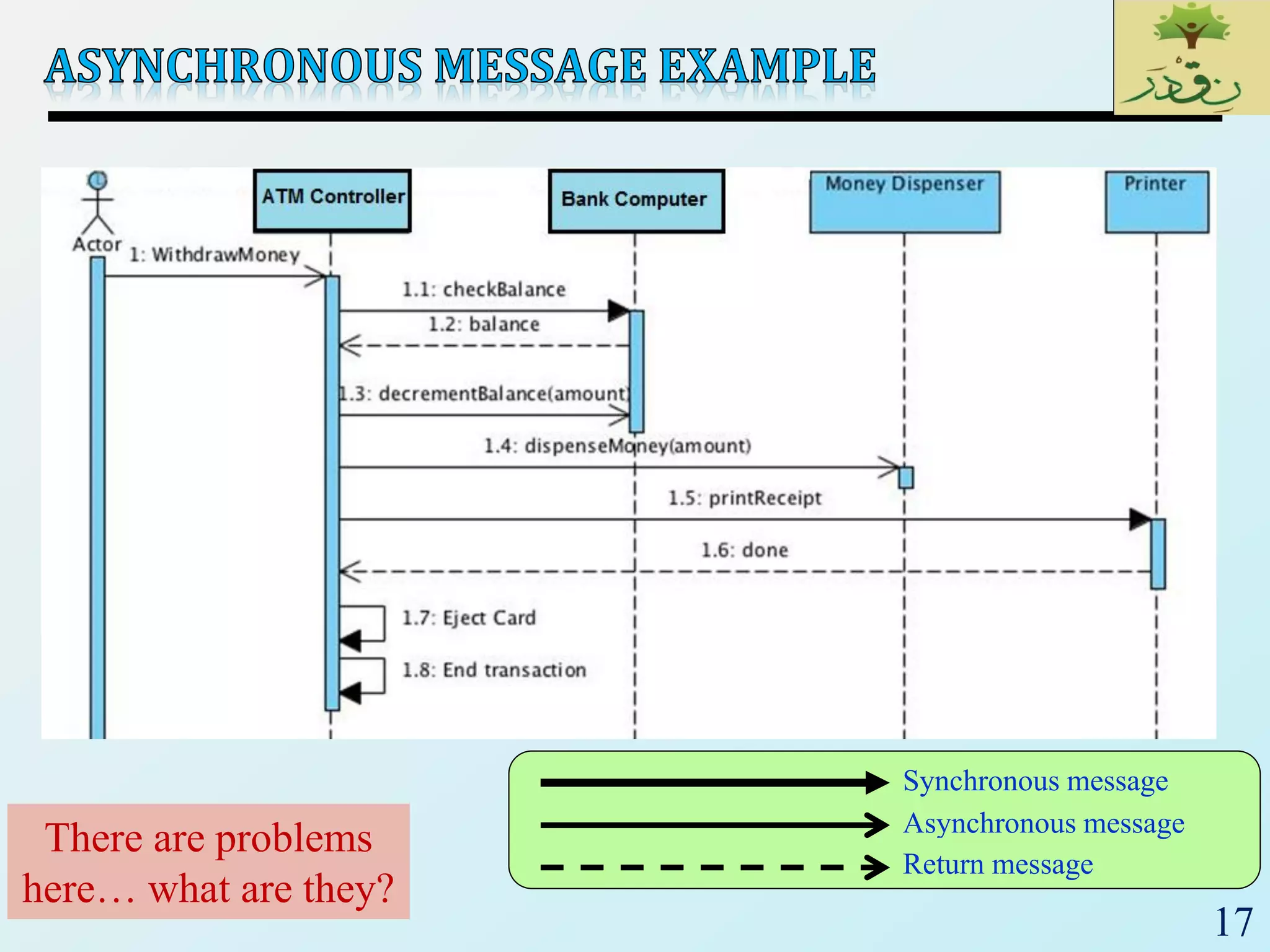
Synchronous message
Asynchronous message
create()
destroy()
Return message
17
Synchronous message
Asynchronous message
Return message
There are problems
here… what are they?
18
19
20
21
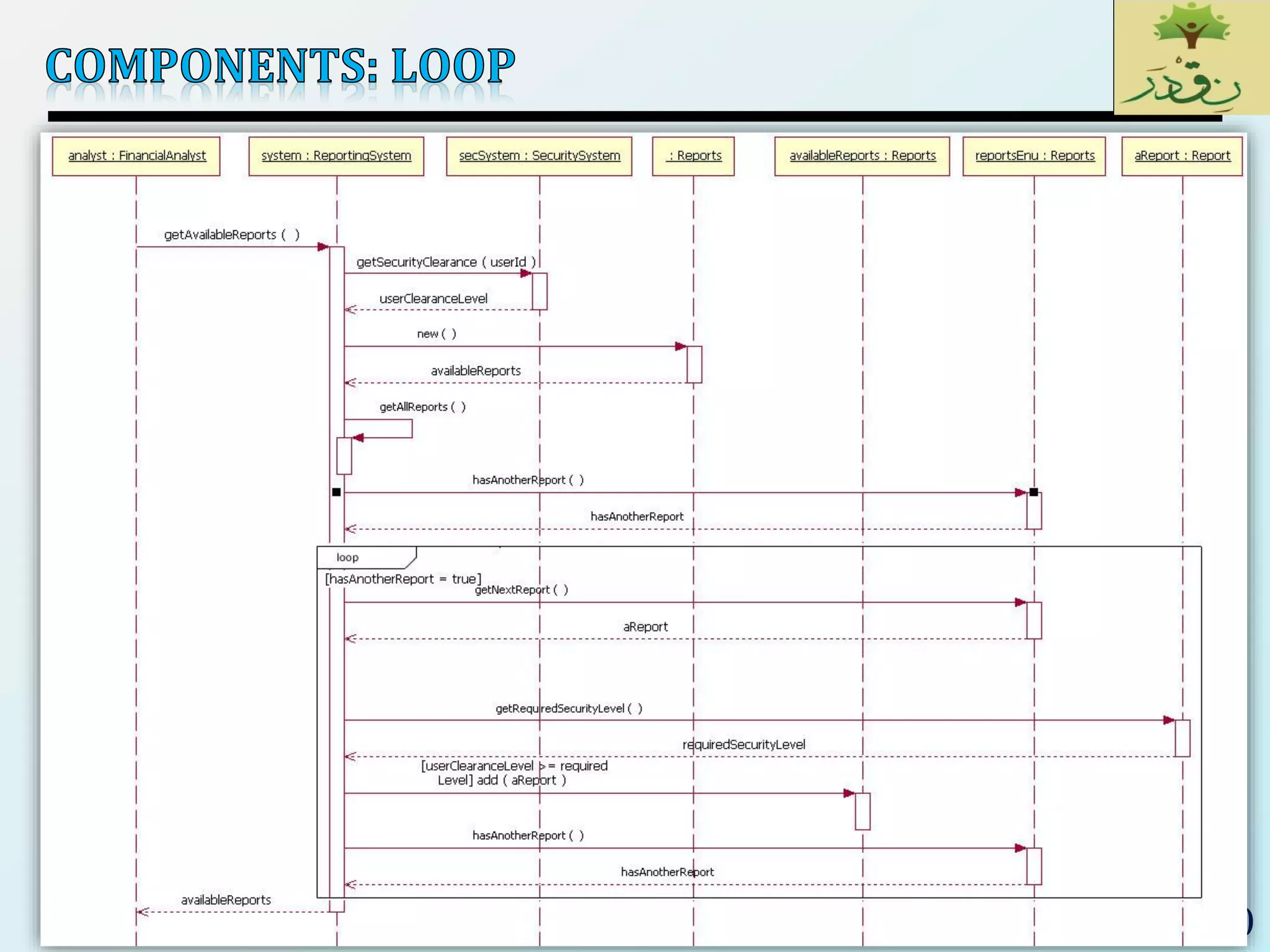
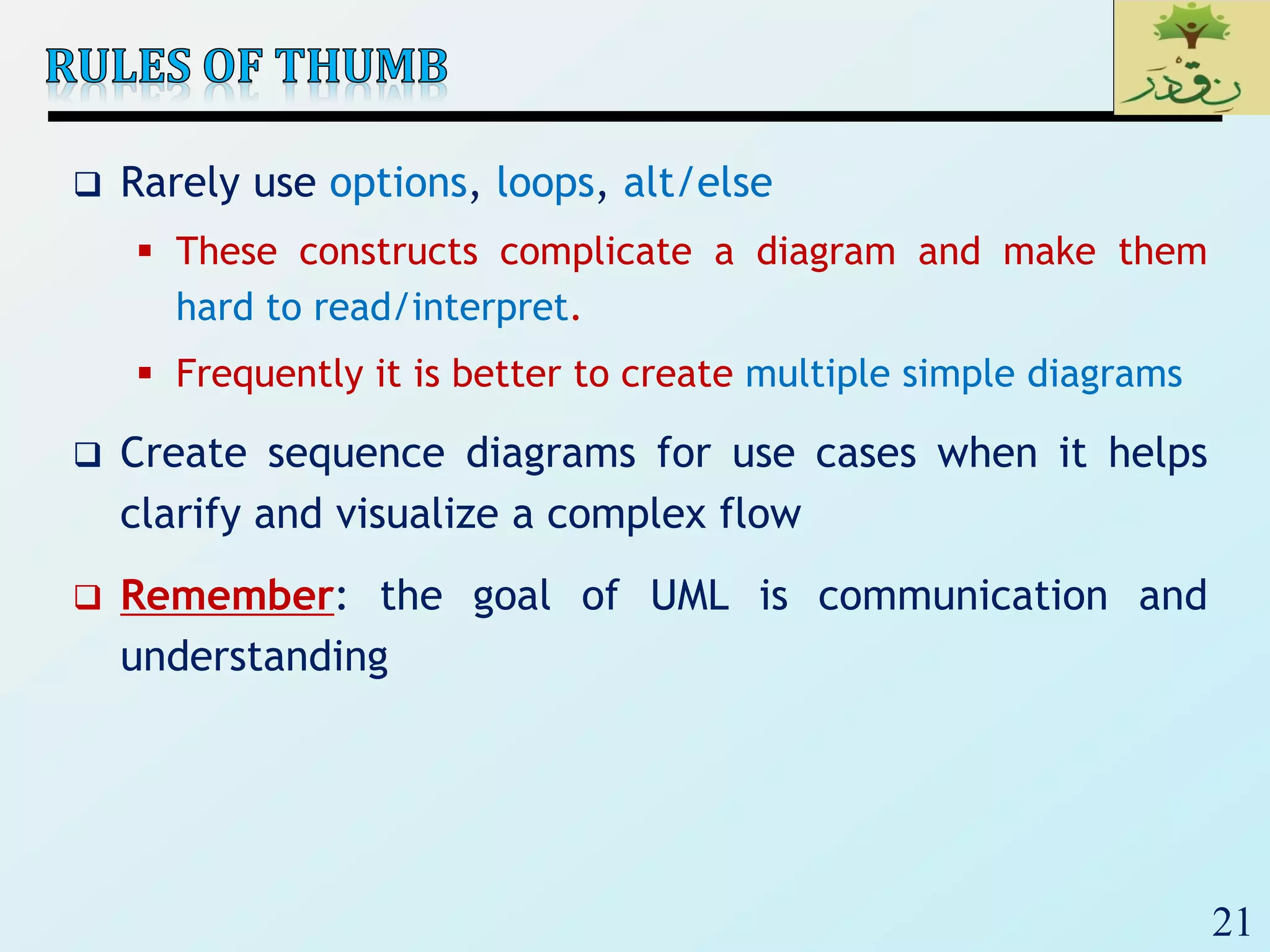
 Rarely use options, loops, alt/else
 These constructs complicate a diagram and make them
hard to read/interpret.
 Frequently it is better to create multiple simple diagrams
 Create sequence diagrams for use cases when it helps
clarify and visualize a complex flow
 Remember: the goal of UML is communication and
understanding
22
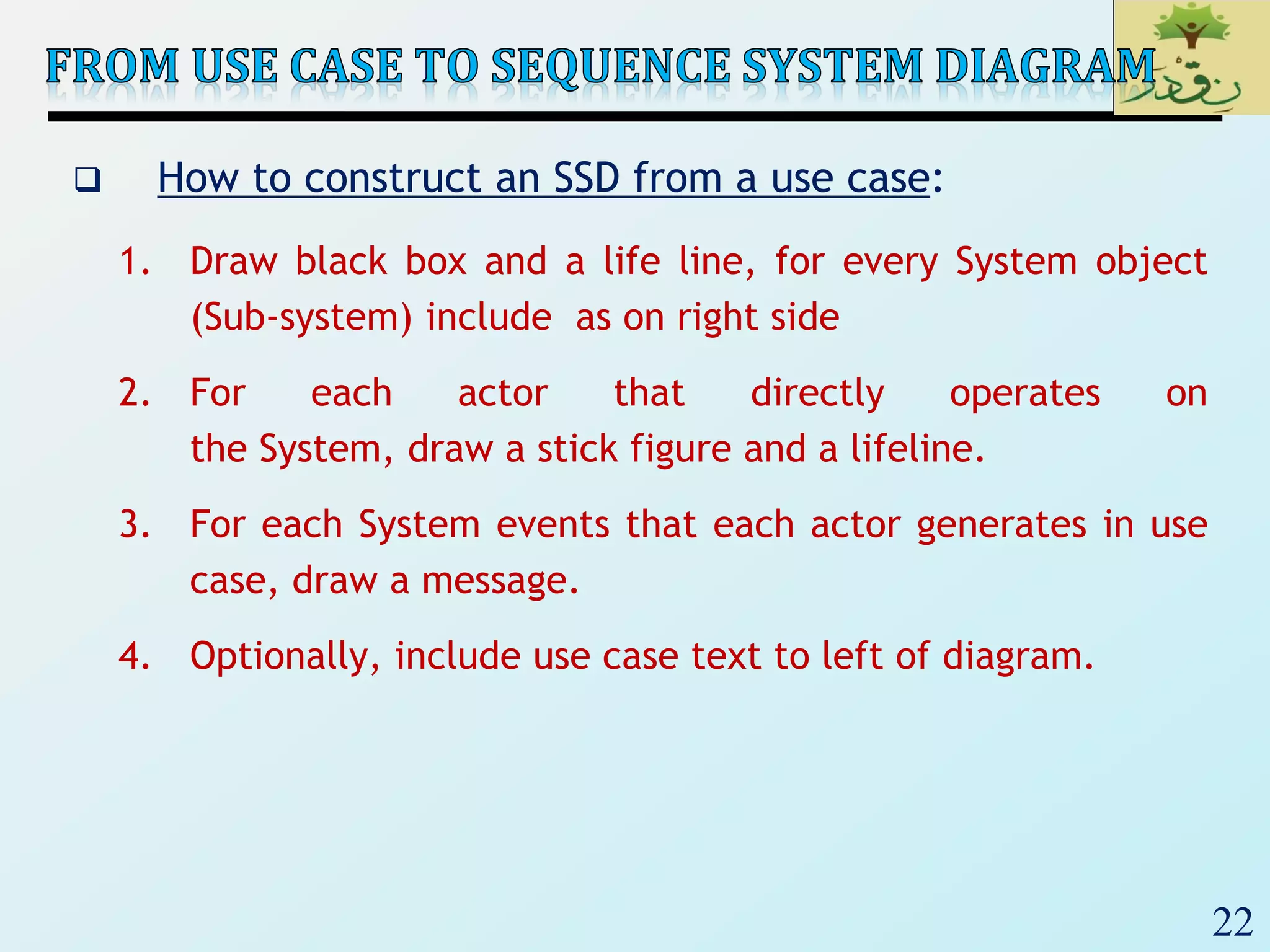
 How to construct an SSD from a use case:
1. Draw black box and a life line, for every System object
(Sub-system) include as on right side
2. For each actor that directly operates on
the System, draw a stick figure and a lifeline.
3. For each System events that each actor generates in use
case, draw a message.
4. Optionally, include use case text to left of diagram.
23
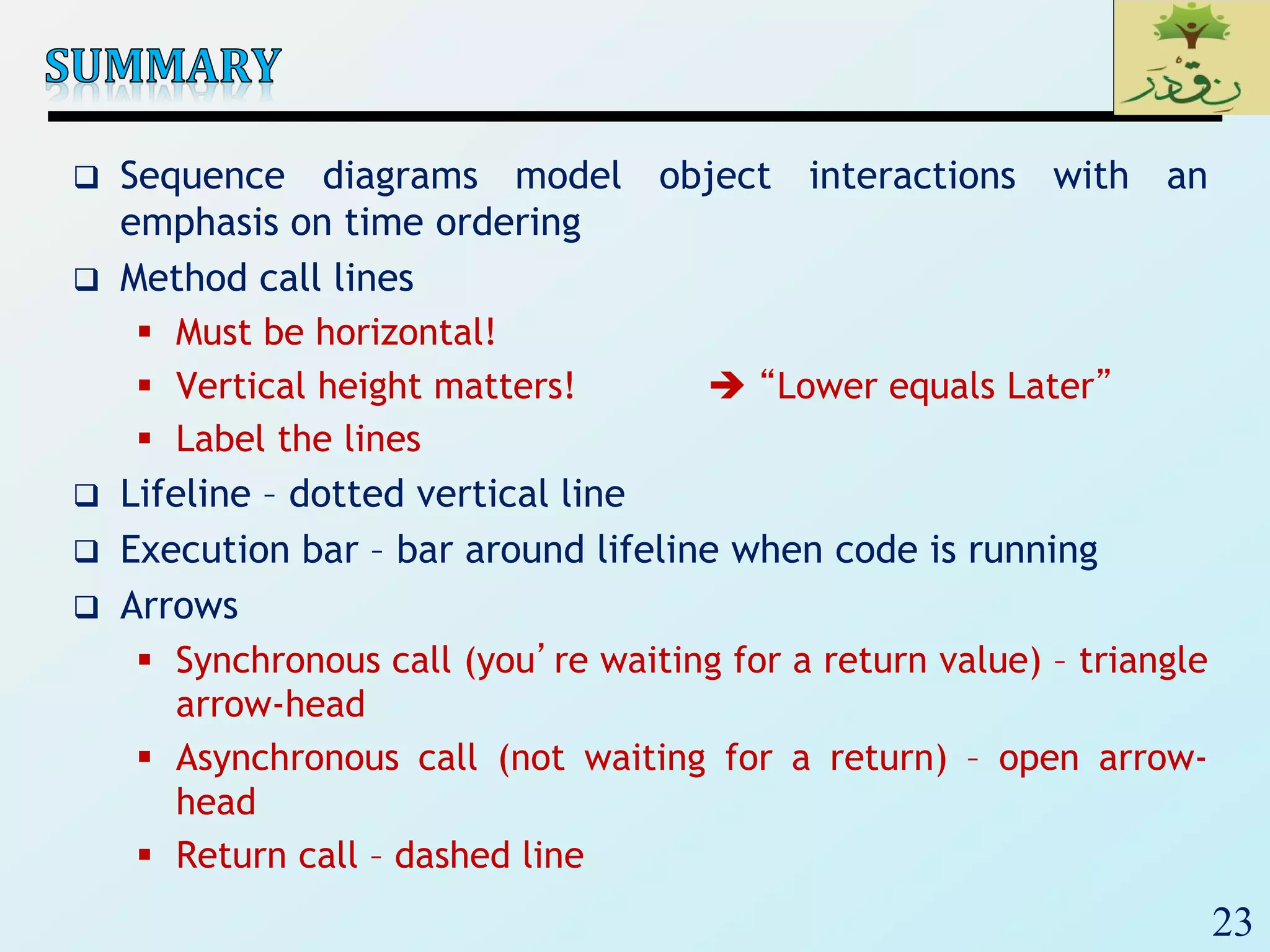
 Sequence diagrams model object interactions with an
emphasis on time ordering
 Method call lines
 Must be horizontal!
 Vertical height matters!  “Lower equals Later”
 Label the lines
 Lifeline – dotted vertical line
 Execution bar – bar around lifeline when code is running
 Arrows
 Synchronous call (you’re waiting for a return value) – triangle
arrow-head
 Asynchronous call (not waiting for a return) – open arrow-
head
 Return call – dashed line
24
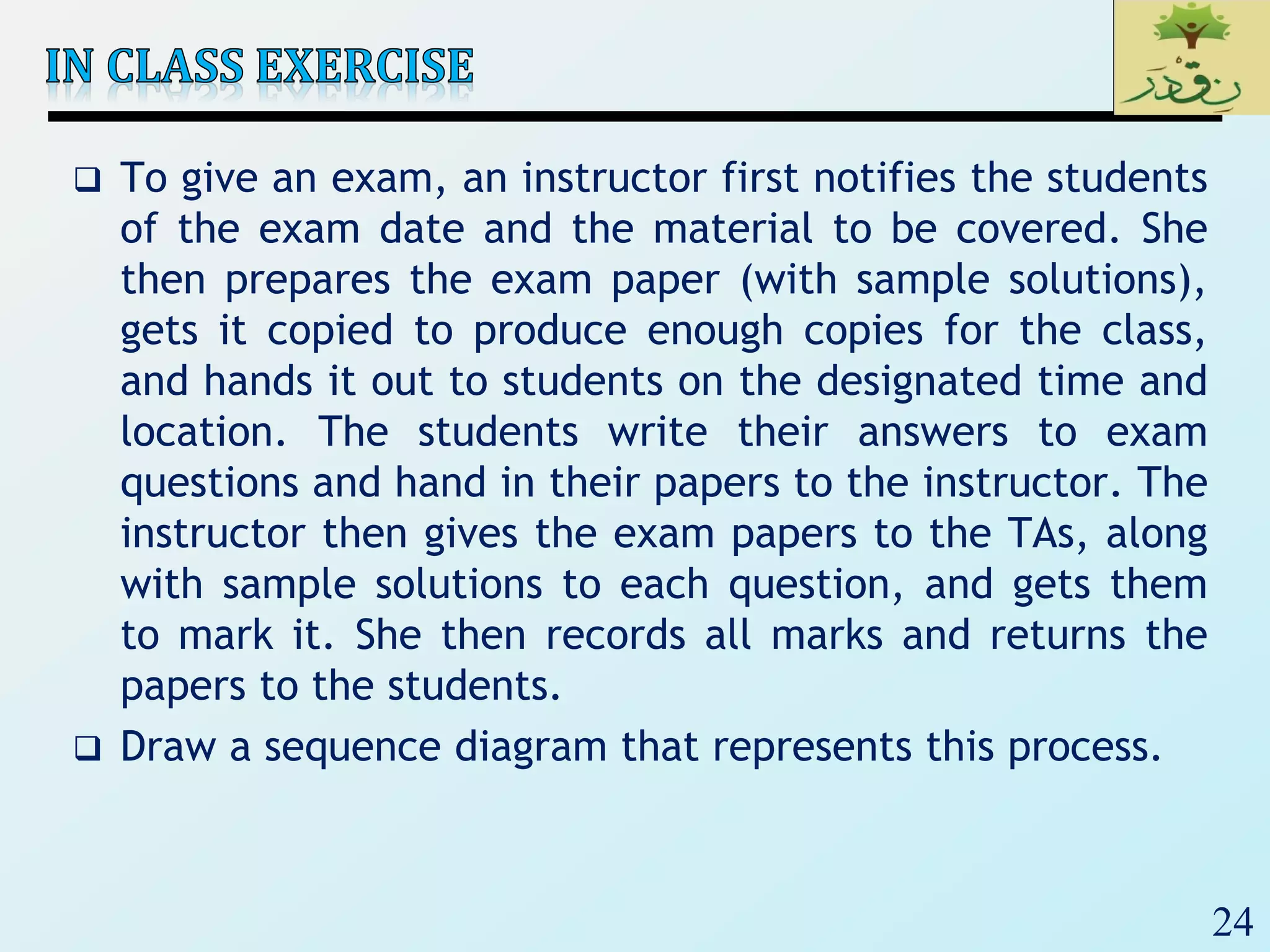
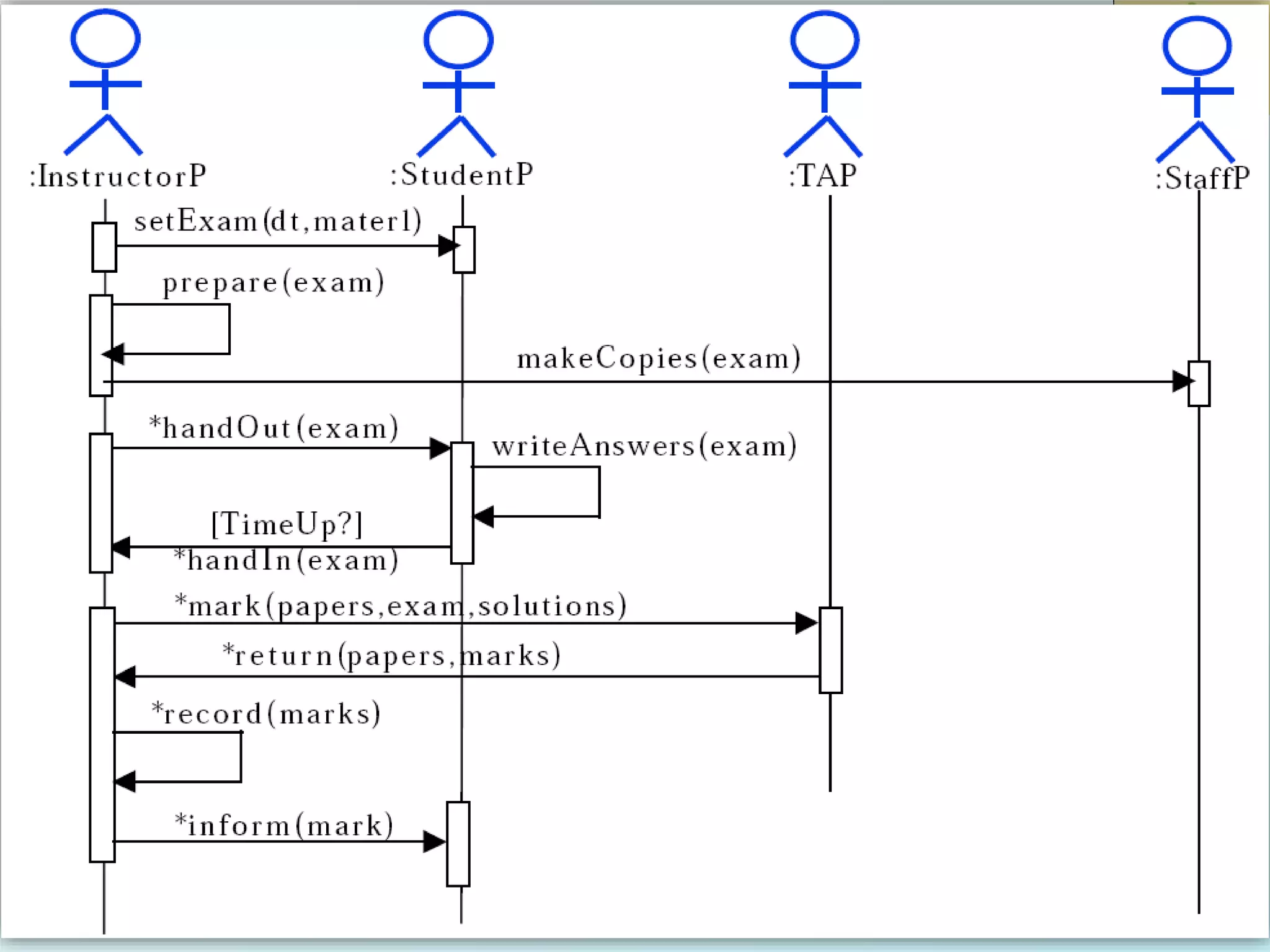
 To give an exam, an instructor first notifies the students
of the exam date and the material to be covered. She
then prepares the exam paper (with sample solutions),
gets it copied to produce enough copies for the class,
and hands it out to students on the designated time and
location. The students write their answers to exam
questions and hand in their papers to the instructor. The
instructor then gives the exam papers to the TAs, along
with sample solutions to each question, and gets them
to mark it. She then records all marks and returns the
papers to the students.
 Draw a sequence diagram that represents this process.
25
26
27
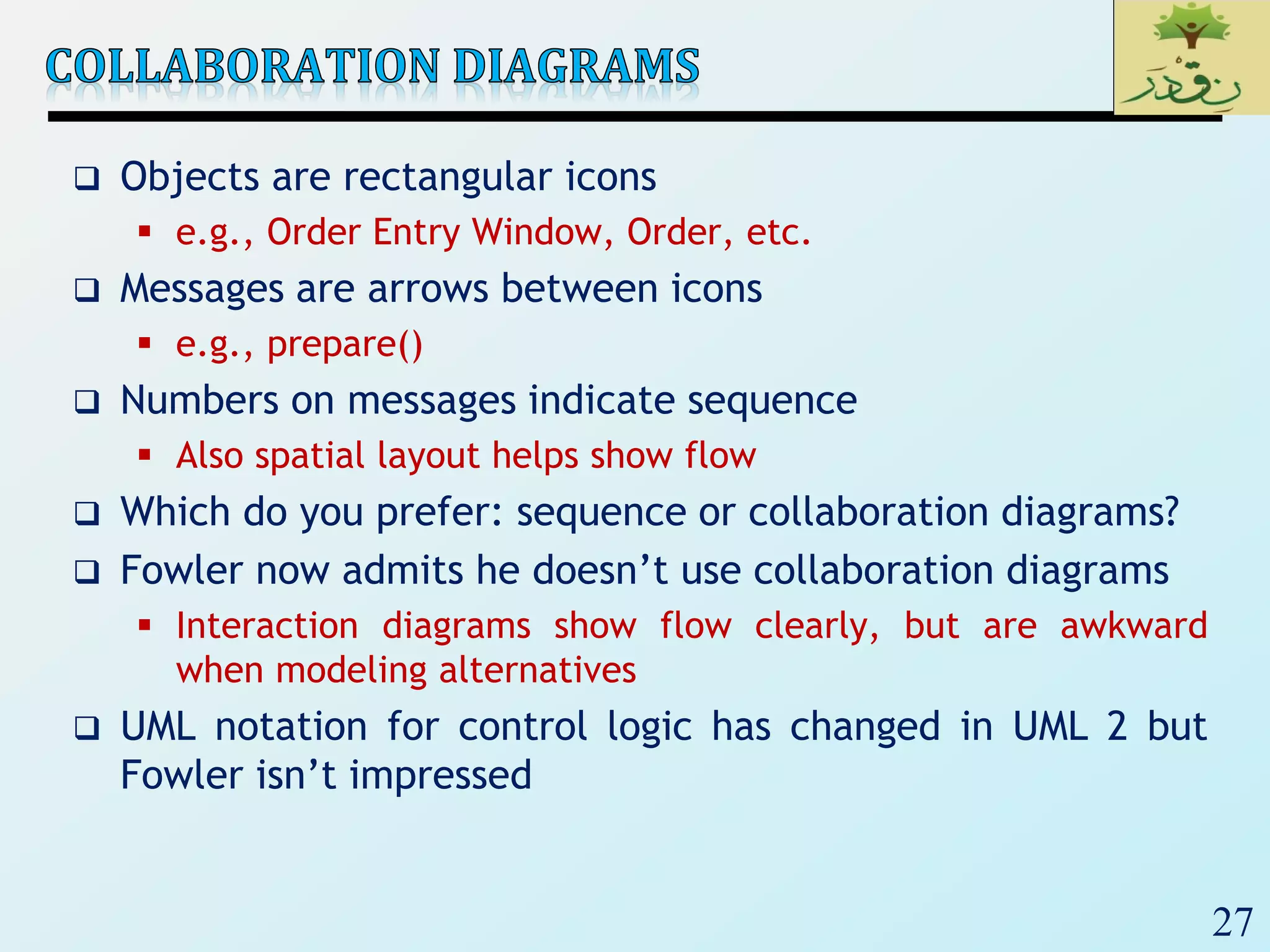
 Objects are rectangular icons
 e.g., Order Entry Window, Order, etc.
 Messages are arrows between icons
 e.g., prepare()
 Numbers on messages indicate sequence
 Also spatial layout helps show flow
 Which do you prefer: sequence or collaboration diagrams?
 Fowler now admits he doesn’t use collaboration diagrams
 Interaction diagrams show flow clearly, but are awkward
when modeling alternatives
 UML notation for control logic has changed in UML 2 but
Fowler isn’t impressed
28
29
30
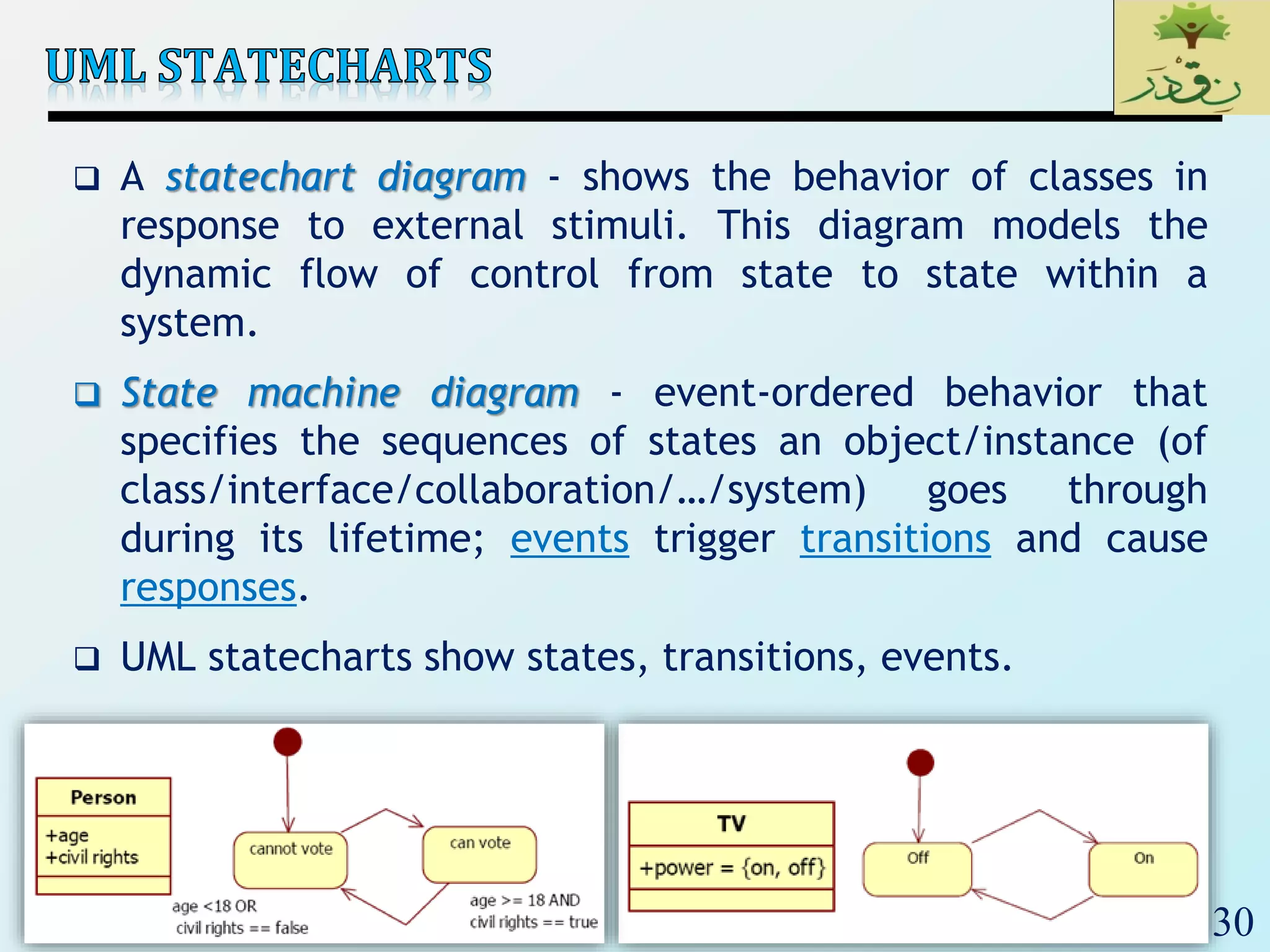
 A statechart diagram - shows the behavior of classes in
response to external stimuli. This diagram models the
dynamic flow of control from state to state within a
system.
 State machine diagram - event-ordered behavior that
specifies the sequences of states an object/instance (of
class/interface/collaboration/…/system) goes through
during its lifetime; events trigger transitions and cause
responses.
 UML statecharts show states, transitions, events.
31
 A state diagram is a graph consisting of
 States (a mode of the entity).
simple states
composite states (nested state diagrams)
 State transitions connecting the states.
including events and actions.
 State – Constraint or condition or situation during which an
object/instance may perform some activity; The state of
an object is characterized by the value of one or more of
its attributes.
32
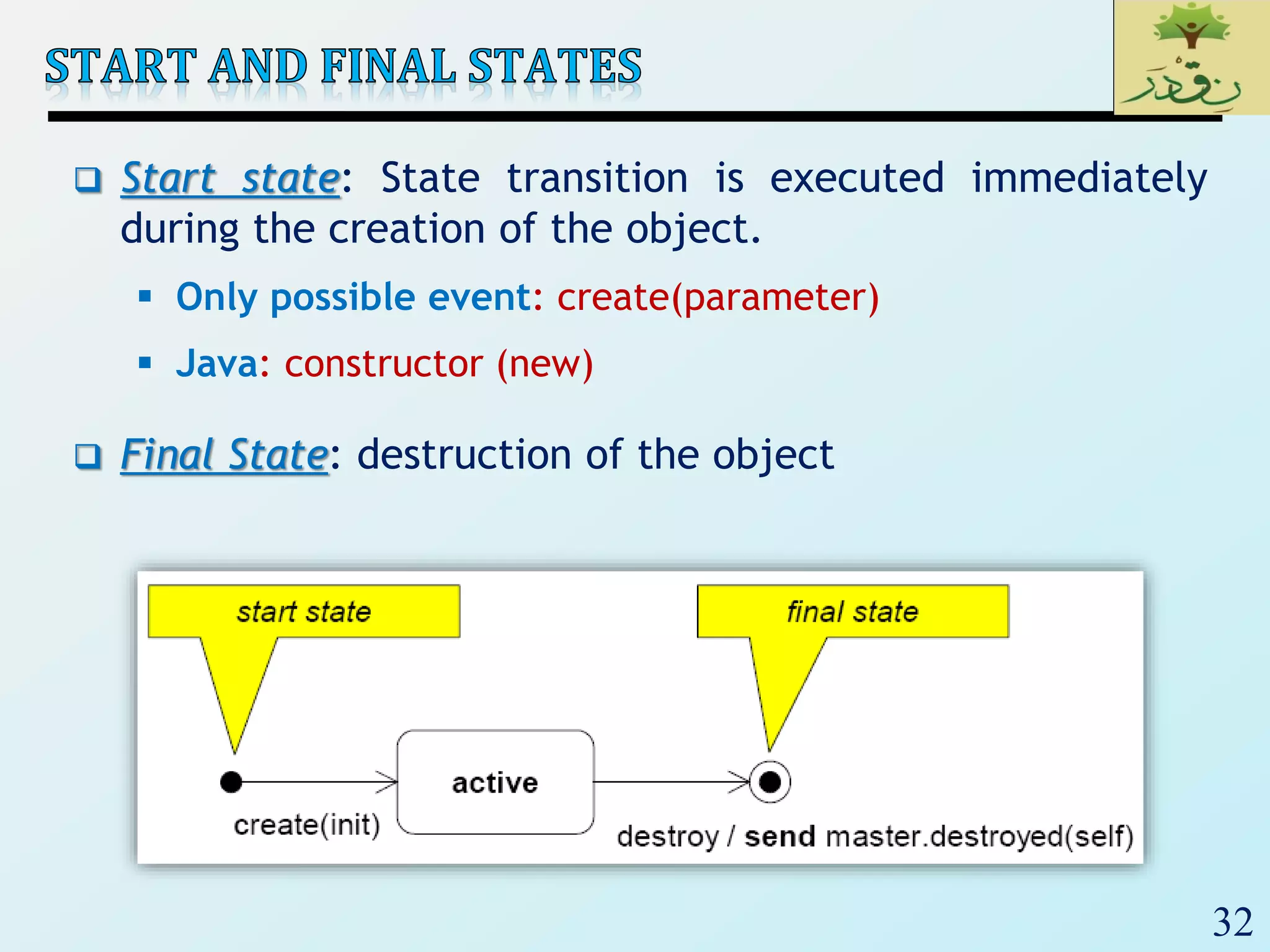
 Start state: State transition is executed immediately
during the creation of the object.
 Only possible event: create(parameter)
 Java: constructor (new)
 Final State: destruction of the object
33
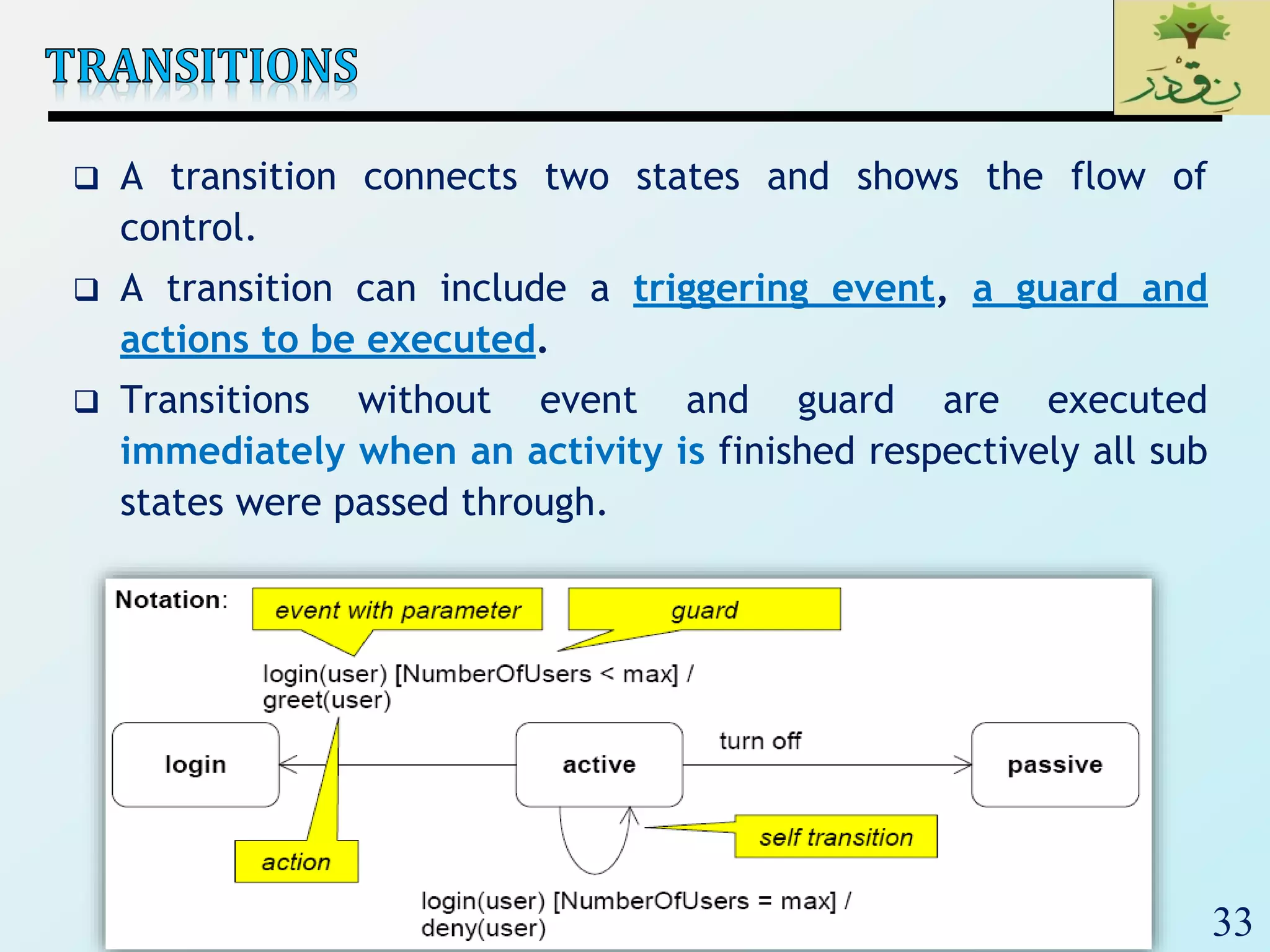
 A transition connects two states and shows the flow of
control.
 A transition can include a triggering event, a guard and
actions to be executed.
 Transitions without event and guard are executed
immediately when an activity is finished respectively all sub
states were passed through.
34
 An event is a phenomenon in space and time significant
for the modeled system.
 An event can appear synchronously or asynchronously.
 Synchronous events:
• Call event: triggered by call
• Exception event: triggered by called object at return
 Asynchronous events:
• Signal event: signal sent by other object
• Change event: triggered by side effects on object
attributes
• Time event: spontaneously triggered by Boolean guard
over time
 An event can trigger state changes.
35
 Signals are asynchronous, i.e., the sender does not wait until
the receiver received the signal or reacted on it.
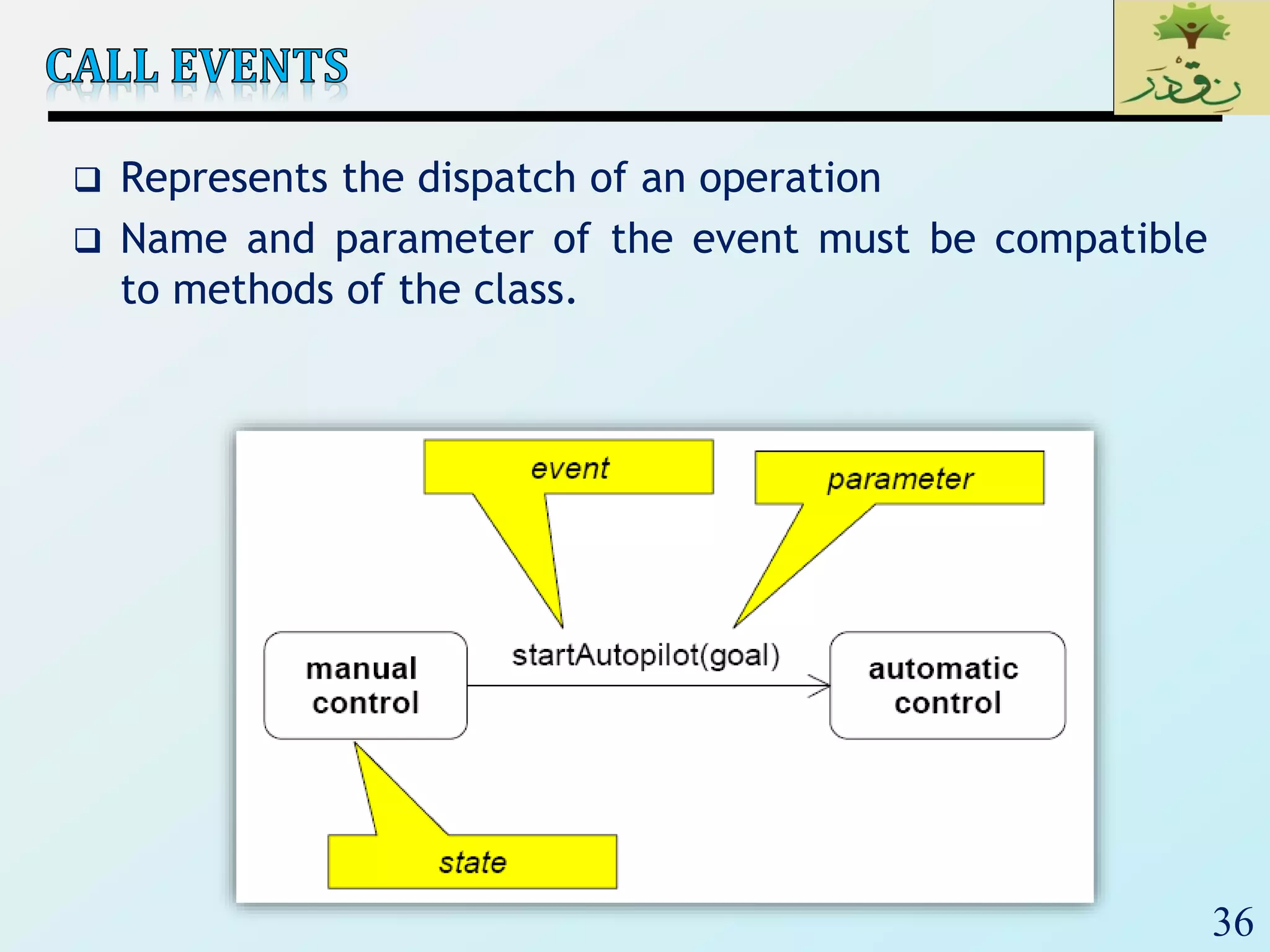
 A call event is triggered by a (synchronous) operation call.
 Call events are synchronous, i.e., the sender waits until the
receiver reacted on the event.
 In the state automaton signals and call events are
indistinguishable from each other.
 The receiver can:
 ignore the event (the event is lost),
 execute its trigger event or
 execute an operation.
36
 Represents the dispatch of an operation
 Name and parameter of the event must be compatible
to methods of the class.
37
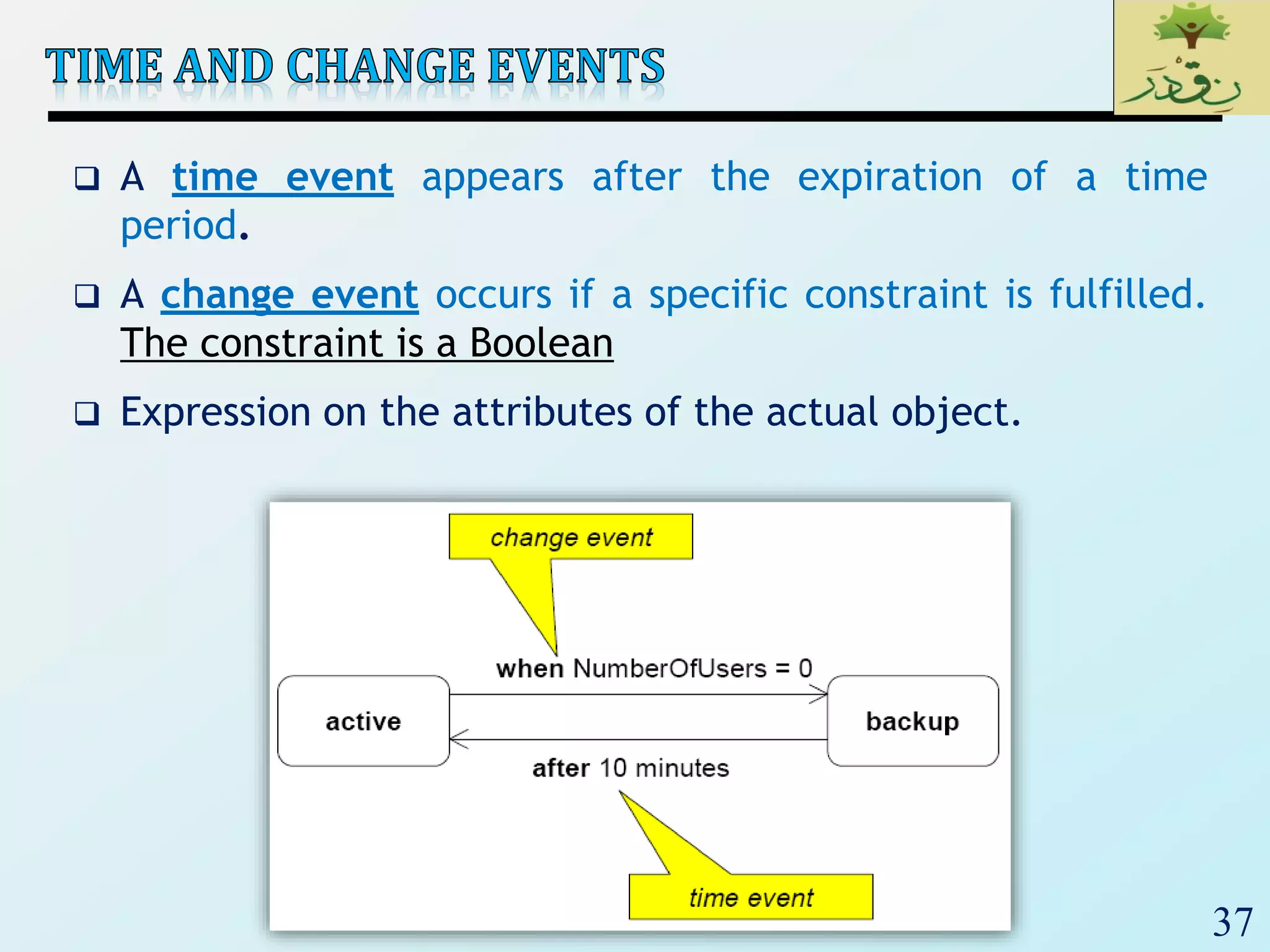
 A time event appears after the expiration of a time
period.
 A change event occurs if a specific constraint is fulfilled.
The constraint is a Boolean
 Expression on the attributes of the actual object.
38
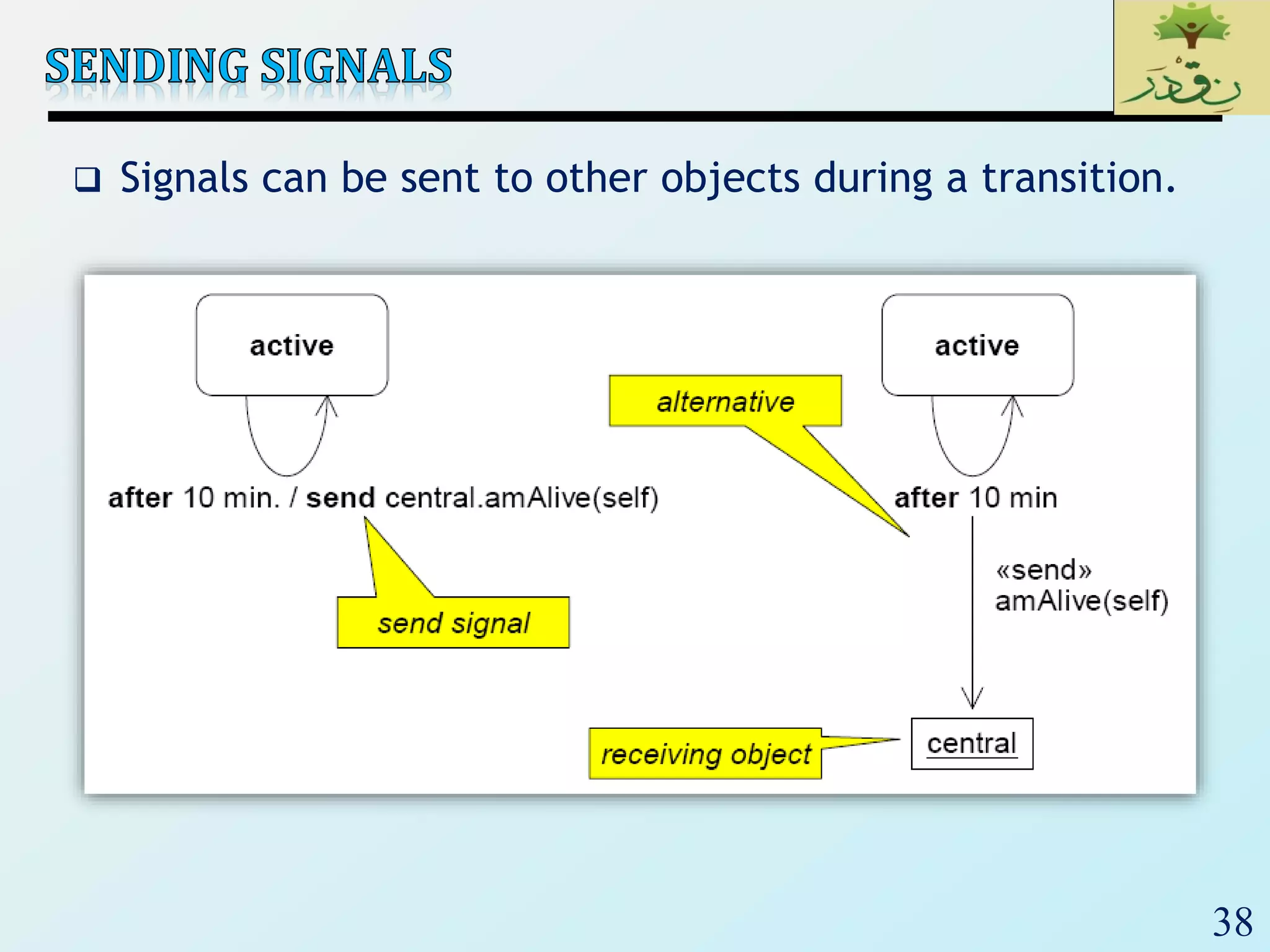
 Signals can be sent to other objects during a transition.
39
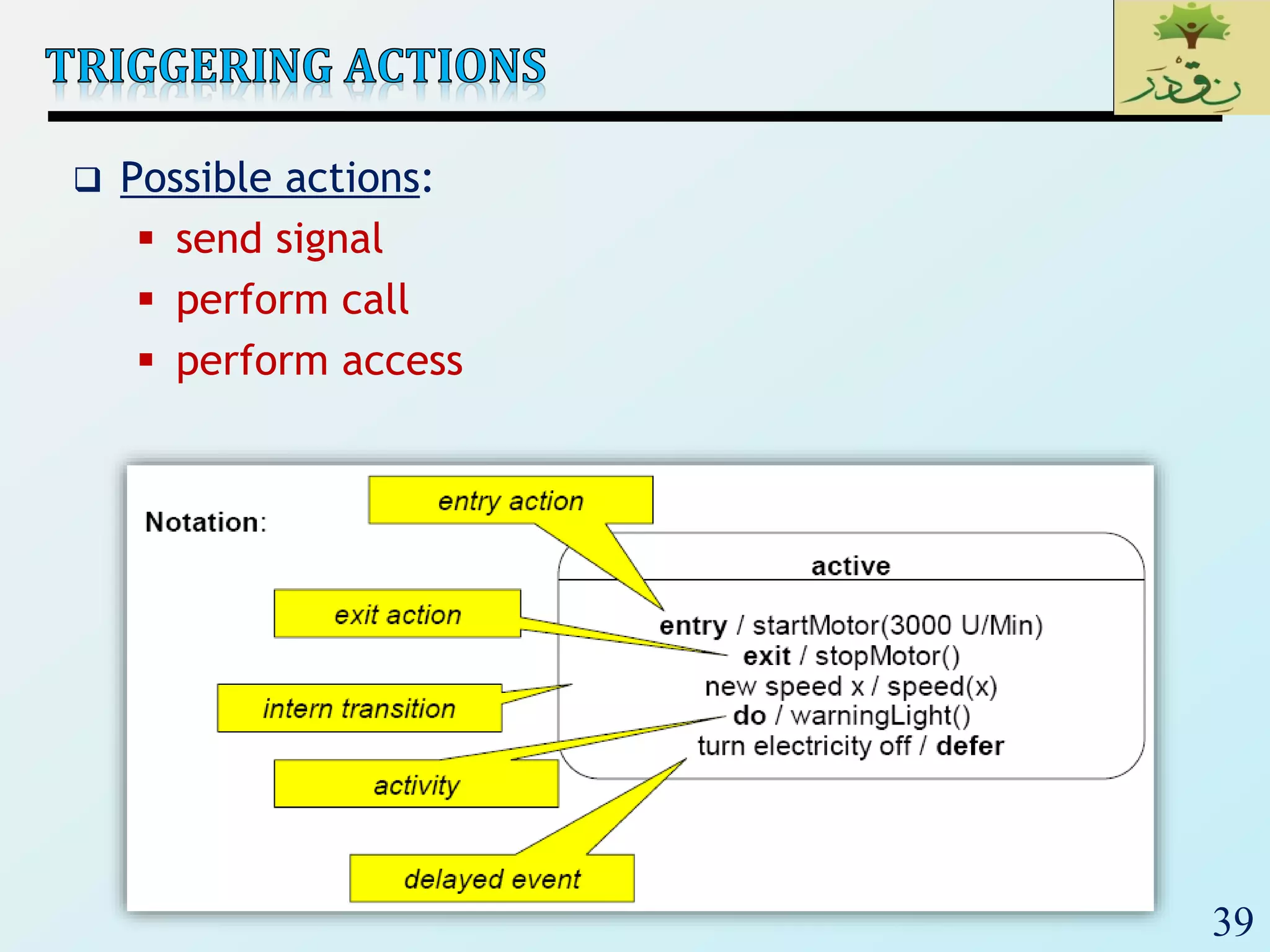
 Possible actions:
 send signal
 perform call
 perform access
40
 A state can be refined hierarchically by composite
states.
41
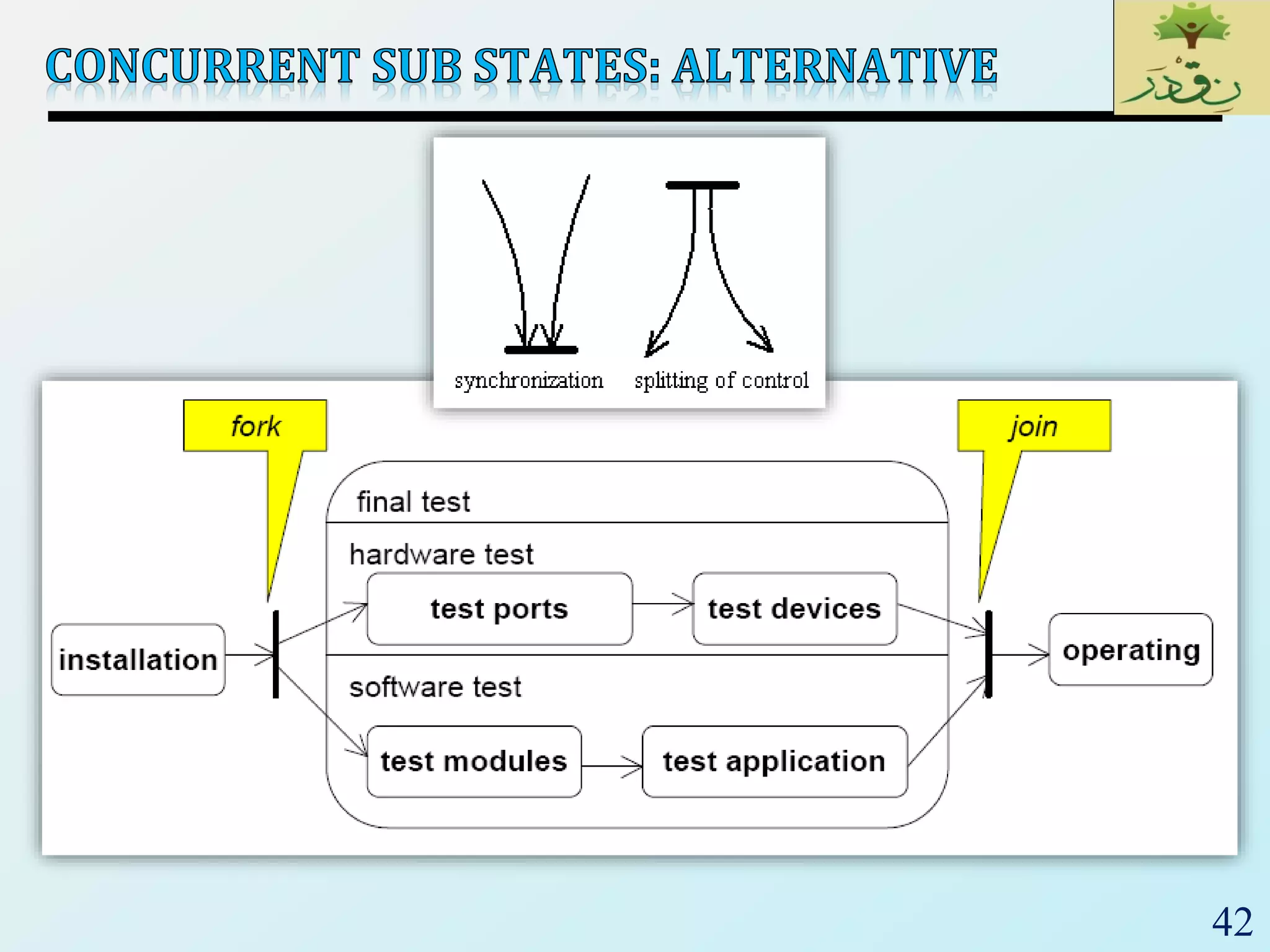
 In a state several sequences of sub states described by
own state machines can be performed concurrently.
42
43
44
45
46
 Activity Diagram – a special kind of Statechart diagram,
but showing the flow from activity to activity (not from
state to state).
 Can be attached to classes, interfaces, component nodes,
use cases, collaborations, and operations
 Is similar to a Data Flow Diagram (DFD)
 Activity state –non-atomic execution, ultimately result in
some action; a composite made up of other activity/action
states; can be represented by other activity diagrams
 Action state –atomic execution, results in a change in state
of the system or the return of a value (i.e., calling another
operation, sending a signal, creating or destroying an
object, or some computation); non-decomposable
47
action state
: CertificateOfOccupancy
[completed]
object flow
Select site
Commission
architect
Develop plan
Bid plan
Do site work( ) Do trade work( )
Finish
construction
initial state
sequential branch/decision
[not accepted]
[else]
final state
concurrent fork
activity state with submachine
concurrent join
triggerless transition
guard expression
optional
0..*
AND
one incoming, several outgoing
48
 A swimlane is a kind of package.
 Every activity belongs to exactly one swimlane, but transitions may
cross lanes.
 Object flow – objects connected using a dependency to the activity
or transition that creates, destroys, or modifies them
49
 A shorthand notation: use input pins and output pins (parameters).
Invoice inv;
inv = new Invoice;
FillOrder(inv);
50
<<precondition>> Order complete
<<postcondition>> Order closed
activity
parameter
node =
object node
51
Is this the same as the previous one?
52
 An interruptible activity region surrounds a group of actions that can
be interrupted.
 The Process Order action will execute until completion, then pass
control to the Close Order action, unless a Cancel Request interrupt
is received which will pass control to the Cancel Order action.
53
<<signal>>
redundant constraint
object
pin parameter
hour-glass symbol represents time
send receive
send receive
54

SE_Lec 09_ UML Behaviour Diagrams

  • 1.
  • 2.
    2  Structure Diagrams(Class diagrams) are used to describe the static composition of components/Objects (i.e., constraints on what instances may exist at run-time).  Deployment Diagrams are used to describe the mapping between software artifacts and deployment targets.  Why do objects exist?  To perform an activity to help fulfill a system’s purpose  What about modeling dynamic behavior?
  • 3.
    3  Interaction diagramsmodel how groups of object collaborate to perform some behavior  Typically captures the behavior of a single use case  Behaviour Diagrams are used to describe the behaviour  Of the whole application.  Of a particular process in an application.  Of a specific object in an application.  The behavioral diagrams are categorized as follows:  use case diagrams,  interaction diagrams (Sequence & Communication),  state–chart diagrams, and  activity diagrams.
  • 4.
  • 5.
    5  Use Case:Manage Course Information (UC_ID1)  Participating Actors: Course Administrator  Entry Conditions: Course Administrator is logged into Courseware  Exit Conditions: Course Administrator has received an acknowledgement from the system that the selected transaction is complete, or if not complete, a message explaining the failure  Quality Requirements: (Performance) Course Administrator receives a response from the system in less than 3 seconds  Related Requirements: Create, Modify, and Delete Course  …
  • 6.
    6  Use Case:Order Entry 1) An Order Entry window sends a “prepare” message to an Order. 2) The Order sends “prepare” to each Order Line on the Order. 3) Each Order Line checks the given Stock Item. 4) Remove appropriate quantity of Stock Item from stock. 5) Create a deliver item.  Alternative: Insufficient Stock 3a) if Stock Item falls below reorder level then Stock Item requests reorder
  • 7.
    7  UML Specifiesa number of interaction diagrams to model dynamic aspects of the system  Dynamic aspects of the system  Messages moving among objects/classes  Flow of control among objects  Sequences of events
  • 8.
    8  Interaction Diagrams:Set of objects or roles and the messages that can be passed among them.  Sequence Diagrams: • Illustrate object interactions arranged in time sequence (Emphasize time ordering)  Communication Diagrams (Collaboration Diagram): • Illustrate object interactions organized around the objects and their links to each other (Emphasize structural ordering).
  • 9.
  • 10.
    10  Describe theflow of messages, events, actions between objects  Show concurrent processes and activations  Show time sequences that are not easily depicted in other diagrams  Typically used during analysis and design to document and understand the logical flow of your system Emphasis on time ordering!
  • 11.
  • 12.
    12 Objects: aStudent isa specific instance of the Student class Specific instance of an Object Generic (unnamed) objects Generic (unnamed) objects of class type Seminar and Course
  • 13.
    13 TimeIncreasing All lines shouldbe horizontal to indicate instantaneous actions. Additionally if ActivityA happens before ActivityB, ActivityA must be above activityB Lower = Later!
  • 14.
  • 15.
  • 16.
    16 c : Client :Transaction o : ODBCProxy create() setActions(a, b, c) setValues(a, 3, 4) setValues(b, c, 7) (committed) destroy() Synchronous message Asynchronous message create() destroy() Return message
  • 17.
    17 Synchronous message Asynchronous message Returnmessage There are problems here… what are they?
  • 18.
  • 19.
  • 20.
  • 21.
    21  Rarely useoptions, loops, alt/else  These constructs complicate a diagram and make them hard to read/interpret.  Frequently it is better to create multiple simple diagrams  Create sequence diagrams for use cases when it helps clarify and visualize a complex flow  Remember: the goal of UML is communication and understanding
  • 22.
    22  How toconstruct an SSD from a use case: 1. Draw black box and a life line, for every System object (Sub-system) include as on right side 2. For each actor that directly operates on the System, draw a stick figure and a lifeline. 3. For each System events that each actor generates in use case, draw a message. 4. Optionally, include use case text to left of diagram.
  • 23.
    23  Sequence diagramsmodel object interactions with an emphasis on time ordering  Method call lines  Must be horizontal!  Vertical height matters!  “Lower equals Later”  Label the lines  Lifeline – dotted vertical line  Execution bar – bar around lifeline when code is running  Arrows  Synchronous call (you’re waiting for a return value) – triangle arrow-head  Asynchronous call (not waiting for a return) – open arrow- head  Return call – dashed line
  • 24.
    24  To givean exam, an instructor first notifies the students of the exam date and the material to be covered. She then prepares the exam paper (with sample solutions), gets it copied to produce enough copies for the class, and hands it out to students on the designated time and location. The students write their answers to exam questions and hand in their papers to the instructor. The instructor then gives the exam papers to the TAs, along with sample solutions to each question, and gets them to mark it. She then records all marks and returns the papers to the students.  Draw a sequence diagram that represents this process.
  • 25.
  • 26.
  • 27.
    27  Objects arerectangular icons  e.g., Order Entry Window, Order, etc.  Messages are arrows between icons  e.g., prepare()  Numbers on messages indicate sequence  Also spatial layout helps show flow  Which do you prefer: sequence or collaboration diagrams?  Fowler now admits he doesn’t use collaboration diagrams  Interaction diagrams show flow clearly, but are awkward when modeling alternatives  UML notation for control logic has changed in UML 2 but Fowler isn’t impressed
  • 28.
  • 29.
  • 30.
    30  A statechartdiagram - shows the behavior of classes in response to external stimuli. This diagram models the dynamic flow of control from state to state within a system.  State machine diagram - event-ordered behavior that specifies the sequences of states an object/instance (of class/interface/collaboration/…/system) goes through during its lifetime; events trigger transitions and cause responses.  UML statecharts show states, transitions, events.
  • 31.
    31  A statediagram is a graph consisting of  States (a mode of the entity). simple states composite states (nested state diagrams)  State transitions connecting the states. including events and actions.  State – Constraint or condition or situation during which an object/instance may perform some activity; The state of an object is characterized by the value of one or more of its attributes.
  • 32.
    32  Start state:State transition is executed immediately during the creation of the object.  Only possible event: create(parameter)  Java: constructor (new)  Final State: destruction of the object
  • 33.
    33  A transitionconnects two states and shows the flow of control.  A transition can include a triggering event, a guard and actions to be executed.  Transitions without event and guard are executed immediately when an activity is finished respectively all sub states were passed through.
  • 34.
    34  An eventis a phenomenon in space and time significant for the modeled system.  An event can appear synchronously or asynchronously.  Synchronous events: • Call event: triggered by call • Exception event: triggered by called object at return  Asynchronous events: • Signal event: signal sent by other object • Change event: triggered by side effects on object attributes • Time event: spontaneously triggered by Boolean guard over time  An event can trigger state changes.
  • 35.
    35  Signals areasynchronous, i.e., the sender does not wait until the receiver received the signal or reacted on it.  A call event is triggered by a (synchronous) operation call.  Call events are synchronous, i.e., the sender waits until the receiver reacted on the event.  In the state automaton signals and call events are indistinguishable from each other.  The receiver can:  ignore the event (the event is lost),  execute its trigger event or  execute an operation.
  • 36.
    36  Represents thedispatch of an operation  Name and parameter of the event must be compatible to methods of the class.
  • 37.
    37  A timeevent appears after the expiration of a time period.  A change event occurs if a specific constraint is fulfilled. The constraint is a Boolean  Expression on the attributes of the actual object.
  • 38.
    38  Signals canbe sent to other objects during a transition.
  • 39.
    39  Possible actions: send signal  perform call  perform access
  • 40.
    40  A statecan be refined hierarchically by composite states.
  • 41.
    41  In astate several sequences of sub states described by own state machines can be performed concurrently.
  • 42.
  • 43.
  • 44.
  • 45.
  • 46.
    46  Activity Diagram– a special kind of Statechart diagram, but showing the flow from activity to activity (not from state to state).  Can be attached to classes, interfaces, component nodes, use cases, collaborations, and operations  Is similar to a Data Flow Diagram (DFD)  Activity state –non-atomic execution, ultimately result in some action; a composite made up of other activity/action states; can be represented by other activity diagrams  Action state –atomic execution, results in a change in state of the system or the return of a value (i.e., calling another operation, sending a signal, creating or destroying an object, or some computation); non-decomposable
  • 47.
    47 action state : CertificateOfOccupancy [completed] objectflow Select site Commission architect Develop plan Bid plan Do site work( ) Do trade work( ) Finish construction initial state sequential branch/decision [not accepted] [else] final state concurrent fork activity state with submachine concurrent join triggerless transition guard expression optional 0..* AND one incoming, several outgoing
  • 48.
    48  A swimlaneis a kind of package.  Every activity belongs to exactly one swimlane, but transitions may cross lanes.  Object flow – objects connected using a dependency to the activity or transition that creates, destroys, or modifies them
  • 49.
    49  A shorthandnotation: use input pins and output pins (parameters). Invoice inv; inv = new Invoice; FillOrder(inv);
  • 50.
    50 <<precondition>> Order complete <<postcondition>>Order closed activity parameter node = object node
  • 51.
    51 Is this thesame as the previous one?
  • 52.
    52  An interruptibleactivity region surrounds a group of actions that can be interrupted.  The Process Order action will execute until completion, then pass control to the Close Order action, unless a Cancel Request interrupt is received which will pass control to the Cancel Order action.
  • 53.
    53 <<signal>> redundant constraint object pin parameter hour-glasssymbol represents time send receive send receive
  • 54.