UML
Unified Modeling Language
• A system that allows a software designer to
graphically layout and model a software
application.
• It gives designers a way to literally draw a map
of how a piece of software will be constructed
and function
Getting
started
with UML
1. The basic building blocks (the
words of the language).
2. Rules controlling how the blocks
are put together (the syntax).
3. Common mechanisms that apply
throughout the language (use
conventions or semantics.
Basic
Building
Blocks of
UML
 Things
FourTypes
 Structural things
 Behavioral things
 Grouping things
 Annotation things
 Relationships
FourTypes
 Dependency
 Association
 Generalization
 Realization
 Diagrams
NineTypes
 Class Diagram
 Object Diagram
 Use Case Diagram
 Sequence Diagram
 Collaboration
Diagram
 State chart Diagram
 Activity Diagram
 Component Diagram
 Deployment
Diagram
Structural
Things
1. Class –
An object with defined
attributes and operations.
A class in UML is very
much like a class in C++.
Structural
Things
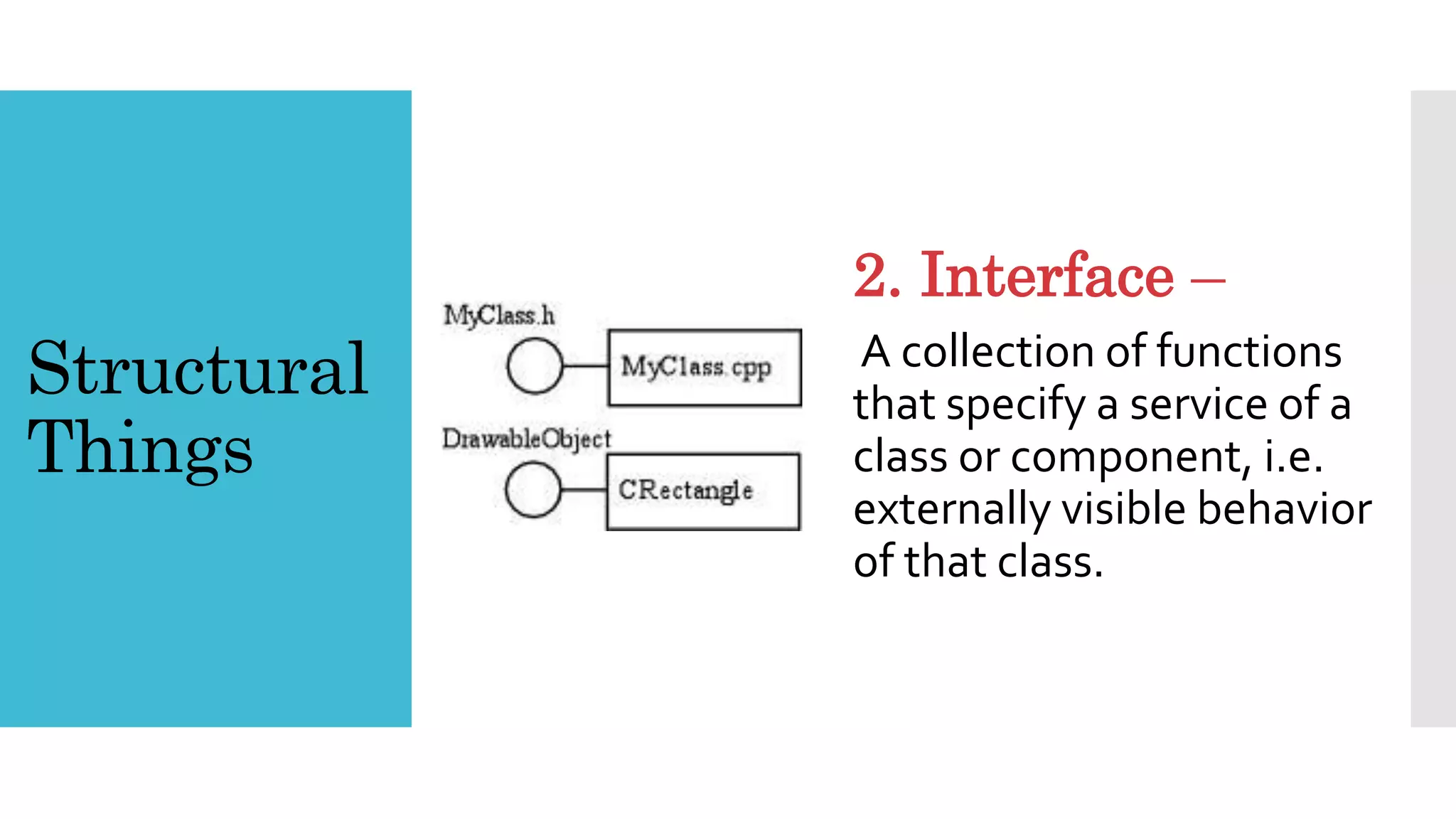
2. Interface –
A collection of functions
that specify a service of a
class or component, i.e.
externally visible behavior
of that class.
Structural
Things
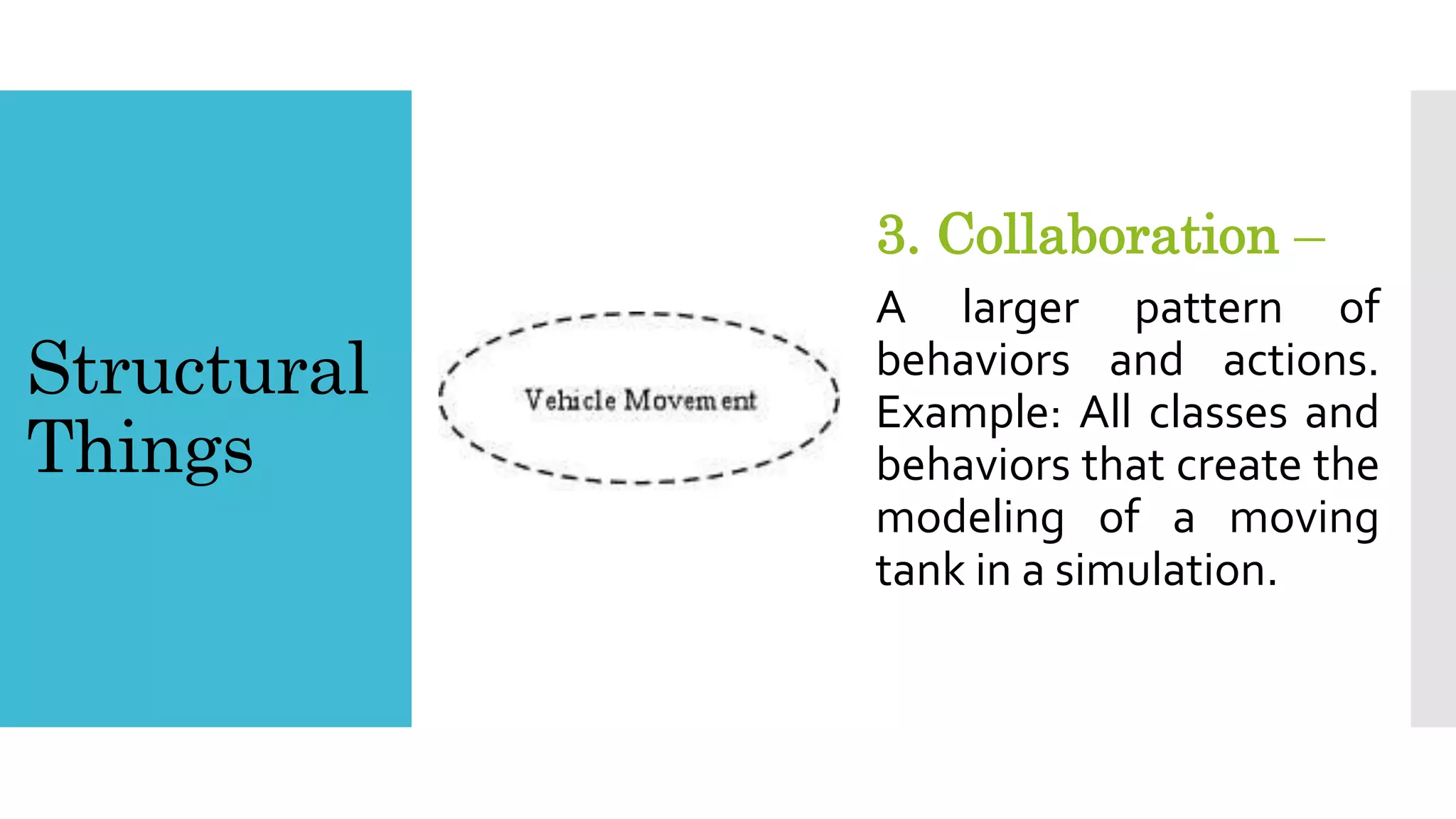
3. Collaboration –
A larger pattern of
behaviors and actions.
Example: All classes and
behaviors that create the
modeling of a moving
tank in a simulation.
Structural
Things
4. Use Case –
A sequence of actions that a
system performs that yields
an observable result. Used
to structure behavior in a
model. Is realized by a
collaboration.
Structural
Things
5. Active Class –
Like a class but its
represents behavior that
runs concurrent with
other behaviors, i.e.
threading.
Structural
Things
6. Component –
A physical and replaceable
part of a system that
implements a number of
interfaces. Example: a set of
classes, interfaces, and
collaborations.
Structural
Things
7. Node –
A physical element existing
at run time and represents
a resource.
Behavioral
Things
1. Interaction –
A behavior made up of a
set of messages exchanged
among a set of objects in a
particular context to
accomplish a specific
purpose.
Behavioral
Things
2. State Machine –
A behavior that specifies
the sequences of states an
object or interaction goes
through during its' lifetime
in response to events.
1. Package –
A general purpose
mechanism for organizing
elements into groups.
Grouping
Thing
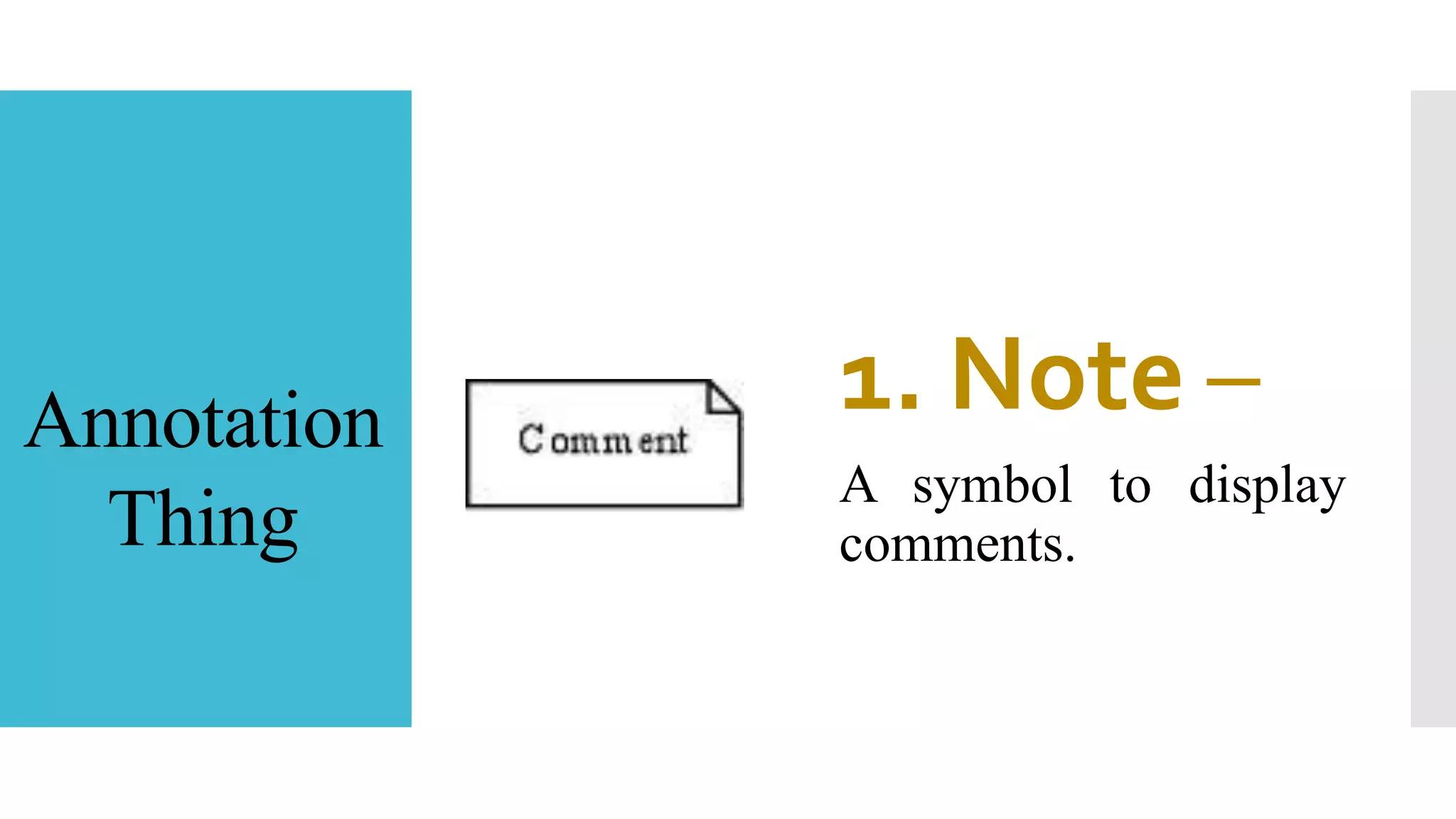
1. Note –
A symbol to display
comments.
Annotation
Thing
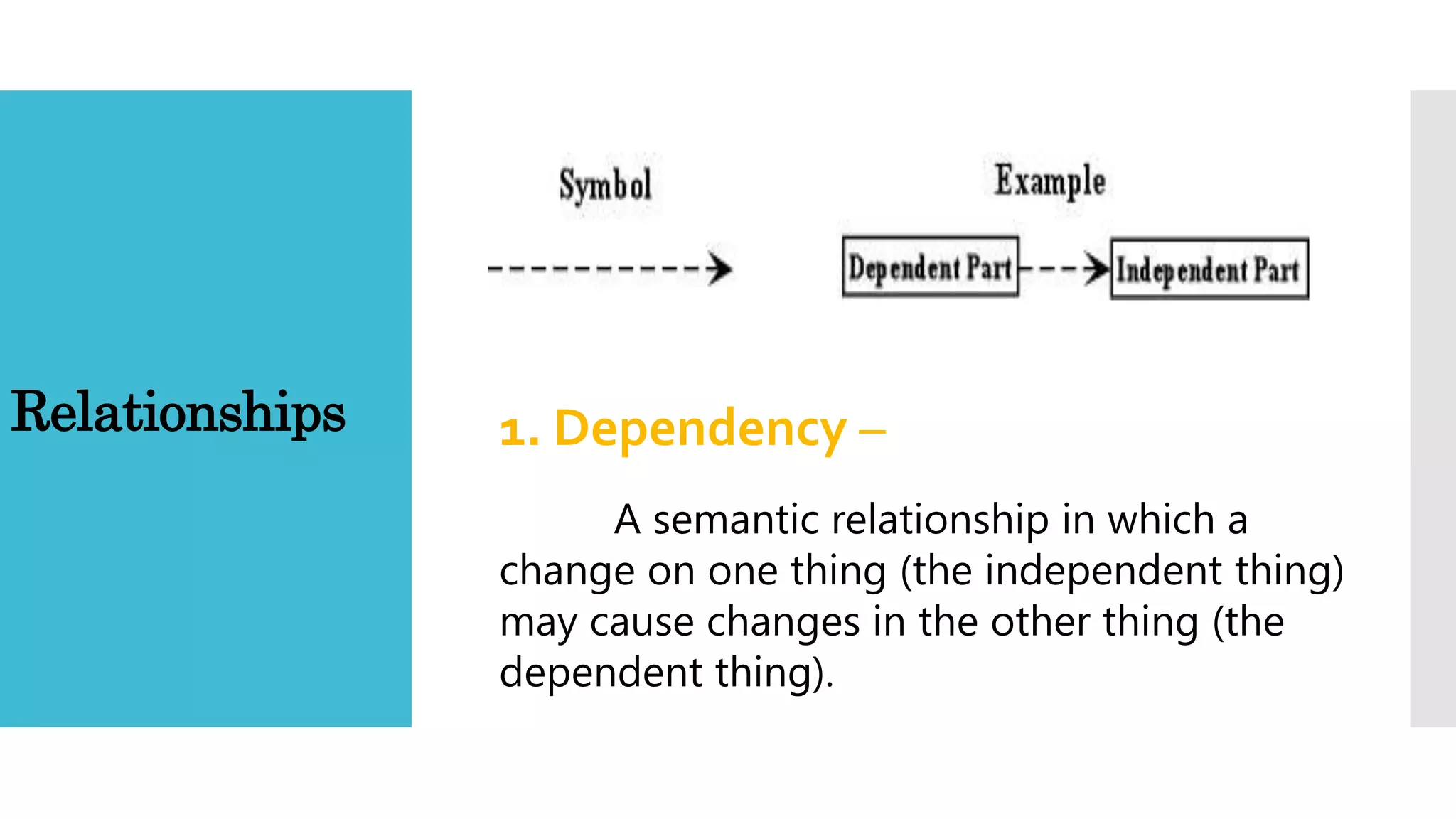
Relationships 1. Dependency –
A semantic relationship in which a
change on one thing (the independent thing)
may cause changes in the other thing (the
dependent thing).
Relationships
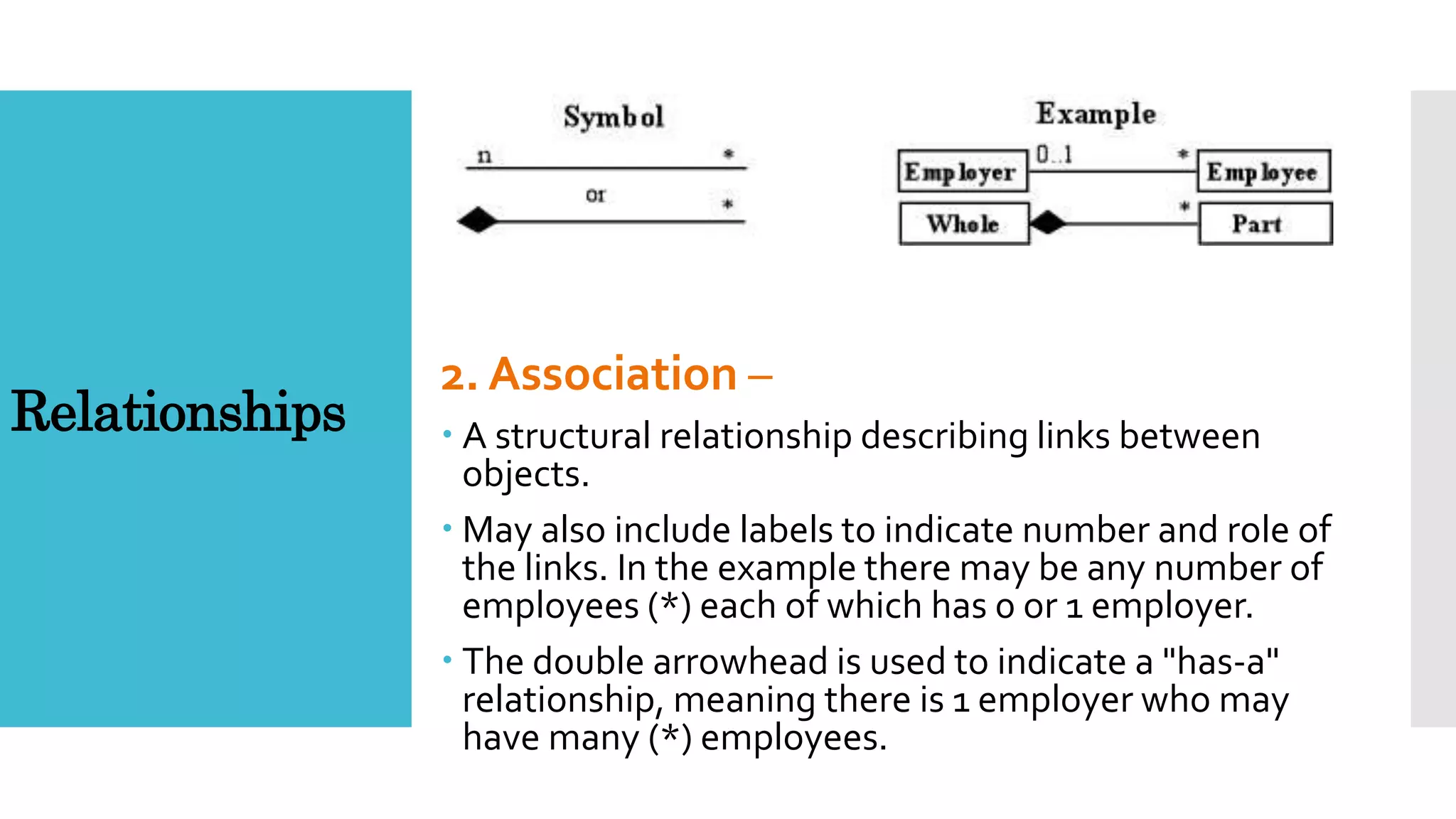
2. Association –
 A structural relationship describing links between
objects.
 May also include labels to indicate number and role of
the links. In the example there may be any number of
employees (*) each of which has 0 or 1 employer.
 The double arrowhead is used to indicate a "has-a"
relationship, meaning there is 1 employer who may
have many (*) employees.
Relationships 3. Generalization –
A specialization/generalization relationship.
Simply put this describes the relationship of a
parent class (generalization) to its subclasses
(specializations).
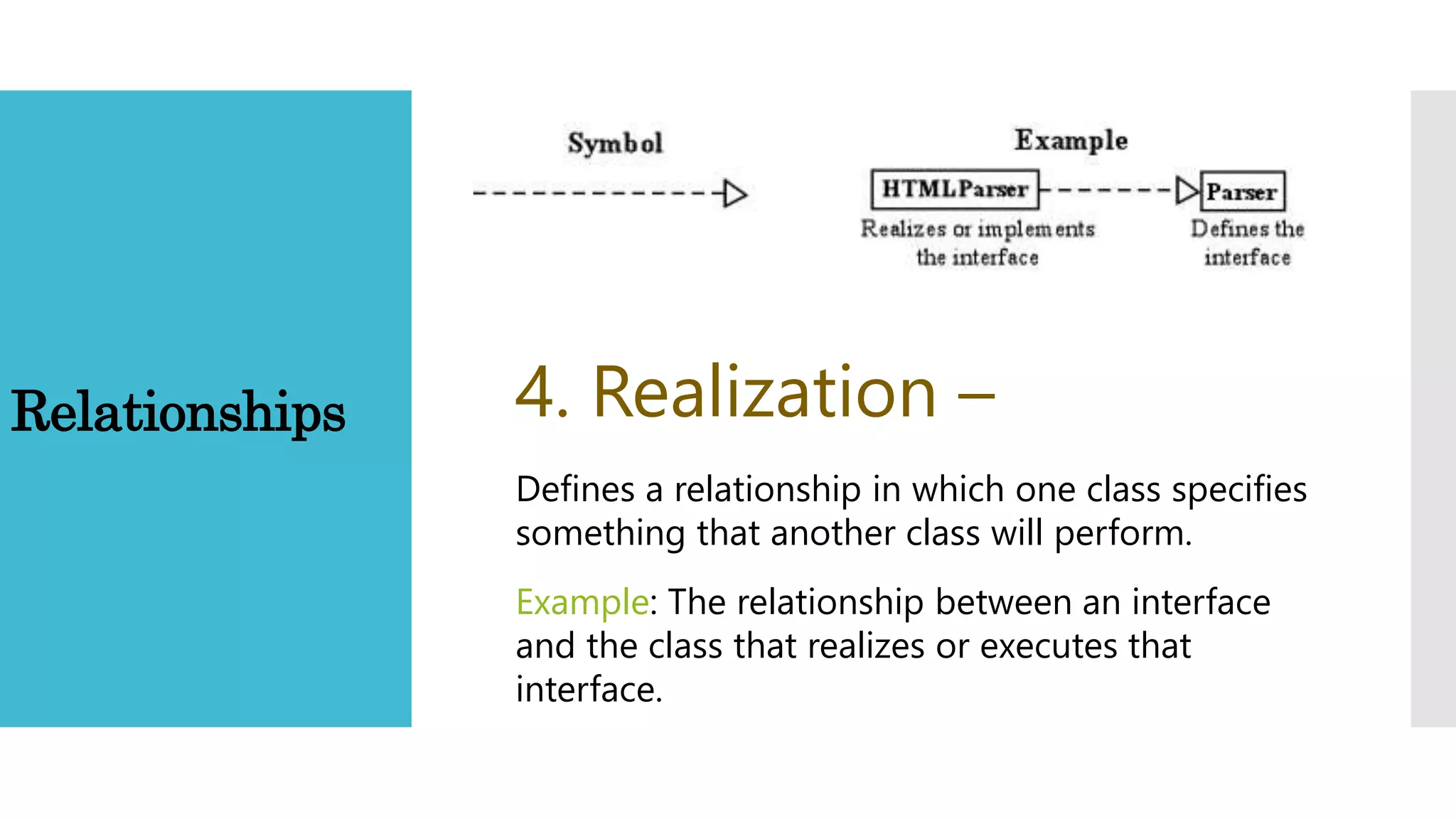
Relationships 4. Realization –
Defines a relationship in which one class specifies
something that another class will perform.
Example: The relationship between an interface
and the class that realizes or executes that
interface.
Diagrams
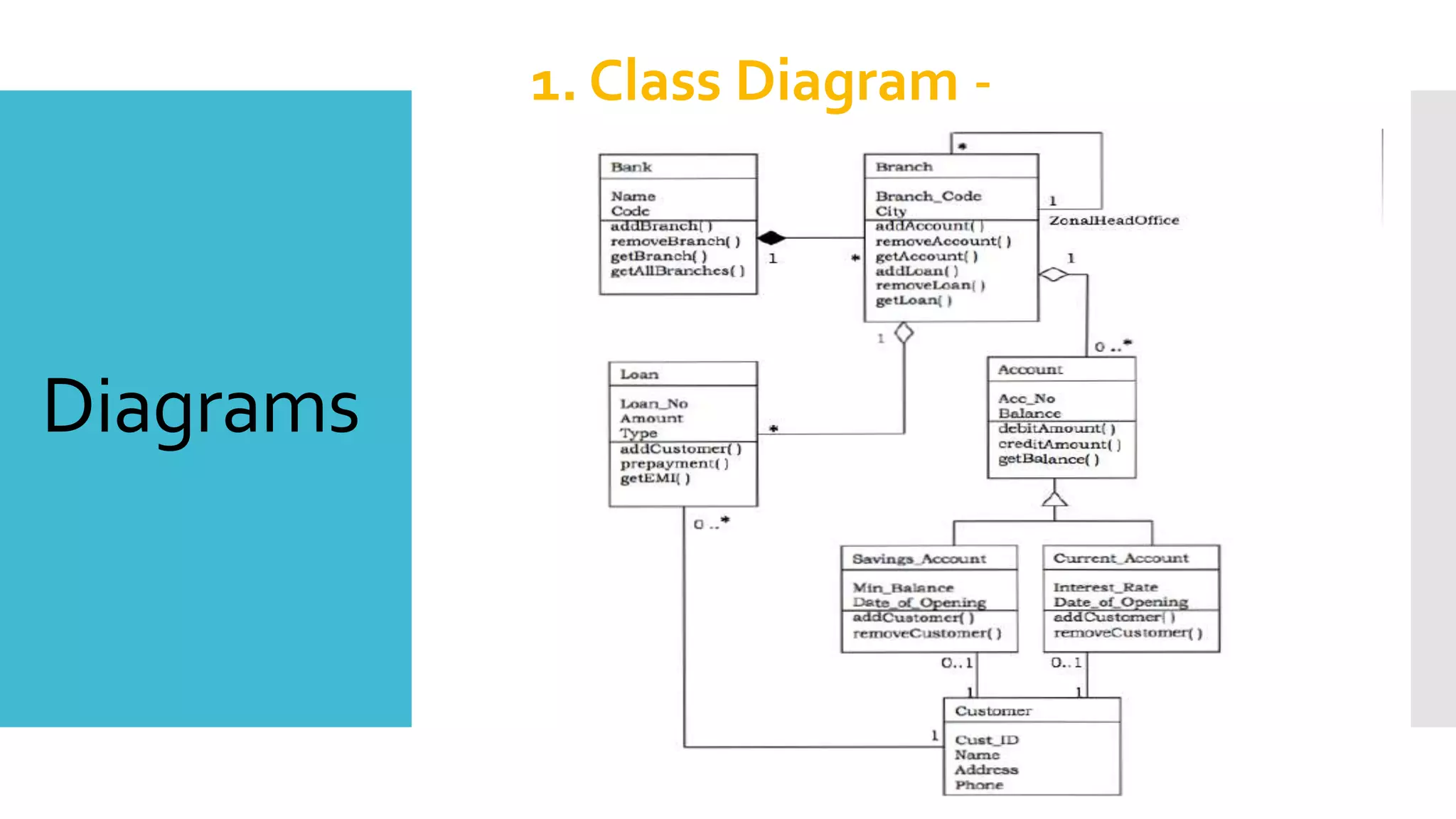
1. Class Diagram -
Diagrams
1. Class Diagram -
A set of classes, interfaces,
and collaborations and their
relationships.
Most often found in modeling
OO systems.
Diagrams
2. Object Diagram -
Diagrams
2. Object Diagram -
A set of objects and their relationships.
An object diagram models a group of
objects and their links at a point of
time.
It shows the instances of the things in a
class diagram.
Object diagram is the static part of an
interaction diagram.
Diagrams
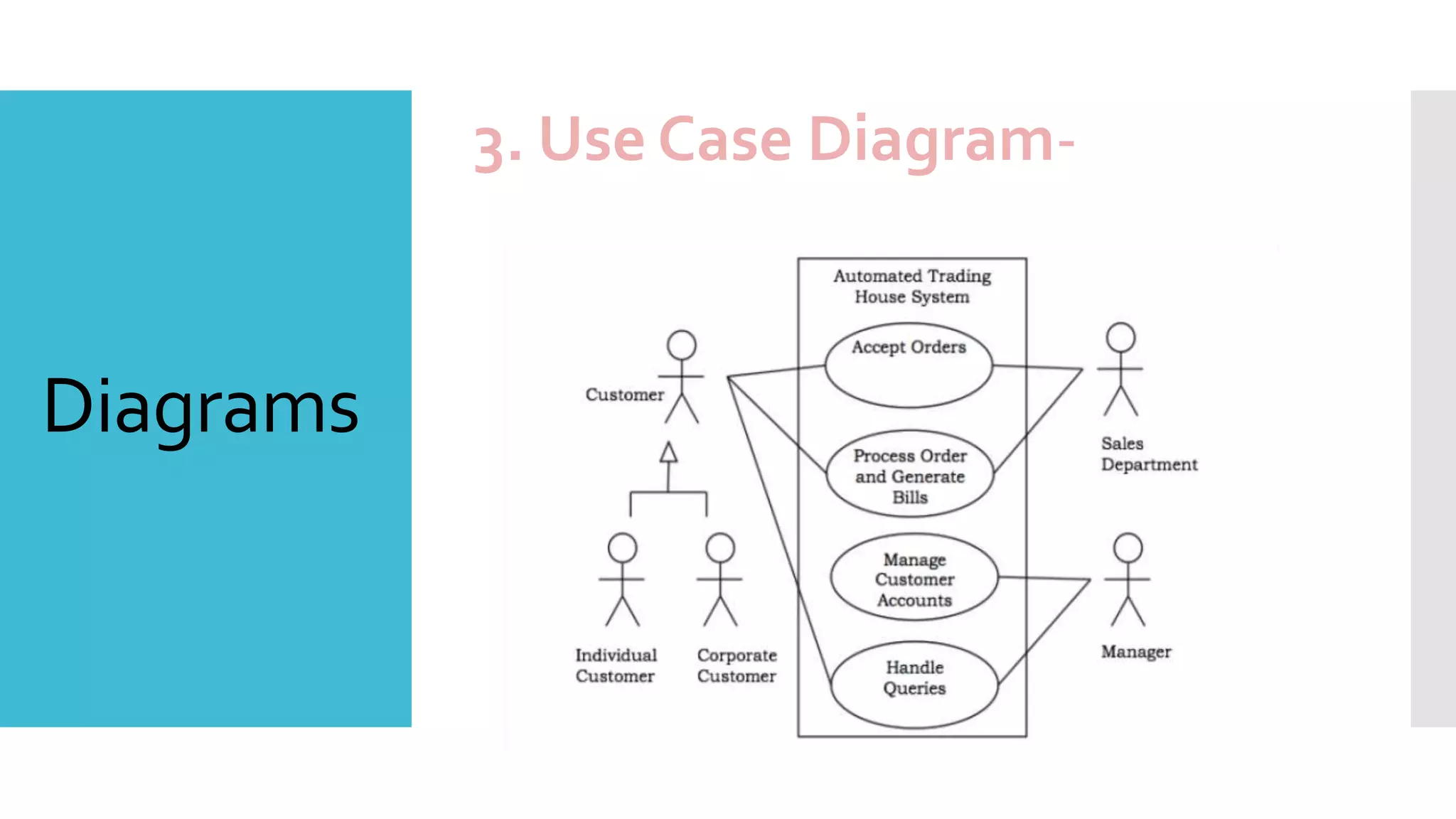
3. Use Case Diagram-
Diagrams
3. Use Case Diagram-
Use case diagrams present an outside view
of the manner the elements in a system
behave and how they can be used in the
context.
Use case diagrams comprise of:
 Use cases
 Actors
 Relationships like dependency, generalization,
and association
Diagrams
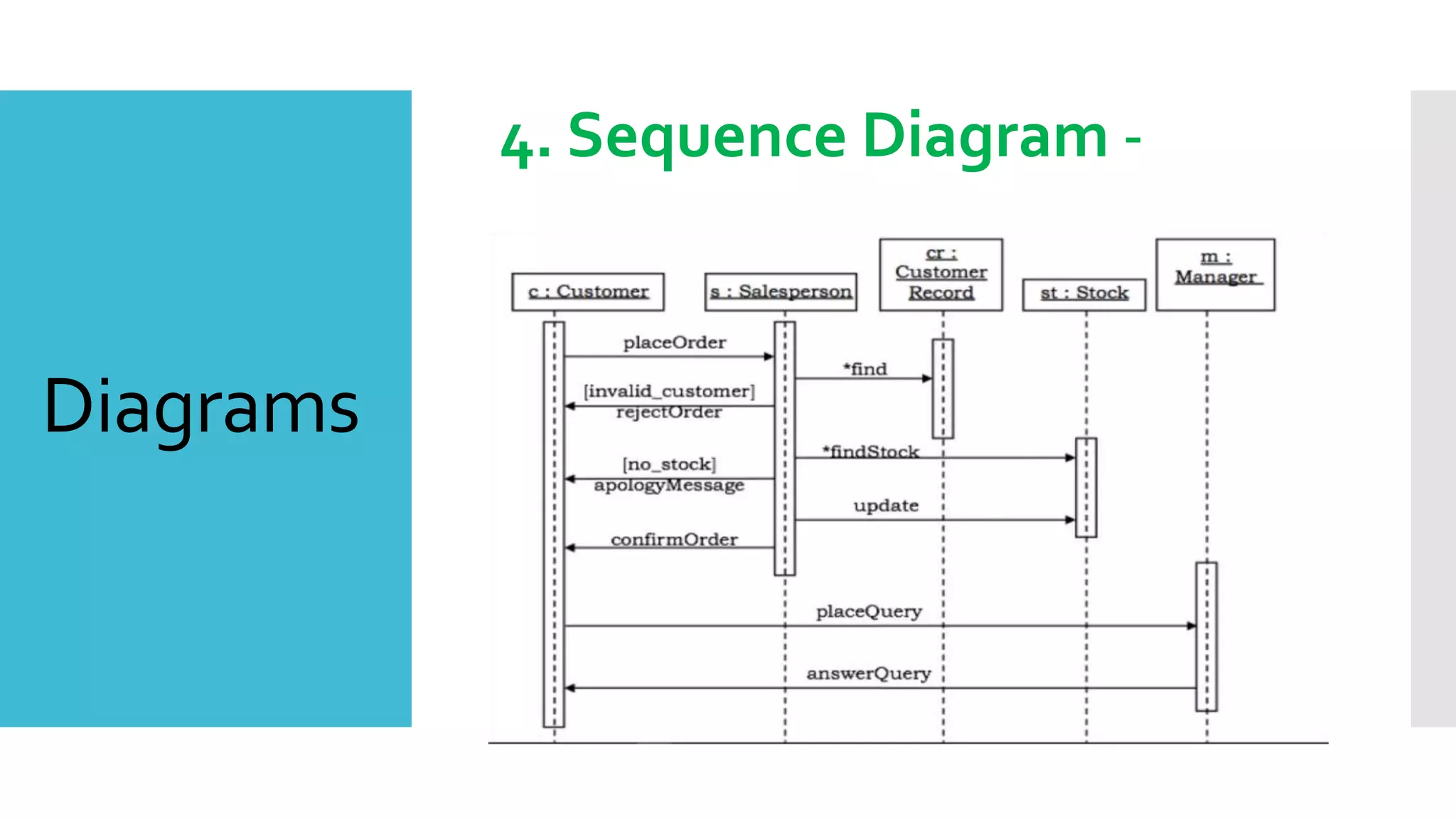
4. Sequence Diagram -
Diagrams
4. Sequence Diagram -
 Sequence diagrams are interaction diagrams that
illustrate the ordering of messages according to time.
 Notations : These diagrams are in the form of two-
dimensional charts. The objects that initiate the
interaction are placed on the x–axis. The messages
that these objects send and receive are placed along
the y–axis, in the order of increasing time from top
to bottom.
Diagrams
5. Collaboration Diagram -
Diagrams
5. Collaboration Diagram -
 Collaboration diagrams are interaction diagrams
that illustrate the structure of the objects that
send and receive messages.
 Notations : In these diagrams, the objects that
participate in the interaction are shown using
vertices. The links that connect the objects are
used to send and receive messages. The
message is shown as a labeled arrow.
Diagrams
6. State chart Diagram -
Diagrams
6. State chart Diagram -
 A state–chart diagram shows a state machine
that depicts the control flow of an object from
one state to another.
 State–Chart Diagrams comprise of:
 States: Simple or Composite
 Transitions between states
 Events causing transitions
 Actions due to the events
 State-chart diagrams are used for modeling
objects which are reactive in nature.
Diagrams
7. Activity Diagram -
Diagrams
7. Activity Diagram -
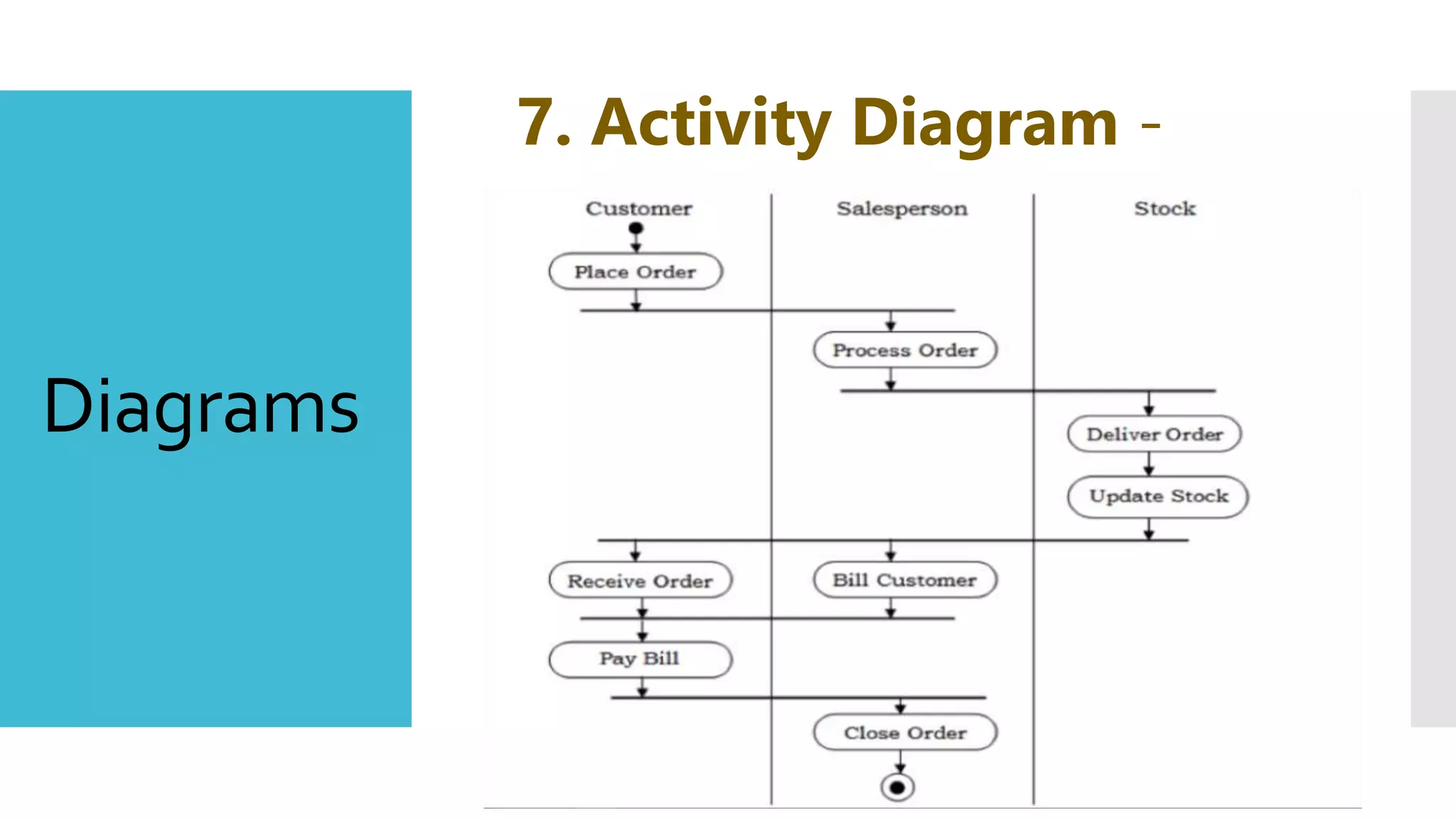
An activity diagram depicts the flow of
activities which are ongoing non-atomic
operations in a state machine. Activities
result in actions which are atomic
operations.
Activity diagrams comprise of:
 Activity states and action states
 Transitions
 Objects
Diagrams
8. Component Diagram -
Diagrams
8. Component Diagram -
 Component diagrams show the organization and
dependencies among a group of components.
 Component diagrams comprise of:
 Components
 Interfaces
 Relationships
 Packages and Subsystems (optional)
 Component diagrams are used for:
 constructing systems through forward and reverse engineering.
 modeling configuration management of source code files while
developing a system using an object-oriented programming
language.
 representing schemas in modeling databases.
 modeling behaviors of dynamic systems.
Diagrams
9. Deployment Diagram -
Diagrams
9. Deployment Diagram -
 A deployment diagram puts emphasis on the
configuration of runtime processing nodes and
their components that live on them. They are
commonly comprised of nodes and
dependencies, or associations between the
nodes.
 Deployment diagrams are used to:
 model devices in embedded systems that typically
comprise of software-intensive collection of
hardware.
 represent the topologies of client/server systems.
 model fully distributed systems.

Uml

  • 1.
  • 2.
    Unified Modeling Language •A system that allows a software designer to graphically layout and model a software application. • It gives designers a way to literally draw a map of how a piece of software will be constructed and function
  • 3.
    Getting started with UML 1. Thebasic building blocks (the words of the language). 2. Rules controlling how the blocks are put together (the syntax). 3. Common mechanisms that apply throughout the language (use conventions or semantics.
  • 4.
    Basic Building Blocks of UML  Things FourTypes Structural things  Behavioral things  Grouping things  Annotation things  Relationships FourTypes  Dependency  Association  Generalization  Realization  Diagrams NineTypes  Class Diagram  Object Diagram  Use Case Diagram  Sequence Diagram  Collaboration Diagram  State chart Diagram  Activity Diagram  Component Diagram  Deployment Diagram
  • 5.
    Structural Things 1. Class – Anobject with defined attributes and operations. A class in UML is very much like a class in C++.
  • 6.
    Structural Things 2. Interface – Acollection of functions that specify a service of a class or component, i.e. externally visible behavior of that class.
  • 7.
    Structural Things 3. Collaboration – Alarger pattern of behaviors and actions. Example: All classes and behaviors that create the modeling of a moving tank in a simulation.
  • 8.
    Structural Things 4. Use Case– A sequence of actions that a system performs that yields an observable result. Used to structure behavior in a model. Is realized by a collaboration.
  • 9.
    Structural Things 5. Active Class– Like a class but its represents behavior that runs concurrent with other behaviors, i.e. threading.
  • 10.
    Structural Things 6. Component – Aphysical and replaceable part of a system that implements a number of interfaces. Example: a set of classes, interfaces, and collaborations.
  • 11.
    Structural Things 7. Node – Aphysical element existing at run time and represents a resource.
  • 12.
    Behavioral Things 1. Interaction – Abehavior made up of a set of messages exchanged among a set of objects in a particular context to accomplish a specific purpose.
  • 13.
    Behavioral Things 2. State Machine– A behavior that specifies the sequences of states an object or interaction goes through during its' lifetime in response to events.
  • 14.
    1. Package – Ageneral purpose mechanism for organizing elements into groups. Grouping Thing
  • 15.
    1. Note – Asymbol to display comments. Annotation Thing
  • 16.
    Relationships 1. Dependency– A semantic relationship in which a change on one thing (the independent thing) may cause changes in the other thing (the dependent thing).
  • 17.
    Relationships 2. Association – A structural relationship describing links between objects.  May also include labels to indicate number and role of the links. In the example there may be any number of employees (*) each of which has 0 or 1 employer.  The double arrowhead is used to indicate a "has-a" relationship, meaning there is 1 employer who may have many (*) employees.
  • 18.
    Relationships 3. Generalization– A specialization/generalization relationship. Simply put this describes the relationship of a parent class (generalization) to its subclasses (specializations).
  • 19.
    Relationships 4. Realization– Defines a relationship in which one class specifies something that another class will perform. Example: The relationship between an interface and the class that realizes or executes that interface.
  • 20.
  • 21.
    Diagrams 1. Class Diagram- A set of classes, interfaces, and collaborations and their relationships. Most often found in modeling OO systems.
  • 22.
  • 23.
    Diagrams 2. Object Diagram- A set of objects and their relationships. An object diagram models a group of objects and their links at a point of time. It shows the instances of the things in a class diagram. Object diagram is the static part of an interaction diagram.
  • 24.
  • 25.
    Diagrams 3. Use CaseDiagram- Use case diagrams present an outside view of the manner the elements in a system behave and how they can be used in the context. Use case diagrams comprise of:  Use cases  Actors  Relationships like dependency, generalization, and association
  • 26.
  • 27.
    Diagrams 4. Sequence Diagram-  Sequence diagrams are interaction diagrams that illustrate the ordering of messages according to time.  Notations : These diagrams are in the form of two- dimensional charts. The objects that initiate the interaction are placed on the x–axis. The messages that these objects send and receive are placed along the y–axis, in the order of increasing time from top to bottom.
  • 28.
  • 29.
    Diagrams 5. Collaboration Diagram-  Collaboration diagrams are interaction diagrams that illustrate the structure of the objects that send and receive messages.  Notations : In these diagrams, the objects that participate in the interaction are shown using vertices. The links that connect the objects are used to send and receive messages. The message is shown as a labeled arrow.
  • 30.
  • 31.
    Diagrams 6. State chartDiagram -  A state–chart diagram shows a state machine that depicts the control flow of an object from one state to another.  State–Chart Diagrams comprise of:  States: Simple or Composite  Transitions between states  Events causing transitions  Actions due to the events  State-chart diagrams are used for modeling objects which are reactive in nature.
  • 32.
  • 33.
    Diagrams 7. Activity Diagram- An activity diagram depicts the flow of activities which are ongoing non-atomic operations in a state machine. Activities result in actions which are atomic operations. Activity diagrams comprise of:  Activity states and action states  Transitions  Objects
  • 34.
  • 35.
    Diagrams 8. Component Diagram-  Component diagrams show the organization and dependencies among a group of components.  Component diagrams comprise of:  Components  Interfaces  Relationships  Packages and Subsystems (optional)  Component diagrams are used for:  constructing systems through forward and reverse engineering.  modeling configuration management of source code files while developing a system using an object-oriented programming language.  representing schemas in modeling databases.  modeling behaviors of dynamic systems.
  • 36.
  • 37.
    Diagrams 9. Deployment Diagram-  A deployment diagram puts emphasis on the configuration of runtime processing nodes and their components that live on them. They are commonly comprised of nodes and dependencies, or associations between the nodes.  Deployment diagrams are used to:  model devices in embedded systems that typically comprise of software-intensive collection of hardware.  represent the topologies of client/server systems.  model fully distributed systems.