1
‫ر‬َ‫ـد‬ْ‫ق‬‫ِـ‬‫ن‬،،،‫لما‬‫اننا‬ ‫نصدق‬ْْ‫ق‬ِ‫ن‬‫ر‬َ‫د‬
Faculty of Engineering - Helwan University
2
 Suppose you are being asked to lead the team to test
the software that controls a new X-ray machine. Would
you take that job?
 Would you take it if you could name your own price?
 What if the contract says you’ll be charged with murder
in case a patient dies because of a mal-functioning of
the software?
3
 The rocket self-destructed 37 seconds after launch
 Reason: A control software bug that went undetected
 Conversion from 64-bit floating point to 16-bit signed integer value had
caused an exception
 The floating point number was larger than 32767 (max 16-bit signed integer)
 Efficiency considerations had led to the disabling of the exception handler.
 Program crashed rocket crashed
 Total Cost: over $1 billion
4
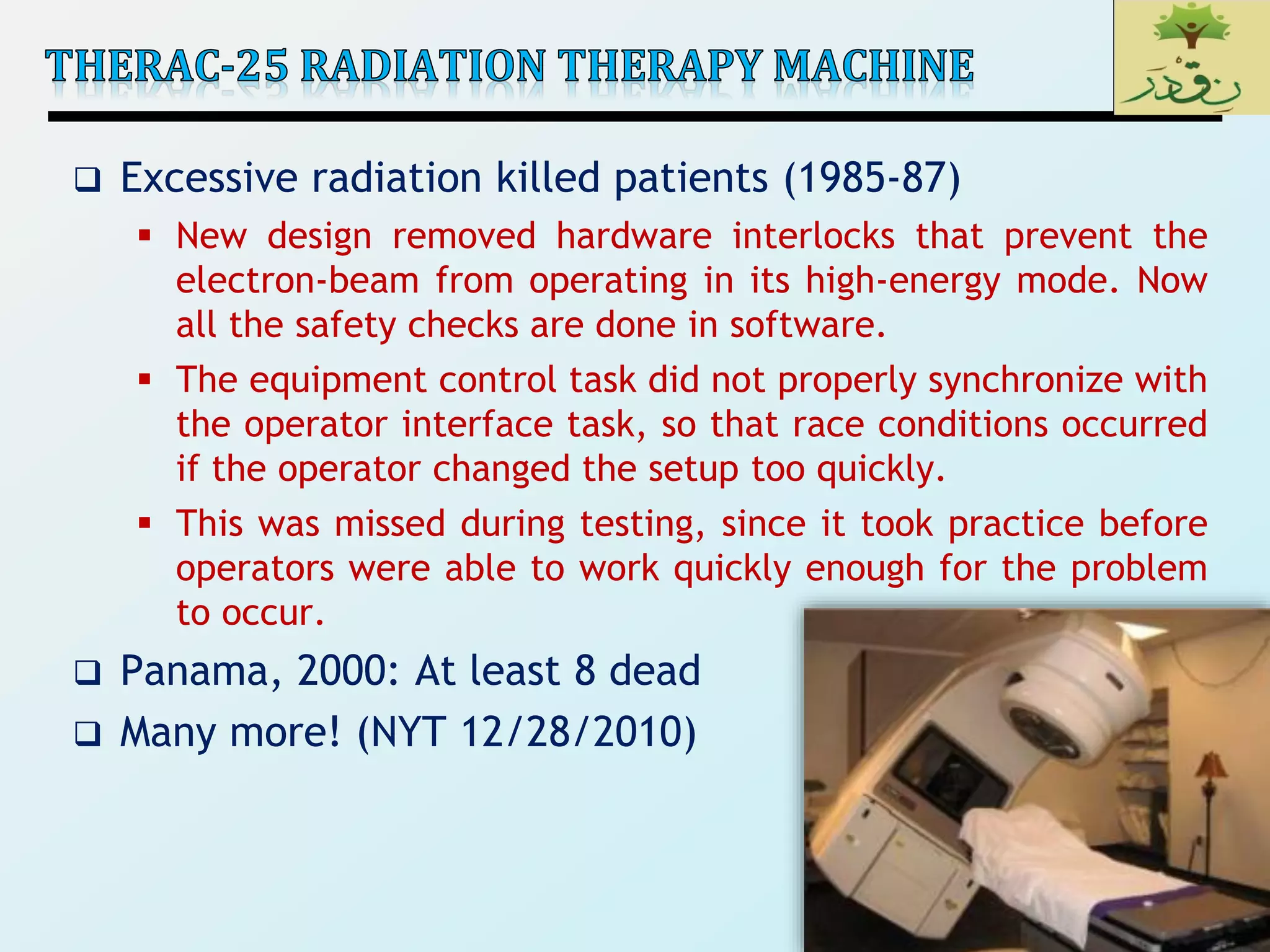
 Excessive radiation killed patients (1985-87)
 New design removed hardware interlocks that prevent the
electron-beam from operating in its high-energy mode. Now
all the safety checks are done in software.
 The equipment control task did not properly synchronize with
the operator interface task, so that race conditions occurred
if the operator changed the setup too quickly.
 This was missed during testing, since it took practice before
operators were able to work quickly enough for the problem
to occur.
 Panama, 2000: At least 8 dead
 Many more! (NYT 12/28/2010)
5
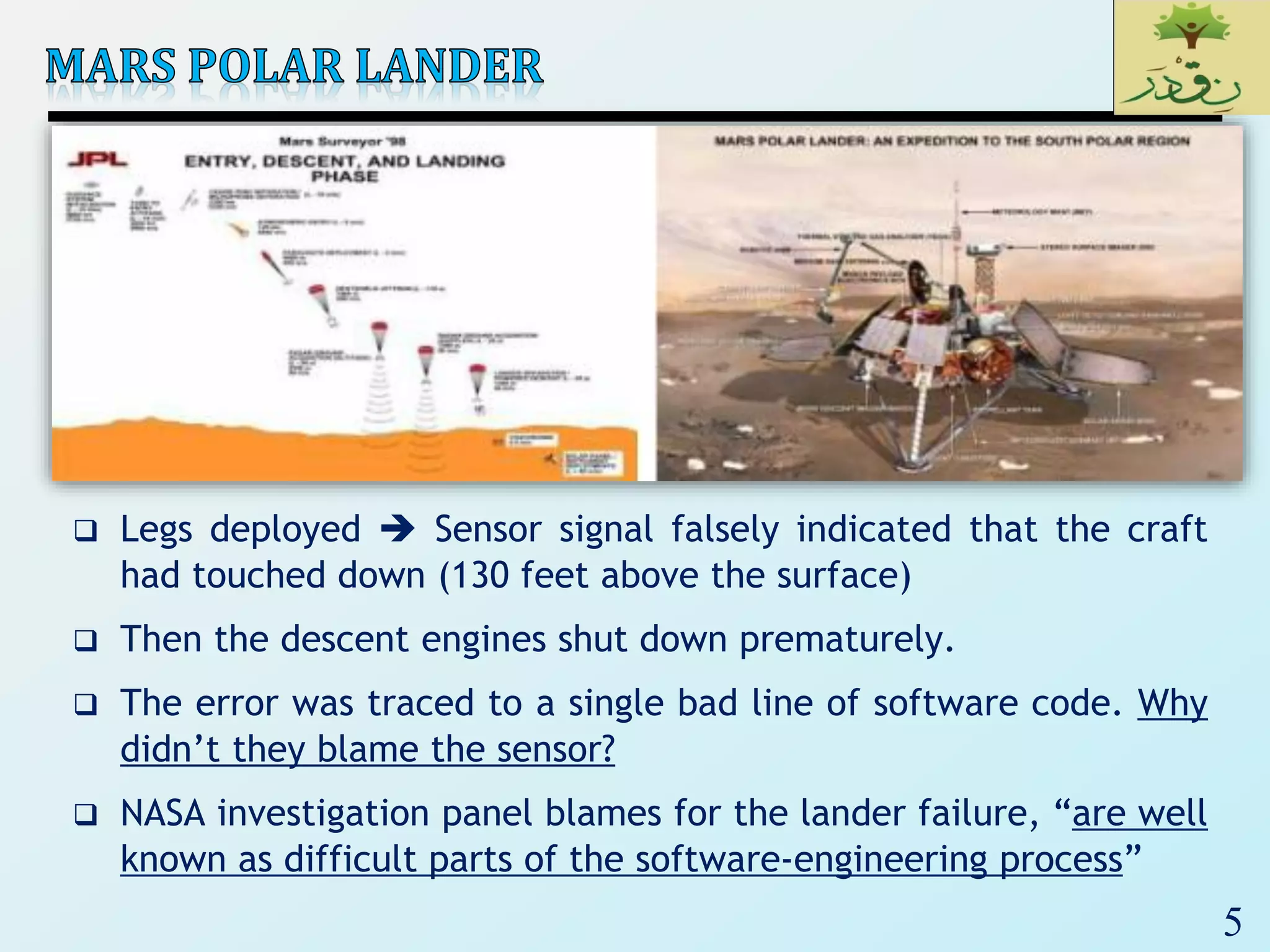
 Legs deployed  Sensor signal falsely indicated that the craft
had touched down (130 feet above the surface)
 Then the descent engines shut down prematurely.
 The error was traced to a single bad line of software code. Why
didn’t they blame the sensor?
 NASA investigation panel blames for the lander failure, “are well
known as difficult parts of the software-engineering process”
6
 Microsoft Zune's New Year Crash (2008)
 iPhone alarm (2011)
 Air-Traffic Control System in LA Airport (2004)
 Northeast Blackout (2003)
 USS Yorktown Incapacitated (1997)
 Denver Airport Baggage-handling System (1994)
 Mariner I space probe (1962)
 AT&T Network Outage (1990)
 Intel Pentium floating point divide (1993)
 Prius brakes and engine stalling (2005)
 Soviet gas pipeline (1982)
 Iran centrifuges (2009)
7
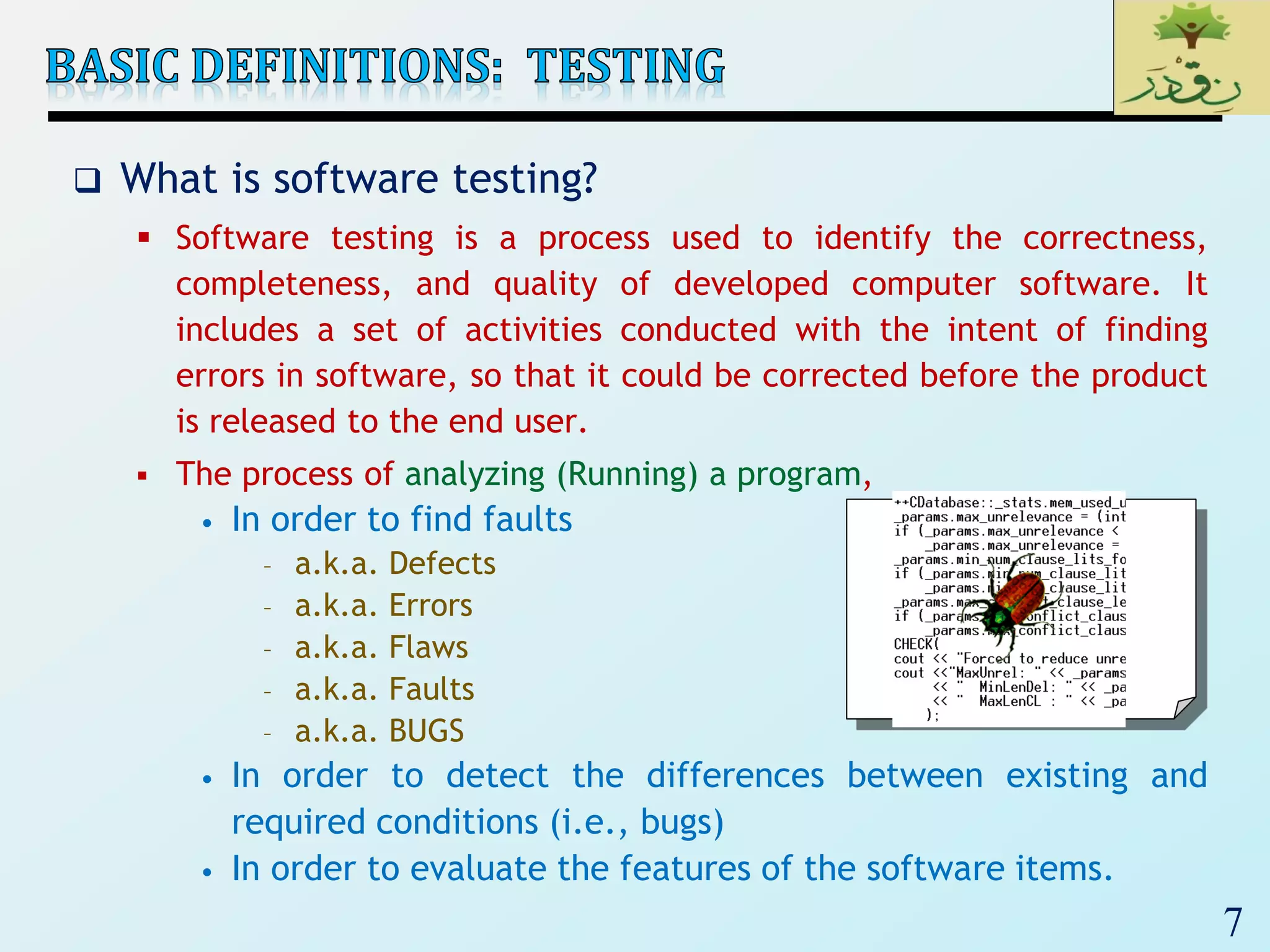
 What is software testing?
 Software testing is a process used to identify the correctness,
completeness, and quality of developed computer software. It
includes a set of activities conducted with the intent of finding
errors in software, so that it could be corrected before the product
is released to the end user.
 The process of analyzing (Running) a program,
• In order to find faults
– a.k.a. Defects
– a.k.a. Errors
– a.k.a. Flaws
– a.k.a. Faults
– a.k.a. BUGS
• In order to detect the differences between existing and
required conditions (i.e., bugs)
• In order to evaluate the features of the software items.
8
 Failure
 A failure is said to occur whenever the external behavior of a
system does not conform to that prescribed in the system
specification
 Error
 An error is a state of the system.
 An error state could lead to a failure in the absence of any
corrective action by the system
 Fault
 A fault is the adjudged cause of an error
 Defect
 It is synonymous of fault
 It a.k.a. bug
9
 Two rules for software testing:
 1. Do it early and do it often
• Catch bugs quickly, before they have a chance to hide
• Automate the process if you can
 2. Be systematic
• If you thrash about randomly, the bugs will hide in the corner
until you're gone
10
 Goal of testing:
 finding faults in the software (Software Fault-Free)
 demonstrating that there are no faults in the software (for
the test cases that has been used during testing)
 It is not possible to prove that there are no faults in the
software using testing.
Exhaustive
Testing is NOT
possible
11
 Testing should be repeatable
 could be difficult for distributed or concurrent software
 effect of the environment, uninitialized variables
 a template for software testing: a set of steps into
which we can place specific test-case design techniques
and testing methods—should be defined for the software
process.
12
 To perform effective testing, a software team should conduct
effective formal technical reviews. By doing this, many errors
will be eliminated before testing commences.
 Testing begins at the component level and works “outward”
toward the integration of the entire computer-based system.
 Different testing techniques are appropriate at different
points in time.
 Testing is conducted by the developers of the software and
(for large projects) an independent test group.
 Testing and debugging are different activities, but debugging
must be accommodated in any testing strategy.
13
 Test Case is a simple pair of
 <input, expected outcome>
 State-less systems: A compiler is a stateless system
 Test cases are very simple
• Outcome depends solely on the current input
• Example: <5, 120>
 State-oriented: ATM is a state oriented system
 Test cases are not that simple. A test case may consist of a
sequences of <input, expected outcome>
• The outcome depends both on the current state of the
system and the current input
• ATM example:
• < check balance, $500.00 >,
• < withdraw, “amount?” >,
• < $200.00, “$200.00” >,
• < check balance, $300.00 >
14
 An outcome of program execution may include
 Value produced by the program
 State Change
 A sequence of values which must be interpreted together
for the outcome to be valid
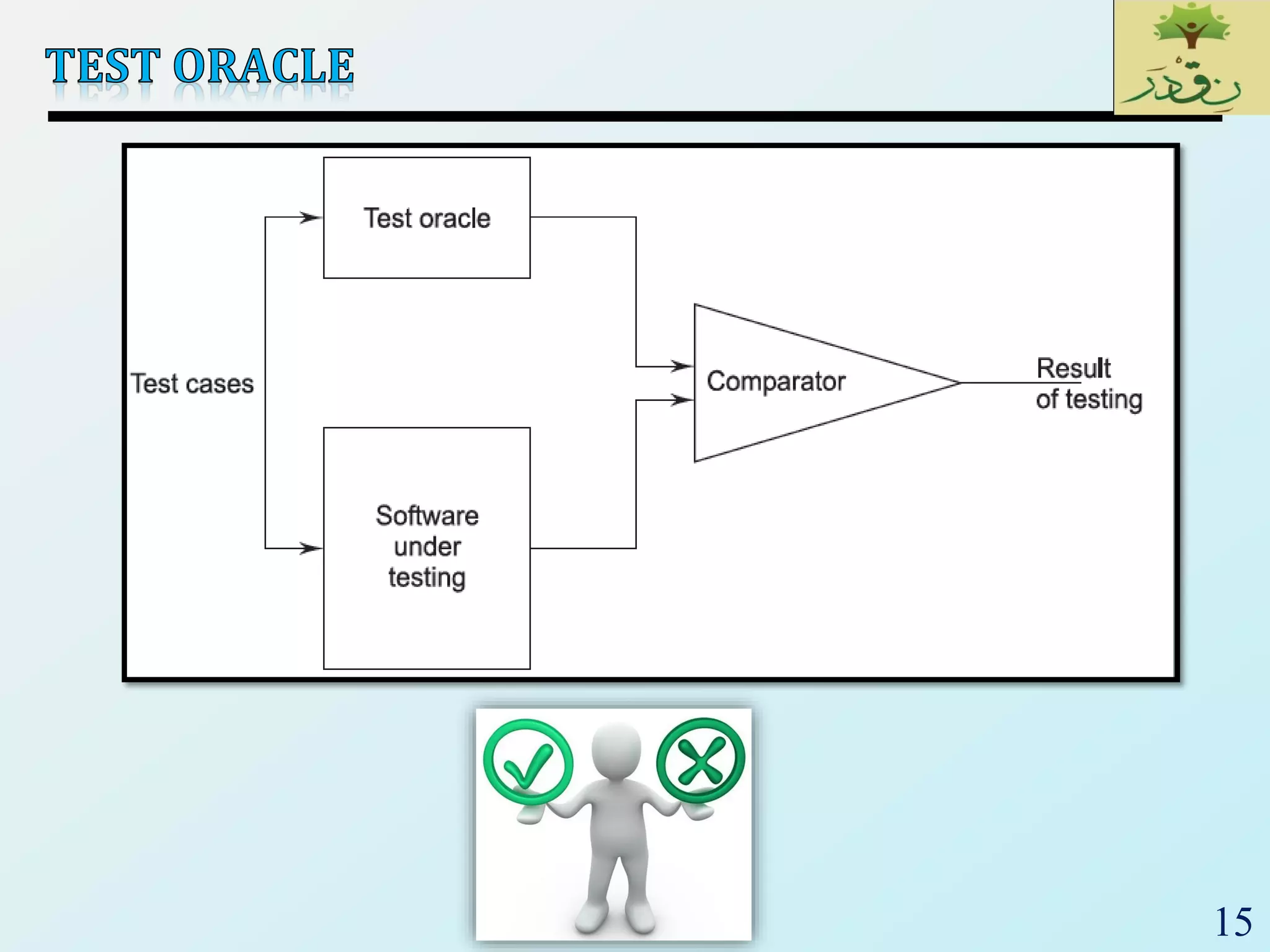
 A test oracle is a mechanism that verifies the
correctness of program outputs
 Generate expected results for the test inputs
 Compare the expected results with the actual results of
execution of the IUT
15
16
‫ر‬َ‫ـد‬ْ‫ق‬‫ِـ‬‫ن‬،،،‫لما‬‫اننا‬ ‫نصدق‬ْْ‫ق‬ِ‫ن‬‫ر‬َ‫د‬
17
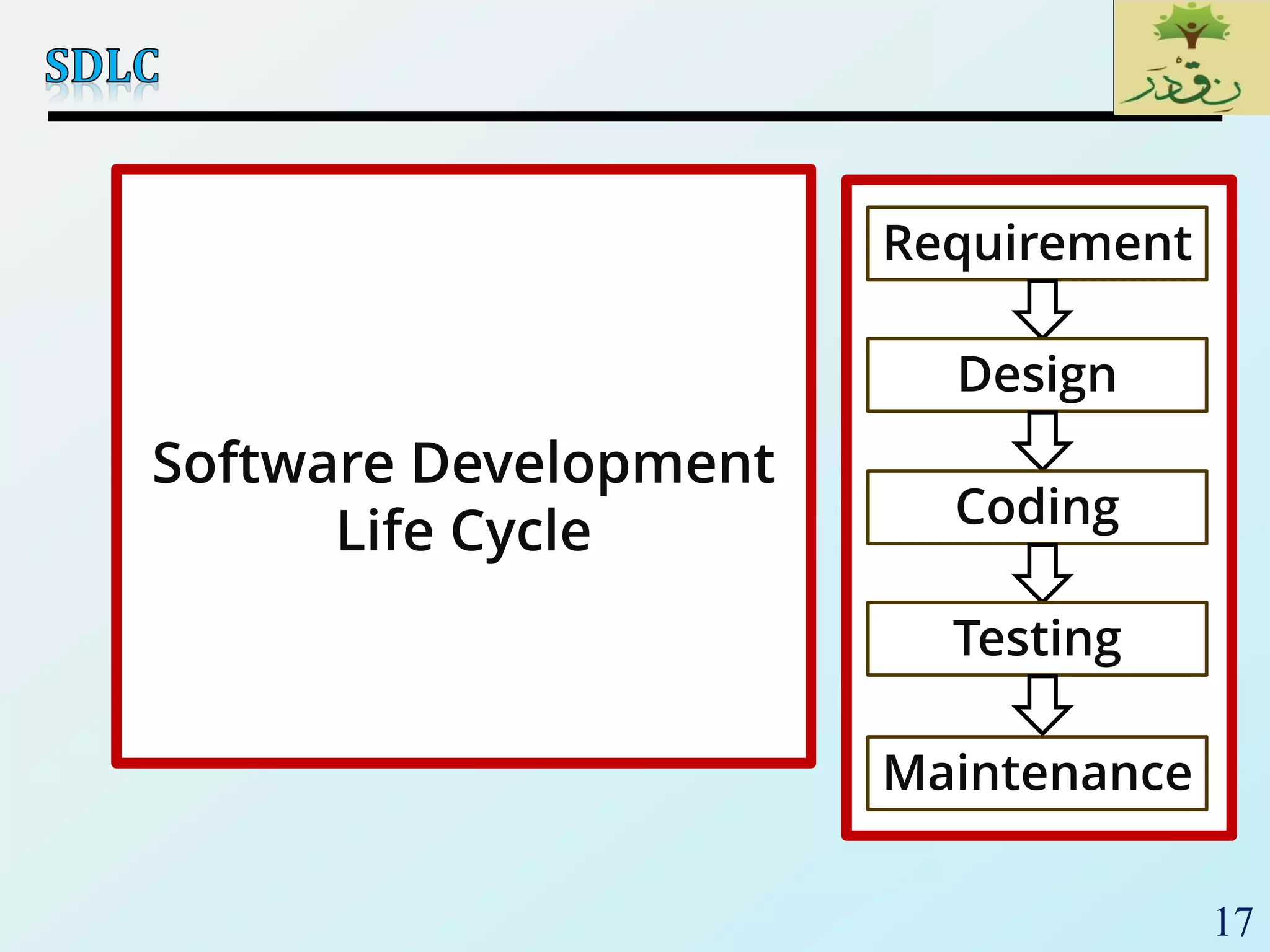
Requirement
s
Design
Coding
Testing
Gather as much information as possible
about the details & specifications of the
desired software from client
Plan the programing language like java,
PHP, .net; database like oracle, mysql etc.
which would be suited for the project
Actually code the software
Test the software to veify that it is built as
per the specifications given by the client
Maintenance
Requirement
s
Design
Coding
Testing
Maintenance
Software Development
Life Cycle
18
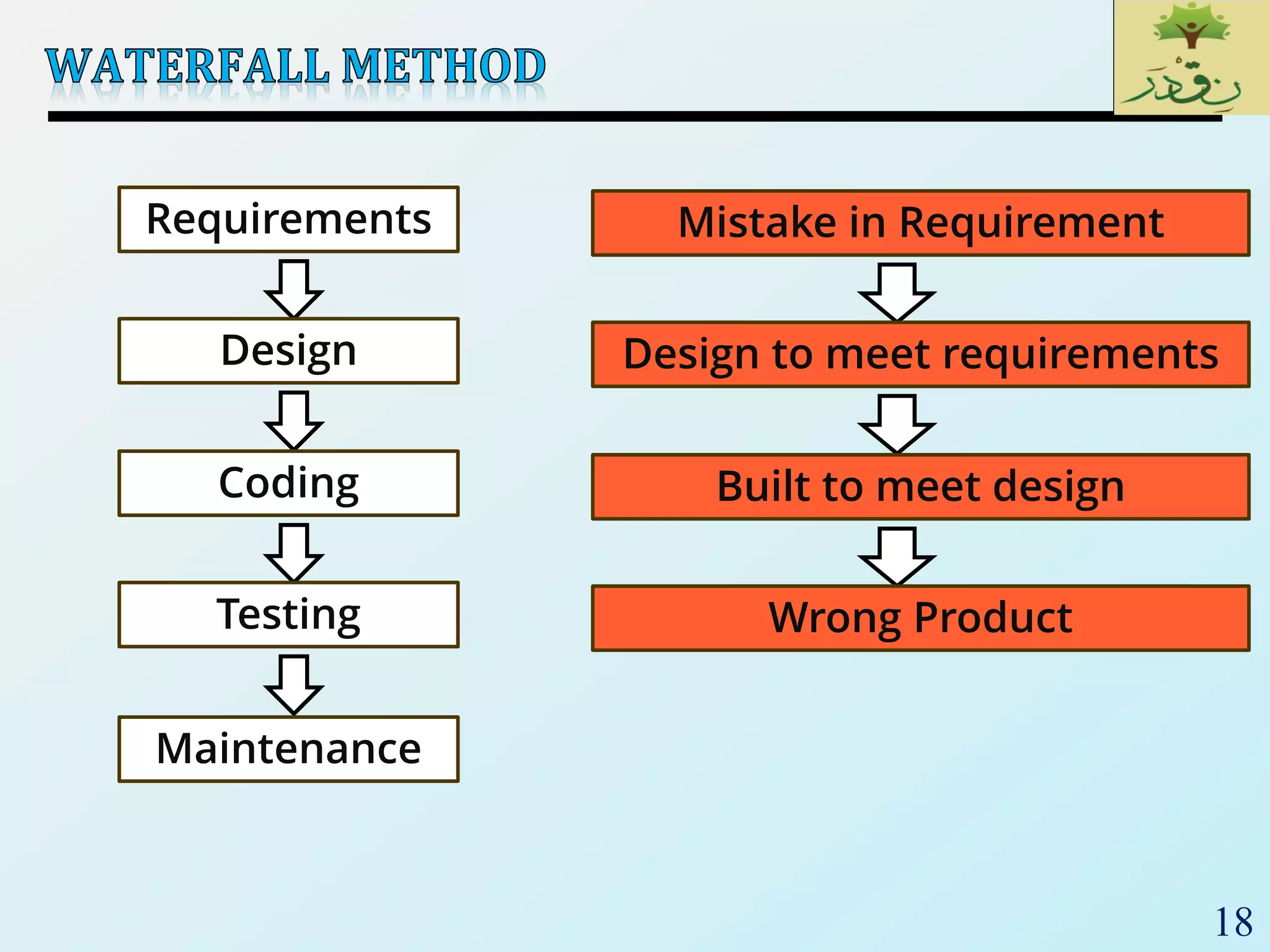
Requirements
Design
Coding
Testing
Maintenance
Mistake in Requirement
Design to meet requirements
Built to meet design
Wrong Product
19
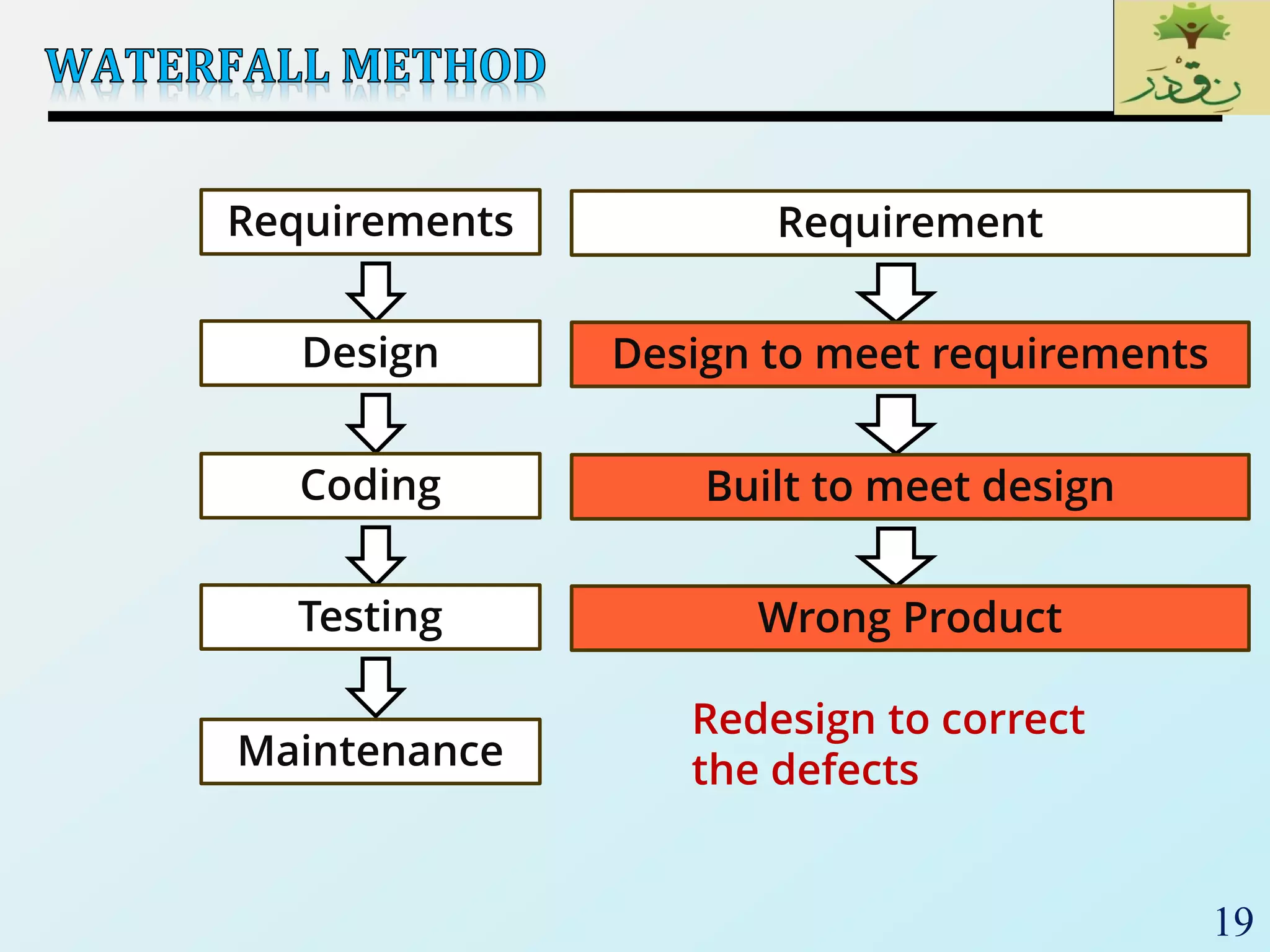
Requirements
Design
Coding
Testing
Maintenance
Requirement
Design to meet requirements
Built to meet design
Wrong Product
Redesign to correct
the defects
20
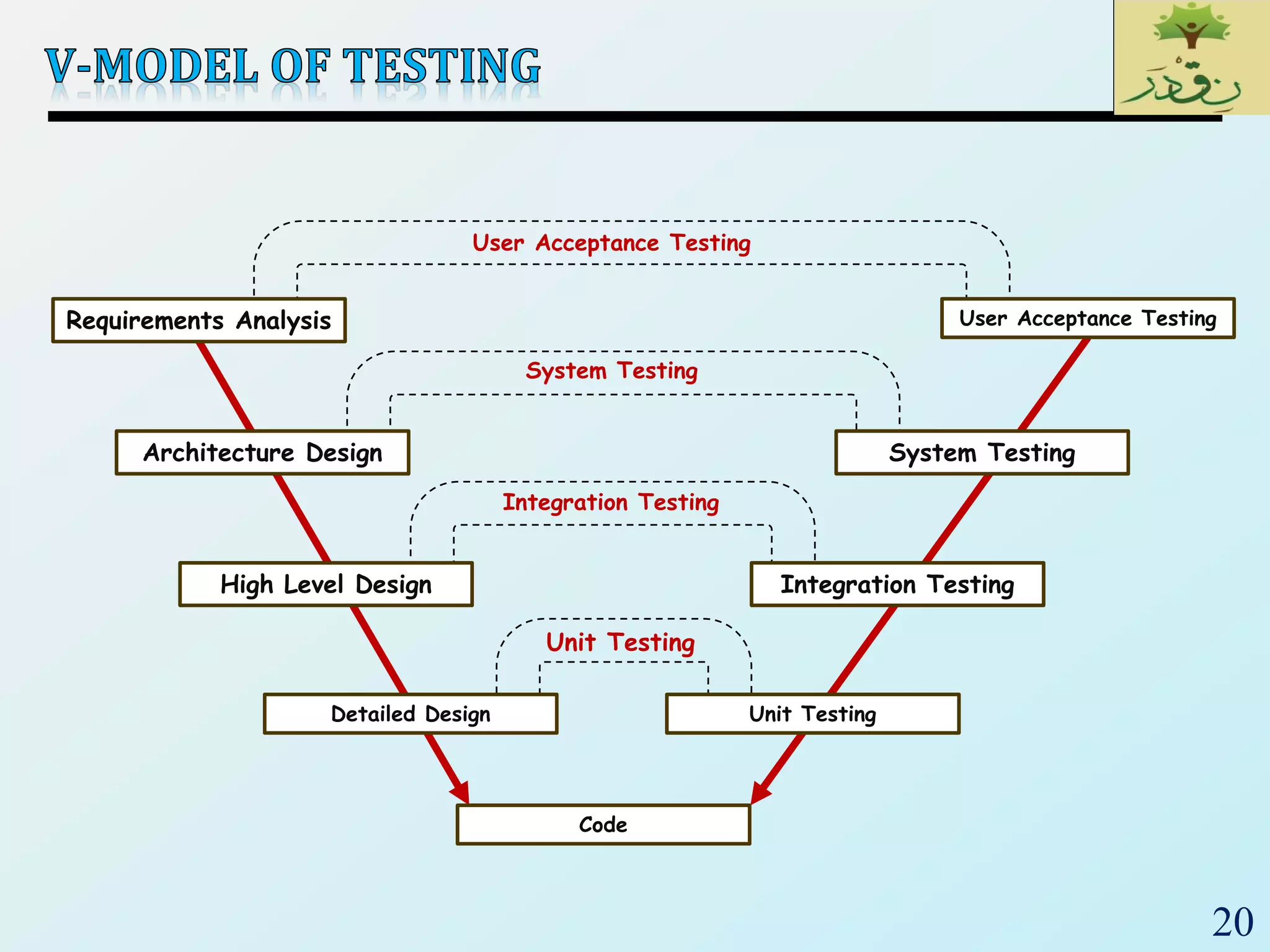
Requirements Analysis
Architecture Design
High Level Design
Detailed Design
User Acceptance Testing
System Testing
Integration Testing
Unit Testing
Code
Unit Testing
Integration Testing
System Testing
User Acceptance Testing
21
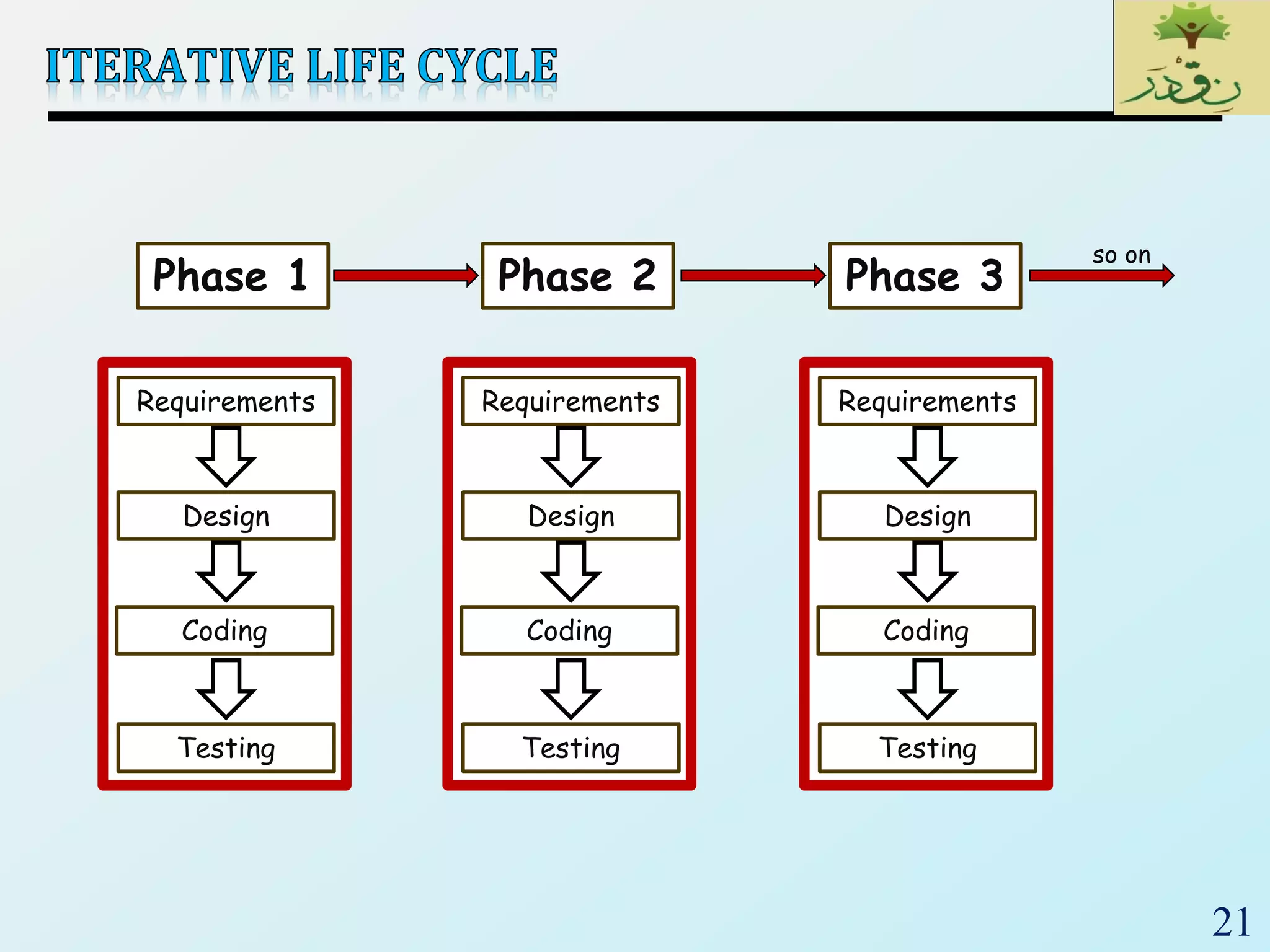
Phase 1 Phase 2 Phase 3
so on
Requirements
Design
Coding
Testing
Requirements
Design
Coding
Testing
Requirements
Design
Coding
Testing
22
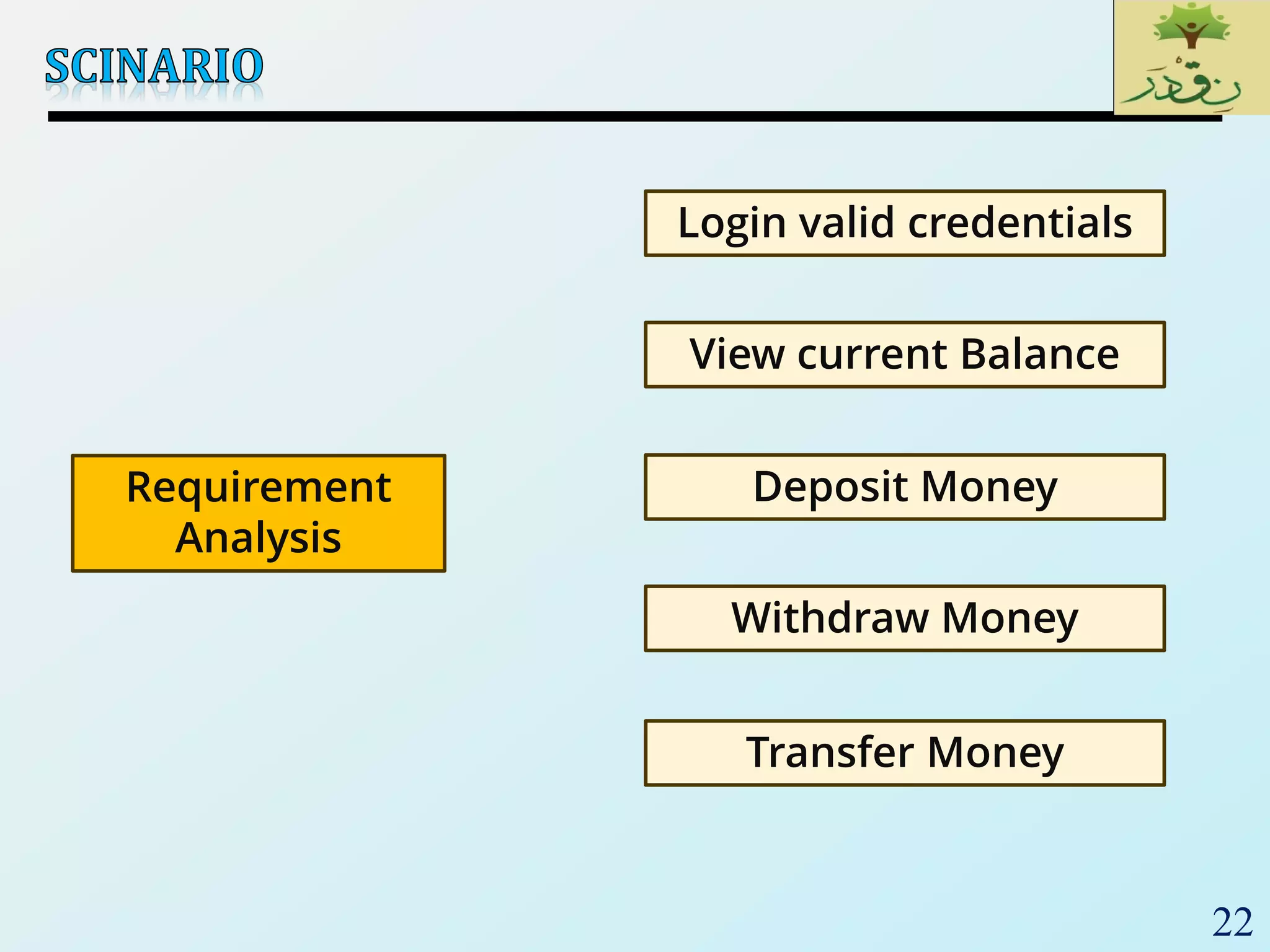
Login valid credentials
View current Balance
Deposit Money
Withdraw Money
Transfer Money
Requirement
Analysis
23
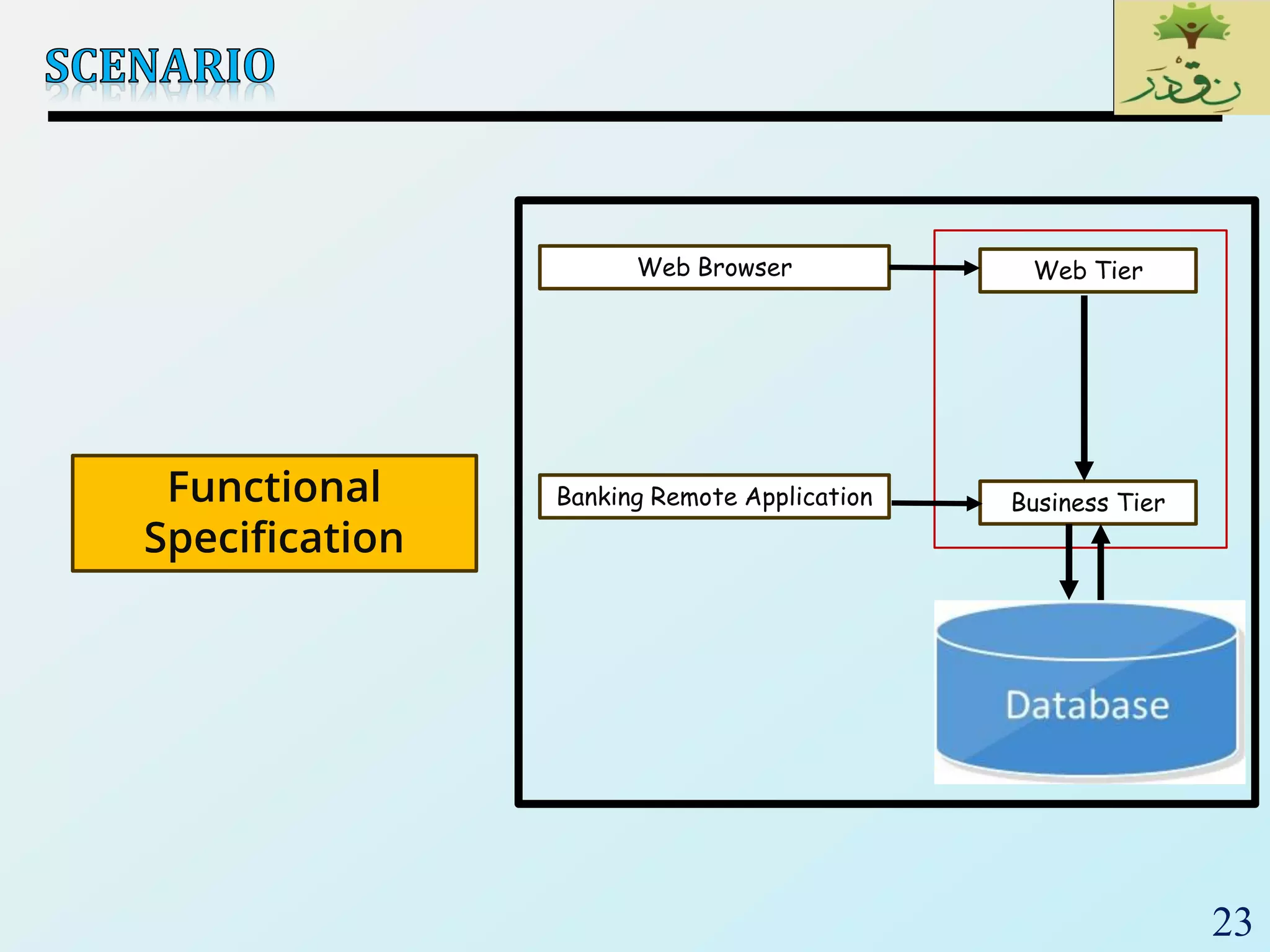
Functional
Specification
Web Browser Web Tier
Banking Remote Application Business Tier
24
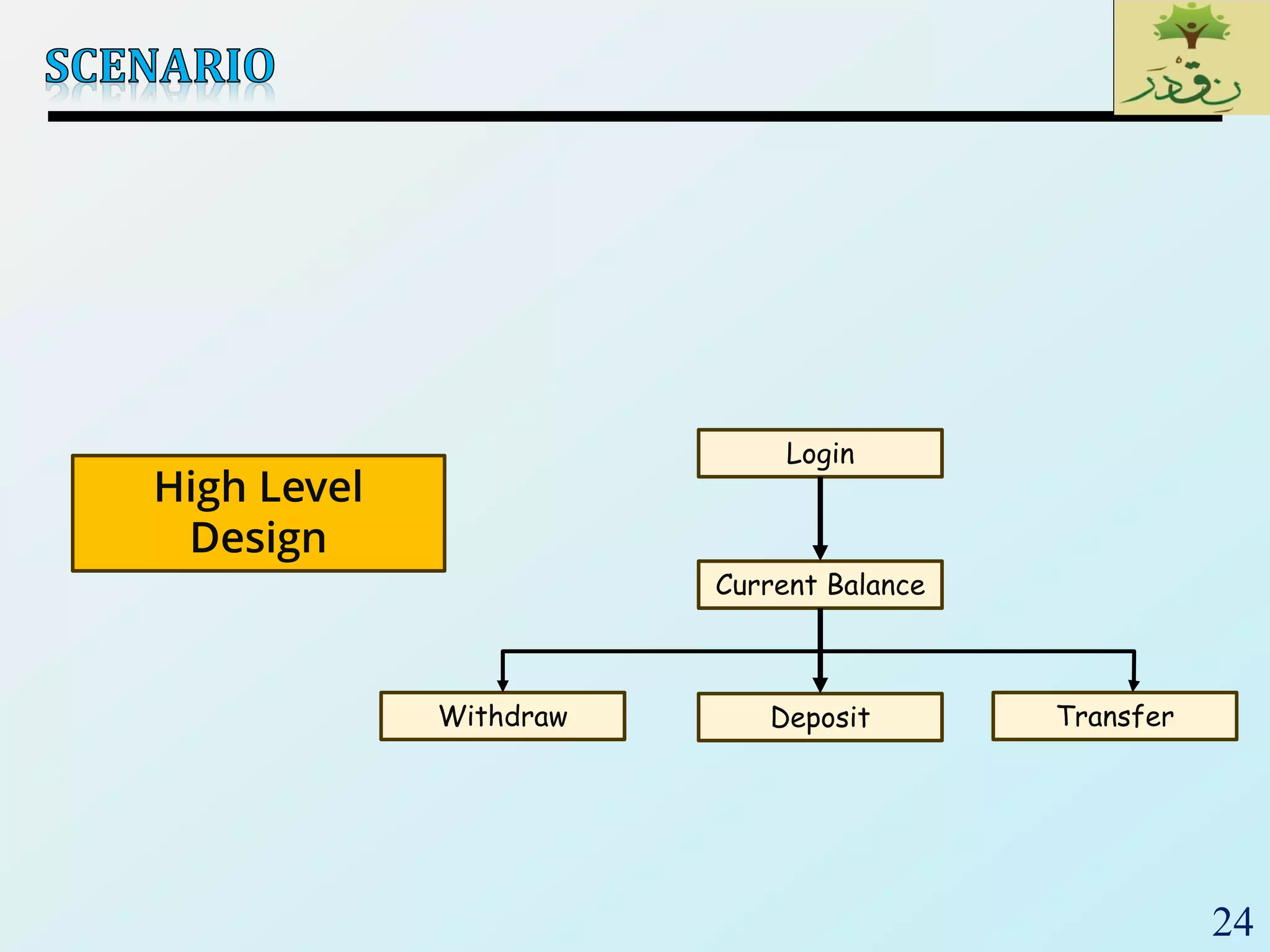
Login
Current Balance
DepositWithdraw Transfer
High Level
Design
25
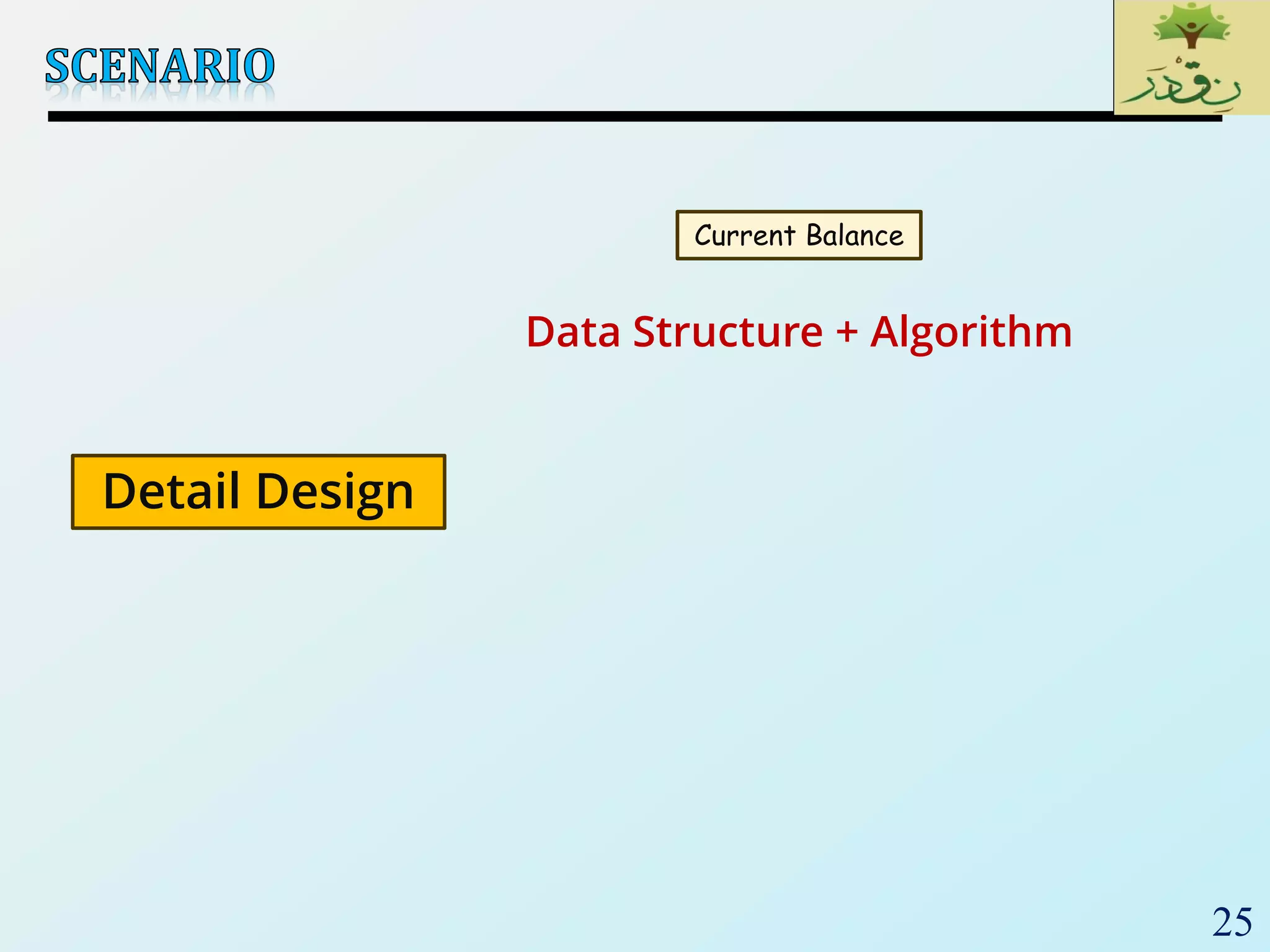
Current Balance
Detail Design
Data Structure + Algorithm
26
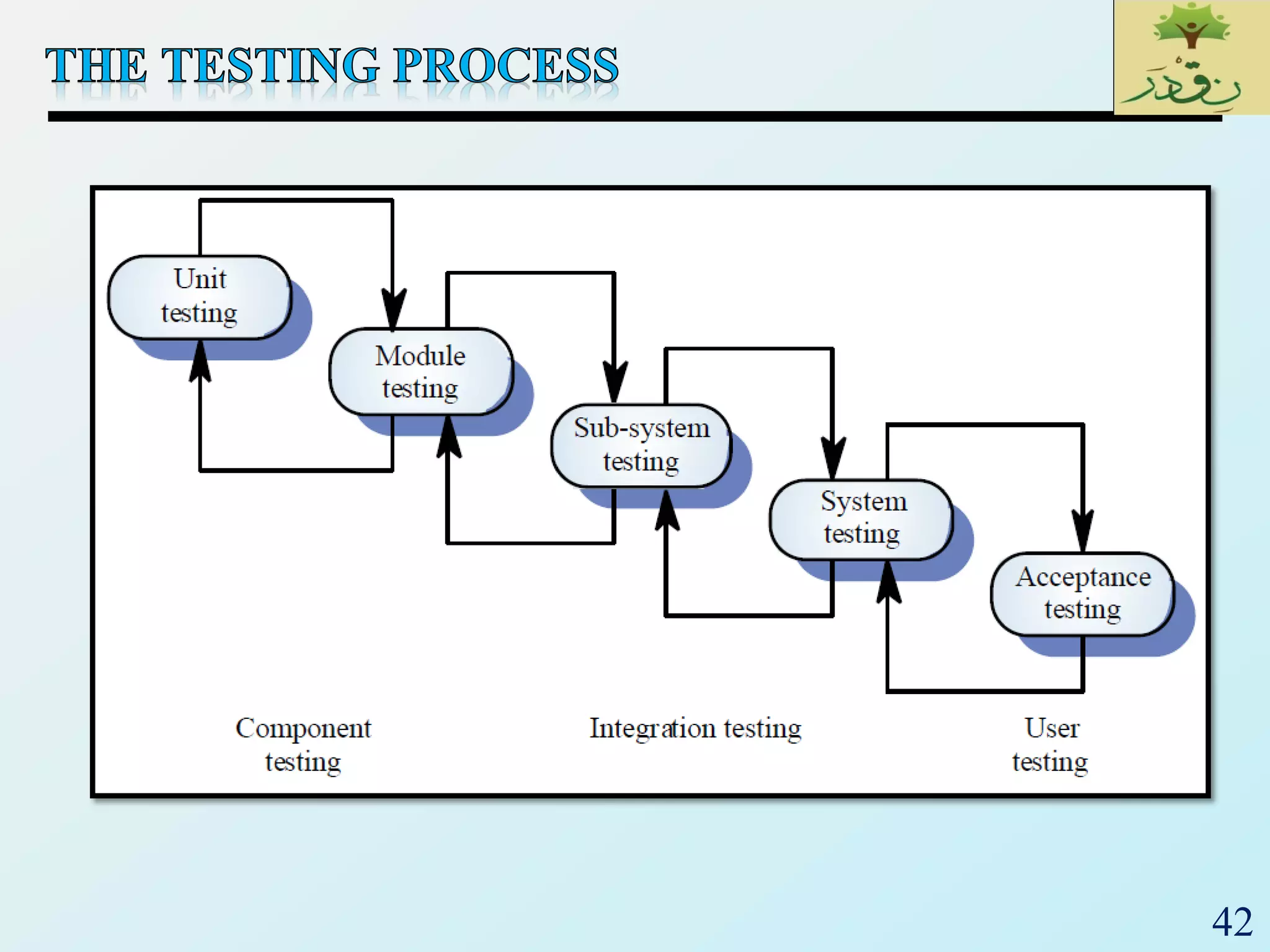
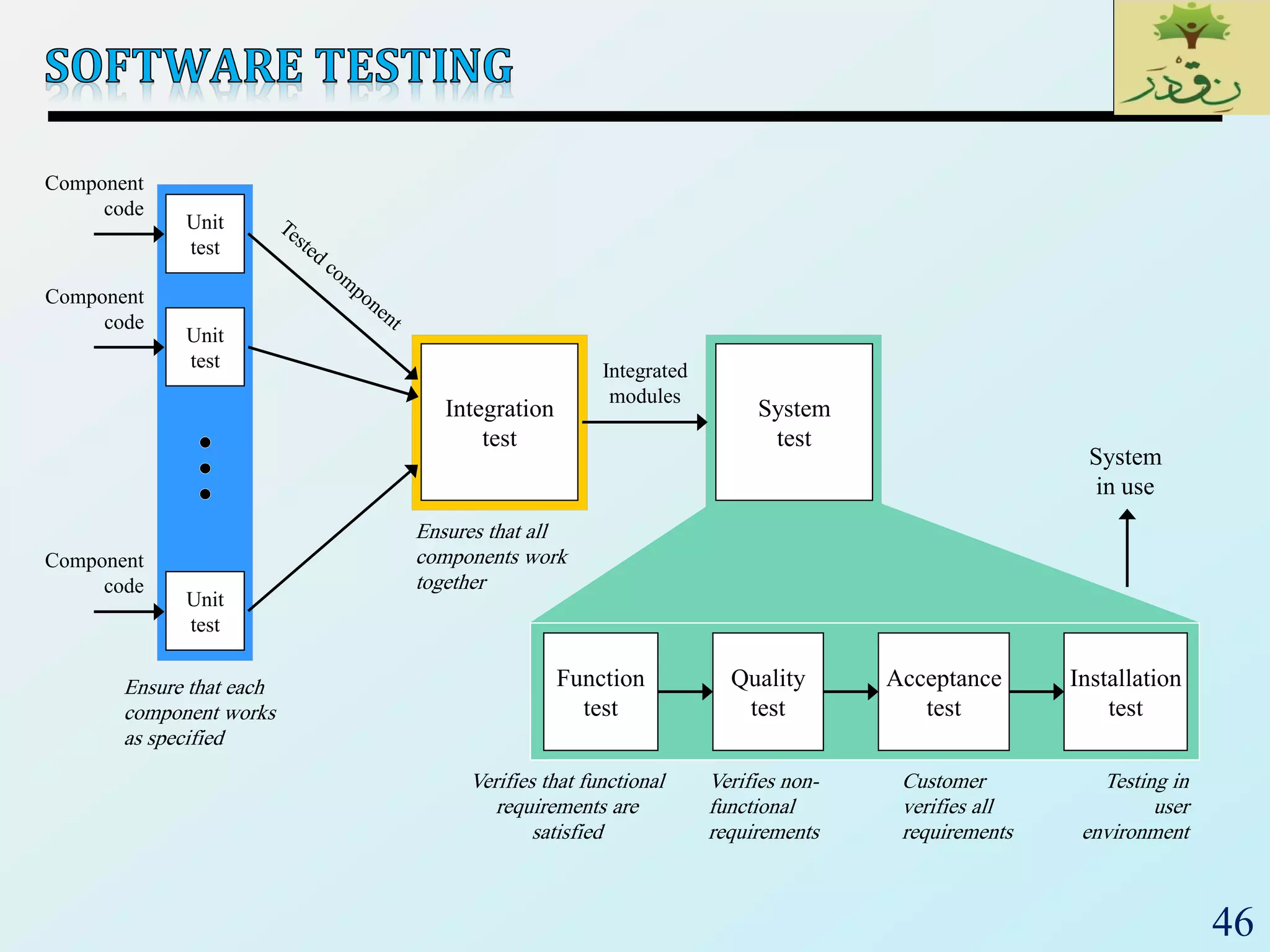
 Unit testing: Individual program units, such as procedure,
methods in isolation
 Integration testing: Modules are assembled to construct
larger subsystem and tested
 System testing: Includes wide spectrum of testing such as
functionality, and load
 Acceptance testing:
 Customer’s expectations from the system
 Two types of acceptance testing
• UAT: User Acceptance Testing
– System satisfies the contractual acceptance criteria
• BAT: Business Acceptance Testing
– System will eventually pass the user acceptance test
 Measure the quality of the product rather than searching for
the defect.
27
 Focuses on smallest unit of software (function, module,
procedure)
 Important control paths are tested
 Usually developed by the software engineer who wrote
the unit
 Usually white-box oriented
28
 Involves testing a single isolated module
 Note that unit testing allows us to isolate the errors to a
single module
 we know that if we find an error during unit testing it is in
the module we are testing
 Modules in a program are not isolated, they interact
with each other. Possible interactions:
 calling procedures in other modules
 receiving procedure calls from other modules
 sharing variables
 For unit testing we need to isolate the module we want
to test, we do this using two things
 drivers and stubs
29
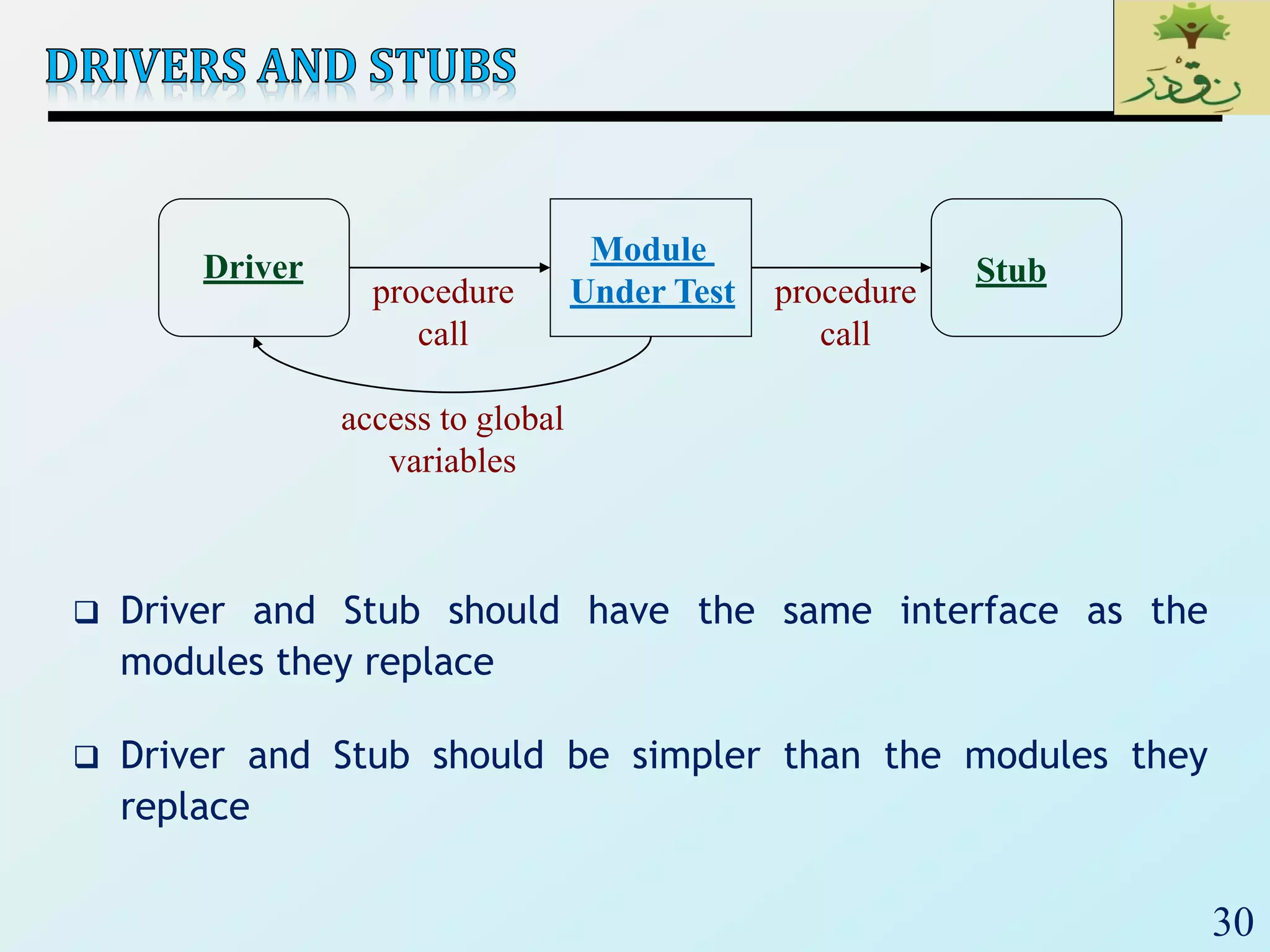
 Driver: A program that calls the interface procedures of
the module being tested and reports the results
 A driver simulates a module that calls the module
currently being tested
 Stub: A program that has the same interface as a
module that is being used by the module being tested,
but is simpler.
 A stub simulates a module called by the module currently
being tested
30
 Driver and Stub should have the same interface as the
modules they replace
 Driver and Stub should be simpler than the modules they
replace
Driver
Module
Under Test
Stub
procedure
call
procedure
call
access to global
variables
31
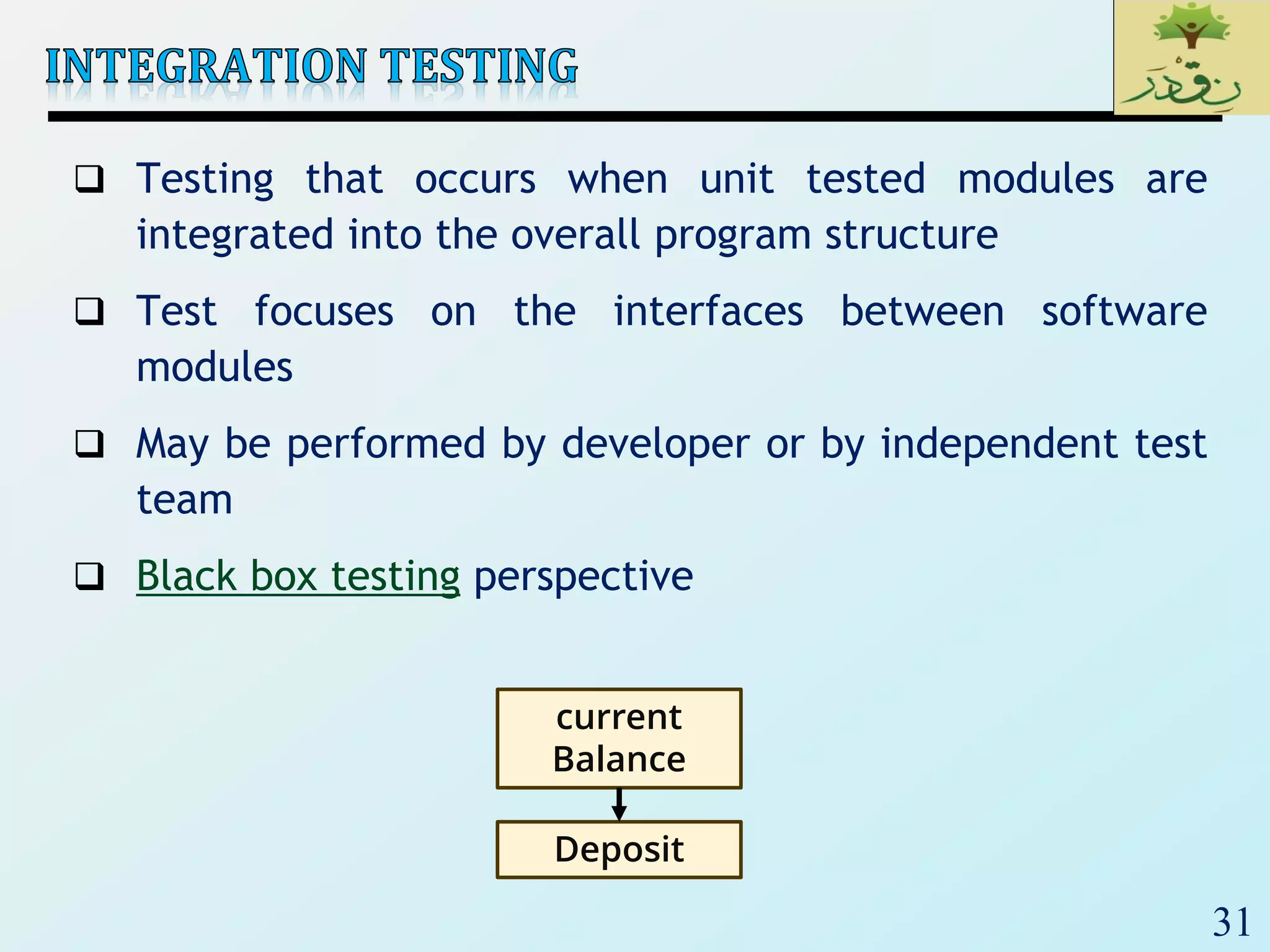
 Testing that occurs when unit tested modules are
integrated into the overall program structure
 Test focuses on the interfaces between software
modules
 May be performed by developer or by independent test
team
 Black box testing perspective
current
Balance
Deposit
32
 Integration testing: Integrated collection of modules
tested as a group or partial system
 Integration plan specifies the order in which to combine
modules into partial systems
 Different approaches to integration testing:
 Incremental
 Bottom-up
 Top-down
 Regression
 Smoke test
 Sandwich
 The choice of approach chosen depends on the system
architecture and location of high risk modules
33
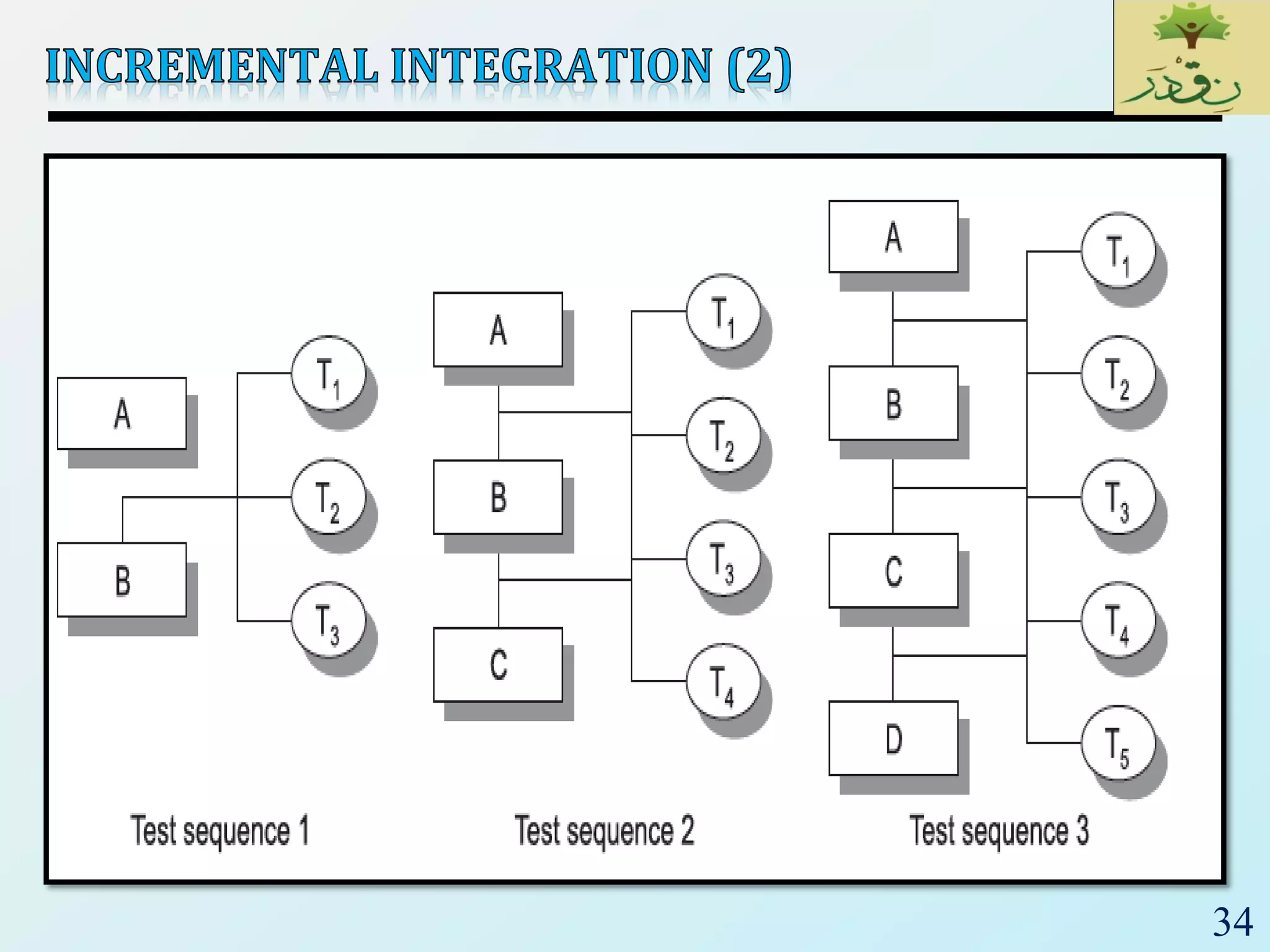
 The incremental approach means to first combine only
two components together and test them.
 Remove the errors if they are there, otherwise combine
another component to it and then test again, and so on
until the whole system is developed.
34
35
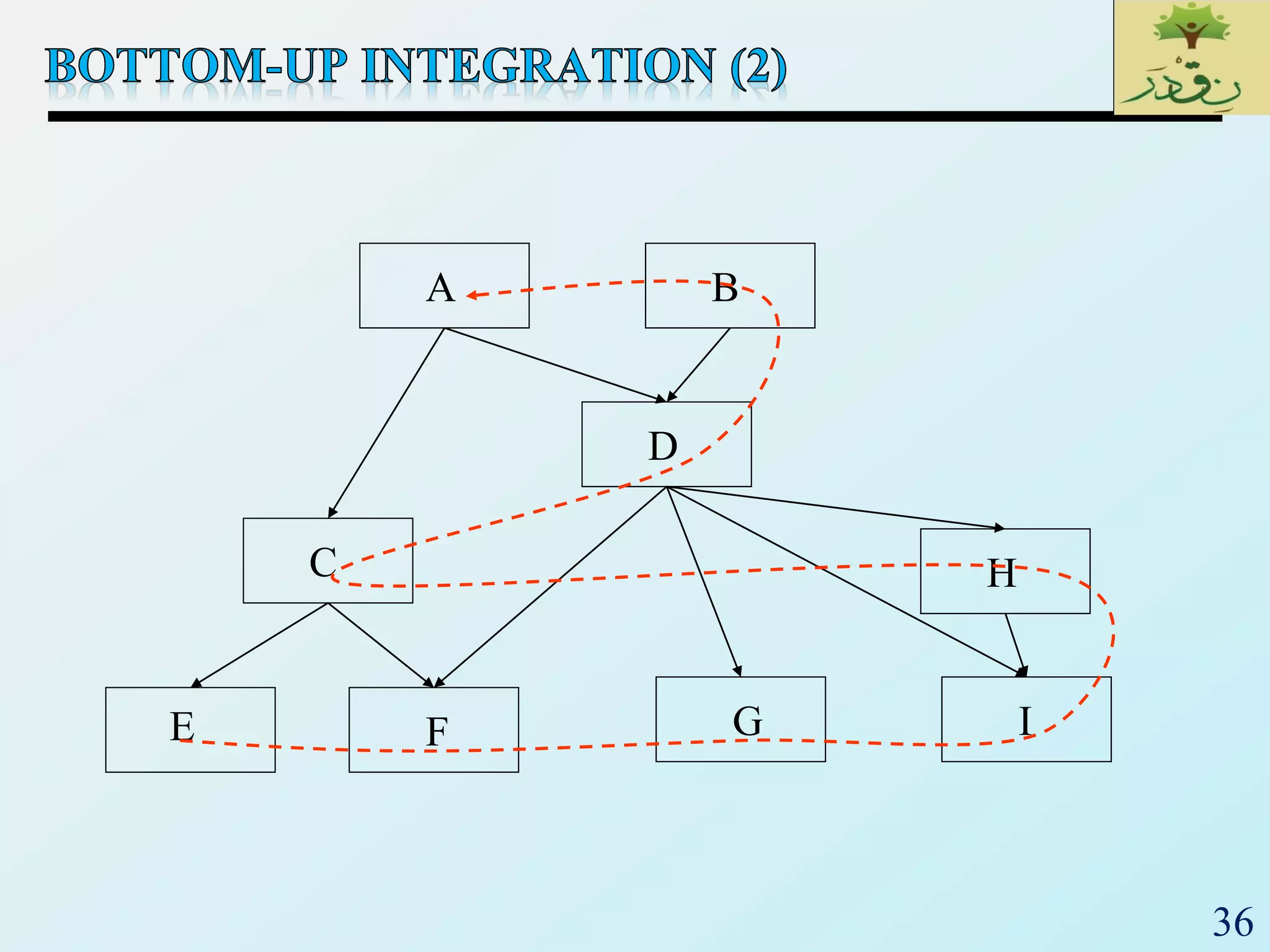
 Only terminal modules (i.e., the modules that do not
call other modules) are tested in isolation
 Modules at lower levels are tested using the previously
tested higher level modules
 Non-terminal modules are not tested in isolation
 Requires a module driver for each module to feed the
test case input to the interface of the module being
tested
 However, stubs are not needed since we are starting with
the terminal modules and use already tested modules
when testing modules in the lower levels
36
A
C
D
E F G
H
I
B
37
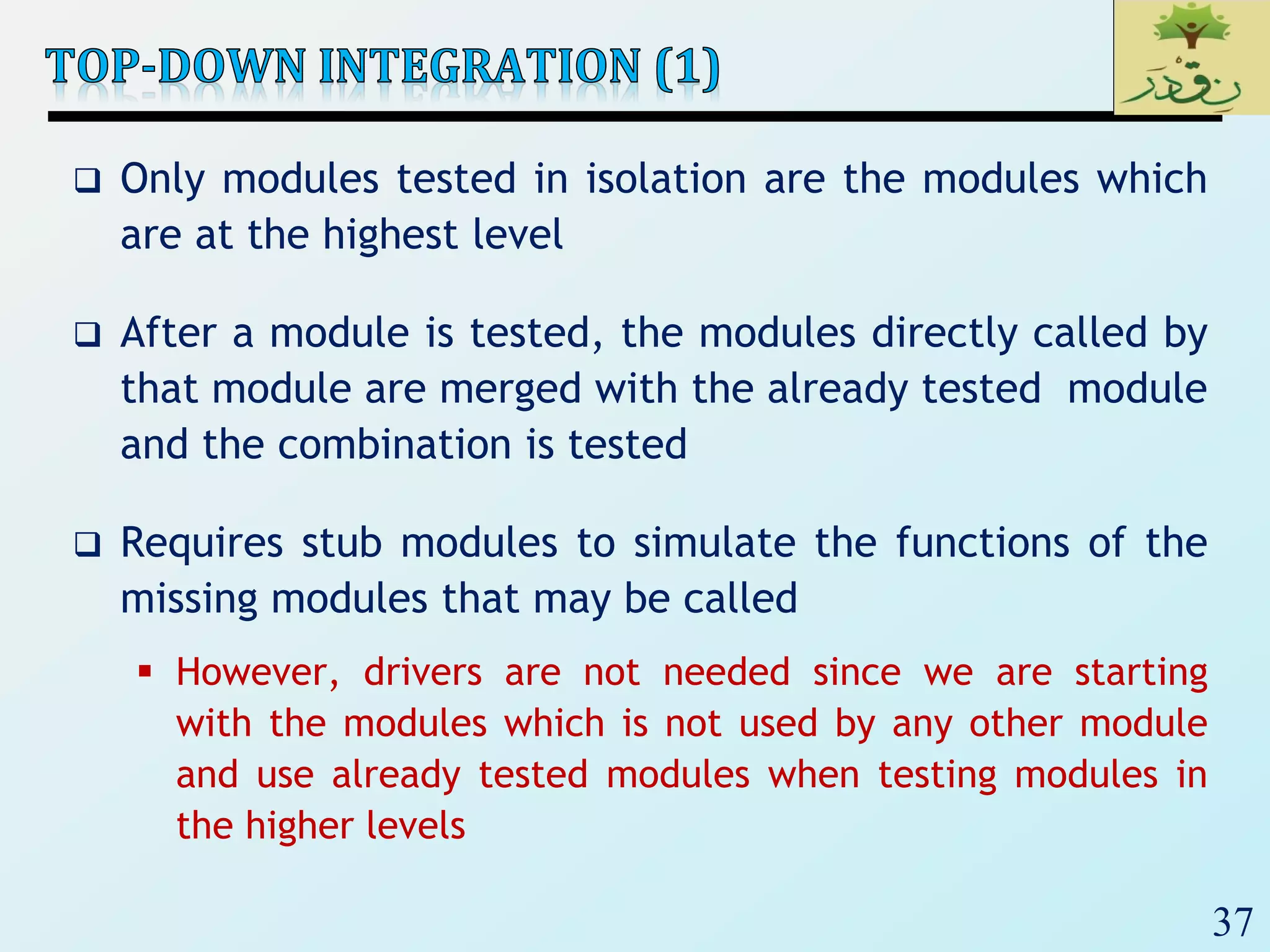
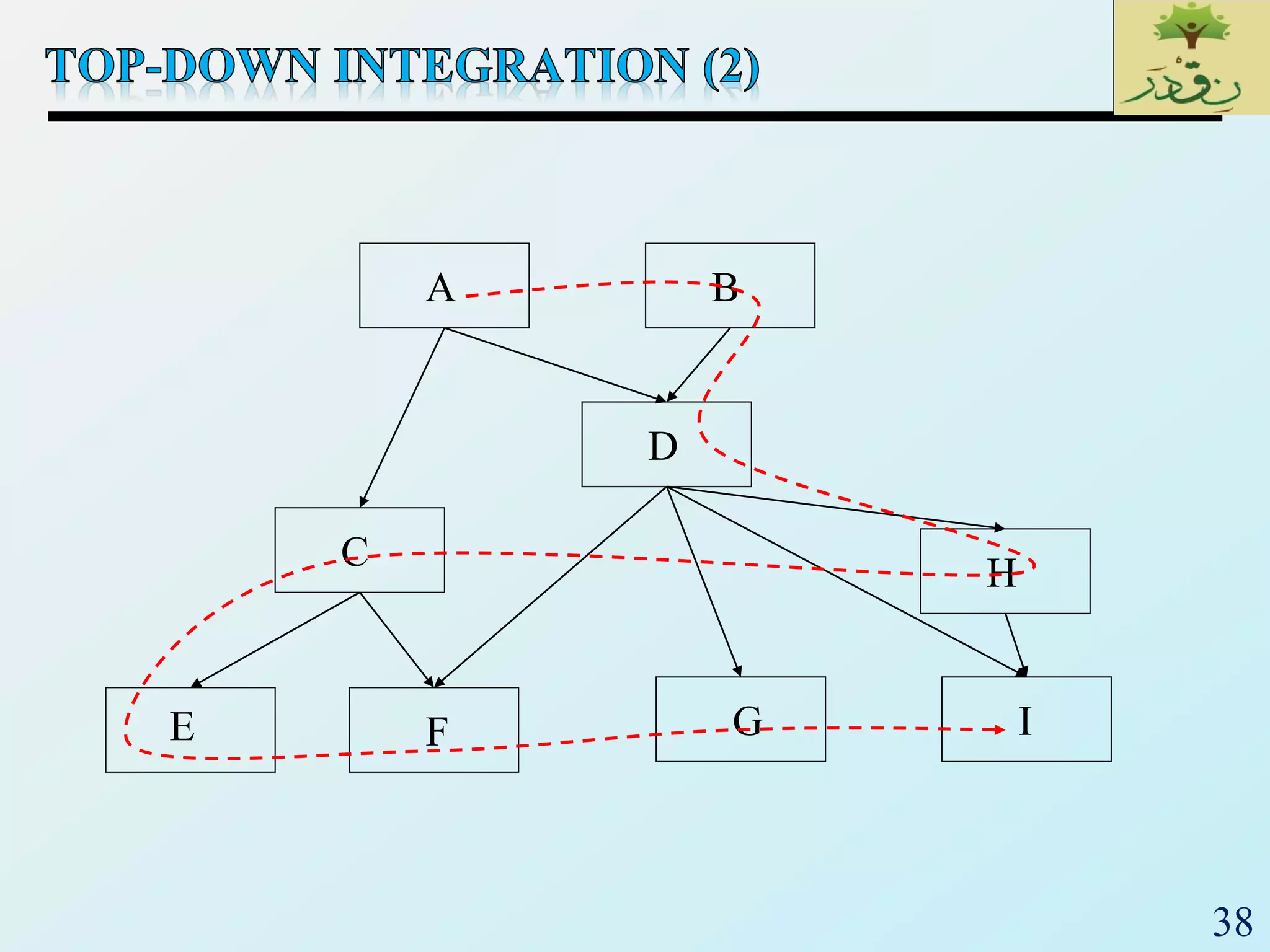
 Only modules tested in isolation are the modules which
are at the highest level
 After a module is tested, the modules directly called by
that module are merged with the already tested module
and the combination is tested
 Requires stub modules to simulate the functions of the
missing modules that may be called
 However, drivers are not needed since we are starting
with the modules which is not used by any other module
and use already tested modules when testing modules in
the higher levels
38
A
C
D
E F G
H
I
B
39
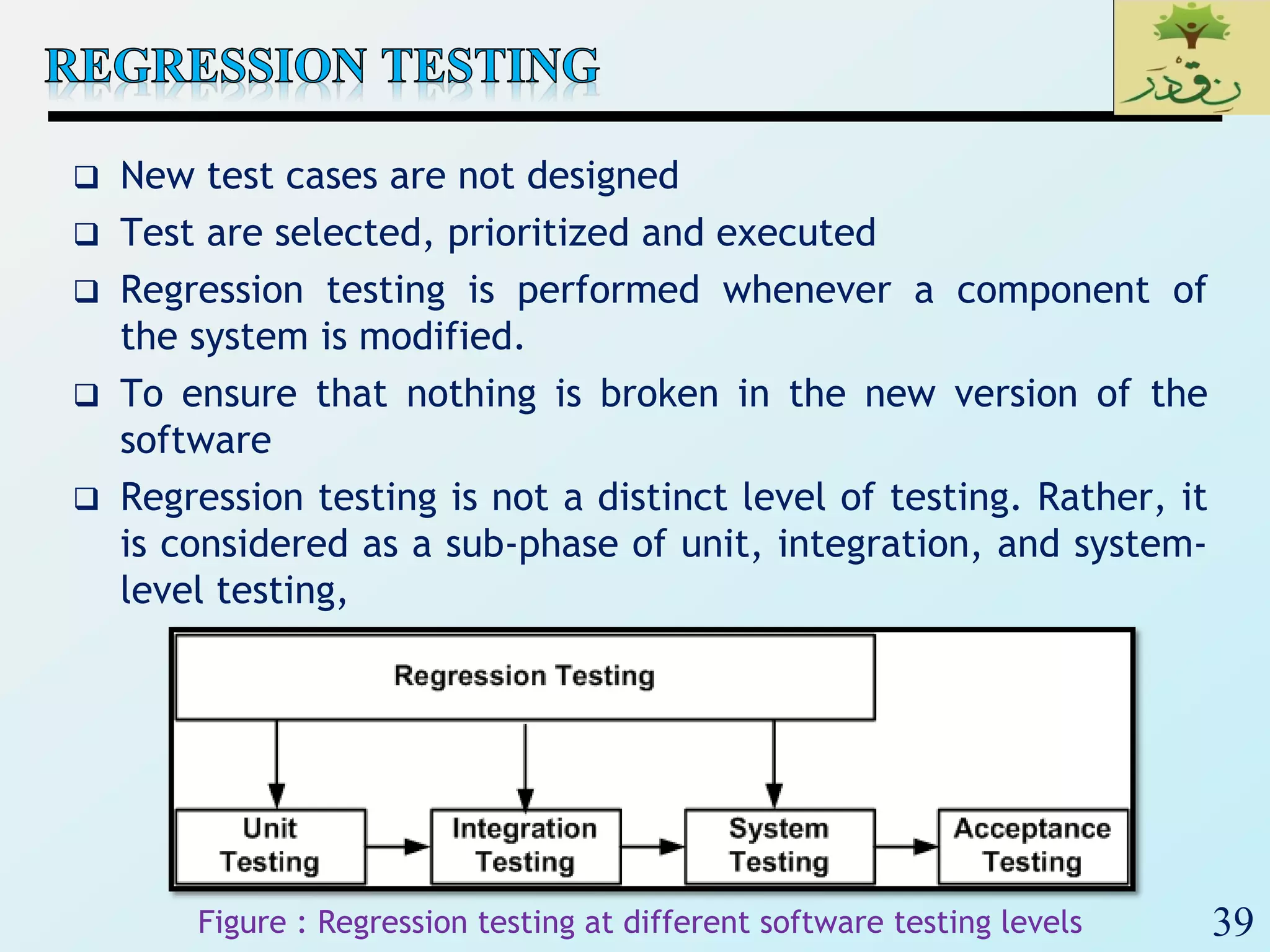
 New test cases are not designed
 Test are selected, prioritized and executed
 Regression testing is performed whenever a component of
the system is modified.
 To ensure that nothing is broken in the new version of the
software
 Regression testing is not a distinct level of testing. Rather, it
is considered as a sub-phase of unit, integration, and system-
level testing,
Figure : Regression testing at different software testing levels
40
 Big-bang Approach
 First all the modules are individually tested
 Next all those modules are put together to construct the entire
system which is tested as a whole
 Sandwich Approach
 In this approach a system is integrated using a mix of top-down,
bottom-up, and big-bang approaches
 A hierarchical system is viewed as consisting of three layers
 The bottom-up approach is applied to integrate the modules in
the bottom-layer
 The top layer modules are integrated by using top-down
approach
 The middle layer is integrated by using the big-bang approach
after the top and the bottom layers have been integrated
41
 Smoke Testing Fundamentals
 Smoke Testing, also known as “Build Verification Testing”, is a type of
software testing that comprises of a non-exhaustive set of tests that
aim at ensuring that the most important functions work. The results of
this testing is used to decide if a build is stable enough to proceed with
further testing.
 The term ‘smoke testing’, it is said, came to software testing from a
similar type of hardware testing, in which the device passed the test if
it did not catch fire (or smoked) the first time it was turned on.
 Advantages
 It exposes integration issues.
 It uncovers problems early.
 It provides some level of confidence that changes to the software have
not adversely affected major areas (the areas covered by smoke
testing, of course)
 Levels Applicable To
 Smoke testing is normally used in Integration Testing, System
Testing and Acceptance Testing levels.
42
43
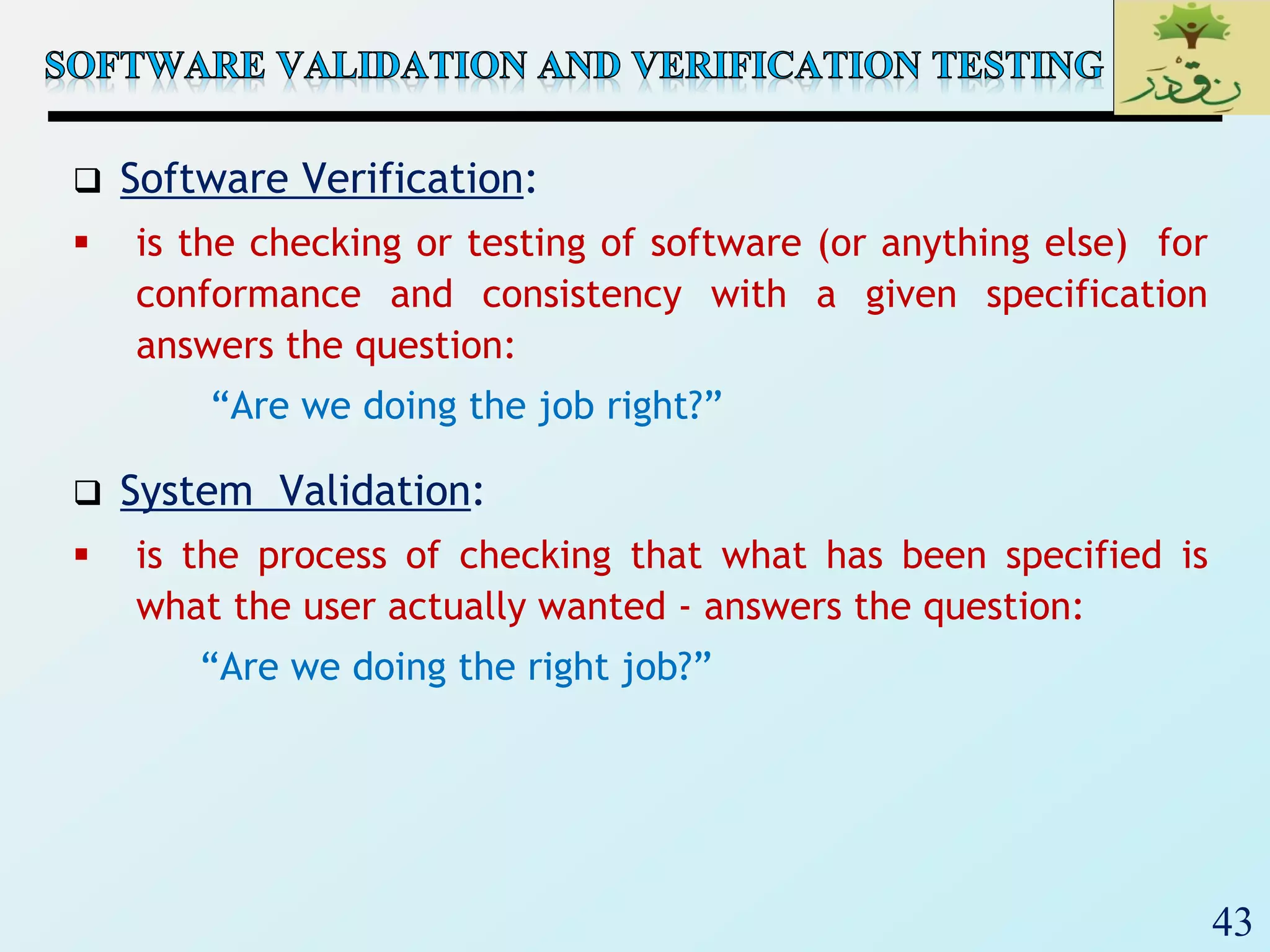
 Software Verification:
 is the checking or testing of software (or anything else) for
conformance and consistency with a given specification
answers the question:
“Are we doing the job right?”
 System Validation:
 is the process of checking that what has been specified is
what the user actually wanted - answers the question:
“Are we doing the right job?”
44
 System and Acceptance Testing is a major part of a
software project
 It requires time on the schedule.
 It may require substantial investment in datasets,
equipment, and test software.
 Good testing requires good people!
 Management and client reports are important parts of
testing.
45
 Confirming the system can endure real operation and
meets its specified functional requirements.
 These tests include (Non-Functional Req.)..
 Recovery Testing
• Forcing the system to fail in a variety of ways and witnessing
system recovery
 Security Testing
• Stressing the protection mechanisms built into the system
 Stress testing
• Confront the program with normal and abnormal situations
 Performance testing
• Verifying that the system operates within its performance
limits
46
Unit
test
Unit
test
Unit
test
Integration
test
Component
code
Component
code
Component
code
Integrated
modules
Function
test
Quality
test
Acceptance
test
Installation
test
System
test
System
in use
Ensure that each
component works
as specified
Ensures that all
components work
together
Verifies that functional
requirements are
satisfied
Verifies non-
functional
requirements
Customer
verifies all
requirements
Testing in
user
environment
47
‫ر‬َ‫ـد‬ْ‫ق‬‫ِـ‬‫ن‬،،،‫لما‬‫اننا‬ ‫نصدق‬ْْ‫ق‬ِ‫ن‬‫ر‬َ‫د‬
48
 We have already learned that Exhaustive testing is not
possible.
 So, we need techniques to identify test cases with the
most likelihood of finding a defect out of the possible
many.
 There are many Test Case designing Techniques
available.
49
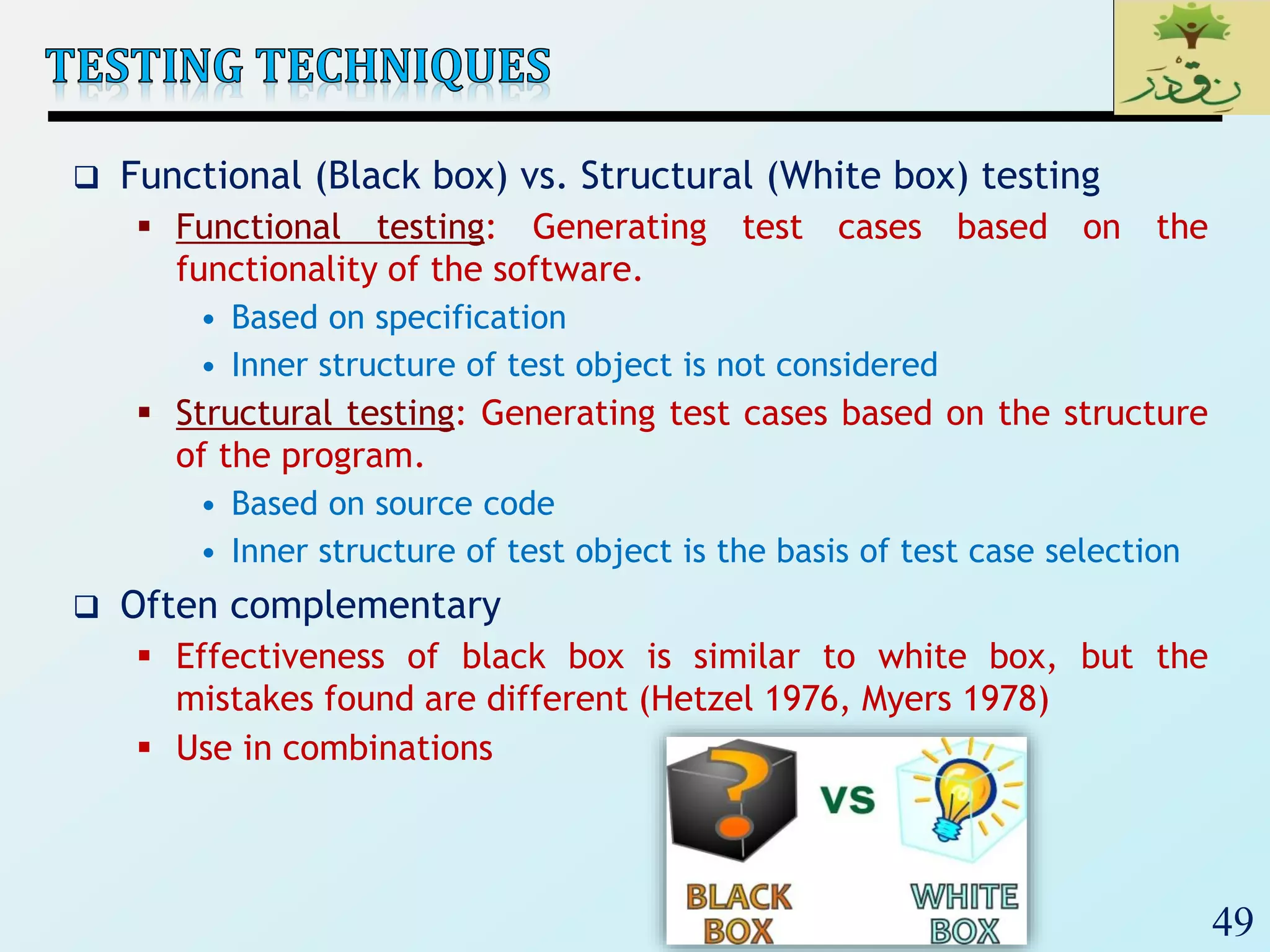
 Functional (Black box) vs. Structural (White box) testing
 Functional testing: Generating test cases based on the
functionality of the software.
• Based on specification
• Inner structure of test object is not considered
 Structural testing: Generating test cases based on the structure
of the program.
• Based on source code
• Inner structure of test object is the basis of test case selection
 Often complementary
 Effectiveness of black box is similar to white box, but the
mistakes found are different (Hetzel 1976, Myers 1978)
 Use in combinations
50
‫ر‬َ‫ـد‬ْ‫ق‬‫ِـ‬‫ن‬،،،‫لما‬‫اننا‬ ‫نصدق‬ْْ‫ق‬ِ‫ن‬‫ر‬َ‫د‬
51
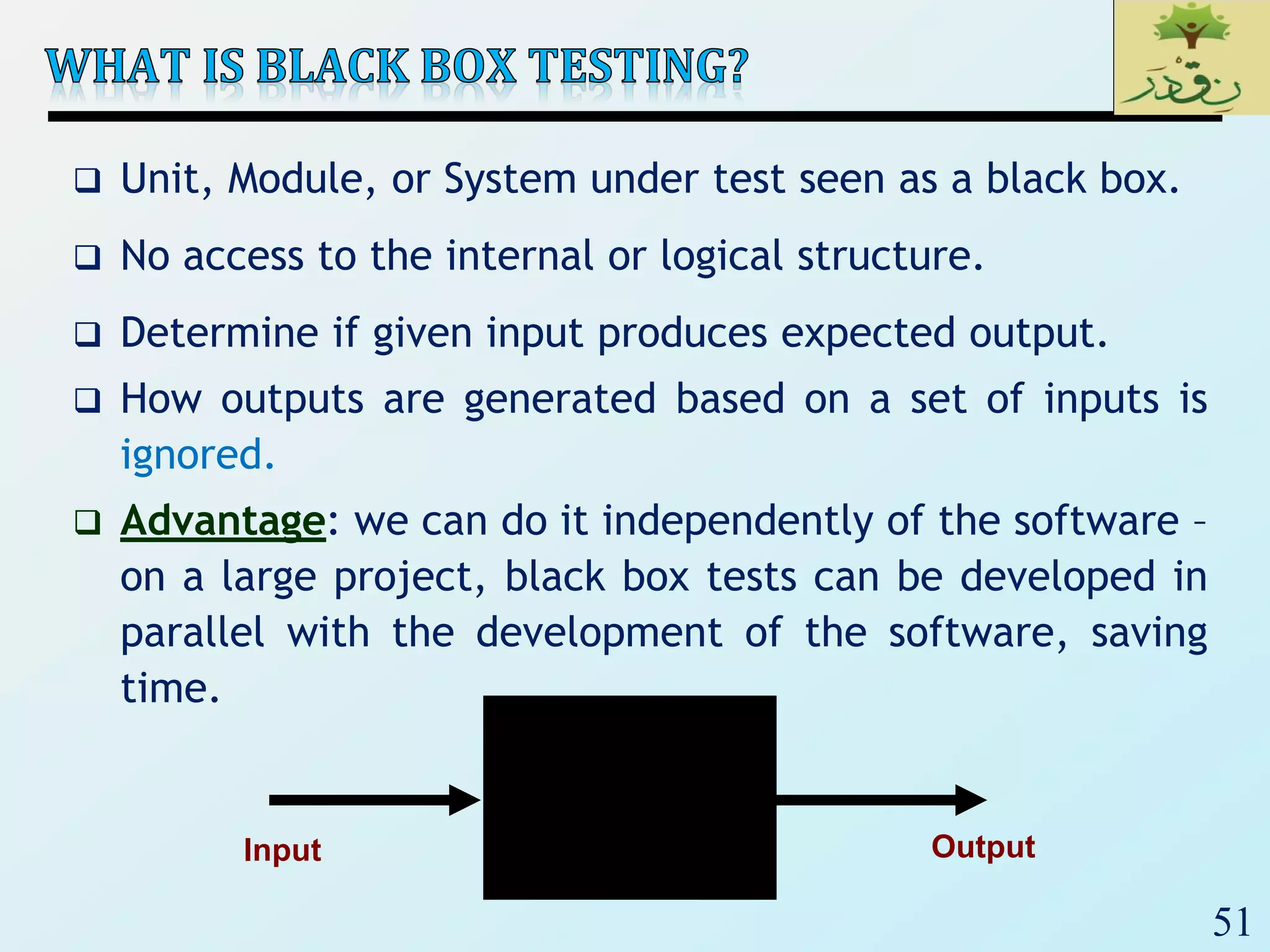
 Unit, Module, or System under test seen as a black box.
 No access to the internal or logical structure.
 Determine if given input produces expected output.
 How outputs are generated based on a set of inputs is
ignored.
 Advantage: we can do it independently of the software –
on a large project, black box tests can be developed in
parallel with the development of the software, saving
time.
Input Output
52
 Analyze specifications or requirements.
 Select valid and invalid inputs (i.e., positive and
negative tests)
 Determine expected outputs.
 Construct tests.
 Run tests.
 Compare actual outputs to expected outputs.
53
 Test set is derived from specifications or requirements.
 Functionality coverage testing.
• attempts to partition the functional specification of the
software into a set of small, separate requirements.
 Input coverage testing.
• Analyze all the possible inputs allowed by the functional
specifications (requirements), create test sets based on the
analysis.
 Output coverage testing.
• Analyze all the possible outputs specified in the functional
specification (requirements), create tests to cause each one.
54
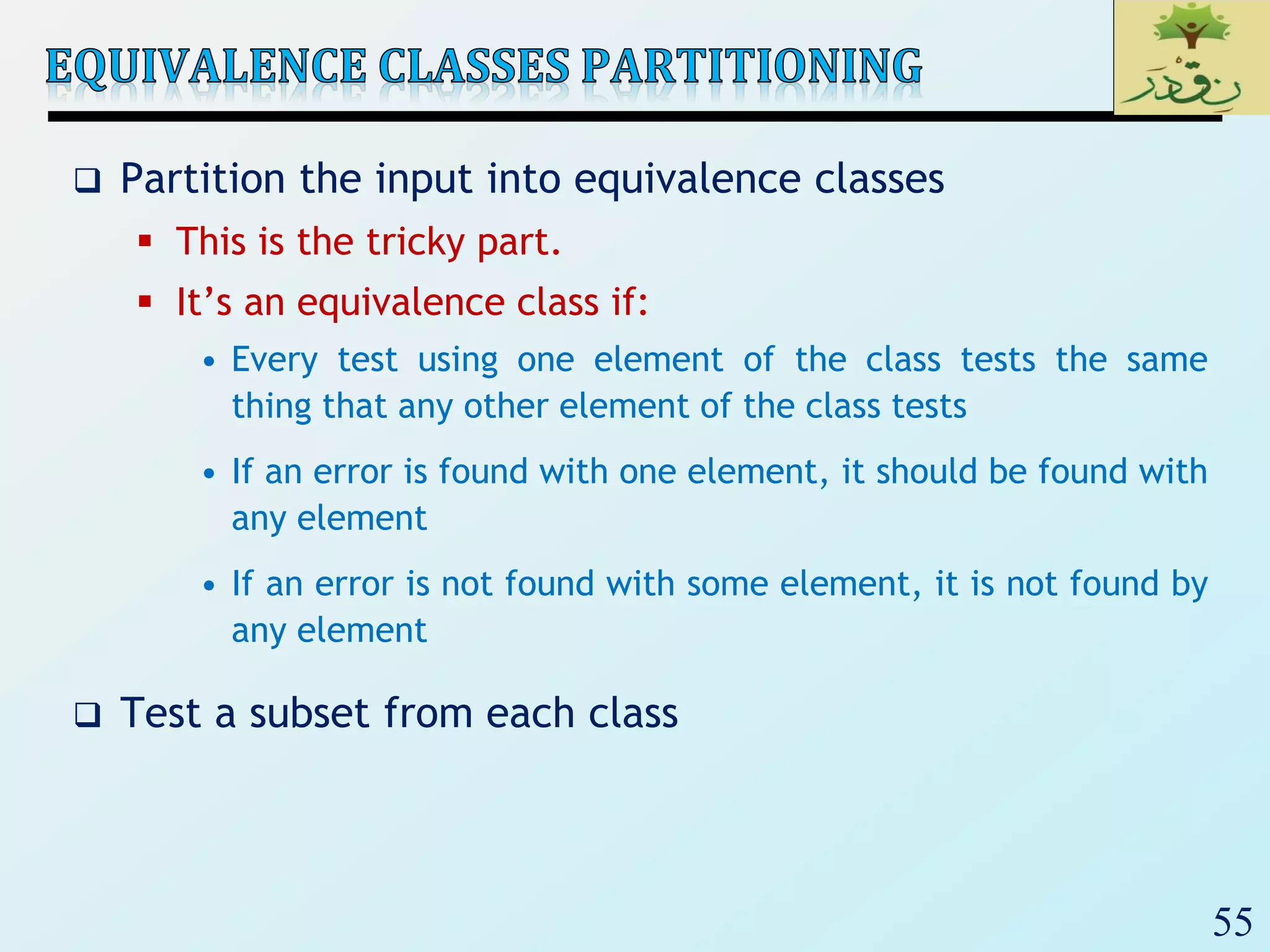
 Show software correctly handles all allowed inputs.
 Lots of approaches to describing input space:
 Equivalence classes
 Boundary value analysis
 Decision tables
 State transitions
 Use cases
 . . .
55
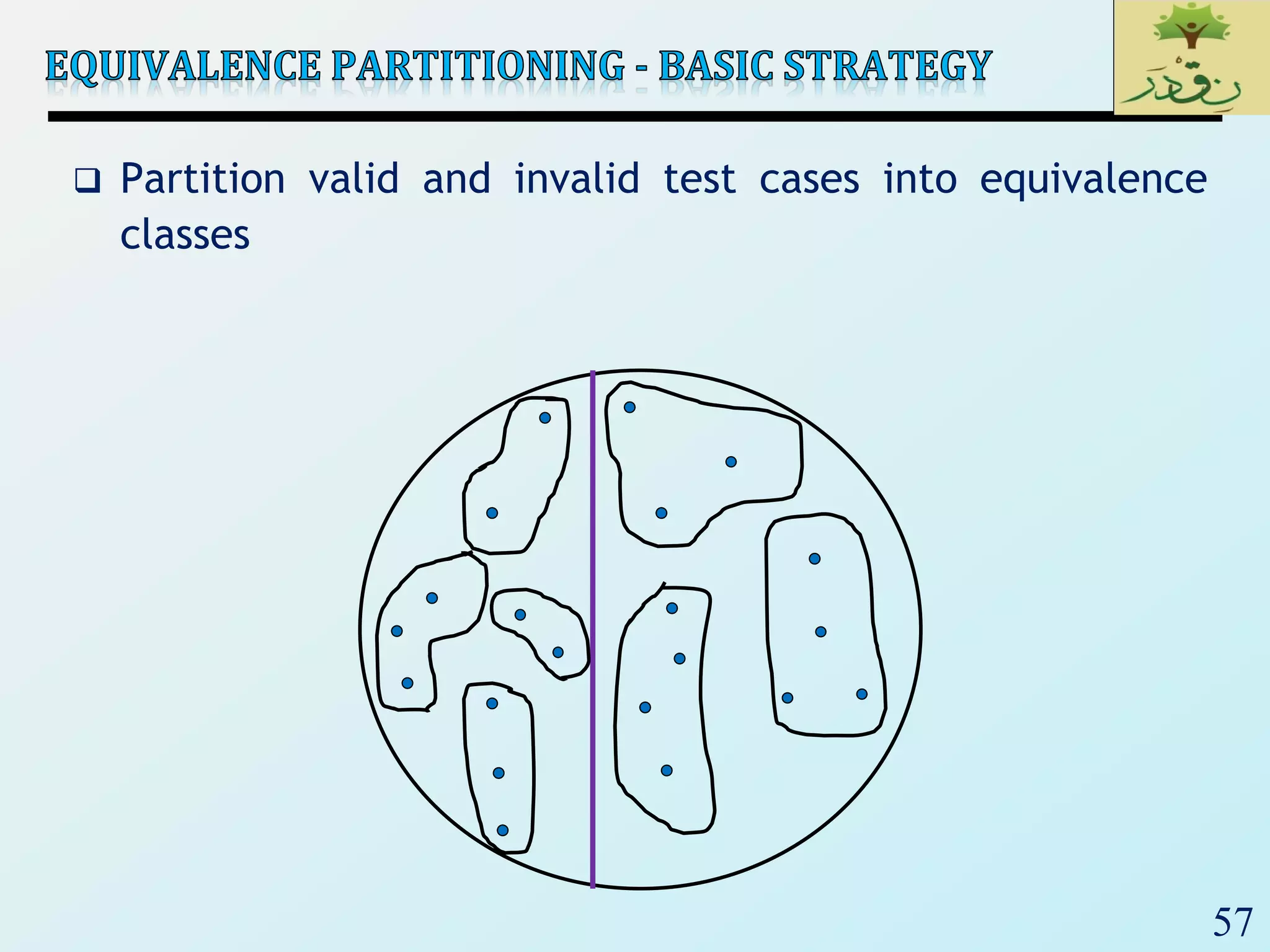
 Partition the input into equivalence classes
 This is the tricky part.
 It’s an equivalence class if:
• Every test using one element of the class tests the same
thing that any other element of the class tests
• If an error is found with one element, it should be found with
any element
• If an error is not found with some element, it is not found by
any element
 Test a subset from each class
56
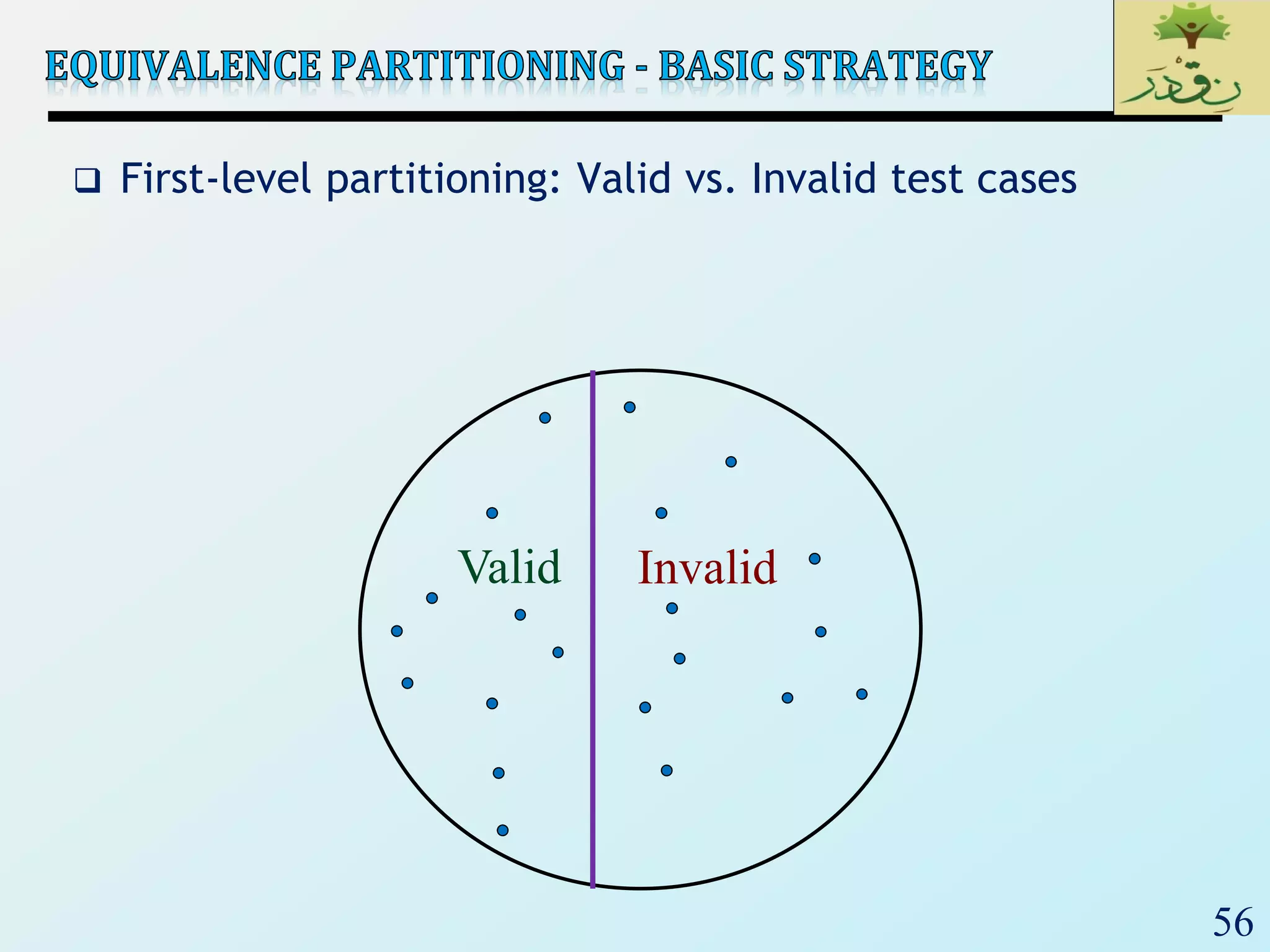
 First-level partitioning: Valid vs. Invalid test cases
Valid Invalid
57
 Partition valid and invalid test cases into equivalence
classes
58
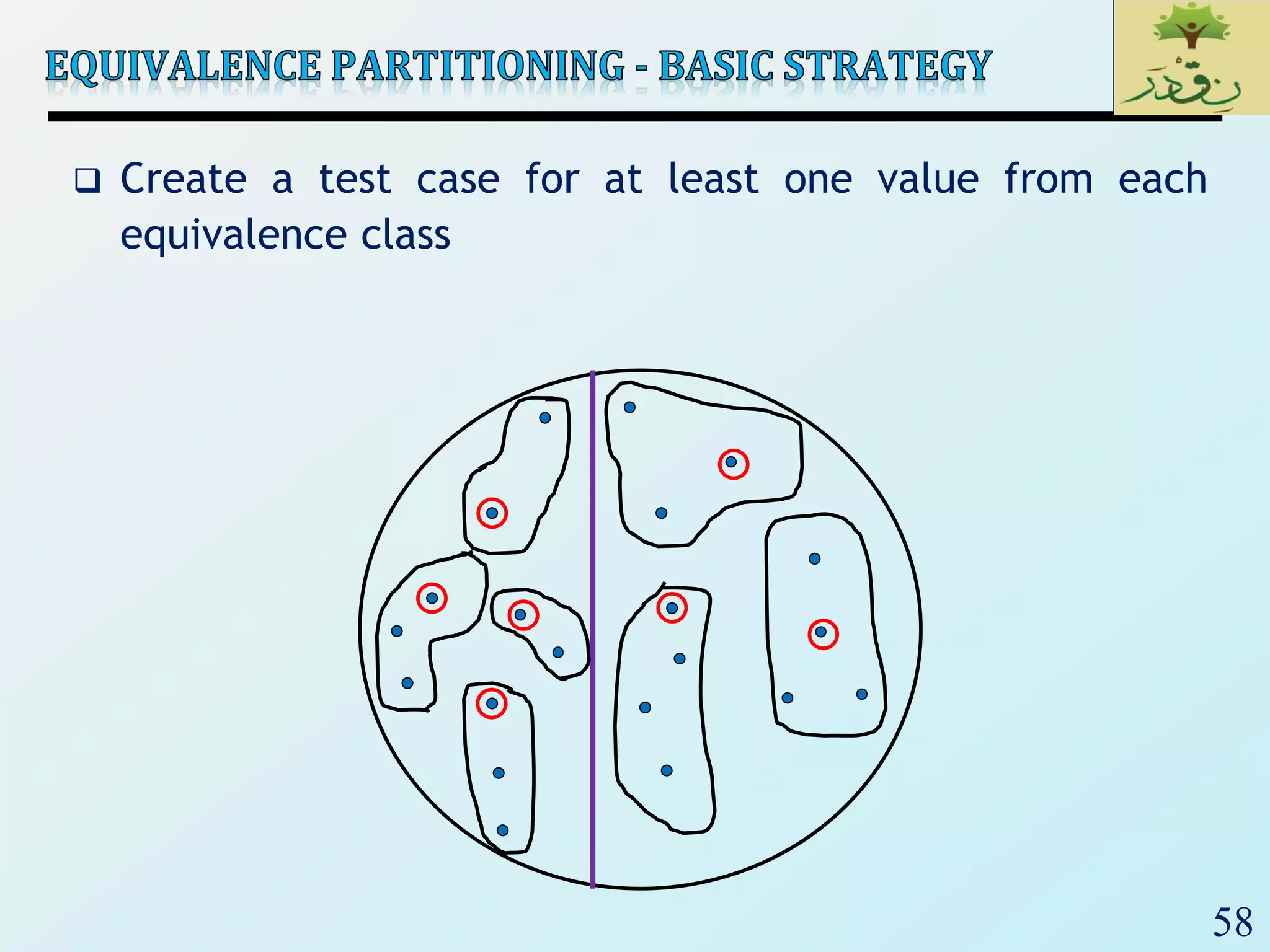
 Create a test case for at least one value from each
equivalence class
59
Input
Valid Equivalence
Classes
Invalid Equivalence
Classes
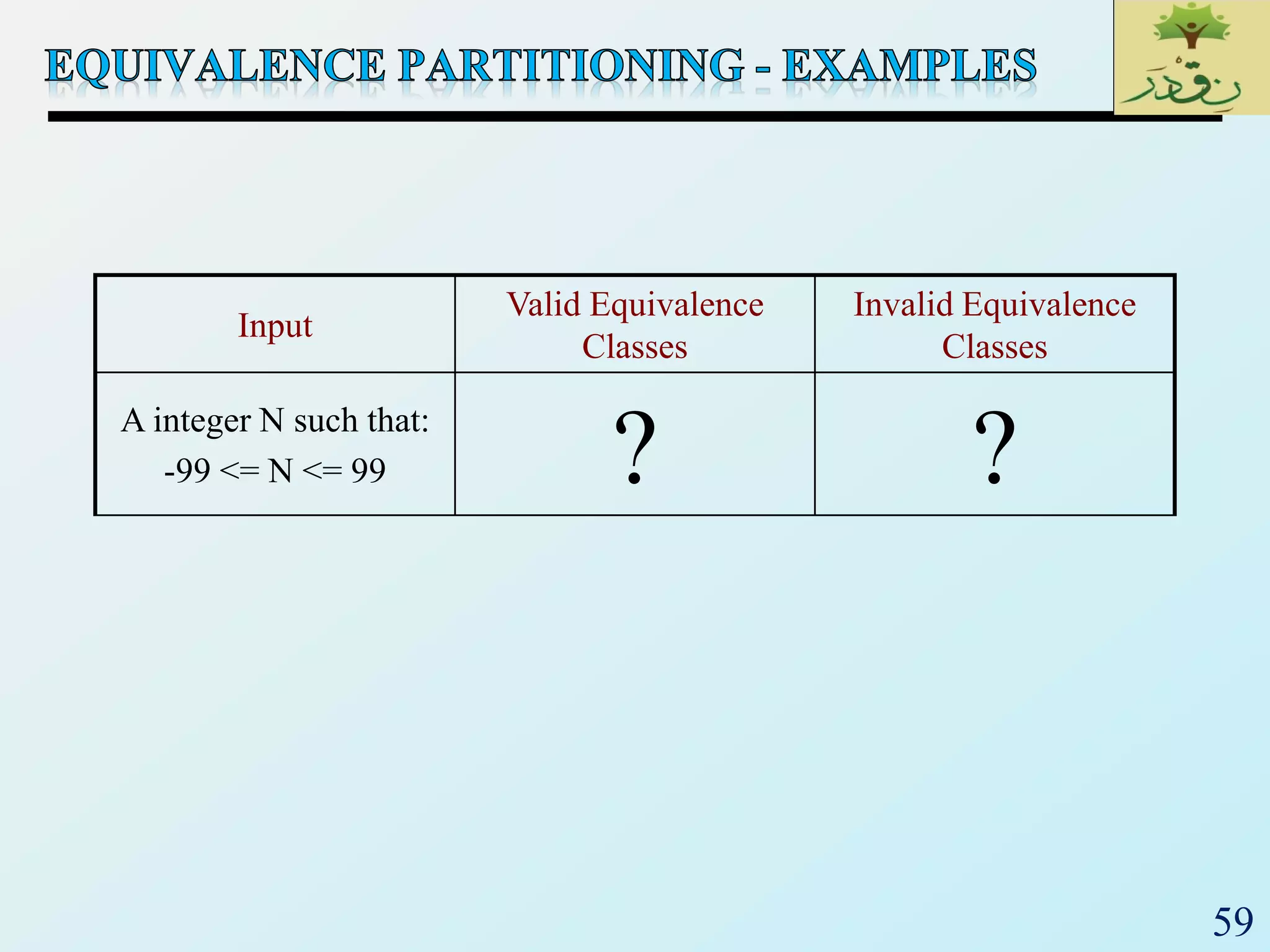
A integer N such that:
-99 <= N <= 99 ? ?
60
Input
Valid Equivalence
Classes
Invalid Equivalence
Classes
A integer N such that:
-99 <= N <= 99
[-99, -10]
[-9, -1]
0
[1, 9]
[10, 99]
?
61
Input
Valid Equivalence
Classes
Invalid Equivalence
Classes
A integer N such that:
-99 <= N <= 99
[-99, -10]
[-9, -1]
0
[1, 9]
[10, 99]
< -99
> 99
Malformed numbers
{12-, 1-2-3, …}
Non-numeric strings
{junk, 1E2, $13}
Empty value
62
 When choosing values from an equivalence class to test,
use the values that are most likely to cause the program
to fail
 Errors tend to occur at the boundaries of equivalence
classes rather than at the "center"
 In addition to testing center values, we should also test
boundary values
 Right on a boundary
 Very close to a boundary on either side
63
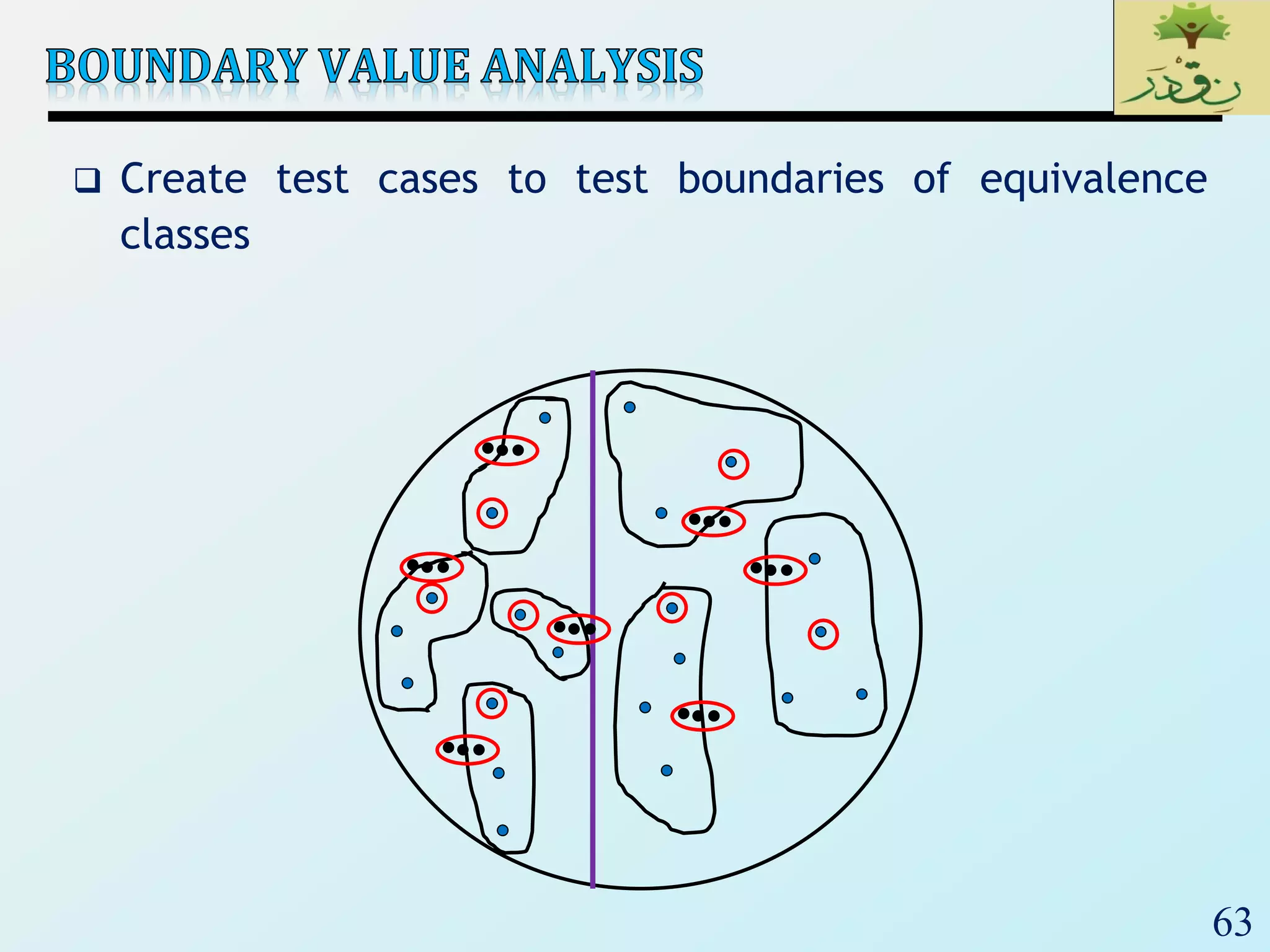
 Create test cases to test boundaries of equivalence
classes
64
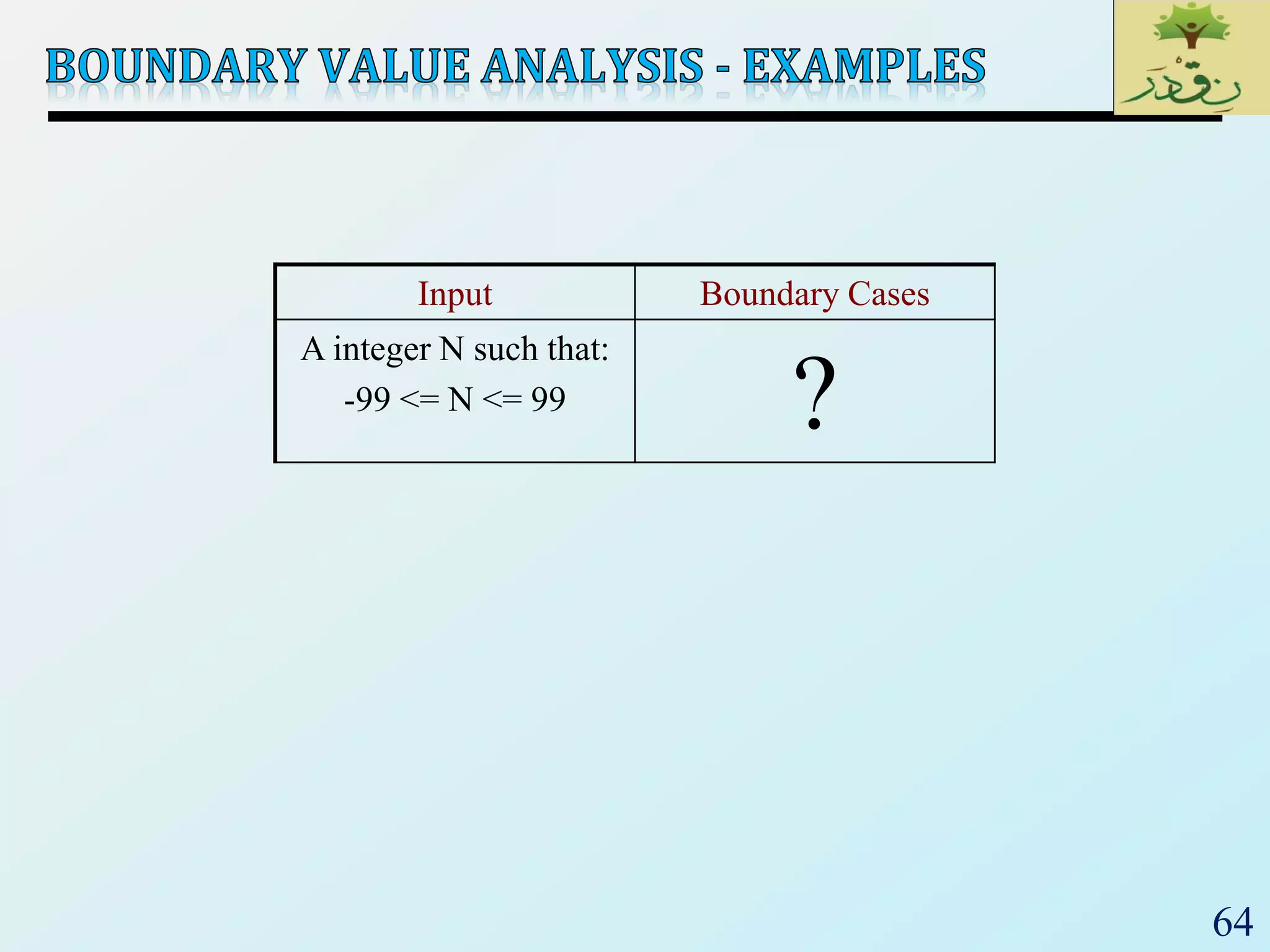
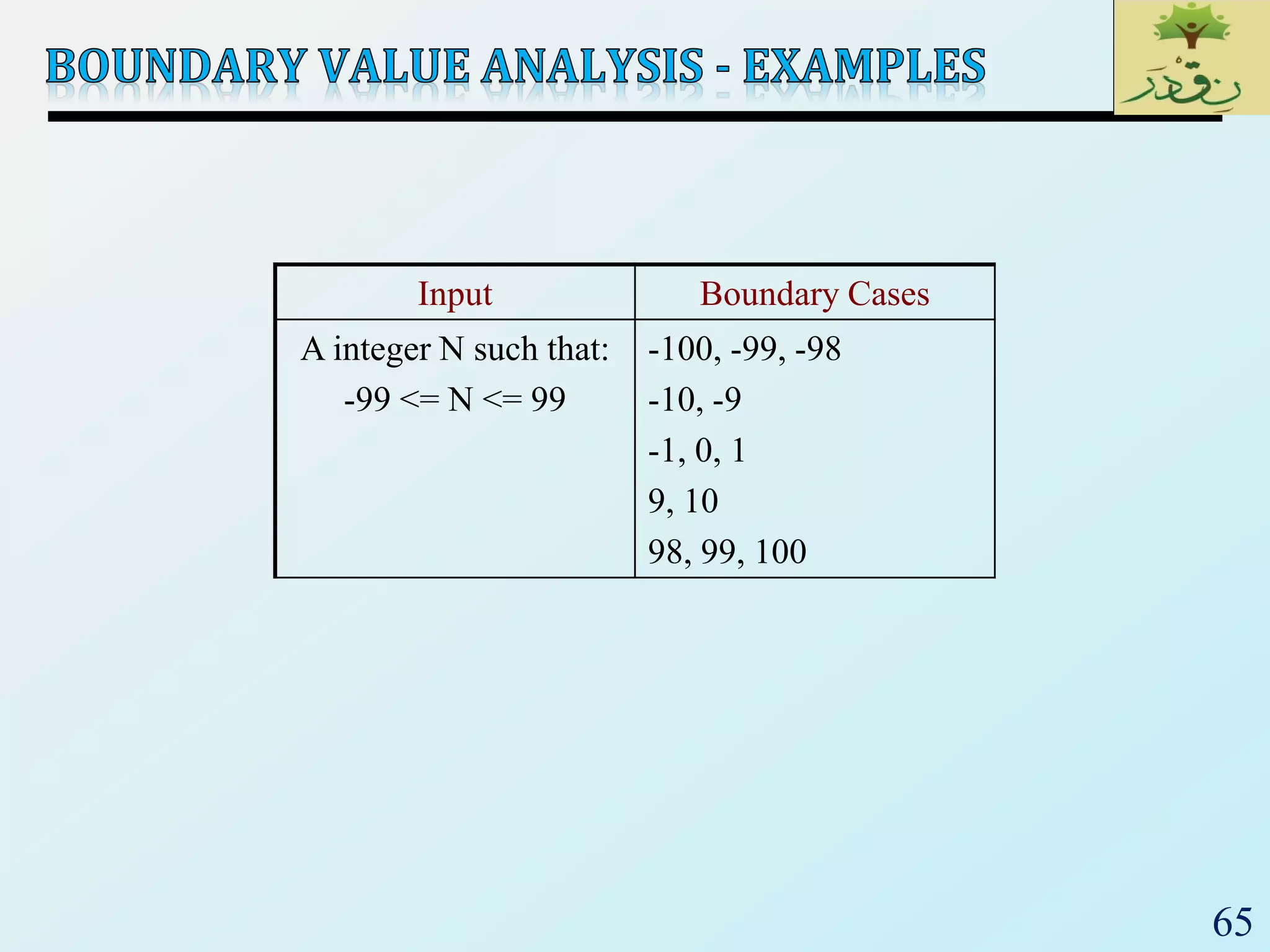
Input Boundary Cases
A integer N such that:
-99 <= N <= 99 ?
65
Input Boundary Cases
A integer N such that:
-99 <= N <= 99
-100, -99, -98
-10, -9
-1, 0, 1
9, 10
98, 99, 100
66
‫ر‬َ‫ـد‬ْ‫ق‬‫ِـ‬‫ن‬،،،‫لما‬‫اننا‬ ‫نصدق‬ْْ‫ق‬ِ‫ن‬‫ر‬َ‫د‬
67
 Test set is derived from structure of (source) code
 Also known as:
 Glass box testing
 Structural testing
 Often use a graph called a control flow graph (CFG)
 To represent code structure
 To cover it (CFG), e.g., all statements
Input Output
68
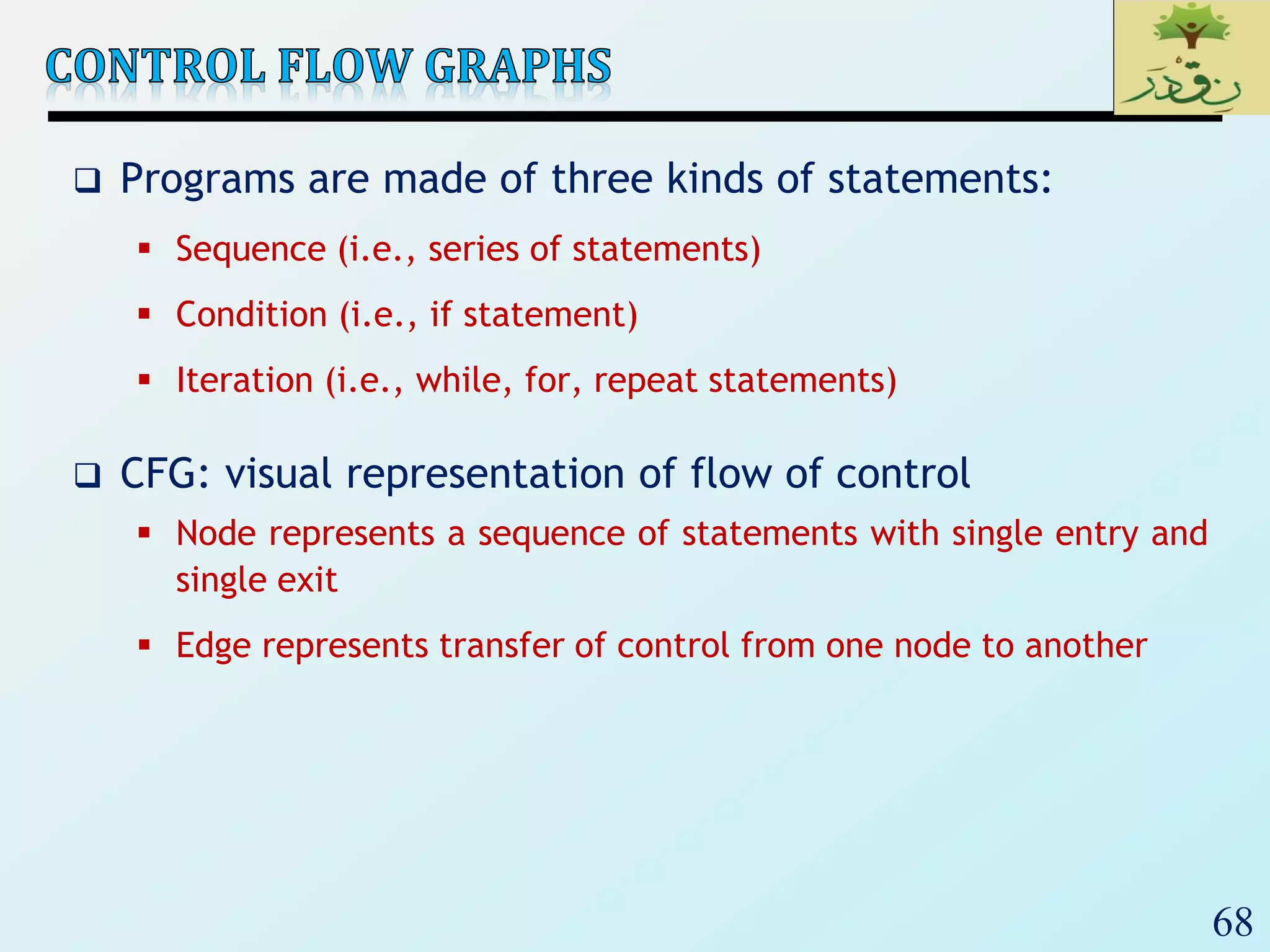
 Programs are made of three kinds of statements:
 Sequence (i.e., series of statements)
 Condition (i.e., if statement)
 Iteration (i.e., while, for, repeat statements)
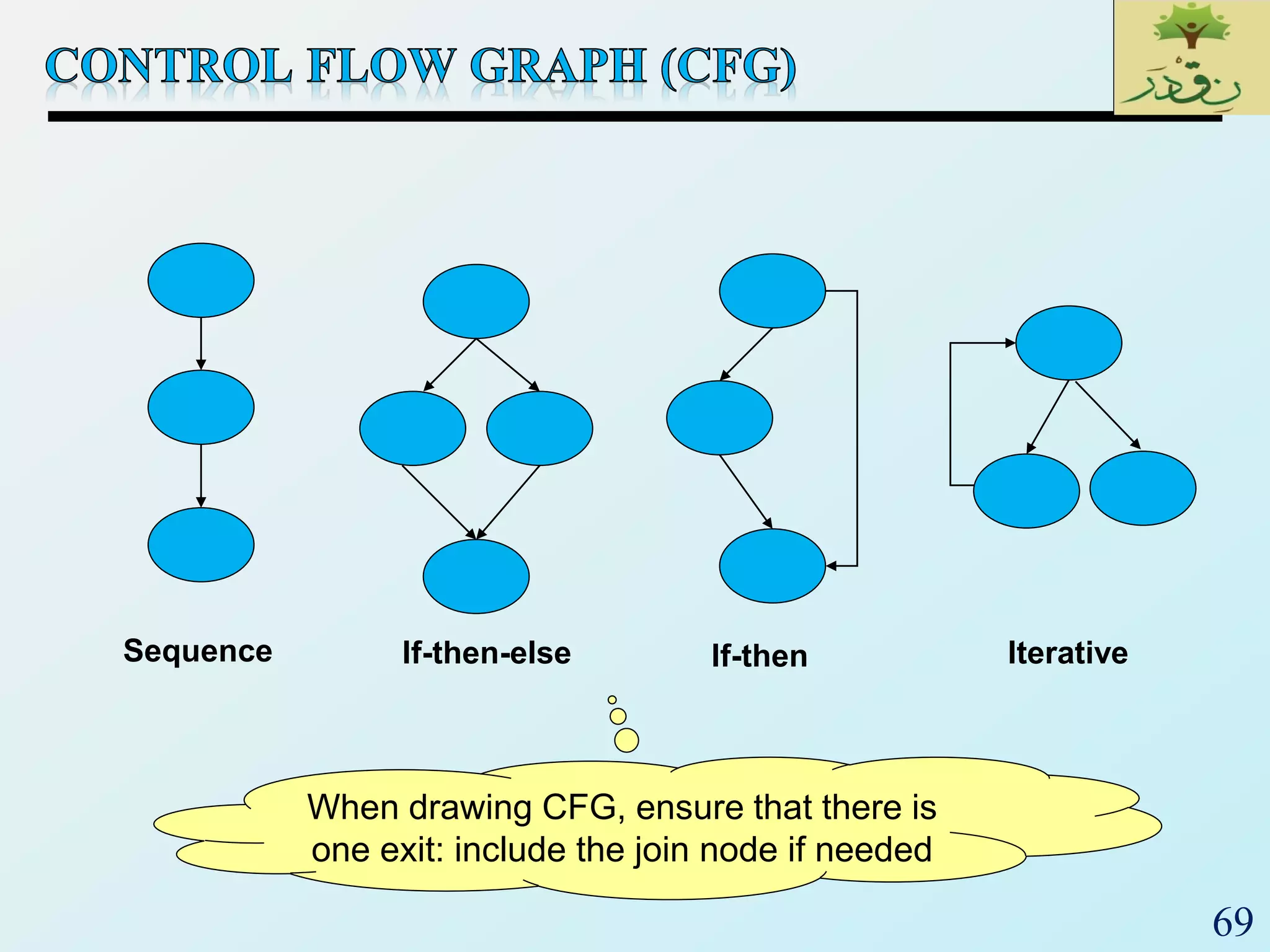
 CFG: visual representation of flow of control
 Node represents a sequence of statements with single entry and
single exit
 Edge represents transfer of control from one node to another
69
Sequence If-then-else If-then Iterative
When drawing CFG, ensure that there is
one exit: include the join node if needed
70
1. read (result);
2. read (x,k)
3. while result < 0 {
4. ptr  false
5. if x > k then
6. ptr  true
7. x  x + 1
8. result  result + 1 }
9. print result
3
5
6
7
9
8
2
1
4
3
4,5
6
Join
9
7,8
1,2
71
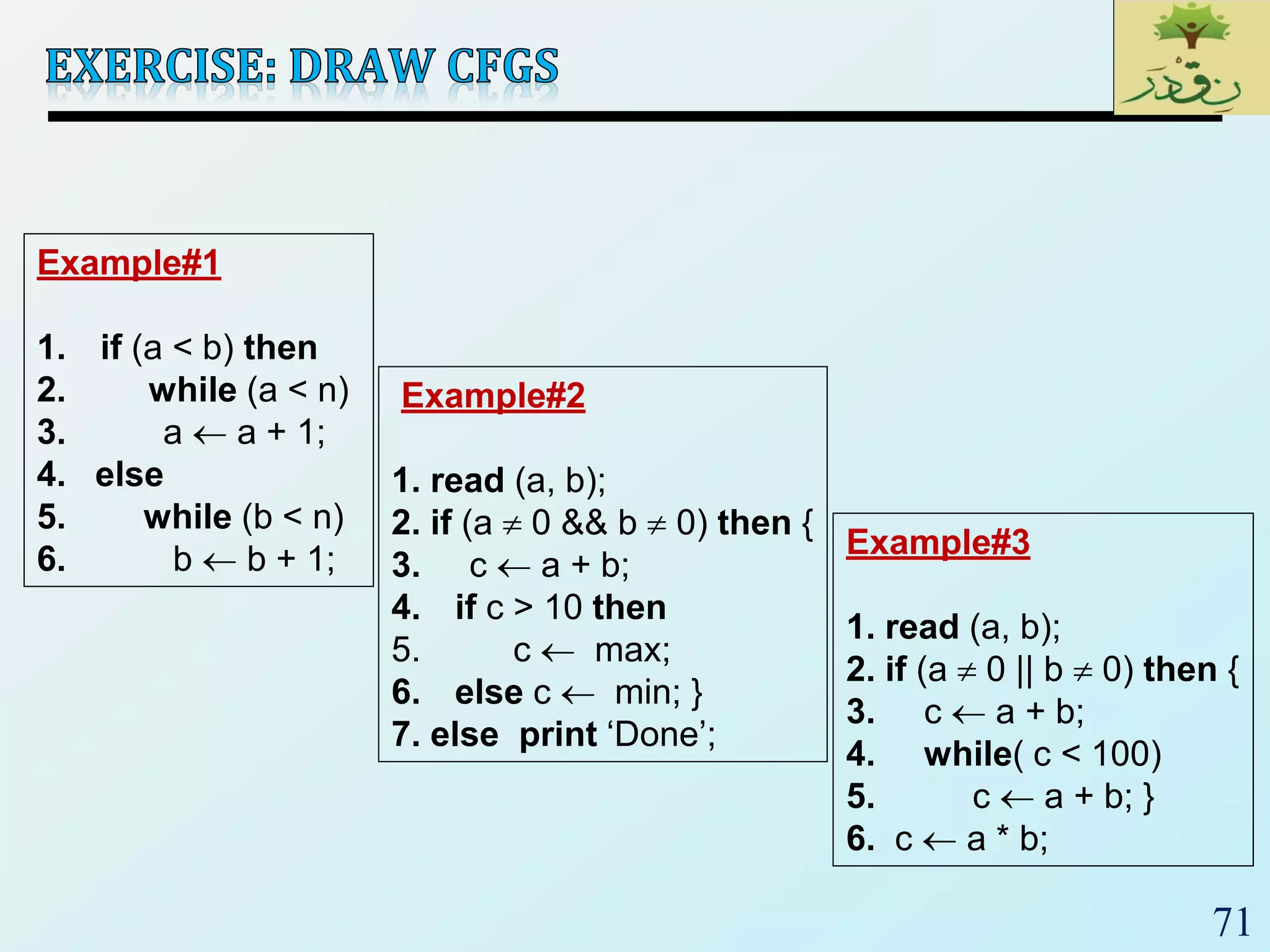
Example#1
1. if (a < b) then
2. while (a < n)
3. a  a + 1;
4. else
5. while (b < n)
6. b  b + 1;
Example#2
1. read (a, b);
2. if (a  0 && b  0) then {
3. c  a + b;
4. if c > 10 then
5. c  max;
6. else c  min; }
7. else print ‘Done’;
Example#3
1. read (a, b);
2. if (a  0 || b  0) then {
3. c  a + b;
4. while( c < 100)
5. c  a + b; }
6. c  a * b;
72
 One of the basic questions in testing:
 When should we stop adding new test cases to our test set?
 Coverage metrics are used to address this question
 Control-flow coverage
 Statement
 Branch
 Condition
 Path
 Data-flow coverage
 Def-use
73
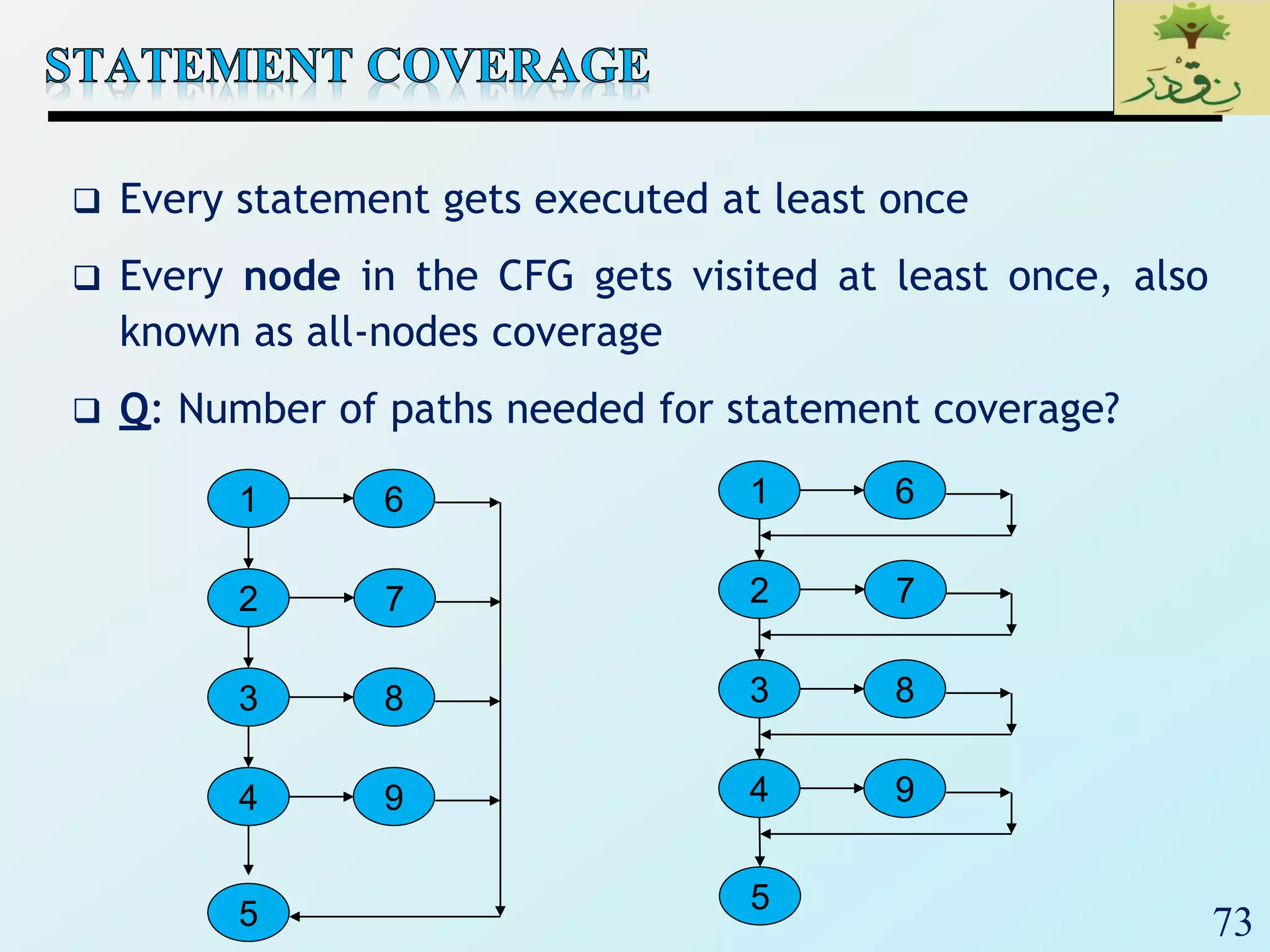
 Every statement gets executed at least once
 Every node in the CFG gets visited at least once, also
known as all-nodes coverage
 Q: Number of paths needed for statement coverage?
2
3
4
7
5
1
8
9
6
2
3
4
7
5
1
8
9
6
74
 Every decision is made true and false.
 Every edge in a CFG of the program gets traversed at
least once.
 Also known as
 Decision coverage
 All edges coverage
 Basis path coverage
 Branch is finer than statement.
true false
75
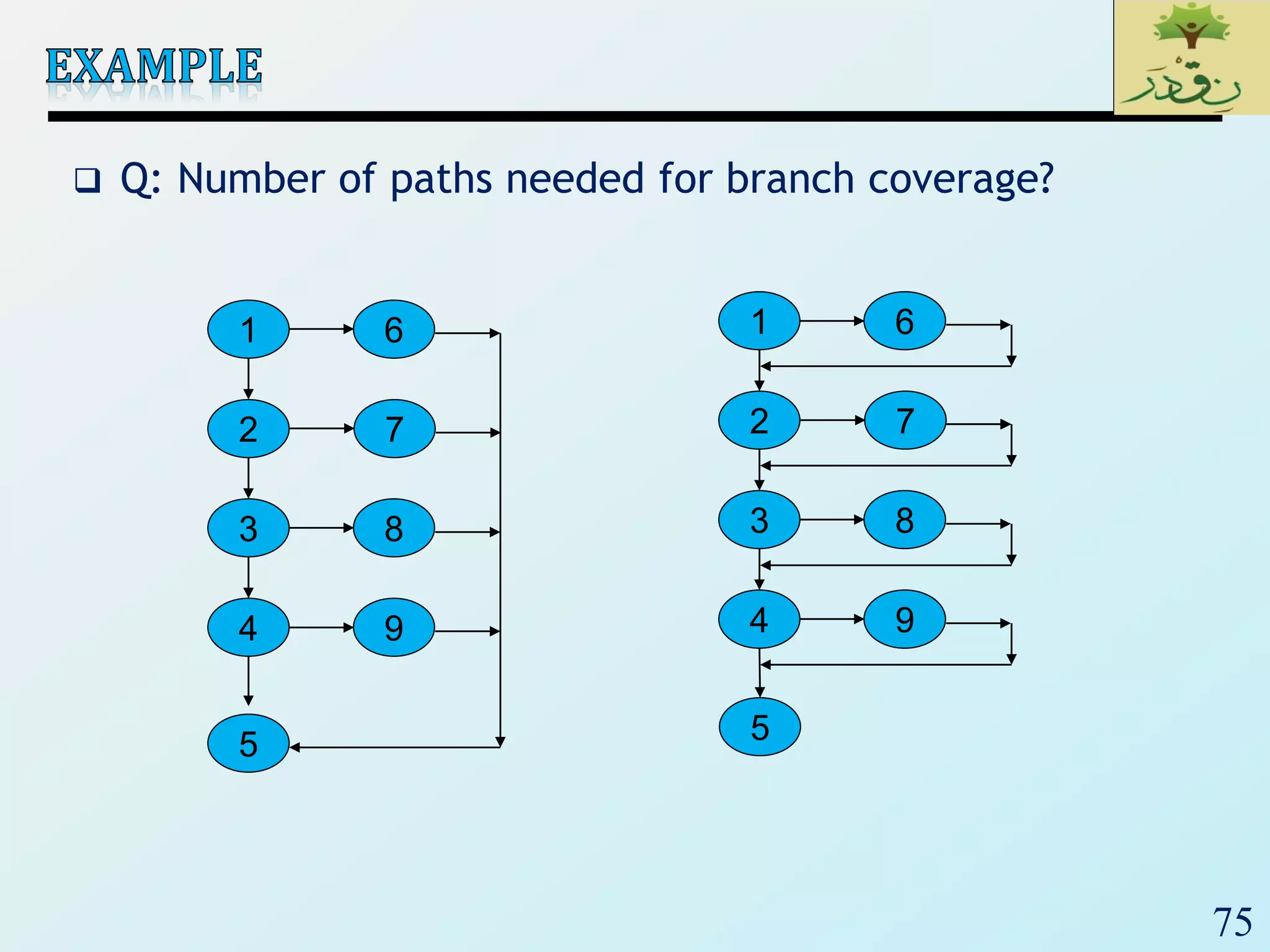
 Q: Number of paths needed for branch coverage?
2
3
4
7
5
1
8
9
6
2
3
4
7
5
1
8
9
6
76
 Make each Boolean sub-expression (called a condition)
of a decision evaluated both to true and false
 Example:
if (x > 0 || y > 0) { … } else { … }
 C1: x > 0, x  0
 C2: y > 0, y  0
 Q: How many tests?
77
 Condition coverage is not finer than branch coverage.
 There are pathological cases where you can achieve
condition and not branch. E.g., if (x > 0 || y > 0) { … }
• (x = 10, y = 0), (x = 0, y = 10): condition but not branch
 Under most circumstances, achieving condition achieves
branch
 Many variances, e.g.,
 Multiple condition
 Condition/decision
 Modified condition/decision (MC/DC)
78
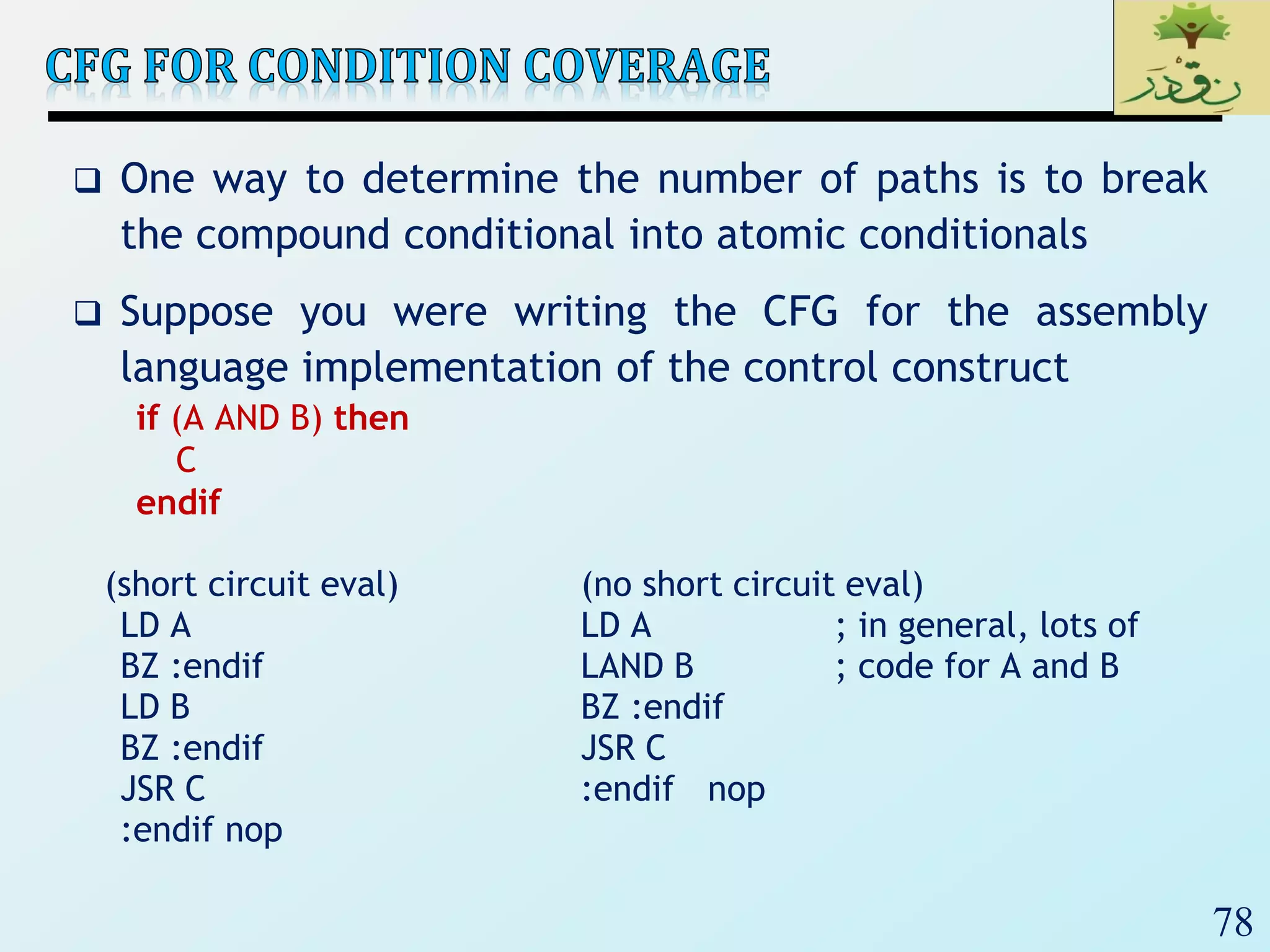
 One way to determine the number of paths is to break
the compound conditional into atomic conditionals
 Suppose you were writing the CFG for the assembly
language implementation of the control construct
if (A AND B) then
C
endif
(short circuit eval) (no short circuit eval)
LD A LD A ; in general, lots of
BZ :endif LAND B ; code for A and B
LD B BZ :endif
BZ :endif JSR C
JSR C :endif nop
:endif nop
79
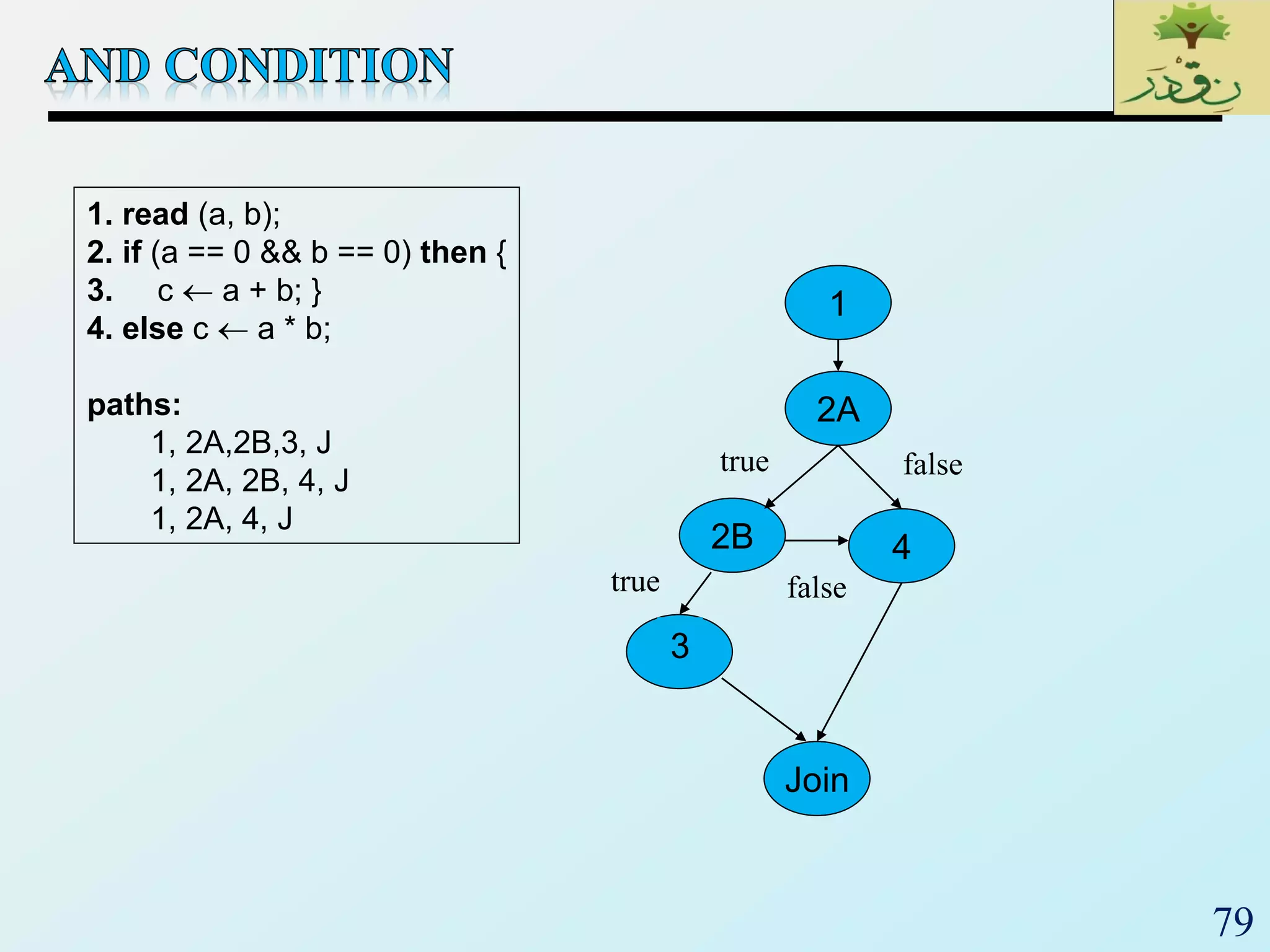
1. read (a, b);
2. if (a == 0 && b == 0) then {
3. c  a + b; }
4. else c  a * b;
paths:
1, 2A,2B,3, J
1, 2A, 2B, 4, J
1, 2A, 4, J
2A
2B
Join
3
4
1
true false
true false
80
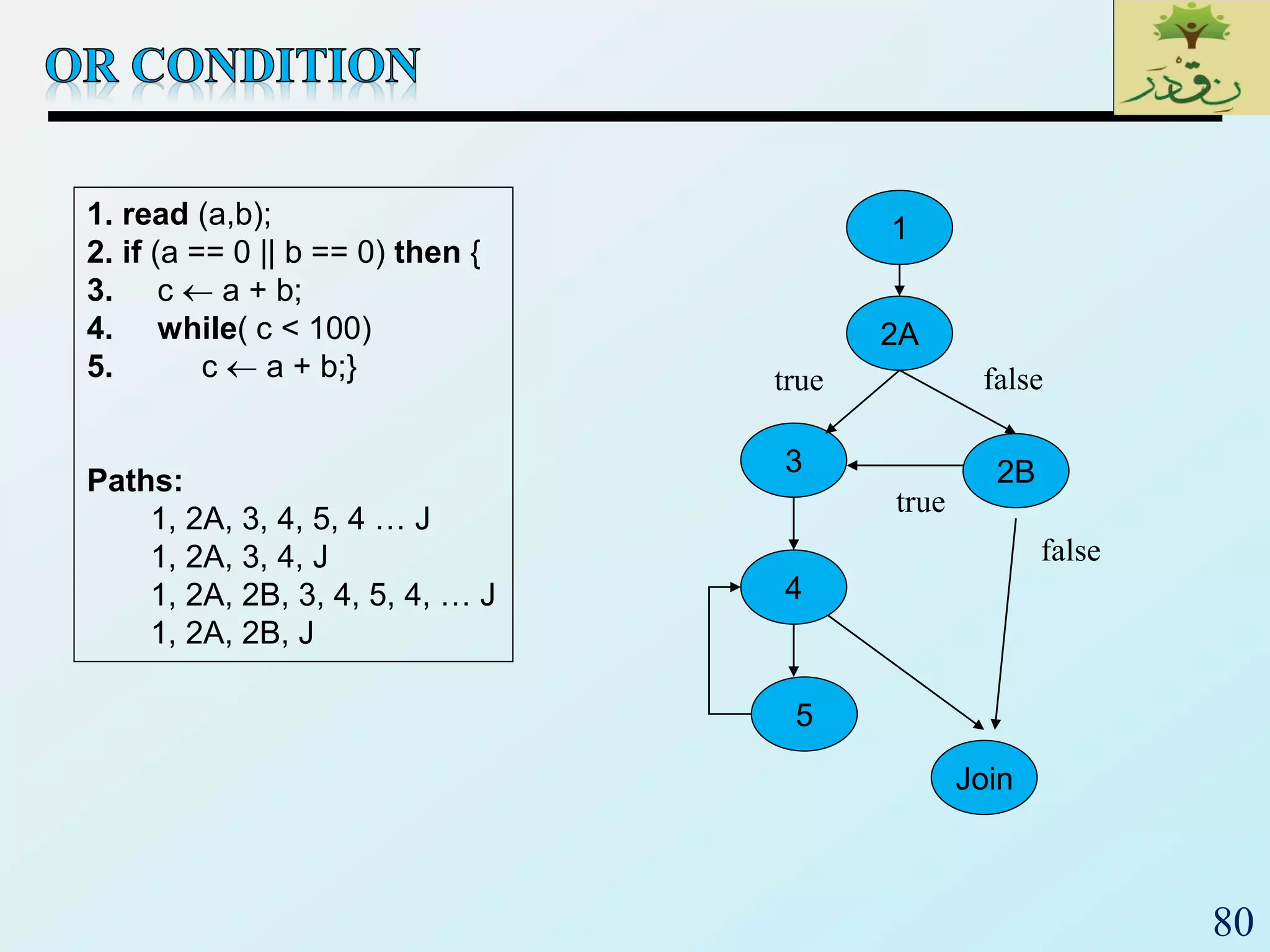
1. read (a,b);
2. if (a == 0 || b == 0) then {
3. c  a + b;
4. while( c < 100)
5. c  a + b;}
Paths:
1, 2A, 3, 4, 5, 4 … J
1, 2A, 3, 4, J
1, 2A, 2B, 3, 4, 5, 4, … J
1, 2A, 2B, J
2A
3
Join
4
2B
5
1
true false
false
true
81
 Every distinct path through code is executed at least
once.
 All-paths coverage similar to exhaustive testing
 A path is a sequence of:
 Statements
 Branches
 Edges
82
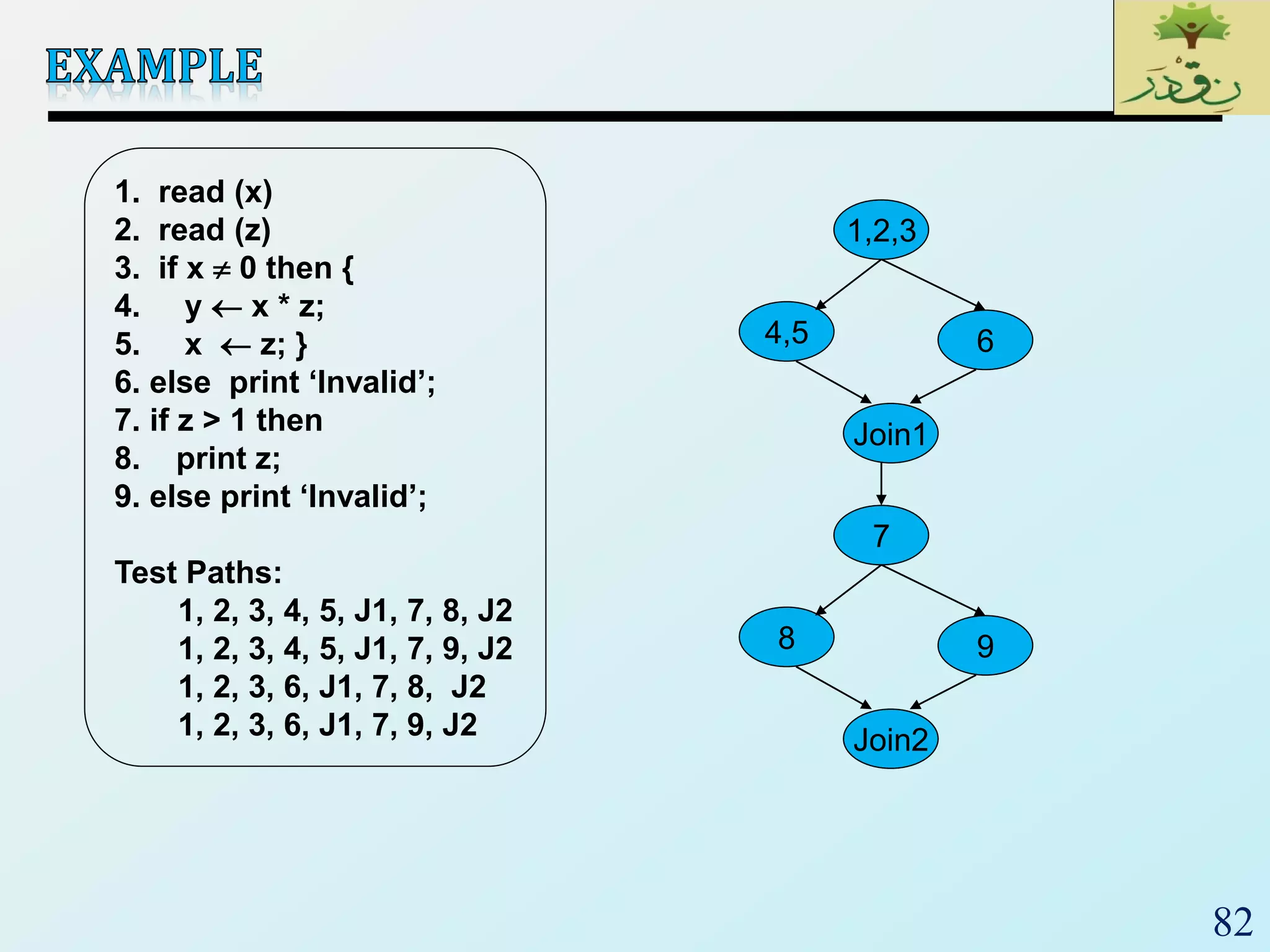
1. read (x)
2. read (z)
3. if x  0 then {
4. y  x * z;
5. x  z; }
6.ْelseْْprintْ‘Invalid’;
7. if z > 1 then
8. print z;
9.ْelseْprintْ‘Invalid’;
Test Paths:
1, 2, 3, 4, 5, J1, 7, 8, J2
1, 2, 3, 4, 5, J1, 7, 9, J2
1, 2, 3, 6, J1, 7, 8, J2
1, 2, 3, 6, J1, 7, 9, J2
1,2,3
4,5
Join1
6
7
8
Join2
9
83
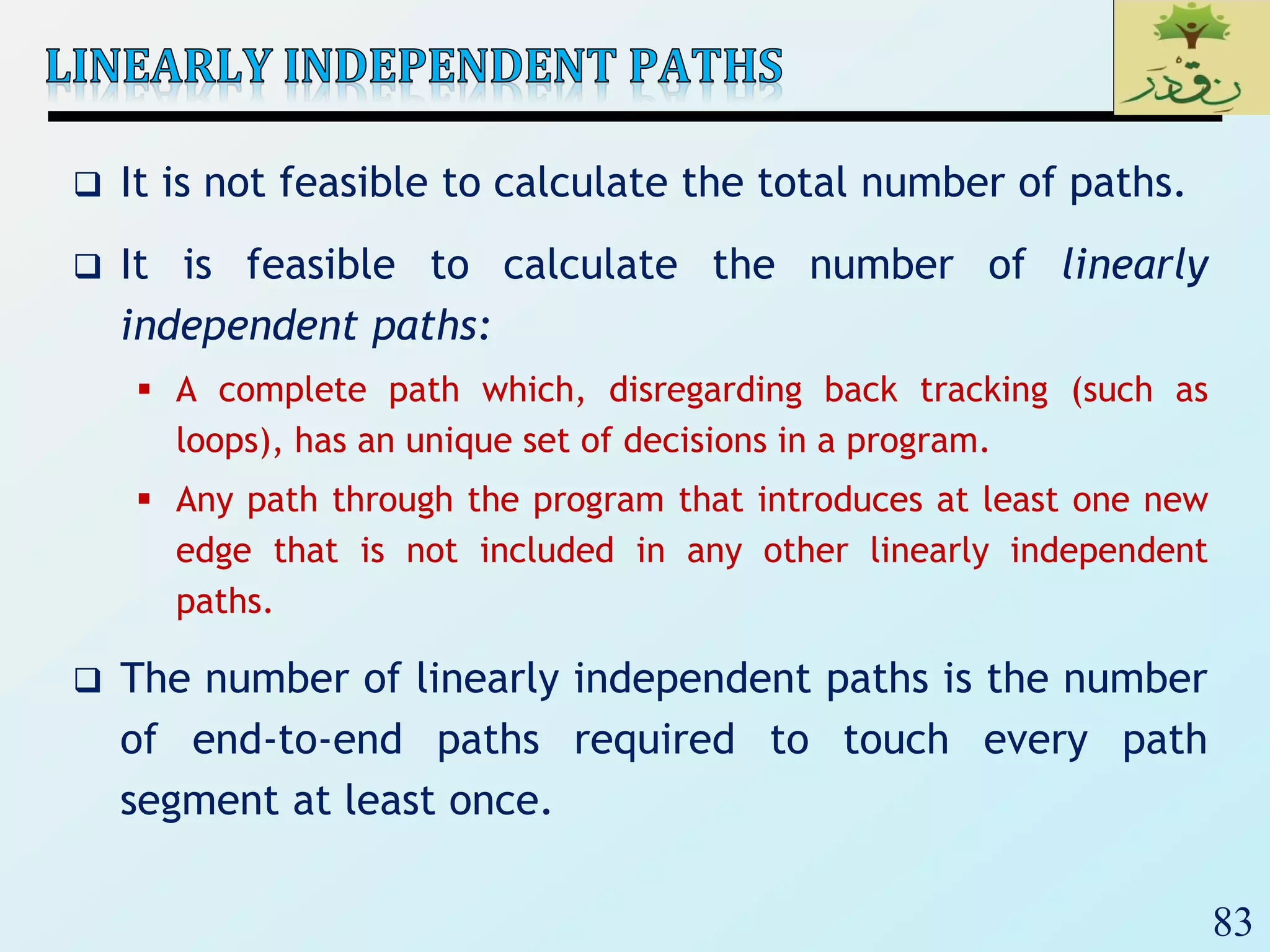
 It is not feasible to calculate the total number of paths.
 It is feasible to calculate the number of linearly
independent paths:
 A complete path which, disregarding back tracking (such as
loops), has an unique set of decisions in a program.
 Any path through the program that introduces at least one new
edge that is not included in any other linearly independent
paths.
 The number of linearly independent paths is the number
of end-to-end paths required to touch every path
segment at least once.
84
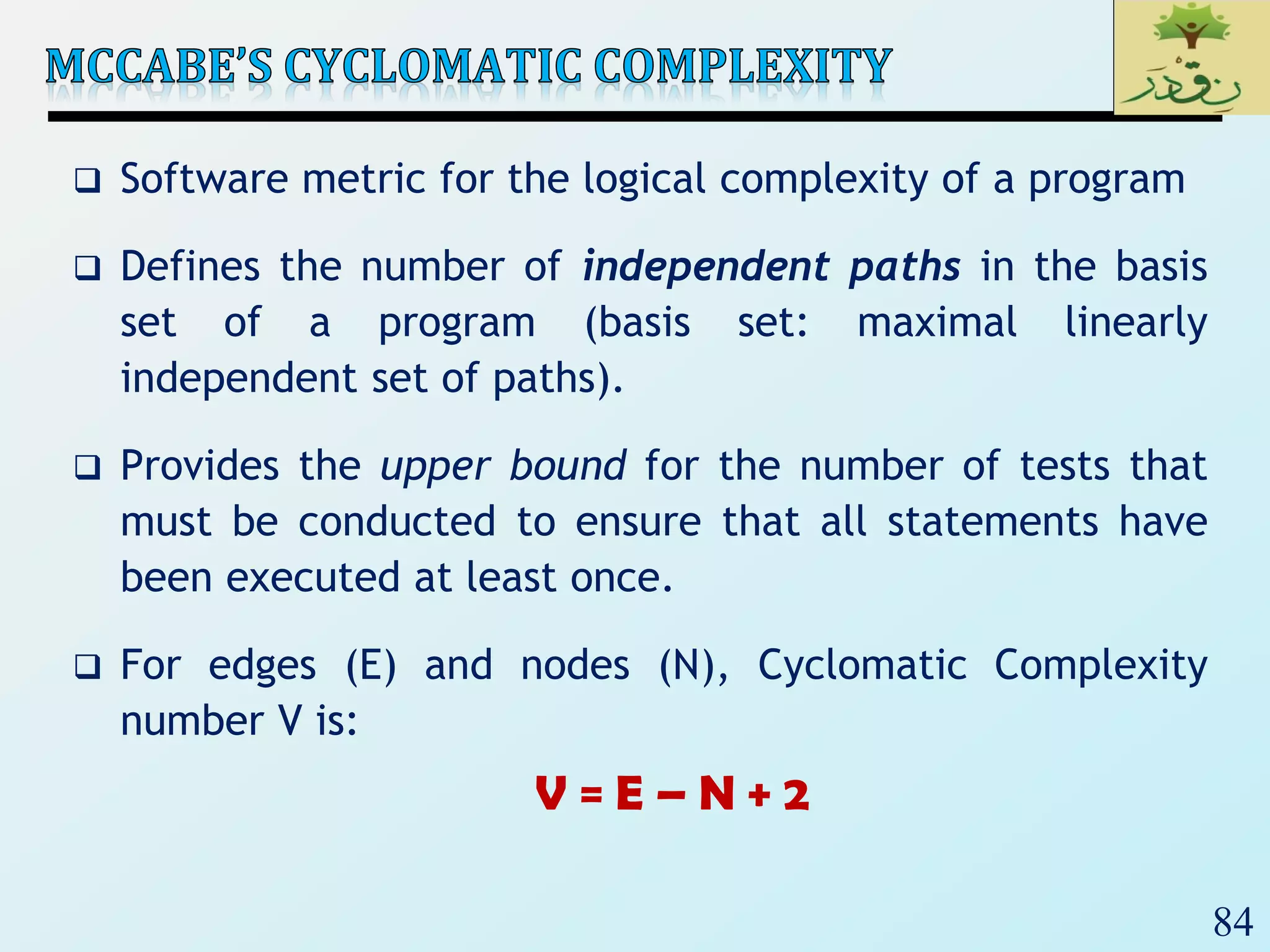
 Software metric for the logical complexity of a program
 Defines the number of independent paths in the basis
set of a program (basis set: maximal linearly
independent set of paths).
 Provides the upper bound for the number of tests that
must be conducted to ensure that all statements have
been executed at least once.
 For edges (E) and nodes (N), Cyclomatic Complexity
number V is:
V = E – N + 2
85
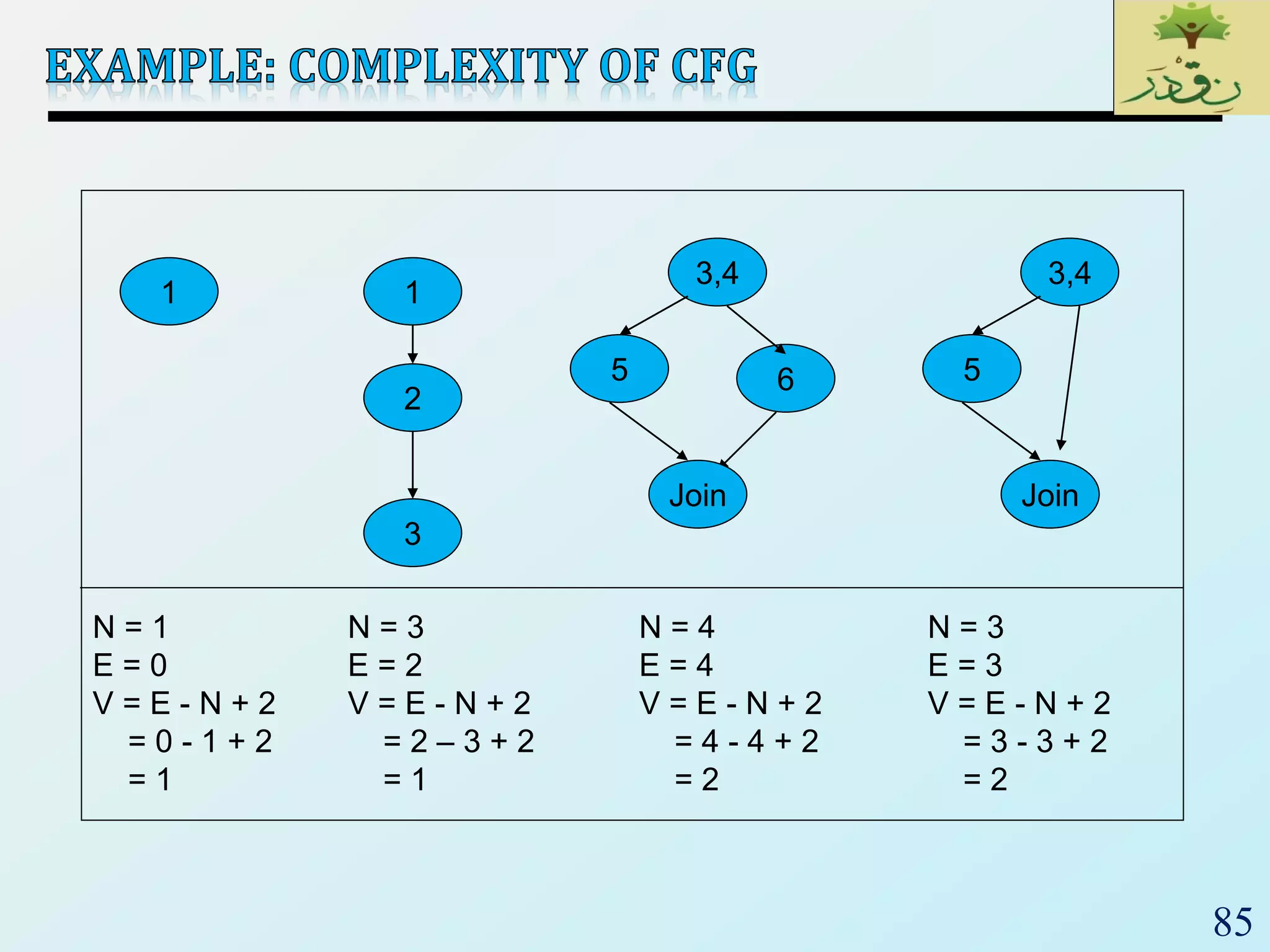
1
2
3
1
3,4
5 6
Join
3,4
5
Join
N = 3
E = 2
V = E - N + 2
= 2 – 3 + 2
= 1
N = 1
E = 0
V = E - N + 2
= 0 - 1 + 2
= 1
N = 4
E = 4
V = E - N + 2
= 4 - 4 + 2
= 2
N = 3
E = 3
V = E - N + 2
= 3 - 3 + 2
= 2
86
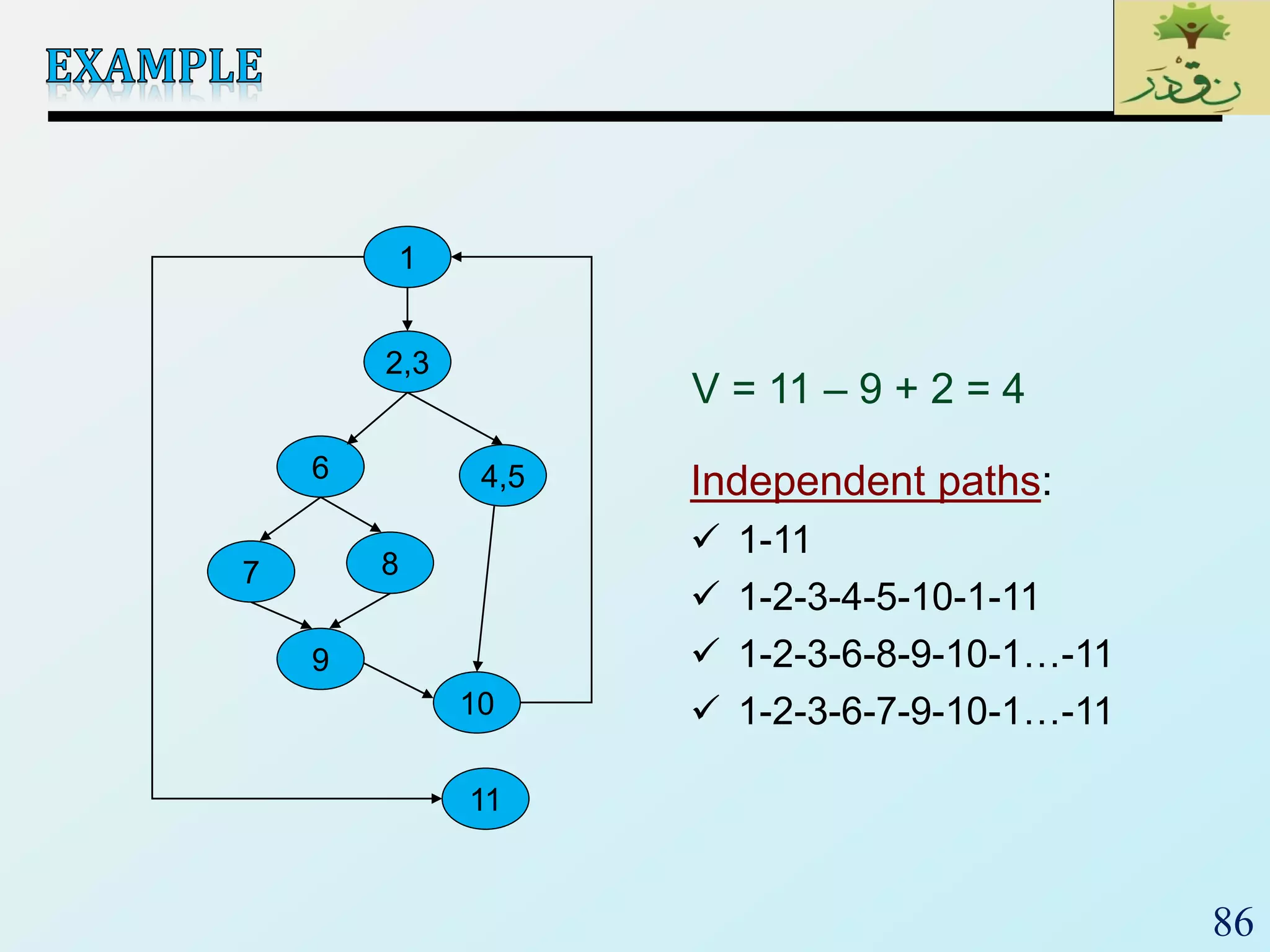
1
2,3
6
10
8
4,5
9
7
11
V = 11 – 9 + 2 = 4
Independent paths:
 1-11
 1-2-3-4-5-10-1-11
 1-2-3-6-8-9-10-1…-11
 1-2-3-6-7-9-10-1…-11
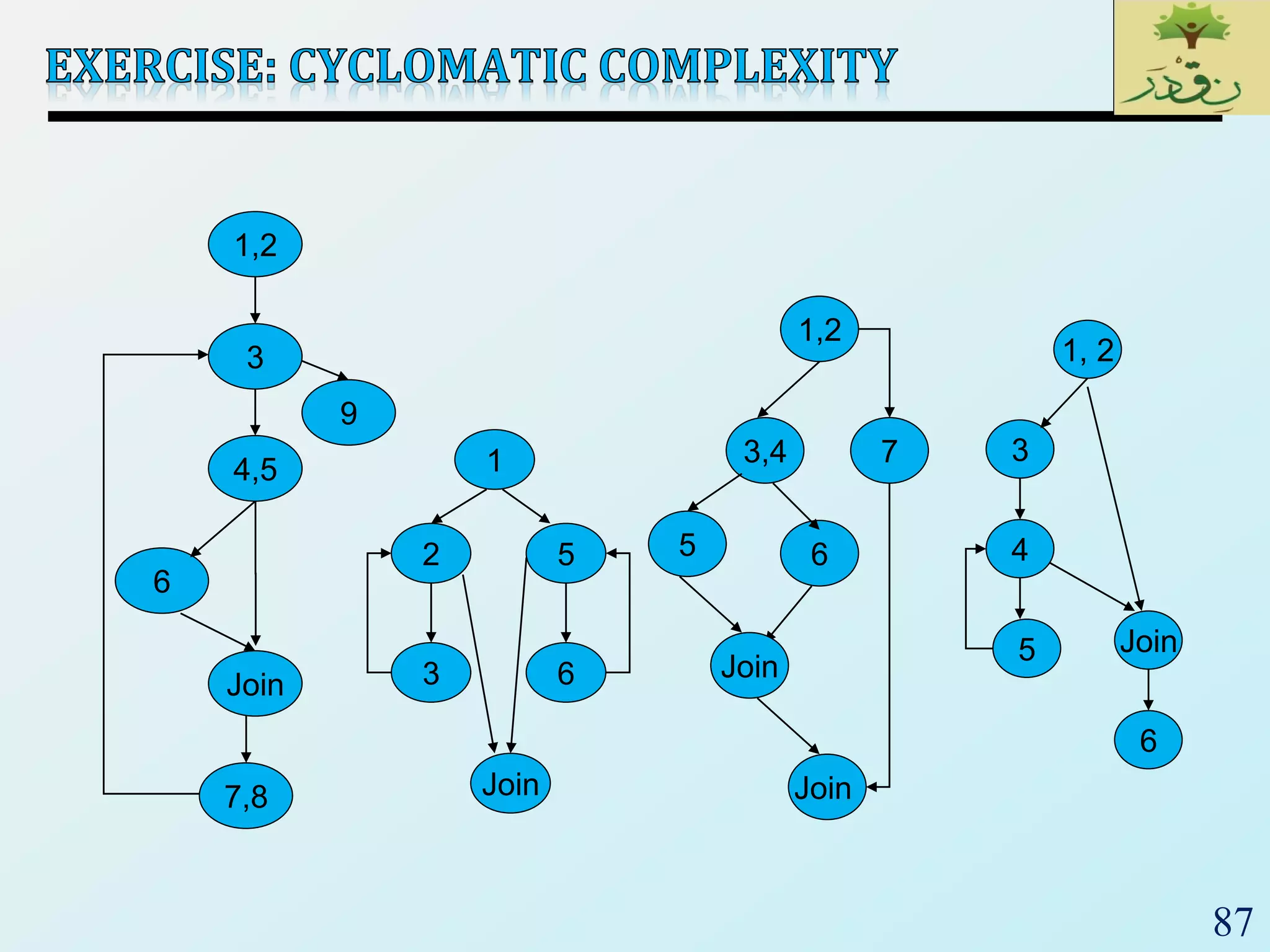
87
3
4,5
6
Join
9
7,8
1,2
1
2
3
Join
5
6
1,2
Join
3,4
5 6
Join
7
1, 2
3
Join
4
5
6
88

SE2018_Lec 19_ Software Testing

  • 1.
  • 2.
    2  Suppose youare being asked to lead the team to test the software that controls a new X-ray machine. Would you take that job?  Would you take it if you could name your own price?  What if the contract says you’ll be charged with murder in case a patient dies because of a mal-functioning of the software?
  • 3.
    3  The rocketself-destructed 37 seconds after launch  Reason: A control software bug that went undetected  Conversion from 64-bit floating point to 16-bit signed integer value had caused an exception  The floating point number was larger than 32767 (max 16-bit signed integer)  Efficiency considerations had led to the disabling of the exception handler.  Program crashed rocket crashed  Total Cost: over $1 billion
  • 4.
    4  Excessive radiationkilled patients (1985-87)  New design removed hardware interlocks that prevent the electron-beam from operating in its high-energy mode. Now all the safety checks are done in software.  The equipment control task did not properly synchronize with the operator interface task, so that race conditions occurred if the operator changed the setup too quickly.  This was missed during testing, since it took practice before operators were able to work quickly enough for the problem to occur.  Panama, 2000: At least 8 dead  Many more! (NYT 12/28/2010)
  • 5.
    5  Legs deployed Sensor signal falsely indicated that the craft had touched down (130 feet above the surface)  Then the descent engines shut down prematurely.  The error was traced to a single bad line of software code. Why didn’t they blame the sensor?  NASA investigation panel blames for the lander failure, “are well known as difficult parts of the software-engineering process”
  • 6.
    6  Microsoft Zune'sNew Year Crash (2008)  iPhone alarm (2011)  Air-Traffic Control System in LA Airport (2004)  Northeast Blackout (2003)  USS Yorktown Incapacitated (1997)  Denver Airport Baggage-handling System (1994)  Mariner I space probe (1962)  AT&T Network Outage (1990)  Intel Pentium floating point divide (1993)  Prius brakes and engine stalling (2005)  Soviet gas pipeline (1982)  Iran centrifuges (2009)
  • 7.
    7  What issoftware testing?  Software testing is a process used to identify the correctness, completeness, and quality of developed computer software. It includes a set of activities conducted with the intent of finding errors in software, so that it could be corrected before the product is released to the end user.  The process of analyzing (Running) a program, • In order to find faults – a.k.a. Defects – a.k.a. Errors – a.k.a. Flaws – a.k.a. Faults – a.k.a. BUGS • In order to detect the differences between existing and required conditions (i.e., bugs) • In order to evaluate the features of the software items.
  • 8.
    8  Failure  Afailure is said to occur whenever the external behavior of a system does not conform to that prescribed in the system specification  Error  An error is a state of the system.  An error state could lead to a failure in the absence of any corrective action by the system  Fault  A fault is the adjudged cause of an error  Defect  It is synonymous of fault  It a.k.a. bug
  • 9.
    9  Two rulesfor software testing:  1. Do it early and do it often • Catch bugs quickly, before they have a chance to hide • Automate the process if you can  2. Be systematic • If you thrash about randomly, the bugs will hide in the corner until you're gone
  • 10.
    10  Goal oftesting:  finding faults in the software (Software Fault-Free)  demonstrating that there are no faults in the software (for the test cases that has been used during testing)  It is not possible to prove that there are no faults in the software using testing. Exhaustive Testing is NOT possible
  • 11.
    11  Testing shouldbe repeatable  could be difficult for distributed or concurrent software  effect of the environment, uninitialized variables  a template for software testing: a set of steps into which we can place specific test-case design techniques and testing methods—should be defined for the software process.
  • 12.
    12  To performeffective testing, a software team should conduct effective formal technical reviews. By doing this, many errors will be eliminated before testing commences.  Testing begins at the component level and works “outward” toward the integration of the entire computer-based system.  Different testing techniques are appropriate at different points in time.  Testing is conducted by the developers of the software and (for large projects) an independent test group.  Testing and debugging are different activities, but debugging must be accommodated in any testing strategy.
  • 13.
    13  Test Caseis a simple pair of  <input, expected outcome>  State-less systems: A compiler is a stateless system  Test cases are very simple • Outcome depends solely on the current input • Example: <5, 120>  State-oriented: ATM is a state oriented system  Test cases are not that simple. A test case may consist of a sequences of <input, expected outcome> • The outcome depends both on the current state of the system and the current input • ATM example: • < check balance, $500.00 >, • < withdraw, “amount?” >, • < $200.00, “$200.00” >, • < check balance, $300.00 >
  • 14.
    14  An outcomeof program execution may include  Value produced by the program  State Change  A sequence of values which must be interpreted together for the outcome to be valid  A test oracle is a mechanism that verifies the correctness of program outputs  Generate expected results for the test inputs  Compare the expected results with the actual results of execution of the IUT
  • 15.
  • 16.
  • 17.
    17 Requirement s Design Coding Testing Gather as muchinformation as possible about the details & specifications of the desired software from client Plan the programing language like java, PHP, .net; database like oracle, mysql etc. which would be suited for the project Actually code the software Test the software to veify that it is built as per the specifications given by the client Maintenance Requirement s Design Coding Testing Maintenance Software Development Life Cycle
  • 18.
    18 Requirements Design Coding Testing Maintenance Mistake in Requirement Designto meet requirements Built to meet design Wrong Product
  • 19.
    19 Requirements Design Coding Testing Maintenance Requirement Design to meetrequirements Built to meet design Wrong Product Redesign to correct the defects
  • 20.
    20 Requirements Analysis Architecture Design HighLevel Design Detailed Design User Acceptance Testing System Testing Integration Testing Unit Testing Code Unit Testing Integration Testing System Testing User Acceptance Testing
  • 21.
    21 Phase 1 Phase2 Phase 3 so on Requirements Design Coding Testing Requirements Design Coding Testing Requirements Design Coding Testing
  • 22.
    22 Login valid credentials Viewcurrent Balance Deposit Money Withdraw Money Transfer Money Requirement Analysis
  • 23.
    23 Functional Specification Web Browser WebTier Banking Remote Application Business Tier
  • 24.
  • 25.
  • 26.
    26  Unit testing:Individual program units, such as procedure, methods in isolation  Integration testing: Modules are assembled to construct larger subsystem and tested  System testing: Includes wide spectrum of testing such as functionality, and load  Acceptance testing:  Customer’s expectations from the system  Two types of acceptance testing • UAT: User Acceptance Testing – System satisfies the contractual acceptance criteria • BAT: Business Acceptance Testing – System will eventually pass the user acceptance test  Measure the quality of the product rather than searching for the defect.
  • 27.
    27  Focuses onsmallest unit of software (function, module, procedure)  Important control paths are tested  Usually developed by the software engineer who wrote the unit  Usually white-box oriented
  • 28.
    28  Involves testinga single isolated module  Note that unit testing allows us to isolate the errors to a single module  we know that if we find an error during unit testing it is in the module we are testing  Modules in a program are not isolated, they interact with each other. Possible interactions:  calling procedures in other modules  receiving procedure calls from other modules  sharing variables  For unit testing we need to isolate the module we want to test, we do this using two things  drivers and stubs
  • 29.
    29  Driver: Aprogram that calls the interface procedures of the module being tested and reports the results  A driver simulates a module that calls the module currently being tested  Stub: A program that has the same interface as a module that is being used by the module being tested, but is simpler.  A stub simulates a module called by the module currently being tested
  • 30.
    30  Driver andStub should have the same interface as the modules they replace  Driver and Stub should be simpler than the modules they replace Driver Module Under Test Stub procedure call procedure call access to global variables
  • 31.
    31  Testing thatoccurs when unit tested modules are integrated into the overall program structure  Test focuses on the interfaces between software modules  May be performed by developer or by independent test team  Black box testing perspective current Balance Deposit
  • 32.
    32  Integration testing:Integrated collection of modules tested as a group or partial system  Integration plan specifies the order in which to combine modules into partial systems  Different approaches to integration testing:  Incremental  Bottom-up  Top-down  Regression  Smoke test  Sandwich  The choice of approach chosen depends on the system architecture and location of high risk modules
  • 33.
    33  The incrementalapproach means to first combine only two components together and test them.  Remove the errors if they are there, otherwise combine another component to it and then test again, and so on until the whole system is developed.
  • 34.
  • 35.
    35  Only terminalmodules (i.e., the modules that do not call other modules) are tested in isolation  Modules at lower levels are tested using the previously tested higher level modules  Non-terminal modules are not tested in isolation  Requires a module driver for each module to feed the test case input to the interface of the module being tested  However, stubs are not needed since we are starting with the terminal modules and use already tested modules when testing modules in the lower levels
  • 36.
  • 37.
    37  Only modulestested in isolation are the modules which are at the highest level  After a module is tested, the modules directly called by that module are merged with the already tested module and the combination is tested  Requires stub modules to simulate the functions of the missing modules that may be called  However, drivers are not needed since we are starting with the modules which is not used by any other module and use already tested modules when testing modules in the higher levels
  • 38.
  • 39.
    39  New testcases are not designed  Test are selected, prioritized and executed  Regression testing is performed whenever a component of the system is modified.  To ensure that nothing is broken in the new version of the software  Regression testing is not a distinct level of testing. Rather, it is considered as a sub-phase of unit, integration, and system- level testing, Figure : Regression testing at different software testing levels
  • 40.
    40  Big-bang Approach First all the modules are individually tested  Next all those modules are put together to construct the entire system which is tested as a whole  Sandwich Approach  In this approach a system is integrated using a mix of top-down, bottom-up, and big-bang approaches  A hierarchical system is viewed as consisting of three layers  The bottom-up approach is applied to integrate the modules in the bottom-layer  The top layer modules are integrated by using top-down approach  The middle layer is integrated by using the big-bang approach after the top and the bottom layers have been integrated
  • 41.
    41  Smoke TestingFundamentals  Smoke Testing, also known as “Build Verification Testing”, is a type of software testing that comprises of a non-exhaustive set of tests that aim at ensuring that the most important functions work. The results of this testing is used to decide if a build is stable enough to proceed with further testing.  The term ‘smoke testing’, it is said, came to software testing from a similar type of hardware testing, in which the device passed the test if it did not catch fire (or smoked) the first time it was turned on.  Advantages  It exposes integration issues.  It uncovers problems early.  It provides some level of confidence that changes to the software have not adversely affected major areas (the areas covered by smoke testing, of course)  Levels Applicable To  Smoke testing is normally used in Integration Testing, System Testing and Acceptance Testing levels.
  • 42.
  • 43.
    43  Software Verification: is the checking or testing of software (or anything else) for conformance and consistency with a given specification answers the question: “Are we doing the job right?”  System Validation:  is the process of checking that what has been specified is what the user actually wanted - answers the question: “Are we doing the right job?”
  • 44.
    44  System andAcceptance Testing is a major part of a software project  It requires time on the schedule.  It may require substantial investment in datasets, equipment, and test software.  Good testing requires good people!  Management and client reports are important parts of testing.
  • 45.
    45  Confirming thesystem can endure real operation and meets its specified functional requirements.  These tests include (Non-Functional Req.)..  Recovery Testing • Forcing the system to fail in a variety of ways and witnessing system recovery  Security Testing • Stressing the protection mechanisms built into the system  Stress testing • Confront the program with normal and abnormal situations  Performance testing • Verifying that the system operates within its performance limits
  • 46.
    46 Unit test Unit test Unit test Integration test Component code Component code Component code Integrated modules Function test Quality test Acceptance test Installation test System test System in use Ensure thateach component works as specified Ensures that all components work together Verifies that functional requirements are satisfied Verifies non- functional requirements Customer verifies all requirements Testing in user environment
  • 47.
  • 48.
    48  We havealready learned that Exhaustive testing is not possible.  So, we need techniques to identify test cases with the most likelihood of finding a defect out of the possible many.  There are many Test Case designing Techniques available.
  • 49.
    49  Functional (Blackbox) vs. Structural (White box) testing  Functional testing: Generating test cases based on the functionality of the software. • Based on specification • Inner structure of test object is not considered  Structural testing: Generating test cases based on the structure of the program. • Based on source code • Inner structure of test object is the basis of test case selection  Often complementary  Effectiveness of black box is similar to white box, but the mistakes found are different (Hetzel 1976, Myers 1978)  Use in combinations
  • 50.
  • 51.
    51  Unit, Module,or System under test seen as a black box.  No access to the internal or logical structure.  Determine if given input produces expected output.  How outputs are generated based on a set of inputs is ignored.  Advantage: we can do it independently of the software – on a large project, black box tests can be developed in parallel with the development of the software, saving time. Input Output
  • 52.
    52  Analyze specificationsor requirements.  Select valid and invalid inputs (i.e., positive and negative tests)  Determine expected outputs.  Construct tests.  Run tests.  Compare actual outputs to expected outputs.
  • 53.
    53  Test setis derived from specifications or requirements.  Functionality coverage testing. • attempts to partition the functional specification of the software into a set of small, separate requirements.  Input coverage testing. • Analyze all the possible inputs allowed by the functional specifications (requirements), create test sets based on the analysis.  Output coverage testing. • Analyze all the possible outputs specified in the functional specification (requirements), create tests to cause each one.
  • 54.
    54  Show softwarecorrectly handles all allowed inputs.  Lots of approaches to describing input space:  Equivalence classes  Boundary value analysis  Decision tables  State transitions  Use cases  . . .
  • 55.
    55  Partition theinput into equivalence classes  This is the tricky part.  It’s an equivalence class if: • Every test using one element of the class tests the same thing that any other element of the class tests • If an error is found with one element, it should be found with any element • If an error is not found with some element, it is not found by any element  Test a subset from each class
  • 56.
    56  First-level partitioning:Valid vs. Invalid test cases Valid Invalid
  • 57.
    57  Partition validand invalid test cases into equivalence classes
  • 58.
    58  Create atest case for at least one value from each equivalence class
  • 59.
  • 60.
    60 Input Valid Equivalence Classes Invalid Equivalence Classes Ainteger N such that: -99 <= N <= 99 [-99, -10] [-9, -1] 0 [1, 9] [10, 99] ?
  • 61.
    61 Input Valid Equivalence Classes Invalid Equivalence Classes Ainteger N such that: -99 <= N <= 99 [-99, -10] [-9, -1] 0 [1, 9] [10, 99] < -99 > 99 Malformed numbers {12-, 1-2-3, …} Non-numeric strings {junk, 1E2, $13} Empty value
  • 62.
    62  When choosingvalues from an equivalence class to test, use the values that are most likely to cause the program to fail  Errors tend to occur at the boundaries of equivalence classes rather than at the "center"  In addition to testing center values, we should also test boundary values  Right on a boundary  Very close to a boundary on either side
  • 63.
    63  Create testcases to test boundaries of equivalence classes
  • 64.
    64 Input Boundary Cases Ainteger N such that: -99 <= N <= 99 ?
  • 65.
    65 Input Boundary Cases Ainteger N such that: -99 <= N <= 99 -100, -99, -98 -10, -9 -1, 0, 1 9, 10 98, 99, 100
  • 66.
  • 67.
    67  Test setis derived from structure of (source) code  Also known as:  Glass box testing  Structural testing  Often use a graph called a control flow graph (CFG)  To represent code structure  To cover it (CFG), e.g., all statements Input Output
  • 68.
    68  Programs aremade of three kinds of statements:  Sequence (i.e., series of statements)  Condition (i.e., if statement)  Iteration (i.e., while, for, repeat statements)  CFG: visual representation of flow of control  Node represents a sequence of statements with single entry and single exit  Edge represents transfer of control from one node to another
  • 69.
    69 Sequence If-then-else If-thenIterative When drawing CFG, ensure that there is one exit: include the join node if needed
  • 70.
    70 1. read (result); 2.read (x,k) 3. while result < 0 { 4. ptr  false 5. if x > k then 6. ptr  true 7. x  x + 1 8. result  result + 1 } 9. print result 3 5 6 7 9 8 2 1 4 3 4,5 6 Join 9 7,8 1,2
  • 71.
    71 Example#1 1. if (a< b) then 2. while (a < n) 3. a  a + 1; 4. else 5. while (b < n) 6. b  b + 1; Example#2 1. read (a, b); 2. if (a  0 && b  0) then { 3. c  a + b; 4. if c > 10 then 5. c  max; 6. else c  min; } 7. else print ‘Done’; Example#3 1. read (a, b); 2. if (a  0 || b  0) then { 3. c  a + b; 4. while( c < 100) 5. c  a + b; } 6. c  a * b;
  • 72.
    72  One ofthe basic questions in testing:  When should we stop adding new test cases to our test set?  Coverage metrics are used to address this question  Control-flow coverage  Statement  Branch  Condition  Path  Data-flow coverage  Def-use
  • 73.
    73  Every statementgets executed at least once  Every node in the CFG gets visited at least once, also known as all-nodes coverage  Q: Number of paths needed for statement coverage? 2 3 4 7 5 1 8 9 6 2 3 4 7 5 1 8 9 6
  • 74.
    74  Every decisionis made true and false.  Every edge in a CFG of the program gets traversed at least once.  Also known as  Decision coverage  All edges coverage  Basis path coverage  Branch is finer than statement. true false
  • 75.
    75  Q: Numberof paths needed for branch coverage? 2 3 4 7 5 1 8 9 6 2 3 4 7 5 1 8 9 6
  • 76.
    76  Make eachBoolean sub-expression (called a condition) of a decision evaluated both to true and false  Example: if (x > 0 || y > 0) { … } else { … }  C1: x > 0, x  0  C2: y > 0, y  0  Q: How many tests?
  • 77.
    77  Condition coverageis not finer than branch coverage.  There are pathological cases where you can achieve condition and not branch. E.g., if (x > 0 || y > 0) { … } • (x = 10, y = 0), (x = 0, y = 10): condition but not branch  Under most circumstances, achieving condition achieves branch  Many variances, e.g.,  Multiple condition  Condition/decision  Modified condition/decision (MC/DC)
  • 78.
    78  One wayto determine the number of paths is to break the compound conditional into atomic conditionals  Suppose you were writing the CFG for the assembly language implementation of the control construct if (A AND B) then C endif (short circuit eval) (no short circuit eval) LD A LD A ; in general, lots of BZ :endif LAND B ; code for A and B LD B BZ :endif BZ :endif JSR C JSR C :endif nop :endif nop
  • 79.
    79 1. read (a,b); 2. if (a == 0 && b == 0) then { 3. c  a + b; } 4. else c  a * b; paths: 1, 2A,2B,3, J 1, 2A, 2B, 4, J 1, 2A, 4, J 2A 2B Join 3 4 1 true false true false
  • 80.
    80 1. read (a,b); 2.if (a == 0 || b == 0) then { 3. c  a + b; 4. while( c < 100) 5. c  a + b;} Paths: 1, 2A, 3, 4, 5, 4 … J 1, 2A, 3, 4, J 1, 2A, 2B, 3, 4, 5, 4, … J 1, 2A, 2B, J 2A 3 Join 4 2B 5 1 true false false true
  • 81.
    81  Every distinctpath through code is executed at least once.  All-paths coverage similar to exhaustive testing  A path is a sequence of:  Statements  Branches  Edges
  • 82.
    82 1. read (x) 2.read (z) 3. if x  0 then { 4. y  x * z; 5. x  z; } 6.ْelseْْprintْ‘Invalid’; 7. if z > 1 then 8. print z; 9.ْelseْprintْ‘Invalid’; Test Paths: 1, 2, 3, 4, 5, J1, 7, 8, J2 1, 2, 3, 4, 5, J1, 7, 9, J2 1, 2, 3, 6, J1, 7, 8, J2 1, 2, 3, 6, J1, 7, 9, J2 1,2,3 4,5 Join1 6 7 8 Join2 9
  • 83.
    83  It isnot feasible to calculate the total number of paths.  It is feasible to calculate the number of linearly independent paths:  A complete path which, disregarding back tracking (such as loops), has an unique set of decisions in a program.  Any path through the program that introduces at least one new edge that is not included in any other linearly independent paths.  The number of linearly independent paths is the number of end-to-end paths required to touch every path segment at least once.
  • 84.
    84  Software metricfor the logical complexity of a program  Defines the number of independent paths in the basis set of a program (basis set: maximal linearly independent set of paths).  Provides the upper bound for the number of tests that must be conducted to ensure that all statements have been executed at least once.  For edges (E) and nodes (N), Cyclomatic Complexity number V is: V = E – N + 2
  • 85.
    85 1 2 3 1 3,4 5 6 Join 3,4 5 Join N =3 E = 2 V = E - N + 2 = 2 – 3 + 2 = 1 N = 1 E = 0 V = E - N + 2 = 0 - 1 + 2 = 1 N = 4 E = 4 V = E - N + 2 = 4 - 4 + 2 = 2 N = 3 E = 3 V = E - N + 2 = 3 - 3 + 2 = 2
  • 86.
    86 1 2,3 6 10 8 4,5 9 7 11 V = 11– 9 + 2 = 4 Independent paths:  1-11  1-2-3-4-5-10-1-11  1-2-3-6-8-9-10-1…-11  1-2-3-6-7-9-10-1…-11
  • 87.
  • 88.