qualitative data analysis: 
data triangulation 
aga szóstek(at)gmail.com
Any bias inherent in particular data sources, 
investigator and method would be neutralised when 
used in conjunction with other data sources, 
investigators and methods. 
(Creswell, 1994: 174)
Any bias inherent in particular data sources, 
investigator, and method would be neutralised 
when used in conjunction with other data sources, 
investigators and methods. 
(Creswell, 1994: 174) 
It assumes that data from different methods will 
corroborate one another, where the choice of 
methods is intended to investigate a single social 
phenomenon from different vantage points. 
(Denzin,1970; Brannen, 2005)
Data collected from different methods 
cannot be simply added together 
to produce a unitary or rounded reality. 
(Brannen 2005: 176)
- corroboration: the same results are derived from both 
qualitative and quantitative methods 
- elaboration: qualitative data analysis explains how the 
quantitative results can be applied 
- complementarity: qualitative and quantitative results 
differ but when put together they generate coherent 
insights 
- contradiction: qualitative data and quantitative 
findings conflict
an example
supporting 
communication 
at work 
Szostek, Agnieszka Matysiak, et al. "Understanding the implications of social 
translucence for systems supporting communication at work." Proceedings 
of the 2008 ACM conference on Computer supported cooperative work. 
ACM, 2008.
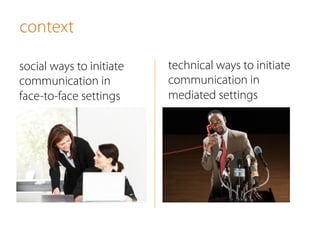
context 
social ways to initiate 
communication in 
face-to-face settings 
technical ways to initiate 
communication in 
mediated settings
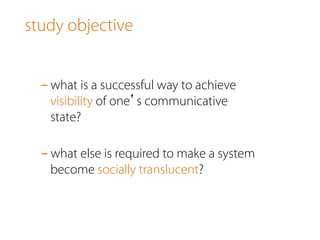
study objective 
- what is a successful way to achieve 
visibility of one’s communicative 
state? 
- what else is required to make a system 
become socially translucent?
designs
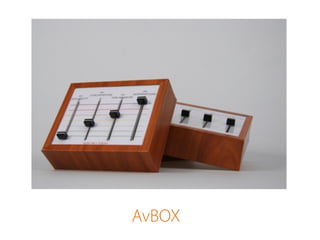
AvBOX
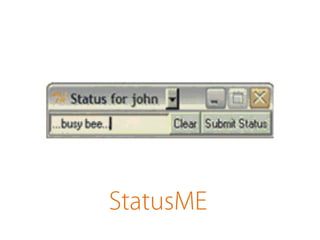
StatusME
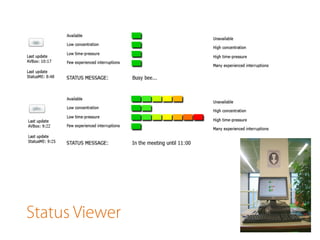
Status Viewer
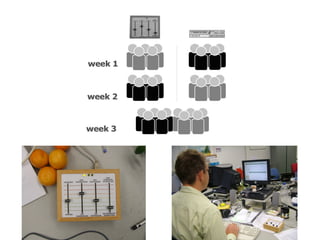
study setup
triangulated 
data collection
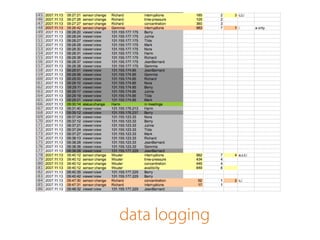
data logging
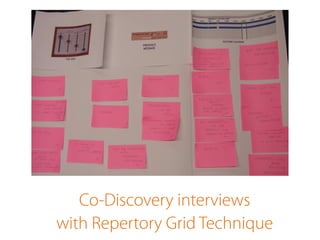
Co-Discovery interviews 
with Repertory Grid Technique
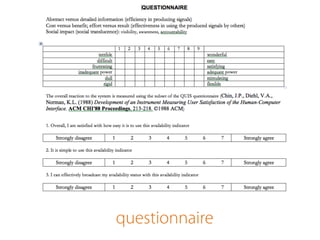
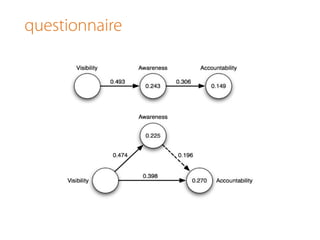
questionnaire
results
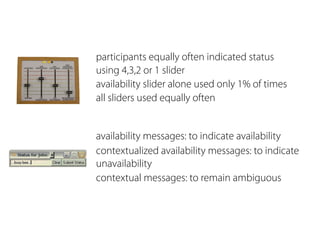
participants equally often indicated status 
using 4,3,2 or 1 slider 
availability slider alone used only 1% of times 
all sliders used equally often 
availability messages: to indicate availability 
contextualized availability messages: to indicate 
unavailability 
contextual messages: to remain ambiguous
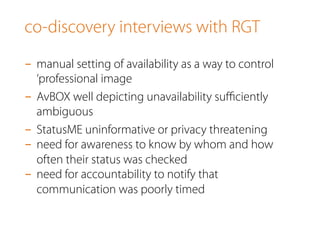
co-discovery interviews with RGT 
- manual setting of availability as a way to control 
‘professional image 
- AvBOX well depicting unavailability sufficiently 
ambiguous 
- StatusME uninformative or privacy threatening 
- need for awareness to know by whom and how 
often their status was checked 
- need for accountability to notify that 
communication was poorly timed
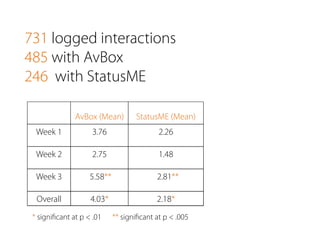
731 logged interactions 
485 with AvBox 
246 with StatusME 
StatusME (Mean) 
AvBox (Mean) 
Week 1 3.76 2.26 
Week 2 2.75 1.48 
Week 3 5.58** 2.81** 
Overall 4.03* 2.18* 
* significant at p < .01 ** significant at p < .005
questionnaire
conclusions
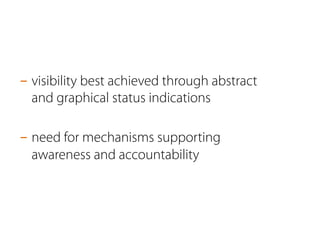
- visibility best achieved through abstract 
and graphical status indications 
- need for mechanisms supporting 
awareness and accountability
different types 
of triangulation
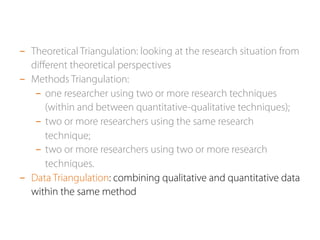
- Theoretical Triangulation: looking at the research situation from 
different theoretical perspectives
- Theoretical Triangulation: looking at the research situation from 
different theoretical perspectives 
- Methods Triangulation: 
- one researcher using two or more research techniques 
(within and between quantitative-qualitative techniques); 
- two or more researchers using the same research 
technique; 
- two or more researchers using two or more research 
techniques.
- Theoretical Triangulation: looking at the research situation from 
different theoretical perspectives 
- Methods Triangulation: 
- one researcher using two or more research techniques 
(within and between quantitative-qualitative techniques); 
- two or more researchers using the same research 
technique; 
- two or more researchers using two or more research 
techniques. 
- Data Triangulation: combining qualitative and quantitative data 
within the same method
how to triangulate?
- sequential implementation: the researcher 
collects both quantitative and qualitative data 
in phases 
- concurrent implementation: the researcher 
collects both quantitative and qualitative data 
at the same time
- equal priority: the same weight is given to 
quantitative and qualitative data 
- dominant priority: priority is give to either 
quantitative and qualitative data
- integration of quantitative and qualitative data occurs 
at different stages of the research process: 
- during data collection 
- during data analysis 
- during interpretation 
- or in combination of places
- sequential explanatory strategy: using 
qualitative results to explain and interpret 
the findings of a primarily quantitative study 
- sequential exploratory strategy: using 
quantitative data to support qualitative 
findings 
- concurrent triangulation strategy: running 
both abovementioned strategies in parallel 
to cross-validate or corroborate the 
obtained results
- within qualitative methods triangulation: 
combining different qualitative methods, eg. 
observations, interviews and creative workshops to 
validate the results 
- quantification of qualitative data: running 
quantitative analysis of the qualitative data
dealing with 
email overload 
Szóstek, Agnieszka Matysiak. "‘Dealing with My Emails’: Latent user needs in 
email management." Computers in Human Behavior 27.2 (2011): 723-729.
email 
- immediate 
- asynchronous 
- textual 
- shared 
- traceable 
- efficient
- no way to distinguish between 
important and unimportant message 
- email indications come either with 
every message or none
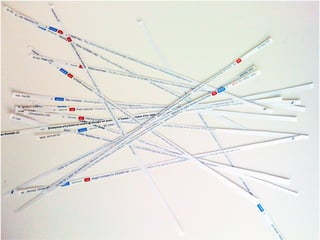
filers, pilers and spring cleaners
what creates 
the feeing 
of email overload?
- too many emails in the inbox 
- too many folders 
- too many emails that do not require response 
- using email as task manager 
- checking email at different times of the day
what people really need?
an effective ToDo list
the study
Repertory Grid Technique
- evaluate which quality differentiates two chosen inbox 
concepts from the third one, e.g.: ‘Managing this (traditional) 
inbox is effortless as it doesn’t allow but also doesn’t require 
any action from me.” 
- after determining a particular quality define its other polar, e.g.: 
‘Managing inboxes allowing for restructuring emails like the 
two I designed might require quite some effort, so I can end up 
spending more time arranging my emails rather than 
answering them.’ 
- finally assess which of these qualities is a positive quality in the 
context of inbox design, e.g.: positive - effortless and negative – 
effortful
quantification of 
qualitative data
qualitative analysis 
- qualitative content analysis of the narratives 
- all paired comparisons open-coded while preserving their 
positive or negative affiliation by two independent coders 
- formulation of two main categories defining two distinct 
phases in email management: email organization and email 
retrieval 
- identifying three types of user needs for each category 
- mapping each statement to a relevant category from the 
classification scheme 
- creation of two mappings for statements pointing at a causal 
dependency between two needs
quantitative analysis 
- choosing two indices to compare the relative salience of the 
identified needs: importance and dominance 
- importance measured by the order in which one need was 
mentioned in relation to all other needs 
- dominance computed based on a normalized index ranging 
from 0 to 1, where a value of 0 identified a need reported first 
and averaged it for all references related to the same group of 
needs
results
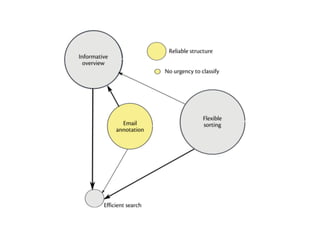
reliable inbox structure 
‘It has a structure that remains consistent over time, so I 
don’t need to learn it over and over again.’ 
‘The structure should not be complicated and have too 
many rules, because if I forget them I can have 
difficulties finding an email that I am looking for.’
no obligation to classify 
‘It doesn’t force me to annotate my messages right 
away. I wouldn’t know how to classify many emails 
right after their arrival.’ 
‘It forces me to classify messages. It might be very 
difficult to categorize many emails right away as it is 
difficult to imagine what an email may imply in the 
future.’
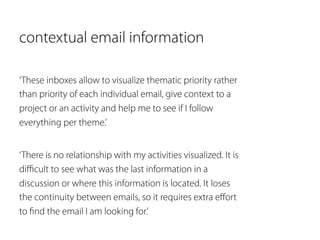
contextual email information 
‘These inboxes allow to visualize thematic priority rather 
than priority of each individual email, give context to a 
project or an activity and help me to see if I follow 
everything per theme.’ 
‘There is no relationship with my activities visualized. It is 
difficult to see what was the last information in a 
discussion or where this information is located. It loses 
the continuity between emails, so it requires extra effort 
to find the email I am looking for.’
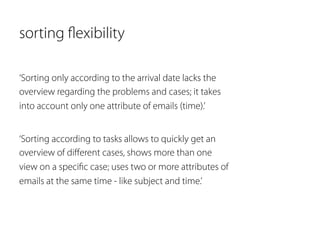
sorting flexibility 
‘Sorting only according to the arrival date lacks the 
overview regarding the problems and cases; it takes 
into account only one attribute of emails (time).’ 
‘Sorting according to tasks allows to quickly get an 
overview of different cases, shows more than one 
view on a specific case; uses two or more attributes of 
emails at the same time - like subject and time.’
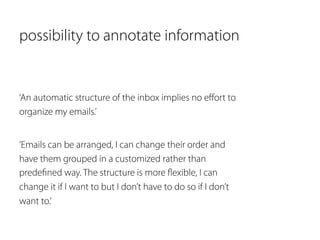
possibility to annotate information 
‘An automatic structure of the inbox implies no effort to 
organize my emails.’ 
‘Emails can be arranged, I can change their order and 
have them grouped in a customized rather than 
predefined way. The structure is more flexible, I can 
change it if I want to but I don’t have to do so if I don’t 
want to.’
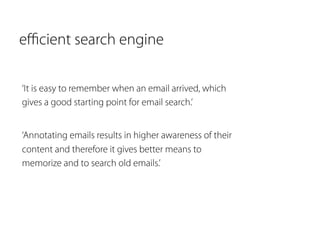
efficient search engine 
‘It is easy to remember when an email arrived, which 
gives a good starting point for email search.’ 
‘Annotating emails results in higher awareness of their 
content and therefore it gives better means to 
memorize and to search old emails.’
Qualitiative data analysis: data triangulation

Qualitiative data analysis: data triangulation

  • 1.
    qualitative data analysis: data triangulation aga szóstek(at)gmail.com
  • 2.
    Any bias inherentin particular data sources, investigator and method would be neutralised when used in conjunction with other data sources, investigators and methods. (Creswell, 1994: 174)
  • 3.
    Any bias inherentin particular data sources, investigator, and method would be neutralised when used in conjunction with other data sources, investigators and methods. (Creswell, 1994: 174) It assumes that data from different methods will corroborate one another, where the choice of methods is intended to investigate a single social phenomenon from different vantage points. (Denzin,1970; Brannen, 2005)
  • 4.
    Data collected fromdifferent methods cannot be simply added together to produce a unitary or rounded reality. (Brannen 2005: 176)
  • 5.
    - corroboration: thesame results are derived from both qualitative and quantitative methods - elaboration: qualitative data analysis explains how the quantitative results can be applied - complementarity: qualitative and quantitative results differ but when put together they generate coherent insights - contradiction: qualitative data and quantitative findings conflict
  • 6.
  • 7.
    supporting communication atwork Szostek, Agnieszka Matysiak, et al. "Understanding the implications of social translucence for systems supporting communication at work." Proceedings of the 2008 ACM conference on Computer supported cooperative work. ACM, 2008.
  • 8.
    context social waysto initiate communication in face-to-face settings technical ways to initiate communication in mediated settings
  • 9.
    study objective -what is a successful way to achieve visibility of one’s communicative state? - what else is required to make a system become socially translucent?
  • 10.
  • 11.
  • 12.
  • 13.
  • 14.
  • 16.
  • 17.
  • 18.
    Co-Discovery interviews withRepertory Grid Technique
  • 19.
  • 20.
  • 21.
    participants equally oftenindicated status using 4,3,2 or 1 slider availability slider alone used only 1% of times all sliders used equally often availability messages: to indicate availability contextualized availability messages: to indicate unavailability contextual messages: to remain ambiguous
  • 22.
    co-discovery interviews withRGT - manual setting of availability as a way to control ‘professional image - AvBOX well depicting unavailability sufficiently ambiguous - StatusME uninformative or privacy threatening - need for awareness to know by whom and how often their status was checked - need for accountability to notify that communication was poorly timed
  • 23.
    731 logged interactions 485 with AvBox 246 with StatusME StatusME (Mean) AvBox (Mean) Week 1 3.76 2.26 Week 2 2.75 1.48 Week 3 5.58** 2.81** Overall 4.03* 2.18* * significant at p < .01 ** significant at p < .005
  • 24.
  • 25.
  • 26.
    - visibility bestachieved through abstract and graphical status indications - need for mechanisms supporting awareness and accountability
  • 27.
    different types oftriangulation
  • 28.
    - Theoretical Triangulation:looking at the research situation from different theoretical perspectives
  • 29.
    - Theoretical Triangulation:looking at the research situation from different theoretical perspectives - Methods Triangulation: - one researcher using two or more research techniques (within and between quantitative-qualitative techniques); - two or more researchers using the same research technique; - two or more researchers using two or more research techniques.
  • 30.
    - Theoretical Triangulation:looking at the research situation from different theoretical perspectives - Methods Triangulation: - one researcher using two or more research techniques (within and between quantitative-qualitative techniques); - two or more researchers using the same research technique; - two or more researchers using two or more research techniques. - Data Triangulation: combining qualitative and quantitative data within the same method
  • 31.
  • 32.
    - sequential implementation:the researcher collects both quantitative and qualitative data in phases - concurrent implementation: the researcher collects both quantitative and qualitative data at the same time
  • 33.
    - equal priority:the same weight is given to quantitative and qualitative data - dominant priority: priority is give to either quantitative and qualitative data
  • 34.
    - integration ofquantitative and qualitative data occurs at different stages of the research process: - during data collection - during data analysis - during interpretation - or in combination of places
  • 35.
    - sequential explanatorystrategy: using qualitative results to explain and interpret the findings of a primarily quantitative study - sequential exploratory strategy: using quantitative data to support qualitative findings - concurrent triangulation strategy: running both abovementioned strategies in parallel to cross-validate or corroborate the obtained results
  • 36.
    - within qualitativemethods triangulation: combining different qualitative methods, eg. observations, interviews and creative workshops to validate the results - quantification of qualitative data: running quantitative analysis of the qualitative data
  • 37.
    dealing with emailoverload Szóstek, Agnieszka Matysiak. "‘Dealing with My Emails’: Latent user needs in email management." Computers in Human Behavior 27.2 (2011): 723-729.
  • 38.
    email - immediate - asynchronous - textual - shared - traceable - efficient
  • 39.
    - no wayto distinguish between important and unimportant message - email indications come either with every message or none
  • 40.
    filers, pilers andspring cleaners
  • 41.
    what creates thefeeing of email overload?
  • 42.
    - too manyemails in the inbox - too many folders - too many emails that do not require response - using email as task manager - checking email at different times of the day
  • 43.
  • 44.
  • 45.
  • 48.
  • 49.
    - evaluate whichquality differentiates two chosen inbox concepts from the third one, e.g.: ‘Managing this (traditional) inbox is effortless as it doesn’t allow but also doesn’t require any action from me.” - after determining a particular quality define its other polar, e.g.: ‘Managing inboxes allowing for restructuring emails like the two I designed might require quite some effort, so I can end up spending more time arranging my emails rather than answering them.’ - finally assess which of these qualities is a positive quality in the context of inbox design, e.g.: positive - effortless and negative – effortful
  • 50.
  • 51.
    qualitative analysis -qualitative content analysis of the narratives - all paired comparisons open-coded while preserving their positive or negative affiliation by two independent coders - formulation of two main categories defining two distinct phases in email management: email organization and email retrieval - identifying three types of user needs for each category - mapping each statement to a relevant category from the classification scheme - creation of two mappings for statements pointing at a causal dependency between two needs
  • 52.
    quantitative analysis -choosing two indices to compare the relative salience of the identified needs: importance and dominance - importance measured by the order in which one need was mentioned in relation to all other needs - dominance computed based on a normalized index ranging from 0 to 1, where a value of 0 identified a need reported first and averaged it for all references related to the same group of needs
  • 53.
  • 55.
    reliable inbox structure ‘It has a structure that remains consistent over time, so I don’t need to learn it over and over again.’ ‘The structure should not be complicated and have too many rules, because if I forget them I can have difficulties finding an email that I am looking for.’
  • 56.
    no obligation toclassify ‘It doesn’t force me to annotate my messages right away. I wouldn’t know how to classify many emails right after their arrival.’ ‘It forces me to classify messages. It might be very difficult to categorize many emails right away as it is difficult to imagine what an email may imply in the future.’
  • 57.
    contextual email information ‘These inboxes allow to visualize thematic priority rather than priority of each individual email, give context to a project or an activity and help me to see if I follow everything per theme.’ ‘There is no relationship with my activities visualized. It is difficult to see what was the last information in a discussion or where this information is located. It loses the continuity between emails, so it requires extra effort to find the email I am looking for.’
  • 58.
    sorting flexibility ‘Sortingonly according to the arrival date lacks the overview regarding the problems and cases; it takes into account only one attribute of emails (time).’ ‘Sorting according to tasks allows to quickly get an overview of different cases, shows more than one view on a specific case; uses two or more attributes of emails at the same time - like subject and time.’
  • 59.
    possibility to annotateinformation ‘An automatic structure of the inbox implies no effort to organize my emails.’ ‘Emails can be arranged, I can change their order and have them grouped in a customized rather than predefined way. The structure is more flexible, I can change it if I want to but I don’t have to do so if I don’t want to.’
  • 60.
    efficient search engine ‘It is easy to remember when an email arrived, which gives a good starting point for email search.’ ‘Annotating emails results in higher awareness of their content and therefore it gives better means to memorize and to search old emails.’