Strathmore Mobile Boot Camp
                 November 2010
          Mobile Website Development
         Introduction to Mobile Internet


Facilitated by:
Michael Wakahe
Shujaa Solutions Ltd
Table of Contents

 The Need for Mobile Web


 Mobile Web History


              Copyright © Shujaa Solutions Ltd. 2010. All
                          Rights Reserved.
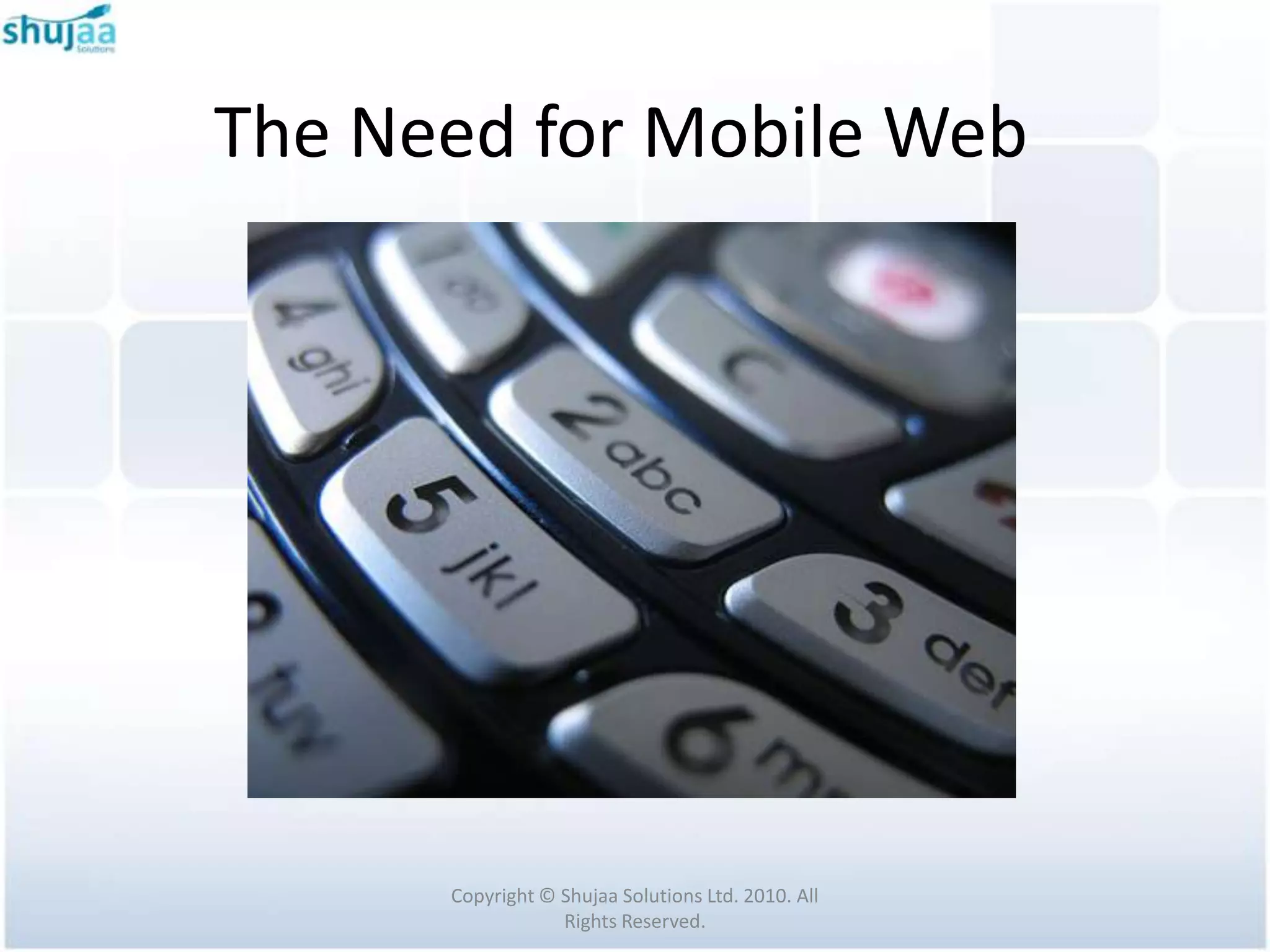
The Need for Mobile Web


      Copyright © Shujaa Solutions Ltd. 2010. All
                  Rights Reserved.
The Need for Mobile Web
 Limitations of mobile phones
   Limited Processor Power and Memory

   Limited Battery Life

   Limited Input and Output Facilities

   Low Bandwidth

   Unpredictable Availability and Stability
                  Copyright © Shujaa Solutions Ltd. 2010. All
                              Rights Reserved.
The Need for Mobile Web
 TCP/IP protocol suite was not designed for a
  wireless environment

 Bandwidth resource is expensive

 HTML pages are not suitable for use in mobile
  devices with limited processor power and
  screen.
                Copyright © Shujaa Solutions Ltd. 2010. All
                            Rights Reserved.
The Need for Mobile Web
 Users consume mobile services differently.


 They buy and pay for their mobiles and mobile
  software differently.


                Copyright © Shujaa Solutions Ltd. 2010. All
                            Rights Reserved.
The Need for Mobile Web
Mobile devices available today can be
broken down in to a few broad classes:
  1. Feature Phones
  2. Smart Phones
  3. PDAs
  4. Voice-Only Phones


                Copyright © Shujaa Solutions Ltd. 2010. All
                            Rights Reserved.
The Need for Mobile Web
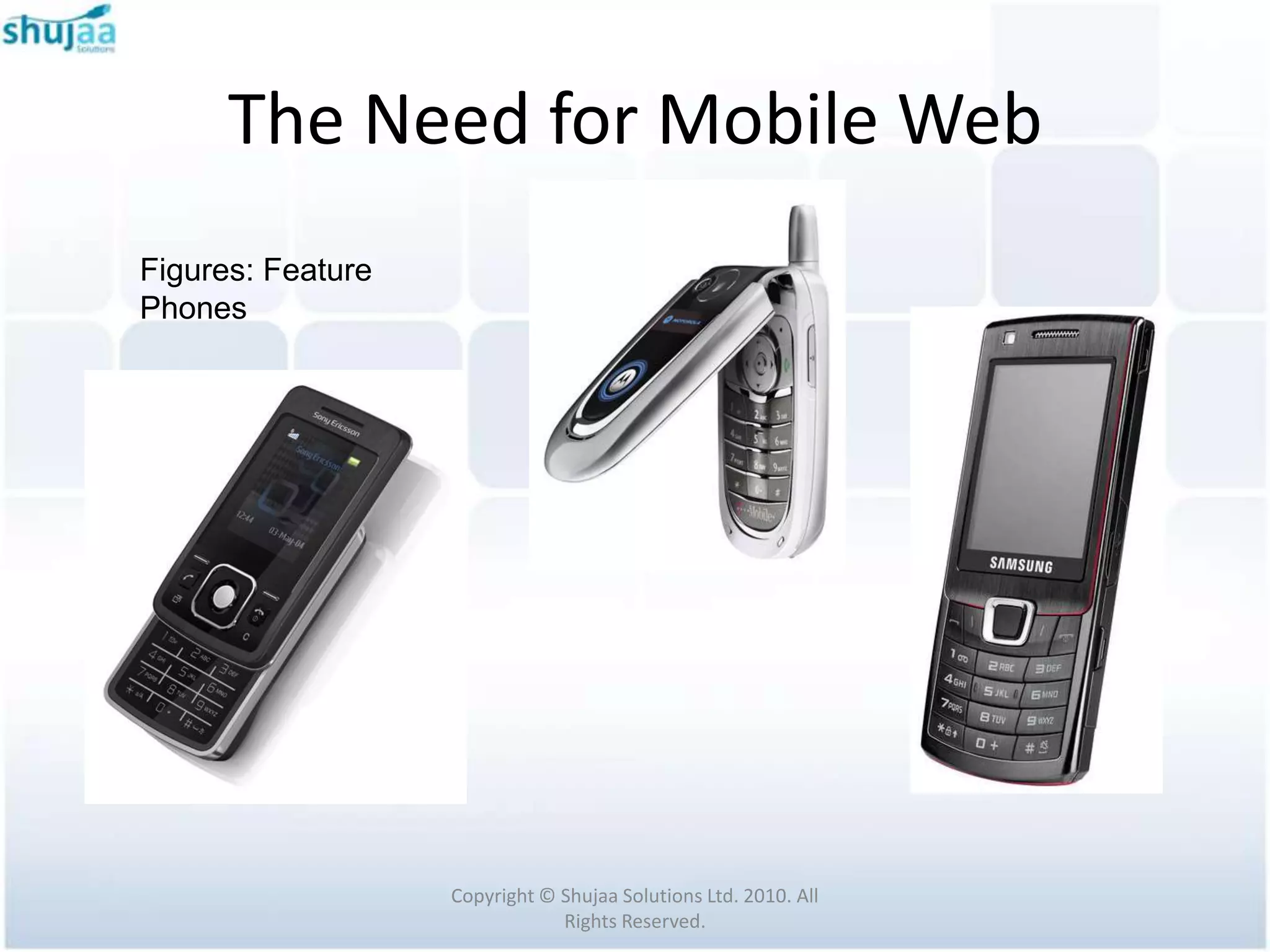
 Feature Phones are the most common device
  type.

 They usually come in candy bar, clamshell or
  slider form.

 They have a 12-key layout and typically come
  with voice, messaging and data capabilities.

                Copyright © Shujaa Solutions Ltd. 2010. All
                            Rights Reserved.
The Need for Mobile Web
Figures: Feature
Phones


                   Copyright © Shujaa Solutions Ltd. 2010. All
                               Rights Reserved.
The Need for Mobile Web

 Smart phones share the same features as a

 feature phone with two primary differences:

   its ability to run additional third-party applications

   a slightly larger screen.


                  Copyright © Shujaa Solutions Ltd. 2010. All
                              Rights Reserved.
The Need for Mobile Web
 Smart phones typically use a more full
  featured operating system

 Companies market them as them as advanced
  multimedia devices to consumers or as
  productivity devices to the business sector.


                Copyright © Shujaa Solutions Ltd. 2010. All
                            Rights Reserved.
The Need for Mobile Web
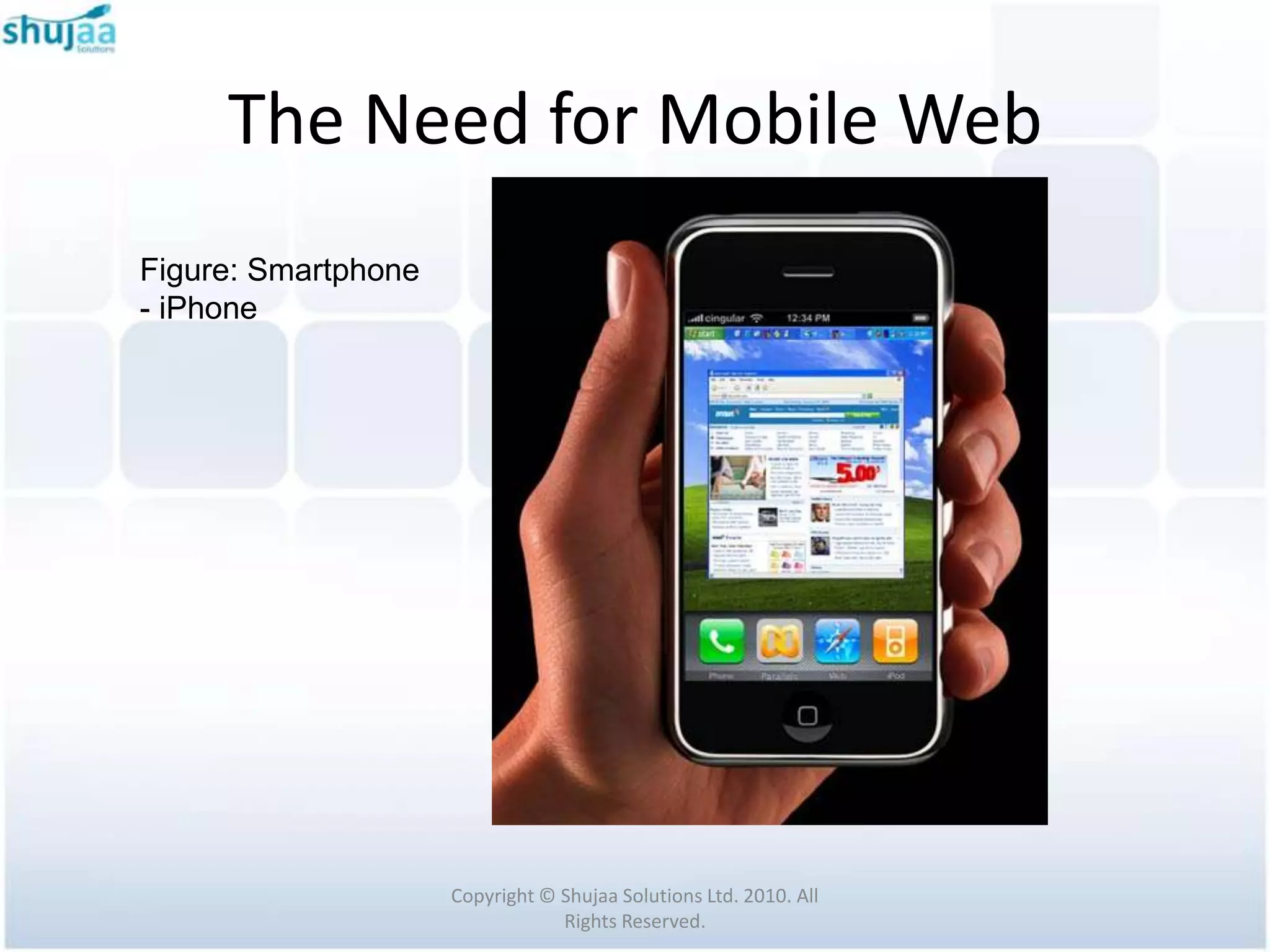
Figure: Smartphone
- iPhone


                     Copyright © Shujaa Solutions Ltd. 2010. All
                                 Rights Reserved.
The Need for Mobile Web
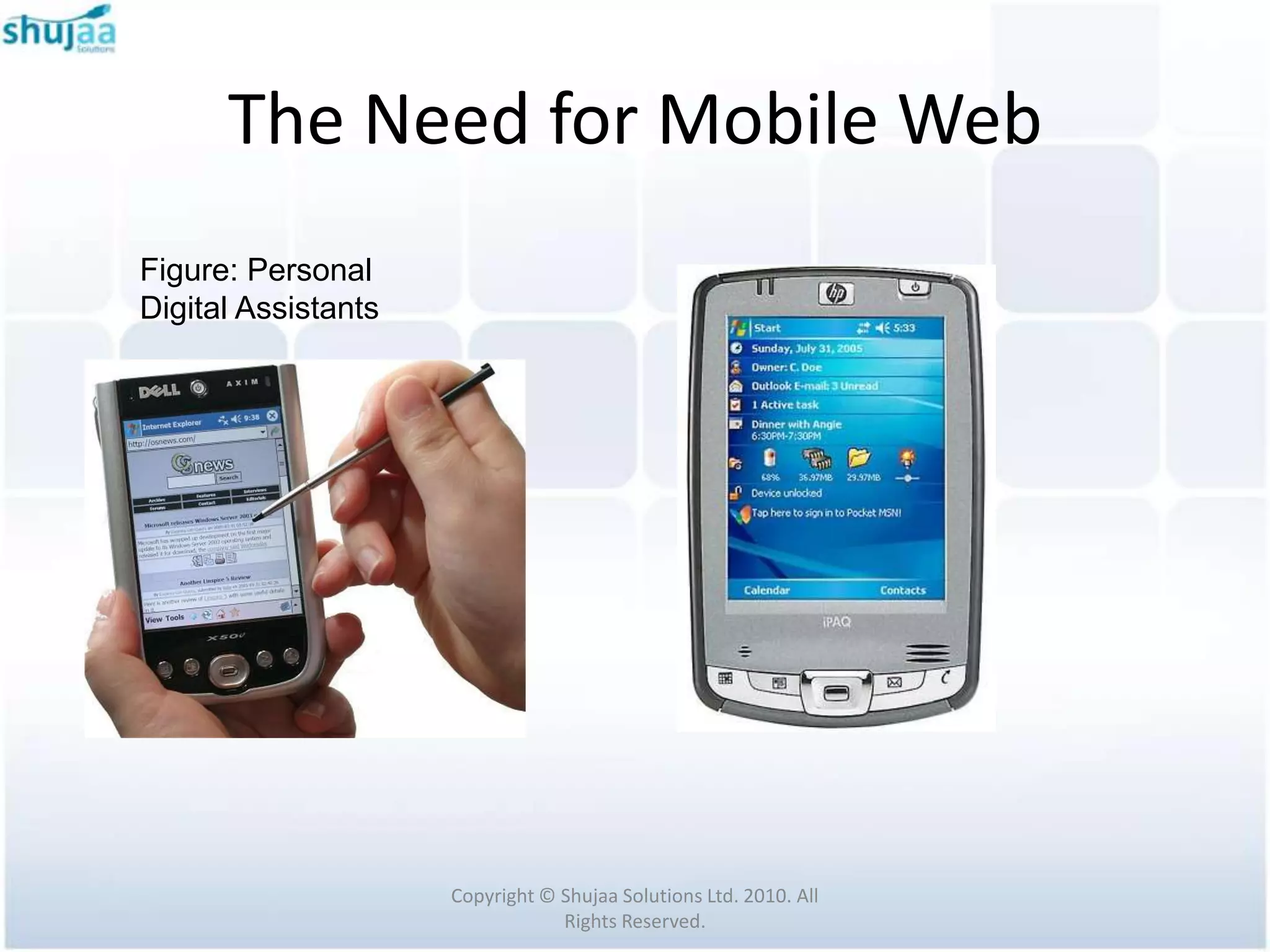
 PDAs evolved from the PDAs of the ‘90s
 Now often include voice, messaging, and data
  capabilities.
 PDAs have much in common with smart
  phone
 But differ in that much of their functionality is
  oriented towards organizational tasks rather
  then voice communications.
                 Copyright © Shujaa Solutions Ltd. 2010. All
                             Rights Reserved.
The Need for Mobile Web
Figure: Personal
Digital Assistants


                     Copyright © Shujaa Solutions Ltd. 2010. All
                                 Rights Reserved.
The Need for Mobile Web
   Voice-Only Phones are typically extremely
    low-cost phones aimed at developing
    markets

   Are not relevant in the context of the Mobile
    Web.


                Copyright © Shujaa Solutions Ltd. 2010. All
                            Rights Reserved.
The Need for Mobile Web
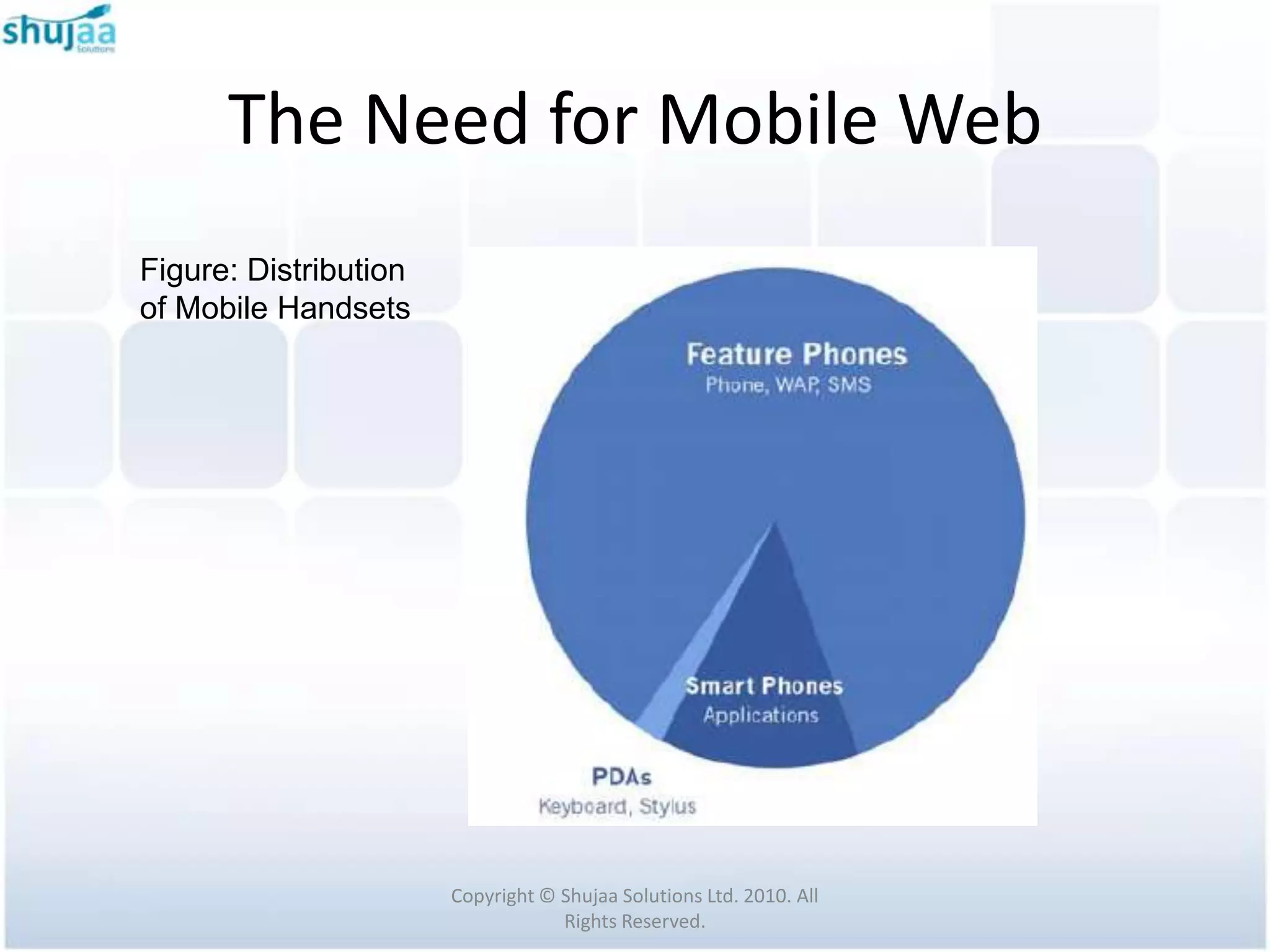
 Feature Phones lead the market by a large margin

 However the borderline between the Feature Phones
  and Smart Phones is constantly shifting towards the
  Smart Phone category

 The newest Feature Phones are often equal in
  functionality to yesterday’s Smart Phones.


                 Copyright © Shujaa Solutions Ltd. 2010. All
                             Rights Reserved.
The Need for Mobile Web
Figure: Distribution
of Mobile Handsets


                       Copyright © Shujaa Solutions Ltd. 2010. All
                                   Rights Reserved.
The Need for Mobile Web
 The Web is a vast collection of servers linked by
  TCP/IP computer networks.
 These web servers, implement the Hypertext
  Transfer Protocol (HTTP) to share documents and
  files.
 Web servers provide access by Uniform Resource
  Identifiers (URIs) to text files, markup documents,
  and binary resources.


                   Copyright © Shujaa Solutions Ltd. 2010. All
                               Rights Reserved.
The Need for Mobile Web
 In an HTTP request, the client sends a web
  server the URI of the desired resource and a
  collection of request headers

 One of the request headers contains a list of
  MIME types that advertise the content types
  supported on the client.


                Copyright © Shujaa Solutions Ltd. 2010. All
                            Rights Reserved.
The Need for Mobile Web
 In an HTTP response, the web server sends
  the client the document itself (markup, text,
  or binary) and another set of headers

 One of the response headers contains the
  MIME type describing the file type of the
  document transmitted to the client.


                Copyright © Shujaa Solutions Ltd. 2010. All
                            Rights Reserved.
Mobile Web History


   Copyright © Shujaa Solutions Ltd. 2010. All
               Rights Reserved.
Mobile Web History

 Wireless Application Protocol (WAP) Forum was

  founded in 1997 by Ericsson, Motorola, Nokia, and

  Phone.com.

 WAP 1.1 was published in 1999

 WAP 2.0 was published in 2001
                 Copyright © Shujaa Solutions Ltd. 2010. All
                             Rights Reserved.
Mobile Web History

 In 2002, the WAP Forum consolidated into the Open

  Mobile Alliance (OMA) and the specification work

  from WAP continues within OMA


                 Copyright © Shujaa Solutions Ltd. 2010. All
                             Rights Reserved.
Mobile Web History

 WAP is designed with two main goals


   to minimize bandwidth requirement


   to maximize the number of supported network


    types (e.g., 9.6 Kbps in GSM).
                 Copyright © Shujaa Solutions Ltd. 2010. All
                             Rights Reserved.
Mobile Web History
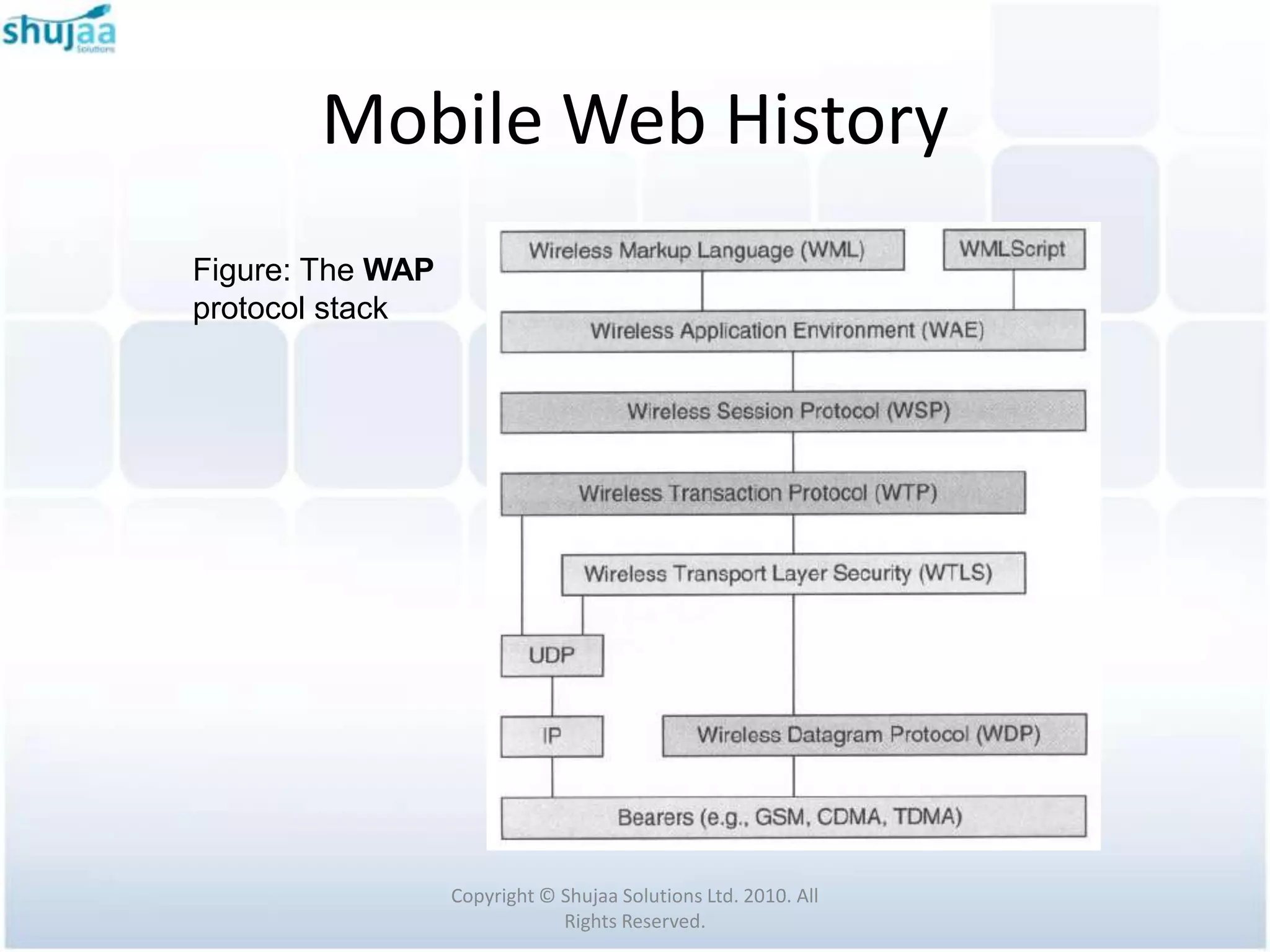
Figure: The WAP
protocol stack


                  Copyright © Shujaa Solutions Ltd. 2010. All
                              Rights Reserved.
Mobile Web History
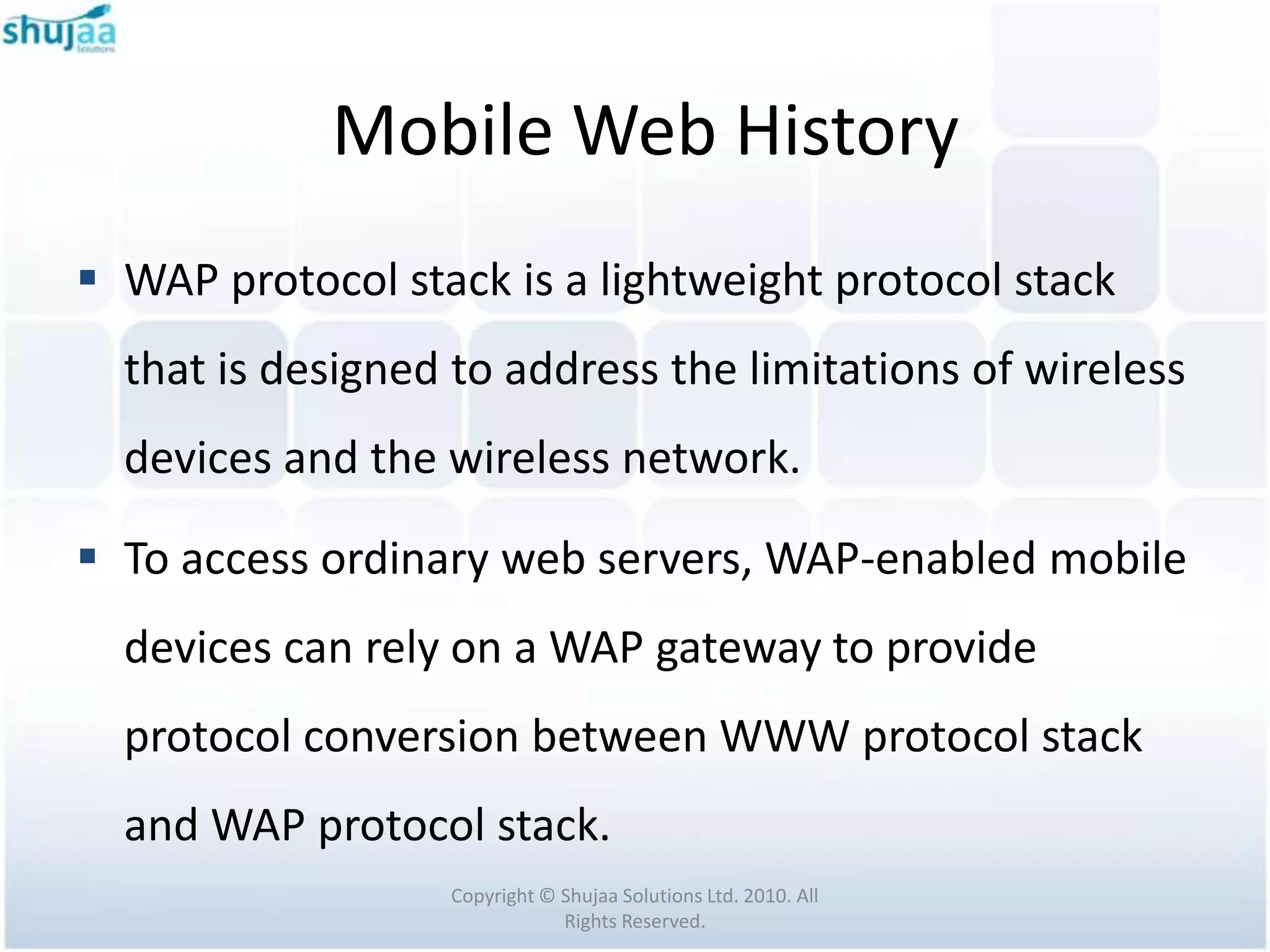
 WAP protocol stack is a lightweight protocol stack
  that is designed to address the limitations of wireless
  devices and the wireless network.

 To access ordinary web servers, WAP-enabled mobile
  devices can rely on a WAP gateway to provide
  protocol conversion between WWW protocol stack
  and WAP protocol stack.
                  Copyright © Shujaa Solutions Ltd. 2010. All
                              Rights Reserved.
Mobile Web History

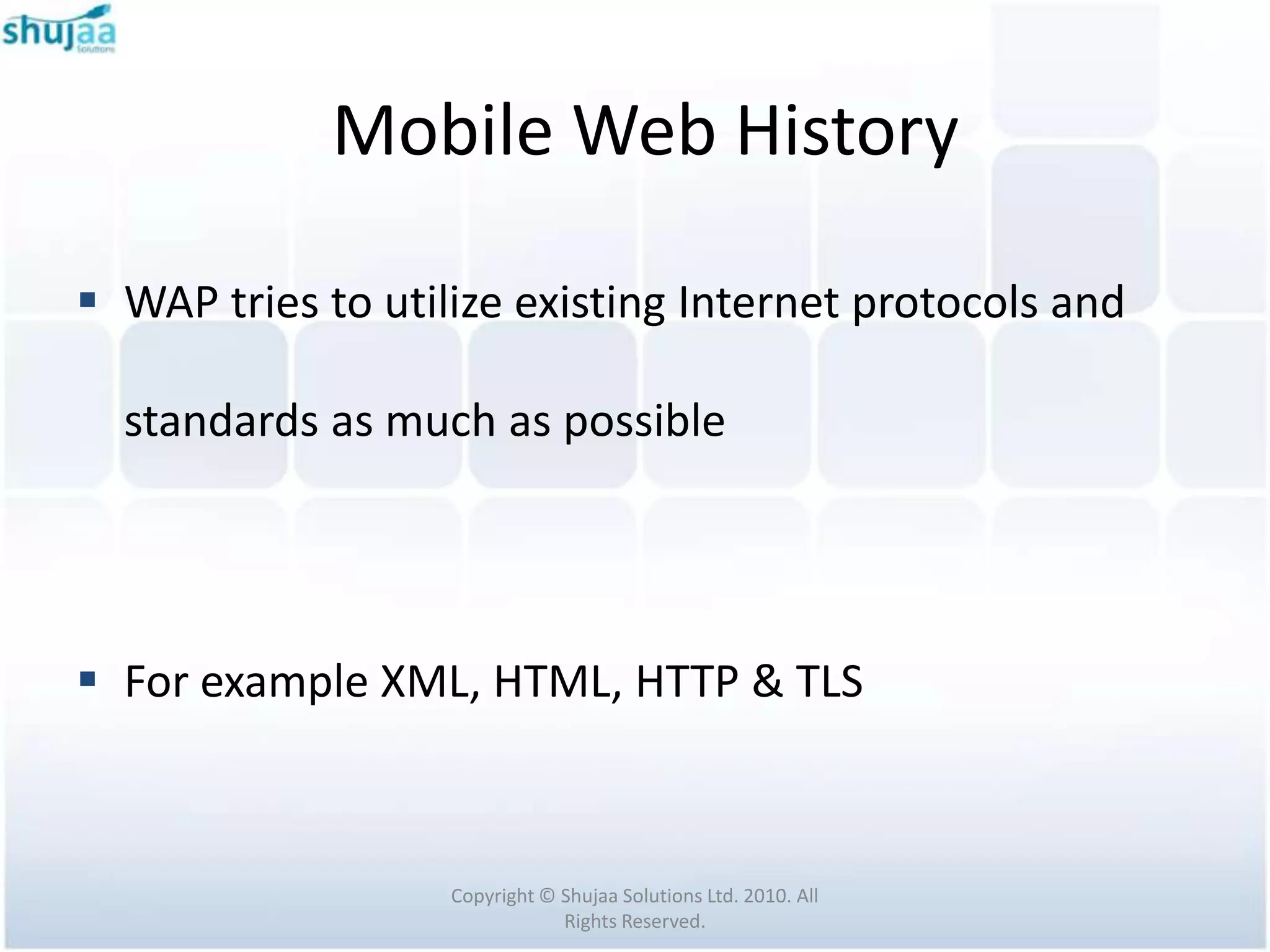
 WAP tries to utilize existing Internet protocols and

  standards as much as possible


 For example XML, HTML, HTTP & TLS


                   Copyright © Shujaa Solutions Ltd. 2010. All
                               Rights Reserved.
Mobile Web History
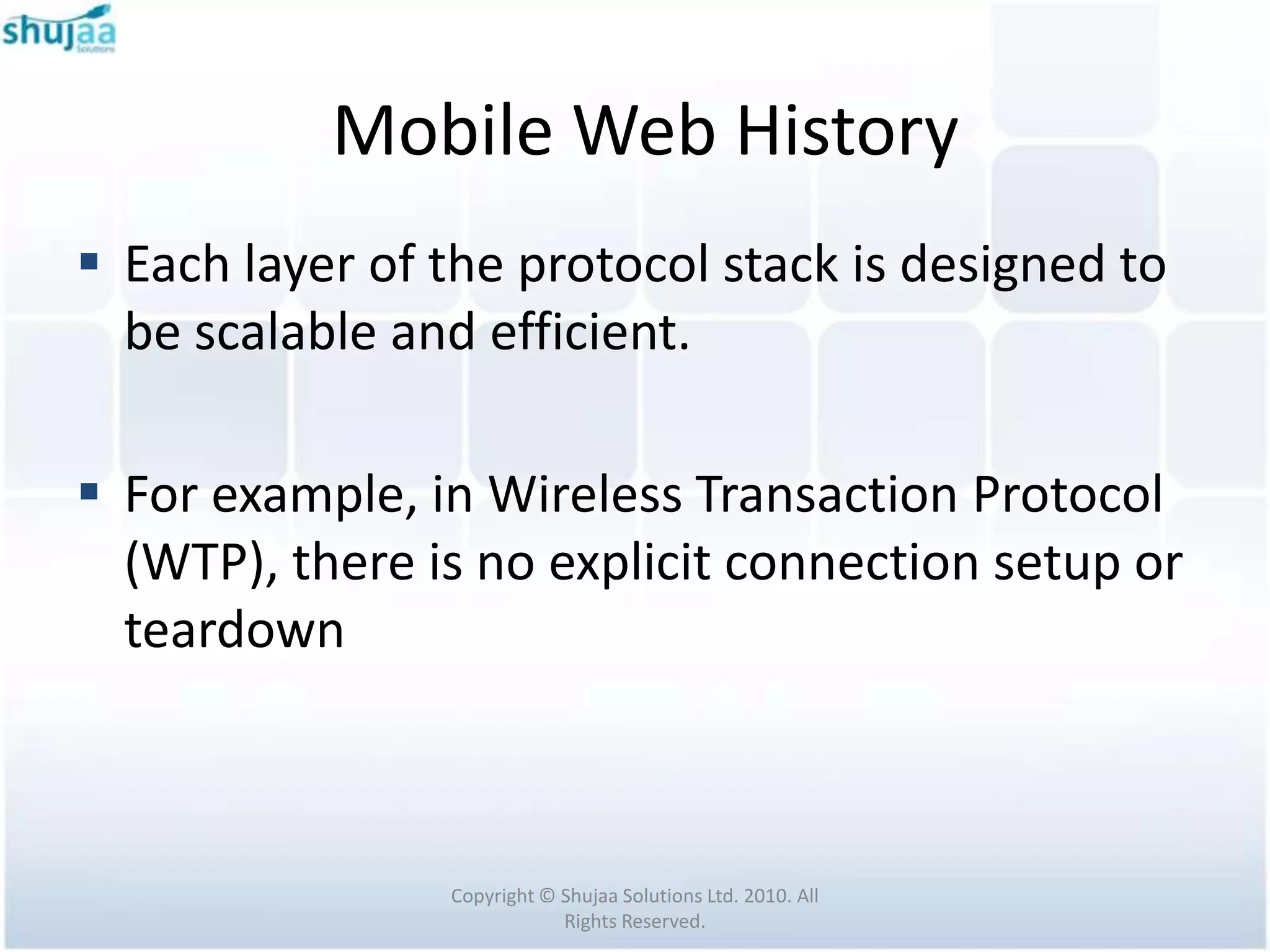
 Each layer of the protocol stack is designed to
  be scalable and efficient.

 For example, in Wireless Transaction Protocol
  (WTP), there is no explicit connection setup or
  teardown


                Copyright © Shujaa Solutions Ltd. 2010. All
                            Rights Reserved.
Mobile Web History
 To describe the capabilities of a mobile device, WAP
  has defined a user agent profile (UAProf)

 The capabilities of a mobile device are related to
  software and hardware

 This includes things like processor type, memory
  capacity, display size, browser type and version,
  network type, etc.
                   Copyright © Shujaa Solutions Ltd. 2010. All
                               Rights Reserved.
Mobile Web History
 The aim of using UAProf is to allow all elements of
  the WAP infrastructure (i.e., content servers,
  application servers, gateways, etc.) to provide mobile
  devices with device-specific contents.

 A user agent profile is basically an XML document
  containing information about hardware and software
  characteristics of a mobile device and network to
  which it will be connected.

                  Copyright © Shujaa Solutions Ltd. 2010. All
                              Rights Reserved.
Mobile Web History
 The user agent profile of a mobile device is stored in
  its manufacturer's server, called the profile
  repository.

 In order to provide mobile devices with device-
  specific contents, when a mobile device performs a
  request to a server, the URL of its user agent profile
  will be included in the header of the request
  message.

                   Copyright © Shujaa Solutions Ltd. 2010. All
                               Rights Reserved.
Mobile Web History
 Example of UAProf: For Sony Ericsson K750i, found
  at:
  http://wap.sonyericsson.com/UAprof/K750iR101.xml

 Open example XML


                 Copyright © Shujaa Solutions Ltd. 2010. All
                             Rights Reserved.
Mobile Web History

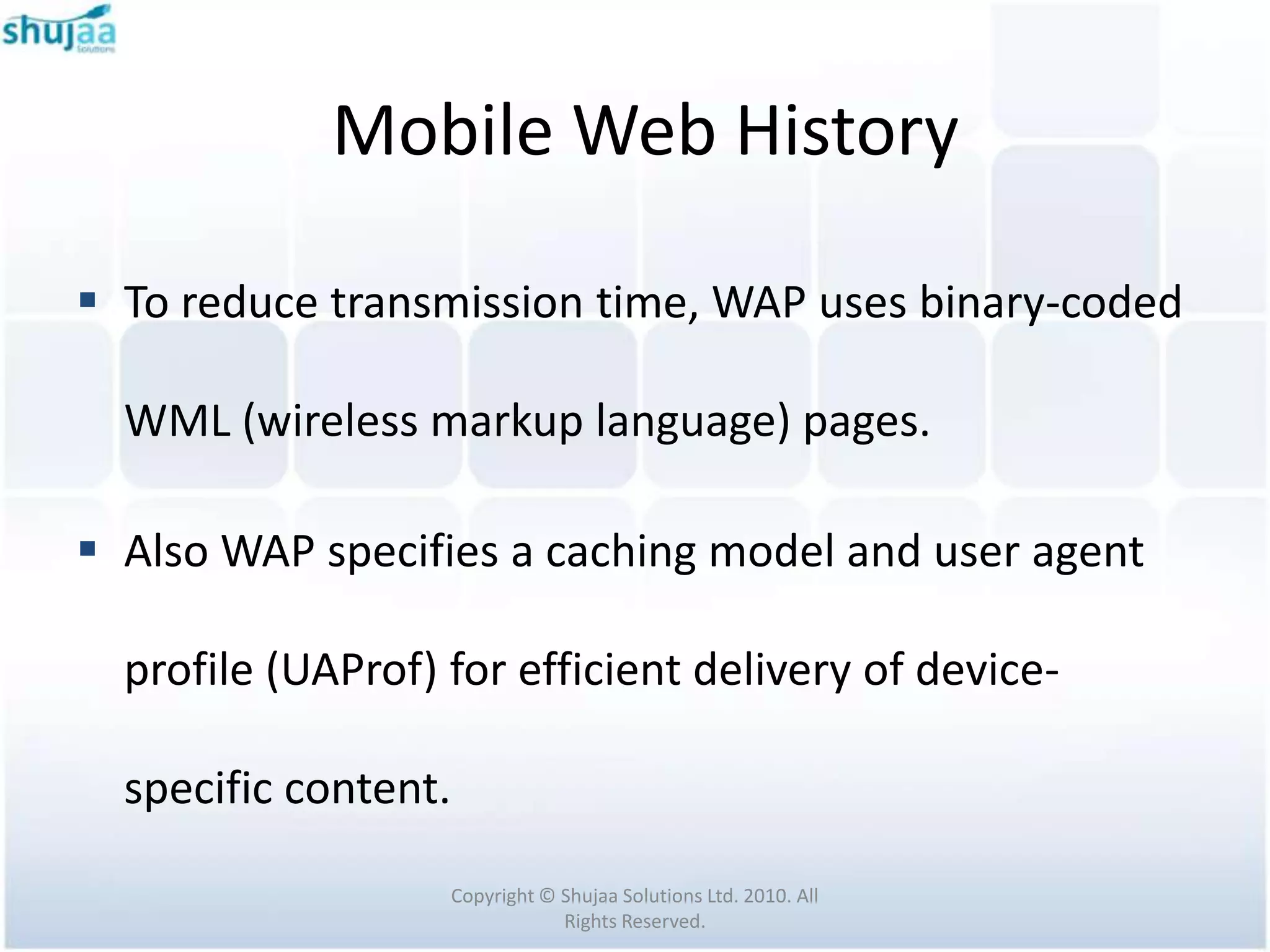
 To reduce transmission time, WAP uses binary-coded

  WML (wireless markup language) pages.

 Also WAP specifies a caching model and user agent

  profile (UAProf) for efficient delivery of device-

  specific content.

                   Copyright © Shujaa Solutions Ltd. 2010. All
                               Rights Reserved.
Mobile Web History

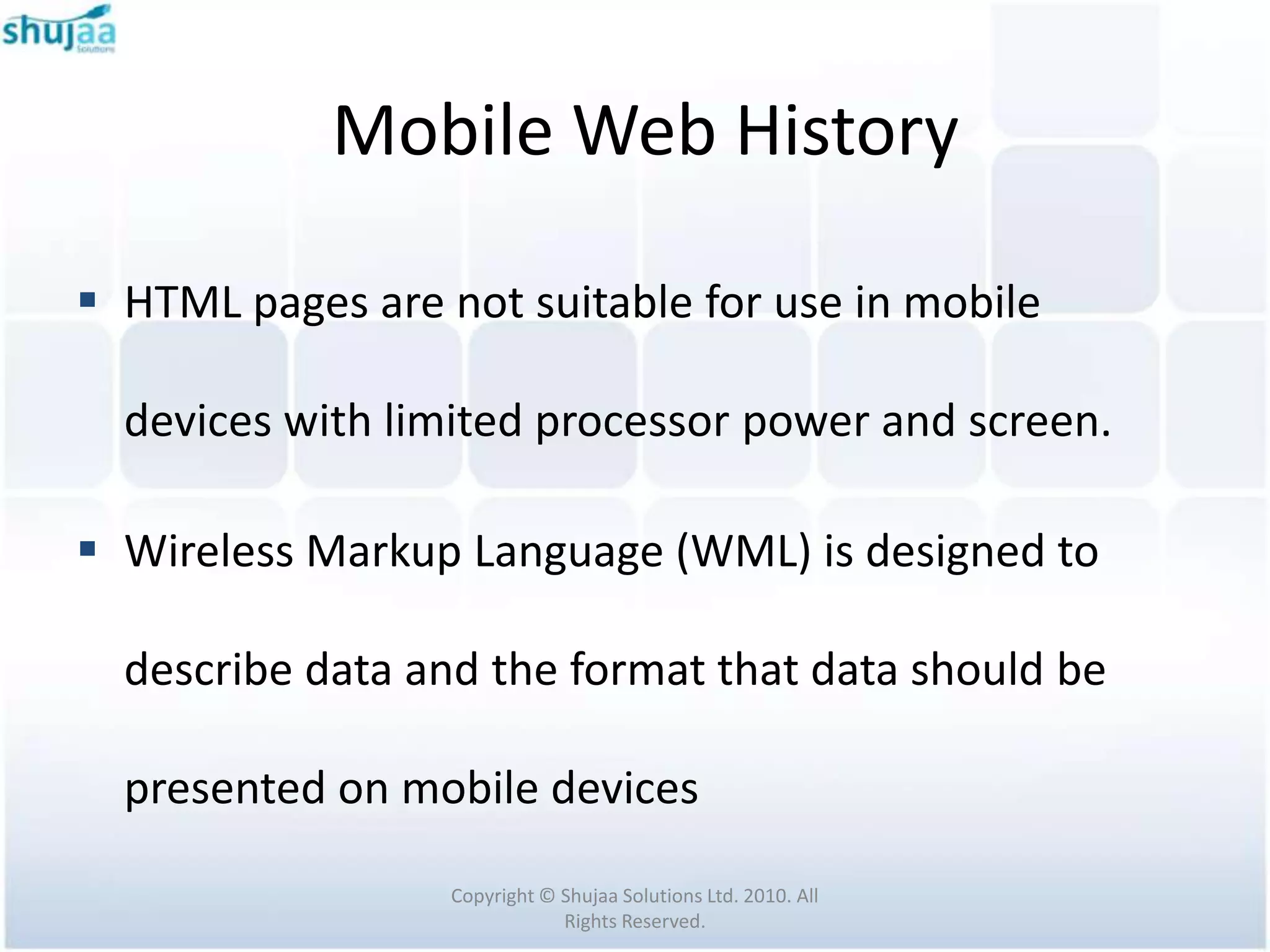
 HTML pages are not suitable for use in mobile

  devices with limited processor power and screen.

 Wireless Markup Language (WML) is designed to

  describe data and the format that data should be

  presented on mobile devices

                  Copyright © Shujaa Solutions Ltd. 2010. All
                              Rights Reserved.
Mobile Web History
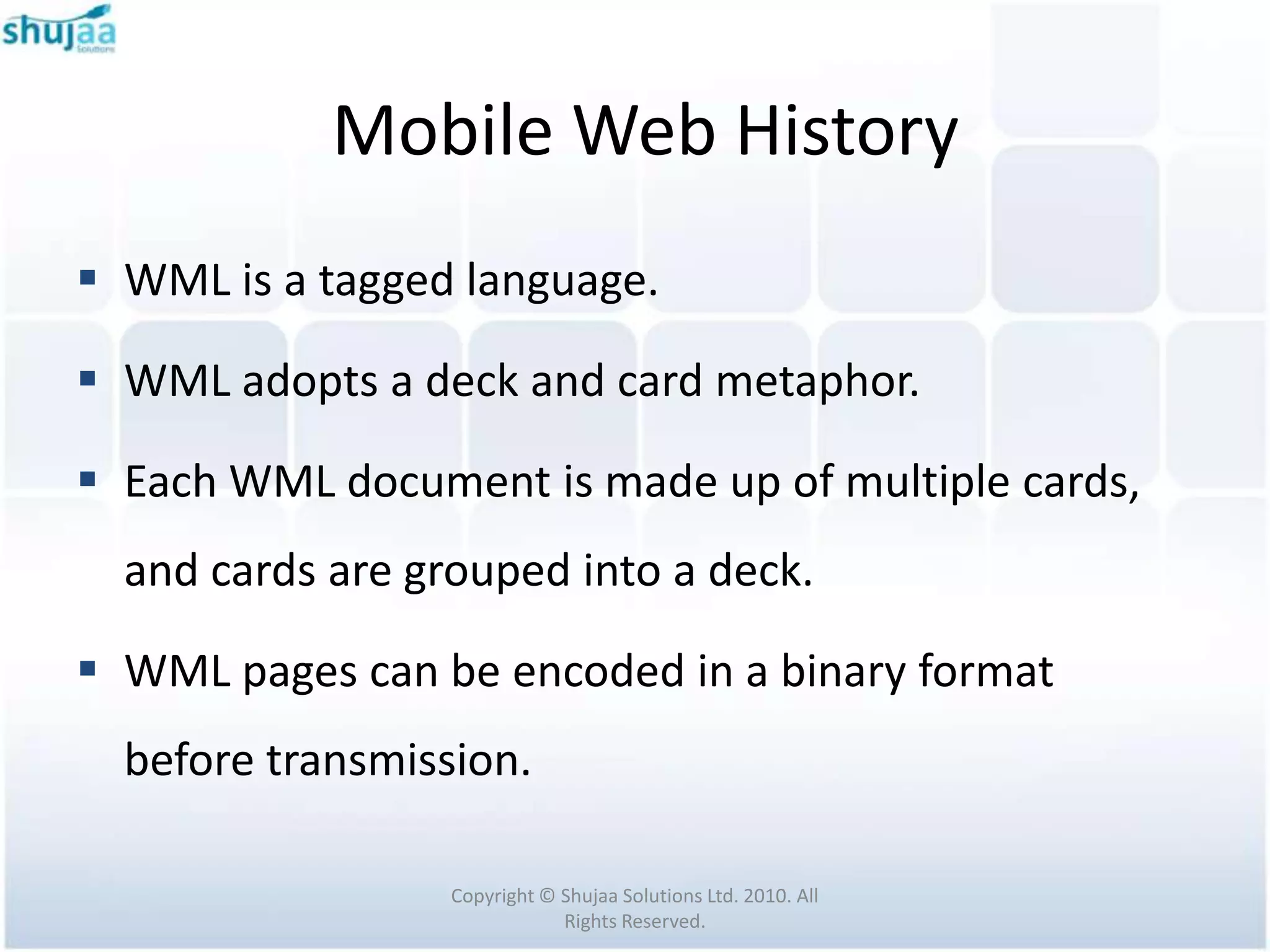
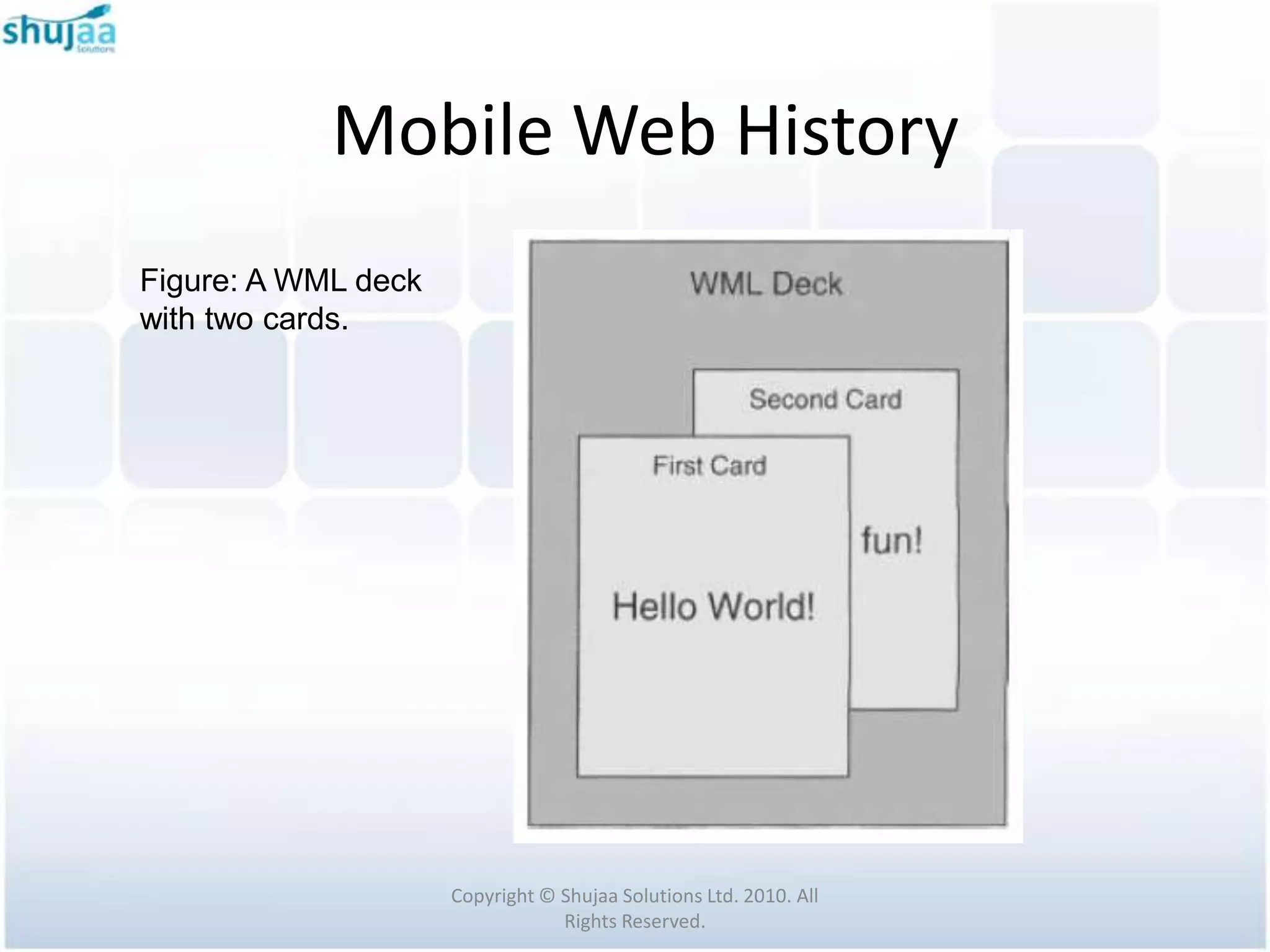
 WML is a tagged language.

 WML adopts a deck and card metaphor.

 Each WML document is made up of multiple cards,
  and cards are grouped into a deck.

 WML pages can be encoded in a binary format
  before transmission.

                  Copyright © Shujaa Solutions Ltd. 2010. All
                              Rights Reserved.
Mobile Web History
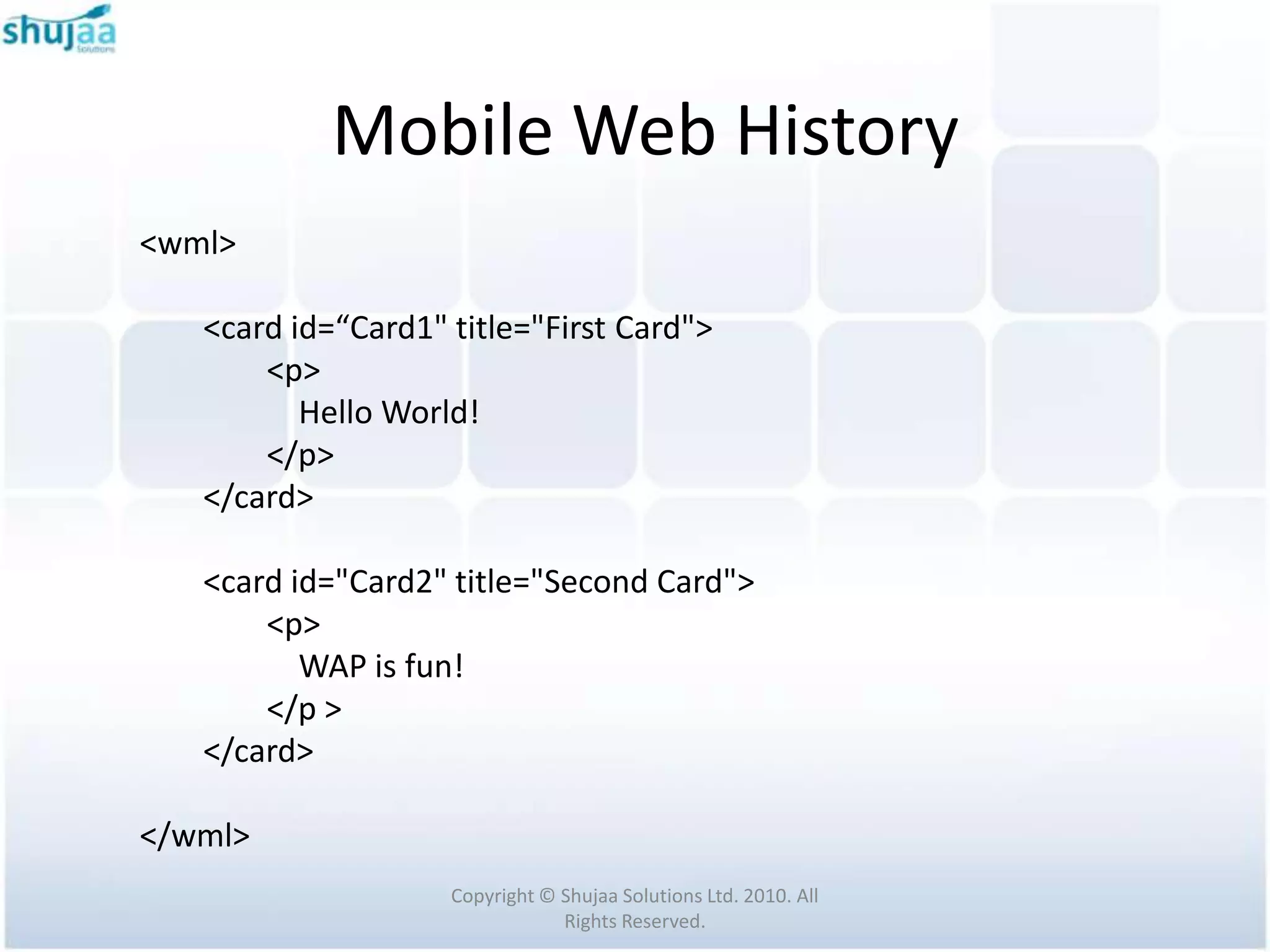
<wml>

   <card id=“Card1" title="First Card">
       <p>
          Hello World!
       </p>
   </card>

   <card id="Card2" title="Second Card">
       <p>
          WAP is fun!
       </p >
   </card>

</wml>
                    Copyright © Shujaa Solutions Ltd. 2010. All
                                Rights Reserved.
Mobile Web History
Figure: A WML deck
with two cards.


                     Copyright © Shujaa Solutions Ltd. 2010. All
                                 Rights Reserved.
Mobile Web History
 WMLScript is a scripting language which
  complements WML.

 Similar to JavaScript for HTML

 WMLScript bytecode interpreter is compact in size,
  which allows efficient execution of scripts will less
  memory and processor requirements

                   Copyright © Shujaa Solutions Ltd. 2010. All
                               Rights Reserved.
Mobile Web History
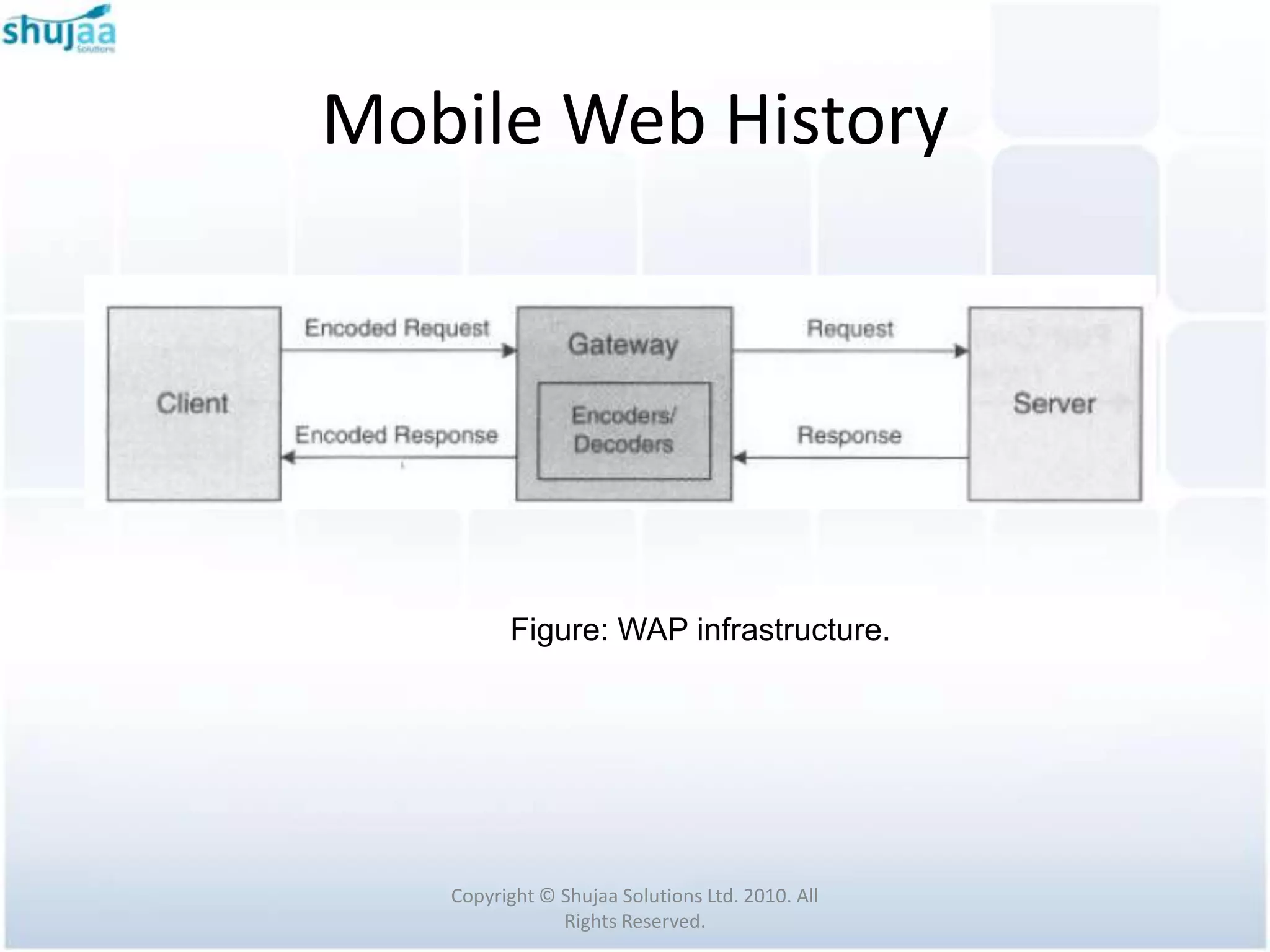
Three elements in a WAP architecture:
 Client: the WML browser in a wireless device.
  It issues WAP requests to a server.

 Server: the entity which provides services and
  where resources are located. This can be an
  ordinary Internet-based server or a WAP-
  capable server.

                Copyright © Shujaa Solutions Ltd. 2010. All
                            Rights Reserved.
Mobile Web History
 Gateway: provides protocol conversion
  between the WWW protocol stack and the
  WAP protocol stack, by using content
  encoders and decoders

 Thus a gateway acts as a proxy server


                Copyright © Shujaa Solutions Ltd. 2010. All
                            Rights Reserved.
Mobile Web History


         Figure: WAP infrastructure.


   Copyright © Shujaa Solutions Ltd. 2010. All
               Rights Reserved.
Mobile Web History
 When protocol conversion is performed at the
  gateway, it can minimize wireless
  communication overhead at the client side.

 The gateway can also cache frequently
  requested contents so as to reduce the
  request - response time.


               Copyright © Shujaa Solutions Ltd. 2010. All
                           Rights Reserved.
Mobile Web History
 The architecture discussed so far is the common pull
  architecture based on the client - server paradigm

 WAP system architecture also specifies a push
  architecture to enhance the WAP services

 Here the server sends messages to the client without
  explicit request from the client.


                  Copyright © Shujaa Solutions Ltd. 2010. All
                              Rights Reserved.
Mobile Web History
 Push architecture is very useful in delivering
  messages like instant news, email indication,
  advertising etc

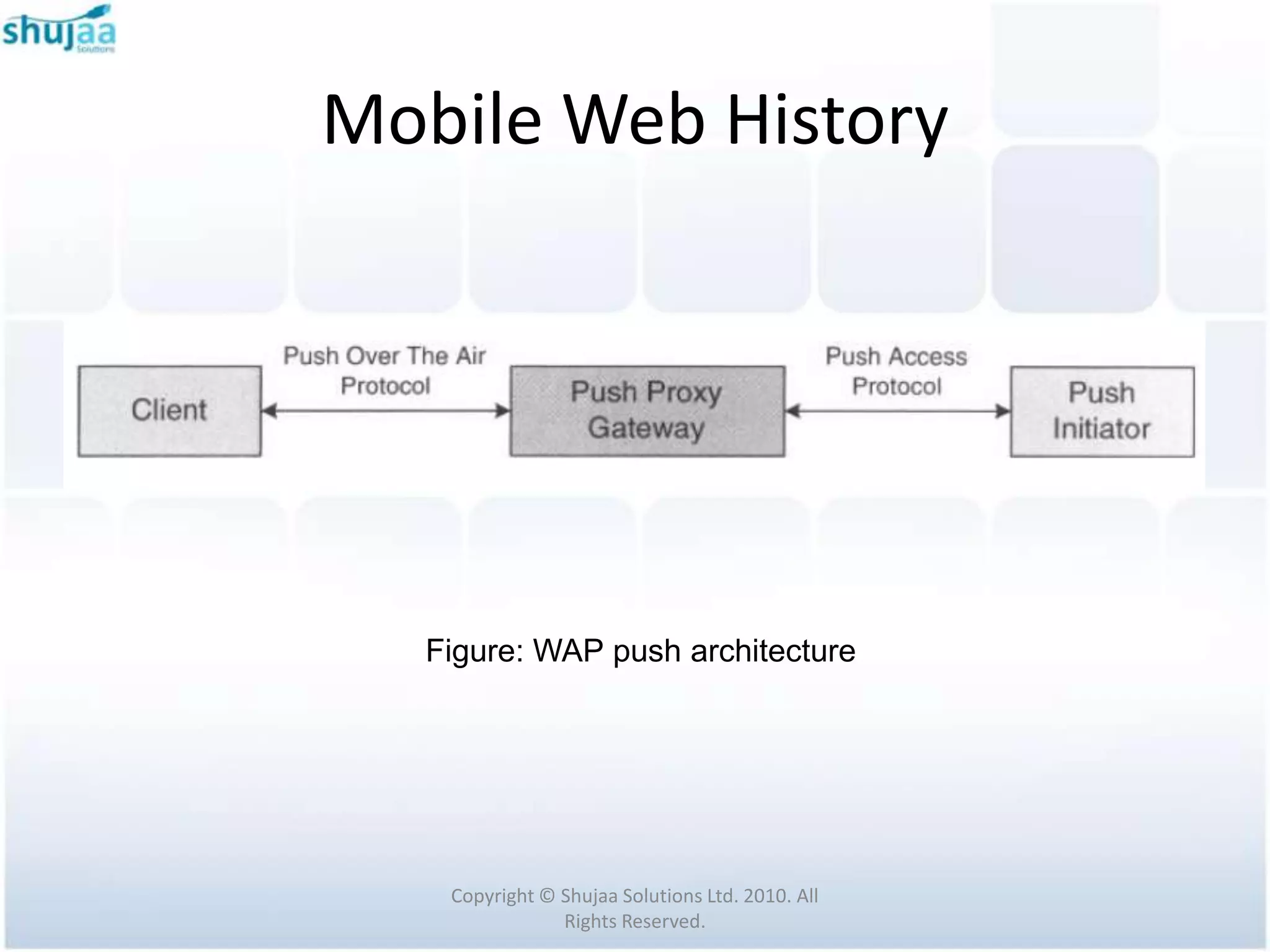
 In the push architecture, the server and the
  gateway are called the push initiator (PI) and
  the push proxy gateway (PPG), respectively.


                Copyright © Shujaa Solutions Ltd. 2010. All
                            Rights Reserved.
Mobile Web History


  Figure: WAP push architecture


   Copyright © Shujaa Solutions Ltd. 2010. All
               Rights Reserved.
Mobile Web History
WAP is designed to meet the following requirements

 Interoperability

 Scalability

 Efficiency

 Reliability

 Security

                     Copyright © Shujaa Solutions Ltd. 2010. All
                                 Rights Reserved.
Mobile Web History
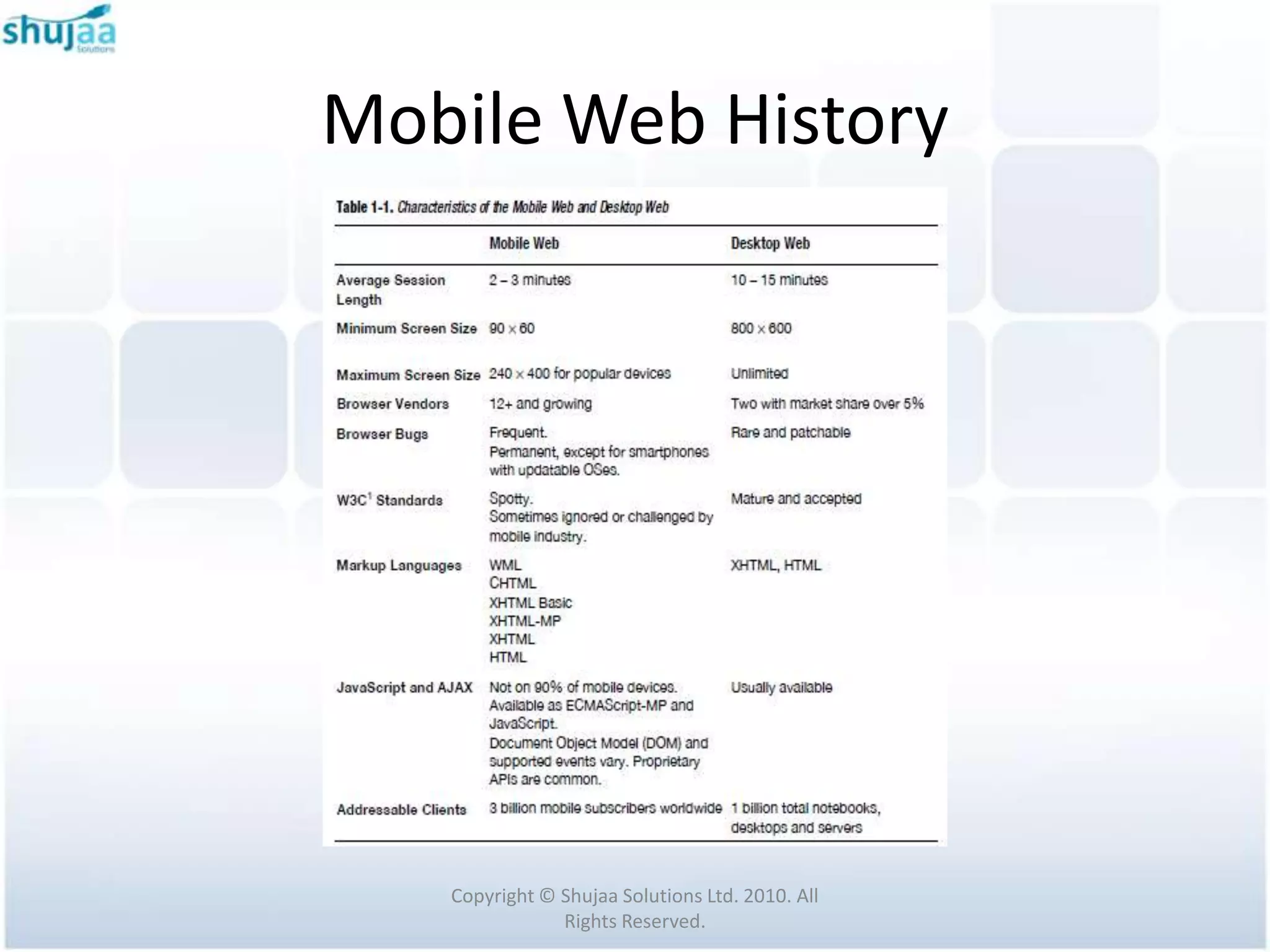
 Mobile Web uses the plumbing of Desktop Web
  and adds new MIME types, markup languages,
  document formats, and best practices

 Web content provided is optimized for the small
  screens, resource constraints, and usability
  challenges of web browsers on mobile devices.


                 Copyright © Shujaa Solutions Ltd. 2010. All
                             Rights Reserved.
Mobile Web History
The Mobile Web introduces new components into
the web ecosystem, including:
 Markup languages and styles optimized for
  mobile devices
 MIME types that differentiate mobile markup
  from desktop HTML
 Browser clients with a wide variety of capabilities
 Network proxies that further adapt your content
  to cater for those clients
                  Copyright © Shujaa Solutions Ltd. 2010. All
                              Rights Reserved.
Mobile Web History
 Rich Web 2.0 features such as JavaScript
  frameworks and Asynchronous JavaScript and
  XML (AJAX) must be used judiciously, or you
  risk draining battery power.

 Operators frequently control and block traffic
  to Mobile Web sites.


                Copyright © Shujaa Solutions Ltd. 2010. All
                            Rights Reserved.
Mobile Web History
 Transcoding proxies often attempt to reformat
  mobile markup en route to a mobile browser.

 Defensive programming is essential to reduce
  exposure to transcoders and mobile network
  problems.


               Copyright © Shujaa Solutions Ltd. 2010. All
                           Rights Reserved.
Mobile Web History
 Mobile users are keenly goal-directed and
  location-aware.

 Roaming in and out of coverage areas, mobile
  users count network access problems among
  the top factors affecting the Mobile Web
  browsing experience.


                Copyright © Shujaa Solutions Ltd. 2010. All
                            Rights Reserved.
Mobile Web History
 The mobile browser is totally new & has
  unique benefits, quirks, and workarounds.

 Partial and flawed implementations of web
  standards are commonplace.


               Copyright © Shujaa Solutions Ltd. 2010. All
                           Rights Reserved.
Mobile Web History
 Improperly formatted web pages can have
  drastic effects on mobile devices, including
  crashing the browser or resetting the device.

 Advanced web features such as JavaScript and
  AJAX are highly desirable but drain battery
  life.


                Copyright © Shujaa Solutions Ltd. 2010. All
                            Rights Reserved.
Mobile Web History


   Copyright © Shujaa Solutions Ltd. 2010. All
               Rights Reserved.

Introduction to Mobile Internet

  • 1.
    Strathmore Mobile BootCamp November 2010 Mobile Website Development Introduction to Mobile Internet Facilitated by: Michael Wakahe Shujaa Solutions Ltd
  • 2.
    Table of Contents The Need for Mobile Web  Mobile Web History Copyright © Shujaa Solutions Ltd. 2010. All Rights Reserved.
  • 3.
    The Need forMobile Web Copyright © Shujaa Solutions Ltd. 2010. All Rights Reserved.
  • 4.
    The Need forMobile Web  Limitations of mobile phones  Limited Processor Power and Memory  Limited Battery Life  Limited Input and Output Facilities  Low Bandwidth  Unpredictable Availability and Stability Copyright © Shujaa Solutions Ltd. 2010. All Rights Reserved.
  • 5.
    The Need forMobile Web  TCP/IP protocol suite was not designed for a wireless environment  Bandwidth resource is expensive  HTML pages are not suitable for use in mobile devices with limited processor power and screen. Copyright © Shujaa Solutions Ltd. 2010. All Rights Reserved.
  • 6.
    The Need forMobile Web  Users consume mobile services differently.  They buy and pay for their mobiles and mobile software differently. Copyright © Shujaa Solutions Ltd. 2010. All Rights Reserved.
  • 7.
    The Need forMobile Web Mobile devices available today can be broken down in to a few broad classes: 1. Feature Phones 2. Smart Phones 3. PDAs 4. Voice-Only Phones Copyright © Shujaa Solutions Ltd. 2010. All Rights Reserved.
  • 8.
    The Need forMobile Web  Feature Phones are the most common device type.  They usually come in candy bar, clamshell or slider form.  They have a 12-key layout and typically come with voice, messaging and data capabilities. Copyright © Shujaa Solutions Ltd. 2010. All Rights Reserved.
  • 9.
    The Need forMobile Web Figures: Feature Phones Copyright © Shujaa Solutions Ltd. 2010. All Rights Reserved.
  • 10.
    The Need forMobile Web  Smart phones share the same features as a feature phone with two primary differences:  its ability to run additional third-party applications  a slightly larger screen. Copyright © Shujaa Solutions Ltd. 2010. All Rights Reserved.
  • 11.
    The Need forMobile Web  Smart phones typically use a more full featured operating system  Companies market them as them as advanced multimedia devices to consumers or as productivity devices to the business sector. Copyright © Shujaa Solutions Ltd. 2010. All Rights Reserved.
  • 12.
    The Need forMobile Web Figure: Smartphone - iPhone Copyright © Shujaa Solutions Ltd. 2010. All Rights Reserved.
  • 13.
    The Need forMobile Web  PDAs evolved from the PDAs of the ‘90s  Now often include voice, messaging, and data capabilities.  PDAs have much in common with smart phone  But differ in that much of their functionality is oriented towards organizational tasks rather then voice communications. Copyright © Shujaa Solutions Ltd. 2010. All Rights Reserved.
  • 14.
    The Need forMobile Web Figure: Personal Digital Assistants Copyright © Shujaa Solutions Ltd. 2010. All Rights Reserved.
  • 15.
    The Need forMobile Web  Voice-Only Phones are typically extremely low-cost phones aimed at developing markets  Are not relevant in the context of the Mobile Web. Copyright © Shujaa Solutions Ltd. 2010. All Rights Reserved.
  • 16.
    The Need forMobile Web  Feature Phones lead the market by a large margin  However the borderline between the Feature Phones and Smart Phones is constantly shifting towards the Smart Phone category  The newest Feature Phones are often equal in functionality to yesterday’s Smart Phones. Copyright © Shujaa Solutions Ltd. 2010. All Rights Reserved.
  • 17.
    The Need forMobile Web Figure: Distribution of Mobile Handsets Copyright © Shujaa Solutions Ltd. 2010. All Rights Reserved.
  • 18.
    The Need forMobile Web  The Web is a vast collection of servers linked by TCP/IP computer networks.  These web servers, implement the Hypertext Transfer Protocol (HTTP) to share documents and files.  Web servers provide access by Uniform Resource Identifiers (URIs) to text files, markup documents, and binary resources. Copyright © Shujaa Solutions Ltd. 2010. All Rights Reserved.
  • 19.
    The Need forMobile Web  In an HTTP request, the client sends a web server the URI of the desired resource and a collection of request headers  One of the request headers contains a list of MIME types that advertise the content types supported on the client. Copyright © Shujaa Solutions Ltd. 2010. All Rights Reserved.
  • 20.
    The Need forMobile Web  In an HTTP response, the web server sends the client the document itself (markup, text, or binary) and another set of headers  One of the response headers contains the MIME type describing the file type of the document transmitted to the client. Copyright © Shujaa Solutions Ltd. 2010. All Rights Reserved.
  • 21.
    Mobile Web History Copyright © Shujaa Solutions Ltd. 2010. All Rights Reserved.
  • 22.
    Mobile Web History Wireless Application Protocol (WAP) Forum was founded in 1997 by Ericsson, Motorola, Nokia, and Phone.com.  WAP 1.1 was published in 1999  WAP 2.0 was published in 2001 Copyright © Shujaa Solutions Ltd. 2010. All Rights Reserved.
  • 23.
    Mobile Web History In 2002, the WAP Forum consolidated into the Open Mobile Alliance (OMA) and the specification work from WAP continues within OMA Copyright © Shujaa Solutions Ltd. 2010. All Rights Reserved.
  • 24.
    Mobile Web History WAP is designed with two main goals  to minimize bandwidth requirement  to maximize the number of supported network types (e.g., 9.6 Kbps in GSM). Copyright © Shujaa Solutions Ltd. 2010. All Rights Reserved.
  • 25.
    Mobile Web History Figure:The WAP protocol stack Copyright © Shujaa Solutions Ltd. 2010. All Rights Reserved.
  • 26.
    Mobile Web History WAP protocol stack is a lightweight protocol stack that is designed to address the limitations of wireless devices and the wireless network.  To access ordinary web servers, WAP-enabled mobile devices can rely on a WAP gateway to provide protocol conversion between WWW protocol stack and WAP protocol stack. Copyright © Shujaa Solutions Ltd. 2010. All Rights Reserved.
  • 27.
    Mobile Web History WAP tries to utilize existing Internet protocols and standards as much as possible  For example XML, HTML, HTTP & TLS Copyright © Shujaa Solutions Ltd. 2010. All Rights Reserved.
  • 28.
    Mobile Web History Each layer of the protocol stack is designed to be scalable and efficient.  For example, in Wireless Transaction Protocol (WTP), there is no explicit connection setup or teardown Copyright © Shujaa Solutions Ltd. 2010. All Rights Reserved.
  • 29.
    Mobile Web History To describe the capabilities of a mobile device, WAP has defined a user agent profile (UAProf)  The capabilities of a mobile device are related to software and hardware  This includes things like processor type, memory capacity, display size, browser type and version, network type, etc. Copyright © Shujaa Solutions Ltd. 2010. All Rights Reserved.
  • 30.
    Mobile Web History The aim of using UAProf is to allow all elements of the WAP infrastructure (i.e., content servers, application servers, gateways, etc.) to provide mobile devices with device-specific contents.  A user agent profile is basically an XML document containing information about hardware and software characteristics of a mobile device and network to which it will be connected. Copyright © Shujaa Solutions Ltd. 2010. All Rights Reserved.
  • 31.
    Mobile Web History The user agent profile of a mobile device is stored in its manufacturer's server, called the profile repository.  In order to provide mobile devices with device- specific contents, when a mobile device performs a request to a server, the URL of its user agent profile will be included in the header of the request message. Copyright © Shujaa Solutions Ltd. 2010. All Rights Reserved.
  • 32.
    Mobile Web History Example of UAProf: For Sony Ericsson K750i, found at: http://wap.sonyericsson.com/UAprof/K750iR101.xml  Open example XML Copyright © Shujaa Solutions Ltd. 2010. All Rights Reserved.
  • 33.
    Mobile Web History To reduce transmission time, WAP uses binary-coded WML (wireless markup language) pages.  Also WAP specifies a caching model and user agent profile (UAProf) for efficient delivery of device- specific content. Copyright © Shujaa Solutions Ltd. 2010. All Rights Reserved.
  • 34.
    Mobile Web History HTML pages are not suitable for use in mobile devices with limited processor power and screen.  Wireless Markup Language (WML) is designed to describe data and the format that data should be presented on mobile devices Copyright © Shujaa Solutions Ltd. 2010. All Rights Reserved.
  • 35.
    Mobile Web History WML is a tagged language.  WML adopts a deck and card metaphor.  Each WML document is made up of multiple cards, and cards are grouped into a deck.  WML pages can be encoded in a binary format before transmission. Copyright © Shujaa Solutions Ltd. 2010. All Rights Reserved.
  • 36.
    Mobile Web History <wml> <card id=“Card1" title="First Card"> <p> Hello World! </p> </card> <card id="Card2" title="Second Card"> <p> WAP is fun! </p > </card> </wml> Copyright © Shujaa Solutions Ltd. 2010. All Rights Reserved.
  • 37.
    Mobile Web History Figure:A WML deck with two cards. Copyright © Shujaa Solutions Ltd. 2010. All Rights Reserved.
  • 38.
    Mobile Web History WMLScript is a scripting language which complements WML.  Similar to JavaScript for HTML  WMLScript bytecode interpreter is compact in size, which allows efficient execution of scripts will less memory and processor requirements Copyright © Shujaa Solutions Ltd. 2010. All Rights Reserved.
  • 39.
    Mobile Web History Threeelements in a WAP architecture:  Client: the WML browser in a wireless device. It issues WAP requests to a server.  Server: the entity which provides services and where resources are located. This can be an ordinary Internet-based server or a WAP- capable server. Copyright © Shujaa Solutions Ltd. 2010. All Rights Reserved.
  • 40.
    Mobile Web History Gateway: provides protocol conversion between the WWW protocol stack and the WAP protocol stack, by using content encoders and decoders  Thus a gateway acts as a proxy server Copyright © Shujaa Solutions Ltd. 2010. All Rights Reserved.
  • 41.
    Mobile Web History Figure: WAP infrastructure. Copyright © Shujaa Solutions Ltd. 2010. All Rights Reserved.
  • 42.
    Mobile Web History When protocol conversion is performed at the gateway, it can minimize wireless communication overhead at the client side.  The gateway can also cache frequently requested contents so as to reduce the request - response time. Copyright © Shujaa Solutions Ltd. 2010. All Rights Reserved.
  • 43.
    Mobile Web History The architecture discussed so far is the common pull architecture based on the client - server paradigm  WAP system architecture also specifies a push architecture to enhance the WAP services  Here the server sends messages to the client without explicit request from the client. Copyright © Shujaa Solutions Ltd. 2010. All Rights Reserved.
  • 44.
    Mobile Web History Push architecture is very useful in delivering messages like instant news, email indication, advertising etc  In the push architecture, the server and the gateway are called the push initiator (PI) and the push proxy gateway (PPG), respectively. Copyright © Shujaa Solutions Ltd. 2010. All Rights Reserved.
  • 45.
    Mobile Web History Figure: WAP push architecture Copyright © Shujaa Solutions Ltd. 2010. All Rights Reserved.
  • 46.
    Mobile Web History WAPis designed to meet the following requirements  Interoperability  Scalability  Efficiency  Reliability  Security Copyright © Shujaa Solutions Ltd. 2010. All Rights Reserved.
  • 47.
    Mobile Web History Mobile Web uses the plumbing of Desktop Web and adds new MIME types, markup languages, document formats, and best practices  Web content provided is optimized for the small screens, resource constraints, and usability challenges of web browsers on mobile devices. Copyright © Shujaa Solutions Ltd. 2010. All Rights Reserved.
  • 48.
    Mobile Web History TheMobile Web introduces new components into the web ecosystem, including:  Markup languages and styles optimized for mobile devices  MIME types that differentiate mobile markup from desktop HTML  Browser clients with a wide variety of capabilities  Network proxies that further adapt your content to cater for those clients Copyright © Shujaa Solutions Ltd. 2010. All Rights Reserved.
  • 49.
    Mobile Web History Rich Web 2.0 features such as JavaScript frameworks and Asynchronous JavaScript and XML (AJAX) must be used judiciously, or you risk draining battery power.  Operators frequently control and block traffic to Mobile Web sites. Copyright © Shujaa Solutions Ltd. 2010. All Rights Reserved.
  • 50.
    Mobile Web History Transcoding proxies often attempt to reformat mobile markup en route to a mobile browser.  Defensive programming is essential to reduce exposure to transcoders and mobile network problems. Copyright © Shujaa Solutions Ltd. 2010. All Rights Reserved.
  • 51.
    Mobile Web History Mobile users are keenly goal-directed and location-aware.  Roaming in and out of coverage areas, mobile users count network access problems among the top factors affecting the Mobile Web browsing experience. Copyright © Shujaa Solutions Ltd. 2010. All Rights Reserved.
  • 52.
    Mobile Web History The mobile browser is totally new & has unique benefits, quirks, and workarounds.  Partial and flawed implementations of web standards are commonplace. Copyright © Shujaa Solutions Ltd. 2010. All Rights Reserved.
  • 53.
    Mobile Web History Improperly formatted web pages can have drastic effects on mobile devices, including crashing the browser or resetting the device.  Advanced web features such as JavaScript and AJAX are highly desirable but drain battery life. Copyright © Shujaa Solutions Ltd. 2010. All Rights Reserved.
  • 54.
    Mobile Web History Copyright © Shujaa Solutions Ltd. 2010. All Rights Reserved.