Presentation on introduction of UNIX 
Submitted To: 
Mr.Nitesh Baghel 
Miss.Rohini Chouhan 
Submitted by: 
Sudhir kumar saurav 
0158cs111101
Introduction to Linux 
UNIX 
Unix is a multi-user, multi-tasking operating system. 
You can have many users logged into a system 
simultaneously, each running many programs. 
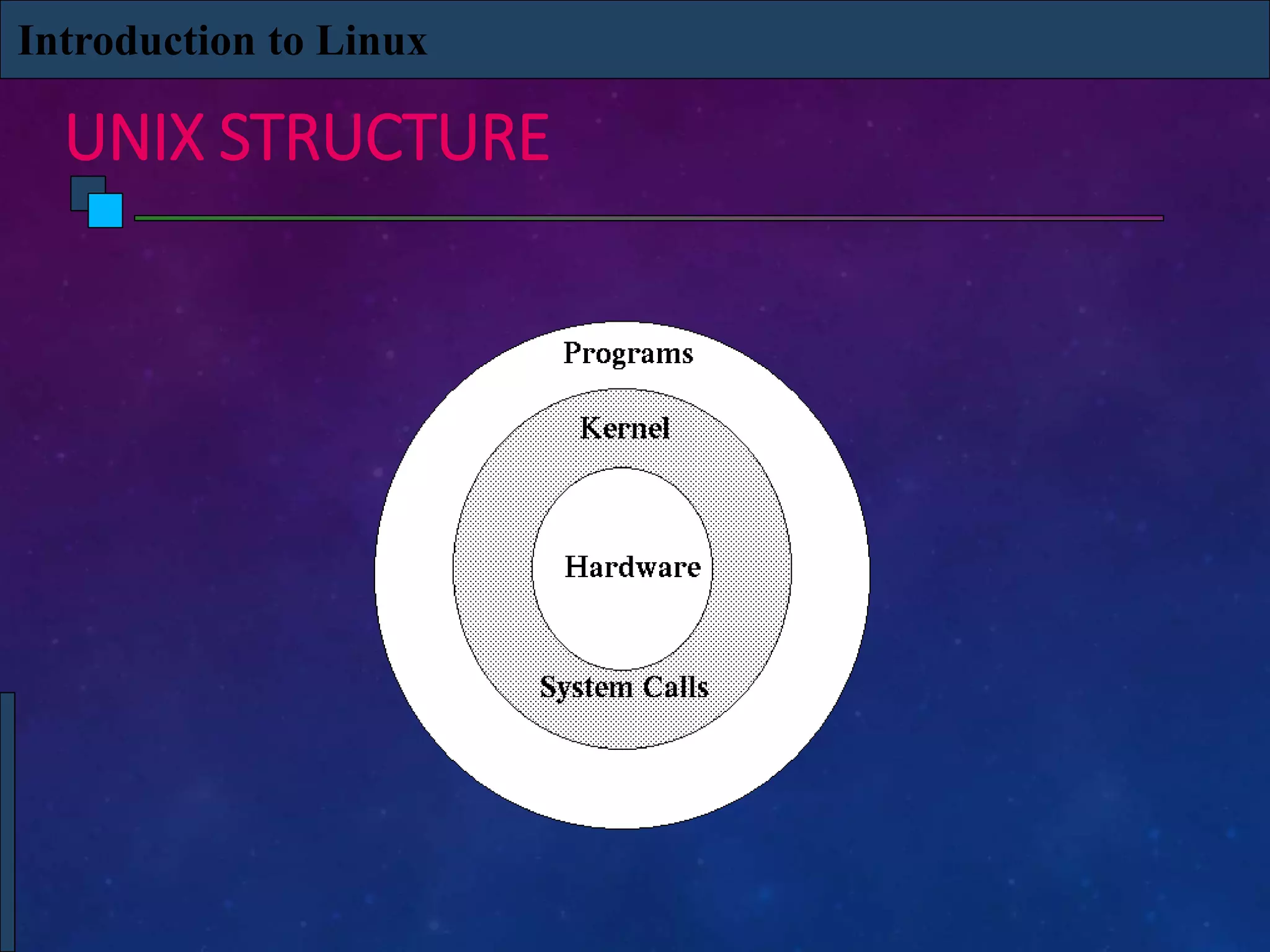
It's the kernel's job to keep each process and user separate 
and to regulate access to system hardware, including cpu, 
memory, disk and other I/O devices.
Introduction to Linux 
HISTORY OF UNIX 
First Version was created in Bell Labs in 1969. 
Some of the Bell Labs programmers who had worked on 
this project, Ken Thompson, Dennis Ritchie, Rudd Canaday, 
and Doug McIlroy designed and implemented the first 
version of the Unix File System on a PDP-7 along with a 
few utilities. It was given the name UNIX by Brian 
Kernighan. 
00:00:00 Hours, Jan 1, 1970 is time zero for UNIX. It is also 
called as epoch.
Introduction to Linux 
HISTORY OF UNIX 
1973 Unix is re-written mostly in C, a new language 
developed by Dennis Ritchie. 
Being written in this high-level language greatly decreased 
the effort needed to port it to new machines. 
1977 There were about 500 Unix sites world-wide. 
1980 BSD 4.1 (Berkeley Software Development) 
1983 SunOS, BSD 4.2, System V
Introduction to Linux 
HISTORY OF UNIX 
1988 AT&T and Sun Microsystems jointly develop System V 
Release 4 (SVR4). This later developed into UnixWare and 
Solaris 2. 
1991 Linux was originated.
Introduction to Linux 
WHAT IS LINUX 
Linux is a free Unix-type operating system originally 
created by Linus Torvalds with the assistance of developers 
around the world. 
It originated in 1991 as a personal project of Linus 
Torvalds, a Finnish graduate student. 
The Kernel version 1.0 was released in 1994 and today the 
most recent stable version is 2.6.9 
Developed under the GNU General Public License , the 
source code for Linux is freely available to everyone.
Introduction to Linux 
UNIX STRUCTURE
LINUX FEATURES 
• UNIX-like operating system. 
• Features: 
• Preemptive multitasking. 
• Virtual memory (protected memory, paging). 
• Shared libraries. 
• Demand loading, dynamic kernel modules. 
• Shared copy-on-write executables. 
• TCP/IP networking. 
• SMP support. 
• Open source.
HISTORY 
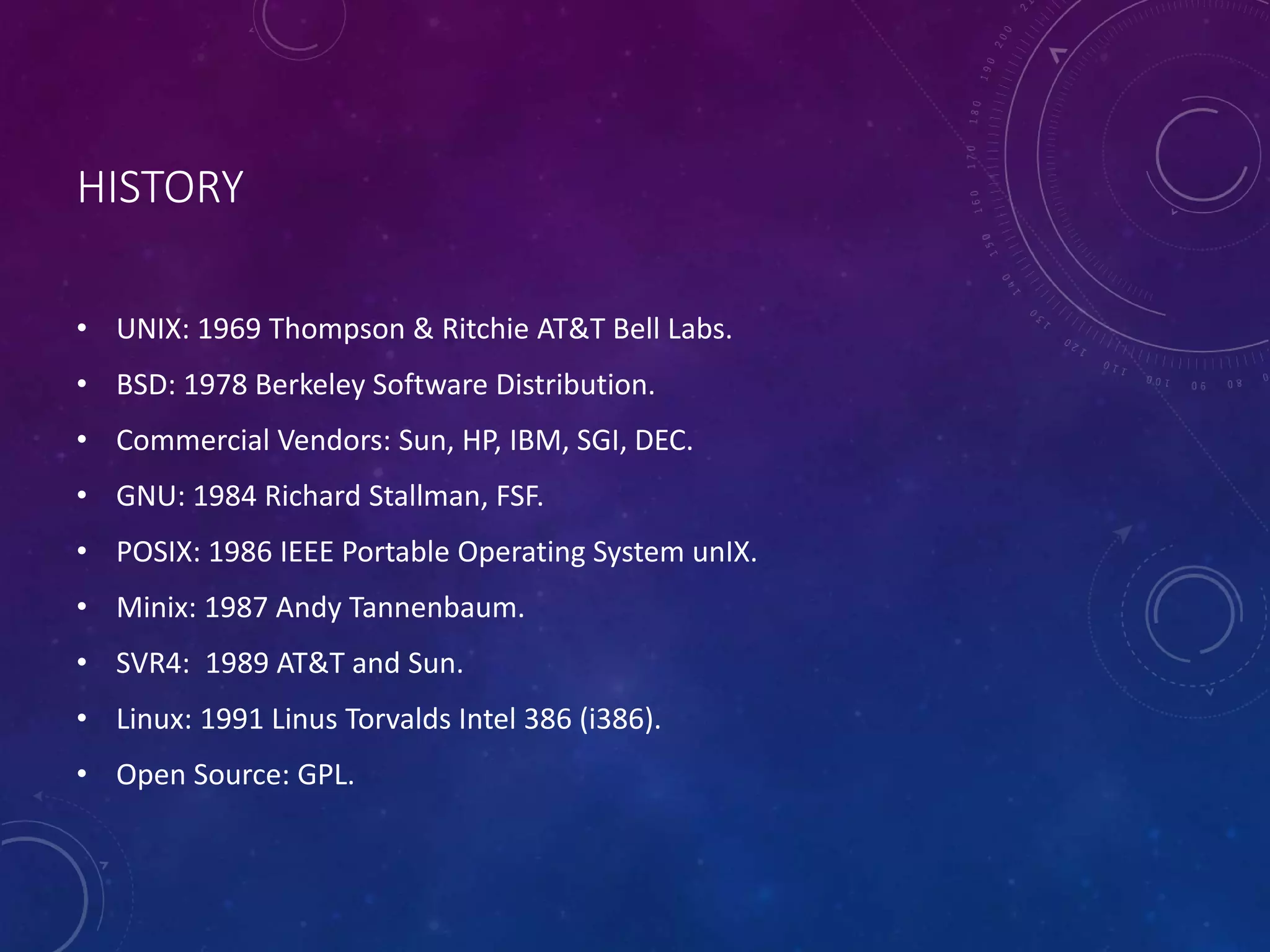
• UNIX: 1969 Thompson & Ritchie AT&T Bell Labs. 
• BSD: 1978 Berkeley Software Distribution. 
• Commercial Vendors: Sun, HP, IBM, SGI, DEC. 
• GNU: 1984 Richard Stallman, FSF. 
• POSIX: 1986 IEEE Portable Operating System unIX. 
• Minix: 1987 Andy Tannenbaum. 
• SVR4: 1989 AT&T and Sun. 
• Linux: 1991 Linus Torvalds Intel 386 (i386). 
• Open Source: GPL.
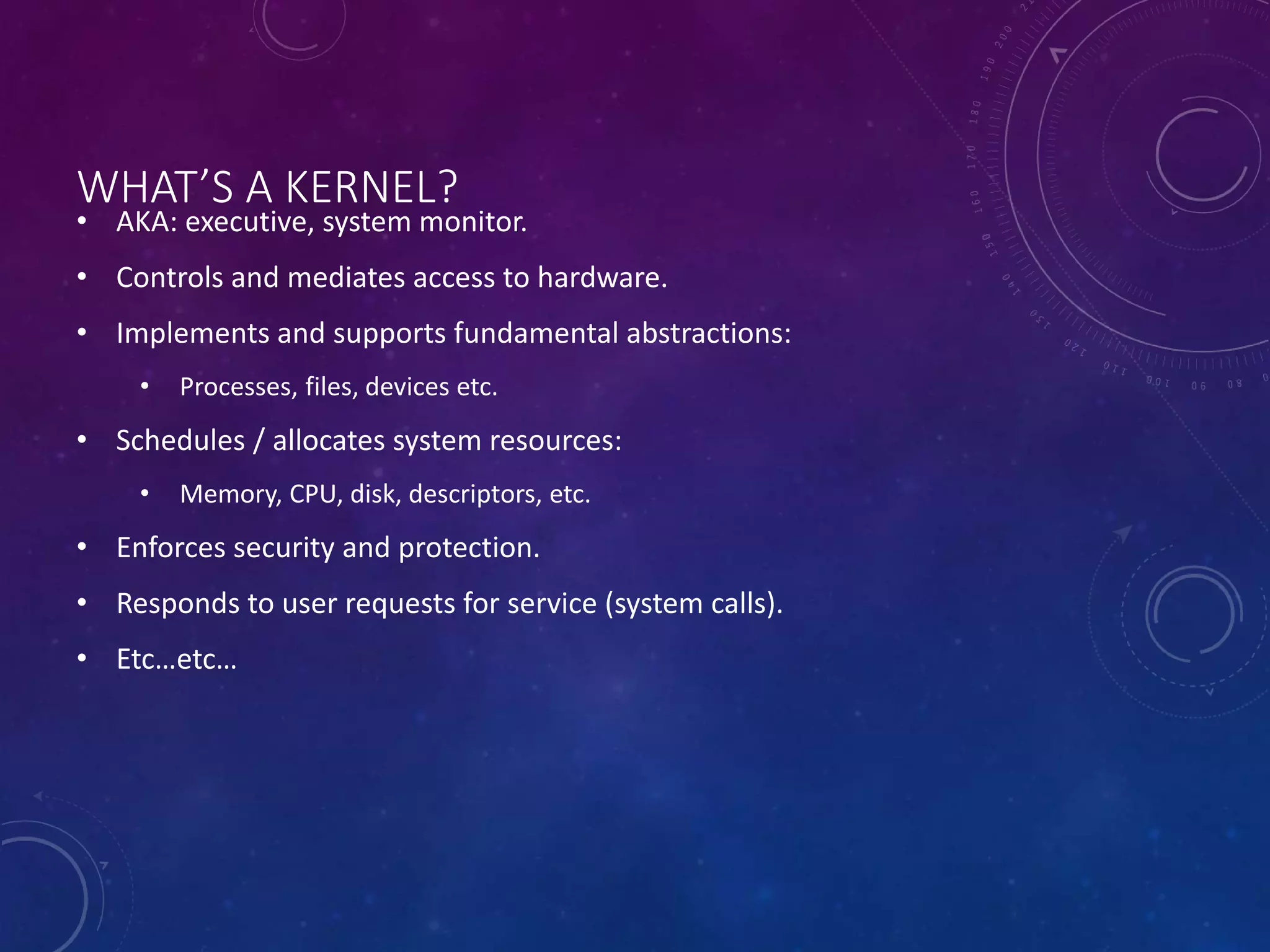
WHAT’S A KERNEL? 
• AKA: executive, system monitor. 
• Controls and mediates access to hardware. 
• Implements and supports fundamental abstractions: 
• Processes, files, devices etc. 
• Schedules / allocates system resources: 
• Memory, CPU, disk, descriptors, etc. 
• Enforces security and protection. 
• Responds to user requests for service (system calls). 
• Etc…etc…
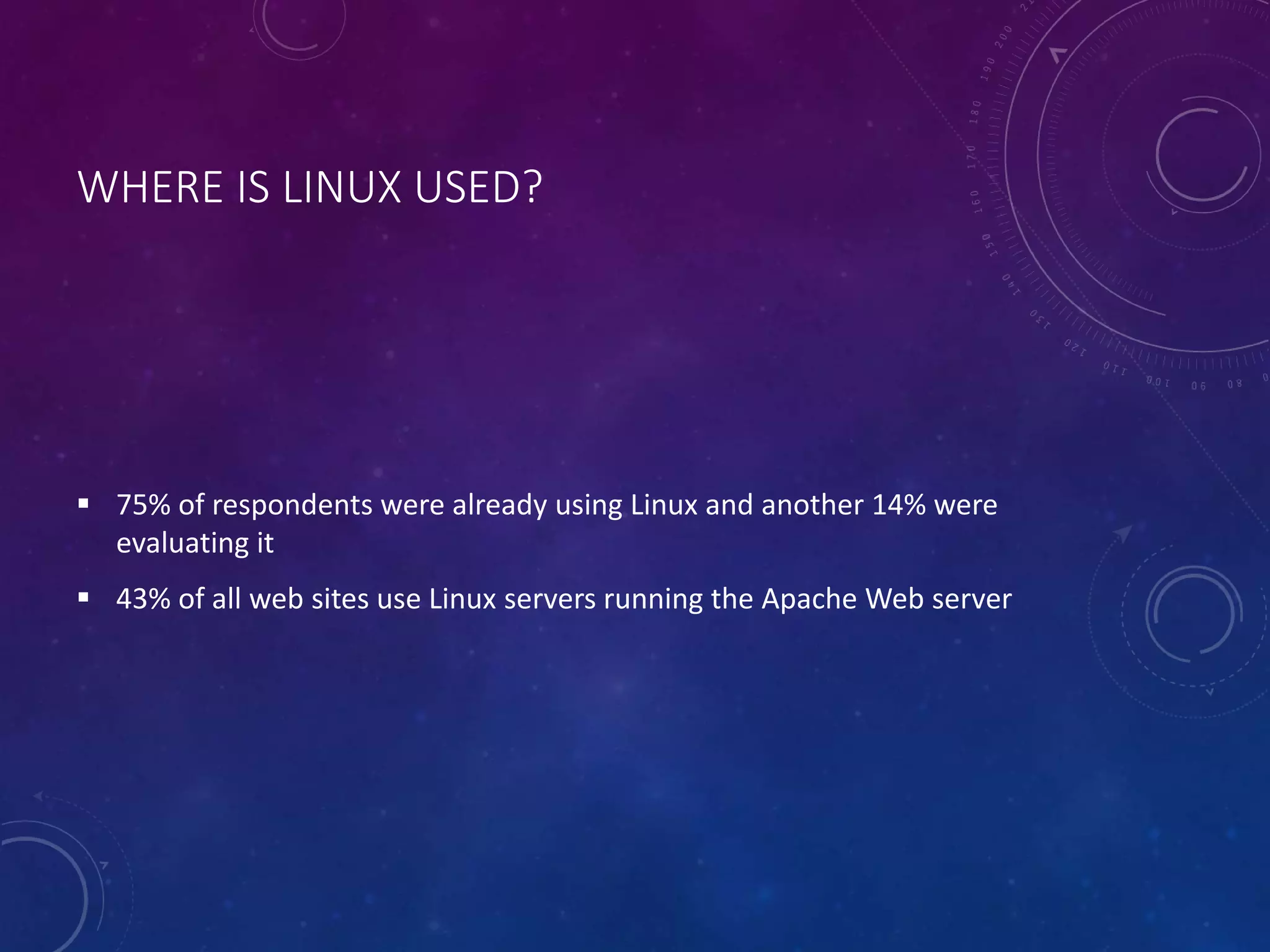
WHERE IS LINUX USED? 
 75% of respondents were already using Linux and another 14% were 
evaluating it 
 43% of all web sites use Linux servers running the Apache Web server
HOW IS LINUX USED? 
 Personal Workstation 
 File and Print Server 
 Internet Service Provider 
 Three-tier Client/Server 
 Turnkey System
WHY USE LINUX? 
• Costs less 
• Stable 
• Reliable 
• Extremely powerful
• Financial Differences 
• Technical Differences 
• End-User Differences
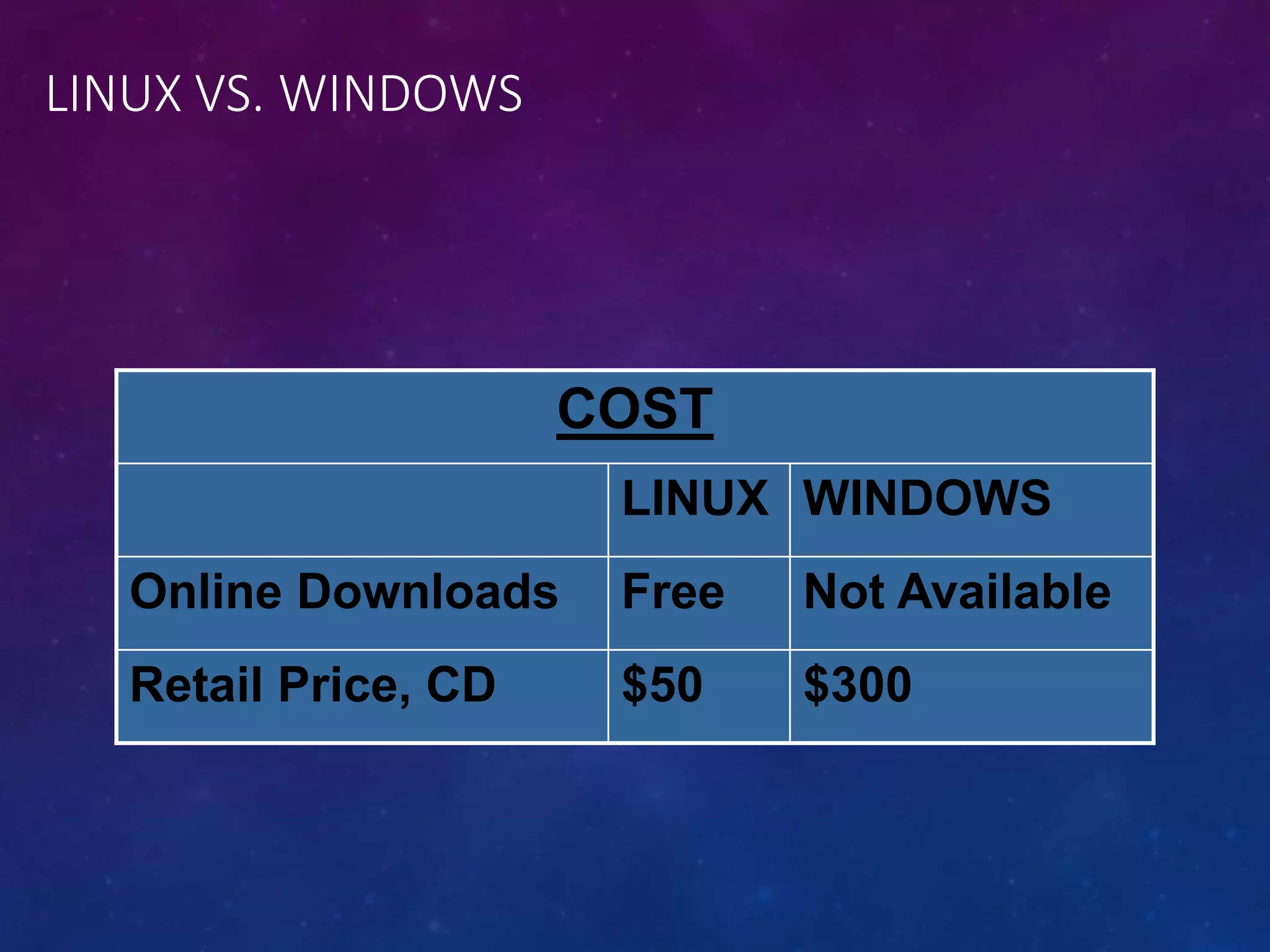
LINUX VS. WINDOWS 
COST 
LINUX WINDOWS 
Online Downloads Free Not Available 
Retail Price, CD $50 $300
Technical Differences
LINUX VS. WINDOWS 
Keeping up to date 
By Upgrading 
Linux upgrades faster than Windows 
Compatibility 
Linux is Backward Compatible unlike Windows
LINUX VS. WINDOWS 
• Application Differences 
 No commercial word processor for Linux, which matches the quality for 
Windows
End-User Differences
• Proprietary vs. Open Source 
 Windows is a Proprietary Technology 
Applications will only work on Windows 
 Linux – Open Source
LINUX 
 Complete information needed for download 
 Technical help – Available on Internet (user must be comfortable with UNIX 
system) 
 Windows word processor is better than Linux
LINUX VS. WINDOWS 
 Head to head competition 
 Used side by side as servers 
 Both handled daily workload for several small business operations 
 Linux with hardware disadvantage supported a community of users 3 times size of 
NT’s 
In The Commercial Arena
CONCLUSION 
“When is it best to use Linux and when should some other operating system be 
preferred?” 
 It all depends on the user.

Unix ppt

  • 1.
    Presentation on introductionof UNIX Submitted To: Mr.Nitesh Baghel Miss.Rohini Chouhan Submitted by: Sudhir kumar saurav 0158cs111101
  • 2.
    Introduction to Linux UNIX Unix is a multi-user, multi-tasking operating system. You can have many users logged into a system simultaneously, each running many programs. It's the kernel's job to keep each process and user separate and to regulate access to system hardware, including cpu, memory, disk and other I/O devices.
  • 3.
    Introduction to Linux HISTORY OF UNIX First Version was created in Bell Labs in 1969. Some of the Bell Labs programmers who had worked on this project, Ken Thompson, Dennis Ritchie, Rudd Canaday, and Doug McIlroy designed and implemented the first version of the Unix File System on a PDP-7 along with a few utilities. It was given the name UNIX by Brian Kernighan. 00:00:00 Hours, Jan 1, 1970 is time zero for UNIX. It is also called as epoch.
  • 4.
    Introduction to Linux HISTORY OF UNIX 1973 Unix is re-written mostly in C, a new language developed by Dennis Ritchie. Being written in this high-level language greatly decreased the effort needed to port it to new machines. 1977 There were about 500 Unix sites world-wide. 1980 BSD 4.1 (Berkeley Software Development) 1983 SunOS, BSD 4.2, System V
  • 5.
    Introduction to Linux HISTORY OF UNIX 1988 AT&T and Sun Microsystems jointly develop System V Release 4 (SVR4). This later developed into UnixWare and Solaris 2. 1991 Linux was originated.
  • 6.
    Introduction to Linux WHAT IS LINUX Linux is a free Unix-type operating system originally created by Linus Torvalds with the assistance of developers around the world. It originated in 1991 as a personal project of Linus Torvalds, a Finnish graduate student. The Kernel version 1.0 was released in 1994 and today the most recent stable version is 2.6.9 Developed under the GNU General Public License , the source code for Linux is freely available to everyone.
  • 7.
    Introduction to Linux UNIX STRUCTURE
  • 8.
    LINUX FEATURES •UNIX-like operating system. • Features: • Preemptive multitasking. • Virtual memory (protected memory, paging). • Shared libraries. • Demand loading, dynamic kernel modules. • Shared copy-on-write executables. • TCP/IP networking. • SMP support. • Open source.
  • 9.
    HISTORY • UNIX:1969 Thompson & Ritchie AT&T Bell Labs. • BSD: 1978 Berkeley Software Distribution. • Commercial Vendors: Sun, HP, IBM, SGI, DEC. • GNU: 1984 Richard Stallman, FSF. • POSIX: 1986 IEEE Portable Operating System unIX. • Minix: 1987 Andy Tannenbaum. • SVR4: 1989 AT&T and Sun. • Linux: 1991 Linus Torvalds Intel 386 (i386). • Open Source: GPL.
  • 10.
    WHAT’S A KERNEL? • AKA: executive, system monitor. • Controls and mediates access to hardware. • Implements and supports fundamental abstractions: • Processes, files, devices etc. • Schedules / allocates system resources: • Memory, CPU, disk, descriptors, etc. • Enforces security and protection. • Responds to user requests for service (system calls). • Etc…etc…
  • 11.
    WHERE IS LINUXUSED?  75% of respondents were already using Linux and another 14% were evaluating it  43% of all web sites use Linux servers running the Apache Web server
  • 12.
    HOW IS LINUXUSED?  Personal Workstation  File and Print Server  Internet Service Provider  Three-tier Client/Server  Turnkey System
  • 13.
    WHY USE LINUX? • Costs less • Stable • Reliable • Extremely powerful
  • 15.
    • Financial Differences • Technical Differences • End-User Differences
  • 16.
    LINUX VS. WINDOWS COST LINUX WINDOWS Online Downloads Free Not Available Retail Price, CD $50 $300
  • 17.
  • 18.
    LINUX VS. WINDOWS Keeping up to date By Upgrading Linux upgrades faster than Windows Compatibility Linux is Backward Compatible unlike Windows
  • 19.
    LINUX VS. WINDOWS • Application Differences  No commercial word processor for Linux, which matches the quality for Windows
  • 20.
  • 21.
    • Proprietary vs.Open Source  Windows is a Proprietary Technology Applications will only work on Windows  Linux – Open Source
  • 22.
    LINUX  Completeinformation needed for download  Technical help – Available on Internet (user must be comfortable with UNIX system)  Windows word processor is better than Linux
  • 23.
    LINUX VS. WINDOWS  Head to head competition  Used side by side as servers  Both handled daily workload for several small business operations  Linux with hardware disadvantage supported a community of users 3 times size of NT’s In The Commercial Arena
  • 24.
    CONCLUSION “When isit best to use Linux and when should some other operating system be preferred?”  It all depends on the user.