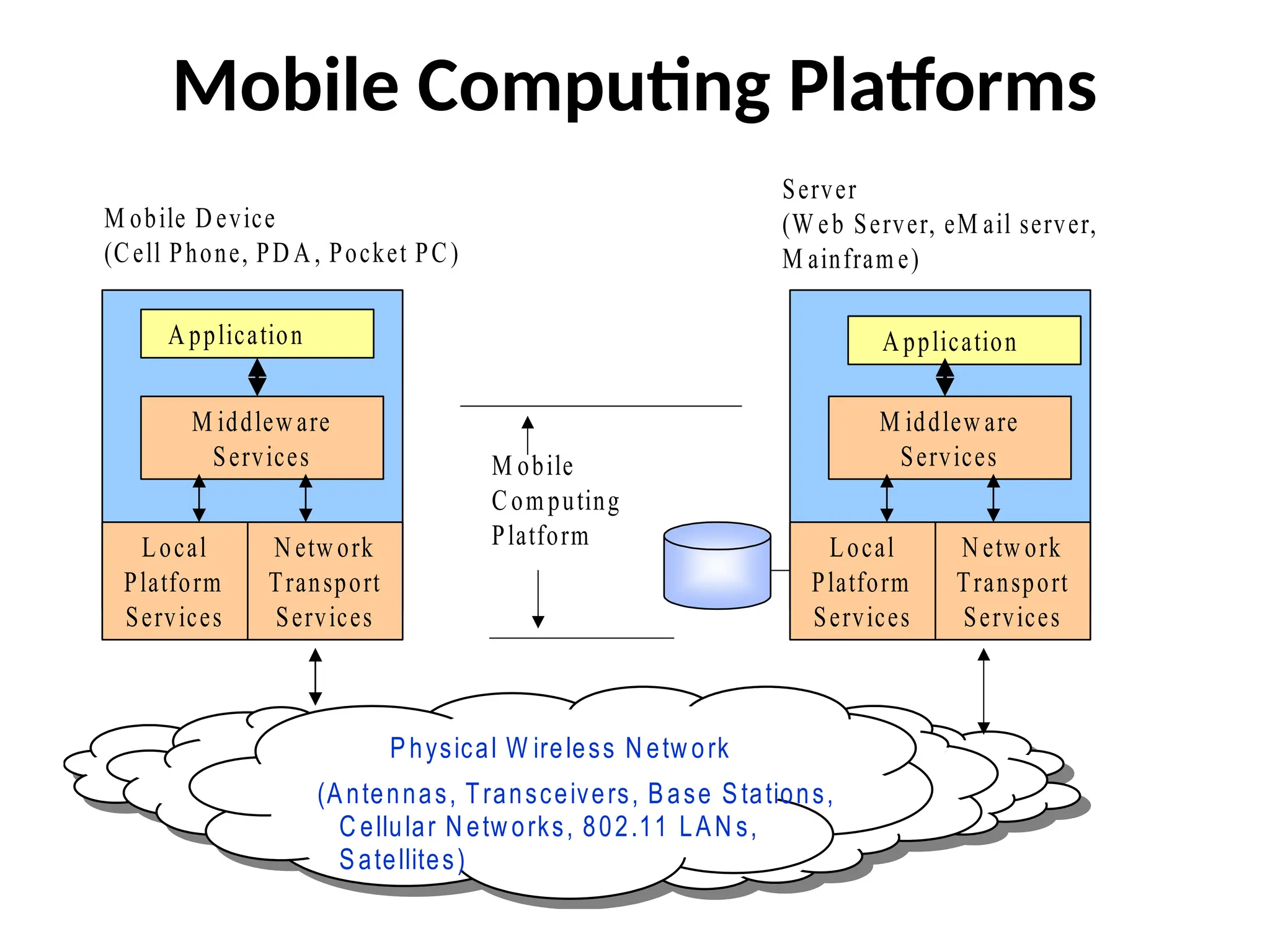
Mobile Computing Platforms
Mobile D evice
(Cell Phone, PD A , Pocket PC)
Server
(W eb Server, eM ail server,
M ainfram e)
A pplication
Physical W ireless N etw ork
(Antennas, Transceivers, Base Stations,
C ellular N etw orks, 802.11 LAN s,
Satellites)
M iddlew are
Services
N etw ork
Transport
Services
Local
Platform
Services
A pplication
M obile
Com puting
Platform N etw ork
Transport
Services
Local
Platform
Services
M iddlew are
Services
4.
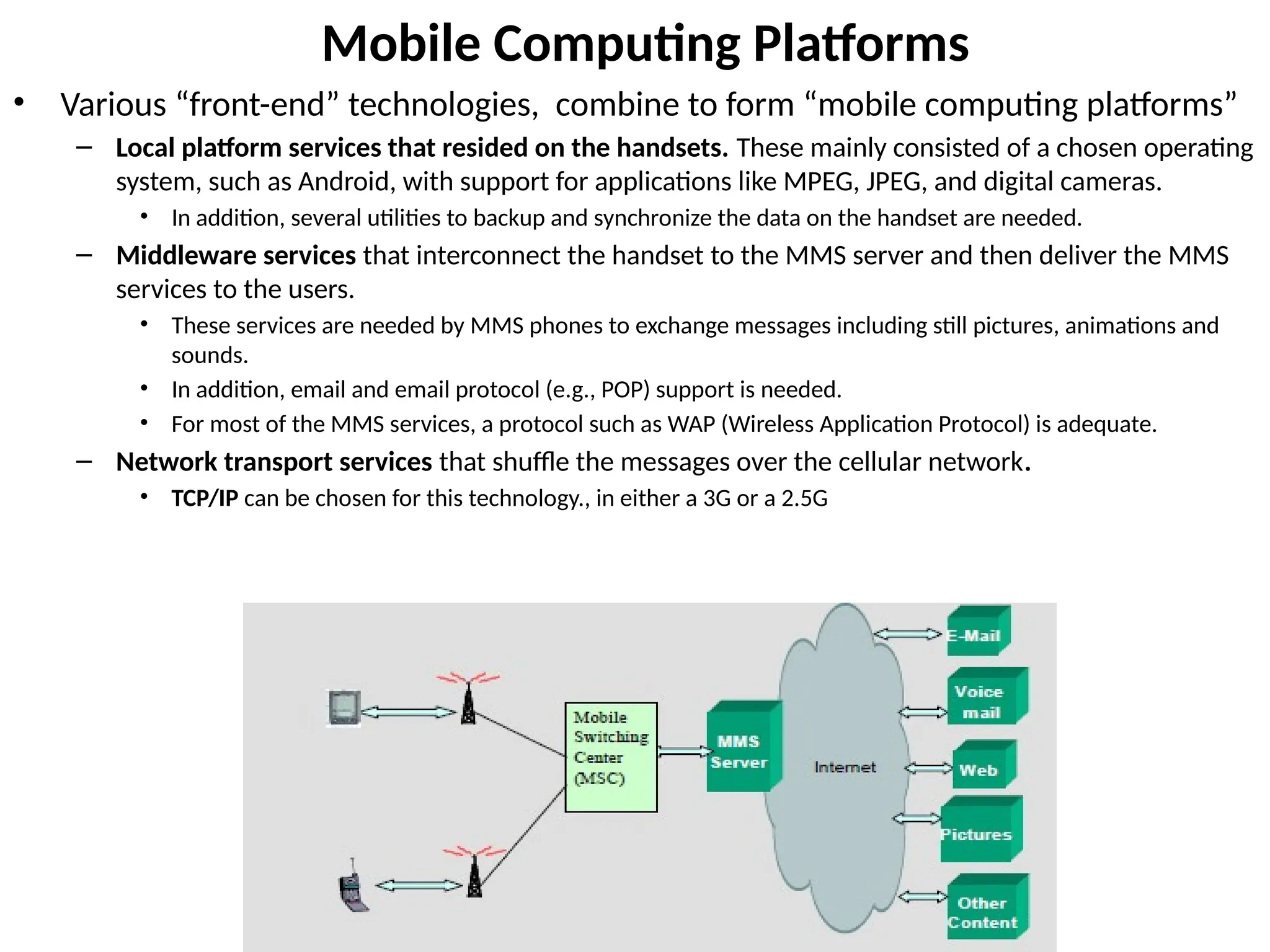
Mobile Computing Platforms
•Various “front-end” technologies, combine to form “mobile computing platforms”
– Local platform services that resided on the handsets. These mainly consisted of a chosen operating
system, such as Android, with support for applications like MPEG, JPEG, and digital cameras.
• In addition, several utilities to backup and synchronize the data on the handset are needed.
– Middleware services that interconnect the handset to the MMS server and then deliver the MMS
services to the users.
• These services are needed by MMS phones to exchange messages including still pictures, animations and
sounds.
• In addition, email and email protocol (e.g., POP) support is needed.
• For most of the MMS services, a protocol such as WAP (Wireless Application Protocol) is adequate.
– Network transport services that shuffle the messages over the cellular network.
• TCP/IP can be chosen for this technology., in either a 3G or a 2.5G
5.
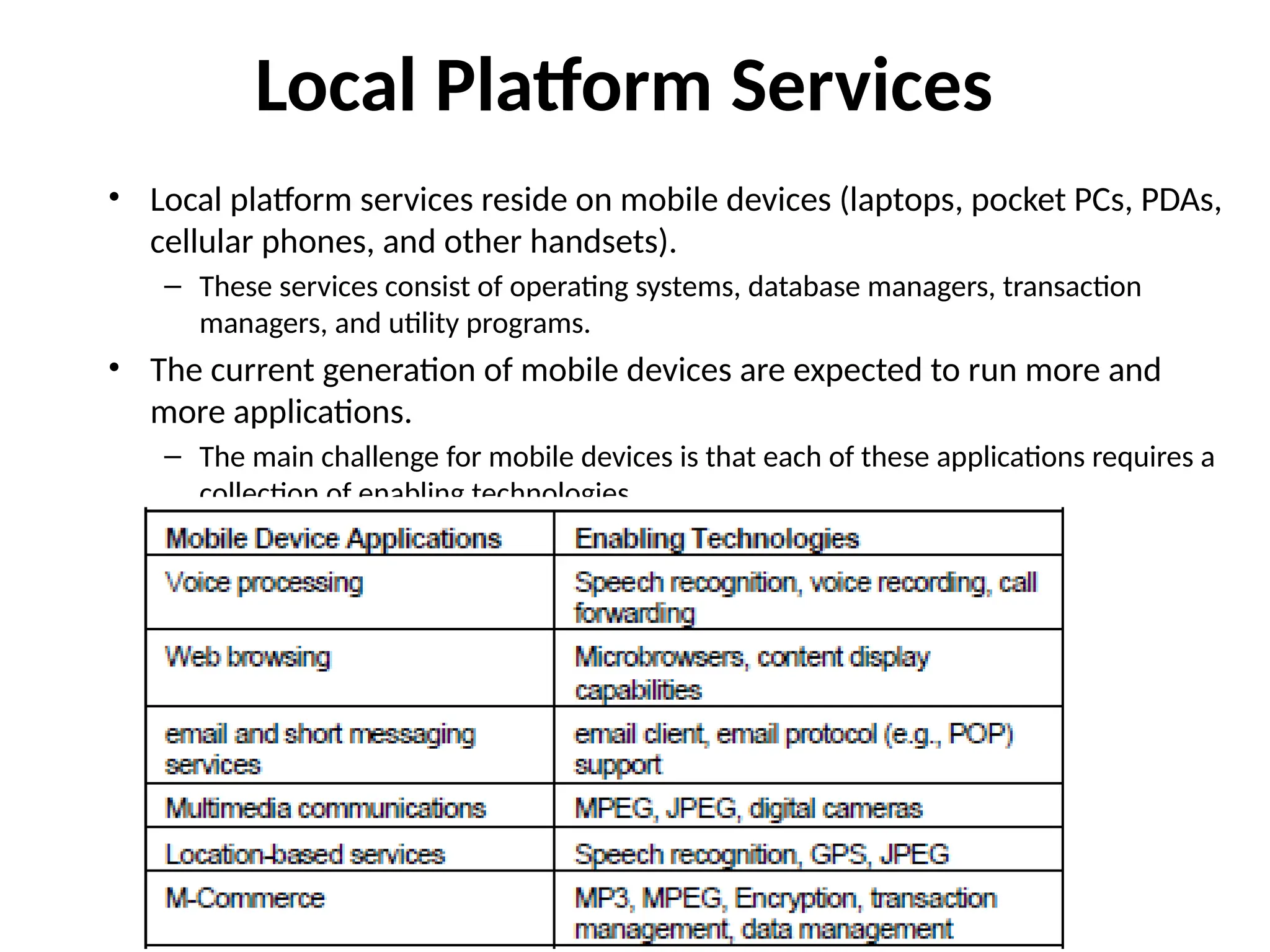
Local Platform Services
•Local platform services reside on mobile devices (laptops, pocket PCs, PDAs,
cellular phones, and other handsets).
– These services consist of operating systems, database managers, transaction
managers, and utility programs.
• The current generation of mobile devices are expected to run more and
more applications.
– The main challenge for mobile devices is that each of these applications requires a
collection of enabling technologies.
6.
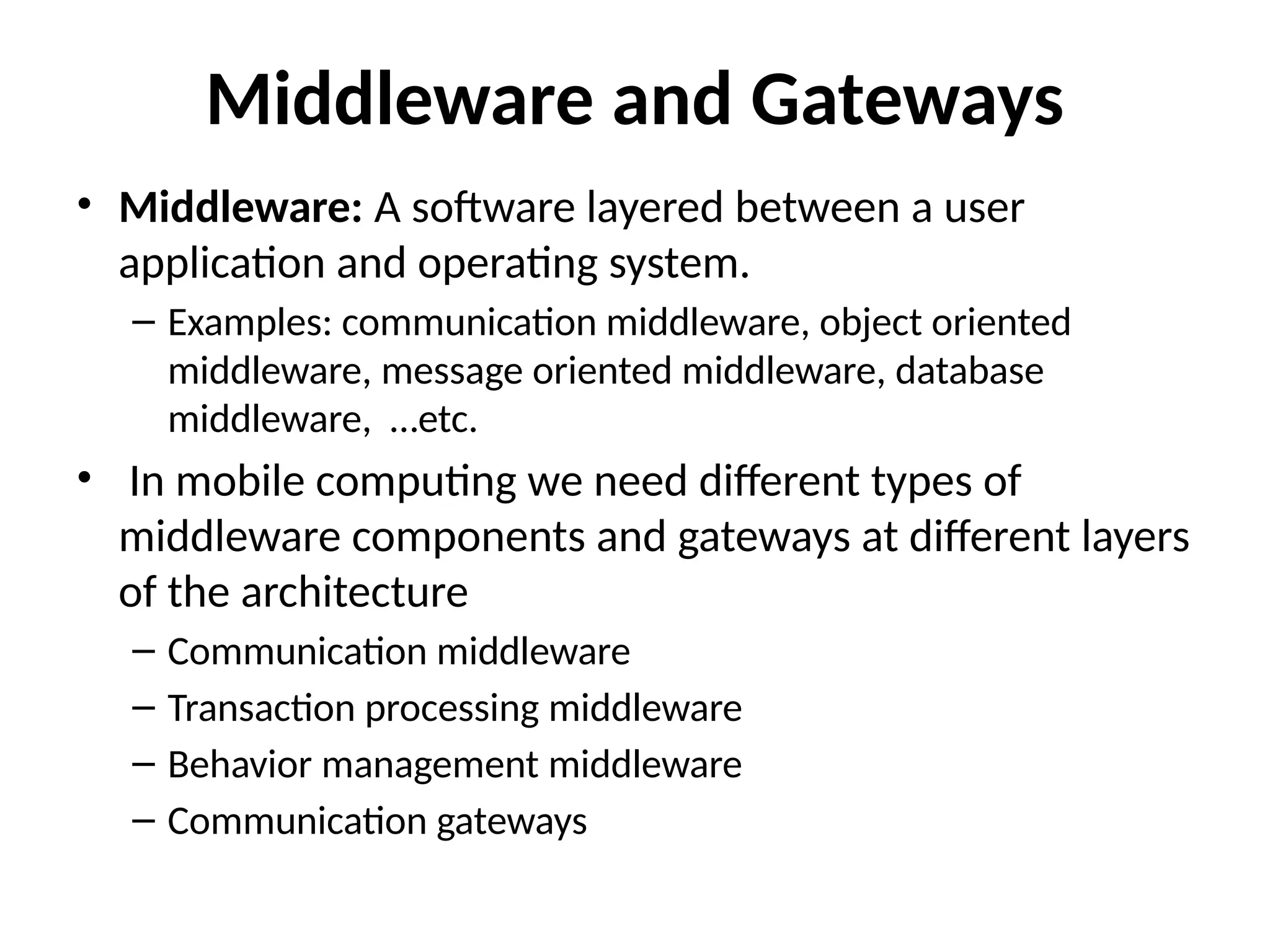
Middleware and Gateways
•Middleware: A software layered between a user
application and operating system.
– Examples: communication middleware, object oriented
middleware, message oriented middleware, database
middleware, …etc.
• In mobile computing we need different types of
middleware components and gateways at different layers
of the architecture
– Communication middleware
– Transaction processing middleware
– Behavior management middleware
– Communication gateways
7.
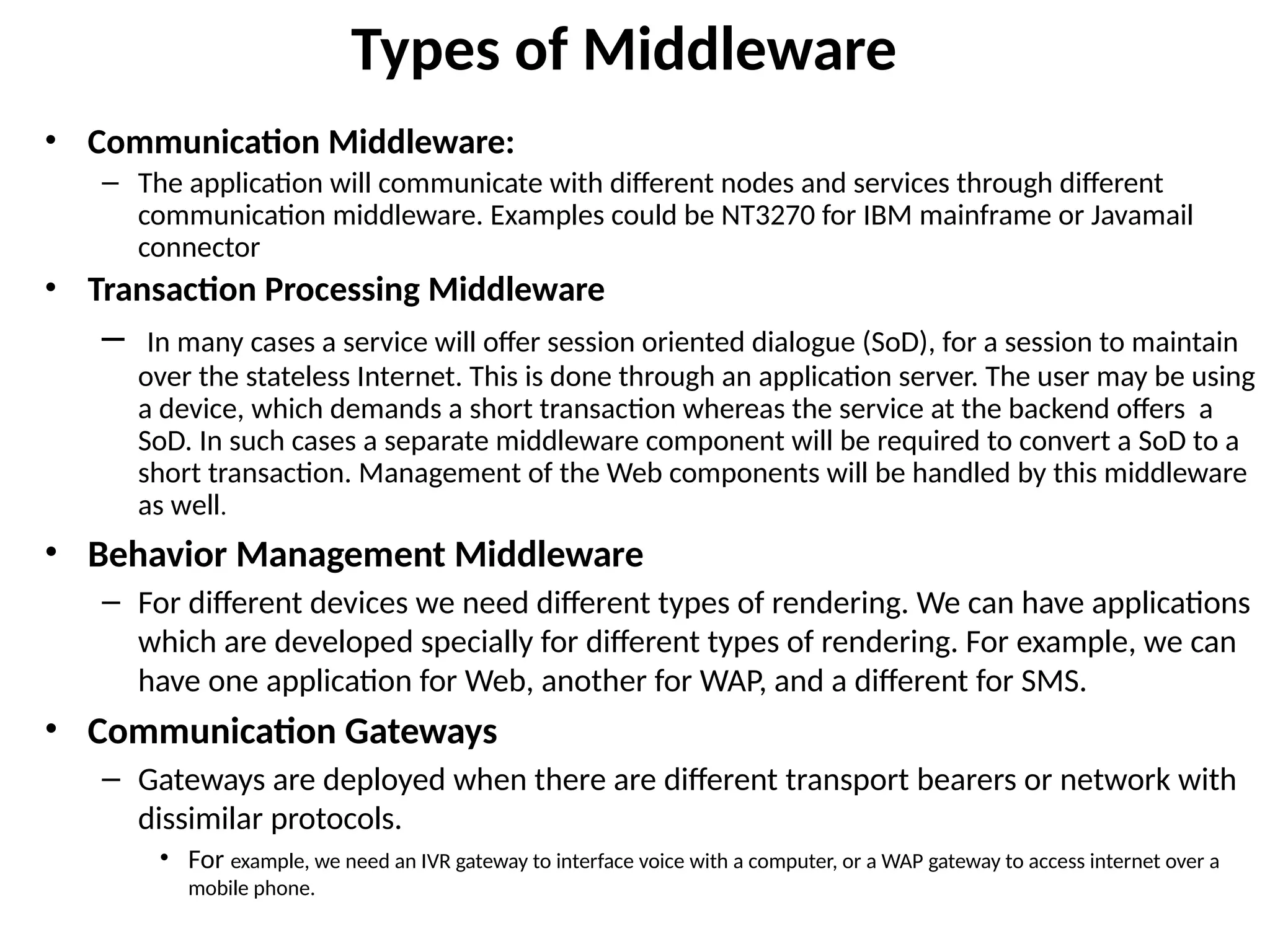
Types of Middleware
•Communication Middleware:
– The application will communicate with different nodes and services through different
communication middleware. Examples could be NT3270 for IBM mainframe or Javamail
connector
• Transaction Processing Middleware
– In many cases a service will offer session oriented dialogue (SoD), for a session to maintain
over the stateless Internet. This is done through an application server. The user may be using
a device, which demands a short transaction whereas the service at the backend offers a
SoD. In such cases a separate middleware component will be required to convert a SoD to a
short transaction. Management of the Web components will be handled by this middleware
as well.
• Behavior Management Middleware
– For different devices we need different types of rendering. We can have applications
which are developed specially for different types of rendering. For example, we can
have one application for Web, another for WAP, and a different for SMS.
• Communication Gateways
– Gateways are deployed when there are different transport bearers or network with
dissimilar protocols.
• For example, we need an IVR gateway to interface voice with a computer, or a WAP gateway to access internet over a
mobile phone.
8.
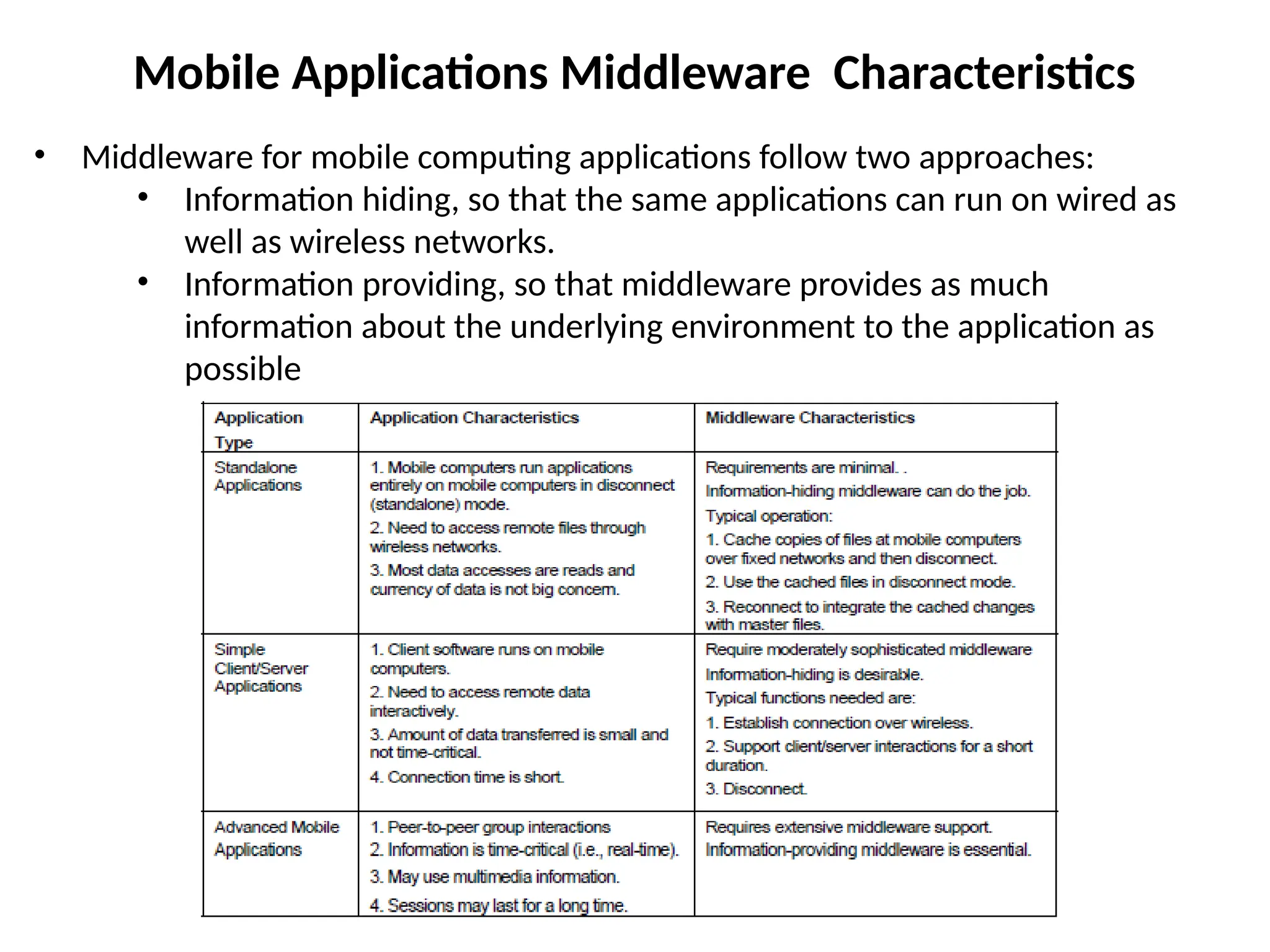
Mobile Applications MiddlewareCharacteristics
• Middleware for mobile computing applications follow two approaches:
• Information hiding, so that the same applications can run on wired as
well as wireless networks.
• Information providing, so that middleware provides as much
information about the underlying environment to the application as
possible
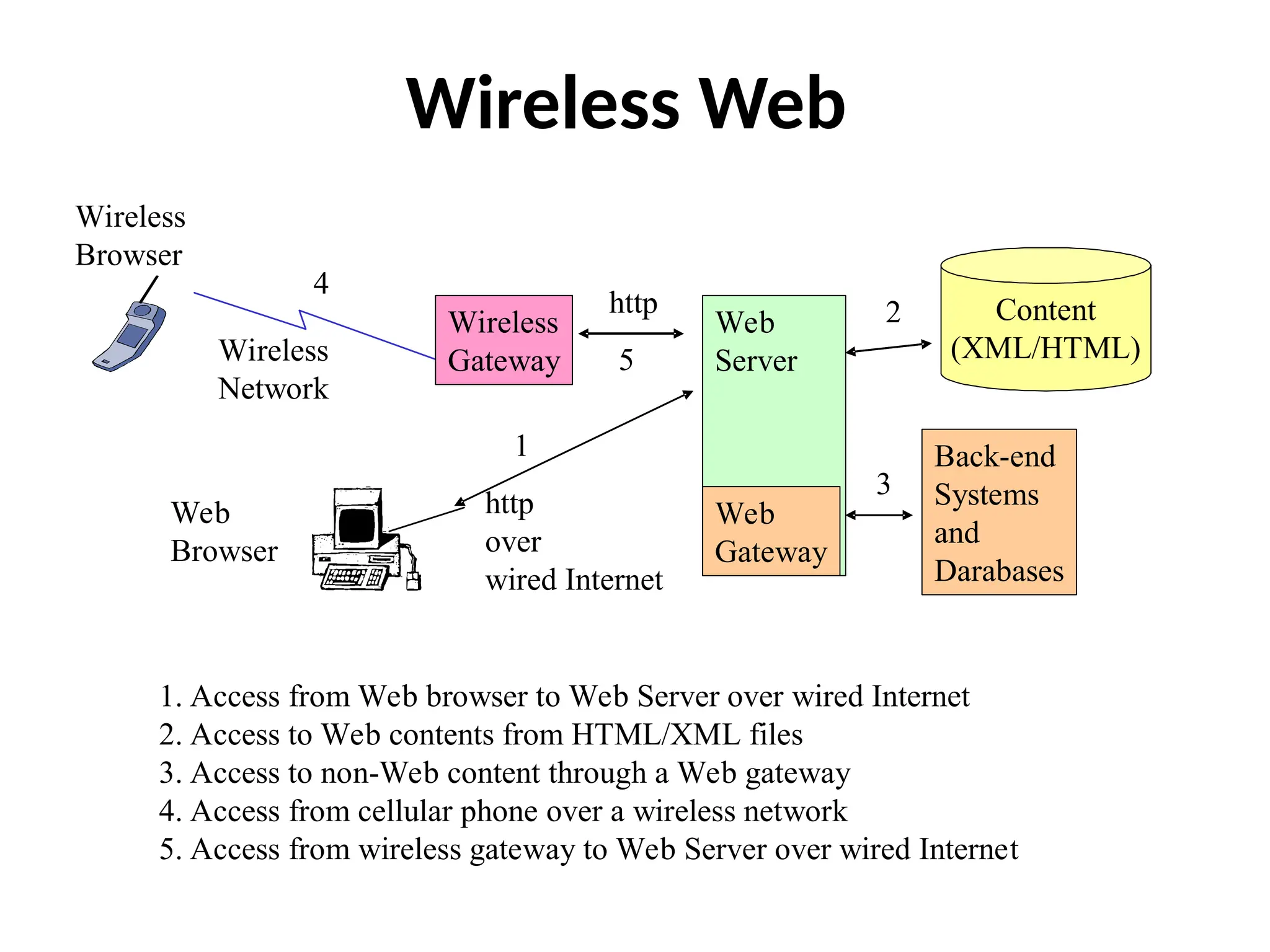
Wireless Gateway
• Wirelessgateways package several wireless middleware services that perform
conversions between two distinct worlds: the Internet world and the wireless
phone/data network world. Can be viewed as using a three-tiered approach
for mobile computing applications.
– The gateway is the middle tier that contains many middleware services and thus supports a
thin client model by allowing the handset to be simple and inexpensive.
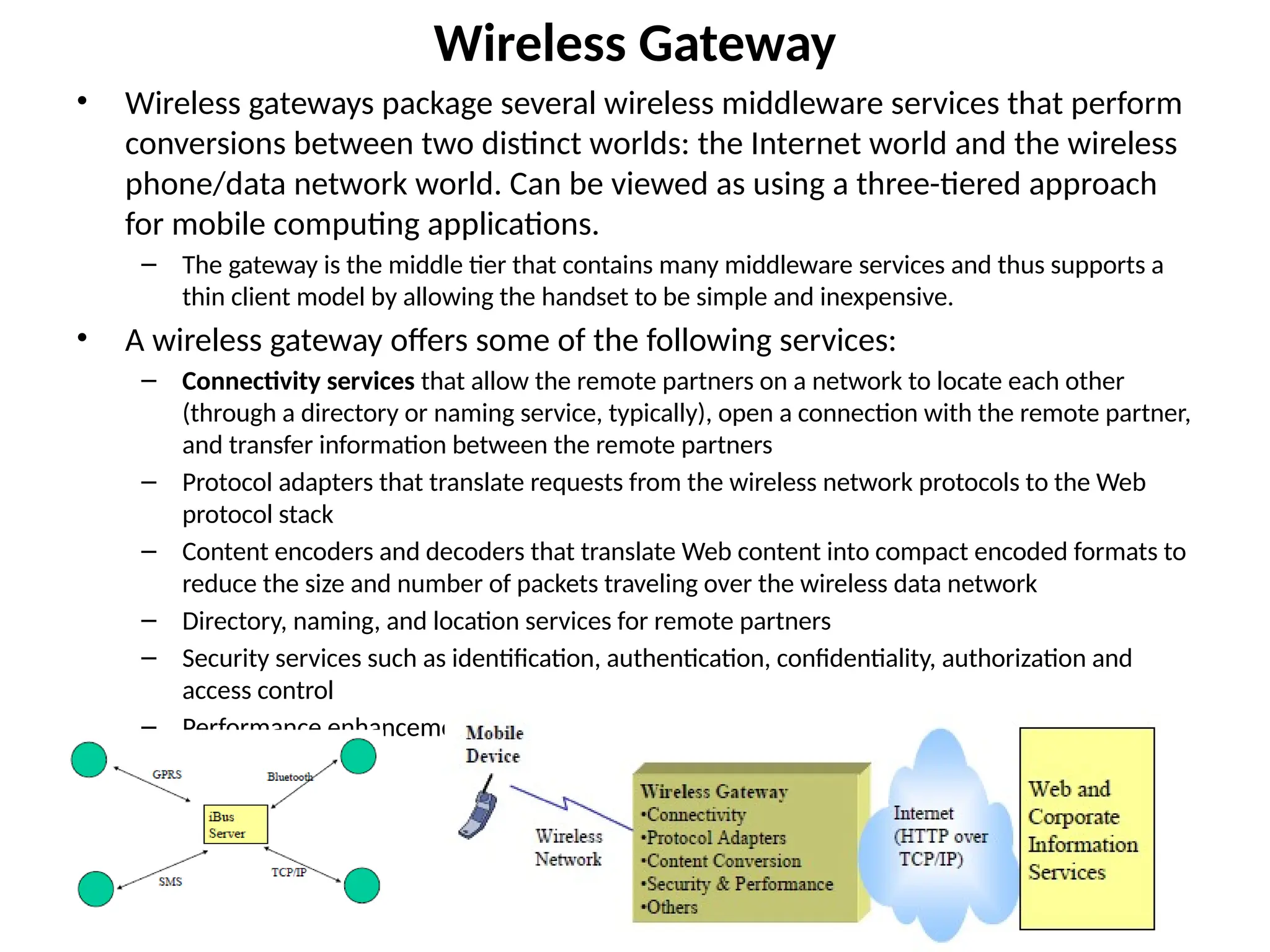
• A wireless gateway offers some of the following services:
– Connectivity services that allow the remote partners on a network to locate each other
(through a directory or naming service, typically), open a connection with the remote partner,
and transfer information between the remote partners
– Protocol adapters that translate requests from the wireless network protocols to the Web
protocol stack
– Content encoders and decoders that translate Web content into compact encoded formats to
reduce the size and number of packets traveling over the wireless data network
– Directory, naming, and location services for remote partners
– Security services such as identification, authentication, confidentiality, authorization and
access control
– Performance enhancements (such as caching and compression)
11.
Mobile Application Server
•Mobile application servers go beyond the gateways to provide the infrastructure and the
development environment needed to satisfy the following requirements.
– Quick deployment means that an integrated development environment (IDE) is needed.
– Scalability means that a mobile application may be used by thousands or even millions of users.
– Security means authentication of users, confidentiality, non-repudiation of transactions, etc.
– Robustness implies that a transaction issued on a mobile device needs to be executed exactly once, in
spite of poor network coverage or failures.
– flexible in order to accommodate different bearers (transmission technologies: SMS, GSM, GPRS,
Bluetooth, Infrared) and interaction styles (synchronous, asynchronous, transactional, one-to-one, or
many-to-many).
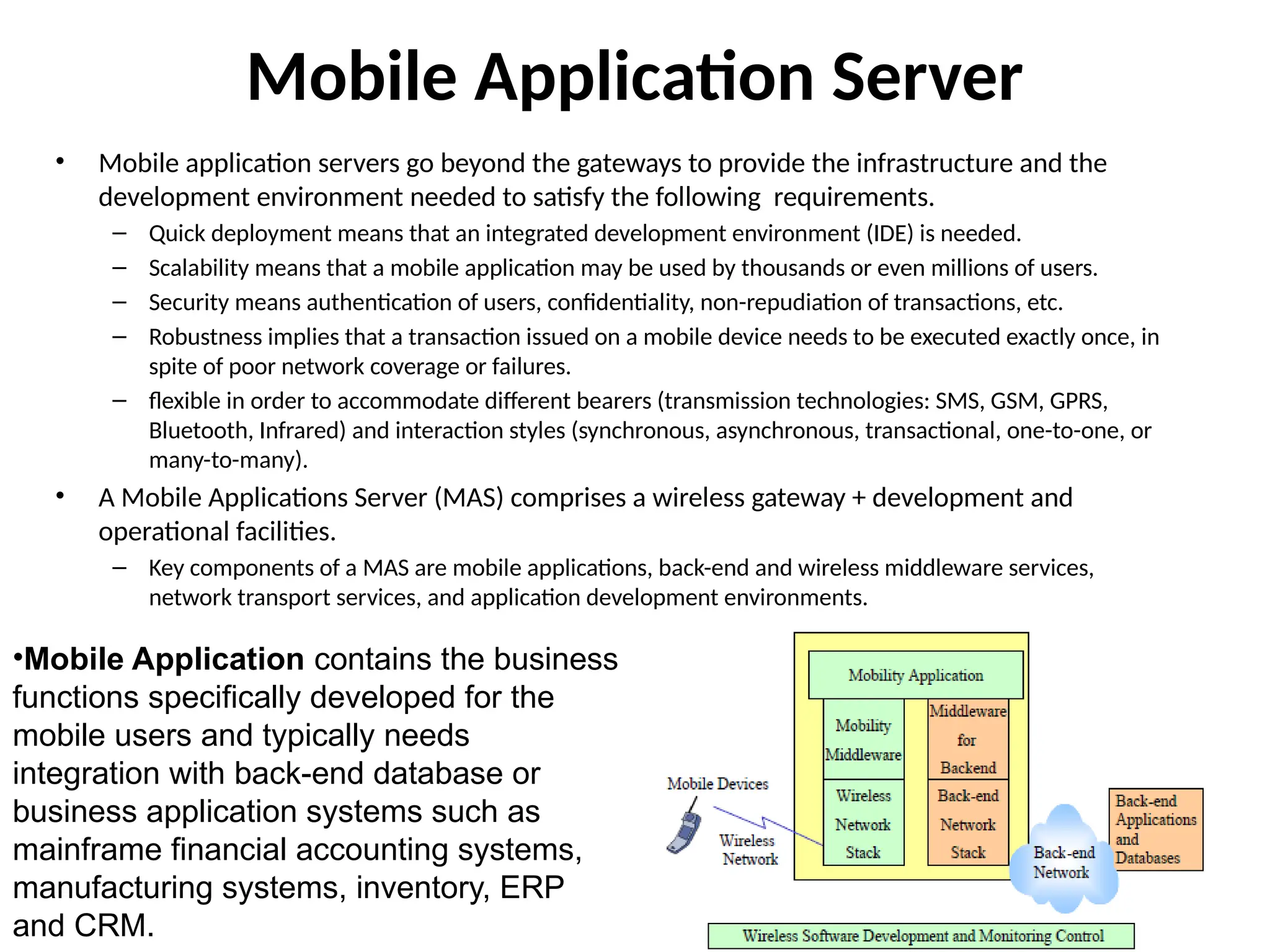
• A Mobile Applications Server (MAS) comprises a wireless gateway + development and
operational facilities.
– Key components of a MAS are mobile applications, back-end and wireless middleware services,
network transport services, and application development environments.
•Mobile Application contains the business
functions specifically developed for the
mobile users and typically needs
integration with back-end database or
business application systems such as
mainframe financial accounting systems,
manufacturing systems, inventory, ERP
and CRM.
12.
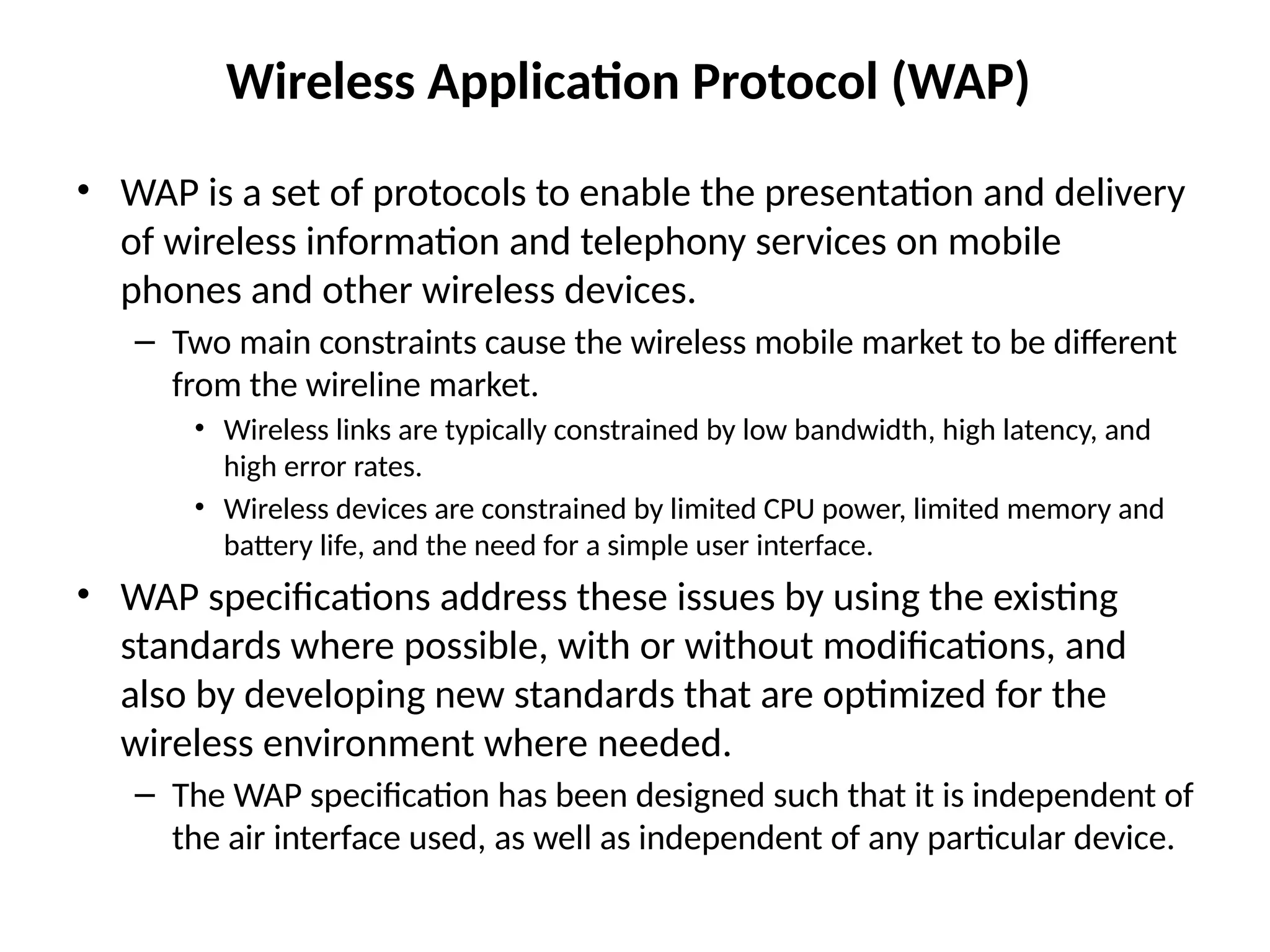
Wireless Application Protocol(WAP)
• WAP is a set of protocols to enable the presentation and delivery
of wireless information and telephony services on mobile
phones and other wireless devices.
– Two main constraints cause the wireless mobile market to be different
from the wireline market.
• Wireless links are typically constrained by low bandwidth, high latency, and
high error rates.
• Wireless devices are constrained by limited CPU power, limited memory and
battery life, and the need for a simple user interface.
• WAP specifications address these issues by using the existing
standards where possible, with or without modifications, and
also by developing new standards that are optimized for the
wireless environment where needed.
– The WAP specification has been designed such that it is independent of
the air interface used, as well as independent of any particular device.
13.
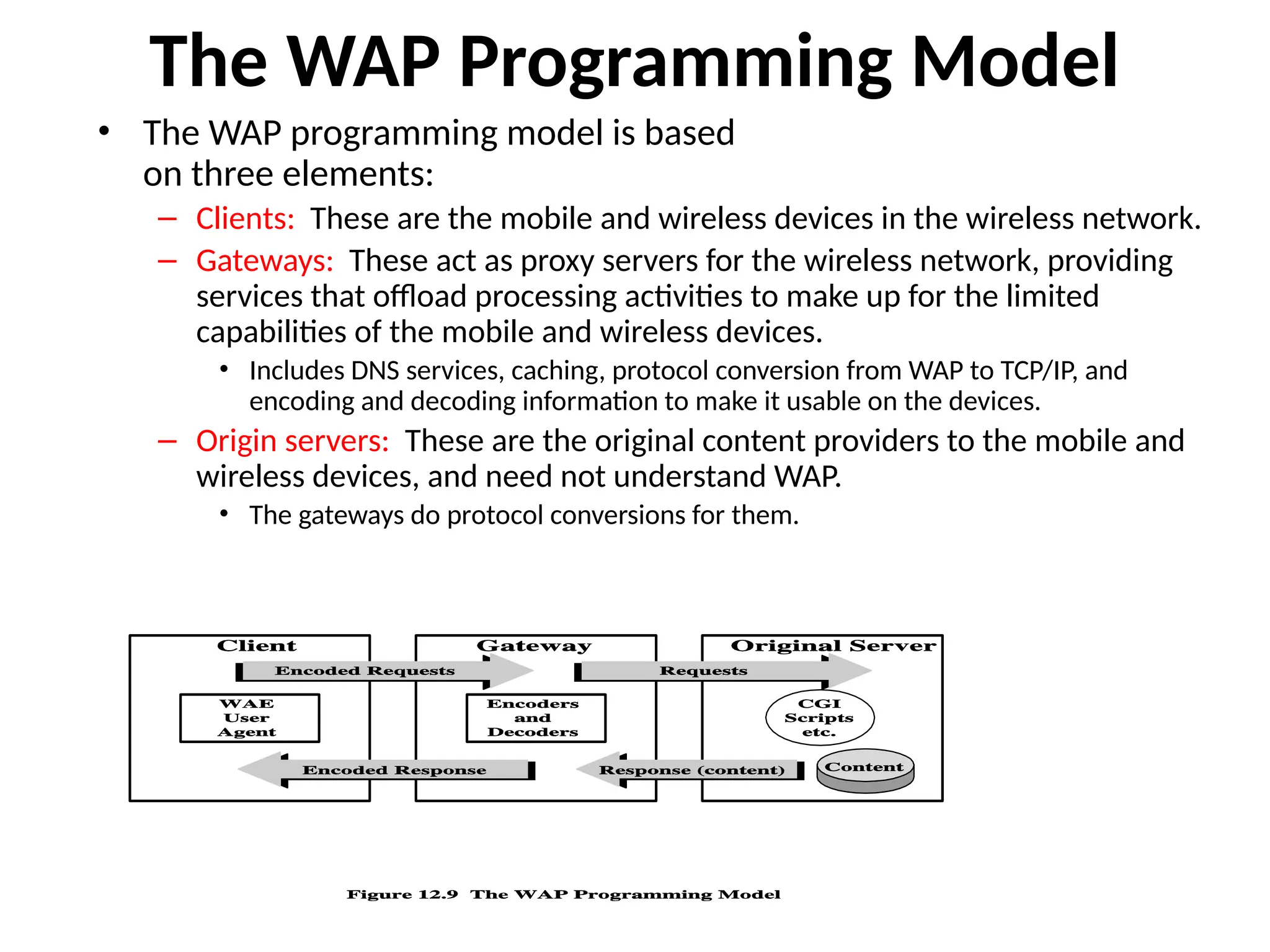
The WAP ProgrammingModel
• The WAP programming model is based
on three elements:
– Clients: These are the mobile and wireless devices in the wireless network.
– Gateways: These act as proxy servers for the wireless network, providing
services that offload processing activities to make up for the limited
capabilities of the mobile and wireless devices.
• Includes DNS services, caching, protocol conversion from WAP to TCP/IP, and
encoding and decoding information to make it usable on the devices.
– Origin servers: These are the original content providers to the mobile and
wireless devices, and need not understand WAP.
• The gateways do protocol conversions for them.
14.
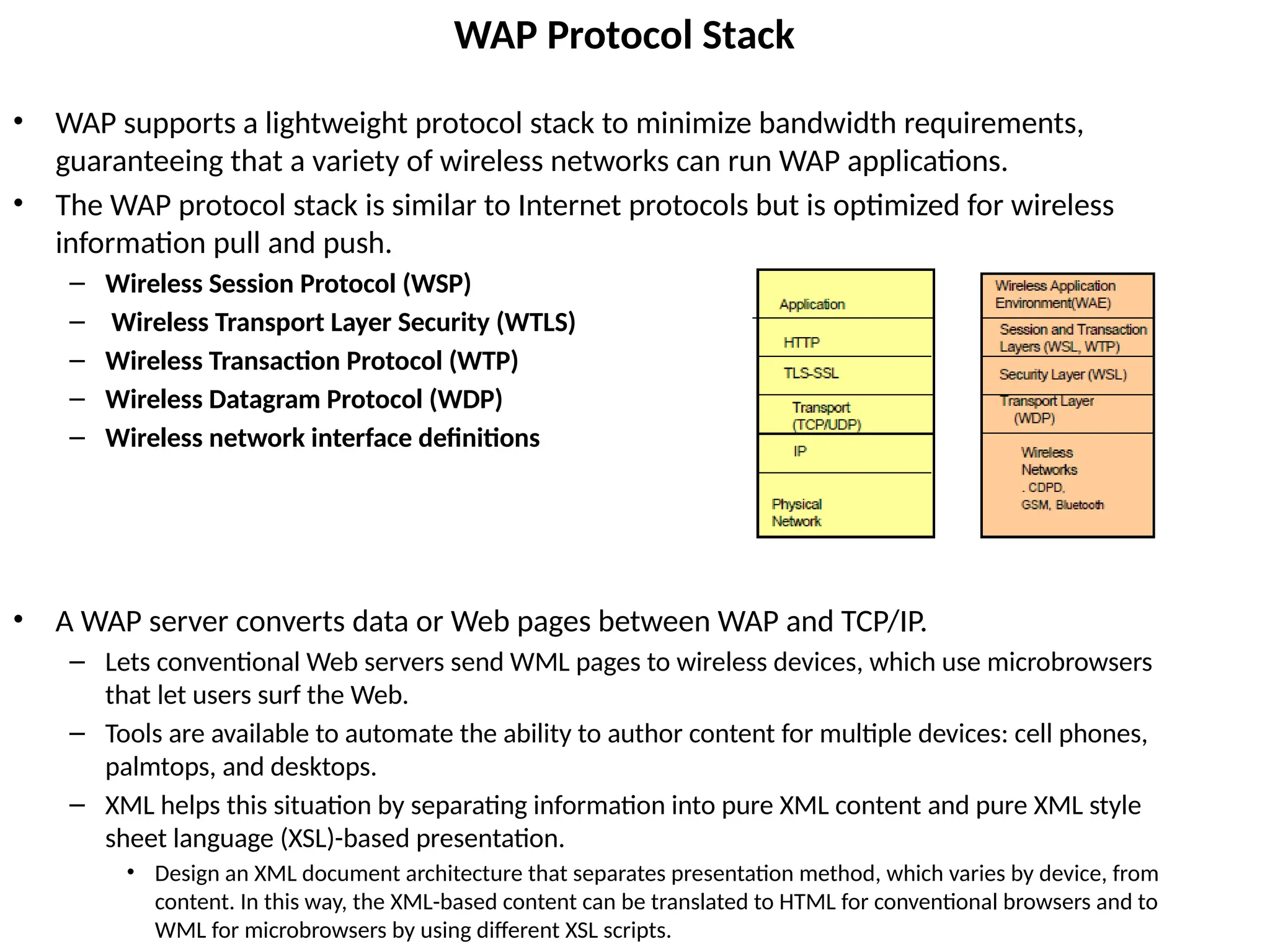
WAP Protocol Stack
•WAP supports a lightweight protocol stack to minimize bandwidth requirements,
guaranteeing that a variety of wireless networks can run WAP applications.
• The WAP protocol stack is similar to Internet protocols but is optimized for wireless
information pull and push.
– Wireless Session Protocol (WSP)
– Wireless Transport Layer Security (WTLS)
– Wireless Transaction Protocol (WTP)
– Wireless Datagram Protocol (WDP)
– Wireless network interface definitions
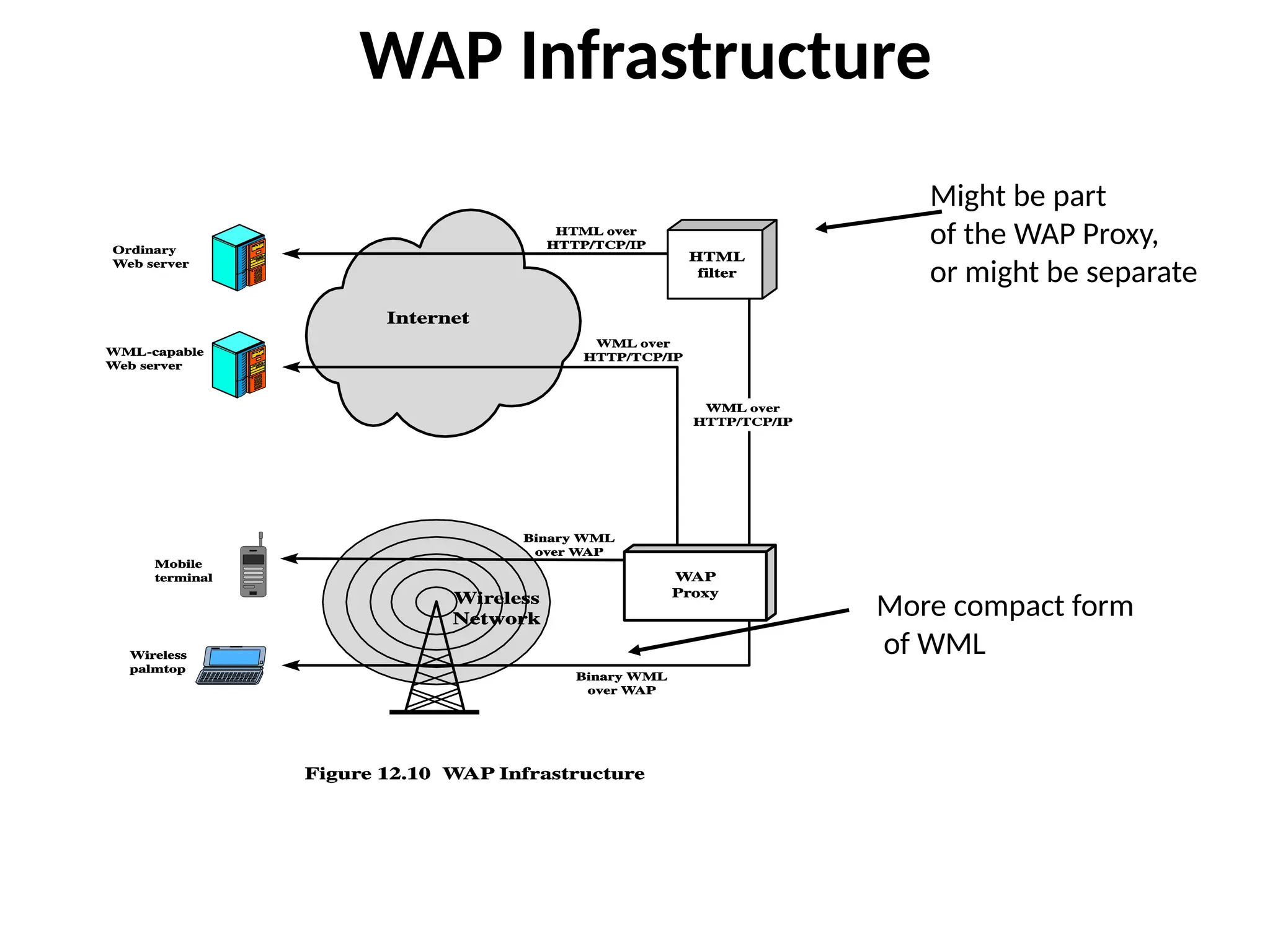
• A WAP server converts data or Web pages between WAP and TCP/IP.
– Lets conventional Web servers send WML pages to wireless devices, which use microbrowsers
that let users surf the Web.
– Tools are available to automate the ability to author content for multiple devices: cell phones,
palmtops, and desktops.
– XML helps this situation by separating information into pure XML content and pure XML style
sheet language (XSL)-based presentation.
• Design an XML document architecture that separates presentation method, which varies by device, from
content. In this way, the XML-based content can be translated to HTML for conventional browsers and to
WML for microbrowsers by using different XSL scripts.
15.
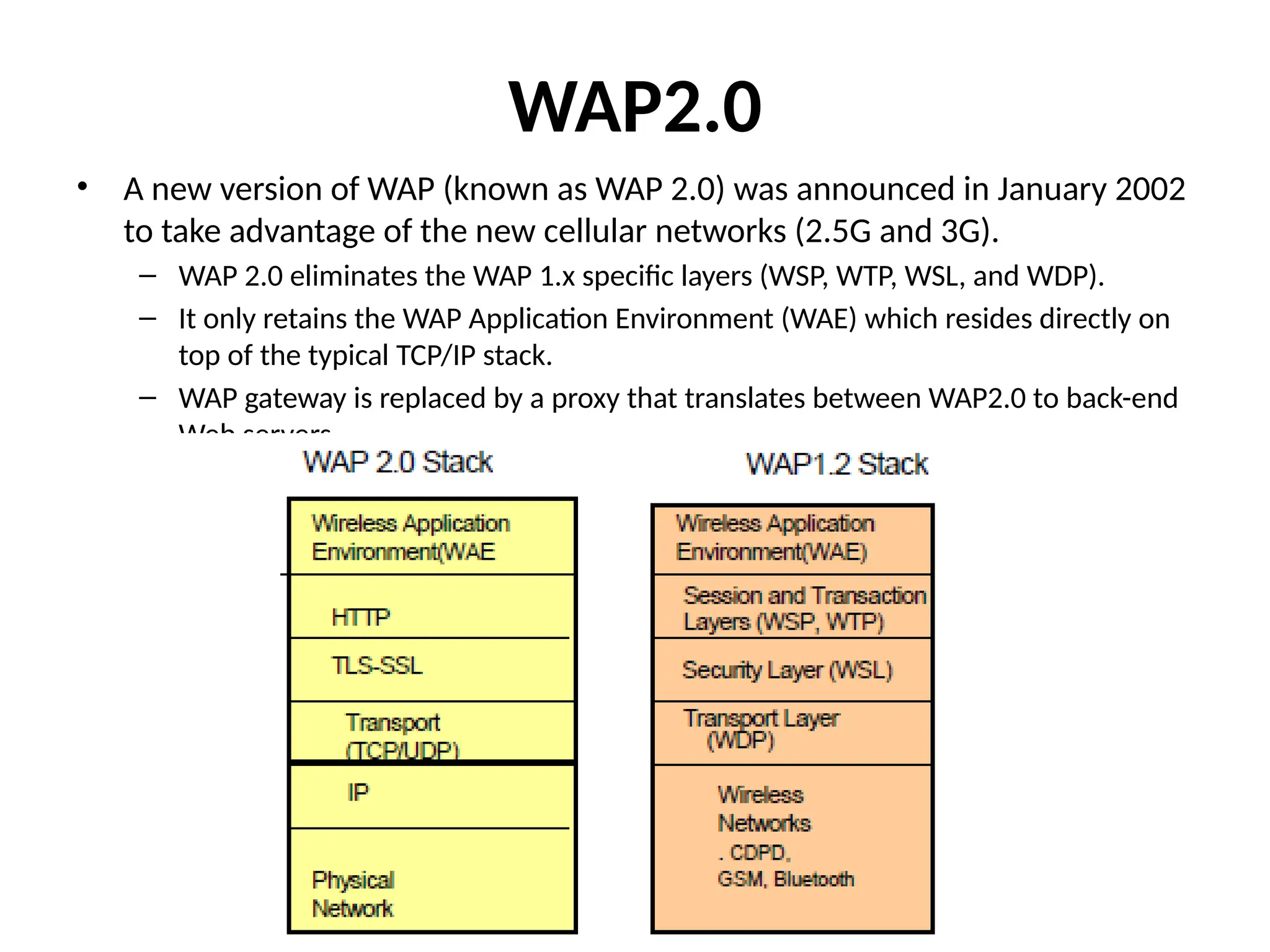
WAP2.0
• A newversion of WAP (known as WAP 2.0) was announced in January 2002
to take advantage of the new cellular networks (2.5G and 3G).
– WAP 2.0 eliminates the WAP 1.x specific layers (WSP, WTP, WSL, and WDP).
– It only retains the WAP Application Environment (WAE) which resides directly on
top of the typical TCP/IP stack.
– WAP gateway is replaced by a proxy that translates between WAP2.0 to back-end
Web servers.
WAP Push Model
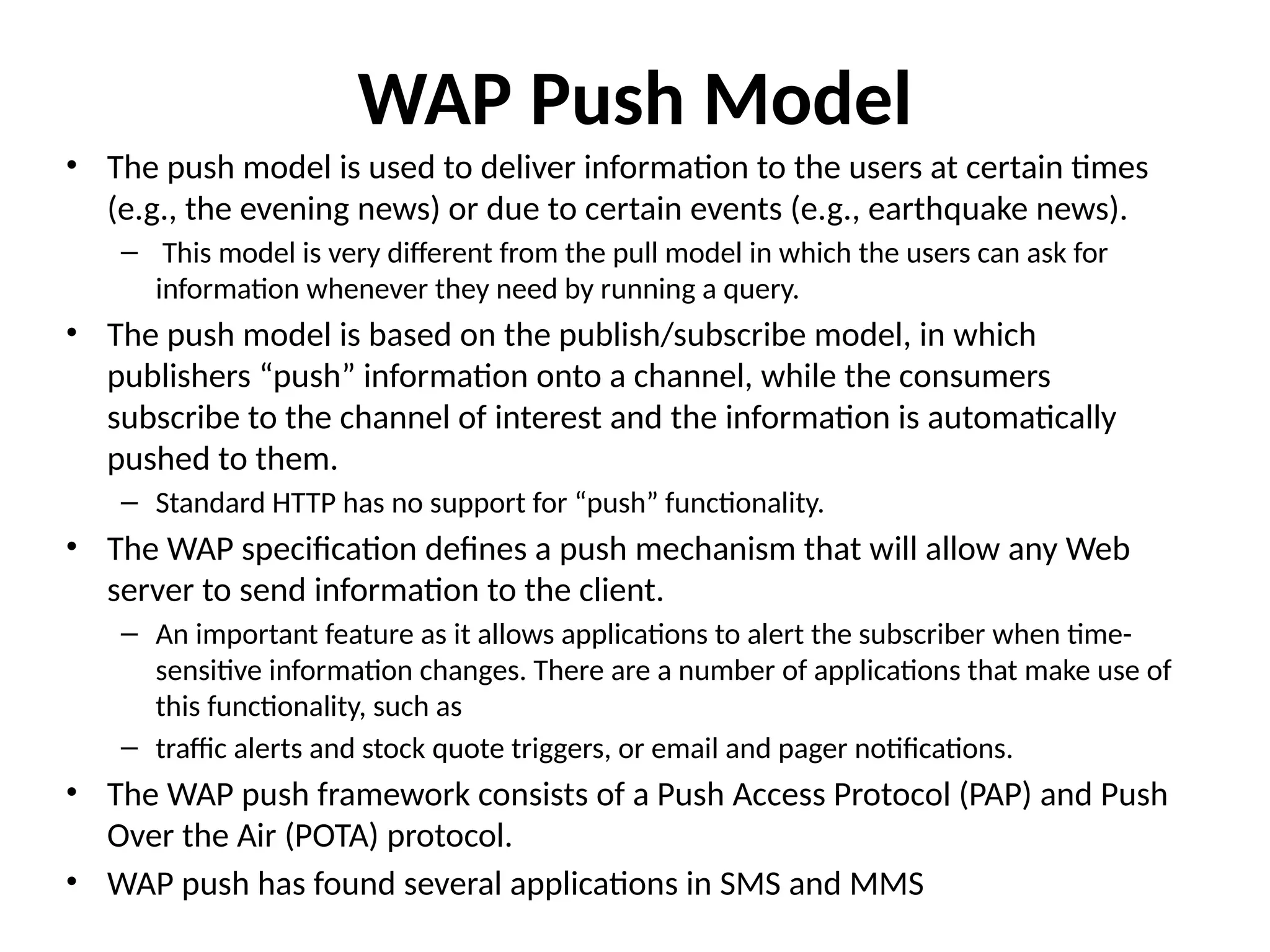
•The push model is used to deliver information to the users at certain times
(e.g., the evening news) or due to certain events (e.g., earthquake news).
– This model is very different from the pull model in which the users can ask for
information whenever they need by running a query.
• The push model is based on the publish/subscribe model, in which
publishers “push” information onto a channel, while the consumers
subscribe to the channel of interest and the information is automatically
pushed to them.
– Standard HTTP has no support for “push” functionality.
• The WAP specification defines a push mechanism that will allow any Web
server to send information to the client.
– An important feature as it allows applications to alert the subscriber when time-
sensitive information changes. There are a number of applications that make use of
this functionality, such as
– traffic alerts and stock quote triggers, or email and pager notifications.
• The WAP push framework consists of a Push Access Protocol (PAP) and Push
Over the Air (POTA) protocol.
• WAP push has found several applications in SMS and MMS
Introduction
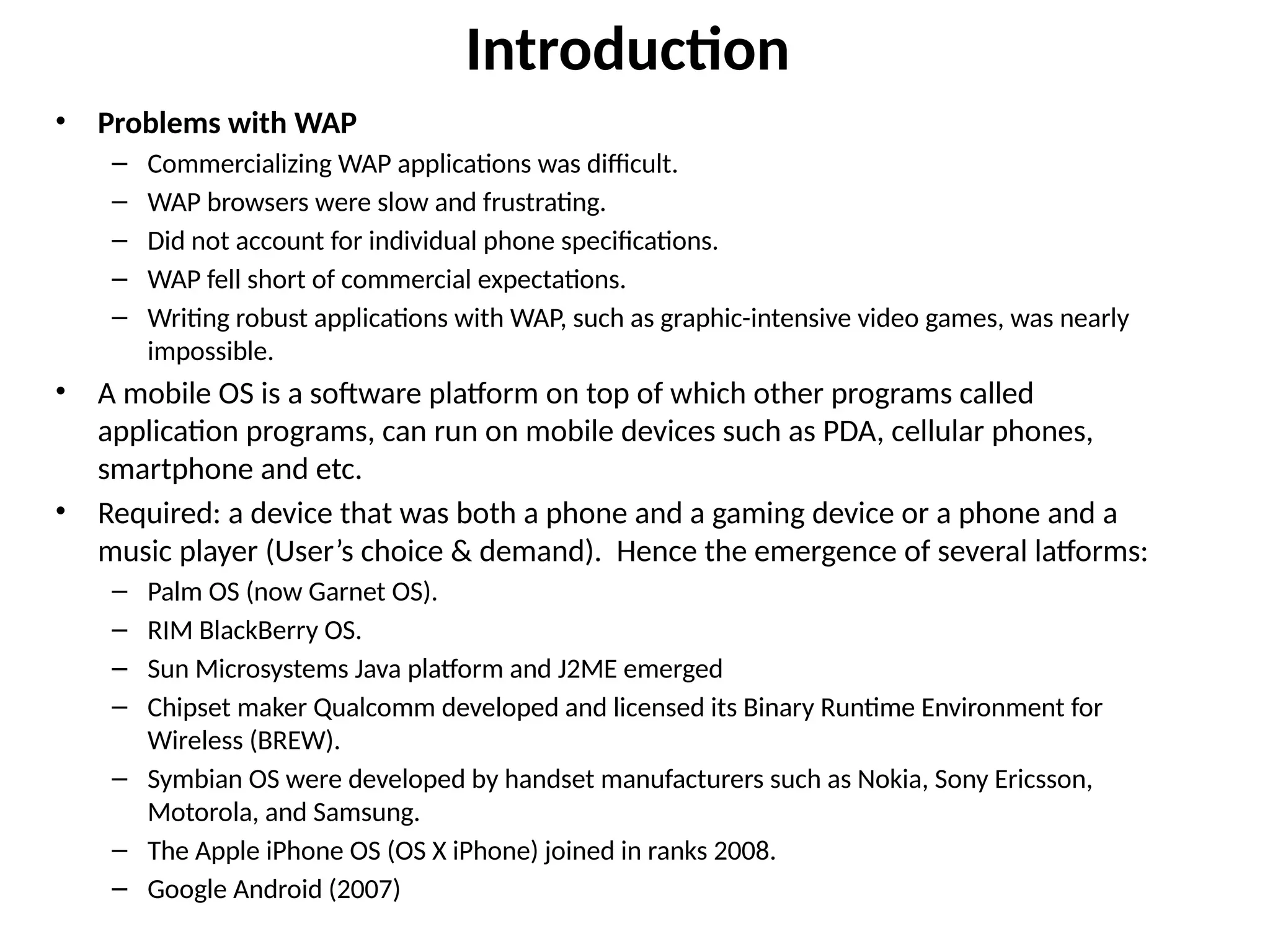
• Problems withWAP
– Commercializing WAP applications was difficult.
– WAP browsers were slow and frustrating.
– Did not account for individual phone specifications.
– WAP fell short of commercial expectations.
– Writing robust applications with WAP, such as graphic-intensive video games, was nearly
impossible.
• A mobile OS is a software platform on top of which other programs called
application programs, can run on mobile devices such as PDA, cellular phones,
smartphone and etc.
• Required: a device that was both a phone and a gaming device or a phone and a
music player (User’s choice & demand). Hence the emergence of several latforms:
– Palm OS (now Garnet OS).
– RIM BlackBerry OS.
– Sun Microsystems Java platform and J2ME emerged
– Chipset maker Qualcomm developed and licensed its Binary Runtime Environment for
Wireless (BREW).
– Symbian OS were developed by handset manufacturers such as Nokia, Sony Ericsson,
Motorola, and Samsung.
– The Apple iPhone OS (OS X iPhone) joined in ranks 2008.
– Google Android (2007)
20.
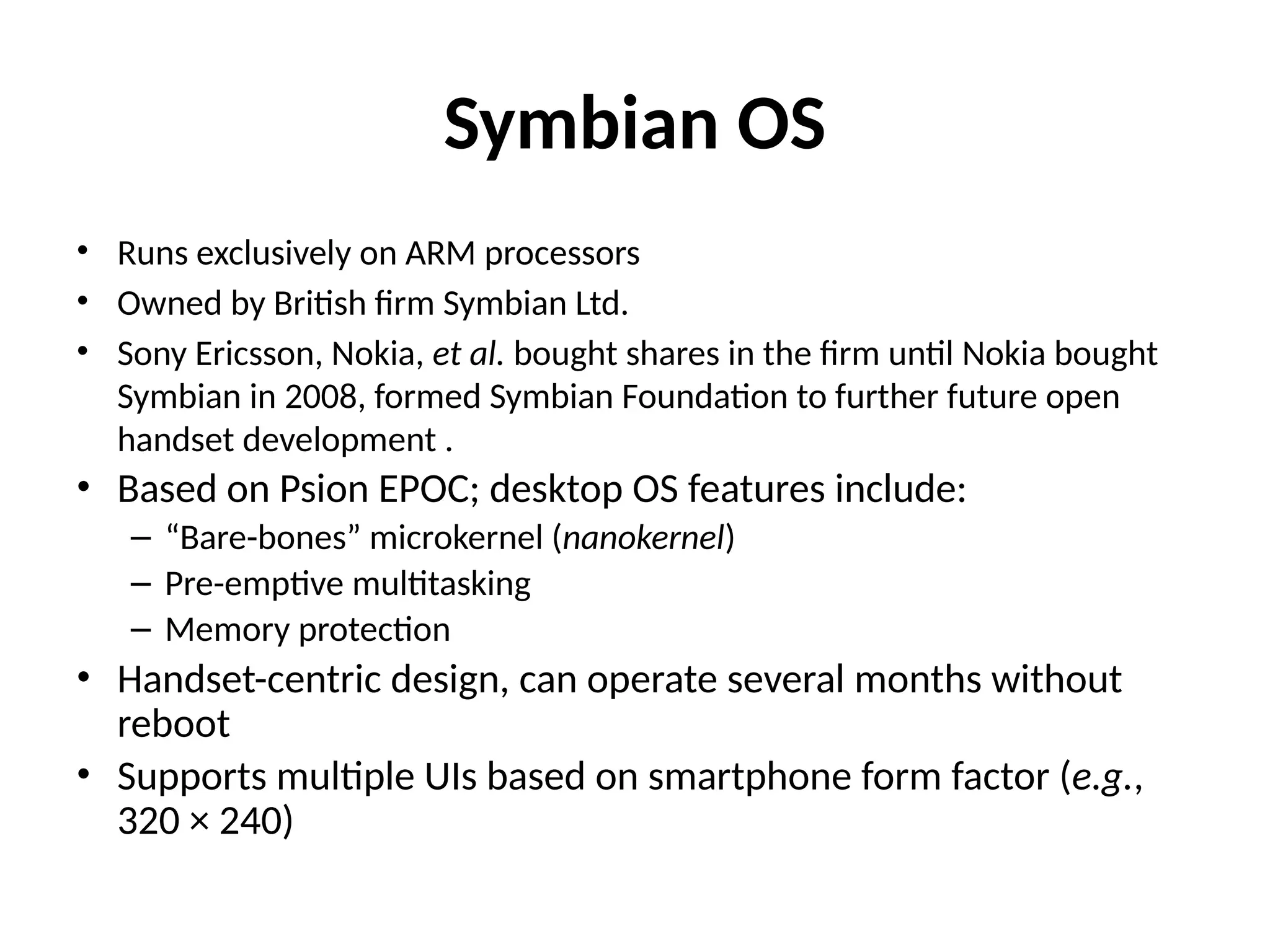
Symbian OS
• Runsexclusively on ARM processors
• Owned by British firm Symbian Ltd.
• Sony Ericsson, Nokia, et al. bought shares in the firm until Nokia bought
Symbian in 2008, formed Symbian Foundation to further future open
handset development .
• Based on Psion EPOC; desktop OS features include:
– “Bare-bones” microkernel (nanokernel)
– Pre-emptive multitasking
– Memory protection
• Handset-centric design, can operate several months without
reboot
• Supports multiple UIs based on smartphone form factor (e.g.,
320 × 240)
21.
Symbian OS Development
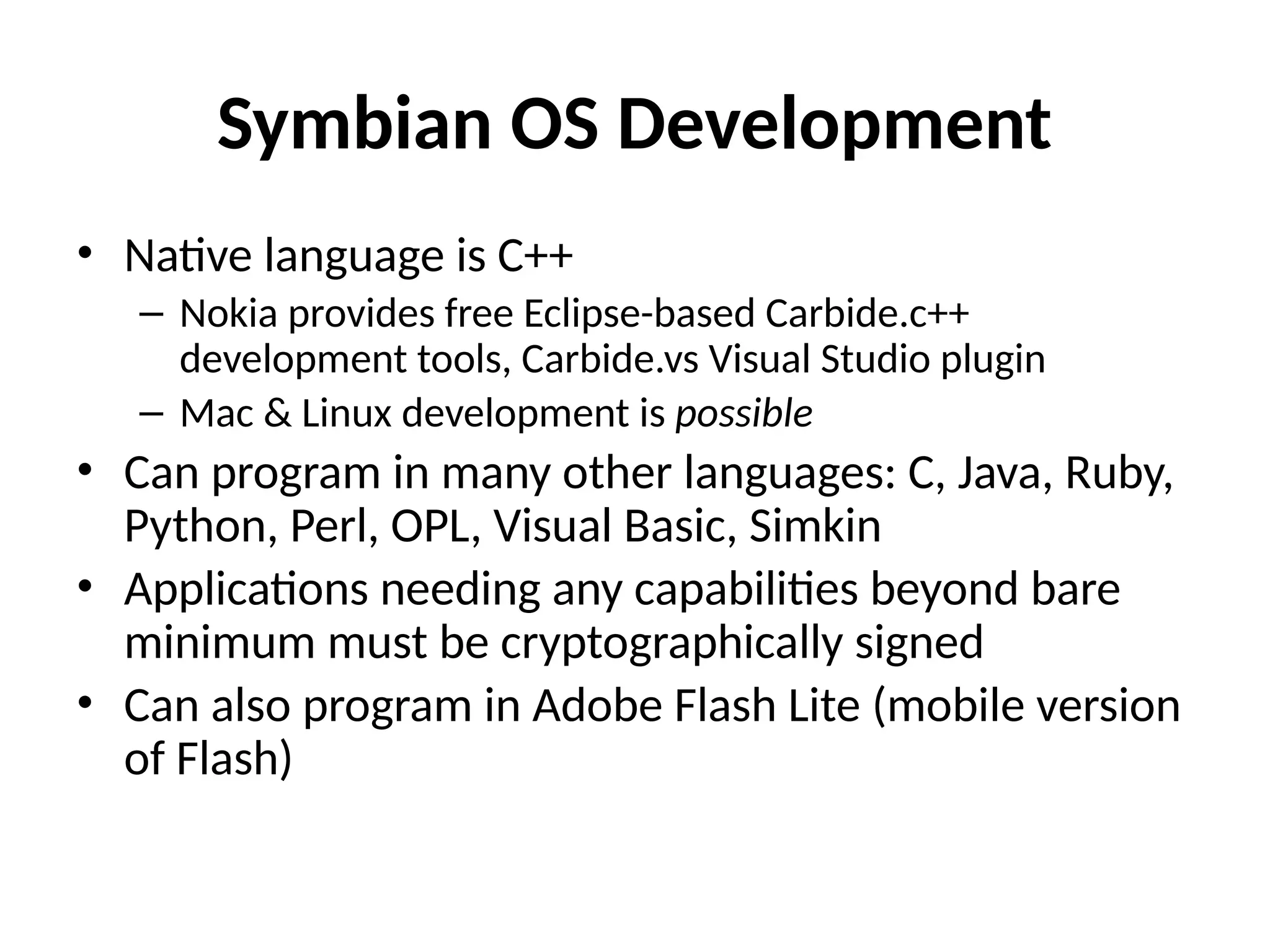
•Native language is C++
– Nokia provides free Eclipse-based Carbide.c++
development tools, Carbide.vs Visual Studio plugin
– Mac & Linux development is possible
• Can program in many other languages: C, Java, Ruby,
Python, Perl, OPL, Visual Basic, Simkin
• Applications needing any capabilities beyond bare
minimum must be cryptographically signed
• Can also program in Adobe Flash Lite (mobile version
of Flash)
22.
Windows Mobile OS
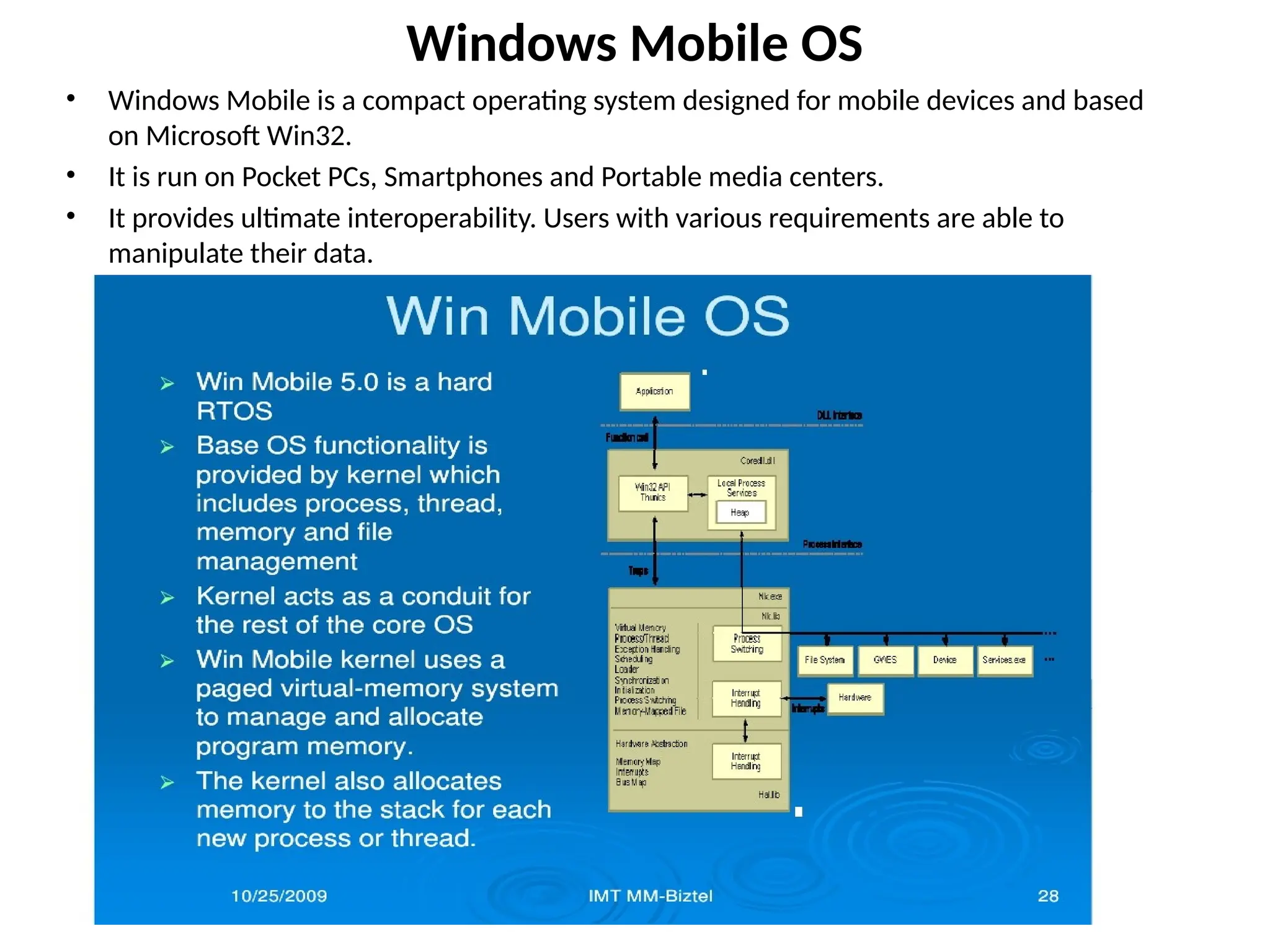
•Windows Mobile is a compact operating system designed for mobile devices and based
on Microsoft Win32.
• It is run on Pocket PCs, Smartphones and Portable media centers.
• It provides ultimate interoperability. Users with various requirements are able to
manipulate their data.
http://cmer.cis.uoguelph.ca
23.
iPhone OS (iOS)
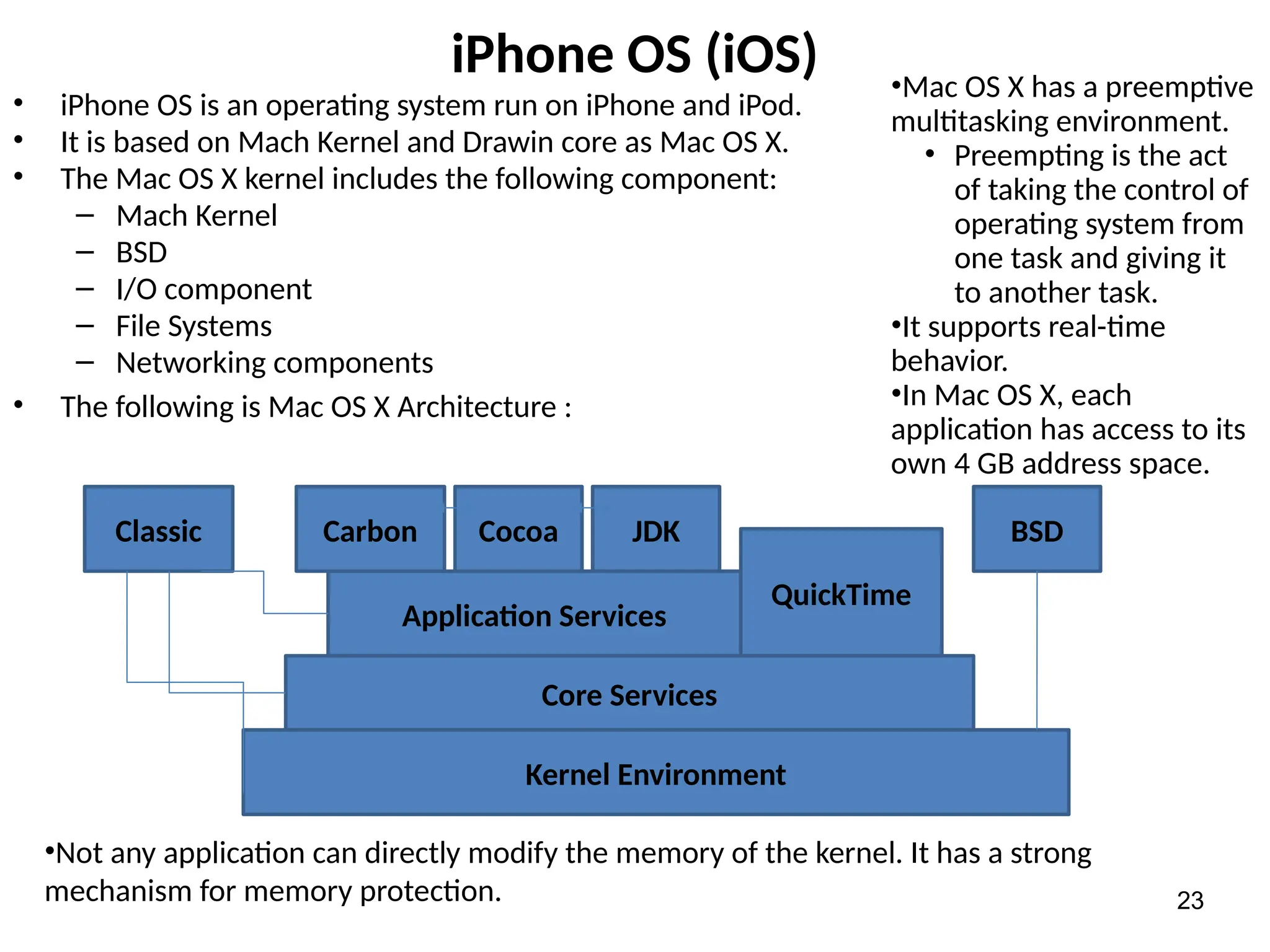
•iPhone OS is an operating system run on iPhone and iPod.
• It is based on Mach Kernel and Drawin core as Mac OS X.
• The Mac OS X kernel includes the following component:
– Mach Kernel
– BSD
– I/O component
– File Systems
– Networking components
• The following is Mac OS X Architecture :
23
Kernel Environment
Core Services
Application Services
QuickTime
Classic Carbon Cocoa JDK BSD
•Mac OS X has a preemptive
multitasking environment.
• Preempting is the act
of taking the control of
operating system from
one task and giving it
to another task.
•It supports real-time
behavior.
•In Mac OS X, each
application has access to its
own 4 GB address space.
•Not any application can directly modify the memory of the kernel. It has a strong
mechanism for memory protection.
24.
Google Android
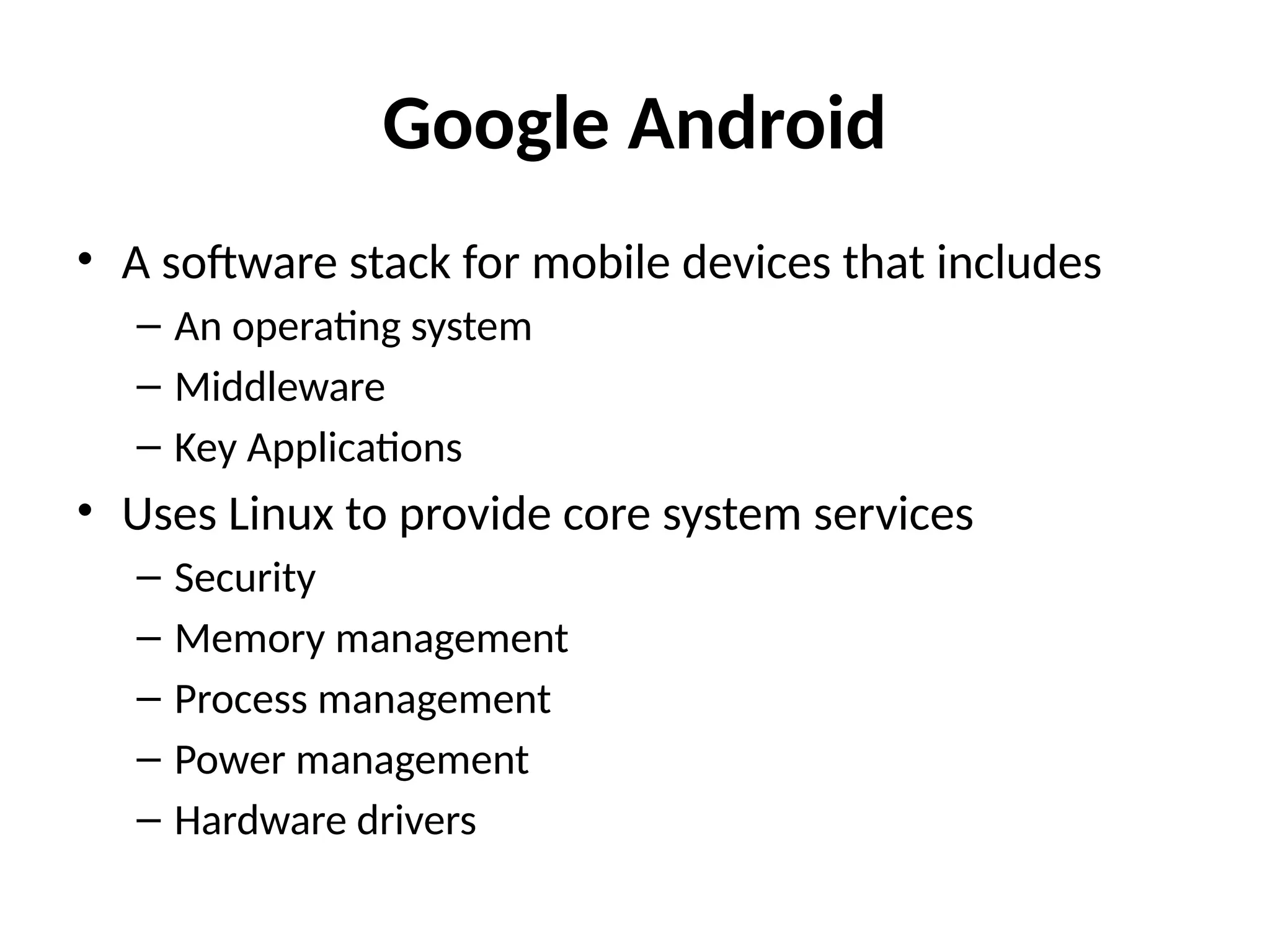
• Asoftware stack for mobile devices that includes
– An operating system
– Middleware
– Key Applications
• Uses Linux to provide core system services
– Security
– Memory management
– Process management
– Power management
– Hardware drivers
25.
Google Android Platform
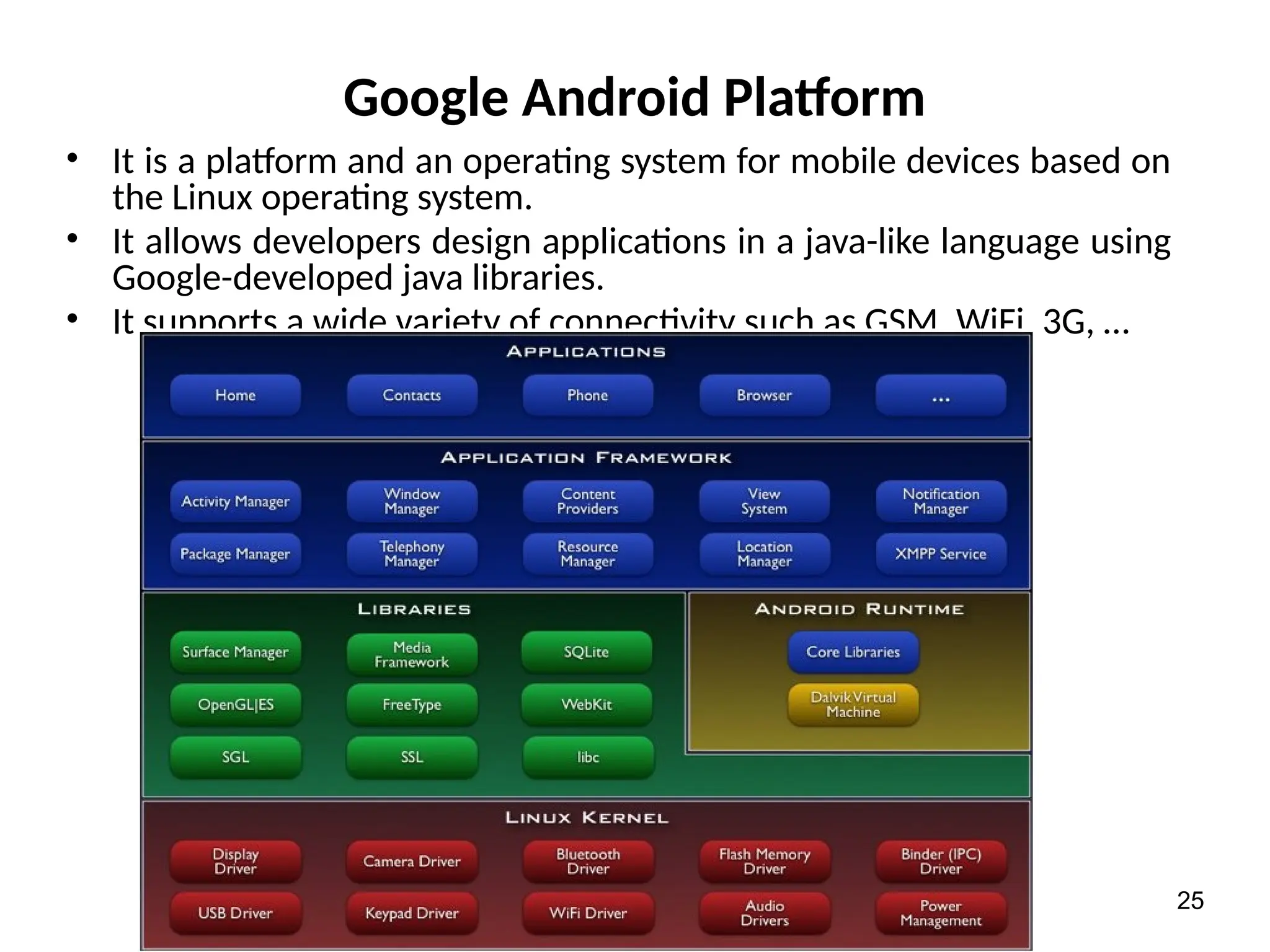
•It is a platform and an operating system for mobile devices based on
the Linux operating system.
• It allows developers design applications in a java-like language using
Google-developed java libraries.
• It supports a wide variety of connectivity such as GSM, WiFi, 3G, …
25
26.
Google Android Platform
•As demonstrated in the previous slide, the Android platform contains
the following layers:
– Linux Kernel: Android relies on Linux for core system services
such as security, memory management, process management
and etc.
– Android Runtime: it provides a set of core libraries which
supports most of the functionality in the core libraries of Java.
• The Android Virtual Machine known as Dalvik VM relies on the linux kernel
for some underlying functionality such as threading,…
– Libraries: Android includes a set of C/C++ libraries.
• These libraries are exposed to developers through the Android application
framework.
• They include media libraries, system C libraries, surface manager, 3D
libraries, SQLite and etc.
– Application Framework: it provides an access layer to the
framework APIs used by the core applications.
• It allows components to be used by the developers.
26
27.
Android Mobile HandsetPlatform
• Android is a software development
platform for mobile handsets that is
based on Linux
• Developed by Google and Open
Handset Alliance (OHA) for different
handset manufacturers
– The Alliance includes T-Mobile, Sprint
Nextel, Google, Intel, Samsung, Wind
River Systems, et al. [29]
– Its purpose is to build a fully free and
open mobile handset platform to
facilitate development of handsets,
software, services [30]
• First Android-based handset is T-
Mobile G1
28.
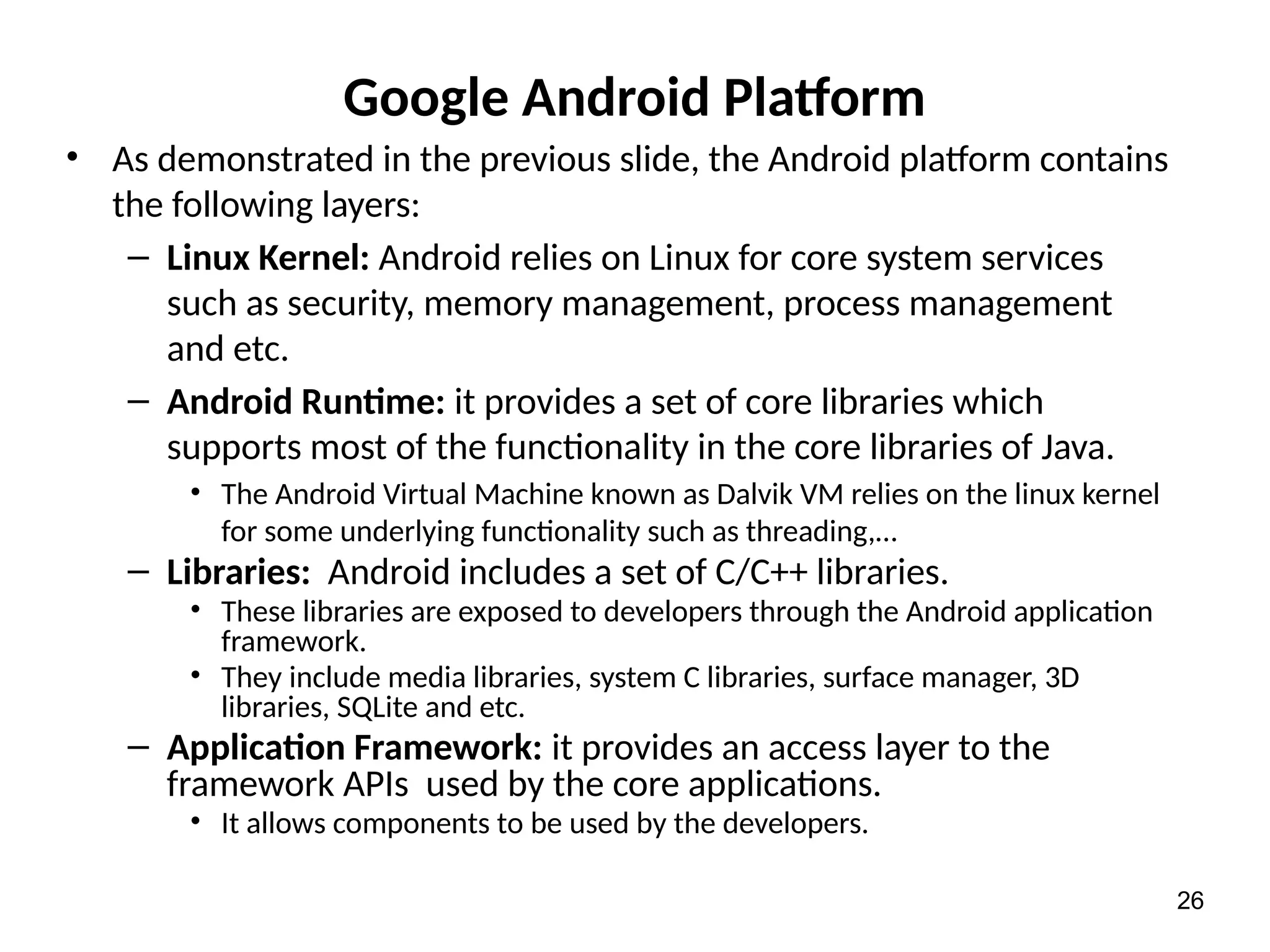
Mobile Application DevelopmentIssues
• Designers and developers of mobile computing applications also face many unique challenges.
– wireless networks are typically slower, get congested frequently, and are more error-
prone and susceptible to outages.
• Hence mobile computing application designers should have some knowledge of the
underlying communication network.
– Issues arising from the limitations of mobile devices:
• Different form factors for different devices. Existing mobile devices have varying numbers of
display lines, horizontal or vertical screen orientation, and color or black-and-white displays.
• Different browsers and markup languages.
– For example, HTML is used by laptops and PDAs, wireless markup language (WML) by wireless
application protocol (WAP) cell phones, and compact HTML (cHTML) by Japanese i-mode phones.
• Different device capabilities. Some devices can display images, some can make phone calls,
and some can receive notification messages.
– Issues related to the extent to which underlying applications use the underlying
network, giving rise to three categories of applications:
• Standalone applications, eg, download of pictures and audio clips
• Simple client/server (C/S) applications, e.g., web browsing and m-commerce
• Advanced mobile applications, e.g., p2p group interactions.
– Android evolves very fast.
• A major update: 1 year
• A minor update: 2-3 months
– However, every update does not guarantee to be compatible with all existing apps.
29.
Android Application Framework
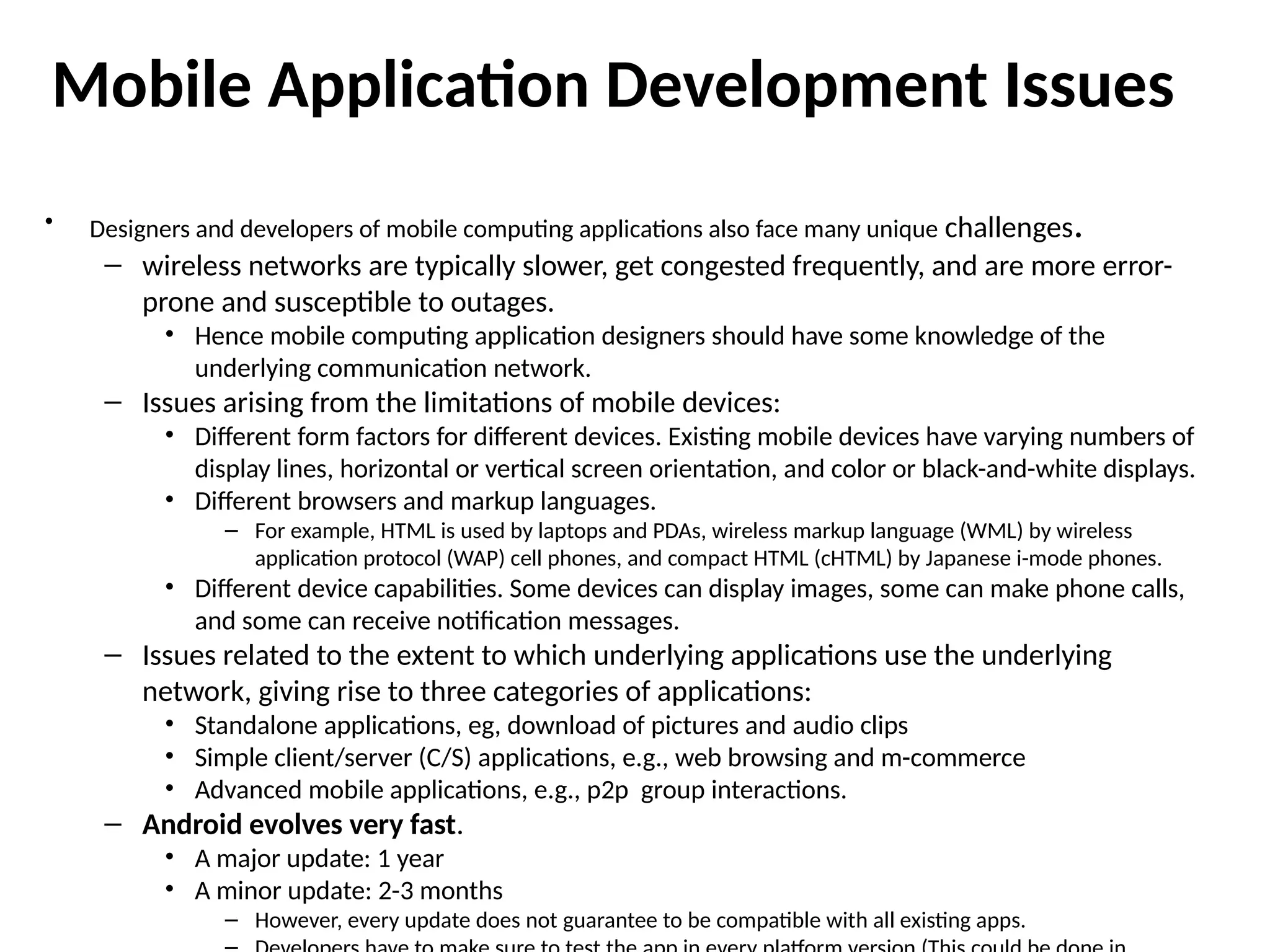
•The Android application lifecycle involves the following key
components:
– Activities are functions the application performs.
– Groups of views define the application’s layout.
– Intents inform the system about an application’s plans.
– Services allow for background processing without user interaction.
– Notifications alert the user when something interesting happens.
• Android applications can interact with the operating system and
underlying hardware using a collection of managers.
– Each manager is responsible for keeping the state of some underlying system
service.
• For example, LocationManager that facilitates interaction with the location-based
services available on the handset.
– The ViewManager and WindowManager manage user interface fundamentals.
• Applications can interact with one another by using or acting as a
ContentProvider.
– Built-in applications such as the Contact manager are content providers, allowing
thirdparty applications to access contact data and use it in an infinite number of ways.
30.
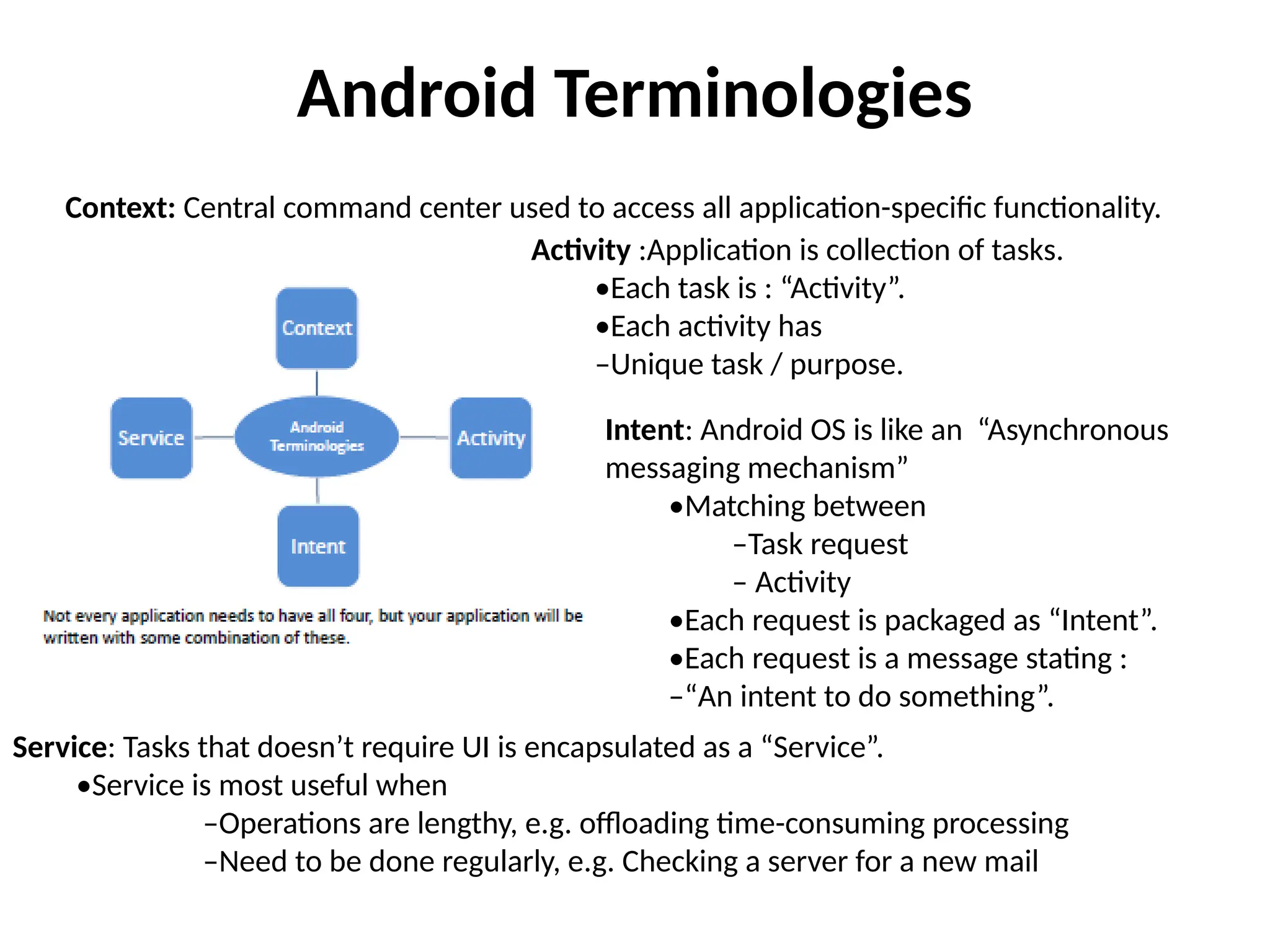
Android Terminologies
Context: Centralcommand center used to access all application-specific functionality.
Activity :Application is collection of tasks.
•Each task is : “Activity”.
•Each activity has
–Unique task / purpose.
Intent: Android OS is like an “Asynchronous
messaging mechanism”
•Matching between
–Task request
– Activity
•Each request is packaged as “Intent”.
•Each request is a message stating :
–“An intent to do something”.
Service: Tasks that doesn’t require UI is encapsulated as a “Service”.
•Service is most useful when
–Operations are lengthy, e.g. offloading time-consuming processing
–Need to be done regularly, e.g. Checking a server for a new mail
31.
Android Features andSoftware
• Features
– 3D: OpenGL ES 1.0
– SQLite: Database engine
– WebKit: Web browser
– Dalvik: Register-based VM
similar to Java VM [32]
– FreeType: Bitmap and vector
font rendering
– Connectivity: Bluetooth,
802.11, GPS
• Core Applications
– Email client, SMS program,
calendar, Google Maps (and
Apps), browser, etc.
– Written in Java
• App Framework
– Full access to same framework
APIs
– Architecture designed for
component reuse
• Runtime
– Core C++ library
– Multiple Dalvik VMs run in a
process, rely on Linux kernel for
process isolation [32]
32.
Android Application Development
Environment
•Android applications can be installed from the Android Market.
– Alternatively, if the user explicitly allows “unknown sources” option,
applications can be installed from other sources, such as from an email
attachment, or downloaded file. Install from “unknown sources” is disabled by
default, and must be explicitly allowed by the user.
• The Android Market on-device client is the primary method of
application discovery. The client also manages application updates.
– It displays notifications when updated versions of installed applications become
available, and also lets the user set some applications to update automatically.
• The Android Market web store is accessible using any web browser. It
offers features such as device
– compatibility check and web-initiated download of apps (the user click an install
button in the web browser, and the application is automatically downloaded to
the Android handset registered for the user).
Typical Hardware Capabilities
•To support the various applications and the underlying
technologies, the mobile devices need numerous capabilities.
– LCD/Touch screen for the data to be displayed and for the user to input data.
– At the input, there is usually an antenna or a microphone as a voice
recognition device.
– An output device such as an Infrared (I/R) port, Bluetooth connection or a
speaker.
– The memory and the processor must be small yet powerful enough to run
real-time applications.
• To support multimedia applications the process must be able to support DSP algorithms
that require high-speed mathematical processing, a large data array, and a fast interrupt
response from multiple sources.
– The battery must be small but powerful to support sophisticated operations.
– Due to size limitations, many system components are typically reused and
shared among different applications.
• For example, the larger LCD for the PDA can also be used as a digital camera viewer, display
for web browsers, and cell phone screen display.
• The speaker or headphone can be used as a sound source during the telephone mode or
used as the output for MP3 music in the consumer electronics mode.
• The built-in camera lens can be used during a digital camera mode or used for video mode.
34
35.
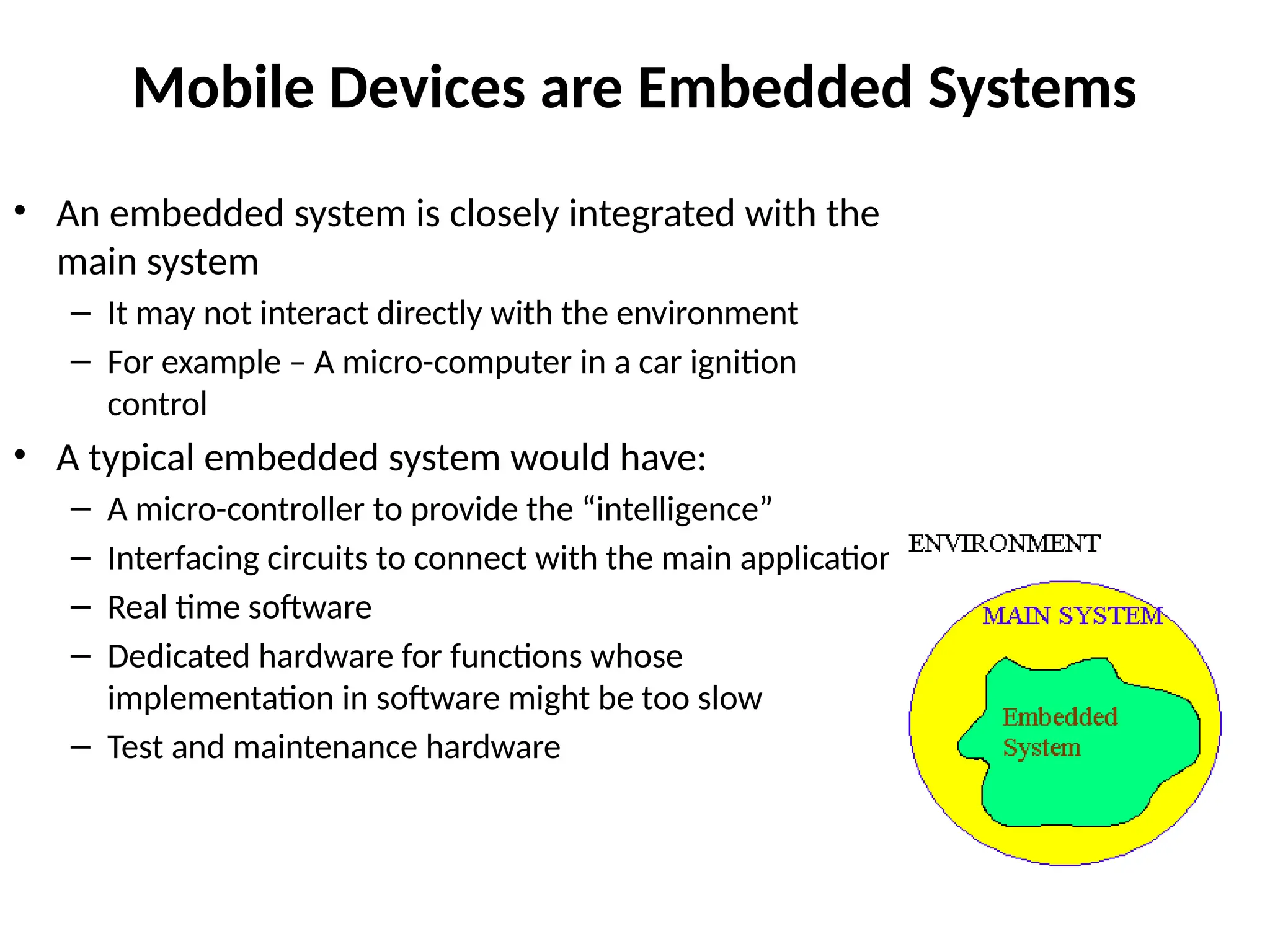
Mobile Devices areEmbedded Systems
• An embedded system is closely integrated with the
main system
– It may not interact directly with the environment
– For example – A micro-computer in a car ignition
control
• A typical embedded system would have:
– A micro-controller to provide the “intelligence”
– Interfacing circuits to connect with the main application
– Real time software
– Dedicated hardware for functions whose
implementation in software might be too slow
– Test and maintenance hardware
36.
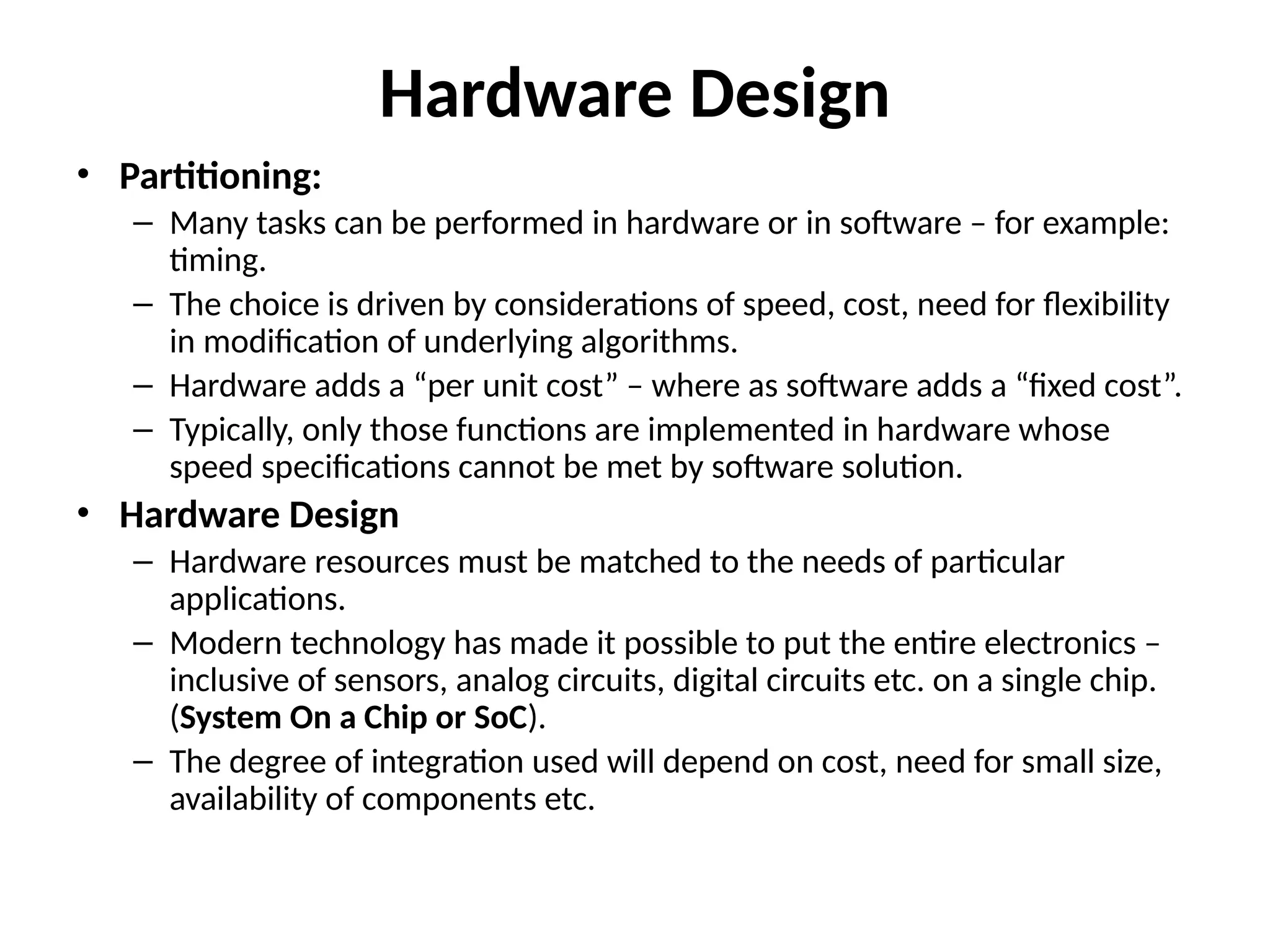
Hardware Design
• Partitioning:
–Many tasks can be performed in hardware or in software – for example:
timing.
– The choice is driven by considerations of speed, cost, need for flexibility
in modification of underlying algorithms.
– Hardware adds a “per unit cost” – where as software adds a “fixed cost”.
– Typically, only those functions are implemented in hardware whose
speed specifications cannot be met by software solution.
• Hardware Design
– Hardware resources must be matched to the needs of particular
applications.
– Modern technology has made it possible to put the entire electronics –
inclusive of sensors, analog circuits, digital circuits etc. on a single chip.
(System On a Chip or SoC).
– The degree of integration used will depend on cost, need for small size,
availability of components etc.
37.
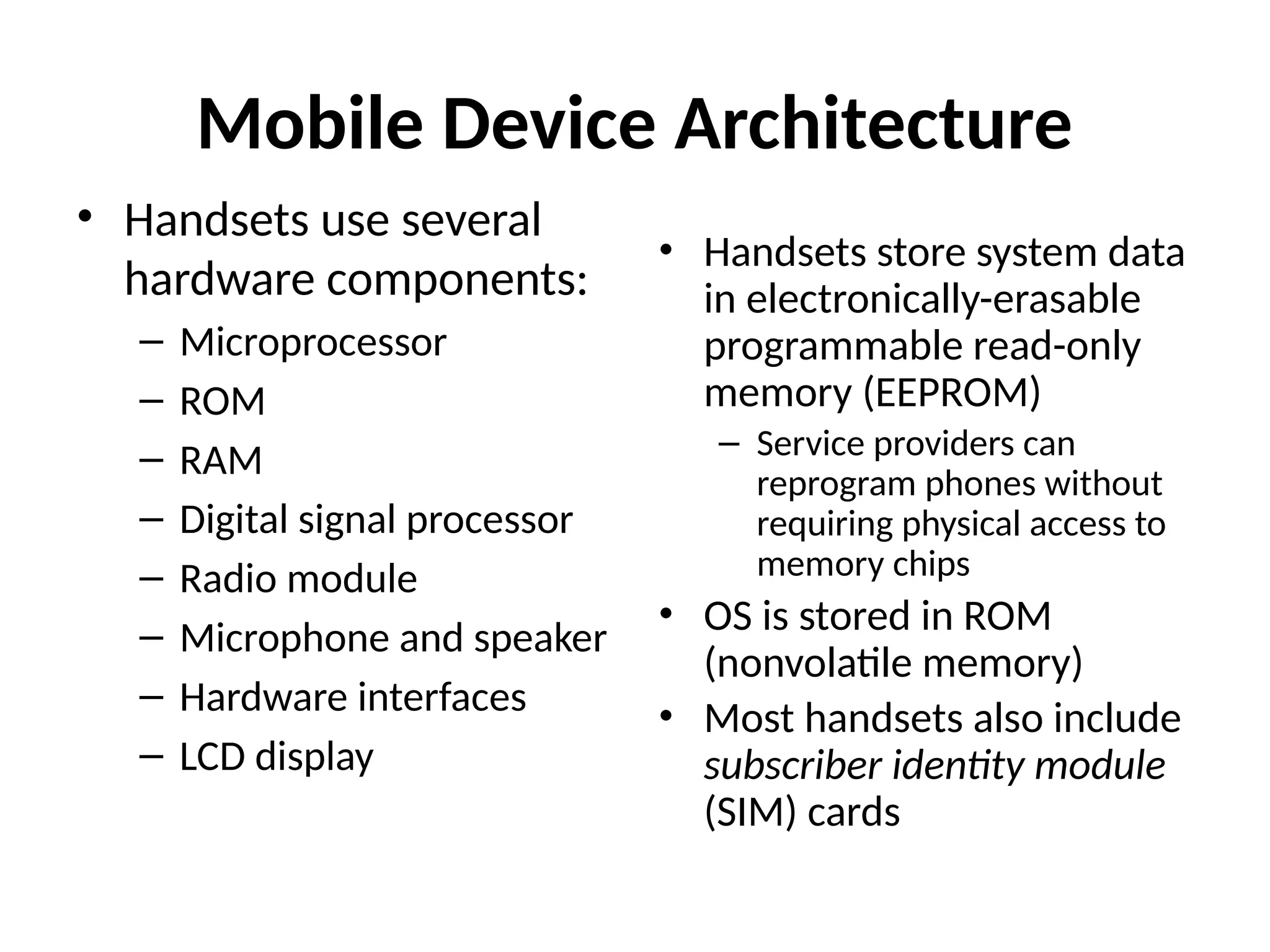
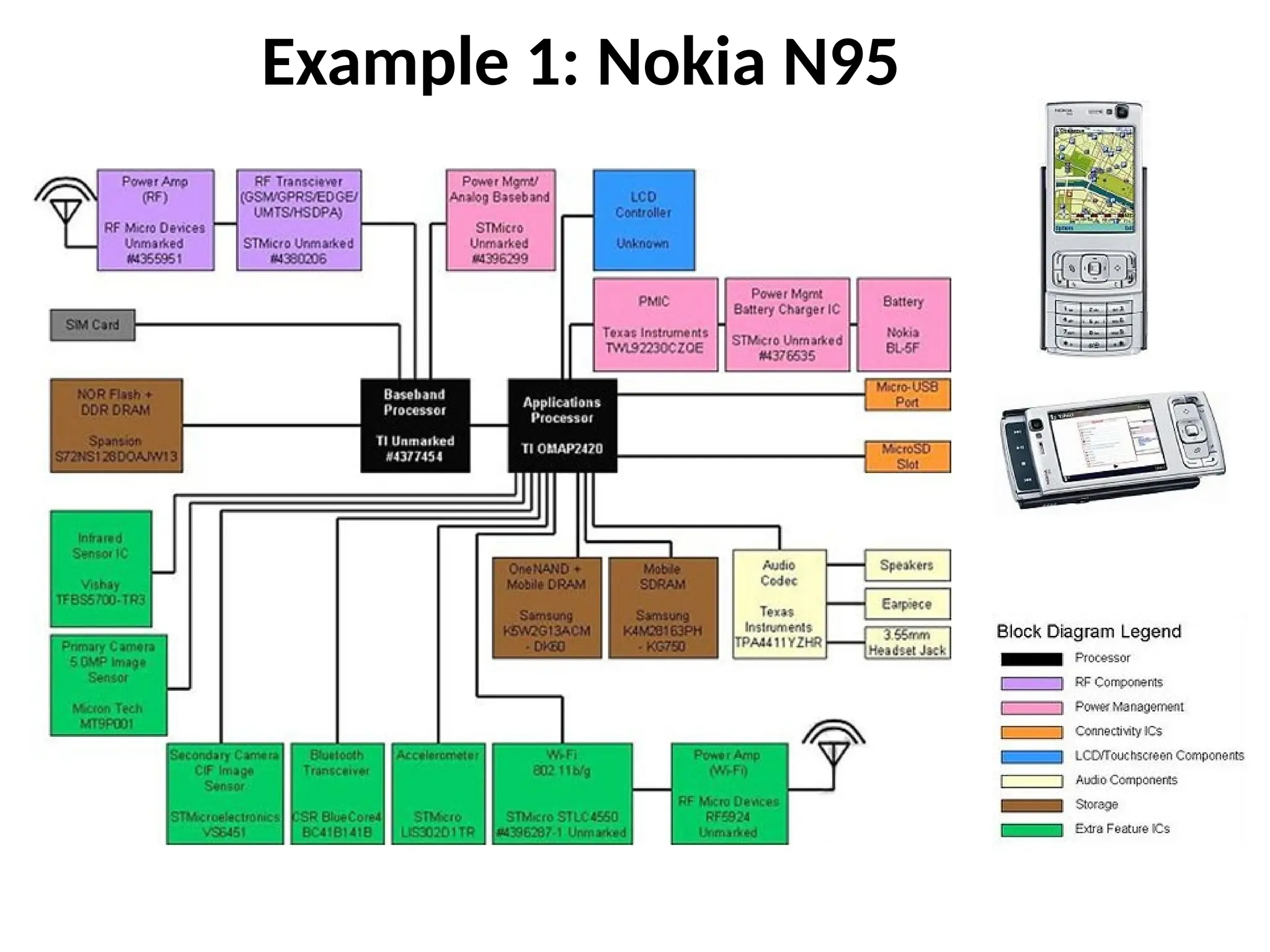
Mobile Device Architecture
•Handsets use several
hardware components:
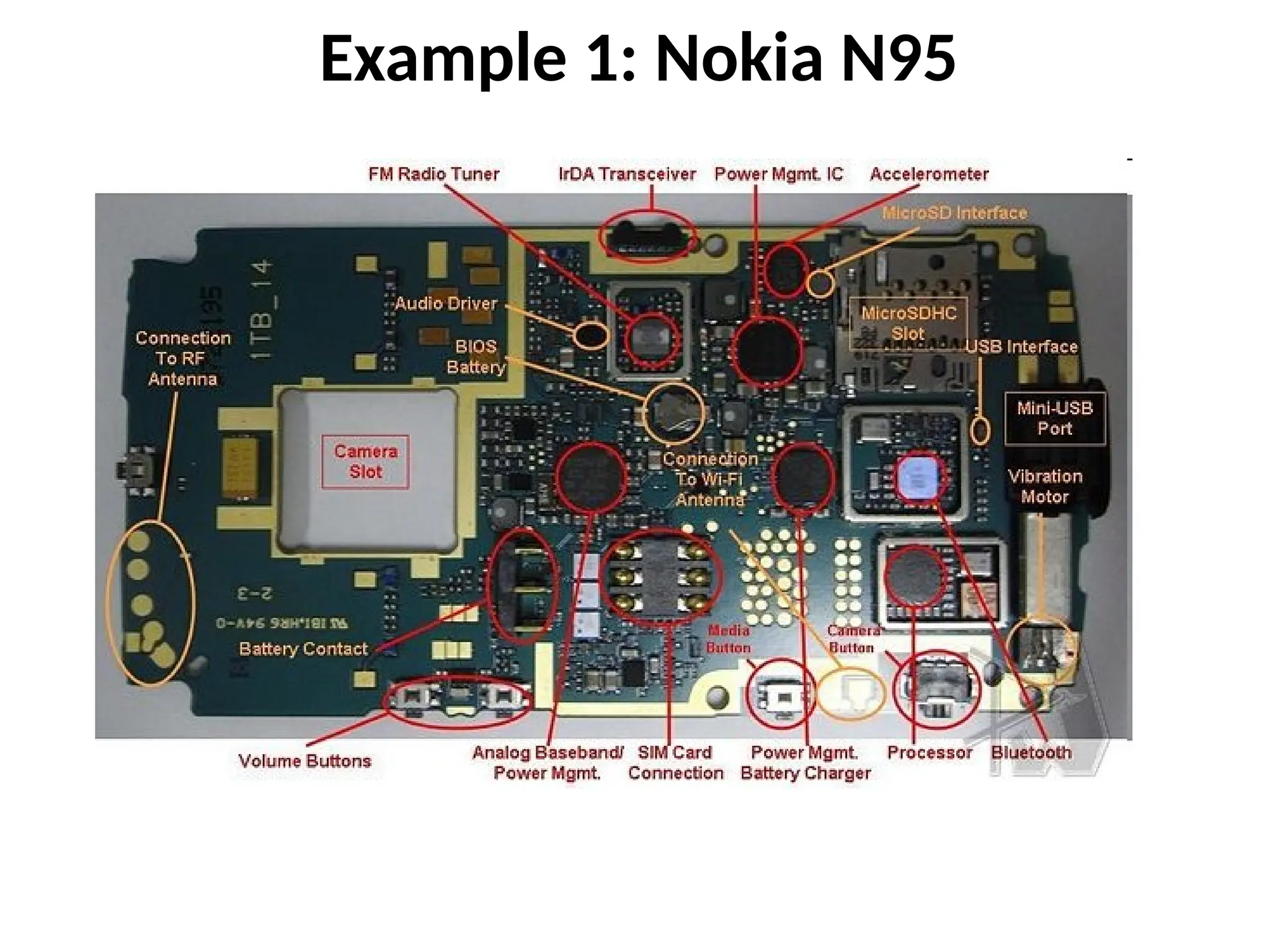
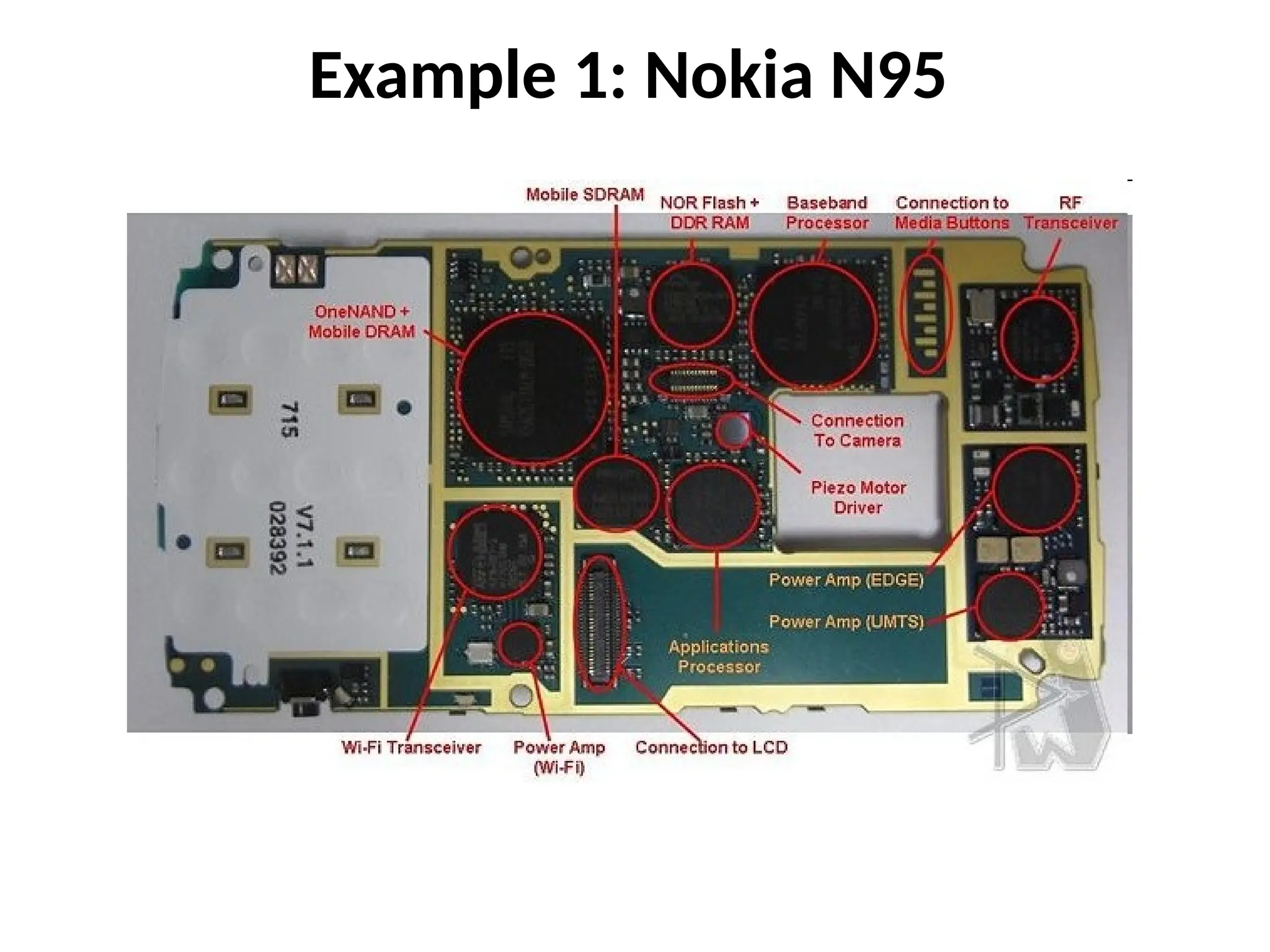
– Microprocessor
– ROM
– RAM
– Digital signal processor
– Radio module
– Microphone and speaker
– Hardware interfaces
– LCD display
• Handsets store system data
in electronically-erasable
programmable read-only
memory (EEPROM)
– Service providers can
reprogram phones without
requiring physical access to
memory chips
• OS is stored in ROM
(nonvolatile memory)
• Most handsets also include
subscriber identity module
(SIM) cards
38.
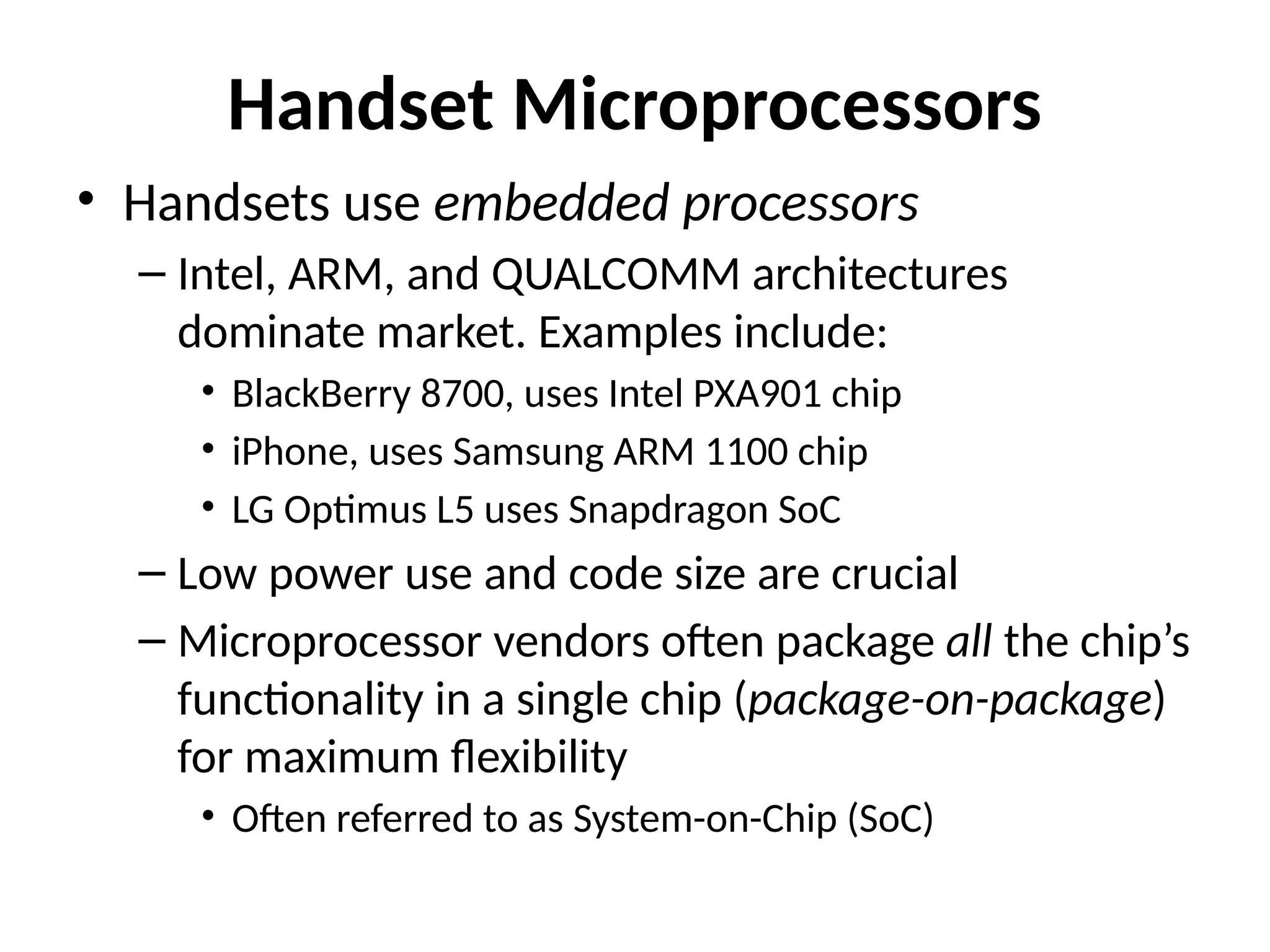
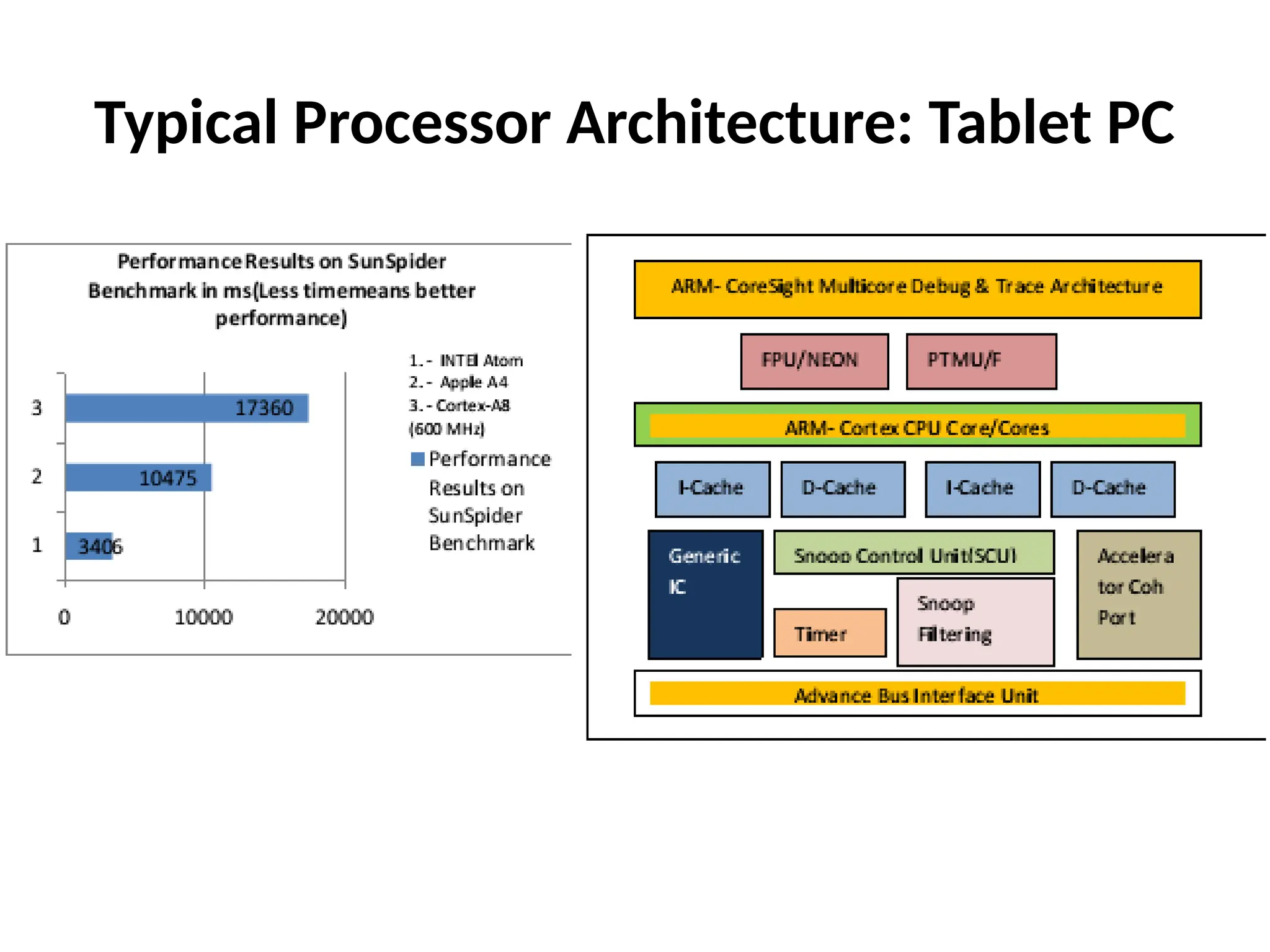
Handset Microprocessors
• Handsetsuse embedded processors
– Intel, ARM, and QUALCOMM architectures
dominate market. Examples include:
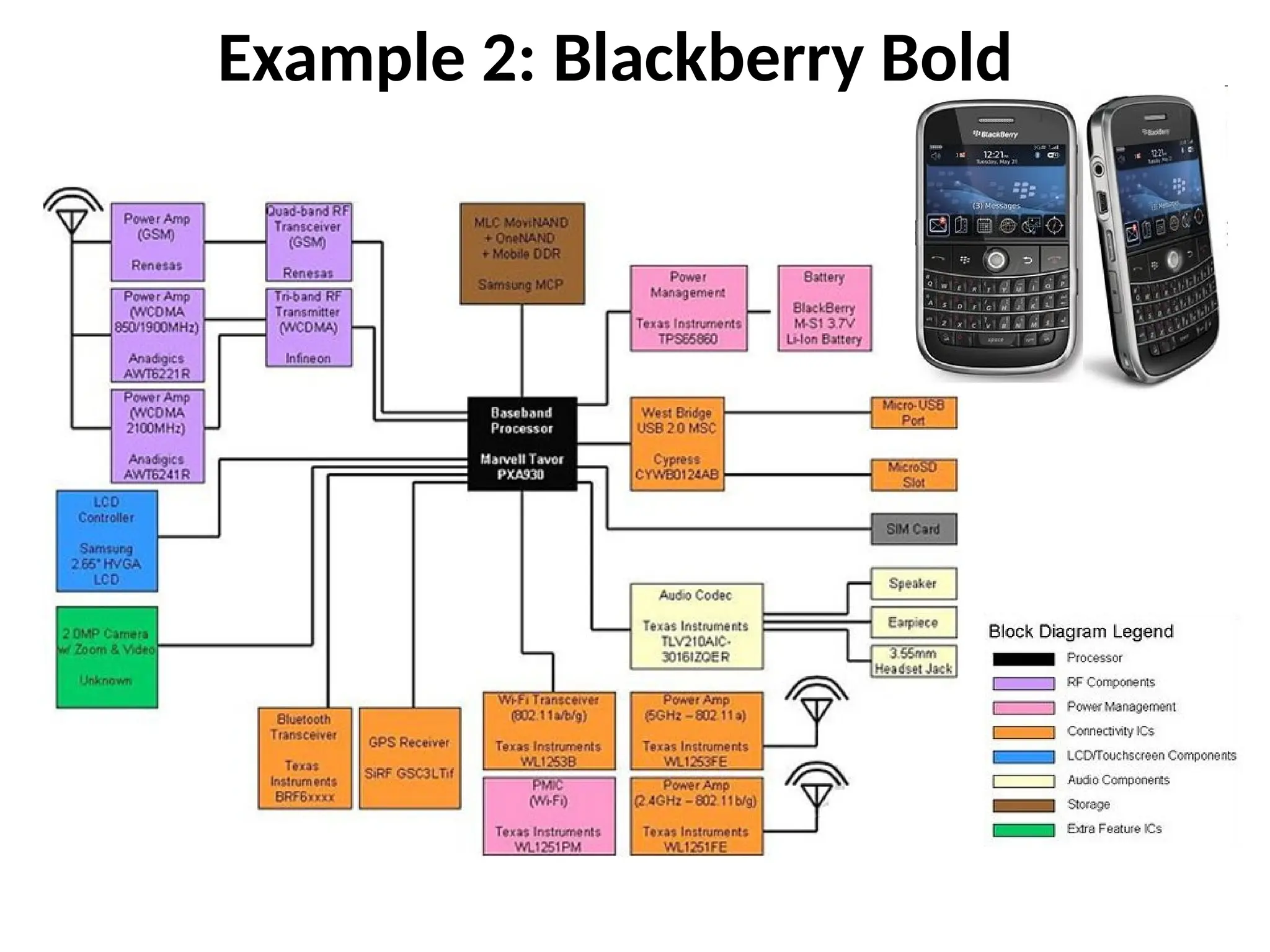
• BlackBerry 8700, uses Intel PXA901 chip
• iPhone, uses Samsung ARM 1100 chip
• LG Optimus L5 uses Snapdragon SoC
– Low power use and code size are crucial
– Microprocessor vendors often package all the chip’s
functionality in a single chip (package-on-package)
for maximum flexibility
• Often referred to as System-on-Chip (SoC)
39.
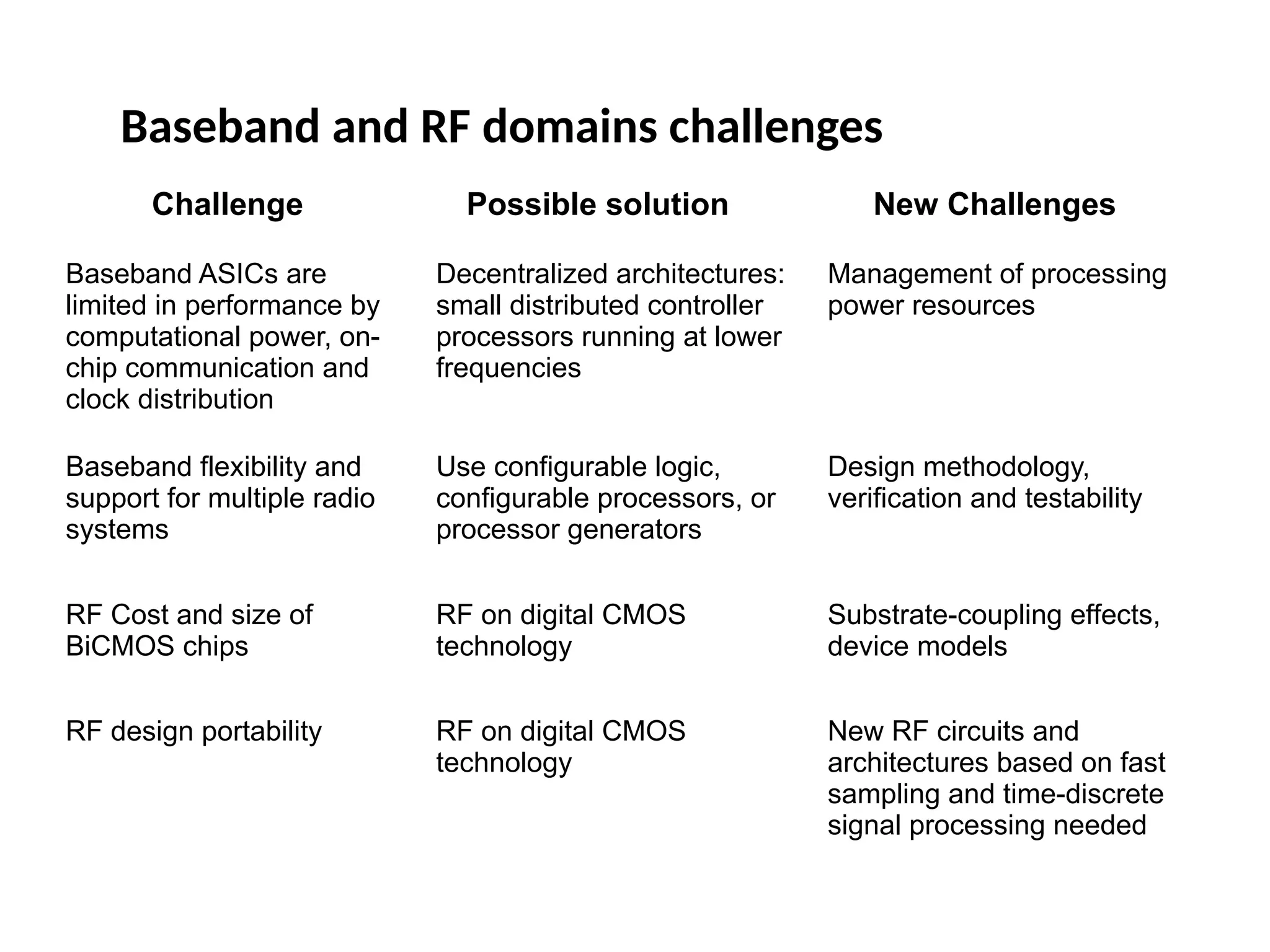
Baseband and RFdomains challenges
Challenge Possible solution New Challenges
Baseband ASICs are
limited in performance by
computational power, on-
chip communication and
clock distribution
Decentralized architectures:
small distributed controller
processors running at lower
frequencies
Management of processing
power resources
Baseband flexibility and
support for multiple radio
systems
Use configurable logic,
configurable processors, or
processor generators
Design methodology,
verification and testability
RF Cost and size of
BiCMOS chips
RF on digital CMOS
technology
Substrate-coupling effects,
device models
RF design portability RF on digital CMOS
technology
New RF circuits and
architectures based on fast
sampling and time-discrete
signal processing needed
40.
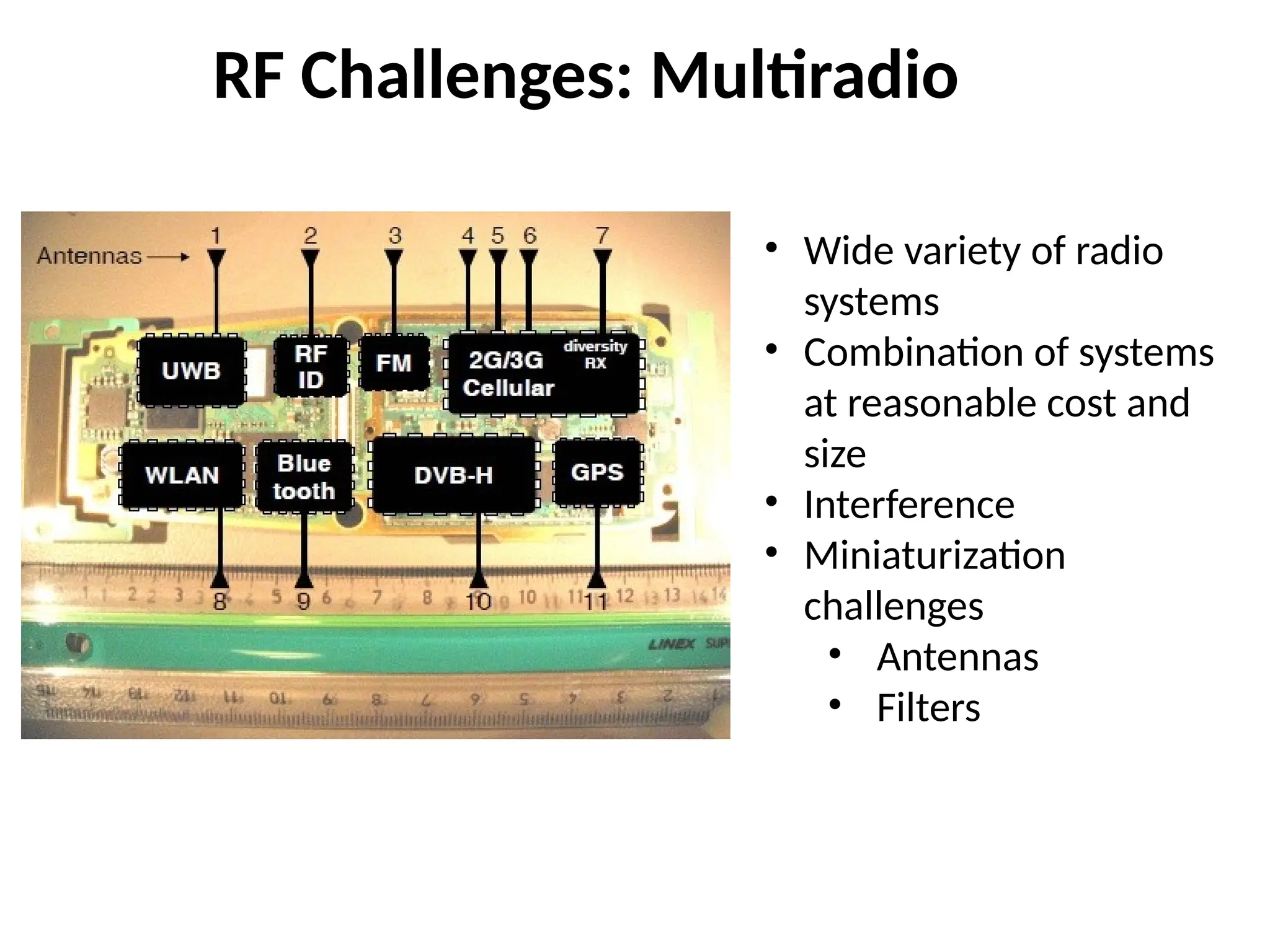
RF Challenges: Multiradio
•Wide variety of radio
systems
• Combination of systems
at reasonable cost and
size
• Interference
• Miniaturization
challenges
• Antennas
• Filters
41.
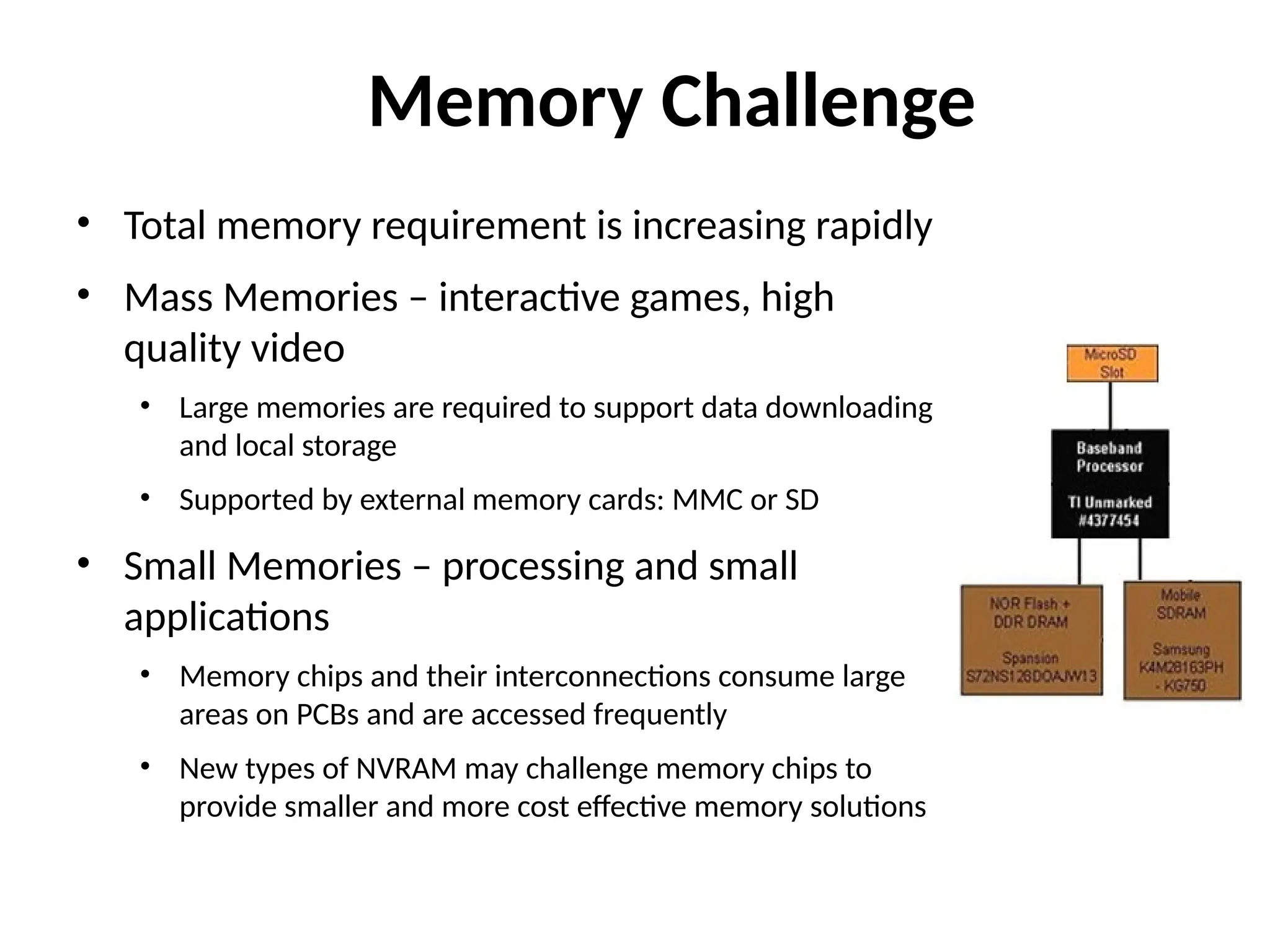
Memory Challenge
• Totalmemory requirement is increasing rapidly
• Mass Memories – interactive games, high
quality video
• Large memories are required to support data downloading
and local storage
• Supported by external memory cards: MMC or SD
• Small Memories – processing and small
applications
• Memory chips and their interconnections consume large
areas on PCBs and are accessed frequently
• New types of NVRAM may challenge memory chips to
provide smaller and more cost effective memory solutions
42.
NVRAM – Alternativesto Flash Memory
• Ferroelectric RAM (FeRAM)
• DRAM cell with ferroelectric dielectric in the storage
capacitor
• Advantages: low power, faster reads and writes (single
word vs. entire block erase), greater number of write-
erase cycles (1016
vs. 106
)
• Disadvantages: lower storage density, higher cost
• Phase Change Memory
• Glass cells that become crystalline
• or amorphous by cooling
• Advantages: faster reads and writes,
• greater number of write-erase cycles
• (108
vs. 106
), longer hold times
• Disadvantages: temp sensitivity,
• no pre-programming
43.
Power Challenge
• Recentevolution of communication and application functions
have substantially increased power consumption
• Constant annual growth of 10% in battery capacity has
enabled battery volume shrinkage while having mAh level
constant
• However, when 3G or WLAN communication is run
simultaneously with multimedia applications, power
consumption must be reduced
• Solutions to power gap
– 10% increase in battery capacity will continue forever
– Reduce power hungry components:
• Antennas – Bluetooth, Wi-Fi, RF
• Digital displays
– Dynamic voltage and frequency scaling (DVFS)
– Reconfigurable RF components to reduce the number of ICs.
44.
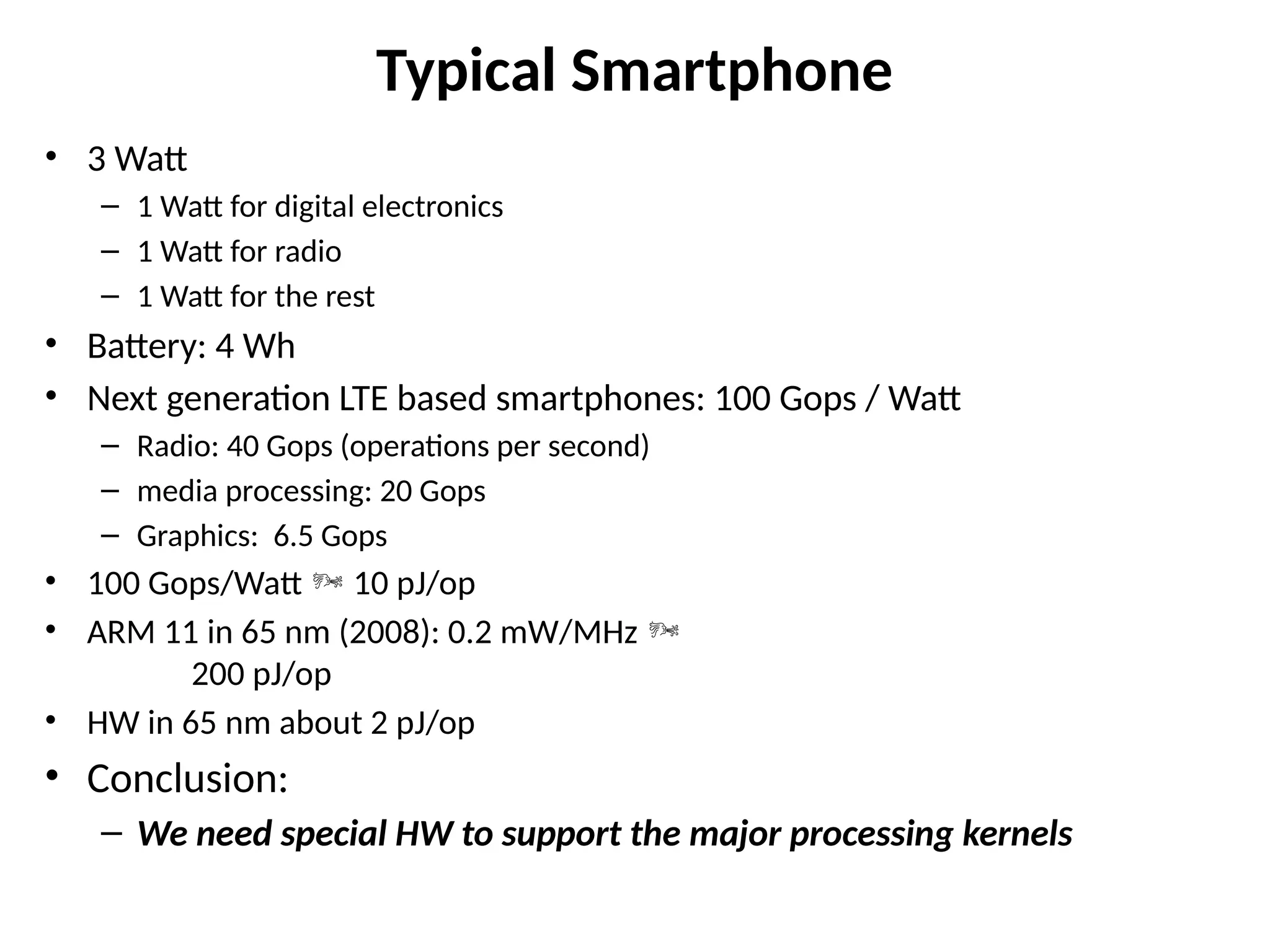
Typical Smartphone
• 3Watt
– 1 Watt for digital electronics
– 1 Watt for radio
– 1 Watt for the rest
• Battery: 4 Wh
• Next generation LTE based smartphones: 100 Gops / Watt
– Radio: 40 Gops (operations per second)
– media processing: 20 Gops
– Graphics: 6.5 Gops
• 100 Gops/Watt 10 pJ/op
• ARM 11 in 65 nm (2008): 0.2 mW/MHz
200 pJ/op
• HW in 65 nm about 2 pJ/op
• Conclusion:
– We need special HW to support the major processing kernels
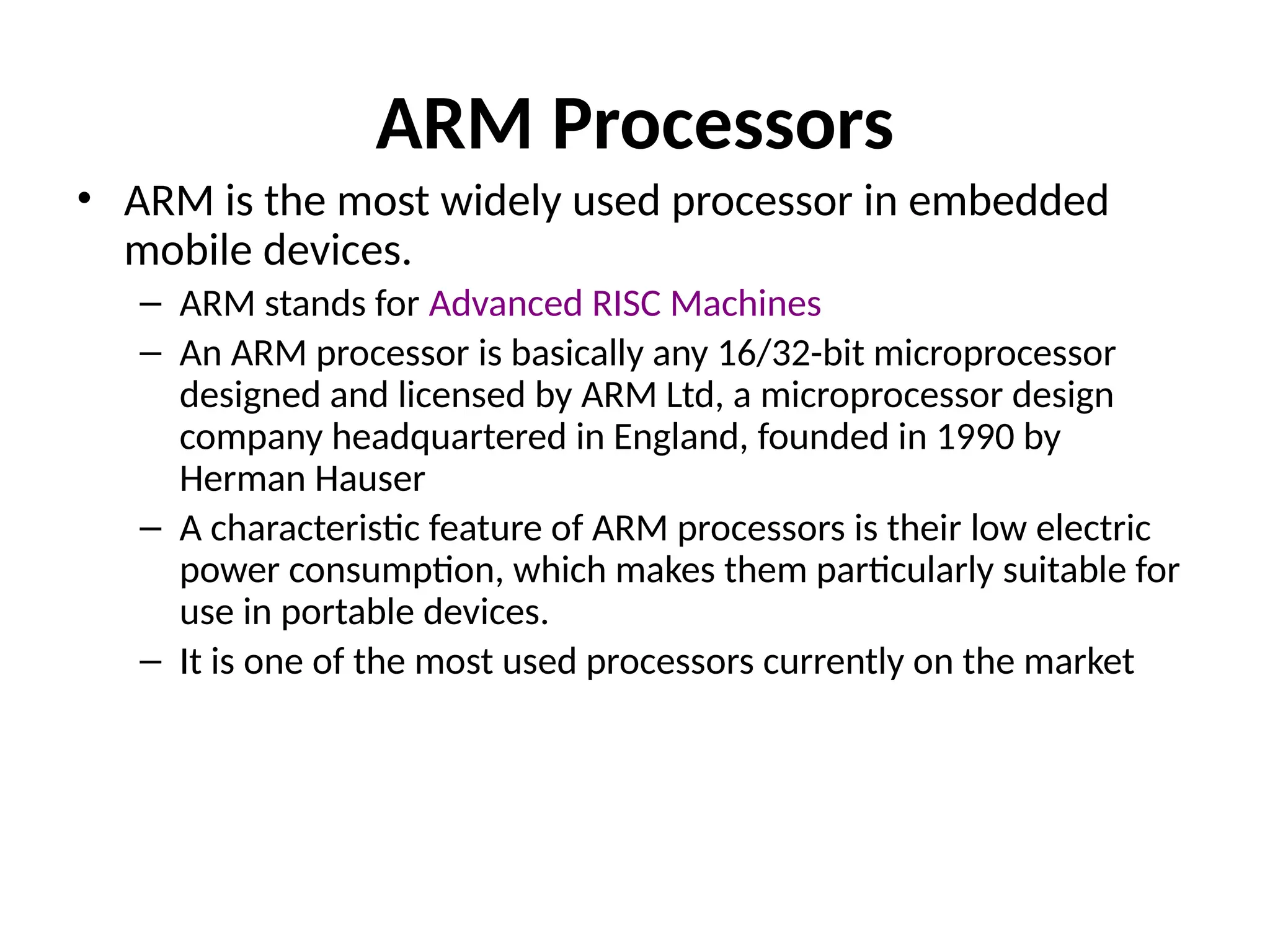
ARM Processors
• ARMis the most widely used processor in embedded
mobile devices.
– ARM stands for Advanced RISC Machines
– An ARM processor is basically any 16/32-bit microprocessor
designed and licensed by ARM Ltd, a microprocessor design
company headquartered in England, founded in 1990 by
Herman Hauser
– A characteristic feature of ARM processors is their low electric
power consumption, which makes them particularly suitable for
use in portable devices.
– It is one of the most used processors currently on the market
48.
Qualcomm Snapdragon SoC
•Features
– Snapdragon: family of mobile system on chips(SOCs) by
Qualcomm.
– First with 1GHz speed.
– Adopted by HD2(Windows),Nexus one, evo 4G.
– Qualcomm designed its own CPU Scorpion similar to the
famous ARM Cortex A8 and uses the ARM v7 ISA.
– Further One more CPU KRAIT that is even faster has
been designed that can reach speeds even greter than
1.5 GHz.
– Had an advantage over standard ARM A8 in instruction
per clock cycle.
49.
Multicore Mobile Processors
•Rationale for multicore (NVIDIA)
– Quad-core processors improve performance during multitasking as well as the
performance of multithreaded applications.
– Quad-core processor brings phone a level of performance comparable to that
of a desktop computer.
– Nick Stam (Director of technical marketing at Nvidia) :
• “People are going to consider their phones as their primary computer”
• “Phones with a quad-core processor are really full computers that can replace many
functions of laptops or desktop computers.
• It is a level of performance that truly does rival a desktop processor.”
• According to Qualcomm :
– It expects users will see the power of quad-core in the multitasking speed.
• The speed in which you switch between open applications will be much faster than that of a
dual-core phone.
– Gaming example.
– Quad-core processors support multithreaded applications, meaning an app
that runs multiple processes at once, like a game.
• Therefore, Gameplay on a phone that can support these simultaneous processes is much more
fluid and snappier with higher-quality graphics.
– Imaging softwares can stitch together multiple photos much faster than a
single or dual-core phone.
50.
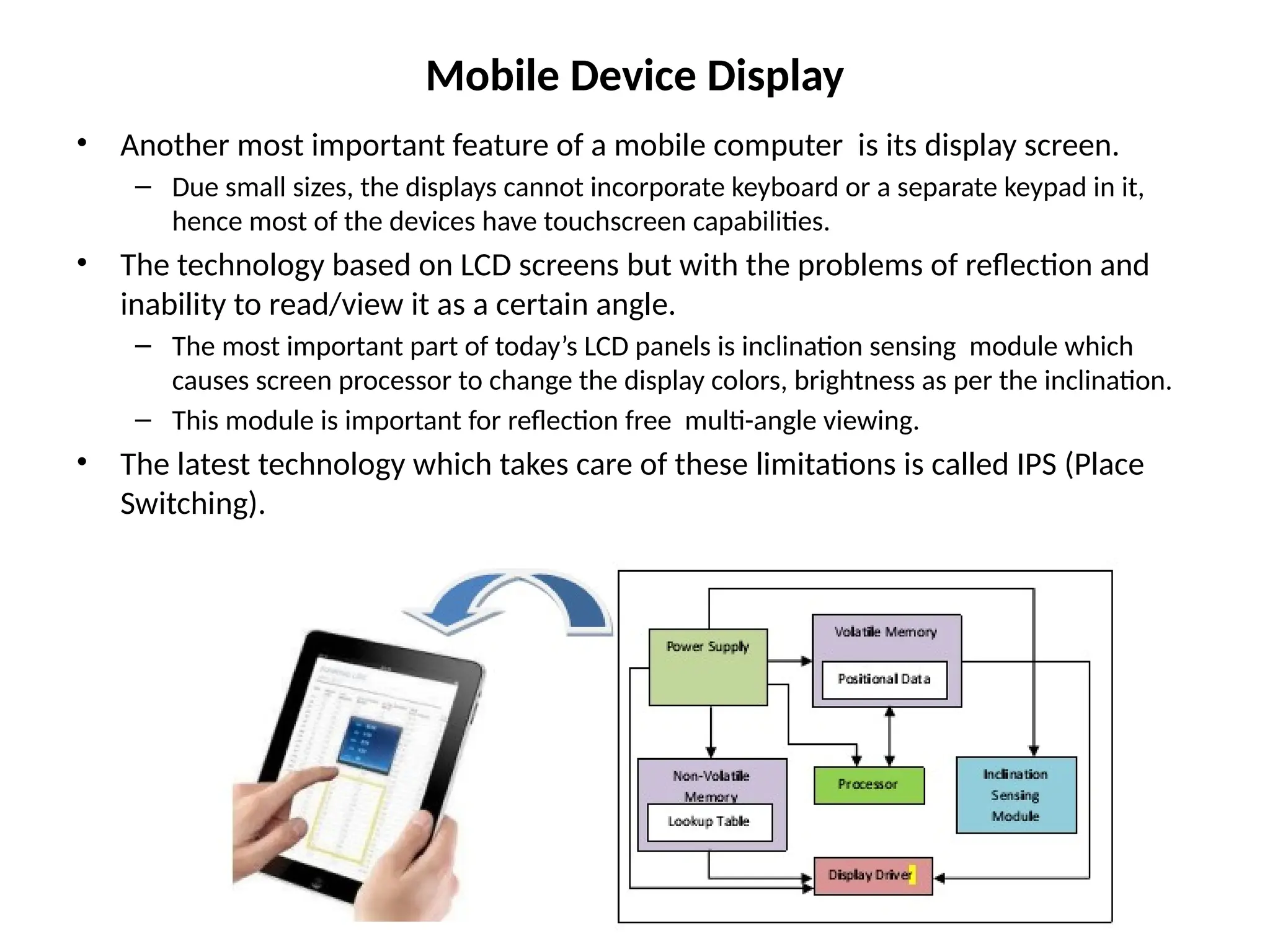
Mobile Device Display
•Another most important feature of a mobile computer is its display screen.
– Due small sizes, the displays cannot incorporate keyboard or a separate keypad in it,
hence most of the devices have touchscreen capabilities.
• The technology based on LCD screens but with the problems of reflection and
inability to read/view it as a certain angle.
– The most important part of today’s LCD panels is inclination sensing module which
causes screen processor to change the display colors, brightness as per the inclination.
– This module is important for reflection free multi-angle viewing.
• The latest technology which takes care of these limitations is called IPS (Place
Switching).
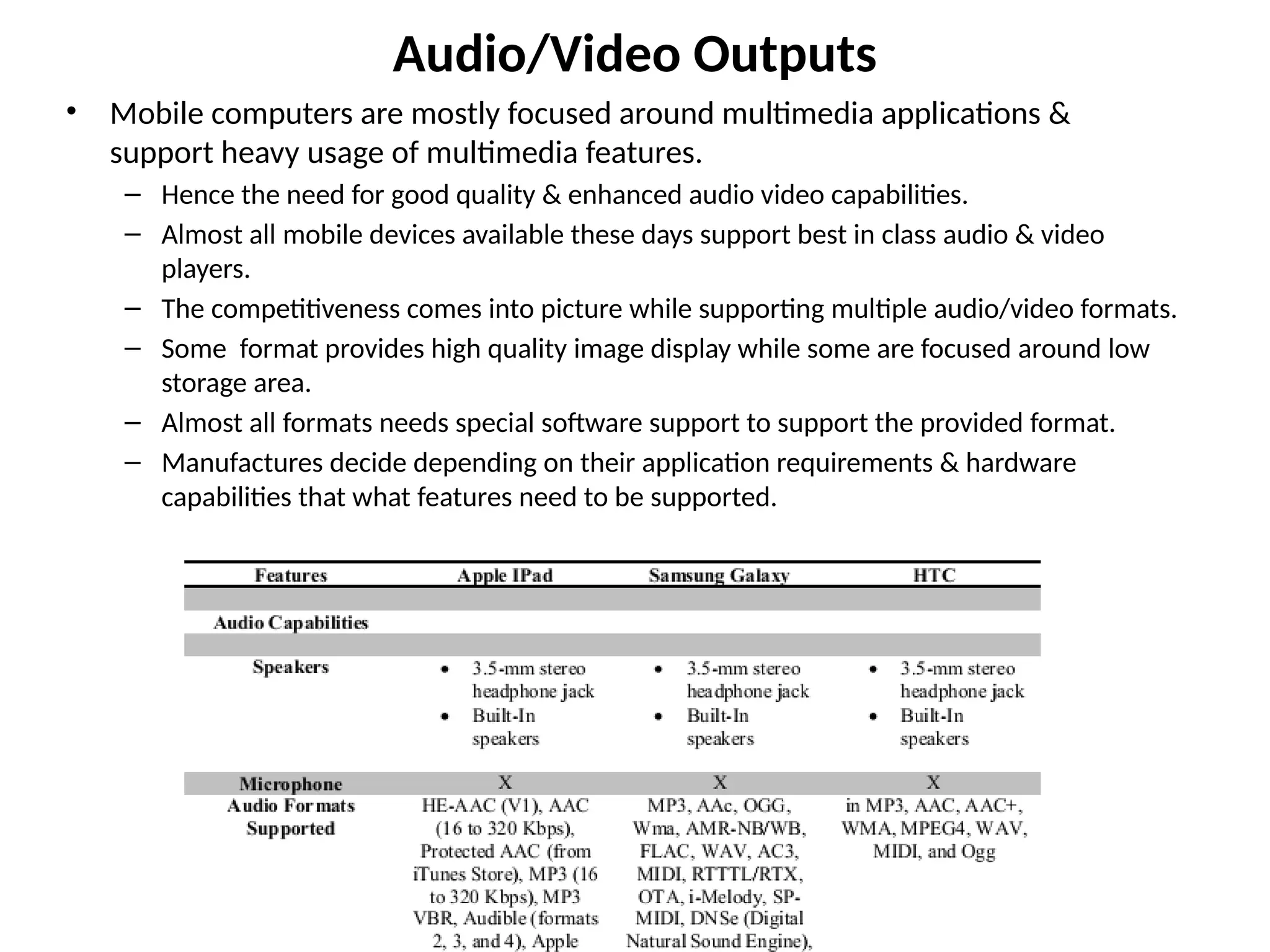
Audio/Video Outputs
• Mobilecomputers are mostly focused around multimedia applications &
support heavy usage of multimedia features.
– Hence the need for good quality & enhanced audio video capabilities.
– Almost all mobile devices available these days support best in class audio & video
players.
– The competitiveness comes into picture while supporting multiple audio/video formats.
– Some format provides high quality image display while some are focused around low
storage area.
– Almost all formats needs special software support to support the provided format.
– Manufactures decide depending on their application requirements & hardware
capabilities that what features need to be supported.
53.
Graphics Processing Units(GPU)
• A Graphics Processing Unit is a co-processor
that takes on graphical calculations and
transformations so that the main CPU does not
have to be burdened by them.
• The use of a GPU can greatly increase the
performance of a device, especially when used
for tasks such as 3D gaming.
• A GPU can be a stand-alone chip or, as is more
often the case, integrated into a complete chip
design that includes one or more CPU cores.
54.
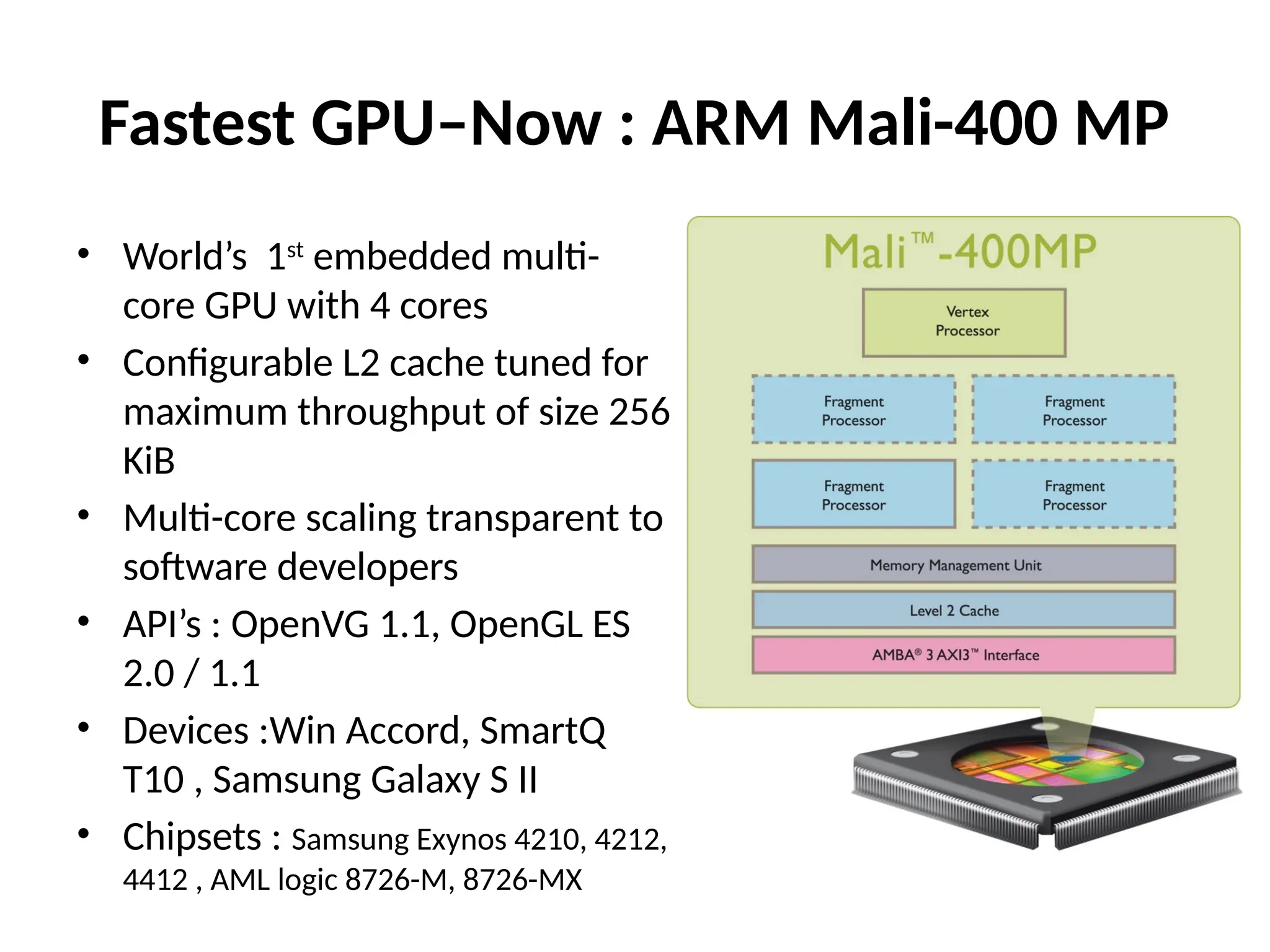
Fastest GPU–Now :ARM Mali-400 MP
• World’s 1st
embedded multi-
core GPU with 4 cores
• Configurable L2 cache tuned for
maximum throughput of size 256
KiB
• Multi-core scaling transparent to
software developers
• API’s : OpenVG 1.1, OpenGL ES
2.0 / 1.1
• Devices :Win Accord, SmartQ
T10 , Samsung Galaxy S II
• Chipsets : Samsung Exynos 4210, 4212,
4412 , AML logic 8726-M, 8726-MX
55.
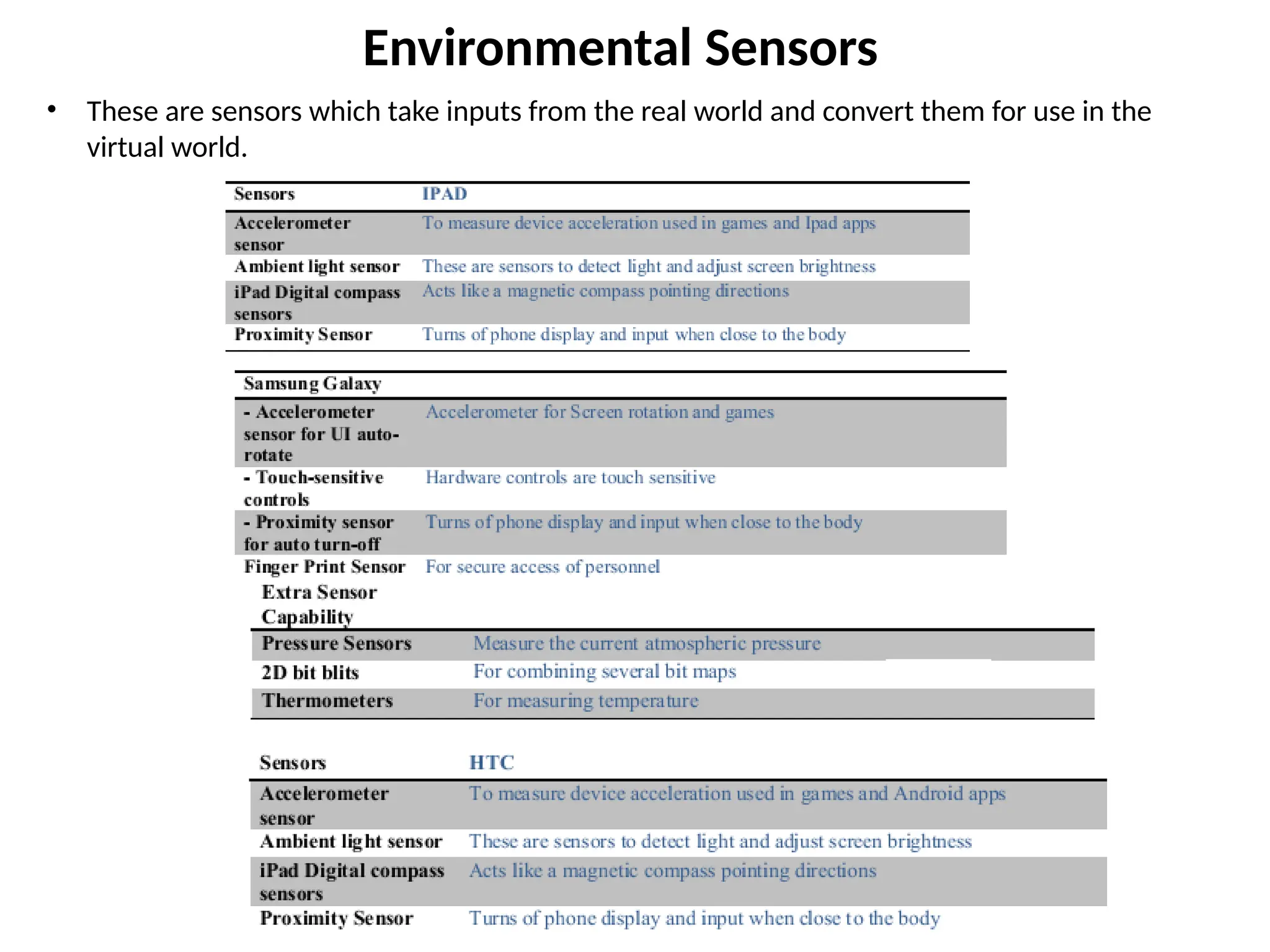
Environmental Sensors
• Theseare sensors which take inputs from the real world and convert them for use in the
virtual world.
56.
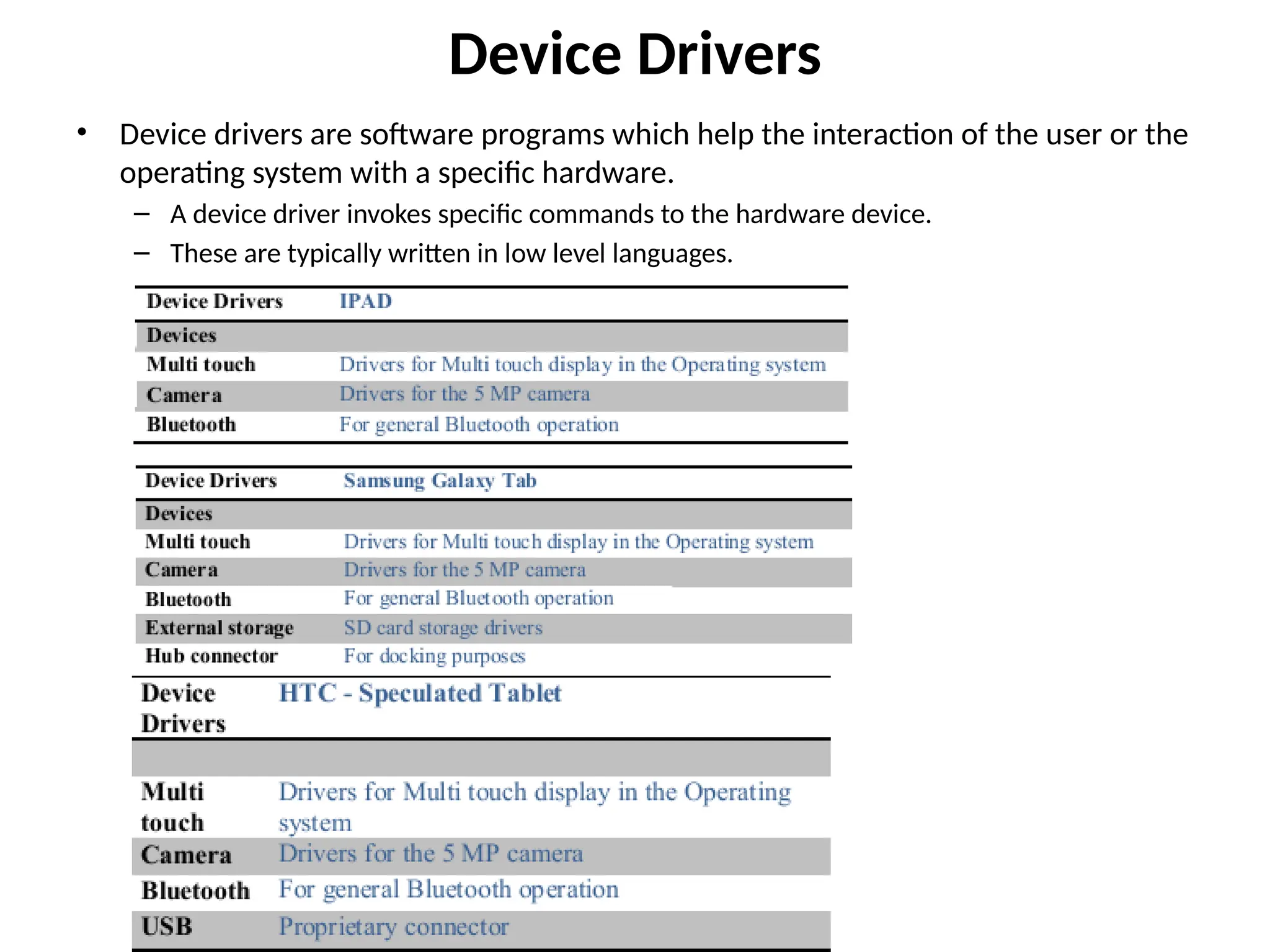
Device Drivers
• Devicedrivers are software programs which help the interaction of the user or the
operating system with a specific hardware.
– A device driver invokes specific commands to the hardware device.
– These are typically written in low level languages.
57.
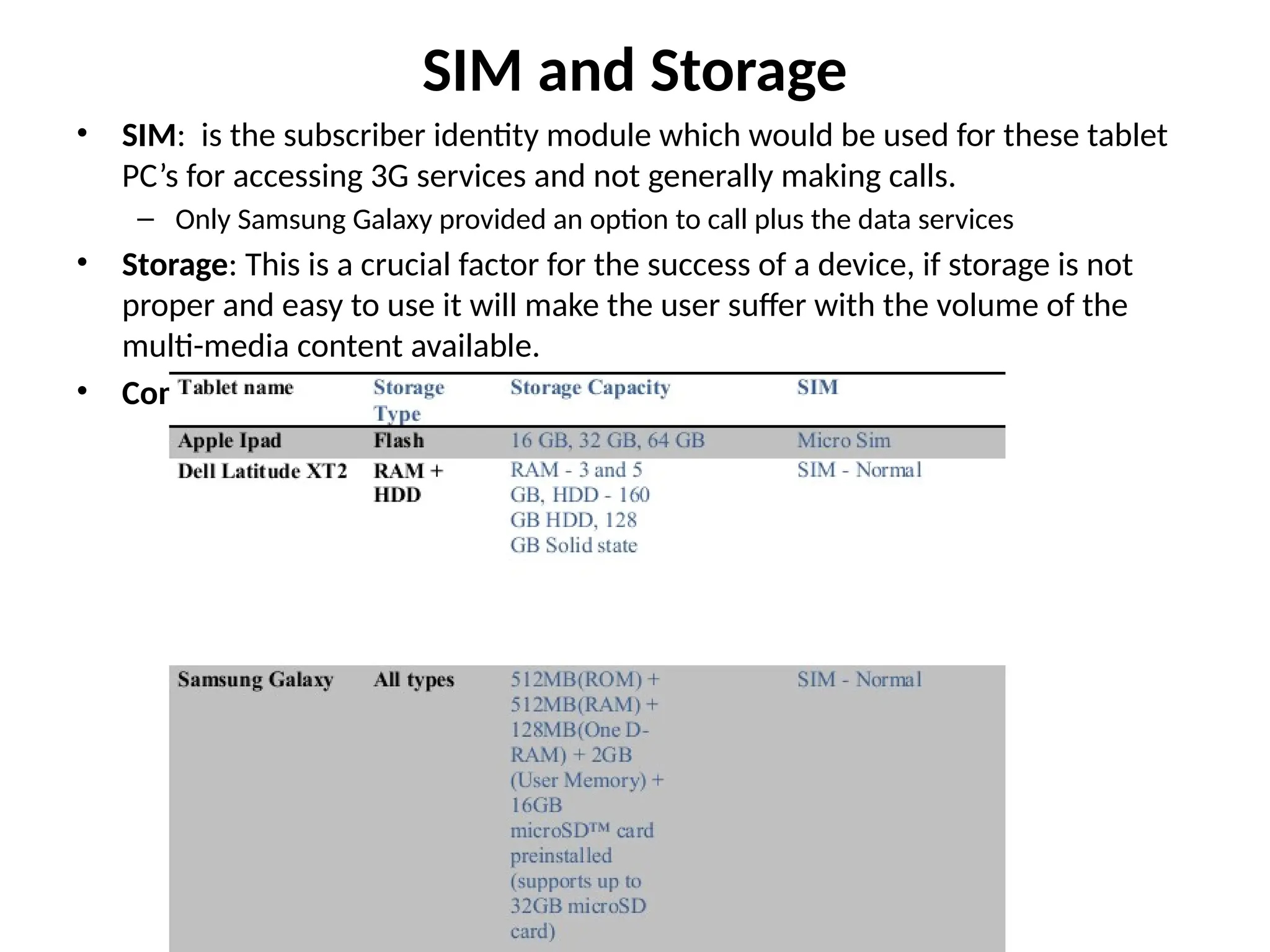
SIM and Storage
•SIM: is the subscriber identity module which would be used for these tablet
PC’s for accessing 3G services and not generally making calls.
– Only Samsung Galaxy provided an option to call plus the data services
• Storage: This is a crucial factor for the success of a device, if storage is not
proper and easy to use it will make the user suffer with the volume of the
multi-media content available.
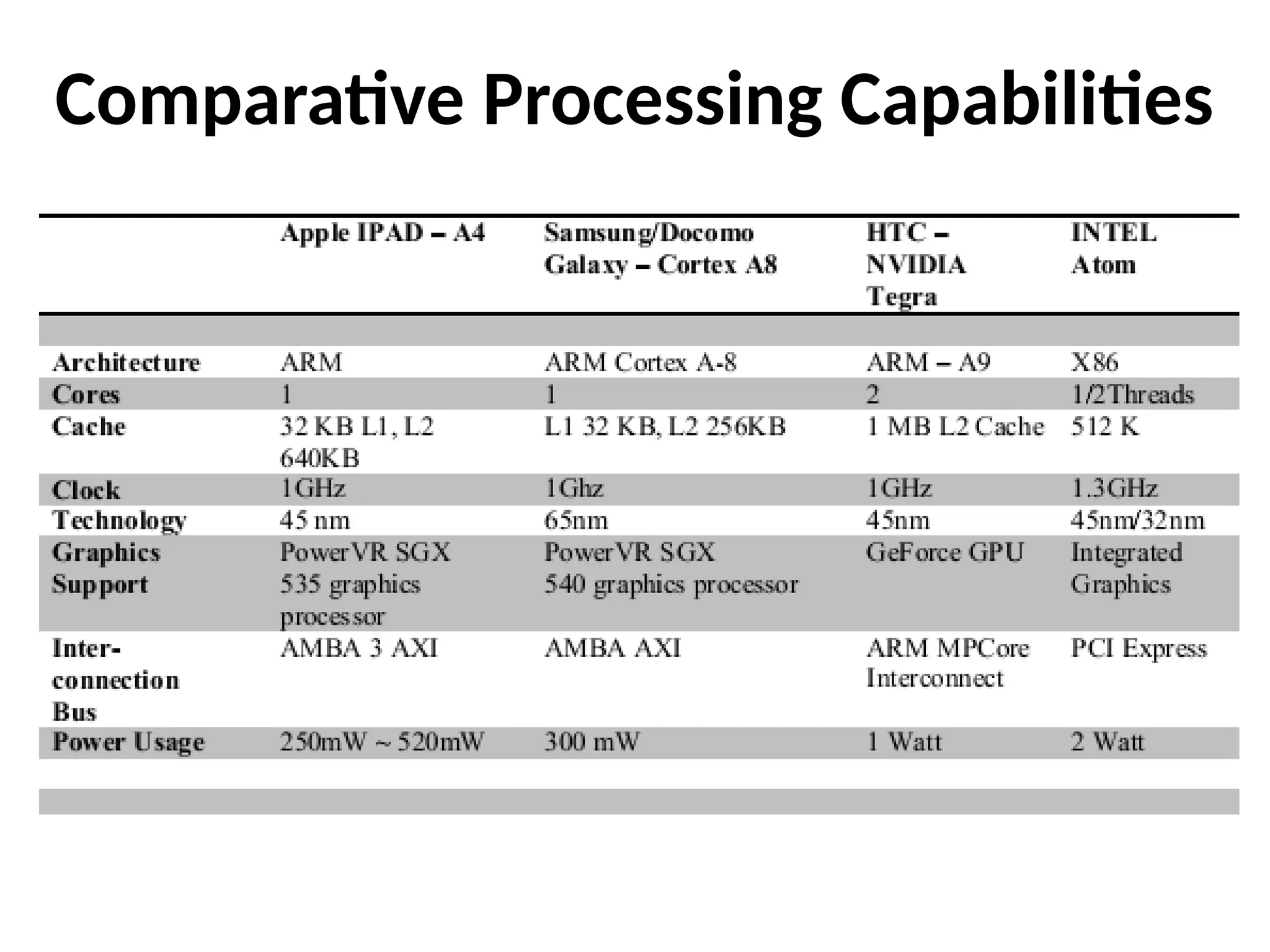
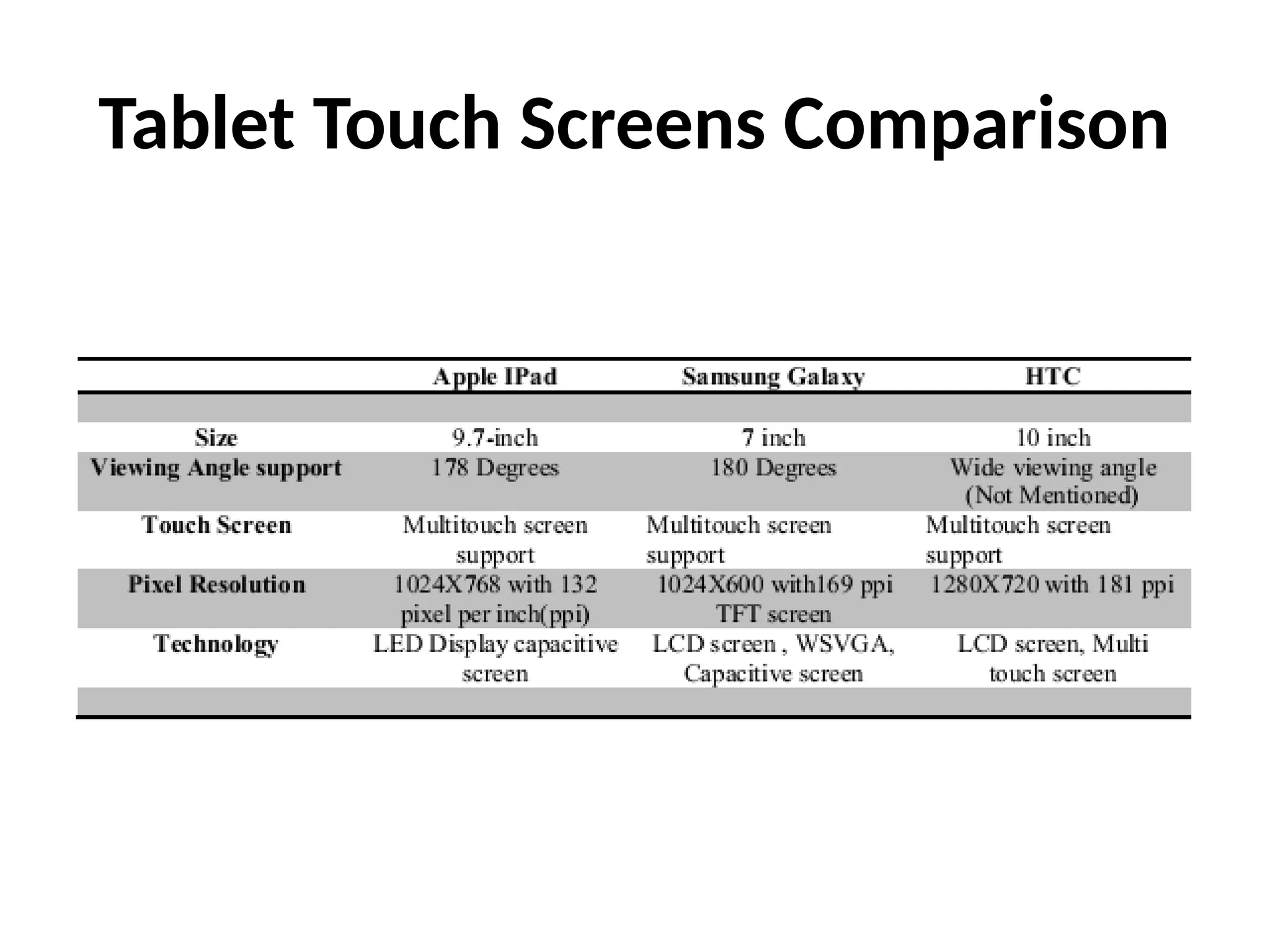
• Comparative chart for all the devices
58.
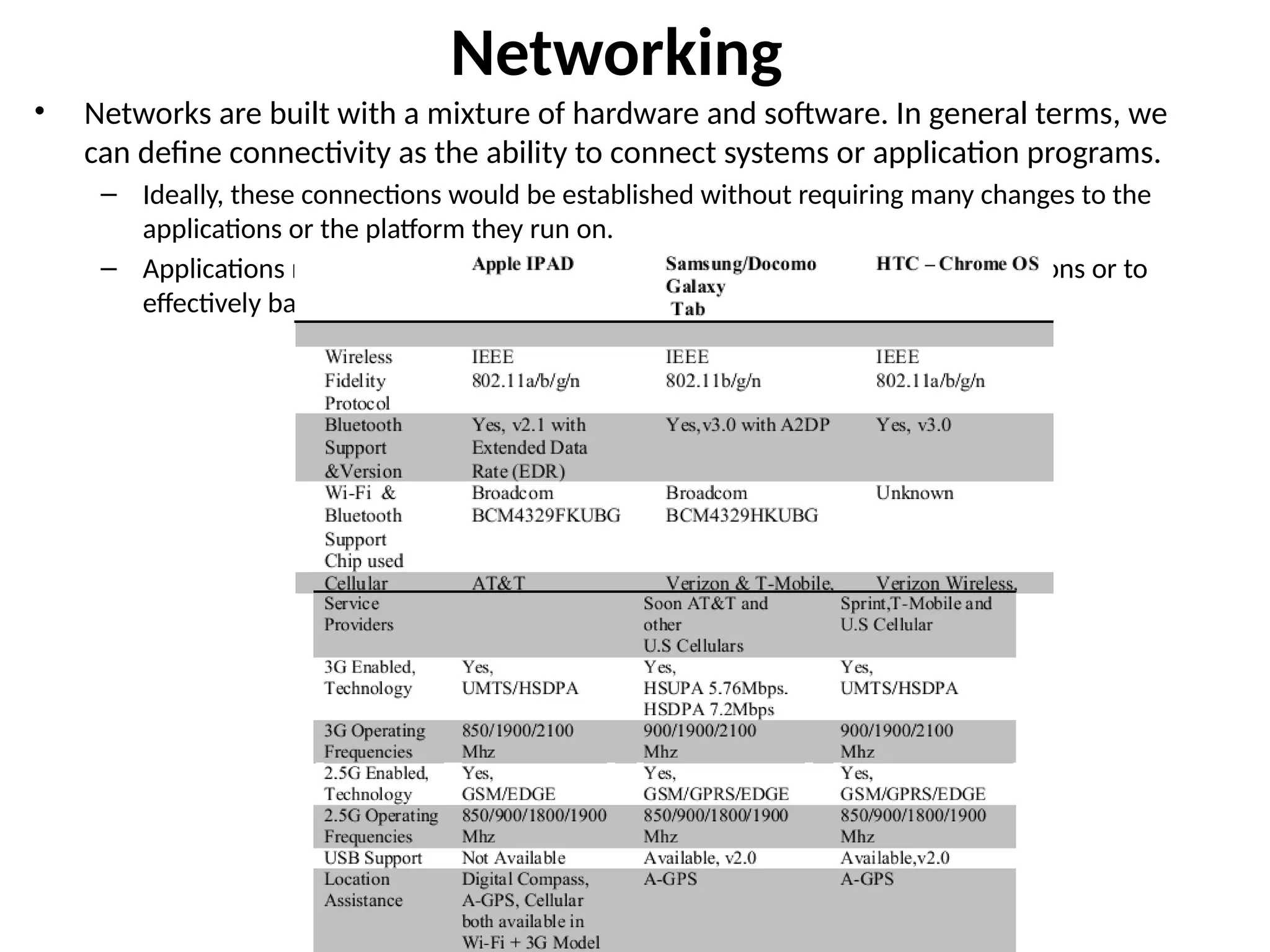
Networking
• Networks arebuilt with a mixture of hardware and software. In general terms, we
can define connectivity as the ability to connect systems or application programs.
– Ideally, these connections would be established without requiring many changes to the
applications or the platform they run on.
– Applications may need to communicate with each other to complete transactions or to
effectively balance resources.
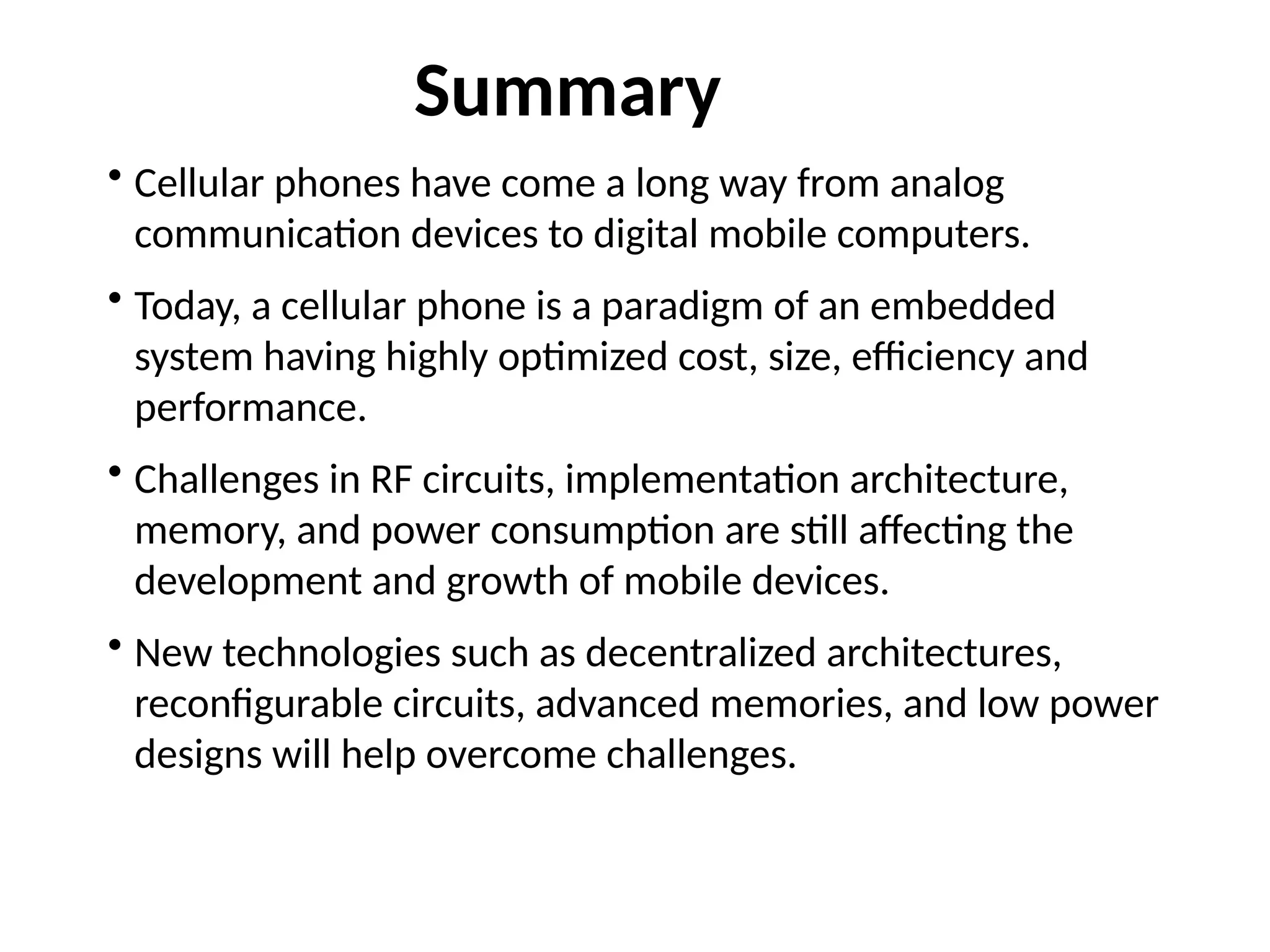
• Cellular phoneshave come a long way from analog
communication devices to digital mobile computers.
• Today, a cellular phone is a paradigm of an embedded
system having highly optimized cost, size, efficiency and
performance.
• Challenges in RF circuits, implementation architecture,
memory, and power consumption are still affecting the
development and growth of mobile devices.
• New technologies such as decentralized architectures,
reconfigurable circuits, advanced memories, and low power
designs will help overcome challenges.
Summary
![Android Mobile Handset Platform
• Android is a software development
platform for mobile handsets that is
based on Linux
• Developed by Google and Open
Handset Alliance (OHA) for different
handset manufacturers
– The Alliance includes T-Mobile, Sprint
Nextel, Google, Intel, Samsung, Wind
River Systems, et al. [29]
– Its purpose is to build a fully free and
open mobile handset platform to
facilitate development of handsets,
software, services [30]
• First Android-based handset is T-
Mobile G1](https://image.slidesharecdn.com/lect1011-250315064527-a1fd6ed3/75/lect-10-11-pptx-MOBILE-COMPUTING-AND-INFO-27-2048.jpg)
![Android Features and Software
• Features
– 3D: OpenGL ES 1.0
– SQLite: Database engine
– WebKit: Web browser
– Dalvik: Register-based VM
similar to Java VM [32]
– FreeType: Bitmap and vector
font rendering
– Connectivity: Bluetooth,
802.11, GPS
• Core Applications
– Email client, SMS program,
calendar, Google Maps (and
Apps), browser, etc.
– Written in Java
• App Framework
– Full access to same framework
APIs
– Architecture designed for
component reuse
• Runtime
– Core C++ library
– Multiple Dalvik VMs run in a
process, rely on Linux kernel for
process isolation [32]](https://image.slidesharecdn.com/lect1011-250315064527-a1fd6ed3/75/lect-10-11-pptx-MOBILE-COMPUTING-AND-INFO-31-2048.jpg)