Android vs. Apple iOS Security Showdown
                              Tom Eston
About Your Presenter
•   Tom Eston CISSP, GWAPT
•   Manger of the SecureState Profiling & Penetration Team
•   Specializing in Attack & Penetration, Mobile Security
•   Founder of SocialMediaSecurity.com
•   Facebook Privacy & Security Guide
•   Security Blogger – SpyLogic.net
•   Co-host of Social Media Security Podcast
•   National Presenter
    Black Hat USA, DEFCON, ShmooCon, SANS, OWASP

                                                      2
Agenda

• The Latest Statistics on Android vs. Apple iOS

• Android and Apple iOS Overview – Versions & Features

• What are the issues, what are the security concerns?

• The “SHOWDOWN”!
   – Each feature compared between Android and Apple
     iOS…who will win??

• Mobile Device Best Practices

                                                         3
Android?


           4
Apple?


         5
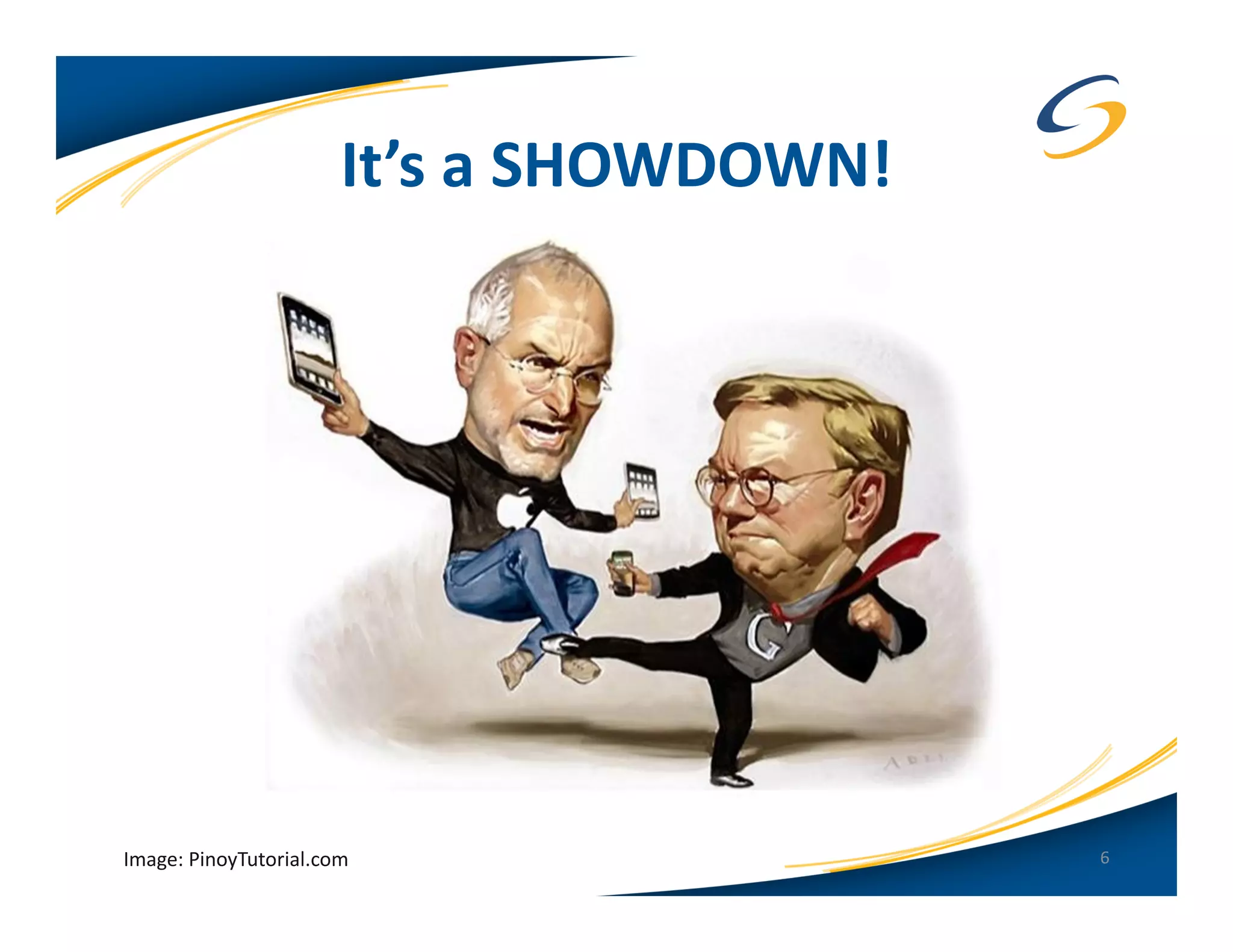
It’s a SHOWDOWN!


Image: PinoyTutorial.com                  6
Android - Latest Statistics
• 300 Million Devices Sold
  (as of February 2012)
• 450,000 apps in the Android Market (Google Play)


                                                     7
Apple iOS - Latest Statistics
• 316 Million iOS Devices Sold (as of February 2012)
• Increase due to Verizon/Sprint now selling Apple
  devices
• 500,000 apps in the Apple App Store


                                                       8
9
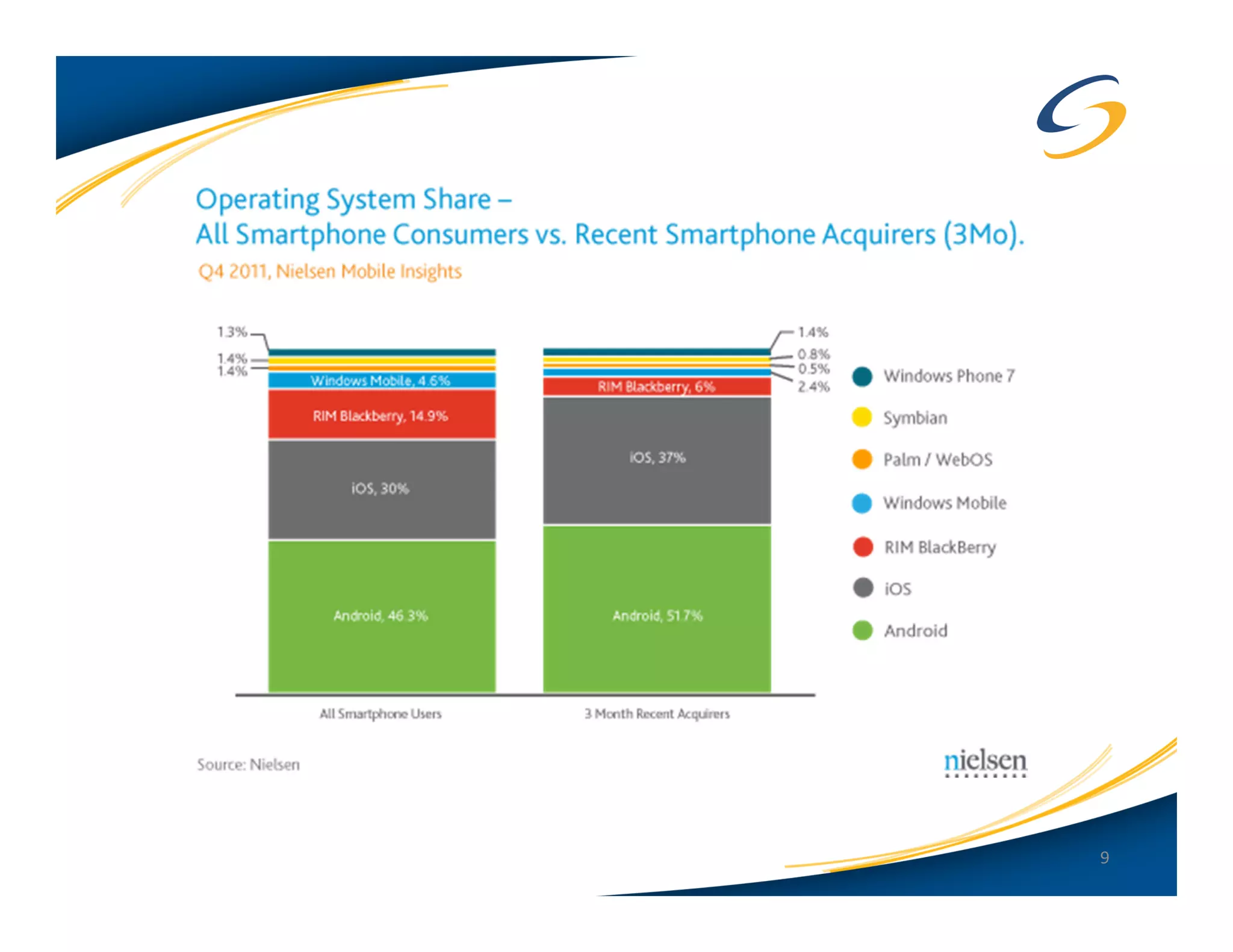
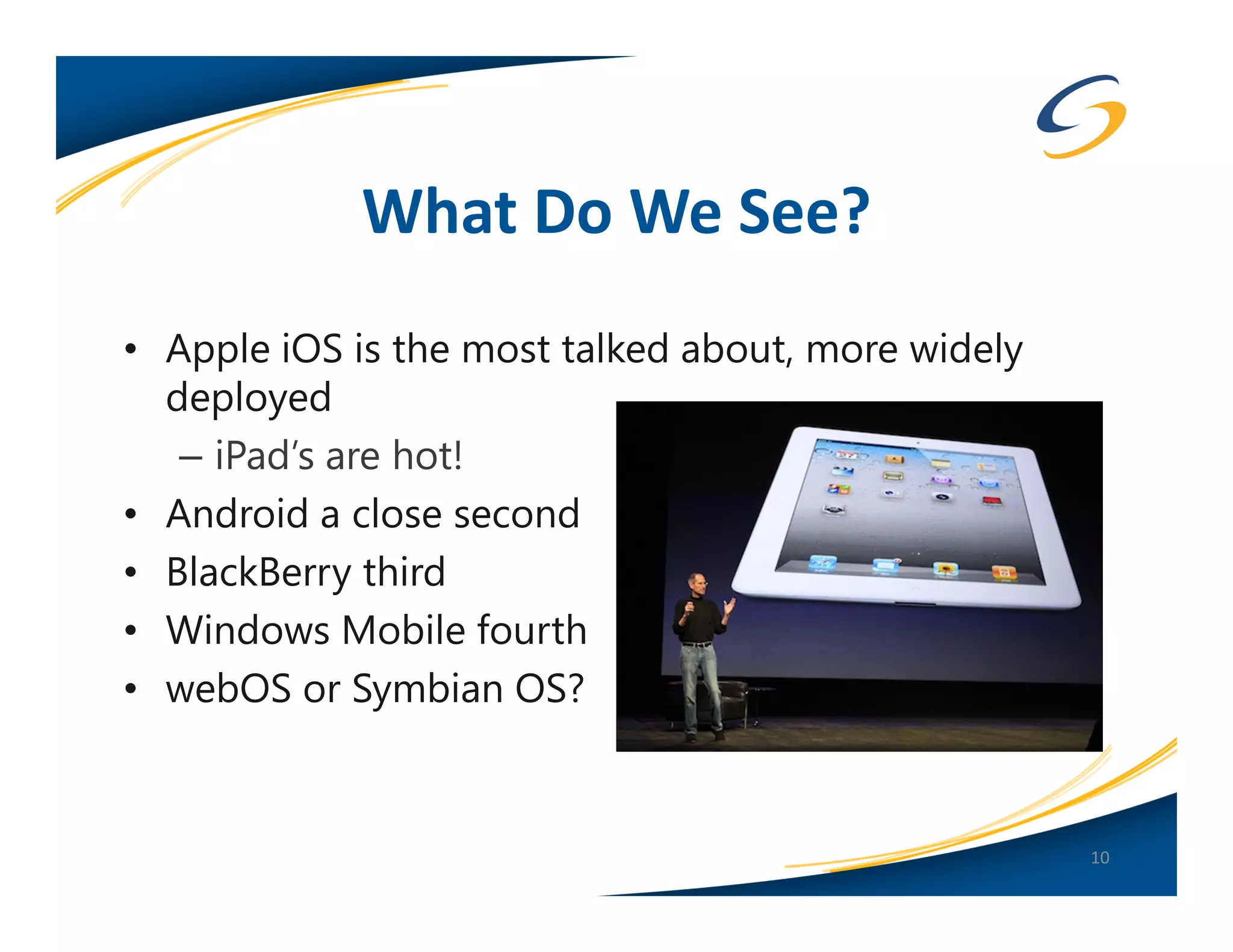
What Do We See?
• Apple iOS is the most talked about, more widely
  deployed
   – iPad’s are hot!
• Android a close second
• BlackBerry third
• Windows Mobile fourth
• webOS or Symbian OS?


                                                    10
Android: Current Versions
• Jelly Bean 4.1.1
   – Tablet (Nexus 7) and Nexus Phone
• Honeycomb 3.2.6
   – Tablet only (Motorola Xoom)

• Updates are periodic. No set schedule by Google.
• Updates to the device depend on the hardware
  manufacturer and the cell carrier
• Samsung Galaxy Nexus and the Nexus 7 tablet get
  updates immediately from Google (this is the ‘Google
  Phone/Tablet’)
                                                         11
Apple iOS: Current Versions
• Not to be confused with Cisco “IOS”
• Apple changed the name to “iOS” in
  June 2010
• Updated at least once a quarter, mostly
  minor revisions
• Current version(s):
   – All carriers (GSM/CDMA) = 5.1.1
   – iOS 6 in Beta 2
• iOS 5 fully supports iPhone 4/4S, iPhone
  3GS, iPod Touch 3/4 gen, iPad 1-3
                                             12
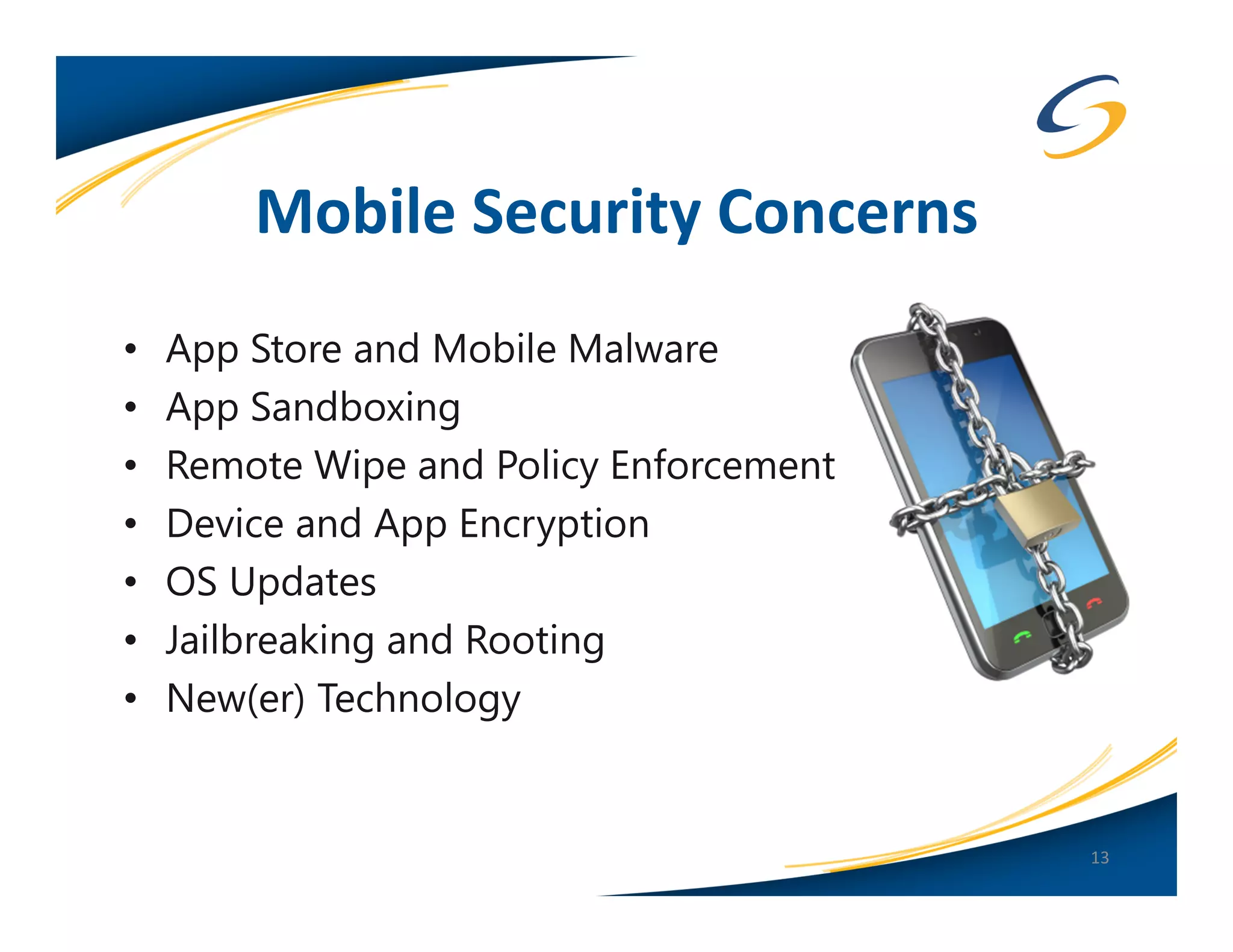
Mobile Security Concerns
•   App Store and Mobile Malware
•   App Sandboxing
•   Remote Wipe and Policy Enforcement
•   Device and App Encryption
•   OS Updates
•   Jailbreaking and Rooting
•   New(er) Technology


                                         13
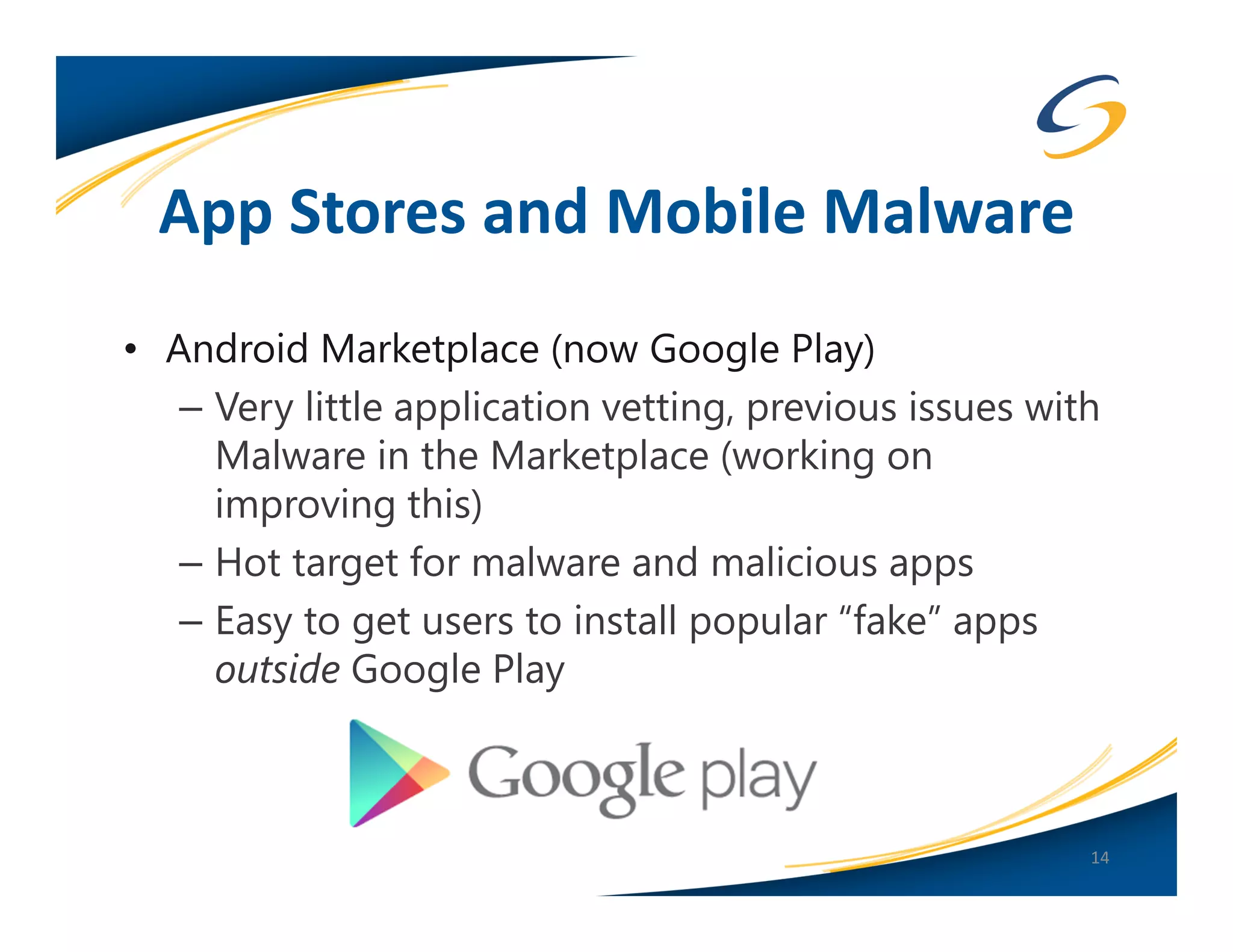
App Stores and Mobile Malware
• Android Marketplace (now Google Play)
   – Very little application vetting, previous issues with
     Malware in the Marketplace (working on
     improving this)
   – Hot target for malware and malicious apps
   – Easy to get users to install popular “fake” apps
     outside Google Play


                                                         14
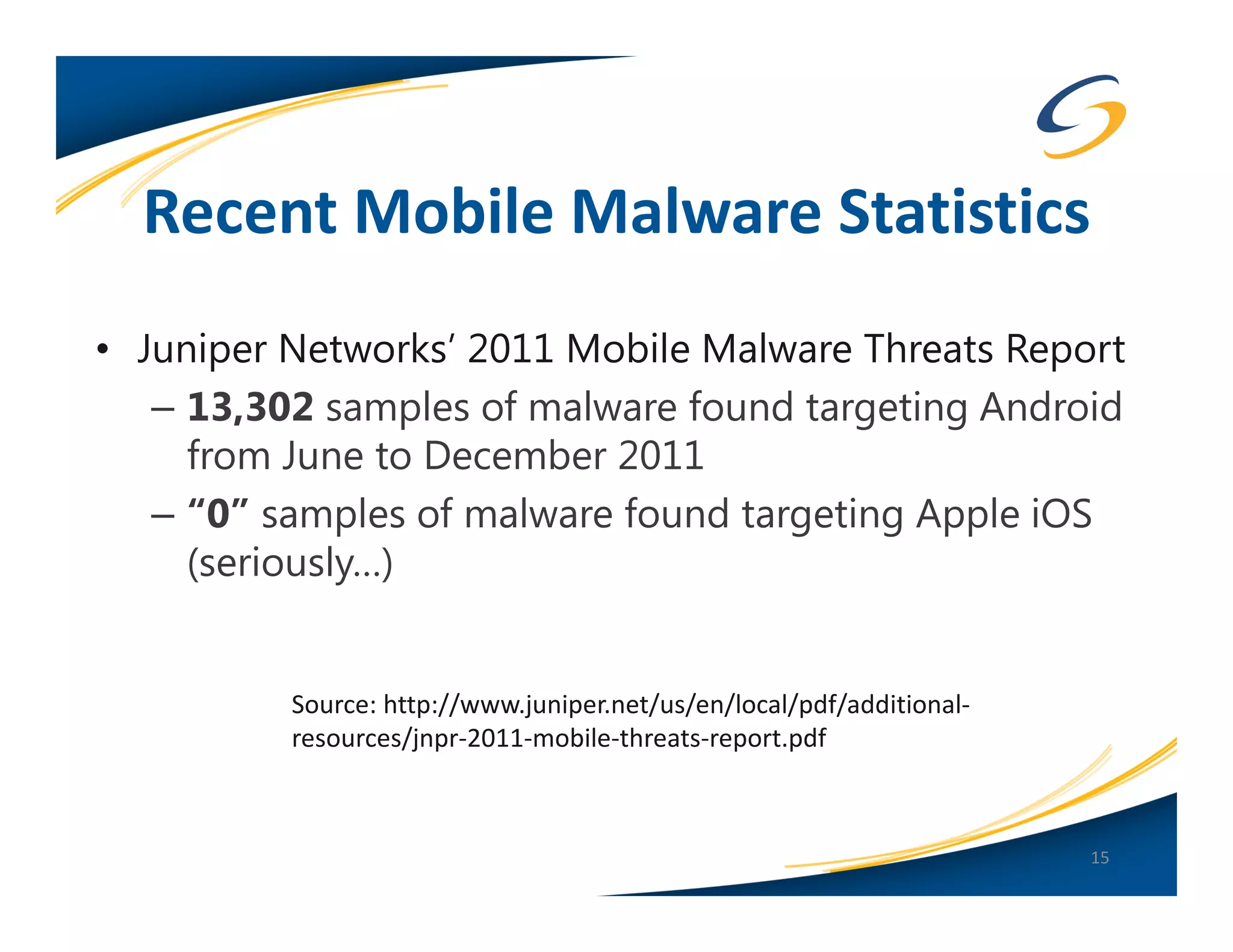
Recent Mobile Malware Statistics
• Juniper Networks’ 2011 Mobile Malware Threats Report
   – 13,302 samples of malware found targeting Android
     from June to December 2011
   – “0” samples of malware found targeting Apple iOS
     (seriously…)


          Source: http://www.juniper.net/us/en/local/pdf/additional-
          resources/jnpr-2011-mobile-threats-report.pdf


                                                                       15
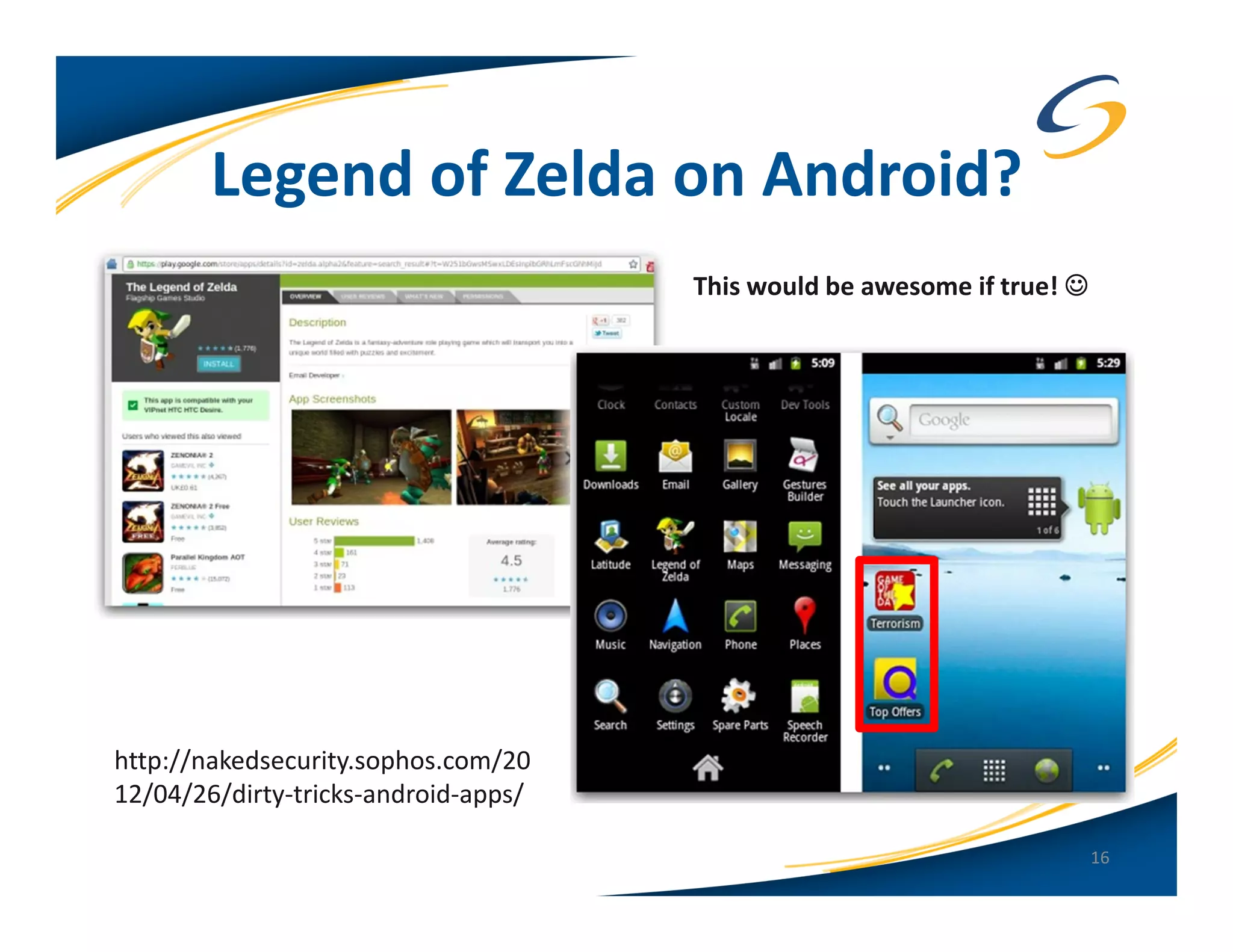
Legend of Zelda on Android?
                                      This would be awesome if true! ☺


http://nakedsecurity.sophos.com/20
12/04/26/dirty-tricks-android-apps/

                                                                         16
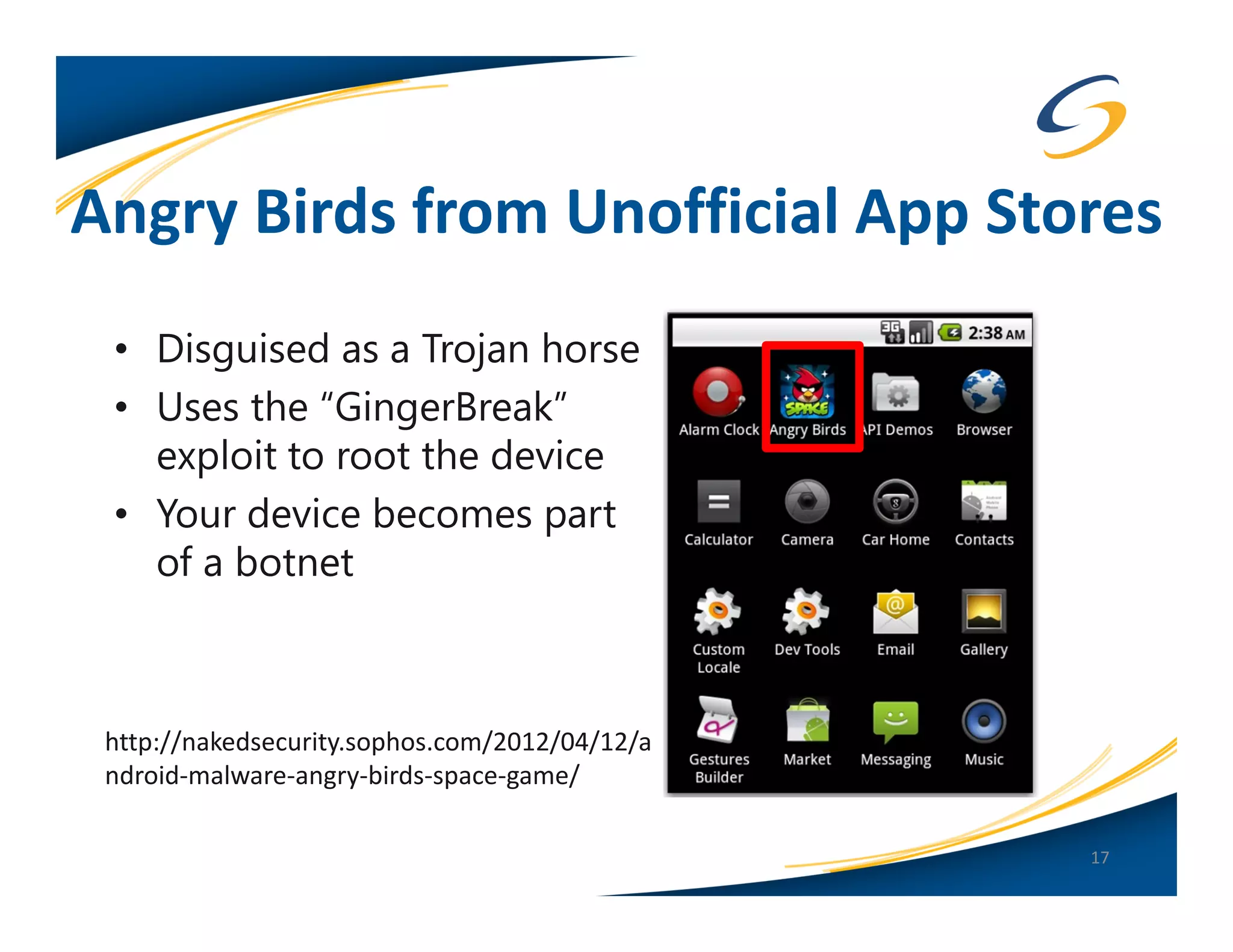
Angry Birds from Unofficial App Stores
 • Disguised as a Trojan horse
 • Uses the “GingerBreak”
   exploit to root the device
 • Your device becomes part
   of a botnet


 http://nakedsecurity.sophos.com/2012/04/12/a
 ndroid-malware-angry-birds-space-game/

                                                17
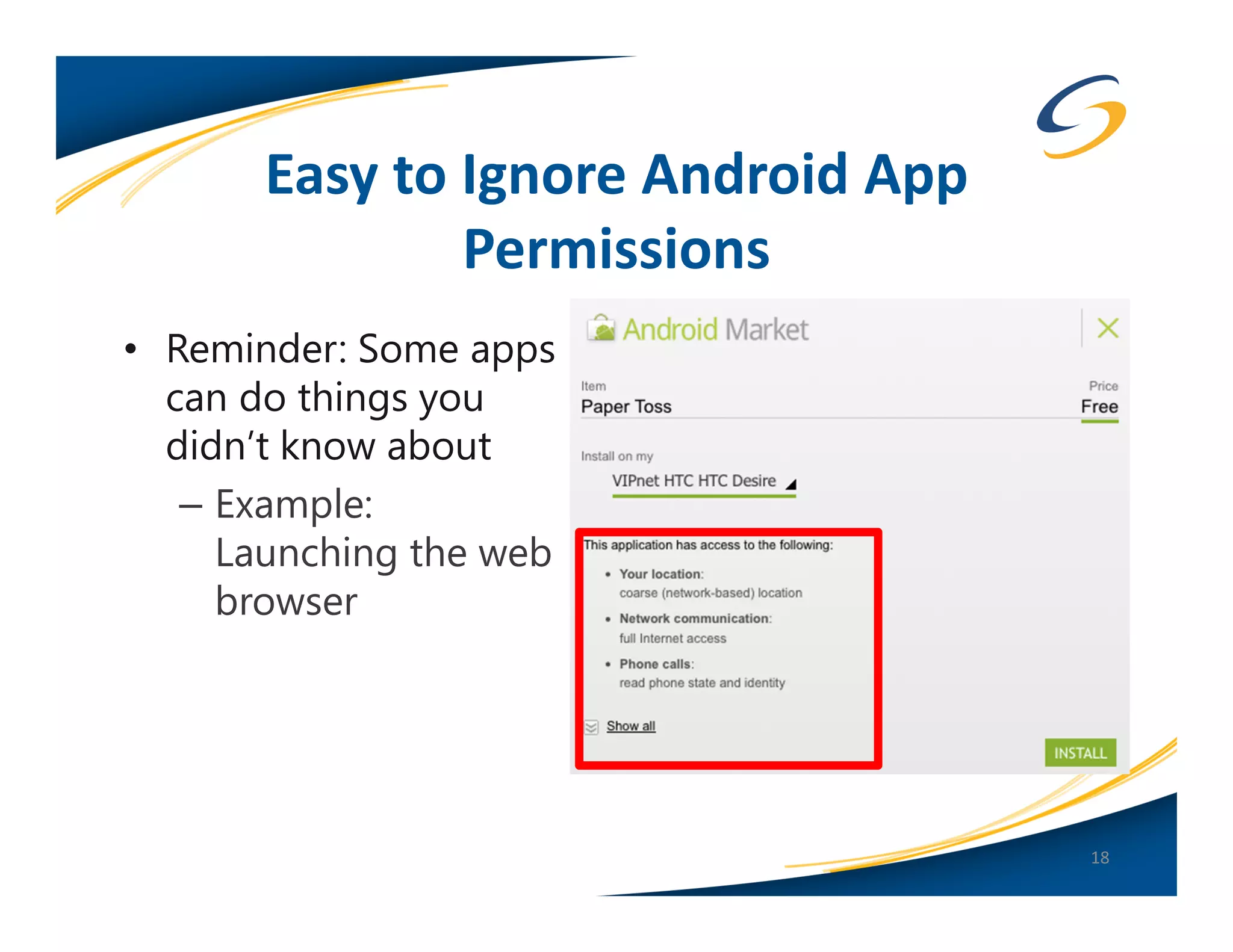
Easy to Ignore Android App
               Permissions
• Reminder: Some apps
  can do things you
  didn’t know about
   – Example:
     Launching the web
     browser


                                    18
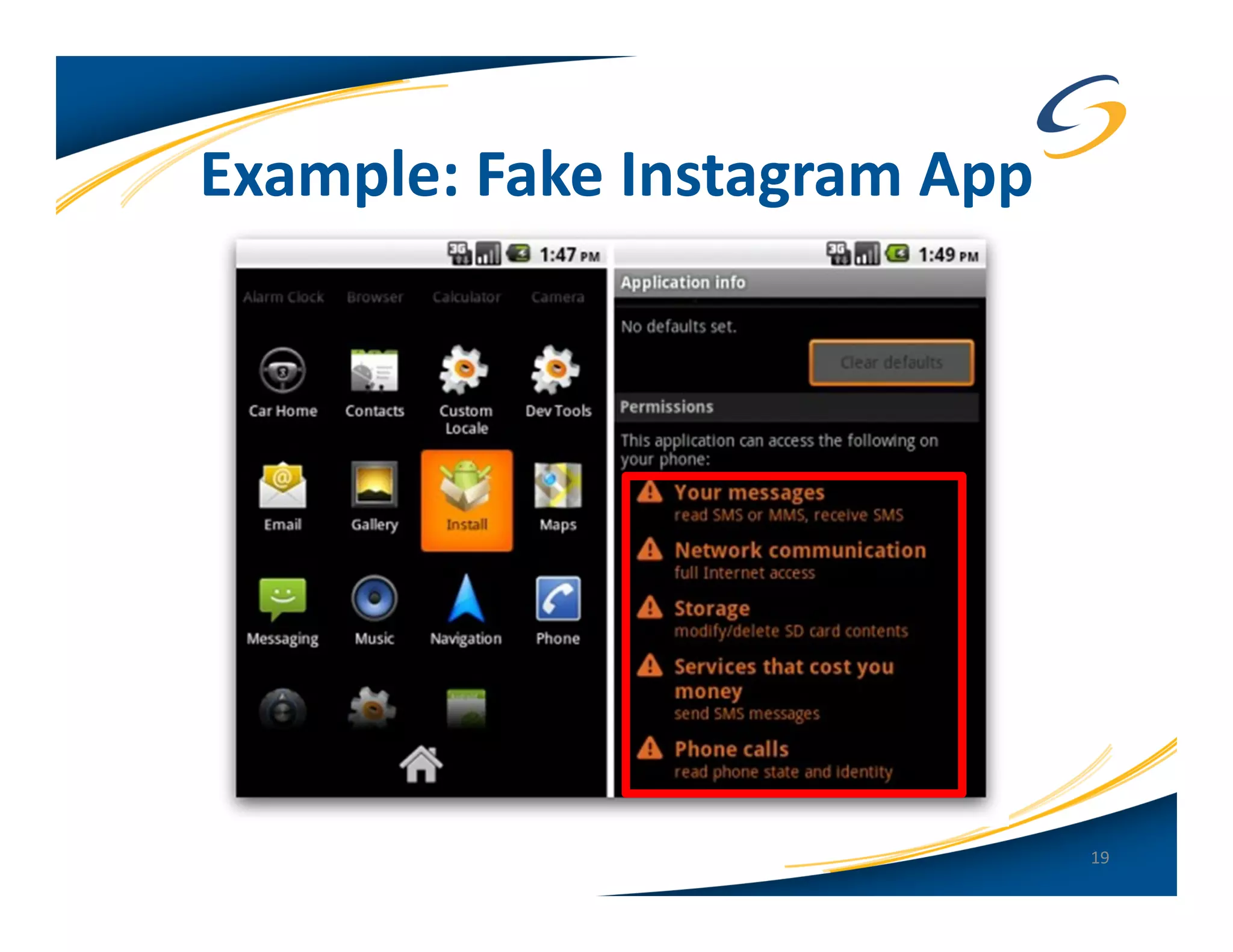
Example: Fake Instagram App


                              19
App Stores and Mobile Malware
• Apple App Store
   – Developers must pay $99
   – Submit identifying documents
     (SSN or articles of incorporation for a company)
• Google Play
   – Developers must pay $25
   – Agree to a “Developers Distribution Agreement”
   – Easy to upload lots of apps and resign if apps get
     rejected or banned

                                                      20
App Stores and Mobile Malware
• Apple App Store
   – Vetting process for each app in the store
   – Must pass Apple’s “checks” (static analysis of binaries)
   – Code for each app is digitally signed by Apple, not
     the developer
• Process was exploited by Charlie Miller in November of
  2011
   – Created an “approved” app which was digitally signed
   – The app later downloaded unsigned code which could
     modify the OS dynamically
   – Was a bug in iOS 4.3/5.0

                                                           21
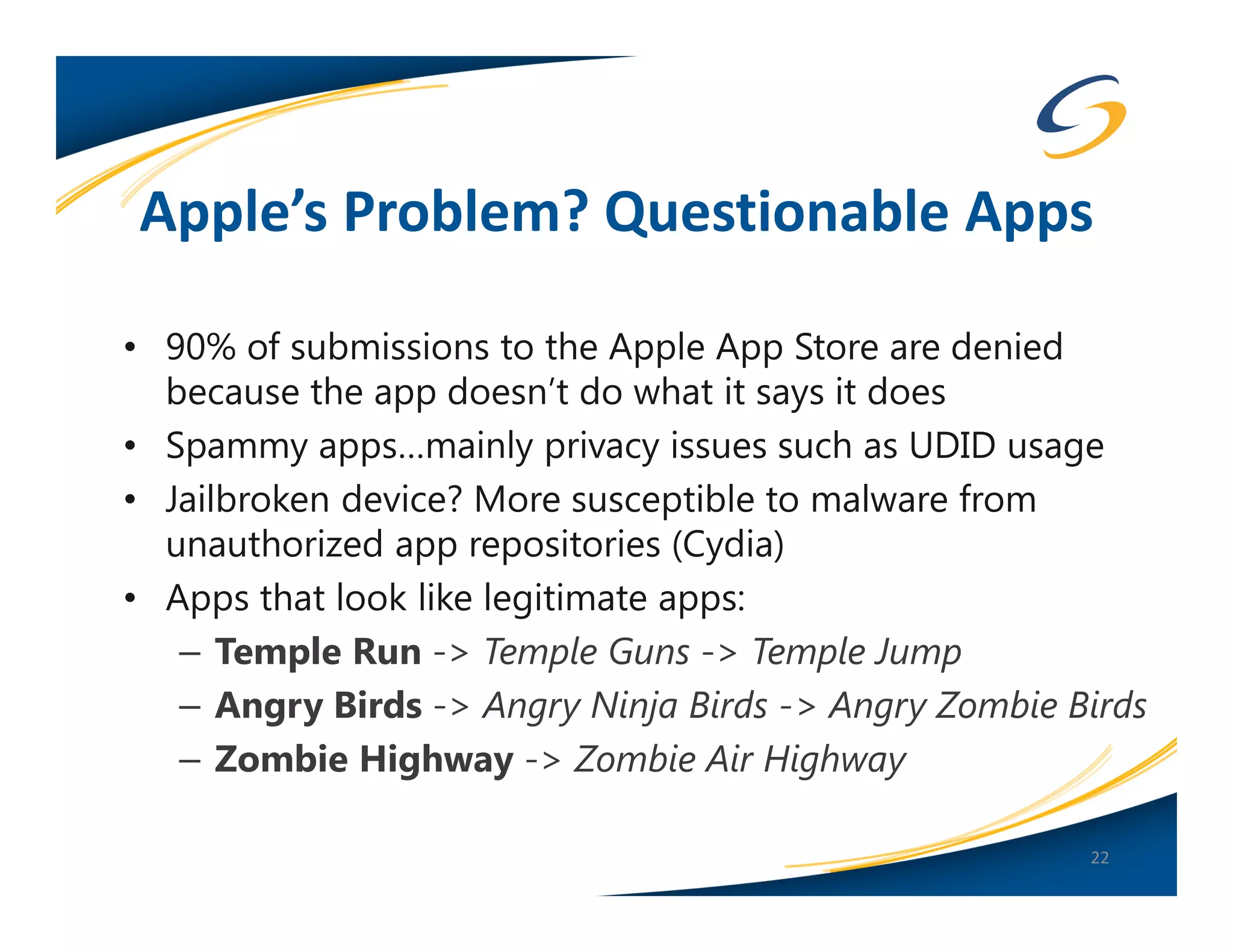
Apple’s Problem? Questionable Apps

• 90% of submissions to the Apple App Store are denied
  because the app doesn’t do what it says it does
• Spammy apps…mainly privacy issues such as UDID usage
• Jailbroken device? More susceptible to malware from
  unauthorized app repositories (Cydia)
• Apps that look like legitimate apps:
   – Temple Run -> Temple Guns -> Temple Jump
   – Angry Birds -> Angry Ninja Birds -> Angry Zombie Birds
   – Zombie Highway -> Zombie Air Highway

                                                       22
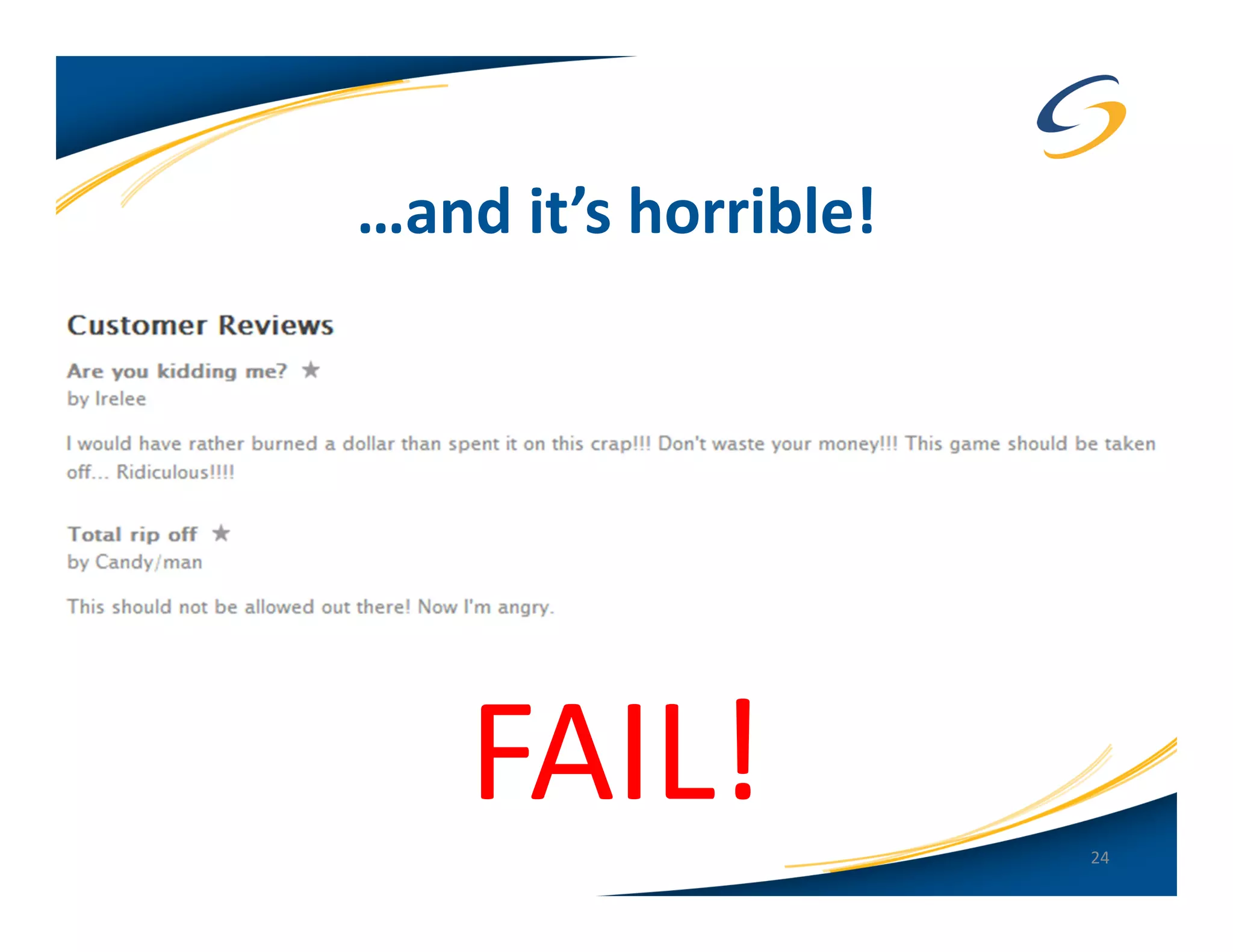
Angry Zombie Birds is Real!


                              23
…and it’s horrible!


    FAIL!             24
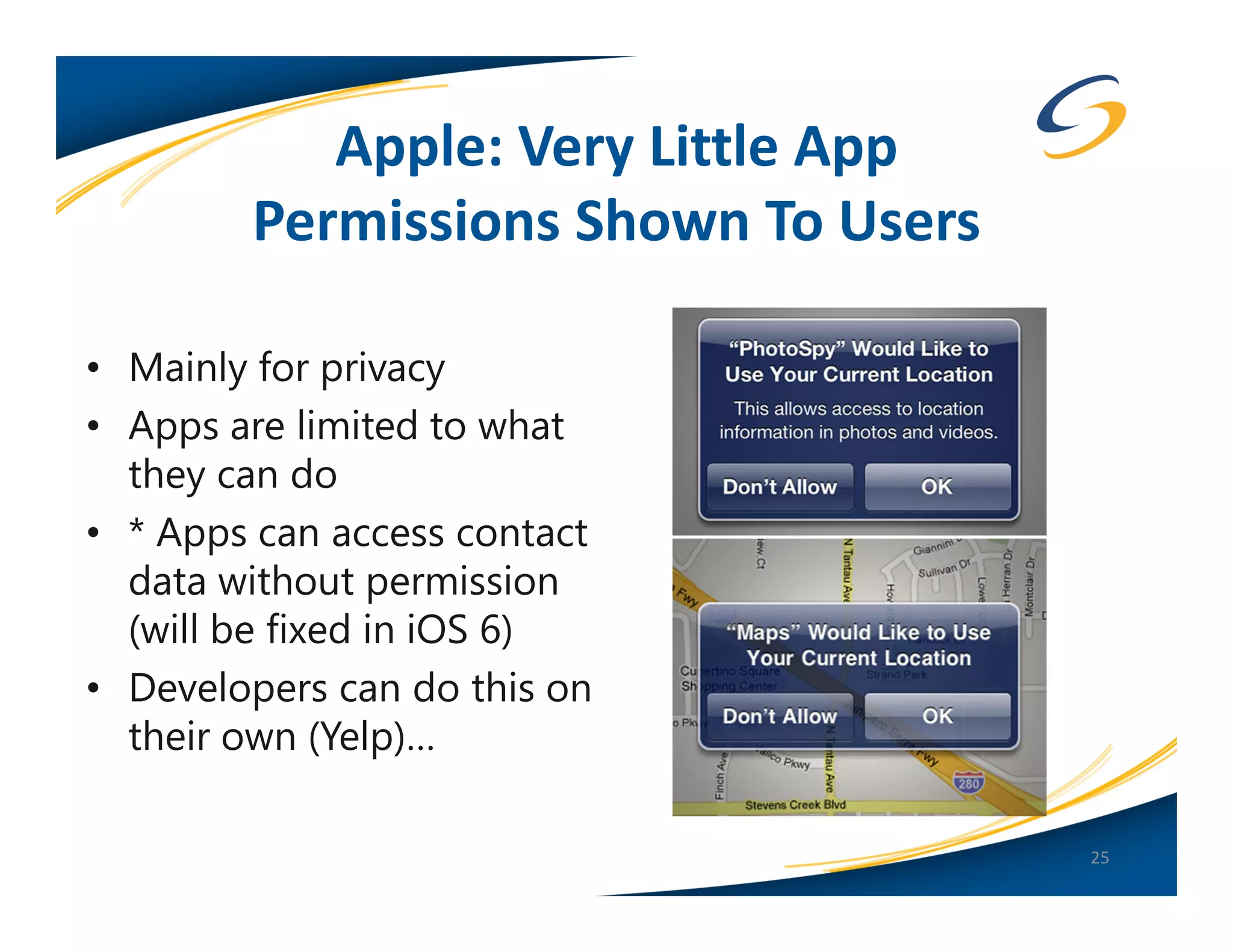
Apple: Very Little App
        Permissions Shown To Users

• Mainly for privacy
• Apps are limited to what
  they can do
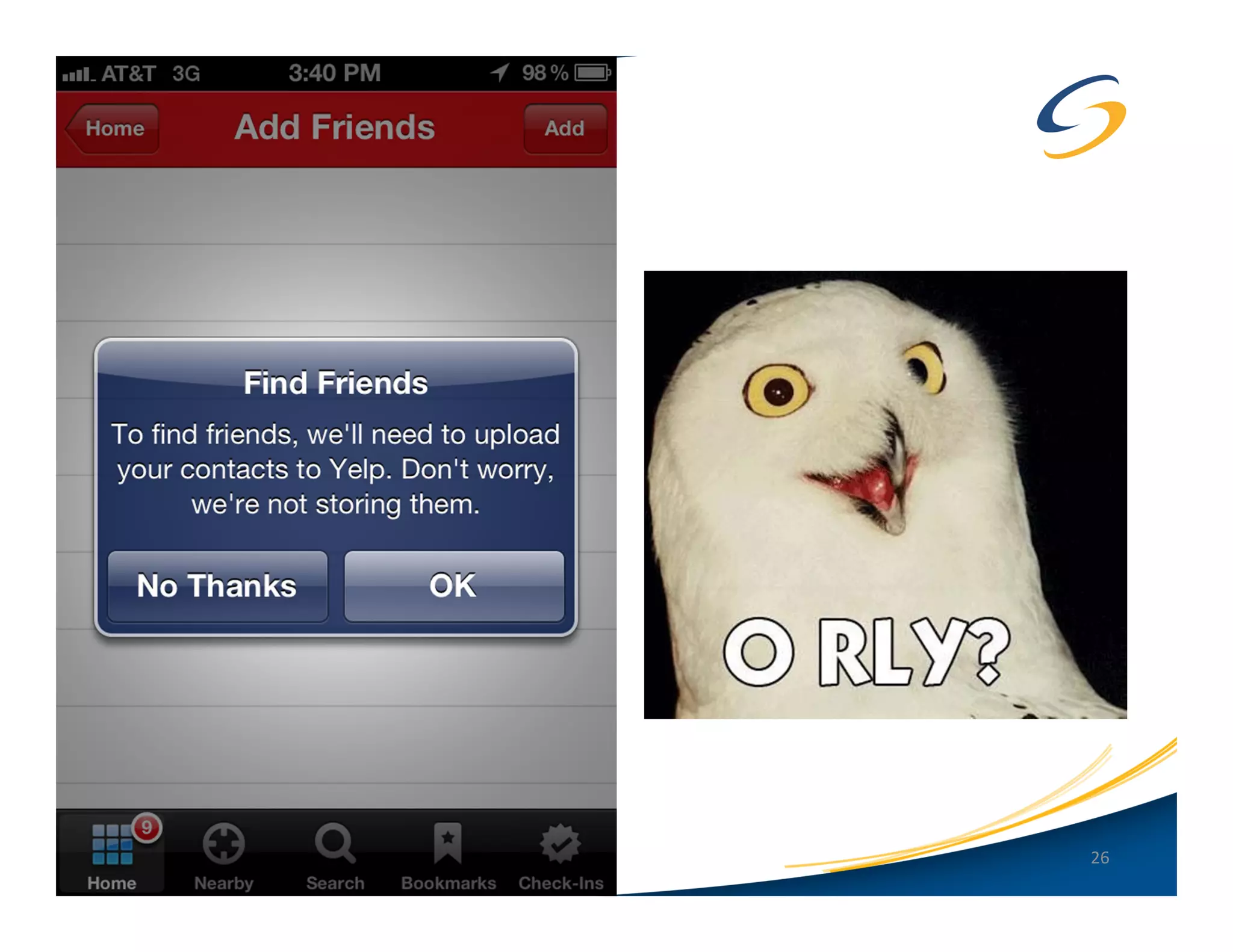
• * Apps can access contact
  data without permission
  (will be fixed in iOS 6)
• Developers can do this on
  their own (Yelp)…

                                     25
26
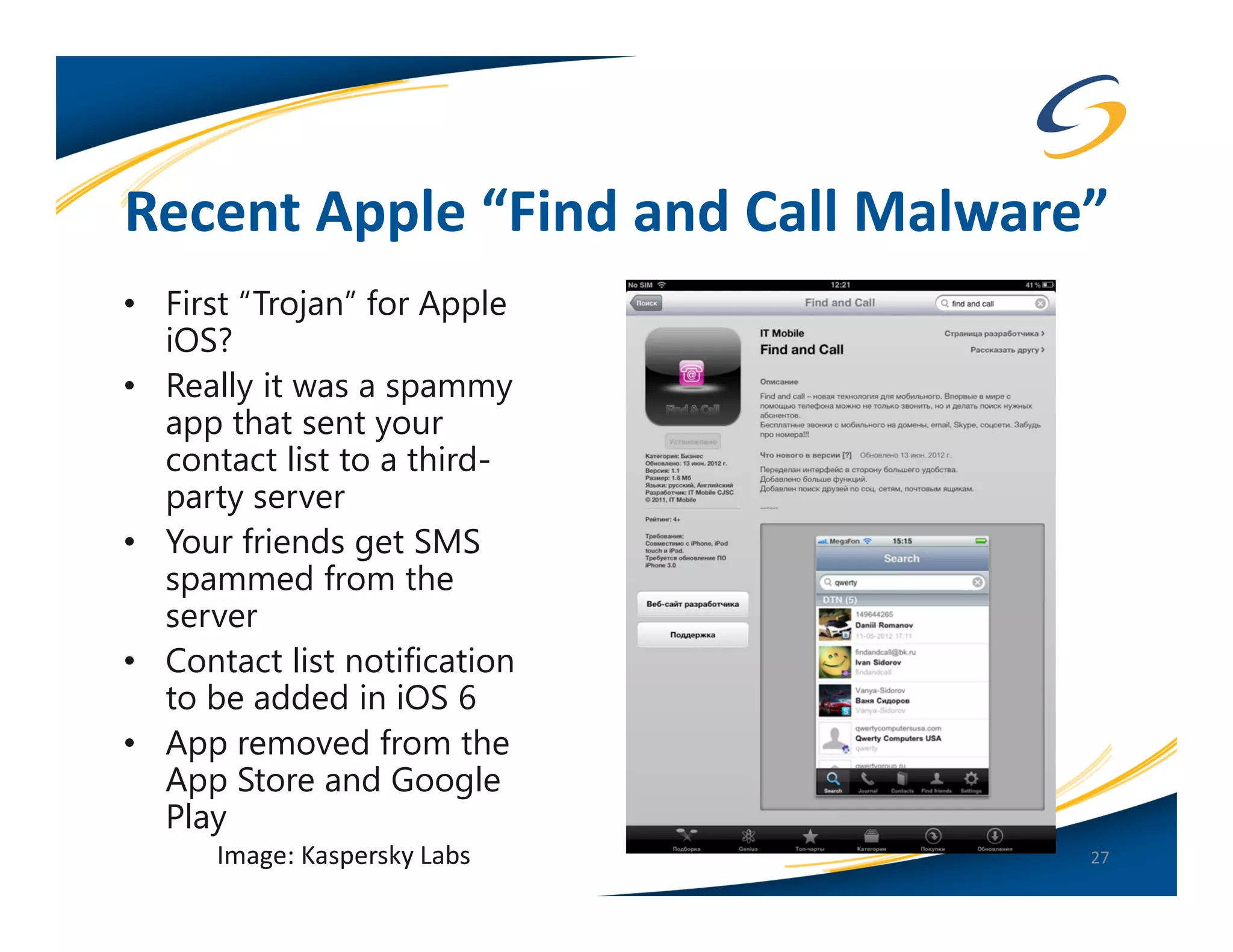
Recent Apple “Find and Call Malware”
• First “Trojan” for Apple
  iOS?
• Really it was a spammy
  app that sent your
  contact list to a third-
  party server
• Your friends get SMS
  spammed from the
  server
• Contact list notification
  to be added in iOS 6
• App removed from the
  App Store and Google
  Play
      Image: Kaspersky Labs        27
Winner: Apple iOS
• Apple’s “walled garden” works better than Android’s
  “open garden” (at least for now)
• However, still not immune from spammy, fake or
  potentially malicious apps (or really bad games)!


                                                    28
Android: App Sandboxing
• Privileged-Separated Operating System
   – Each app runs with a distinct system identity
       • Unique Linux user ID and group ID for each app
       • No app, by default, has permissions to perform
         operations that would impact other apps, the OS,
         or the user (Android Developer Docs)
   – The app grants permissions outside the default
     “sandbox”
       • Location based services can only be disabled
         globally, not on a per app basis
   – Apps are “signed” by the developer (not Google) and
     can be self-signed certificates (not a security feature)

                                                                29
Android: App Sandboxing
   – Google “community based” enforcement
      • If the app is malicious or not working correctly
        the App community will correct the problem
        (in theory)
   – Rooted device? Too bad…root can access the
     keystore!
• Apps can write to the SD Card (removable storage)
   – Files written to external storage are globally
     readable and writable

                                                           30
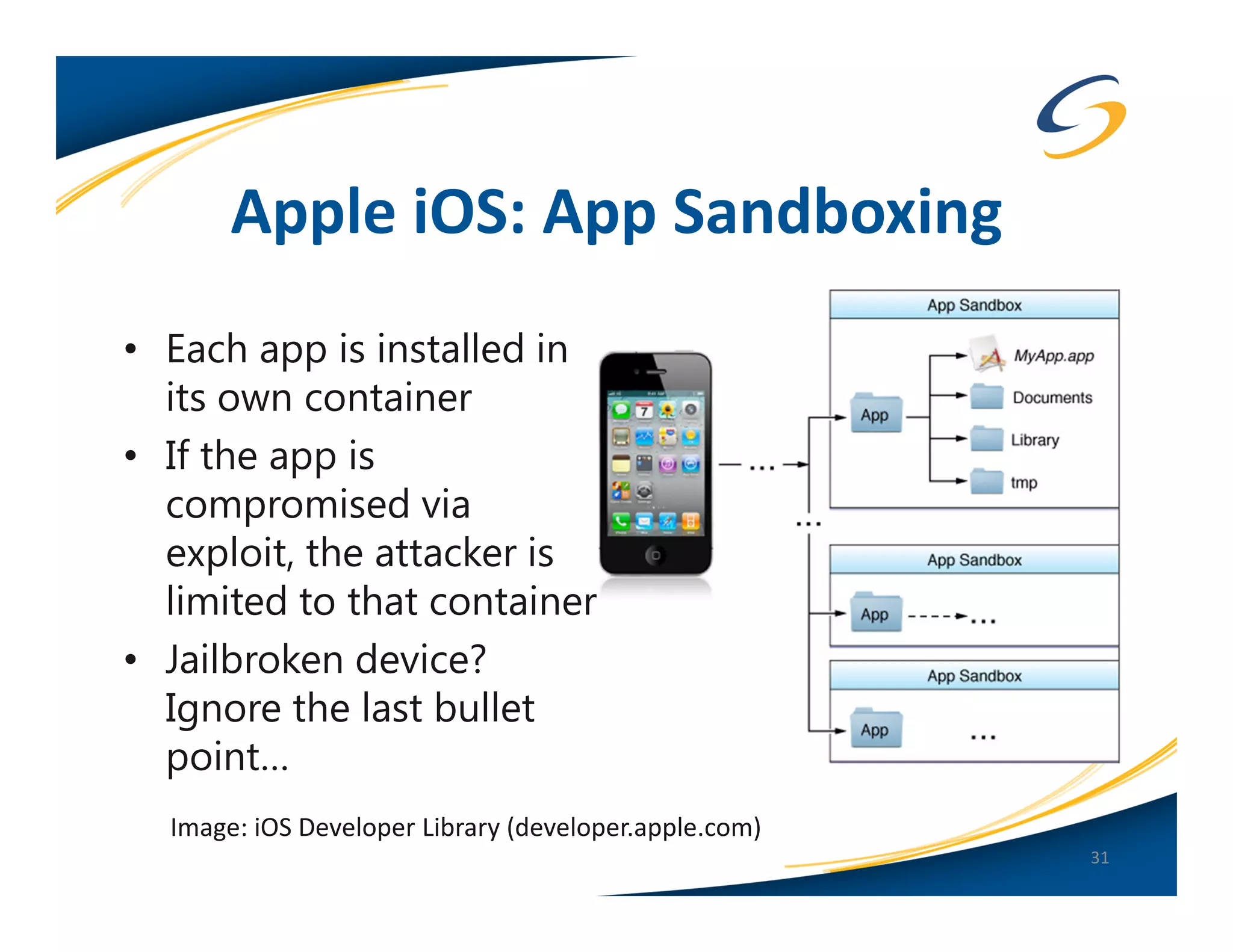
Apple iOS: App Sandboxing
• Each app is installed in
  its own container
• If the app is
  compromised via
  exploit, the attacker is
  limited to that container
• Jailbroken device?
  Ignore the last bullet
  point…
  Image: iOS Developer Library (developer.apple.com)
                                                       31
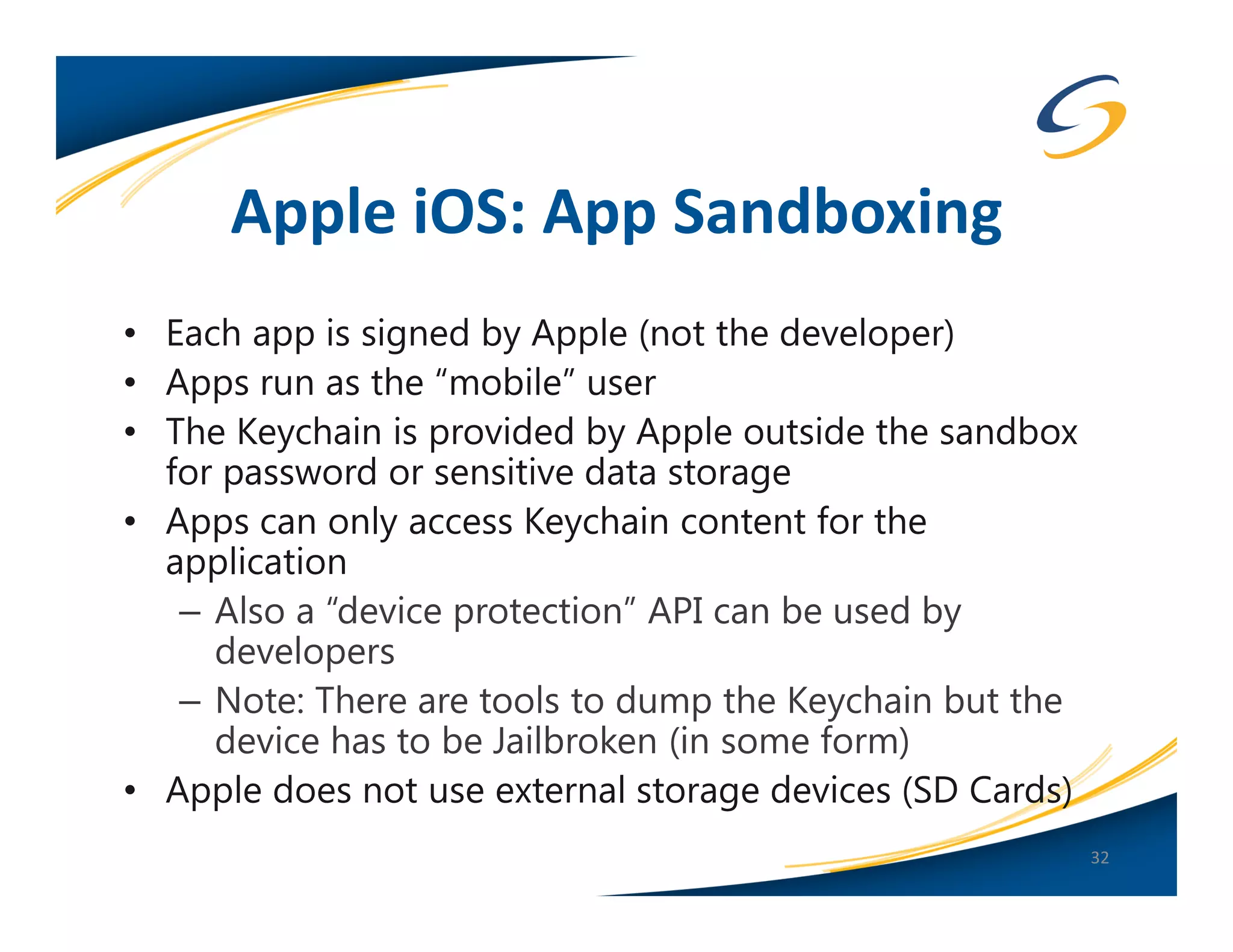
Apple iOS: App Sandboxing
• Each app is signed by Apple (not the developer)
• Apps run as the “mobile” user
• The Keychain is provided by Apple outside the sandbox
  for password or sensitive data storage
• Apps can only access Keychain content for the
  application
   – Also a “device protection” API can be used by
     developers
   – Note: There are tools to dump the Keychain but the
     device has to be Jailbroken (in some form)
• Apple does not use external storage devices (SD Cards)
                                                           32
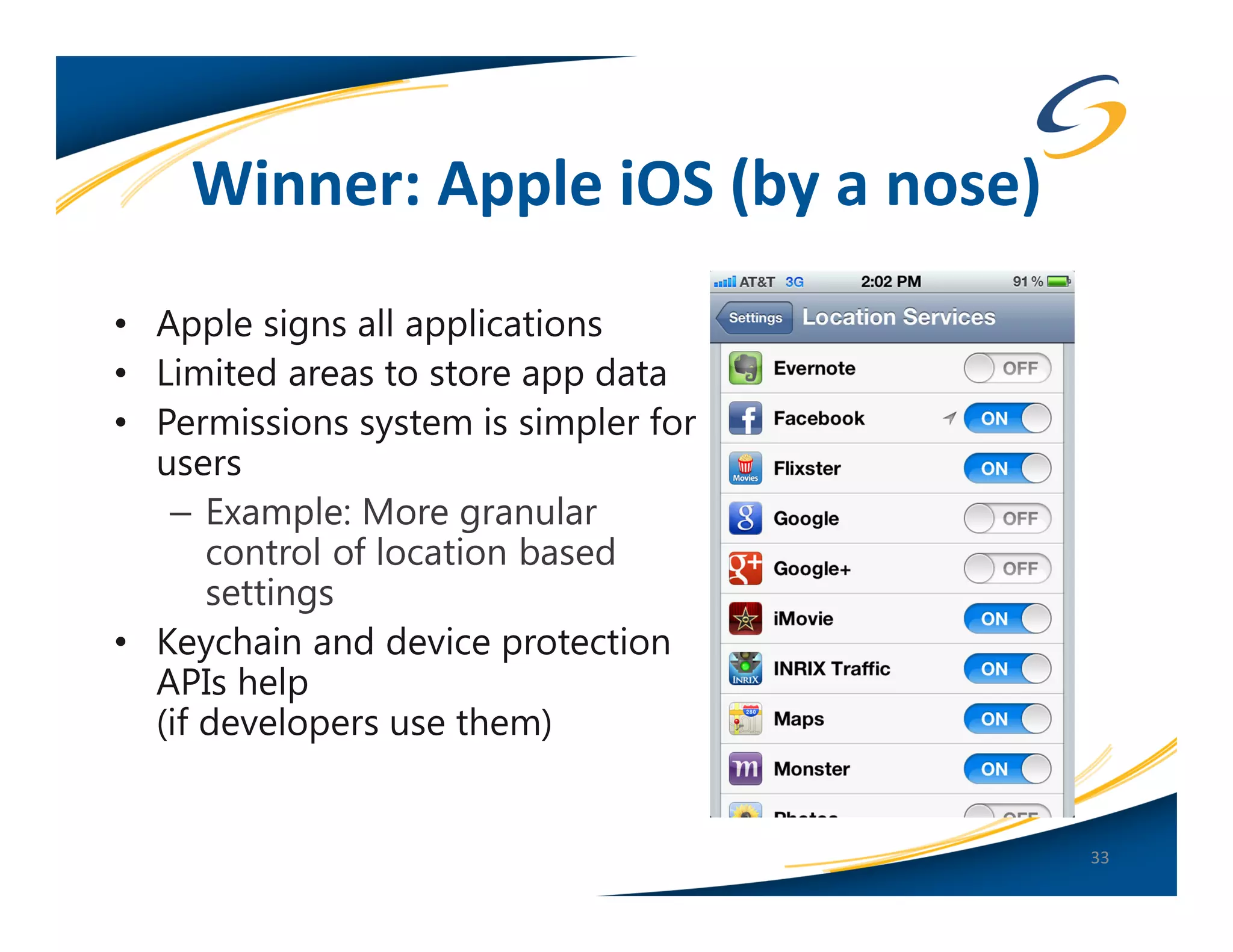
Winner: Apple iOS (by a nose)
• Apple signs all applications
• Limited areas to store app data
• Permissions system is simpler for
  users
   – Example: More granular
      control of location based
      settings
• Keychain and device protection
  APIs help
  (if developers use them)


                                      33
Remote Wipe and Policy Enforcement
• Android
   – Google Apps Device Policy ($$)
   – Third-Party App ($$)
   – Third-Party MDM (Mobile Device Management) ($$)
   – Microsoft Exchange ActiveSynch
• Apple iOS
   – Google Apps Device Policy ($$)
   – Apple OS X Lion Server Profile Manager ($$)
   – FindMyPhone (Free)
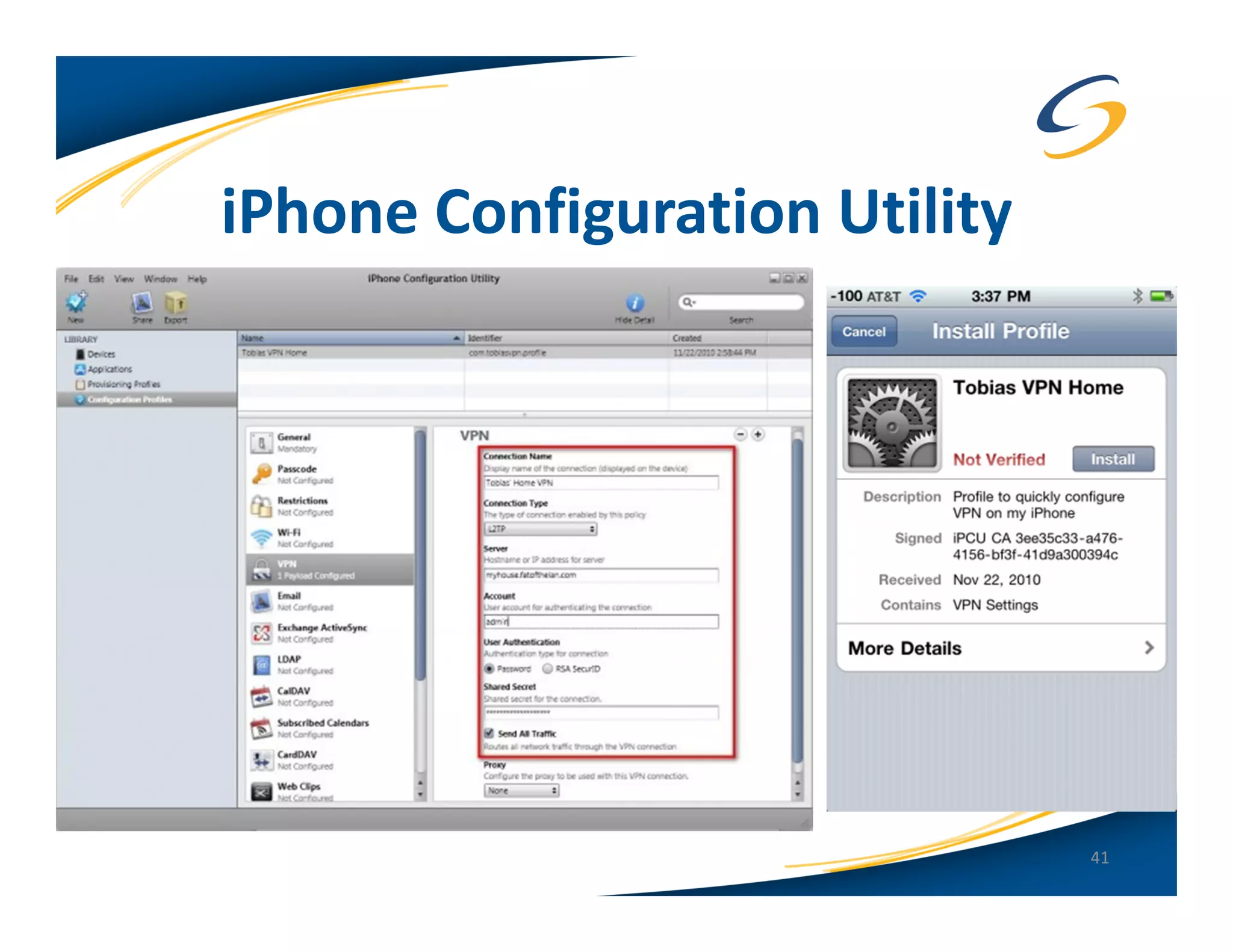
   – iPhone Configuration Utility (Free)
   – Third-Party MDM ($$)
   – Microsoft Exchange ActiveSynch
                                                       34
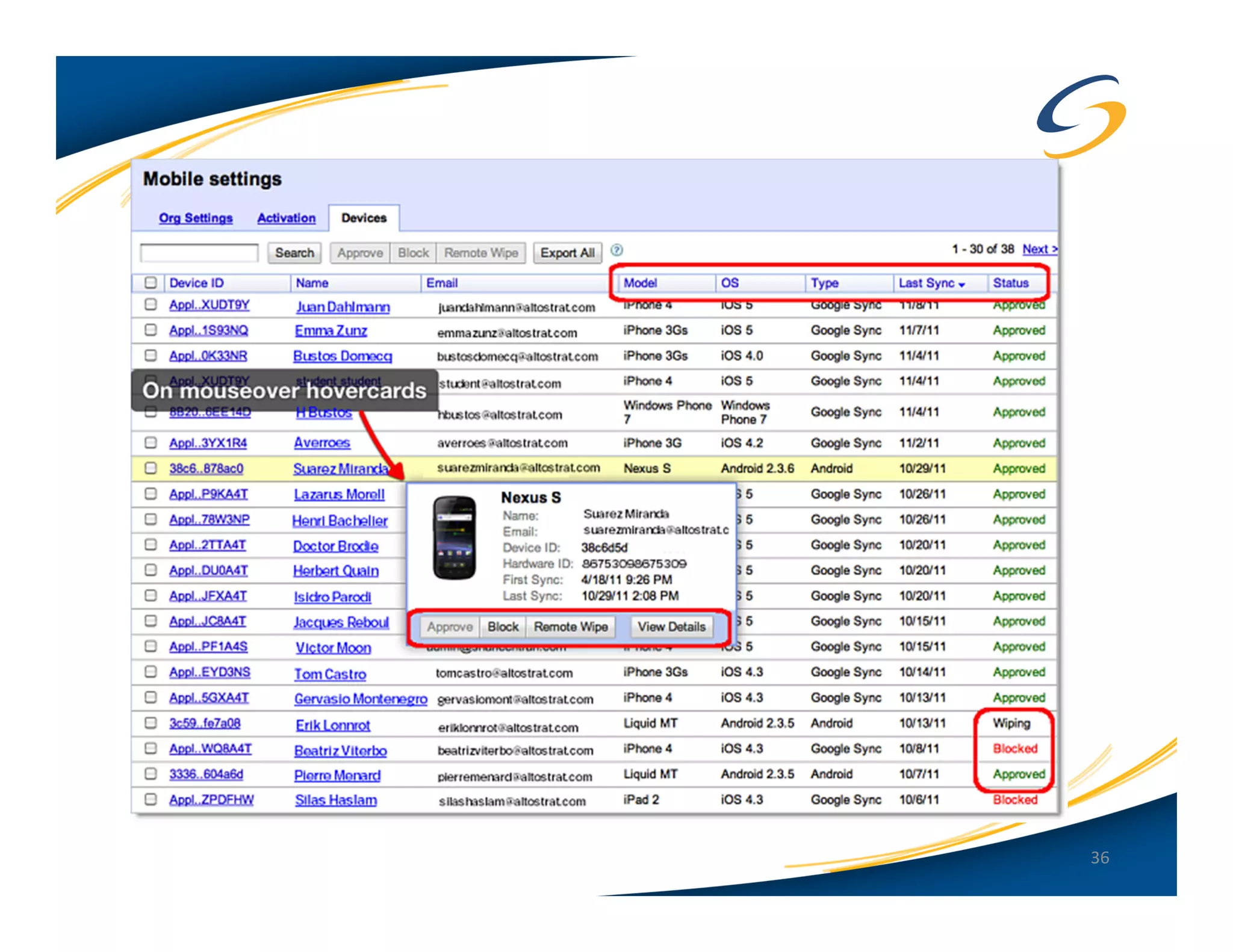
Android: Remote Wipe
• Google Apps Device Policy (Full MDM)
   – Need a Google Apps Business Account
   – Can manage multiple devices
      • iOS, Windows Mobile and Android


                                           35
36
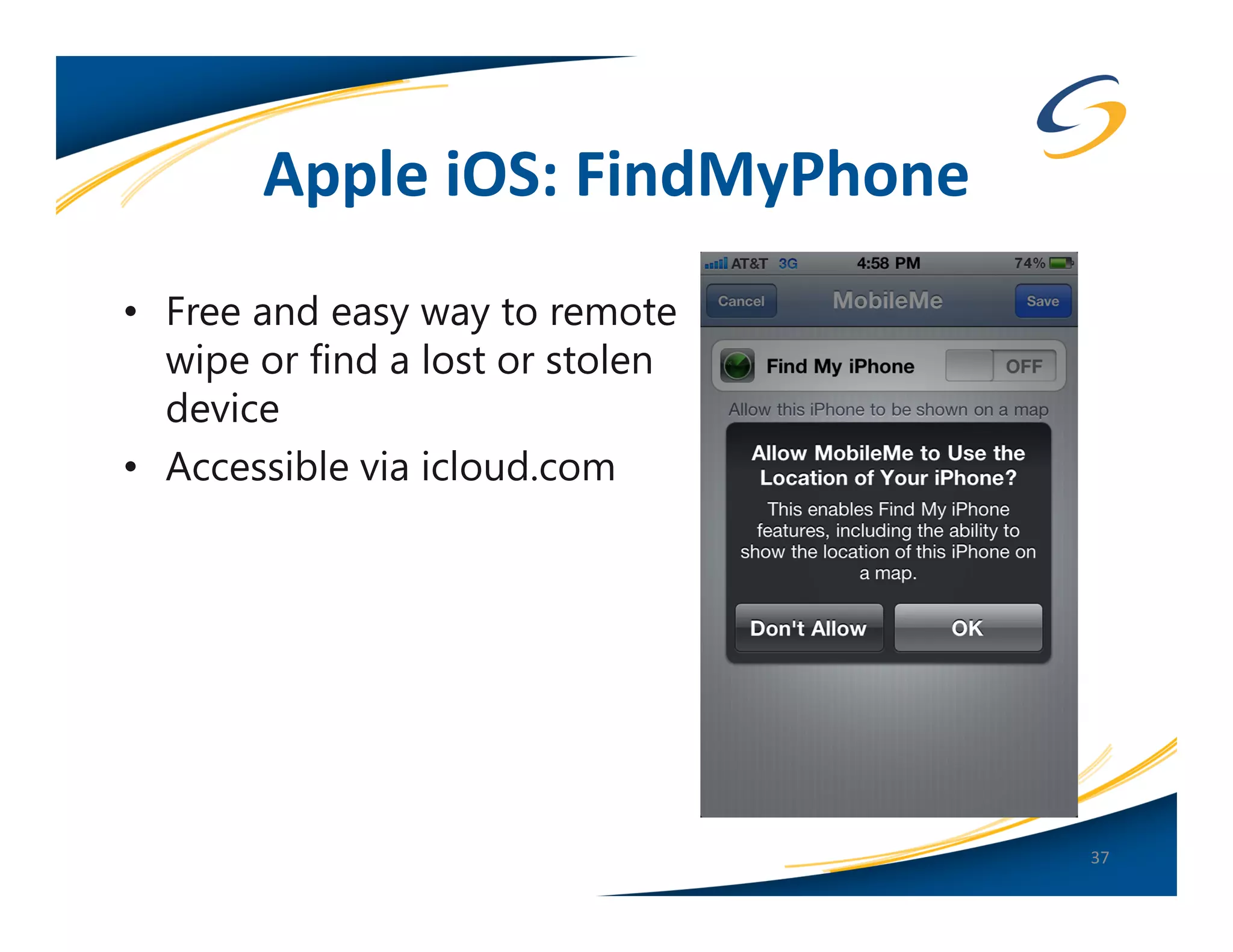
Apple iOS: FindMyPhone
• Free and easy way to remote
  wipe or find a lost or stolen
  device
• Accessible via icloud.com


                                  37
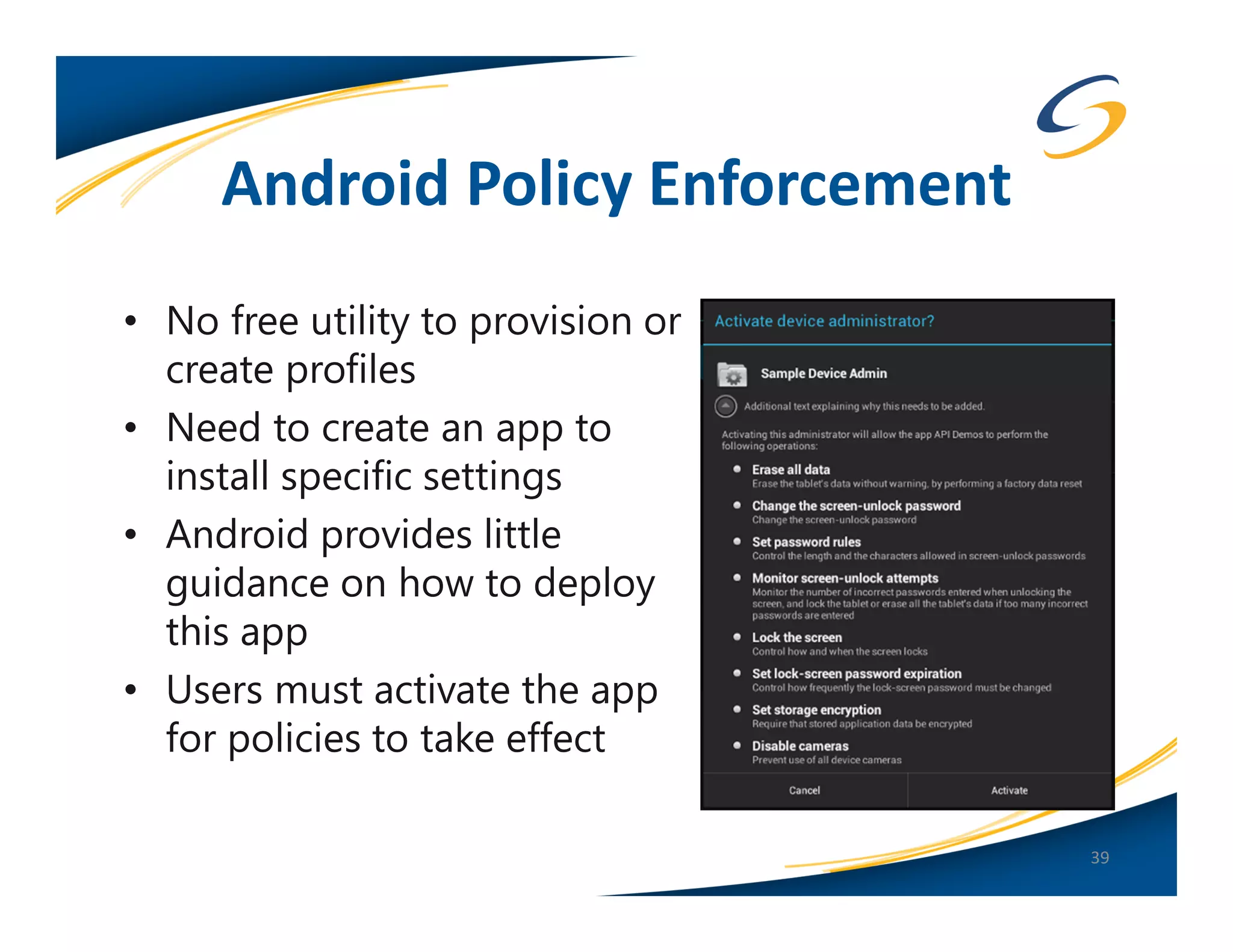
Android: Policy Enforcement
• Android Device Administration API
   – Encrypt data stored locally
   – Require password
   – Password strength
   – Minimum characters
   – Password expiration
   – Block previous passwords
   – Device auto lock
   – Device auto wipe after failed password attempts
   – Allow camera (not supported on Android, only iOS)
   – Encrypt device (whole disk)
   – Remote wipe/lock
                                                         38
Android Policy Enforcement
• No free utility to provision or
  create profiles
• Need to create an app to
  install specific settings
• Android provides little
  guidance on how to deploy
  this app
• Users must activate the app
  for policies to take effect

                                    39
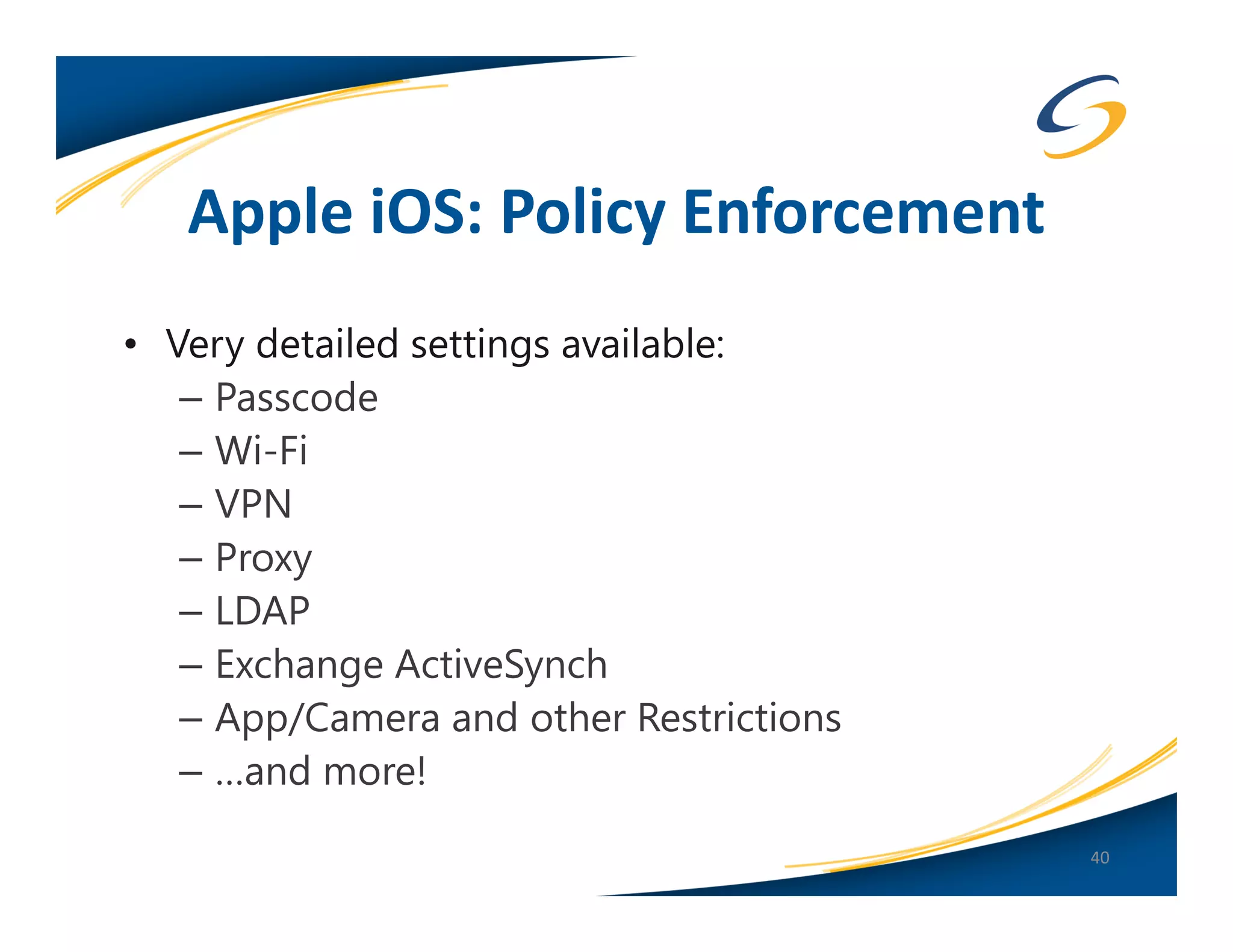
Apple iOS: Policy Enforcement
• Very detailed settings available:
   – Passcode
   – Wi-Fi
   – VPN
   – Proxy
   – LDAP
   – Exchange ActiveSynch
   – App/Camera and other Restrictions
   – …and more!
                                         40
iPhone Configuration Utility


                               41
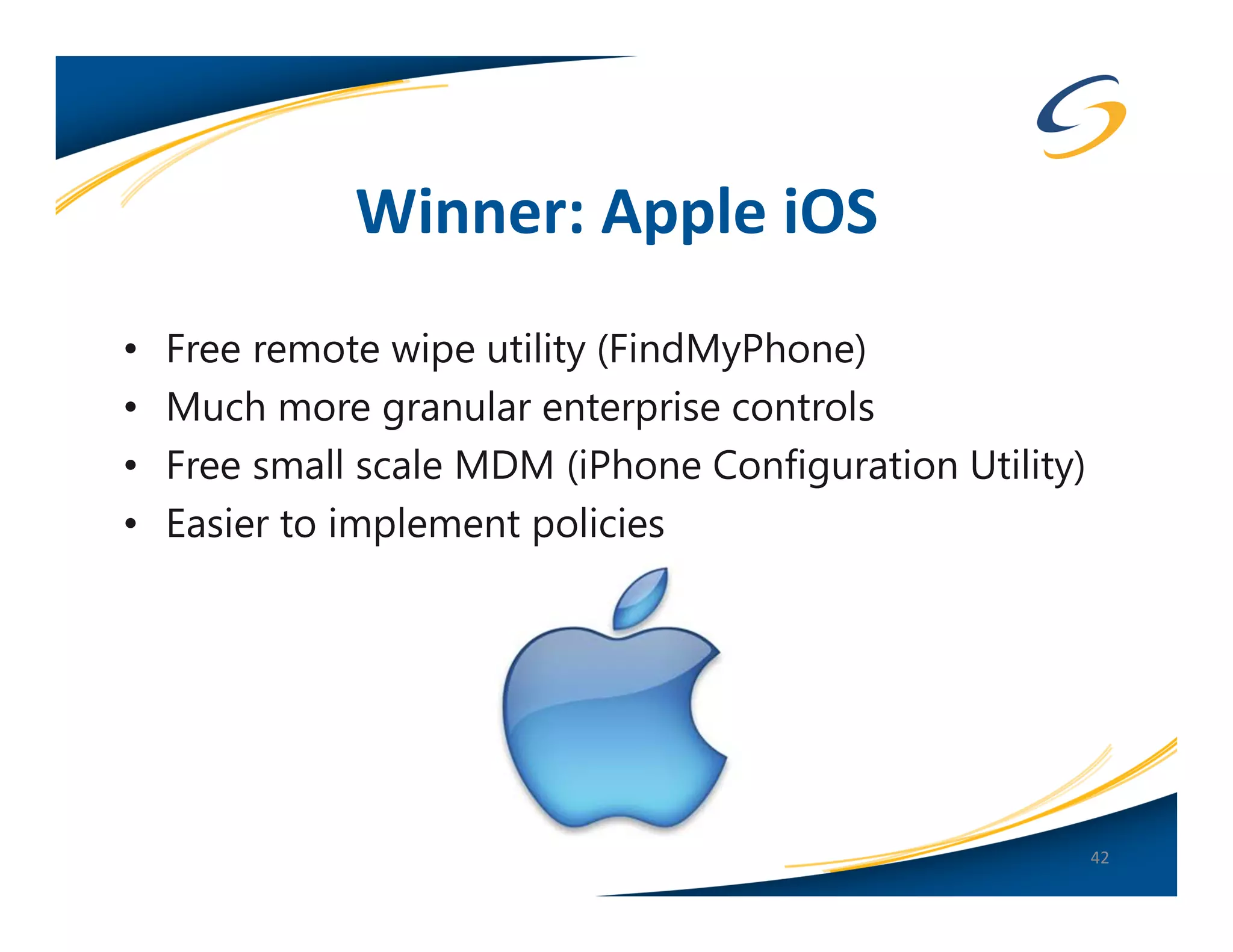
Winner: Apple iOS
•   Free remote wipe utility (FindMyPhone)
•   Much more granular enterprise controls
•   Free small scale MDM (iPhone Configuration Utility)
•   Easier to implement policies


                                                          42
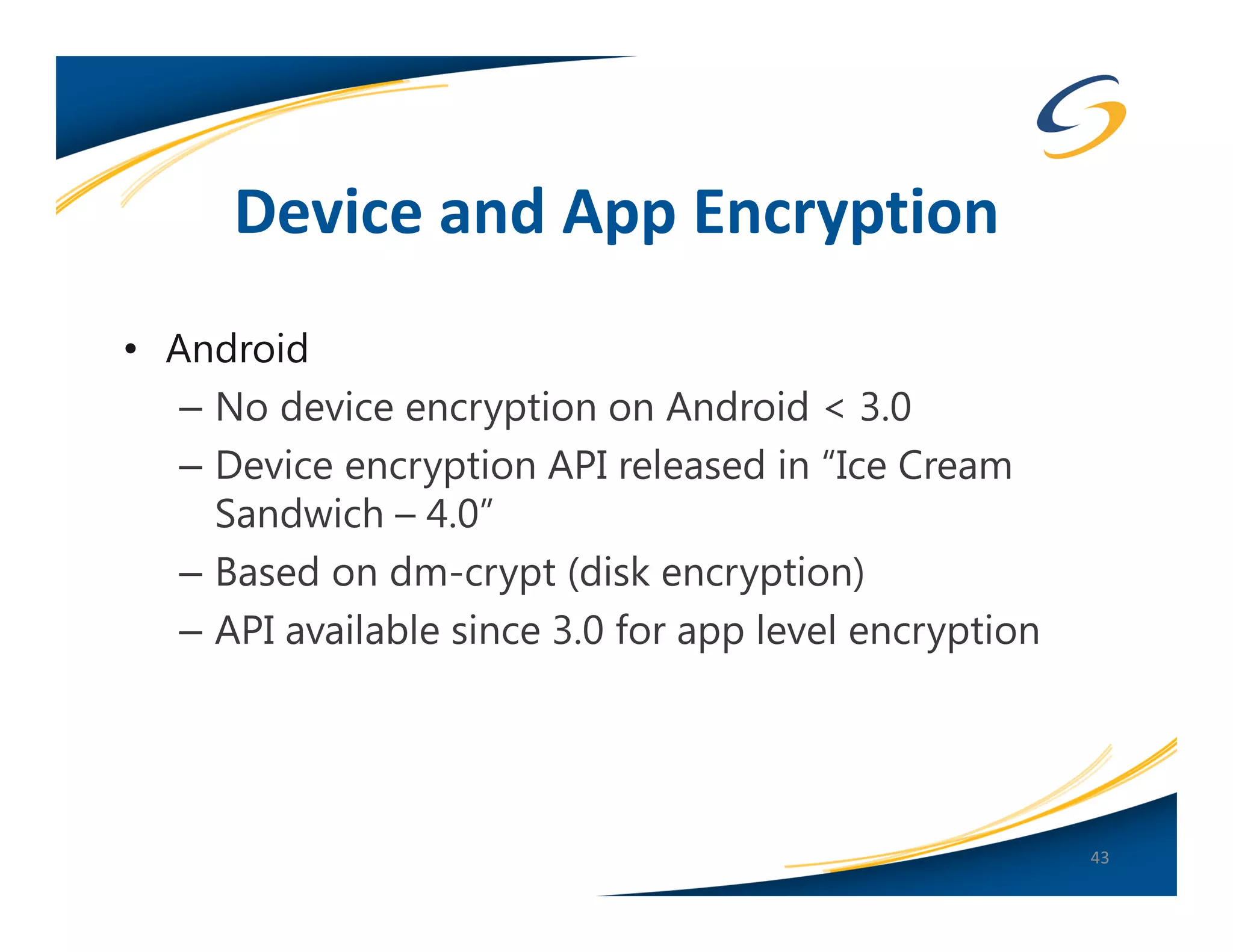
Device and App Encryption
• Android
   – No device encryption on Android < 3.0
   – Device encryption API released in “Ice Cream
     Sandwich – 4.0”
   – Based on dm-crypt (disk encryption)
   – API available since 3.0 for app level encryption


                                                        43
Device and App Encryption
• Apple iOS Hardware Encryption
   – Hardware encryption was introduced with the iPhone
     3GS
   – Secures all data “at rest”
   – Hardware encryption is meant to allow remote wipe
     by removing the encryption key for the device
   – Once the hardware key is removed, the device is
     useless
   – Full MDM API’s available

                                                      44
Device and App Encryption
• Apple iOS Device Protection
   – “Device Protection” different than “Hardware
     Encryption”
   – This is Apple’s attempt at layered security
      • Adds another encryption layer by encrypting
        application data
      • Key is based off of the user’s Passcode.
   – Only Mail.app currently supports this
   – Many developers are not using the APIs
   – Often confused with Hardware Encryption

                                                      45
Winner: Apple iOS
• Slight edge to Apple for having hardware based
  encryption
• Device Protection API more robust than Android
• Developer documentation +1 for Apple


                                                   46
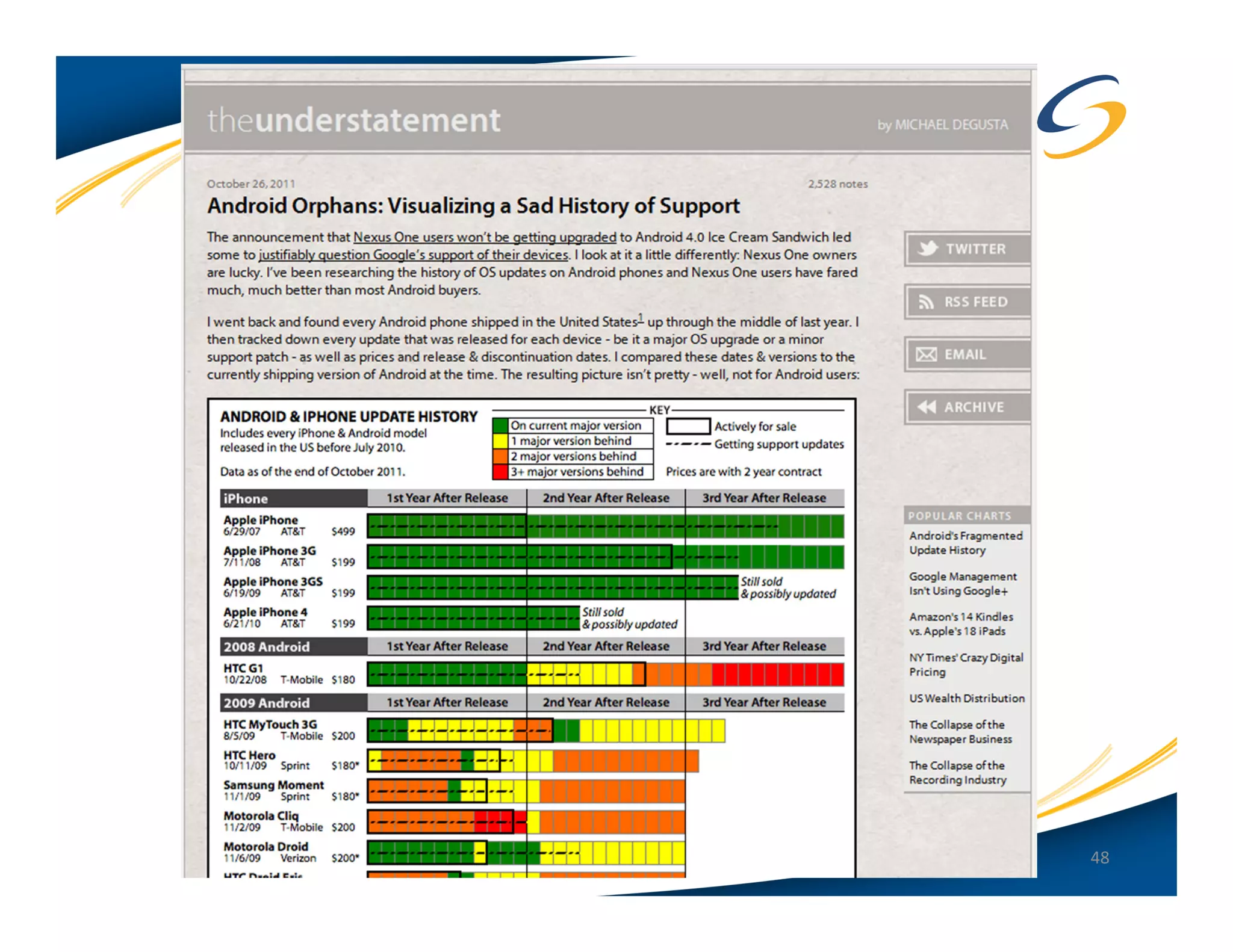
OS Updates
• Android
   – Slow patching, if at all!
   – OTA updates
   – A lot depends on forces outside of Google
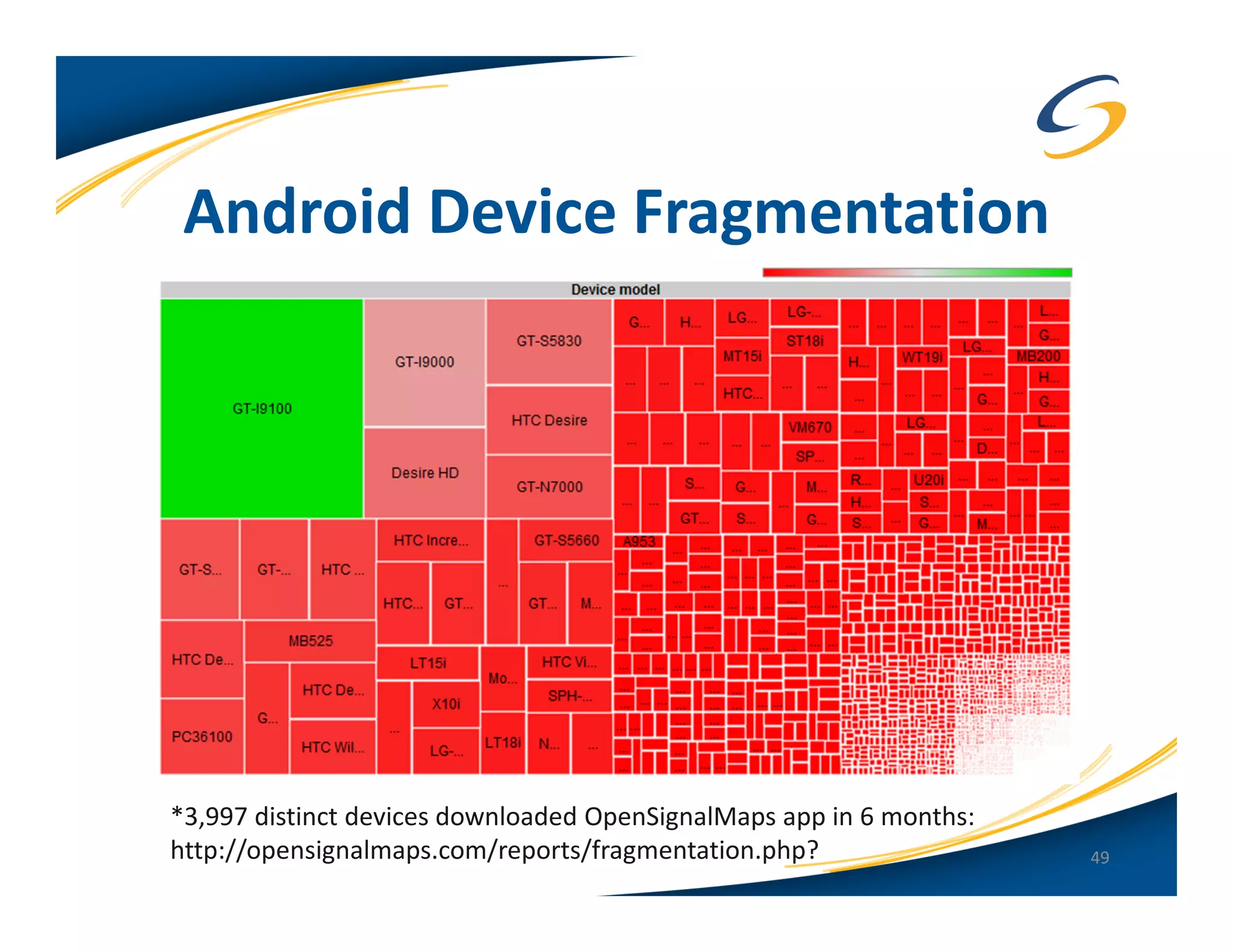
   – Some devices will not support the latest version
     of Android…ever!
   – Google releases the update or patch, device
     maker customizes it, then carrier customizes it as
     well…

                                                          47
48
Android Device Fragmentation


*3,997 distinct devices downloaded OpenSignalMaps app in 6 months:
http://opensignalmaps.com/reports/fragmentation.php?                 49
OS Updates
• Apple iOS
   – Frequent updates (at least once a quarter)
   – Easier for Apple because the hardware is the
     same, not device manufacturer or carrier
     dependent
   – iOS 5 brings OTA updates


                                                    50
Winner: Apple iOS
• Same hardware, updates from one source = easier
  and faster to update
• Track record of (more) quickly addressing security
  issues


                                                       51
Jailbreaking and Rooting


“Jailbreaking essentially reduces iOS security to the
                                  level of Android…”
                           – Dino Dai Zovi, iOS Hacker


                                                    52
Rooting on Android
• Allows “root” access (super user) to the device
• Why do people “root”?
   – Access the flash memory chip (modify or install a
     custom ROM)
   – Make apps run faster
   – Remove device or carrier apps
   – Turn the phone into a WiFi hotspot to avoid carrier fees
   – Allows “Unlocking” so the device can be used with
     another cell provider

• Rooting is LEGAL in the United States
   – Digital Millennium Copyright Act (DMCA 2010)
                                                          53
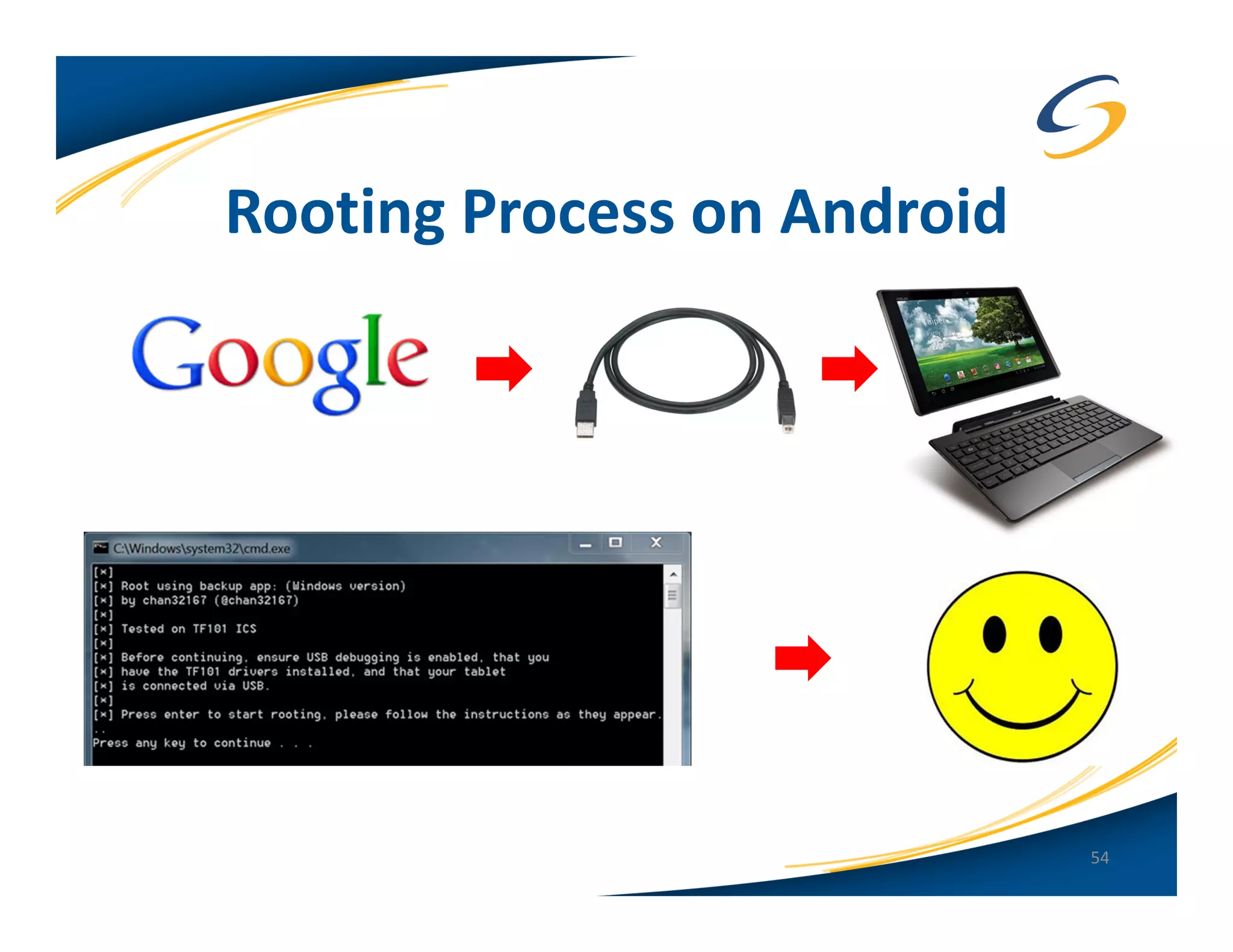
Rooting Process on Android


                             54
Jailbreaking on Apple iOS
• Full access to the OS and file system
• Install applications and themes not approved by
  Apple (via installers like Cydia)
• Tether their iOS device to bypass carrier restrictions
• They hate Apple’s communist and elitist restrictions

• Jailbreaking is LEGAL in the United States
   – Digital Millennium Copyright Act (DMCA 2010)

                                                           55
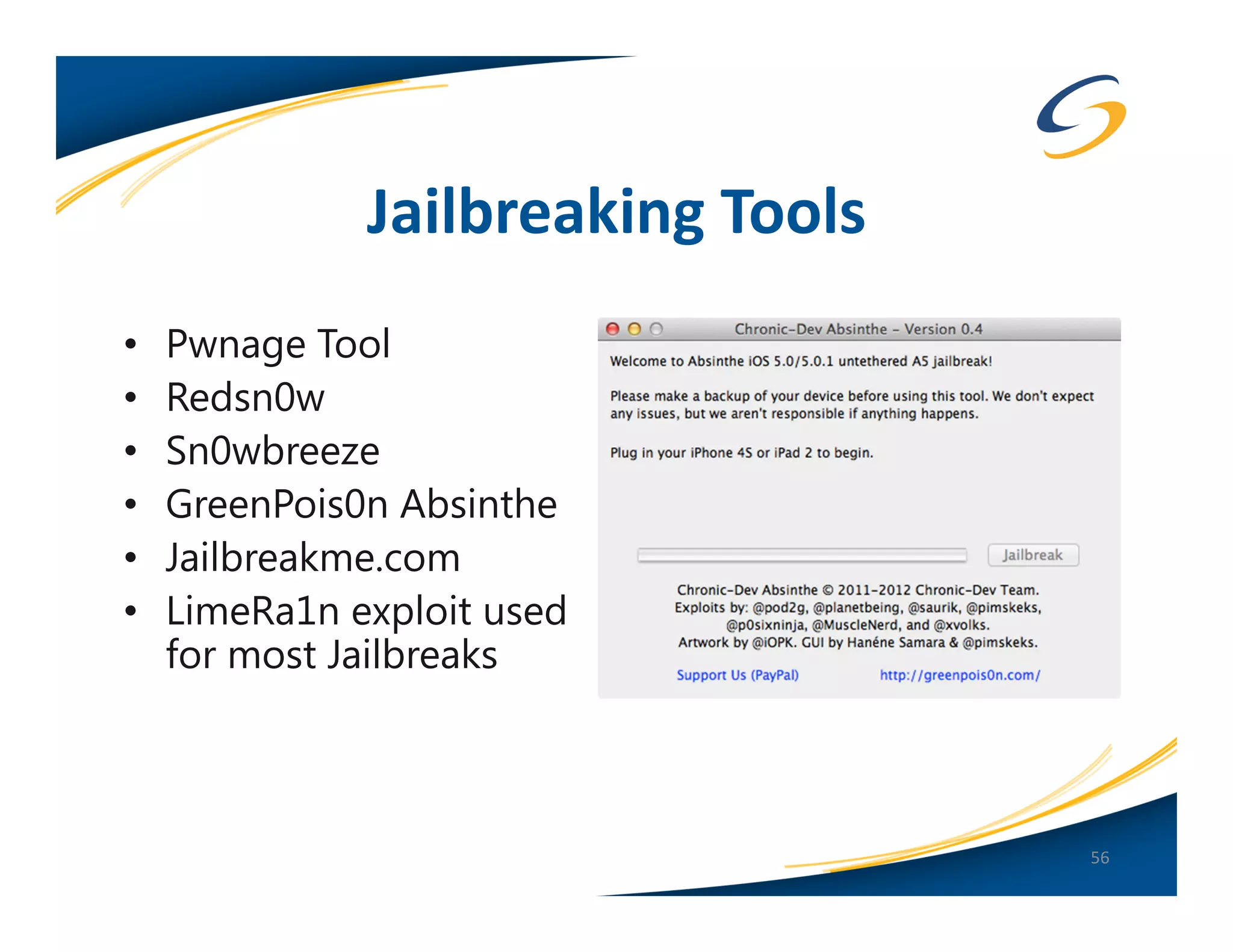
Jailbreaking Tools
•   Pwnage Tool
•   Redsn0w
•   Sn0wbreeze
•   GreenPois0n Absinthe
•   Jailbreakme.com
•   LimeRa1n exploit used
    for most Jailbreaks


                                   56
New Jailbreaks
• Latest versions of Absinthe and redsn0w can
  Jailbreak all new Apple devices running 5.1.1 (4S and
  the “new” iPad)
• iOS 6 beta already jailbroken (tethered only)
• iPhone dev-team does fantastic work!


                                                      57
Winner? None!
• Rooting and jailbreaking are bad for the security of the
  device!
• Malware for Android takes advantage of this…and in
  some cases roots the device for you
• Previous iOS “worm’s” that look for SSH ports from
  jailbroken devices
• Removes built in sandbox restrictions

• MDM needs to prevent and/or detect rooted and
  jailbroken devices!
  (you should also have a policy)
                                                             58
New(er) Mobile Technology
• Both devices are coming out with more innovative
  features which have interesting security considerations
• Android 4.0 has facial recognition to unlock the device
   – Potential issue with the “swipe pattern” feature vs.
     standard passcode unlock
• ASLR (Address Space Layout Randomization)
   – New in Android 4.0
   – Support since iOS 4.3
   – Developers have to take advantage of this!
   – * Kernel ASLR added in iOS 6

                                                            59
New(er) Mobile Technology
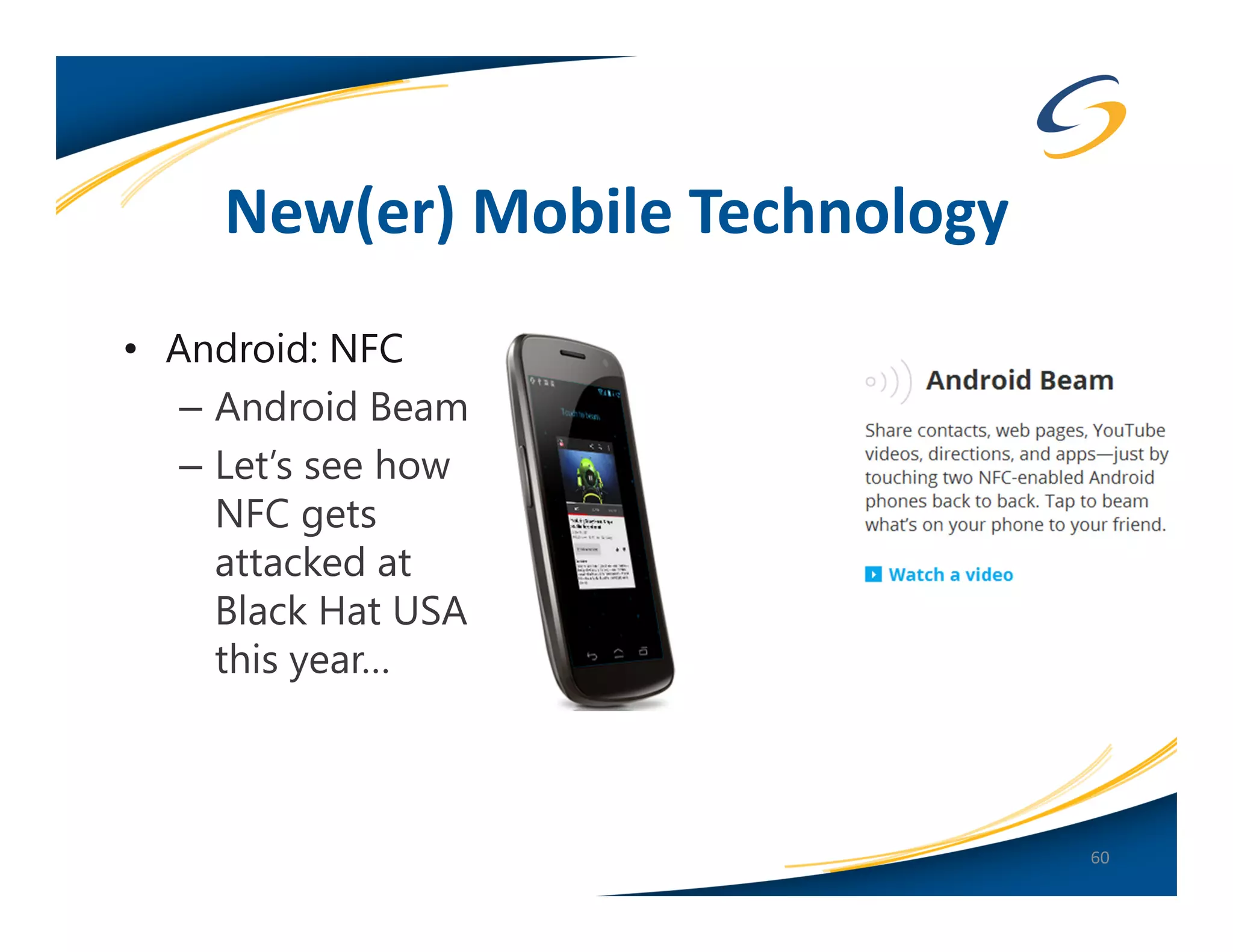
• Android: NFC
   – Android Beam
   – Let’s see how
     NFC gets
     attacked at
     Black Hat USA
     this year…


                                 60
New(er) Mobile Technology


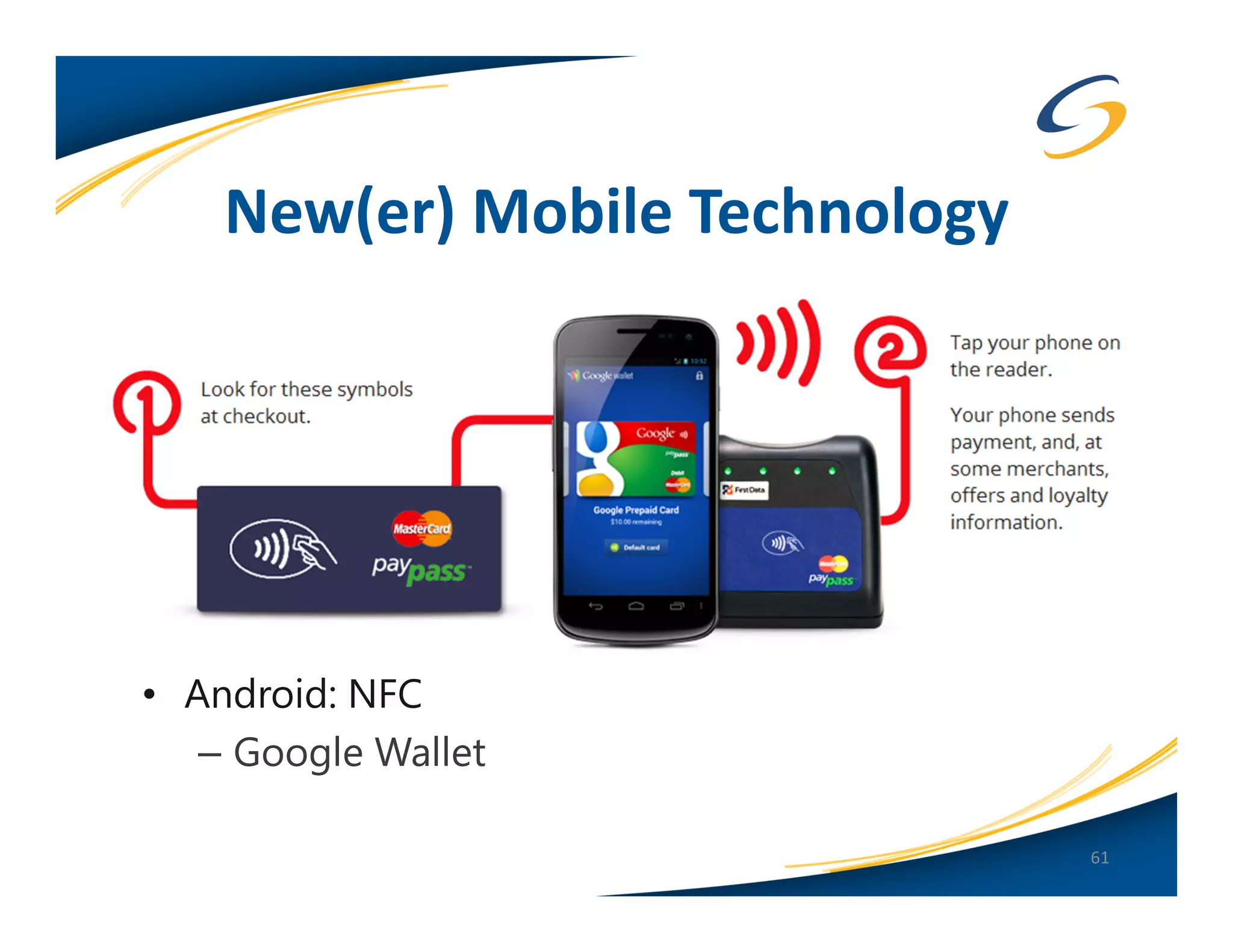
• Android: NFC
   – Google Wallet

                                61
New(er) Mobile Technology
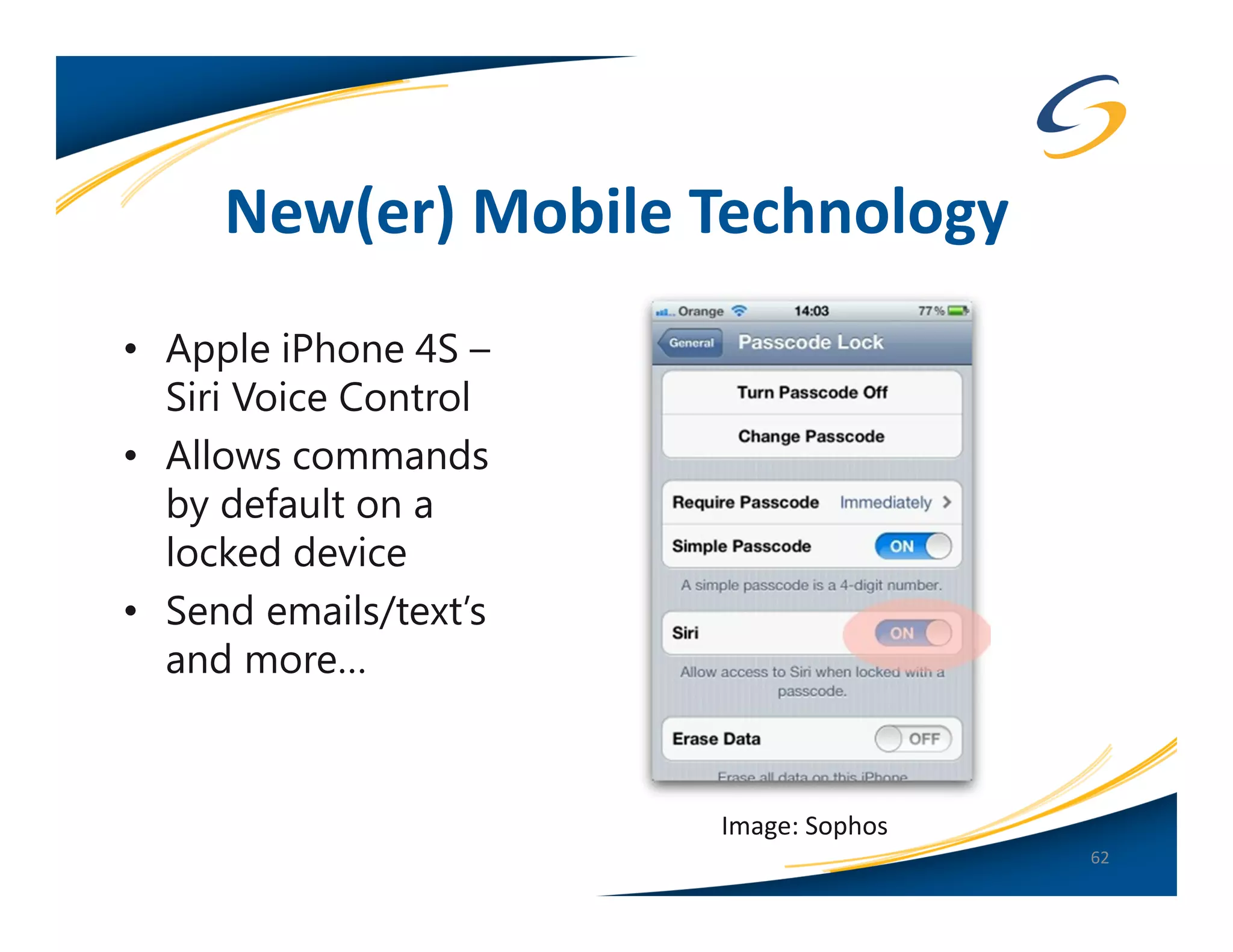
• Apple iPhone 4S –
  Siri Voice Control
• Allows commands
  by default on a
  locked device
• Send emails/text’s
  and more…


                       Image: Sophos
                                       62
Mobile Device Best Practices
 (for Android or Apple iOS)
             ☺


                               63
The Passcode
• You should always have a passcode
• You should require it immediately
• It should be > 4 characters, 6 is recommended
  6 character Alphanumeric = 196 years to brute force!
   – Why so long? You have to do the attack on the
      device…
• It should be complex
• Enable lockout/wipe feature after 10 attempts
Enable Remote Management
• For true Enterprise level management you must use
  a third-party MDM
   – Decide which type of enrollment is best for you
   – Whitelist approach may be best
      • Allow only devices you have authorized
      • BYOD: policy sign-off?
Don’t Allow Rooting or Jailbreaking

• Removes some built-in security features and
  sandboxing
• Can leave you vulnerable to malicious applications
• Ensure third-party MDM solutions prevent or detect
  rooting/jailbreaking
• Address this in your mobile device policy
Android Specific Best Practices
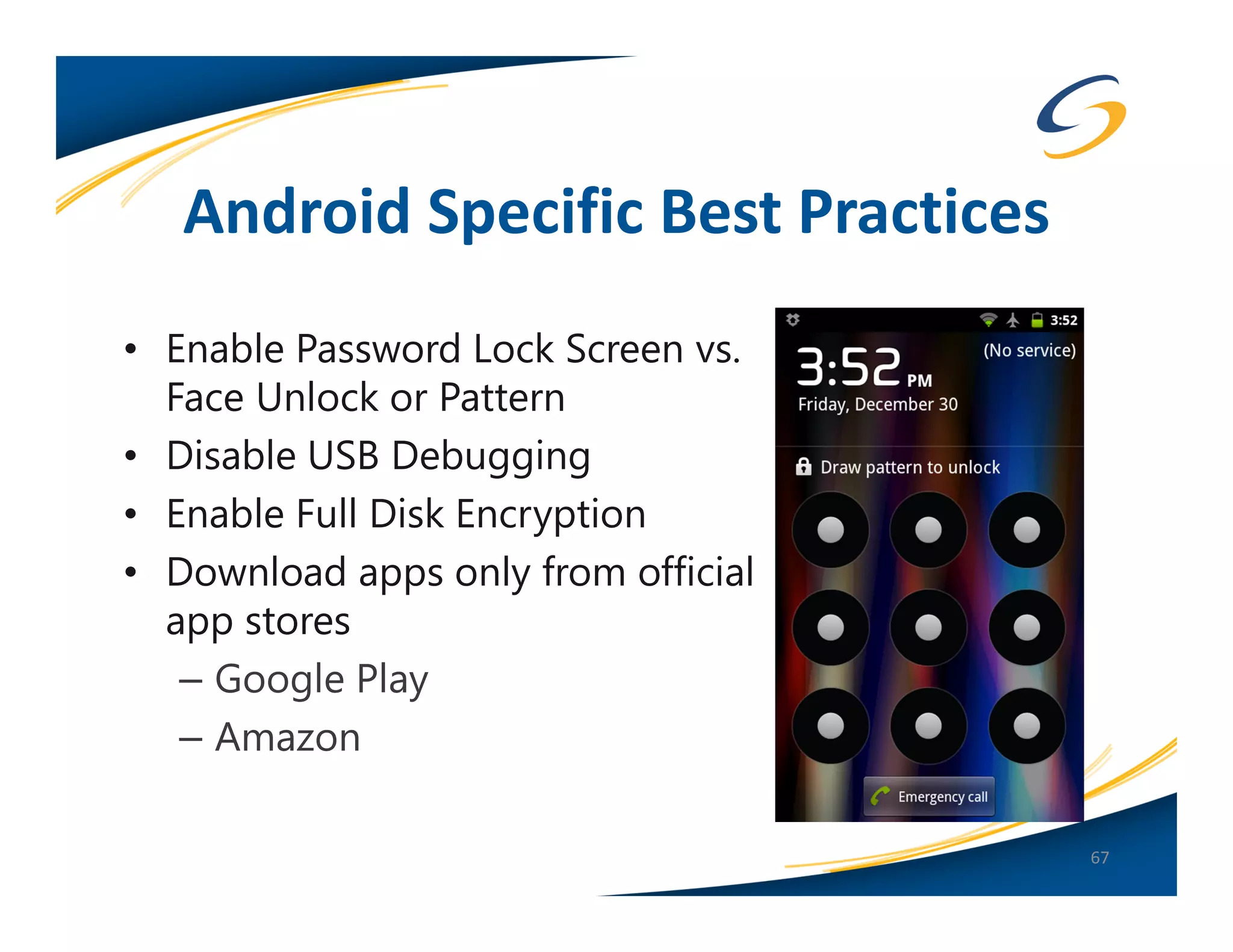
• Enable Password Lock Screen vs.
  Face Unlock or Pattern
• Disable USB Debugging
• Enable Full Disk Encryption
• Download apps only from official
  app stores
   – Google Play
   – Amazon

                                     67
Where to Find More Information
• Links to all the tools and articles mentioned in this
  presentation:

  http://MobileDeviceSecurity.info

• My presentations:

  http://SpyLogic.net
Thank you for your time!
   Email: teston@securestate.com
         Twitter: agent0x0


 QUESTIONS
  ANSWERS


                                   69

The Android vs. Apple iOS Security Showdown

  • 1.
    Android vs. AppleiOS Security Showdown Tom Eston
  • 2.
    About Your Presenter • Tom Eston CISSP, GWAPT • Manger of the SecureState Profiling & Penetration Team • Specializing in Attack & Penetration, Mobile Security • Founder of SocialMediaSecurity.com • Facebook Privacy & Security Guide • Security Blogger – SpyLogic.net • Co-host of Social Media Security Podcast • National Presenter Black Hat USA, DEFCON, ShmooCon, SANS, OWASP 2
  • 3.
    Agenda • The LatestStatistics on Android vs. Apple iOS • Android and Apple iOS Overview – Versions & Features • What are the issues, what are the security concerns? • The “SHOWDOWN”! – Each feature compared between Android and Apple iOS…who will win?? • Mobile Device Best Practices 3
  • 4.
  • 5.
  • 6.
    It’s a SHOWDOWN! Image:PinoyTutorial.com 6
  • 7.
    Android - LatestStatistics • 300 Million Devices Sold (as of February 2012) • 450,000 apps in the Android Market (Google Play) 7
  • 8.
    Apple iOS -Latest Statistics • 316 Million iOS Devices Sold (as of February 2012) • Increase due to Verizon/Sprint now selling Apple devices • 500,000 apps in the Apple App Store 8
  • 9.
  • 10.
    What Do WeSee? • Apple iOS is the most talked about, more widely deployed – iPad’s are hot! • Android a close second • BlackBerry third • Windows Mobile fourth • webOS or Symbian OS? 10
  • 11.
    Android: Current Versions •Jelly Bean 4.1.1 – Tablet (Nexus 7) and Nexus Phone • Honeycomb 3.2.6 – Tablet only (Motorola Xoom) • Updates are periodic. No set schedule by Google. • Updates to the device depend on the hardware manufacturer and the cell carrier • Samsung Galaxy Nexus and the Nexus 7 tablet get updates immediately from Google (this is the ‘Google Phone/Tablet’) 11
  • 12.
    Apple iOS: CurrentVersions • Not to be confused with Cisco “IOS” • Apple changed the name to “iOS” in June 2010 • Updated at least once a quarter, mostly minor revisions • Current version(s): – All carriers (GSM/CDMA) = 5.1.1 – iOS 6 in Beta 2 • iOS 5 fully supports iPhone 4/4S, iPhone 3GS, iPod Touch 3/4 gen, iPad 1-3 12
  • 13.
    Mobile Security Concerns • App Store and Mobile Malware • App Sandboxing • Remote Wipe and Policy Enforcement • Device and App Encryption • OS Updates • Jailbreaking and Rooting • New(er) Technology 13
  • 14.
    App Stores andMobile Malware • Android Marketplace (now Google Play) – Very little application vetting, previous issues with Malware in the Marketplace (working on improving this) – Hot target for malware and malicious apps – Easy to get users to install popular “fake” apps outside Google Play 14
  • 15.
    Recent Mobile MalwareStatistics • Juniper Networks’ 2011 Mobile Malware Threats Report – 13,302 samples of malware found targeting Android from June to December 2011 – “0” samples of malware found targeting Apple iOS (seriously…) Source: http://www.juniper.net/us/en/local/pdf/additional- resources/jnpr-2011-mobile-threats-report.pdf 15
  • 16.
    Legend of Zeldaon Android? This would be awesome if true! ☺ http://nakedsecurity.sophos.com/20 12/04/26/dirty-tricks-android-apps/ 16
  • 17.
    Angry Birds fromUnofficial App Stores • Disguised as a Trojan horse • Uses the “GingerBreak” exploit to root the device • Your device becomes part of a botnet http://nakedsecurity.sophos.com/2012/04/12/a ndroid-malware-angry-birds-space-game/ 17
  • 18.
    Easy to IgnoreAndroid App Permissions • Reminder: Some apps can do things you didn’t know about – Example: Launching the web browser 18
  • 19.
  • 20.
    App Stores andMobile Malware • Apple App Store – Developers must pay $99 – Submit identifying documents (SSN or articles of incorporation for a company) • Google Play – Developers must pay $25 – Agree to a “Developers Distribution Agreement” – Easy to upload lots of apps and resign if apps get rejected or banned 20
  • 21.
    App Stores andMobile Malware • Apple App Store – Vetting process for each app in the store – Must pass Apple’s “checks” (static analysis of binaries) – Code for each app is digitally signed by Apple, not the developer • Process was exploited by Charlie Miller in November of 2011 – Created an “approved” app which was digitally signed – The app later downloaded unsigned code which could modify the OS dynamically – Was a bug in iOS 4.3/5.0 21
  • 22.
    Apple’s Problem? QuestionableApps • 90% of submissions to the Apple App Store are denied because the app doesn’t do what it says it does • Spammy apps…mainly privacy issues such as UDID usage • Jailbroken device? More susceptible to malware from unauthorized app repositories (Cydia) • Apps that look like legitimate apps: – Temple Run -> Temple Guns -> Temple Jump – Angry Birds -> Angry Ninja Birds -> Angry Zombie Birds – Zombie Highway -> Zombie Air Highway 22
  • 23.
    Angry Zombie Birdsis Real! 23
  • 24.
  • 25.
    Apple: Very LittleApp Permissions Shown To Users • Mainly for privacy • Apps are limited to what they can do • * Apps can access contact data without permission (will be fixed in iOS 6) • Developers can do this on their own (Yelp)… 25
  • 26.
  • 27.
    Recent Apple “Findand Call Malware” • First “Trojan” for Apple iOS? • Really it was a spammy app that sent your contact list to a third- party server • Your friends get SMS spammed from the server • Contact list notification to be added in iOS 6 • App removed from the App Store and Google Play Image: Kaspersky Labs 27
  • 28.
    Winner: Apple iOS •Apple’s “walled garden” works better than Android’s “open garden” (at least for now) • However, still not immune from spammy, fake or potentially malicious apps (or really bad games)! 28
  • 29.
    Android: App Sandboxing •Privileged-Separated Operating System – Each app runs with a distinct system identity • Unique Linux user ID and group ID for each app • No app, by default, has permissions to perform operations that would impact other apps, the OS, or the user (Android Developer Docs) – The app grants permissions outside the default “sandbox” • Location based services can only be disabled globally, not on a per app basis – Apps are “signed” by the developer (not Google) and can be self-signed certificates (not a security feature) 29
  • 30.
    Android: App Sandboxing – Google “community based” enforcement • If the app is malicious or not working correctly the App community will correct the problem (in theory) – Rooted device? Too bad…root can access the keystore! • Apps can write to the SD Card (removable storage) – Files written to external storage are globally readable and writable 30
  • 31.
    Apple iOS: AppSandboxing • Each app is installed in its own container • If the app is compromised via exploit, the attacker is limited to that container • Jailbroken device? Ignore the last bullet point… Image: iOS Developer Library (developer.apple.com) 31
  • 32.
    Apple iOS: AppSandboxing • Each app is signed by Apple (not the developer) • Apps run as the “mobile” user • The Keychain is provided by Apple outside the sandbox for password or sensitive data storage • Apps can only access Keychain content for the application – Also a “device protection” API can be used by developers – Note: There are tools to dump the Keychain but the device has to be Jailbroken (in some form) • Apple does not use external storage devices (SD Cards) 32
  • 33.
    Winner: Apple iOS(by a nose) • Apple signs all applications • Limited areas to store app data • Permissions system is simpler for users – Example: More granular control of location based settings • Keychain and device protection APIs help (if developers use them) 33
  • 34.
    Remote Wipe andPolicy Enforcement • Android – Google Apps Device Policy ($$) – Third-Party App ($$) – Third-Party MDM (Mobile Device Management) ($$) – Microsoft Exchange ActiveSynch • Apple iOS – Google Apps Device Policy ($$) – Apple OS X Lion Server Profile Manager ($$) – FindMyPhone (Free) – iPhone Configuration Utility (Free) – Third-Party MDM ($$) – Microsoft Exchange ActiveSynch 34
  • 35.
    Android: Remote Wipe •Google Apps Device Policy (Full MDM) – Need a Google Apps Business Account – Can manage multiple devices • iOS, Windows Mobile and Android 35
  • 36.
  • 37.
    Apple iOS: FindMyPhone •Free and easy way to remote wipe or find a lost or stolen device • Accessible via icloud.com 37
  • 38.
    Android: Policy Enforcement •Android Device Administration API – Encrypt data stored locally – Require password – Password strength – Minimum characters – Password expiration – Block previous passwords – Device auto lock – Device auto wipe after failed password attempts – Allow camera (not supported on Android, only iOS) – Encrypt device (whole disk) – Remote wipe/lock 38
  • 39.
    Android Policy Enforcement •No free utility to provision or create profiles • Need to create an app to install specific settings • Android provides little guidance on how to deploy this app • Users must activate the app for policies to take effect 39
  • 40.
    Apple iOS: PolicyEnforcement • Very detailed settings available: – Passcode – Wi-Fi – VPN – Proxy – LDAP – Exchange ActiveSynch – App/Camera and other Restrictions – …and more! 40
  • 41.
  • 42.
    Winner: Apple iOS • Free remote wipe utility (FindMyPhone) • Much more granular enterprise controls • Free small scale MDM (iPhone Configuration Utility) • Easier to implement policies 42
  • 43.
    Device and AppEncryption • Android – No device encryption on Android < 3.0 – Device encryption API released in “Ice Cream Sandwich – 4.0” – Based on dm-crypt (disk encryption) – API available since 3.0 for app level encryption 43
  • 44.
    Device and AppEncryption • Apple iOS Hardware Encryption – Hardware encryption was introduced with the iPhone 3GS – Secures all data “at rest” – Hardware encryption is meant to allow remote wipe by removing the encryption key for the device – Once the hardware key is removed, the device is useless – Full MDM API’s available 44
  • 45.
    Device and AppEncryption • Apple iOS Device Protection – “Device Protection” different than “Hardware Encryption” – This is Apple’s attempt at layered security • Adds another encryption layer by encrypting application data • Key is based off of the user’s Passcode. – Only Mail.app currently supports this – Many developers are not using the APIs – Often confused with Hardware Encryption 45
  • 46.
    Winner: Apple iOS •Slight edge to Apple for having hardware based encryption • Device Protection API more robust than Android • Developer documentation +1 for Apple 46
  • 47.
    OS Updates • Android – Slow patching, if at all! – OTA updates – A lot depends on forces outside of Google – Some devices will not support the latest version of Android…ever! – Google releases the update or patch, device maker customizes it, then carrier customizes it as well… 47
  • 48.
  • 49.
    Android Device Fragmentation *3,997distinct devices downloaded OpenSignalMaps app in 6 months: http://opensignalmaps.com/reports/fragmentation.php? 49
  • 50.
    OS Updates • AppleiOS – Frequent updates (at least once a quarter) – Easier for Apple because the hardware is the same, not device manufacturer or carrier dependent – iOS 5 brings OTA updates 50
  • 51.
    Winner: Apple iOS •Same hardware, updates from one source = easier and faster to update • Track record of (more) quickly addressing security issues 51
  • 52.
    Jailbreaking and Rooting “Jailbreakingessentially reduces iOS security to the level of Android…” – Dino Dai Zovi, iOS Hacker 52
  • 53.
    Rooting on Android •Allows “root” access (super user) to the device • Why do people “root”? – Access the flash memory chip (modify or install a custom ROM) – Make apps run faster – Remove device or carrier apps – Turn the phone into a WiFi hotspot to avoid carrier fees – Allows “Unlocking” so the device can be used with another cell provider • Rooting is LEGAL in the United States – Digital Millennium Copyright Act (DMCA 2010) 53
  • 54.
  • 55.
    Jailbreaking on AppleiOS • Full access to the OS and file system • Install applications and themes not approved by Apple (via installers like Cydia) • Tether their iOS device to bypass carrier restrictions • They hate Apple’s communist and elitist restrictions • Jailbreaking is LEGAL in the United States – Digital Millennium Copyright Act (DMCA 2010) 55
  • 56.
    Jailbreaking Tools • Pwnage Tool • Redsn0w • Sn0wbreeze • GreenPois0n Absinthe • Jailbreakme.com • LimeRa1n exploit used for most Jailbreaks 56
  • 57.
    New Jailbreaks • Latestversions of Absinthe and redsn0w can Jailbreak all new Apple devices running 5.1.1 (4S and the “new” iPad) • iOS 6 beta already jailbroken (tethered only) • iPhone dev-team does fantastic work! 57
  • 58.
    Winner? None! • Rootingand jailbreaking are bad for the security of the device! • Malware for Android takes advantage of this…and in some cases roots the device for you • Previous iOS “worm’s” that look for SSH ports from jailbroken devices • Removes built in sandbox restrictions • MDM needs to prevent and/or detect rooted and jailbroken devices! (you should also have a policy) 58
  • 59.
    New(er) Mobile Technology •Both devices are coming out with more innovative features which have interesting security considerations • Android 4.0 has facial recognition to unlock the device – Potential issue with the “swipe pattern” feature vs. standard passcode unlock • ASLR (Address Space Layout Randomization) – New in Android 4.0 – Support since iOS 4.3 – Developers have to take advantage of this! – * Kernel ASLR added in iOS 6 59
  • 60.
    New(er) Mobile Technology •Android: NFC – Android Beam – Let’s see how NFC gets attacked at Black Hat USA this year… 60
  • 61.
    New(er) Mobile Technology •Android: NFC – Google Wallet 61
  • 62.
    New(er) Mobile Technology •Apple iPhone 4S – Siri Voice Control • Allows commands by default on a locked device • Send emails/text’s and more… Image: Sophos 62
  • 63.
    Mobile Device BestPractices (for Android or Apple iOS) ☺ 63
  • 64.
    The Passcode • Youshould always have a passcode • You should require it immediately • It should be > 4 characters, 6 is recommended 6 character Alphanumeric = 196 years to brute force! – Why so long? You have to do the attack on the device… • It should be complex • Enable lockout/wipe feature after 10 attempts
  • 65.
    Enable Remote Management •For true Enterprise level management you must use a third-party MDM – Decide which type of enrollment is best for you – Whitelist approach may be best • Allow only devices you have authorized • BYOD: policy sign-off?
  • 66.
    Don’t Allow Rootingor Jailbreaking • Removes some built-in security features and sandboxing • Can leave you vulnerable to malicious applications • Ensure third-party MDM solutions prevent or detect rooting/jailbreaking • Address this in your mobile device policy
  • 67.
    Android Specific BestPractices • Enable Password Lock Screen vs. Face Unlock or Pattern • Disable USB Debugging • Enable Full Disk Encryption • Download apps only from official app stores – Google Play – Amazon 67
  • 68.
    Where to FindMore Information • Links to all the tools and articles mentioned in this presentation: http://MobileDeviceSecurity.info • My presentations: http://SpyLogic.net
  • 69.
    Thank you foryour time! Email: teston@securestate.com Twitter: agent0x0 QUESTIONS ANSWERS 69