Data Types  and  Field Properties 5.01 Understand database tables used in business.
It’s All in the Details 5.01 Understand database tables used in business. Side  Let’s dig a little deeper into the details of how data is formatted and represented in database tables
Data Types and Field Properties Data types and field properties are used to format data so that it can be used and managed The  data type  defines the value of a cell and the  field property  defines the format of the data within the cell For example:  the  data type  for a zip code field is  number  and the  field property is used to  limit the  size  of the entry to 5 characters 5.01 Understand database tables used in business. Side
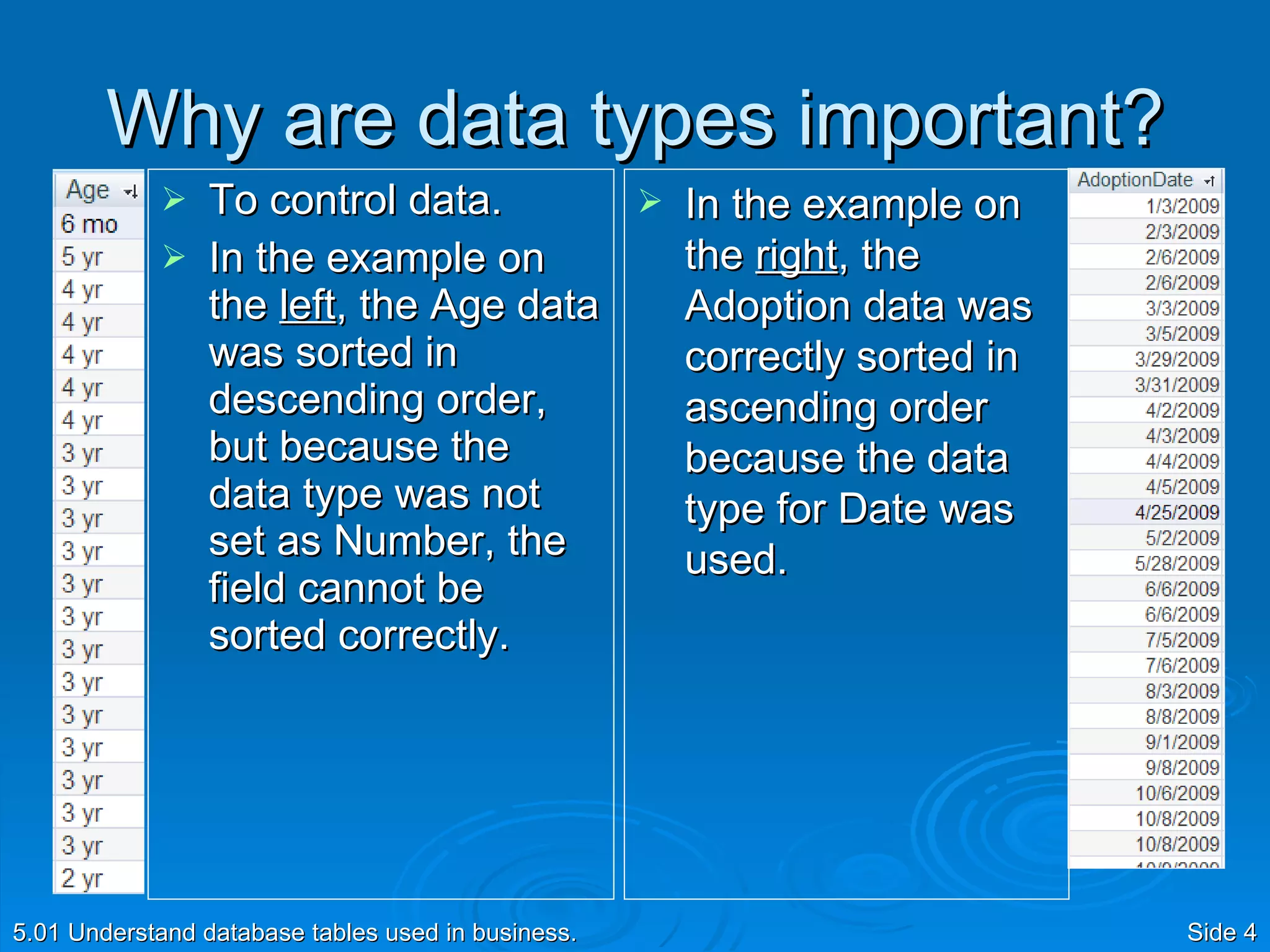
Why are data types important? To control data.  In the example on the  left , the Age data was sorted in descending order, but because the data type was not set as Number, the field cannot be sorted correctly. 5.01 Understand database tables used in business. Side  In the example on the  right , the Adoption data was correctly sorted in ascending order because the data type for Date was used.
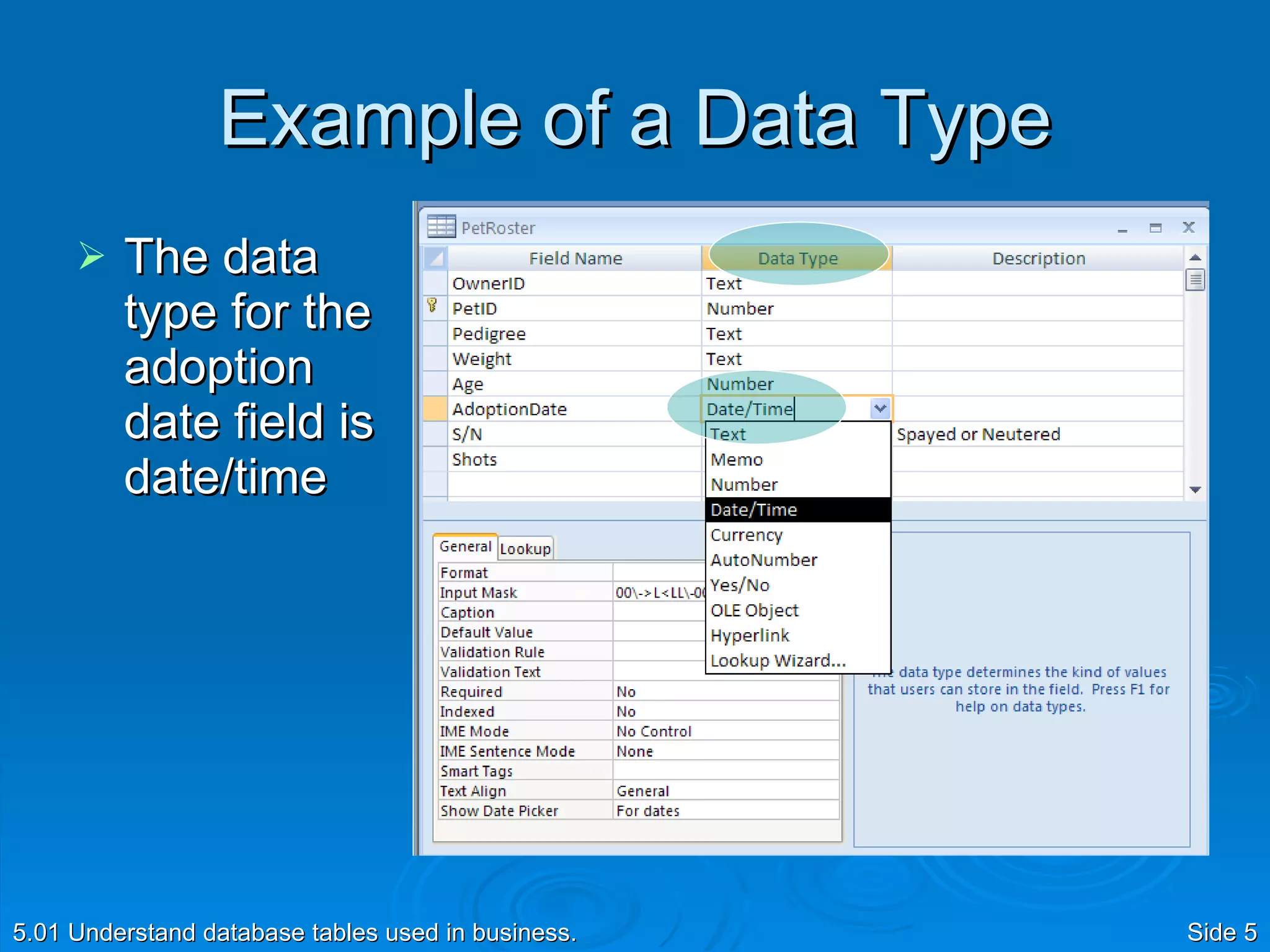
Example of a Data Type The data type for the adoption date field is date/time 5.01 Understand database tables used in business. Side
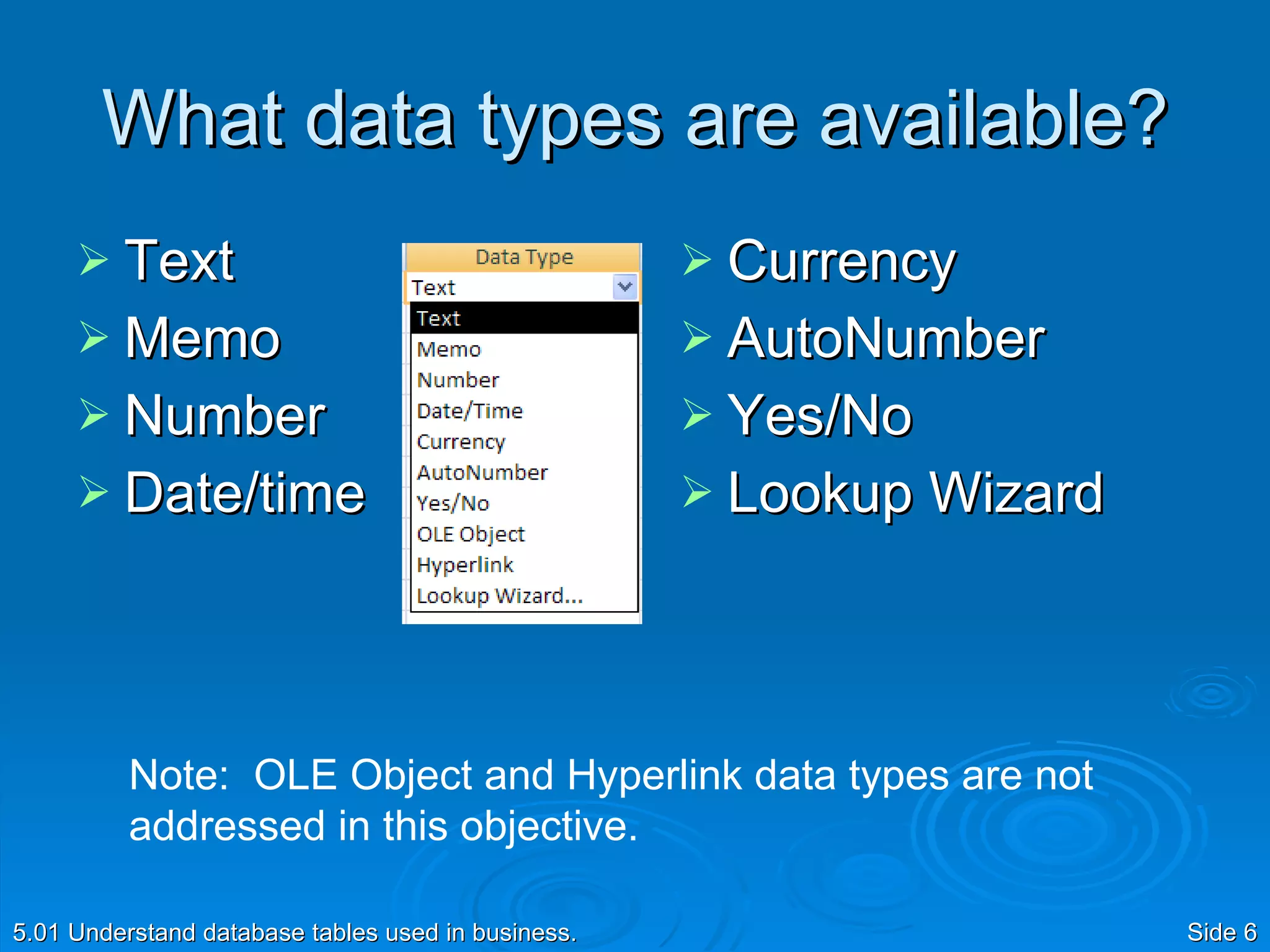
What data types are available? Text Memo Number Date/time Currency AutoNumber Yes/No Lookup Wizard 5.01 Understand database tables used in business. Side  Note:  OLE Object and Hyperlink data types are not addressed in this objective.
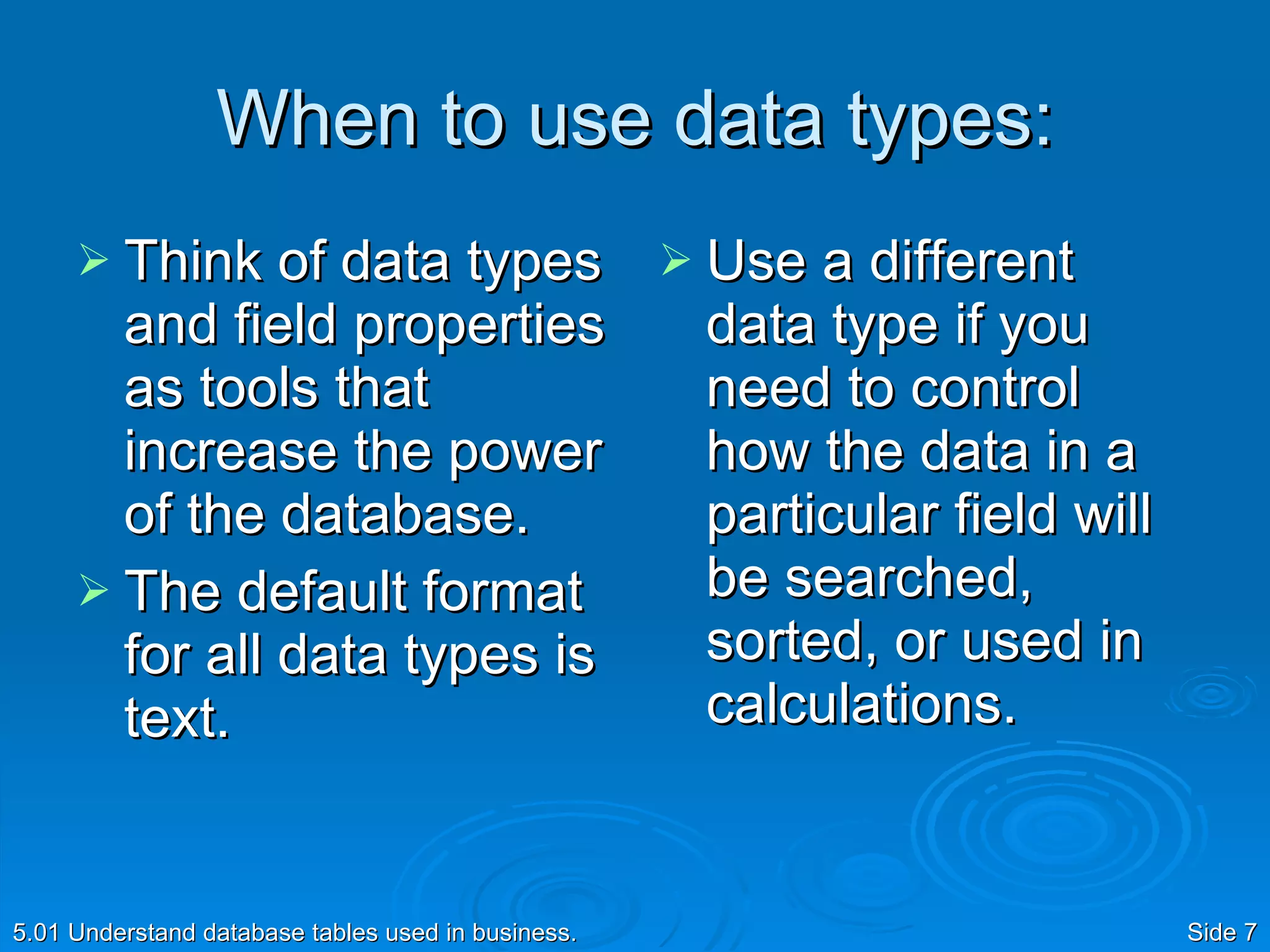
When to use data types: Think of data types and field properties as tools that increase the power of the database. The default format for all data types is text. Use a different data type if you need to control how the data in a particular field will be searched, sorted, or used in calculations. 5.01 Understand database tables used in business. Side
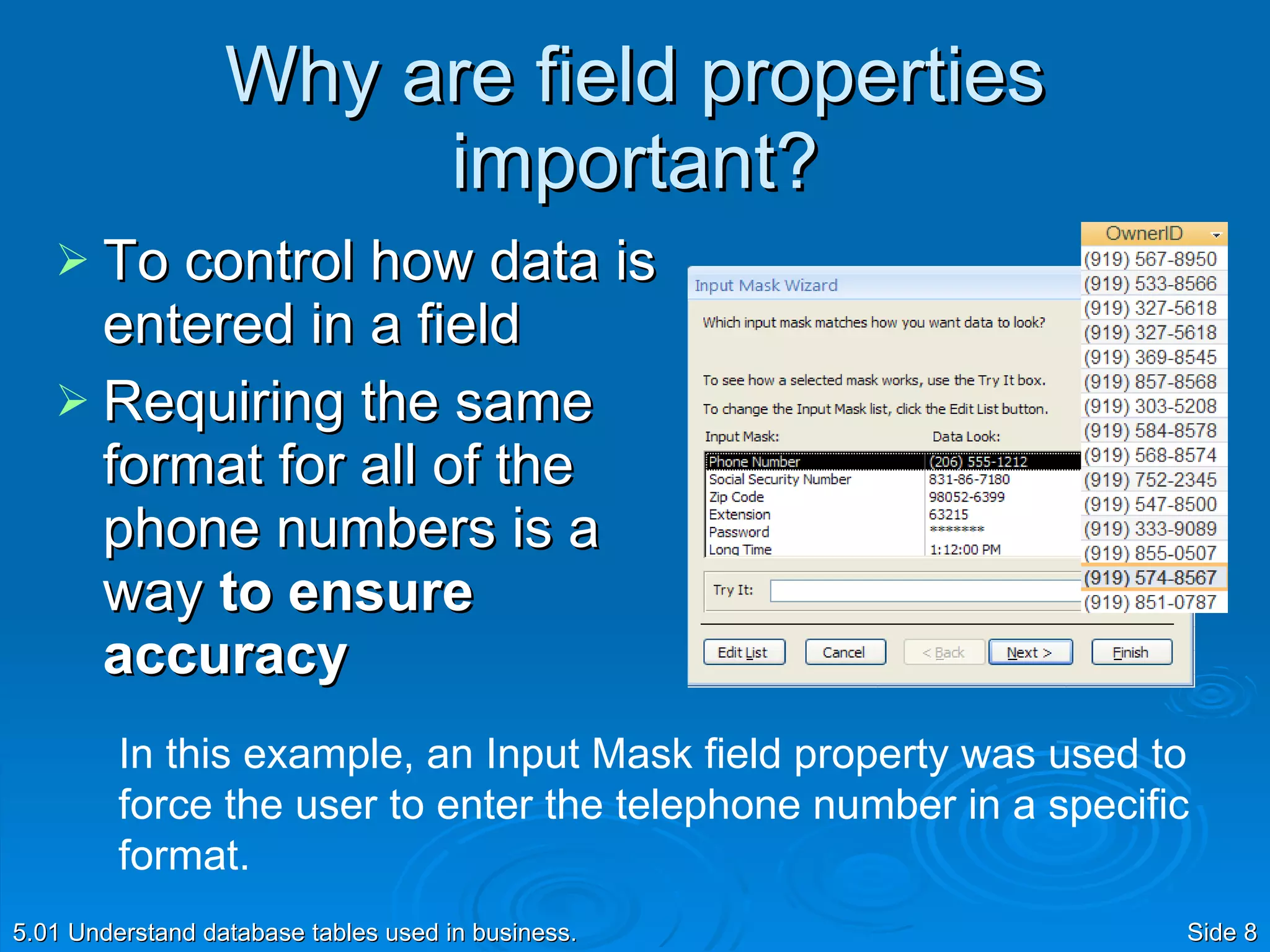
Why are field properties important? To control how data is entered in a field Requiring the same format for all of the phone numbers is a way  to ensure accuracy 5.01 Understand database tables used in business. Side  In this example, an Input Mask field property was used to force the user to enter the telephone number in a specific format.
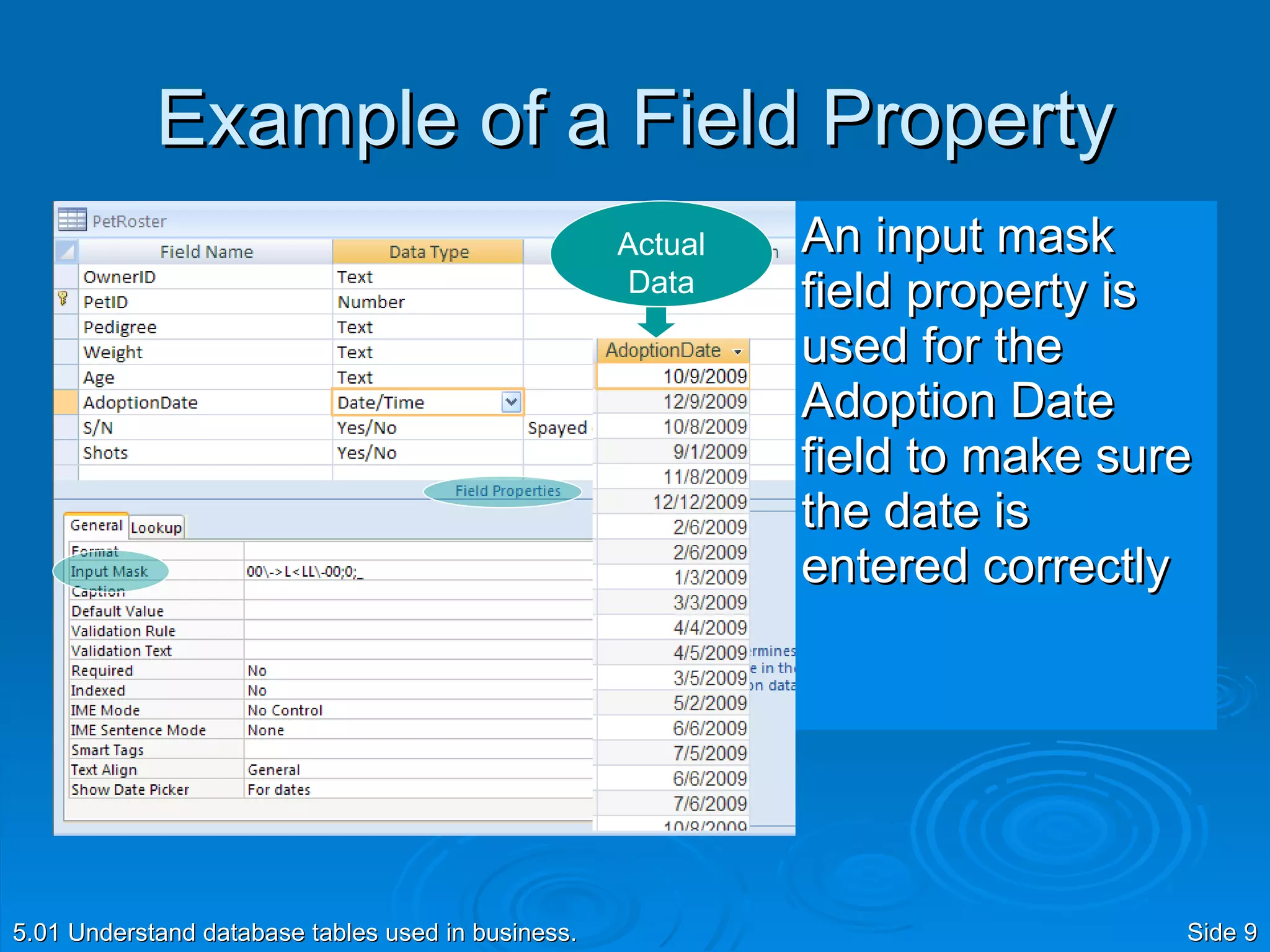
Example of a Field Property An input mask field property is used for the Adoption Date field to make sure the date is entered correctly 5.01 Understand database tables used in business. Side  Actual Data
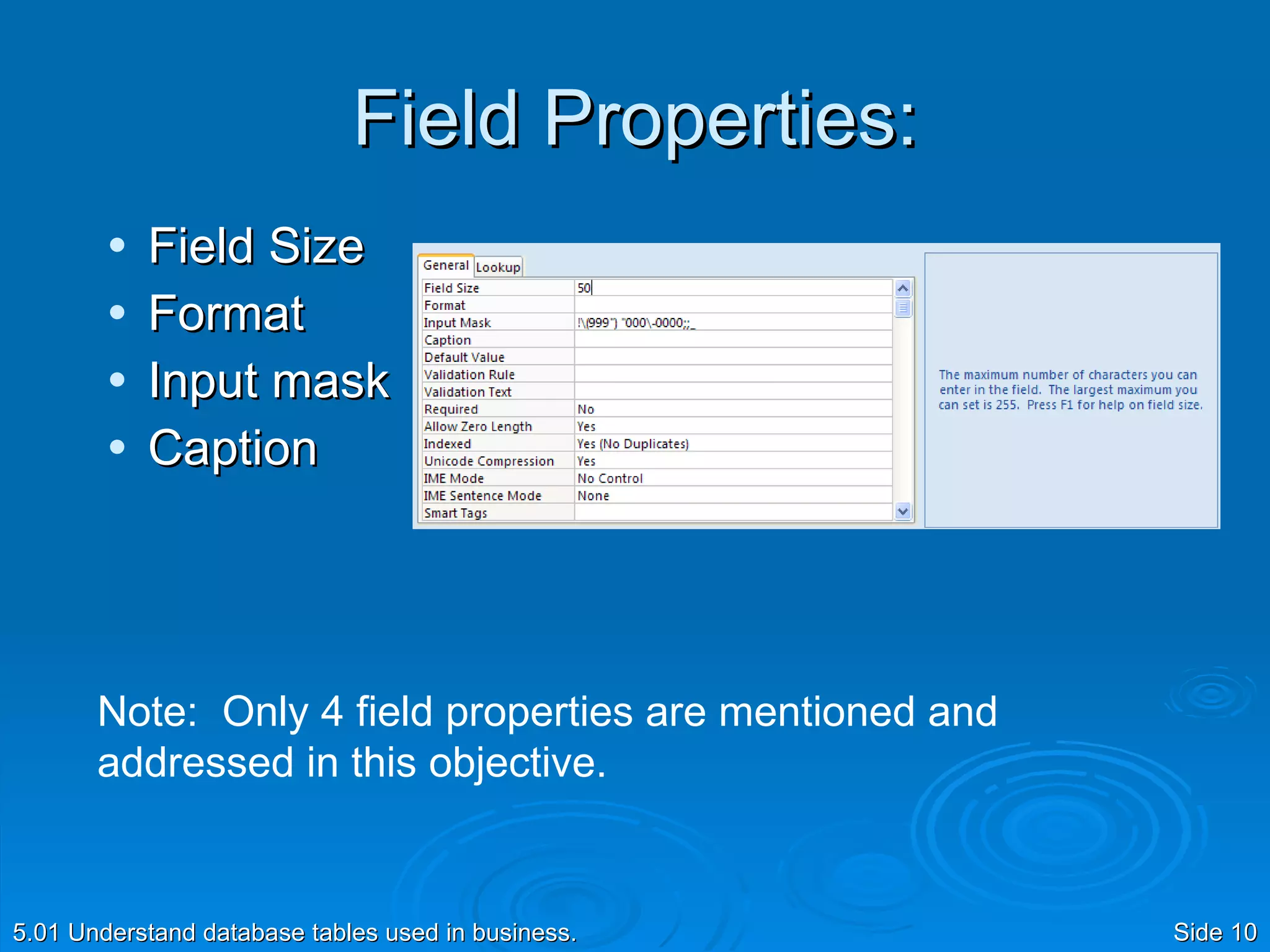
Field Properties: Field Size Format Input mask Caption 5.01 Understand database tables used in business. Side  Note:  Only 4 field properties are mentioned and addressed in this objective.
When to set field properties: Use a field property if you want to specify how the data is entered, what data can be entered, and how the data will appear. 5.01 Understand database tables used in business. Side
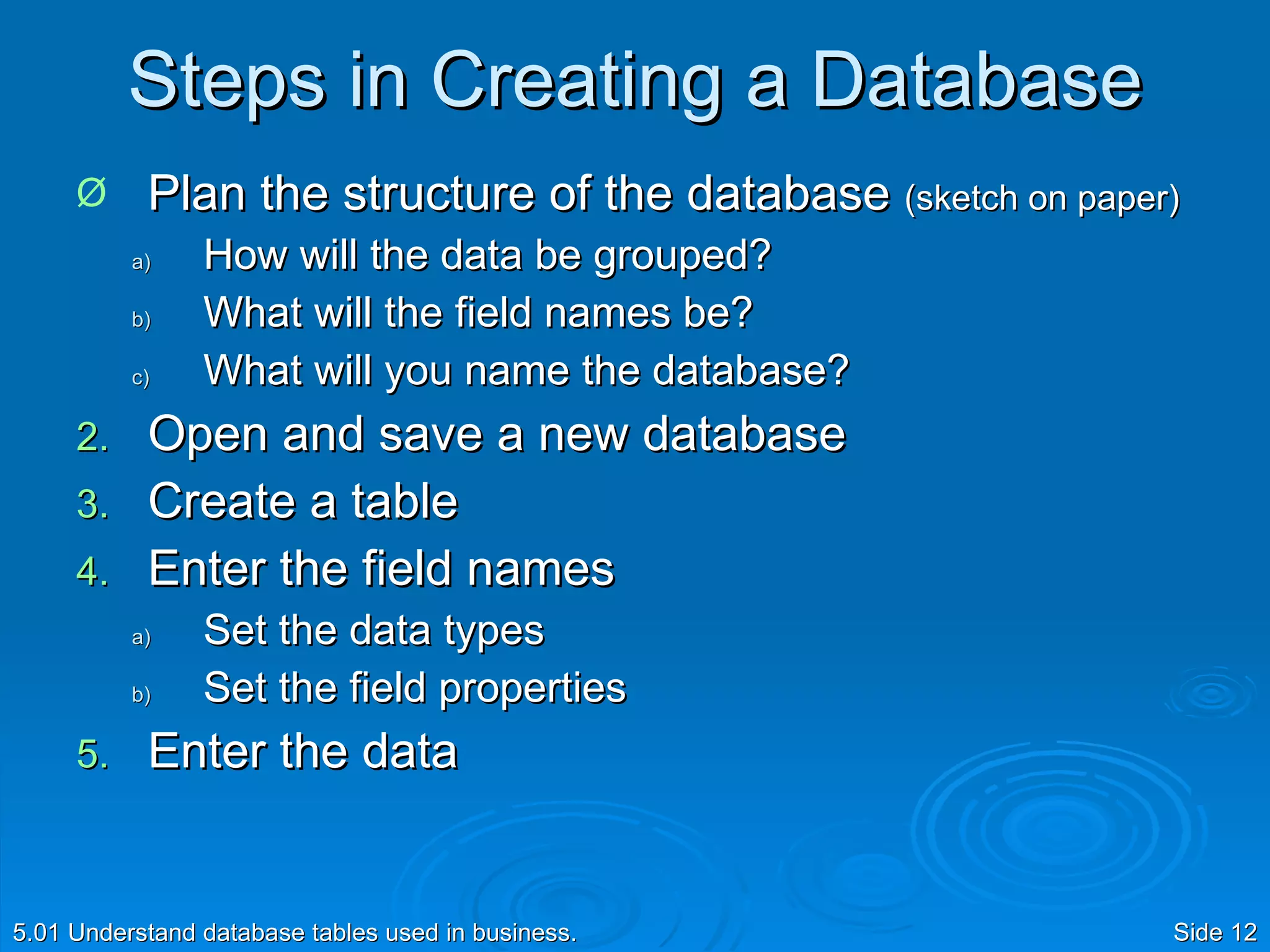
Steps in Creating a Database Plan the structure of the database  (sketch on paper) How will the data be grouped? What will the field names be? What will you name the database? Open and save a new database Create a table Enter the field names Set the data types Set the field properties Enter the data 5.01 Understand database tables used in business. Side

Data Types And Field Properties

  • 1.
    Data Types and Field Properties 5.01 Understand database tables used in business.
  • 2.
    It’s All inthe Details 5.01 Understand database tables used in business. Side Let’s dig a little deeper into the details of how data is formatted and represented in database tables
  • 3.
    Data Types andField Properties Data types and field properties are used to format data so that it can be used and managed The data type defines the value of a cell and the field property defines the format of the data within the cell For example: the data type for a zip code field is number and the field property is used to limit the size of the entry to 5 characters 5.01 Understand database tables used in business. Side
  • 4.
    Why are datatypes important? To control data. In the example on the left , the Age data was sorted in descending order, but because the data type was not set as Number, the field cannot be sorted correctly. 5.01 Understand database tables used in business. Side In the example on the right , the Adoption data was correctly sorted in ascending order because the data type for Date was used.
  • 5.
    Example of aData Type The data type for the adoption date field is date/time 5.01 Understand database tables used in business. Side
  • 6.
    What data typesare available? Text Memo Number Date/time Currency AutoNumber Yes/No Lookup Wizard 5.01 Understand database tables used in business. Side Note: OLE Object and Hyperlink data types are not addressed in this objective.
  • 7.
    When to usedata types: Think of data types and field properties as tools that increase the power of the database. The default format for all data types is text. Use a different data type if you need to control how the data in a particular field will be searched, sorted, or used in calculations. 5.01 Understand database tables used in business. Side
  • 8.
    Why are fieldproperties important? To control how data is entered in a field Requiring the same format for all of the phone numbers is a way to ensure accuracy 5.01 Understand database tables used in business. Side In this example, an Input Mask field property was used to force the user to enter the telephone number in a specific format.
  • 9.
    Example of aField Property An input mask field property is used for the Adoption Date field to make sure the date is entered correctly 5.01 Understand database tables used in business. Side Actual Data
  • 10.
    Field Properties: FieldSize Format Input mask Caption 5.01 Understand database tables used in business. Side Note: Only 4 field properties are mentioned and addressed in this objective.
  • 11.
    When to setfield properties: Use a field property if you want to specify how the data is entered, what data can be entered, and how the data will appear. 5.01 Understand database tables used in business. Side
  • 12.
    Steps in Creatinga Database Plan the structure of the database (sketch on paper) How will the data be grouped? What will the field names be? What will you name the database? Open and save a new database Create a table Enter the field names Set the data types Set the field properties Enter the data 5.01 Understand database tables used in business. Side

Editor's Notes

  • #2 5.01 Field Properties
  • #3 5.01 Field Properties
  • #4 5.01 Field Properties For example, you can use the field properties to make sure that users enter every shipping date with two numbers for the month, two numbers for the day, four numbers for the year, and slashes in between: 03/09/2008. You can also require that the shipping date be at least two days after the entry date.
  • #5 5.01 Field Properties
  • #6 5.01 Field Properties
  • #7 Instruct students describe each field property by opening a database and clicking on each field property. A description will appear in the right-hand pane. 5.01 Field Properties
  • #8 5.01 Field Properties
  • #9 5.01 Field Properties
  • #10 5.01 Field Properties
  • #11 Instruct students describe each field property by opening a database and clicking on each field property. A description will appear in the right-hand pane. 5.01 Field Properties
  • #12 5.01 Field Properties
  • #13 5.01 Field Properties