A blog can be a
 fantastic teaching
tool in a technology
      integrated
     classroom
              By Fiona Beal
        fiona@schoolnet.org.za
    http://schoolnetsa.blogspot.com
Recently I have been running a free online
blogging course for teachers around South
Africa. 57 teachers signed up, and I decided to do
all the teaching from a blog to model blogging. I
suddenly realised what a fantastic teaching tool a
blog can be in a technology integrated classroom.
I’d like to share a few of the Web 2.0 applications
that can really aid a teacher in a classroom when
added to a blog.
1. Use Box.net to link to
   documents you have
       created using
       http://box.net
1. Use Box.net to link to
   documents you have
       created using
       http://box.net
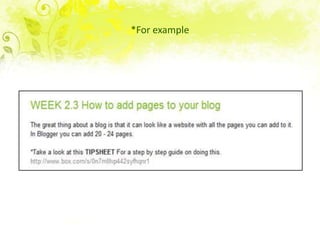
*For example
*Join Box.net and upload your document.
        You get 5GB of free space.
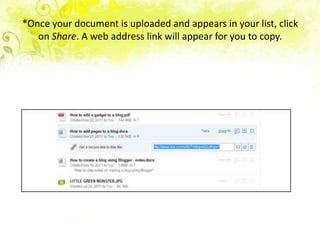
*Once your document is uploaded and appears in your list, click
   on Share. A web address link will appear for you to copy.
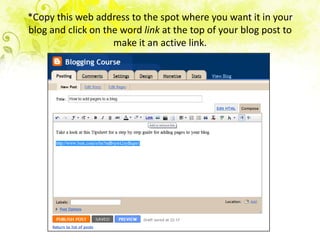
*Copy this web address to the spot where you want it in your
blog and click on the word link at the top of your blog post to
                    make it an active link.
*The result on the blog


24 November 2012

How to add pages to your blog
Take a look at this Tipsheet for a step by step guide for adding
pages to your blog.
http://www.box.com/s/0n7mlllvp442syfhqnr1
2. Use Embedit.in to link
     to documents you
        have created
 Embedit.in is a fantastic application that allows you
 to embed all sorts of different documents on your
 blog by creating an embed code.
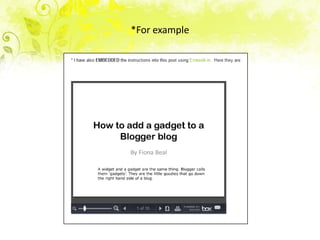
*For example
*Go to http://embedit.in
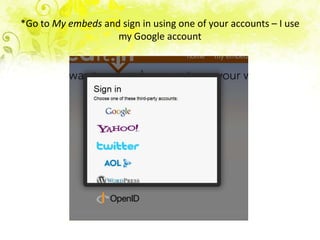
*Go to My embeds and sign in using one of your accounts – I use
                    my Google account
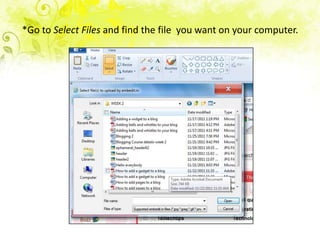
*Go to Select Files and find the file you want on your computer.
*Copy the embed code into your blog post
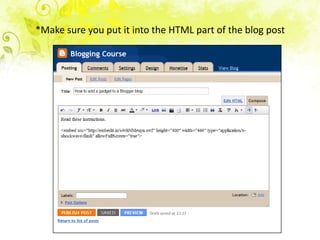
*Make sure you put it into the HTML part of the blog post
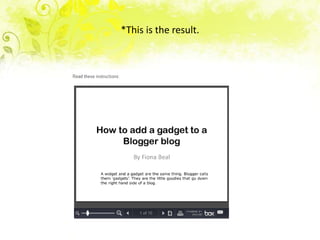
*This is the result.
3. Use Slideshare.com
    for more detailed
       instructions
  Slideshare is a fantastic way to present a ebook type
  of instruction to a class. You create each page in
  PowerPoint.
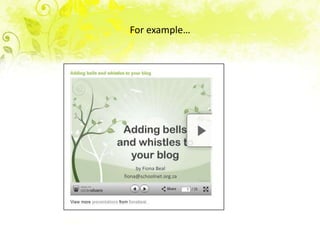
For example…
*Go to Slideshare.com, join and click on Upload to find the
           Powerpoint or PDF you want to use.
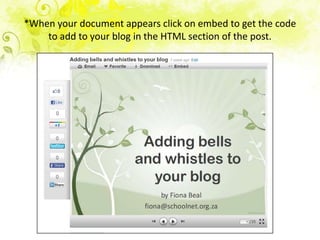
*When your document appears click on embed to get the code
    to add to your blog in the HTML section of the post.
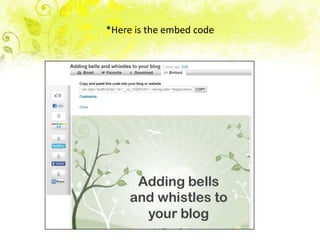
*Here is the embed code
4. Use Screencasts to
   explain something
    more complicated
My favourite screencasting programme is
definitely Screencast-o-matic
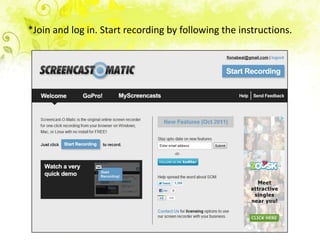
*Join and log in. Start recording by following the instructions.
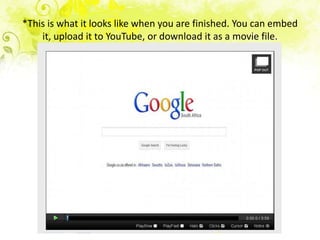
*This is what it looks like when you are finished. You can embed
    it, upload it to YouTube, or download it as a movie file.
5. Use verbal
instructions on your
     blog using
    Vocaroo.com

 Vocaroo.com is so easy to use. You can
 download the result as a .wav file, or you can
 simply embed it in your blog.
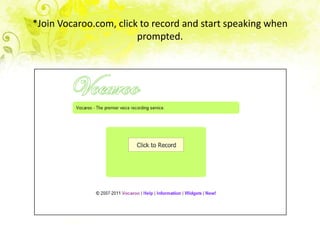
*Join Vocaroo.com, click to record and start speaking when
                        prompted.
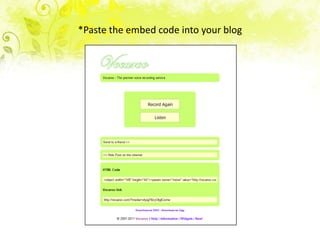
*Paste the embed code into your blog
*This is the result
These are just a few of the ways you can make
your blog a great teaching tool. What’s more
they are all free! Perhaps you have tried out
others that you would like to share?

Your blog as a teaching tool

  • 1.
    A blog canbe a fantastic teaching tool in a technology integrated classroom By Fiona Beal fiona@schoolnet.org.za http://schoolnetsa.blogspot.com
  • 2.
    Recently I havebeen running a free online blogging course for teachers around South Africa. 57 teachers signed up, and I decided to do all the teaching from a blog to model blogging. I suddenly realised what a fantastic teaching tool a blog can be in a technology integrated classroom. I’d like to share a few of the Web 2.0 applications that can really aid a teacher in a classroom when added to a blog.
  • 3.
    1. Use Box.netto link to documents you have created using http://box.net
  • 4.
    1. Use Box.netto link to documents you have created using http://box.net
  • 5.
  • 6.
    *Join Box.net andupload your document. You get 5GB of free space.
  • 7.
    *Once your documentis uploaded and appears in your list, click on Share. A web address link will appear for you to copy.
  • 8.
    *Copy this webaddress to the spot where you want it in your blog and click on the word link at the top of your blog post to make it an active link.
  • 9.
    *The result onthe blog 24 November 2012 How to add pages to your blog Take a look at this Tipsheet for a step by step guide for adding pages to your blog. http://www.box.com/s/0n7mlllvp442syfhqnr1
  • 10.
    2. Use Embedit.into link to documents you have created Embedit.in is a fantastic application that allows you to embed all sorts of different documents on your blog by creating an embed code.
  • 11.
  • 12.
  • 13.
    *Go to Myembeds and sign in using one of your accounts – I use my Google account
  • 14.
    *Go to SelectFiles and find the file you want on your computer.
  • 15.
    *Copy the embedcode into your blog post
  • 16.
    *Make sure youput it into the HTML part of the blog post
  • 17.
    *This is theresult.
  • 18.
    3. Use Slideshare.com for more detailed instructions Slideshare is a fantastic way to present a ebook type of instruction to a class. You create each page in PowerPoint.
  • 19.
  • 20.
    *Go to Slideshare.com,join and click on Upload to find the Powerpoint or PDF you want to use.
  • 21.
    *When your documentappears click on embed to get the code to add to your blog in the HTML section of the post.
  • 22.
    *Here is theembed code
  • 23.
    4. Use Screencaststo explain something more complicated My favourite screencasting programme is definitely Screencast-o-matic
  • 24.
    *Join and login. Start recording by following the instructions.
  • 25.
    *This is whatit looks like when you are finished. You can embed it, upload it to YouTube, or download it as a movie file.
  • 26.
    5. Use verbal instructionson your blog using Vocaroo.com Vocaroo.com is so easy to use. You can download the result as a .wav file, or you can simply embed it in your blog.
  • 27.
    *Join Vocaroo.com, clickto record and start speaking when prompted.
  • 28.
    *Paste the embedcode into your blog
  • 29.
  • 30.
    These are justa few of the ways you can make your blog a great teaching tool. What’s more they are all free! Perhaps you have tried out others that you would like to share?