Classroom Blogging Darren Mosley Southwestern High School Friday February 20 th , 2009 http://roescience.blogspot.com/
Reasons for Using a Blog I wanted a site that showed the students what we did on a “Daily” basis Put Notes, PowerPoint's, Worksheets, and Pictures on the Internet. Can be used outside of class Parents can see what we are doing Great for students that miss a class Students utilize technology all the time Teaches the students to use technology for education
What I Use Blogger Hosts the blog Scribd Hosts Documents, PowerPoints Slideshare Hosts PowerPoints Google Documents Creates and uses “Forms” for students to fill in There are many other places to “Host” a blog. Edublogs Wordpress
Blogger www.blogger.com Owned and run by Google Easy to set up and maintain
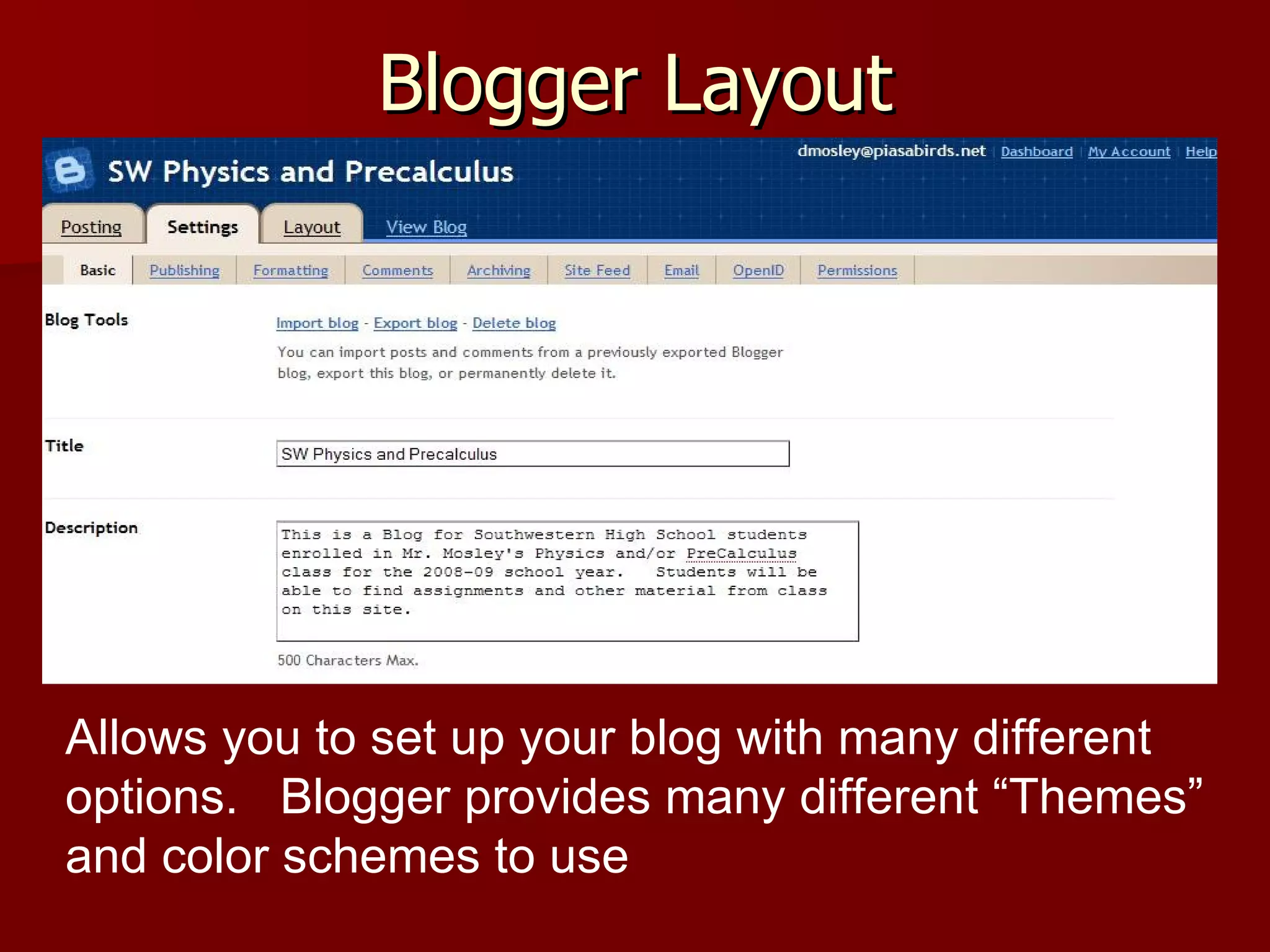
Blogger Layout Allows you to set up your blog with many different options.  Blogger provides many different “Themes” and color schemes to use
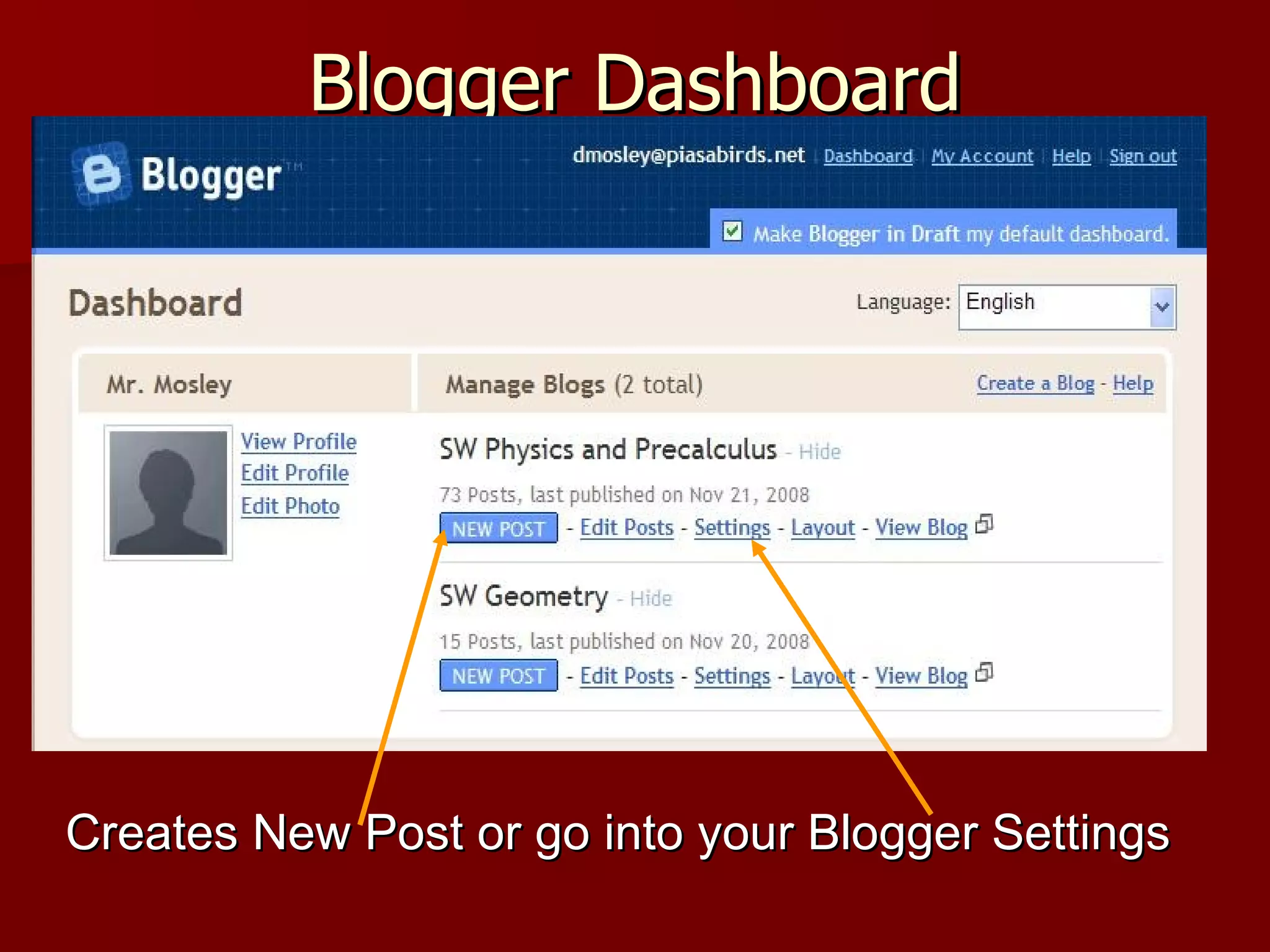
Blogger Dashboard Creates New Post or go into your Blogger Settings
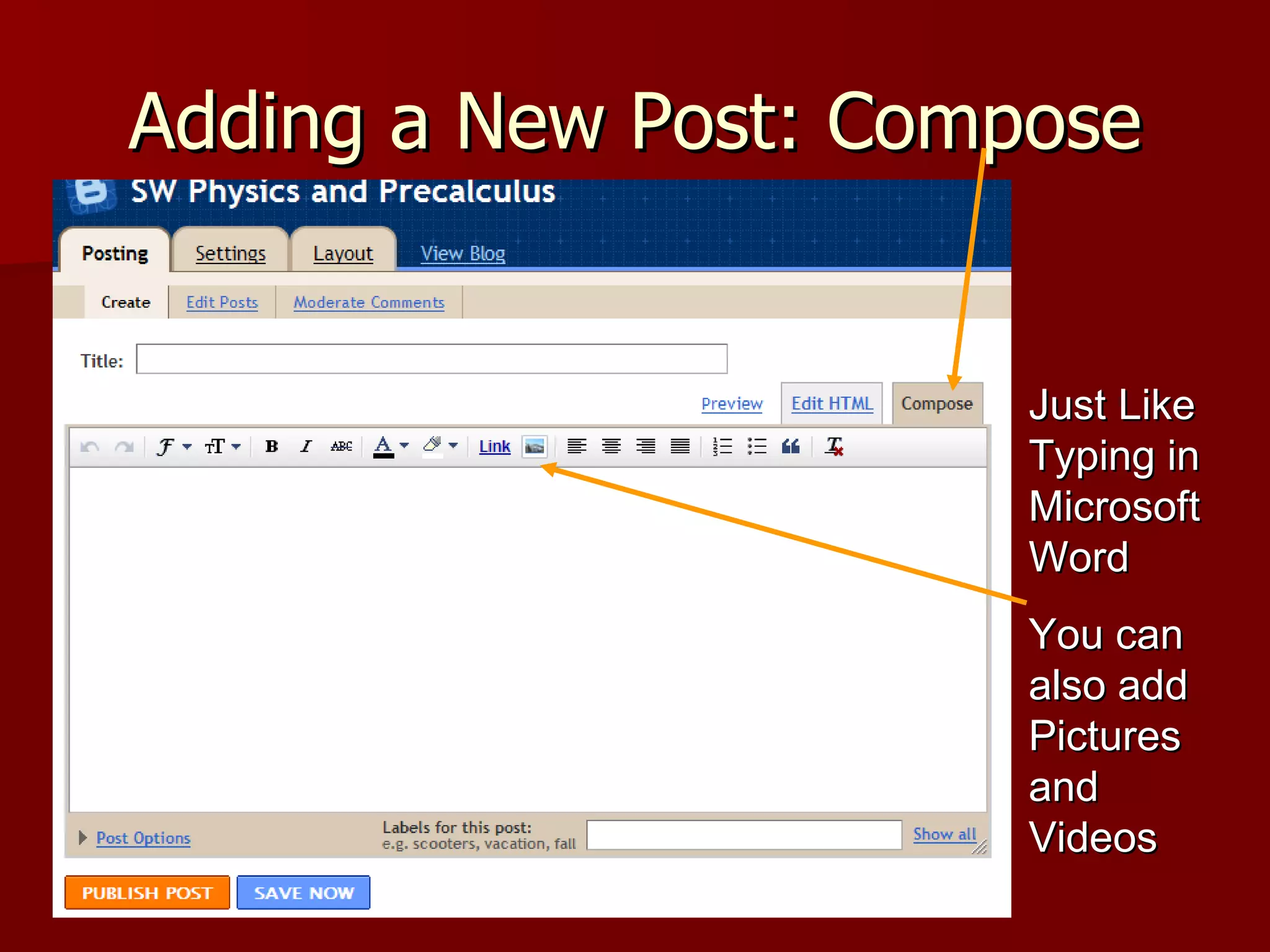
Adding a New Post: Compose Just Like Typing in Microsoft Word You can also add Pictures and Videos
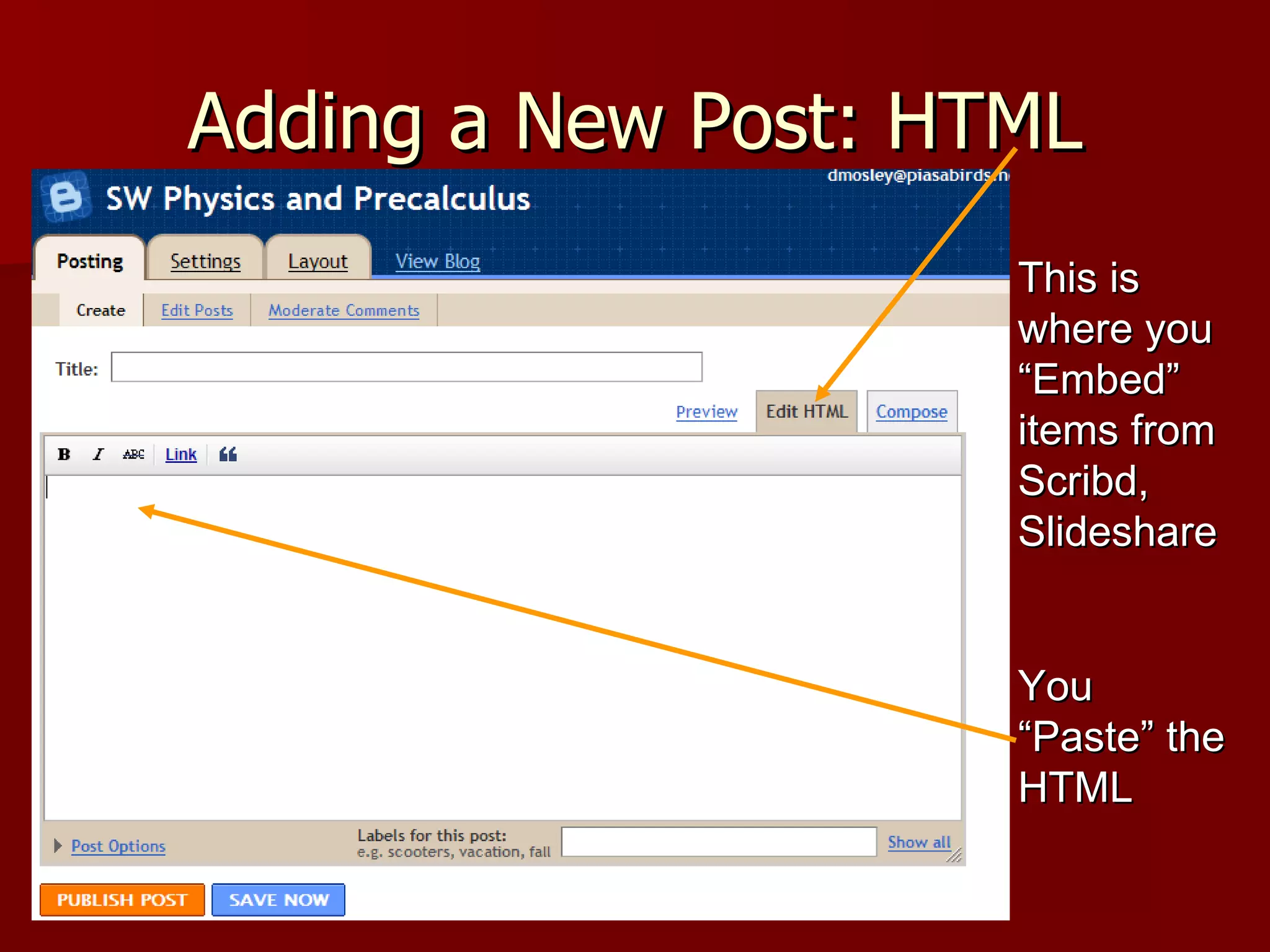
Adding a New Post: HTML This is where you “Embed” items from Scribd, Slideshare You “Paste” the HTML
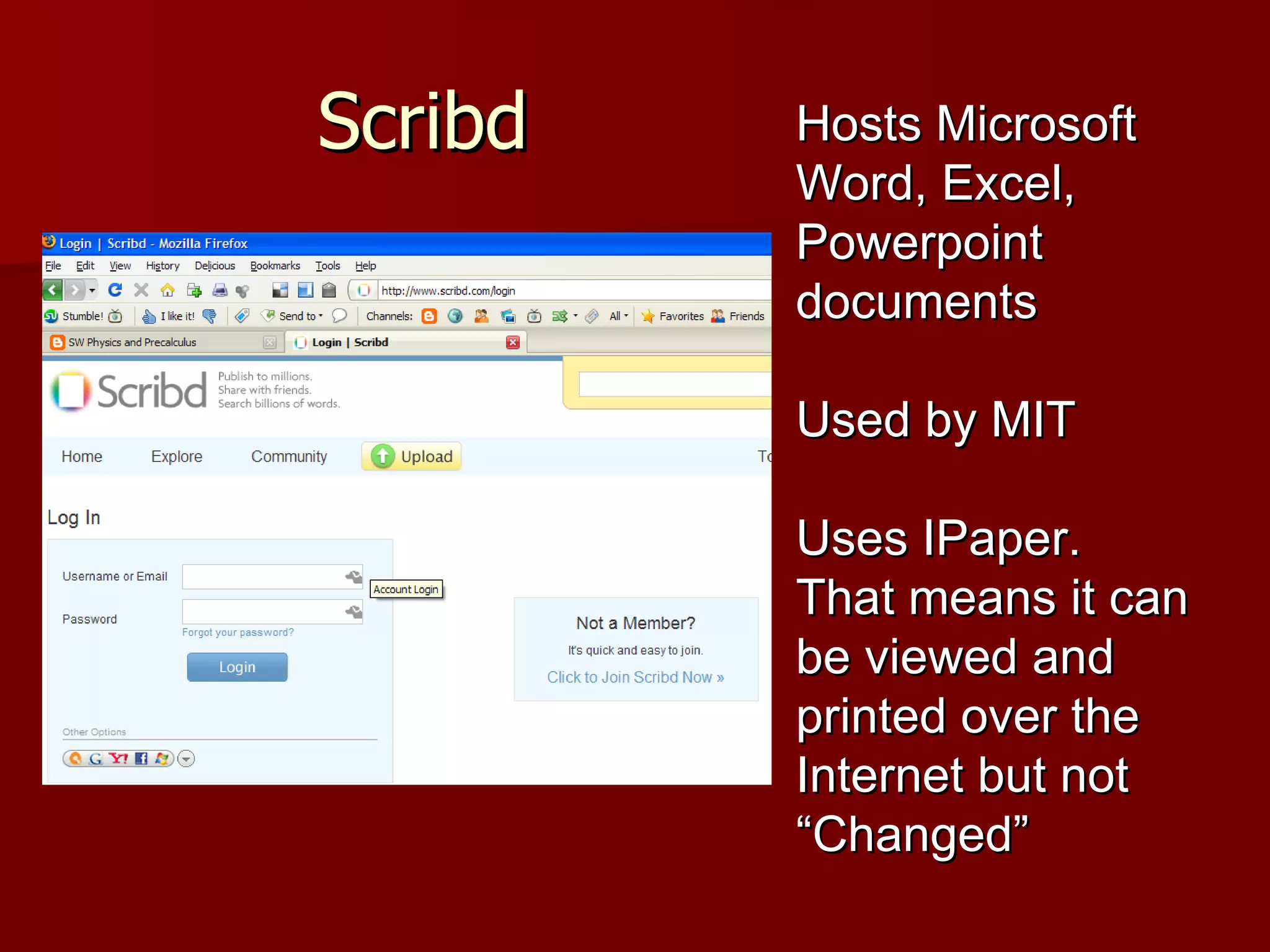
Scribd Hosts Microsoft Word, Excel, Powerpoint documents Used by MIT Uses IPaper.  That means it can be viewed and printed over the Internet but not “Changed”
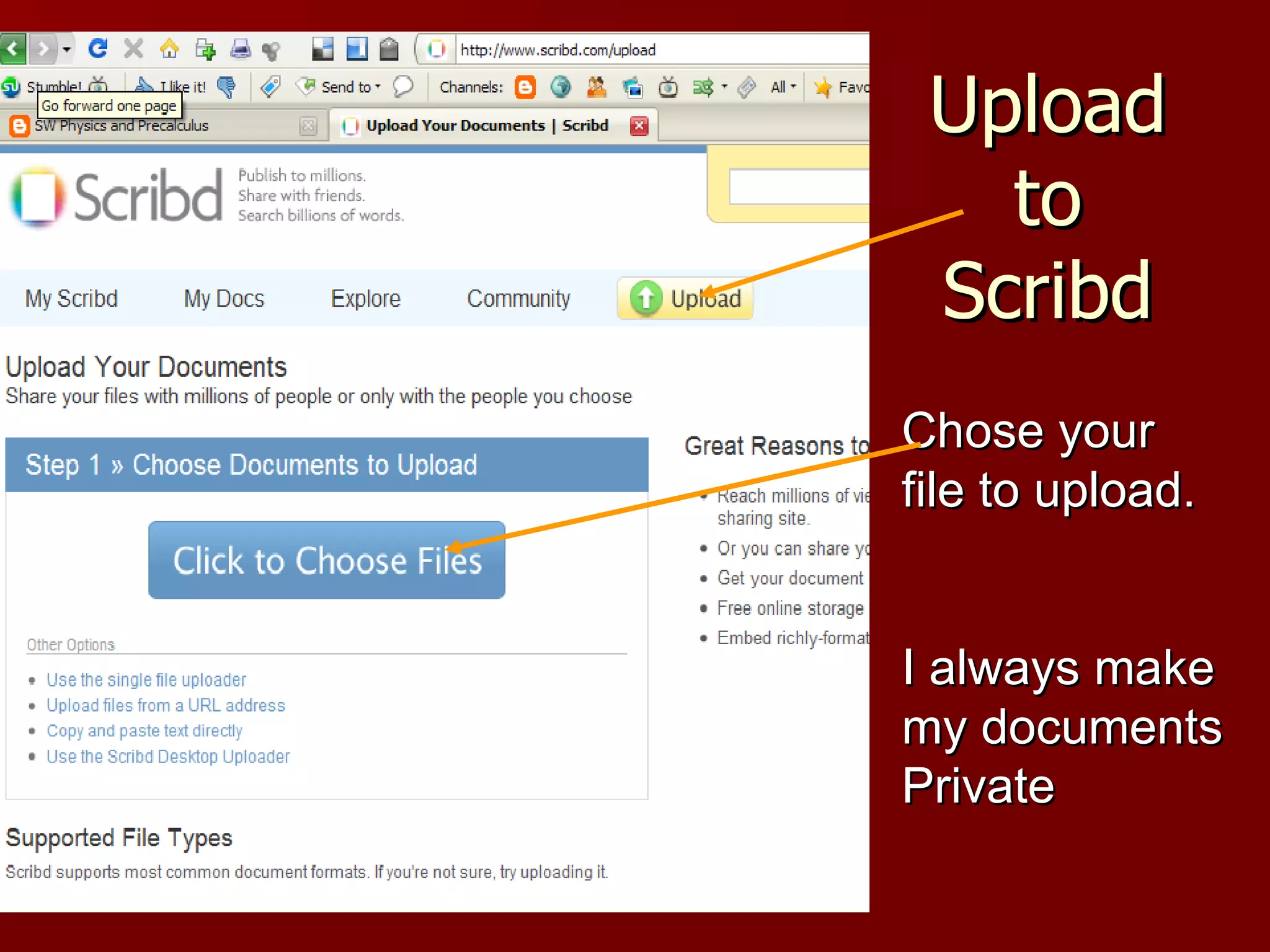
Upload to Scribd Chose your file to upload. I always make my documents Private
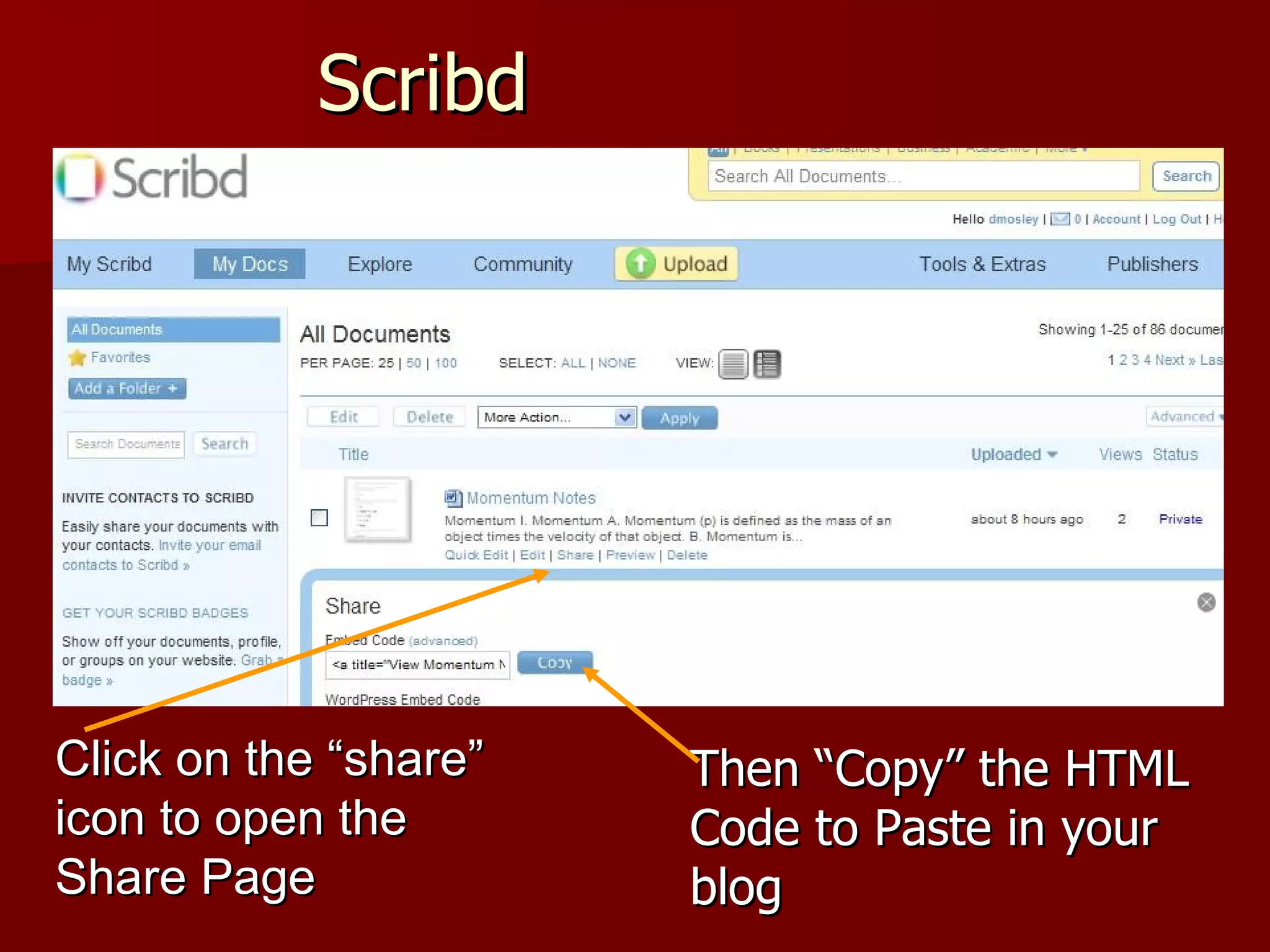
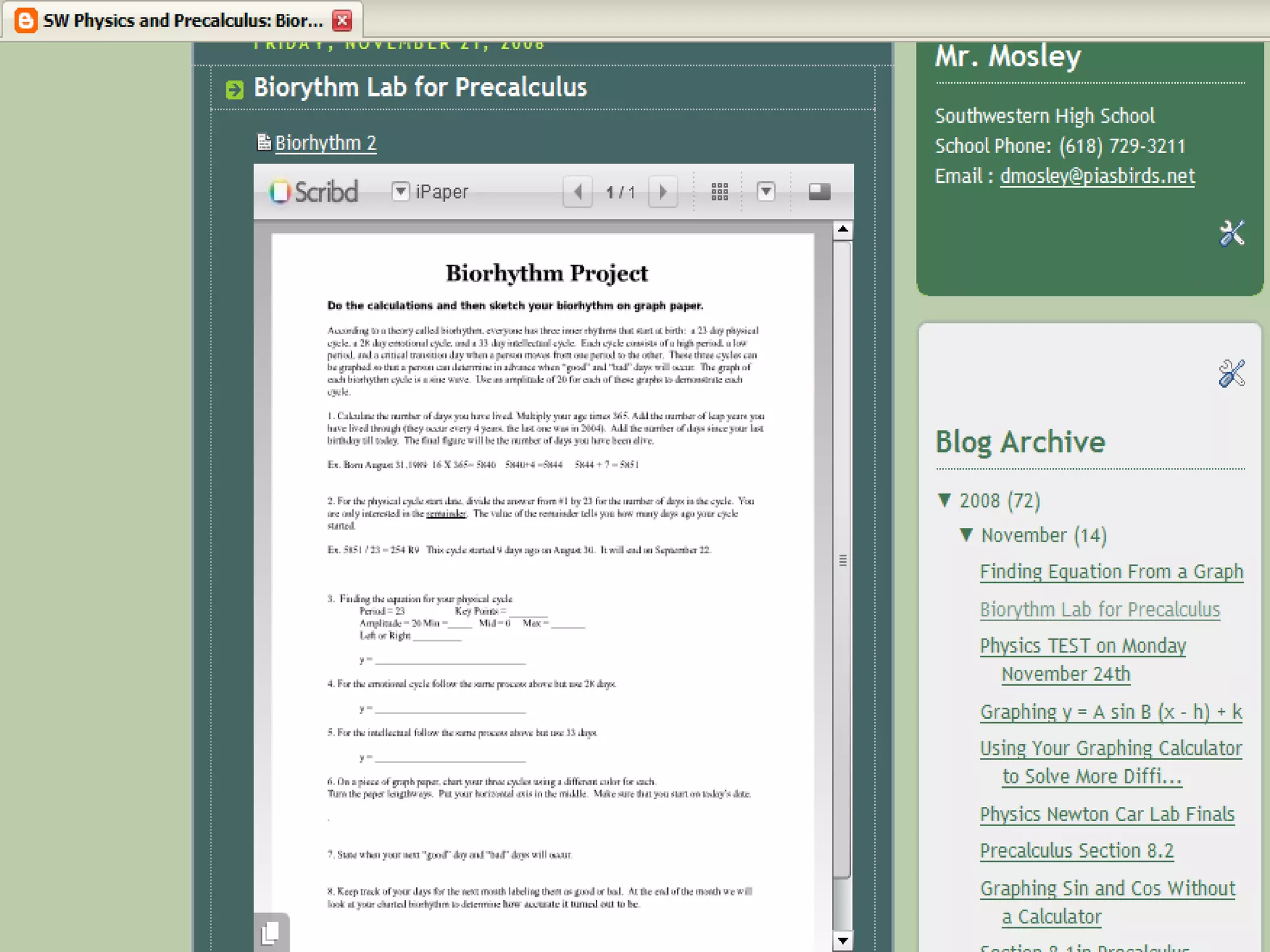
Scribd Click on the “share” icon to open the Share Page Once your file is “Uploaded” you have to “Embed” it in your blog Then “Copy” the HTML Code to Paste in your blog
 
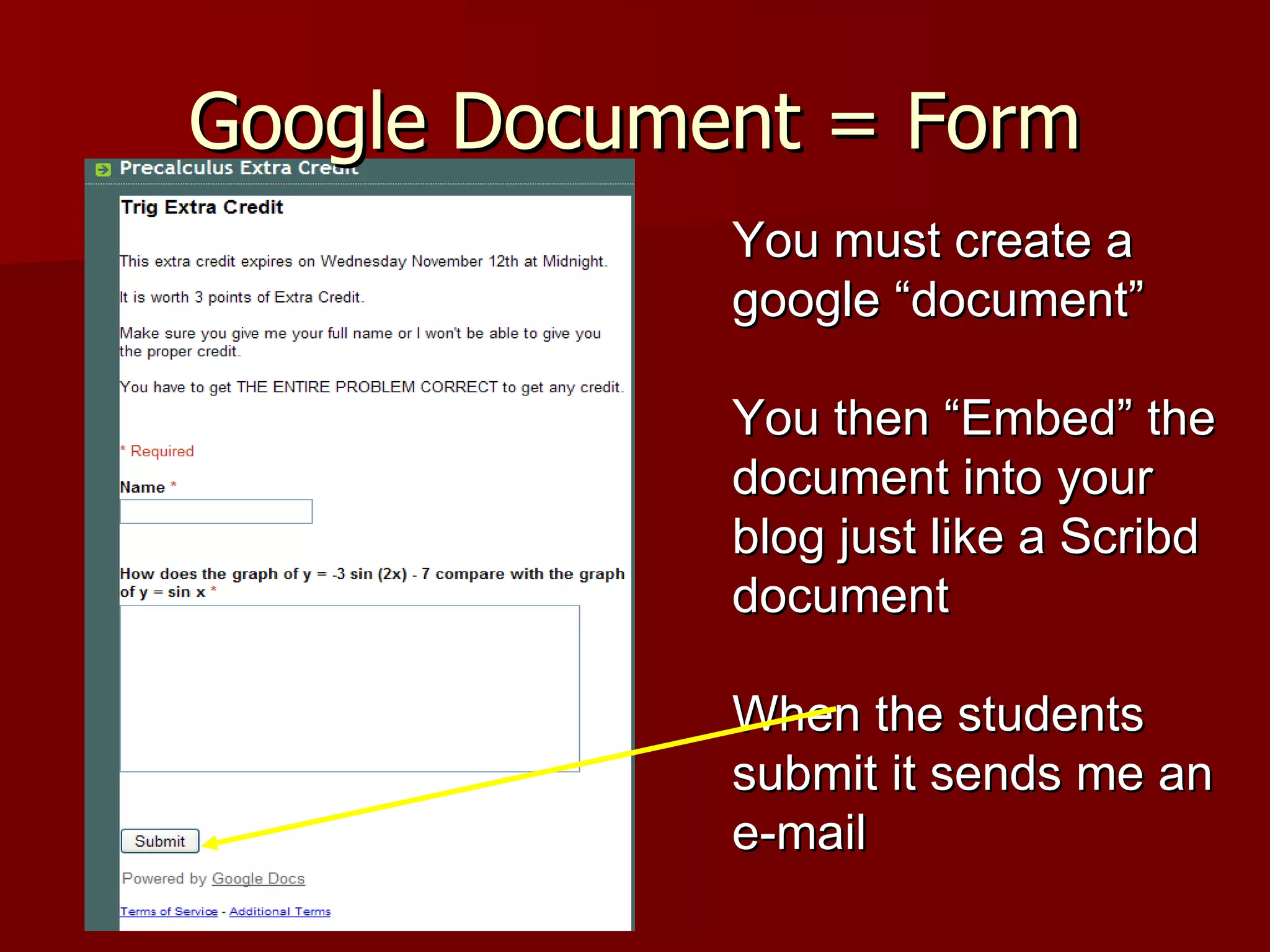
Google Document = Form You must create a google “document” You then “Embed” the document into your blog just like a Scribd document When the students submit it sends me an e-mail
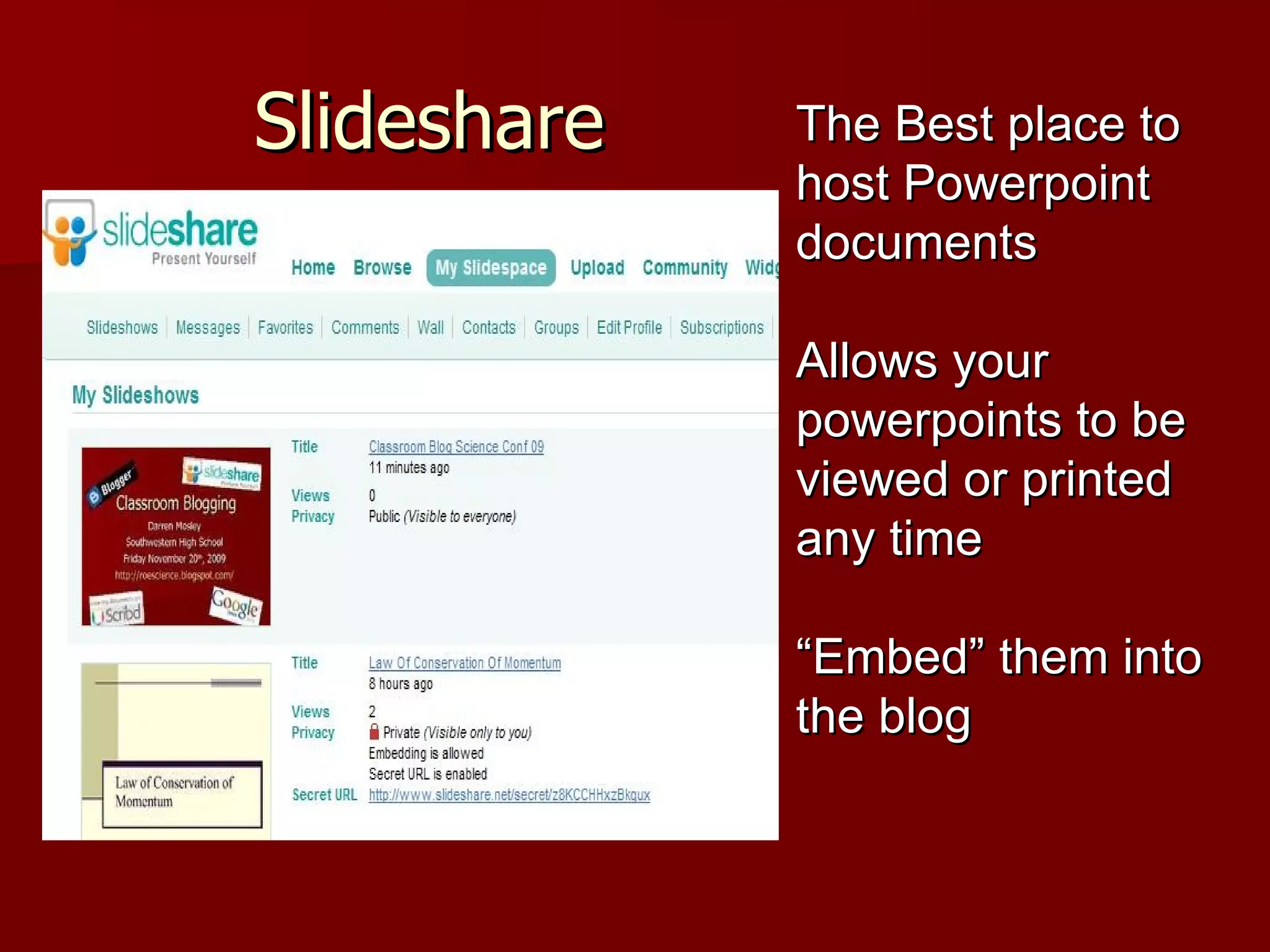
Slideshare The Best place to host Powerpoint documents Allows your powerpoints to be viewed or printed any time “ Embed” them into the blog
Other Items Add Videos You can upload them to your blog or “Embed” them from places like Youtube Pictures You can add individual pictures to any web post, but to add a slideshow you must embed it.  (www.picasaweb.com)
Other Items Calculator Screens Pictures Copy the screens using ‘TI Connect” and then paste them into a post Poll Can be added to the “Gadgets” on Blogger Layout
Future Make students respond or comment on the blog Have student created posts More student created videos Practice quizzes and tests
Thanks Thank you very much for attending Please visit my blog http://swphysicsprecalculus.blogspot.com/ http://roescience.blogspot.com/ Comment on it  Give advice Send me an e-mail [email_address]  or  [email_address]

Classroom Blog Science Conf 09

  • 1.
    Classroom Blogging DarrenMosley Southwestern High School Friday February 20 th , 2009 http://roescience.blogspot.com/
  • 2.
    Reasons for Usinga Blog I wanted a site that showed the students what we did on a “Daily” basis Put Notes, PowerPoint's, Worksheets, and Pictures on the Internet. Can be used outside of class Parents can see what we are doing Great for students that miss a class Students utilize technology all the time Teaches the students to use technology for education
  • 3.
    What I UseBlogger Hosts the blog Scribd Hosts Documents, PowerPoints Slideshare Hosts PowerPoints Google Documents Creates and uses “Forms” for students to fill in There are many other places to “Host” a blog. Edublogs Wordpress
  • 4.
    Blogger www.blogger.com Ownedand run by Google Easy to set up and maintain
  • 5.
    Blogger Layout Allowsyou to set up your blog with many different options. Blogger provides many different “Themes” and color schemes to use
  • 6.
    Blogger Dashboard CreatesNew Post or go into your Blogger Settings
  • 7.
    Adding a NewPost: Compose Just Like Typing in Microsoft Word You can also add Pictures and Videos
  • 8.
    Adding a NewPost: HTML This is where you “Embed” items from Scribd, Slideshare You “Paste” the HTML
  • 9.
    Scribd Hosts MicrosoftWord, Excel, Powerpoint documents Used by MIT Uses IPaper. That means it can be viewed and printed over the Internet but not “Changed”
  • 10.
    Upload to ScribdChose your file to upload. I always make my documents Private
  • 11.
    Scribd Click onthe “share” icon to open the Share Page Once your file is “Uploaded” you have to “Embed” it in your blog Then “Copy” the HTML Code to Paste in your blog
  • 12.
  • 13.
    Google Document =Form You must create a google “document” You then “Embed” the document into your blog just like a Scribd document When the students submit it sends me an e-mail
  • 14.
    Slideshare The Bestplace to host Powerpoint documents Allows your powerpoints to be viewed or printed any time “ Embed” them into the blog
  • 15.
    Other Items AddVideos You can upload them to your blog or “Embed” them from places like Youtube Pictures You can add individual pictures to any web post, but to add a slideshow you must embed it. (www.picasaweb.com)
  • 16.
    Other Items CalculatorScreens Pictures Copy the screens using ‘TI Connect” and then paste them into a post Poll Can be added to the “Gadgets” on Blogger Layout
  • 17.
    Future Make studentsrespond or comment on the blog Have student created posts More student created videos Practice quizzes and tests
  • 18.
    Thanks Thank youvery much for attending Please visit my blog http://swphysicsprecalculus.blogspot.com/ http://roescience.blogspot.com/ Comment on it Give advice Send me an e-mail [email_address] or [email_address]