
XPath: An IntroductionStuart Myles
ObjectivesWhat is XPath?An introduction to the XPath 1.0 languageXML refresherXPath basicsWhat else can you do with XPath 1.0?Where to go for more information
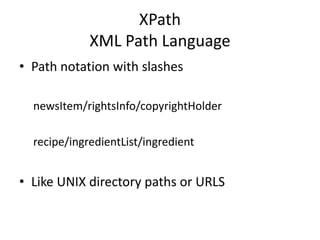
XPathXML Path LanguagePath notation with slashesnewsItem/rightsInfo/copyrightHolderrecipe/ingredientList/ingredientLike UNIX directory paths or URLS
What is XPath?Syntax for defining parts of an XML documentLocate elements or attributesPerforming operations over dataXPath contains a library of standard functionsNumeric, string, booleanA major part of several XML standardsXSLT, XQuery, XML Schema, Schematron
XPath Introduction:XML RefresherXML documents contain one or more elements, delimited by start and end tags<foo></foo>Elements can be nested to any depth<foo> <bar></bar></foo>
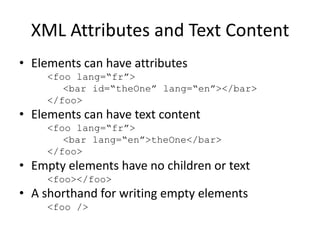
XML Attributes and Text ContentElements can have attributes<foo lang=“fr”>	  <bar id=“theOne” lang=“en”></bar></foo>Elements can have text content<foo lang=“fr”>	  <bar lang=“en”>theOne</bar></foo>Empty elements have no children or text<foo></foo>A shorthand for writing empty elements<foo />
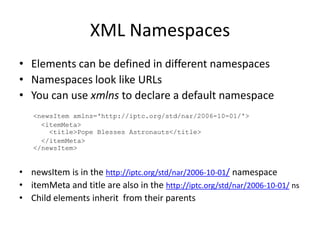
XML NamespacesElements can be defined in different namespacesNamespaces look like URLsYou can use xmlns to declare a default namespace<newsItemxmlns='http://iptc.org/std/nar/2006-10-01/'>  <itemMeta>    <title>Pope Blesses Astronauts</title>  </itemMeta></newsItem>newsItemis in the http://iptc.org/std/nar/2006-10-01/namespaceitemMeta and title are also in the http://iptc.org/std/nar/2006-10-01/ nsChild elements inherit  from their parents
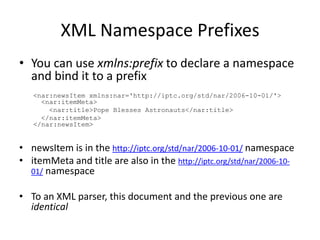
XML Namespace PrefixesYou can use xmlns:prefix to declare a namespace and bind it to a prefix<nar:newsItemxmlns:nar='http://iptc.org/std/nar/2006-10-01/'>  <nar:itemMeta>   <nar:title>Pope Blesses Astronauts</nar:title>  </nar:itemMeta></nar:newsItem>newsItem is in the http://iptc.org/std/nar/2006-10-01/ namespaceitemMeta and title are also in the http://iptc.org/std/nar/2006-10-01/ namespaceTo an XML parser, this document and the previous one are identical
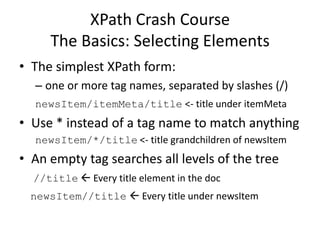
XPath Crash CourseThe Basics: Selecting ElementsThe simplest XPath form:one or more tag names, separated by slashes (/)newsItem/itemMeta/title<- title under itemMetaUse * instead of a tag name to match anythingnewsItem/*/title <- title grandchildren of newsItemAn empty tag searches all levels of the tree//title Every title element in the docnewsItem//title Every title under newsItem
XPath: Using AttributesAttribute values are indicated by @@rel<- The rel attribute of the current elementElement and Attribute values are tied by /@link/@rel<- The rel attribute of the link elementUse [] for conditional selectionslink[@rel] <- link element with a rel attributelink[@rel = “parent”]link[@size &lt; “1000”]link[not(@href)]
XPath and NamespacesXPath supports namespacesnitf:p <- The p element from the nitf namespacexhtml:p <- The p element from the xhtml nsnar:* <- Any element from the nar namespace@atom:* <- Any attribute from the atom nsProtip: if you can’t figure out why your XPathexpression isn’t matching, check the namespace
What Else Can XPath Do?Numeric, String, Boolean FunctionsPublication/FilingMetadata[1]Publication/FilingMetadata[last()]Publication/FilingMetadata[last() - 1]FilingMetadata[position() mod 2 = 0]FilingMetadata[Category = “q” or Category = “j”]not(contains(SlugLine, “advisory”))starts-with(FilingOnlineCode, “1”)And XPath 2.0 adds even more functions, including regular expressions
More XPath InformationList of examples:http://msdn.microsoft.com/en-us/library/ms256086.aspxIntroductory, interactive tutorial:http://www.zvon.org/comp/r/tut-XPath_1.htmlMore advanced tutorial:http://www.ibm.com/developerworks/xml/tutorials/x-xpath/section2.htmlXPath chapter from XML in a Nutshell:http://oreilly.com/catalog/xmlnut/chapter/ch09.html

XPath Introduction

  • 1.
  • 2.
    ObjectivesWhat is XPath?Anintroduction to the XPath 1.0 languageXML refresherXPath basicsWhat else can you do with XPath 1.0?Where to go for more information
  • 3.
    XPathXML Path LanguagePathnotation with slashesnewsItem/rightsInfo/copyrightHolderrecipe/ingredientList/ingredientLike UNIX directory paths or URLS
  • 4.
    What is XPath?Syntaxfor defining parts of an XML documentLocate elements or attributesPerforming operations over dataXPath contains a library of standard functionsNumeric, string, booleanA major part of several XML standardsXSLT, XQuery, XML Schema, Schematron
  • 5.
    XPath Introduction:XML RefresherXMLdocuments contain one or more elements, delimited by start and end tags<foo></foo>Elements can be nested to any depth<foo> <bar></bar></foo>
  • 6.
    XML Attributes andText ContentElements can have attributes<foo lang=“fr”> <bar id=“theOne” lang=“en”></bar></foo>Elements can have text content<foo lang=“fr”> <bar lang=“en”>theOne</bar></foo>Empty elements have no children or text<foo></foo>A shorthand for writing empty elements<foo />
  • 7.
    XML NamespacesElements canbe defined in different namespacesNamespaces look like URLsYou can use xmlns to declare a default namespace<newsItemxmlns='http://iptc.org/std/nar/2006-10-01/'>  <itemMeta>   <title>Pope Blesses Astronauts</title> </itemMeta></newsItem>newsItemis in the http://iptc.org/std/nar/2006-10-01/namespaceitemMeta and title are also in the http://iptc.org/std/nar/2006-10-01/ nsChild elements inherit from their parents
  • 8.
    XML Namespace PrefixesYoucan use xmlns:prefix to declare a namespace and bind it to a prefix<nar:newsItemxmlns:nar='http://iptc.org/std/nar/2006-10-01/'>  <nar:itemMeta>   <nar:title>Pope Blesses Astronauts</nar:title> </nar:itemMeta></nar:newsItem>newsItem is in the http://iptc.org/std/nar/2006-10-01/ namespaceitemMeta and title are also in the http://iptc.org/std/nar/2006-10-01/ namespaceTo an XML parser, this document and the previous one are identical
  • 9.
    XPath Crash CourseTheBasics: Selecting ElementsThe simplest XPath form:one or more tag names, separated by slashes (/)newsItem/itemMeta/title<- title under itemMetaUse * instead of a tag name to match anythingnewsItem/*/title <- title grandchildren of newsItemAn empty tag searches all levels of the tree//title Every title element in the docnewsItem//title Every title under newsItem
  • 10.
    XPath: Using AttributesAttributevalues are indicated by @@rel<- The rel attribute of the current elementElement and Attribute values are tied by /@link/@rel<- The rel attribute of the link elementUse [] for conditional selectionslink[@rel] <- link element with a rel attributelink[@rel = “parent”]link[@size &lt; “1000”]link[not(@href)]
  • 11.
    XPath and NamespacesXPathsupports namespacesnitf:p <- The p element from the nitf namespacexhtml:p <- The p element from the xhtml nsnar:* <- Any element from the nar namespace@atom:* <- Any attribute from the atom nsProtip: if you can’t figure out why your XPathexpression isn’t matching, check the namespace
  • 12.
    What Else CanXPath Do?Numeric, String, Boolean FunctionsPublication/FilingMetadata[1]Publication/FilingMetadata[last()]Publication/FilingMetadata[last() - 1]FilingMetadata[position() mod 2 = 0]FilingMetadata[Category = “q” or Category = “j”]not(contains(SlugLine, “advisory”))starts-with(FilingOnlineCode, “1”)And XPath 2.0 adds even more functions, including regular expressions
  • 13.
    More XPath InformationListof examples:http://msdn.microsoft.com/en-us/library/ms256086.aspxIntroductory, interactive tutorial:http://www.zvon.org/comp/r/tut-XPath_1.htmlMore advanced tutorial:http://www.ibm.com/developerworks/xml/tutorials/x-xpath/section2.htmlXPath chapter from XML in a Nutshell:http://oreilly.com/catalog/xmlnut/chapter/ch09.html