Presentation on XPATH
© Sun Technologies Inc. 1
WHAT IS XPATH ?
•XPath is normally called as XML Path
•XPath is the one of the way to locate elements on
webpage.
•XPath uses path expressions to select element in an
HTML document.
•XPath contains a library of standard functions
© Sun Technologies Inc. 2
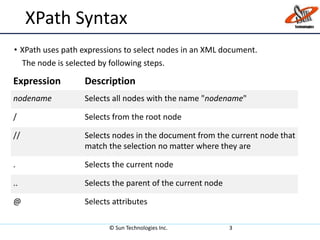
XPath Syntax
• XPath uses path expressions to select nodes in an XML document.
The node is selected by following steps.
© Sun Technologies Inc. 3
Expression Description
nodename Selects all nodes with the name "nodename"
/ Selects from the root node
// Selects nodes in the document from the current node that
match the selection no matter where they are
. Selects the current node
.. Selects the parent of the current node
@ Selects attributes
Xpath Ways
• Xpath can be created in two ways:
• Absolute Xpath
Absolute Xpath begins with a root path and is prefixed with a “/”.
• Relative Xpath
Relative Xpath begins from the current location and is prefixed with
a “//”.
© Sun Technologies Inc. 4
XPath Axes
An axis defines a node-set relative to the current node.
© Sun Technologies Inc. 5
•ancestor
•ancestor-or-self
•attribute
•child
•descendant
•descendant-or-self
•following
•following-sibling
•namespace
•parent
•preceding
•preceding-sibling
•self
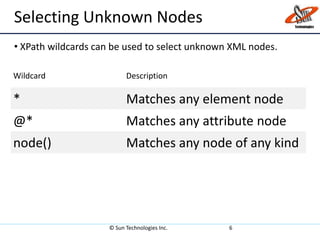
Selecting Unknown Nodes
• XPath wildcards can be used to select unknown XML nodes.
© Sun Technologies Inc. 6
Wildcard Description
* Matches any element node
@* Matches any attribute node
node() Matches any node of any kind
XPath functions
XPath contains a number of functions on node sets, numbers, and strings;
here are a few of them:
• Contains: contains(arg1, arg2) tests if arg1 contains arg2
Example://img[contains(@src,’Profile’)]
• starts-with: starts-with(arg1, arg2) tests if arg1 starts with arg2
Example: //*[starts-with(name(), 'sec']
• ends-with: ends-with(arg1, arg2) tests if arg1 ends with arg2
Example: //*[ends-with(name(), ‘details']
© Sun Technologies Inc. 7

XPATH

  • 1.
    Presentation on XPATH ©Sun Technologies Inc. 1
  • 2.
    WHAT IS XPATH? •XPath is normally called as XML Path •XPath is the one of the way to locate elements on webpage. •XPath uses path expressions to select element in an HTML document. •XPath contains a library of standard functions © Sun Technologies Inc. 2
  • 3.
    XPath Syntax • XPathuses path expressions to select nodes in an XML document. The node is selected by following steps. © Sun Technologies Inc. 3 Expression Description nodename Selects all nodes with the name "nodename" / Selects from the root node // Selects nodes in the document from the current node that match the selection no matter where they are . Selects the current node .. Selects the parent of the current node @ Selects attributes
  • 4.
    Xpath Ways • Xpathcan be created in two ways: • Absolute Xpath Absolute Xpath begins with a root path and is prefixed with a “/”. • Relative Xpath Relative Xpath begins from the current location and is prefixed with a “//”. © Sun Technologies Inc. 4
  • 5.
    XPath Axes An axisdefines a node-set relative to the current node. © Sun Technologies Inc. 5 •ancestor •ancestor-or-self •attribute •child •descendant •descendant-or-self •following •following-sibling •namespace •parent •preceding •preceding-sibling •self
  • 6.
    Selecting Unknown Nodes •XPath wildcards can be used to select unknown XML nodes. © Sun Technologies Inc. 6 Wildcard Description * Matches any element node @* Matches any attribute node node() Matches any node of any kind
  • 7.
    XPath functions XPath containsa number of functions on node sets, numbers, and strings; here are a few of them: • Contains: contains(arg1, arg2) tests if arg1 contains arg2 Example://img[contains(@src,’Profile’)] • starts-with: starts-with(arg1, arg2) tests if arg1 starts with arg2 Example: //*[starts-with(name(), 'sec'] • ends-with: ends-with(arg1, arg2) tests if arg1 ends with arg2 Example: //*[ends-with(name(), ‘details'] © Sun Technologies Inc. 7