XML
Extensible Markup Language
Prepared By,
Dr.K.G.Saranya
Assistant Professor (S.Gr),
Department of CSE,
PSG College of Technology,
Coimbatore-4.
SGML (Standard Generalized
Markup Language)
• It is an internationally agreed standard for data
representation.
• It is an international standard for the definition
of device independent, system independent
methods of representing texts in electronic
form.
Introduction
• XML stands for EXtensible Markup Language
• XML is a markup language much like HTML
• A simplified version of SGML
• More flexible and adaptable than HTML
• XML was designed to describe data
• XML tags are not predefined. You must define your
own tags
• XML uses a Document Type Definition (DTD) or
an XML Schema to describe the data
• XML is a W3C Recommendation.
World Wide Web Consortium published the first XML 1.0
standard definition in 1998.
Cont..
Difference between XML and HTML
The main difference between XML and HTML
– XML was designed to carry data. (XML is not
a replacement for HTML)
XML and HTML were designed with different goals:
– XML was designed to describe data and to
focus on what data is.
HTML was designed to display data and to
focus on how data looks.
– HTML is about displaying information, while
XML is about describing information.
Why Is XML Important?
• Plain Text
– Easy to edit
– Useful for storing small amounts of data
– Possible to efficiently store large amounts of XML
data through an XML front end to a database
• Data Identification
– Tell you what kind of data you have
– Can be used in different ways by different
applications
Why is XML important?
• Linkability -- XLink and XPointer
– Simple unidirectional hyperlinks
– Two-way links
– Multiple-target links
– “Expanding” links
• Easily Processed
– Regular and consistent notation
• Hierarchical
– Faster to access
– Easier to rearrange
XML Specifications
• XML 1.0
Defines the syntax of XML
• XPointer, XLink
Defines a standard way to represent links between resources
• XSL
Defines the standard stylesheet language for XML
XML Syntax
• XML declaration is the first statement
• All XML elements must have a closing tag
• XML tags are case sensitive
• All XML elements must be properly nested
• All XML documents must have a root tag
• Attribute values must always be quoted
• With XML, white space is preserved
• Comments in XML: <!-- This is a comment -->
• Certain characters are reserved for parsing
XML Validation
There are two types of XML documents
• "Well Formed" XML document
--correct XML syntax
• "Valid" XML document
– “well formed”
– Conforms to the rules of a DTD (Document Type
Definition)
• XML DTD
– defines the legal building blocks of an XML
document
– Can be inline in XML or as an external reference
• XML Schema
– an XML based alternative to DTD, more powerful
– Support namespace and data types
Displaying XML
• XML documents do not carry information about how to
display the data
• We can add display information to XML with
– CSS (Cascading Style Sheets)
– XSL (eXtensible Stylesheet Language) --- preferred
XML support in IE 5.0+
Internet Explorer 5.0 has the following XML
support:
• Viewing of XML documents
• Full support for W3C DTD standards
• Binding XML data to HTML elements
• Transforming and displaying XML with XSL
• Displaying XML with CSS
• Access to the XML DOM (Document Object Model)
*Netscape 6.0 also have full XML support
XML features
• XML uses the concept of document type and
hence a DTD (Document Type Definition) to
describe data
• XML with DTD is self descriptive
• XML separates data from display formats
• XML can be used as a format to exchange data
XML Syntax consists of
• XML Declaration
• XML Elements
• XML Attributes
• The first line of an XML document
should always consist of an XML
declaration defining the version of XML
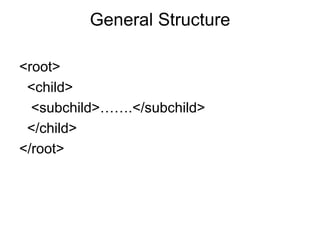
General Structure
<root>
<child>
<subchild>…….</subchild>
</child>
</root>
Main Components of an XML
Document
• Elements: <hello>
• Attributes: <item id=“33905”>
• Entities: &lt; (<)
• Advanced Components
– CData Sections
– Processing Instructions
XML Attributes
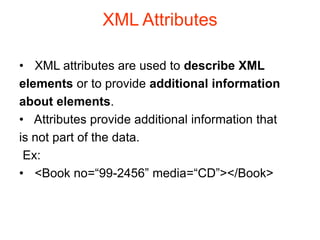
• XML attributes are used to describe XML
elements or to provide additional information
about elements.
• Attributes provide additional information that
is not part of the data.
Ex:
• <Book no=“99-2456” media=“CD”></Book>
XML Attributes
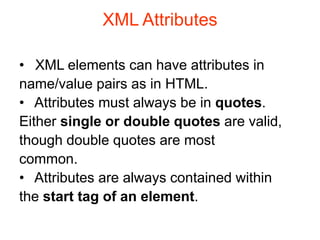
• XML elements can have attributes in
name/value pairs as in HTML.
• Attributes must always be in quotes.
Either single or double quotes are valid,
though double quotes are most
common.
• Attributes are always contained within
the start tag of an element.
Attributes Vs. Elements
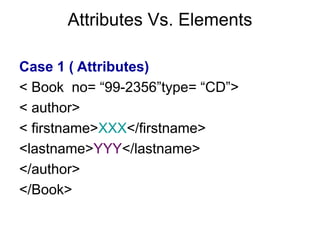
Case 1 ( Attributes)
< Book no= “99-2356”type= “CD”>
< author>
< firstname>XXX</firstname>
<lastname>YYY</lastname>
</author>
</Book>
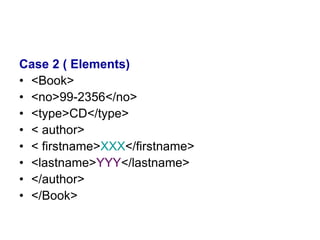
Case 2 ( Elements)
• <Book>
• <no>99-2356</no>
• <type>CD</type>
• < author>
• < firstname>XXX</firstname>
• <lastname>YYY</lastname>
• </author>
• </Book>
Where elements scores over attributes
• Elements can describe structure but not
attributes
• Attributes are more difficult to manipulate
by program code than elements
• Attribute values are difficult to validate
against a DTD
XML strengths
• Its ability to describe data
• Its ability to structure data
• Separate display from structure
• Supported by industry
• Availability of tools
XML applications
• B2B
• EDI
• Journal publishing
• Database development
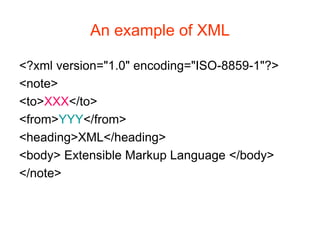
An example of XML
<?xml version="1.0" encoding="ISO-8859-1"?>
<note>
<to>XXX</to>
<from>YYY</from>
<heading>XML</heading>
<body> Extensible Markup Language </body>
</note>
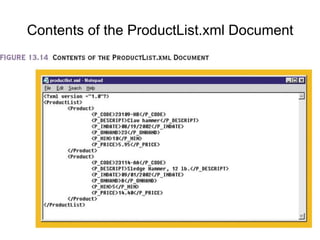
Contents of the ProductList.xml Document
Cont.,
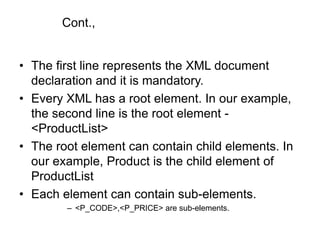
• The first line represents the XML document
declaration and it is mandatory.
• Every XML has a root element. In our example,
the second line is the root element -
<ProductList>
• The root element can contain child elements. In
our example, Product is the child element of
ProductList
• Each element can contain sub-elements.
– <P_CODE>,<P_PRICE> are sub-elements.
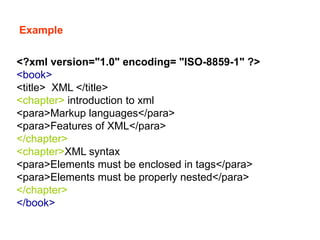
Example
<?xml version="1.0" encoding= "ISO-8859-1" ?>
<book>
<title> XML </title>
<chapter> introduction to xml
<para>Markup languages</para>
<para>Features of XML</para>
</chapter>
<chapter>XML syntax
<para>Elements must be enclosed in tags</para>
<para>Elements must be properly nested</para>
</chapter>
</book>
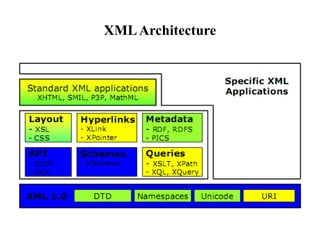
XMLArchitecture
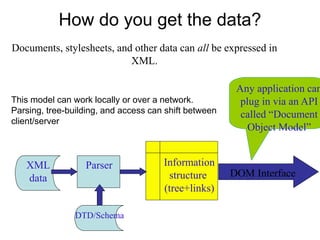
How do you get the data?
XML
data
Parser Information
structure
(tree+links)
Documents, stylesheets, and other data can all be expressed in
XML.
DOM Interface
Any application can
plug in via an API
called “Document
Object Model”
DTD/Schema
This model can work locally or over a network.
Parsing, tree-building, and access can shift between
client/server
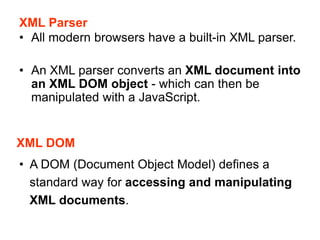
XML Parser
• All modern browsers have a built-in XML parser.
• An XML parser converts an XML document into
an XML DOM object - which can then be
manipulated with a JavaScript.
XML DOM
• A DOM (Document Object Model) defines a
standard way for accessing and manipulating
XML documents.
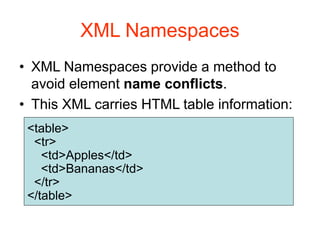
XML Namespaces
• XML Namespaces provide a method to
avoid element name conflicts.
• This XML carries HTML table information:
<table>
<tr>
<td>Apples</td>
<td>Bananas</td>
</tr>
</table>
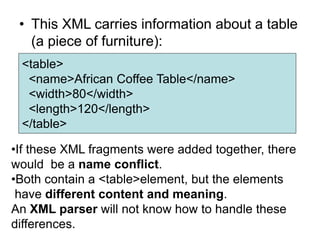
• This XML carries information about a table
(a piece of furniture):
<table>
<name>African Coffee Table</name>
<width>80</width>
<length>120</length>
</table>
•If these XML fragments were added together, there
would be a name conflict.
•Both contain a <table>element, but the elements
have different content and meaning.
An XML parser will not know how to handle these
differences.
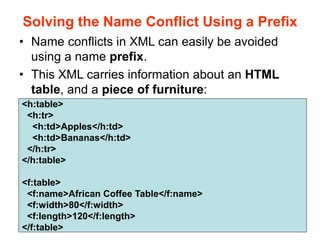
Solving the Name Conflict Using a Prefix
• Name conflicts in XML can easily be avoided
using a name prefix.
• This XML carries information about an HTML
table, and a piece of furniture:
<h:table>
<h:tr>
<h:td>Apples</h:td>
<h:td>Bananas</h:td>
</h:tr>
</h:table>
<f:table>
<f:name>African Coffee Table</f:name>
<f:width>80</f:width>
<f:length>120</f:length>
</f:table>
• In the example above, there will be no
conflict because the two <table> elements
have different names.
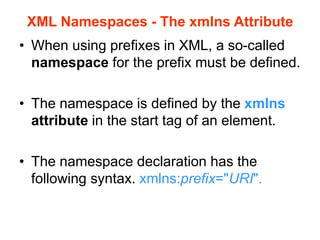
XML Namespaces - The xmlns Attribute
• When using prefixes in XML, a so-called
namespace for the prefix must be defined.
• The namespace is defined by the xmlns
attribute in the start tag of an element.
• The namespace declaration has the
following syntax. xmlns:prefix="URI".
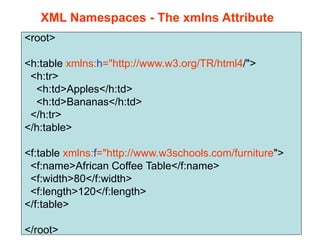
<root>
<h:table xmlns:h="http://www.w3.org/TR/html4/">
<h:tr>
<h:td>Apples</h:td>
<h:td>Bananas</h:td>
</h:tr>
</h:table>
<f:table xmlns:f="http://www.w3schools.com/furniture">
<f:name>African Coffee Table</f:name>
<f:width>80</f:width>
<f:length>120</f:length>
</f:table>
</root>
XML Namespaces - The xmlns Attribute
• In the example above, the xmlns attribute in the
<table> tag give the h: and f: prefixes a qualified
namespace.
• When a namespace is defined for an element,
all child elements with the same prefix are
associated with the same namespace.
• Namespaces can be declared in the elements
where they are used or in the XML root element:
URI
• Uniform Resource Identifier (URI)
• A Uniform Resource Identifier (URI) is a string
of characters which identifies an Internet
Resource.
• The most common URI is the Uniform
Resource Locator (URL) which identifies an
Internet domain address. Another, not so
common type of URI is the Universal Resource
Name (URN).
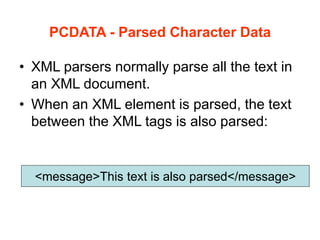
PCDATA - Parsed Character Data
• XML parsers normally parse all the text in
an XML document.
• When an XML element is parsed, the text
between the XML tags is also parsed:
<message>This text is also parsed</message>
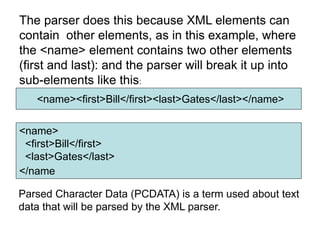
<name><first>Bill</first><last>Gates</last></name>
The parser does this because XML elements can
contain other elements, as in this example, where
the <name> element contains two other elements
(first and last): and the parser will break it up into
sub-elements like this:
<name>
<first>Bill</first>
<last>Gates</last>
</name
Parsed Character Data (PCDATA) is a term used about text
data that will be parsed by the XML parser.
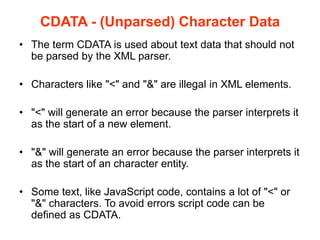
CDATA - (Unparsed) Character Data
• The term CDATA is used about text data that should not
be parsed by the XML parser.
• Characters like "<" and "&" are illegal in XML elements.
• "<" will generate an error because the parser interprets it
as the start of a new element.
• "&" will generate an error because the parser interprets it
as the start of an character entity.
• Some text, like JavaScript code, contains a lot of "<" or
"&" characters. To avoid errors script code can be
defined as CDATA.
• Everything inside a CDATA section is ignored by
the parser.
• A CDATA section starts with "<![CDATA[" and
ends with "]]>":
<script>
<![CDATA[
function matchwo(a,b)
{
if (a < b && a < 0) then
{
return 1;
}
else
{
return 0;
}
}
]]>
</script>
In this example, everything inside
the CDATA section is ignored by the
parser
Conclusion
• XML is a self-descriptive language
• XML is a powerful language to describe
structure data for web application
• XML is currently applied in many fields
• Many vendors already supports or will support
XML
• XML Documents can be validated through the
use of DTD and XSD documents
• XML impacts B2B data exchanges, legacy
system integration, web page development,
database system integration.

1 xml fundamentals

  • 1.
    XML Extensible Markup Language PreparedBy, Dr.K.G.Saranya Assistant Professor (S.Gr), Department of CSE, PSG College of Technology, Coimbatore-4.
  • 2.
    SGML (Standard Generalized MarkupLanguage) • It is an internationally agreed standard for data representation. • It is an international standard for the definition of device independent, system independent methods of representing texts in electronic form.
  • 3.
    Introduction • XML standsfor EXtensible Markup Language • XML is a markup language much like HTML • A simplified version of SGML • More flexible and adaptable than HTML • XML was designed to describe data
  • 4.
    • XML tagsare not predefined. You must define your own tags • XML uses a Document Type Definition (DTD) or an XML Schema to describe the data • XML is a W3C Recommendation. World Wide Web Consortium published the first XML 1.0 standard definition in 1998. Cont..
  • 5.
    Difference between XMLand HTML The main difference between XML and HTML – XML was designed to carry data. (XML is not a replacement for HTML) XML and HTML were designed with different goals: – XML was designed to describe data and to focus on what data is. HTML was designed to display data and to focus on how data looks. – HTML is about displaying information, while XML is about describing information.
  • 6.
    Why Is XMLImportant? • Plain Text – Easy to edit – Useful for storing small amounts of data – Possible to efficiently store large amounts of XML data through an XML front end to a database • Data Identification – Tell you what kind of data you have – Can be used in different ways by different applications
  • 7.
    Why is XMLimportant? • Linkability -- XLink and XPointer – Simple unidirectional hyperlinks – Two-way links – Multiple-target links – “Expanding” links • Easily Processed – Regular and consistent notation • Hierarchical – Faster to access – Easier to rearrange
  • 8.
    XML Specifications • XML1.0 Defines the syntax of XML • XPointer, XLink Defines a standard way to represent links between resources • XSL Defines the standard stylesheet language for XML
  • 9.
    XML Syntax • XMLdeclaration is the first statement • All XML elements must have a closing tag • XML tags are case sensitive • All XML elements must be properly nested • All XML documents must have a root tag • Attribute values must always be quoted • With XML, white space is preserved • Comments in XML: <!-- This is a comment --> • Certain characters are reserved for parsing
  • 10.
    XML Validation There aretwo types of XML documents • "Well Formed" XML document --correct XML syntax • "Valid" XML document – “well formed” – Conforms to the rules of a DTD (Document Type Definition) • XML DTD – defines the legal building blocks of an XML document – Can be inline in XML or as an external reference • XML Schema – an XML based alternative to DTD, more powerful – Support namespace and data types
  • 11.
    Displaying XML • XMLdocuments do not carry information about how to display the data • We can add display information to XML with – CSS (Cascading Style Sheets) – XSL (eXtensible Stylesheet Language) --- preferred
  • 12.
    XML support inIE 5.0+ Internet Explorer 5.0 has the following XML support: • Viewing of XML documents • Full support for W3C DTD standards • Binding XML data to HTML elements • Transforming and displaying XML with XSL • Displaying XML with CSS • Access to the XML DOM (Document Object Model) *Netscape 6.0 also have full XML support
  • 13.
    XML features • XMLuses the concept of document type and hence a DTD (Document Type Definition) to describe data • XML with DTD is self descriptive • XML separates data from display formats • XML can be used as a format to exchange data
  • 14.
    XML Syntax consistsof • XML Declaration • XML Elements • XML Attributes • The first line of an XML document should always consist of an XML declaration defining the version of XML
  • 15.
  • 16.
    Main Components ofan XML Document • Elements: <hello> • Attributes: <item id=“33905”> • Entities: &lt; (<) • Advanced Components – CData Sections – Processing Instructions
  • 17.
    XML Attributes • XMLattributes are used to describe XML elements or to provide additional information about elements. • Attributes provide additional information that is not part of the data. Ex: • <Book no=“99-2456” media=“CD”></Book>
  • 18.
    XML Attributes • XMLelements can have attributes in name/value pairs as in HTML. • Attributes must always be in quotes. Either single or double quotes are valid, though double quotes are most common. • Attributes are always contained within the start tag of an element.
  • 19.
    Attributes Vs. Elements Case1 ( Attributes) < Book no= “99-2356”type= “CD”> < author> < firstname>XXX</firstname> <lastname>YYY</lastname> </author> </Book>
  • 20.
    Case 2 (Elements) • <Book> • <no>99-2356</no> • <type>CD</type> • < author> • < firstname>XXX</firstname> • <lastname>YYY</lastname> • </author> • </Book>
  • 21.
    Where elements scoresover attributes • Elements can describe structure but not attributes • Attributes are more difficult to manipulate by program code than elements • Attribute values are difficult to validate against a DTD
  • 22.
    XML strengths • Itsability to describe data • Its ability to structure data • Separate display from structure • Supported by industry • Availability of tools
  • 23.
    XML applications • B2B •EDI • Journal publishing • Database development
  • 24.
    An example ofXML <?xml version="1.0" encoding="ISO-8859-1"?> <note> <to>XXX</to> <from>YYY</from> <heading>XML</heading> <body> Extensible Markup Language </body> </note>
  • 25.
    Contents of theProductList.xml Document
  • 26.
    Cont., • The firstline represents the XML document declaration and it is mandatory. • Every XML has a root element. In our example, the second line is the root element - <ProductList> • The root element can contain child elements. In our example, Product is the child element of ProductList • Each element can contain sub-elements. – <P_CODE>,<P_PRICE> are sub-elements.
  • 27.
    Example <?xml version="1.0" encoding="ISO-8859-1" ?> <book> <title> XML </title> <chapter> introduction to xml <para>Markup languages</para> <para>Features of XML</para> </chapter> <chapter>XML syntax <para>Elements must be enclosed in tags</para> <para>Elements must be properly nested</para> </chapter> </book>
  • 28.
  • 29.
    How do youget the data? XML data Parser Information structure (tree+links) Documents, stylesheets, and other data can all be expressed in XML. DOM Interface Any application can plug in via an API called “Document Object Model” DTD/Schema This model can work locally or over a network. Parsing, tree-building, and access can shift between client/server
  • 30.
    XML Parser • Allmodern browsers have a built-in XML parser. • An XML parser converts an XML document into an XML DOM object - which can then be manipulated with a JavaScript. XML DOM • A DOM (Document Object Model) defines a standard way for accessing and manipulating XML documents.
  • 31.
    XML Namespaces • XMLNamespaces provide a method to avoid element name conflicts. • This XML carries HTML table information: <table> <tr> <td>Apples</td> <td>Bananas</td> </tr> </table>
  • 32.
    • This XMLcarries information about a table (a piece of furniture): <table> <name>African Coffee Table</name> <width>80</width> <length>120</length> </table> •If these XML fragments were added together, there would be a name conflict. •Both contain a <table>element, but the elements have different content and meaning. An XML parser will not know how to handle these differences.
  • 33.
    Solving the NameConflict Using a Prefix • Name conflicts in XML can easily be avoided using a name prefix. • This XML carries information about an HTML table, and a piece of furniture: <h:table> <h:tr> <h:td>Apples</h:td> <h:td>Bananas</h:td> </h:tr> </h:table> <f:table> <f:name>African Coffee Table</f:name> <f:width>80</f:width> <f:length>120</f:length> </f:table>
  • 34.
    • In theexample above, there will be no conflict because the two <table> elements have different names.
  • 35.
    XML Namespaces -The xmlns Attribute • When using prefixes in XML, a so-called namespace for the prefix must be defined. • The namespace is defined by the xmlns attribute in the start tag of an element. • The namespace declaration has the following syntax. xmlns:prefix="URI".
  • 36.
  • 37.
    • In theexample above, the xmlns attribute in the <table> tag give the h: and f: prefixes a qualified namespace. • When a namespace is defined for an element, all child elements with the same prefix are associated with the same namespace. • Namespaces can be declared in the elements where they are used or in the XML root element:
  • 38.
    URI • Uniform ResourceIdentifier (URI) • A Uniform Resource Identifier (URI) is a string of characters which identifies an Internet Resource. • The most common URI is the Uniform Resource Locator (URL) which identifies an Internet domain address. Another, not so common type of URI is the Universal Resource Name (URN).
  • 39.
    PCDATA - ParsedCharacter Data • XML parsers normally parse all the text in an XML document. • When an XML element is parsed, the text between the XML tags is also parsed: <message>This text is also parsed</message>
  • 40.
    <name><first>Bill</first><last>Gates</last></name> The parser doesthis because XML elements can contain other elements, as in this example, where the <name> element contains two other elements (first and last): and the parser will break it up into sub-elements like this: <name> <first>Bill</first> <last>Gates</last> </name Parsed Character Data (PCDATA) is a term used about text data that will be parsed by the XML parser.
  • 41.
    CDATA - (Unparsed)Character Data • The term CDATA is used about text data that should not be parsed by the XML parser. • Characters like "<" and "&" are illegal in XML elements. • "<" will generate an error because the parser interprets it as the start of a new element. • "&" will generate an error because the parser interprets it as the start of an character entity. • Some text, like JavaScript code, contains a lot of "<" or "&" characters. To avoid errors script code can be defined as CDATA.
  • 42.
    • Everything insidea CDATA section is ignored by the parser. • A CDATA section starts with "<![CDATA[" and ends with "]]>": <script> <![CDATA[ function matchwo(a,b) { if (a < b && a < 0) then { return 1; } else { return 0; } } ]]> </script> In this example, everything inside the CDATA section is ignored by the parser
  • 43.
    Conclusion • XML isa self-descriptive language • XML is a powerful language to describe structure data for web application • XML is currently applied in many fields • Many vendors already supports or will support XML • XML Documents can be validated through the use of DTD and XSD documents • XML impacts B2B data exchanges, legacy system integration, web page development, database system integration.