eXtensible Markup Language (XML)
By:
Abhra Basak
Shoubhik Debnath
Journey Ahead…….
• Introduction
• Comparison between XML and HTML
• XML Syntax
• XML Elements v/s Attributes
• XML Data Islands
• DocumentType Definition
• XML Query Languages
• Converting Relational Database to XML
• XMLTechnologies
• Role of XML inWBIM
What is XML?
• eXtensible Markup Language
• Markup languages are for documents containing
structured information.
• Markup languages are designed for the processing,
definition and presentation of text
• Defined by four specifications:
• XML, the Extensible Markup Language
• XLL, the Extensible Linking Language
• XSL, the Extensible Style Language
• XUA, the XML User Agent
XML….
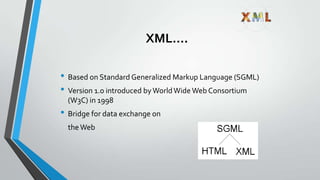
• Based on Standard Generalized Markup Language (SGML)
• Version 1.0 introduced byWorldWide Web Consortium
(W3C) in 1998
• Bridge for data exchange on
theWeb
Why eXtensible ?
• Introducing Dynamic nature.
• Approaches to extensibility include facilities (sometimes called hooks) for
allowing users to insert their own program routines, the ability to define
new data types, and the ability to define new formatting markup tags.
Journey Ahead…….
• Introduction
• Comparison between XML and HTML
• XML Syntax
• XML Elements v/s Attributes
• XML Data Islands
• DocumentType Definition
• XML Query Languages
• Converting Relational Database to XML
• XMLTechnologies
• Role of XML inWBIM
Difference Between XML and
HTML
• XML is not a replacement for HTML.
• XML and HTML were designed with different goals:
1. XML was designed to transport and store
data, with focus on what data is
2. HTML was designed to display data, with
focus on how data looks
• HTML is about displaying information, while XML is about
carrying information.
Comparisons
• Extensible set of tags
• Content orientated
• Standard Data infrastructure
• Fixed set of tags
• Presentation oriented
• No data validation capabilities
XML HTML
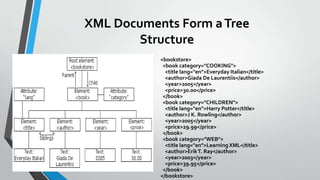
XML Documents Form aTree
Structure
<bookstore>
<book category="COOKING">
<title lang="en">Everyday Italian</title>
<author>Giada De Laurentiis</author>
<year>2005</year>
<price>30.00</price>
</book>
<book category="CHILDREN">
<title lang="en">Harry Potter</title>
<author>J K. Rowling</author>
<year>2005</year>
<price>29.99</price>
</book>
<book category="WEB">
<title lang="en">LearningXML</title>
<author>ErikT. Ray</author>
<year>2003</year>
<price>39.95</price>
</book>
</bookstore>
Journey Ahead…….
• Introduction
• Comparison between XML and HTML
• XML Syntax
• XML Elements v/s Attributes
• XML Data Islands
• DocumentType Definition
• XML Query Languages
• Converting Relational Database to XML
• XMLTechnologies
• Role of XML inWBIM
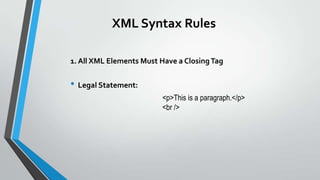
XML Syntax Rules
1. All XML Elements Must Have a ClosingTag
• Legal Statement:
<p>This is a paragraph.</p>
<br />
XML Syntax Rules
2. XMLTags are Case Sensitive
• Legal Statement:
<Message>This is incorrect</message>
<message>This is correct</message>
XML Syntax Rules
3. XML Elements Must be Properly Nested
• Legal Statement:
<b><i>This text is bold and italic</i></b>
XML Syntax Rules
4. XML Documents Must Have a Root Element
• Legal Statement:
<root>
<child>
<subchild>.....</subchild>
</child>
</root>
XML Syntax Rules
5. XML AttributeValues Must be Quoted
• Legal Statement:
<note date="12/11/2007">
<to>Tove</to>
<from>Jani</from>
</note>
XML Syntax Rules
6. Comments in XML
The syntax for writing comments in XML is similar to that of HTML.
<!--This is a comment -->
XML Syntax Rules
7. Entity References : Some characters have a special meaning in XML.
&lt; < less than
&gt; > greater than
&amp; & ampersand
&apos; ' apostrophe
&quot; " quotation mark
Journey Ahead…….
• Introduction
• Comparison between XML and HTML
• XML Syntax
• XML Elements v/s Attributes
• XML Data Islands
• DocumentType Definition
• XML Query Languages
• Converting Relational Database to XML
• XMLTechnologies
• Role of XML inWBIM
Authoring XML Elements
• An XML element is made up of a start tag, an end tag, and data
in between.
• Example:
<director> Matthew Dunn </director>
• Example of another element with the same value:
<actor> Matthew Dunn </actor>
• XML tags are case-sensitive:
<CITY> <City> <city>
• XML can abbreviate empty elements, for example:
<married> </married> can be abbreviated to
<married/>
Authoring XML Elements
(cont’d)
• An attribute is a name-value pair separated by an equal
sign (=).
• Example:
<City ZIP=“94608”> Emeryville </City>
• Attributes are used to attach additional, secondary
information to an element.
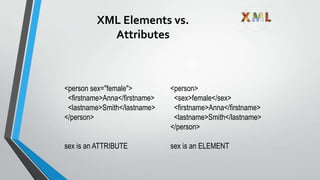
XML Elements vs.
Attributes
<person sex="female">
<firstname>Anna</firstname>
<lastname>Smith</lastname>
</person>
sex is an ATTRIBUTE
<person>
<sex>female</sex>
<firstname>Anna</firstname>
<lastname>Smith</lastname>
</person>
sex is an ELEMENT
XML Data Model: Example
<BOOKS>
<book id=“123” loc=“library”>
<author>Hull</author>
<title>California</title>
<year> 1995 </year>
</book>
<article id=“555” ref=“123”>
<author>Su</author>
<title> Purdue</title>
</article>
</BOOKS> Hull Purdue
BOOKS
123 555
California
Su
titleauthor
title
author
article
book
year
1995
ref
loc=“library”
Journey Ahead…….
• Introduction
• Comparison between XML and HTML
• XML Syntax
• XML Elements v/s Attributes
• XML Data Islands
• DocumentType Definition
• XML Query Languages
• Converting Relational Database to XML
• XMLTechnologies
• Role of XML inWBIM
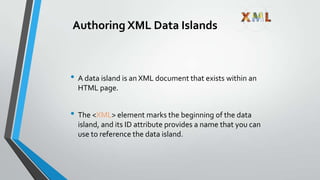
Authoring XML Data Islands
• A data island is an XML document that exists within an
HTML page.
• The <XML> element marks the beginning of the data
island, and its ID attribute provides a name that you can
use to reference the data island.
Authoring XML Data Islands
(cont’d)
• Example:
<XML ID=“XMLID”>
<customer>
<name> Mark Hanson </name>
<custID> 29085 </custID>
</customer>
</XML>
Journey Ahead…….
• Introduction
• Comparison between XML and HTML
• XML Syntax
• XML Elements v/s Attributes
• XML Data Islands
• DocumentType Definition
• XML Query Languages
• Converting Relational Database to XML
• XMLTechnologies
• Role of XML inWBIM
DocumentType Definitions
(DTD)
• An XML document may have an optional DTD.
• DTD serves as grammar for the underlying XML
document, and it is part of XML language.
• DTDs are somewhat unsatisfactory, but no consensus
exists so far beyond the basic DTDs.
• DTD has the form:
<!DOCTYPE name [markupdeclaration]>
DTD (cont’d)
• Consider an XML document:
<db><person><name>Alan</name>
<age>42</age>
<email>agb@usa.net </email>
</person>
<person>………</person>
……….
</db>
DTD (cont’d)
• DTD for it might be:
<!DOCTYPE db [
<!ELEMENT db (person*)>
<!ELEMENT person (name, age, email)>
<!ELEMENT name (#PCDATA)>
<!ELEMENT age (#PCDATA)>
<!ELEMENT email (#PCDATA)>
]>
Journey Ahead…….
• Introduction
• Comparison between XML and HTML
• XML Syntax
• XML Elements v/s Attributes
• XML Data Islands
• DocumentType Definition
• XML Query Languages
• Converting Relational Database to XML
• XMLTechnologies
• Role of XML inWBIM
XML Query Languages
• The first XML query languages
• LOREL (Stanford)
• XQL
• Several other query languages have been developed (e.g.
UNQL, XPath)
• XML-QL considered byW3C for standardization
• CurrentlyW3C is considering and working on a new query
language: XQuery
A Query Language for
XML: XML-QL
• Developed at AT&T labs
• To extract data from the input XML data
• Has variables to which data is bound and templates which
show how the output XML data is to be constructed
• Uses the XML syntax
• Based on a where/construct syntax
• Where combines from and where parts of SQL
• Construct corresponds to SQL’s select
XML-QL Query: Example 1
• Retrieve all authors of books published by Morgan Kaufmann:
where <book>
<publisher><name>
Morgan Kaufmann
</name> </publisher>
<title> $T </title>
<author> $A </author>
</book> in “www.a.b.c/bib.xml”
construct <result> $A </result>
XML-QL Query: Example 2
• XML-QL query asking for all bookstores that sell TheJava
Programming Language for under $25:
where <store>
<name> $N </name>
<book>
<title>The Java Programming Language </title>
<price> $P </price>
</book>
</store> in “www.store/bib.xml”
$P < 25
construct <result> $N </result>
Journey Ahead…….
• Introduction
• Comparison between XML and HTML
• XML Syntax
• XML Elements v/s Attributes
• XML Data Islands
• DocumentType Definition
• XML Query Languages
• Converting Relational Database to XML
• XMLTechnologies
• Role of XML inWBIM
Converting Relational Database to XML
Example: Export the following data into XML and group books by
store
• Relational Database:
Store (sid, name, phone)
Book (bid, title, authors)
StoreBook (sid , bid, price, stock)
Store BookStoreBook
phone
authors
bidtitlesid
name
price stock
Converting Relational Database to
XML (Cont’d)
• XML:
<store> <name> … </name>
<phone> … </phone>
<book> <title>… </title>
<authors> … </authors>
<price> … </price>
</book>
<book>…</book>
…
</store>
Journey Ahead…….
• Introduction
• Comparison between XML and HTML
• XML Syntax
• XML Elements v/s Attributes
• XML Data Islands
• DocumentType Definition
• XML Query Languages
• Converting Relational Database to XML
• XMLTechnologies
• Role of XML inWBIM
XMLTechnologies
• XHTML (Extensible HTML) :A stricter and cleaner XML based version of
HTML.
• XML DOM (XML Document Object Model) : A standard document model for
accessing and manipulatingXML.
• XSL (Extensible Style Sheet Language) XSL consists of three parts:
1. XSLT (XSLTransform) - transforms XML into other formats, like HTML
2. XSL-FO (XSL Formatting Objects)- for formatting XML to screen, paper, etc
3. XPath - a language for navigatingXML documents
• XQuery (XML Query Language) :An XML based language for querying XML
data.
• DTD (DocumentType Definition) :A standard for defining the legal elements
in an XML document.
Journey Ahead…….
• Introduction
• Comparison between XML and HTML
• XML Syntax
• XML Elements v/s Attributes
• XML Data Islands
• DocumentType Definition
• XML Query Languages
• Converting Relational Database to XML
• XMLTechnologies
• Role of XML inWBIM
Role of XML inWBIM
• XML is very easy to understand.
• An efficient method for Information Storage and Retrieval – Its simple
syntax enables that unlike RDBMS.
• There are obviously some security concerns. So, future work on XML
Security is promising.
THANKYOU
Comments and Questions
are most welcome!

Introduction to XML

  • 1.
    eXtensible Markup Language(XML) By: Abhra Basak Shoubhik Debnath
  • 2.
    Journey Ahead……. • Introduction •Comparison between XML and HTML • XML Syntax • XML Elements v/s Attributes • XML Data Islands • DocumentType Definition • XML Query Languages • Converting Relational Database to XML • XMLTechnologies • Role of XML inWBIM
  • 3.
    What is XML? •eXtensible Markup Language • Markup languages are for documents containing structured information. • Markup languages are designed for the processing, definition and presentation of text • Defined by four specifications: • XML, the Extensible Markup Language • XLL, the Extensible Linking Language • XSL, the Extensible Style Language • XUA, the XML User Agent
  • 4.
    XML…. • Based onStandard Generalized Markup Language (SGML) • Version 1.0 introduced byWorldWide Web Consortium (W3C) in 1998 • Bridge for data exchange on theWeb
  • 5.
    Why eXtensible ? •Introducing Dynamic nature. • Approaches to extensibility include facilities (sometimes called hooks) for allowing users to insert their own program routines, the ability to define new data types, and the ability to define new formatting markup tags.
  • 6.
    Journey Ahead……. • Introduction •Comparison between XML and HTML • XML Syntax • XML Elements v/s Attributes • XML Data Islands • DocumentType Definition • XML Query Languages • Converting Relational Database to XML • XMLTechnologies • Role of XML inWBIM
  • 7.
    Difference Between XMLand HTML • XML is not a replacement for HTML. • XML and HTML were designed with different goals: 1. XML was designed to transport and store data, with focus on what data is 2. HTML was designed to display data, with focus on how data looks • HTML is about displaying information, while XML is about carrying information.
  • 8.
    Comparisons • Extensible setof tags • Content orientated • Standard Data infrastructure • Fixed set of tags • Presentation oriented • No data validation capabilities XML HTML
  • 9.
    XML Documents FormaTree Structure <bookstore> <book category="COOKING"> <title lang="en">Everyday Italian</title> <author>Giada De Laurentiis</author> <year>2005</year> <price>30.00</price> </book> <book category="CHILDREN"> <title lang="en">Harry Potter</title> <author>J K. Rowling</author> <year>2005</year> <price>29.99</price> </book> <book category="WEB"> <title lang="en">LearningXML</title> <author>ErikT. Ray</author> <year>2003</year> <price>39.95</price> </book> </bookstore>
  • 10.
    Journey Ahead……. • Introduction •Comparison between XML and HTML • XML Syntax • XML Elements v/s Attributes • XML Data Islands • DocumentType Definition • XML Query Languages • Converting Relational Database to XML • XMLTechnologies • Role of XML inWBIM
  • 11.
    XML Syntax Rules 1.All XML Elements Must Have a ClosingTag • Legal Statement: <p>This is a paragraph.</p> <br />
  • 12.
    XML Syntax Rules 2.XMLTags are Case Sensitive • Legal Statement: <Message>This is incorrect</message> <message>This is correct</message>
  • 13.
    XML Syntax Rules 3.XML Elements Must be Properly Nested • Legal Statement: <b><i>This text is bold and italic</i></b>
  • 14.
    XML Syntax Rules 4.XML Documents Must Have a Root Element • Legal Statement: <root> <child> <subchild>.....</subchild> </child> </root>
  • 15.
    XML Syntax Rules 5.XML AttributeValues Must be Quoted • Legal Statement: <note date="12/11/2007"> <to>Tove</to> <from>Jani</from> </note>
  • 16.
    XML Syntax Rules 6.Comments in XML The syntax for writing comments in XML is similar to that of HTML. <!--This is a comment -->
  • 17.
    XML Syntax Rules 7.Entity References : Some characters have a special meaning in XML. &lt; < less than &gt; > greater than &amp; & ampersand &apos; ' apostrophe &quot; " quotation mark
  • 18.
    Journey Ahead……. • Introduction •Comparison between XML and HTML • XML Syntax • XML Elements v/s Attributes • XML Data Islands • DocumentType Definition • XML Query Languages • Converting Relational Database to XML • XMLTechnologies • Role of XML inWBIM
  • 19.
    Authoring XML Elements •An XML element is made up of a start tag, an end tag, and data in between. • Example: <director> Matthew Dunn </director> • Example of another element with the same value: <actor> Matthew Dunn </actor> • XML tags are case-sensitive: <CITY> <City> <city> • XML can abbreviate empty elements, for example: <married> </married> can be abbreviated to <married/>
  • 20.
    Authoring XML Elements (cont’d) •An attribute is a name-value pair separated by an equal sign (=). • Example: <City ZIP=“94608”> Emeryville </City> • Attributes are used to attach additional, secondary information to an element.
  • 21.
    XML Elements vs. Attributes <personsex="female"> <firstname>Anna</firstname> <lastname>Smith</lastname> </person> sex is an ATTRIBUTE <person> <sex>female</sex> <firstname>Anna</firstname> <lastname>Smith</lastname> </person> sex is an ELEMENT
  • 22.
    XML Data Model:Example <BOOKS> <book id=“123” loc=“library”> <author>Hull</author> <title>California</title> <year> 1995 </year> </book> <article id=“555” ref=“123”> <author>Su</author> <title> Purdue</title> </article> </BOOKS> Hull Purdue BOOKS 123 555 California Su titleauthor title author article book year 1995 ref loc=“library”
  • 23.
    Journey Ahead……. • Introduction •Comparison between XML and HTML • XML Syntax • XML Elements v/s Attributes • XML Data Islands • DocumentType Definition • XML Query Languages • Converting Relational Database to XML • XMLTechnologies • Role of XML inWBIM
  • 24.
    Authoring XML DataIslands • A data island is an XML document that exists within an HTML page. • The <XML> element marks the beginning of the data island, and its ID attribute provides a name that you can use to reference the data island.
  • 25.
    Authoring XML DataIslands (cont’d) • Example: <XML ID=“XMLID”> <customer> <name> Mark Hanson </name> <custID> 29085 </custID> </customer> </XML>
  • 26.
    Journey Ahead……. • Introduction •Comparison between XML and HTML • XML Syntax • XML Elements v/s Attributes • XML Data Islands • DocumentType Definition • XML Query Languages • Converting Relational Database to XML • XMLTechnologies • Role of XML inWBIM
  • 27.
    DocumentType Definitions (DTD) • AnXML document may have an optional DTD. • DTD serves as grammar for the underlying XML document, and it is part of XML language. • DTDs are somewhat unsatisfactory, but no consensus exists so far beyond the basic DTDs. • DTD has the form: <!DOCTYPE name [markupdeclaration]>
  • 28.
    DTD (cont’d) • Consideran XML document: <db><person><name>Alan</name> <age>42</age> <email>agb@usa.net </email> </person> <person>………</person> ………. </db>
  • 29.
    DTD (cont’d) • DTDfor it might be: <!DOCTYPE db [ <!ELEMENT db (person*)> <!ELEMENT person (name, age, email)> <!ELEMENT name (#PCDATA)> <!ELEMENT age (#PCDATA)> <!ELEMENT email (#PCDATA)> ]>
  • 30.
    Journey Ahead……. • Introduction •Comparison between XML and HTML • XML Syntax • XML Elements v/s Attributes • XML Data Islands • DocumentType Definition • XML Query Languages • Converting Relational Database to XML • XMLTechnologies • Role of XML inWBIM
  • 31.
    XML Query Languages •The first XML query languages • LOREL (Stanford) • XQL • Several other query languages have been developed (e.g. UNQL, XPath) • XML-QL considered byW3C for standardization • CurrentlyW3C is considering and working on a new query language: XQuery
  • 32.
    A Query Languagefor XML: XML-QL • Developed at AT&T labs • To extract data from the input XML data • Has variables to which data is bound and templates which show how the output XML data is to be constructed • Uses the XML syntax • Based on a where/construct syntax • Where combines from and where parts of SQL • Construct corresponds to SQL’s select
  • 33.
    XML-QL Query: Example1 • Retrieve all authors of books published by Morgan Kaufmann: where <book> <publisher><name> Morgan Kaufmann </name> </publisher> <title> $T </title> <author> $A </author> </book> in “www.a.b.c/bib.xml” construct <result> $A </result>
  • 34.
    XML-QL Query: Example2 • XML-QL query asking for all bookstores that sell TheJava Programming Language for under $25: where <store> <name> $N </name> <book> <title>The Java Programming Language </title> <price> $P </price> </book> </store> in “www.store/bib.xml” $P < 25 construct <result> $N </result>
  • 35.
    Journey Ahead……. • Introduction •Comparison between XML and HTML • XML Syntax • XML Elements v/s Attributes • XML Data Islands • DocumentType Definition • XML Query Languages • Converting Relational Database to XML • XMLTechnologies • Role of XML inWBIM
  • 36.
    Converting Relational Databaseto XML Example: Export the following data into XML and group books by store • Relational Database: Store (sid, name, phone) Book (bid, title, authors) StoreBook (sid , bid, price, stock) Store BookStoreBook phone authors bidtitlesid name price stock
  • 37.
    Converting Relational Databaseto XML (Cont’d) • XML: <store> <name> … </name> <phone> … </phone> <book> <title>… </title> <authors> … </authors> <price> … </price> </book> <book>…</book> … </store>
  • 38.
    Journey Ahead……. • Introduction •Comparison between XML and HTML • XML Syntax • XML Elements v/s Attributes • XML Data Islands • DocumentType Definition • XML Query Languages • Converting Relational Database to XML • XMLTechnologies • Role of XML inWBIM
  • 39.
    XMLTechnologies • XHTML (ExtensibleHTML) :A stricter and cleaner XML based version of HTML. • XML DOM (XML Document Object Model) : A standard document model for accessing and manipulatingXML. • XSL (Extensible Style Sheet Language) XSL consists of three parts: 1. XSLT (XSLTransform) - transforms XML into other formats, like HTML 2. XSL-FO (XSL Formatting Objects)- for formatting XML to screen, paper, etc 3. XPath - a language for navigatingXML documents • XQuery (XML Query Language) :An XML based language for querying XML data. • DTD (DocumentType Definition) :A standard for defining the legal elements in an XML document.
  • 40.
    Journey Ahead……. • Introduction •Comparison between XML and HTML • XML Syntax • XML Elements v/s Attributes • XML Data Islands • DocumentType Definition • XML Query Languages • Converting Relational Database to XML • XMLTechnologies • Role of XML inWBIM
  • 41.
    Role of XMLinWBIM • XML is very easy to understand. • An efficient method for Information Storage and Retrieval – Its simple syntax enables that unlike RDBMS. • There are obviously some security concerns. So, future work on XML Security is promising.
  • 42.